

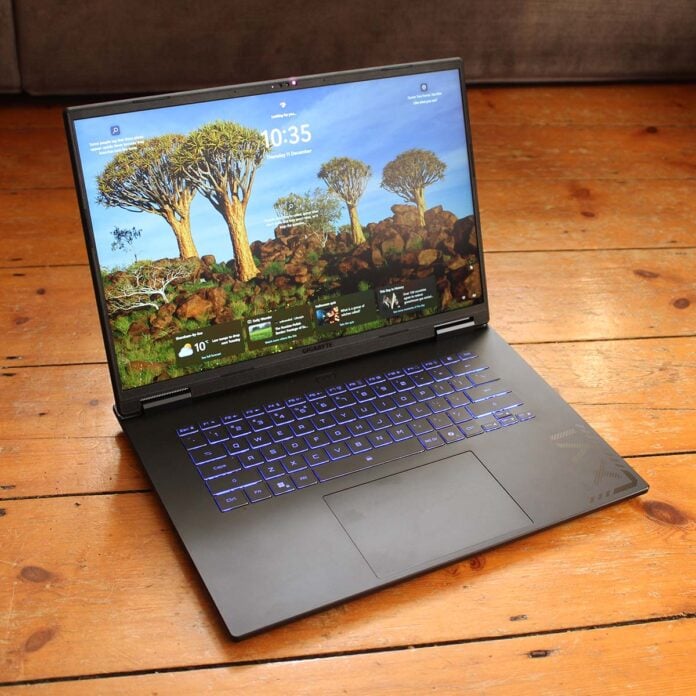
The Gigabyte Gaming A16 Pro may not have a flashy metal chassis or OLED screen, but on paper, this gaming laptop has a killer internal spec for its modest price tag. Aimed at gamers looking for a thin-and-light laptop with formidable GPU power, but who can’t afford the premium price of a Razer Blade or Asus ROG Zephyrus, it packs an Nvidia GeForce RTX 5080 laptop GPU into a pleasingly slim plastic chassis. More importantly, it doesn’t cost a colossal amount of cash.
Gigabyte Gaming A16 Pro
From £1,599
Pros
- Great keyboard
- Solid gaming frame rates
- Fair price for 5070 Ti model
- Decent battery life
Cons
- 115W TDP seriously limits RTX 5080
- Plastic construction
- Lacks flashy design of rivals
- Can’t upgrade RAM
- No high-speed USB ports
Club386 may earn an affiliate commission when you purchase products through links on our site.
How we test and review products.
At the time of writing, the RTX 5080 model I’m reviewing here is going for $1,979 in the US, and while its UK price of £2,149 is disappointingly high, you can pick up the 5070 Ti version for just £1,599 instead. As we’ll see later, you won’t actually lose much by going for that ostensibly lesser spec either, and you’ll save a lot of money too. In the meantime, though, let’s take a look at what makes Gigabyte’s A16 Pro tick.
Specs
There are two Gaming A16 Pro flavours available, and they’re both identical except the GPU – you can either have the same machine with an RTX 5070 Ti or a 5080. However, our RTX 5080 model has the same peak 115W GPU power limit as its 5070 Ti-based sibling. That means a lot of the RTX 5080’s extra horsepower is largely wasted, as it doesn’t have the 150W of thermal headroom it needs to really get going. As such, its boost clock is restricted to just 1,500MHz, while the RTX 5070 Ti model can boost its GPU to 1,762MHz.
There are still benefits to having an RTX 5080 in this machine, of course, as it has a full 16GB of VRAM, rather than just 12GB, but the power limit really does hold it back. It’s also worth noting that Nvidia’s laptop chips have radically reduced specs compared to their desktop counterparts. As a case in point, the laptop RTX 5080 has just 7,680 CUDA cores, compared to 10,752 on the desktop model. It basically sits between the desktop RTX 5070 and 5070 Ti in terms of core specs, but with 16GB of VRAM.
| Gigabyte Gaming A16 Pro | |
|---|---|
| CPU | Intel Core 7 240H |
| GPU | Nvidia GeForce RTX 5080 Laptop 115W |
| Display | 16in IPS (2560×1600 / 165Hz) |
| RAM | 32GB (2x16GB) LPDDR5X 5,600MT/s |
| Storage | 1TB Kingston M8SGP41024K2-C00 PCIe Gen 4 |
| Battery | 76WHr Lithium Polymer |
| Connections | Realtek 1Gb Ethernet (x1) 3.5mm audio combo output (x1) Bluetooth 5.2 HDMI 2.1 (x1) USB-A 3.2 Gen 1 (x2) USB-A 2.0 (x1) USB-C 4 inc DisplayPort 1.4 (x1) Intel AX211 Wi-Fi 6E |
| OS | Windows 11 Home |
| Weight | 2.3kg |
| Dimensions | 358mm (W) x 263mm (D) x 19-22mm (H) |
| Extras | RGB-backlit keyboard FHD (1080p) IR webcam |
| Price | From £1,599 (£2,149 for reviewed spec) |
Meanwhile, CPU power comes from an Intel Core 7 240H which, despite its 200-series name, isn’t actually based on Intel’s latest Arrow Lake architecture. Instead, it uses the older Raptor Lake silicon found in Intel’s 13th-gen and 14th-gen CPUs. That’s good for gaming, though, as Arrow Lake isn’t that great when it comes to churning out high frame rates. It’s a pretty basic chip, with just six P-Cores and four E-Cores, but that covers all the essentials for gaming.
RAM is soldered to the motherboard, so you can’t upgrade it later
You also get 32GB (2x16GB) of LPDDR5X memory, which is the right amount for a machine in 2025, and it runs at a decent pace of 5,600MT/s as well. Disappointingly, though, this RAM is soldered to the motherboard, so you can’t upgrade it later.
Then again, with memory prices rocketing up into the stratosphere right now, it’s not as if you could cheaply upgrade to 64GB soon anyway – 32GB is enough, and we’ll forgive it being soldered in this case.
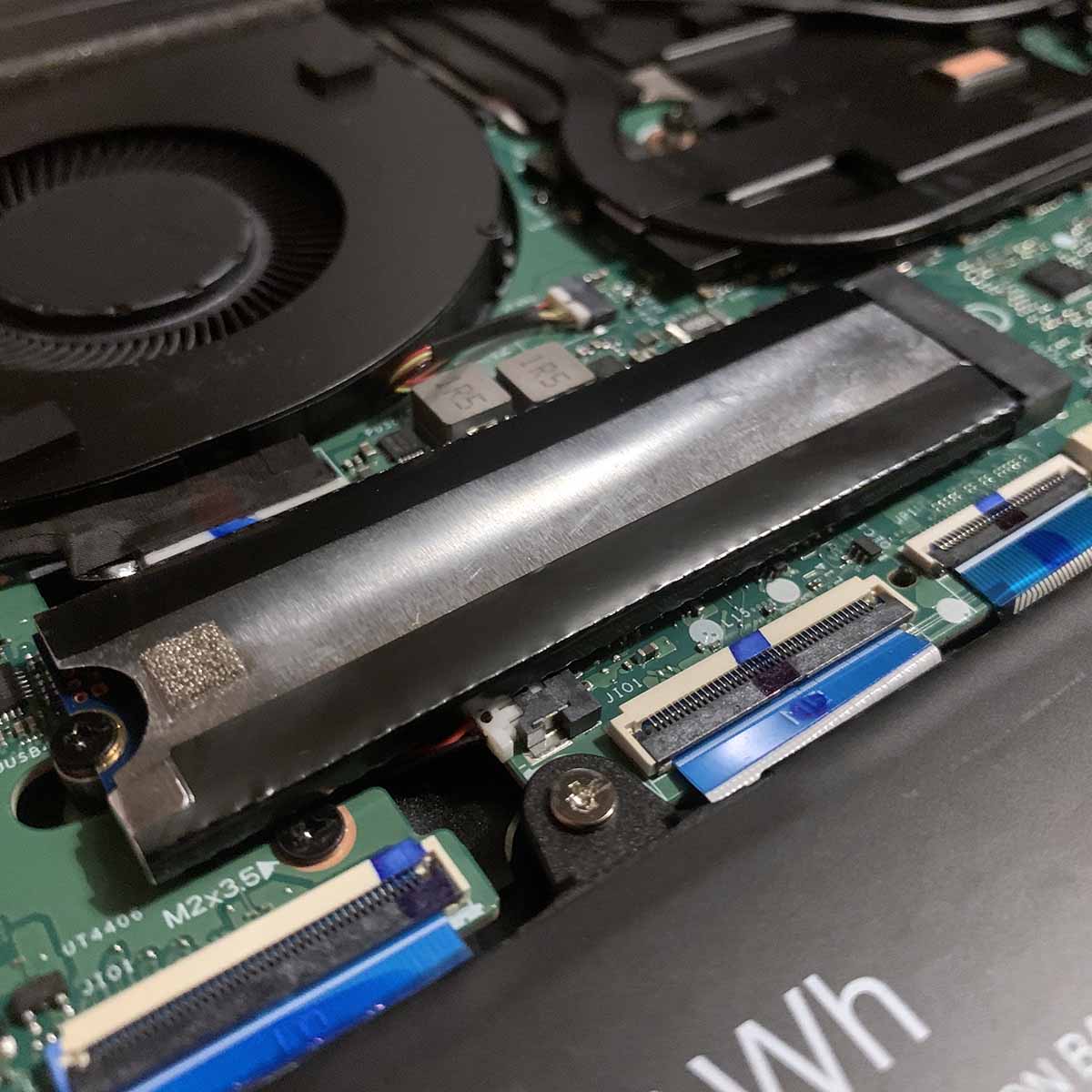
One part you can upgrade is the SSD, with two full-size M.2 2280 connectors included under the hood. You get a 1TB Kingston PCIe Gen 4 SSD as standard (our model came with two of these drives fitted, but you only get one at retail), which is fast enough for most people’s requirements, and gives you room to install a few games. It’s also good to have an upgrade path to add more storage later.
As we mentioned earlier, you don’t get a fancy OLED or mini LED screen with this laptop, but you do get a decent-sized 16in IPS panel. Its 2560×1600 resolution will look sharp on a screen that size, and it also has a 165Hz refresh rate. That might not seem particularly quick in these days of 240Hz screens, but it’s plenty fast enough for most gamers, and you’ll realistically be able to hit 165fps with the supplied GPU as well. Sadly there’s no active sync support, however, so you’ll get tearing artefacts when your frame rate is out of sync with the refresh rate.
Design
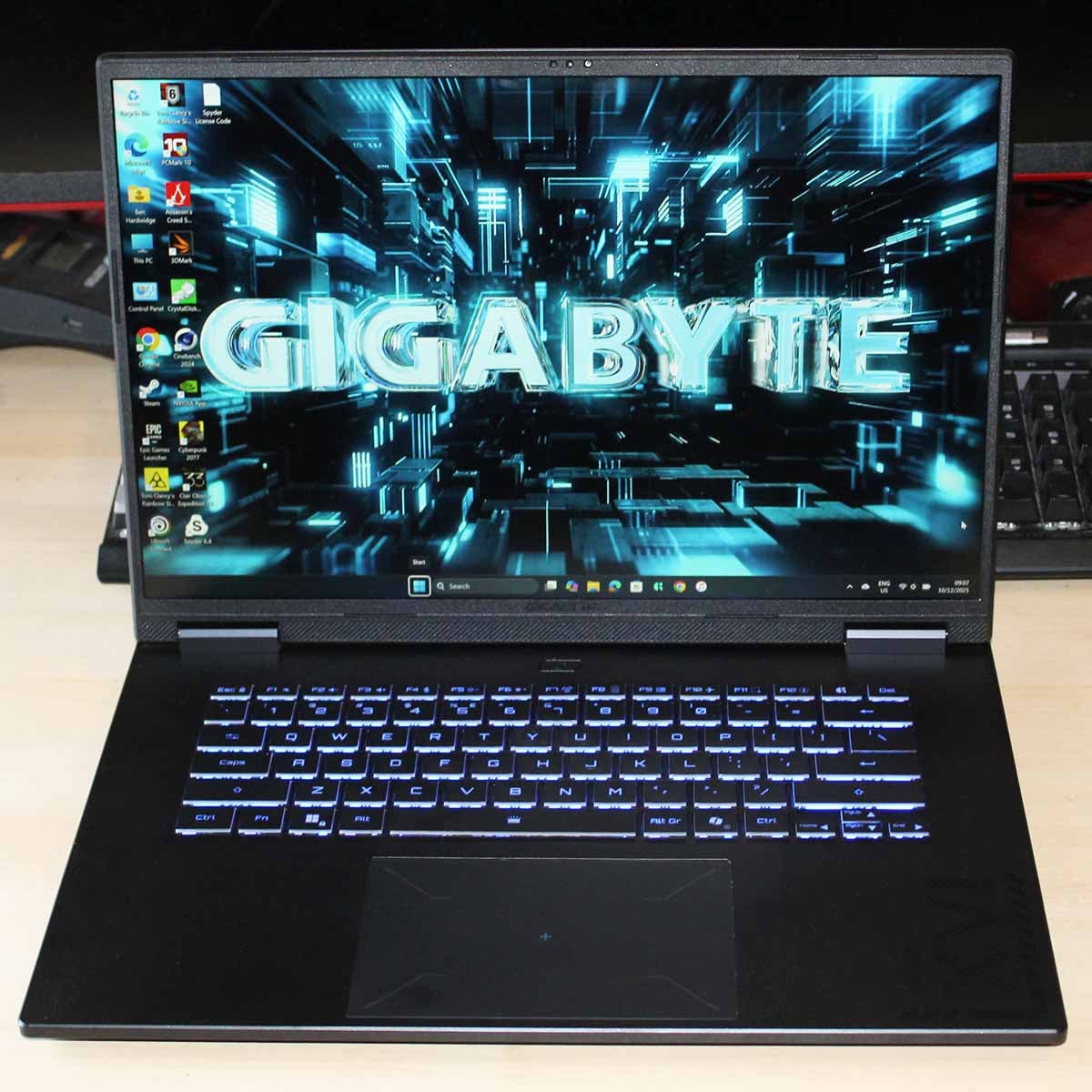
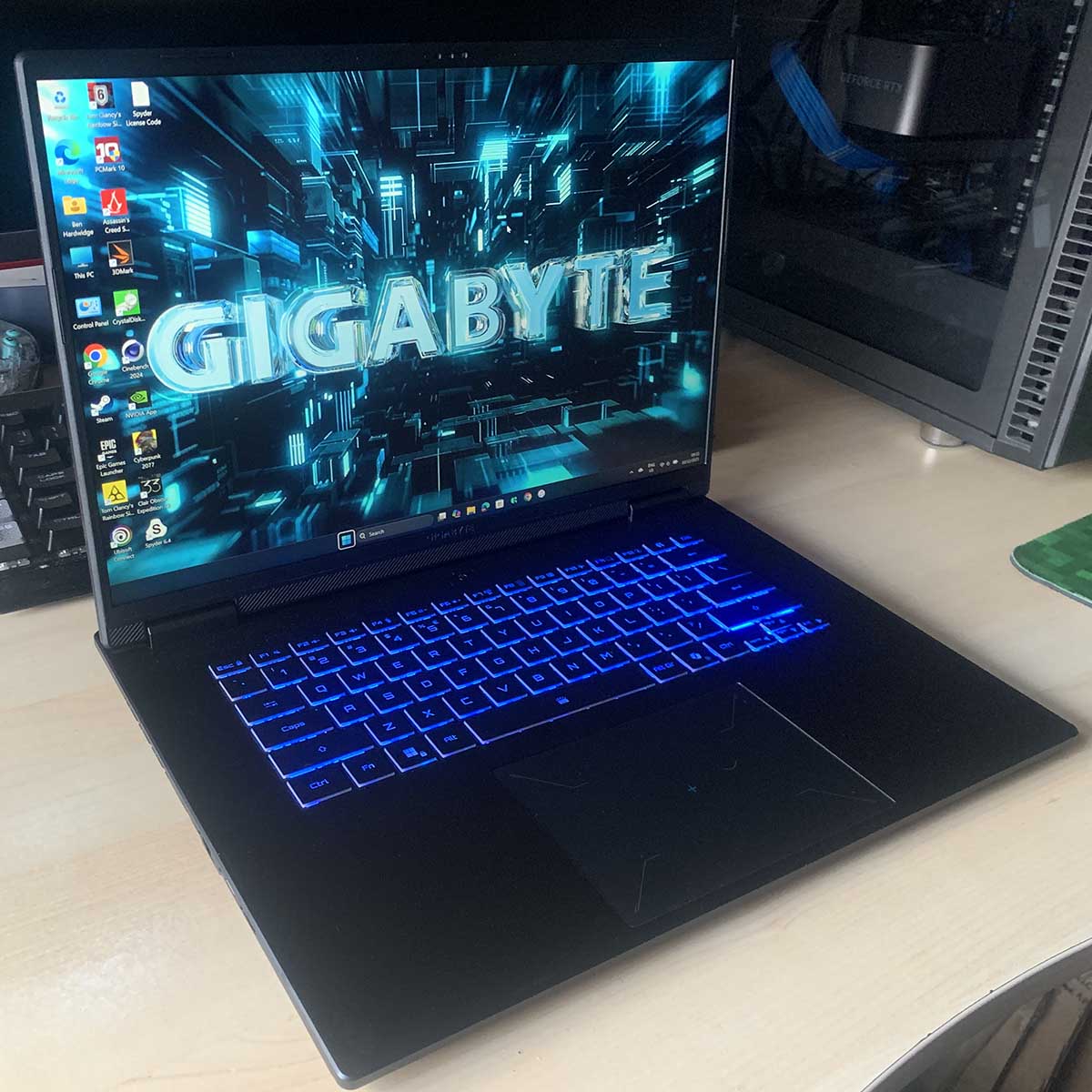
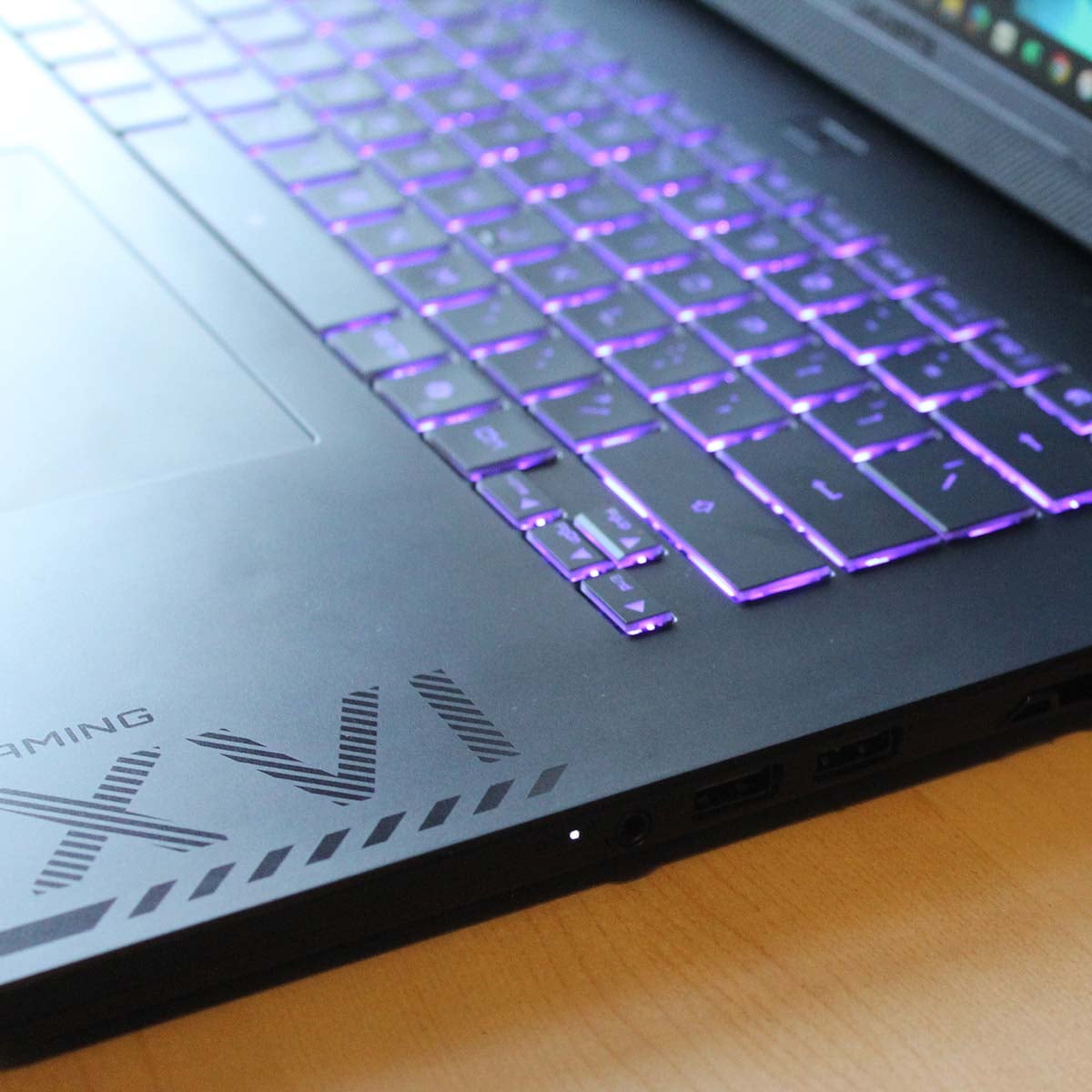
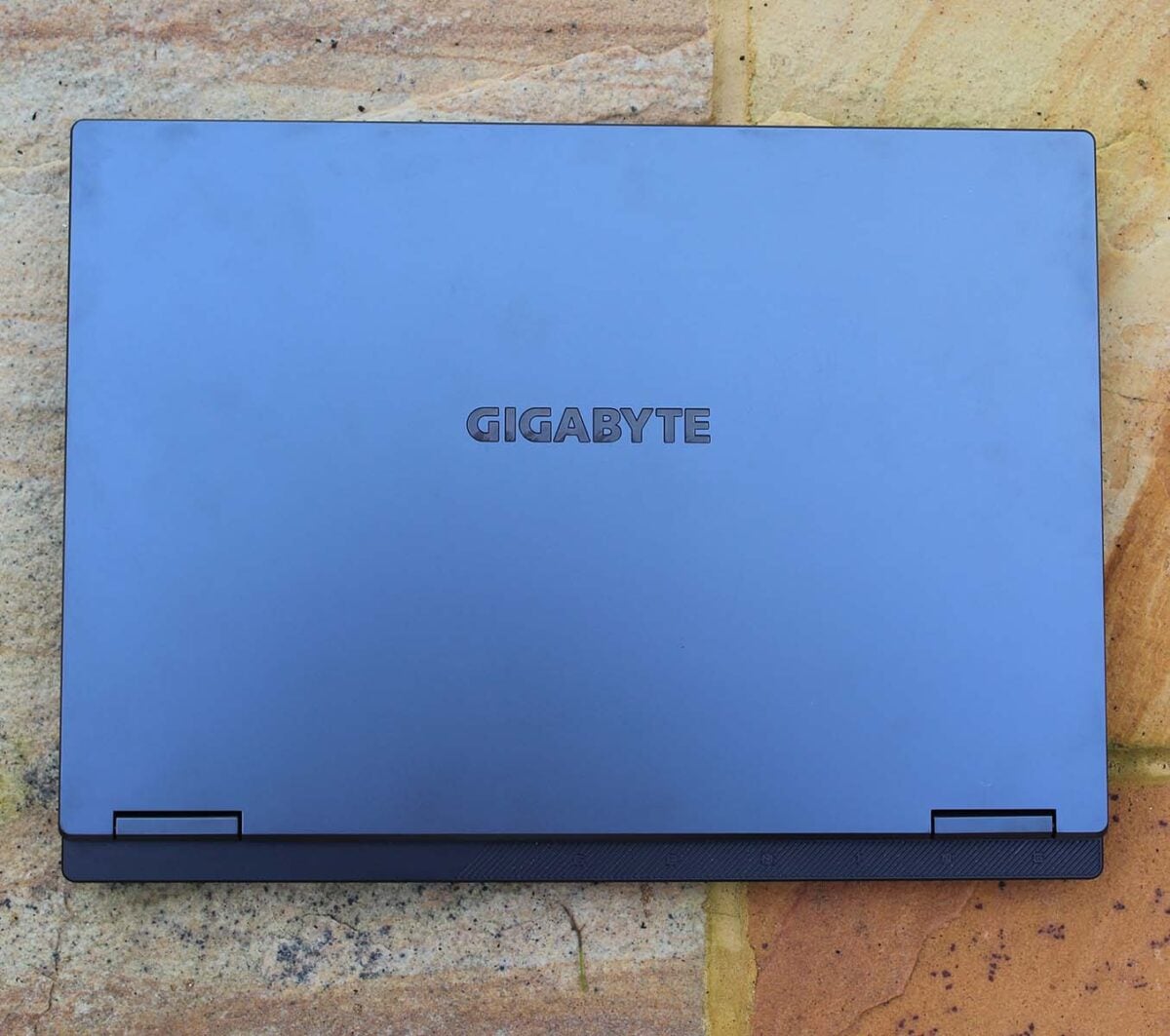
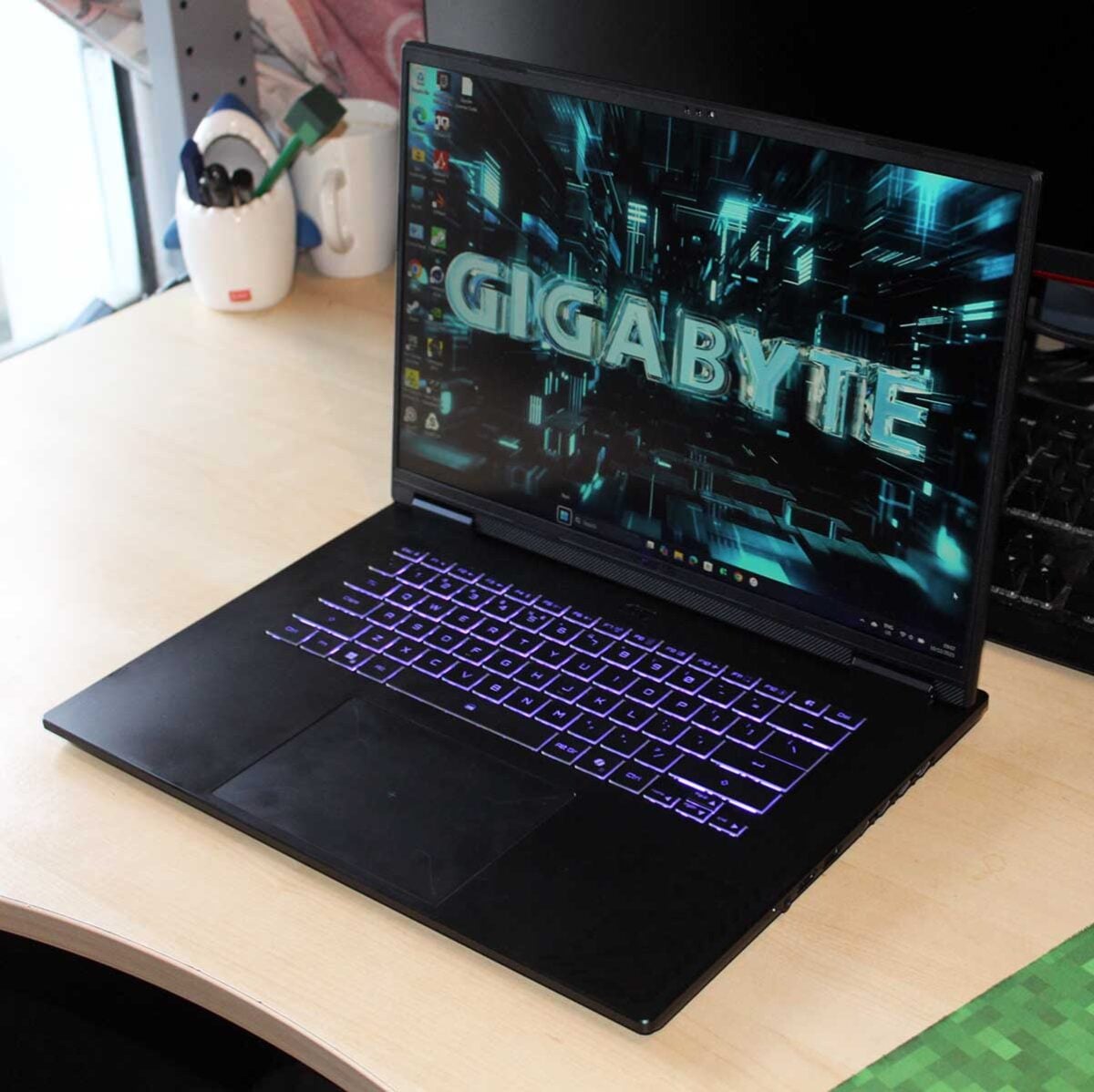
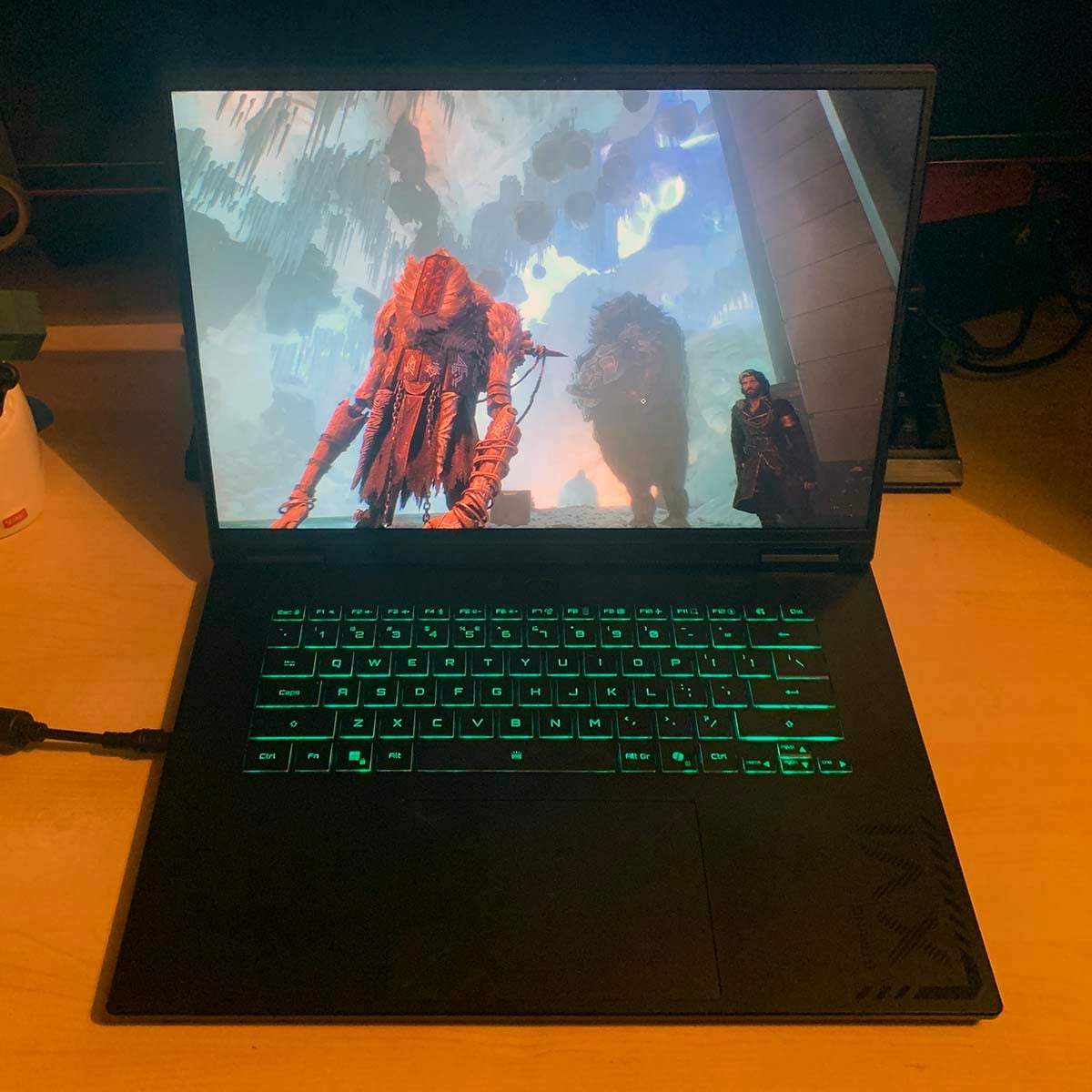
In terms of looks, Gigabyte’s Gaming A16 Pro is dark and understated. It might not have the gorgeous metal chassis of a Razer Blade 16 or Asus ROG Zephyrus G16, but it also doesn’t go over the top with silly gamer styling. Open it up, and the keyboard greets you with a cycle of RGB lighting surrounding its keycaps, and there are a few angled vents, but Gigabyte is definitely going for a less-is-more approach here.
The all-plastic construction does mean it lacks the premium feel of an aluminium chassis, and the material is also a bit of a smeary fingerprint magnet. In addition, there’s worrying amount of flex in the lid that instantly affects screen brightness if you press against the top corners. I’d make sure you transport this laptop in a padded bag when you’re moving it around.
You can actually open it up all the way and lay it flat if you like
On the plus side, it’s surprisingly thin and light for a machine with this spec and price. Its height tapers from 22mm to just 19mm at its slimmest point, making it svelter than the PC Specialist Defiance 16, for example, which is 26mm thick. You can also open it up all the way and lay it flat if you like. Meanwhile, its 2.3kg weight is 200g lighter than the Defiance, and while you can feel it when you’re carrying the A16 Pro in a backpack round town, it doesn’t weigh you down too much. I walked with it for several miles around London during testing, and it was fine.
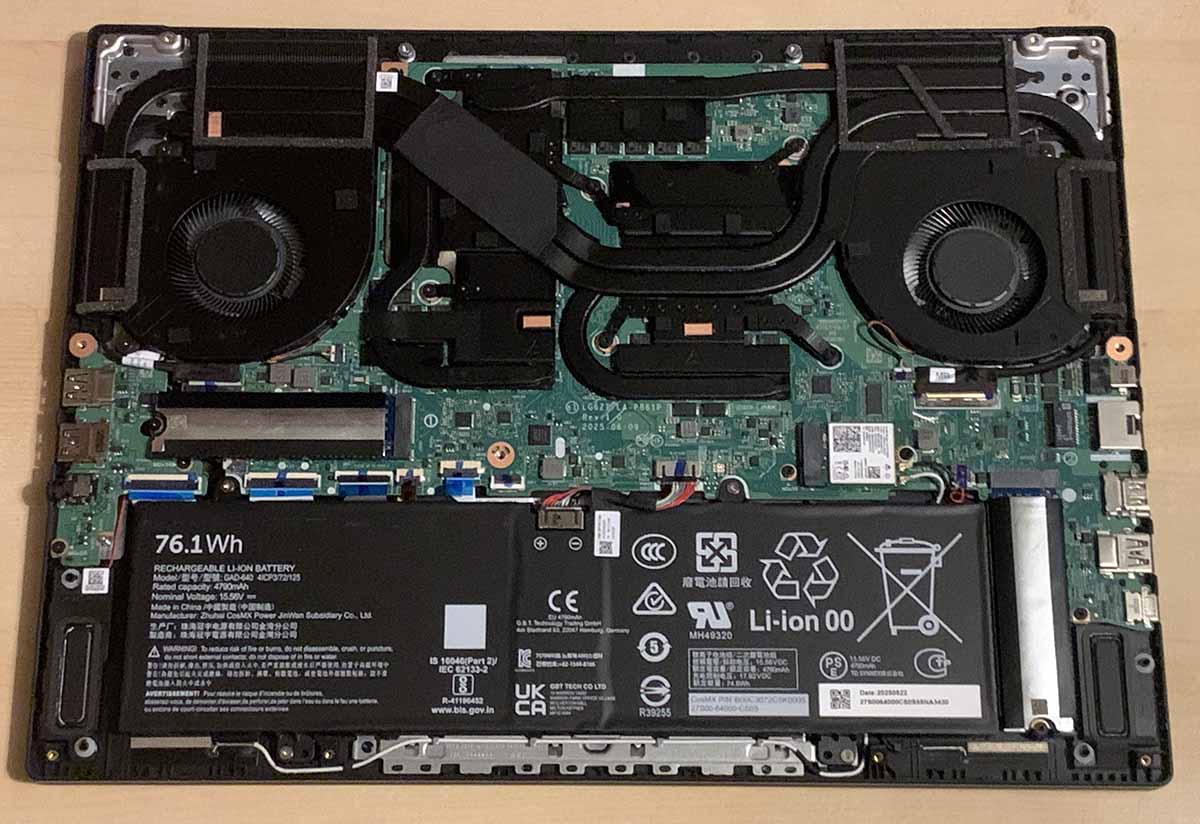
Taking off the back for upgrades is straightforward as well – you just need a mini Phillips screwdriver to remove a few screws (all of which are handily the same size so it doesn’t matter which ones you put where), unclip it and pull it off. You can then access the two M.2 slots to add another SSD, or replace your existing one, but that’s about all you can do here, other than marvelling at the cooling system. As I mentioned earlier, you can’t upgrade this machine’s RAM.
The keyboard’s big keycaps make all the difference to usability
Despite its thin dimensions, you also get a surprisingly solid speaker system. Its pair of downward-facing 2W drivers aren’t a replacement for a decent set of speakers or a headset, as you don’t get much in the way of punchy bass. However, the sound is loud enough to hear over spinning fans during gaming, and it’s fine for listening to music while you work. It can’t really compete with Razer’s quad-speaker system, but I’ve heard much worse from thin-and-light laptops.
Meanwhile, I found this Gigabyte machine’s Golden Curve keyboard really pleasant to use. There’s no numpad, which is a shame (I’m still a stickler for a numpad, as I find them invaluable in Excel), but Gigabyte has used the space well to make its keycaps big instead.
That makes all the difference to usability, as I found I barely made any typing mistakes while I was hammering away, which often isn’t the case with smaller laptop keys. The keyboard also feels really solid under your fingers, with no flex underneath, and there’s a decent amount of travel with each press. It feels both for great typing and gaming.
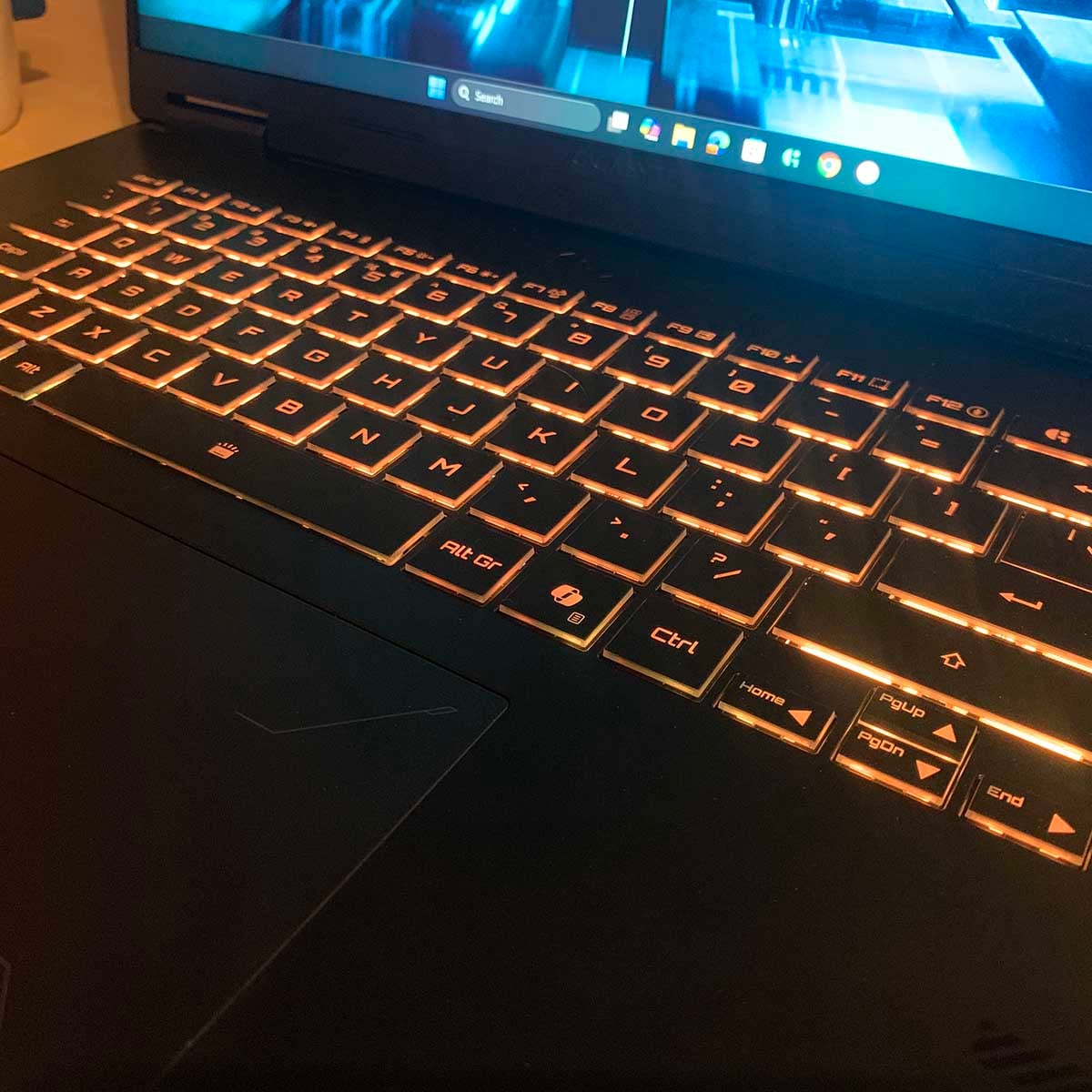
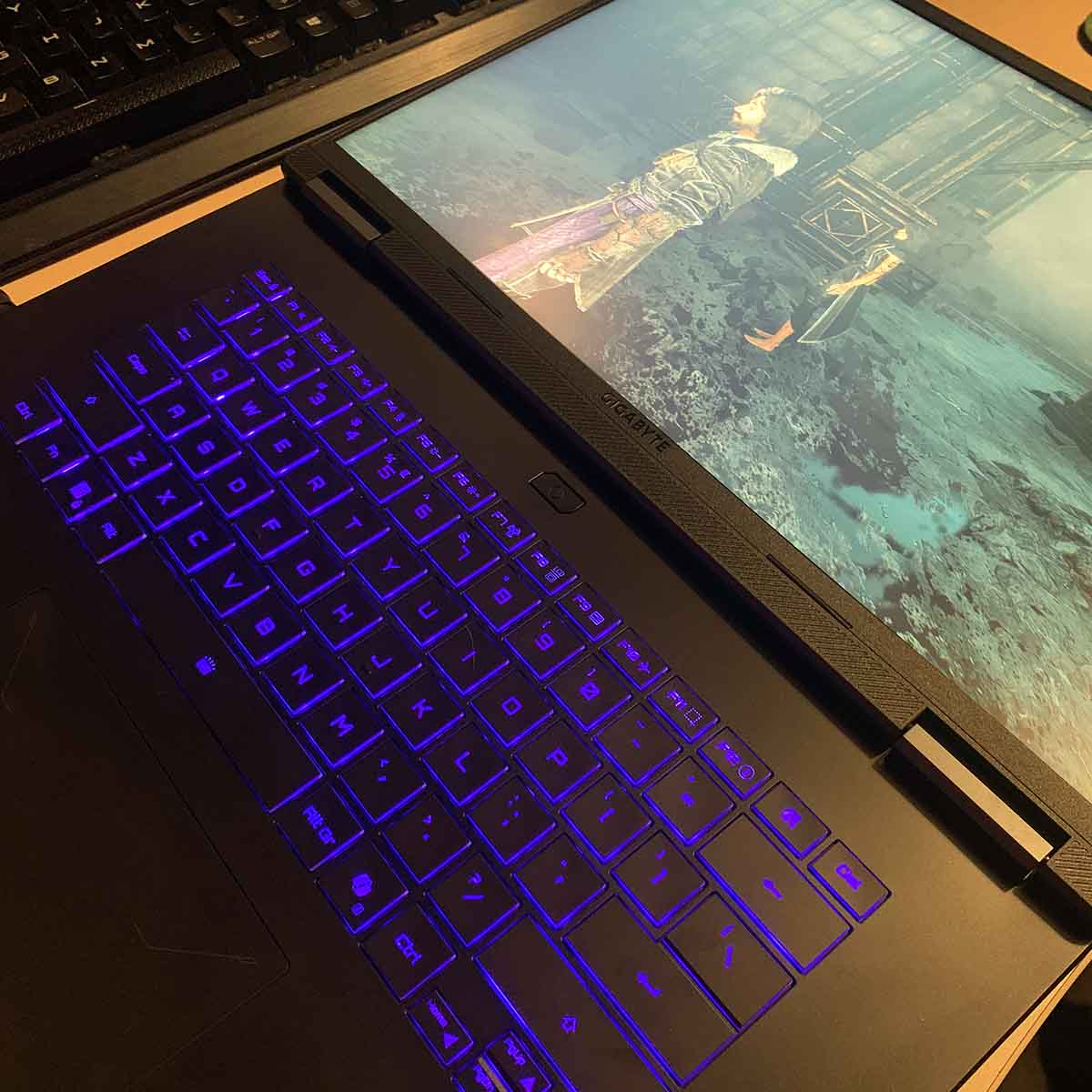
I’m also really happy to see Gigabyte has given this keyboard a Function key lock, so if you don’t use the F keys regularly, you can instead easily access the volume controls, screenshot function and mic mute without having to press the Fn key first. If there’s one criticism it’s that there are no media controls, as I like to be able to skip or pause tracks easily when I’m working, but that’s it.
You can also control the keyboard’s RGB lighting from Gigabyte’s GiMATE RGB Fusion 2.0 software, but there aren’t many options. You can simply choose from static, pulse or colour-cycling effects, and you can’t even pick your own colours in the latter.
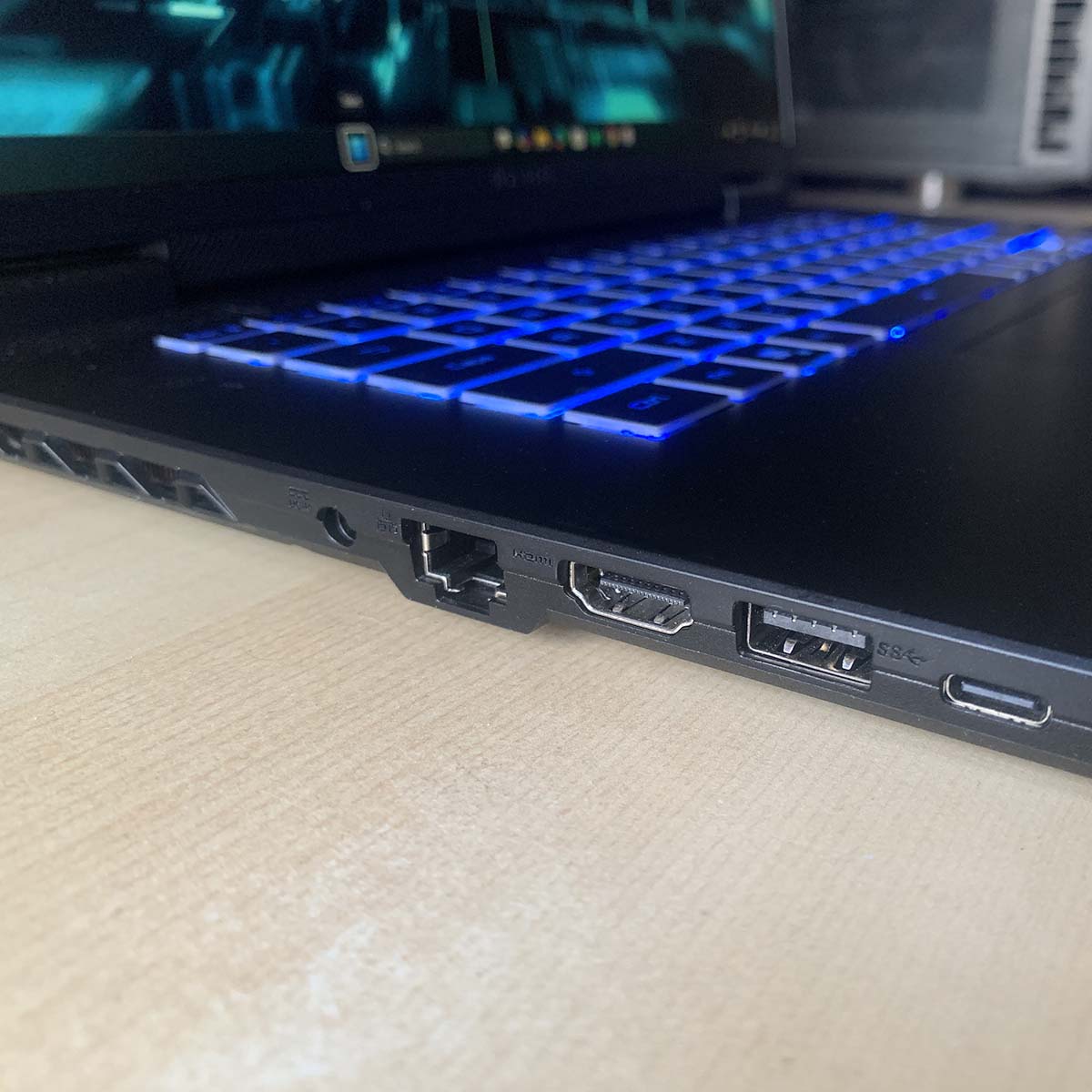
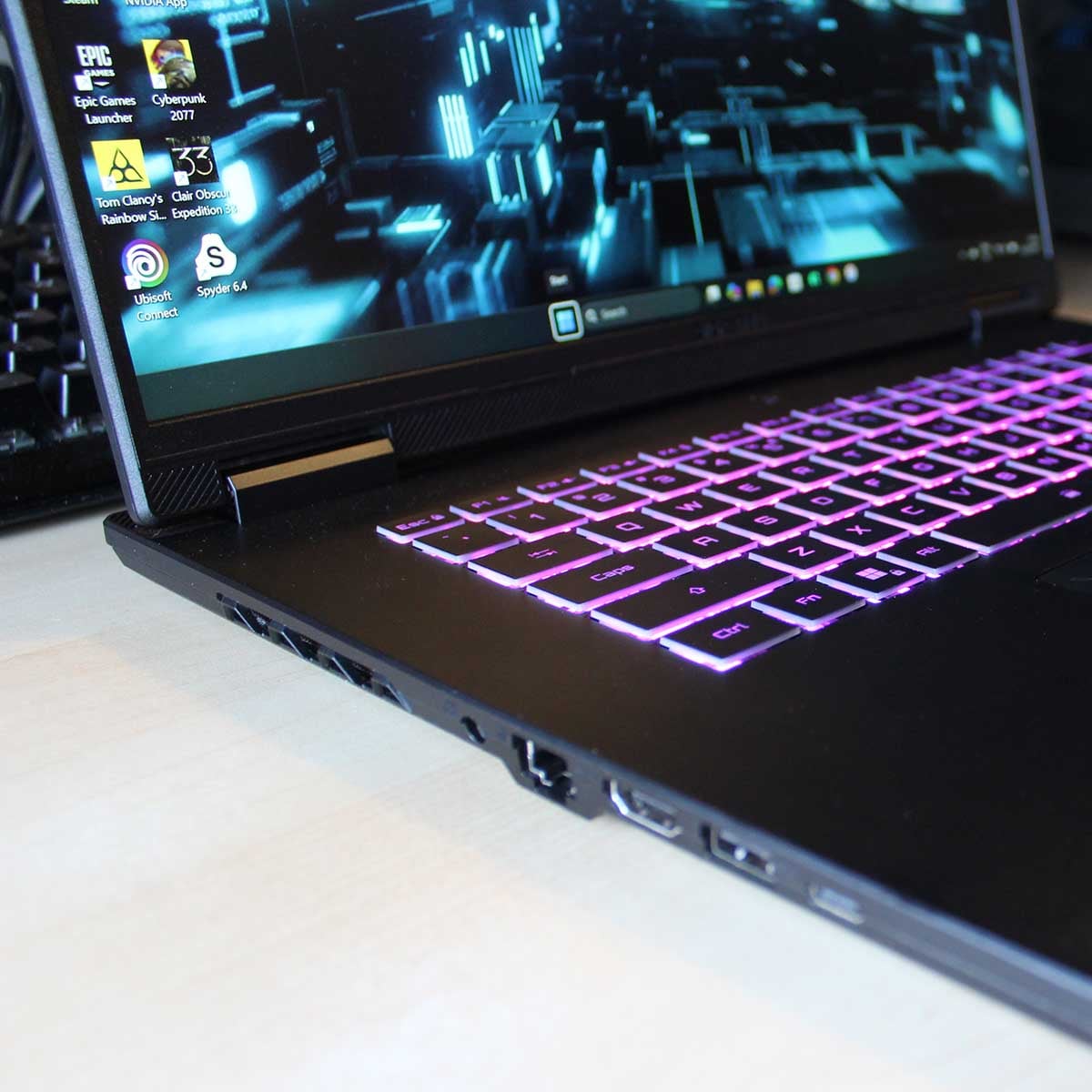
Connection options are pretty sparse too, particularly if you want high-speed connections. The star of the show is a single USB-C port on the left that offers DisplayPort 1.4 support and PD 3.0 charging. The latter means it can theoretically deliver up to 100W of power, so you can juice up your Steam Deck or Nintendo Switch 2 from this port, or indeed pretty much any other high-powered USB-C device. Disappointingly, though, it only offers 5Gbps USB 3.2 Gen 1 speeds.
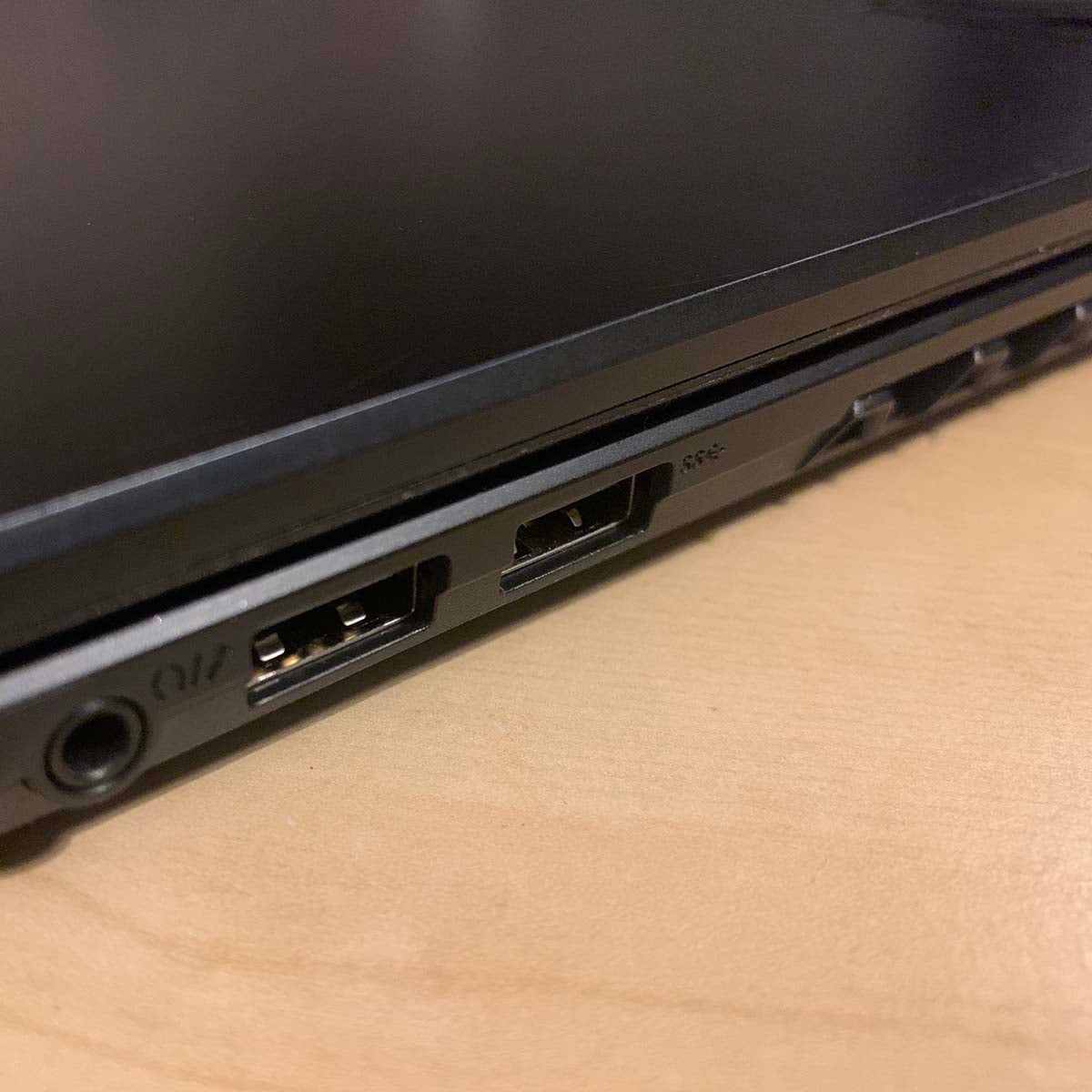
It’s slim pickings elsewhere too. There’s a single Gigabit Ethernet port, and three Type-A ports (two on the right, one on the left), one of which is just USB 2.0, while the other two are 5Gbps USB 3.2 Gen 1 (or USB 3.0, really). That just about gives you enough basic ports to plug in your peripherals, but it’s a shame there aren’t any high-speed ports – they can be really handy for easily plugging a fast external SSD into your machine.
Also, while mounting all these ports in the middle of each side of the chassis is good for easy access, it also results in cables protruding from both sides when you set up your laptop on a desk. It would look much tidier if, for example, some of these connectors were on the back instead, particularly the power socket.
Meanwhile, wireless connections come from Bluetooth and an Intel WiFi 6E adaptor, mounted on an M.2 2230 card. Both wireless standards worked fine in my testing, with no trouble connecting to my home network or Denon Bluetooth earbuds.
Screen
Gigabyte has gone for the right screen size with this machine. Its 16in IPS panel offers just the right balance of size and portability, and text looks super-sharp at its 2560×1600 native resolution. I also love its 16:10 aspect ratio, which gives you just that little more vertical headroom than a 16:9 screen, which is great when you’re working.
| Benchmark | Result |
|---|---|
| AdobeRGB | 77% |
| DCI-P3 | 78% |
| sRGB | 100% |
| Brightness | 10-442nits |
| Colour accuracy | 1.6 (Avg. Delta E) |
I gave the screen a proper workout with a Datacolor SpyderPro colorimeter, and it’s a decent display, especially at this price. Although it only offers 77% of AdobeRGB coverage and 78% of the DCI-P3 spectrum, it hits 100% sRGB, with a great-looking image.
Colour accuracy is solid too, with an average Delta E of 1.6 (below two is considered good for a monitor). The only blot on its colour accuracy sheet is its 1F blue reproduction, which is 5.71 off, but everything else is in the right ballpark.
It’s not a particularly bright screen, topping out at just 442nits, so it’s not going to dazzle you with HDR imagery, but this is still higher than Gigabyte’s claimed 400nits figure. Either way, despite its comparative lack of brightness (the aforementioned PCSpecialist Defiance 16 is much brighter at 687nits), I found it fine for working and playing games, offering a decent picture that still looks bright enough. Its contrast ratio of 1,120:1 at maximum brightness isn’t bad for an IPS laptop screen either, even if it isn’t world-changing.
Performance
Like most gaming laptops, you get a choice of performance presets with the Gigabyte Gaming A16 Pro, which you can easily enable via the GiMATE software application. It arrives set to the all-purpose Balance preset by default, but you can enable a Gaming mode that lets the GPU stretch its legs, while its Creator mode gives plenty of power to the CPU.
I’m benchmarking this Gigabyte machine using the Gaming mode for game tests and the Creator mode for Cinebench, to make sure I get the most out of it. However, I’ve also done a couple of tests in the Balance mode for comparison. Sadly, you don’t get any direct control over the fan curve here, as you do with Razer’s software, for example, but fan noise does indeed vary between the different performance presets.
CPU
The CPU is one area where Gigabyte has saved itself a bit of money on the A16 Pro, helping it to bring down the price. Based on last-gen tech, and only equipped with 10 cores, Intel’s Core 7 240H doesn’t set the world alight in terms of cutting-edge specs. However, it does have enough power in the tank for gaming, as well as other bits and pieces.
I’ve tested the CPU in Cinebench using Gigabyte’s Creator and Balance modes, and it’s definitely worth enabling the latter if you’re plugged into the mains.
| Benchmark | Balance | Creator |
|---|---|---|
| Cinebench 2024 ST | 101pts | 112pts (+11%) |
| Cinebench 2024 MT | 688pts | 807pts (+17%) |
As you can see, when Creator mode is enabled, Cinebench’s Multi Core score goes up by 17% to 807 points, and single-threaded performance goes up too, as the CPU can maintain higher clock speeds. However, with only 10 cores at its disposal, that score of 807 is a fair way behind the PC Specialist Defiance’s 1,076 points, as that machine’s Core i7-14650HX CPU has eight P-Cores and eight E-Cores. This isn’t a multi-threaded monster, but it does have decent single-threaded performance, and that’s still a key factor when it comes to gaming.
Gaming
Next up, I’m testing the A16 Pro’s gaming abilities, in both ray traced and rasterised games. I’m taking a look at native performance, as well as the benefits of Nvidia’s DLSS 4 suite, while testing across FHD+ and QHD+ resolutions.
| Benchmark | Score |
|---|---|
| 3DMark Steel Nomad | 3,980pts |
| 3DMark Speed Way | 4,208pts |
Firing up 3DMark shows the RTX 5080 is quicker than an RTX 5070 Ti in this suite of synthetic 3D tests, though not by a huge margin. Comparatively, the 5070 Ti-based PCSpecialist Defiance 16 scores 3,995 in 3DMark’s ray-traced Speed Way test, for example, and the RTX 5080 is only 6.4% quicker. That limited TDP is clearly holding it back here, and in some cases this 5080 machine is even slightly slower than the Defiance, as we’ll see.
| Benchmark | 2560×1600 (QHD+) [Min. / Avg.] | 1920×1200 (FHD+) [Min. / Avg.] |
|---|---|---|
| Assassin’s Creed Shadows | 25fps / 30fps | 30fps / 40fps |
| FFXIV: Dawntrail | 59fps / 105fps | 59fps / 138fps |
| Forza Motorsport | 43fps / 51fps | 54fps / 70fps |
| Mount & Blade II: Bannerlord | 94fps / 136fps | 134fps / 218fps |
| Rainbow Six Siege X | 93fps / 120fps | 141fps / 182fps |
Let’s start with Assassin’s Creed Shadows, which is an incredibly demanding game at top settings, and we’ve made sure the latest Nvidia hotfix was installed as well. This game is barely playable on the A16 Pro at 2560×1600, with an average of 30fps and a sluggish minimum of 25fps. Drop down to 1920×1200, and you get a more reasonable 40fps average, but it’s still clunky in action. If you then enable DLSS on the Quality setting it averages 49fps with a 41fps 1% low.
Disappointingly, though, these results are actually slightly slower than those of the PCSpecialist Defiance with its 5070 Ti. The difference is only 1-2fps, but there’s clearly no benefit of using a power-limited RTX 5080 in this game. That’s a shame, as you’ll really need to drop this game’s settings to get it running at over 60fps on this machine.
Meanwhile, Forza Motorsport runs slightly quicker on this 5080-equipped rig, though the margins are small. Averaging 51fps, it’s perfectly playable at 2560×1600, and you can get a smooth 70fps out of it at 1920×1200.
If you’re not enabling ray tracing, then you can get some superb frame rates out of this machine as well. Final Fantasy XIV: Dawntrail and Mount & Blade II: Bannerlord both average above 100fps, with solid minimums, all at the laptop’s 2560×1600 native res.
Again, though, there’s not much in it when you compare the results to those from the 5070 Ti machine. We’re looking at a 6fps boost in Mount & Blade II, and just 5fps in Dawntrail – it’s hard to justify the extra cost of this GPU when its performance benefit is so small with these power settings.
Meanwhile, Rainbow Six Siege X has had a major update since we last tested a laptop with it, so the Gigabyte’s results aren’t comparable with those from previous reviews. It holds up reasonably well here, averaging 120fps at 2560×1600, and going faster than this screen’s 165Hz refresh rate at 1920×1200.
| Cyberpunk 2077 RT Ultra | 2560×1600 (QHD+) [Min. / Avg.] | 1920×1200 (FHD+) [Min. / Avg.] |
|---|---|---|
| Native | 24fps / 28fps | 38fps / 44fps |
| DLSS Quality | 38fps / 44fps | 51fps / 64fps |
| DLSS Balanced | 47fps / 53fps | 60fps / 72fps |
| DLSS Balanced + FG x2 | 83fps / 93fps | 119fps / 137fps |
| DLSS Balanced + FG x3 | 119fps / 129fps | 162fps / 181fps |
| DLSS Balanced + FG x4 | 149fps / 160fps | 190fps / 209fps |
Finally, let’s take a look at the modern-day Crysis, and play Cyberpunk 2077 on this Gigabyte machine. I’ve run it with the Ultra ray tracing preset, rather than Overdrive, to give it a chance, and it holds up reasonably well.
Of course, without any help from DLSS, the game is unplayable at 2560×1600, and it still runs at a clunky 44fps at 1920×1200. Add some assistance from DLSS 4, though, and you get a decent frame rate boost.
Enable DLSS on the Balanced setting at 2560×1600, for example, and you’re running at 53fps. What’s more, the game still looks great at these settings, thanks to the imagery witchcraft conducted by Nvidia’s new transformer model.
Even better, if you do this at 1920×1200, the game doesn’t drop below 60fps, and averages 72fps. That gives you some headroom to enable frame gen, as the starting point is already smoothly playable, so you’re not going to introduce masses of latency. I found the 3x the multi frame gen setting provided a decent balance of latency and performance here – the game looks great, and you also get smooth motion.
Storage
By default, Gigabyte’s Gaming A16 Pro has a 1TB Kingston NVMe SSD installed, although there were two drives in our review sample. That’s not a huge amount of storage space, but it’s good to have the option to add another drive without replacing your old one.
| CrystalDiskMark | Kingston PCIe Gen 4 OEM SSD |
|---|---|
| Sequential Read | 7,014MB/s |
| Sequential Write | 6,463MB/s |
Performance is solid from this Kingston drive. Testing this SSD in CrystalDiskMark revealed a 7,014MB/s peak sequential read speed, which even beats Kingston’s claimed 7,000MB/s figure. This isn’t far off the maximum speed you can get over four PCIe 4.0 lanes.
Meanwhile, its sequential write speed of 6,463MB/s is a good step up from many Gen 4 drives, even if it can’t quite catch the likes of the Samsung 990 Pro.
This is good drive pace for the price, though – you’d really need to step up to PCIe Gen 5 to get much quicker, and that would introduce a load of thermal problems.
Vitals
It’s hard to balance thermals in a thin and light machine such as this one, and Gigabyte has largely erred on the side of caution. This machine’s parts don’t overheat, or draw masses of power from the mains, but the compact cooling system and power limit does hold them back, particularly the GPU.
| Idle (Max.) | Cinebench (Max.) | Cyberpunk 2077 (Max.) | |
|---|---|---|---|
| CPU temperature | 42°C | 95°C | 87°C |
| GPU temperature | N/A | 65°C | 77°C |
| Noise | 30.6dBA | 50dBA | 57.4dBA |
| Power consumption | 17W | 118W | 171W |
The good news is that, when idle, you’ll barely hear a peep from the Gigabyte Gaming A16 Pro. With noise measured at just 30.6dBA, it’s practically inaudible when you’re using it for basic tasks, such as web browsing and word processing. Power draw is remarkably low here too, settling down to just 17W, with occasional spikes to around 45W when the CPU gets engaged.
It’s practically inaudible when you’re using it for basic tasks
Fan noise ramps up significantly when you put some pressure on this rig, though. Running Cinebench in Creator mode, for example, pushed the noise up to 45dBA for the first half of the test. However, it then suddenly got much louder (50dBA) after running for about five minutes. There was a clear impact on CPU speed as it got hotter too. It started off running at 4.3GHz, but gradually dropped down in frequency as the test went on, before settling at 3.7GHz.
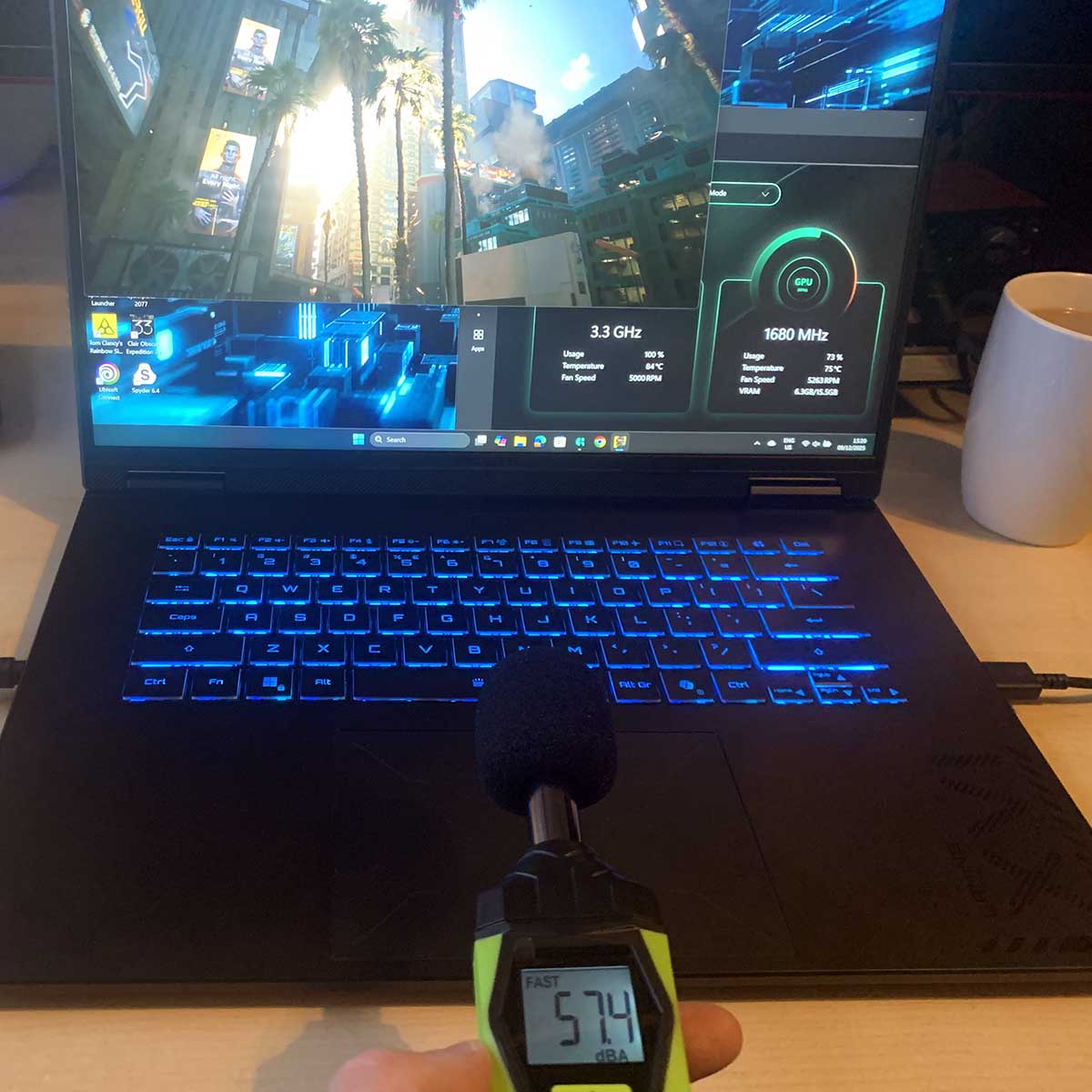
The cooling system is at its noisiest when you’re running a game and both the CPU and GPU are engaged, of course. Running Cyberpunk 2077 on the A16 Pro pushed the noise level right up to 57.4dBA, and it sounds horrible – gaming on this machine while you’re on the train would be considered anti social.
On the plus side, total power draw peaks at 171W, even when this machine is running at full pelt – that’s much lower than most desktop gaming PCs.
Battery
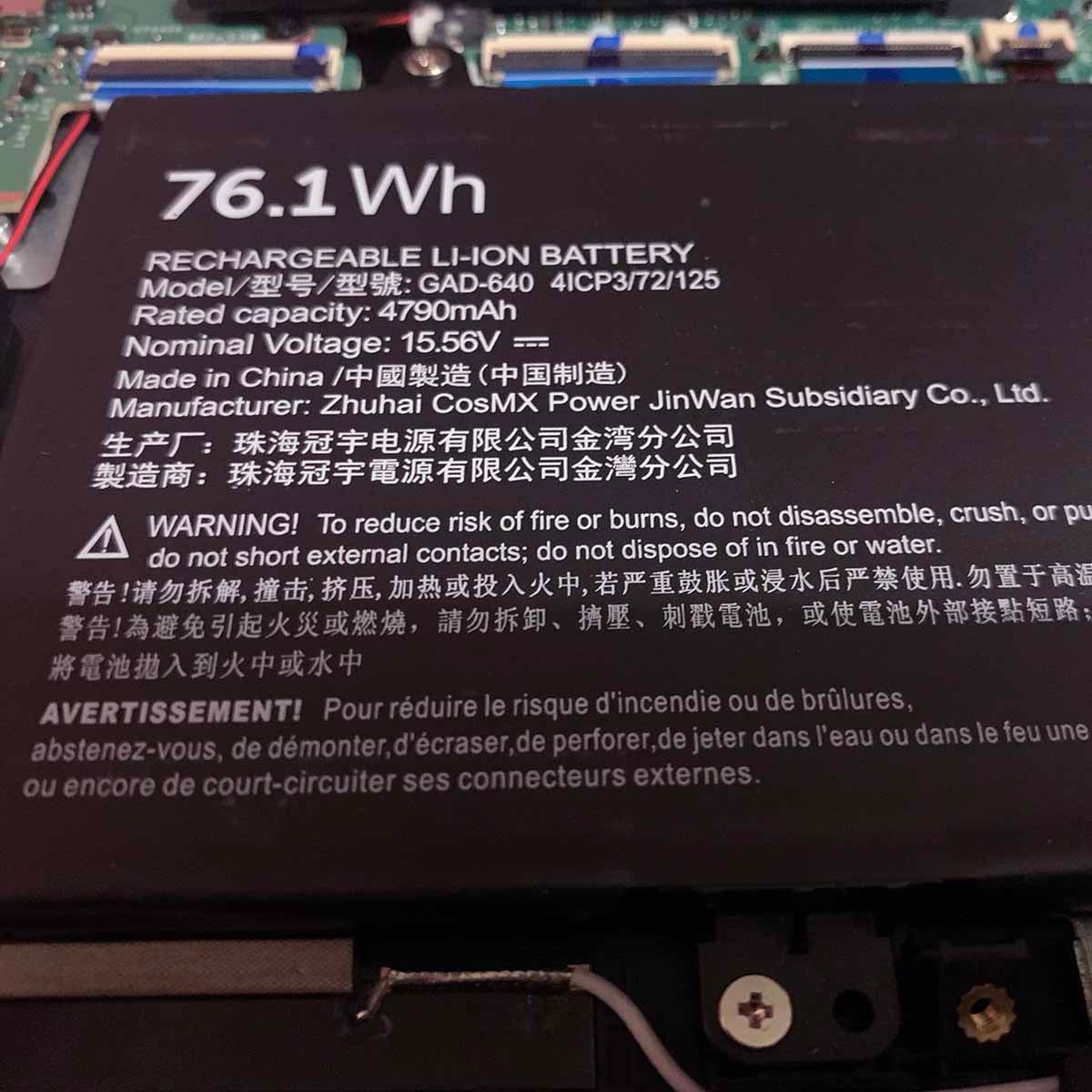
The 76WHr battery supplied with Gigabyte’s Gaming A16 Pro isn’t massive compared to some models on the market, especially in the world of 16in laptops, where you can often find ~90Whr cells. However, it also doesn’t add too much weight to the chassis, and I found it lasted a remarkably long time in general use.
You can easily get a day of work done without plugging it into the mains
In fact, you can easily get a day of work done on this machine without having to plug it into the mains, as long as you don’t push it too hard. Running PCMark’s Office battery test, with the screen on half brightness, and Gigabyte’s Power Save mode engaged, resulted in a fantastic lifespan of seven hours, 29 minutes. That’s an incredibly long time to last without mains electricity.
Gaming is a different kettle of fish, of course, and the A16 Pro only lasted 70 minutes while running PCMark’s Gaming test in Balance mode. As I mentioned earlier, though, this machine makes so much noise when you’re gaming that you wouldn’t really play on it when you’re out and about anyway.
Conclusion
If you forget the RTX 5080 GPU, there’s the basis of a decent, affordable 16in gaming laptop here. Battery life is strong, I love the feel of the keyboard, and you get a decent screen as well. You might not get the world’s fastest CPU, but it’s fine for gaming, and while you can’t upgrade the RAM, you at least get 32GB of 5600MT/s memory as standard.
The RTX 5080’s restricted power means you may as well not bother.
That’s all good stuff, but you get it in both versions of this laptop, and there’s little point in paying the substantial extra cost for the RTX 5080 model. It may have more VRAM and CUDA cores than the 5070 Ti, but its restricted power means you may as well not bother – any performance benefit is minuscule for the most part.
That’s a problem when the RTX 5080 version of this machine costs £2,149 in the UK, compared with just £1,599 for the 5070 Ti model right now. There’s a smaller price difference in the US, but even there, I’d still save some money and buy the cheaper model instead.
This machine also has some hot competition from independents, and the PCSpecialist Defiance 16 is a prime example. Coming in at £1,499, it’s £100 cheaper than the A16 Pro with the same 5070 Ti GPU, but it also gives you a 2TB SSD, 16-core Intel Raptor Lake CPU, and a brighter screen with a faster 240Hz refresh rate. On the plus side, the Gigabyte laptop has faster RAM, and it’s also slimmer, but I’d definitely opt for the PCSpecialist machine’s superior specs and lower price out of the two.
All of which leaves the Gigabyte Gaming A16 Pro in a difficult position. There’s basically no point in buying the RTX 5080 version, and you can get better value from other 5070 Ti machines. I do really like the keyboard, though, and I’ll be interested to see where Gigabyte takes this idea with future laptops, if it can get a better balance of specs, price and power.
