
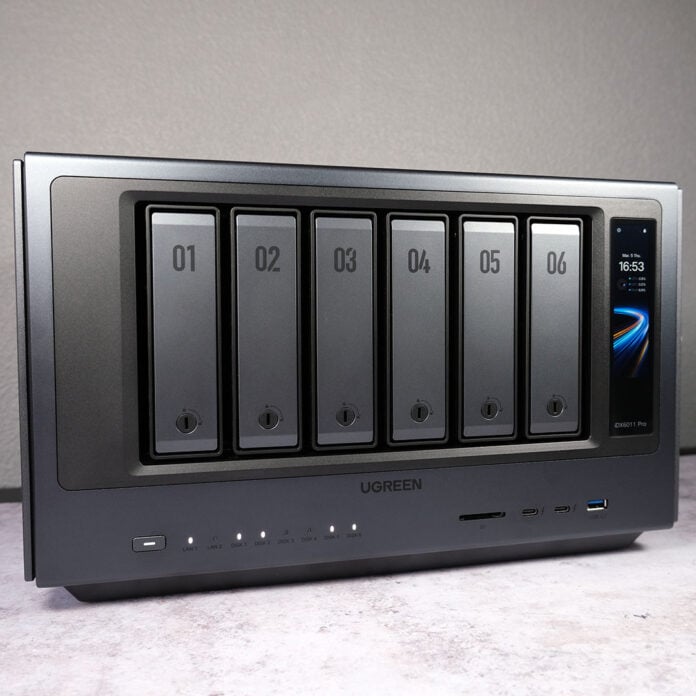
Building on the wild success of its premiere network attached storage, Ugreen is pushing the boat out once again with the NASync iDX6011 Pro. This flagship promises high-end value, blurring the lines between typical NAS and workstation feature sets and performance. Despite a few bumps in the road, the device delivers where it matters most for a satisfyingly potent package.


Ugreen NASync iDX6011 Pro
up to $2,599
Pros
- Powerful internal hardware
- Excellent build quality
- Dual 10GbE and Thunderbolt 4
- PCIe 4.0 card and M.2 expansion
- User-friendly operating system
Cons
- Some software gaps
- Irritating PSU fan curve
- Non-expandable RAM
Club386 may earn an affiliate commission when you purchase products through links on our site.
How we test and review products.
As per the prior batch of NASync releases, Ugreen is launching this NAS and the non-Pro SKU via Kickstarter, before proceeding with wider retail availability in the future. This entails all the usual cautions and caveats that come with crowdfunding, regardless of the brand’s prior campaign fulfilments.
At the time of writing, Super Early Bird pricing has sold out, raising the pre-order price from $1,559 to $1,819. That’s still a massively enticing $780 saving relative to the final MSRP of $2,599, providing you’re comfortable with the inherent risks of Kickstarter projects.
Specs
While many NAS typically feature low-power components under the hood, the NASync iDX6011 Pro comes out the gate swinging with modern and powerful hardware. Ugreen’s configuration does have limitations, but the performance promise is tantalising all the same.
At the heart of this range-topping ‘Pro’ model is an Intel Core Ultra 7 255H, the same processor you’ll find in £1,000+ ultrabooks. The chip offers 16 cores (6P+8E+2LPE) and threads, 96 TOPs, as well as a maximum boost clock of 5.1GHz. These kinds of specifications are a rarity for devices like this, elevating the system’s capabilities beyond the scope of a typical NAS.
Despite the Intel Core Ultra 7 255H’s ability to support modular SODIMMs, the NASync iDX6011 Pro arrives with embedded LPDDR5X RAM. Thankfully, there’s 64GB of memory under the hood, which is plenty of capacity for today’s workloads and for those several years ahead of us. Even so, this limitation curbs welcome user upgradability that the NAS could have enjoyed had Ugreen taken another path.
The UGOS Pro operating system resides on a separate 128GB SSD, simplifying data management by keeping critical files at arms length. However, there’s nothing stopping you from whacking on an alternative OS, such as TrueNAS or Unraid instead.
| Ugreen NASync iDX6011 Pro | |
|---|---|
| Max. storage | 196TB |
| Drive bays | 6 |
| OS | UGOS Pro |
| CPU | Intel Core Ultra 7 255H |
| RAM | 64GB LPDDR5X |
| System drive | 128GB SSD |
| RAID support | JBOD / Basic / RAID 0, 1, 5, 6, and 10 |
| Ports | 40Gb Thunderbolt 4 (x2) 10Gb USB-A (x2) 10Gb Ethernet (x2) 480Mb USB-A (x2) HDMI 2.1 output (x1) OCuLink (x1) SD 4.0 (x1) |
| Expansion slots | PCIe Gen 4 x4 M.2 (x2) PCIe Gen 4 x8 (x1) |
| Other | 3.71in LCD touchscreen Docker support UPS support |
| Warranty | Three-years |
| Dimensions (L x W x H) | 349mm x 260mm x 212mm |
| Price | Early Bird: $1,819 MSRP: $2,599 |
There’s a healthy choice of RAID levels to choose from on the Ugreen NASync iDX6011 Pro, namely 0, 1, 5, 6, or 10, as well as Basic and JBOD. Sadly, there’s no native support for ZFS via UGOS Pro.
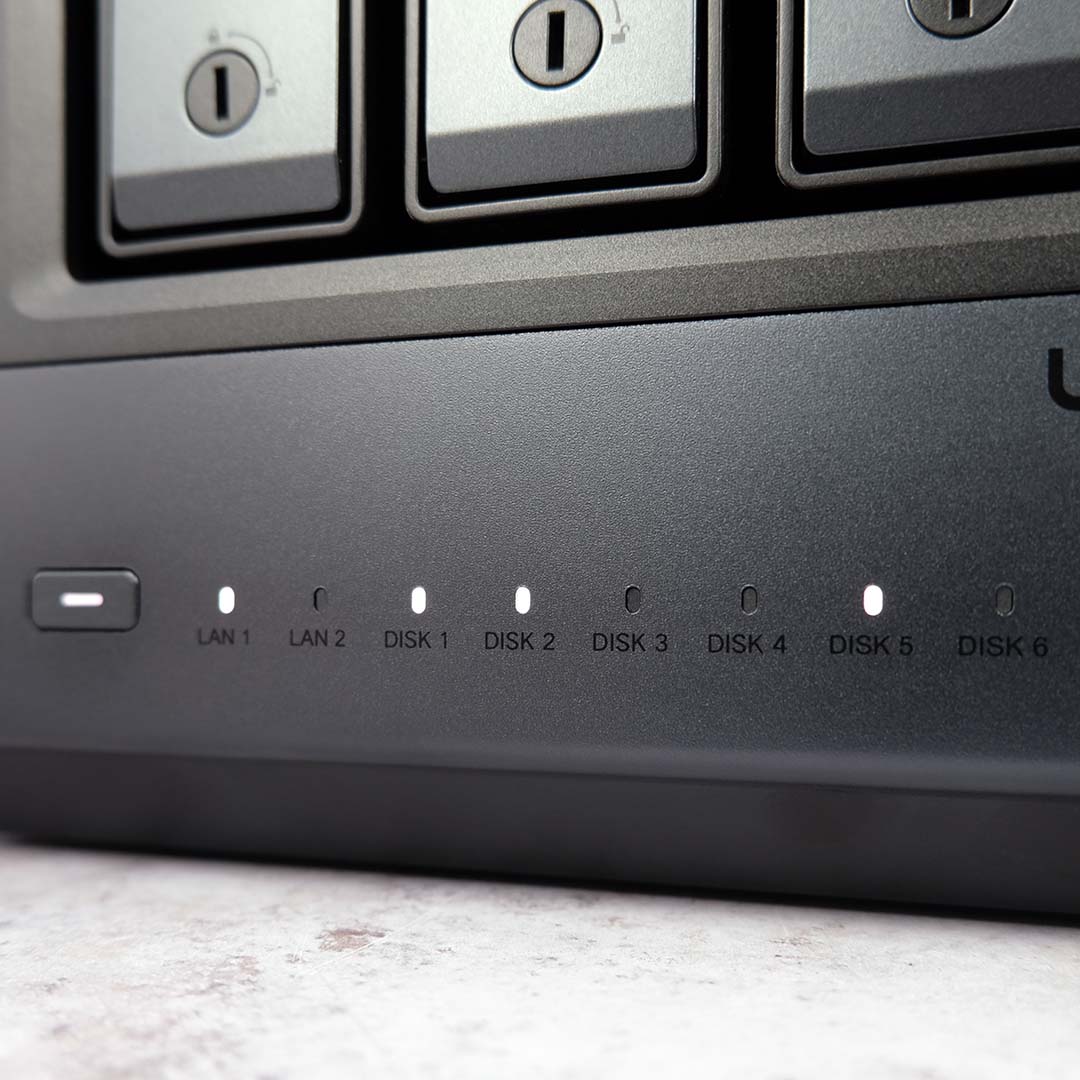
I’ll discuss connectivity and further specifications as they pertain to the design of the NAS. However, before moving on, I’m keen to highlight UPS support on the system. With complementing hardware, you can rest assured your data will remain accessible and uninterrupted even in the event of a power cut, tripped breaker, or other electric misfortune.
Design
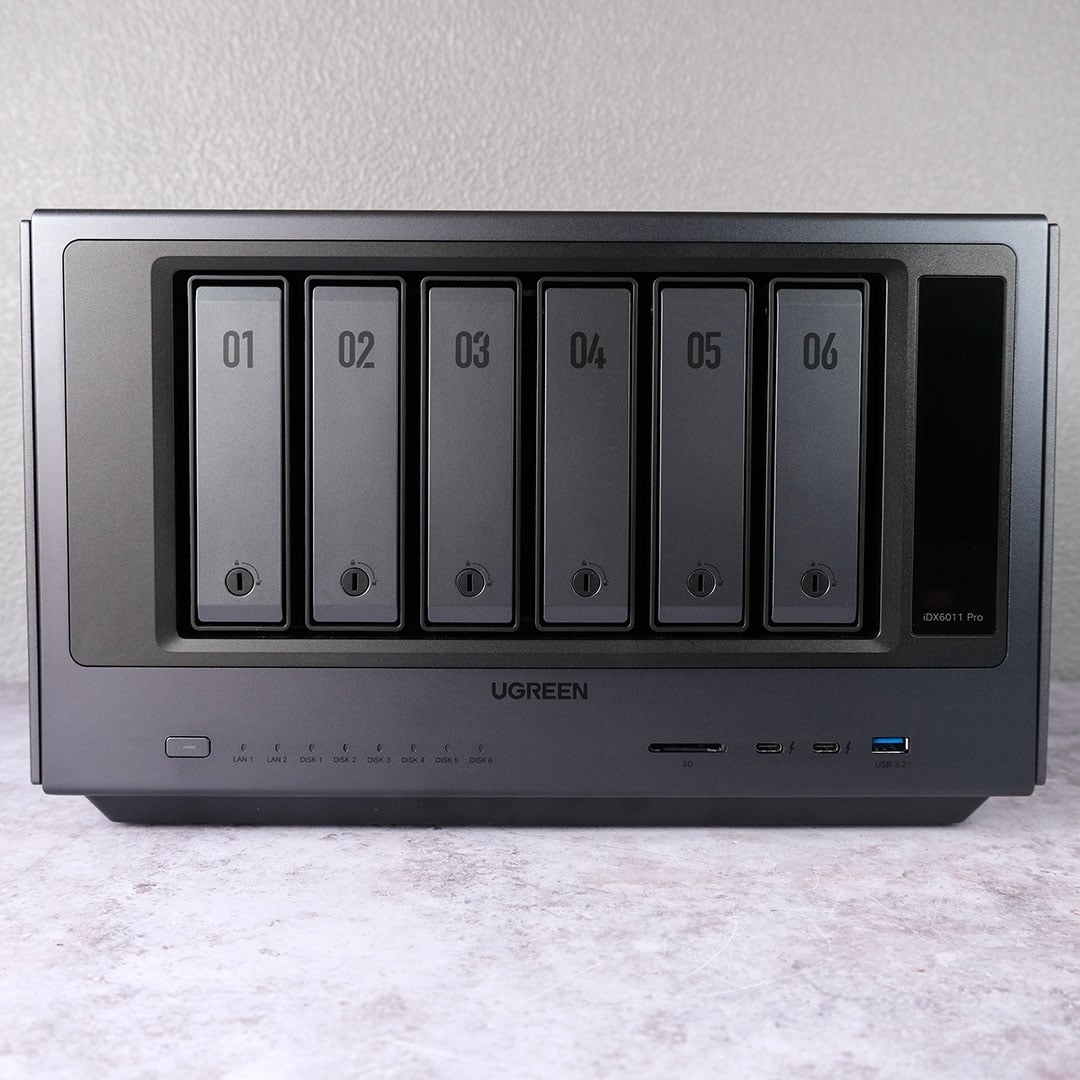
The heft and quality of the NASync iDX6011 Pro becomes readily apparent lifting the chassis from its plush packaging as you find somewhere suitably spacious to place it. This isn’t a compact device by any stretch; measuring 349mm x 260mm x 212mm the NAS overshadows many ITX PC cases.
I can’t envision this NAS finding a place in typical living spaces on account of its size, but I appreciate Ugreen’s design language all the same. Forgoing plastic for matte grey metal, the system has a premium and utilitarian air without coming across as overly industrial thanks to rounded edges throughout the body.
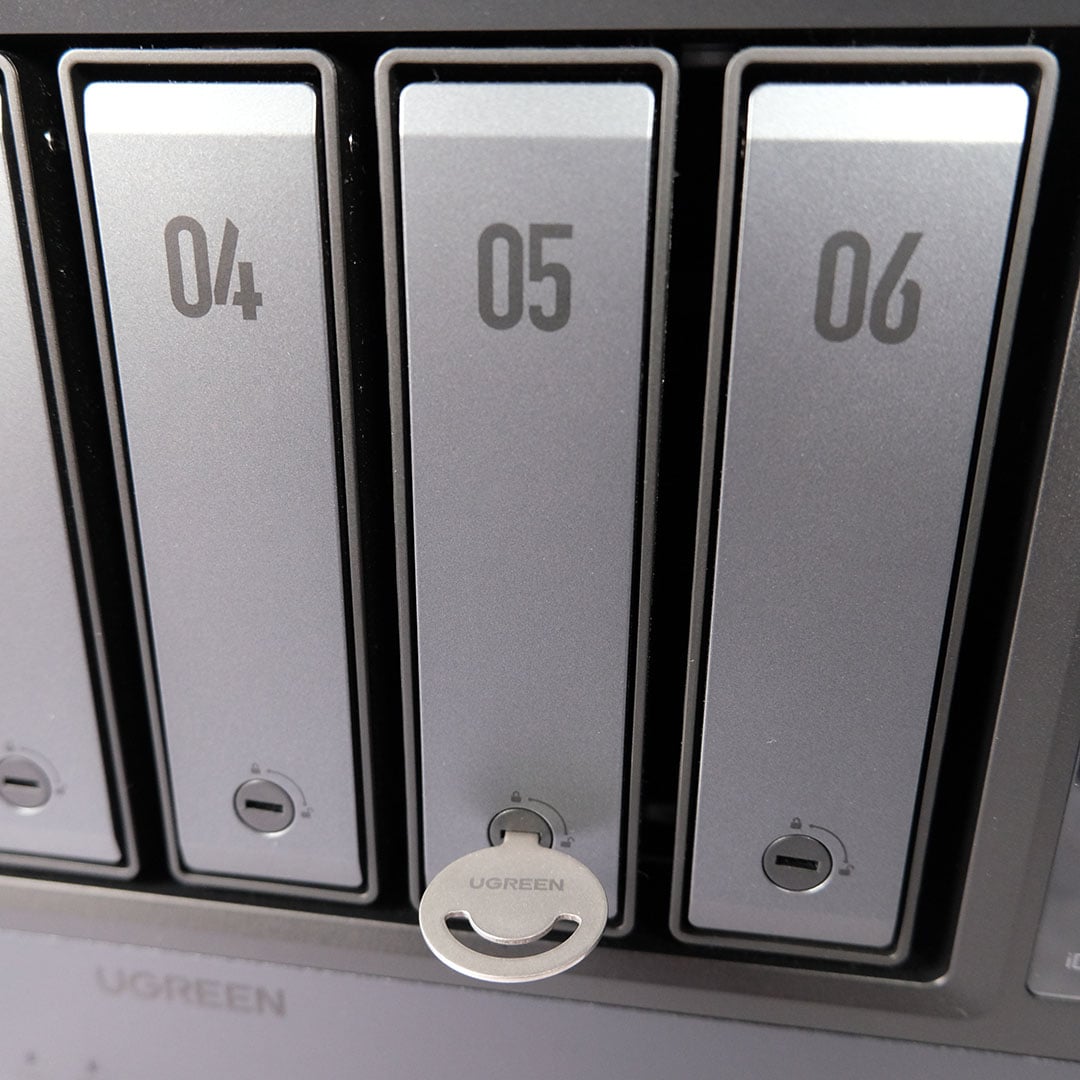
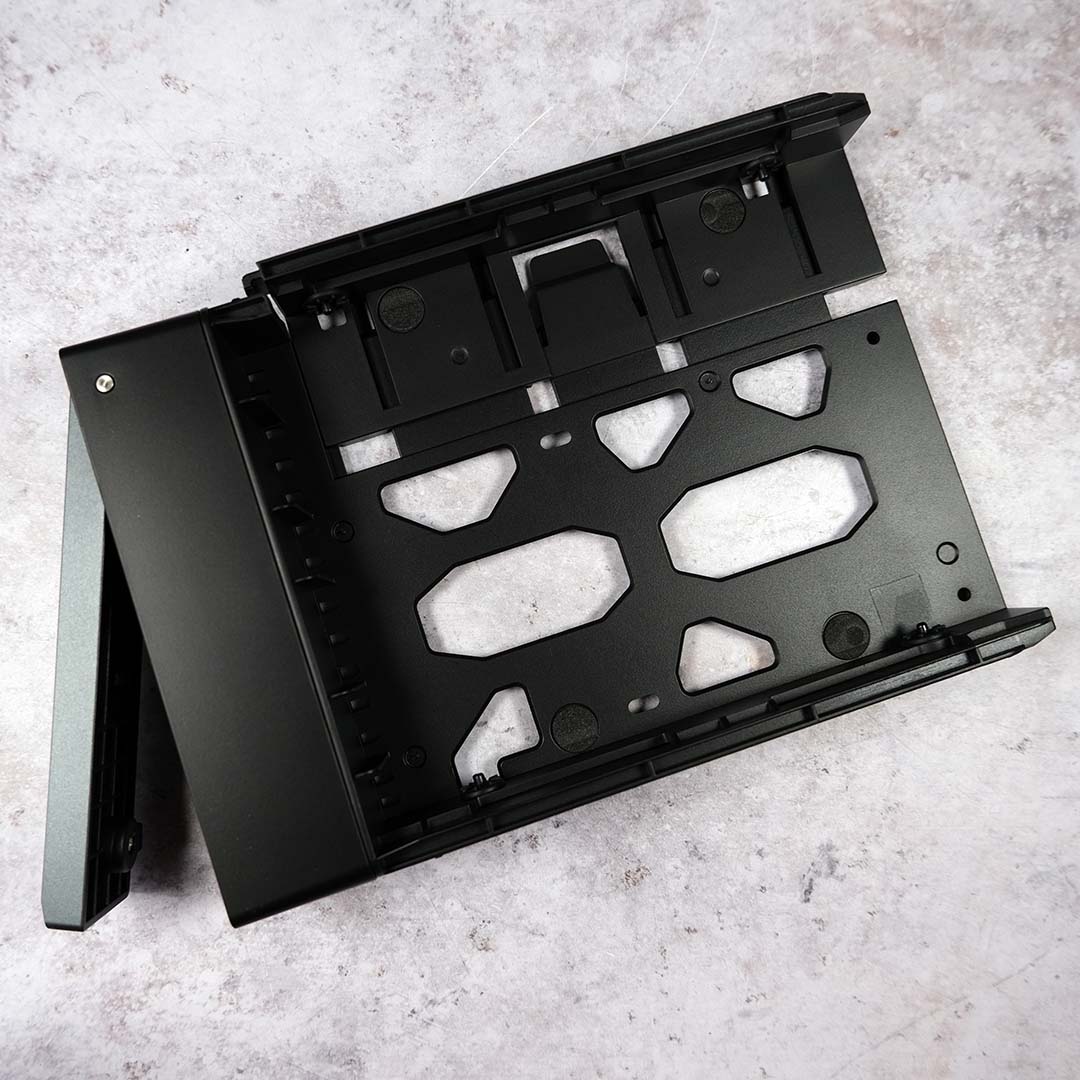
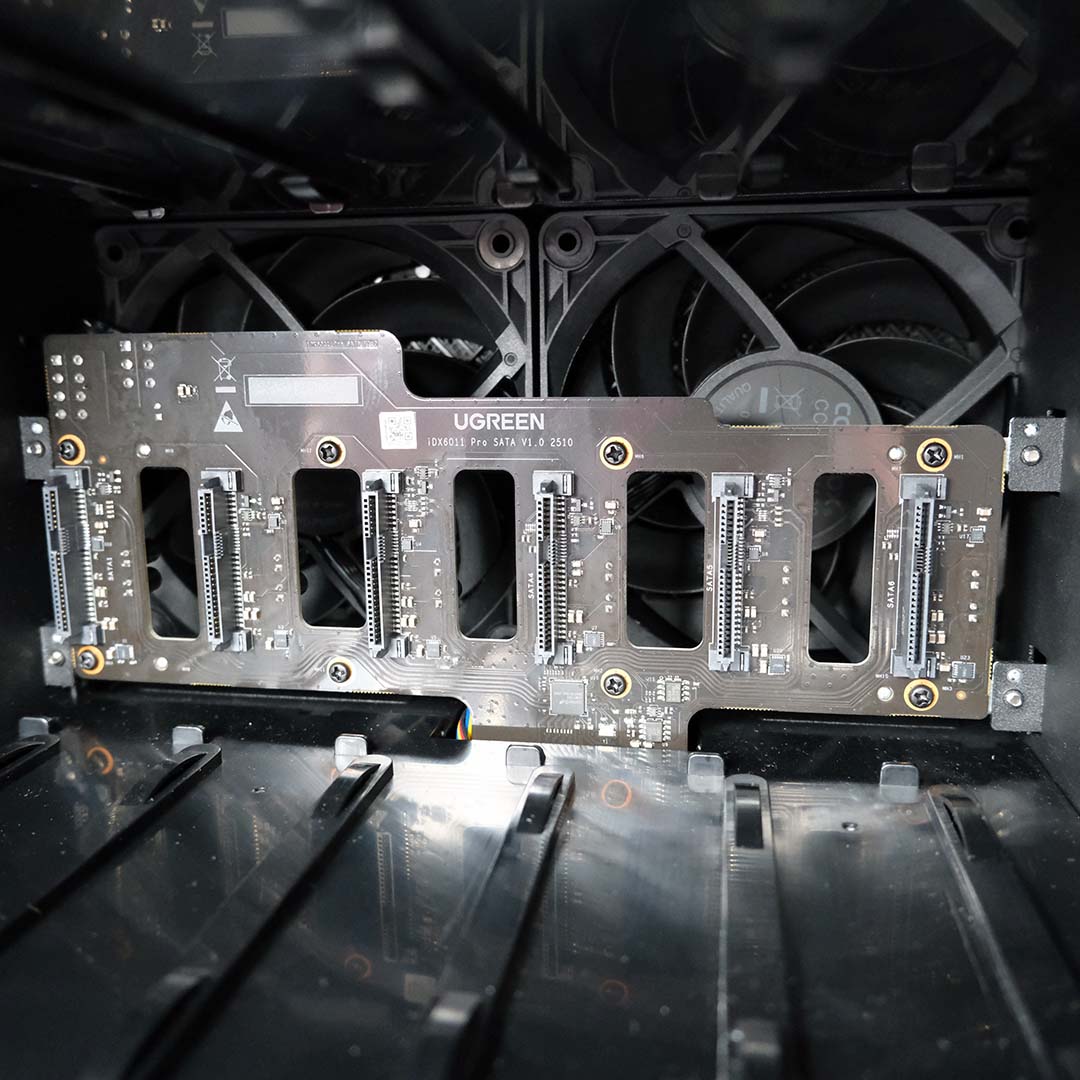
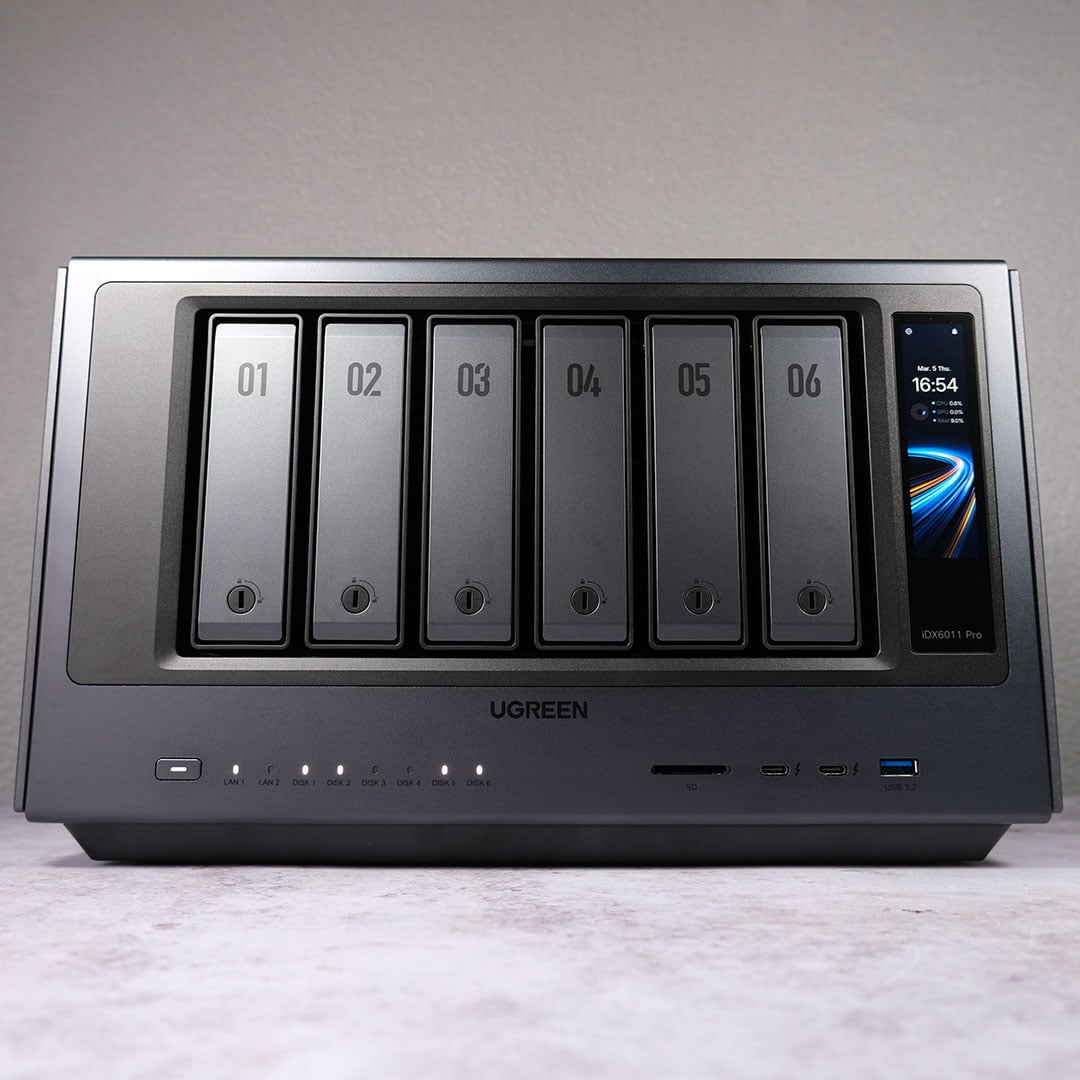
The six drive bays are toolless in operation save for their locking mechanism, which requires a flathead key to toggle. Once unlocked, just press to release and you can easily slide them out of their tray with minimal force. Reinserting requires more of a push than you might expect as drives and SATA ports meet but it’s no cause for concern.
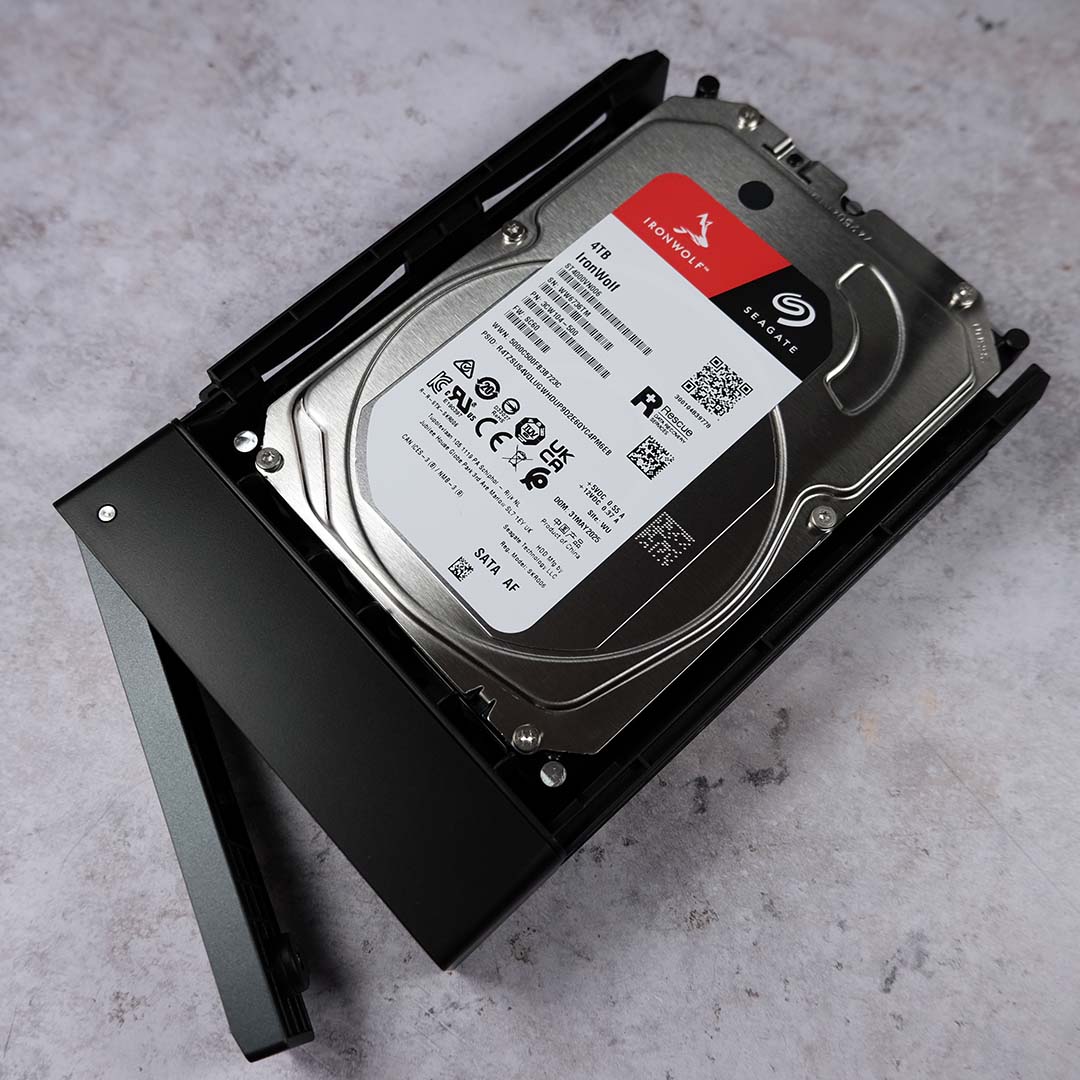
Getting 3.5in drives into their respective cages is a doddle, taking less than a few minutes for me to get my four HDDs into the NASync iDX6011 Pro. Simply expand the casing through a pressure tab, slot the drive in, and push to close. You can install 2.5in storage into these bays too, but you will need to take extra steps as outlined in the manual, entailing the bundled screwdriver and screws.
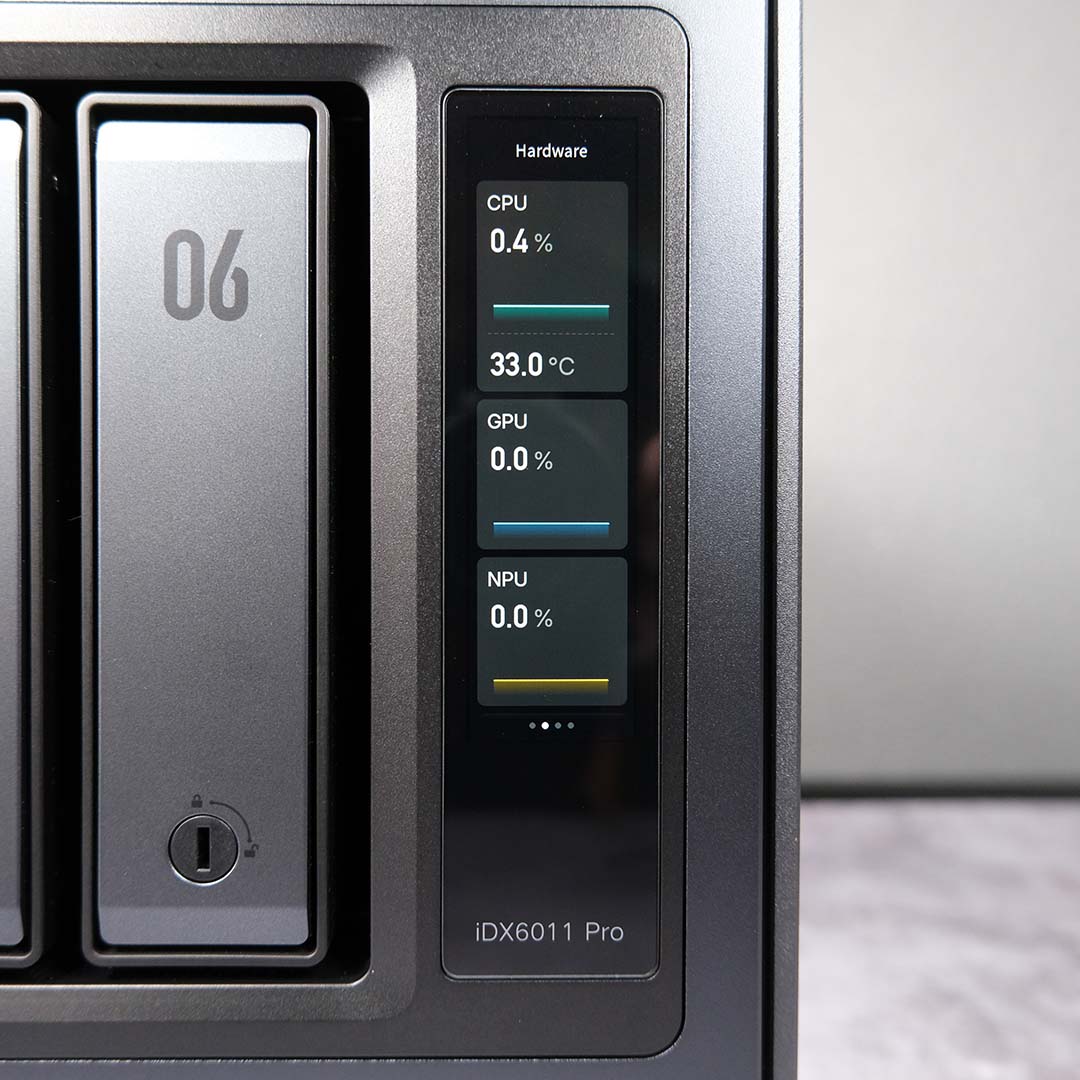
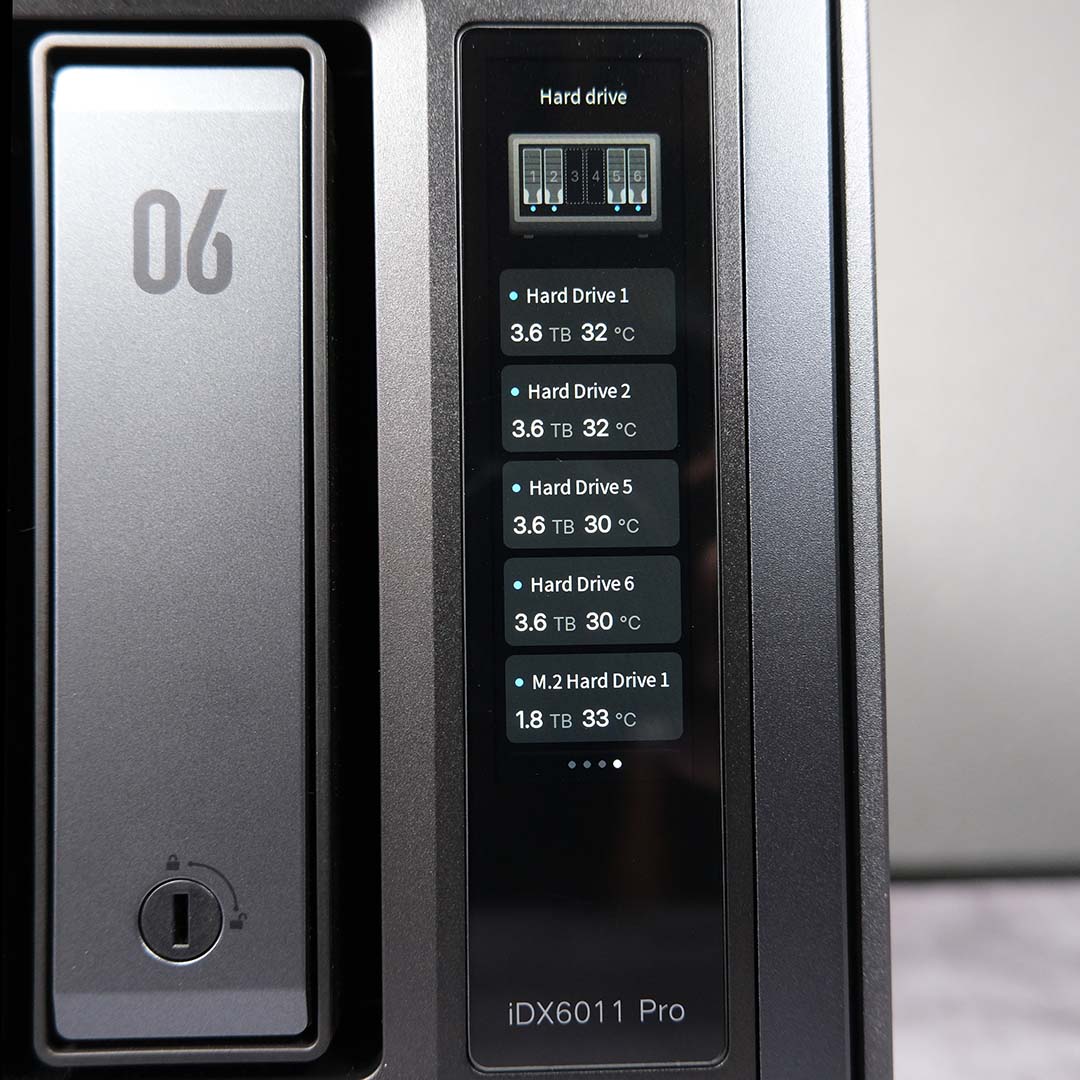
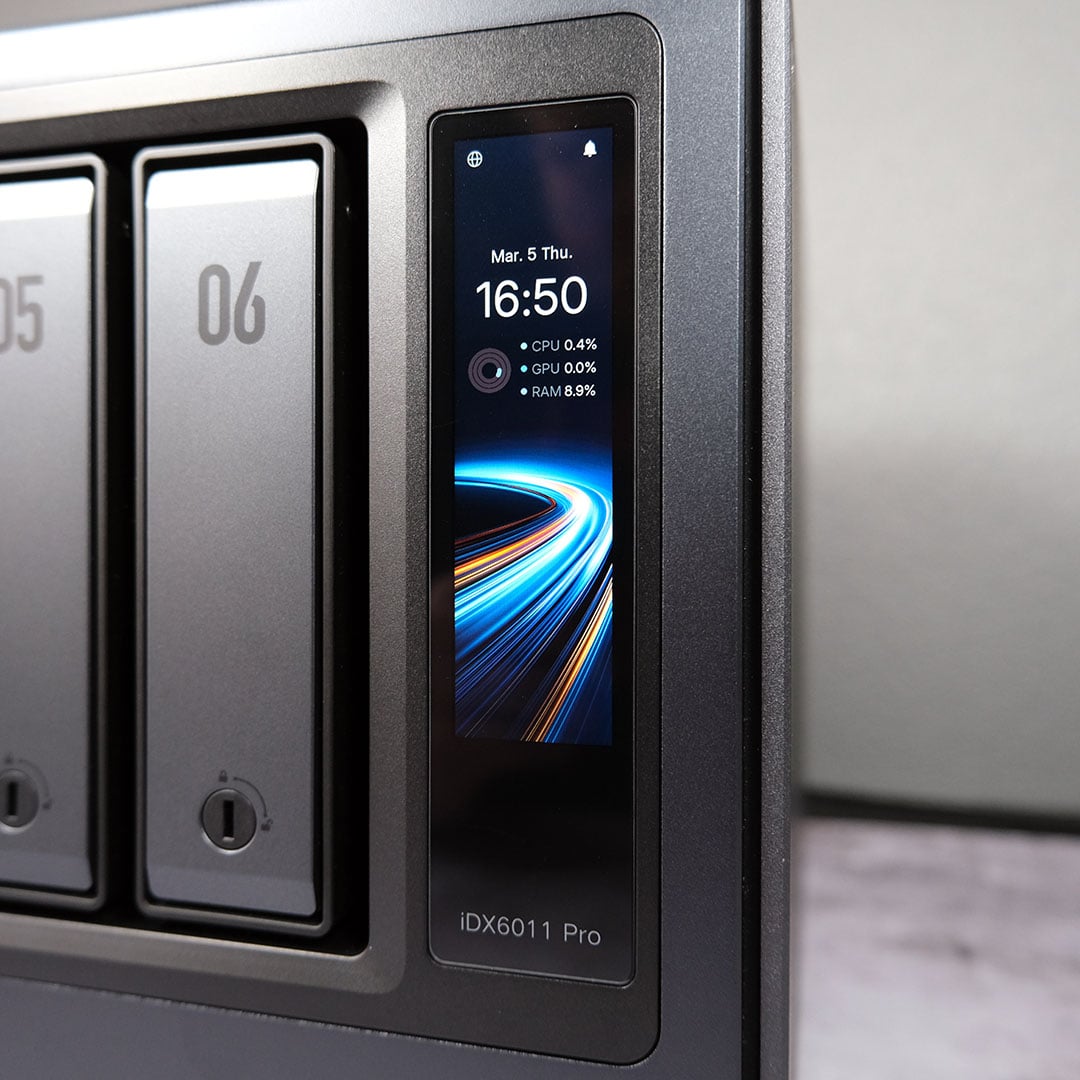
A 3.71in LCD touchscreen lives next door to the hard drive bays, unique to the Pro variant of Ugreen’s NASync iDX6011 series. The display provides real-time information about the NAS, namely hardware usage and status, as well as a progress indicator for updates and reboot/startup progression.
In its current form, the screen feels more underwhelming than headline feature material. There’s certainly potential here for the likes of a real-time task feed sourced from UGOS Pro, but even then I’d sooner check anything I need to know about the NAS’ status through my PC or smartphone.
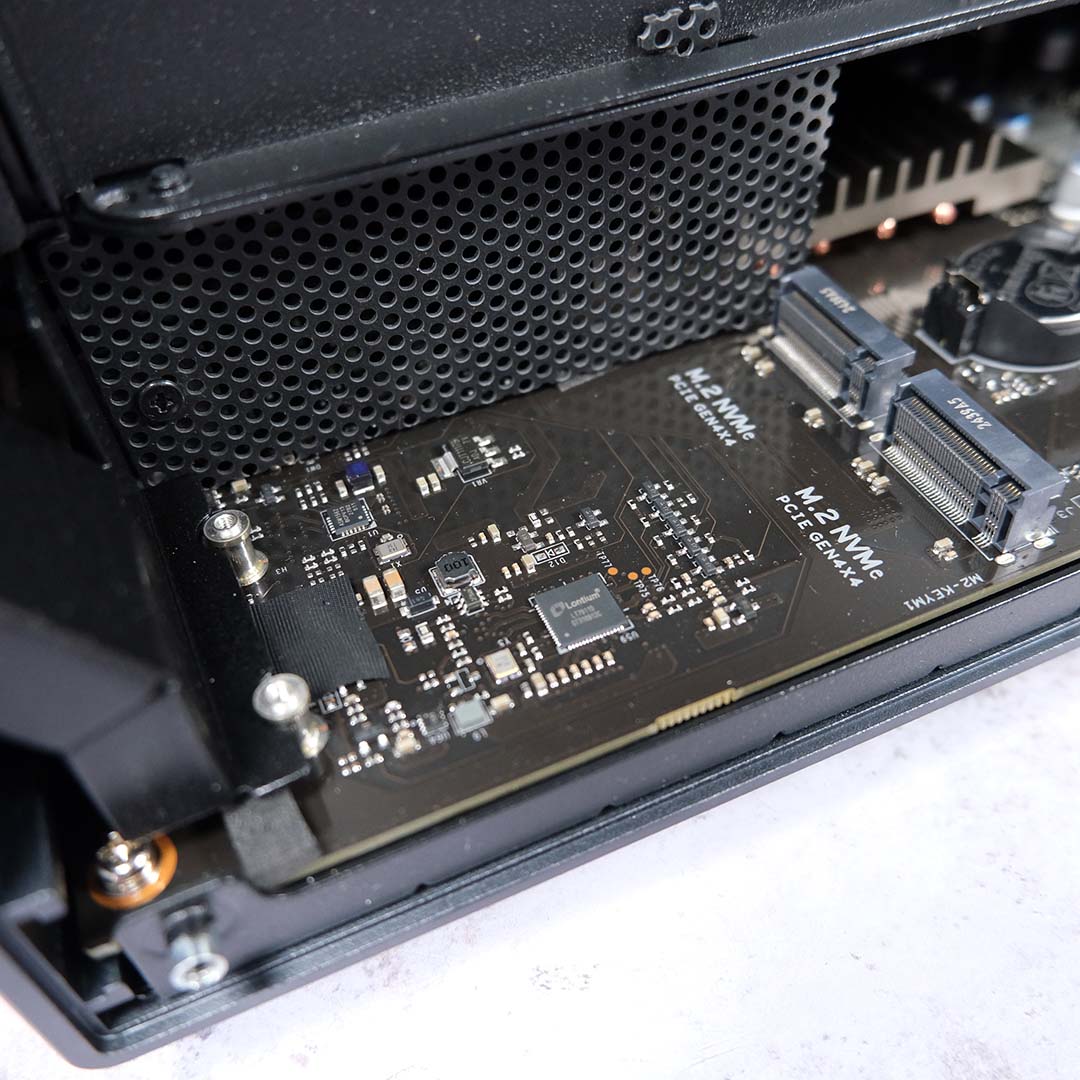
Popping off the right side panel, after removing four hex screws, reveals the NASync iDX6011 Pro’s two PCIe Gen 4 x4 M.2 slots. You can use these headers to either supplement your 3.5/2.5in storage pool or augment it through the creation of a dedicated SSD cache. Going down the latter path, as I will, can greatly speed up access to the most frequently used data across your storage.
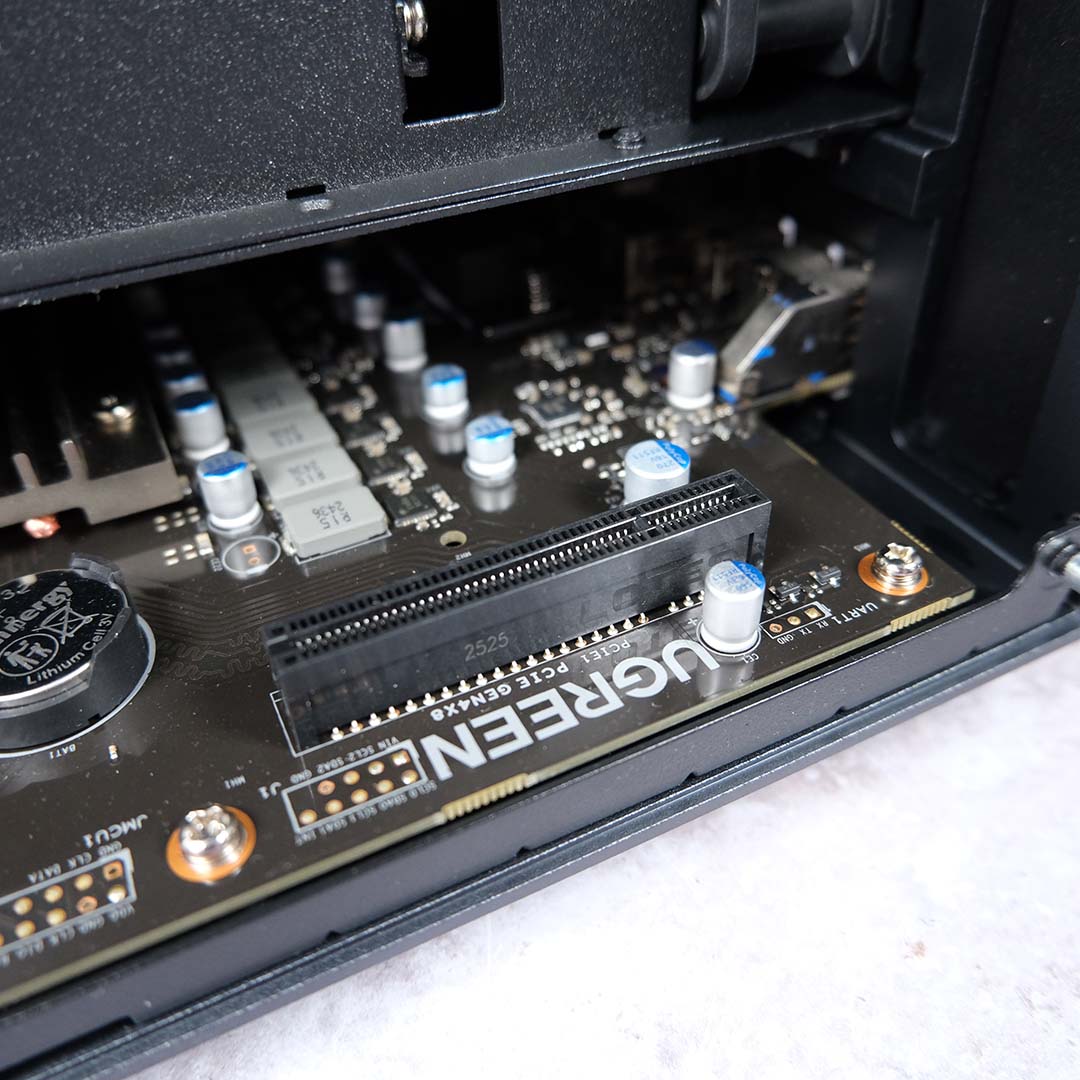
Further along the PCB, you’ll find a PCIe Gen 4 x8 slot with complementing bracket for a single-slot card. You can use this header to install various upgrades, such as a 100GbE networking card, or many workstation graphics cards to bolster GPU-sensitive workloads.
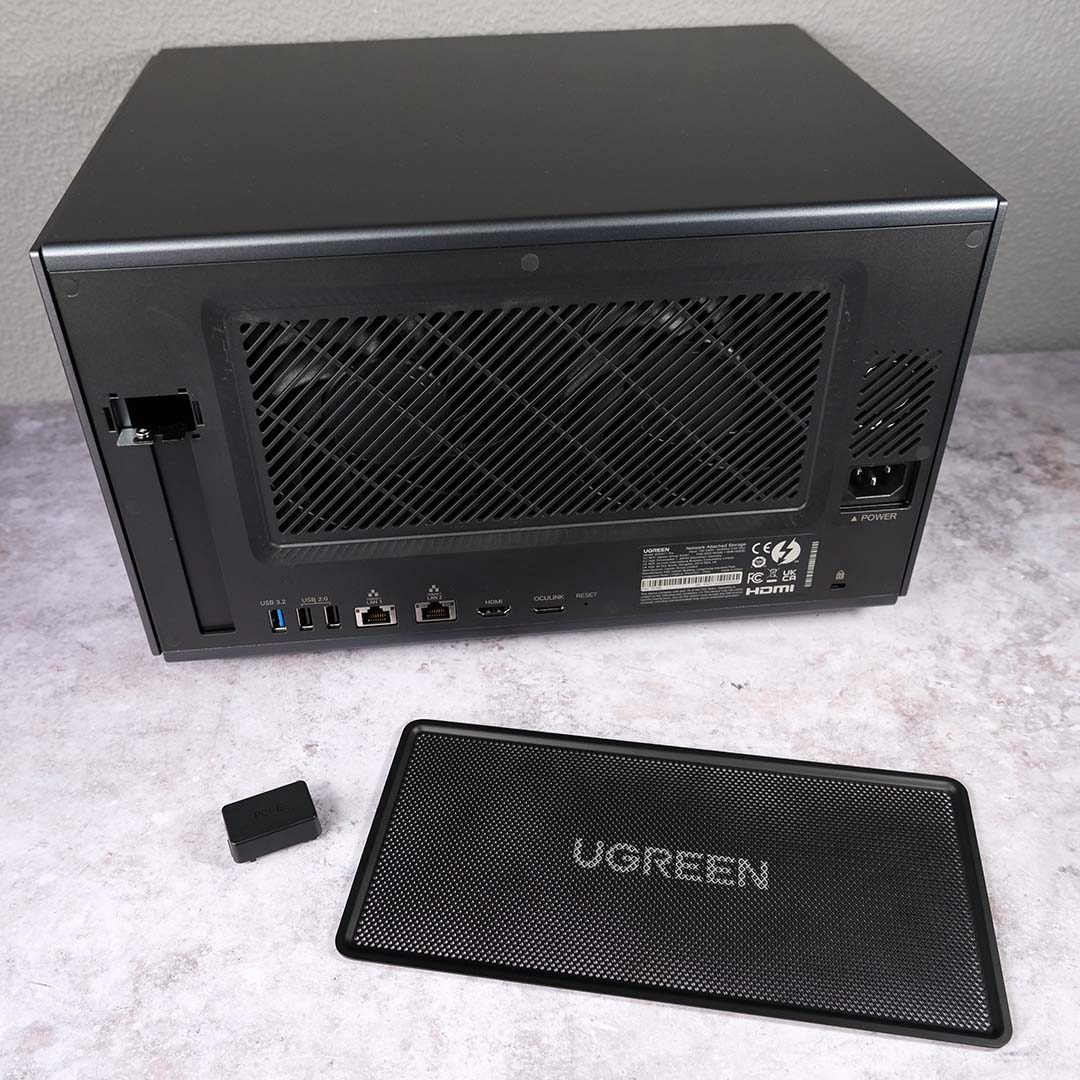
Round back of the NASync iDX6011 Pro, two fans lurks behind a magnetic removable dust filter providing intake airflow to the system. With this in mind, it’s key to free up some room at the rear of the NAS to keep operating temperatures in check.
It’s on this side of the chassis that you’ll also find a PCIe cutout cover, the only piece of plastic on the entire build. The lid doesn’t feel cheap by plastic standards, but does stick out against the rest of the build once you notice it.
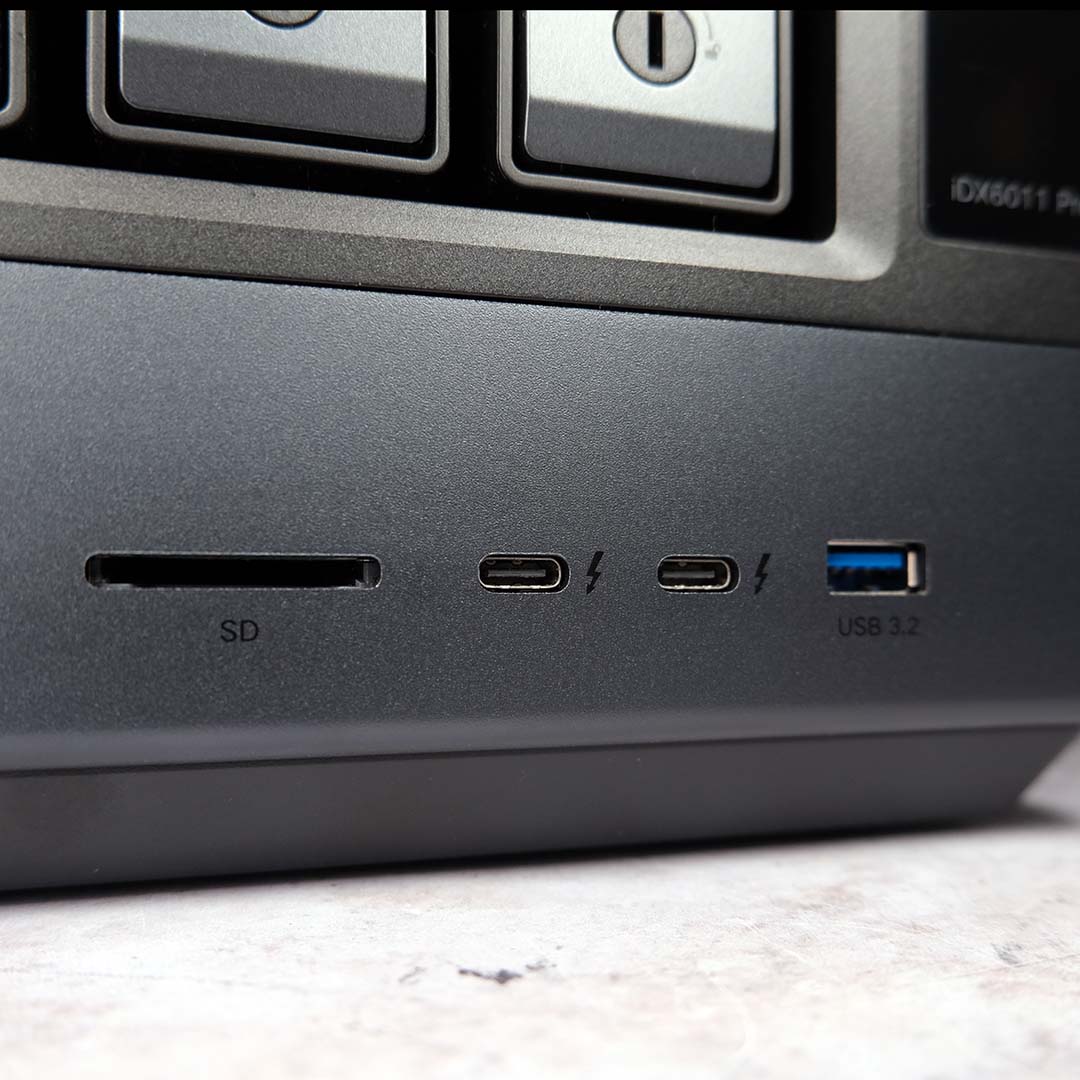
Ugreen has outfitted the NASync iDX6011 Pro with a plethora of ports, spread across the front and rear of the chassis. The NAS doesn’t skimp on networking speed, offering dual 10Gb Ethernet as standard. This LAN duo proves a versatile boon, providing a means of redundancy, or a combined 20Gb connection through Link Aggregation. In my case, I chose the path of network bridging, directly connecting a client to the device via one port, while feeding it local area network and internet traffic through the other.
Those seeking even higher bandwidth can also turn their attention to the two Thunderbolt 4 ports up front. Providing you have a compatible cable and device, you can enjoy up to 40Gb (5GB) of theoretical throughput. While I thoroughly welcome the inclusion of such speedy standards, I do wish Ugreen had placed one of these ports round back considering the typically short length of TB4 cables. Rounding off the USB port selection, you’ll find two 5Gb USB-A 3.2 ports, one on the front and another at the back, as well as two 480Mb USB 2.0 inputs.
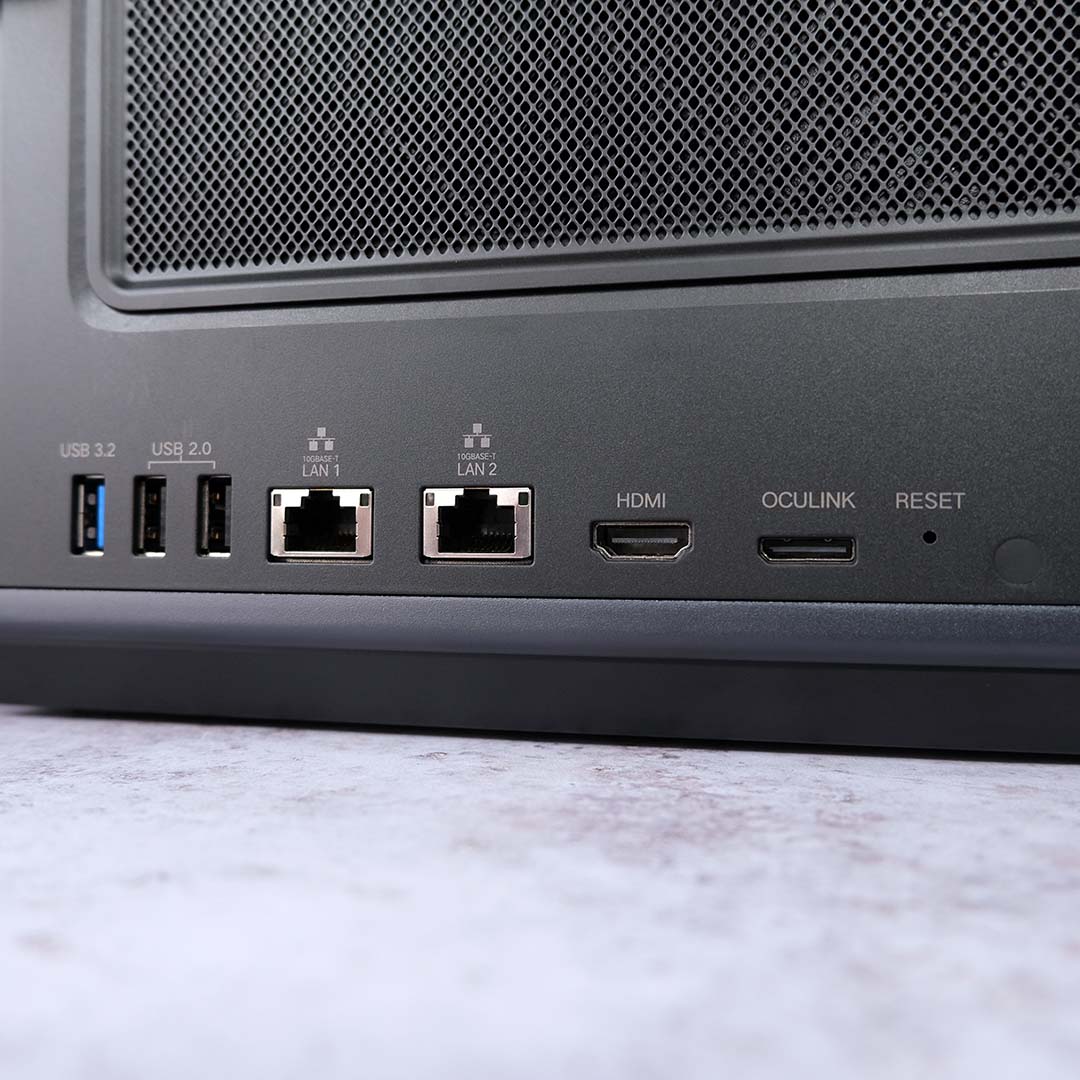
Given how frequently I’m popping an SD card in and out of my camera, I’m over the moon to see an SD 4.0 slot on the NASync iDX6011 Pro’s face. This gives me the means to quickly spread photos and videos for a project across my systems, both desktop and laptop, while also providing a quick means to share with colleagues without having to deal with cloud storage upload times. I’m also glad to see an OCuLink input, the ideal port of choice for running an external graphics card.
The NASync iDX6011 Pro also comes with an HDMI 2.1 output, capable of supporting up to 8K/60Hz playback. You’ll still need a separate client to interact with the NAS even if you connect it up to a monitor or TV, but in doing so you can load media directly from your storage. This is a beta feature at the time of writing, but there’s currently support for H.264 and H.265 playback alongside other mainstream encoders.
Software

No turnkey NAS is complete without an approachable and feature-rich operating system, qualities that UGOS Pro does an admirable job of embodying given its young age relative to established competitors. While there are some clear software gaps in the NASync iDX6011 Pro’s software, there’s a strong selection of applications and local AI functionality that will please the majority of users.
Initial setup is pleasantly straightforward, with my NAS initialisation beginning on my smartphone and finishing on my PC by choice. Each step comes with clear explanations and instructions, with Ugreen providing enough information on file systems and RAID types to guide neophytes. Upon entering the desktop environment, tooltips provide welcome further guidance.
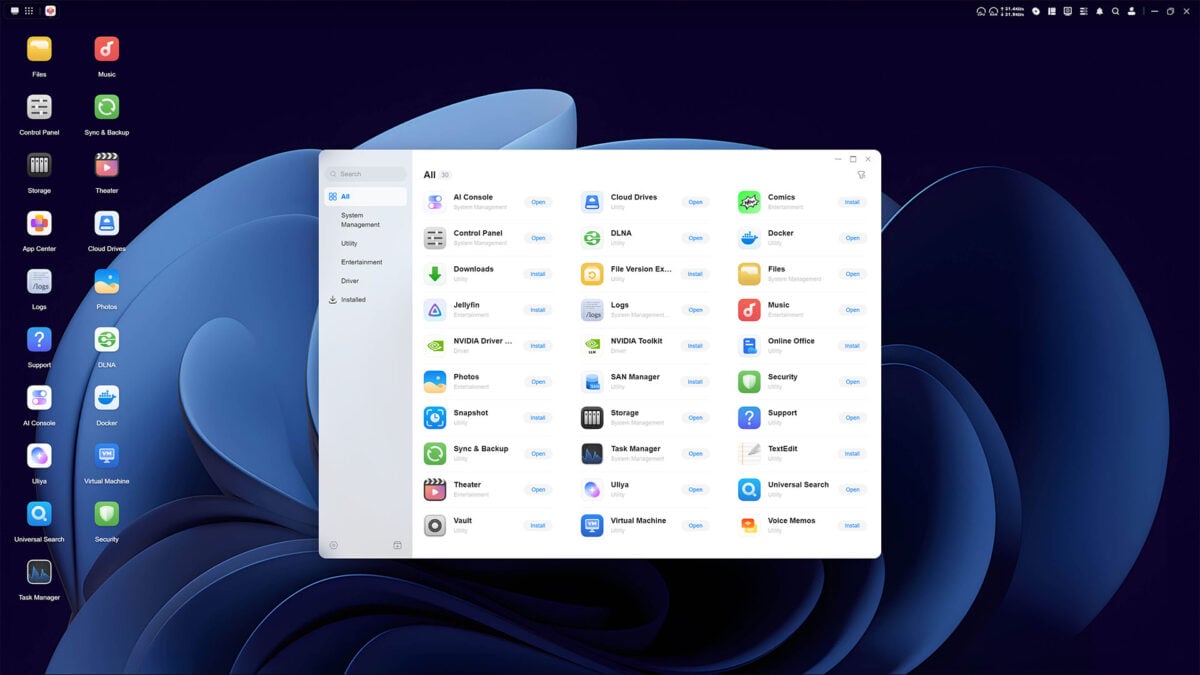
Pre-installed applications on the NASync iDX6011 Pro are few, but the system arrives with all the base utilities you could want. Opening up the App Center, the infancy of UGOS Pro relative to competitors becomes clearer. The operating system has a relatively small selection of native applications, with some major omissions of longstanding community favourites, including Plex.
You can get around these limitations by using Docker containers. While I’d encourage anyone using a NAS to become at least familiar with the versatility that Docker offers, requiring it does diminish the turnkey appeal of Ugreen’s offering to a point. Luckily for me, I prefer Jellyfin and there’s a native app ready and waiting to build out my own personal streaming service.
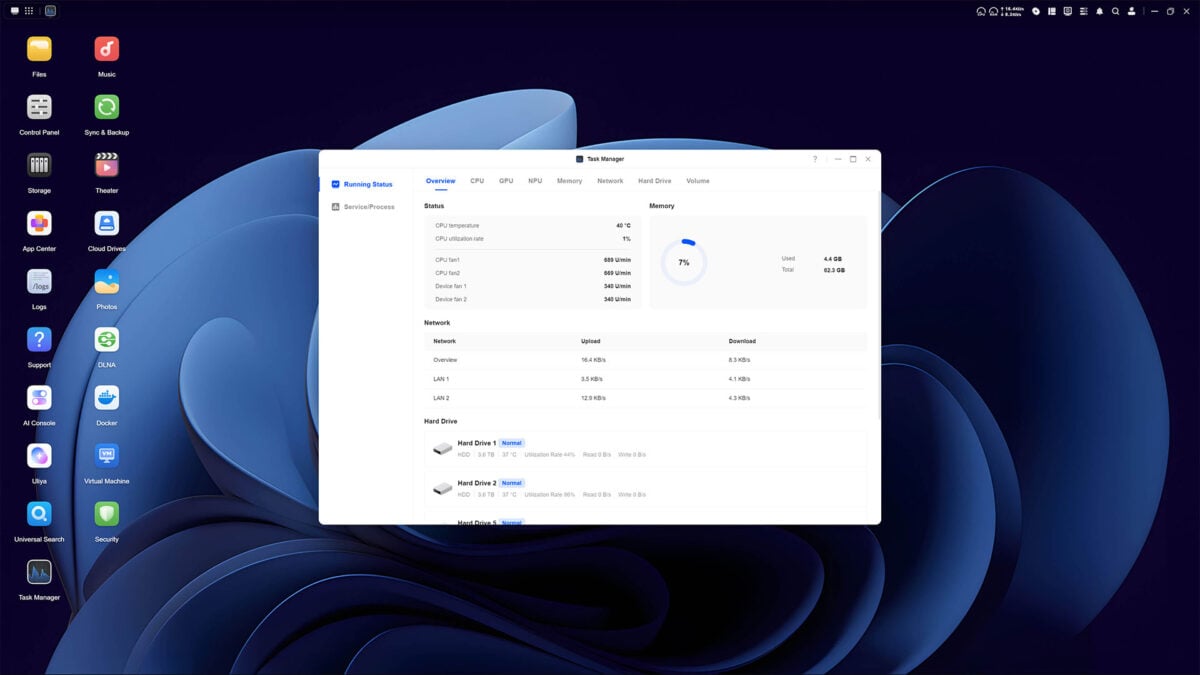
Excitingly, the NASync iDX6011 Pro has plenty of power to run virtual machines. You’ll need to source your own ISO files to get going, but the system’s Core Ultra 7 255H processor and 64GB of RAM should provide a wonderfully stable base from which to set up various VMs.
Despite having zero prior exposure to UGOS Pro until now, I very quickly found my feet. Within less than 15 minutes I’d gone from a freshly built storage volume to shifting multiple files across to the NAS, enabling all the important acronyms (2FA, DLNA, SMB) and more. The operating system is nothing short of intuitive and responsive.
AI
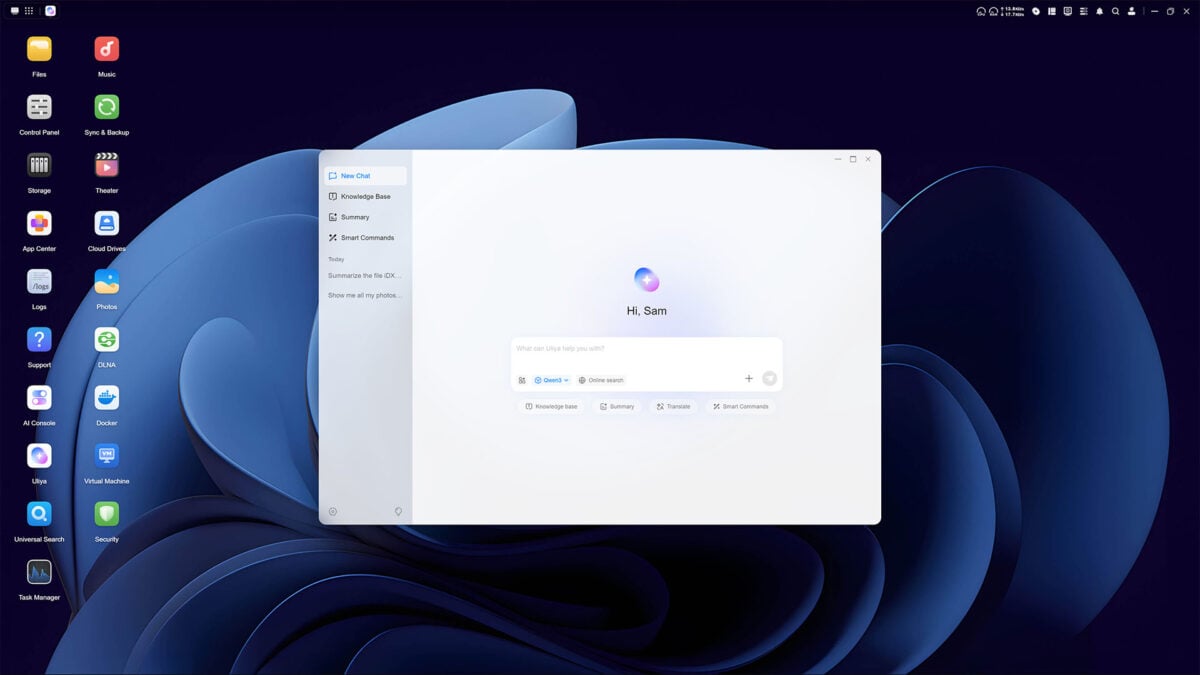
While not the first NAS to feature local deep learning capabilities, the NASync iDX6011 Pro positions itself as one of the most-capable offerings on the market by virtue of its chipset. Out of the box, the system delivers a combined 96 TOPS of performance, which together with its large memory pool makes running powerful agentic large language models (LLM) and more a real possibility.
Adopting this approach over a cloud-based artificial intelligence nets several advantages. For one, all queries and data you feed into the LLM will stay on the device unless you explicitly say otherwise, protecting your intellectual property and general privacy. Then there’s cost, as this service doesn’t come with any extra expenditure beyond your initial buy-in for the NAS.
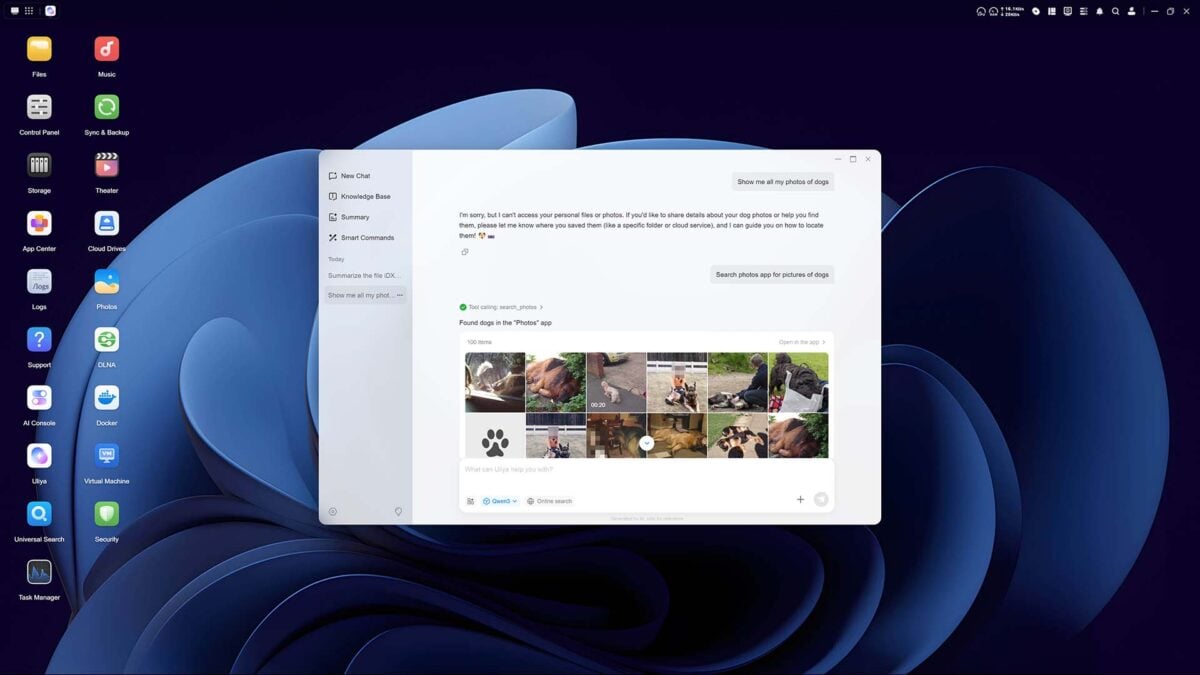
Uliya serves as NAS’ AI assistant, by way of Alibaba Cloud’s Qwen3 LLM. Out of the box, it can surmise and translate files, respond to natural language queries, as well as conduct smart commands such as changing the fan profile and beyond. You can also create custom knowledge bases, enabling data analysis and file searching based on parameters you set.
The implementation isn’t seamless, requiring a small degree of know-how to get the most out of Uliya. For instance, when I asked the AI to “show me all my photos of dogs” it responded by telling me it can’t access my personal files or photos. Explicitly using the ‘Smart Commands’ AI skill with the prompt “search photos app for pictures of dogs” and I’m finally seeing pictures of man’s best friend.
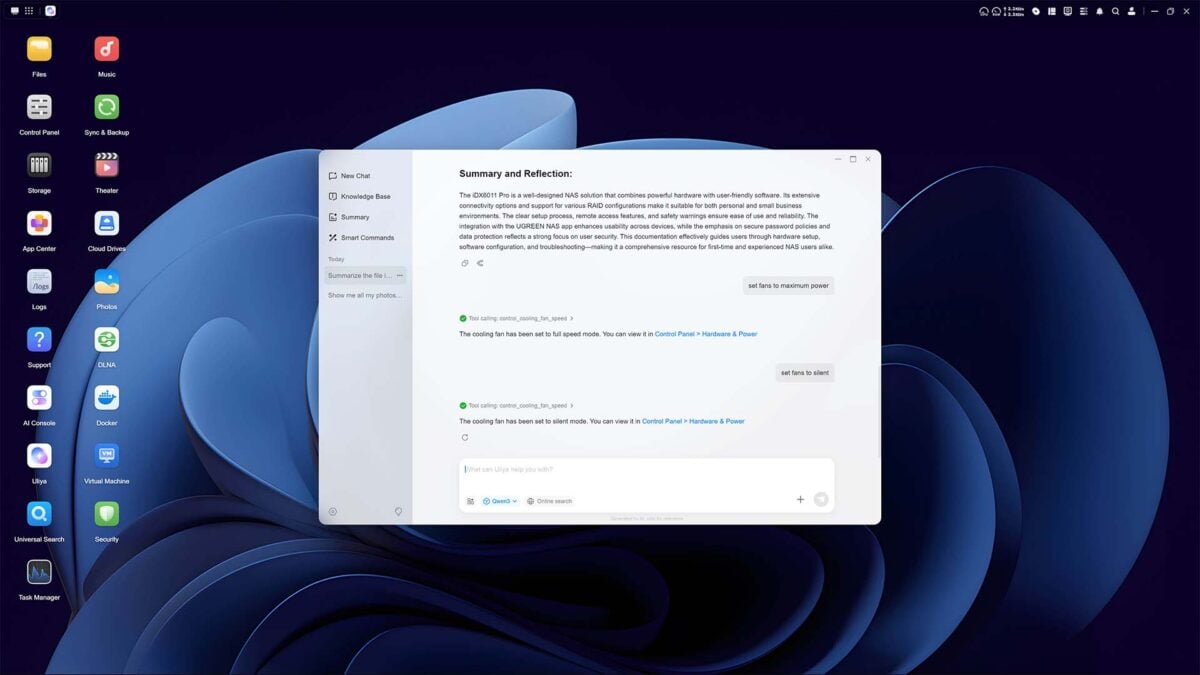
Image recognition isn’t perfect either, but it’s still somewhat helpful in beginning to organise the jumbled mess that are my decades of photographs and videos. The AI here attempts to identify objects and people, the latter with surprising accuracy despite changes in age. However, changes in hair colour, makeup, etc. can lead to duplicates, so prepare to tidy your labels.
As someone averse to generative artificial intelligence and any cloud service, I can certainly see potential in how the NASync iDX6011 Pro could aid workflows and general file management. This isn’t quite as turnkey as I’d hoped it be, but that’s nothing that subsequent system updates can’t resolve. I implore Ugreen to perhaps build a test data set and tutorial of sorts to help users become more readily acquainted with the potential this NAS has to offer.
Performance
I’m adopting a two-prong approach to testing the NASync iDX6011 Pro’s performance. While the majority of clients connecting to the NAS will do so via its 10GbE ports, either directly or via switch, I’m also calling upon Thunderbolt 4 to provide a speedier avenue of 40Gb bandwidth to explore.
After mapping the 7.2TB volume to a network drive in Windows on both systems, I’m able to use AJA System Test to assess speeds. Using a 1GB test video file, read and writes respectively top out at 842MB/s and 837MB/s via the 10GbE, falling to 785MB/s and 818MB/s when facing a larger 16GB file. Meanwhile, the Thunderbolt 4 port pushes respective read and write performance up to a whopping 1,179MB/s and 1,408MB/s at 1GB, and faces down 16GB without any notable compromise with 1,140MB/s and 1,450MB/s throughput.
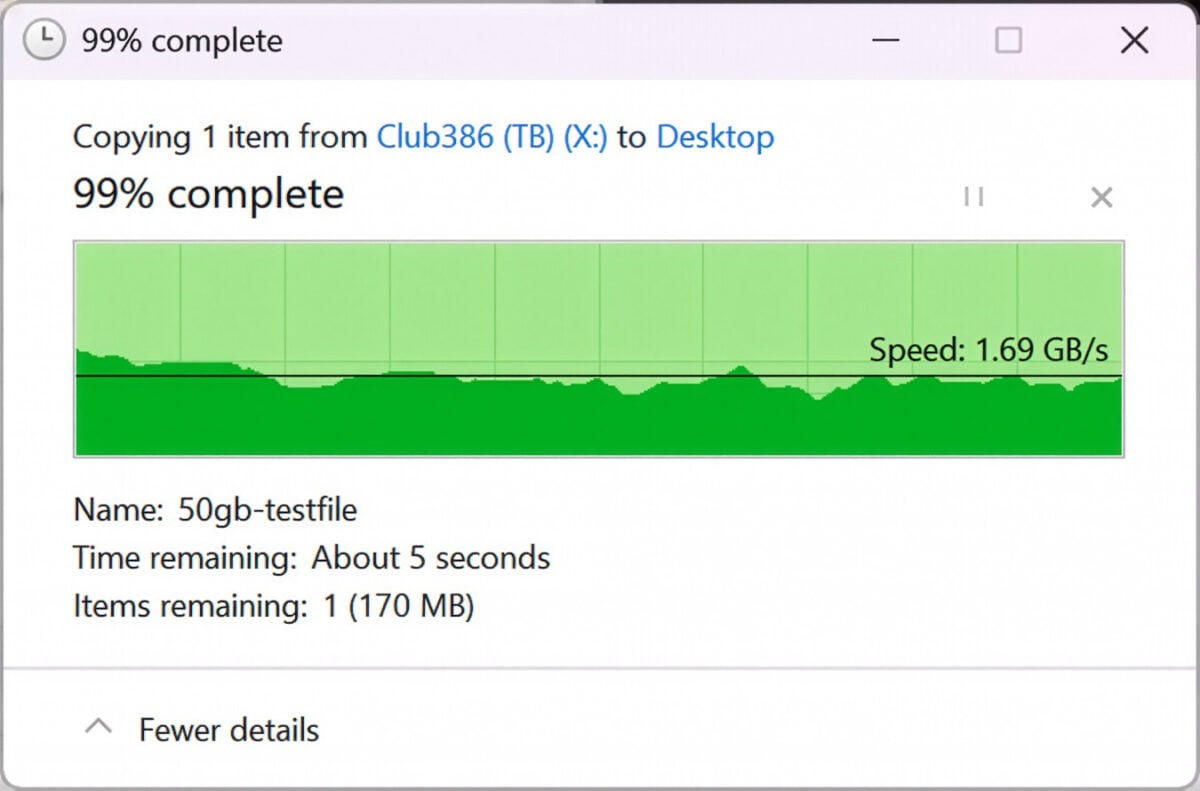
Swapping synthetic video files for my simple 50GB test file, speeds climb to new heights. Sending the document from the test bench sees transfer keep at 985MB/s, breaking the gigabyte barrier when roles reverse at 1.10GB/s. Naturally, Thunderbolt 4 provides more breathing room, settling at 1.49GB/s during the upload and 1.69GB/s in the download.
Finally, transferring a Steam backup of Assassin’s Creed Shadows provides a large batch of files for a more varied workload. Dealing with thousands of smaller files and dozens of folders, read speeds settle at 300MB/s on both 10GbE and Thunderbolt 4, while writes are much nippier at up to 1.18GB/s.
My RAID 10 array comes impressively close to using the theoretical maximum bandwidth of 1,250MB/s that 10GbE affords, pushing several hundred megabytes beyond those limits during some Thunderbolt 4 transfers. There’s room to scale up performance, I’d love to see how much further I could push the NASync iDX6011 Pro with alternative drives, be they 7,200RPM, 2.5in SSDs, or simply greater in number, but even a relatively modest setup like this is providing fruitful results.
Vitals
Of course, throughput is just one part of the NAS performance equation, with noise, power draw, and temperature all proving important. Thankfully, the NASync iDX6011 Pro doesn’t falter in any of these categories while idle or under load, save for one mildly irritating stumble.
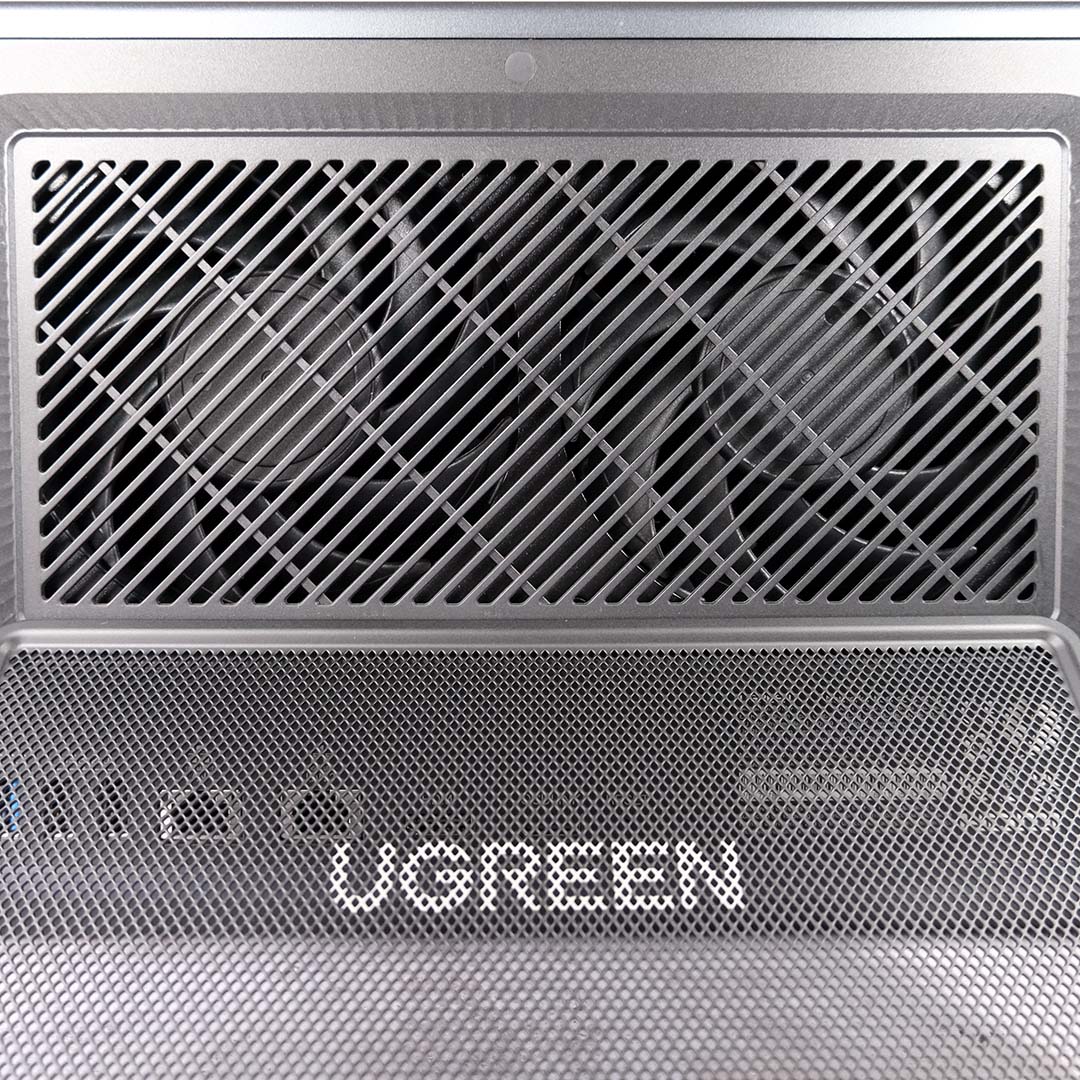
In terms of acoustics, the NAS’ default ‘Normal’ fan mode hums along at a pleasant ~31dBA while idle. Even after placing the RAID array under continuous load, the blowers remains reasonably quiet, peaking at 39dBA. Unfortunately, Ugreen doesn’t provide any insight into its fan curves, nor does the brand provide means of customisation.
While I had no need for the ‘Silent’ or ‘Full speed’ profiles in my testing, the latter setting does significantly increase airflow. Naturally, this comes at the cost of higher noise levels, hitting 62dBA. Suffice to say, you’d only ever want to activate this under exceptionally demanding circumstances, preferably at a fair distance away from the NASync iDX6011 Pro.
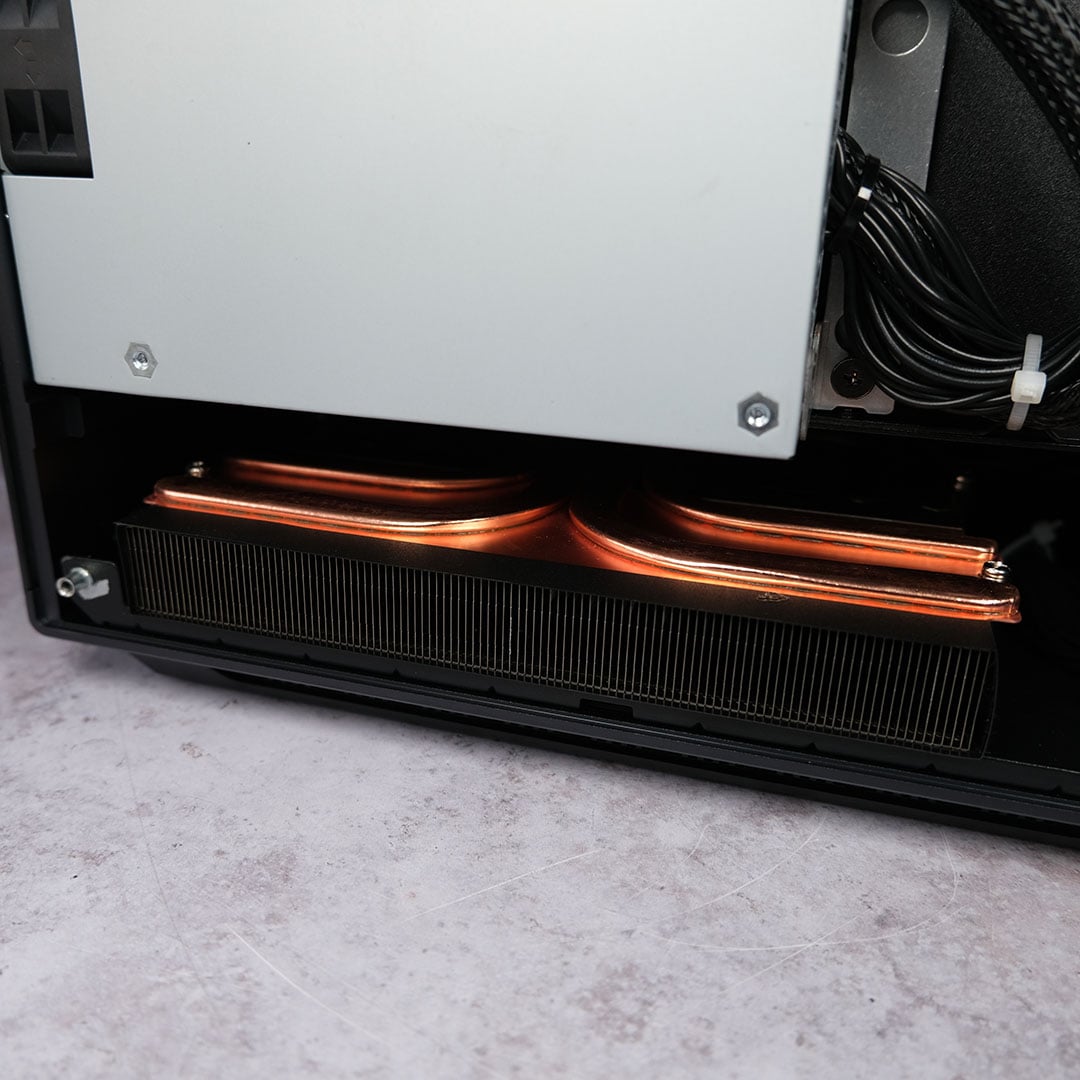
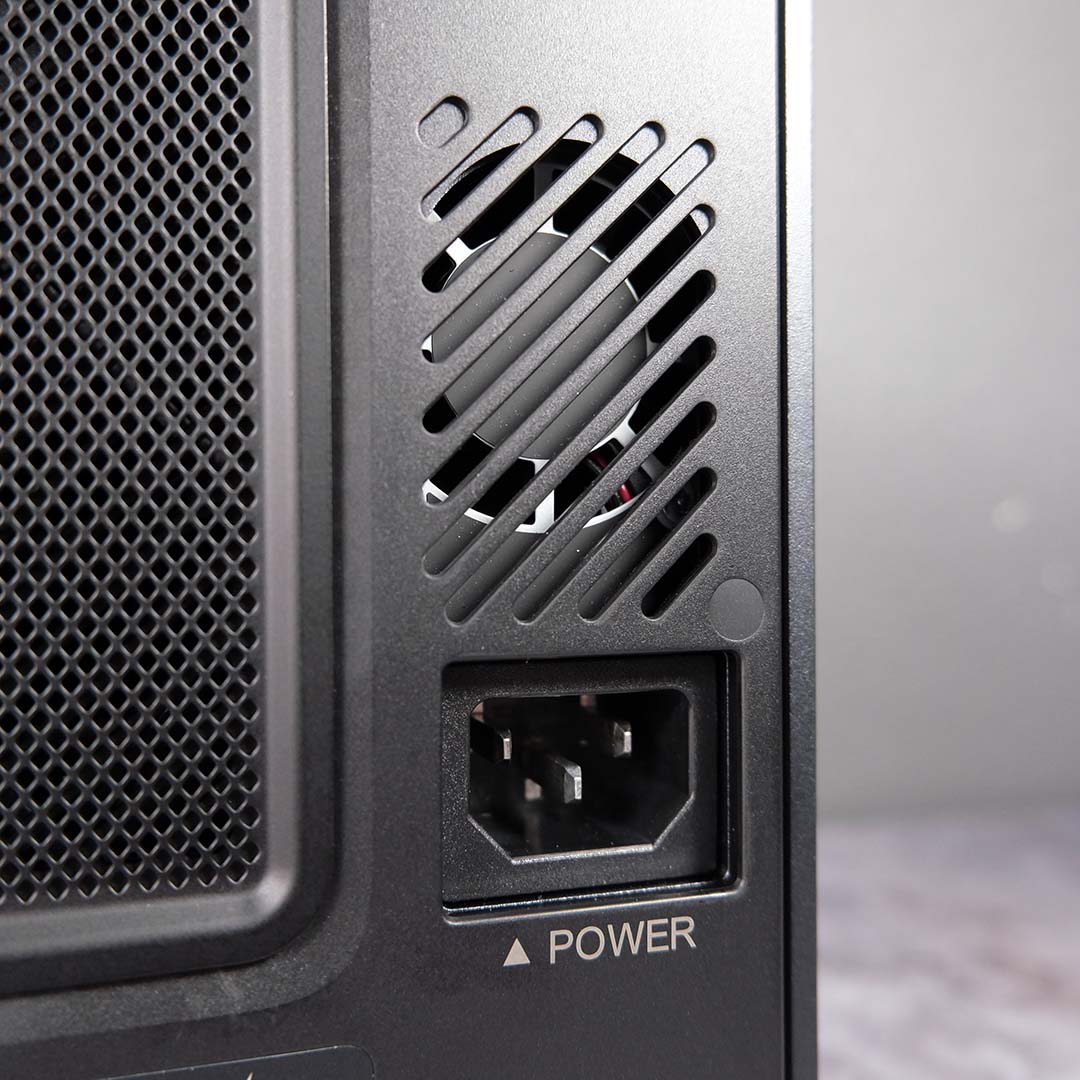
Unfortunately, the internal power supply fan is an irritating blemish on an otherwise solid noise profile. Despite the NAS occupying a well-ventilated space during my testing, the tiny blower constantly ramps up and down at all times. I at first mistook the noise for a distant neighbour doing some tree surgery with a chainsaw but, alas, the problem is much closer to home.
Ugreen tells me that an internal temperature sensor controls this fan independently from the system, adjusting speed accordingly as thermals rise. This sadly leaves me with no resolution to this problem, save for an RMA. There’s every chance that this issue is unique to my review unit, as I haven’t seen any similar reporting from other outlets, but it’s impossible for me to conclude with certainty given my sample size of one.
After prolonged transfers, my HDDs didn’t peak beyond 40°C inside the NASync iDX6011 Pro. That’s well below the 65°C maximum operating temperature Seagate lists in the drives’ data sheet, inviting the use of the NAS’ ‘Silent’ fan profile without cause for second thought. While the system enjoys favourable testing conditions atop my desk in a practically open air environment, I have little reservation about placing it into a more confined space for my use case.
Meanwhile, the M.2 SSDs serving as my read and write cache are running warmer at 53-57°C. Ugreen’s documentation wasn’t kidding when it said heatsinks are a must for this use case. The brands own cooling blocks are clearly up to the task of keeping my Samsung 990 Pros at tolerable temperatures, and I expect they’d similarly hold up with alternative PCIe Gen 4 storage.
The two CPU fans similarly do an admirable job of keeping the Core Ultra 7 265H out of the heat. Through data transfers and AI queries, the processor’s operating temperatures didn’t rise above 52°C. In fairness, the chip was hardly under particular stress, with ~10% utilisation proving a regular ceiling in these tasks, but such is the nature of most file handling.
30 minutes idle from a system restart, the NASync iDX6011 Pro pulls 45W from the wall. This power draw will vary depending on your drive configuration, but don’t expect values common with less-powerful NAS. The Core Ultra 7 255H can pull 28W alone after all, so prepare for consumption around and above 100W during intensive workloads.
Placing the system under stress, drive access saw power consumption rise to 70W. However, it’s AI queries that see the highest draw at 90W, as the workload calls the CPU and NPU into action.
You can curb power consumption to a degree through drive hibernation, and there’s also a power scheduling function, should you not need access to the NAS around the clock.
Conclusion
The NASync iDX6011 Pro is an undeniably compelling package. Were it not for the irritating PSU fan, I’d describe the build quality as practically flawless, with befittingly powerful internals and a cornucopia of connectivity to match.
While UGOS Pro may not yet be quite as robust as alternative operating systems, Ugreen is playing catchup with competitors that have had decades to perfect their respective offerings. Software gaps can quickly disappear via updates, and the current state of the OS will sate a wide swathe of users.
Whether you’re hoping to grab the NASync iDX6011 via Kickstarter at substantial discount or through retail for MSRP, it’s difficult to argue with the value Ugreen’s offering in terms of raw hardware. Processors this powerful with this amount of RAM are unheard of at this price, making for a properly disruptive addition to the market.
Just don’t expect Ugreen’s flagship to avail its capabilities to you in obvious fashion. This is a NAS that will give back what you put into it, making it most suitable for users that can properly leverage its AI and processing power.
