

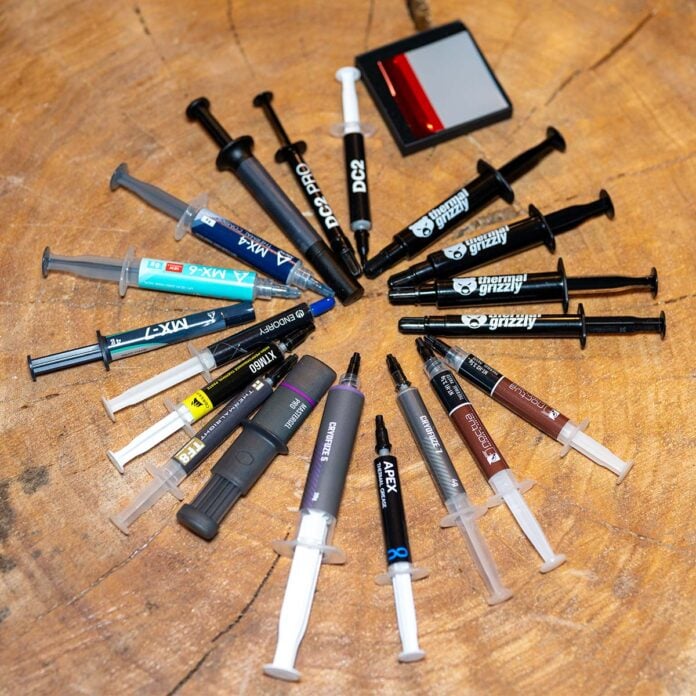
Thermal interface materials have quietly become one of the most important tuning knobs for modern desktop and mobile systems, as CPU and GPU power levels continue to climb. At the same time, cooler dimensions remain constrained by case formats and noise targets. Whereas a decade ago whatever came in the box was deemed adequate, today’s multi‑chiplet processors, dense GPU dies, and compact SFF enclosures push stock coolers to the limit, making even a small improvement in thermal resistance translate into lower fan speeds, reduced noise and additional frequency headroom.
Innovation in this segment is not without its challenges, and the thermal paste market has grown more fragmented and confusing. Vendors advertise ever-higher conductivity figures and new categories such as phase‑change pads and liquid‑metal alloys, blurring the line between mainstream and extreme overclocking products.
Arctic’s MX‑4 still acts as a widely used reference thanks to its balance of performance, ease of application and long‑term stability, but newer entrants like Alphacool Apex, Arctic MX‑7, Thermalright TF8, and various Thermal Grizzly compounds promise measurable gains – often for substantially more money or at the expense of trickier handling.
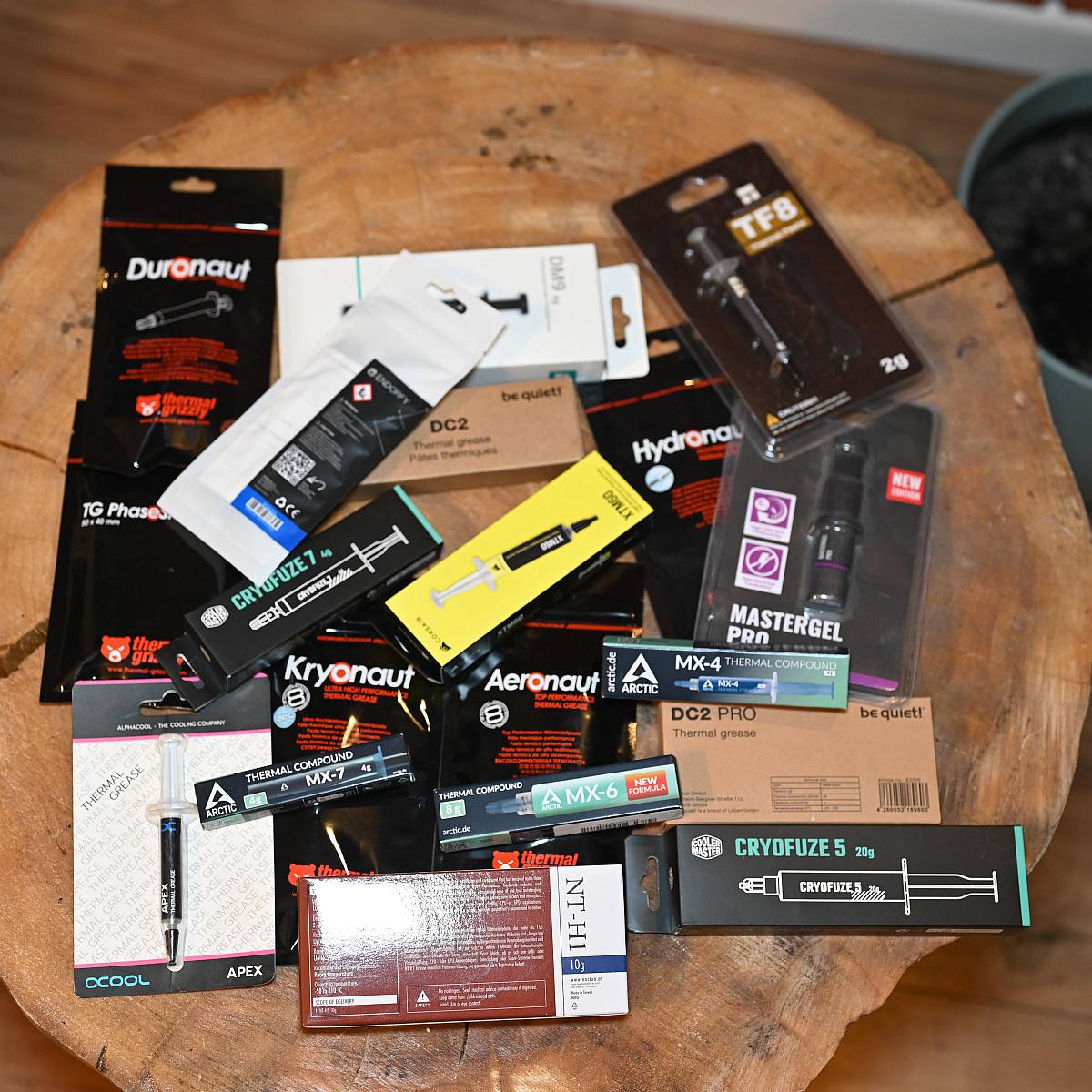
Rather than focus solely on marketing numbers, this roundup compares 20 products encompassing conventional pastes, along with liquid metal and a phase‑change pad. By combining advertised specifications, observed handling characteristics, indicative UK pricing, and performance, I aim to show not only which TIMs (thermal interface materials) are best, but also which ones actually make most sense for different users, platforms, and budgets.
Introduction
Thermal paste remains one of the most cost‑effective ways to unlock additional cooling headroom, particularly on modern CPUs with high core counts, and power‑hungry GPUs that push even premium air and AIO coolers to their limits. While Arctic MX‑4 has long served as a de facto reference thanks to its reliable performance, the market has shifted toward higher‑performance formulations and liquid metals that claim dramatic conductivity figures.
This review takes a comparative, data-driven look at a broad cross-section of current compounds – from accessible all-rounders to specialist products – using tried-and-trusted MX-4 as the baseline to quantify realistic gains or losses. The goal is not only to crown a numerical winner but also to weigh temperature results against usability, risk, and suitability for different use cases, such as daily gaming rigs, small-form-factor systems, and extreme overclocking scenarios.
Meet the contestants
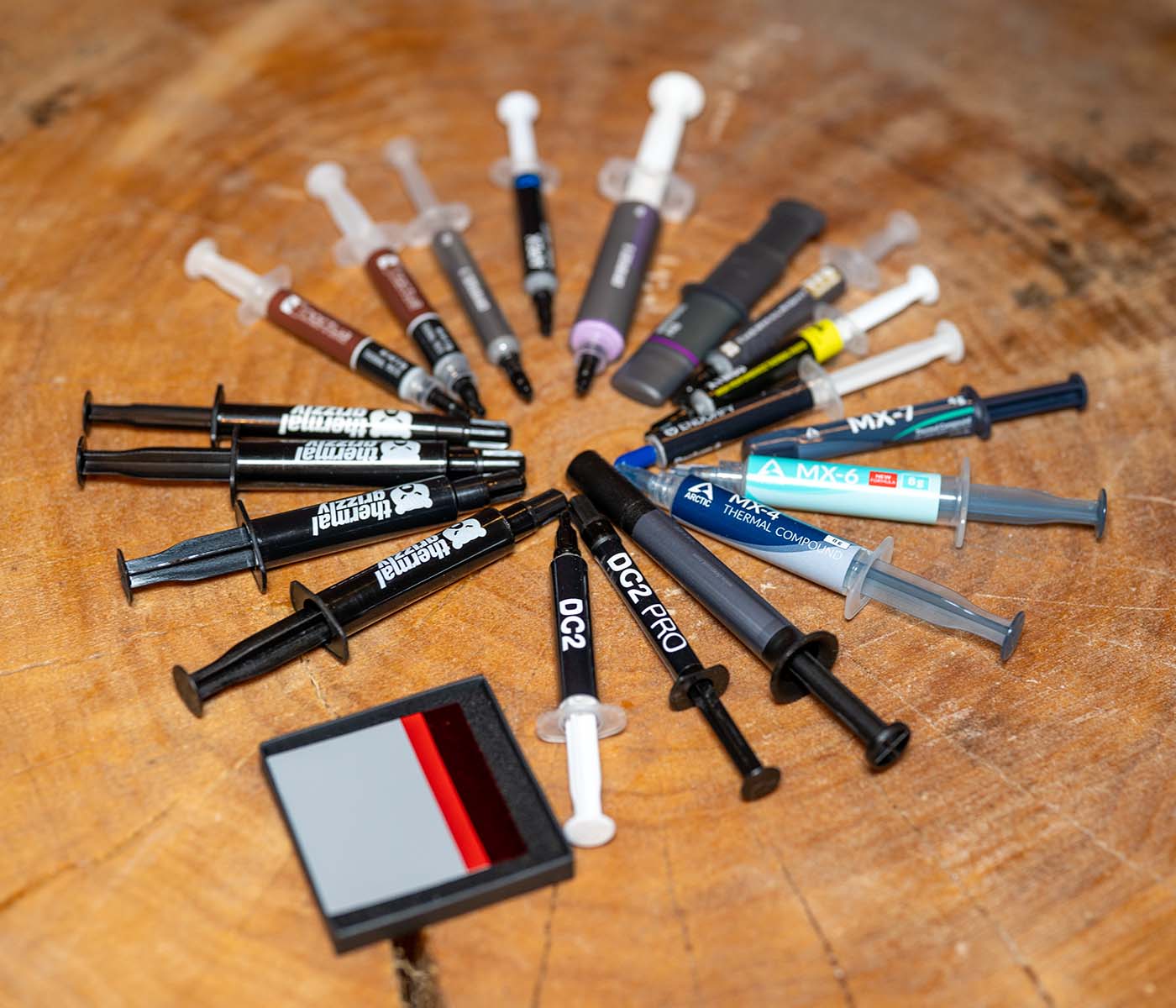
I should have created a TIM Advent calendar, as I certainly kept the postman busy throughout December. Here’s a closer look at all the kits I’ve been putting through the wringer:
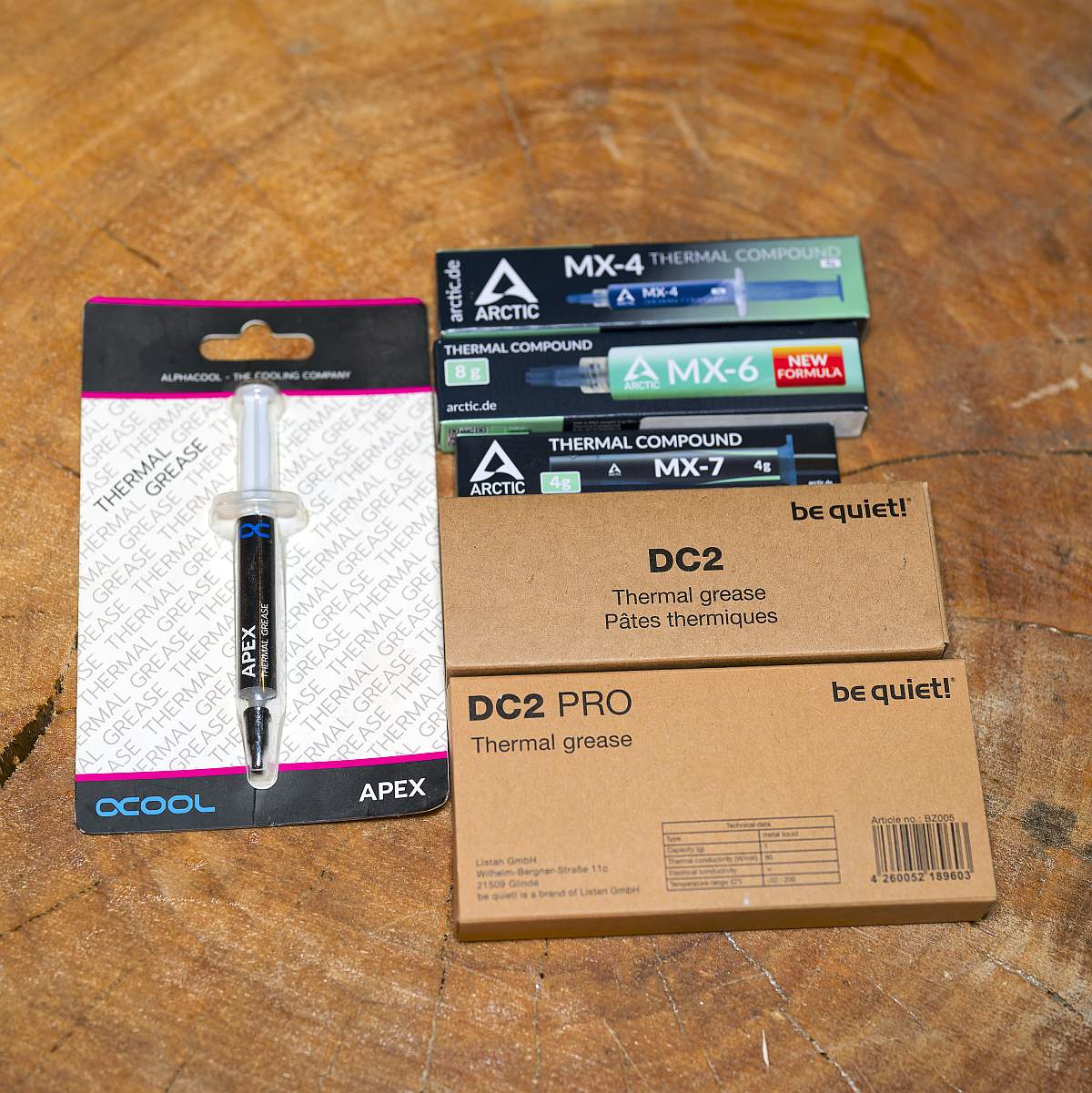
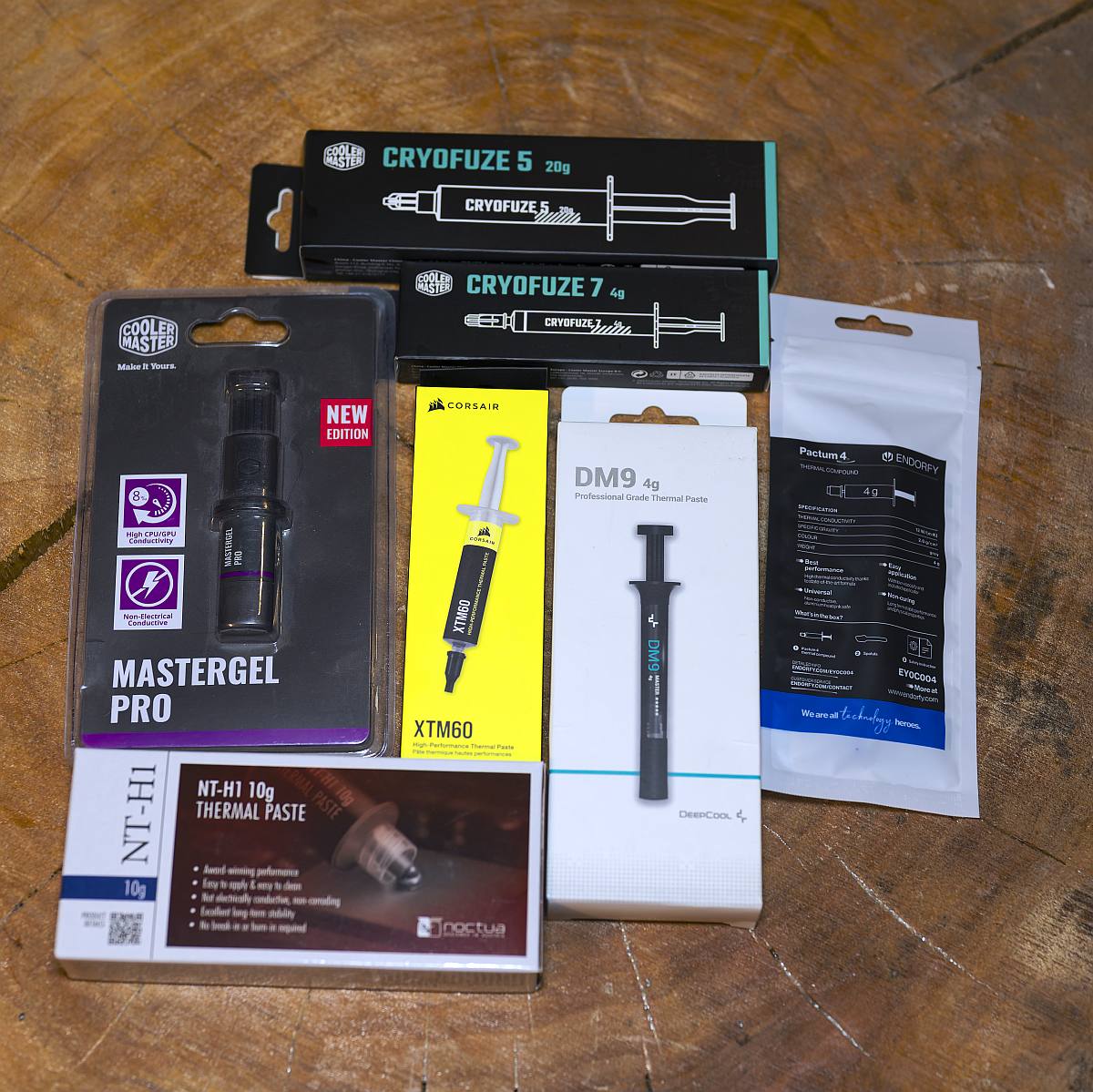
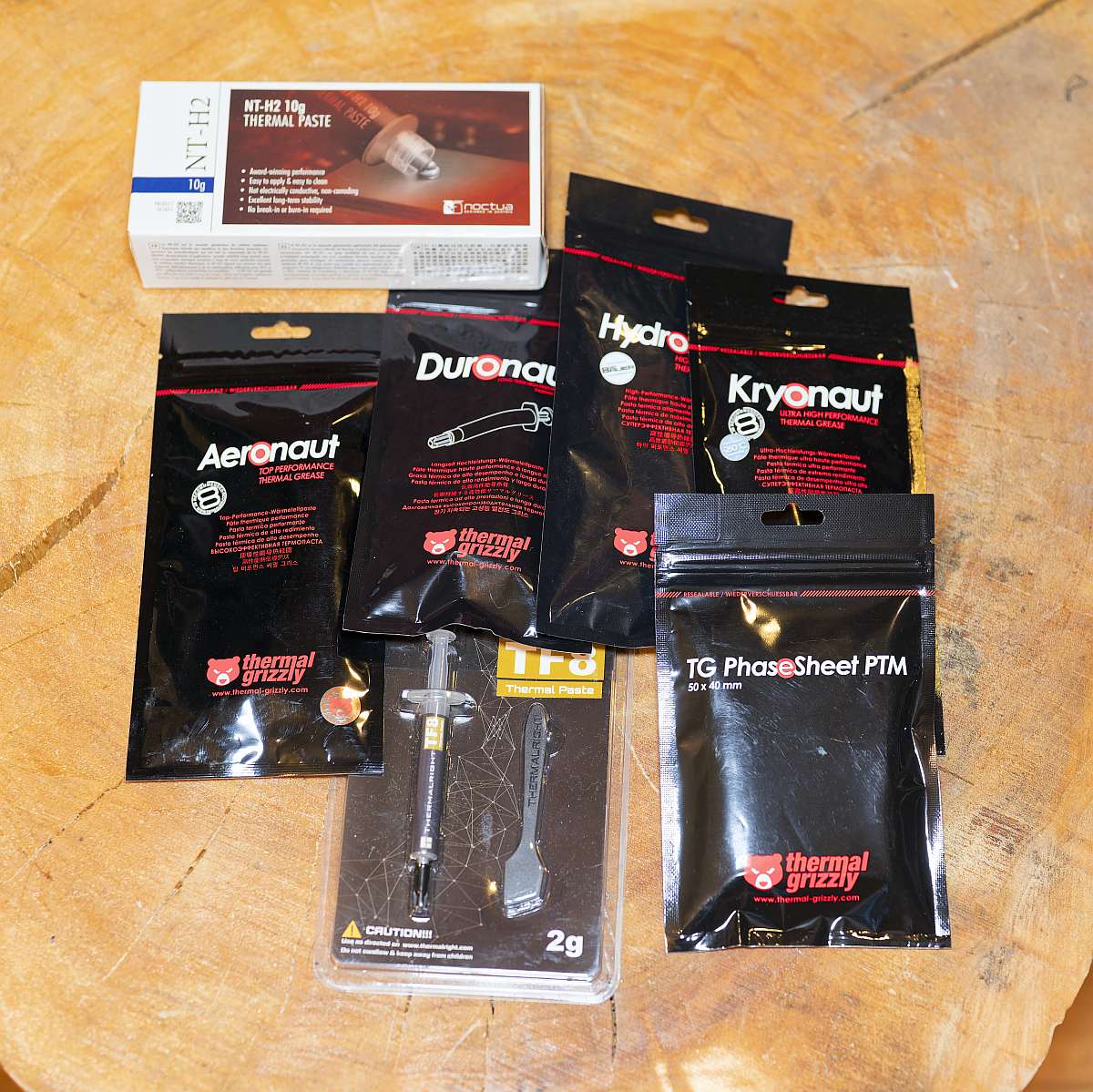
I’ve deliberately mixed long‑established “known quantities” like MX‑4, NT‑H1 and Kryonaut with newer formulations such as Apex, MX‑7 and Pactum 4, as well as niche materials that target enthusiasts. This selection spans everything from budget pastes and reader favourites to aggressive high‑conductivity formulations, a Ga‑based liquid metal, and a modern phase‑change pad that targets laptops and OEM‑style assemblies.
For context, manufacturers advertise nominal conductivity figures from modest ~3–6 W/m·K for entry-level and mid-range greases, through ~8–13 W/m·K for high‑end ceramic or metal‑oxide pastes, up to an extreme 80 W/m·K for liquid metals, though independent metrology often measures significantly lower effective values for traditional compounds. Several vendors no longer publish conductivity numbers, as is the case with Arctic MX‑6 or MX‑7, with the manufacturer arguing that such figures can be misleading compared with real thermal‑resistance measurements.
Specification musings
| Product | Type | Thermal conductivity (W/m·K) | Spreadability | Price |
|---|---|---|---|---|
| Alphacool Apex | Paste | 17.0 | Moderate | 1g for £2.18 |
| Arctic MX‑4 | Paste | 8.5 | Easy | 4g for £5.49 |
| Arctic MX‑6 | Paste | Not disclosed | Moderate | 4g for £6.20 |
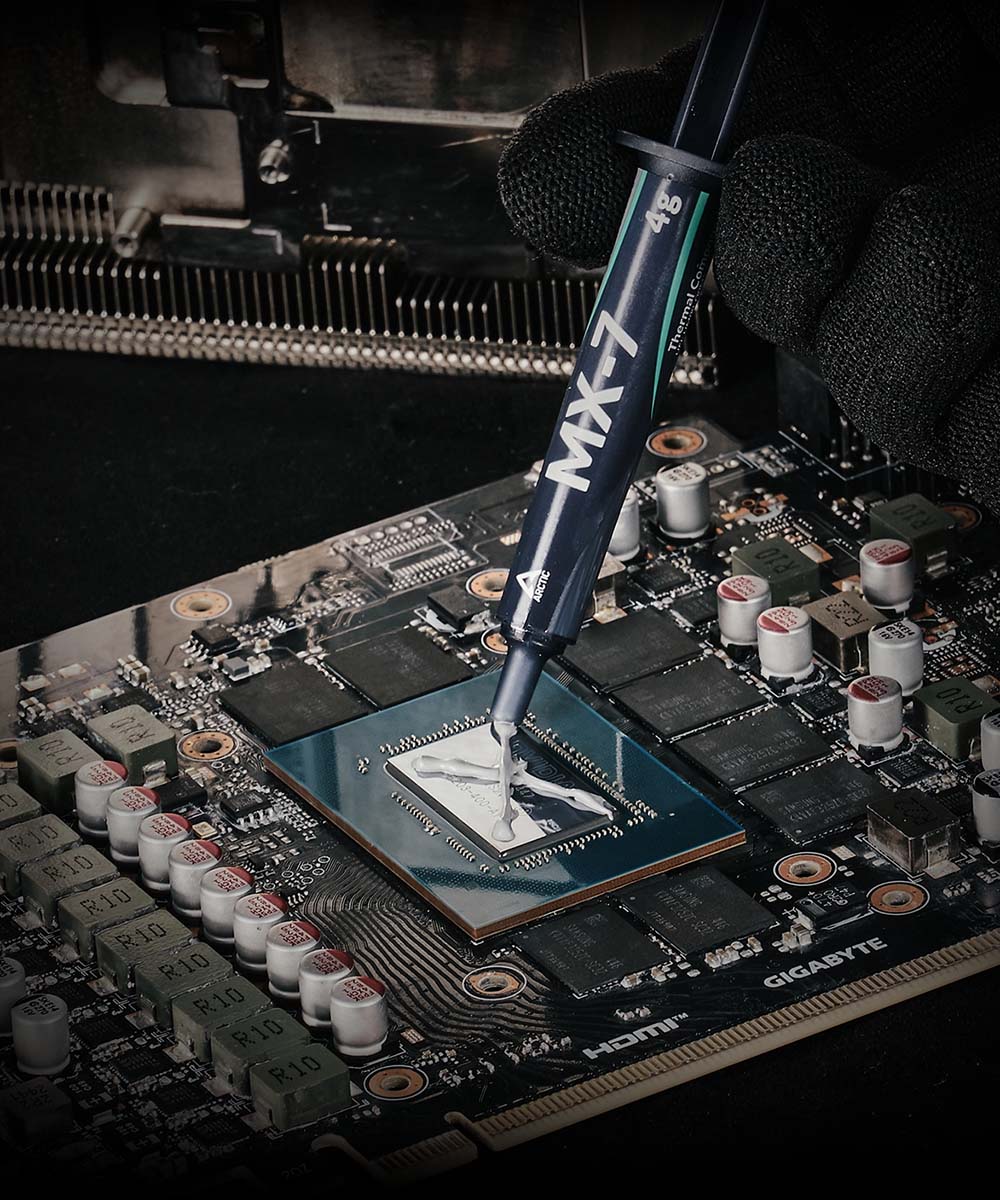
| Arctic MX‑7 | Paste | Not disclosed | Moderate | 4g for £6.19 |
| be quiet! DC2 | Paste | 7.5 | Easy | 3g for £5.48 |
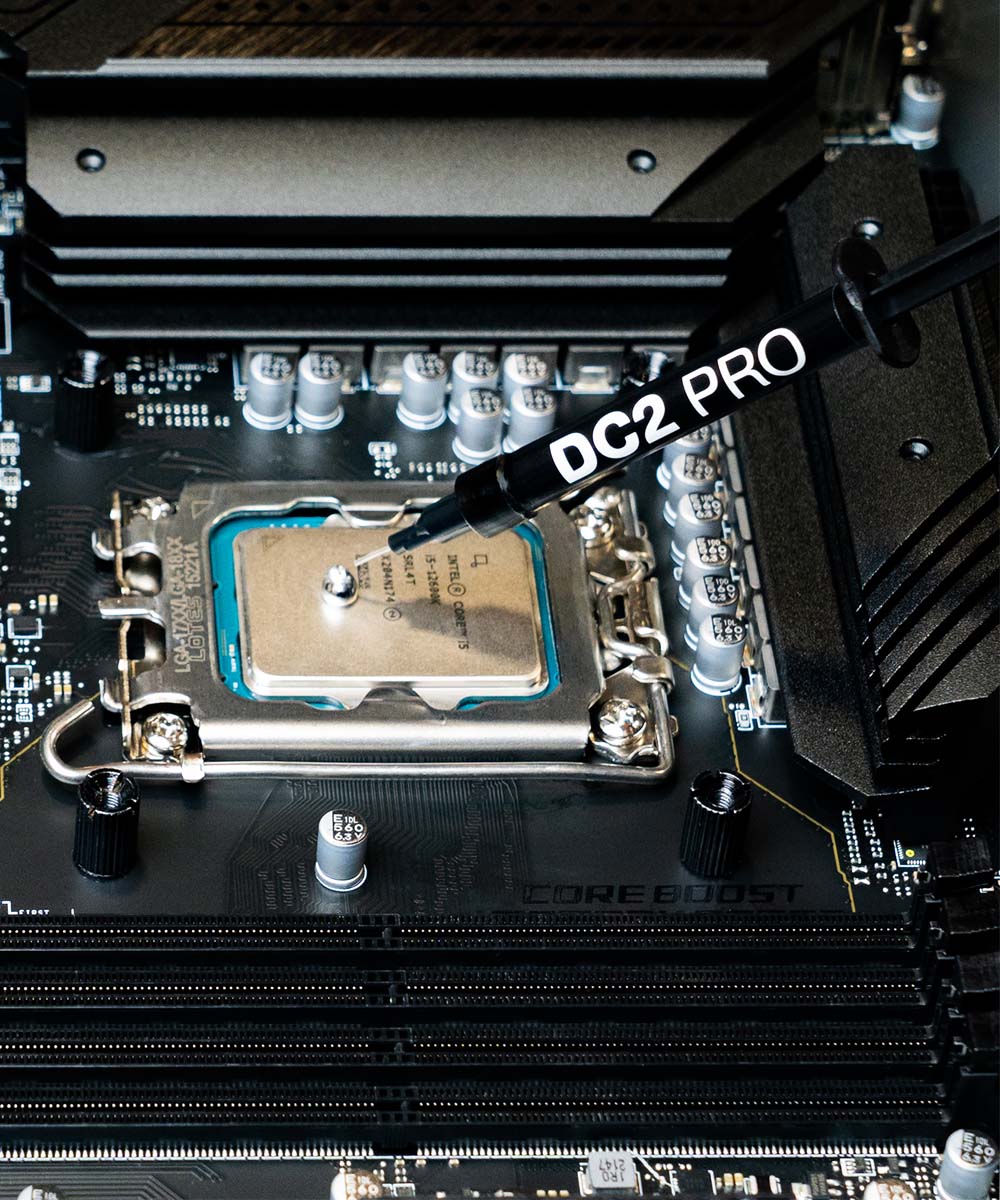
| be quiet! DC2 Pro | Liquid metal | 80.0 | Difficult | 1g for £9.98 |
| Cooler Master Cryofuze 5 | Paste | ~12.6 | Moderate | 3g for £7.14 |
| Cooler Master Cryofuze 7 | Paste | ~13.0 | Difficult | 2g for £13.48 |
| Cooler Master MasterGel Pro | Paste | ~8.0 | Easy | 1.5g for £5.49 |
| Corsair XTM60 | Paste | ~7.0 | Easy | 3g for £9.99 |
| DeepCool DM9 | Paste | 6.0 | Easy | 1.5g for £4.85 |
| Endorfy Pactum 4 | Paste | 12.0 | Easy | 1.5g for £4.95 |
| Noctua NT‑H1 | Paste | ~8.9 | Very easy | 3.5g for £8.95 |
| Noctua NT‑H2 | Paste | ~9.0 | Easy | 3.5g for £11.95 |
| Thermal Grizzly Aeronaut | Paste | ~8.5 | Easy | 1g for £5.99 |
| Thermal Grizzly Hydronaut | Paste | ~11.8 | Moderate | 1g for £5.99 |
| Thermal Grizzly Kryonaut | Paste | 12.5 | Moderate | 1g for £6.95 |
| Thermal Grizzly Duronaut | Paste | Not disclosed | Difficult | 2g for £8.99 |
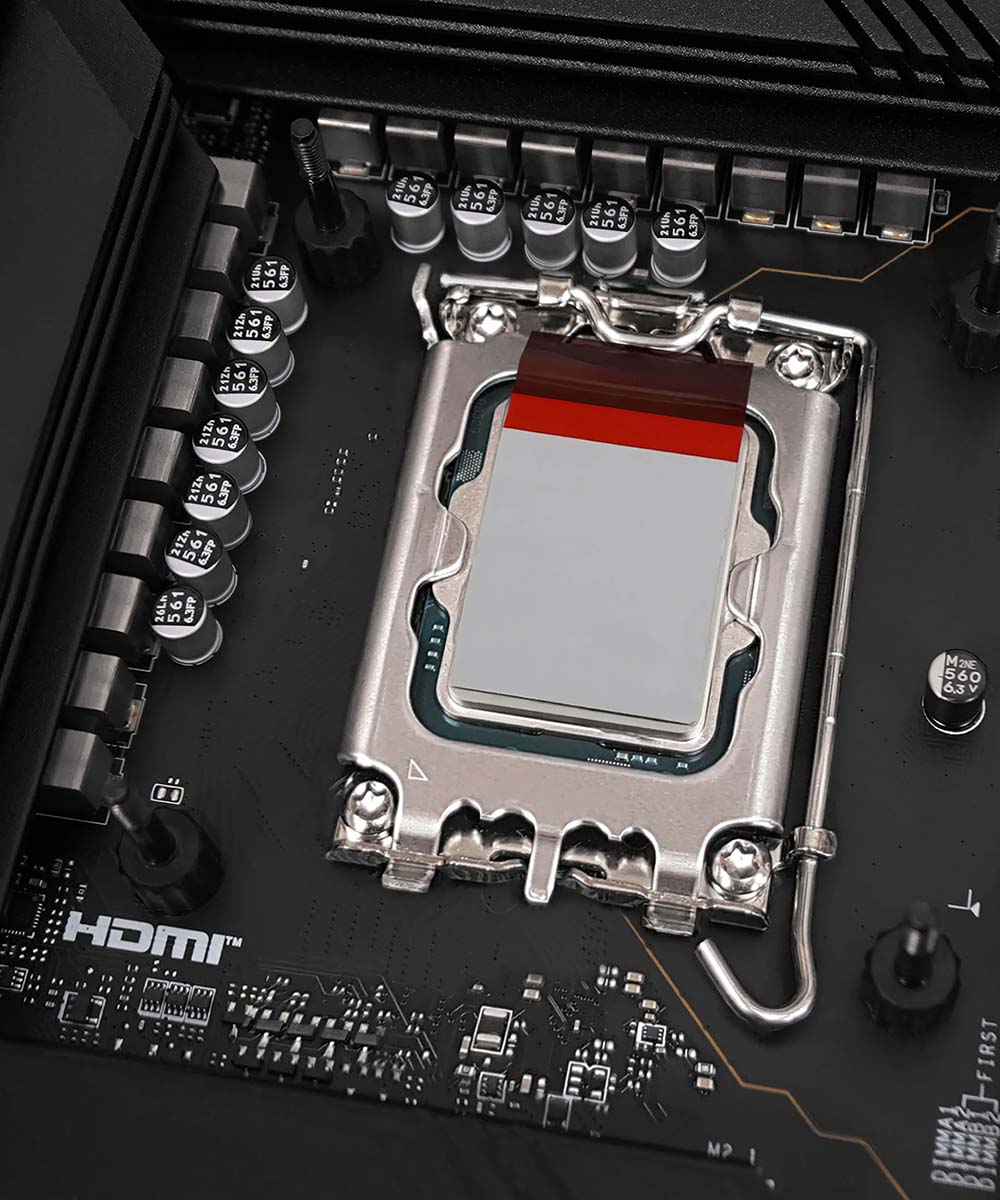
| Thermal Grizzly PhaseSheet PTM | Pad | Not disclosed | Easy | 1 for £8.99 |
| Thermalright TF8 | Paste | 13.8 | Moderate | 2g for £4.00 |
Spreadability: subjective synthetic rating based on viscosity, vendor notes and user impressions (Easy / Moderate / Difficult).
So much to say, where do I start? The above table highlights how spreadable I found each paste, and there is a marked difference between easy, moderate and difficult. It’s just much easier to work with some pastes than others, which is worth bearing in mind if you carry out frequent upgrades or multiple applications.
I’ve lost count of how many times I’ve applied TIM, and in my experience, Noctua, followed closely by Arctic, tend to make the most user-friendly pastes that go on with ease and little-to-no gunk. For that reason alone we’ve consistently used either of the aforementioned inside the Club386 test platforms.
Spreadability tends to be high on my list of priorities, but there’s more to pastes than just viscosity. Arctic MX-4, for example, remains hugely attractive due to its low cost and has proven durable over time. That’s something I’ve not yet had the opportunity to test with the latest-generation samples.
Many brands will have variants of a product line aimed at unique market segments. Thermal Grizzly, for example, has budget Aeronaut paste, Kryonaut for enthusiasts, Hydronaut for larger dies and water-cooling blocks, plus its flagship Duronaut paste, which touts ‘extraordinary longevity’ through a combination of aluminium microparticles and zinc oxide nanoparticles.
Conversely, while the top-end pastes promise better performance, it’s often trickier to work with them. Liquid metal pastes are made from a gallium alloy that needs special care, preparation and compatible surfaces. Ostensibly for professional use, these are typically employed between the die and IHS (integrated heat spreader) after delidding the CPU.
Metal-based pastes such as the be quiet! DC2 Pro also contain particles that are electrically conductive, requiring extra care to avoid potential short circuits. These should only be used on pure or nickel-plated copper, not aluminium.
Then you have phase-change pads such as the Thermal Grizzly PhaseSheet, which liquifies when temperatures exceed 45°C. Intended for a single application, such pads require thermal cycling and high contact pressure (300-400N) for optimum distribution of the liquid, and are electrically non-conductive while taking away the guesswork of how to spread traditional paste.
Test methodology
During testing, our ambient temperature was maintained at 21 °C ±0.5 °C, and we standardised paste application patterns according to each manufacturer’s guidance. We conducted a 30‑minute all‑core stress, and recorded the steady‑state average core temperature. PhaseSheet PTM and liquid metals also received extended thermal cycling before we took our final measurements, in order to reflect real usage.
The aim is to achieve a controlled environment where differences of a few degrees are detectable, yet is still representative of the behaviour users can expect under sustained loads. The purpose of this configuration is not to emulate every real‑world scenario, but to provide a stable, repeatable platform on which differences of 1–3 °C between pastes can be resolved reliably.
Our Cinebench test primarily stresses the CPU, whereas the OCCT Power Supply test also applies 100% load to the GPU, generating more heat in the system. Speaking of which, tests are carried out on modern AMD and Intel PCs, whose specifications are available in full below.
- CPU: AMD Ryzen 9 9950X3D
- Motherboard: Asus Crosshair X870E Hero
- RAM: 2×16GB G.Skill Trident Z5 Neo RGB 6,000MT/s CL28
- GPU: Asus TUF Gaming GeForce RTX 5080
- Chassis: Havn BF360
- Cooler: Tryx Panorama 360
- PSU: be quiet! Dark Power 14 1000W
- CPU: Intel Core i9-13900K
- Motherboard: Asus ROG Strix Z690-E Gaming WiFi
- RAM: 2×16GB Geil Gemini RGB TUF 6,000MT/s CL34
- GPU: Asus TUF Gaming GeForce RTX 5080
- Chassis: Havn BF360
- Cooler: Tryx Panorama 360
- PSU: be quiet! Dark Power 14 1000W
Performance
As seasoned readers will no doubt be aware, most conventional pastes cluster within roughly 3 °C of Arctic MX‑4 under CPU workloads. Therefore, the choice often hinges more on handling characteristics, longevity and availability than raw numbers.
Liquids and phase‑change materials clearly outperform standard greases when correctly applied. Still, they introduce additional constraints: liquid metals require strict surface compatibility and insulation, while PhaseSheet PTM needs sufficient mounting pressure and a few thermal cycles to reach its full potential.
Nevertheless, it’s a fascinating array of options, so let’s dig into the results.
AMD results
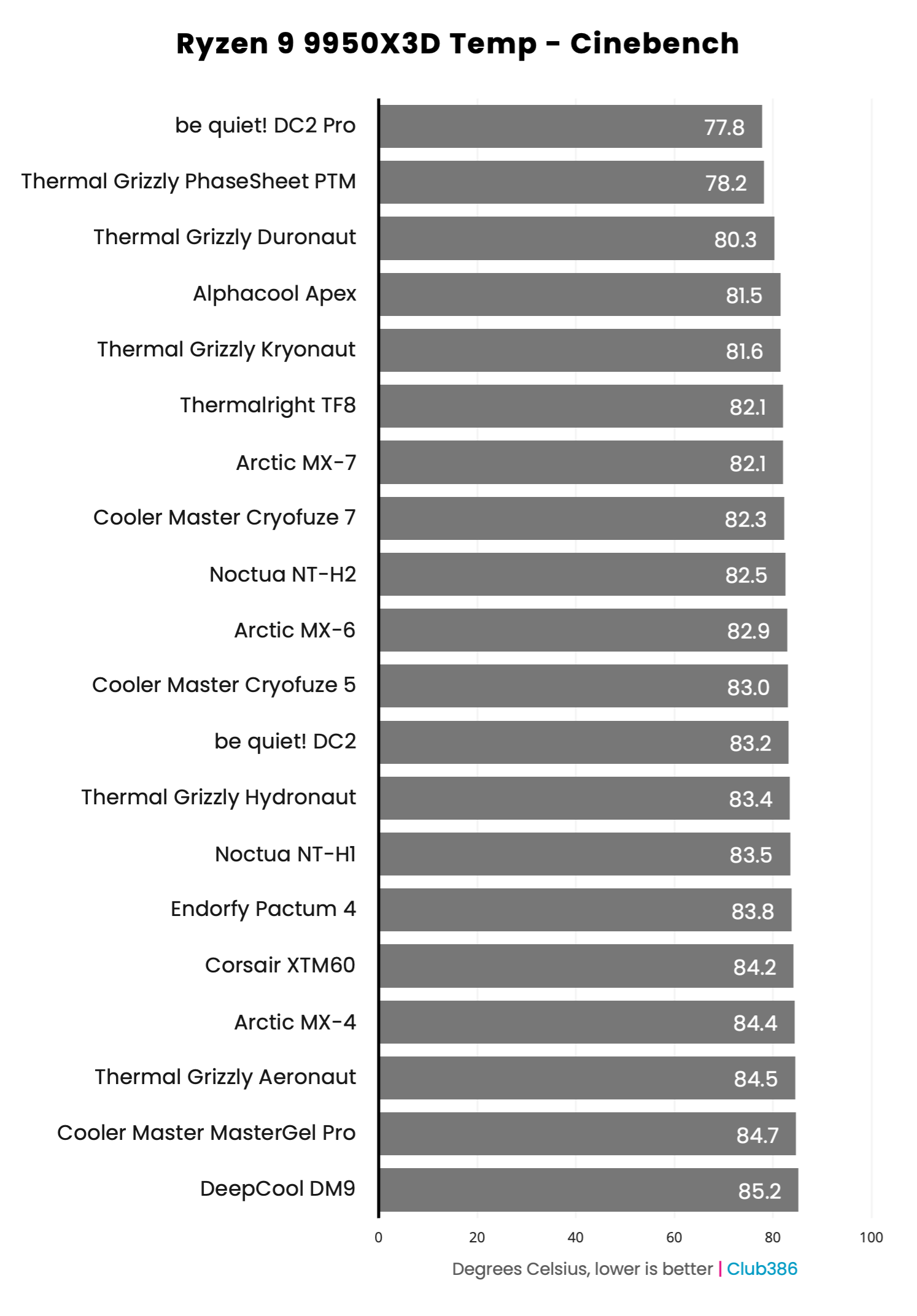
We can straight away identify a clear hierarchy – liquid metals and phase‑change at the top, then a cluster of premium pastes, then mid‑range and budget options. The spread among non‑exotic compounds is modest under CPU loads, usually within a 3 °C envelope around MX‑4.

The data reinforces the idea that for many users, handling, safety and price will matter as much as, if not more than, the last degree of thermal headroom.
Intel results
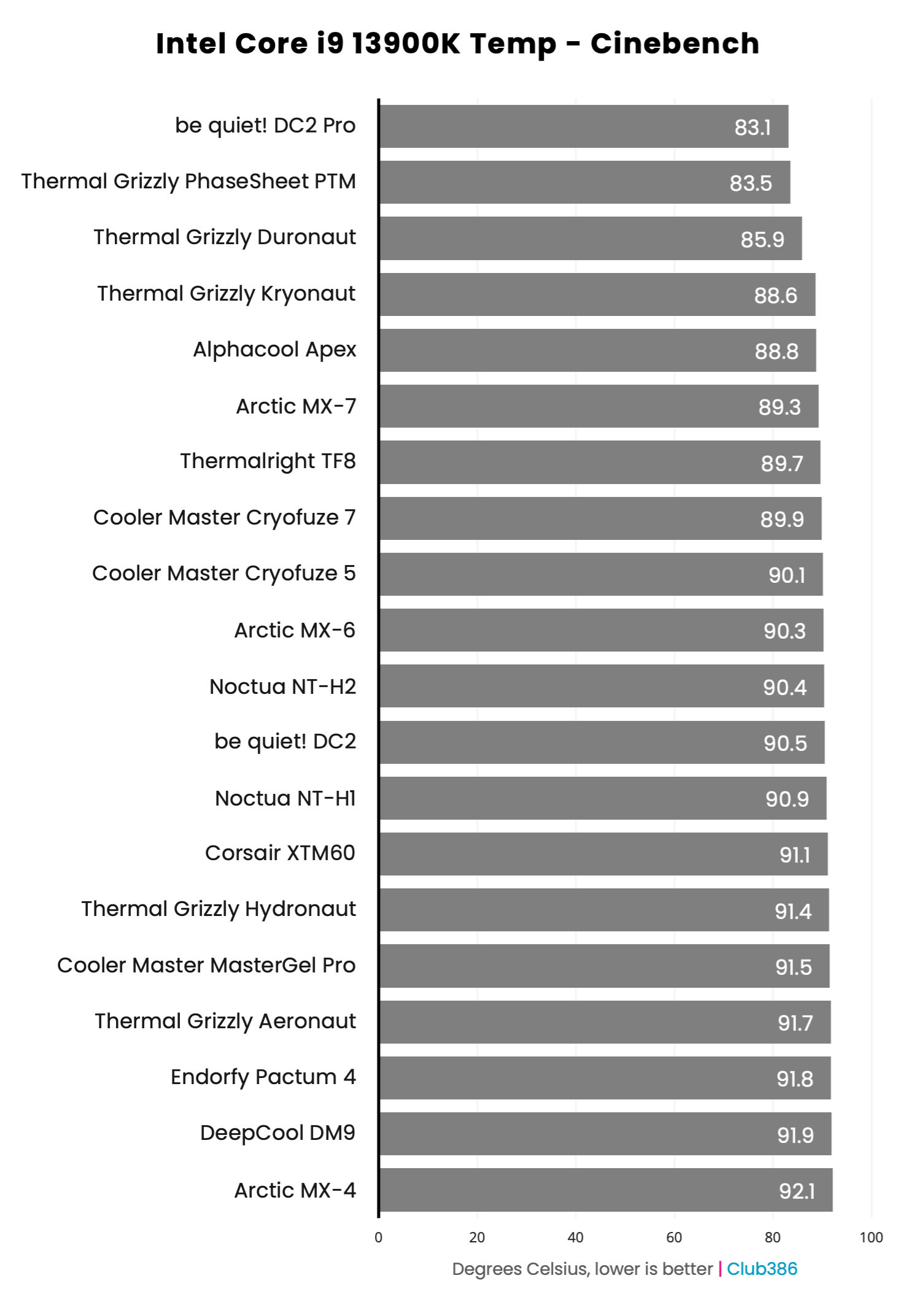
It’s a similar story on the hotter-running Intel PC. Proving how difficult it is to return dramatic increases in performance, all three generations of Arctic MX are separated by less than 3°C, and that alone allows the latest-gen MX-7 to climb 14 places.
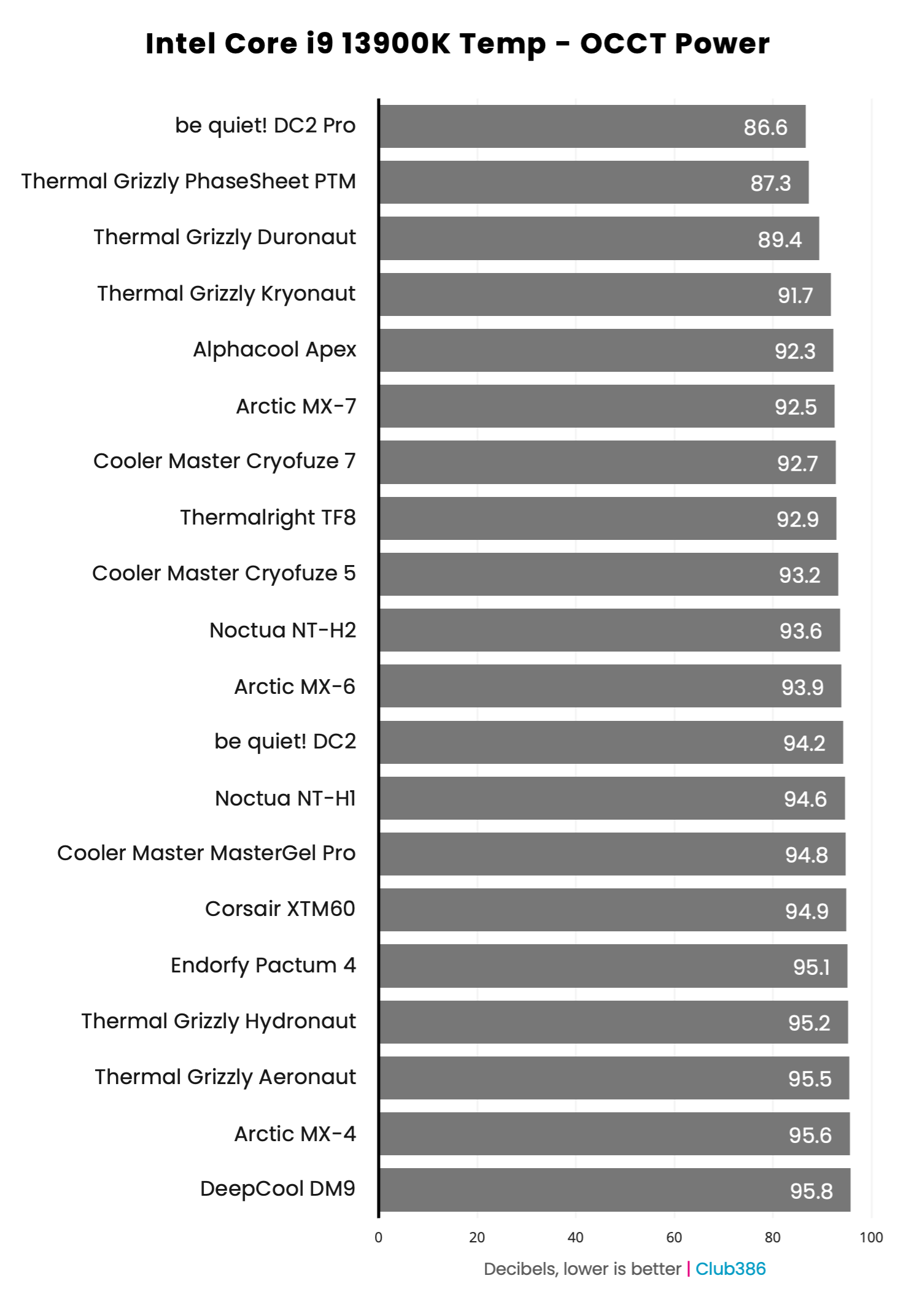
Liquid-metal-based DC2 Pro leads the way in cooling performance, yet isn’t without caveat. Any electrically conductive paste must be handled with care, and should only be used with nickel-plated coolers to avoid any long-term ill effects.
Summary
From a practical standpoint, MX‑4 still represents a sensible reference: it is easy to apply, stable over the years, and its performance stays within a couple of degrees of most “high‑number” alternatives under realistic loads.
Among conventional pastes, the likes of Alphacool Apex, Arctic MX-7, Thermal Grizzly Kryonaut, and Noctua NT-H2 justify their premium positioning with repeatable 2–3 °C improvements under demanding loads. Still, they typically cost more per gram than stalwarts like MX-4 or Aeronaut.
For users who value simplicity, lower cost and safety – for example, gaming PCs, workstations or family systems – pastes in the “slight improvement” band such as Arctic MX-6, Endorfy Pactum 4, or be quiet! DC2 strike an attractive balance between performance, spreadability and price.
Liquid‑metal compounds, such as be quiet! DC2 Pro remain reserved for experienced users who accept increased installation complexity and risk in return for extra headroom under heavy power loads, typically when delidding or running direct‑die setups. For compact cases or long‑term systems, non‑conductive greases and the PhaseSheet PTM pad provide safer, cleaner alternatives. The PTM in particular offers excellent performance once cycled, making it an appealing choice for laptops, consoles, and GPUs where repeated disassembly is undesirable.
Top picks
The most sensible way to choose a paste, in my experience, is not to chase the highest advertised W/m·K value, but to align your TIM with the platform and risk tolerance.
be quiet! DC2 Pro
Best enthusiast choice
Thermal Grizzly PhaseSheet PTM
Convenience of a pad
When it comes to extreme overclocking, delidded CPUs or direct‑die cooling, liquid metals or PhaseSheet PTM unlock the largest margins, provided all precautions are taken. You pay a premium, but if you have the experience and are willing to try something new, there’s a performance advantage over traditional pastes.
For the majority of readers employing high‑end, long‑term systems where an extra 2–3 °C can improve acoustics or boost behaviour, top‑tier pastes such as Apex, NT-H2 or MX‑7 justify their asking price by offering a top-class balance of performance, spreadability and ease of use.
Arctic MX-7
Best premium paste
Noctua NT-H1
Best for multiple applications
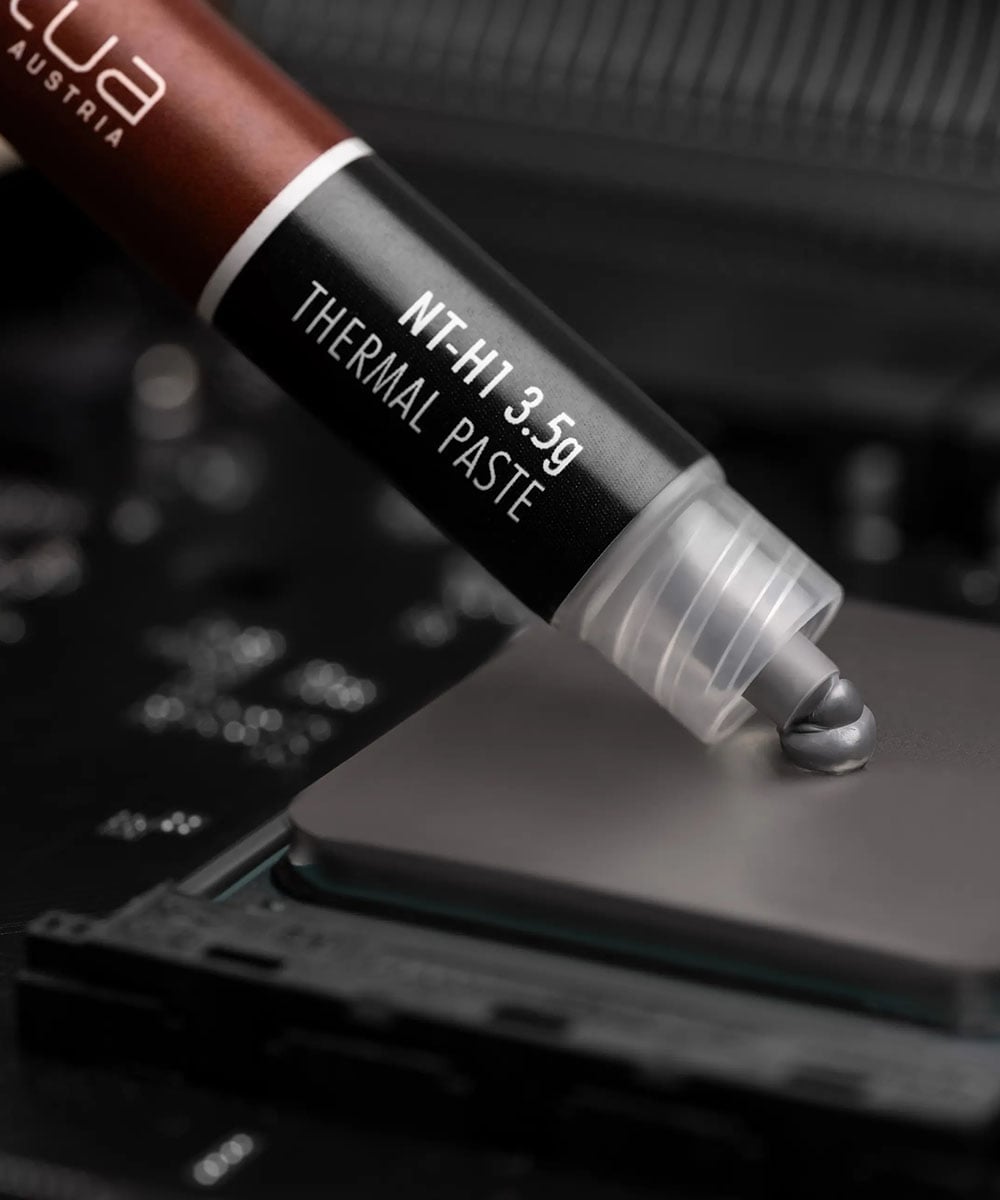
But the margins are small, and for everyday builds and value‑focused upgrades, the enduring MX‑4 or NT-H1 class – supplemented by modern alternatives like MX‑6 or Pactum 4 – remain more than adequate and bode well for repeat applications. They combine excellent viscosity, reasonable cost and perfectly acceptable thermals that are close enough to the leaders to ensure the difference will rarely be felt outside the most demanding workloads.
Ultimately, the best compound for a given system is the one that balances thermal performance, electrical safety, spreadability, and service life for that specific use case, rather than the product with the highest conductivity figure on the box.