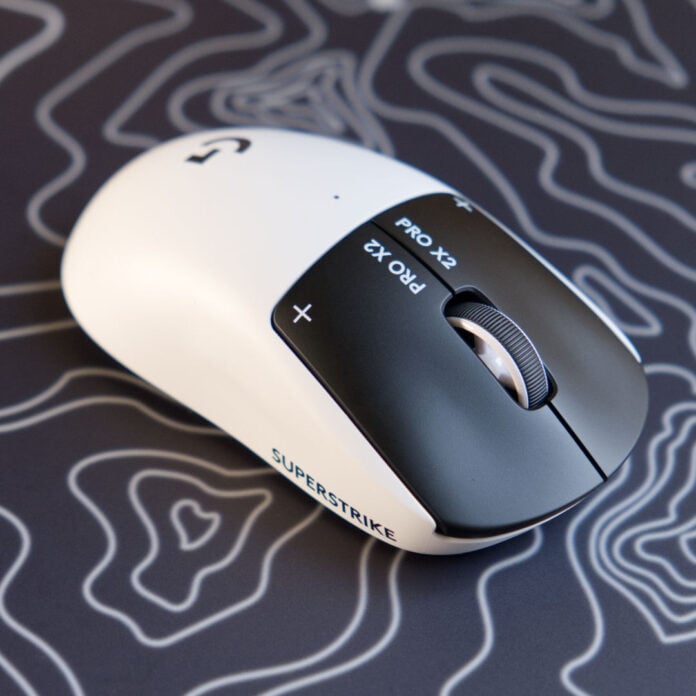
Genuine innovation is rare to see in gaming mice, as many brands iterate on the same basic formula: tweak the sensor, shave off a gram, and ship it to the masses. However, the new Logitech G Pro X2 Superstrike continues the company’s long streak of changing the game, thanks to some unique new haptic tech.
I was excited to have a play with this mouse’s new Haptic Inductive Trigger System (HITS), but also sceptical about how haptic feedback could possibly play into precision. Fortunately, it feels far less like DualShock rumble in action and far more like a modern magnetic system. What’s more, you can customise your click with the same precision as a Hall-Effect switch on a keyboard, giving you the tightest latency possible.
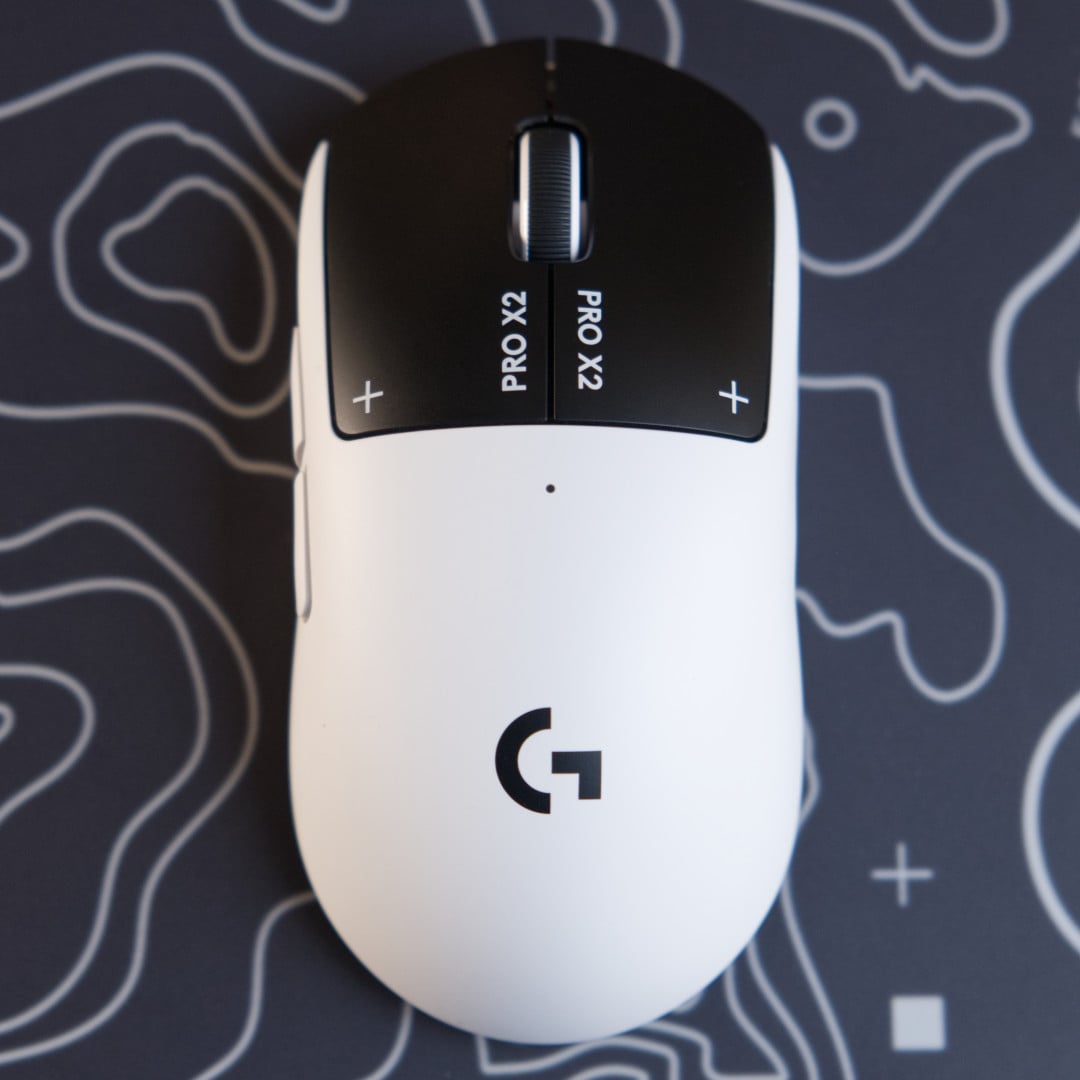

Logitech G Pro X2 Superstrike
£159.99 / $179.99
Pros
- Extremely low latency
- Customisable actuation
- Smooth haptics
- Great battery life
- Comfortable lightweight design
Cons
- No DPI switch
- High price for a mouse
Club386 may earn an affiliate commission when you purchase products through links on our site.
How we test and review products.
This new technology comes at a premium of £159.99 / $179.99, which is a small jump over the Logitech G Pro X Superlight 2’s £149 / $159 launch price. I’d say this price is fair considering there’s nothing else like this on the market from Razer, Corsair, or any of the other big names in esports. And for those who don’t want to pay so much, keep an eye on those Superlight 2 deals. Whenever a new top dog comes out, the predecessor tends to tumble down to a more affordable price.
Design
Logitech G Pro X2 Superstrike borrows the tried-and-tested shell from its predecessor, and that’s no bad thing since it’s as comfortable to hold as ever. The G Pro X Superlight 2’s ambidextrous approach has been refined over multiple iterations into one of the safest ergonomic bets in competitive gaming. Southpaws will still struggle to reach the side buttons, but the shape makes up for the lack of a dedicated left-handed version here.
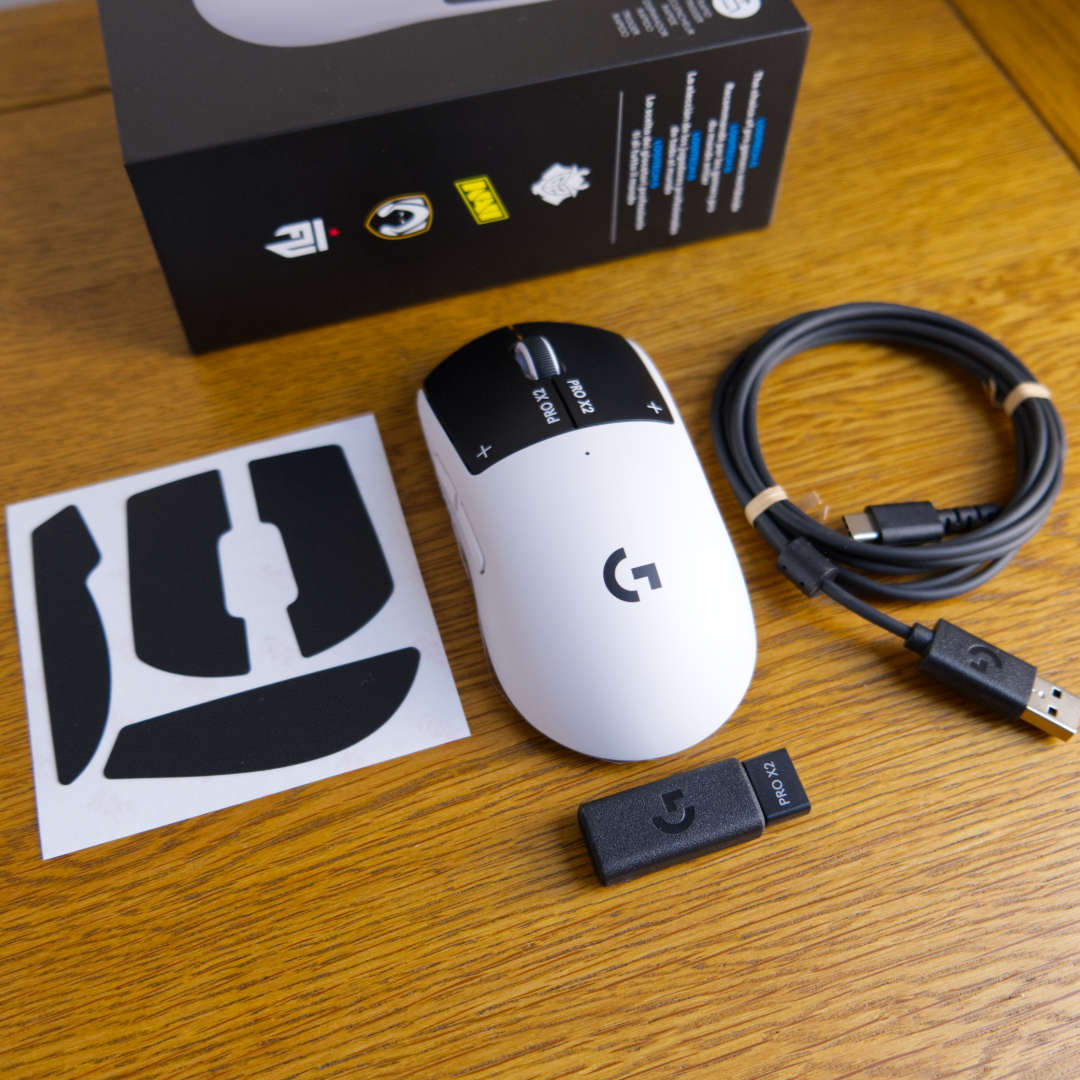
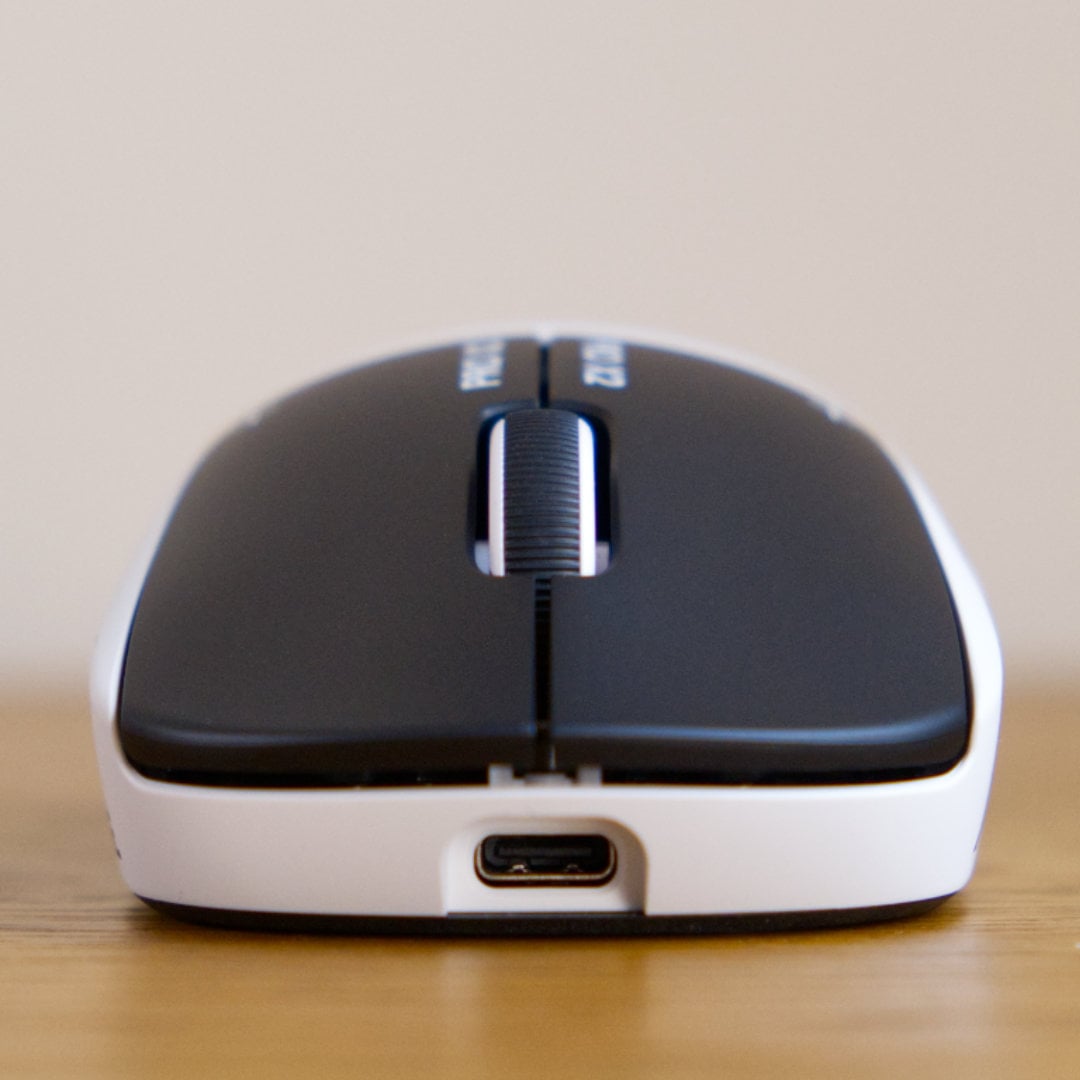
Packing haptics underneath the shell requires some rejigging internally, but Logitech has somehow managed to keep it at a featherweight 61g. Naturally, the weight distribution skews slightly front-heavy, which is par for the course in most gaming mice these days, especially when there’s a hollow rear so you can safely store the 2.4GHz Lightspeed USB dongle when you travel.
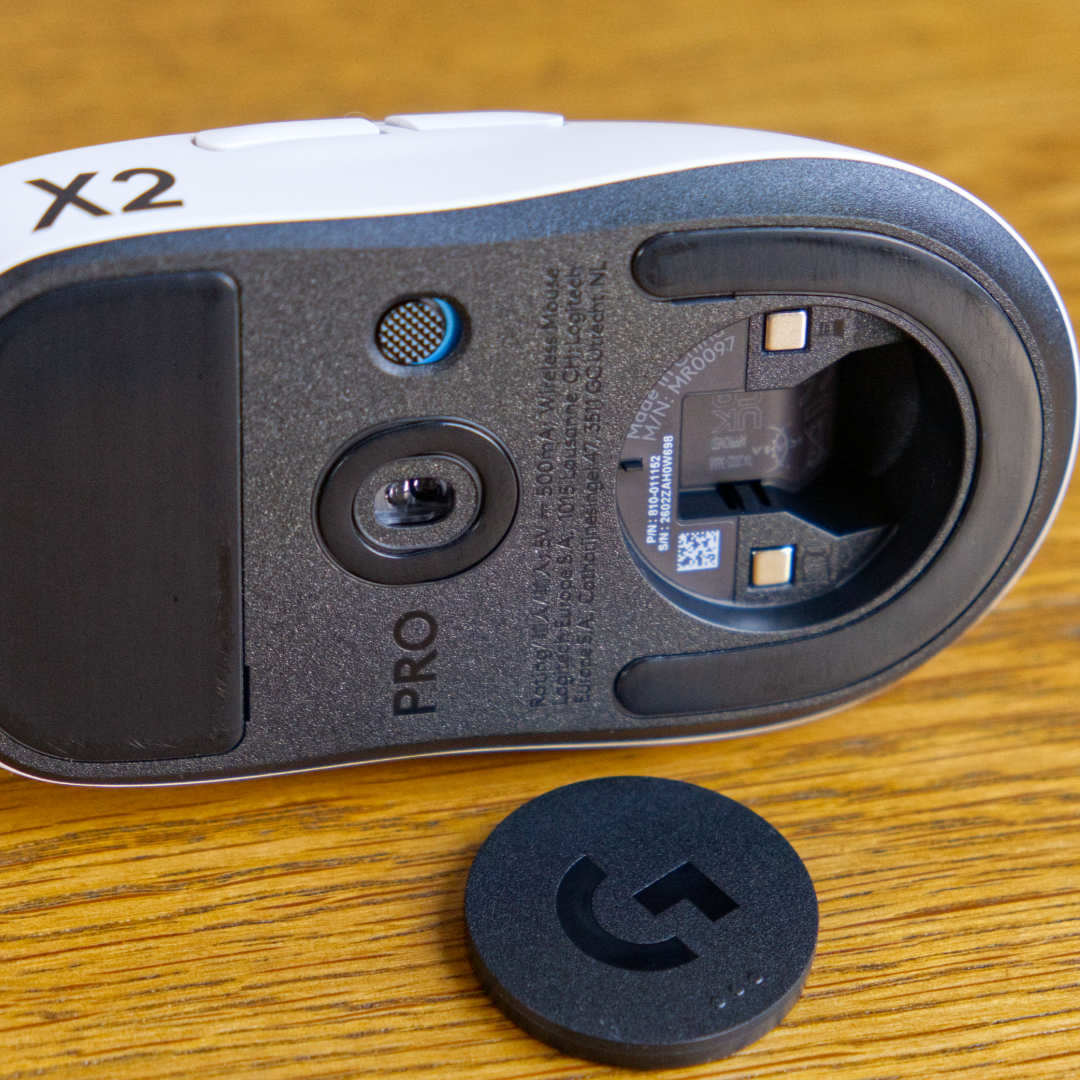
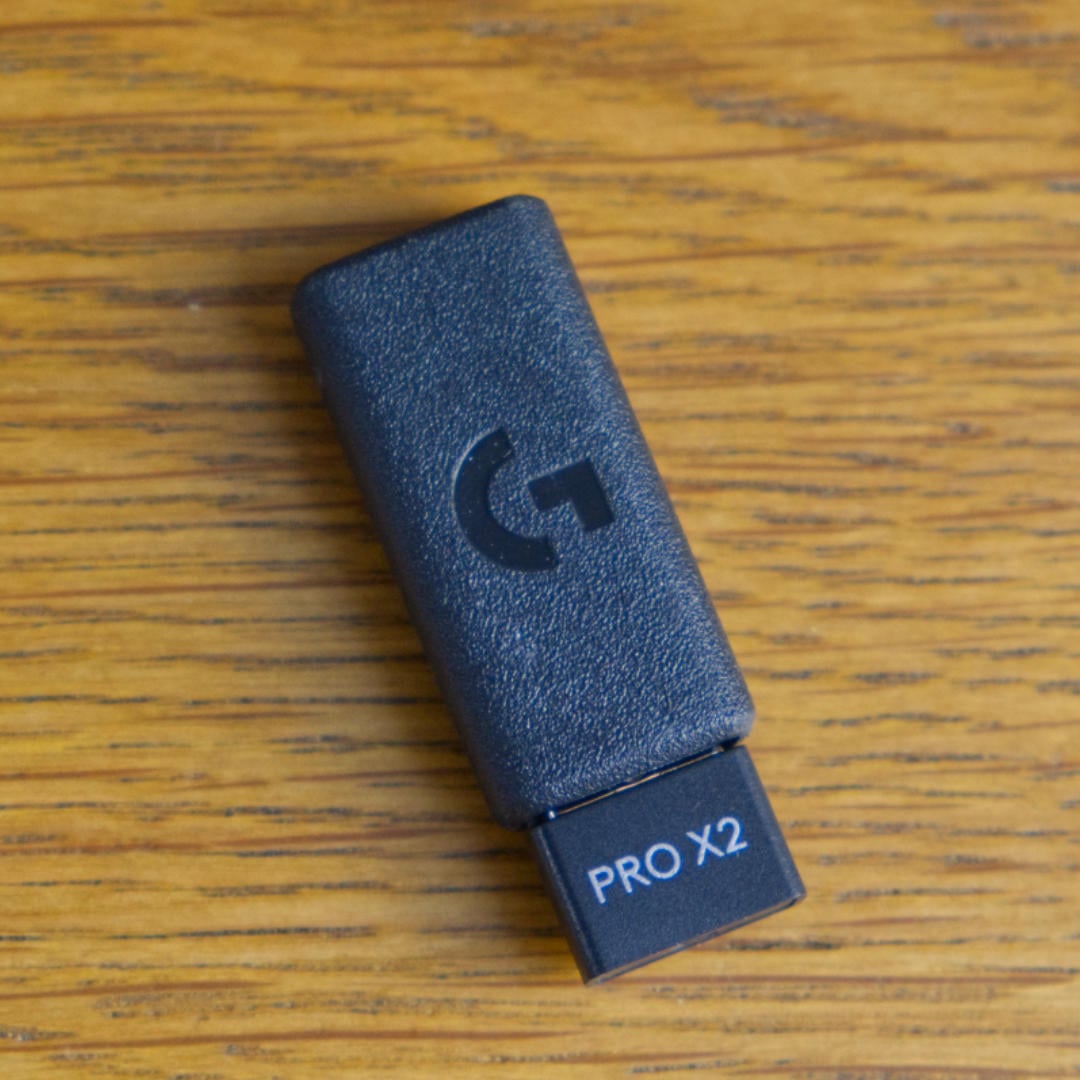
Logitech has kept hush on the durability of its new switches, if you can still call them that, telling me that the click rate is “not a meaningful number.” Fortunately, the build quality is rock-solid, as you’d expect from a flagship peripheral. The matte shell with subtle grooves fits my medium-large hands perfectly without needing the included grip tape. It’s nice to have the latter as an option, though, since I tend to use this mouse with a palm grip, and claw grips will benefit from the extra friction.
Whereas many lightweight mouse manufacturers have relocated the DPI button to the bottom of their mice to prevent accidental clicks, you won’t find one here. Logitech left the physical switch behind with the introduction of its original Superlight in 2021, and there’s no sign of it returning any time soon. In a pinch, you can assign a G-Shift key via the G Hub software to scroll through DPI settings, but the logic here is that professional players will settle on a sensitivity setting and only tinker with it in their downtime outside the game.
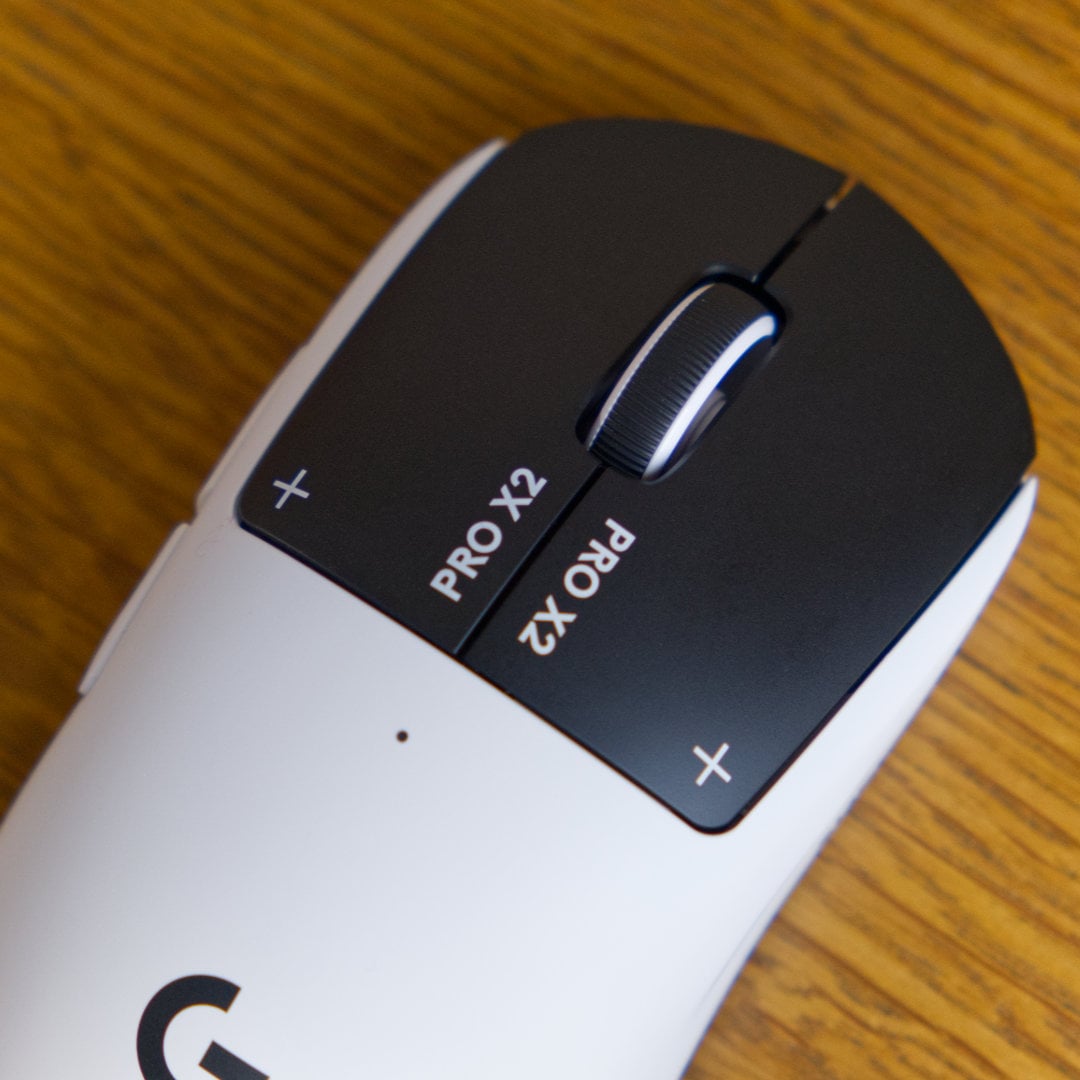
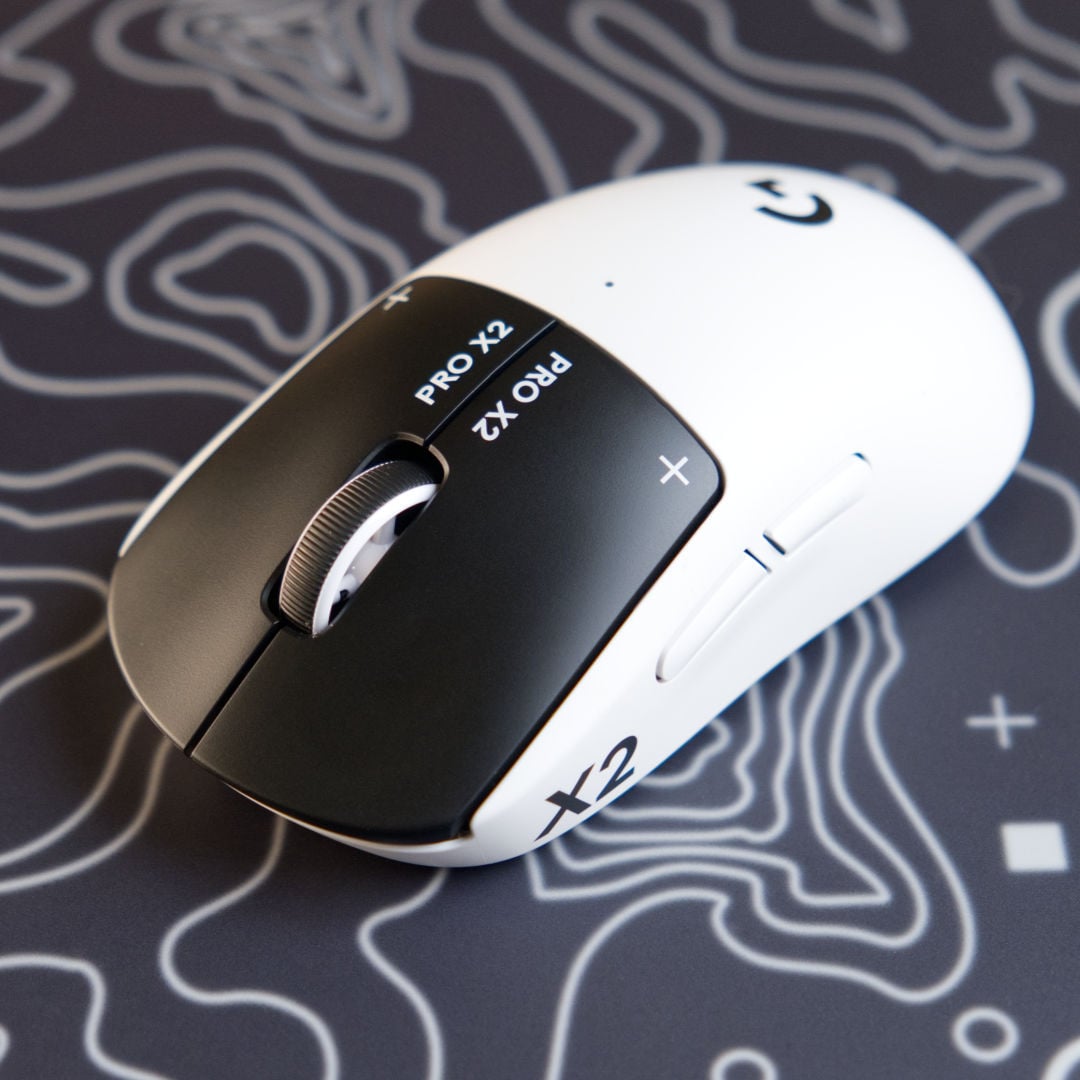
For better or worse, Logitech has made a bold choice with its two-tone black and white aesthetic being the only colourway you can buy at launch. I’m open-minded about this panda-style setup, but I’m less fond of the overwhelming amount of branding. “X2” to the left, “Superstrike” to the right, and “Pro X2” stuck below the scroll wheel, there’s no mistaking that this mouse is built for the competitive stage, so everyone at a LAN knows exactly what you’re using. It’s slightly too Cyberpunk 2077 without the capitalistic satire for me, but it still fits into my bleached setup nicely and is more often than not covered by my hand.
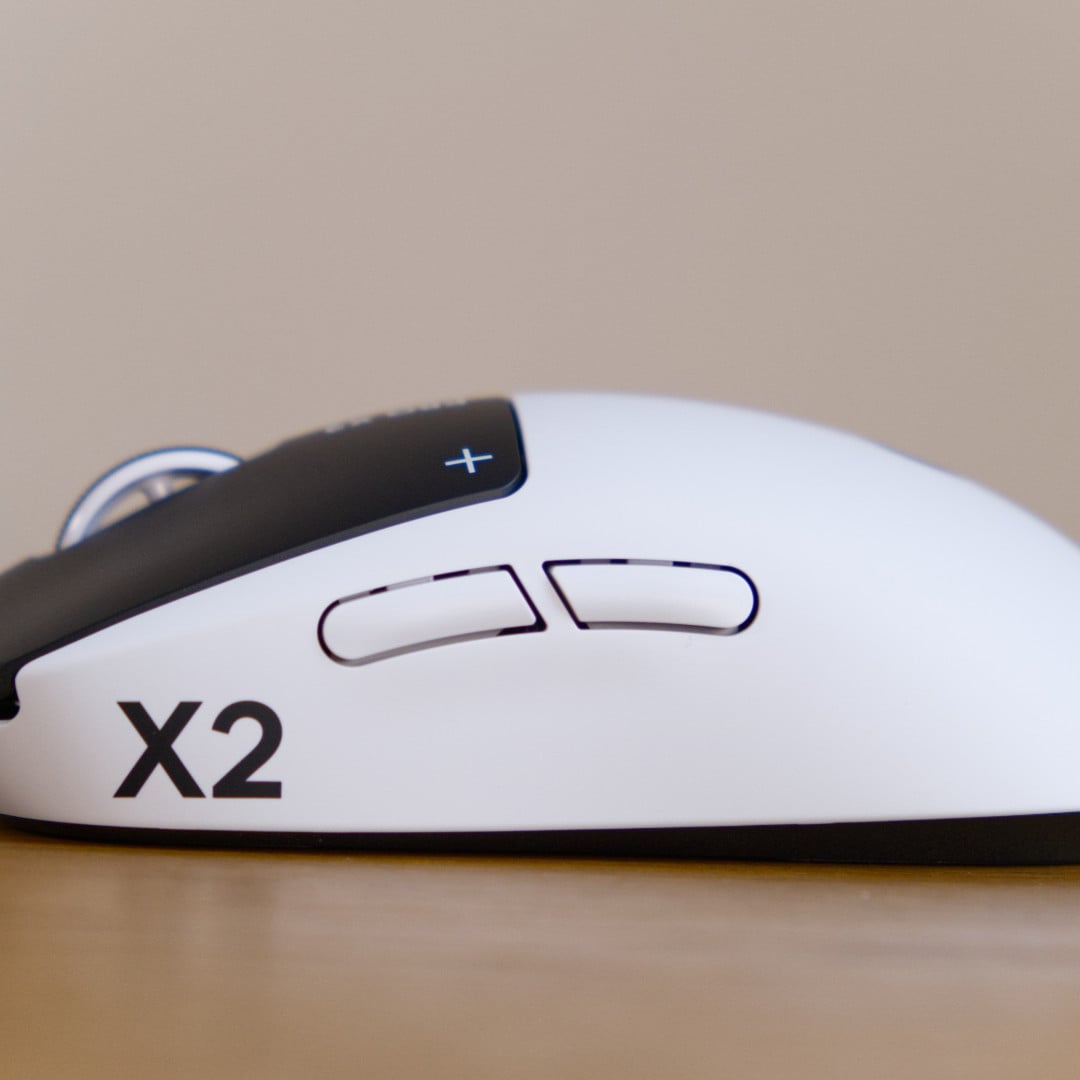
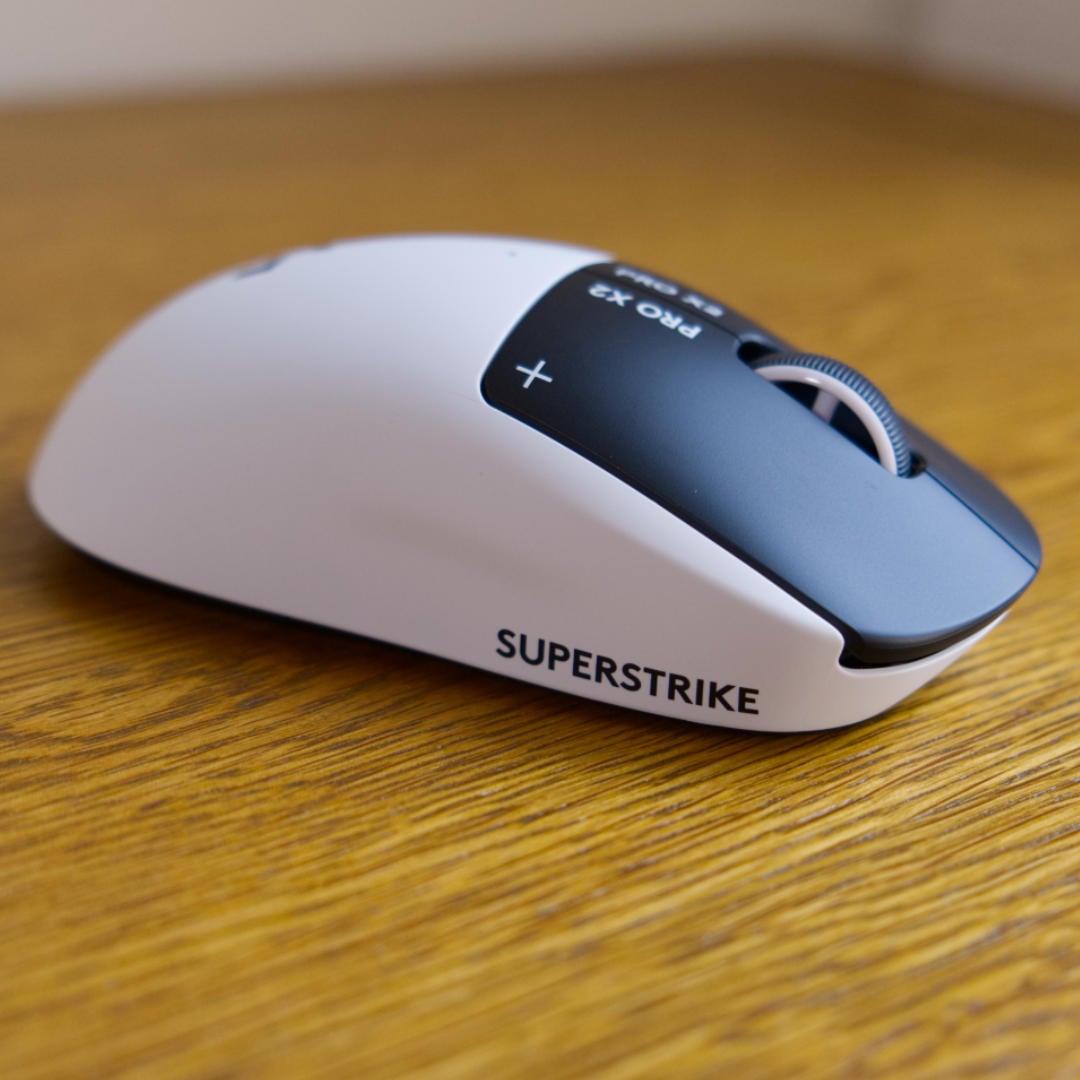
HITS
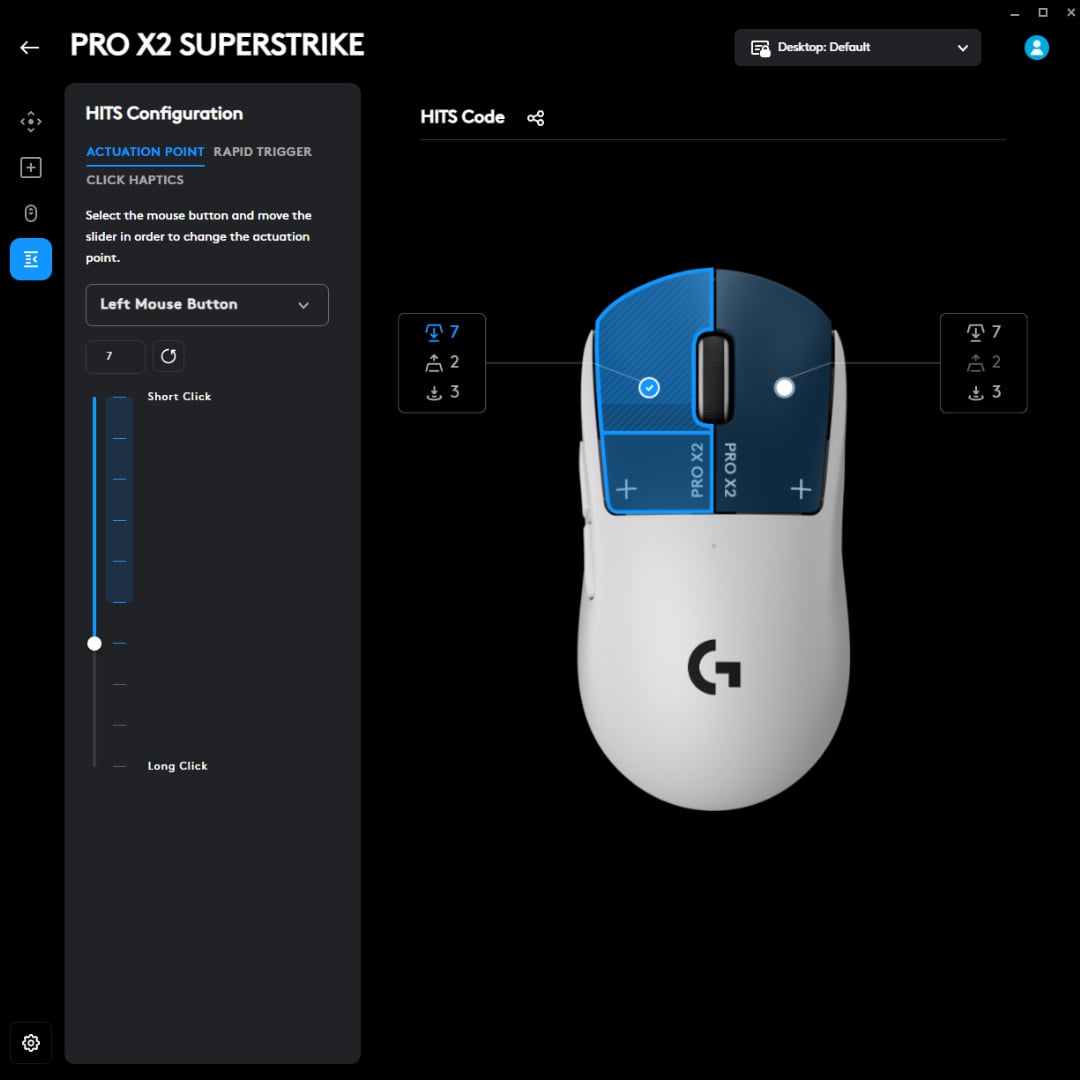
Haptic Inductive Trigger System is the centrepiece here, ditching traditional optical switches entirely in favour of induction technology. Similar to the Hall-Effect switches in Glorious’ GMMK 3 HE Pro, it uses magnets, but instead of moving a magnet past a sensor, they use an electromagnetic coil and a chunk of metal to measure how far you press the clicker with astounding precision. This lets you adjust between ten different levels that incrementally increase from a short press to a long press, depending on the pressure you use.
Ultimately, the goal is to achieve the fastest possible click while decreasing latency, and Logitech has tested this setup extensively with both pro and average gamers, claiming you can save up to 30ms compared to the average gaming mouse. This is tough to measure in any real-world scenario without fancy lab equipment, but I can safely say through vibes alone that it’s certainly slick in use.
The catch with induction technology is that there’s no physical click mechanism. That’s where haptics come in. Rather than attempting to mimic traditional optical switches or Hall-Effect keyboards that replicate tactile or clicky mechanical switches, HITS doesn’t pretend to be anything other than what it is. The sensation is closer to Steam Deck trackpads or Apple iPhone haptics than an actual click, and your mileage will vary depending on whether you’re married to that classic mechanical feedback or not.
You get five haptic levels from which to choose, each determining the strength of the feedback. I settled on level three as my sweet spot, offering a good tactile response without sacrificing too much battery life. Those who prefer more of a thock will gravitate towards level five at the expense of a little more juice.
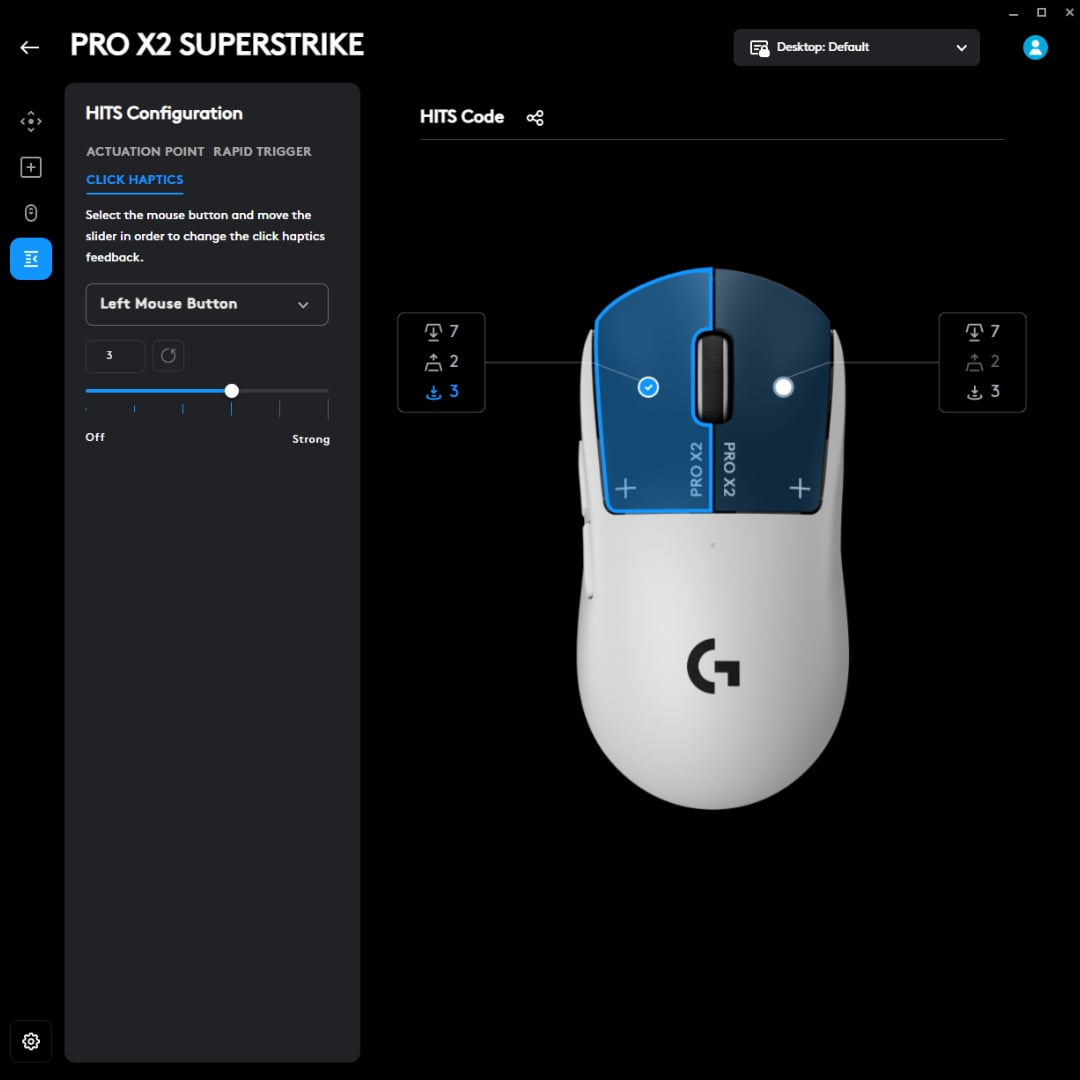
If you have the same knee-jerk reactions as me, the first click will feel somewhat wrong, but it becomes second nature after your first game. I quickly grew accustomed to the noise, which is much quieter than a standard mouse, as well as all the perks that come with it. Much like cutting down your ping time, everything feels smoother, bridging the awkwardness of online play and making it feel more like you’re playing on a LAN.
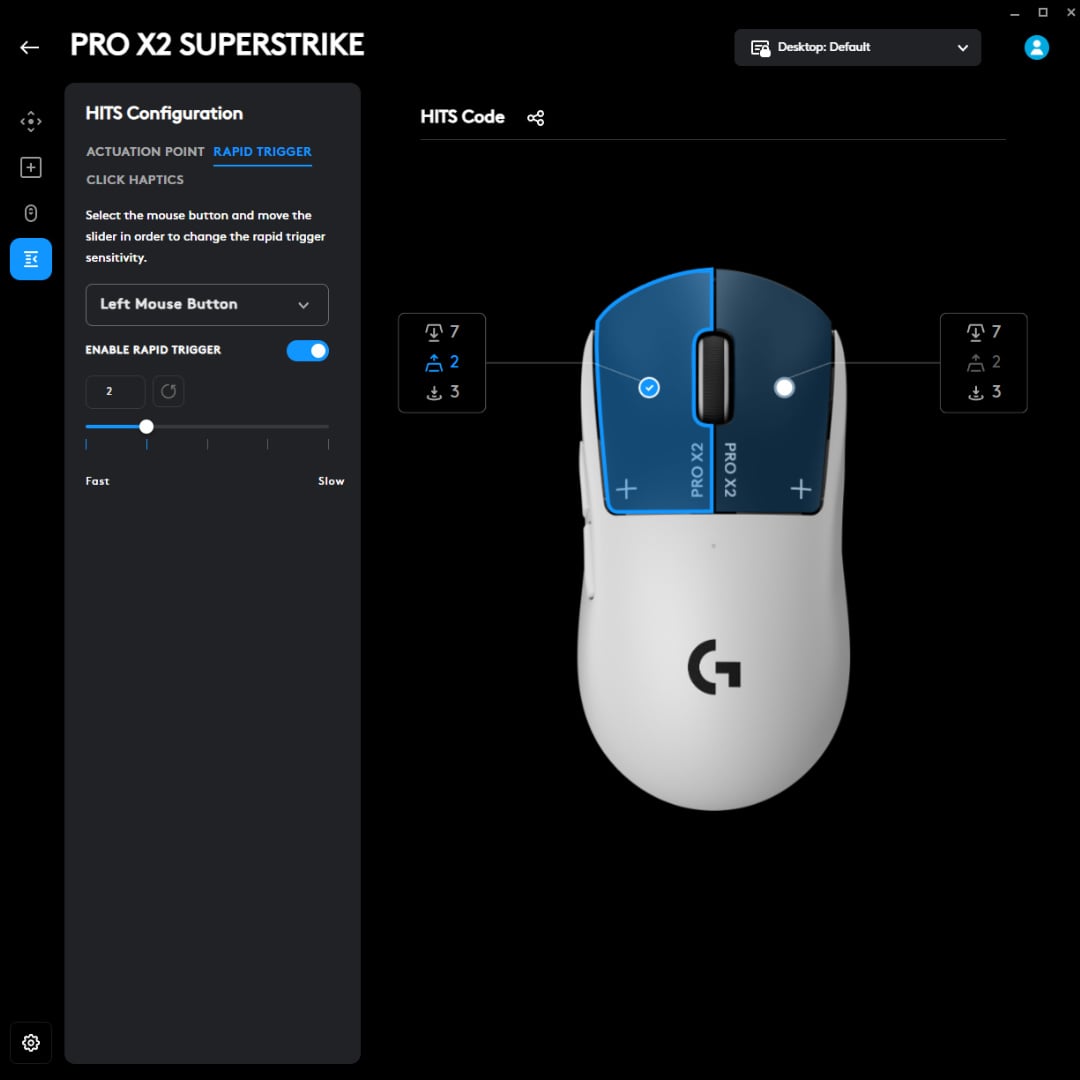
Better yet, you don’t need to wait for a full de-press before you can click again. Using Rapid Trigger, you can choose between five different reset points, which is ideal for spamming left or right mouse buttons as fast as you like. If your alarm bells are ringing, rest assured that this is competitive-friendly at the time of writing, and it’s been used in CS2 tournaments for the best part of a year already. Rapid Trigger relies on the natural reset of a button based on physical distance, and it isn’t the same as Razer’s Snap Tap or Wooting’s Rappy Snappy features, which are deemed unfair because they’re basically simultaneous inputs.
Much like monitors with high refresh rates, such as the MSI MPG 271QR QD-OLED X50, and hi-res headsets like the SteelSeries Arctis Nova Elite, the Superstrike isn’t going to make you a pro. What it does, however, is even the playing field a bit.
I’m by no means a high-level player, consistently hitting Emerald rank in Rainbow Six Siege, but there’s a distinct improvement in my gameplay when using this mouse. Given the reigning meta at the moment, I can lean into my quick trigger finger with one-shot DMRs and reap the benefits. My only constraint is the game’s innate fire rate limitation. Similarly, I’ve hit the ground running as a newcomer to The Finals, consistently sitting near the top of my team.
If nothing else, this new tech has at the very least reinvigorated my love for shooters and my enthusiasm to continually improve, even at what the competitive scene would consider the ripe old age of 33.
Performance
On paper, the Logitech G Pro X2 Superstrike specs list is stacked. Its Hero 2 sensor offers a DPI range of 100 to 44,000, with 88G² max acceleration, 888 IPS² max speed, and zero smoothing, acceleration, or filtering. Its polling rate sits at 1,000Hz (1ms) when wired and a blistering 8,000Hz (0.125ms) wireless via Logitech’s proprietary Lightspeed technology, although many pros will default to 1kHz to avoid any compatibility issues.
These are flagship specs through and through, and in practice, the sensor tracks flawlessly across both cloth and glass surfaces. I didn’t even need to swap out the default PTFE feet for UHMWPE skates, as I did on my Glorious Model O3. It simply glides across every mouse pad I’ve used with it.
What really matters, though, is actual gameplay, and that’s where HITS shines. That claimed 30ms latency reduction isn’t just marketing fluff – I could genuinely feel the difference in fast-paced shooters. Flicks feel more responsive than on a standard wireless mouse, tracking feels tighter, and there’s a strange sensation of your inputs being closer to your intent than ever before. It’s tough to quantify, particularly as my K/D between matches is inconsistent at the best of times, but the physical barrier between decision and execution simply melts away.
Battery life
Battery life is rated at 90 hours in best-case scenarios, though that’s with haptics switched off — and I’d put good money on nobody turning it off unless they want to win that exact bet. Increase the haptic feedback from level one to five, and it eats more power, shaving up to seven hours off your game time. The same goes for higher clicks per minute.
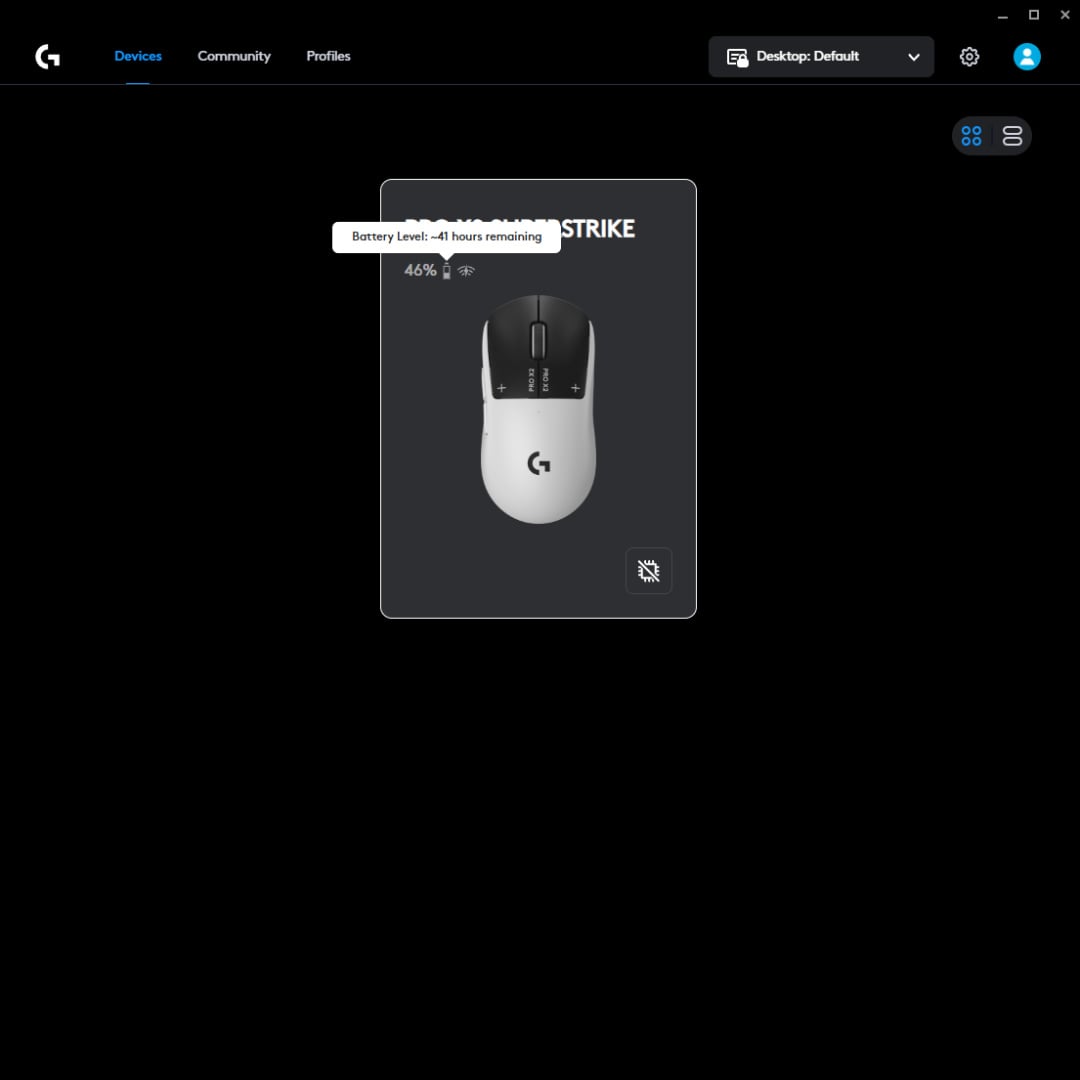
As a quick pro tip, you can head into Logitech G Hub and hover over the battery icon to see a rough estimate of how many hours of battery life remain. It even updates dynamically as you adjust to more or less power-hungry settings, which saves you from guessing whether you’ve got time for one more ranked match before the dreaded low battery warning appears.
I’ve not had the mouse for long enough to put these battery life features to the test properly, but I can say with confidence that it will last throughout individual playdays before you need to juice it up again. During the weekend, I’ve spent roughly 8-10 hours with this rodent and seen the battery drop 9%. Accounting for battery-saving features like inactivity, which you oddly can’t adjust, napkin mathematics puts that at between 80-90 hours using middle-of-the-run settings.
Software
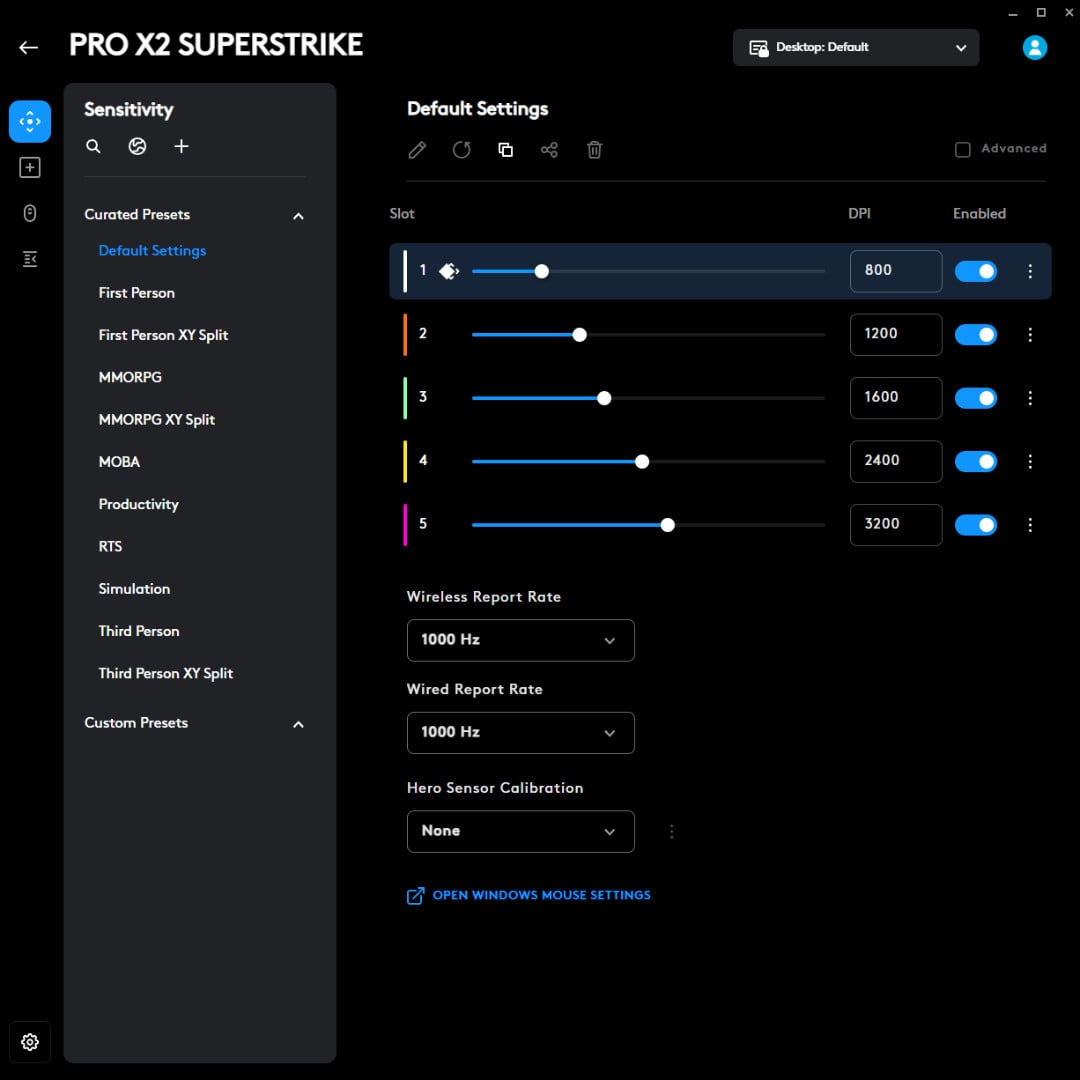
Logitech G Hub hasn’t historically been my favourite gaming software, but it doesn’t fall into the same pitfalls as others because it’s quite streamlined. Naturally, you have to sift through a lot of menus. Sensitivity settings include more than just DPI, with response rates and calibration tools; Assignments lets you customise buttons and create macros; HITS lets you adjust actuation points, Rapid Trigger sensitivity, and haptic feedback levels.
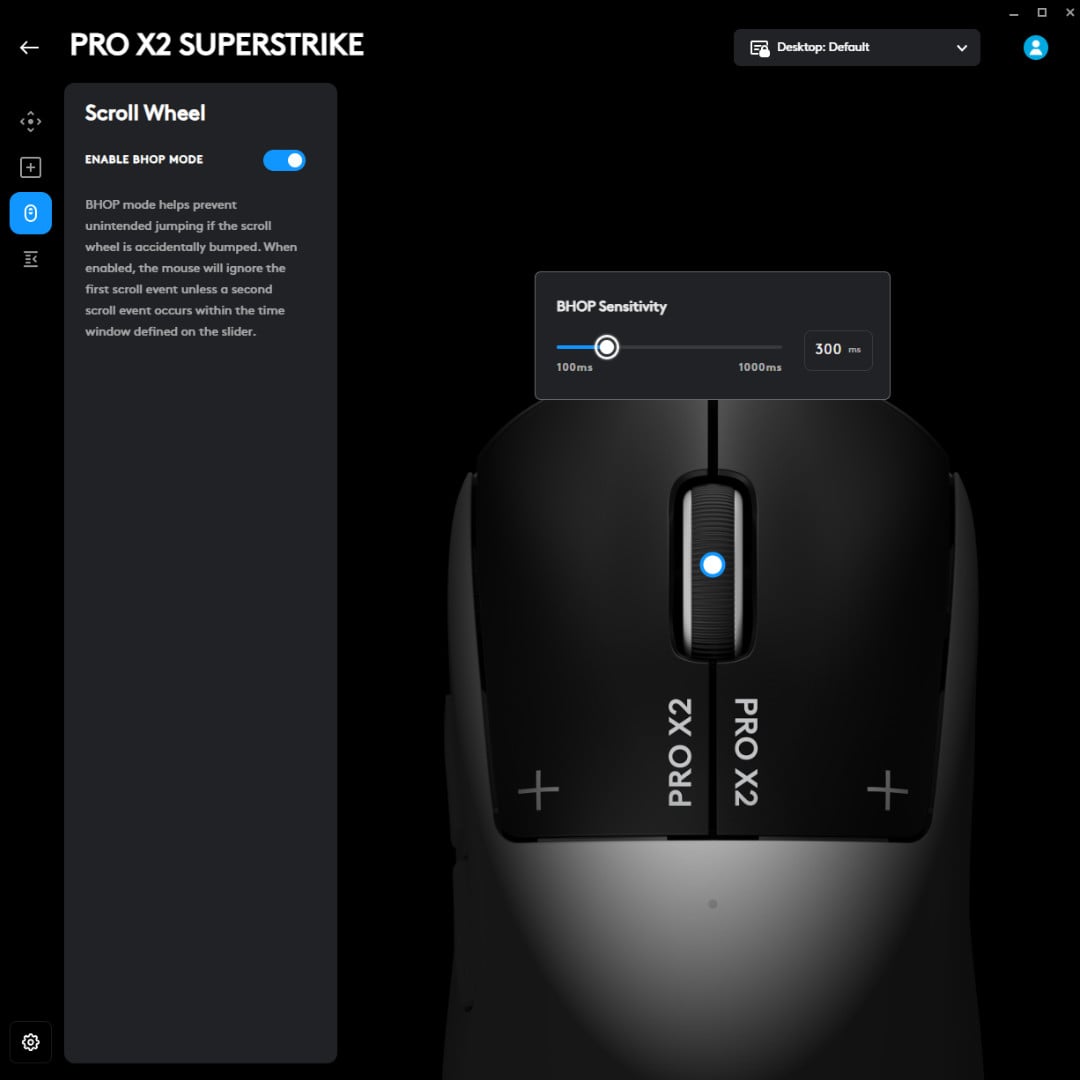
There’s also a BHOP mode, which lets you adjust scroll wheel sensitivity, and is a neat inclusion for CS2 players who still dabble in bunny-hopping shenanigans. You can add anywhere from 100ms to 1,000ms of delay on actions to avoid accidental nudges, which is unusual at first but has genuinely prevented accidental weapon swaps in Siege more than once.
Conclusion
Look, I’ve avoided the pun for the entire article, but Logitech’s HITS system is a hit. By replacing traditional optical switches with inductive capabilities, the G Pro X2 Superstrike is refreshingly forward-thinking and carves out a brand new niche.
At £159.99 / $179.99, it’s expensive, but the price is in line with other top-end mainstream gaming mice, and you’re genuinely getting something new here rather than marginal sensor improvements and a fresh coat of paint. No matter where you stand on the two-tone design, HITS delivers on its latency reduction claims and the haptics feel as smooth as butter.
If you’re a competitive player seeking every advantage, or you’re simply intrigued by genuinely new technology rather than incremental spec bumps, Logitech G Pro X2 Superstrike is worth a look.
Don’t expect it to turn you into a tournament champion overnight, but in your journey for improvement, you might just find it makes you remember why you fell in love with competitive shooters in the first place.