

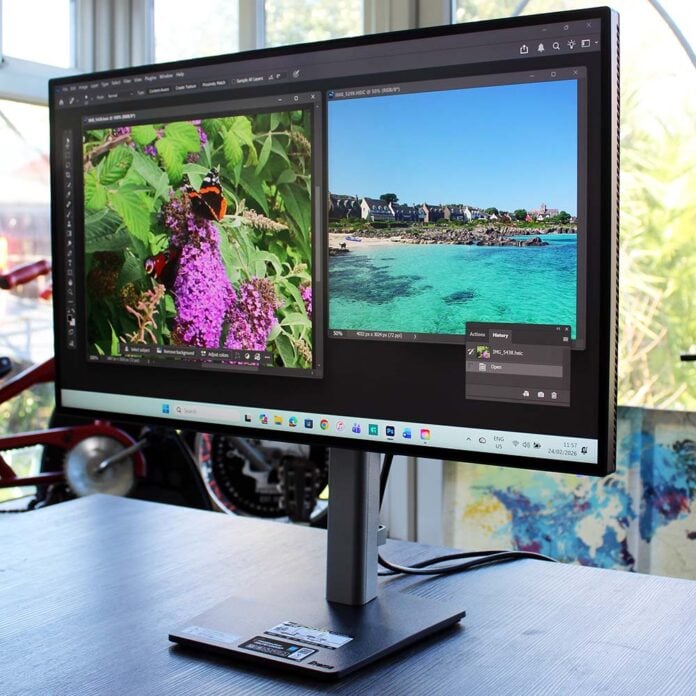
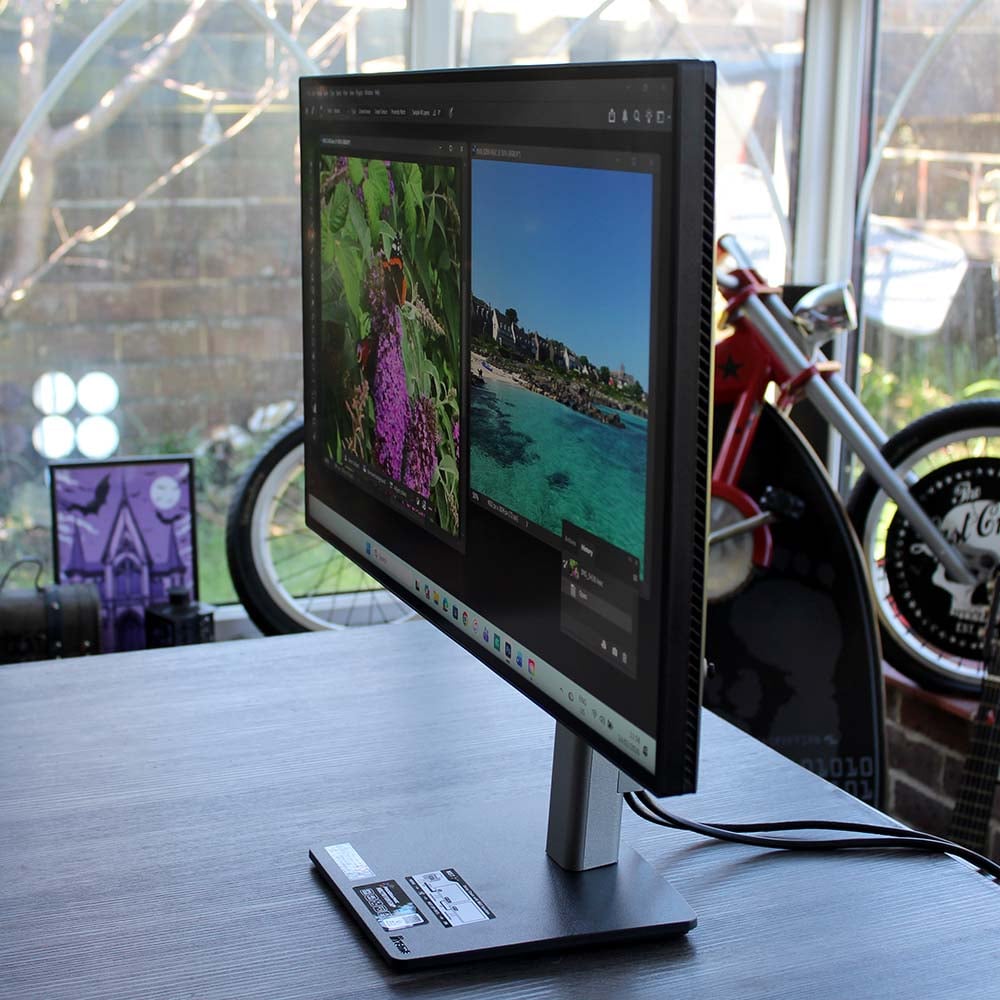
Aimed squarely at professional artists, photographers and designers, there’s a refreshing lack of gamer frills pinned to the iiyama ProGraphic HB2701UHSNP. Its classy black-and-grey stand is built like a tank, and it’s crammed full of handy features to make your desktop computing life easier.
One of the big selling points is its LG IPS Black 2.0 panel, which is designed to produce deep blacks and high contrast – traditionally a bit of a problem for IPS screens. In theory, this should make it a bit like a VA panel in terms of blacks and contrast, but with the superior viewing angles and colour accuracy of IPS.
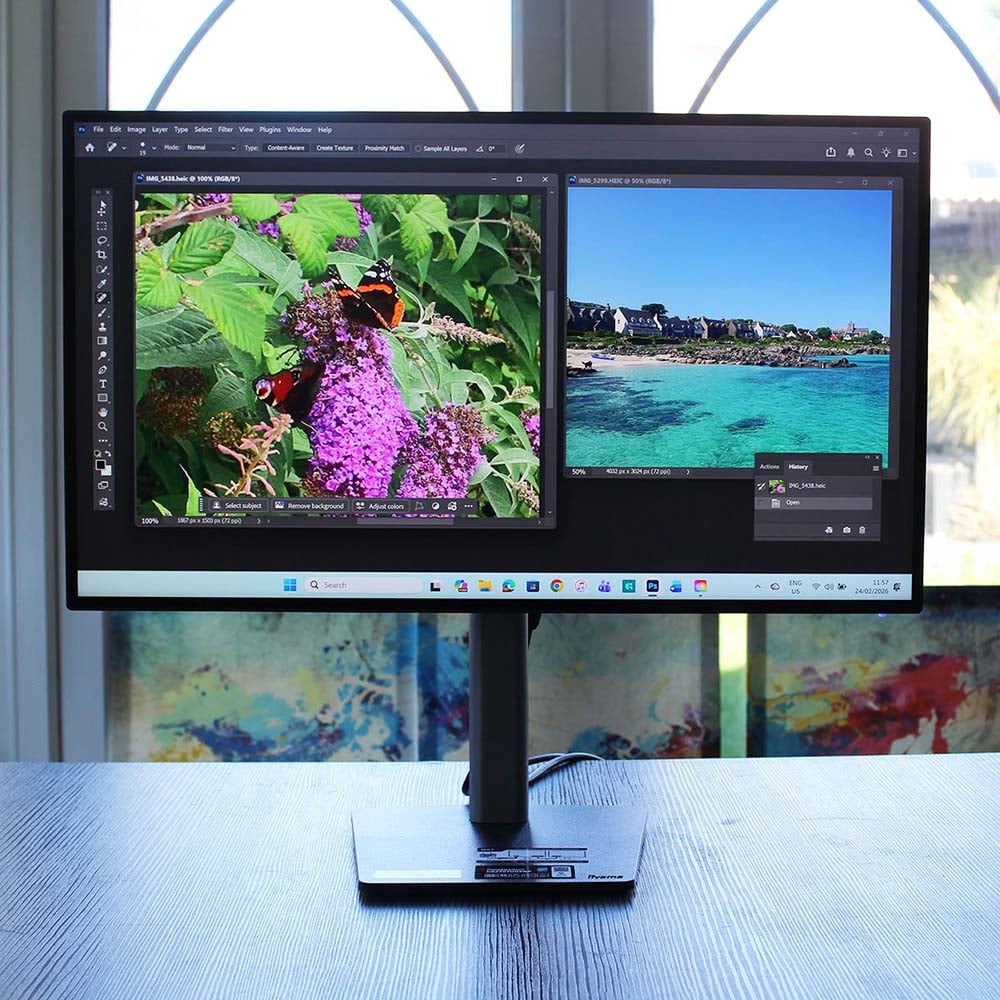

iiyama ProGraphic HB2701UHSNP
£499.99
Pros
- Deep blacks for an IPS panel
- Solid build quality
- Superb DCI-P3 gamut coverage
- Built-in KVM and USB-C hub
- Great contrast and vibrant colours
- Excellent power efficiency
Cons
- Colour accuracy not quite perfect
- Adobe RGB coverage could be better
- Lack of physical buttons
- High price
Club386 may earn an affiliate commission when you purchase products through links on our site.
How we test and review products.
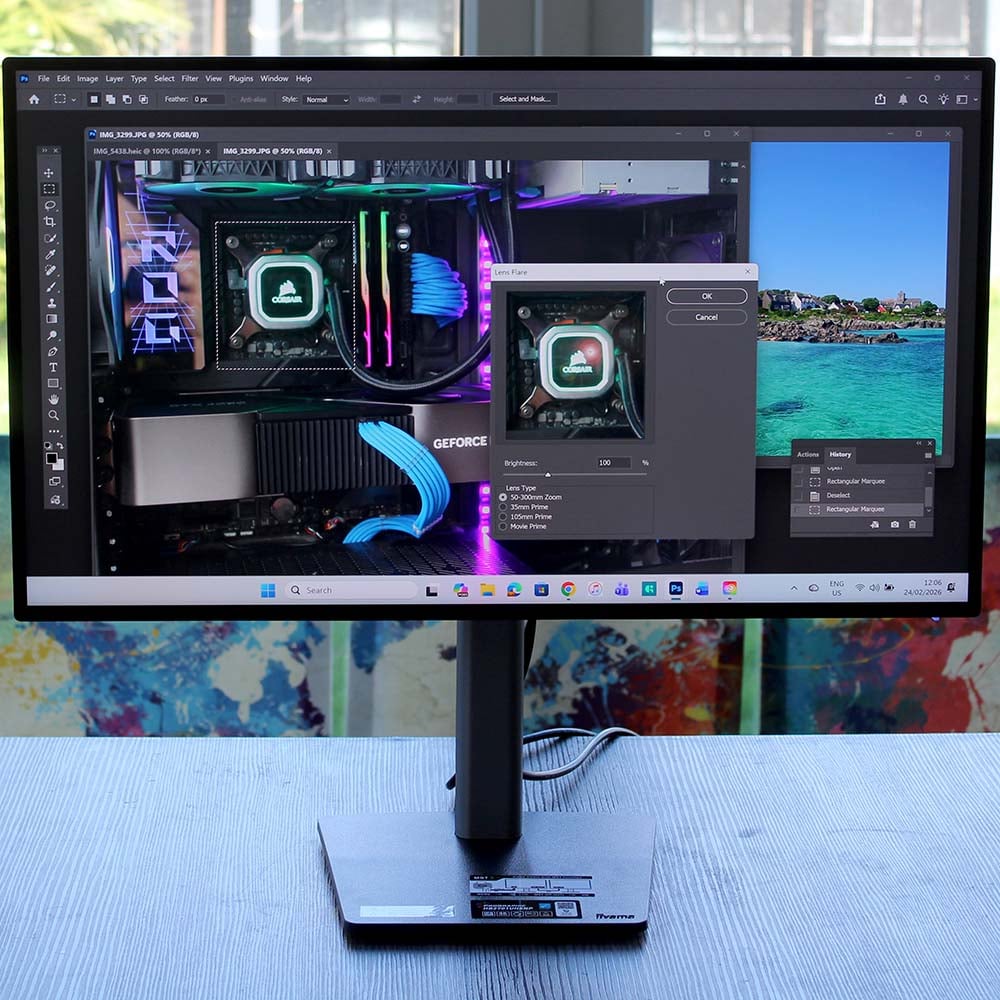
Iiyama also claims this screen provides 99% of DCI-P3 coverage, which should result in deep, lifelike colours, thanks to its wider gamut. Add a built-in KVM switch, as well as a high 4K resolution, and the HB2701UHSNP looks like a great screen for creatives, if it can live up to iiyama’s claims. I’ve been putting it through its paces with a lot of Photoshop work over the last couple of weeks, as well as running it through a colourimeter, to see how it stacks up.
Specifications
| iiyama ProGraphic HB2701UHSNP | |
|---|---|
| Screen size | 27in |
| Resolution | 3840×2160 |
| Refresh rate | 60Hz |
| Response time | 4ms (GTG) |
| Panel technology | IPS |
| Variable refresh rate | No |
| HDR | HDR400 |
| Ports | 3.5mm headphone output x1 DisplayPort 1.2 input x1 DisplayPort 1.2 output x1 HDMI 2.0 input x1 USB-A 3.2 5Gbps x3 USB-B 3.2 5Gbps x1 USB-C (15W power delivery, USB 3.2 5Gbps) x1 USB-C (96W power delivery, LAN, DisplayPort, USB 3.2 5Gbps) x1 RJ45 LAN x1 |
| Speakers | 2 x 2W |
| Weight | 6.7kg |
| Warranty | Three years |
| Price | £499.99 |
It’s been a long time since I reviewed a premium monitor with a 60Hz refresh rate, especially one with no active sync support, but this isn’t a gaming screen and there’s no reason why you’d need a faster panel for creative workloads. Instead, iiyama has concentrated on build quality, resolution, colour gamut, and desktop features.
As such, you get a full 3840×2160 resolution (4K or UHD, if you prefer), which looks super-sharp on this 27in screen, giving it a 163ppi (pixels per inch) density. As I mentioned earlier, it’s based on LG’s latest IPS Black 2.0 panel tech, which is designed to significantly boost contrast and black reproduction compared to first-gen IPS Black screens. Indeed, iiyama says this screen has a contrast ratio of 3,000:1, which is a big number for IPS, and should make it easier to see the differences between gradients of colours.
It’s based on LG’s latest IPS Black 2.0 panel tech, which is designed to boost contrast and black reproduction.
I’ll get to the nitty-gritty of black reproduction in the Performance section later, but first impressions are excellent when you switch on this screen. You only need to see the Windows logo on boot-up, surrounded by deep black, to see the progress that’s been made here. There’s still some visible IPS glow, but the black looks massively better than it does on my usual 4K IPS monitor (an AOC U28G2XU from a few years ago). It’s not quite like looking at an OLED screen, but it’s a substantial improvement on previous IPS Black screens I’ve tested.
It all adds up to a decent specs list for creative work, but £499.99 is also a high price for a 60Hz IPS screen in 2026, especially when you could now buy an OLED monitor for the same amount. Thankfully, iiyama has packed this monitor with an expansive feature set, which helps justify the extra cost.
Features
It’s great to see iiyama putting some real thought into the needs of creatives with this monitor’s feature set – it’s packed with various inputs and outputs. One of my favourite extras is the full KVM (keyboard, video, mouse) setup, which enables you to use two computers simultaneously, without having to unplug your keyboard, mouse, and monitor to switch between them.
This is genuinely useful, as it means you can easily switch between your desktop and laptop, on which you may be working on different projects, without the faff of unplugging everything. However, you do have to fiddle around with the on-screen display (OSD) to switch between machines, going through various menus to get there – a process that would be substantially improved with a basic physical switch.
You can easily switch between your desktop and laptop without the faff of unplugging everything.
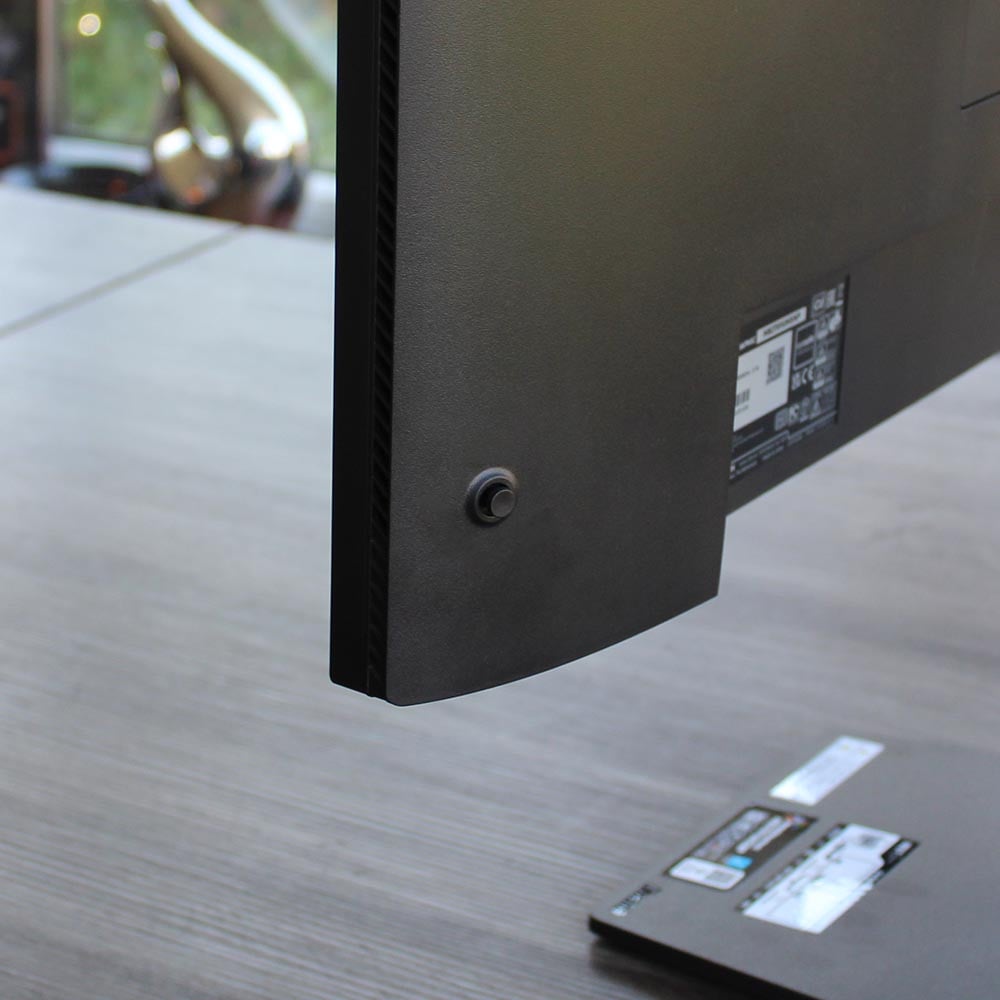
Indeed, there’s a general lack of buttons on the HB2701UHSNP. Your only control is that little joystick on the back, which you push in to select options in the OSD. I much prefer using a joystick to fiddling with different buttons for up, down, left, right and so on to navigate an OSD menu, and the OSD is generally well laid out, but buttons also have their place for other features where an instant response is beneficial.
There isn’t even a dedicated physical on/off switch – you can only turn it on and off by pressing the button on the rear joystick for a surprisingly long time. If you don’t, the monitor is always on in some form, with the big light glowing orange in standby mode, or blue when a device is attached. This isn’t a massive deal, given that it only draws around 2W from the mains in standby mode, but there’s something to be said for the instant, tactile nature of a solid, separate button that’s easily accessible. Bring them back, I say.
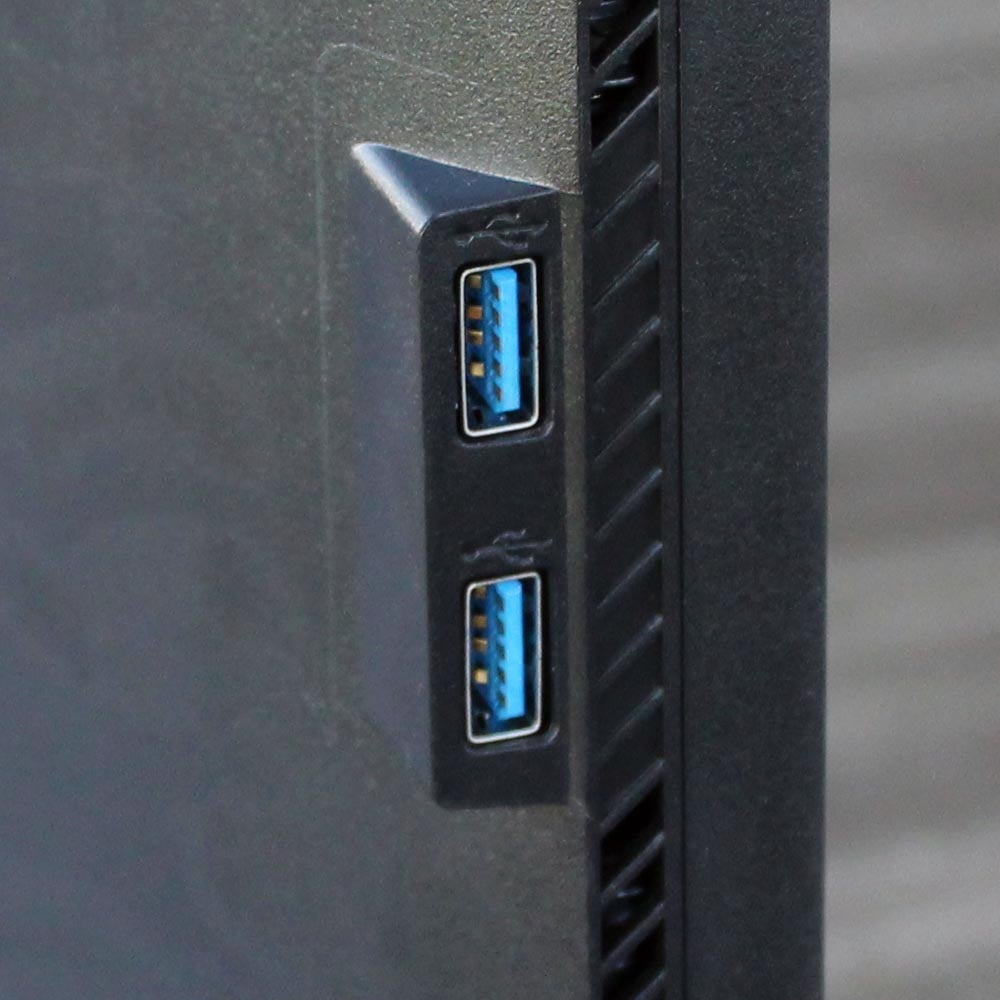
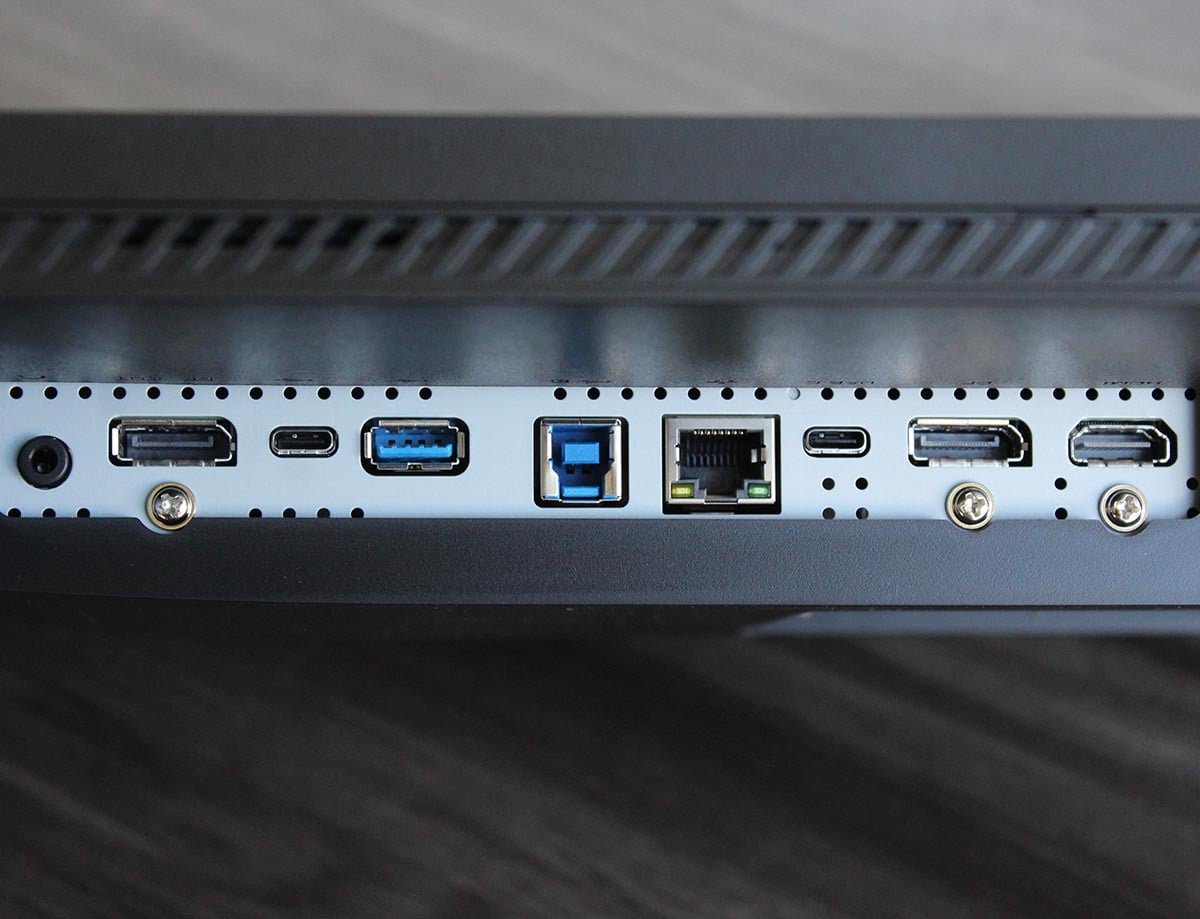
Another handy feature is the ability to use this monitor as a kind of desktop hub, where you only need a single USB-C cable to hook up a laptop to all your hardware. That even includes Ethernet, courtesy of an RJ45 input on the back, as well as your keyboard, mouse, and monitor connections. There are no super high-speed ports (even the high-spec USB-C port is only 5Gbps), but you do get a pair of easy-access USB-A sockets on the left-hand side, and you can also charge or power a high-spec USB-C device from this monitor, with up to 96W available.
Rounding off the feature set is a pair of 2W stereo speakers. Unsurprisingly, they sound treble-heavy, but there’s a decent amount of volume, and they do the job for basic audio.
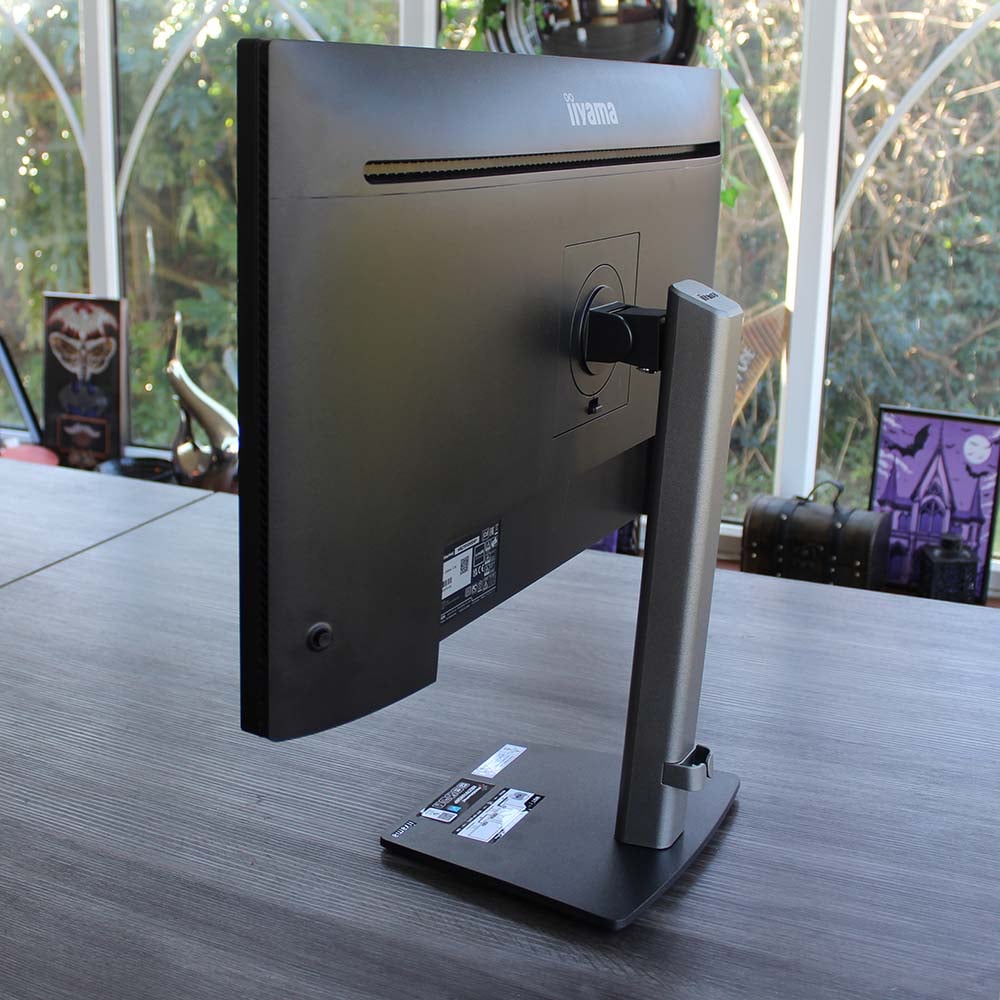
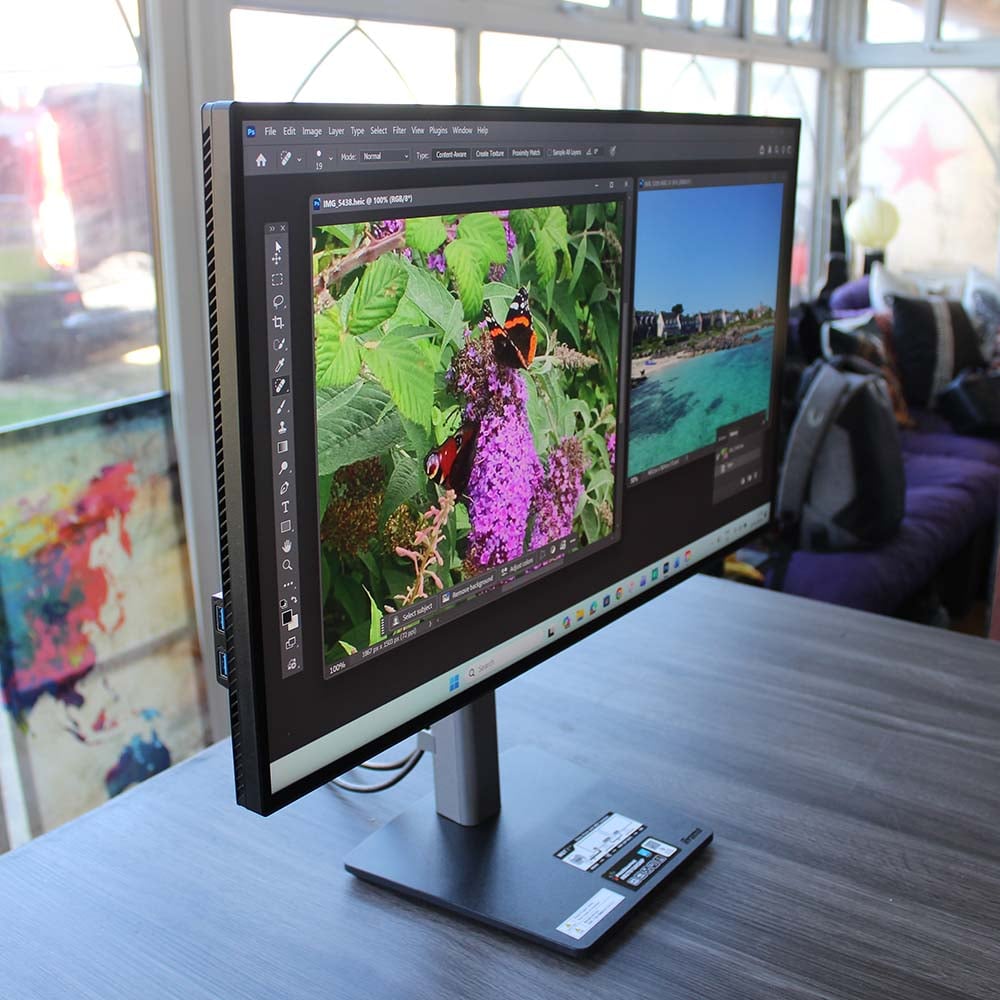
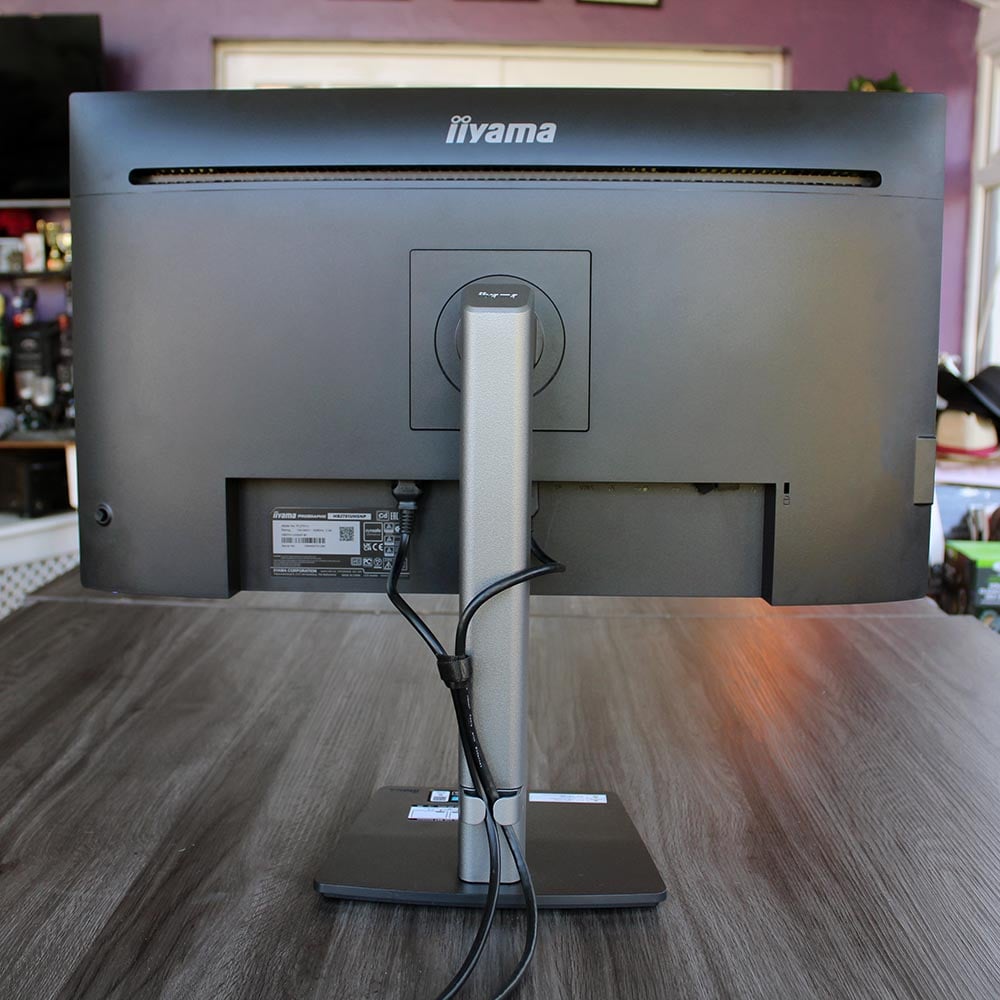
It’s all held up by a well-built, high-quality stand, making for a total weight of 6.7kg. The compact base is thick, solid and sturdy, without taking over your desk with multiple prongs. It also has a nifty turntable built into the bottom, so you can easily rotate your monitor. The grey stand then slots into this base with a solid click, and you secure it further using a screw with a flip-out handle in the bottom. You don’t need a screwdriver for any of it, but iiyama provides one taped to the base of the stand if you want to tighten it up. You’ll also want to make sure you remove this screwdriver before you put the screen on your desk, or it will wobble.
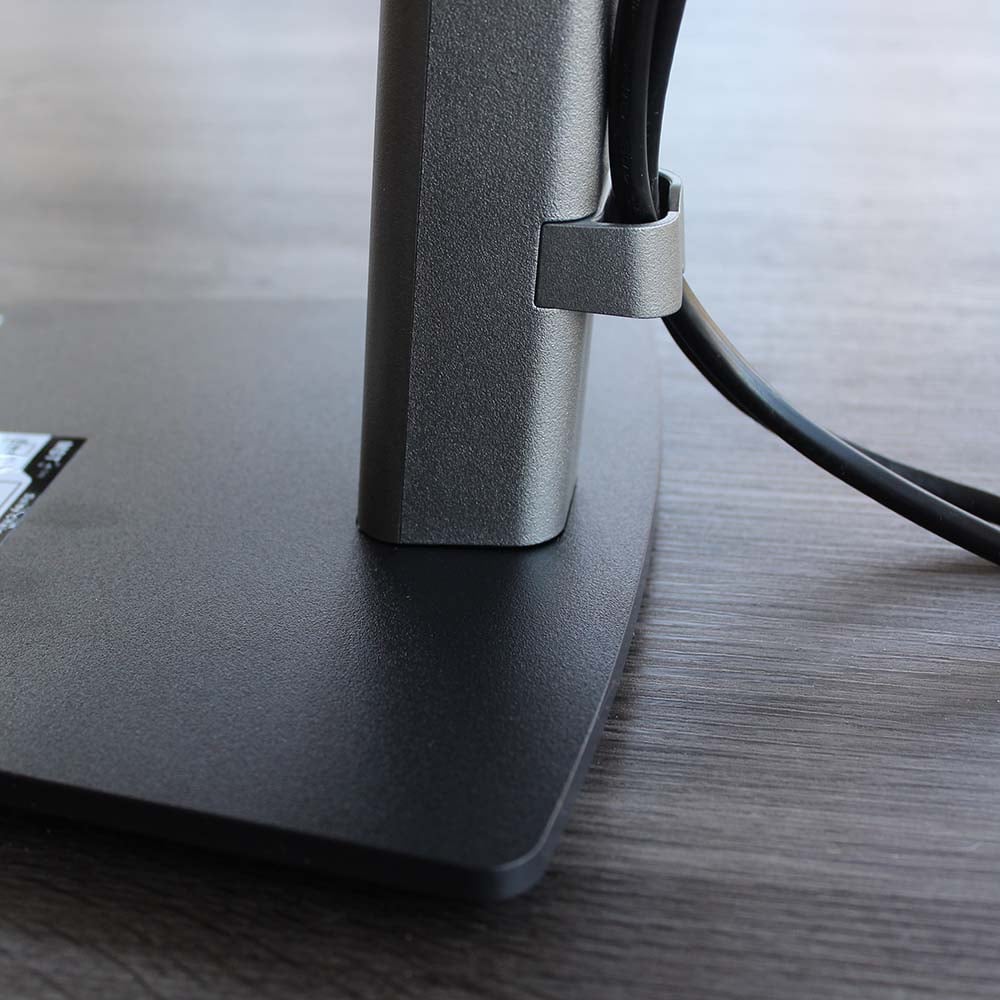
Finally, the stand attaches to the monitor with a secure plate that clips into the back, again secured by a screw with a flip-out handle. You can then tilt the screen up by 23 degrees, and down by five degrees, slide it up and down with 150mm of adjustment headroom, pivot it into portrait or landscape orientations, and rotate it on its turntable. It’s a classy-looking, well-built stand. My only criticism is that there’s not much in the way of cable management, save for a little clip on the bottom.
Performance
Colour
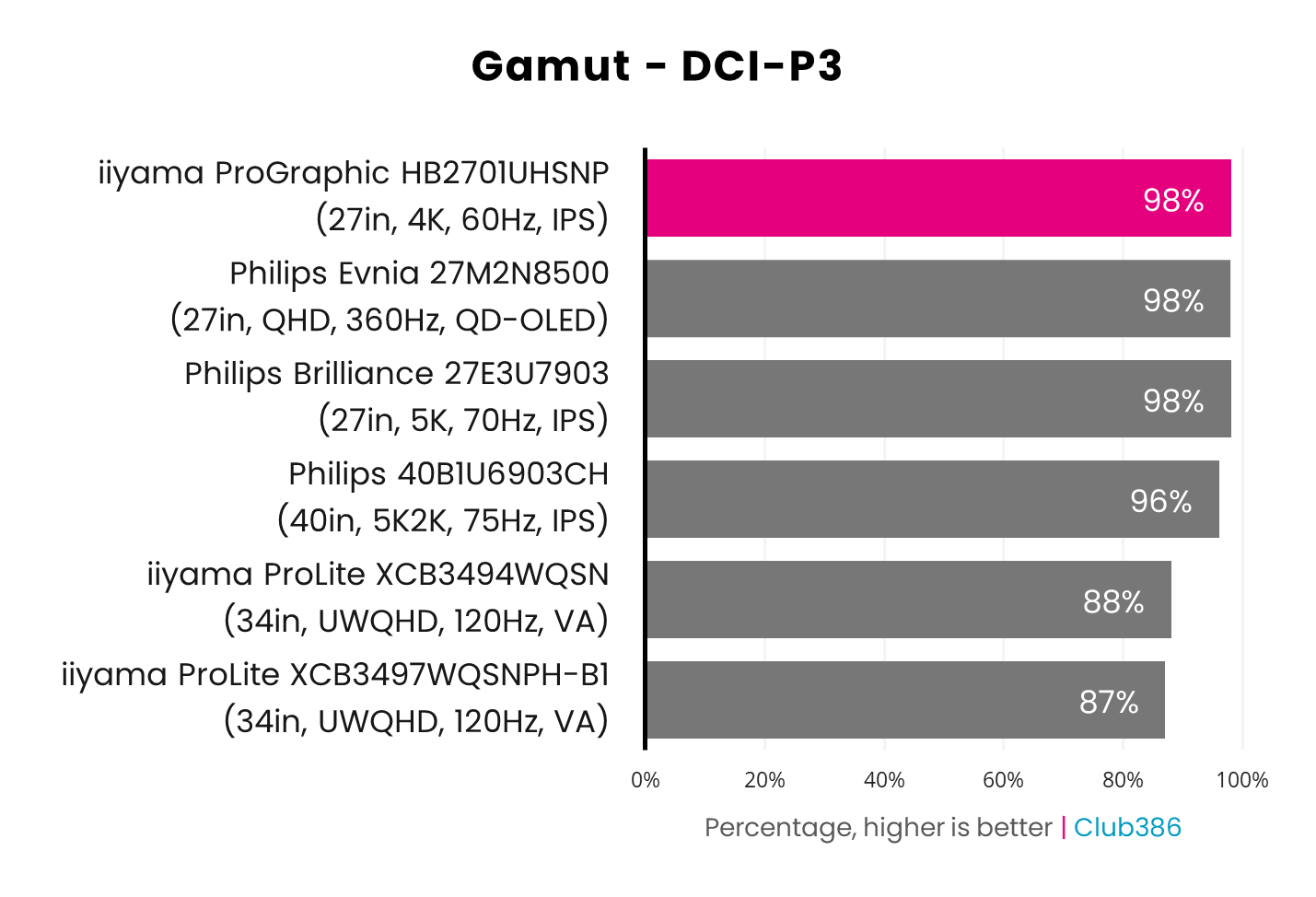
I’m going to start with the HB2701UHSNP’s DCI-P3 performance, as iiyama claims it can reproduce 99% of this wide colour gamut. My Datacolor SpyderPro colourimeter didn’t quite detect this much coverage, but the result of 98% is still outstanding, putting this iiyama screen in good company with the Philips Brilliance 5K 27E3U7903. Colours also look really vibrant on this screen compared to most IPS panels, thanks to the high contrast – bright colours really pop in a way you don’t usually see on an IPS panel.
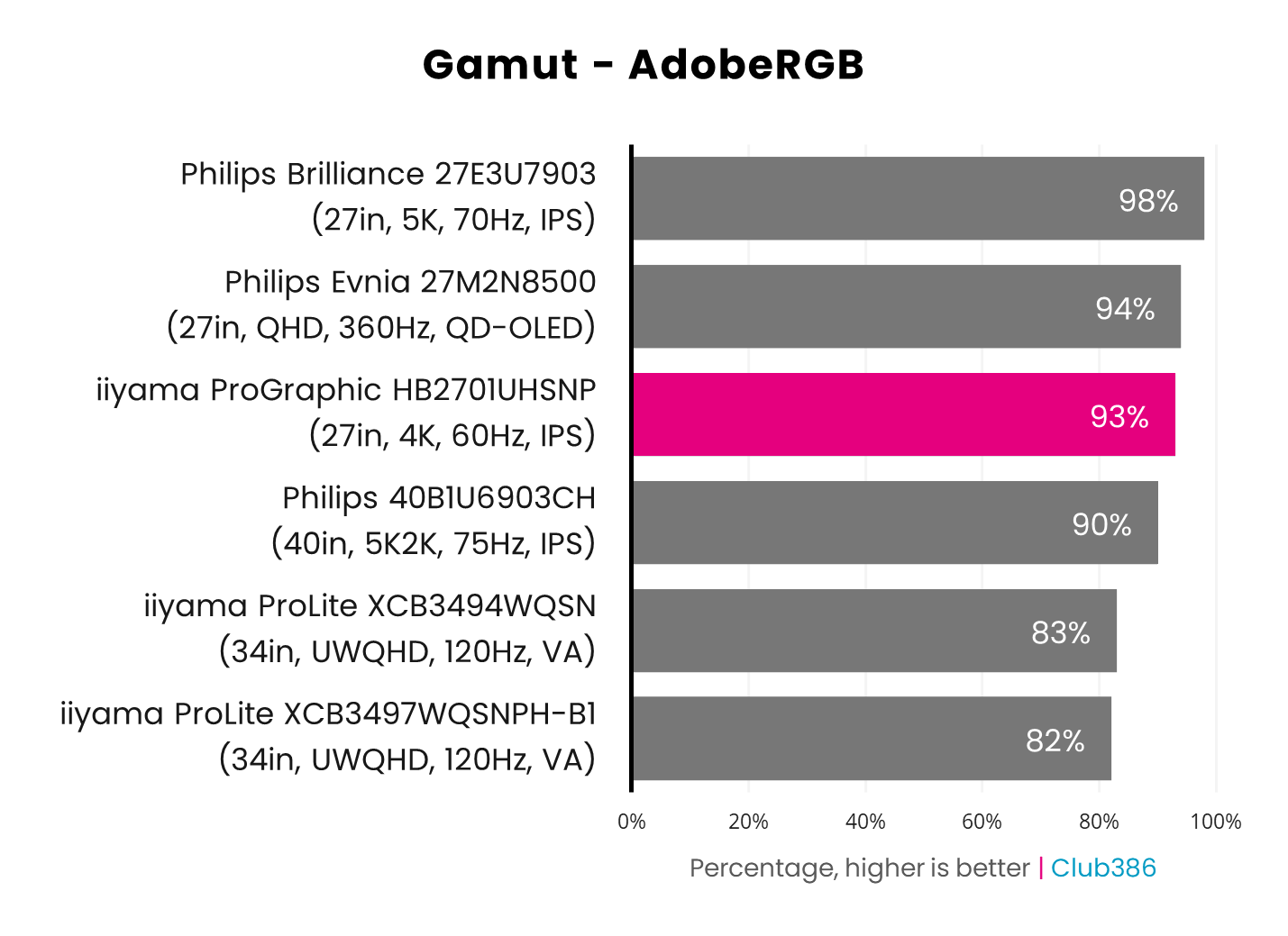
Adobe RGB coverage isn’t as strong at 93%, but this result is still a cut above your average monitor, and iiyama doesn’t make any claims about this particular gamut. I tested this screen using its out-of-the-box settings, and it does have a dedicated Adobe RGB mode, but using it didn’t improve this result, and it reduced DCI-P3 coverage to 89%, so I’d stick with the default settings.
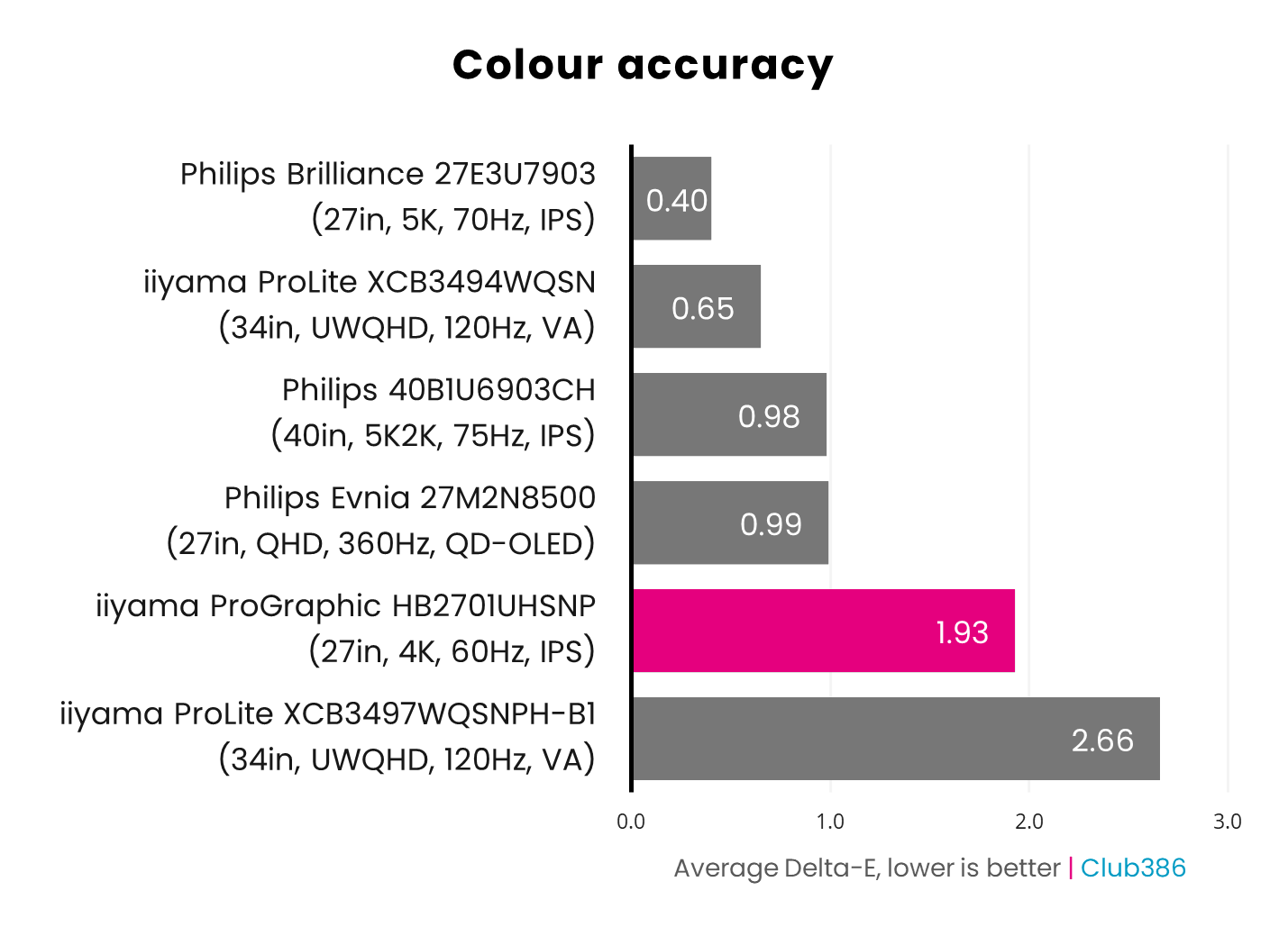
Now we come to a little bit of a sticking point for the iiyama ProGraphic HB2701UHSNP, which is colour accuracy. The manufacturer claims this monitor’s average Delta E (the difference between a colour’s true value and what’s reproduced by the monitor) is under 2, and it does just squeak under this figure with a result of 1.93, but it’s held back by a blue and red that run away from the other colours.
The DCI-P3 result of 98% is still outstanding, putting this iiyama screen in good company.
I’m not going to go too hard on iiyama here, as usually any figure under 2 is considered to be highly accurate when it comes to colours, and we’ve seen much worse results from cheaper monitors – this is still a good result. However, as colour accuracy is one of this monitor’s main selling points, it’s worth noting there are other monitors that are even more accurate if your work is colour-critical.
Intrigued to see if I could improve this figure, I gave this monitor a full calibration with my colourimeter, and the Delta E then dropped to 1.77. That’s an improvement, but it’s still a way off the superb 0.4 result from Philips’ Brilliance 5K 27E3U7903.
Brightness
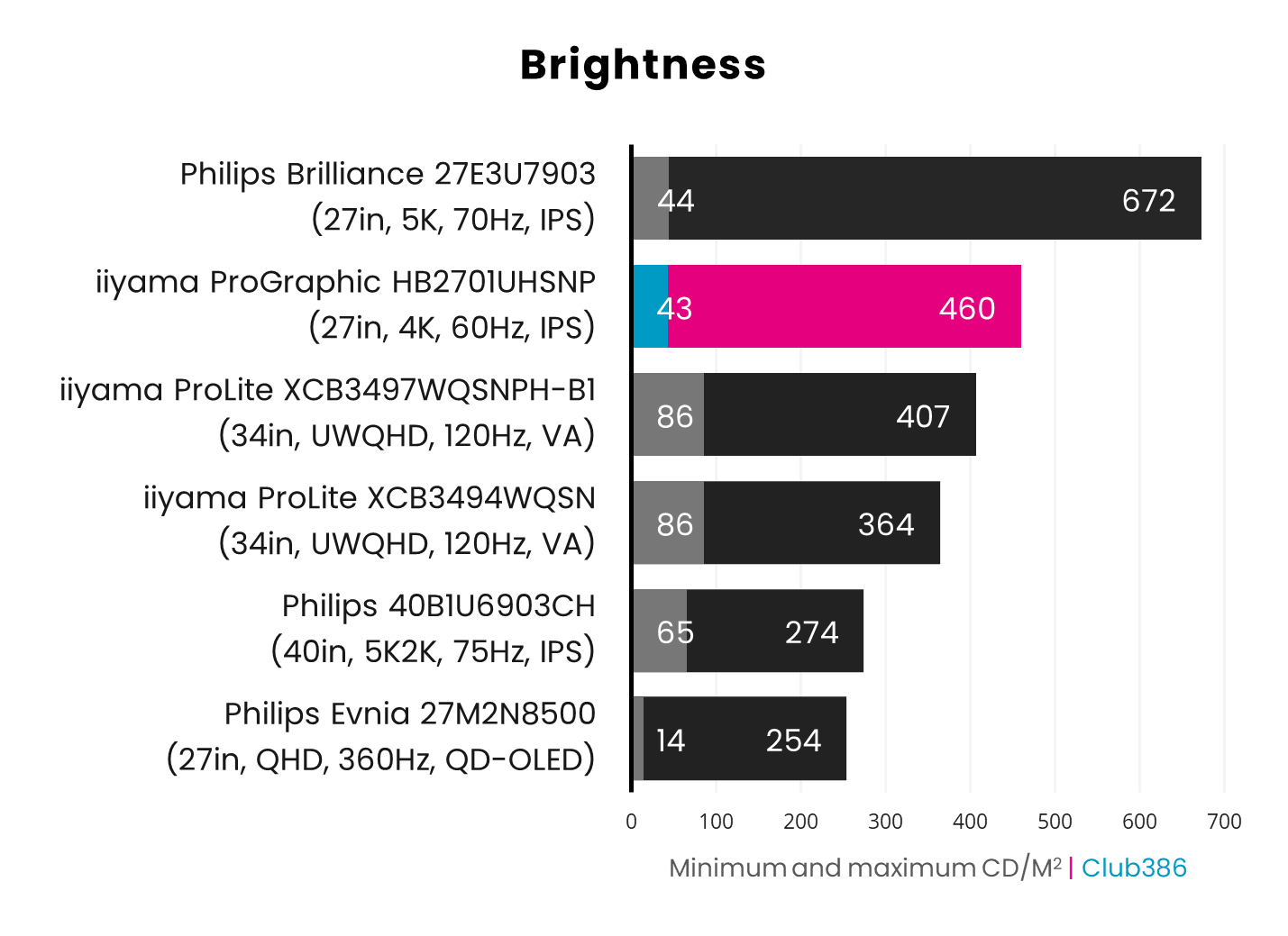
This screen is more than bright enough for most creative professionals’ needs, with my colourimeter detecting a peak reading of 460nits. That’s actually above iiyama’s claim of 450nits, and it’s really bright at 100%. You can get screens that go even brighter, but I found that 50-70% brightness was fine for my work on this screen. It also has an anti-glare coating to help keep reflections at bay, and while it doesn’t entirely eliminate them, it softens them down to prevent them from being distracting.
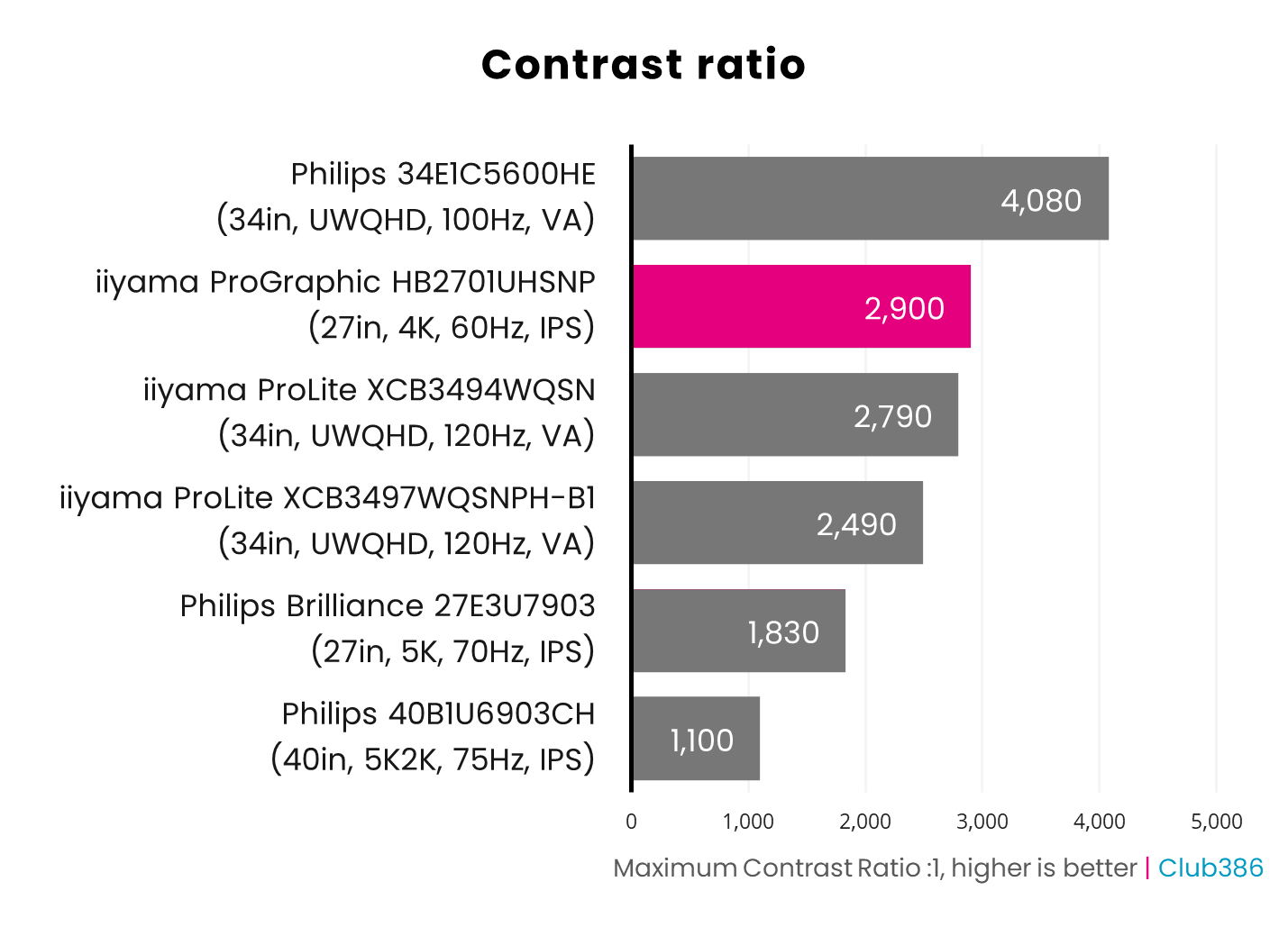
Now we come to one of the big benefits of this monitor – its high contrast ratio. In its marketing, iiyama claims the ProGraphic HB2701UHSNP has a static contrast ratio of 3,000:1, which is remarkably high for an IPS screen. It’s not far off the truth either, with my colourimeter detecting a peak contrast ratio of 2,900:1, achieved at 83% brightness. That’s a superb result that even puts this IPS screen ahead of some VA panels, and it results in a stark difference between colours.
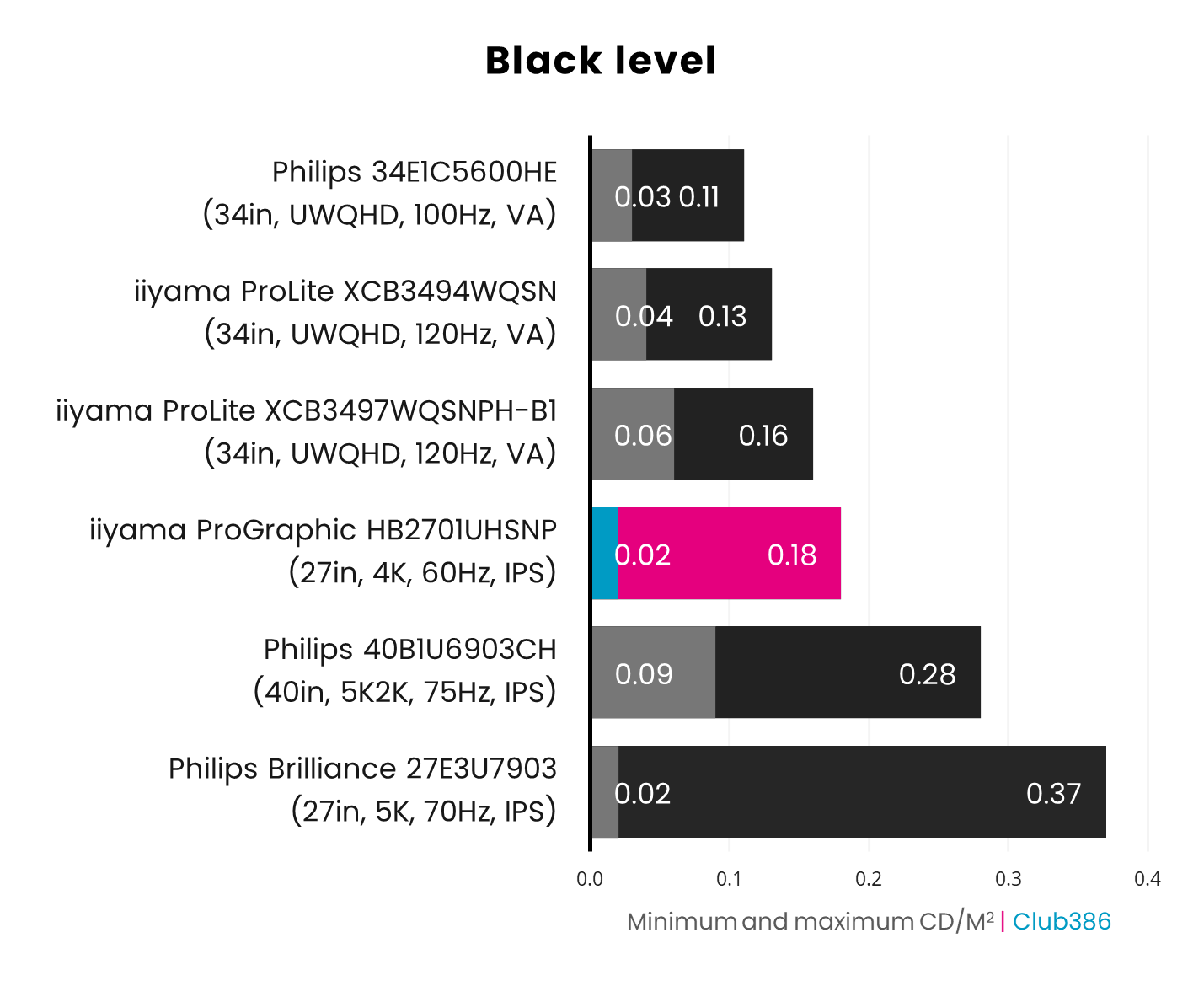
Likewise, the black level is superb for an IPS screen, peaking at just 0.18 at 100% brightness and 0.02 with brightness at its lowest setting. There is still a touch of visible IPS glow, but blacks are significantly deeper on this screen than any other IPS monitor I’ve used – the new panel is transformative in this respect.
Again, this puts the ProGraphic HB2701UHSNP in the same league as VA screens, but with the superior viewing angles of IPS. Indeed, you can easily look at this monitor from the edges and see a clear image. Realistically, you’d need to move up to an OLED screen to get noticeably superior black levels.
Uniformity
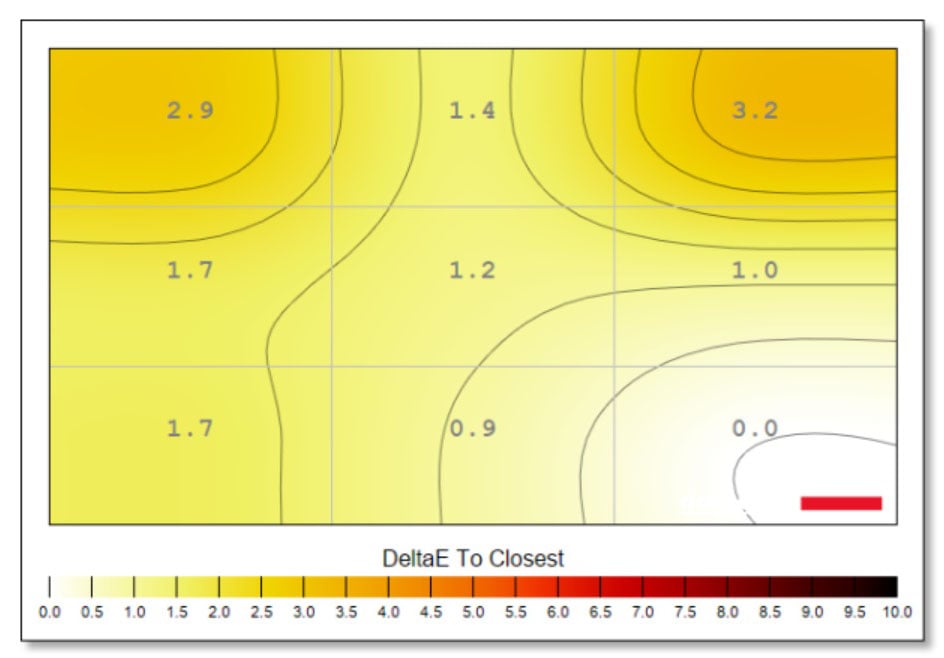
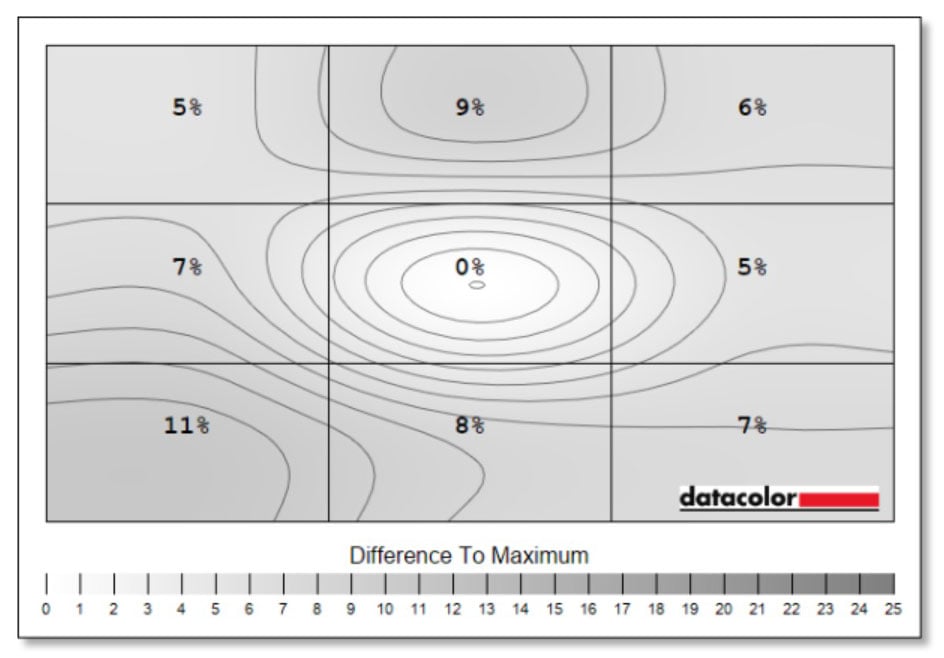
Colour uniformity is generally solid, with the exception of the top two corners, where there’s a variation of 2 or above in the Delta E. Even there, though, this is a decent result that you’re unlikely to see with your own eyes. As a point of comparison, the much more expensive Philips Brilliance 5K 27E3U7903’s Delta E shifts to over 5 in the bottom right corner.
Meanwhile, luminance uniformity isn’t perfect, as is often the case with IPS and VA screens using an LED backlight. However, variation only peaks at 11% in one area of the screen, and it’s otherwise under 10%, which is what we like to see.
Efficiency
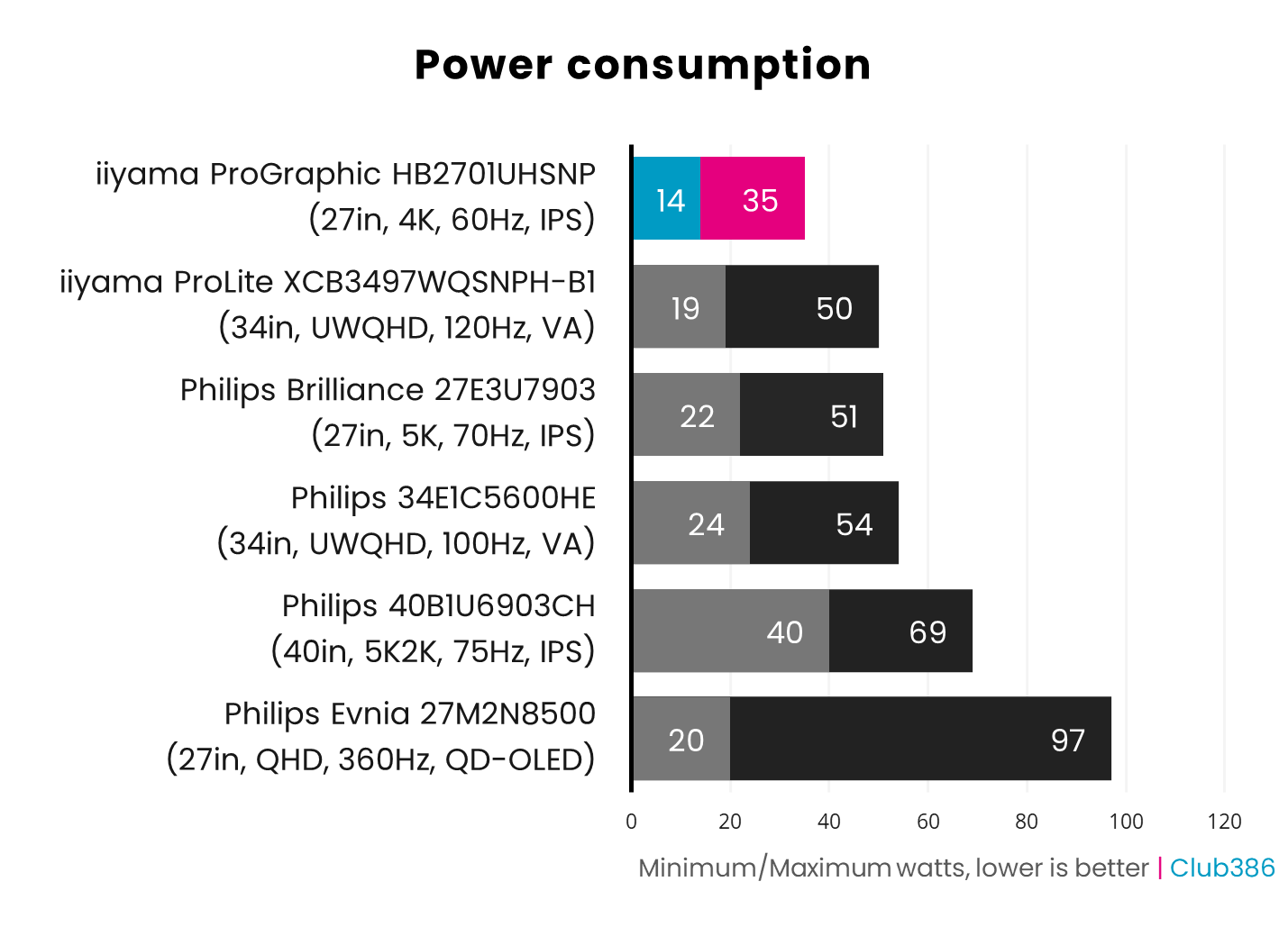
Finally, I’m mightily impressed by the power-efficiency of this bright, high-contrast monitor. It pulls just 14W from the mains at its lowest brightness setting, 20W at its default of 50%, and it only draws 34W when its backlight is maxed out. The OSD even gives you a warning that your screen will consume more power if you push the brightness past 70%, but it doesn’t really need to. This is a superb result – you don’t need to worry about running up your electricity bill while using this monitor.
Conclusion
The iiyama ProGraphic HB2701UHSNP marks a new era for IPS screens, thanks to LG’s latest panel tech. With bright colours, high contrast, deep blacks, and wide viewing angles, it combines the benefits of VA and IPS in a single, great monitor. Yes, you could get even deeper blacks and higher contrast from an OLED panel, as well as pure luminance uniformity, but then you’d also take on the risk of burn-in, and some OLED screens have problems with colour fringing when viewing black text on a white background as well.
With its 4ms response time, 60Hz refresh rate, and lack of active sync support, I wouldn’t recommend this monitor for gaming, but that’s not its intended purpose. With its extensive desktop connection features, 98% DCI-P3 coverage, and top image quality, it’s ideal for creative professionals.
With its extensive desktop connection features, 98% DCI-P3 coverage, and top image quality, it’s ideal for creative professionals.
There are just a few caveats. The first is the price of £499.99, which is high for a screen with this spec in 2026, particularly when new OLED monitors now cost the same price. As I said before, though, there are definite benefits to using this enhanced IPS screen over an OLED one, and I’d rather use this iiyama screen than a cheap OLED monitor for creative work, particularly as it has a load of extra connection features.
The other slight issues are colour accuracy and Adobe RGB coverage. To be clear, this monitor’s results in both these areas are fine, and I wouldn’t usually bring them up, but other screens do even better, which makes this a bit of a disappointment for a monitor aimed specifically at professionals who value colour accuracy. If your work is strictly colour-critical, then you can find more accurate screens, but colours do also look really good on this monitor compared to ordinary IPS panels, and its contrast is great.
There’s some room for improvement here, and I’d also like firm, physical buttons for power and KVM switching, but iiyama has made a really good impression with the ProGraphic HB2701UHSNP. Proving that IPS screens can now properly reproduce blacks, while offering vibrant colours and high contrast, it’s a solid choice for creative work.
