

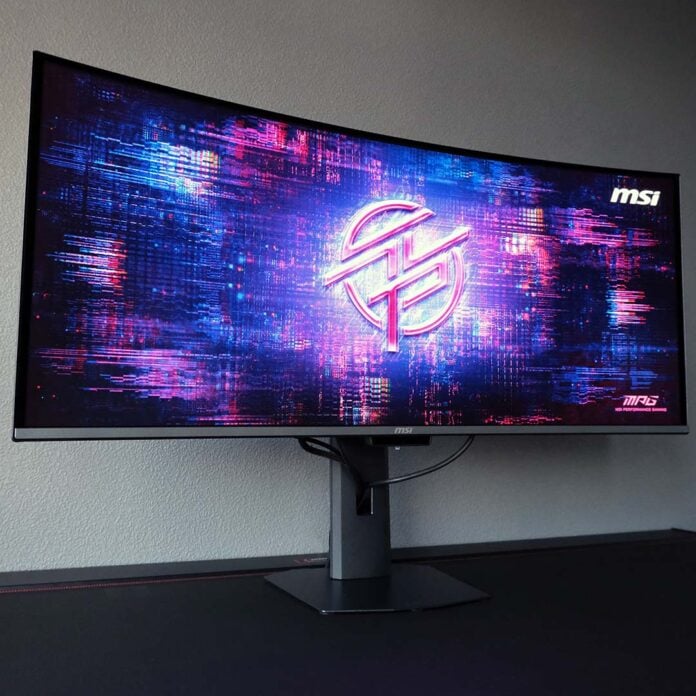
Unveiled at CES 2026, the MSI MPG 341CQR QD-OLED X36 is one of the world’s first ultrawide gaming monitors sporting Samsung Display’s latest-generation panel technology. This screen is brighter, smoother, and boasts other improvements over existing models on the market. If you were hoping for a generational leap for 21:9 displays this year, here it is.

MSI MPG 341CQR QD-OLED X36
$1,099
Pros
- Bright, colour-accurate panel
- Silky-smooth 360Hz refresh rate
- Great connections and features
- Robust OLED care system
- Three-year warranty
Cons
- Middling cable management
- High power consumption
Club386 may earn an affiliate commission when you purchase products through links on our site.
How we test and review products.
Launching at $1,099, you’ll pay a pretty sum for the privilege of taking MSI’s latest ultrawide QD-OLED gaming monitor home. Four-figure price tags are par for the course with flagship displays such as this one, but there is value in this panel beyond its on-paper specifications. Look a little closer, and you’ll find plenty of under-the-hood refinements that help justify its hefty cost.
Specifications
| MSI MPG 341CQR QD-OLED X36 | |
|---|---|
| Screen size | 34in |
| Resolution | 3440×1440 |
| Refresh rate | 360Hz |
| Response time | 0.03ms (GtG) |
| Panel technology | QD-OLED |
| Variable refresh rate | Yes (48-360Hz) |
| HDR | DisplayHDR True Black 500 Peak 1300nits |
| Ports | 3.5mm audio-out (x1) DisplayPort 2.1a (UHBR 13.5) (x1) HDMI 2.1 (48Gb/s) (x2) USB-A, 5Gb/s (x2) USB-B, 5GB/s (x1) USB-C, with 98W PD and DP Alt Mode (x1) |
| Speakers | None |
| Features | AI Care Sensor Console Mode KVM Switch MSI Mystic Light MSI OLED Care 3.0 |
| Warranty | Three-year (includes burn-in) |
| Price | $1,099 |
Design
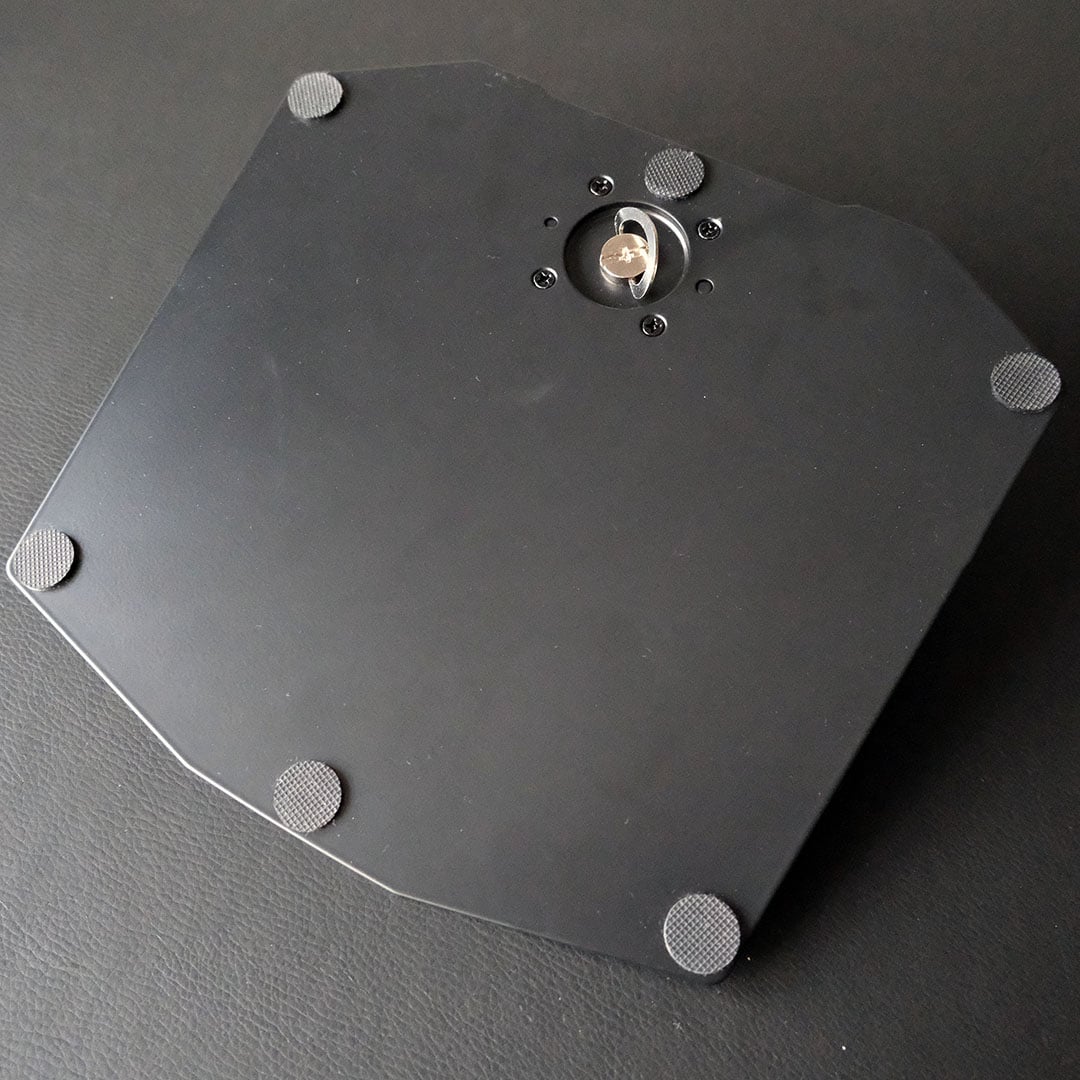
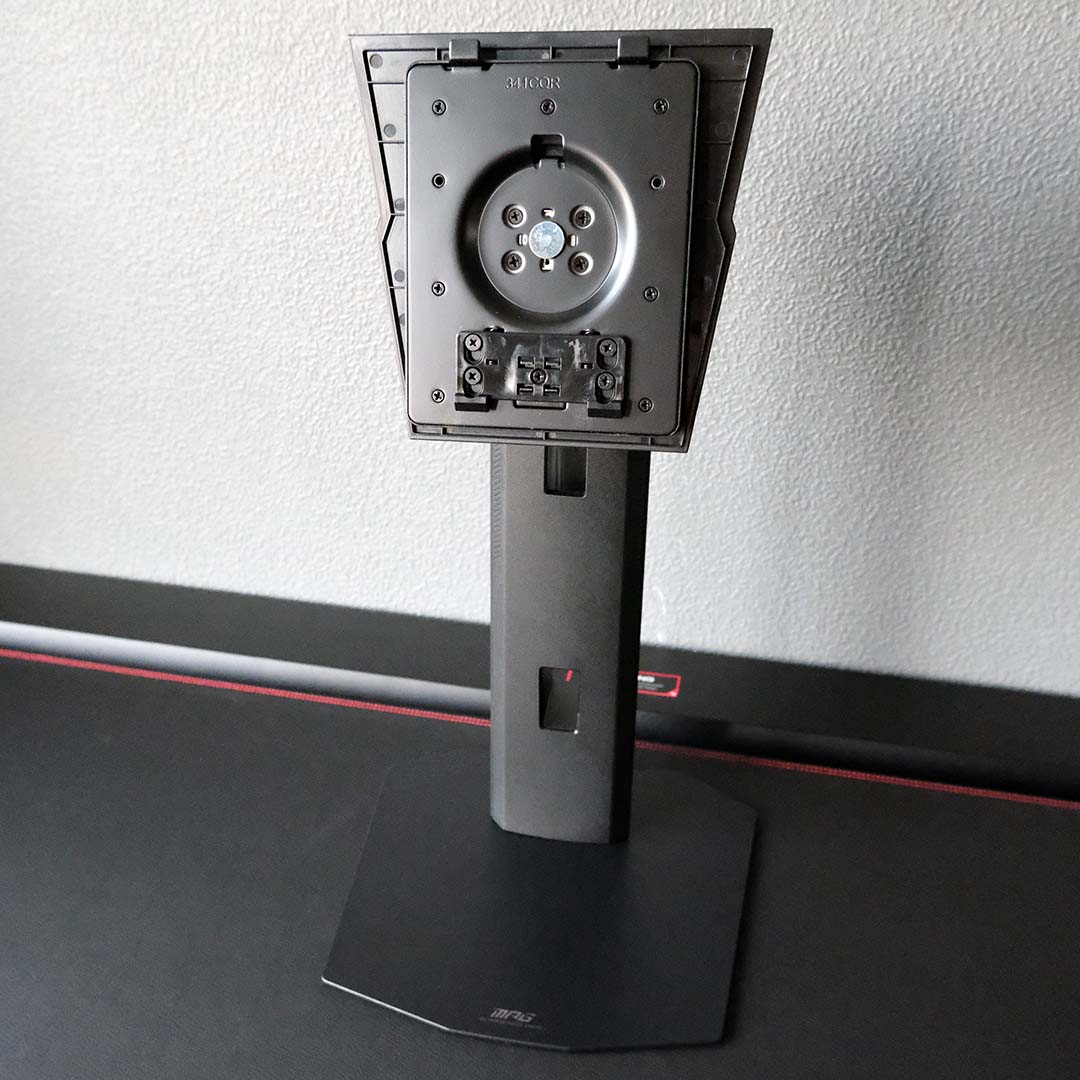
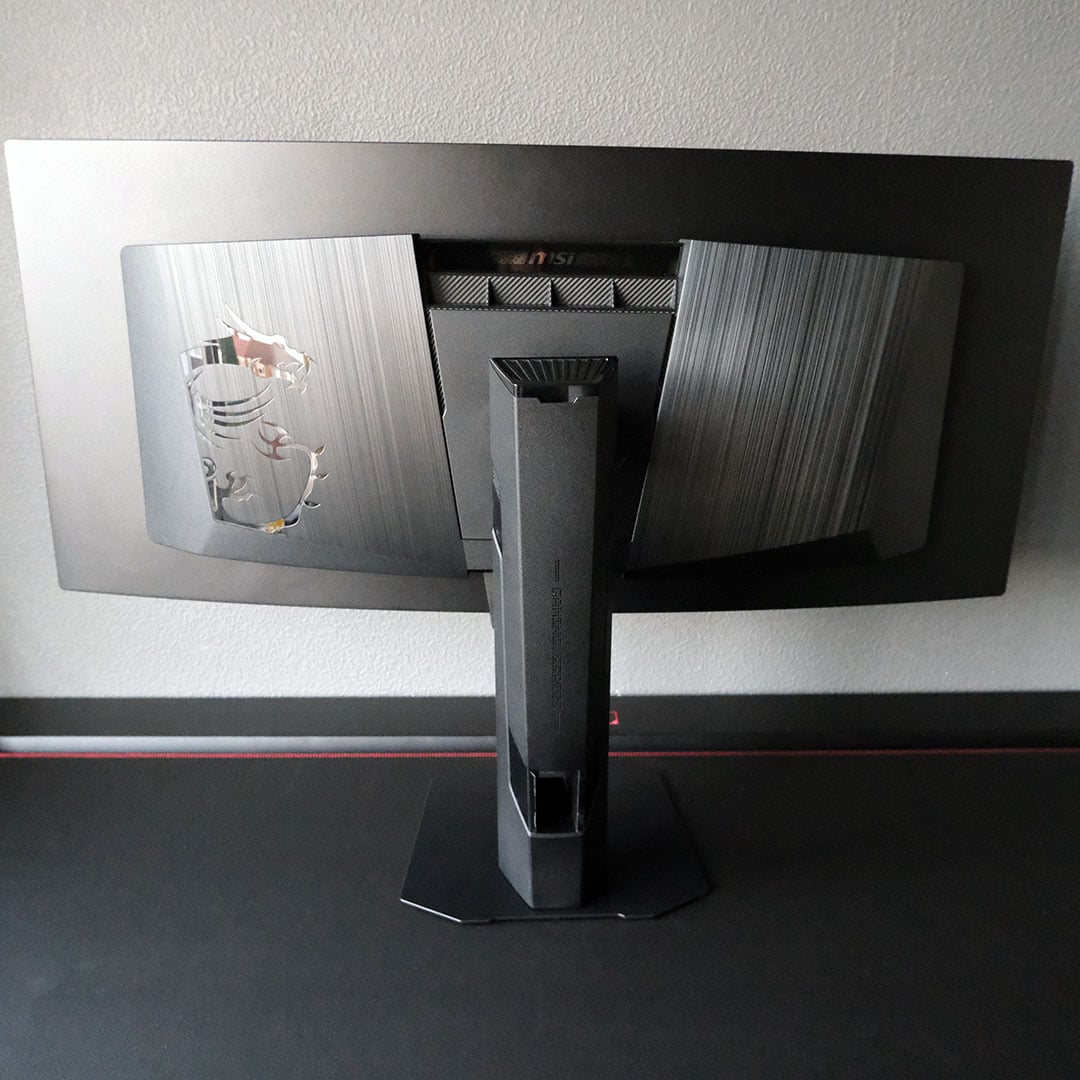
Piecing together the MPG341CQR QD-OLED X36 is easy, but its 21:9 panel’s large size naturally demands more setup space than a typical 16:9 monitor. That’s the only accommodation you’ll need to make, though, as this display marries with its stand without the need for tools.
Ultrawide monitors typically arrive with sprawling Y-shaped stands, featuring long legs that gobble up desk space, but I’m glad to see MSI adopt a less invasive design here. The new octagon base welcomingly reduces this display’s footprint by a substantial margin, without compromising on stability, thanks to its heavy metal construction.
That stand is just one part of the monitor’s broadly excellent build quality, featuring a mix of matte black metal and plastic, all with a premium feel. However, this high standard makes the stand’s lacklustre cable management stick out all the more. As I’ve said in prior reviews, I implore MSI to implement a routing shelf or similar improvement in future monitor designs.
On the ergonomic front, the stand offers up to 110mm height adjustability, alongside 20 degrees of tilt movement, a 60-degree swivel, and a 20-degree pivot. Of course, you can forgo these limits altogether with a monitor arm and 100x100mm VESA mount.
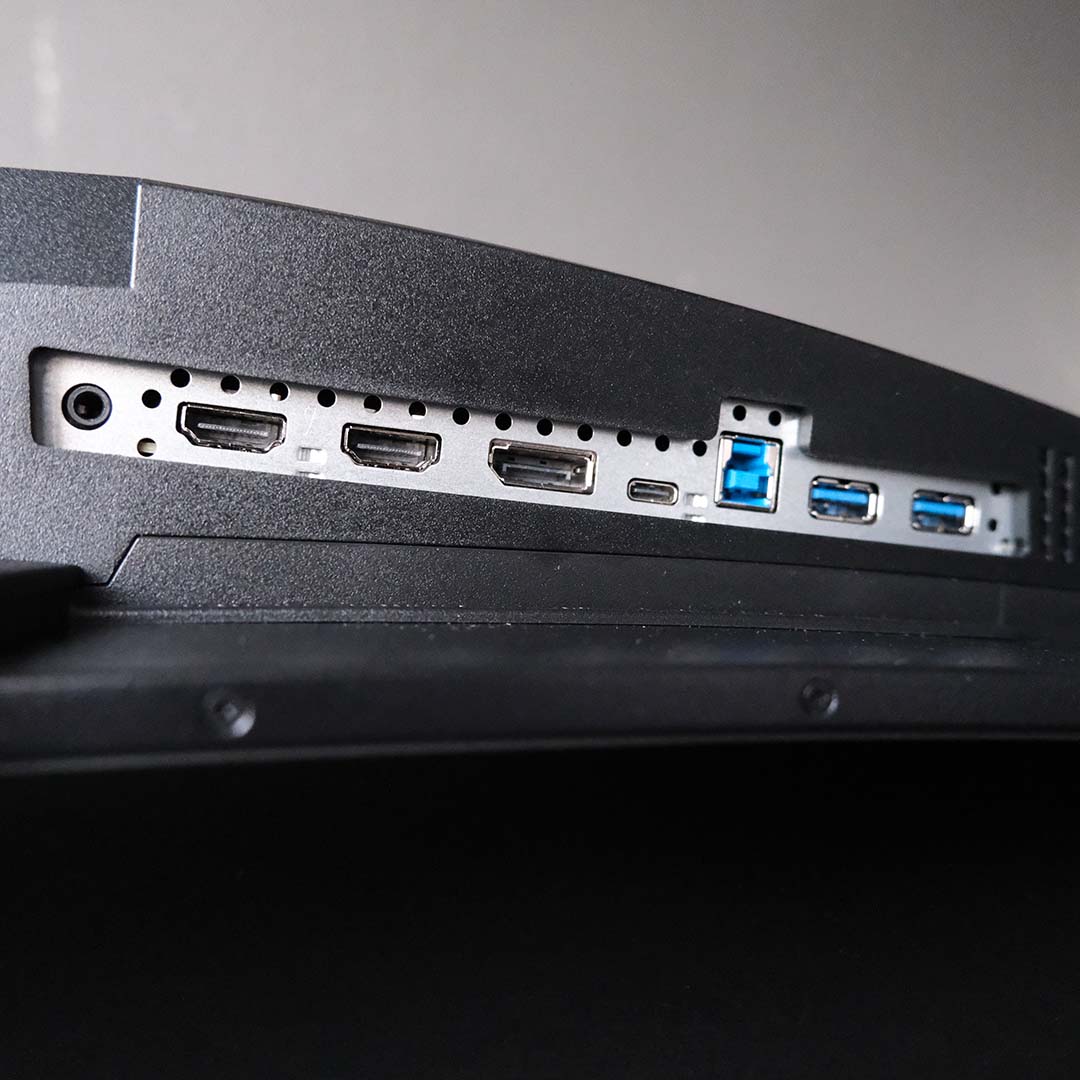
Both HDMI 2.1 ports and a lone DisplayPort 2.1a input can run the monitor at its maximum 360Hz refresh rate and UWQHD (3440×1440) resolution. However, the former will require the assistance of Display Stream Compression (DSC) for the signal to fit within the constraints of its 48Gb bandwidth. This isn’t a huge deal as far as image quality is concerned, but worth noting if you have a DP 2.1a source device, such as a current-generation graphics card.
If you’re planning to connect a Nintendo, PlayStation, or Xbox to the MPG 341CQR QD-OLED X36, then you’ll want to keep those HDMI ports free anyway for the monitor’s Console Mode. This will enable CEC for simultaneous power-on, as well as allowing the display to accept and downscale a 4K HDR signal from these systems.
The monitor also comes with a built-in USB hub and KVM switch, featuring two 5Gb USB-A inputs for your peripherals, connecting to your PC via a USB-B cable. Lastly, there’s a USB-C connection, complete with DP Alt Mode support and a whopping 98W of power delivery, perfect for conveniently connecting a laptop or handheld via a single wire.
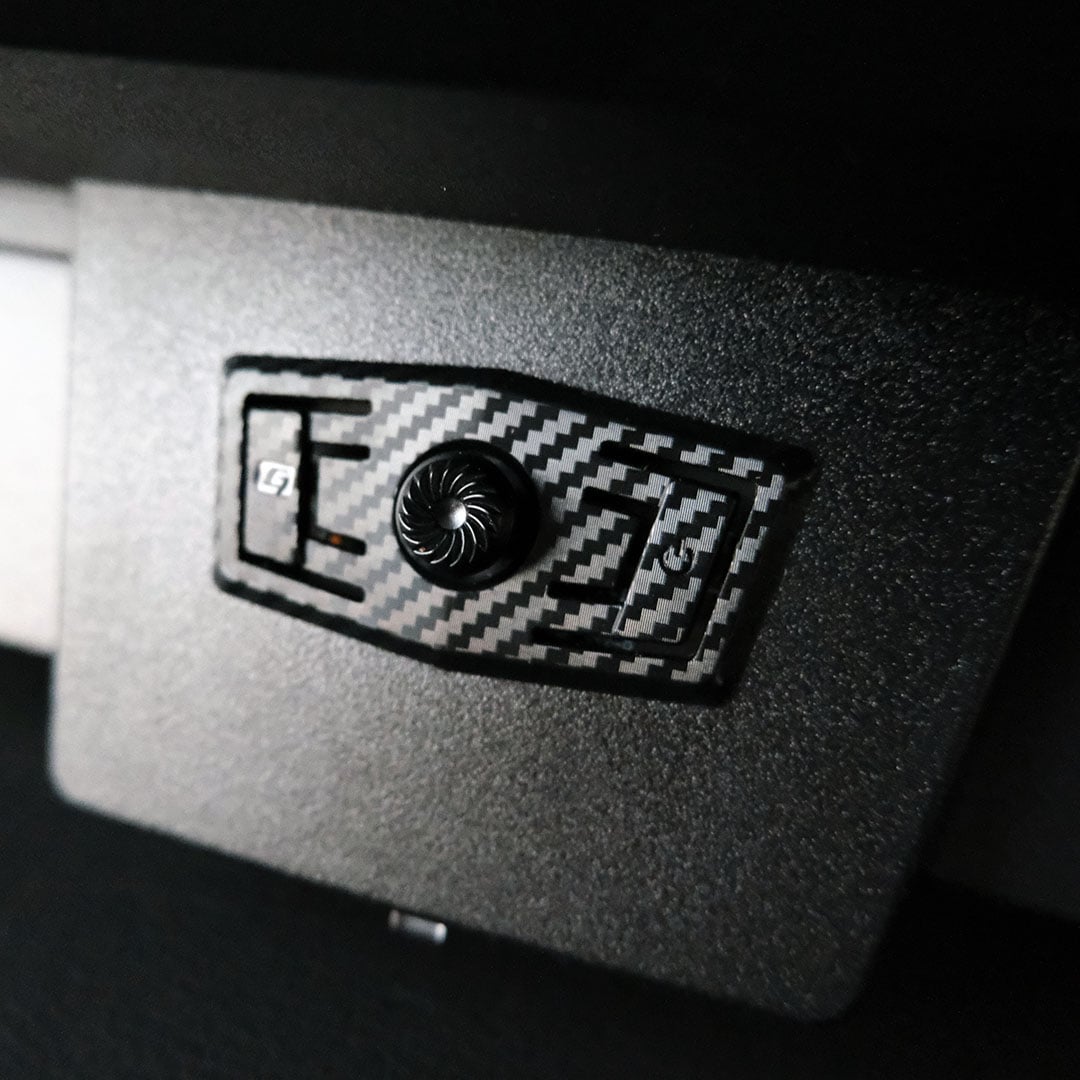
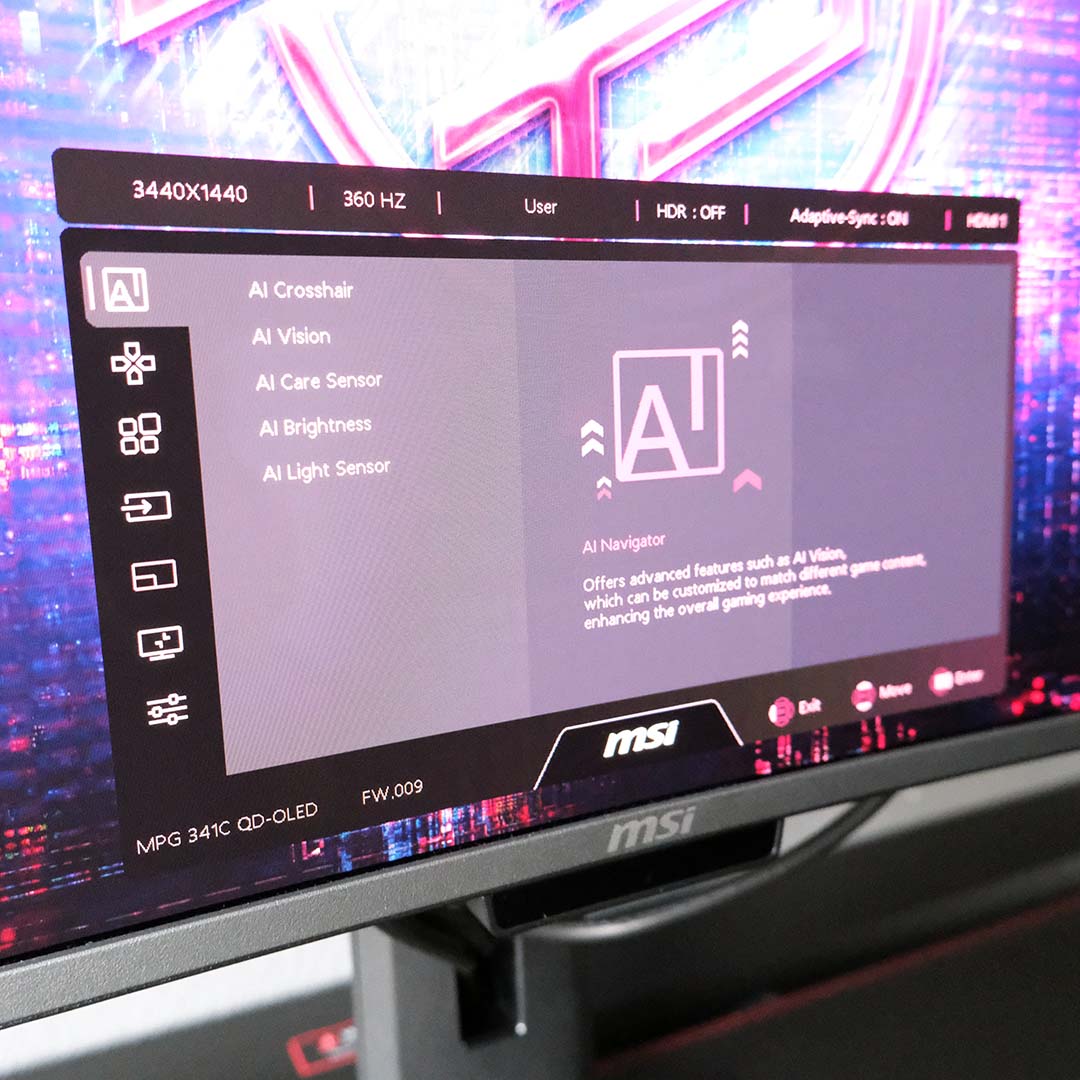
You can access and configure the on-screen display (OSD) via a joystick at the back of the monitor, which you’ll find by reaching around the centre of its chin. This display will be compatible with MSI Gaming Intelligence following an update to the application, but that version isn’t available to me for testing.
There’s a wealth of useful options nesting inside all these menus. From simple brightness sliders and colour gamut clamps, to forced aspect ratios, as well as toggles for the likes of Adaptive Sync and more. Truthfully, there’s little reason to venture into these menus, given the out-of-the-box configuration is so solid (more on that later), but credit to MSI for affording so much room to tinker.
New to the MPG 341CQR QD-OLED X36 is HDR customisation. Through the OSD, you can tweak the peak brightness for varying window sizes across 14 steps, using the TrueBlack 500 or Peak 1300 preset as a base. It’s a cool tool to have, but one that’s of most use to hardcore display enthusiasts.
You can also outright disable a wealth of MSI OLED Care 3.0’s burn-in protection measures if you want. This will net small benefits to brightness in some fringe cases, but I’d personally recommend leaving them alone to prolong the panel’s lifespan. Truthfully, I don’t notice any of these features in day-to-day use, which is exactly how this suite should operate – like an invisible shield.
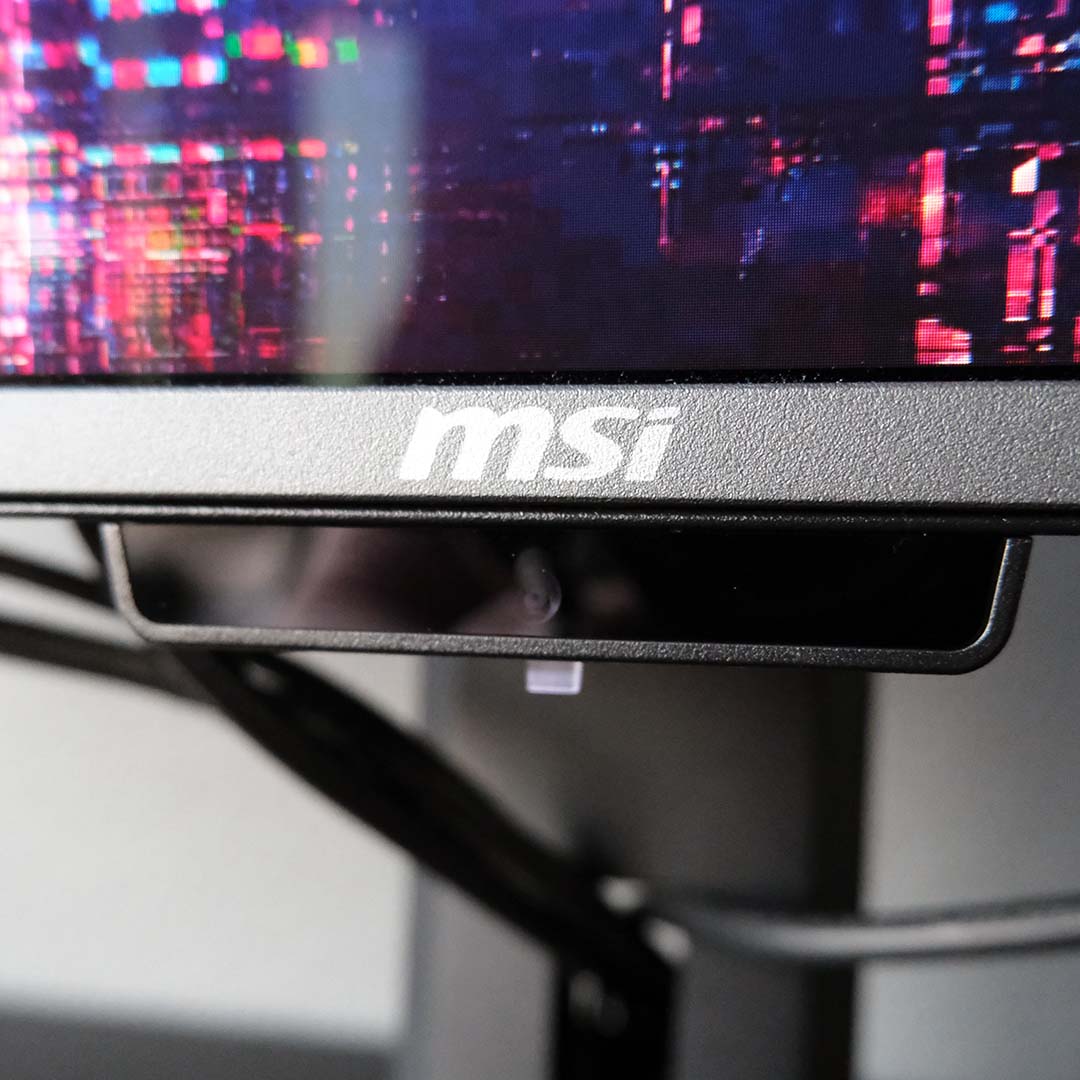
Lastly, let’s talk AI Care Sensor. This is the same feature you’ll find on the MPG 271QR QD-OLED X50, quietly residing at the monitor’s bottom-centre area. It uses a built-in neural processing unit (NPU) to detect whether you’re in front of the screen or not, toggling a suite of features accordingly.
The most useful features that the sensor brings to the table are ‘Wake on Approach’ (WoA) and ‘Lock on Leave’ (LoL). As their names indicate, these features will put the monitor in standby when you step away and automatically power it on again upon your return. The wake time is a little slow for my liking, but it’s a useful aid in providing further burn-in protection.
I still find ‘AI Brightness’ and ‘AI Light Sensor’ more trouble than they’re worth, however. The former analyses ambient room lightning and shifts the panel’s brightness to values it believes are most appropriate, while the other takes that same data and adjusts colour warmth. Both are distracting in practice, failing to settle on particular settings despite there being no change in my office.
Note that the AI Care Sensor achieves all this through scans via its lens every 0.2 seconds. However, MSI reassures me there’s no risk to privacy on account of the sensor processing all data in real-time with no long-term storage. Regardless, the brand doesn’t enable this feature on the MPG 341CQR QD-OLED X36 out of the box.
Performance
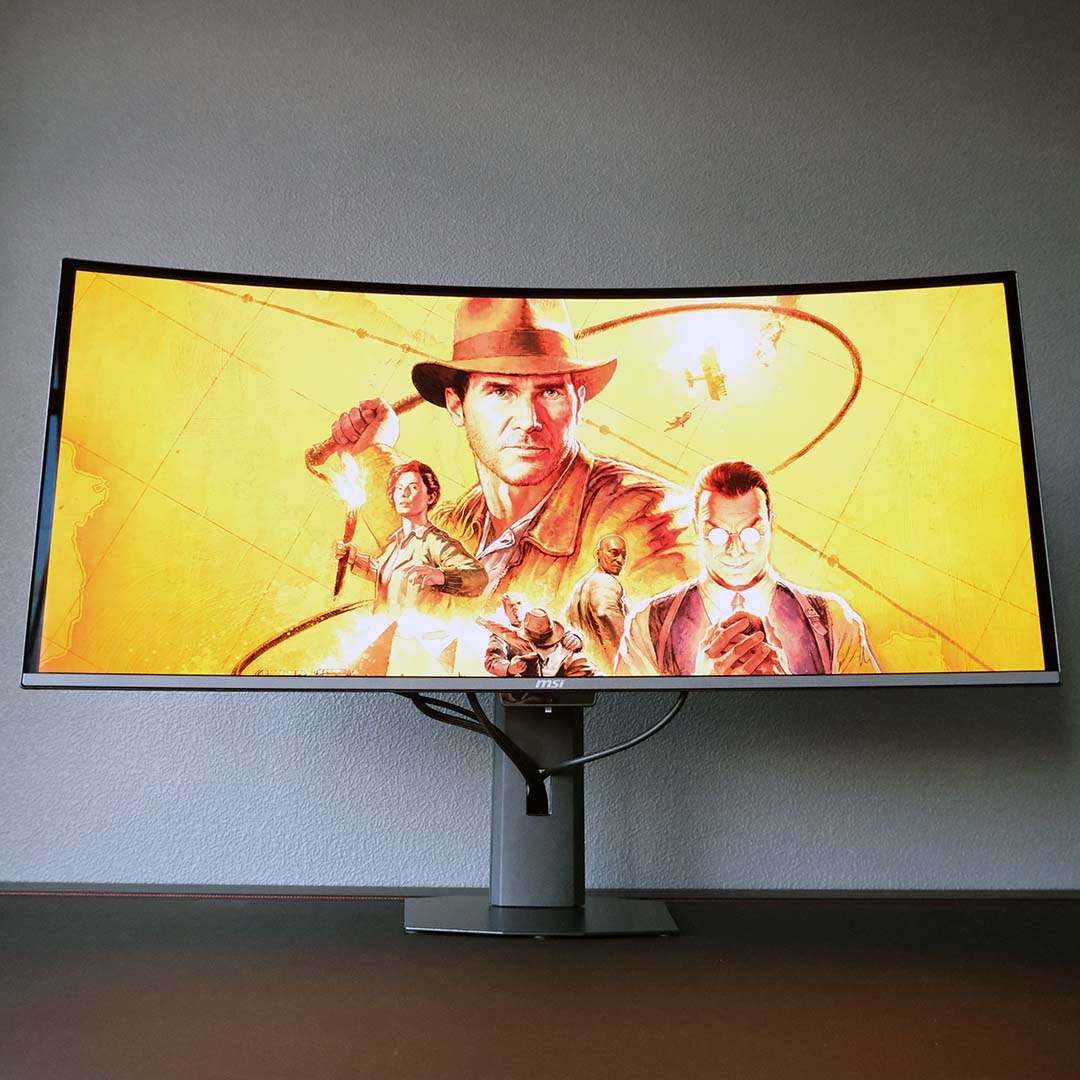
I haven’t sat down with an ultrawide gaming monitor since the MPG 341CQPX QD-OLED crossed my desk back in mid-2024, making the switch from my Alienware AW3225QF all the more striking. While the larger, wider screen initially bedazzled me, it’s the generational enhancements this panel offers that continue to impress me even after a month of use.
MSI’s MPG 341CQR QD-OLED X36 is one of the first ultrawide monitors to sport a fifth-generation QD-OLED panel. This latest iteration arrives with an ‘RGB Stripe’ subpixel layout, replacing prior triangular layouts, finally ridding the display technology of fringing artefacts. Text in particular benefits the most from this improvement, as it removes the chromatic aberration-like effect from character edges.
Other generational improvements include higher peak brightness levels, meeting the VESA DisplayHDR TrueBlack 500 certification requirements, up from TrueBlack 400 on prior efforts. Both SDR and HDR benefit from this boost, improving the pop and contrast of specular highlights, as well as the panel’s usability in brighter environments through better average picture level (APL).
MSI also ships this monitor with what it calls a ‘PureBlack QD-OLED’ coating. This addition aims to reduce the greying effect that often occurs on QD-OLED monitors by improving ambient light absorption. The result is impressive, providing deeper blacks in bright environments.
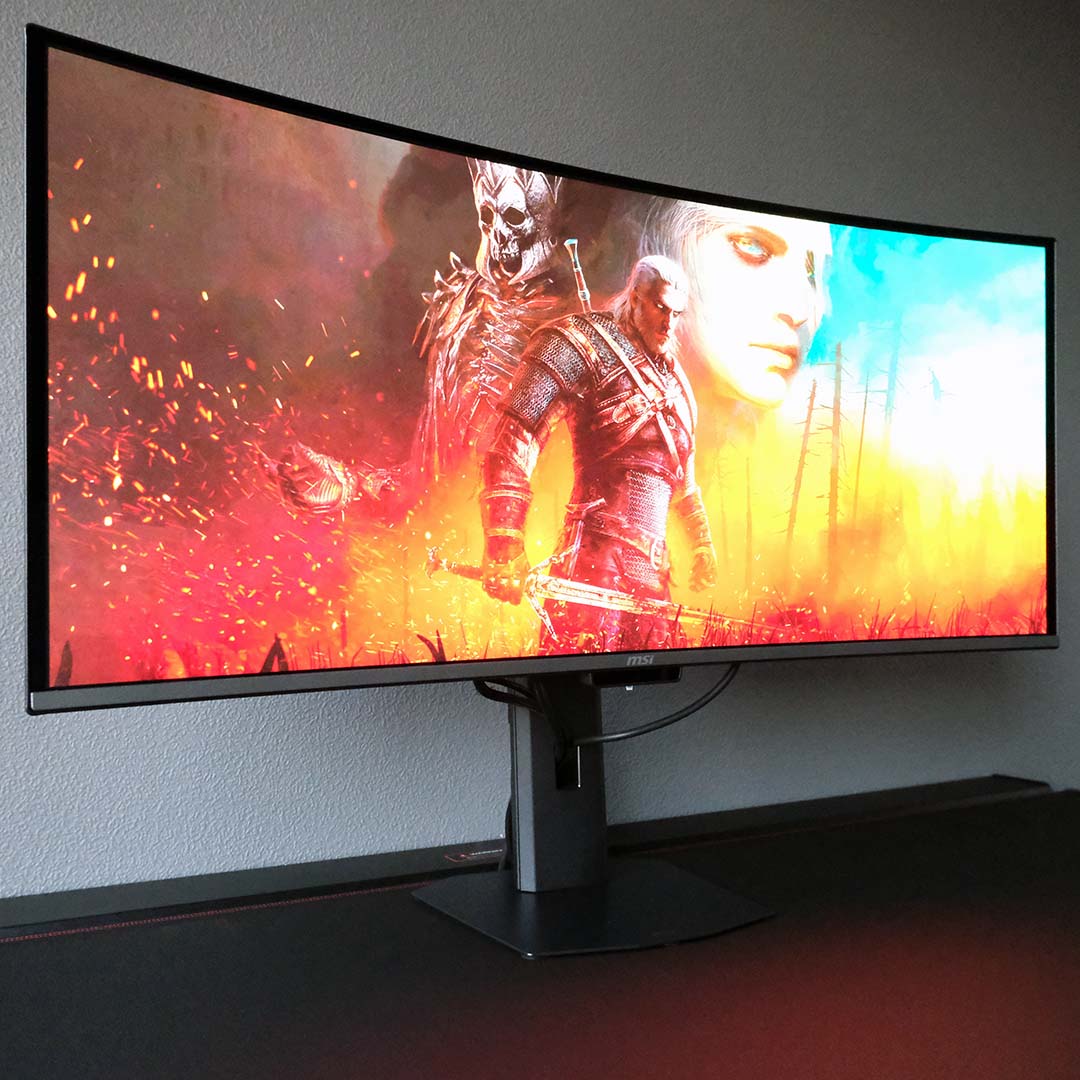
While we’ve seen UWQHD QD-OLED panels before, none have run at 360Hz until now. This increase in refresh rate reduces frame-time persistence to as little as 2.8ms, making for wonderful input latency and motion clarity. Make no mistake, this is a better experience than 240Hz screens offer, but the difference between them isn’t transformative.
Of course, achieving 360fps in most games, let alone at UWQHD resolution, is a difficult task. You’ll need high-end hardware to unlock the full potential of this monitor, but upscaling and frame generation suites will cut this tall order down to a more manageable size. On the plus side, QD-OLED’s near-instant pixel response time is consistent across refresh rates, unlike LCD alternatives, so you can expect zero ghosting or overshoot, whatever your frame rate.
As one should expect from a premium monitor of MPG 341CQR QD-OLED X36’s ilk, Adaptive Sync keeps pesky frame tearing at bay. There’s strangely no formal AMD FreeSync or Nvidia G-Sync certification here, but both my Radeon RX 9070 XT and GeForce RTX 5090 ran their respective variable refresh rate tech features without issue.
While this screen is smooth, it’s no slouch in terms of sharpness either. The spread of 4.95M pixels across the 34in panel makes for 110 pixels per inch (PPI), almost identical to the 109PPI you’ll find on a 27in QHD display.
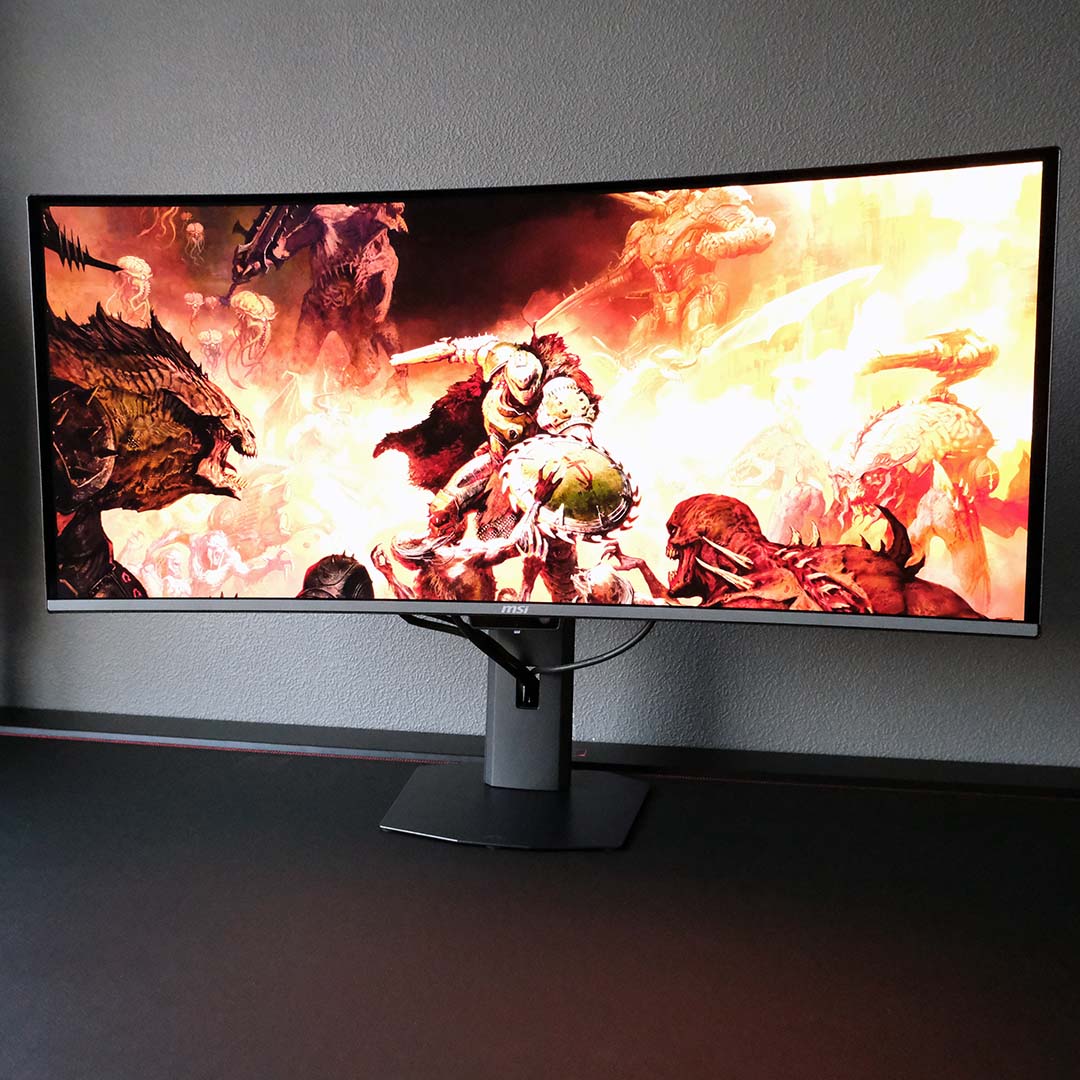
The main advantage of UWQHD gaming monitors is the wider field of view they provide. This makes them excellent choices for first-person simulator games, but I found it improved first-person shooter games as well. Flitting through Doom: The Dark Ages, as well as Indiana Jones and the Great Circle, the extra screen scape proved invaluable in some clutch moments, while also heightening my immersion in each title.
Personally, I think UWQHD shines brightest in open-world third-person games. The Witcher 3: Wild Hunt and God of War Ragnarök simply look stunning on this monitor, their expansive worlds feeling all the larger than they would on a standard 16:9 screen. It’s difficult to return to a narrower aspect ratio once you’ve experienced gaming like this.
Support for 21:9 displays is more commonplace in the modern era, but you should still prepare for instances of pillarboxing. This is most obvious on 16:9 video content, but some games, such as Elden Ring Nightreign and Valorant, won’t take advantage of the extra pixels the MPG 341CQR QD-OLED X36 offers. Thankfully, the inky blacks of its OLED panel make ignoring the dead space all the easier.
I’ll discuss the technical credentials of this monitor shortly, but now’s as good a time as any to tease this screen’s splendour. Both SDR and HDR content look gorgeous on this panel, thanks to wonderfully vibrant colours and per-pixel local dimming providing sublime contrast across all content.
Colours
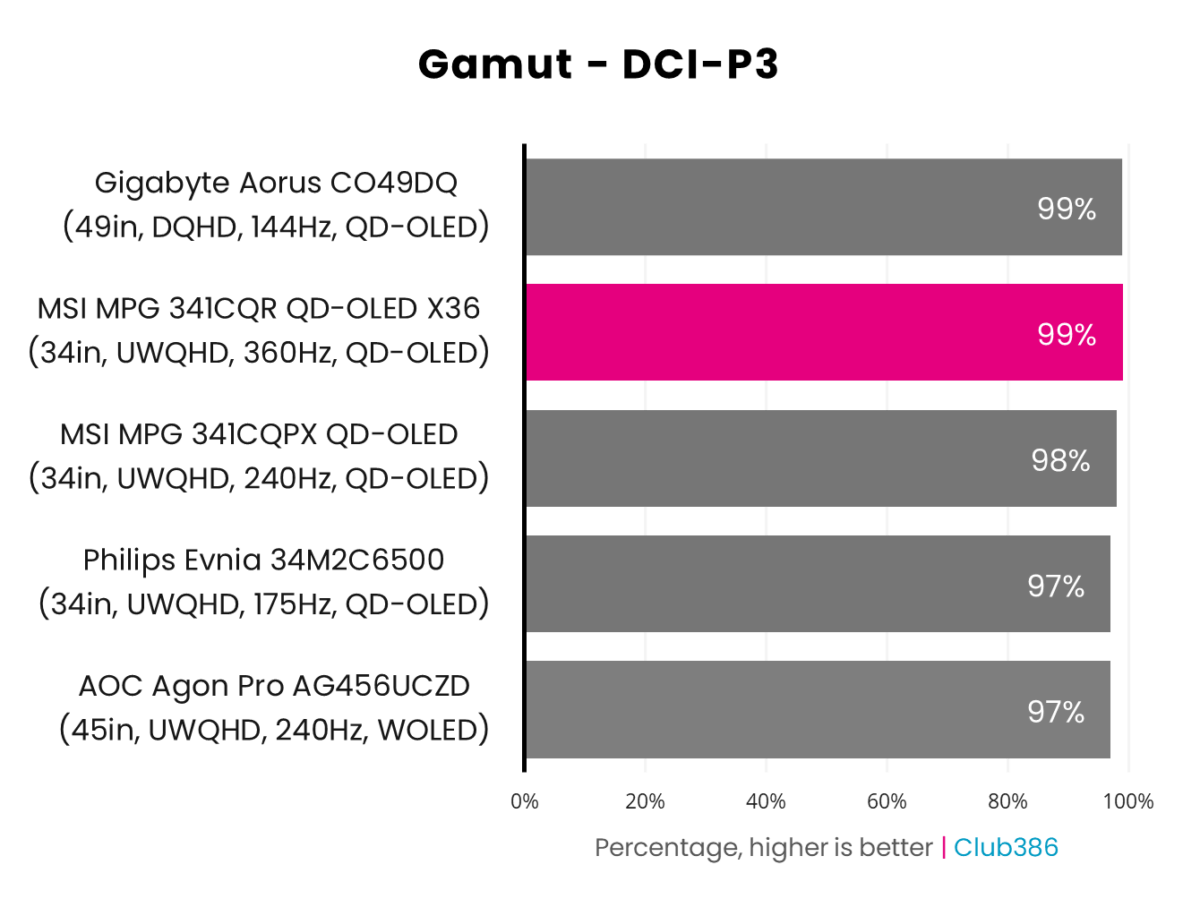
Gamut coverage on the MPG 341CQPX QD-OLED keeps pace with other QD-OLED monitors. We’re looking at 99% DCI-P3 coverage, meaning there’s practically no stone left unturned for the broader colour palette of HDR content.
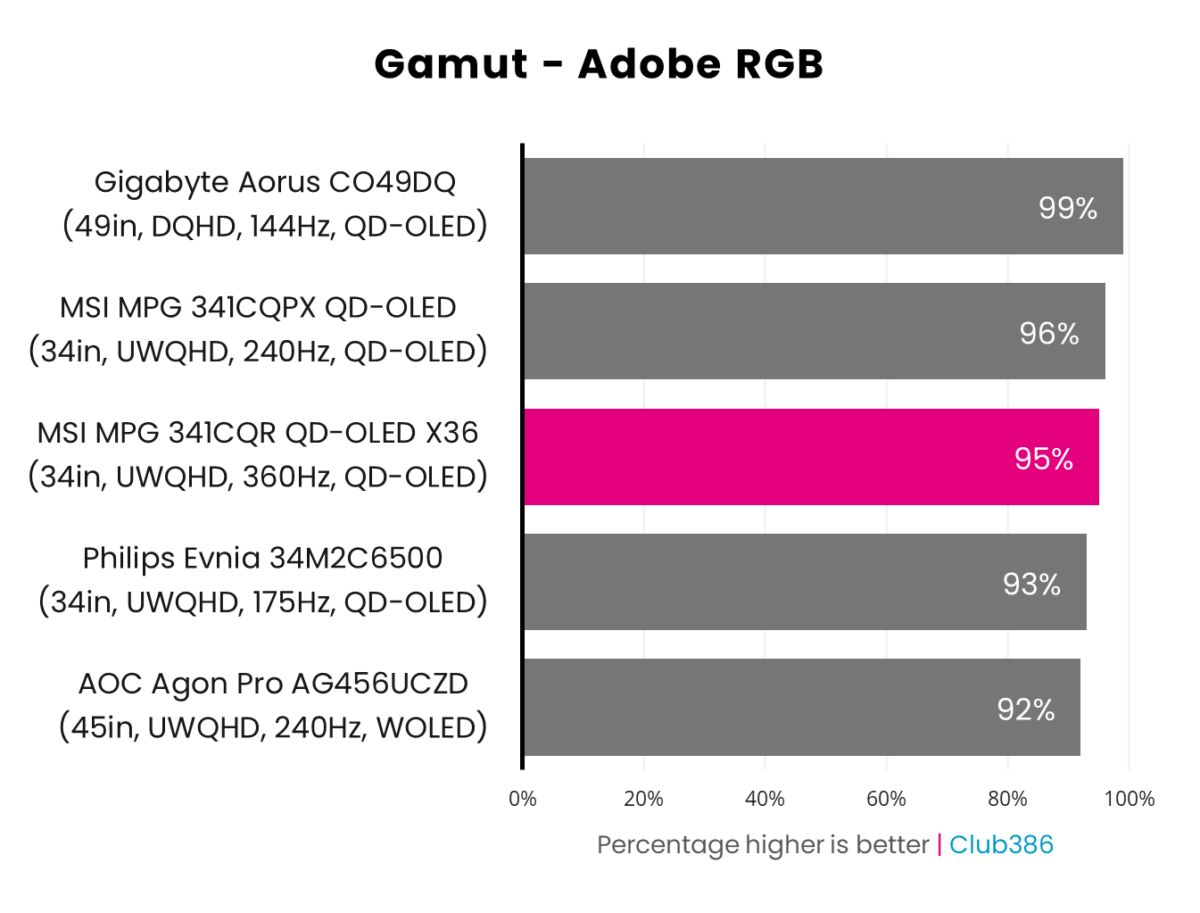
Shifting up to Adobe RGB, MSI’s monitor does well with 95% coverage. That’s a great result, as few other monitors we’ve tested boast 96% and above Adobe RGB coverage.

Sporting a 0.63 Delta E average in its default ‘Eco’ mode, the MPG 341CQR QD-OLED X36 offers exceptional colour accuracy. Better still, inaccuracies peak at a mere 1.54 Delta E, so there are no outliers spoiling the precision of this panel.
Shifting up to ‘User’ mode doesn’t move the needle much. The monitor’s average Delta E shrinks to 0.59, but its maximum increases to 1.80. Even so, this is the mode I’d prefer to use on account of its higher perceived brightness and saturation. I’m just glad I don’t have to choose between a satisfying viewing experience and colour accuracy.
Brightness
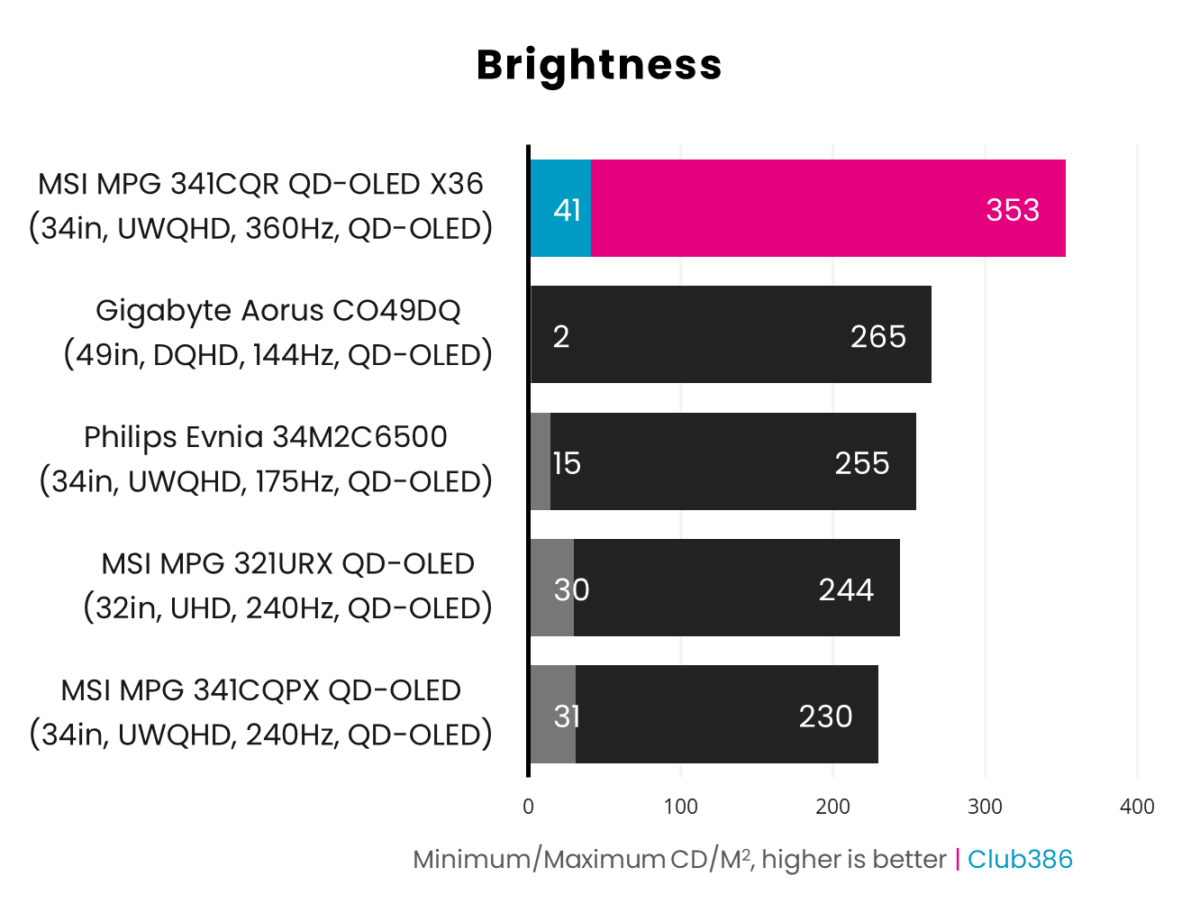
The fifth-generation panel inside the MPG 341CQR QD-OLED X36 is much brighter than prior efforts. We’re looking at a substantial 33% improvement in maximum brightness over the previous top dog, Gigabyte’s Aorus CO49DQ.
You can expect 353nits at 100% brightness out of the box, in SDR. This is still dim by IPS or even VA standards, but this uplift goes a long way toward appreciably narrowing the gap.
However, HDR is where this panel truly shines. The VESA TrueBlack 500 certification promises a minimum of 500nits on an 8% window, and 300nits on a full-fill white output. Alternatively, you can enable the monitor’s ‘Peak 1,300’ mode to push up this ceiling to a whopping 1,300nits, but this comes at the expense of overall image brightness.
However you look at these results, this remains one of the brightest OLED monitors on the market.
Uniformity
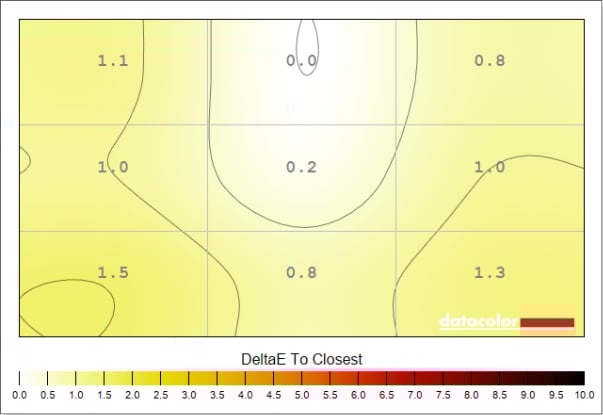
Colour uniformity is expectedly tight on this QD-OLED panel, only deviating by a practically imperceptible 1.5 Delta E. Wherever your eyes fall across this ultrawide display, you can expect accurate colours.
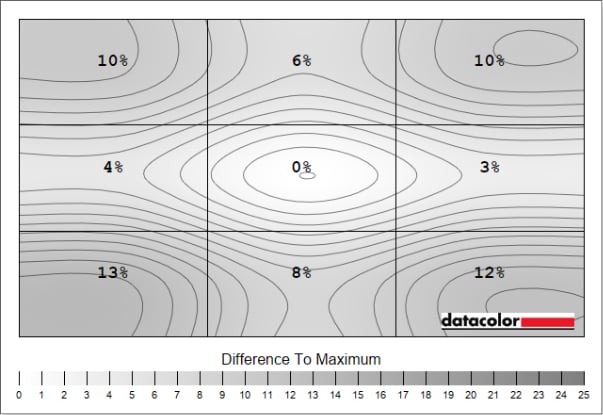
Curiously, the MPG 341CQR QD-OLED X36 is the first QD-OLED monitor we’ve ever tested that my test equipment reports as having notable deviations in luminance uniformity. There’s nothing untoward with brightness that I can see, though, nor would I expect these results from a self-emissive panel, which doesn’t have to contend with a backlight.
As such, I’m of the belief that there’s some incompatibility at play with my test equipment and the monitor itself. Perhaps the new subpixel structure or PureBlack coating is throwing the sensor. Alternatively, there could be a fault with my early production model. I’ve contacted MSI for comment regarding this potential issue.
Power
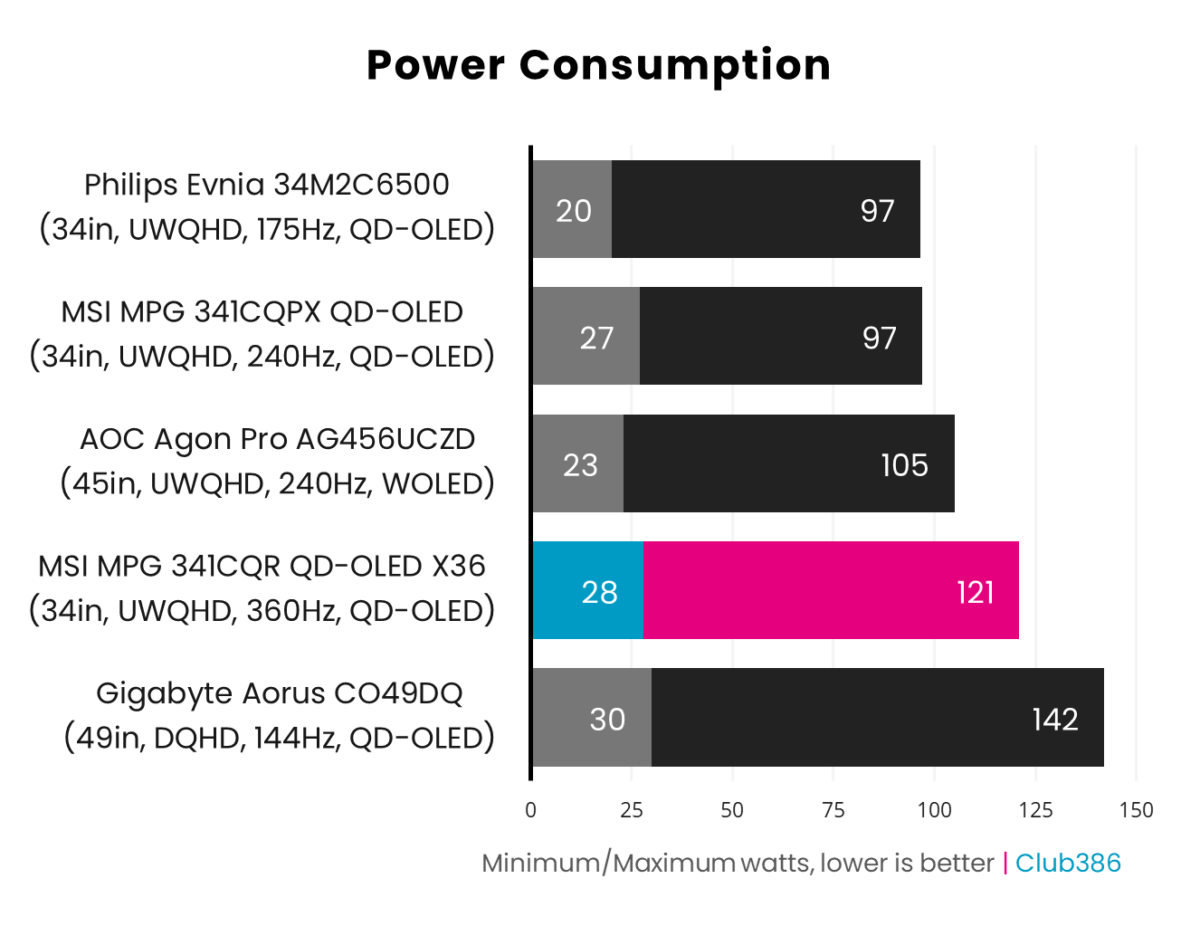
The higher brightness of this fifth-generation panel comes at the expense of greater power consumption, with the MPG 341CQR QD-OLED X36 drawing up to 121W while displaying a full-fill white scene. That’s the highest draw I’ve recorded on a UWQHD QD-OLED monitor, pipping the 45in AOC Agon Pro AG456UCZD by 16W.
Driving each individual pixel instead of a singular backlight comes with an unavoidably higher wattage requirement – it’s a facet that self-emissive displays, such as WOLED and QD-OLED panels, have displayed since their arrival. I’m personally content to endure a higher ‘leccy bill in service of this display, but it’s worth noting that a standard LCD cuts relative power consumption by about half.
Conclusion
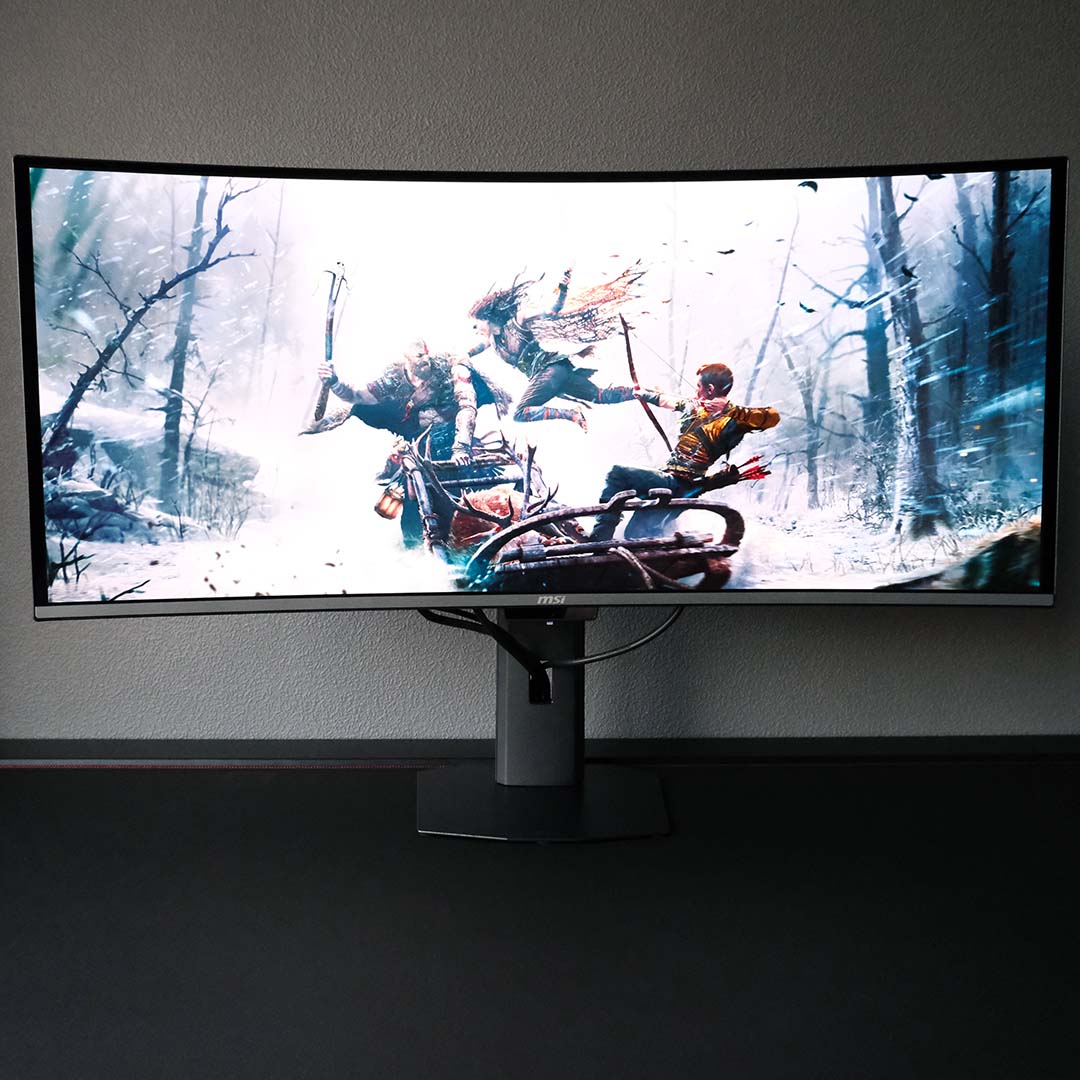
Using MSI’s MPG 341CQR QD-OLED X36 reminds me of the same excitement I had when using Alienware’s AW3423DWF back in November 2022. This monitor’s generational improvements give it similar watershed air, with long-awaited boosts to peak brightness, ambient light absorption, burn-in protections, and the total remedying of text fringing.
There are few ways to fault MSI’s new flagship, with relatively high power consumption being the only thing close to a major drawback as far as I can see. If it weren’t for the unresolved luminance deviations, I’d go ahead and award the monitor a perfect score and unabashed recommendation. For now, though, it still enjoys a coveted high score and Editors’ Choice award – there’s no other ultrawide gaming monitor I’d rather have than this one.
