
After the fiasco with Raptor Lake CPUs crashing and dying, not to mention Arrow Lake’s disappointing gaming performance, Intel really needed to pull a spectacular rabbit out of its hat with laptop-first Panther Lake. Promising a massive leap in gaming performance from its Arc B390 GPU, all while offering decent CPU performance, and keeping power draw minimal, Core Ultra Series 3 looks like it might just be that brilliant bunny.
Rather than going all out on raw CPU performance with loads of P-Cores, Panther Lake is heavily focused on power efficiency and balancing the needs of average laptop users who want to do a bit of everything. The idea is that a small, thin-and-light laptop should be able to play games without needing a power-heavy discrete GPU, while also being able to handle single-threaded and multi-threaded workloads, as well as AI work, without killing your battery.
It’s similar to the approach Intel took with previous-generation Lunar Lake, except this time there’s no memory embedded in the package, and there’s a load more CPU and GPU power. Let’s take a look at what makes this panther’s heart tick.
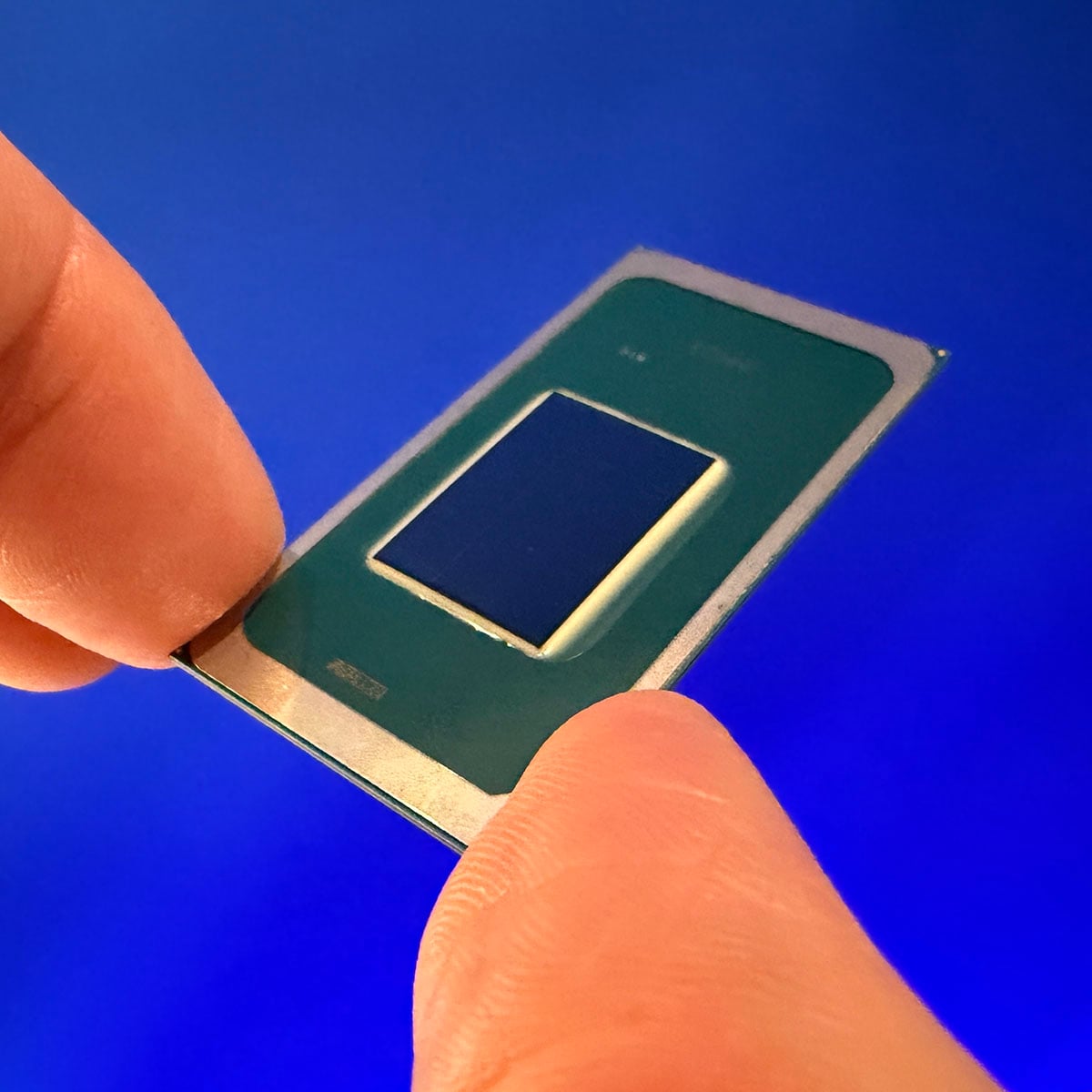

Intel Core Ultra X9 388H
Pros
- Fantastic gaming performance from iGPU
- Solid multi-threaded and single-threaded performance
- Outstanding power-efficiency
- Fast memory support
Cons
- Only four P-Cores
- Limited number of games with XeSS support
- AMD Strix Halo is faster
Club386 may earn an affiliate commission when you purchase products through links on our site.
How we test and review products.
Specifications
| Intel Core Ultra X9 388H | Intel Core Ultra 9 288V | |
| Codename | Panther Lake | Lunar Lake |
| P-Cores | 4 | 4 |
| E-Cores | 8 | 4 |
| LP E-Cores | 4 | 4 |
| P-Core base clock | 2.1GHz | 3.3GHz |
| P-Core boost clock | 5.1GHz | 5.1GHz |
| Max memory | 96GB 9,600MT/s LPDDR5X | 32GB 8,533MT/s LPDDR5X (embedded) |
| iGPU | Intel Arc B390 | Intel Arc 140V |
| GPU cores | 12x Xe3 | 8x Xe2-LPG |
| Max TDP | 80W | 37W |
| NPU AI | 50 TOPS (Int8) | 48 TOPS (Int8) |
| GPU AI | 122 TOPS (Int8) | 67 TOPS (Int8) |
| L3 cache | 18MB | 12MB |
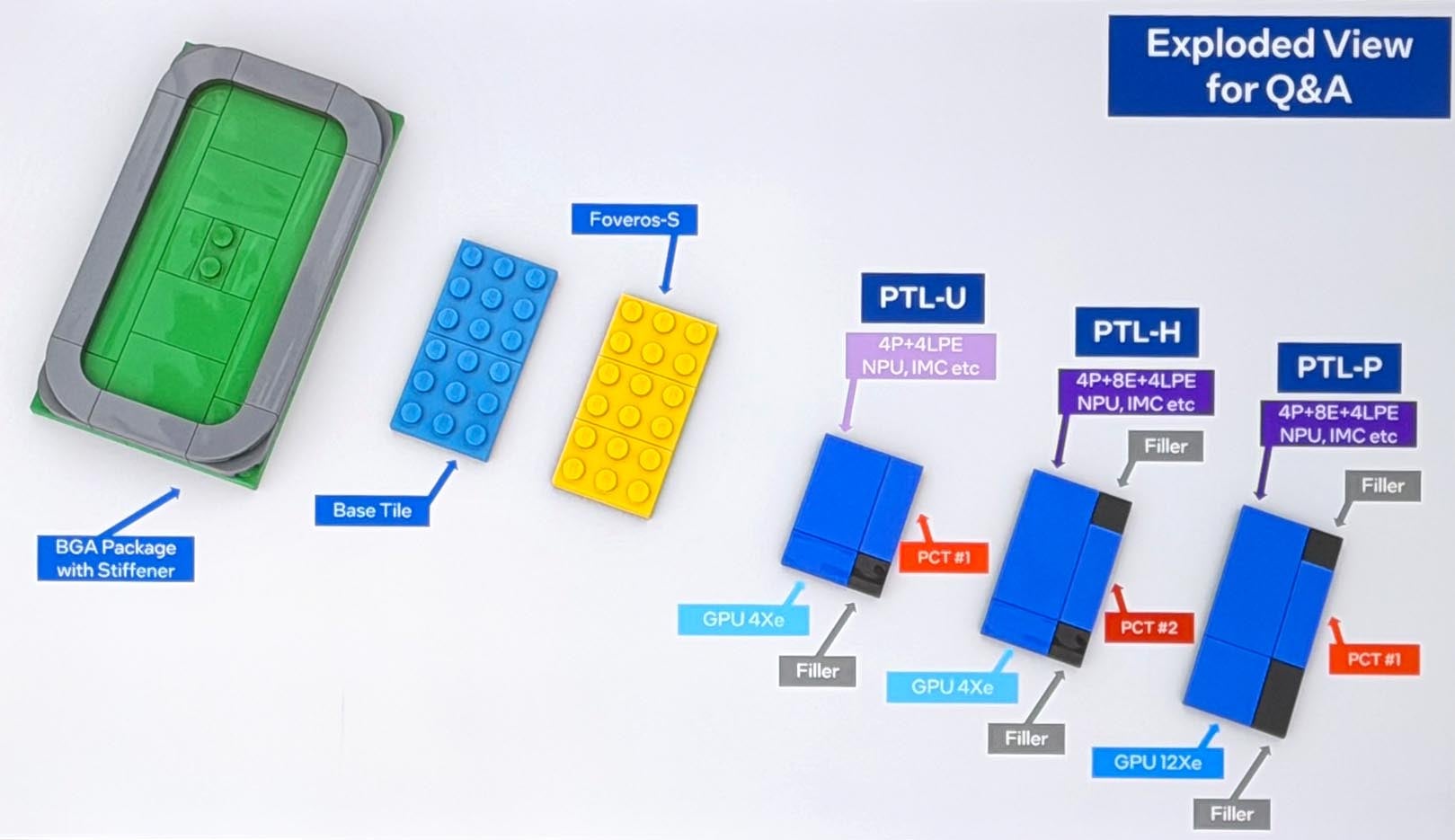
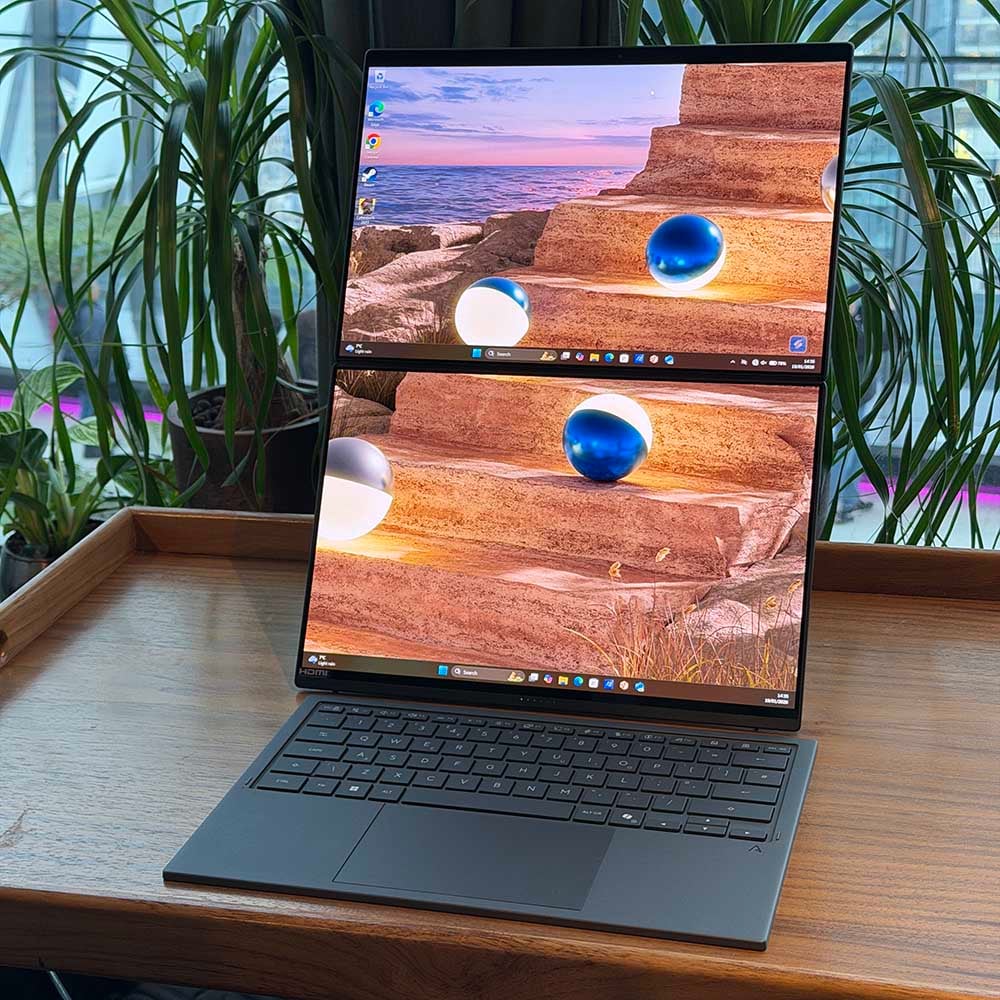
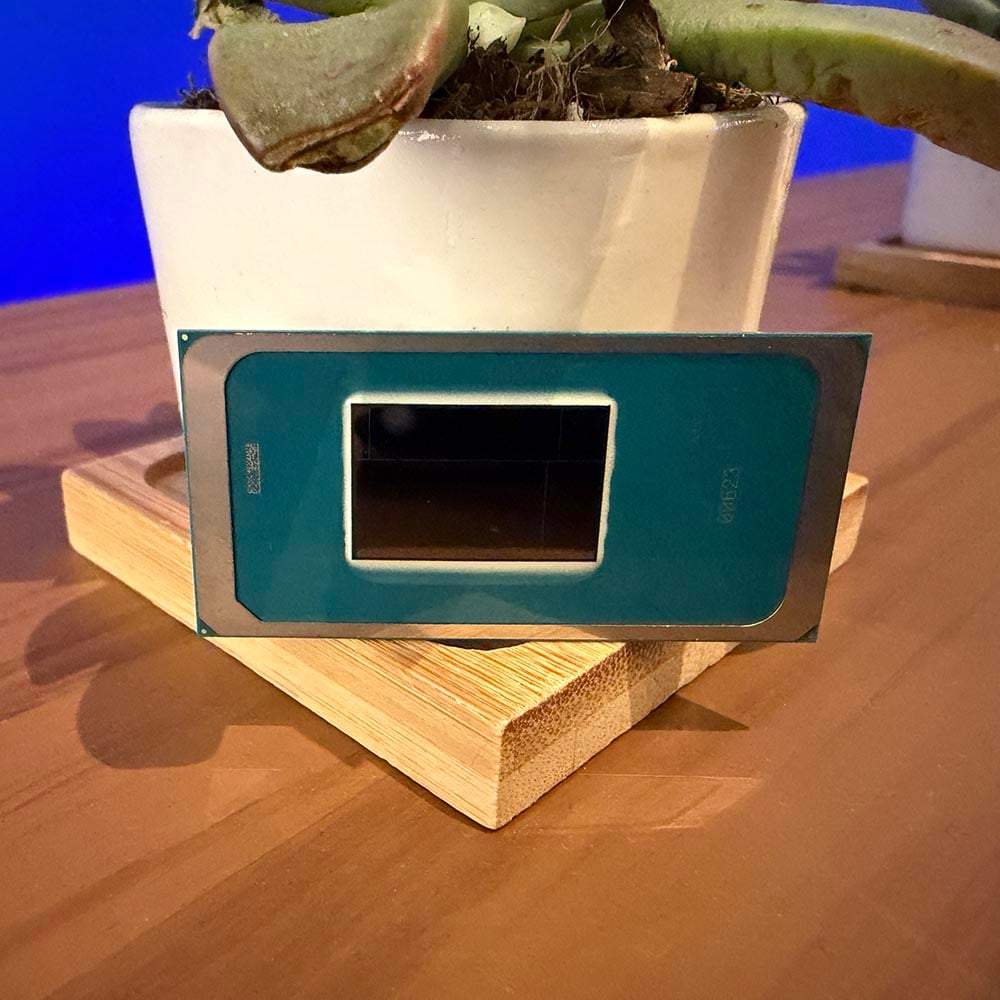
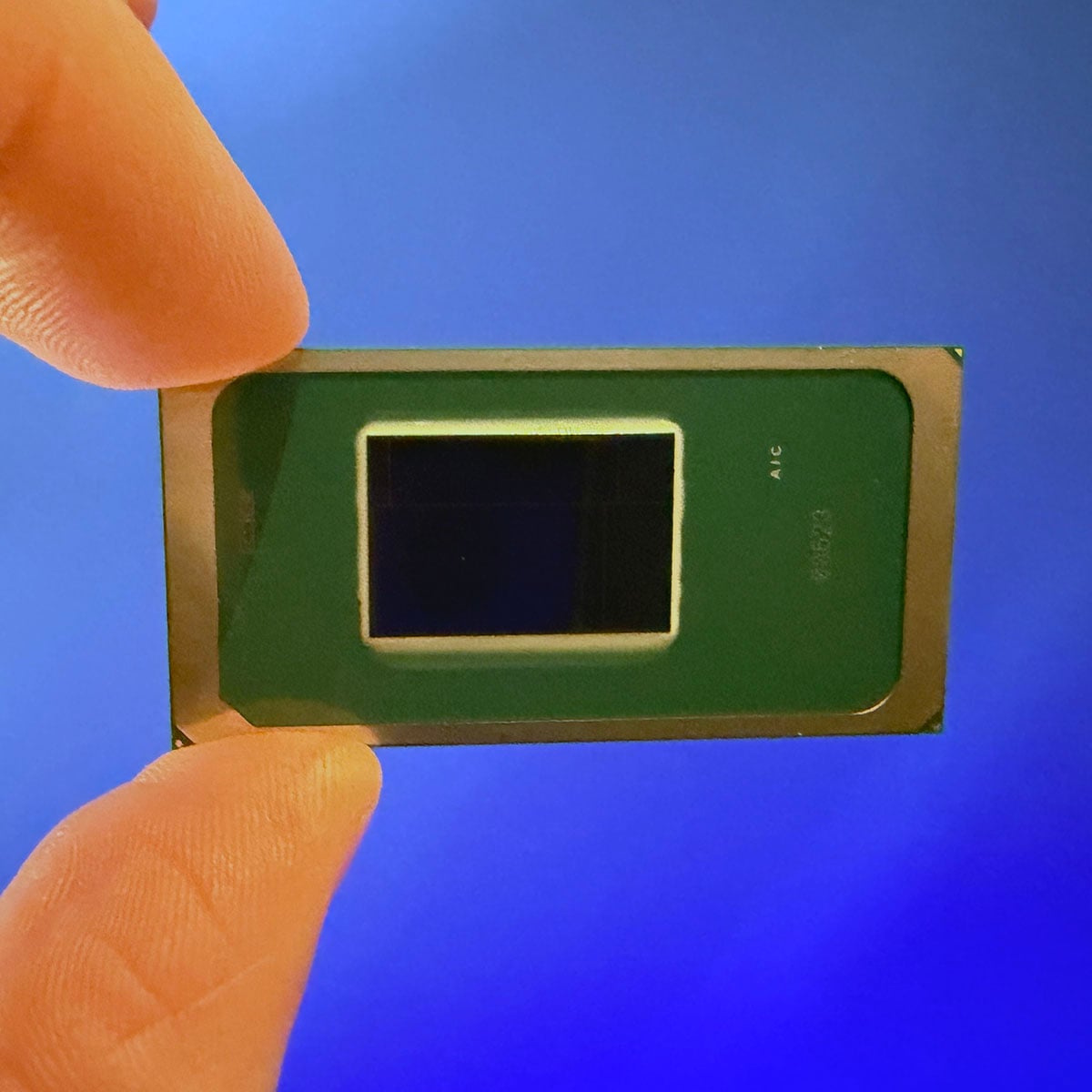
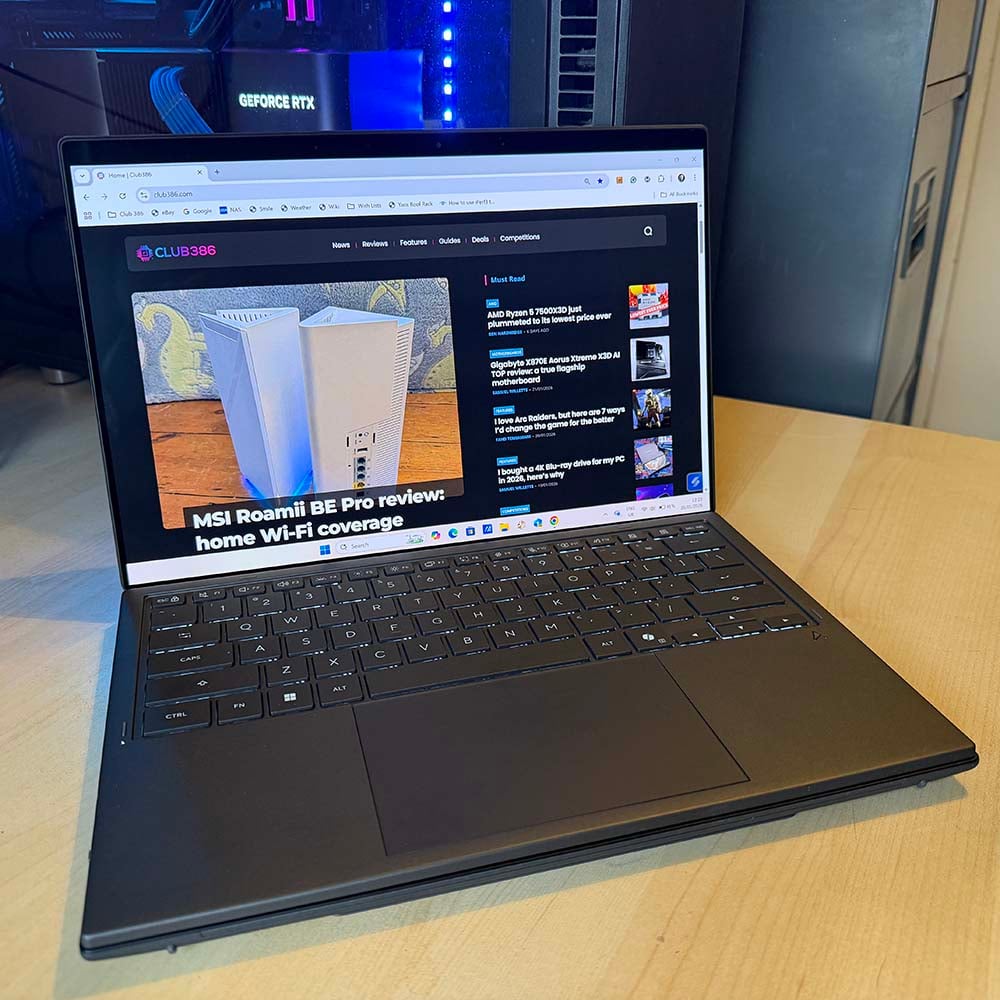
We’re testing the flagship Core Ultra X9 388H for this review, which Intel provided with a very swish Asus Zenbook 14 Duo laptop (a full review of which will also be coming soon). However, there’s a full range of chips available, all of which use the same BGA package but have a different collection of tiles in the middle. Unlike AMD’s physically separate chiplets, Intel bundles all its tiles on top of a single base tile.
There’s a big mishmash of tech made at different fabs among these tiles. Intel is making a big deal about its new advanced 18A process, which is used to make all the compute tiles across the board. These tiles contain all the Cougar Cove P-Cores and Darkmont E-Cores at the heart of the chip, as well as the NPU, and Intel says these tiny transistors will translate into a 15% improvement in performance per watt compared to its previous chips.
Like AMD, though, Intel uses an older process for its PCH I/O chip, in this case TSMC N6. Meanwhile, Panther Lake’s GPU is made using the Intel 3 process in Ireland if it’s a four-core model, or on TSMC’s N3E process if it’s a 12-core tile. It’s the latter in our sample.
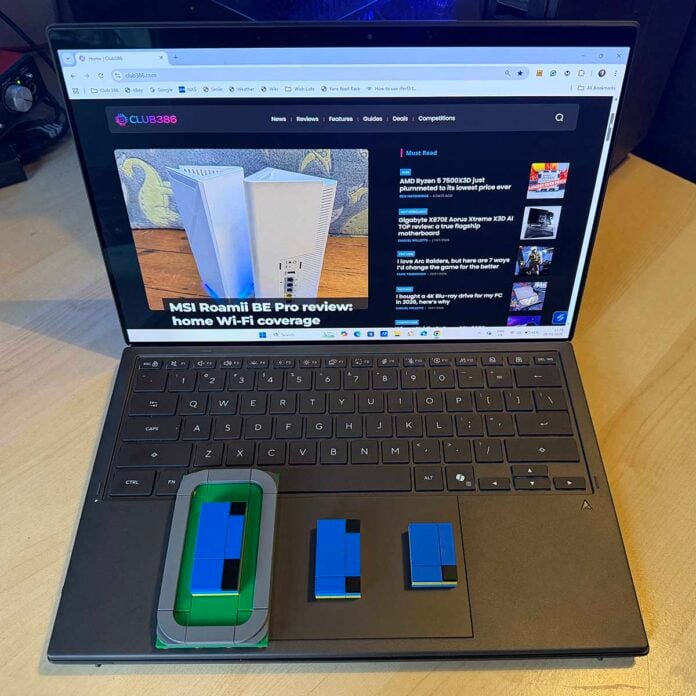
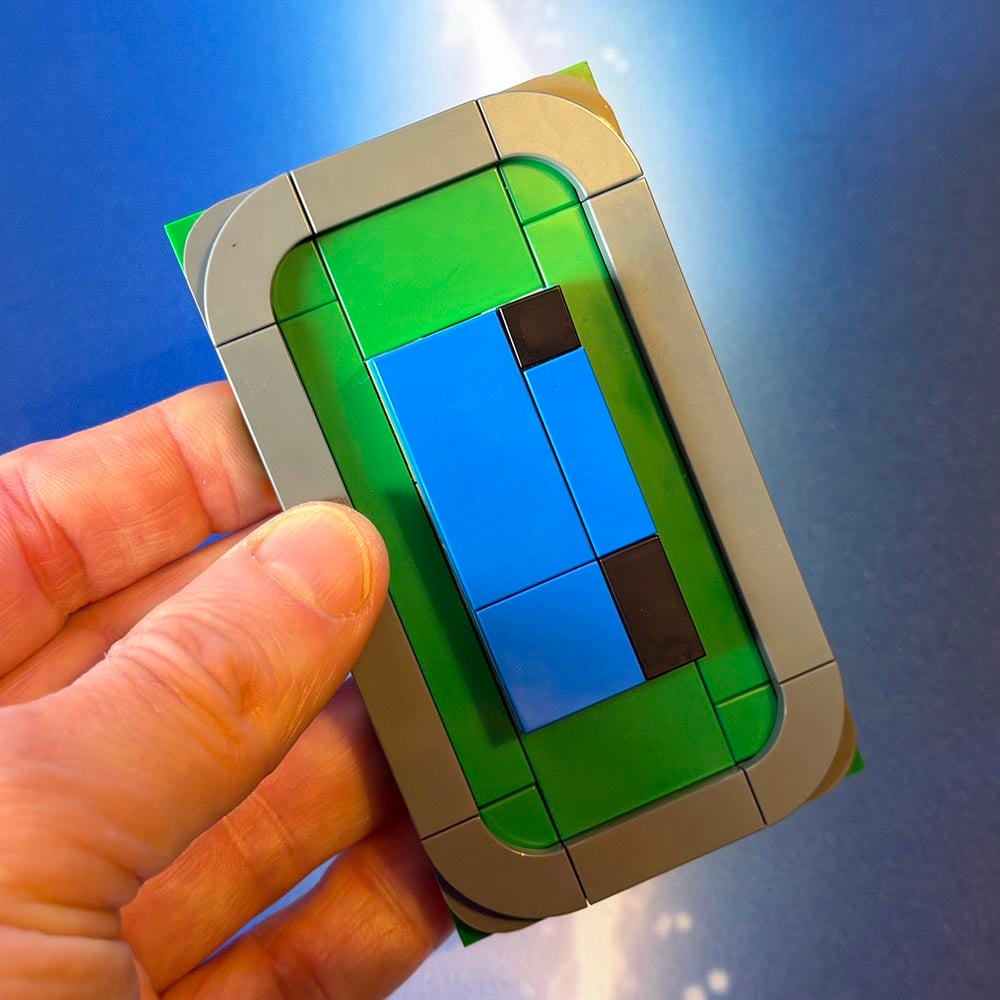
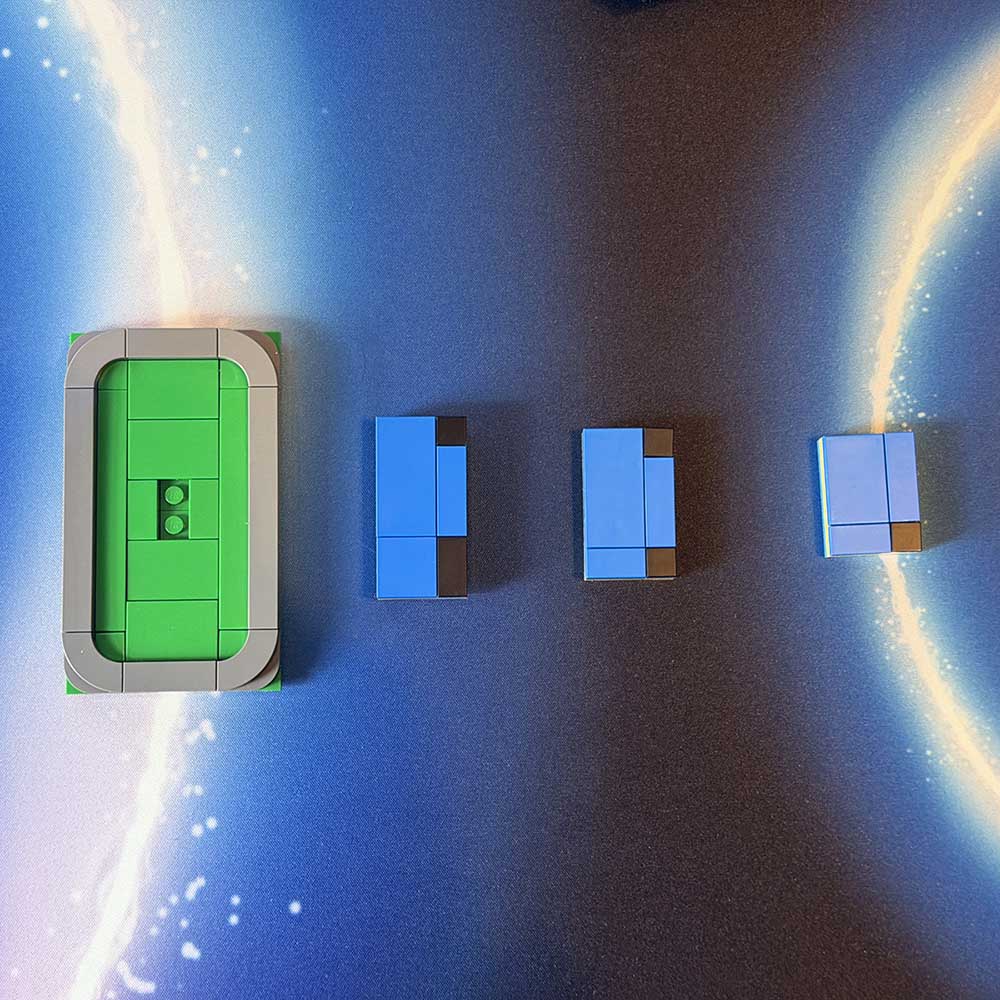
To demonstrate the scalability Core Ultra Series 3, Intel gave me a Lego kit.
Ingeniously, to demonstrate the scalability Core Ultra Series 3, Intel gave me a Lego kit enabling me to build the BGA package and stiffener, and then three different tile collections that can all be placed on the same package, while demonstrating the tile size and layout. As you can probably guess, it’s the biggest one I’m reviewing here. This has four P-Cores with 18MB of shared L3 cache that can boost to 5.1GHz, along with eight E-Cores and four LP E-Cores.
The spec that really stands out for me here is that there are only four P-Cores. That’s understandable in a low-power product such as Lunar Lake, but it’s harder to justify in a 16-core chip aimed at more demanding users. I asked Intel the reason for this decision, and the company explained that it was a tight balancing act to make a chip that could do as much as possible in a small power envelope.
Intel makes the argument that multi-threading on a laptop really benefits from loads of E-Cores, rather than a few P-Cores, while lightly-threaded workloads rely on the beefy power and high clock speed of a few P-Cores, where four cores should be enough. As such, Intel says, Panther Lake is pretty well balanced. That makes sense from a productivity point of view, but there are still workloads that really benefit from having more full-fat cores at their disposal. An obvious one is gaming, which we know can stress more than four cores now.
The GPU is also Intel’s AI superpower here.
Meanwhile, its Arc B390 GPU contains 12 of Intel’s latest Xe3 cores, which are divided into 96 execution units and 1,536 ALUs. The GPU is also Intel’s AI superpower here, with its XMX cores promising up to 122 TOPS in basic Int8 work. There’s a dedicated NPU in this CPU as well, rated at 50 TOPS.
That makes for a total of 172 TOPS, although it’s not as if you can put both the NPU and GPU to work on the same AI job – you either choose one or the other. Either way, we’re looking at a substantial change for Intel in comparison to Arrow Lake’s peak NPU and GPU in the Core Ultra 9 285H, which peaks at 77 TOPS for the GPU and just 13 TOPS for the NPU.
Core Ultra Series 3 also sees Intel continuing to look past conservative memory speeds. The platform can support up to 96GB of LPDDR5X RAM running at a super-fast speed of 9,600MT/s, and that’s the speed of the RAM used in our Asus test machine.
Testing
App performance
| Intel Core Ultra X9 388H | Intel Core Ultra 9 288V | AMD Ryzen 7 8845HS | |
| 7-Zip MT | 112,695 MIPS | – | 84,203 MIPS |
| Geekbench 6 SC | 3,036 | 2,702 | 2,628 |
| Geekbench 6 MC | 17,800 | 10,926 | 11,178 |
| PCMark 10 | 10,086 | 6,871 | 7,669 |
Intel’s app performance is strong here. Compared to Lunar Lake’s Core Ultra 9 288V, Geekbench 6 is 62.9% quicker when it comes to multi-threaded pace, thanks to all those extra E-Cores, as well as Intel’s performance tweaks. Single-core performance is only 12% quicker, but 3,036 is still a strong result for a thin-and-light laptop chip. This isn’t really a like-for-like comparison, of course. Lunar Lake has a top TDP of just 37W, compared to a much higher 80W on Panther Lake, and it has four fewer cores, but this does show the performance difference between the two platforms.
As a point of comparison, an AMD Ryzen 7 7700X desktop chip scores 3,017 and 17,076 in Geekbench’s single-core and multi-core tests respectively, so that’s the level of power you’re getting here. Likewise, 112,695 MIPS in 7-Zip’s multi-threaded file compression benchmark is a good deal quicker than the 84,203 MIPS from an AMD Ryzen 7 8845HS in the MSI Cubi Z AI 8M mini PC. When compared to AMD’s current desktop chips, this result puts it in between AMD’s Ryzen 5 9600X (97,315) and 9700X (121,543).
PCMark 10 shows similarly strong performance, with a 46.8% speed boost over Lunar Lake. There’s nothing ground-breaking in terms of raw performance here – there are faster mobile chips available. What’s impressive is that Intel has managed to squeeze all this performance into such a low-power chip.
Content creation
| Intel Core Ultra X9 388H | |
| Cinebench 2026 SC | 542 |
| Cinebench 2026 MC | 4,670 |
| Cinebench 2024 SC | 131 |
| Cinebench 2024 MC | 1,162 |
| Cinebench R23 SC | 2,210 |
| Cinebench R23 MC | 19,224 |
| Blender Monster | 129.2 |
| Blender Junkshop | 88.1 |
| Blender Classroom | 61.3 |
| Corona 10 | 6,422,301 rays/s |
| Photoshop (PugetBench) | 9,198 |
Results in Cinebench give credibility to Intel’s compute tile structure. Core Ultra X9 388H may only have four P-Cores, but that’s enough for it to get a cracking single-core result of 131 in Cinebench 2024, and 542 in Cinebench 2026. That’s faster than a 5.4GHz 6-core Ryzen 5 9600X (130) in our high-performance desktop test rig, and it also outpaces a Core i7-14700K running at 5.6GHz (129).
Meanwhile, multi-threaded performance is given a substantial boost from all of this chip’s E-Cores working together in parallel. Core Ultra X9 388H’s Cinebench 2024 multi-core score of 1,162, compared to just 489 on a Core Ultra 9 288V Lunar Lake chip. As with Geekbench, this is in a similar league to an 8-core AMD Ryzen 7 7700X desktop chip (1,193).
It outpaces a Core i7-14700K running at 5.6GHz.
There are definitely more powerful mobile chips available, of course. For example, we tested an HP workstation with an AMD Ryzen AI Max+ Pro 395 Strix Halo chip (limited to 70W) for comparison, and it scores 1,430 in this Cinebench test (though only 110 in the single-core benchmark), thanks to its 16 Zen 5 cores. It also goes without saying that a last-gen Intel chip with 24 cores would also be quicker in these multi-threaded tests.
Other multi-threaded content creation apps tell a similar story. Corona 10’s 6,422,301 rays per second sits between the Ryzen 7 7800X3D and 7700X in terms of desktop performance.
One slightly disappointing result, however, is Photoshop using PugetBench, with a score of just 9,198. This performance is still decent (it’s not far behind a Core i5-14600K, which scores 9,500), but AMD’s Zen 5 architecture has the upper hand here – a Ryzen 5 9600X desktop chip clocks up 11,600 in this test.
Memory
| Intel Core Ultra X9 388H 32GB 9,600MT/s LPDDR5X | Intel Core Ultra 9 288V 32GB 8,533MT/s LPDDR5X | |
| AIDA memory read | 118,800MB/s | 81,305MB/s |
| AIDA memory write | 131,980MB/s | 105,155MB/s |
| AIDA memory copy | 129,940MB/s | 107,692MB/s |
| AIDA memory latency | 83.6ns | 96.4ns |
RAM performance is fantastic on Panther Lake, thanks to its support for super-fast 9,600MT/s memory. We see a big boost in performance across the board compared to Lunar Lake, especially when it comes to memory reads. Latency is also tighter on Panther Lake than Lunar Lake, even though its memory isn’t integrated into the package. These results are all substantially quicker than any numbers we’ve seen in our desktop test rig, with the exception of latency.
AI performance
| CPU | GPU | NPU | |
| Geekbench AI FP32 | 4,805 | 18,895 | 4,686 |
| Geekbench AI FP16 | 4,258 | 48,360 | 36,601 |
| Geekbench AI Int8 | 9,492 | 56,880 | 54,004 |
| Procyon AI text-gen Llama 3.1 | – | 1,727 | 648 |
AI work is now genuinely an option on Intel’s new laptop CPUs, thanks to the XMX cores packed into the new Xe3 GPU. Single-precision FP32 performance increases by 293% compared to using the CPU or NPU, and half-precision FP16 performance increases by an enormous 1,036%. FP16 performance is really strong here – as a point of comparison, an Nvidia GeForce RTX 5060 Ti scores a similar 43,208 in our tests. Intel’s AI Boost NPU is also capable when it comes to FP16 and Int8 work, even if it can’t handle single-precision work any better than the CPU.
Interestingly, there wasn’t much of a difference between the GPU and NPU’s Int8 performance in Geekbench AI, but there’s a substantial leap when using AI to generate text with Llama 3.1 in Procyon. The Arc B390 GPU’s score of 1,727 shows some serious AI-crunching power, sitting between Nvidia’s RTX 5050 (1,486) and RTX 5060 (1,870) – outstanding stuff for an integrated GPU. This is where Intel’s NPU really falls down, with a score of just 648 – if you’re doing AI work, you’ll want to use the GPU.
Gaming
| Intel Core Ultra 9 388H Arc B390 | AMD Ryzen AI Max+ Pro 395 Radeon 8060S | AMD Ryzen 7 8845HS Radeon 780M | |
| 3DMark Time Spy | 7,710 | 9,521 | 2,694 |
| 3DMark Fire Strike | 14,478 | 22,444 | 6,456 |
| 3DMark Night Raid | 48,530 | 56,941 | 24,908 |
| 3DMark Steel Nomad | 1,668 | 1,926 | – |
| 3DMark Speed Way | 1,005 | 1,829 | – |
Let’s start our dive into gaming performance with the ubiquitous 3DMark, as it’s a solid reference point for general performance. We’ve run some comparison numbers on an AMD Ryzen AI Max+ Pro 395 Strix Halo chip with a Radeon 8060S, just to show how far you can really go with integrated graphics now. AMD’s iGPU may be based on last-gen RDNA 3.5 architecture, but it has a hell of a lot of shader power at its disposal, with 2,560 stream processors.
There simply isn’t an iGPU in a consumer-focused x86 CPU that’s anywhere near as powerful.
As you can see from the results above, it’s clear that Strix Halo beats Panther Lake (by 23.5% in Time Spy), even if it’s just by using brute force, and this is on a machine that restricts the chip’s TDP to just 70W. However, AMD’s Ryzen AI Max+ Pro 395 are also expensive, professional-level chips that you find in pricey mobile workstations – AMD has been very careful to avoid advertising Strix Halo as a gaming product. Comparatively, Panther Lake is a mainstream CPU that will be available in much cheaper machines, and it targets gaming hard.
If you remove Strix Halo from the equation, Intel’s Arc B390 is phenomenal – there simply isn’t an iGPU in a consumer-focused x86 CPU that’s anywhere near as powerful. Compared to Lunar Lake, which scores 4,425 in Time Spy, Panther Lake’s GPU is 74% quicker. Put its results next to the Radeon 780M in AMD’s Hawk Point Ryzen 7 8845HS, and you’re looking at a 186% performance boost in Time Spy.
We also took the opportunity to benchmark 3DMark Steel Nomad on my colleague Tarinder’s Apple MacBook Pro with an M4 Pro containing a 20-core GPU. It scores 1,907 – that’s only just behind Strix Halo, and 14% faster than Panther Lake.
| Intel Arc B390 1920×1080 (Min / Avg) | |
| Final Fantasy XIV: Dawntrail – High | 39 / 71fps |
| Forza Motorsport – Ultra | 22 / 25fps |
| Forza Motorsport – High/Auto | 52 / 61fps |
| Assassin’s Creed Shadows – Ultra High | 10 / 17fps |
| Assassin’s Creed Shadows – High | 25 / 29fps |
| Assassin’s Creed Shadows – High, XeSS Quality | 29 / 36fps |
| Assassin’s Creed Shadows – High, XeSS Balanced | 30 / 36fps |
| Assassin’s Creed Shadows – High, XeSS Quality + FG | 29 / 57fps |
| F1 25 – Ultra High, TAA | 18 / 28fps |
| F1 25 – Ultra High, XeSS Quality | 36 / 47fps |
| F1 25 – Ultra High, XeSS Quality + FG | 45 / 83fps |
| Cyberpunk 2077 – High | 47 / 54fps |
| Cyberpunk 2077 – High, XeSS Quality | 57 / 70fps |
| Cyberpunk 2077 – High, XeSS Quality + FG | 96 / 113fps |
| Cyberpunk 2077 – Low RT | 31 / 37fps |
| Cyberpunk 2077 – Low RT, XeSS Quality | 45 / 55fps |
| Cyberpunk 2077 – Low RT, XeSS Quality + FG | 76 / 90fps |
Moving to real-world benchmarks shows the benefits of Intel’s Xe3 GPU core in all its glory. Let’s start with Cyberpunk 2077, which we usually benchmark on the Steam Deck or Medium preset with integrated GPUs, as it’s so demanding. Not so with Panther Lake. Even without XeSS, we could run the game at its High preset with an average of 54fps. As a point of comparison, the Apple M4 Pro with 20 GPU cores performs similarly at 50fps here (running at 1920×1200 rather than 1920×1080), while Strix Halo is well ahead on 79fps.
Compared to your usual x86 iGPU, though, this performance is a revelation. Switch on XeSS at the Quality setting, which still looks great, and your average climbs to 70fps. There’s then room to enable 2x frame gen and get 113fps. This game also works well with Intel’s multi frame gen, as we found in our Panther Lake GPU benchmarks session at CES. Intel XeSS multi frame gen wasn’t available to test on this laptop, but we’re told it’s coming soon.
More impressively, you can even enable ray tracing in Cyberpunk with this GPU. With XeSS on the Quality setting, and the low ray tracing preset selected, the game averages 55fps, increasing to 90fps with 2x frame gen enabled. With these results in mind, we’re really looking forward to seeing what a Panther Lake handheld can do.
Enable XeSS on the Quality setting, and you’re looking at 115fps with a 60fps minimum.
Our other game tests were similarly impressive. You can even play F1 25 at Ultra High settings with ray tracing enabled at a push, thanks to XeSS. With this upscaler on the Quality setting, F1 25 averages a solidly playable 47fps. Enabling frame gen then smooths this out to 83fps, and the game looks superb, with great-looking graphics and smooth motion. That’s fantastic stuff for a new game running at 1920×1080 on integrated graphics. Likewise, Final Fantasy XIV: Dawntrail runs at an excellent 71fps at the High preset.
Conversely, Forza Motorsport runs at a clunky 25fps with its settings maxed out. However, if you set Dynamic Render Quality to High, and leave the rest of the settings on Auto, the game still looks great, and runs at a steady average of 61fps.
Finally, Assassin’s Creed Shadows is a demanding game, but this iGPU can still just about cope with it. Ultra High settings are out of the question, but we found a happy compromise with the game running at High settings, ray tracing set to hideout only, and XeSS on the Quality preset. The game then averages 36fps, which is playable, even if it isn’t super smooth. Enabling frame gen bumps up this figure to 57fps, but we wouldn’t recommend it, as you get occasional artifacts and it can feel a bit juddery in action.
While gaming performance here is excellent for an integrated GPU, one of our usual test games, Mount & Blade II: Bannerlord, wouldn’t run at all – it just cashed out after the loading screen. It’s also worth pointing out that while quite a few games support Intel XeSS now, it doesn’t have anything like the ubiquity of Nvidia DLSS.
In terms of raw gaming pace, though, Arc B390 is a stunning piece of engineering. It’s an integrated GPU that genuinely enables you to play the latest games at 1920×1080, and with decent settings enabled. You basically don’t need a discrete low-end GPU any more, and you can properly play games on a small, thin and light laptop.
Power draw
| Asus Zenbook 14 Duo UX8407 Intel Core Ultra X9 388H (total system) | |
| Peak Cinebench 24 power – Performance | 108W |
| Cinebench 24 power – Balanced | 45-87W |
| Peak Gaming power – Performance | 108W |
| Gaming power – Balanced | 68-71W |
| Idle power draw – Balanced | 8W |
| Office battery life – Balanced | 17:53 |
| Gaming battery life – Performance | 2:04 |
| Gaming battery life – Balanced | 2:30 |
| Gaming battery life – Balanced (no energy saving) | 2:10 |
Power efficiency is the key to Intel Core Ultra Series 3. Intel isn’t trying to break CPU performance records here. Instead, it’s focused on maximising performance per watt, and transforming the thin-and-light laptop space. With the latest fab tech under its hood, as well as Intel’s new CPU and GPU architecture, Panther Lake offers a phenomenal amount of computing might for its small power outlay.
I left the laptop idle for ten minutes while plugged into my Watts Up? Pro power meter, and when I came back, it was steadily drawing just 8W from the mains. That’s using the Balanced Windows power mode, which is fast enough for pretty much anything on the move. With this mode enabled, and Asus’ fan profile set to Standard, it barely makes any noise, and Cinebench 2024 churns out a multi-threaded score of 986 – a 15% performance drop compared to running flat out with Performance mode enabled.
Frustratingly, our PCMark Office battery life test wouldn’t complete due to a Firefox error, and we didn’t have time to completely run down the battery again in time for this review. However, by the time the benchmark stopped in the log files, the battery had lasted a massive 17 hours and 53 seconds while running office benchmarks. That’s using the Windows Balanced power mode, and with energy saving disabled once the battery gets past 30%, and screen brightness set half way.
The battery lasted a massive 17 hours and 53 seconds while running office benchmarks.
I’ve never seen battery life anywhere like this before, especially from such a small laptop, and I’ll be running the test again for our Asus Zenbook 14 review in the near future. With Windows’ Best Power Efficiency mode enabled, and screen brightness set low, you could well be looking at over a day of working time on a Panther Lake system. Intel’s work on getting threads for undemanding tasks directed to its low-power island of LP E-Cores has clearly paid off here.
Performance is also decent at these settings. While running Cinebench with this setup, power draw peaks at 87W when it first kicks off, but Intel’s power-gating tech then kicks in, gradually reducing total system power draw to just 45W, where it’s then steady. Balanced mode can even handle gaming on battery. Cyberpunk 2077 is still perfectly playable, with its average frame rate at High settings only dropping from 54fps to 51fps. The Zenbook only drew 71W from the mains while running Cyberpunk 2077 at these settings.
You can get decent battery life when gaming. At the standard out-of-the-box settings, where energy saving kicks in at 30% battery life, and with Balanced performance, our test machine lasted two and a half hours on battery power. Looking at frame rates during this test, energy saving causes a ~10fps drop in frame rate from around 70fps to just over 60fps, so it still holds up well at these settings. Without energy saving at 30%, this figure drops to two hours, 10 minutes. This is an incredible result, with the frame rate staying above 70fps throughout testing. Comparatively, I rarely see this test go above 75 minutes on standard gaming laptops with discrete GPUs.
If you want to get even more performance out of your Intel Core Ultra X9 388H, you can enable the Performance mode in Windows, and set Asus’ fan mode to Performance as well. These settings were used to get all the performance figures discussed in the sections above. With all these settings maxed out, total system power draw tops out at 108W in both Cinebench and Cyberpunk 2077.
Conclusion
Welcome back, Intel. Core Ultra Series 3 is a fantastic collection of silicon engineering, which turns thin-and-light laptop performance on its head. In particular, Intel’s new Arc B390 GPU is excellent. Capable of playing the latest games at 1080p with decent settings, but without costing a silly price or taking up loads of silicon space, it’s both elegant and powerful. Intel even has AI-based multi frame gen in the works, and while we found some issues with it at CES, Intel is ahead of AMD here.
In fact, Intel is beating AMD on several fronts here, not least by integrating its very latest Xe3 GPU architecture into its CPUs, while AMD’s new Ryzen AI 400-series chips are still struggling with ageing RDNA 3.5 GPUs. Yes, AMD’s Strix Halo can beat Panther Lake’s GPU performance with brute force, but it requires a hefty amount of silicon, and a load of extra cost, to do so. AI performance is strong as well, with Intel’s new XMX cores outperforming Nvidia’s RTX 5050 in our Llama 3.1 text-gen test.
Meanwhile, CPU performance is solid, if not earth-shattering. Core Ultra X9 388H is fast enough at multi-threaded workloads for most people’s needs, thanks to all its E-Cores, and its four P-Cores ensure lightly-threaded performance is strong as well. If there’s one complaint here, it’s that a high-end CPU should really have at least six P-Cores, especially when it comes to gaming. Our tests show that four P-Cores are enough for this CPU’s current target workloads, but it doesn’t give you much room for demanding software in the future.
Otherwise, Panther Lake is a triumph. CPU performance is fine across the board, the GPU is great, and power efficiency is outstanding. Let’s hope Nova Lake is similarly transformative on the desktop.
