
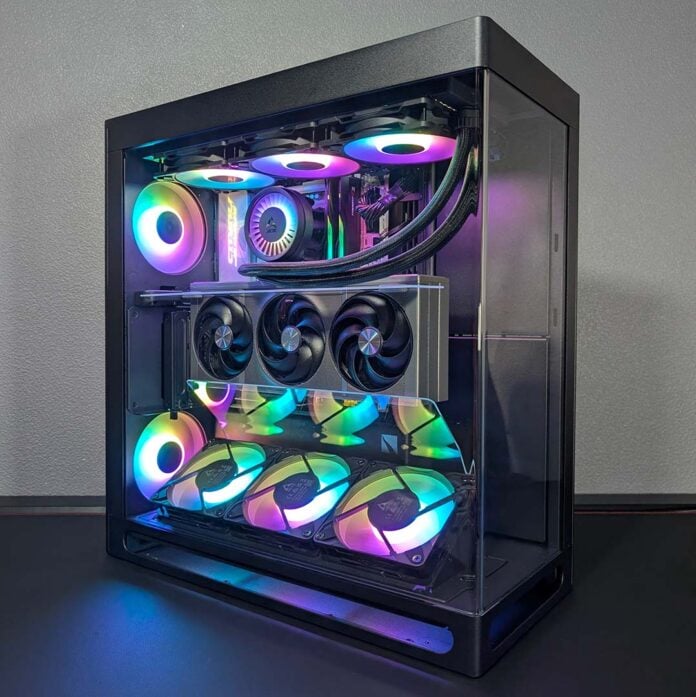
HAVN’s HS 420 made waves with its unique approach to PC case airflow, and now the case maker is aiming to bring some of that special sauce to a smaller package; enter the HS 360. However, this is no simple shrinking act, as HAVN has taken the opportunity to build upon and refine the qualities that make the larger original model so appealing, including an all-new magnetic airflow divider.
That’s not all that’s new with the HS 360, of course. There are many obvious and subtle changes at work across this smaller chassis that do much to help differentiate the case from its bigger brother. Having put a system together inside it, it’s clear to me that HAVN has put a lot of due care and thought into this design with plenty to admire, but there are some areas that leave me wanting for some slight revisions.

HAVN HS 360 VGPU
£239 / $279
Pros
- Exemplary material quality
- Great thermal and noise potential
- Intuitive cable management
- PCIe 5.0 riser cable
- Included fan hub
Cons
- No included fans
- Lacks A-RGB hub
- Fiddly installation
Club386 may earn an affiliate commission when you purchase products through links on our site.
How we test and review products.
HAVN is launching the HS 360 in two flavours, with a standard and ‘VGPU’ version, each available in black or white. We’re taking a look at the latter in this review, which arrives complete with a vertical GPU mount and angled fan bracket for £239 / $279. Alternatively, you can forgo both of those accessories for a traditional horizontal installation across your graphics card and lower fans for £169 / $199.
Specifications
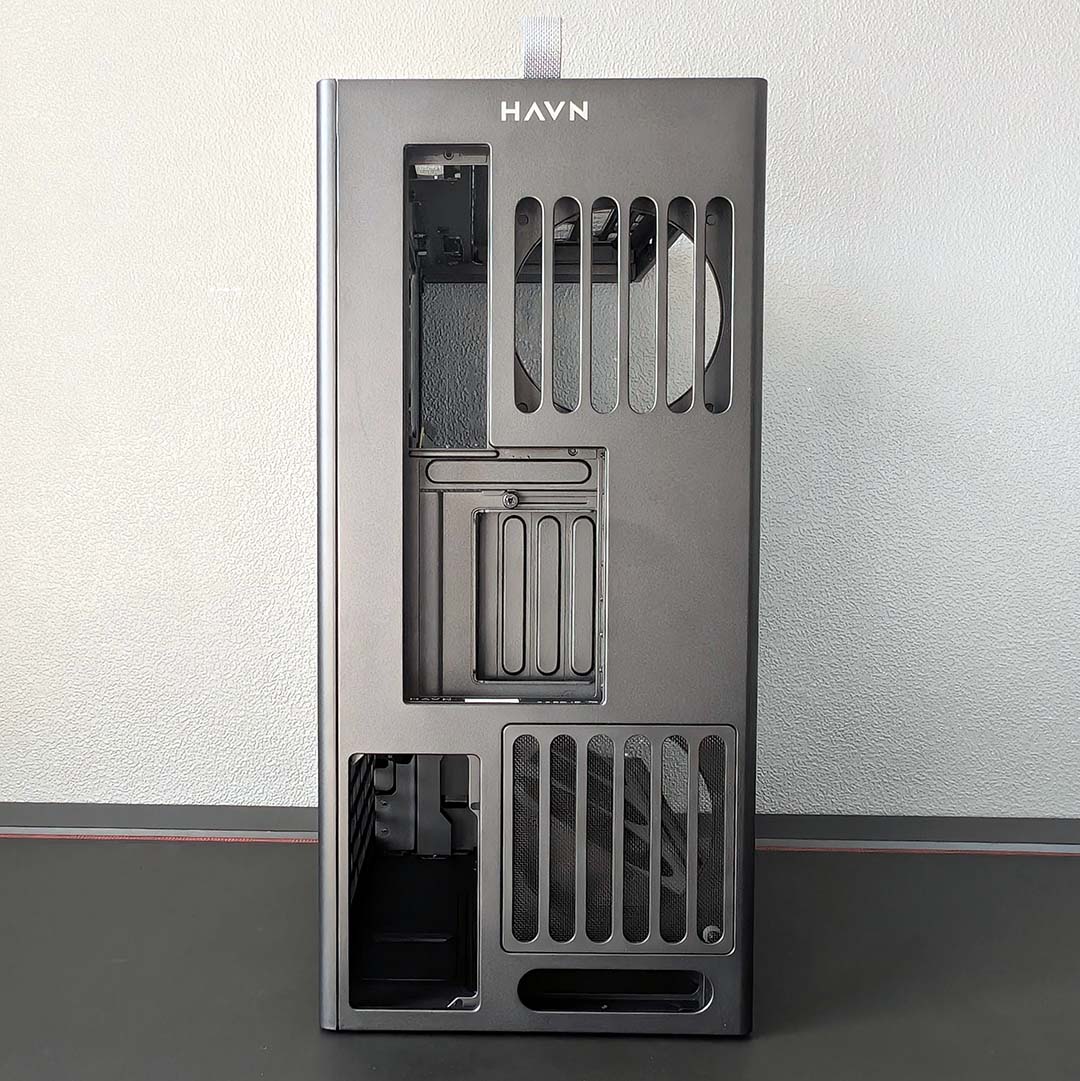
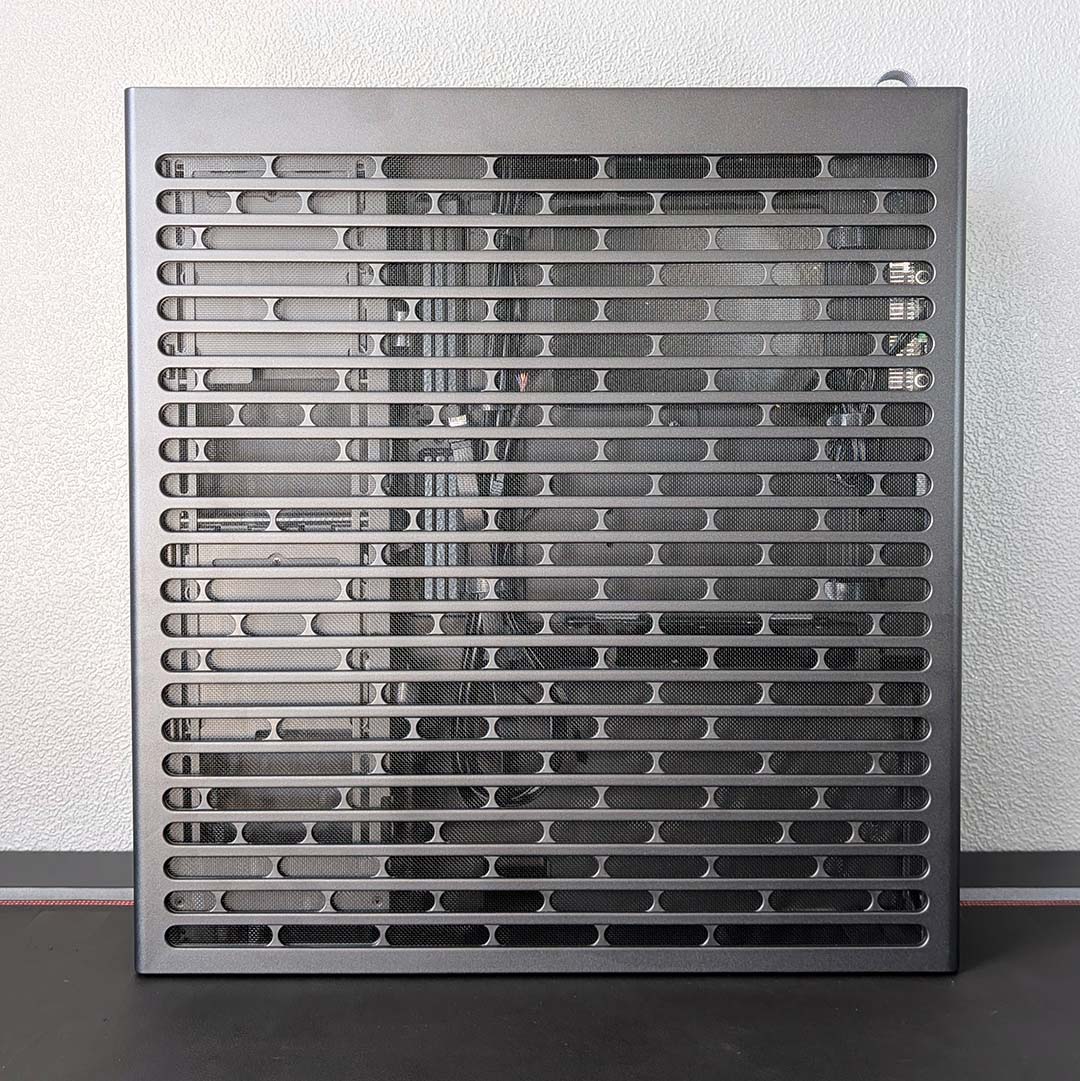
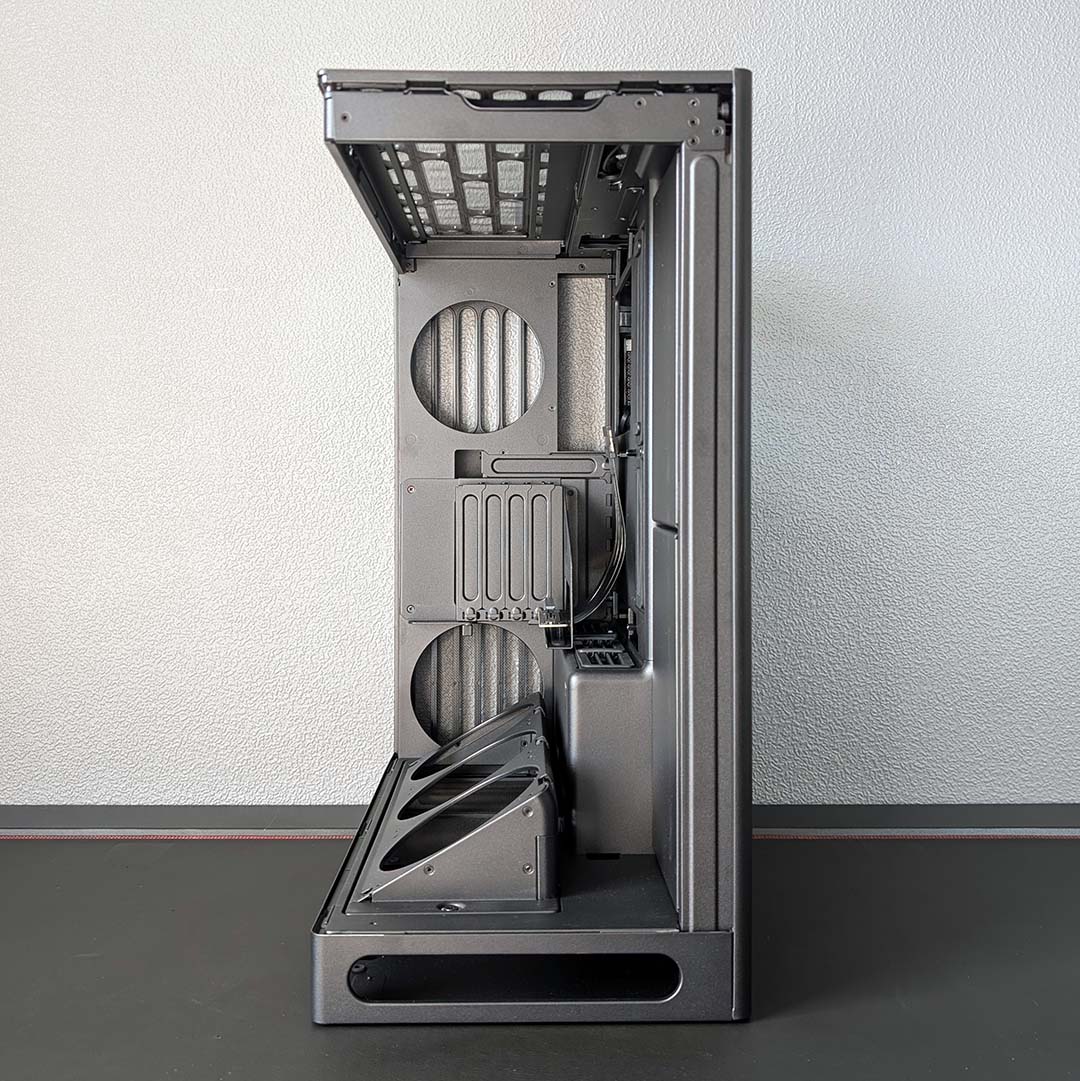
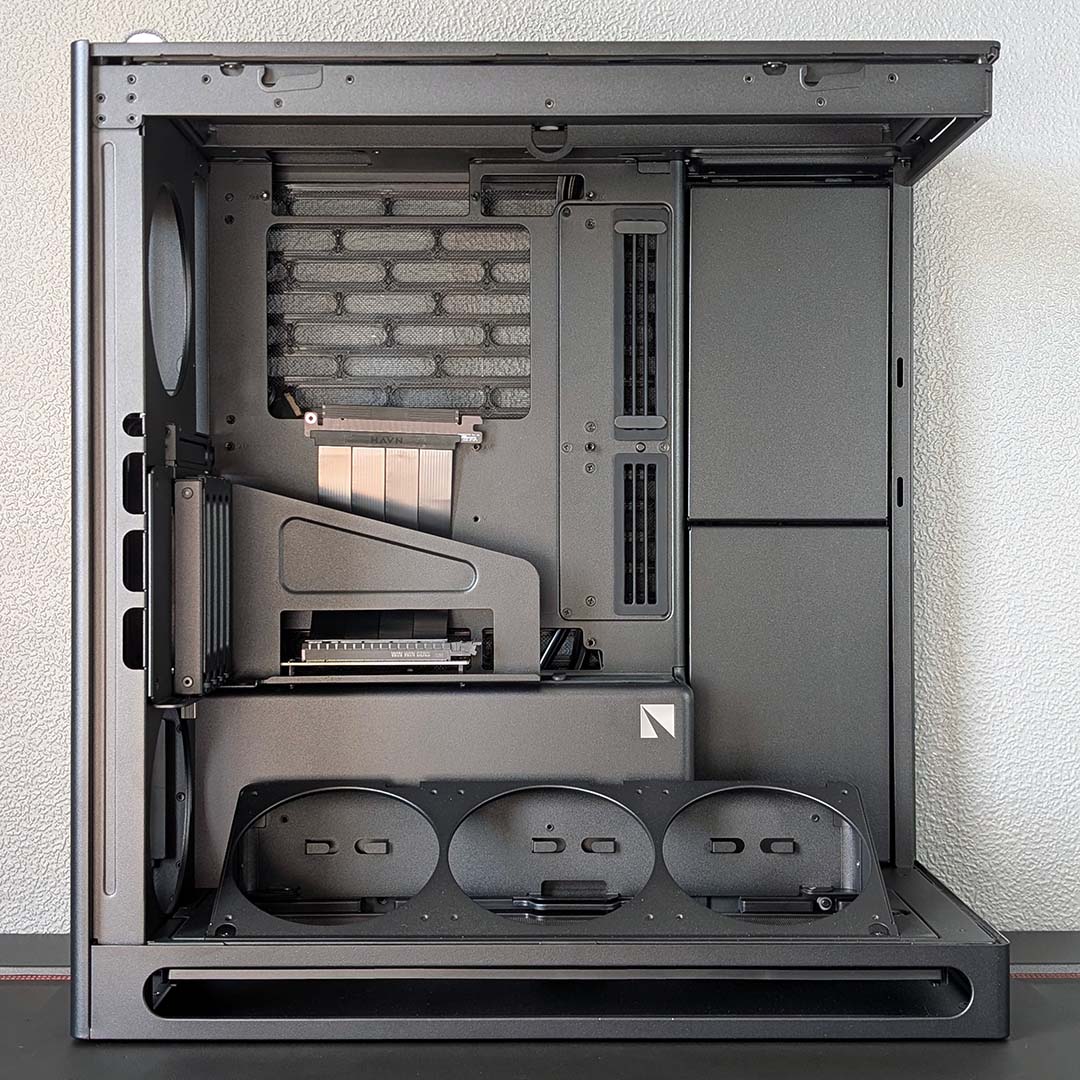
Measuring 521mm tall, the HS 360 VGPU isn’t massively shorter than the HS 420 (547mm). The case is less wide too, at 242mm (vs. 260mm), but it’s the chassis’ 491mm depth that really differentiates it most from its larger sibling (541mm).
Such stature gives this case an imposing aura, which takes on another dimension once you feel all 15kg of the frame. Weight helps sell the chassis’ premium status, featuring some of the prettiest and sturdiest sheet metal I’ve ever worked with in a PC case.
That’s not forgetting the beautiful tempered glass. HAVN has managed to shrink the corner radius of this single piece down to a truly impressive 7.5mm, so you can show off and soak in the splendour of your system inside the case with minimal distortion.
| Specifications | HAVN HS 360 VGPU |
|---|---|
| Dimensions (H x W x D) | 521× 242 × 491mm |
| Motherboard support | ATX, micro-ATX, mini-ITX |
| Back-connect compatible | Yes (ATX) |
| Fan support | Bottom: 120mm (x3) Rear: 120mm (x2) Side: 120mm (x3) Top: 120mm (x3) |
| Radiator support | Bottom: 360mm* Side: 360mm Top: 360mm |
| CPU cooler height | ≤170mm |
| PSU length | ≤230mm |
| Graphics card length | ≤430mm |
| Connections | 3.5mm audio-out/mic-in (x1) USB-A 5Gbps (x2) USB-C 10Gbps (x1) |
| Storage support | 2.5in (x4) 3.5in (x2) |
| Warranty | Two years |
All of the case’s panels are removable, each securing to the frame via screws out of the box. You can remove these and solely rely on the metal panels’ ballpoint pegs and tempered glass’ magnetic rollers, but I welcome the additional peace of mind of using screws.
Inside the main chamber, there’s space for CPU coolers up to 170mm tall, leaving just enough room for behemoths like the Noctua NH-D15 G2 (168mm). Graphics card clearance is similarly generous, with support for units up to 430mm in length. The chassis offers 150mm of graphics card width to play with by default, but ditching the riser for a horizontal installation pushes this allowance up to 180mm.
Turning attention to motherboards, you can install ATX, micro-ATX, or mini-ITX boards in the HS 360 VGPU. I find the lack of EATX support surprising given this case’s large size, but I’m glad to see cutouts for back-connect designs, especially given support for this tech remains missing on the HS 420.
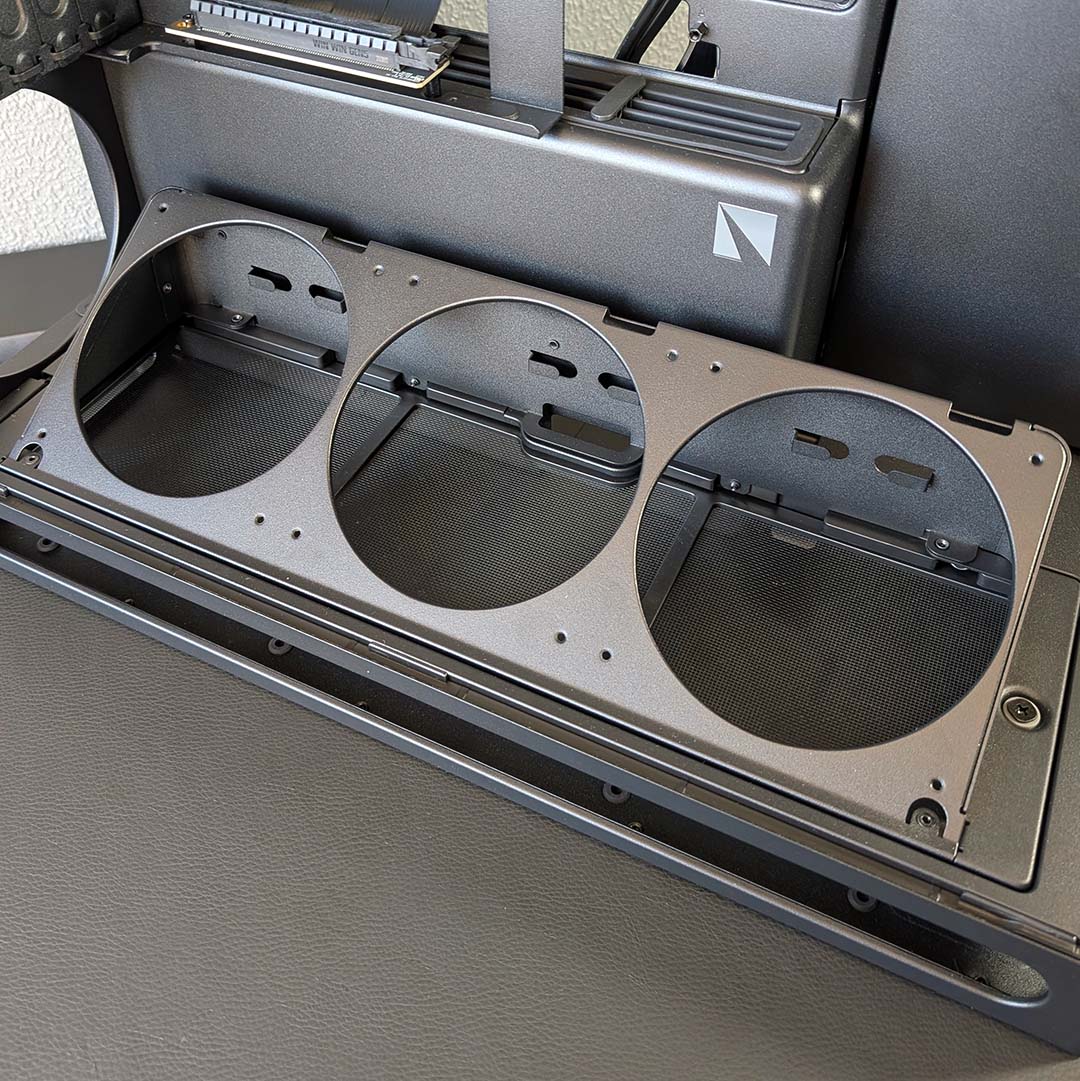
Normally I’d discuss the stock fans that come with a case, but the HS 360 VGPU doesn’t come with any. This makes the sticker price sting all the more, as you’ll need to spend some extra cash to outfit your system with some spinners.
You need to splash out for at least five 120mm fans to realise the case’s minimum cooling potential, three on the bottom and two on the rear. However, you can go much further with a further three up top and another trio along the side, for a total of 10 blowers.
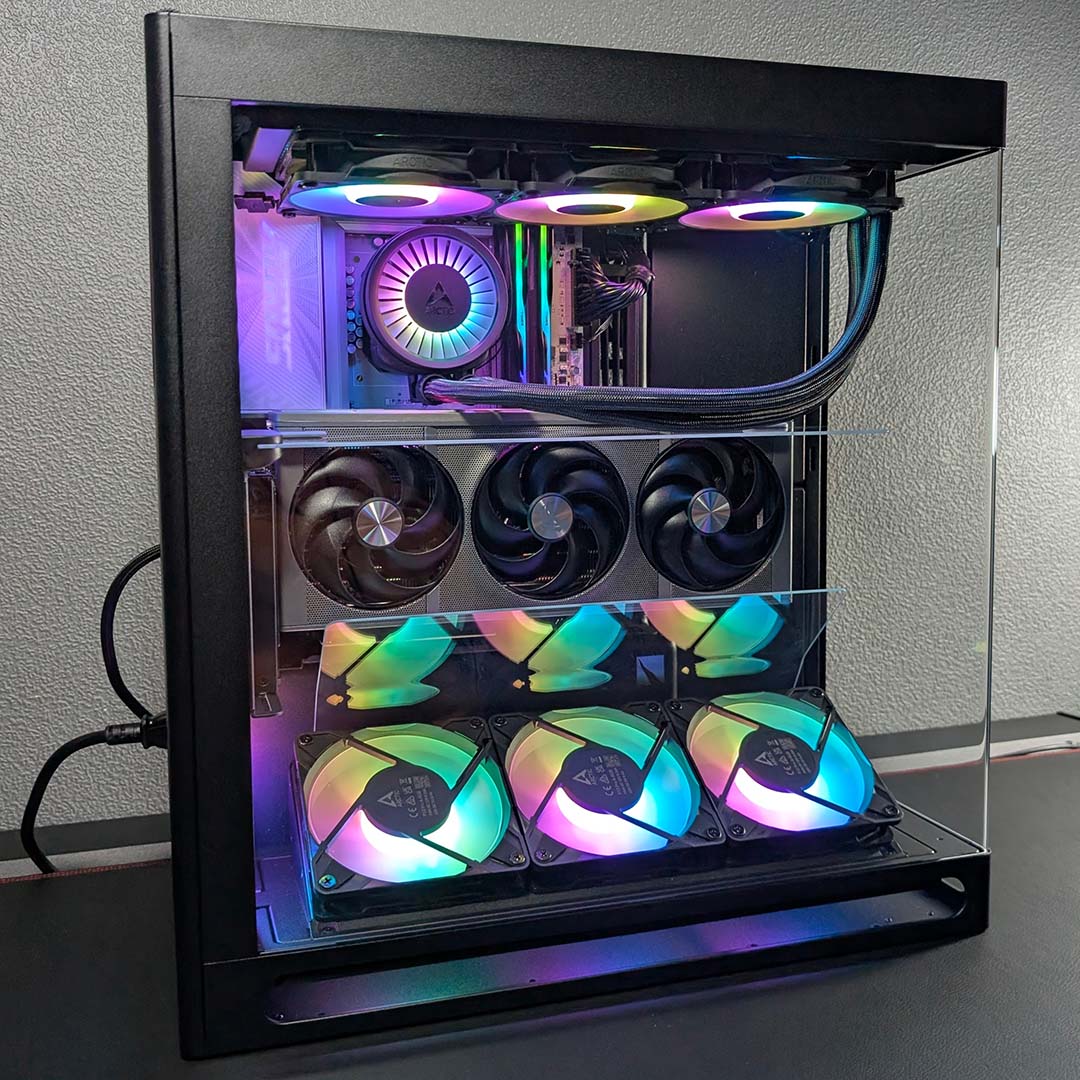
For those who prefer to prioritise liquid cooling, you can install a 360mm radiator across the top of the chassis. The side and bottom also support radiators of the same size, but you’ll need to sacrifice some 2.5/3.5in storage bays and the angled fan bracket respectively to do so. That bracket also serves as the support for this case’s optional glass airflow guide (more on that later).
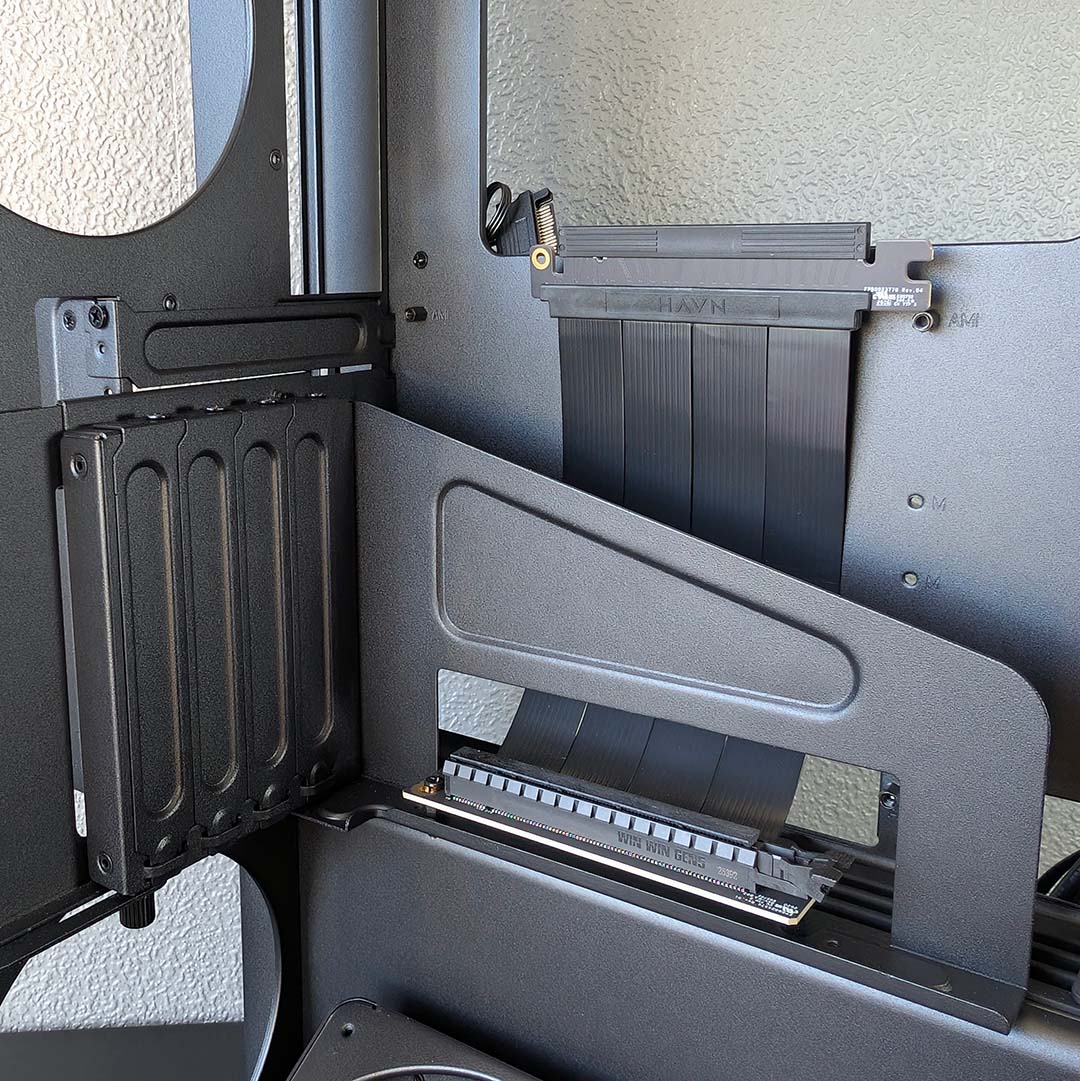
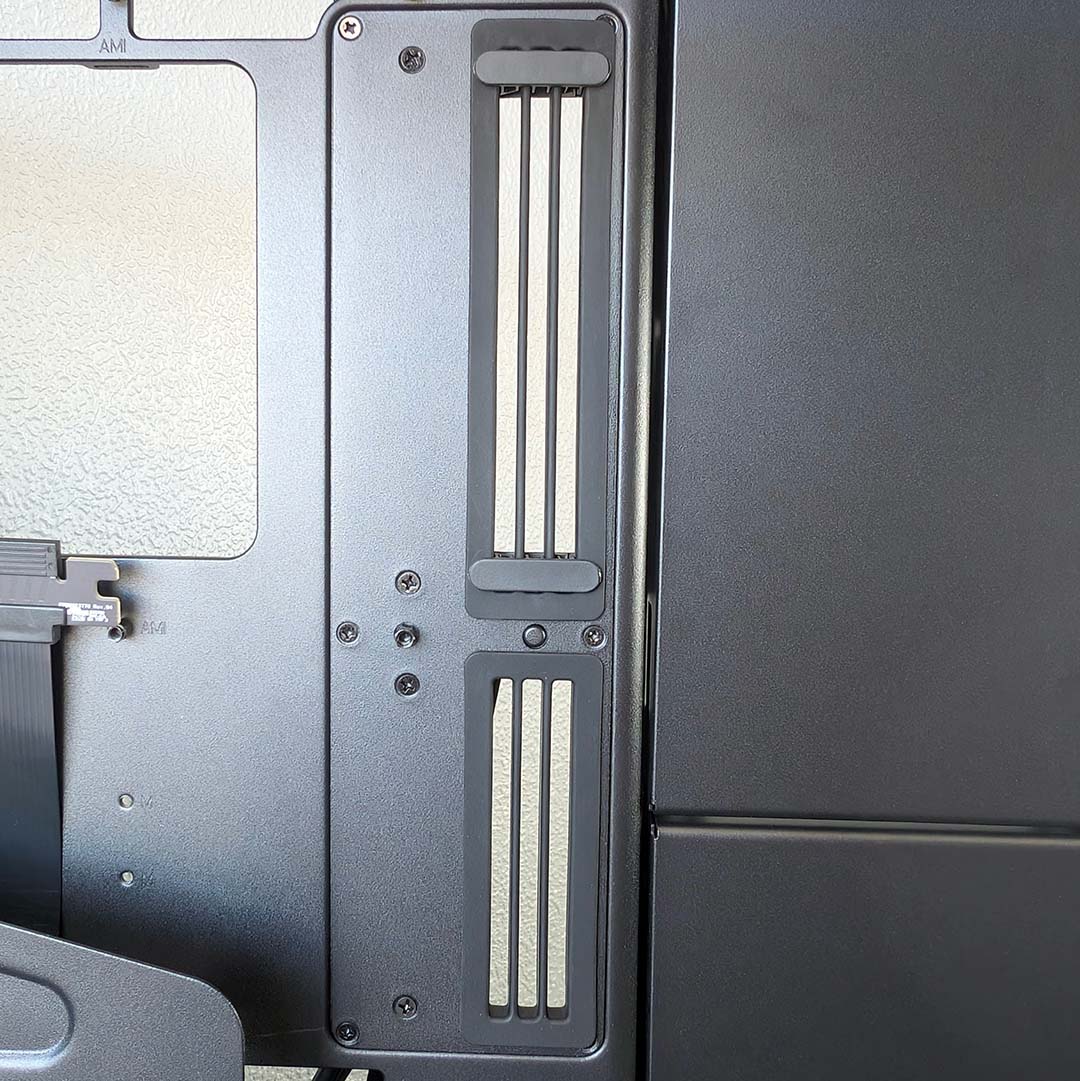
The main chamber’s last feature of note is the vertical GPU mount. This big block of black metal features a PCIe 5.0 x16 riser, which squeezes every ounce of performance from current generation graphics cards, unlike cheaper more commonplace PCIe 4.0 alternatives that can leave some horsepower on the table, and can also make your screen go haywire if your motherboard is set to PCIe 5.0.
You can adjust the depth of the mount by loosening its two thumbscrews, one on the side and one below. The assembly will then slide along the rear of the case, attached via a hook mount up top and a stub below. While secure, the mechanism is annoyingly fiddly, particularly as it’s easy to miss all the support structures (especially the stub) for proper installation.
A foot extends out the back of the mount, slotting into a subtle cut out atop the case’s PSU shroud. The default configuration will happily support cards that are three slots wide, but HAVN recommends extending its reach if your graphics card is smaller.
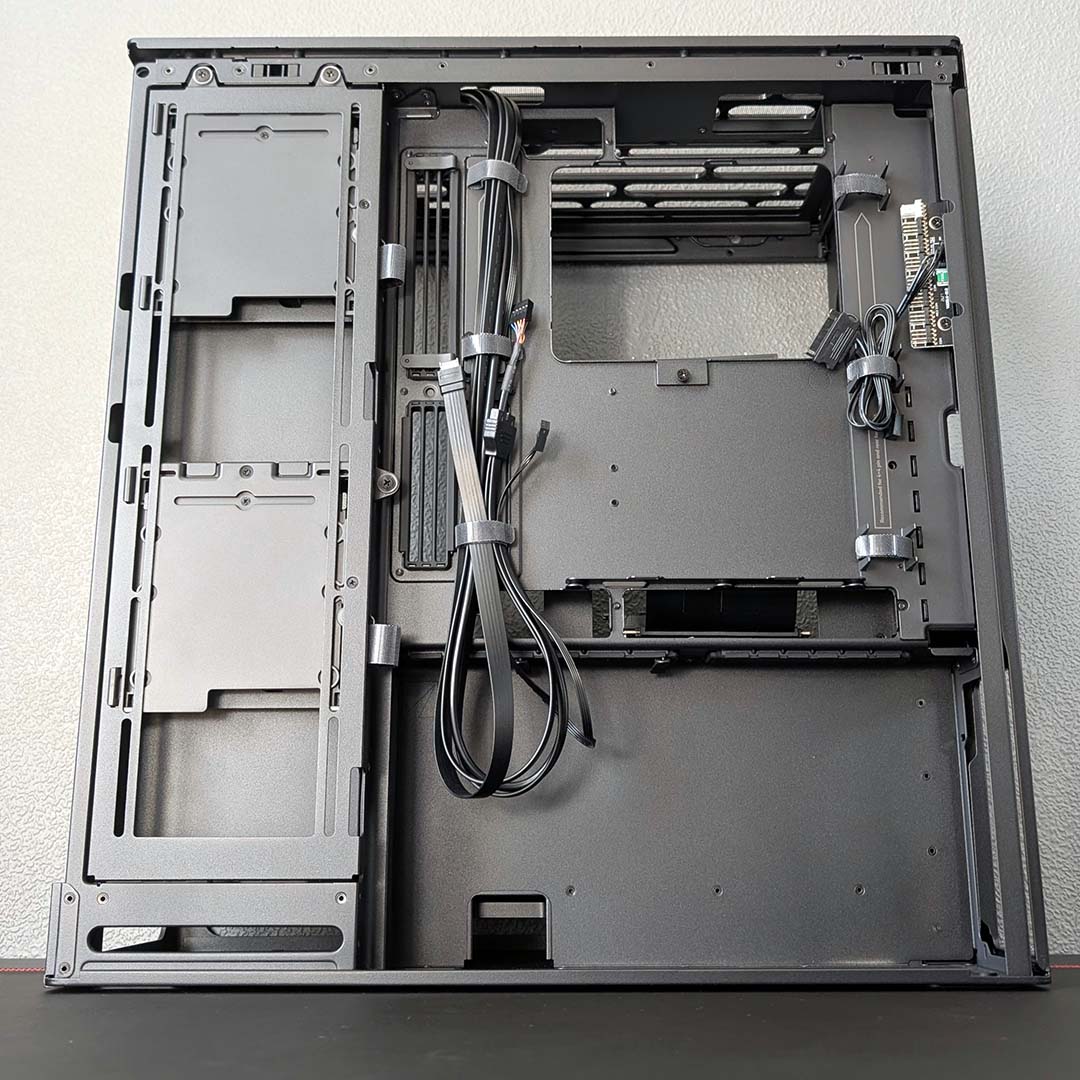
Opening up the right panel, there’s a lot to take in. Starting from the bottom up, we find our power supply’s abode. It’s a relatively roomy space, with HAVN officially supporting units up to 230mm in length, but total clearance measures at 300mm, so there’s plenty of room for cables.
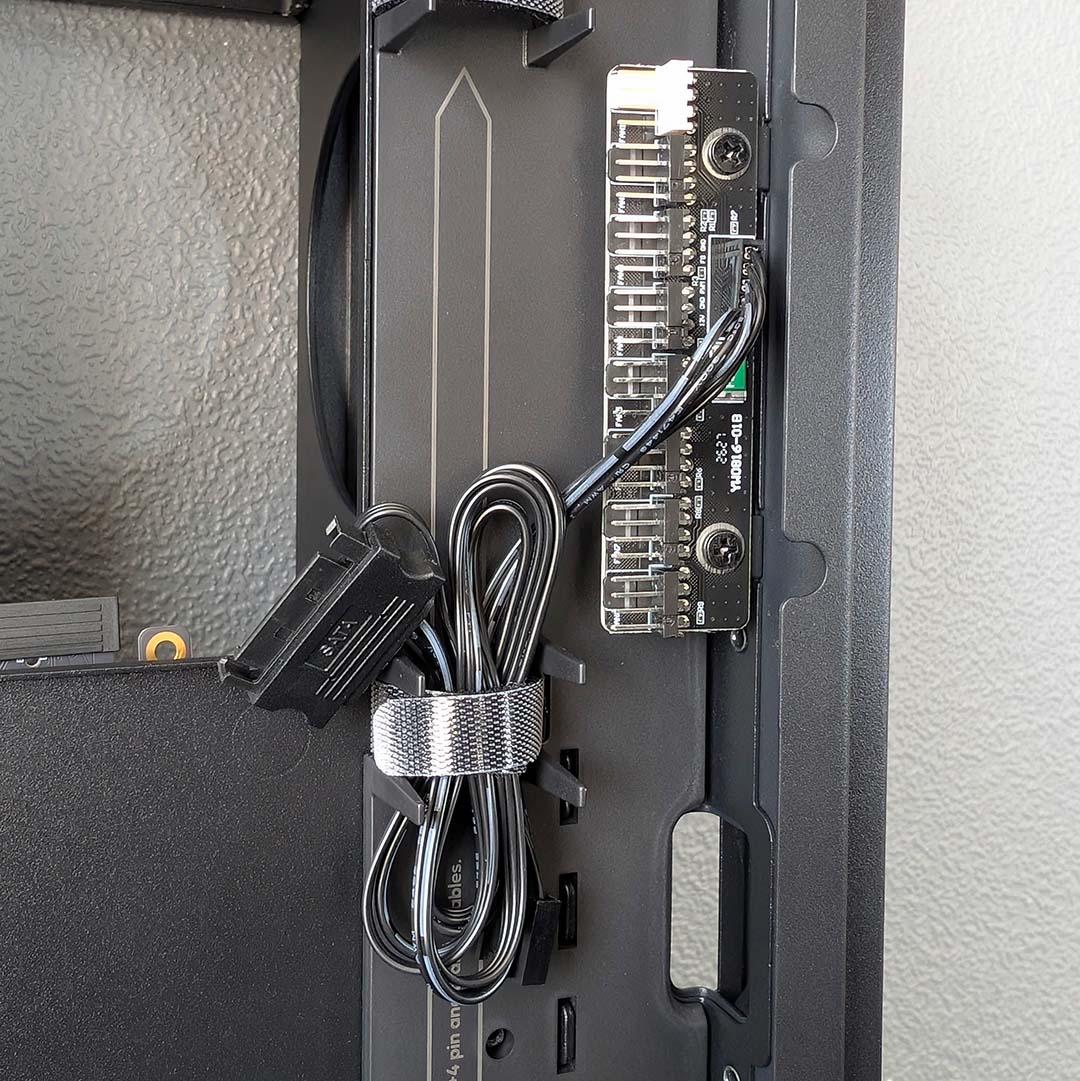
I’m also over the moon to see so many Velcro straps scattered across the back of the motherboard tray, some already managing case cables while another holds the SATA power and PWM connector for the built-in fan hub. I’d usually welcome such an accessory, but both its position in the case and lack of A-RGB hub riding alongside diminishes its usefulness, as I’ll discuss in detail later.
I’m a big fan of the multi-ribbon grommet design you can see by the side of the motherboard area, as well as atop the PSU shroud in the main chamber. Having individual slits through which to feed cables creates less of a messy breakout of rubber, while the clips also help keep wires taut.
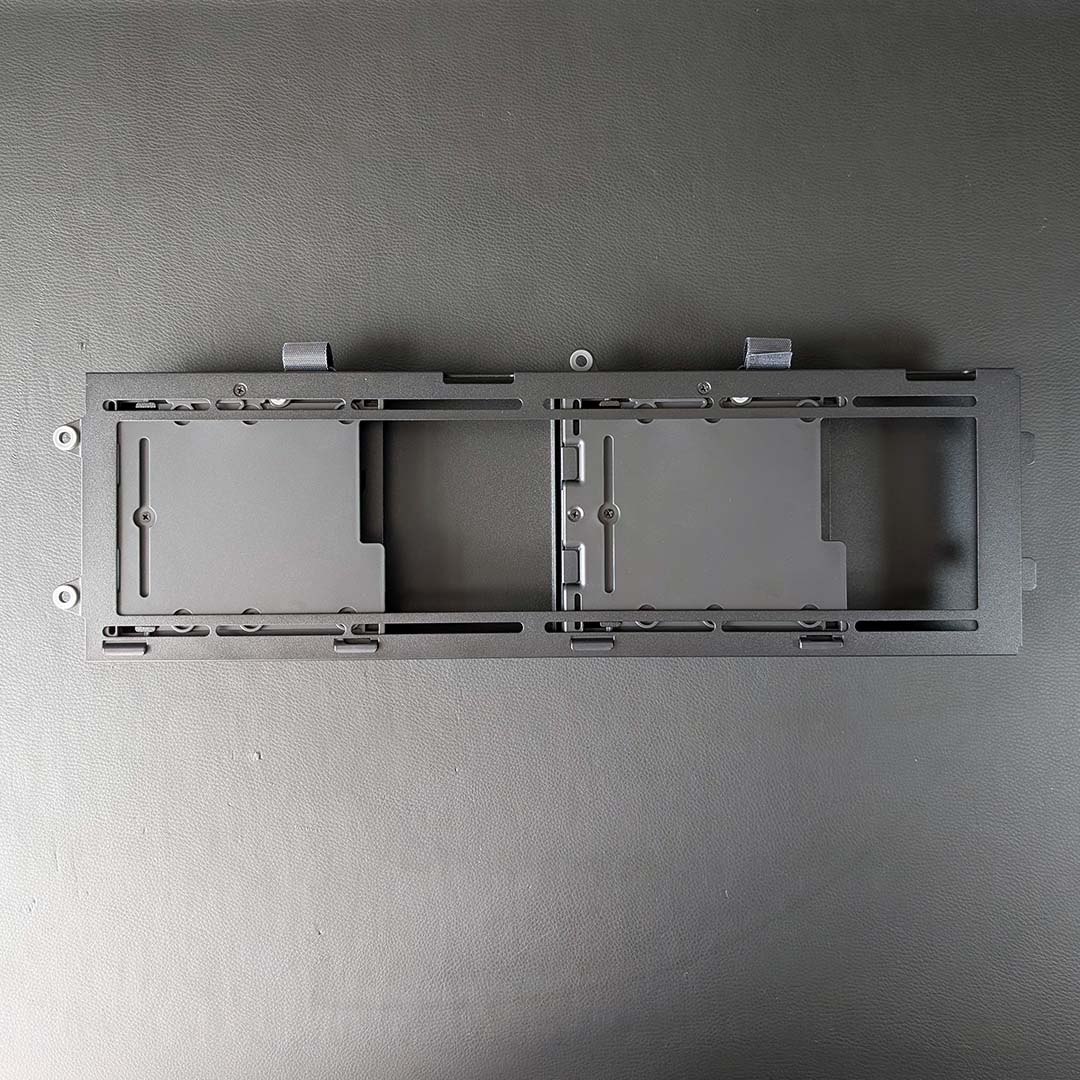
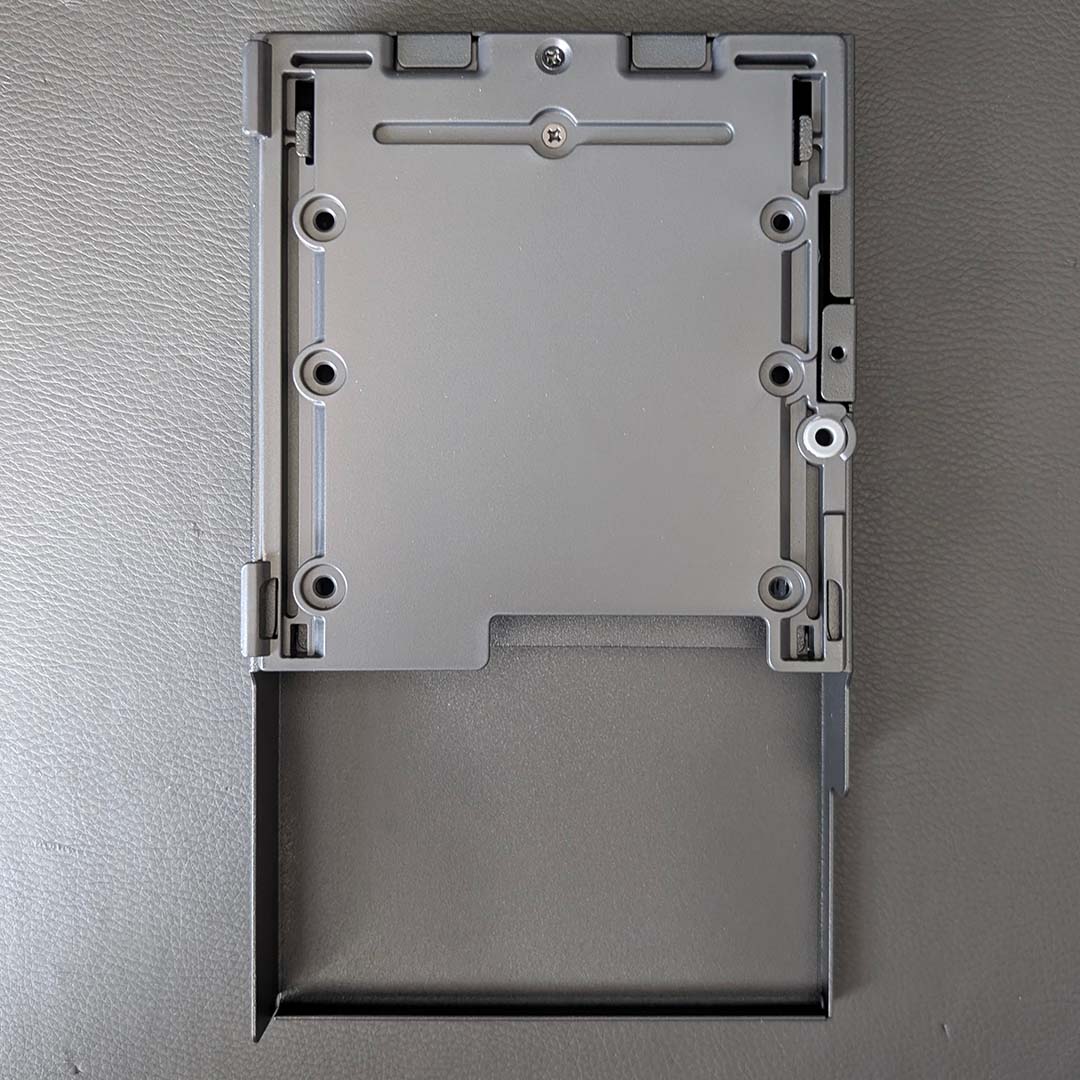
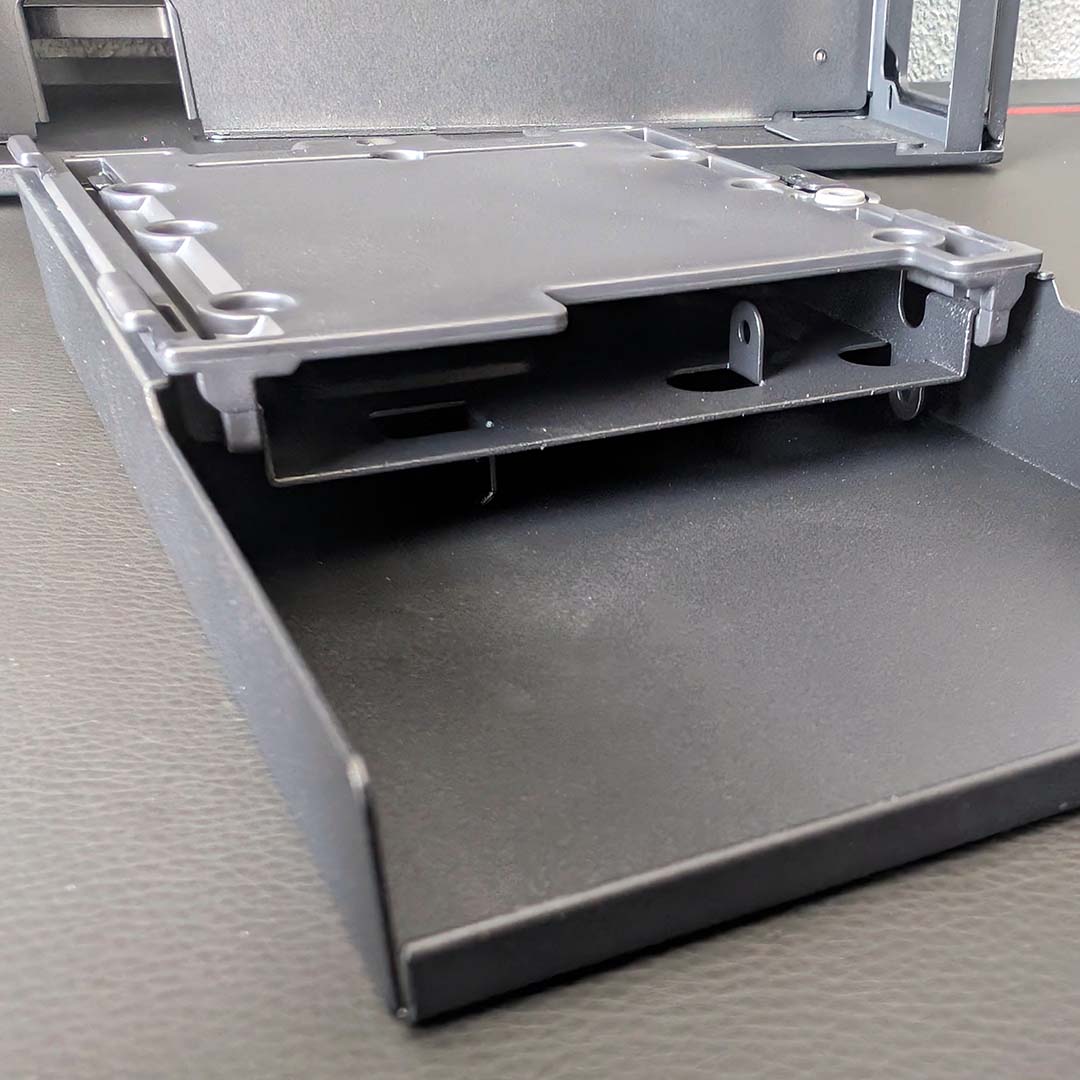
Now let’s talk storage, specifically the two drive caddies attached to the modular frame in the right chamber. These bays can support up to four 2.5in SSDs or two 3.5in HDDs, with ample room to route SATA data and power cables.
As mentioned earlier, you can ditch these drive bays in favour of fans if you prefer, with the mounting rack pulling away from the case via two screws, each featuring a rubber washer to minimise potential vibration. Doing so doesn’t mean having to entirely give up your SATA storage, though, as you can mount one caddy to the rear of the motherboard tray, just below the CPU cutout area.
HAVN also includes a VESA mounting bracket in the accessories box, which you can install instead of the caddies to fit a pump, reservoir, or display. Kudos to the firm for providing so many customisation options at no additional cost.
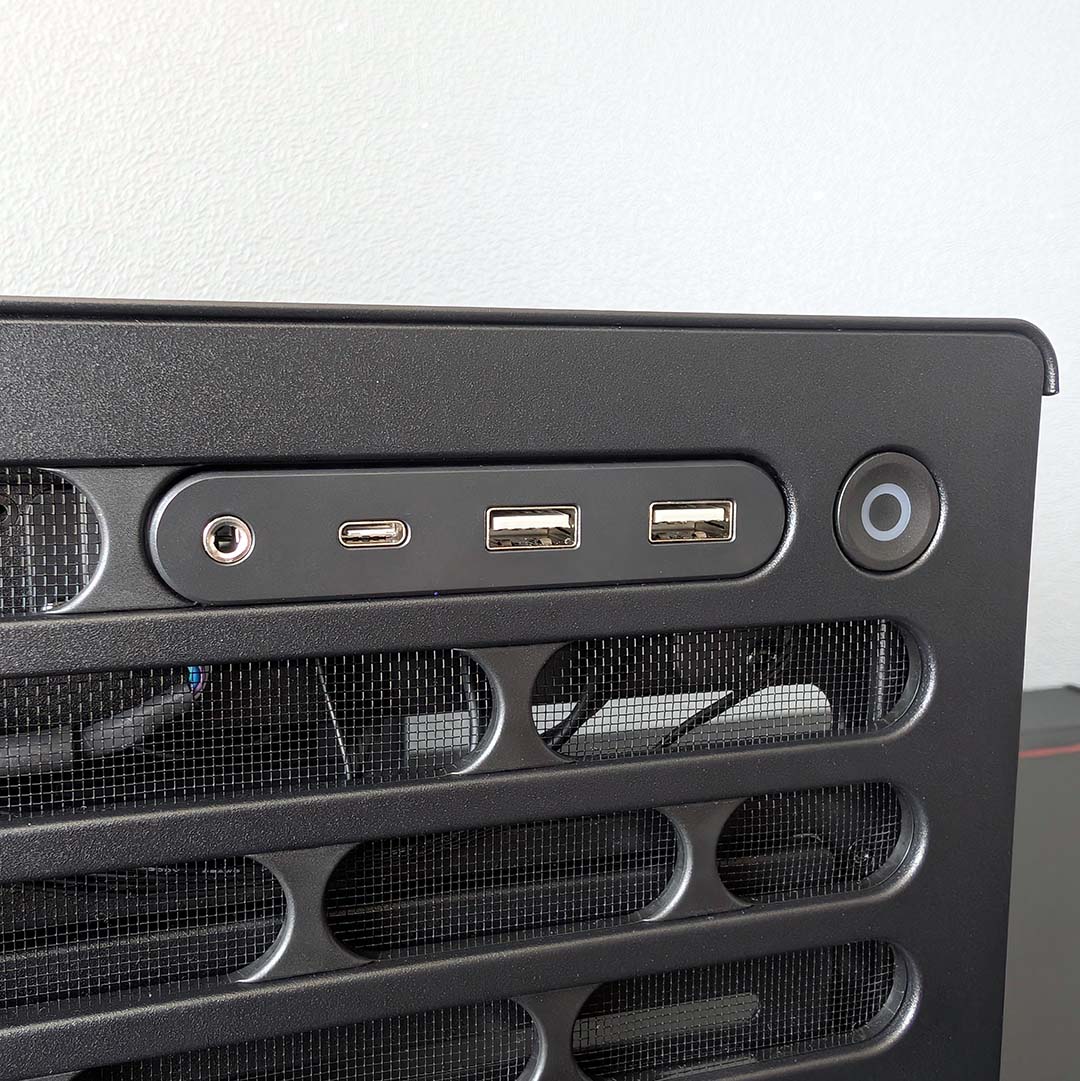
The built-in I/O finds its home on the top panel along the case’s right side. As someone who puts their PC underneath their desk, this is my preferred place to have the power button and USB ports, but this is less useful if you’re planning to place the chassis atop a surface.
USB bandwidth is typical fare for most PC cases, with two 5Gbps Type-A ports and a lone 10Gbps Type-C connector. There’s also a 3.5mm audio-out/mic-in socket, for those who use analogue headset connections.
Summarily, the HS 360 VGPU makes an incredibly strong first impression. Material quality is simply excellent across the board, with sensible stylings and smart touches aplenty that give the case an undeniably premium feel. Much as I wish HAVN had found the means to include at least some stock fans, as well as an A-RGB hub, I’m excited to build inside this case.
Test components
A lack of stock fans presents an unusual problem, as HAVN doesn’t recommend using the case without any of them. As such, we’ve made the decision to pair the HS 360 VGPU with eight Arctic P12 Pro A-RGB fans. These are the same blowers on our AIO water cooler, giving this setup a unified approach in terms of aesthetics and airflow. Of course, these spinners will only offer a broad snapshot of potential thermal and noise level performance, so take subsequent results with due understanding.
With that caveat out the way, I’m turning to our usual assortment of components you’ll find across most of our case reviews. The crown jewel of the test bench being the Intel Core Ultra 7 270K Plus, whose 250W thermal power limit will highlight the cooling capabilities of the chassis.
Here’s a list of the components I’m using in this case:
- CPU: Intel Core Ultra 270K Plus
- Cooler: Arctic Liquid Freezer III Pro 360 A-RGB
- RAM: G.Skill Trident Z5 RGB DDR5-7200 CL34 32GB
- Motherboard: Gigabyte Z890 Aorus Pro Ice
- GPU: Sapphire Nitro+ Radeon RX 9070 XT
- SSD: WD_Black SN8100 2TB
- PSU: be quiet! Dark Power 14 1,200W
Build experience
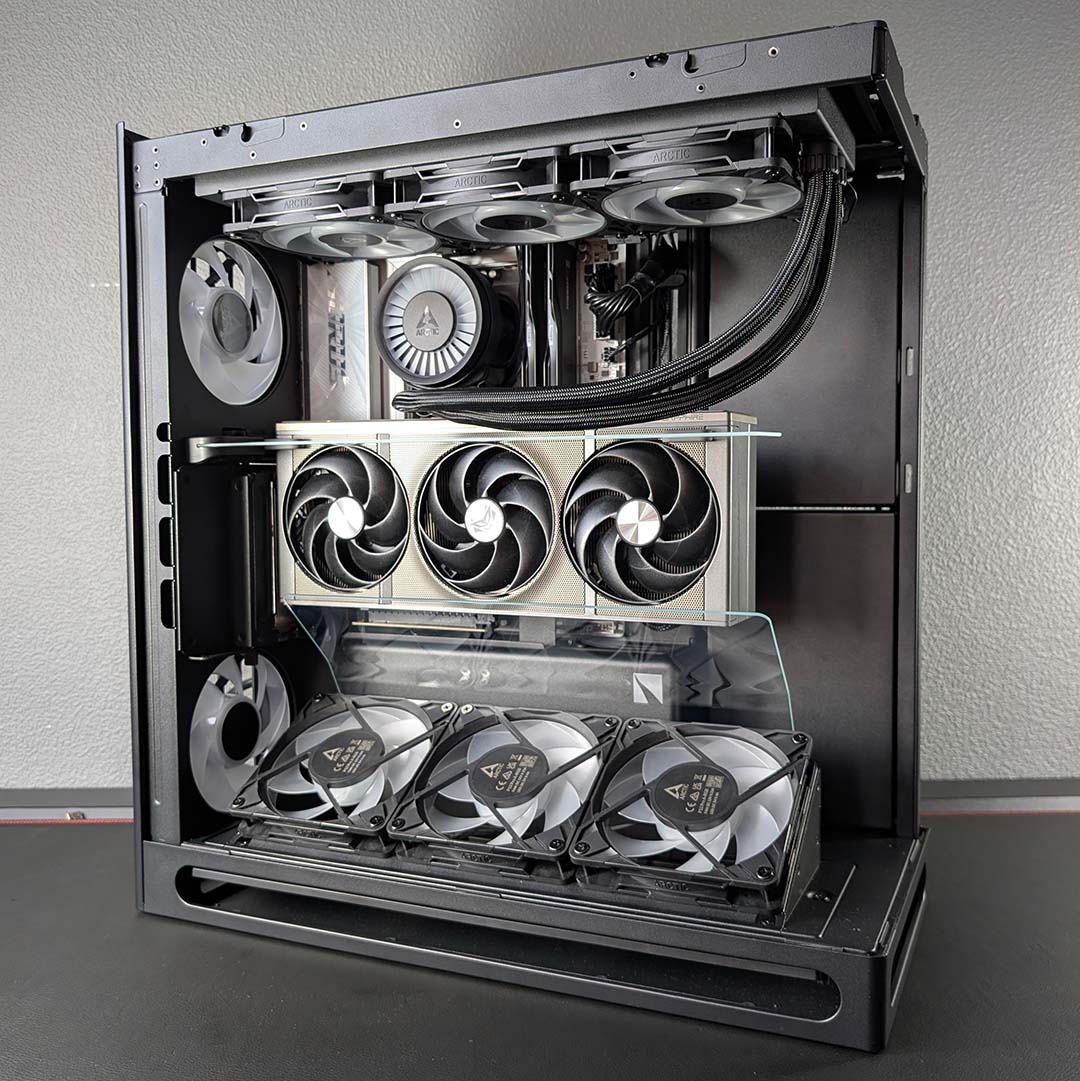
Following the instructions inside the HS 360 VGPU paper manual, I begin my build by removing the vertical GPU mount to make way for my motherboard. Within a few minutes, I had the accessory out and my ATX board in place, complete with CPU, RAM, SSD, and case cables. It takes slightly longer than I’d like to admit to get the vertical mount back in place, however, as matching up to the stub is fiddly.
Next, I install two 120mm fans along the rear. The pictures throughout this review show both serving as exhausts, but HAVN recommends running the bottom-most blower as an intake, which is how I’ve subsequently tested the case. The brackets for each spinner marry nicely, and I’m happy to see yet more rubber washers in play to minimise potential vibrations.
I was initially unsure about how to route cables through to the right chamber for each fan, and the manual doesn’t provide any guidance in this respect either. Eventually, after some trial and error I identified the appropriate cut outs. The bottom-most fan’s wires ran through with no issue, but the top-most fan’s PWM male connector was a touch too thick for one route. Despite this bump in the road, I was able to wrap up the install with a tidy finish.
Pressing on with yet more fans, I removed the angled fan bracket from the base of the case, which again attaches with screws supported by rubber washers. It’s here that I realised I should have reached for some reverse-blade designs for an ideal aesthetic, but I’ve made do with the P12 Pro A-RGB trio I had to hand.
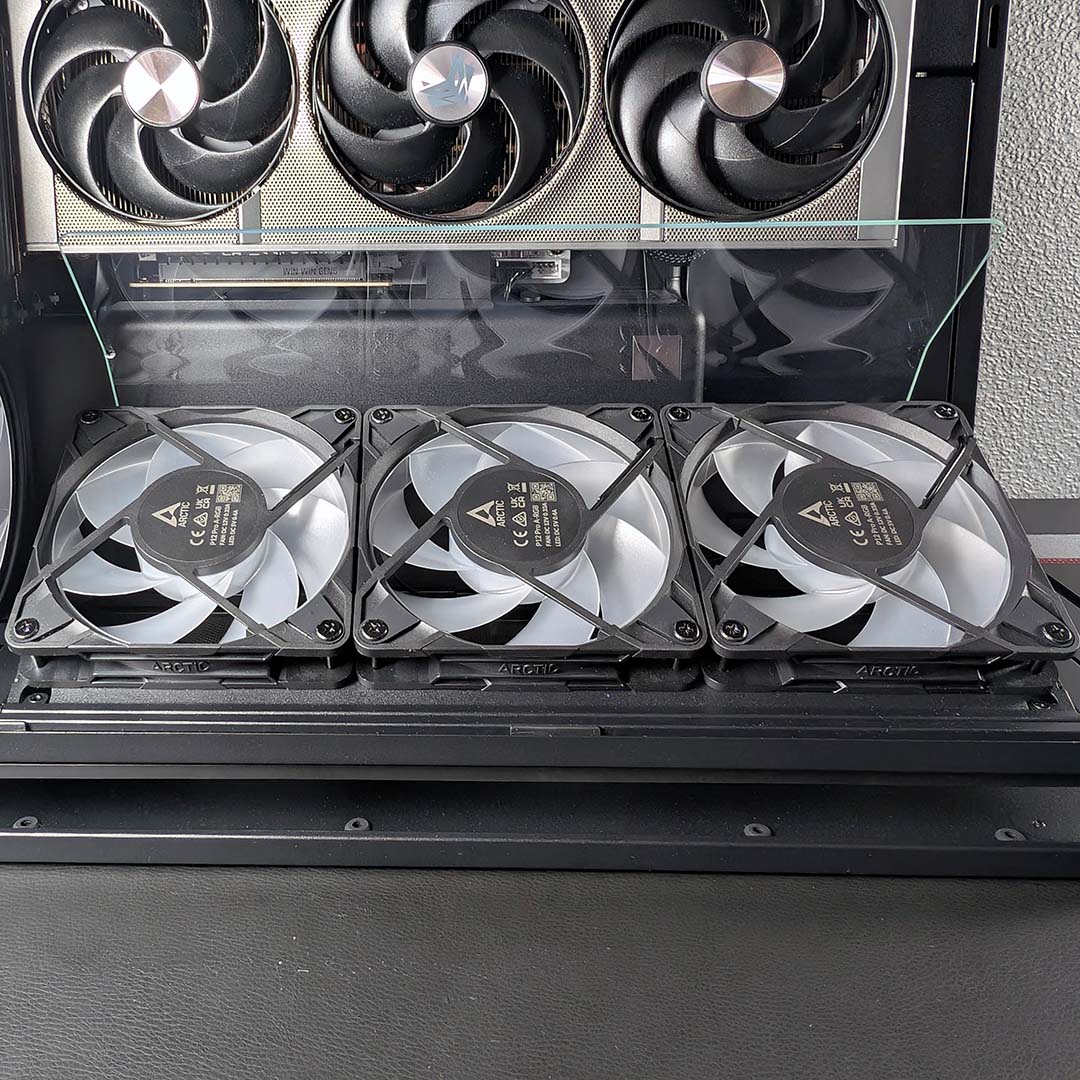
The glass airflow guide sits at the back of the fan bracket, attaching via three screws, helping to funnel air from the intakes more directly towards the graphics card. Its placement also helps separate warmer exhausted air from the bottom of the GPU, so that it doesn’t recirculate and hamper thermals.
HAVN hasn’t provided us with data to highlight how much of a difference this accessory makes in real terms, but the theory checks out on paper. However, I must say I’m not a fan of how the guide looks inside our system, as it distracts your eye from the build at large, particularly the graphics card. The glass is also a fingerprint magnet, so make sure to have a cloth handy during installation.
With the riser and bracket in place, I place our graphics card into the vertical mount. The case’s high-quality metal materials extend to the expansion slot covers, which all feel suitably chunky too. Soon after screwing the graphics card into place, I realised that I hadn’t pre-routed power to it and doing so in the available space is very difficult.
I opt to remove the graphics card for the moment, but I can’t reach the PCIe riser’s small clip as the glass airflow guide is in the way. Thus began the tedious process of unscrewing the bottom fan bracket, unclipping the graphics card, to then screw the assembly back into place. Sadly, this wouldn’t be the last time.
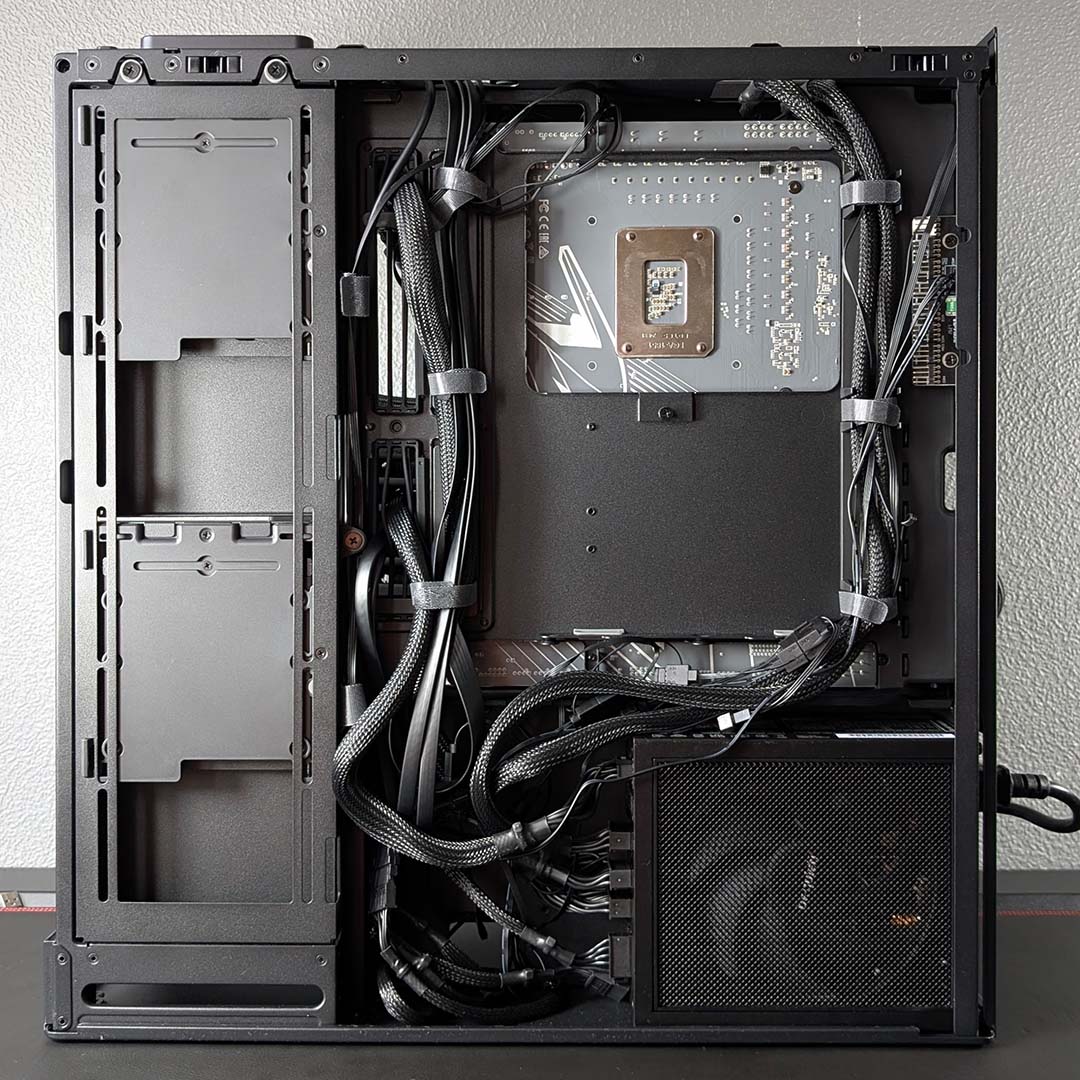
Thinking carefully about my next step, I decide to begin routing fan wires to the hub given how much space is available in the right chamber. However, I quickly realise that while my PWM cables will reach just fine, the lack of an ARGB hub, combined with the placement of ARGB headers on my motherboard, means I won’t be able to power the LEDs if I continue down this road as they simply can’t reach.
Instead, I daisy-chained the five fans, but not before removing the bottom bracket one final time to identify which of the wires belonged to each of the three intakes. I managed to connect the series to the motherboard, but I resent how easy this should have been considering the HS 360 VGPU comes with a fan hub. Even moving the accessory closer towards to the base of the case, nearer to the three intakes, would greatly boost its usefulness.
Next comes the power supply, which slides in from the side and into its slot with relative ease, with plenty of room for its wires to protrude outwards. Routing my 24-pin and 16-pin power connectors along the spine and through the rubber grommets is nice and easy, and the cables come together alongside the case’s USB cables in a collective Velcro wrap for a clean finish.
Afterwards my dual 8-pin, and SATA power cables similarly require minimal fuss to connect and manage. This stage of the build is nothing short of intuitive, with HAVN even printing some guidance along each of the cable routes, which will undoubtedly help less-experienced builders. I’m very happy with how the back panel looks now.
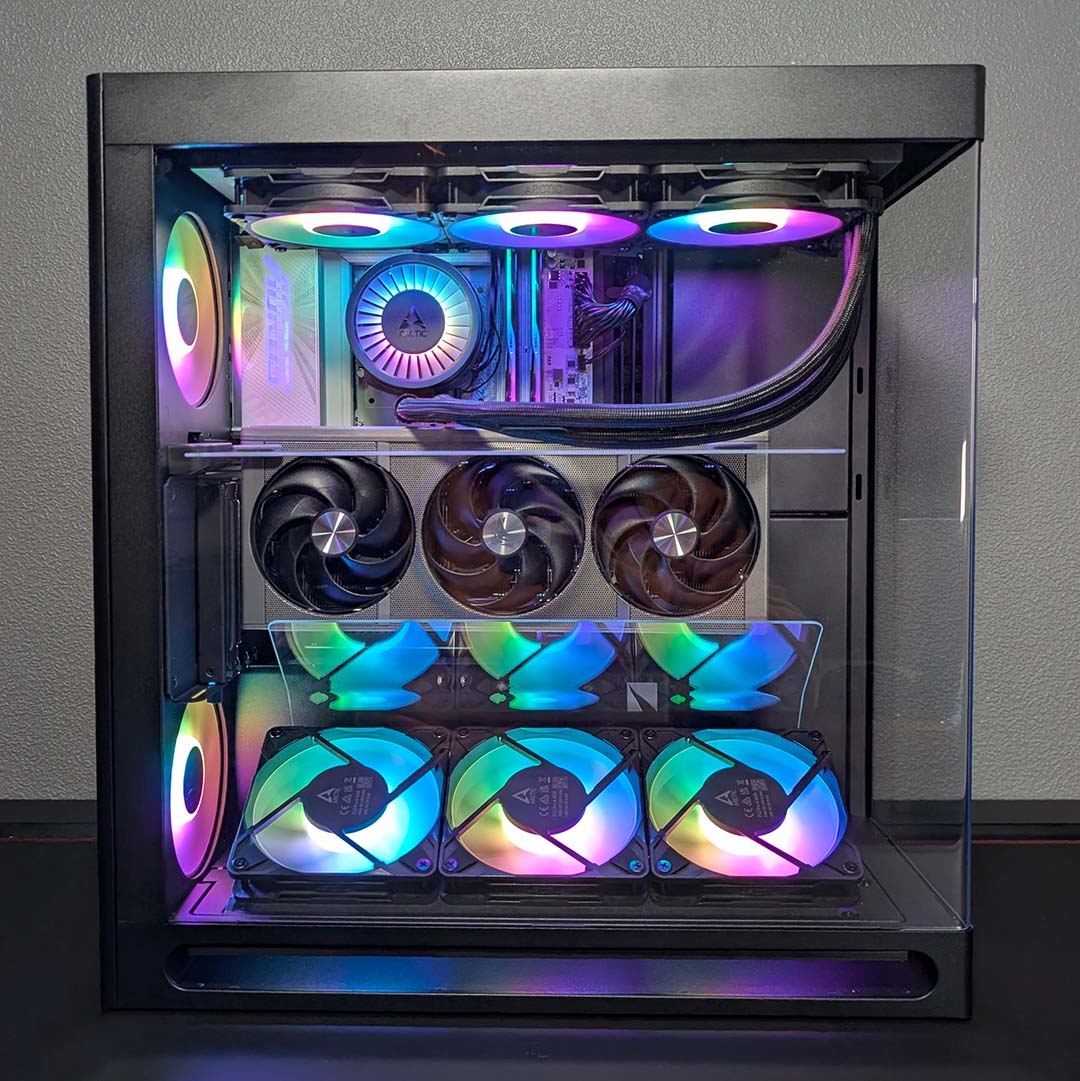
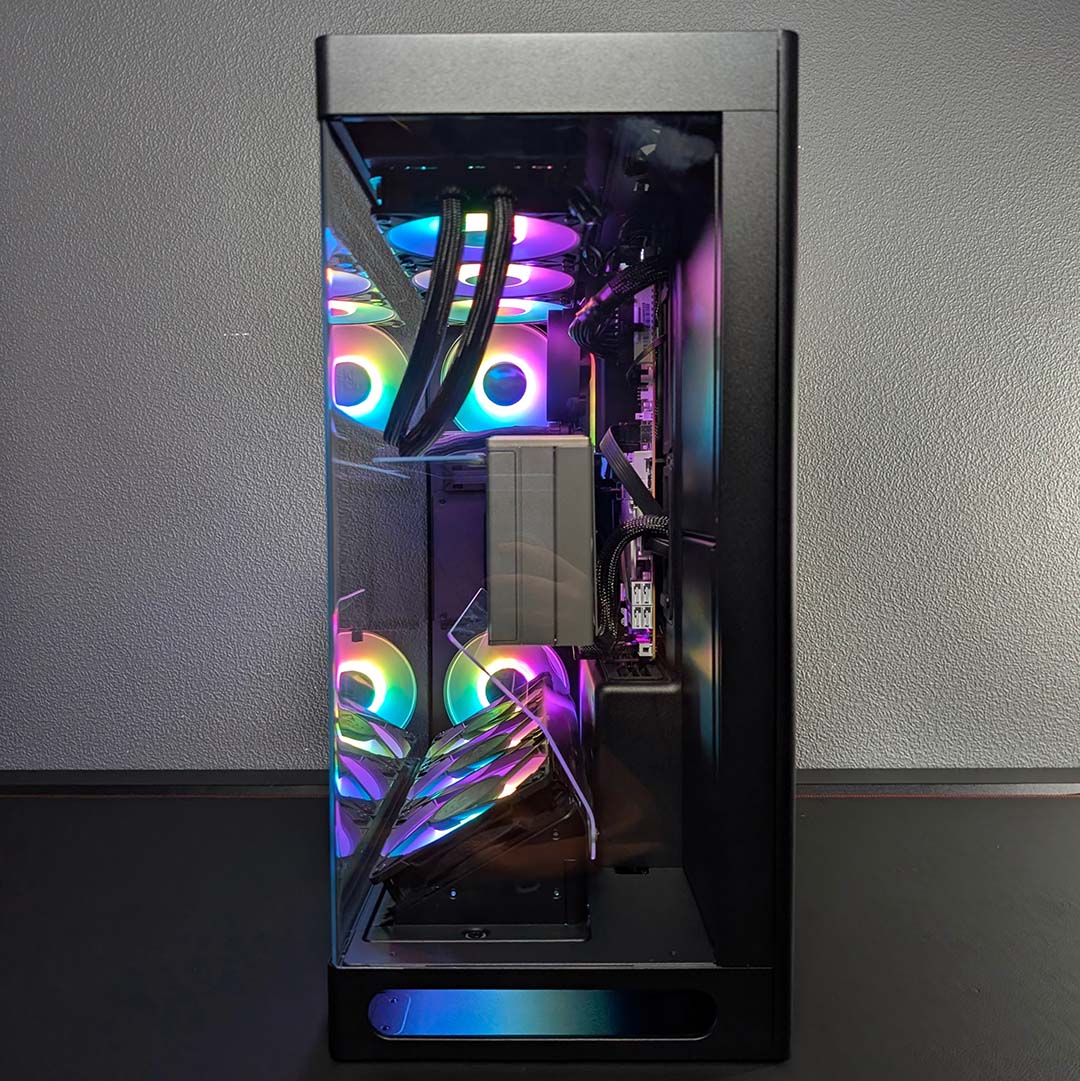
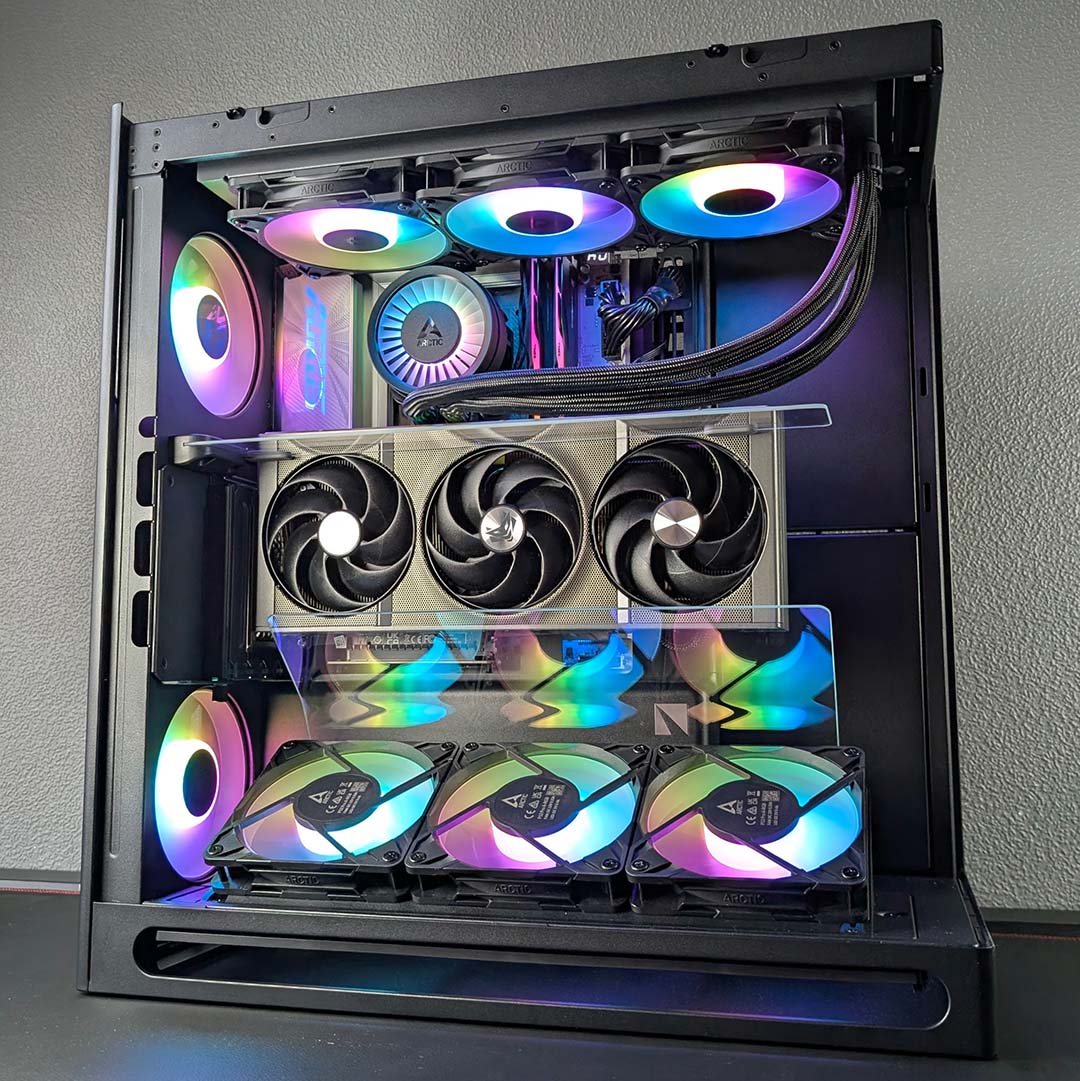
The rest of the system comes together quickly. The graphics card returns to its vertical mount, complete with power, before I begin installing my 360mm AIO cooler. I’m able to attach the water cooler to its frame outside of the case, thanks to the modular bracket, while pre-routing cables from the pump, as there’s not much room back there once the radiator is in place.
Before we can test the system, though, the HS 360 VGPU has one more trick up its sleeve: the magnetic airflow divider. This is an additional sheet of glass that attaches to the case’s rear, aiming to further improve GPU thermals.
HAVN claims this addition can decrease operating temperatures by as much as 7.5°C under normal use, as the graphics card is more readily able to draw in cold air from the intakes instead of it escaping upwards. On a side note, HAVN tells us it’s also planning to sell the magnetic airflow divider separately as an accessory for the HS 420 as well – it should be available around a month after the HS 360 launch.
With this final step complete, we’re now ready to power on the system and I’m happy to see my cable management didn’t knock any of the daisy chain loose, with all fans spinning up and shining bright. This was one of the more difficult builds I’ve put together inside a PC case, requiring a good deal more forethought and planning than a typical design, owing to the unique accessories and frustrating fan hub placement.
Performance
Ambient temperatures sit at 19°C as we begin our performance tests, giving the system and HAVN HS 360 ARGB plenty of headroom to keep thermals and noise low. I’ll be reporting absolute temperature results from HWInfo as we move forward, in place of Delta-T values.
As per other case reviews, I’ve set both fan and pump speeds to match our 9950X3D test bench. More specifically, all blowers are at 30% across the system, while the pump sits at a constant 50%. As a reminder, we have eight Arctic P12 Pro A-RGB at work in the case, owing to a lack of stock spinners.
It’s impossible to measure 30cm from the intakes, owing to their position at the bottom of the case. However, measuring from the same distance at the side sees my noise meter return a quiet 32dBA. Pointing my instrument to the two rear spinners sees this value increase to 35dBA, while the top exhaust sit at 36dBA.
With these eight fans at work, the case certainly isn’t silent but is by no means distractingly loud either. I’d love to know just how low noise levels could go with some whisper-quite Noctua models.
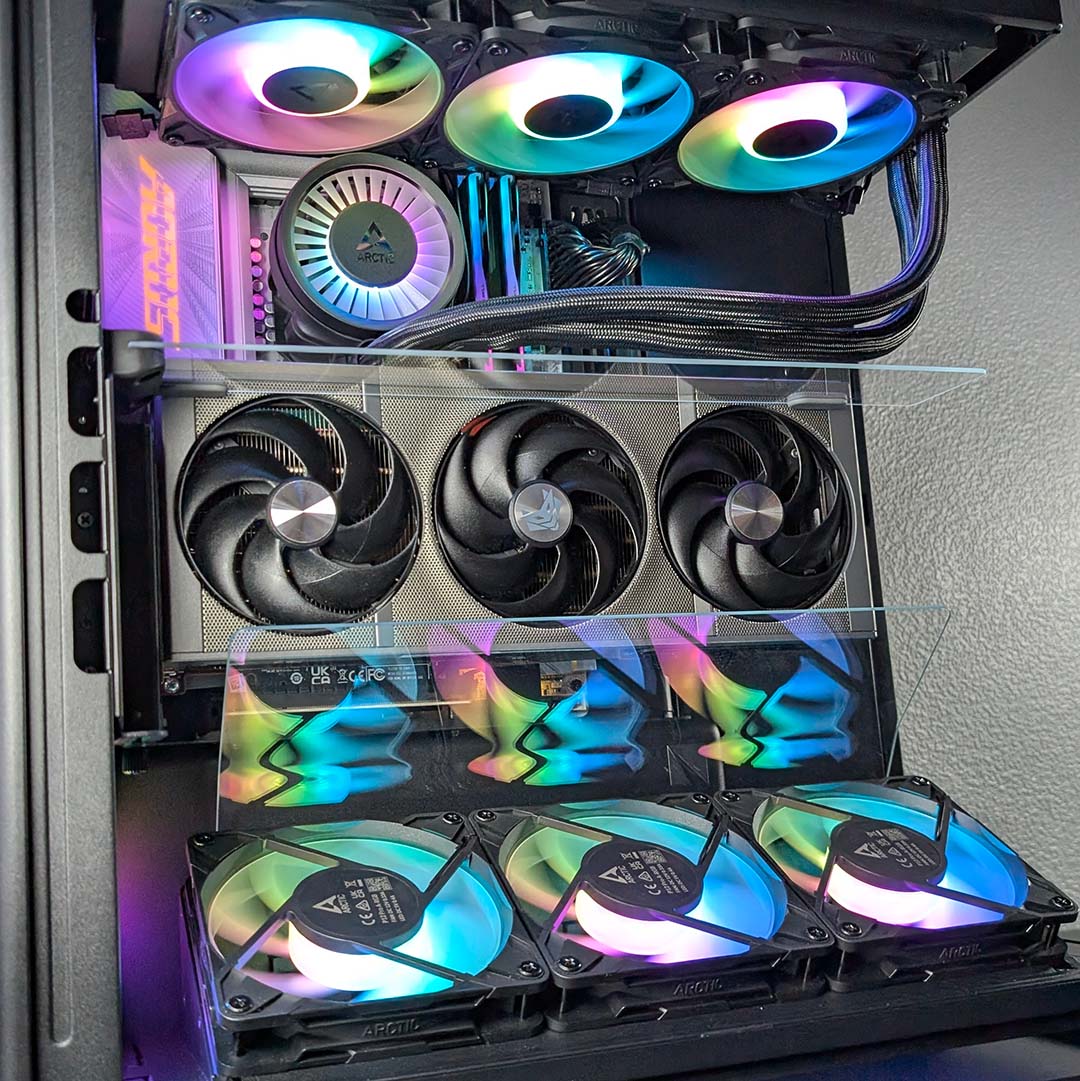
On to thermals, the HAVN HS 360 VGPU keeps our CPU core temperatures as low as 26°C while idle. Impressively, our GPU sits at 24°C, one of the coolest values we’ve seen at this stage. Those airflow directors and four intakes are putting in some work already.
Completing a 10-minute Cinebench 2026 multiple-thread benchmark pushes our processor all the way up to 78°C. This is about what we’ve come to expect from the Core Ultra 7 270K Plus using this cooler, so it’s clear that the internal glass panels aren’t hampering CPU performance.
Cyberpunk 2077 wakes and warms our graphics card, with the game’s RT Ultra preset pushing the GPU up to 51°C with cooler fans running at 1,200rpm. Meanwhile, the CPU sits at a cool 62°C, again demonstrating that the airflow guide and divider aren’t hindering cooling for our chip.
Removing the topmost glass panel from the system and running the same Cyberpunk 2077 benchmark does see the graphics card’s temperature and fan speed increase, this time up to 55°C and 1,500rpm. That’s not quite the 7.5°C difference HAVN claims, but it’s certainly noisier and hotter than without the accessory.
Conclusion
It’s not often we see truly unique PC cases, but the HAVN HS 360 VGPU certainly qualifies with the only comparable chassis being its larger sibling. While I may not find the appearance of airflow dividers particularly stylish, they can demonstrably improve the thermals and noise levels on a vertically mounted graphics card.
Of course, that’s not the only thing to love about the chassis. The build quality is among the best I’ve ever seen from a PC case, with frame and panel materials clearly reflecting the premium price tag. I also love the intuitive cable management rubber grommet design in play here.
However, as I alluded to at the beginning of this review, I do feel there’s room for improvement in other aspects. Chief among them is the inclusion of an A-RGB hub to make the included fan hub more useful. Stock fans wouldn’t hurt either, as their absence naturally pushes the cost of the chassis upwards (in my case by £50). Any effort to reduce the fiddliness I experienced during setup would also be welcome, either via small design changes or through clearer instructions in the manual.
At £239 / $279, the HS 360 VGPU is inarguably expensive, with a large chunk of that cost stemming from its PCIe Gen 5 riser. No alternatives will offer the same bespoke cooling chops, with most dropping down to a Gen 4 mount. I’d recommend considering the Arctic Xtender VG (£118 / $142) and Hyte Y70 (£159 / $189) if HAVN’s offering is a little too costly for your tastes, and you don’t need quite as much cooling potential nor back connect support.
In short, if you’ve had your eye on the HS 420 VGPU but wanted something a little more petite, the HS 360 VGPU is exactly what you’ve been waiting for. It calls out to enthusiasts who appreciate excellent build quality and those seeking to keep their vertical graphics card as cool as possible, sans a water cooling block. While not the perfect premium PC case, it’s certainly an endearing maverick in a market full of samey chassis.
