

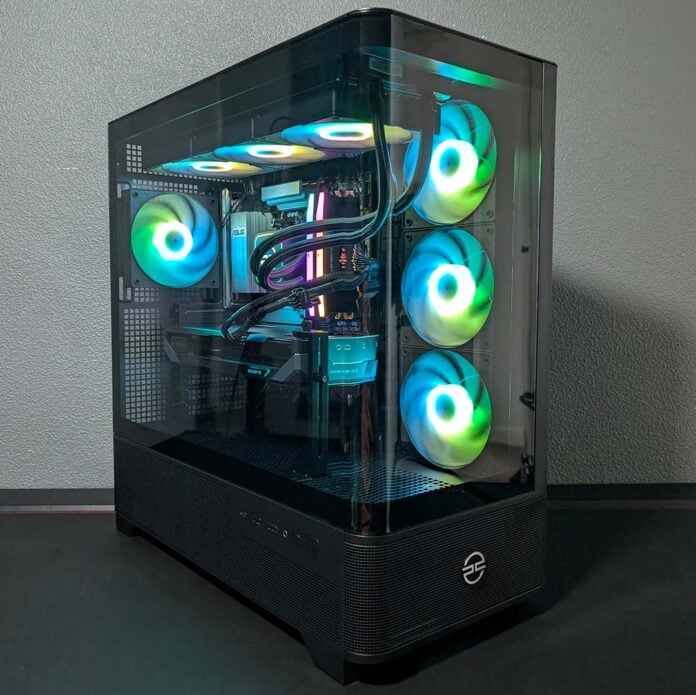
The spiralling price of DDR5 RAM makes putting together an AM5 system more difficult than ever, but prebuilds still offer a good-value and reliable means to get your hands on a gaming PC featuring a modern platform. For those seeking a new rig, or looking to dip their toes into the PC gaming world for under £2,000, PCSpecialist’s Noble Extreme is an excellent choice.

PCSpecialist Noble Extreme
£1,899
Pros
- Good QHD/FHD pace
- Fair price relative to DIY
- AM5 upgrade potential
- Excellent thermals and acoustics
- Gorgeous tempered glass case
Cons
- Minor cabling gripes
Club386 may earn an affiliate commission when you purchase products through links on our site.
How we test and review products.
Costing £1,899, this system doesn’t cost much more than building a similar rig yourself, and comes together with near-perfect build standards. It sports a Zen 4 processor with 3D V-Cache, and is up to the task of playing today’s games, while setting you up for several years to come. What’s more, its use of DDR5 RAM and an AM5 motherboard means you’ll be able to upgrade it easily in the future.
Specifications
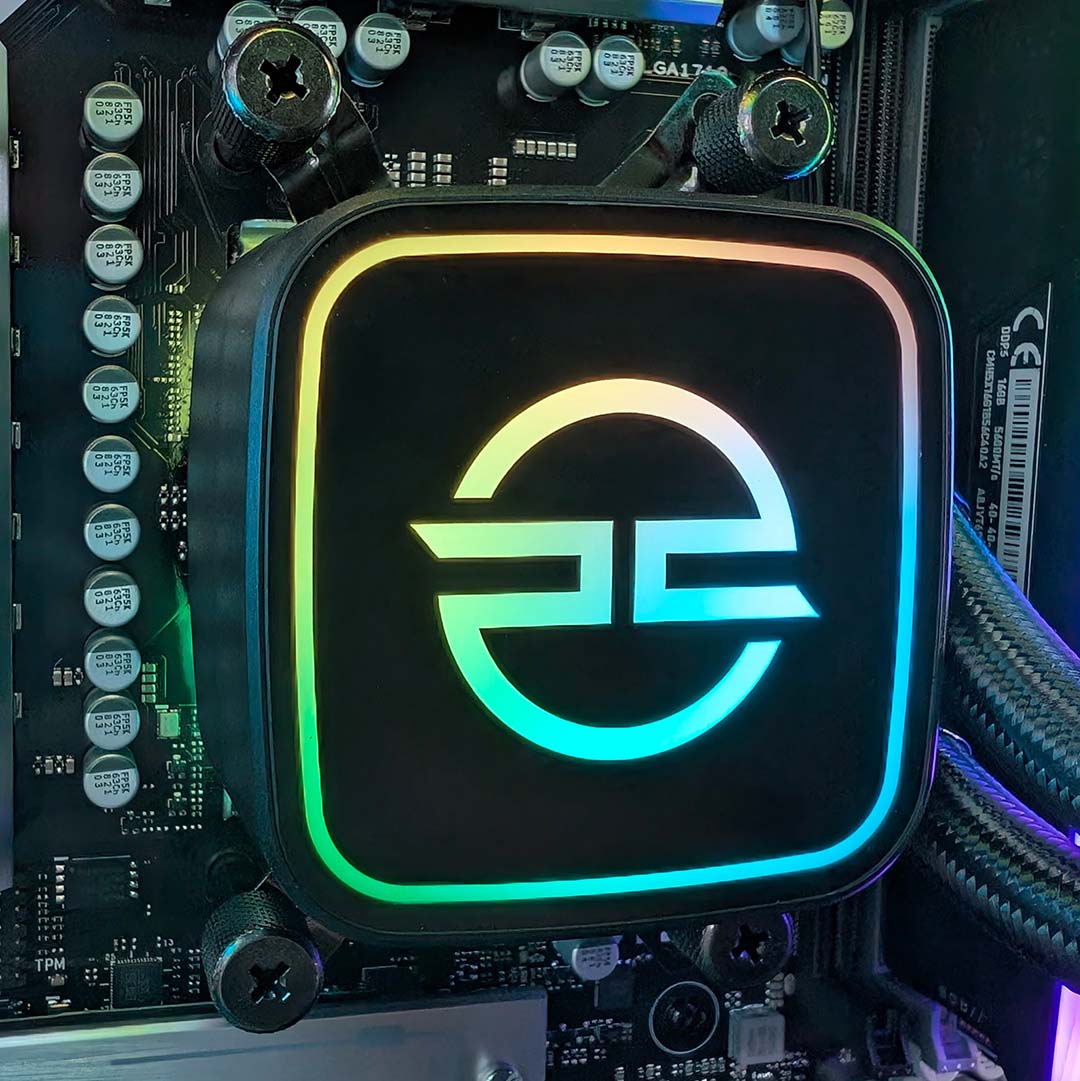
A Ryzen 7 7800X3D handles processing duties for the Noble Extreme, with eight Zen 4 cores, 16 threads, and a 5GHz boost clock. Of course, as an X3D CPU it comes with AMD’s coveted 3D V-Cache tech, which provides a large 96MB pool of L3 cache, three times the capacity you’ll find in vanilla Ryzen processors with eight or fewer cores. This gives the chip a massive buffer of super-fast memory, reducing the chance of a cache miss and the need to page your slower DRAM, frequently resulting in higher frame rates than a chip with less cache.
Despite approaching its fourth year of service, this Zen 4 processor still has plenty of gaming grunt. While it’s not quite as fast as the newer Ryzen 7 9800X3D, this chip isn’t far off when it comes to frame rates, as we explored in our 7800X3D vs 9800X3D analysis. Importantly, according to PCSpecialist, we’re saving just under £100 by opting for this elder CPU, while maintaining the lion’s share of performance.
3D V-Cache won’t always provide a significant uplift, but the tech does so frequently enough in many popular games that I’d certainly rather have it in any of my gaming systems, eliminating non-X3D AMD and Intel processors from the conversation. The cheaper models that remain, such as AMD’s Ryzen 7 7700X3D or Ryzen 5 7500X3D are slower, and barely any cheaper in the case of the former, cementing my perspective that PCSpecialist has chosen the right chip for the job, with a great balance of performance and price.
| PCSpecialist Noble Extreme | |
|---|---|
| CPU | AMD Ryzen 7 7800X3D |
| CPU cooler | PCSpecialist LS-360 AIO Liquid Cooler |
| Motherboard | Asus Prime B850-Plus WiFi |
| GPU | AMD Radeon RX 9070 GRE 12GB |
| RAM | 32GB (2x16GB) Corsair Vengeance RGB DDR5-6000 CL38* |
| SSD | 1TB Sandisk Optimus 5100 M.2 PCIe 4.0 NVMe SSD |
| PSU | 750W Corsair CX-750 |
| Networking / wireless | Bluetooth 5.3 2.5Gbps Ethernet Wi-Fi 6E |
| Case | PCS Illumis XC ARGB Curved TG (PWM) |
| Operating system | Windows 11 Home |
| Warranty | Three years labour, one year parts, six months collect and return |
| Price | £1,899 |
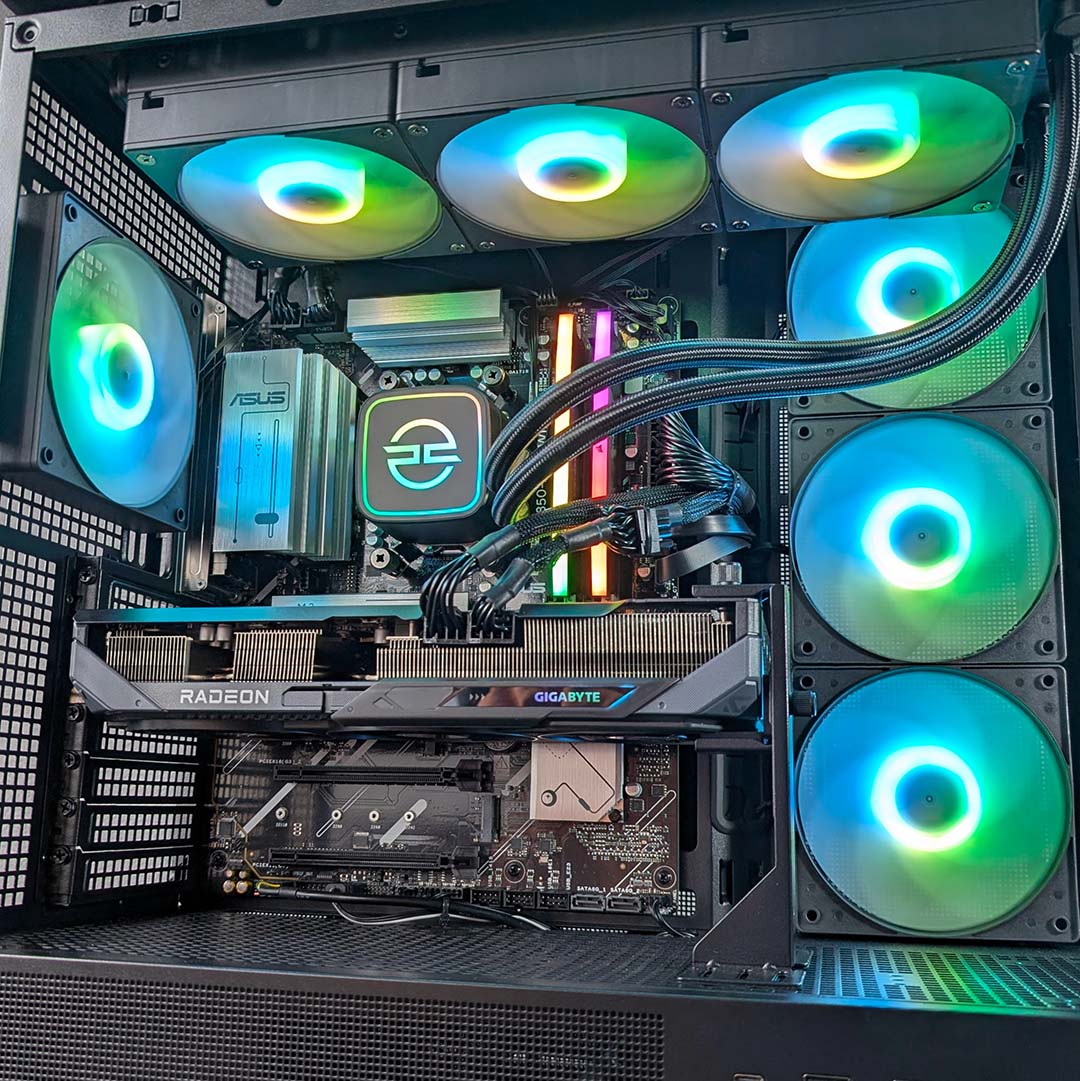
Our 7800X3D is in cool hands with the PCSpecialist LS-360. This liquid cooler features a trio of 120mm ARGB fans, complete with an ARGB-lit pump, exhausting hot air from the case through a 360mm radiator. This setup can handle up to 320W of heat output, making the 120W TDP of our CPU nothing short of light work. Without spoiling our test results too much, expect excellent operating temperatures and noise levels from this AIO cooler, even under heavy loads.
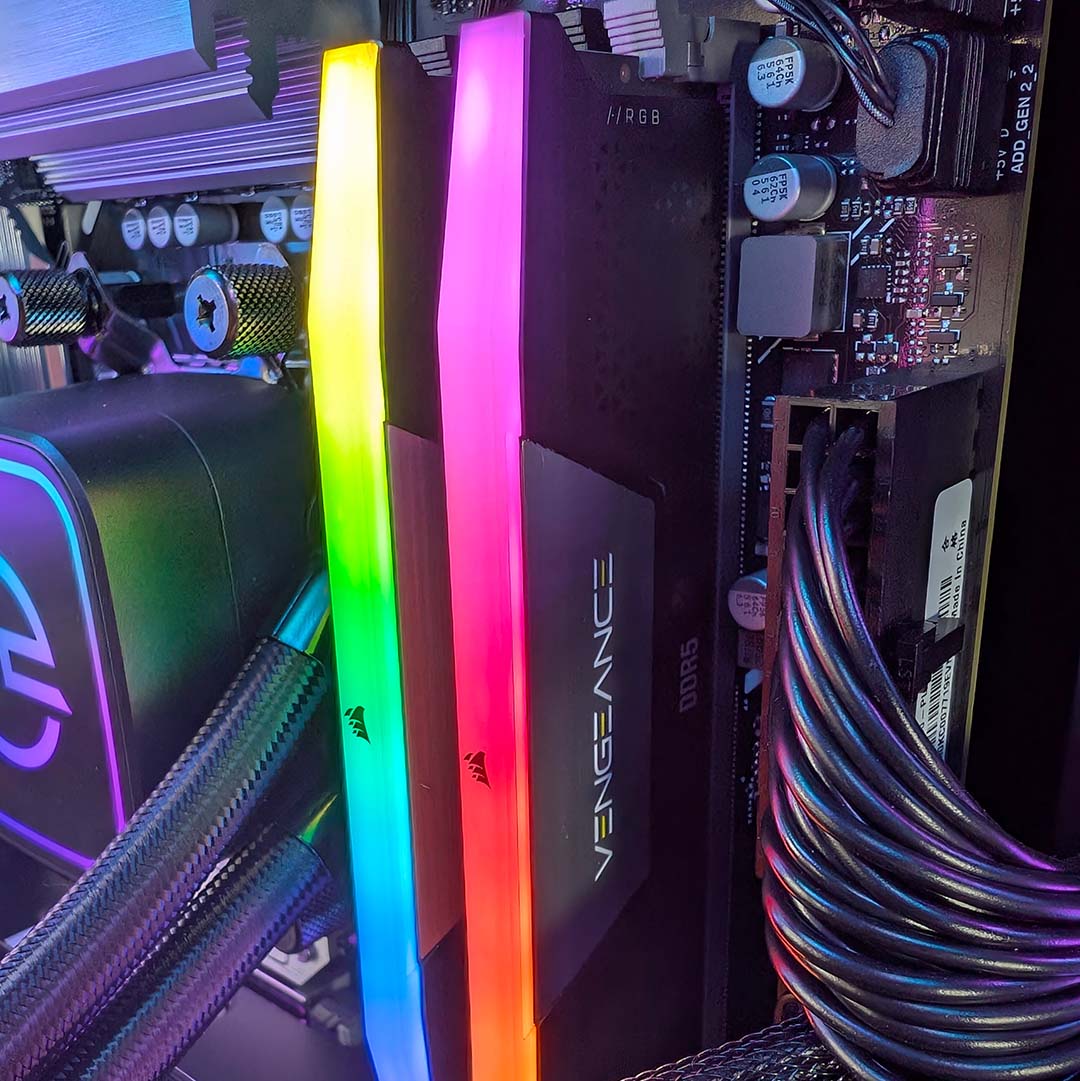
Sitting to the right of our processor and pump, we have 32GB of DDR5 RAM across two flashy Corsair Vengeance RGB sticks. The DIMMs in retail units will run at 6,000MT/s and CL38 timings, up from the 5,600MT/s and CL40 specs of our review sample at no extra cost. This level of speed and capacity is certainly enough for gaming today and into the foreseeable future.
Regardless, having a CPU with 3D V-Cache counteracts some of the bonuses we might hope to achieve from faster transfer speeds or tighter timings in games. With this fact in mind, it makes sense to save cash on memory and aim to hit not much further above the baseline, particularly when even a modest kit like this can become the second-most expensive component in a build.
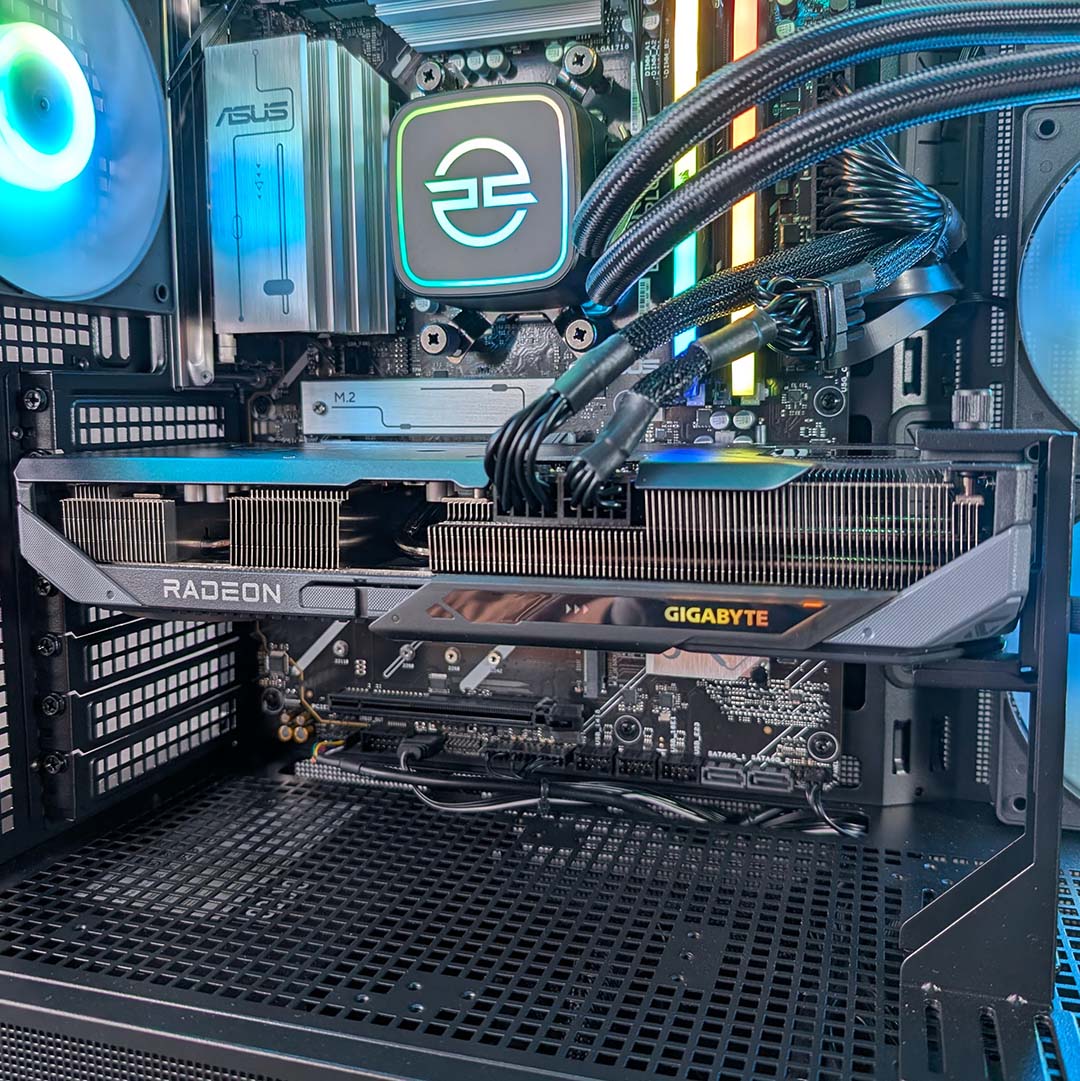
Moving our gaze southward, we find a Radeon RX 9070 GRE graphics card. As the memory crisis forces the cost of Nvidia’s GeForce RTX 5070 towards untenable heights, with 16GB cards suffering a similar fate, this 12GB pixel pusher emerges as an unlikely hero. It’s the only mid-range GPU we recommend buying in the current market, and marking another smart pick for the Noble Extreme.
The RX 9070 GRE shares the same Navi 48 DNA as AMD’s Radeon RX 9070, albeit with a cutback die and other trimmed specifications, but still remains capable of frame rates that fall within 3-4% of the RTX 5070 in our tests. 12GB of GDDR6 VRAM enables the graphics card to more readily handle the pressures of high settings even at QHD (2560×1440) resolution, relative to 8GB alternatives, and FSR 4 upscaling is available to help boost frame rates.
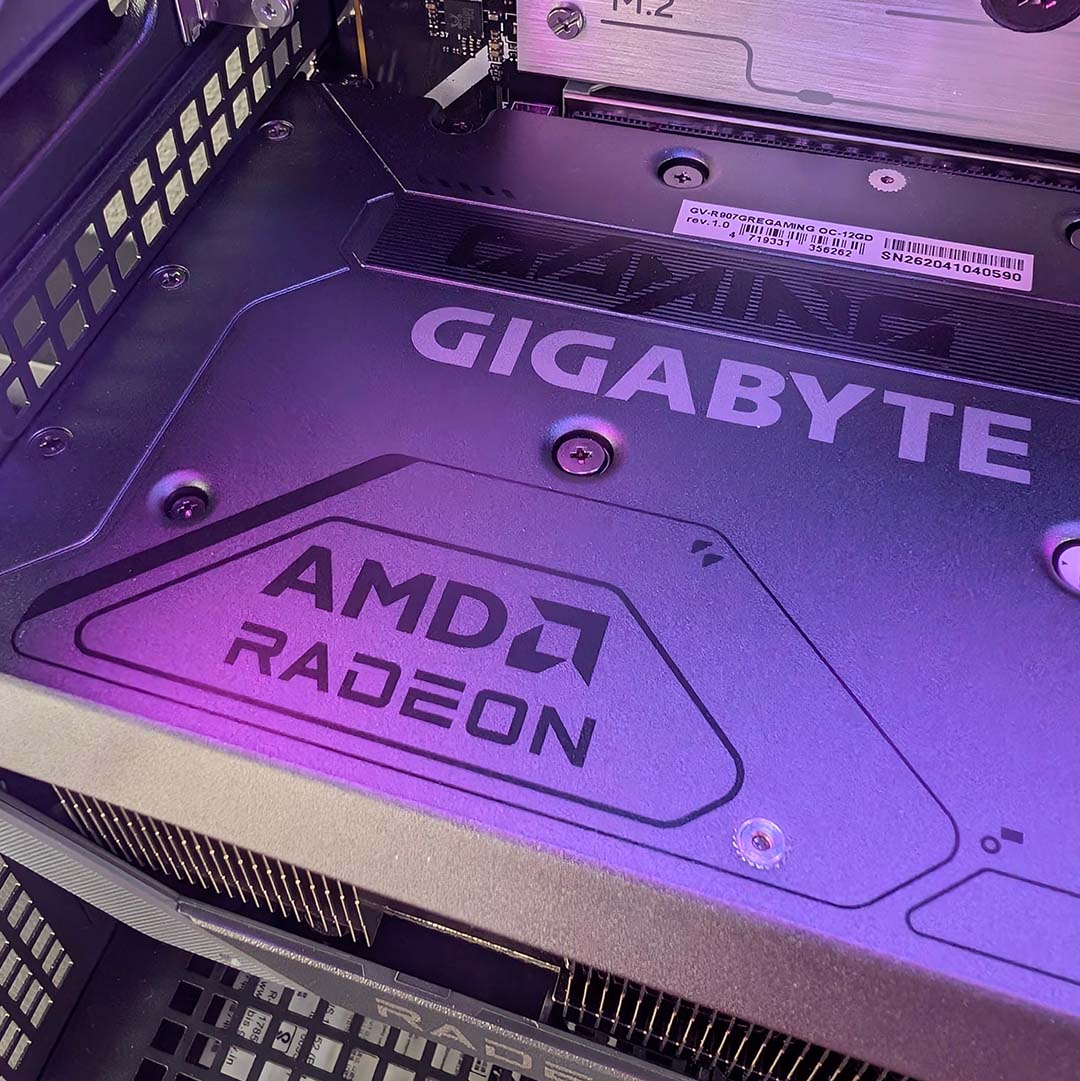
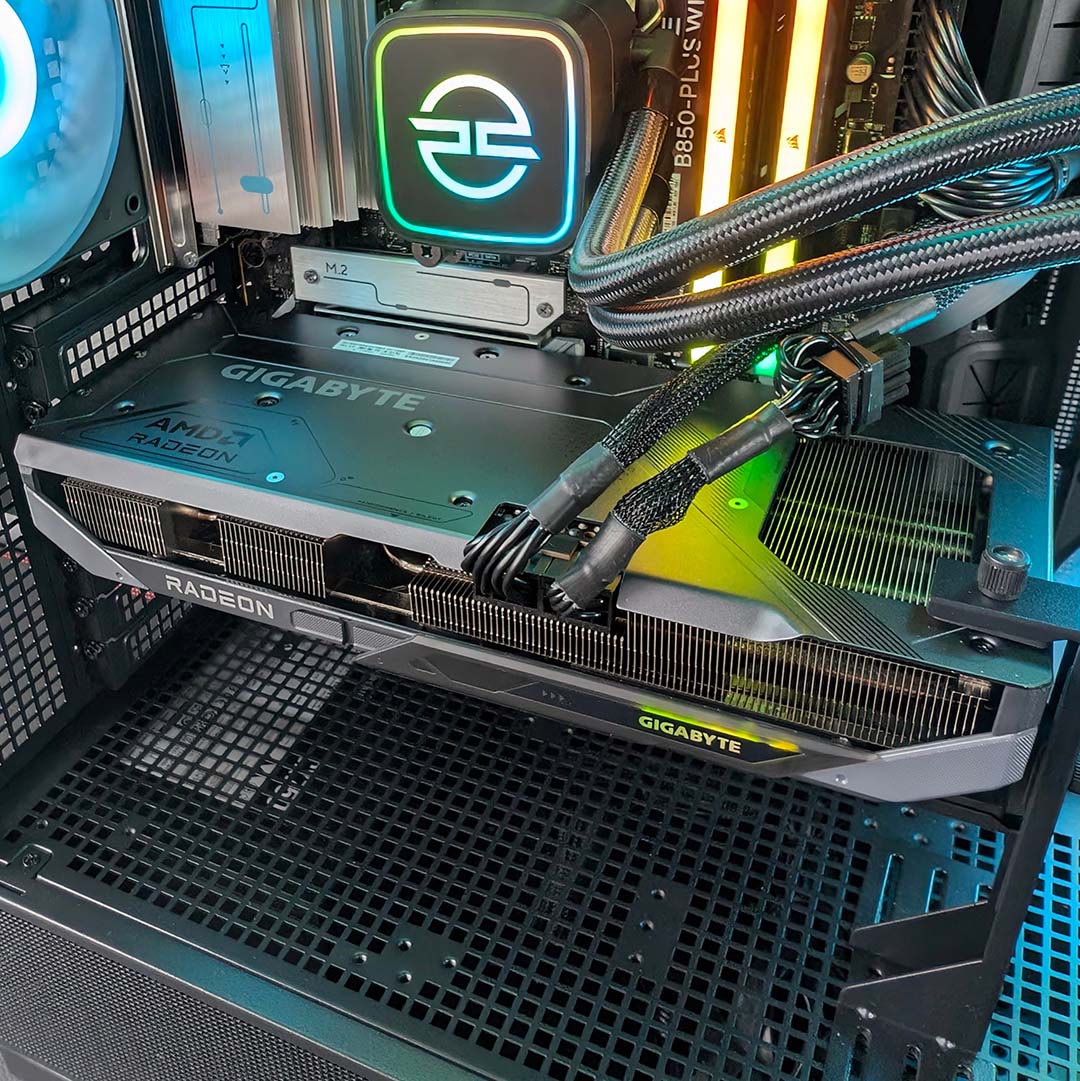
The Gigabyte Gaming OC variant that sits in our prebuild offers a modest 80MHz increase to the card’s game clock, alongside a 130MHz rise in boost clock. Neither will massively move the performance needle but are nice to haves, and the triple-fan cooler does a good job of keeping temperatures in check.
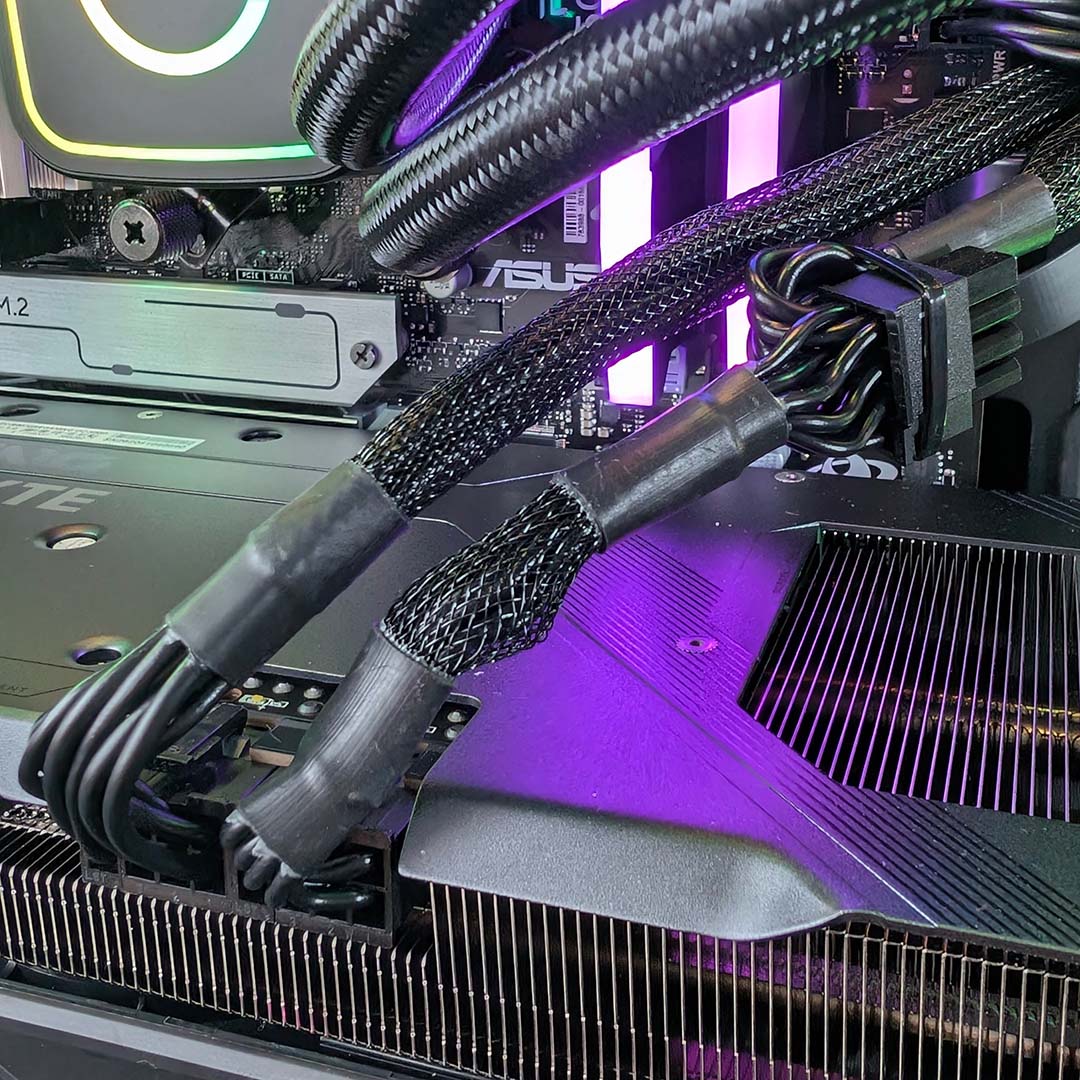
The cabling around it isn’t pretty, though. PCSpecialist has sensibly routed two separate 8-pin cables into the graphics card, but one of them is a dual-plug model, with its tertiary 8-pin connector zip-tied to the side. While the overall finish isn’t as noticeably untidy as a 16-pin-to-8-pin adaptor, and PCSpecialist has done its best with this PSU’s captive cables, that zip-tied connector does create a small blemish in an otherwise immaculate main chamber.
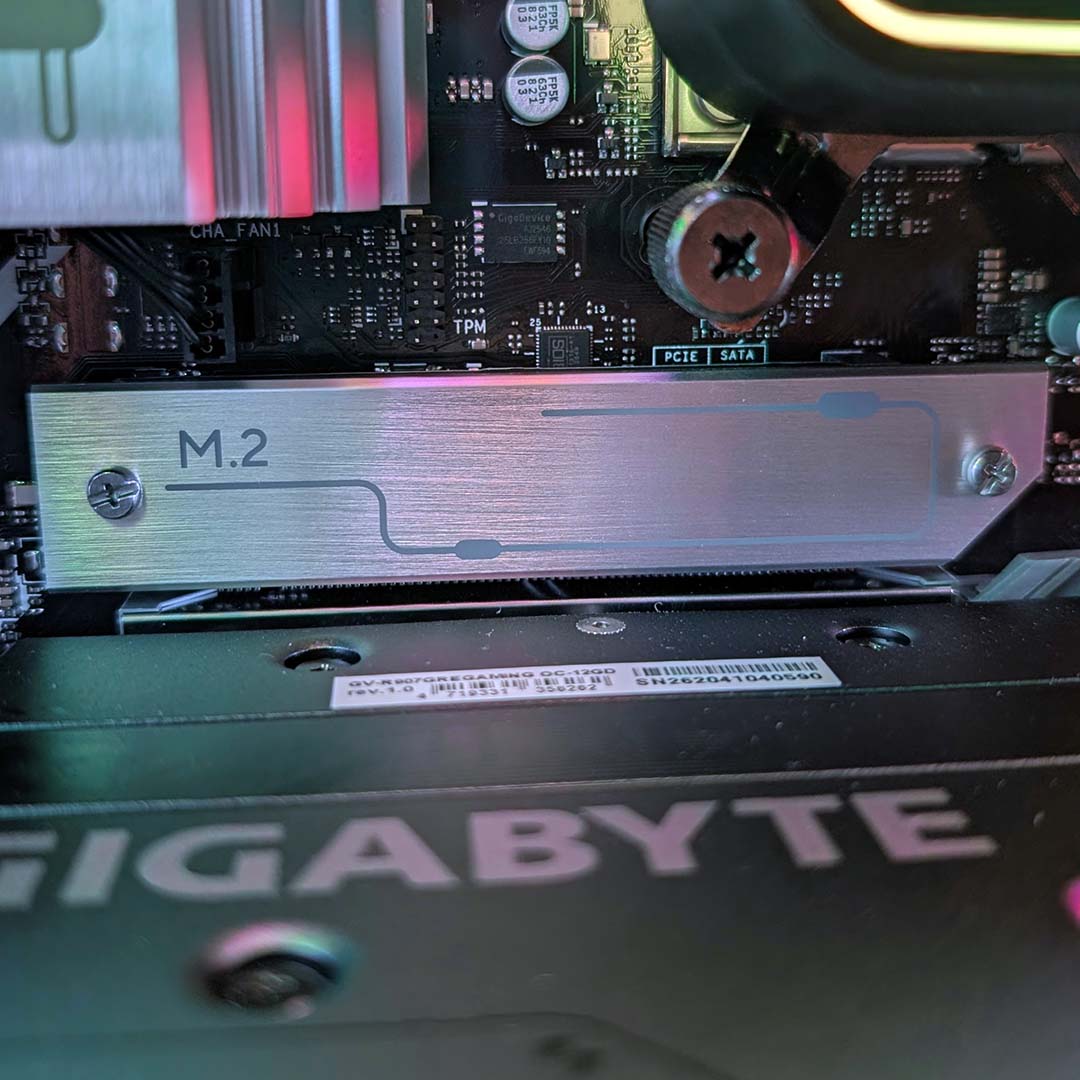
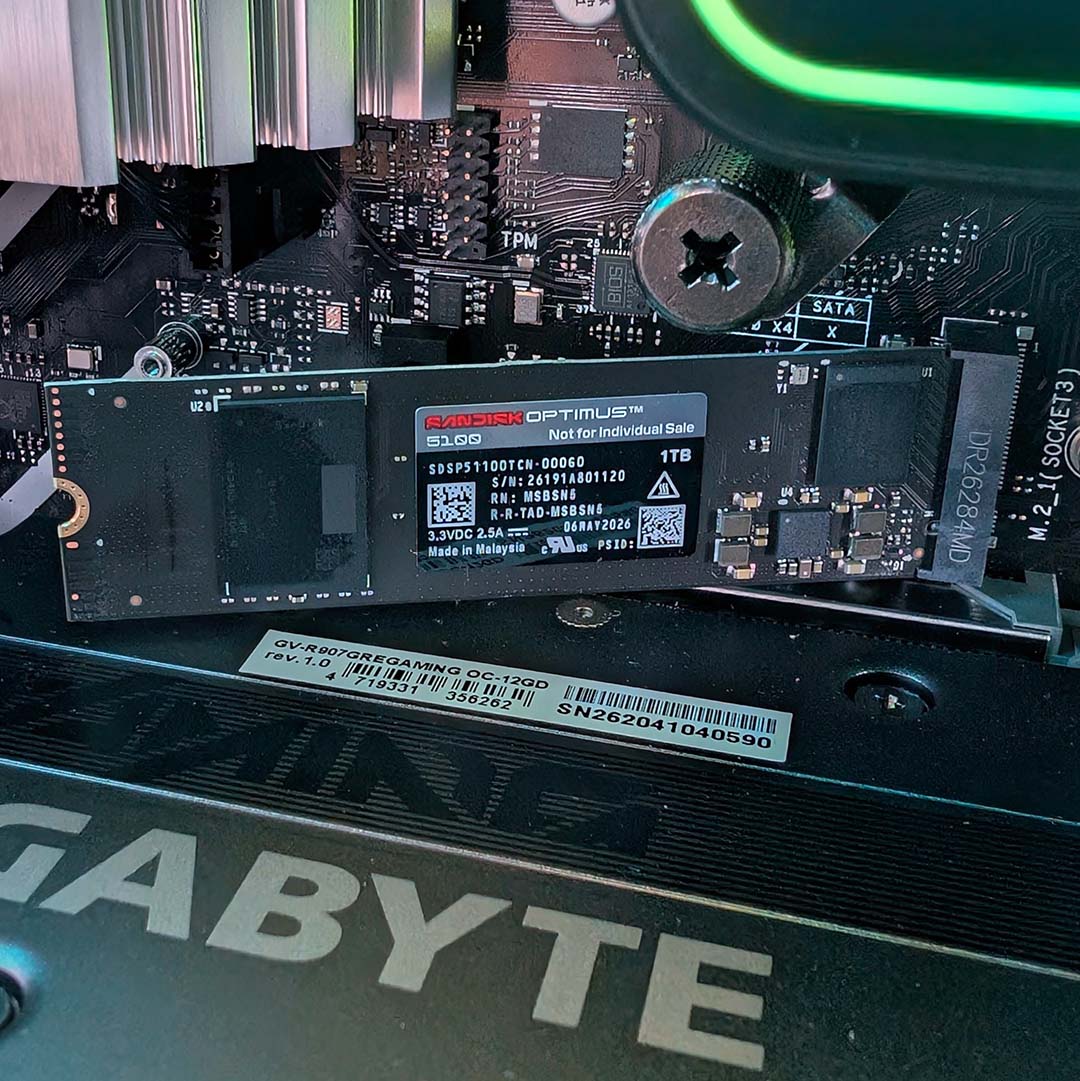

Unscrewing and lifting the M.2 heatsink from the motherboard, we find a 1TB Sandisk Optimus 5100. This PCIe 4.0 SSD is capable of respective sequential read and writes of 7,100MB/s and 6,700MB/s, making it plenty fast enough for most people’s needs, including gaming. Sat inside the Noble Extreme, this NVMe SSD delivers performance broadly in line with is specifications while staying relatively cool, peaking at 53°C in our tests.
The Asus Prime B850-Plus WiFi motherboard that houses all these components provides a solid base for the system. Featuring PCIe Gen 5 support across the primary PCIe expansion slot and M.2 connector, this board gives the latest tech on the market room to breathe. If you have additional NVMe drives, you’ll find another two slots on the PCB, one connected to the CPU running at Gen 4 x4 speeds, while the southmost port stems from the chipset and tops out at Gen 4 x2.
Since launching the Prime B850-Plus WiFi, Asus has kept this motherboard serviced with regular BIOS updates, improving performance and bettering compatibility with the latest Ryzen processors. That level of support should continue as new chips hit the market, allowing for drop-in upgrades if you fancy swapping out your 7800X3D down the line for something nippier later. Indeed, even AMD’s Zen 7 chips are rumoured to continue using the same AM5 socket.
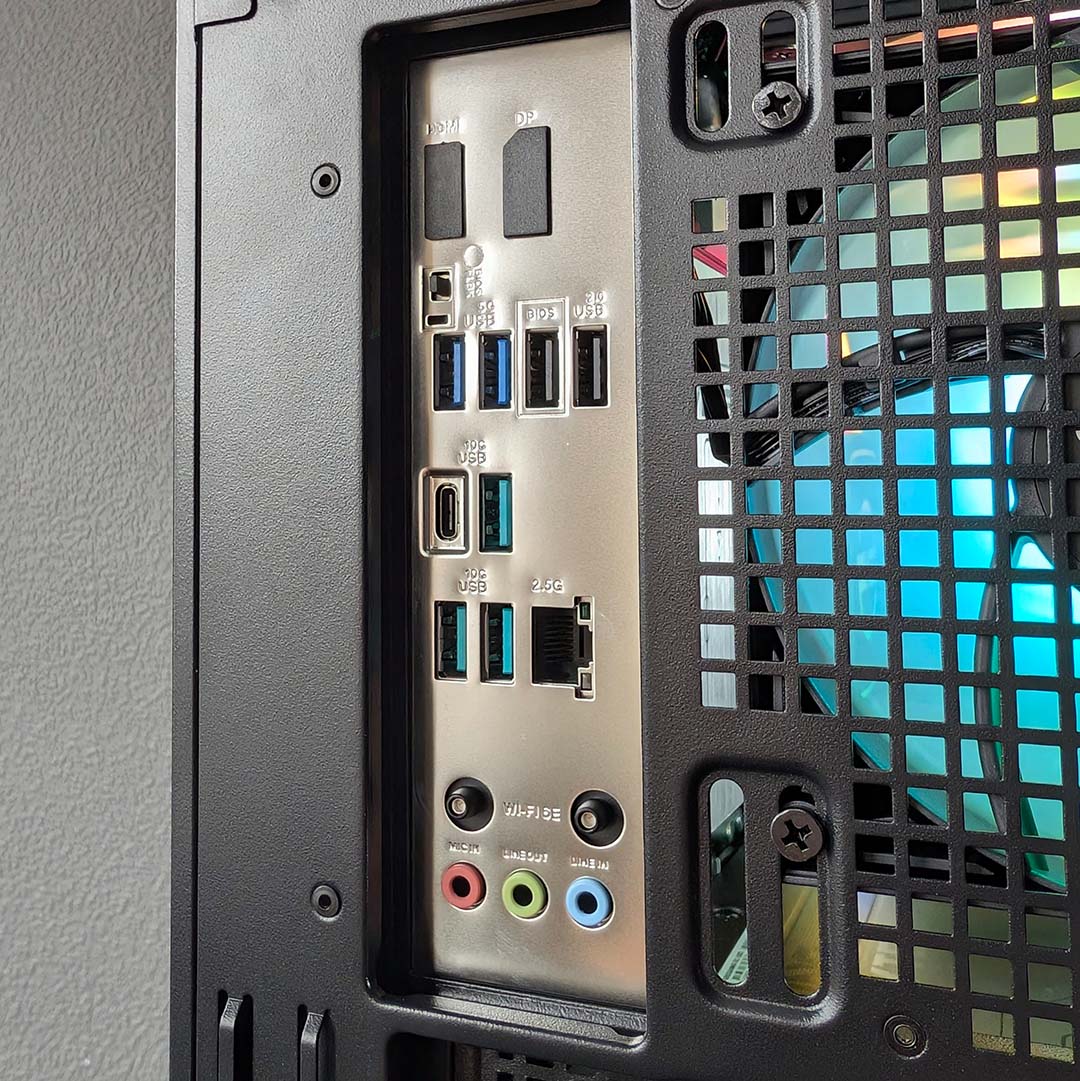
Round the back, there’s a strong assortment of USB ports ripe for plugging with peripherals. We have a single 10Gbps USB-C port alongside three USB-A connections with the same speed (teal), plus two 5Gbps Type-A sockets (blue), and a further two 480Mbps Type-A ports (black).
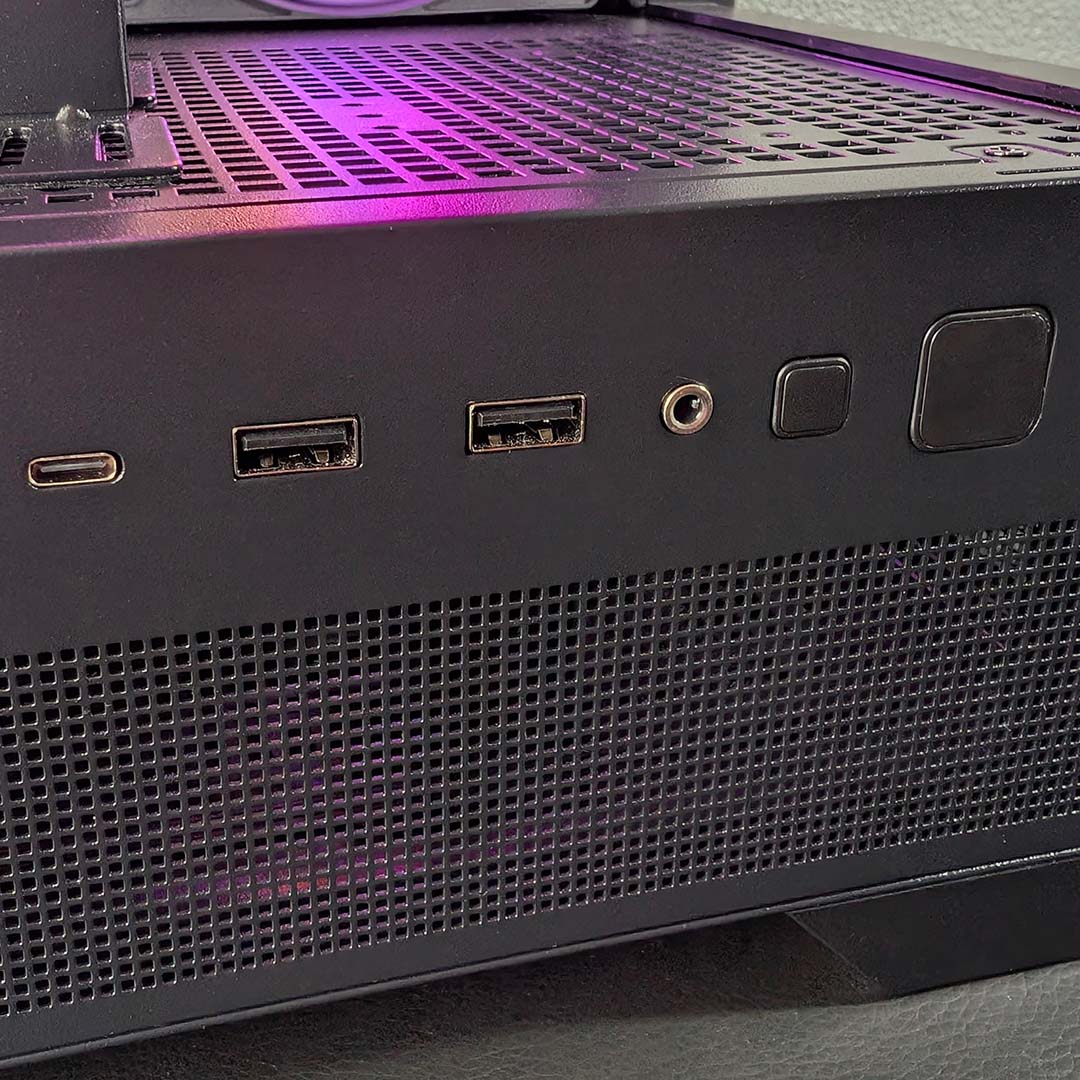
Combine the above with another two 5Gbps USB-A ports and one more 10Gbps USB-C socket on the side of the chassis, and you shouldn’t have any difficulty wiring up all your setup’s devices to this PC. There’s also a 3.5mm headphone-out/mic-in up front, in addition to separate analogue audio connections round back.
In terms of networking, you can get the Noble Extreme hooked up either via 2.5Gbps Ethernet or Wi-Fi 6E. I used both connection types during my time with the prebuild and had zero issues with either, reliably making full use of the limits of my home broadband’s 1Gbps speed limit.
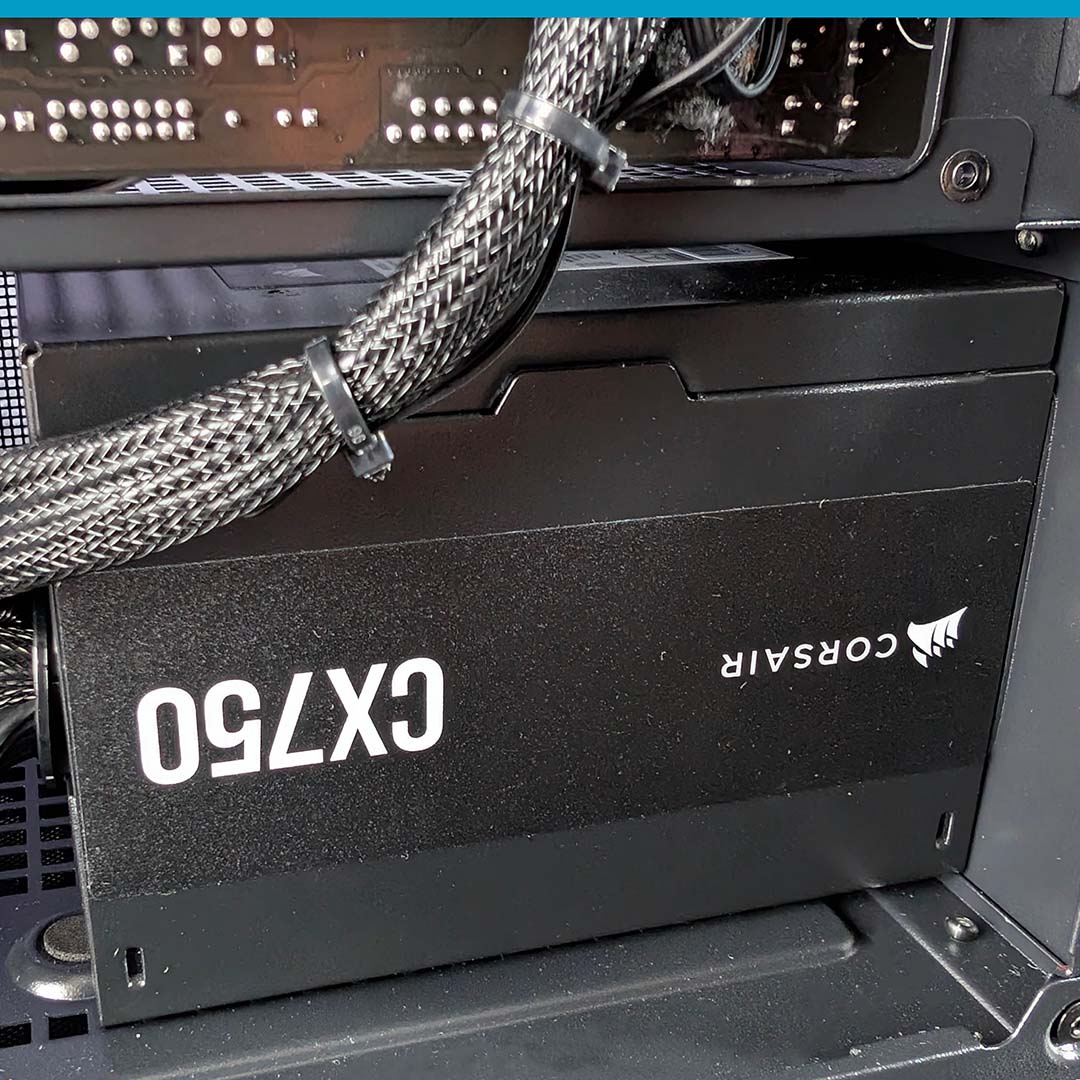
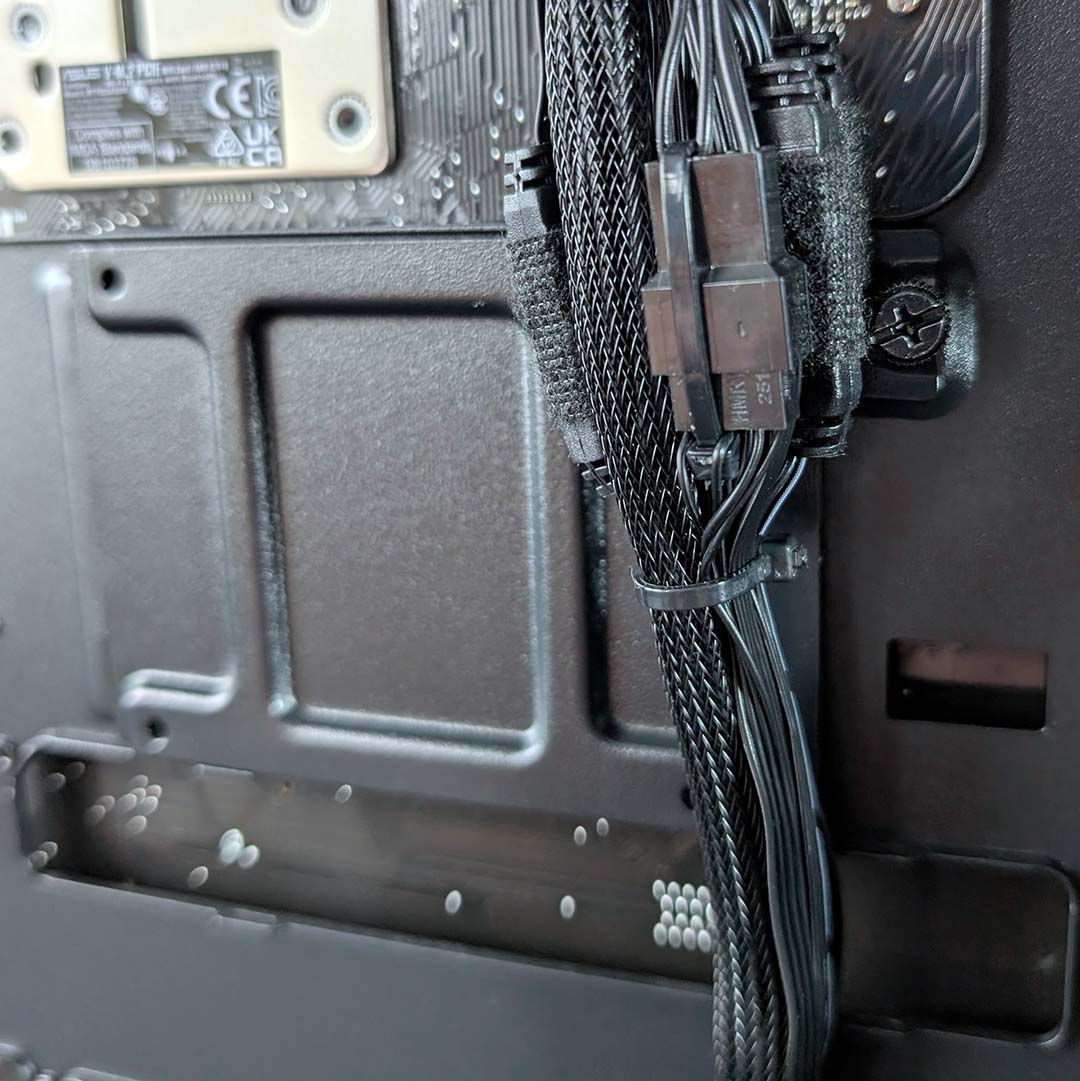
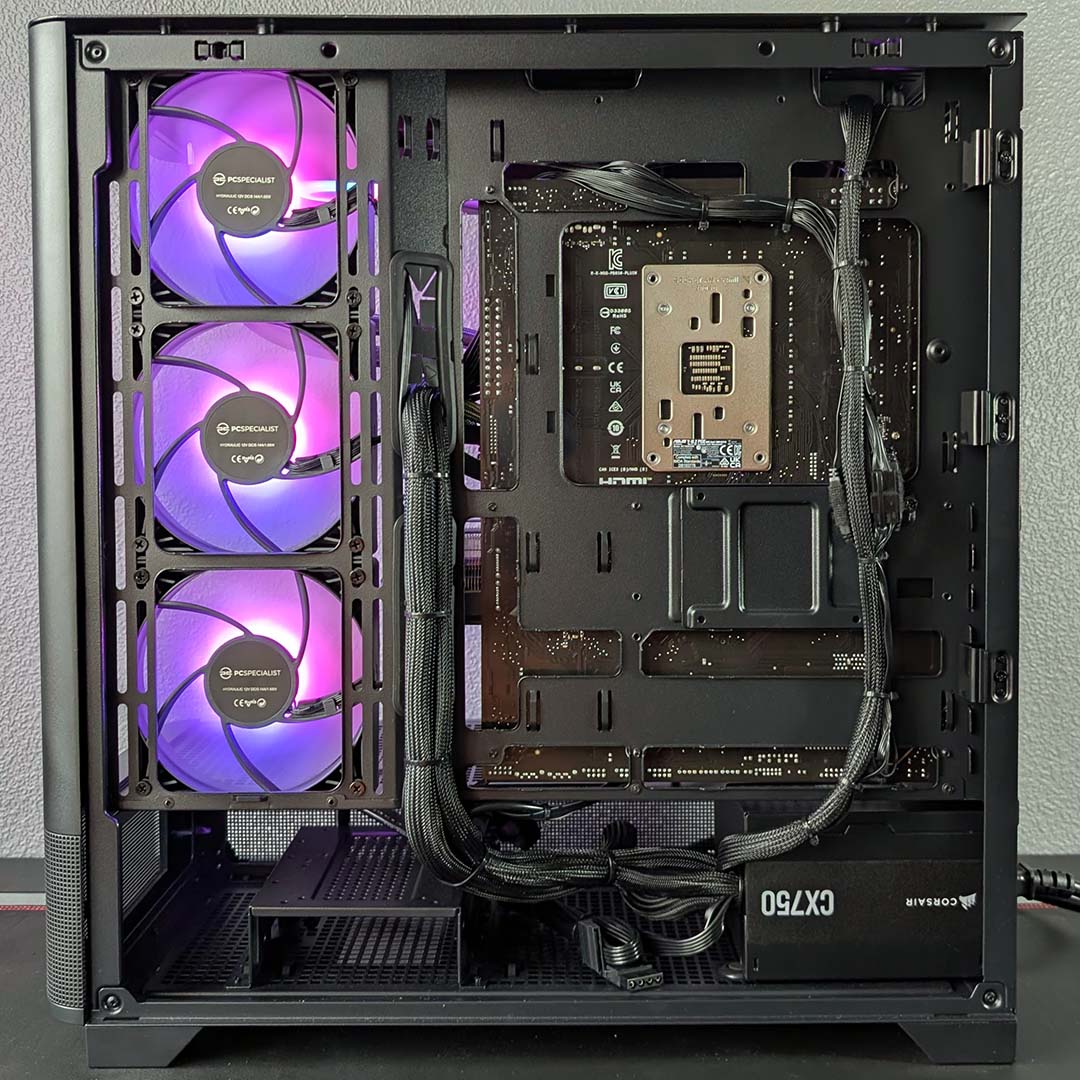
After removing a single thumbscrew, the back panel falls away from the chassis. Hiding behind the metal cover, we find our Corsair CX750 power supply, with captive cables that PCSpecialist has stringently managed with zip ties. It’s not easy to keep captive PSU cables under control, and PCSpecialist deserves some credit for its excellent work here.
While the wires are certainly tidy to the eye, however, the rightmost bundle of wires make accessing the 2.5in SSD mount fiddlier than it should be. That’s a very minor gripe, though – PCSpecialist has done an immaculate job of tidying up the rear cables.
To the left of the PSU you’ll find a 3.5in HDD shroud that rounds off the Noble Extreme’s SATA drive support. Power for your non-NVMe disks is readily available in the case too, albeit tied up in zip ties, with data cables residing in the system’s accompanying welcome pack.
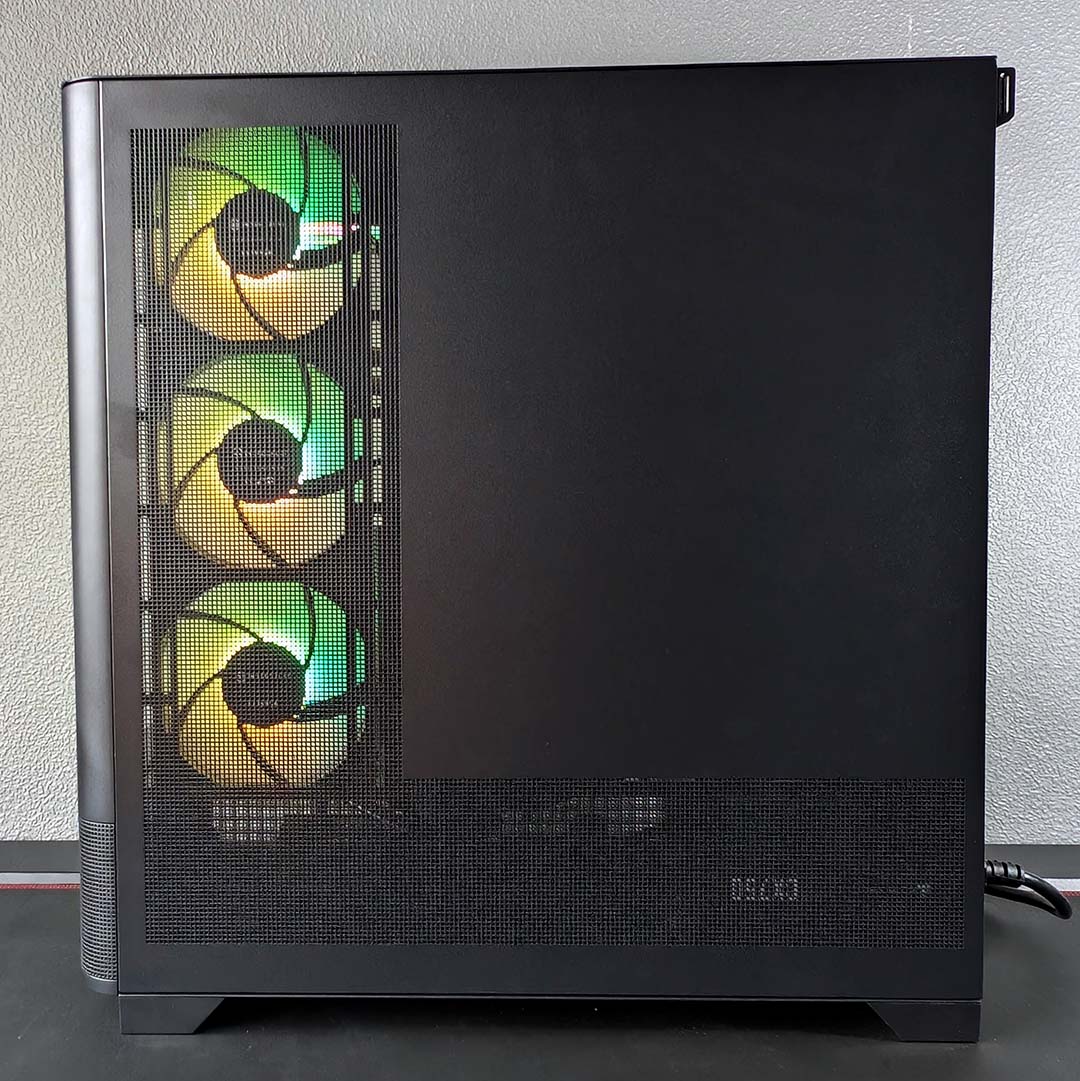
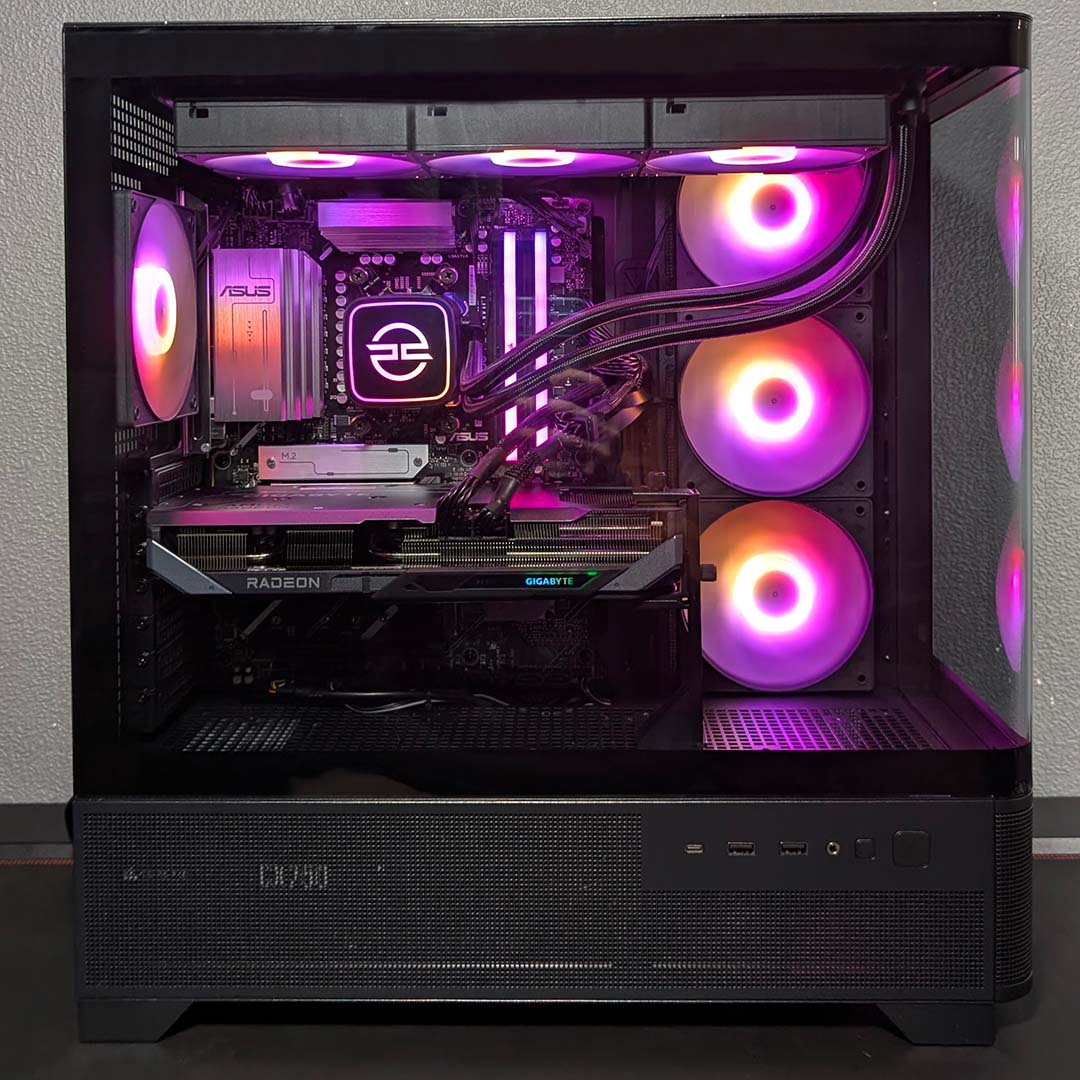
I love the look of the system inside the PCS Illumis XC, with its wraparound tempered glass panel giving it an appreciably premium level of flair. Accessing the main chamber does require you to remove the top panel and three screws, which is slightly inconvenient but forgivable for the sake of securing all that glass to the chassis. The case also comes with four ARGB fans as standard, which sync nicely with the lighting on the firm’s liquid cooler.
Comparing the Noble Extreme as a whole to a DIY build, I was able to put together a similar PC for £1,790 via PC Part Picker. This translates to a £109 premium for the PCSpecialist, which feels entirely reasonable given that this includes assembly, testing, and shipping.
That’s not forgetting the three years of labour, one year parts, and six months collect-and-return warranty that PCSpecialist offers. Even as a seasoned veteran who puts together countless rigs, having a centralised and easy-to-access means of technical support is a near-priceless convenience worth having.
Performance
I’ll primarily focus on testing the Noble Extreme’s gaming performance, benchmarking the system at both FHD (1920×1080) and QHD (2560×1440). These are the most appropriate resolutions for a 12GB graphics card like the Gigabyte RX 9070 GRE, much as the rest of the system would have no issue scaling up to 4K with a more-powerful GPU in tow.
Before we get to gaming performance, however, I’ll explore how this prebuild holds up in the face of general compute. This will include tests that specifically target the CPU, RAM, and SSD. While PCSpecialist isn’t selling a workstation here, this is still a general-purpose PC.
Then I’ll round off our testing with an examination of the system’s vitals, namely temperatures, noise levels, and power draw. Our results reflect the Noble Extreme’s out-of-the-box settings, with no changes to stock fan curves or power limits.
Apps
3DMark gives us a synthetic estimate of the Noble Extreme’s gaming performance, with Speed Way assessing ray tracing capabilities and Steel Nomad testing rasterisation prowess. The RX 9070 GRE, like other RDNA 4 GPUs, is evidently stronger in the latter category, but remains reasonably capable in the other. These benchmarks don’t feature any upscaling, though, so there’s room to push this graphics card a little further with little cost to fidelity in real-world use.
Putting our 32GB kit of DDR5-5600 through its paces via AIDA64, throughput is expectedly within the norms of an AM5 processor with a single CCD (Core Complex Die), as we’ve seen in our CPU reviews and in other prebuilds. The only way we’d see notably higher bandwidth is by switching out to a 12 or 16-core processor, such as AMD’s Ryzen 9 9900X3D or 9950X3D. However, as I’ve mentioned several times already, gaming performance on an X3D processor isn’t as contingent on memory as it would be on a standard chip.
| PCSpecialist Noble Extreme | |
|---|---|
| 3DMark Speed Way | 4,356 |
| 3DMark Steel Nomad | 5,433 |
| AIDA Copy | 58,449MB/s |
| AIDA Latency | 78.1ns |
| AIDA Read | 59,010MB/s |
| AIDA Write | 75,365MB/s |
| Cinebench 2026 ST | 448 |
| Cinebench 2026 MT | 4,390 |
| CrystalDiskMark seq. read | 7,309MB/s |
| CrystalDiskMark seq. write | 6,497MB/s |
Comparing our Cinebench 2026 scores to those from our test bench, the 7800X3D is hitting the points total we expect from this processor. 3D V-Cache doesn’t help in a benchmark like this, leaving the chip to rely on the same variables as other CPUs, namely clock speeds, core counts, and instructions per clock (IPC). Both the single-threaded (448 points) and multiple threaded results (3,091 points) are on the lower side relative to modern alternatives, with the Ryzen 7 9700X scoring higher in both categories (550/4,847 points), but you’ll realistically only really notice such differences in workstation tasks.
In the face of CrystalDiskMark, our 1TB Sandisk Optimus 5100 delivers a sequential read speed of 7,309MB/s, a cool 209MB/s above its advertised maximum. Contrastingly, the drive’s sequential write result of 6,497MB/s is 203MB/s short of the drive’s specs sheet. These variations in throughput are within expectations and remain suitably fast. Importantly, our operating temperatures peaked at 53°C, well below the realms of thermal throttling.
Gaming
Beginning with the most impressive showing of our gaming benchmarks, the Noble Extreme turns in a 247fps average in Rainbow Six Siege at FHD, keeping impressive pace at QHD with 160fps. We know this game benefits from 3D V-Cache, and the 7800X3D ekes out plenty of frames per second from the RX 9070 GRE. However, our graphics card is the primary bottleneck in this scenario, as it will be for the majority of tests.
The story is much the same as we turn attention to our Final Fantasy XIV: Dawntrail performance, with 3D V-Cache helping to carve out a higher frame rate than a non-X3D CPU, with the graphics card being the main limiting factor. Regardless, a 195fps average at FHD and 130fps at QHD, with minimum performance of 60fps, are inarguably pleasing results.
| FHD (Min. / Avg.) | QHD (Min. / Avg.) | |
|---|---|---|
| Assassin’s Creed Shadows (Ultra High + Full RT) | 46 / 54fps | 37 / 43fps |
| Assassin’s Creed Shadows (UH + RT + DLSS) | 53 / 63fps* | 48 / 57fps** |
| FF XIV: Dawntrail (Maximum) | 107 / 195fps | 80 / 130fps |
| Rainbow Six Siege (Ultra+) | 184 / 247fps | 124 / 160fps |
| Total War: Warhammer III (Ultra) | 73 / 104fps | 63 / 84fps |
Total War: Warhammer III serves as our final rasterised benchmark, and the Noble Extreme continues to deliver great frame rates. This real-time strategy game leans on general compute performance, with its Mirrors of Madness test doing it best to give the 7800X3D a hard time. Nonetheless, our CPU and GPU combo hits 60fps+ across FHD and QHD.
Switching rendering gears to ray tracing in Assassin’s Creed Shadows, our 7800X3D finds yet another game that welcomes 3D V-Cache. However, our RX 9070 GRE is the main driver of performance in these benchmarks, managing playable frame rates of 54fps at FHD and 43fps at QHD. Engaging FSR helps bring us over the 60fps threshold at 1080p (63fps), and achingly close at 1440p (57fps), netting a respective performance improvement of 17% and 33%.
| Cyberpunk 2077 (RT Ultra) | FHD (Min. / Avg.) | QHD (Min. / Avg.) |
|---|---|---|
| Native | 57 / 66fps | 36 / 41fps |
| FSR | 90 / 105fps* | 70 / 82fps** |
| FSR + FG x2 | 175 / 204fps* | 135 / 155fps** |
Running Cyberpunk 2077’s RT Ultra preset proves similarly taxing on the Noble Extreme, but this system does manage a 66fps average right out the gate at native FHD. Meanwhile, QHD doesn’t meet that 60fps threshold, sitting at 41fps. Once again, though, FSR 4 brings performance in line with our minimum target, this time across both resolutions.
With this sci-fi RPG now confidently running above 60fps, we can happily engage FSR frame generation to improve motion clarity without any serious knock-on effects to latency. While this feature doesn’t feel like the native 204fps or 155fps that the game’s benchmark reports, the interpolated frames do net a visual benefit, with animations appearing smoother.
AMD is yet to provide an answer to Nvidia’s multi-frame generation, although the firm is working on it. However, while pushing more generated frames into the pipeline will further improve motion clarity, it comes at the cost of latency. It’s a feature we’ll certainly welcome when it arrives, but it’s by no means a must-have.
Finally, it is worth noting that while AMD has made great strides in improving the quality and prevalence of its FSR performance suite, Nvidia’s DLSS ecosystem maintains the upper hand in both respects. However, gaining access to the latter while maintaining similar performance would require swapping to a RTX 5070, significantly increasing the cost of this prebuild. As such, I maintain that PCSpecialist has made the right call to include the RX 9070 GRE in this system.
Vitals
Last, but not least, I closely examined the operating temperatures, noise levels, and power consumption of the Noble Extreme. Despite my best efforts to keep the darker, colder days at bay, I’ve succumbed to switching on the heating, maintaining my office at a palatable 20°C. The system happily hums along at a near-silent ≤30dBA in this ambient heat, with impressively low Delta-Ts of 2°C on the CPU and 27°C on the GPU when idle.
Our prebuild quickly heats up once we start a 10-minute Cinebench 2026 multiple threads benchmark, pushing our 7800X3D’s Delta T up to 53°C. We’re comfortably below the processor’s Tjmax (maximum operating temperature), so kudos to the PCSpecialist LS-360 for keeping our chip running so cool.
| Idle | Load (max) | |
|---|---|---|
| CPU temperature | 2°C (Delta T) | 53°C (Delta T) |
| GPU temperature | 27°C (Delta T) | 31°C (Delta T) |
| Noise level | ≤30dBA | 31-42dBA |
| Power consumption | 80W | 164-373W |
Pressuring our processor leads to the PC’s noise levels rising to an audible but by no means bothersome 42dBA, measured 30cm away from the exhaust. Power consumption expectedly increases too, rising from 80W at idle to 164W flowing from the wall.
Lastly, running Cyberpunk 2077’s built-in benchmark sees our RX 9070 GRE awaken from its silent slumber but doesn’t cause our graphics card to become hot and bothered. Our GPU runs at a 31°C Delta T in the wake of this test and the system is pleasingly quiet for gaming at 31dBA, while power consumption peaks at 373W.
Conclusion
The Noble Extreme is truly difficult to fault, with broadly excellent performance and aesthetics for its asking price. The only minor gripes concern some unattractive GPU power cables and a semi-blocked 2.5in drive bay, but neither are anything close to deal breakers for this gaming PC’s appeal.
If I had £2,000 to spend on a gaming PC, there’s little else I’d consider as a viable alternative to PCSpecialist’s offering. Wired2Fire’s R7 RTX 5070 Lumia Vanguard comes closest, costing an additional £100 and arriving with a slightly more powerful graphics card and double the storage capacity, but swaps the 7800X3D for a 9700X, a smaller case, and fewer fans.

Summarily, PCSpecialist has put together a system that will please pretty much everyone that picks one up. The system looks great with suitably high horsepower to match, without proving too hot or noisy either. The Noble Extreme is a prebuild that proves itself in the present, with enough headroom to keep pace with the future.
