
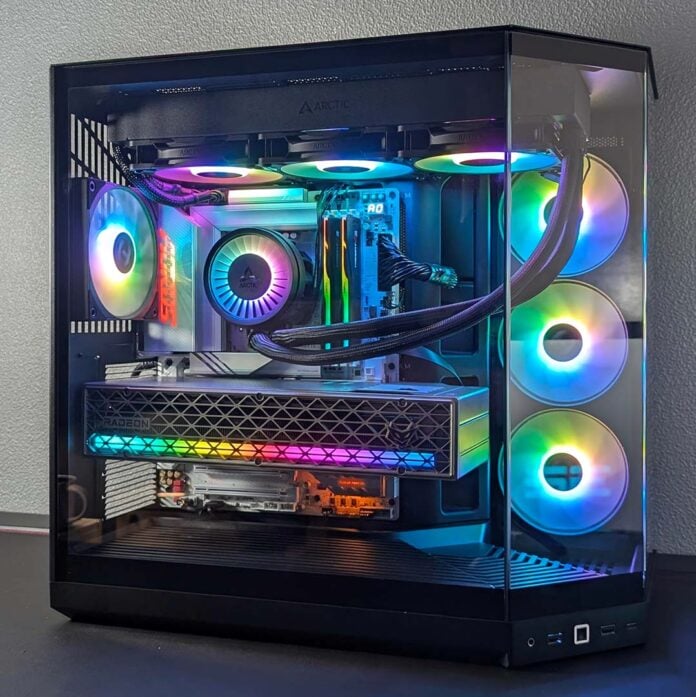
The Hyte Y50 RGB is the most-affordable PC case in this manufacturer’s lineup at £99 / $99, aiming to provide your build with all the modern essentials you expect without breaking the bank. This high-value chassis doesn’t cut any major corners in service of affordability, delivering great looks and performance at a friendly price.

Hyte Y50 RGB
£99 / $99
Pros
- Great airflow
- Stylish tempered glass design
- Four A-RGB fans
- Wallet-friendly price
- Generous warranty period
Cons
- Tight radiator clearance
- Lack of dust filters
Club386 may earn an affiliate commission when you purchase products through links on our site.
How we test and review products.
There’s a lot to love here, and that isn’t always a given on cases costing under $100. The list of bonuses includes back-connect motherboard support, ARGB fans, a generous four-year warranty period, and more, all resulting in a competitive package for the price. There’s some small room for improvement here and there, but Hyte has put together a truly compelling chassis for such little cost.
Specifications
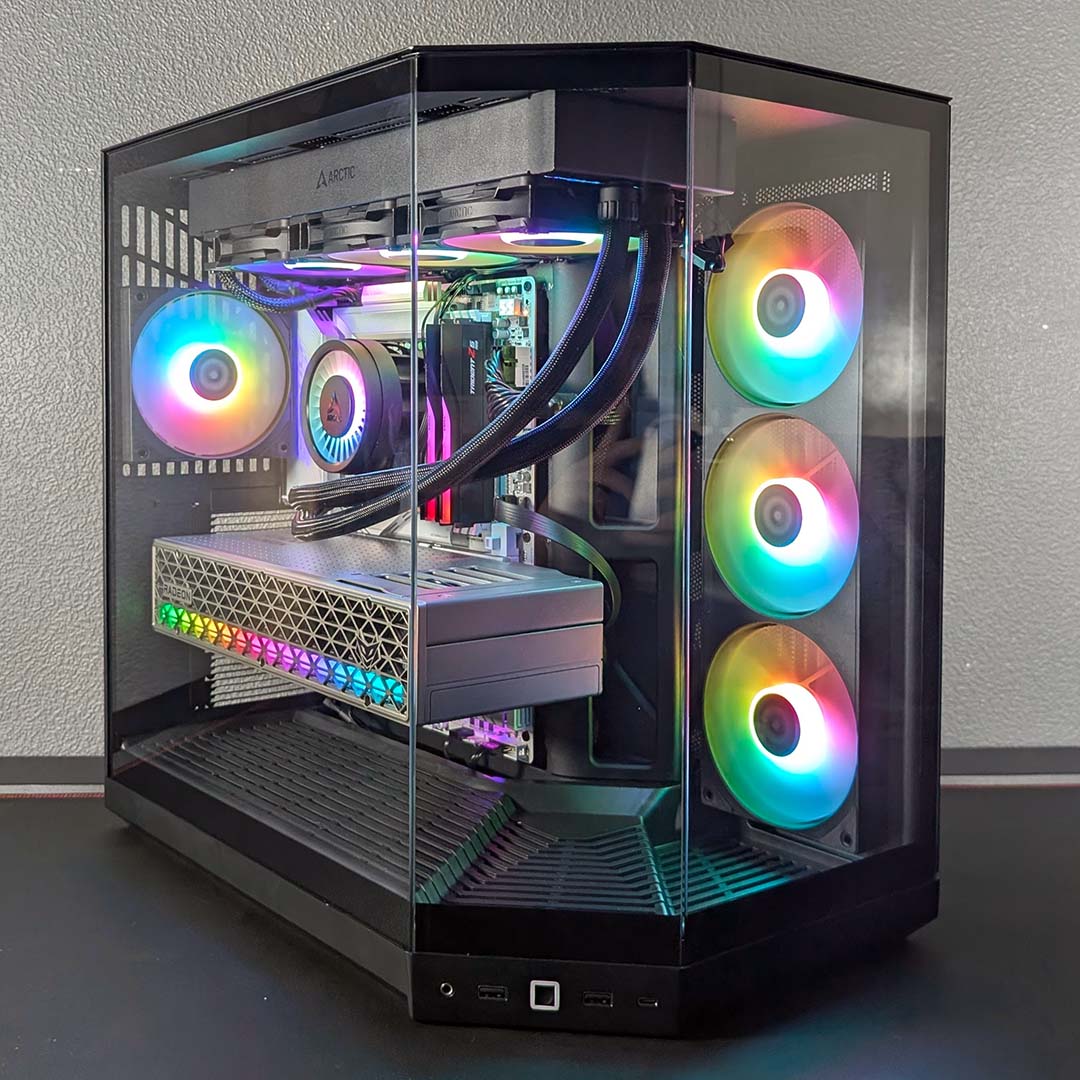
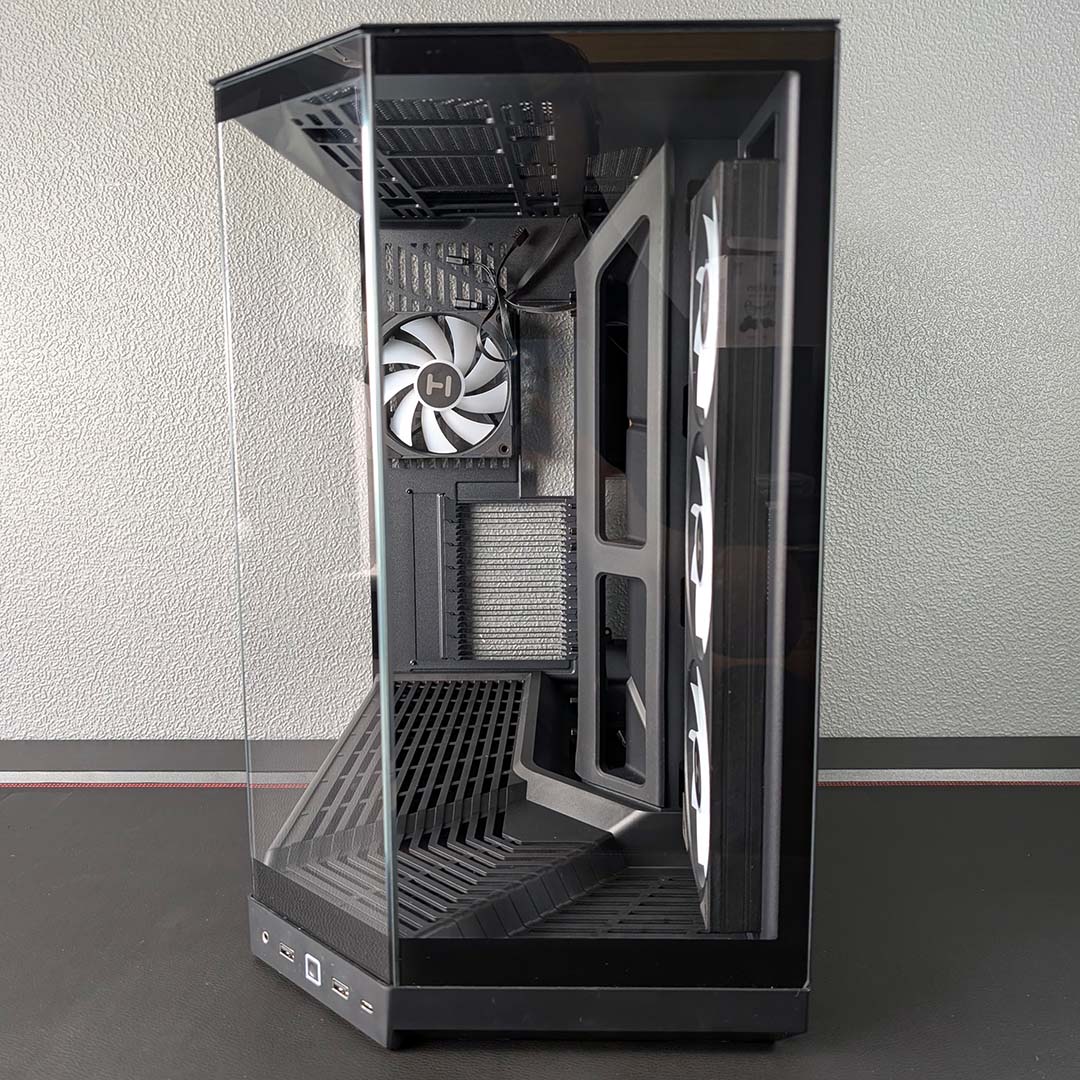
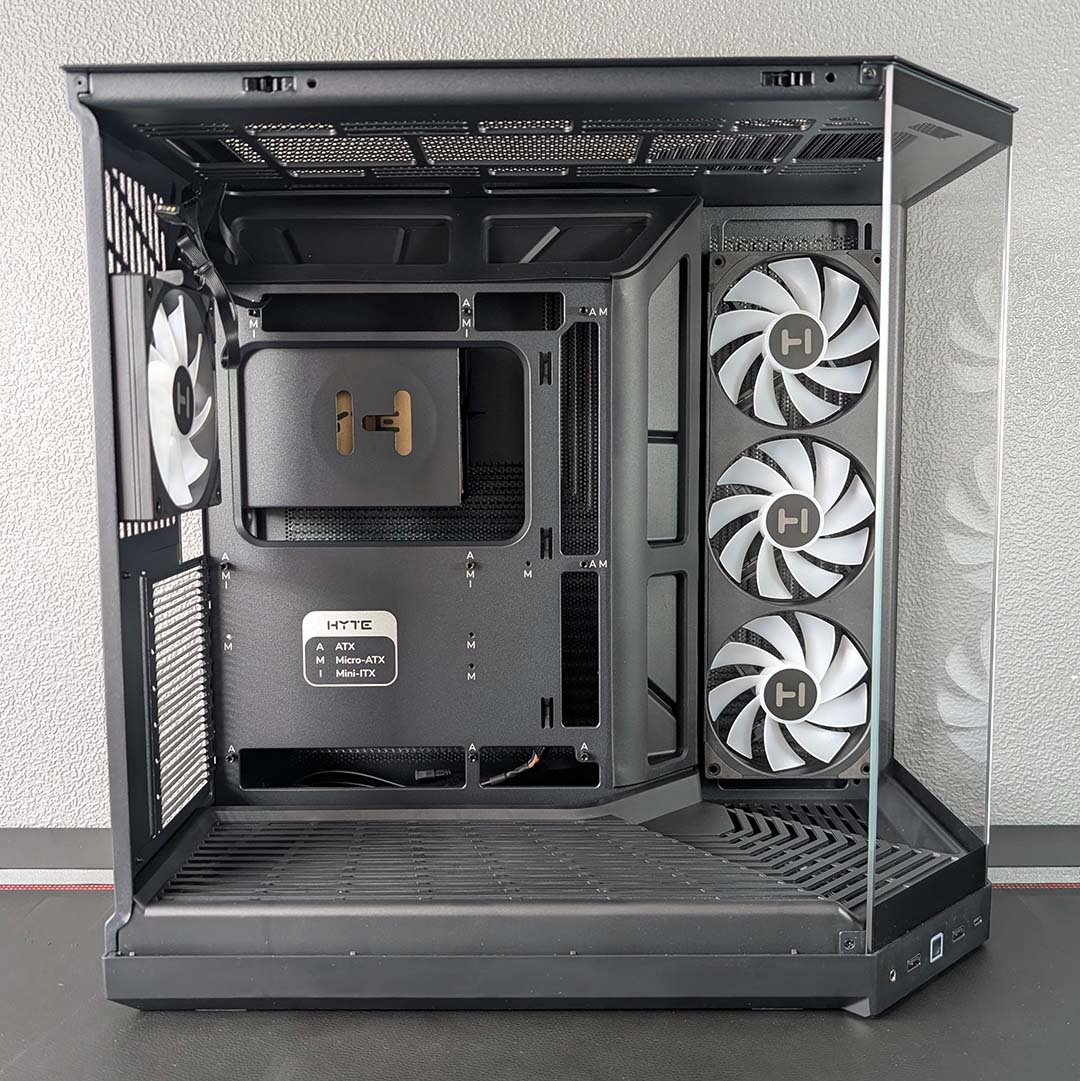
The Y50 RGB is almost as tall as it is deep, measuring 461 × 288 × 473mm, and giving the case a somewhat square silhouette. However, the pentagonal base and split tempered glass panel arrangement saves the overall shape from becoming a boring black box.
While the print on the chassis’ internal spine suggests Hyte’s offering only supports ATX, micro-ATX, and mini-ITX motherboards, it’s possible to mount an E-ATX board in the main chamber. You’ll also find cutouts for motherboards with both back and front connectors, with the latter enjoying rubber grommets for a tidy finish.
| Specifications | Hyte Y50 RGB |
|---|---|
| Dimensions (H x W x D) | 461 × 288 × 473mm |
| Motherboard support | E-ATX, ATX, micro-ATX, mini-ITX |
| Back-connect compatible | Yes |
| Included fans | Side: 360mm, with RGB (x1) Rear: 120mm, with RGB (x1) |
| Fan support | Bottom: 120mm (x2) Rear: 120mm (x1) Side: 120mm (x3) Top: 120mm (x3) / 140mm (x2) |
| Radiator support | Rear: 120mm Side: 120/240/360mm Top: 120/140/240/280/360mm |
| CPU cooler height | ≤160mm |
| PSU length | ≤250mm (with front connect) ≤225mm (with rear connect) |
| Graphics card length | ≤360mm |
| Connections | 3.5mm audio-out/mic-in (x1) USB-A 5Gb (x2) USB-C 10Gb (x1) |
| Drive bays | 2.5in (x6) 3.5in (x2) |
| Warranty | Four years |
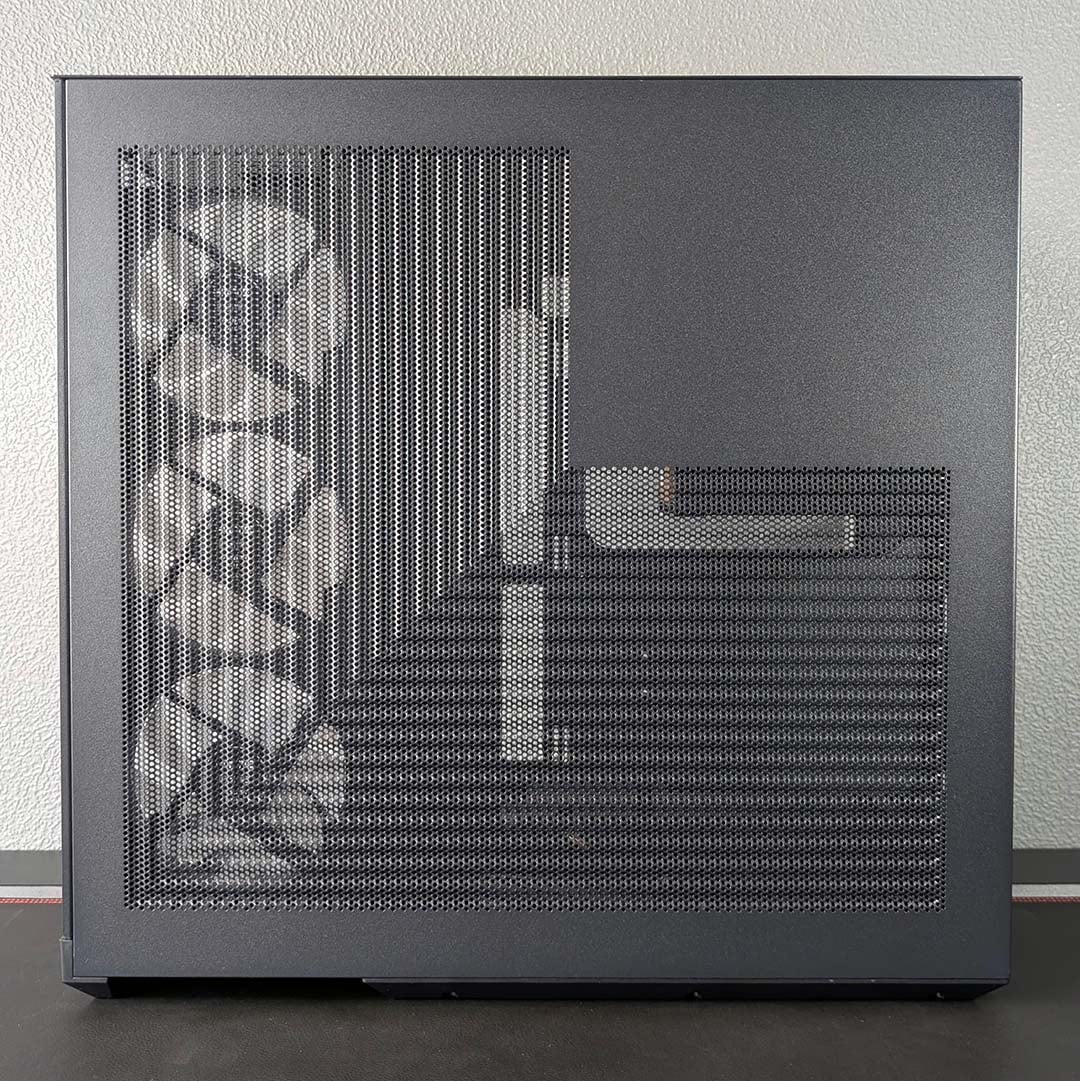
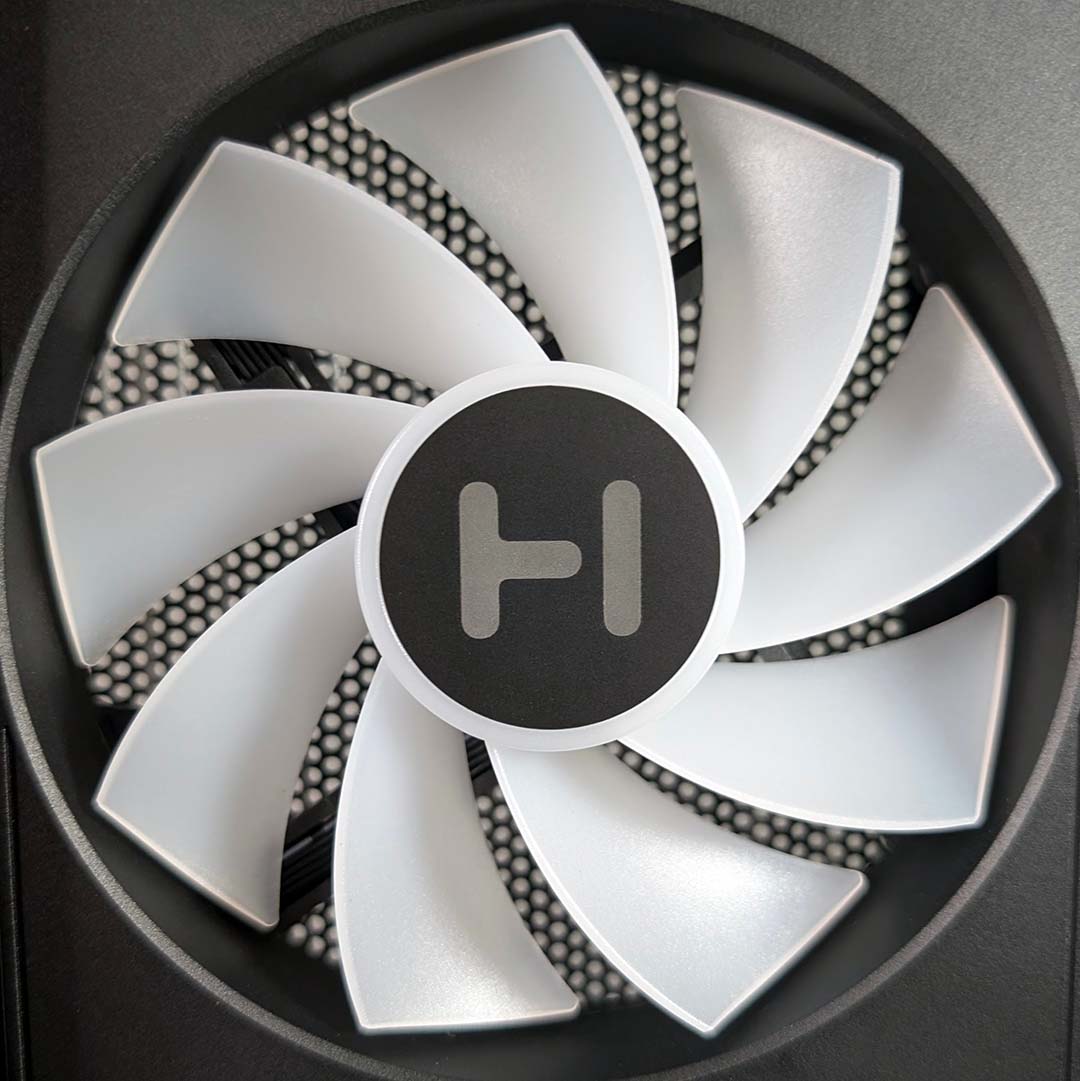
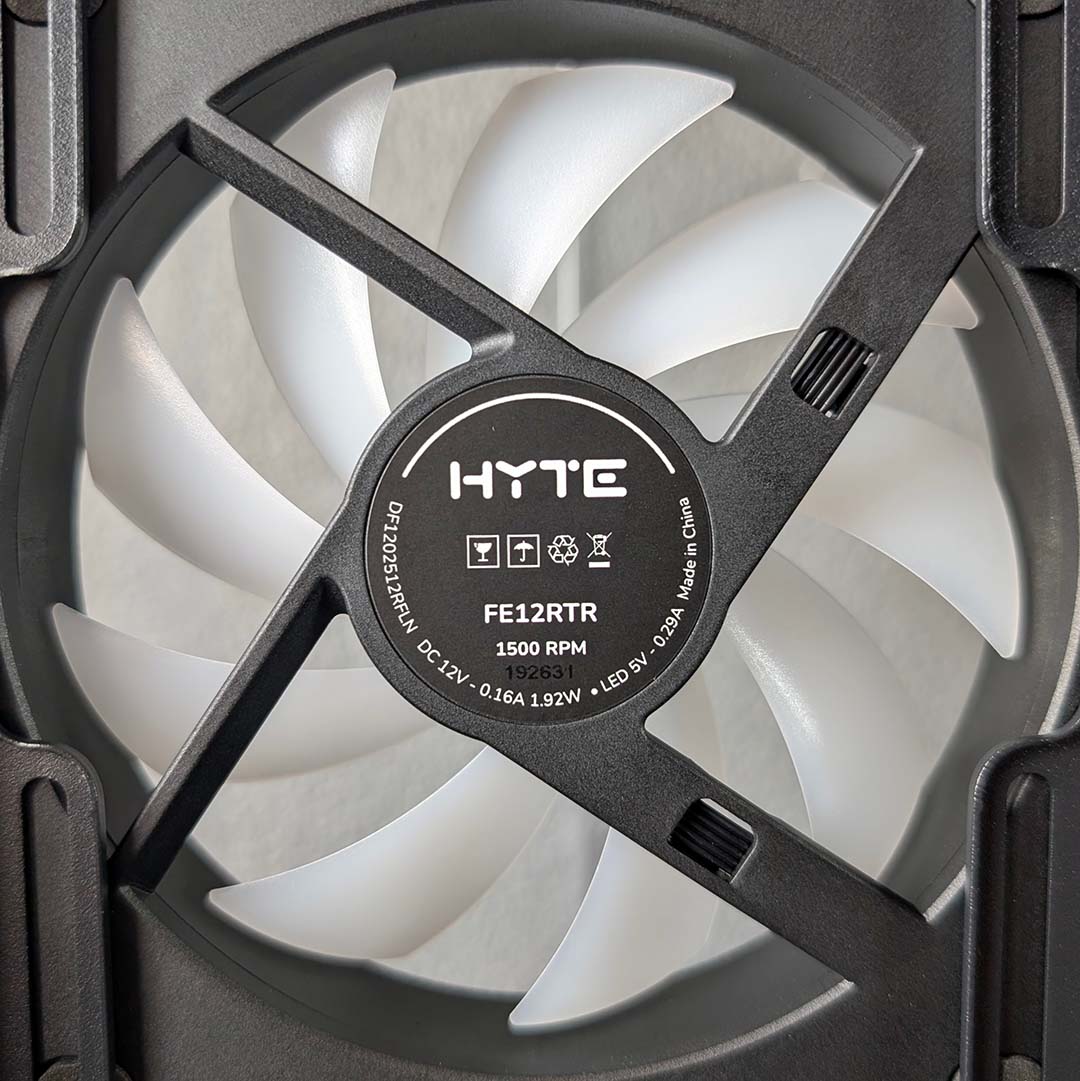
In terms of included fans, Hyte equips the Y50 RGB with a unibody 360mm fan array on the side intake, in addition to a lone 120mm blower serving as a rear exhaust. Both packages feature A-RGB LEDs, each requiring a motherboard header as there are no hubs with the case. Curiously, the only dust filter sits along the base, with none in other locations, so prepare to keep a cloth handy to keep your build looking fresh.
It’s possible to outfit the main chamber further with two 120mm fans on the bottom, alongside a trio of the same size up top or two 140mm spinners. That’s a total of nine 120mm blowers in total, netting solid cooling capacity. Unfortunately, Hyte doesn’t sell either of the fan models fitted in the Y50 RGB separately.
While those 120mm fans take care of airflow, there’s room enough in the case for a CPU cooler that sits 160mm tall. For context, this means giants like the Noctua NH-D15 G2 chromax.black (168mm) are off the menu but you can still fit in big models like the be quiet! Pure Rock Pro 3 (152mm).
The Y50 RGB’s graphics card clearance limits are similarly generous but not overly spacious at 360mm. You can fit a GeForce RTX 5090 Founders Edition (304mm) in that space with plenty of millimetres to spare, but particularly long graphics cards, such as the MSI GeForce RTX 5080 Vanguard (358mm), are right on the limit of the main chamber.
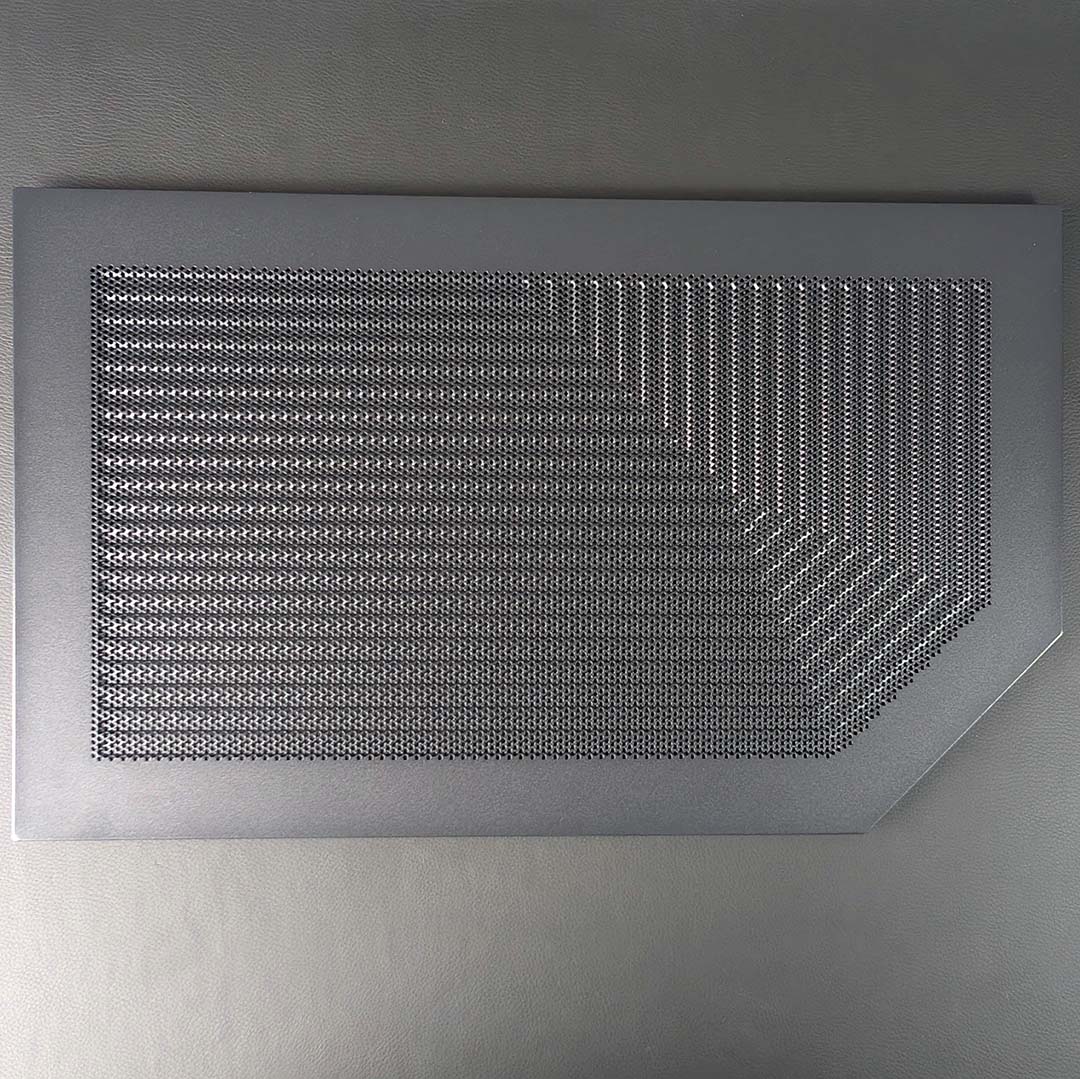
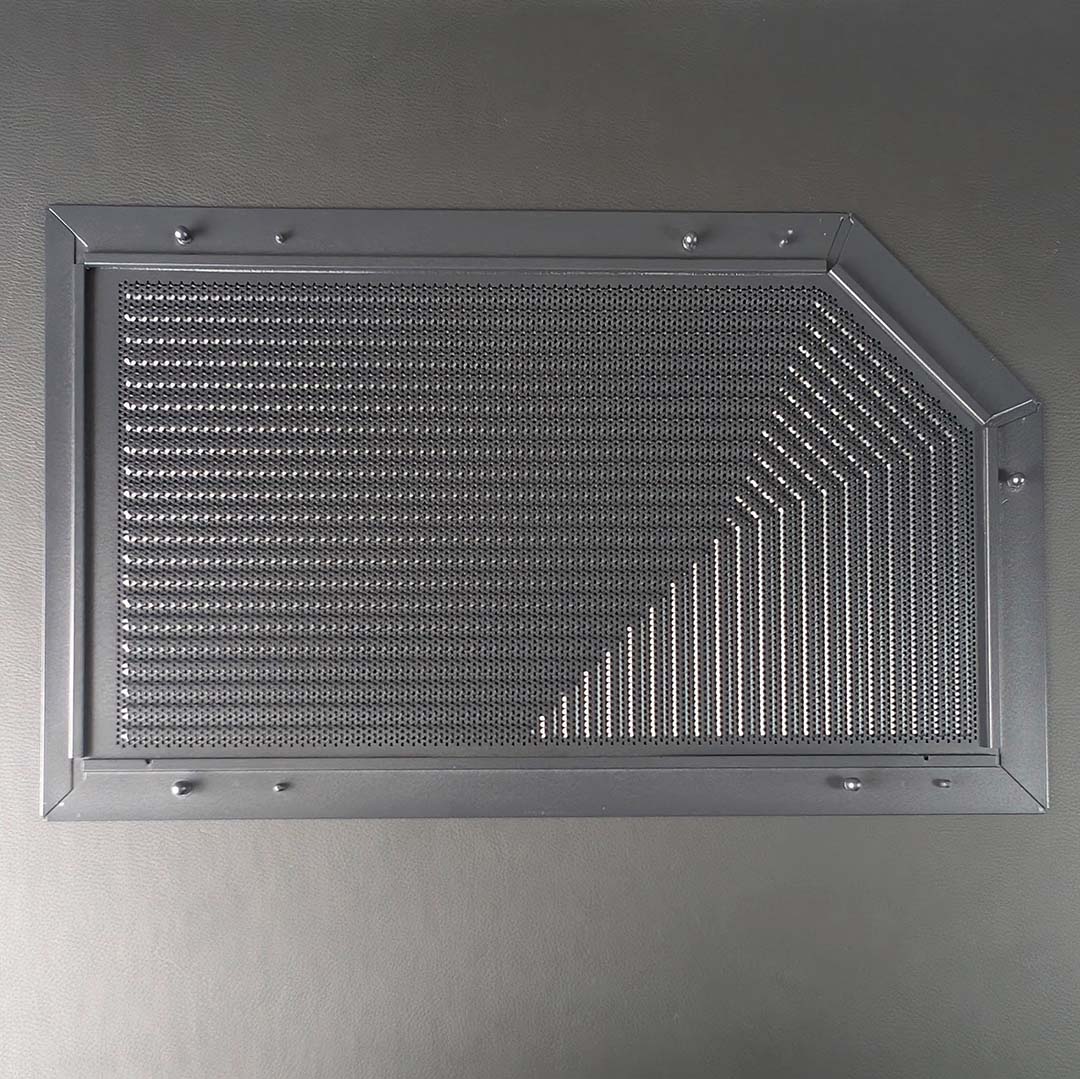
For CPU cooling, you can fit a 360mm radiator in the top of the case, or switch out the unibody intake fans for your radiator and blowers. However, I’d suggest sticking with the stock setup for the easiest and cleanest setup.
While it’s sadly not possible to remove the Y50 RGB’s top fan bracket for easy radiator installation, every panel bar the front and angled tempered glass can fall away from the chassis without any tools. Should you want to, you can shift the other panels by removing a few screws.
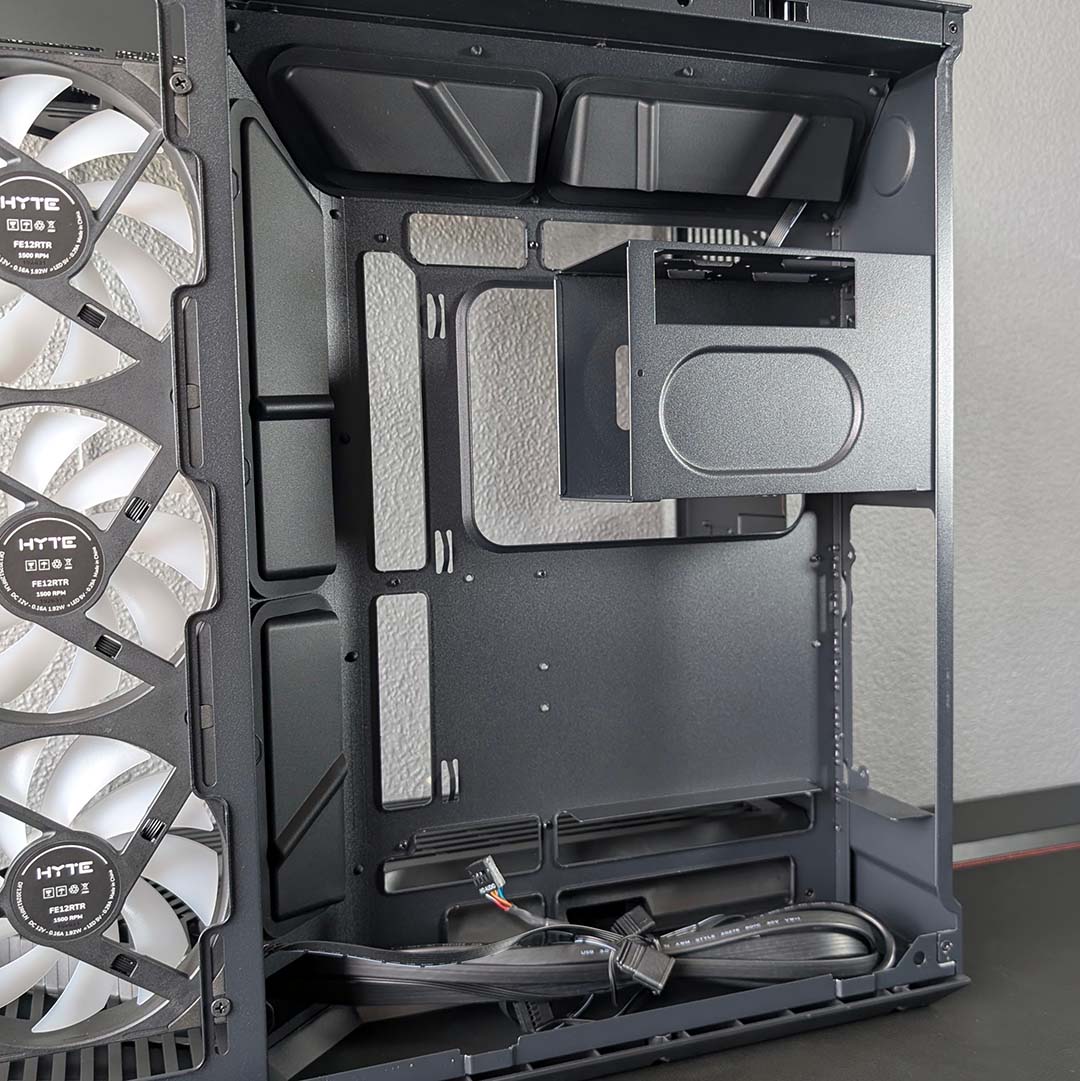
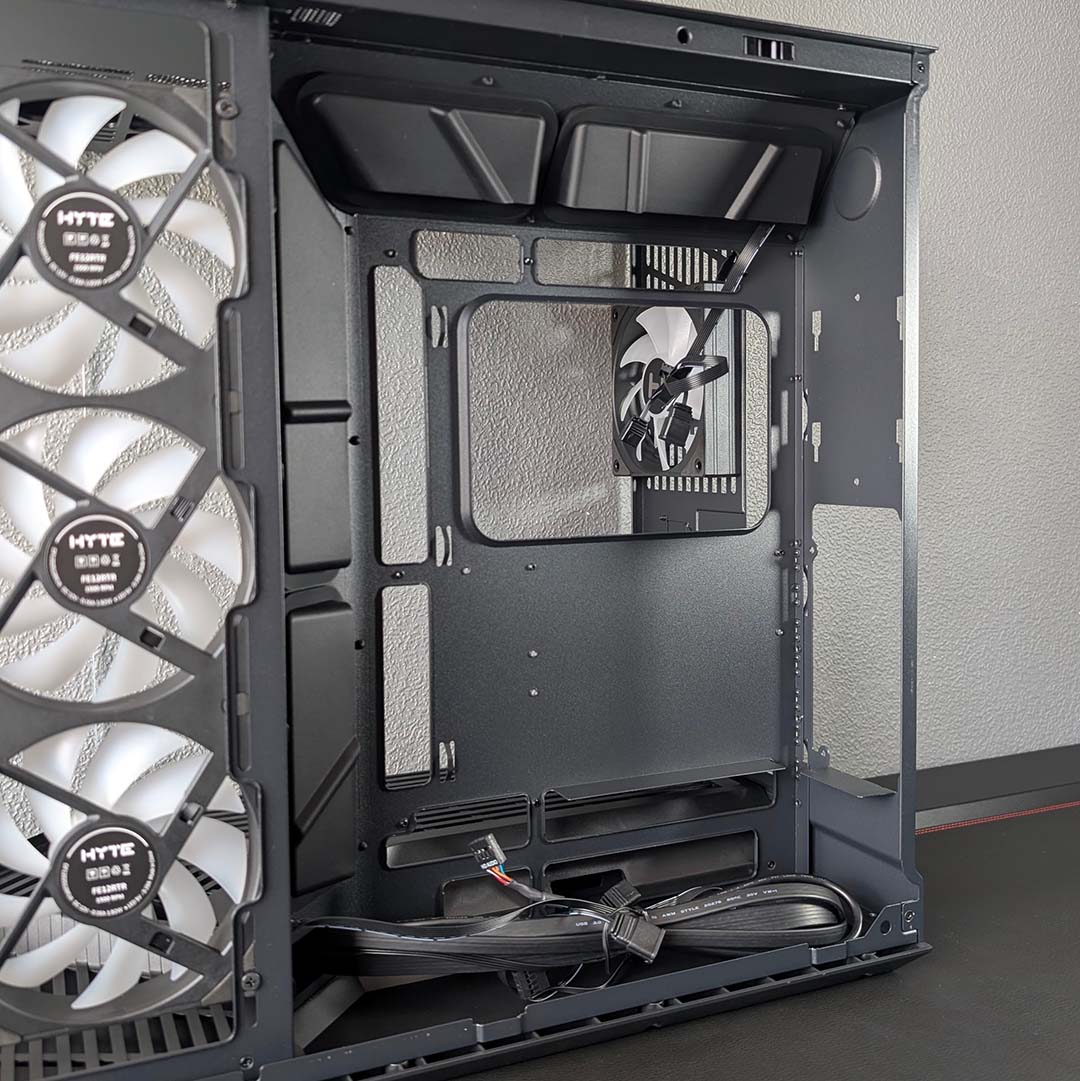
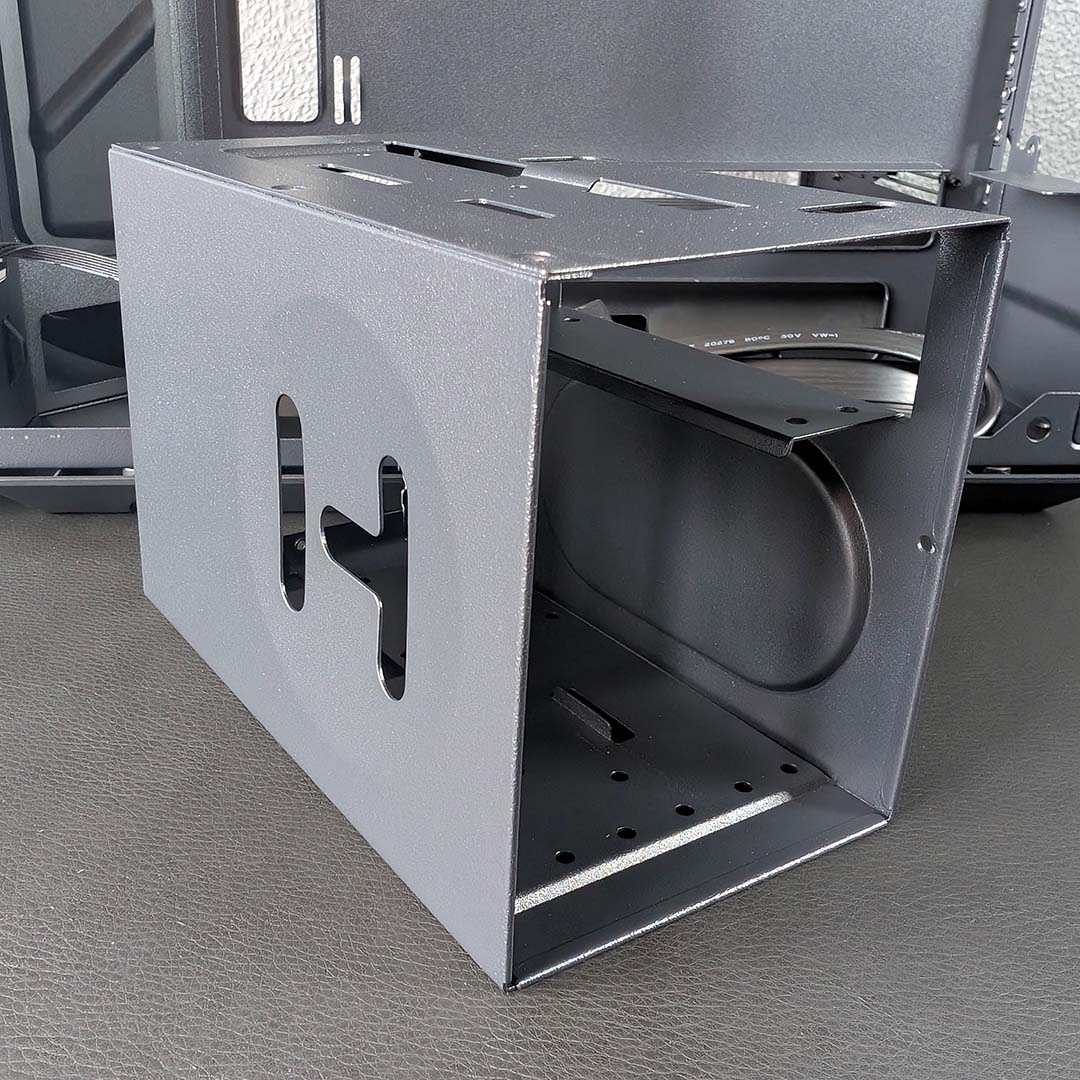
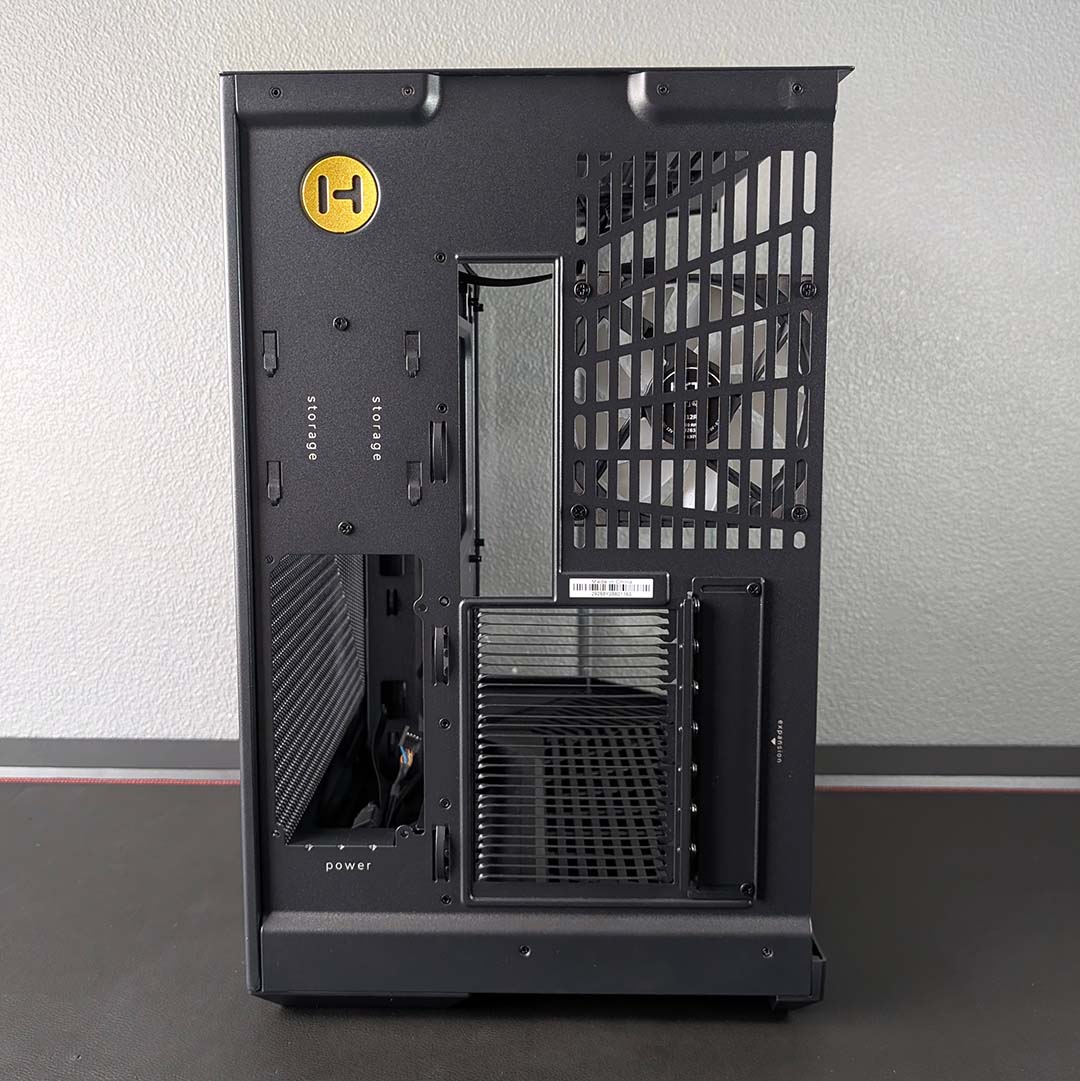
Peering into the chassis’ rear chamber, there’s little in the way of frills, but that’s no bad thing considering the cost of this case. About the only feature of note here is the removable 2.5/3.5in drive cage, which comes away from its holster with two screws and several metal teeth.
You can fit a whopping count of six 2.5in SSDs in this enclosure, if you’re fortunate enough to have a stack of these drives. Those with spinning disks can use the same mounts to fits two 3.5in HDDs, with room enough for two 2.5in drives on top of your 3.5in hard drives as well.
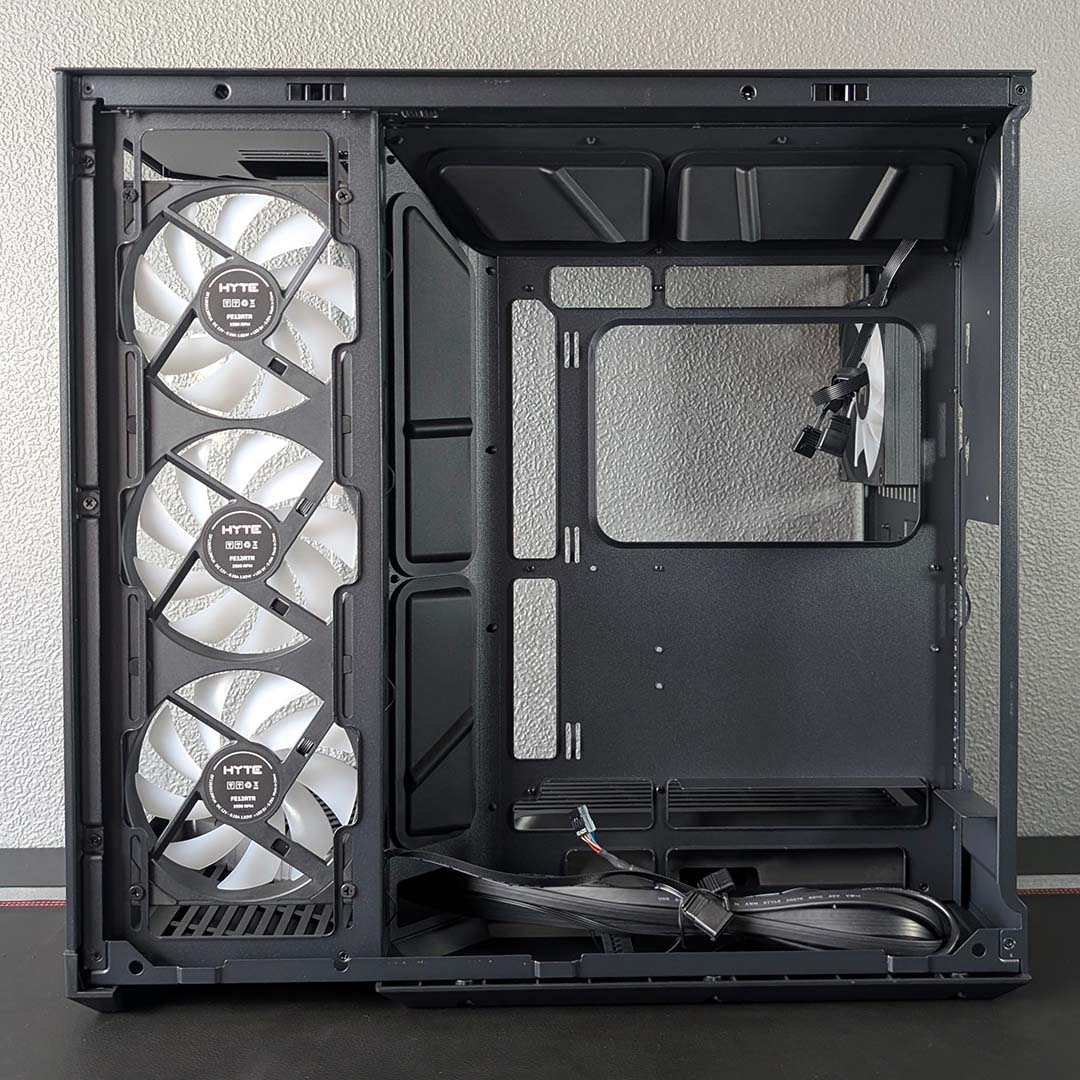
Rather than fitting a shroud over the power supply in the base, Hyte opts to float the unit on a shelf below the bottom cable cutouts. Having the PSU sit more centrally and openly is a welcome change, making for a setup that’s easily accommodating of different cable lengths and easy adjustments.
However, the power supply’s position does mean you’ll need to make considerations when it comes to your unit’s length, depending on your motherboard connector design. The Y50 RGB will fit a 250mm unit with standard front-connect boards, but this falls to 225mm with back-connect designs, owing to a conflict with cutouts.
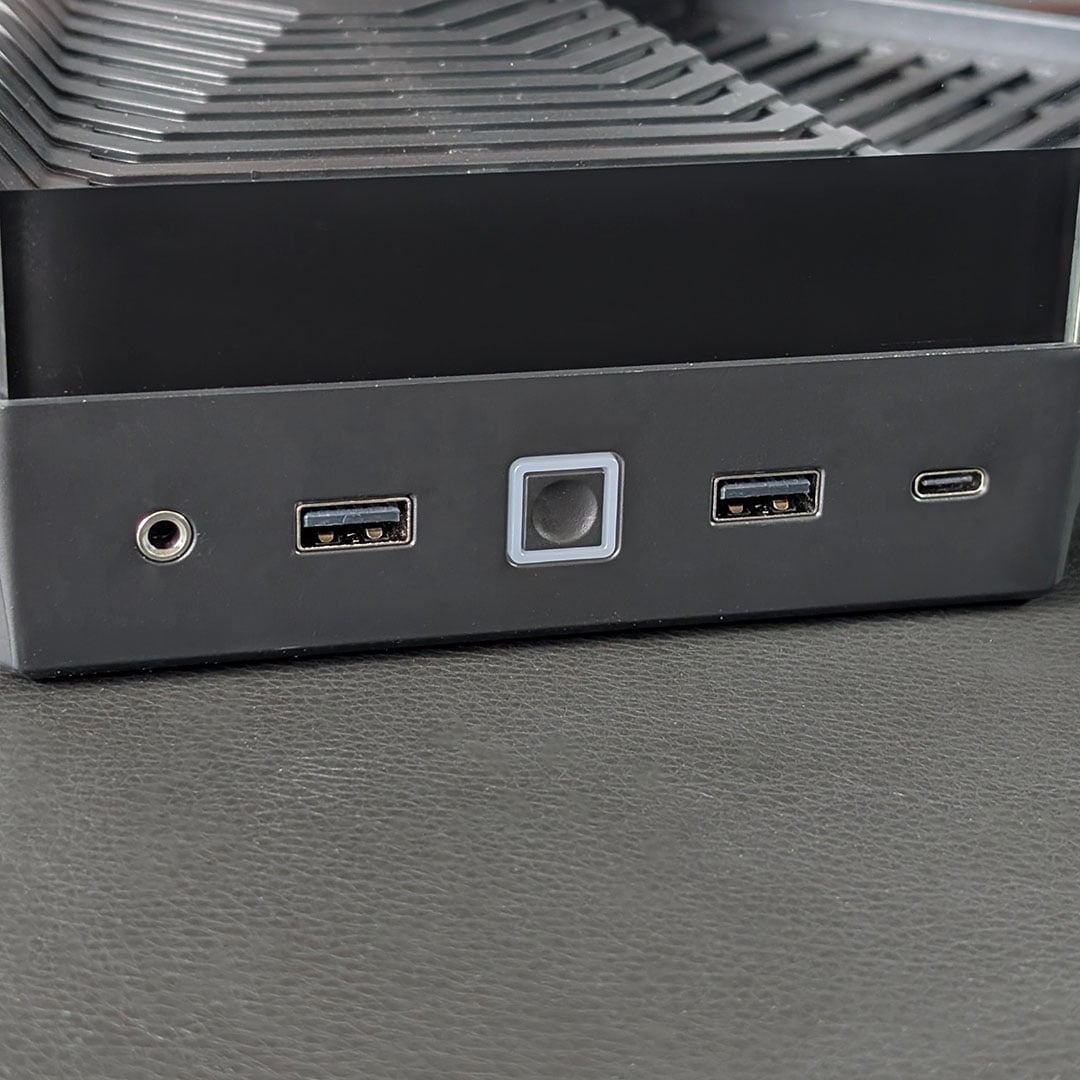
Last, but not least, two USB-A 5.Gb ports and a single 10Gb USB-C socket are found in the case’s front connections sitting below the diagonal tempered glass panel. There’s also a 3.5mm audio-out/mic-in port rounding off the selection, in addition to the power button that arrives with a surrounding LED.
Our Pitch Black Y50 RGB shapes looks striking, with great colour matching between the various metals and plastics across the case. Hyte also offers the chassis in much brighter colourways, including Snow White, Black Cherry, Taro Milk, and Strawberry Milk at no extra cost.
Test components
I’m calling on our usual assortment of PC case test equipment, building a high-end LGA1851 system inside the Y50 RGB. While no single setup can provide ultimate insight into acoustic and thermal performance, this configuration provides a broad overview of how the chassis holds up.
Here’s a list of the components I’ll be using:
- CPU: Intel Core Ultra 270K Plus
- Cooler: Arctic Liquid Freezer III Pro 360 A-RGB
- RAM: G.Skill Trident Z5 RGB DDR5-7200 CL34 32GB
- Motherboard: Gigabyte Z890 Aorus Pro Ice
- GPU: Sapphire Nitro+ Radeon RX 9070 XT
- SSD: WD_Black SN8100 2TB
- PSU: be quiet! Dark Power 14 1,200W
Build experience
Before putting a single component inside the Y50 RGB’s main chamber, I must crack open the case’s set of accessories. Hyte packages them inside the 2.5/3.5in drive cage, attaching the cardboard box securely via cable twist tie.
Opening up the resealable bag, we find a further five resealable bags, each with contents labels. It’s a small thing, but I commend Hyte for not using single-use plastic both for environmental reasons and for ease of keeping these screws stored and organised after opening.
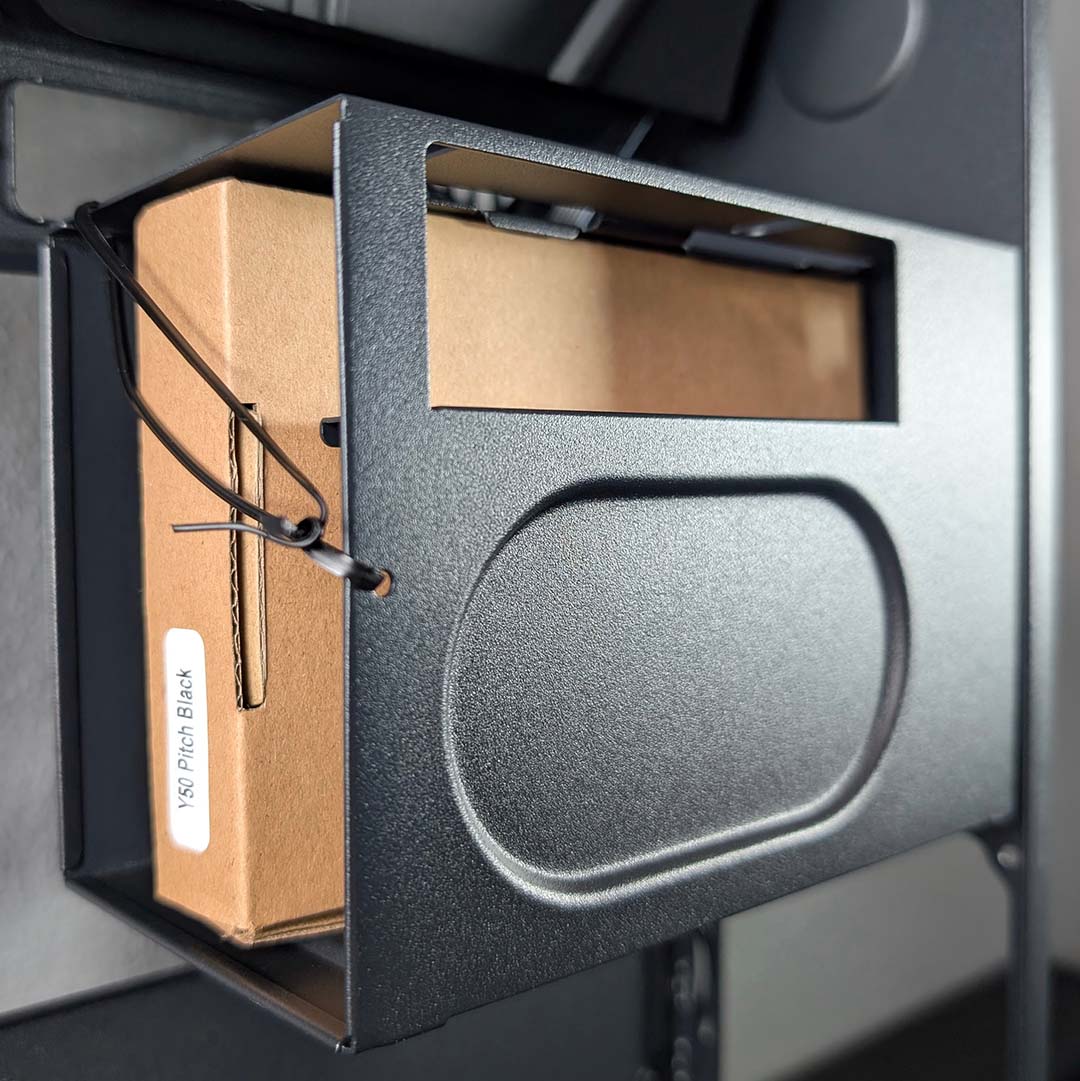
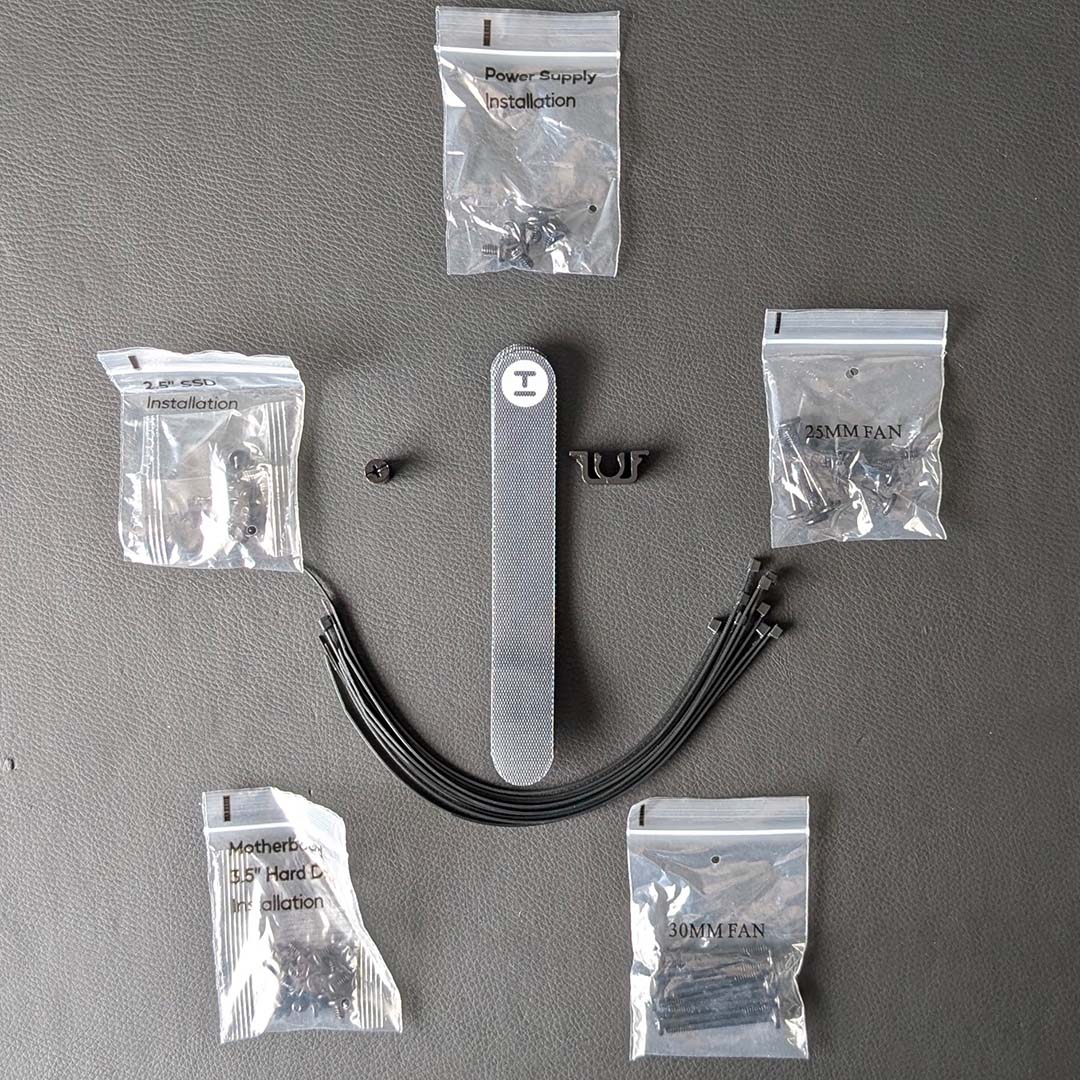
In addition to the screws, there are several cable ties and three Velcro straps. I’d prefer a larger selection of just the latter, as they’re reusable, but at least you get all you need to tidy up your wires.
Our Gigabyte Z890 Aorus Pro Ice motherboard, complete with CPU, RAM, and SSD, expectedly settled into the main chamber without any issue. Hyte preconfigures the standoffs to fit an ATX design, I just needed to line up the board and pop in my screws. I then set about wiring in the front panel connectors and audio through the case’s rubber grommets.
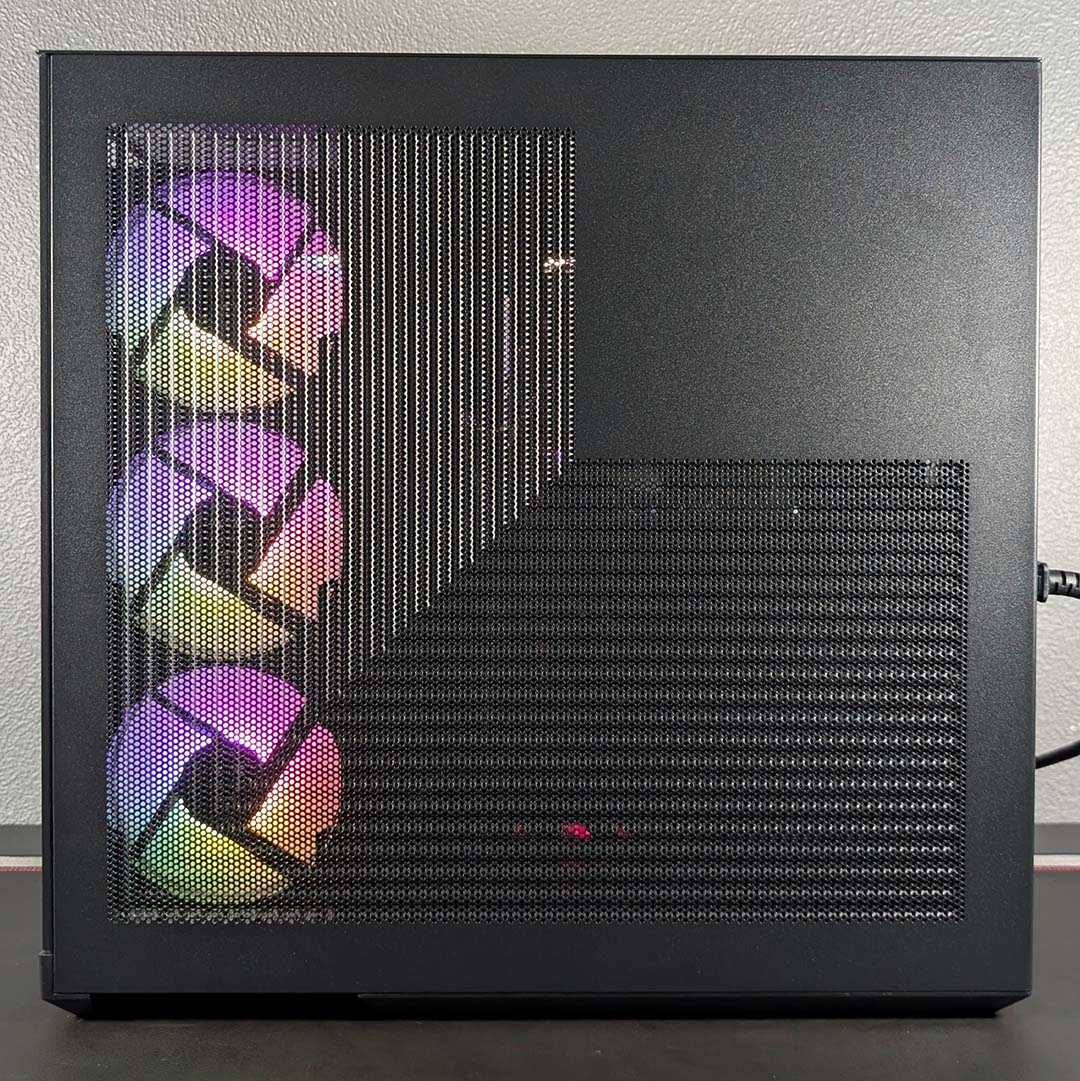
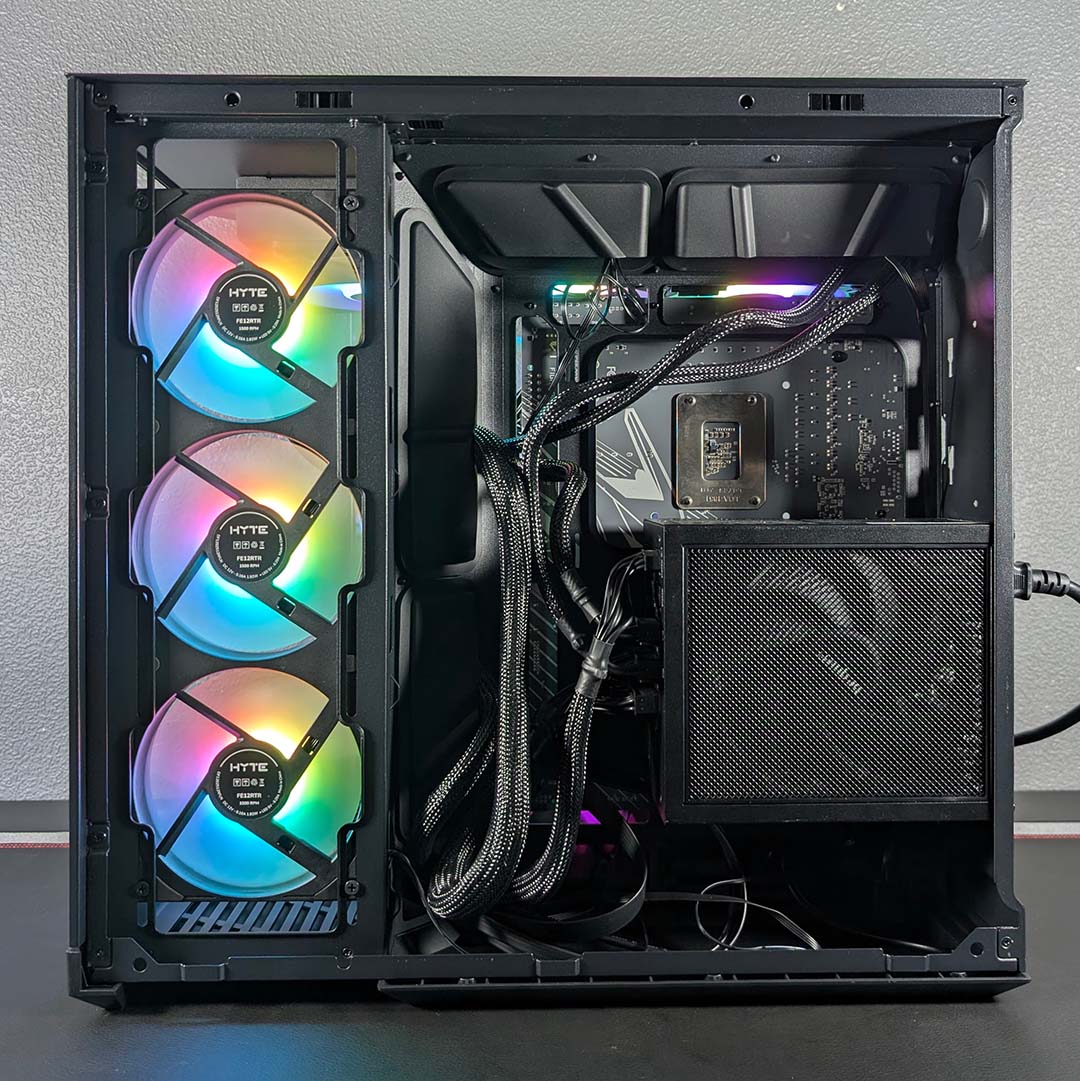
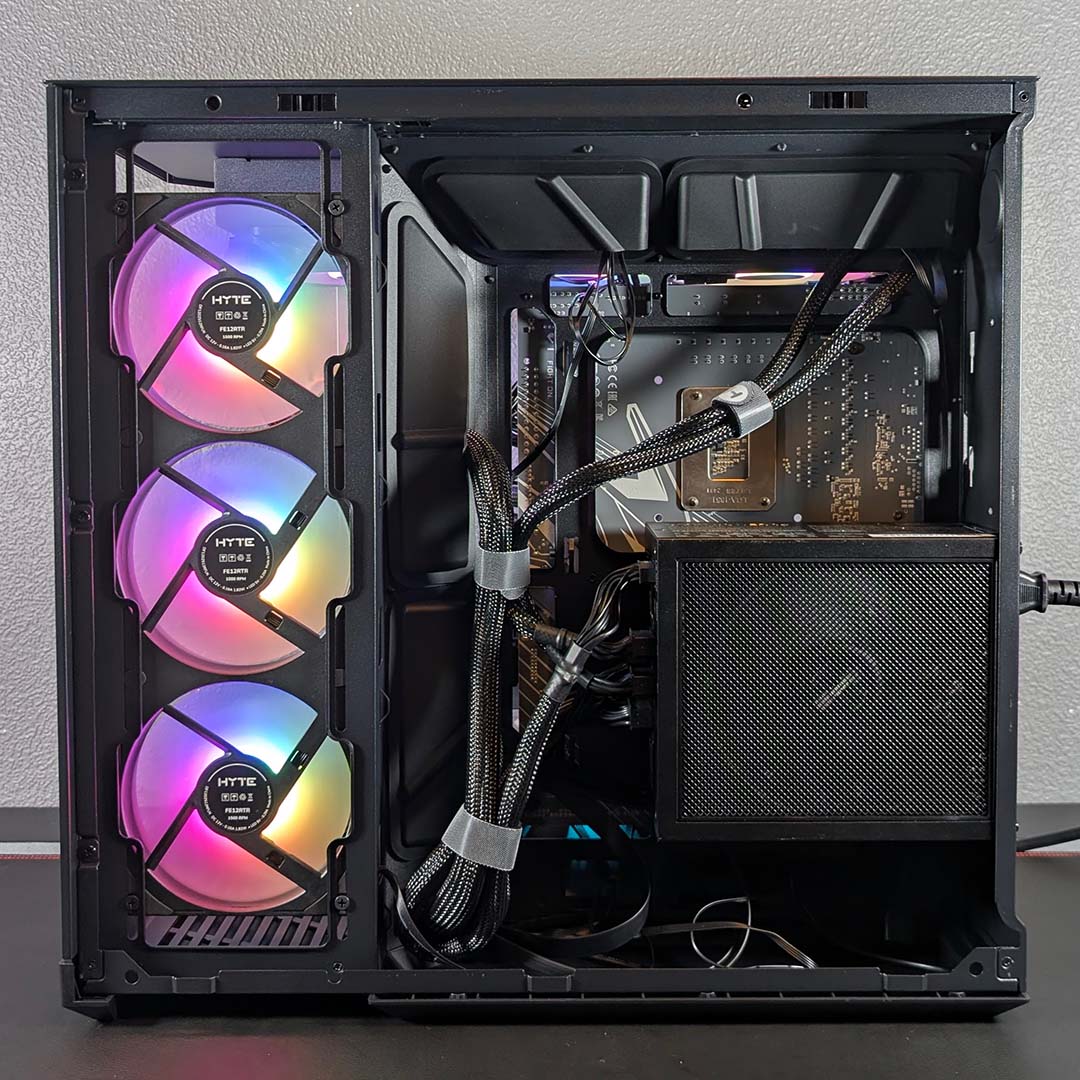
Next came fans, which came with a small challenge owing to the lack of an A-RGB of fan hub, as well as the lack of A-RGB headers at the top of my motherboard. After wiring up the PWM connections to nearby headers, I was able to daisychain the A-RGB wires from each fan together and plug them in at the bottom of the board. Doing so required the removal of the 2.5/3.5in cage, so it could run along the rear of the case, which is worth bearing in mind if you’re planning to install hard drives.
Installing our power supply was smooth sailing, with the PSU’s higher position having a positive knock-on effect of making my cables less taut once I’d routed them through to the main chamber. On the flip side, the increased slack in these wires makes cable management a little more difficult. That said, the Y50 RGB’s main chamber is so spacious that there feels little reason to seriously manage this proverbial spaghetti, and I was able to tidy up the arrangement with a few Velcro straps.
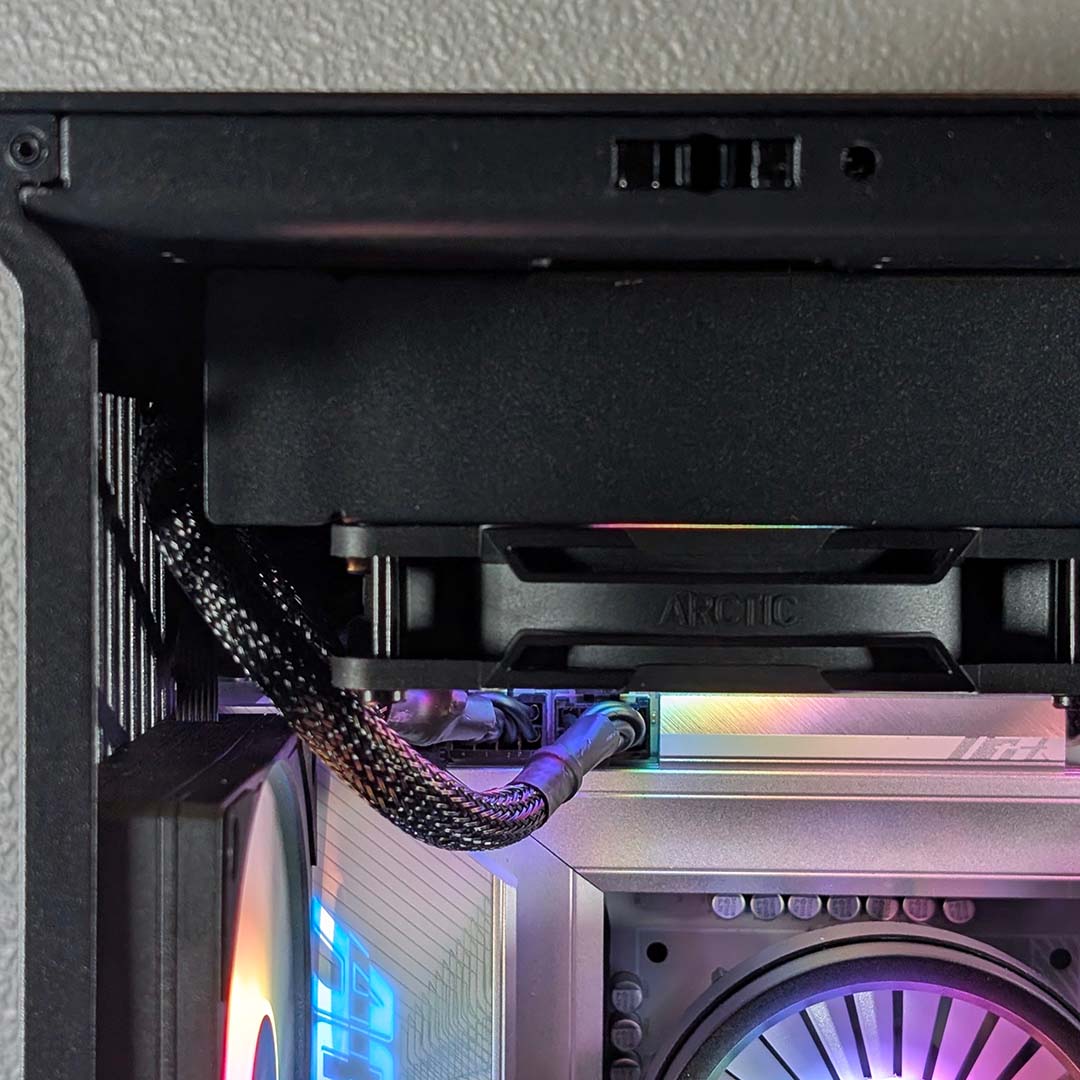
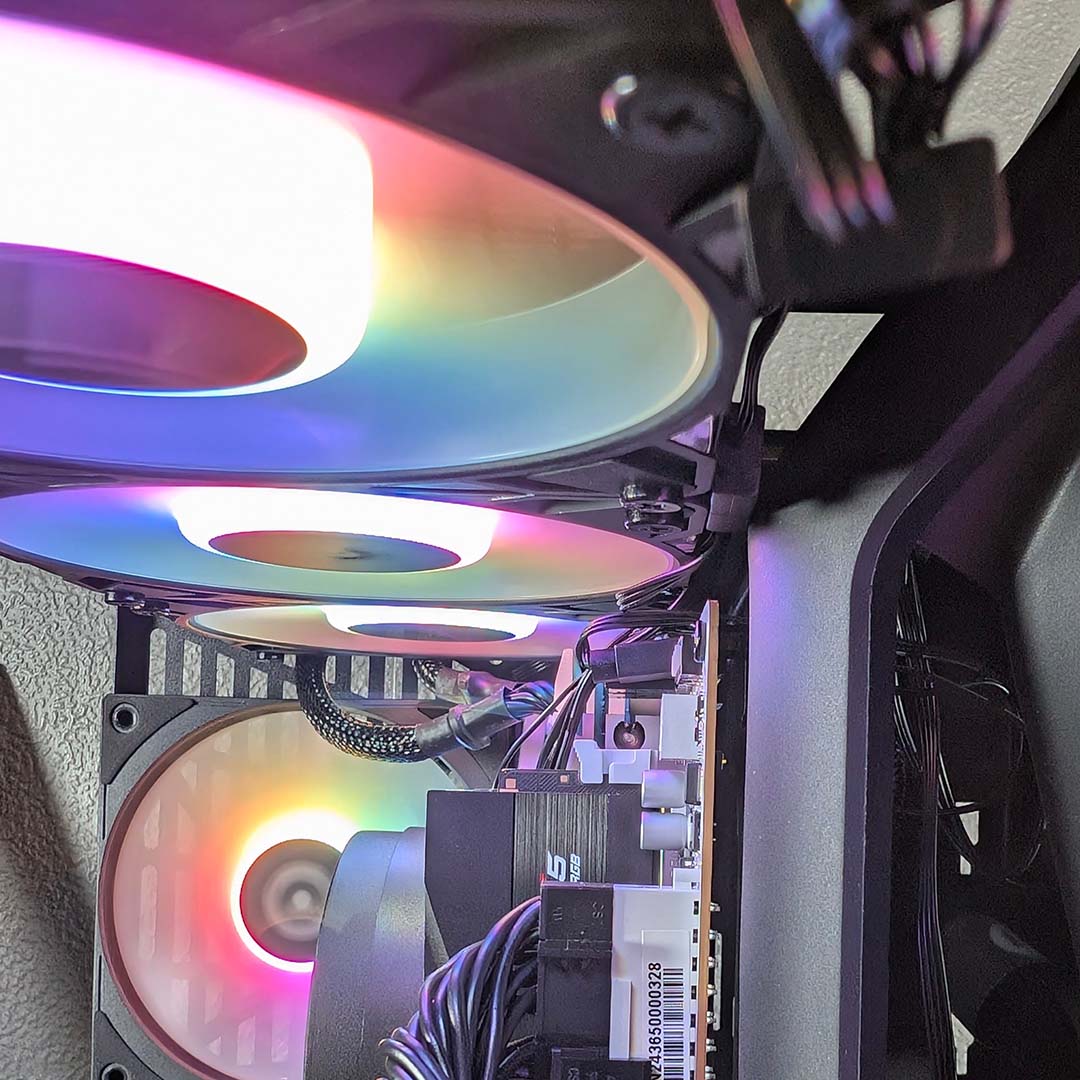
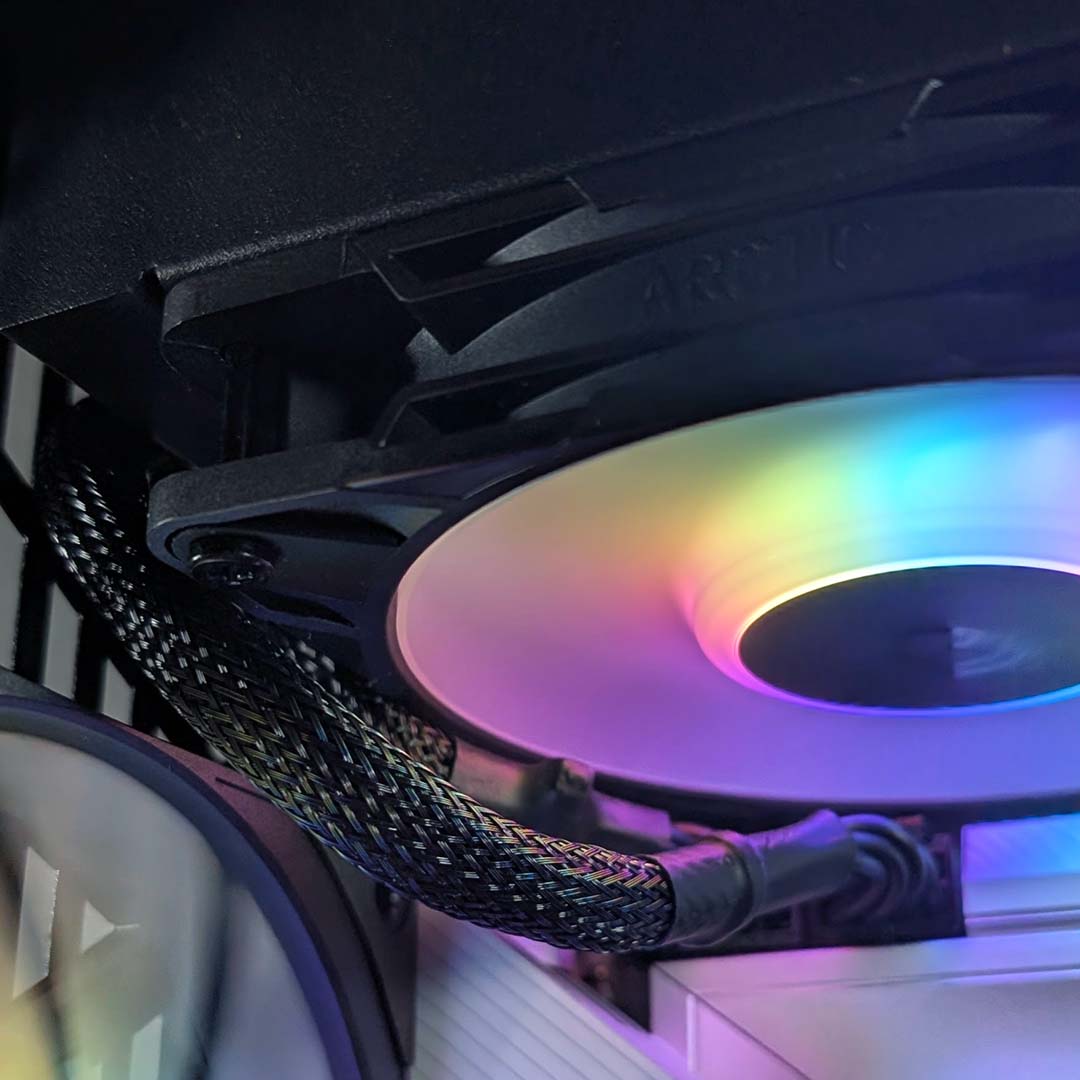
Moving on to our cooler led to a surprising issue during the build process. The middle spine that separates the two chambers sits so far out and close to the top fan bracket that there simply wasn’t enough room for both the Arctic Liquid Freezer III Pro 360 A-RGB’s chunky radiator and CPU power cables to coexist. In order to combat this squeeze, I had to awkwardly shift the latter to sit around the side of my AIO cooler, fighting against very small spaces with some difficulty.
Our Arctic Liquid Freezer III Pro 360 A-RGB radiator measures 398 x 120 x 38mm (L x W x H), well within the 42mm maximum height that Hyte describes on the case’s product page. While I don’t expect every AIO water cooler to create the same difficulties I had here, having experienced them does make me wish I’d used a back-connect motherboard instead.
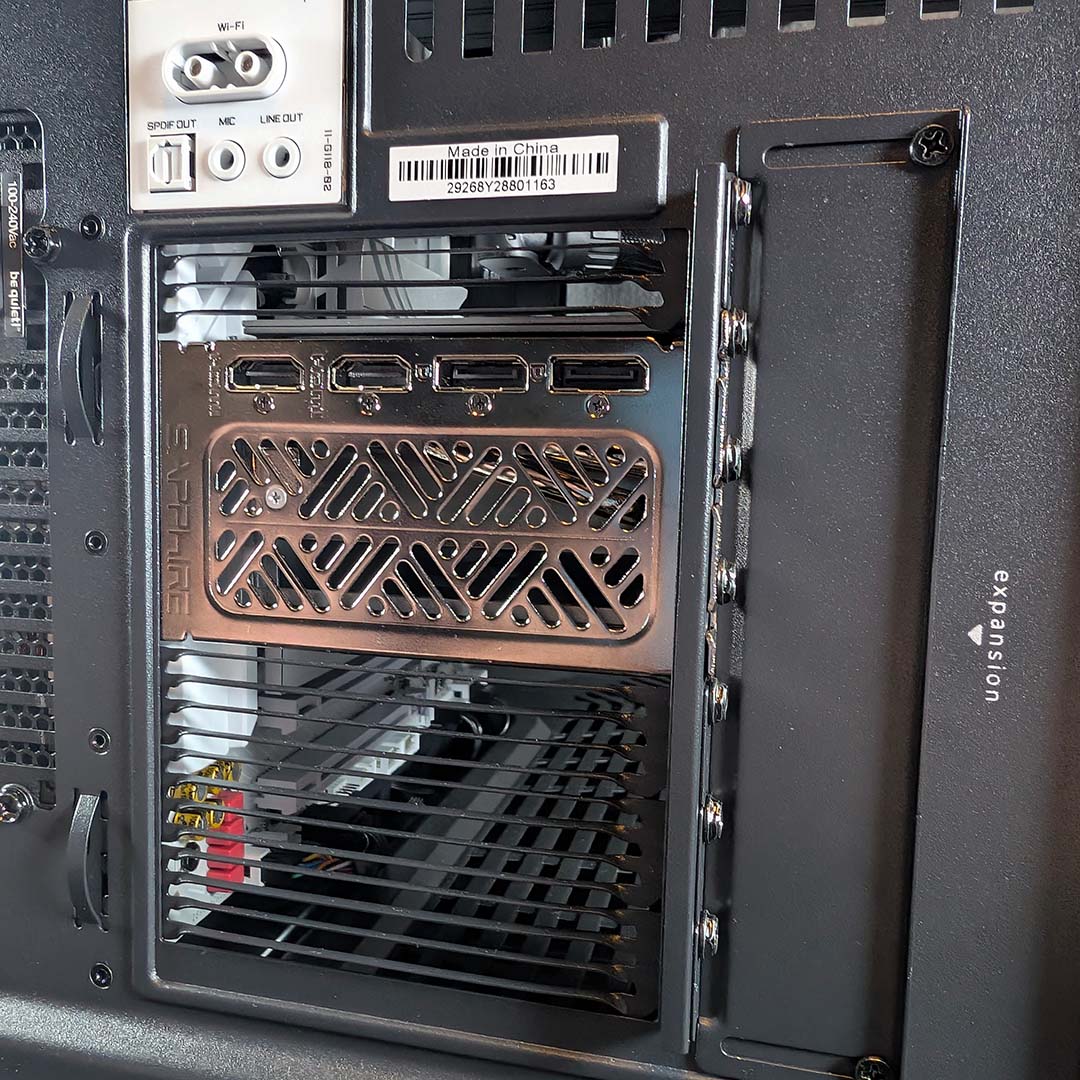
Finally, getting our Sapphire Nitro+ Radeon RX 9070 XT into the case was a doddle. At 331mm long, I did need to slightly pivot this graphics card into the main chamber, owing to the angled tempered glass, with the GPU cooler measuring around 30mm short of the Y50 RGB’s maximum supported graphics card length.
Unlike other Hyte cases, the Y50 RGB opts for a traditional horizontal orientation for the graphics card. There’s no vertical mount and riser cable here, nor an accommodating bracket design, unlike on the firm’s older but more expensive Y60 case. This is a reasonable trade off in service of a lower price in my eyes.
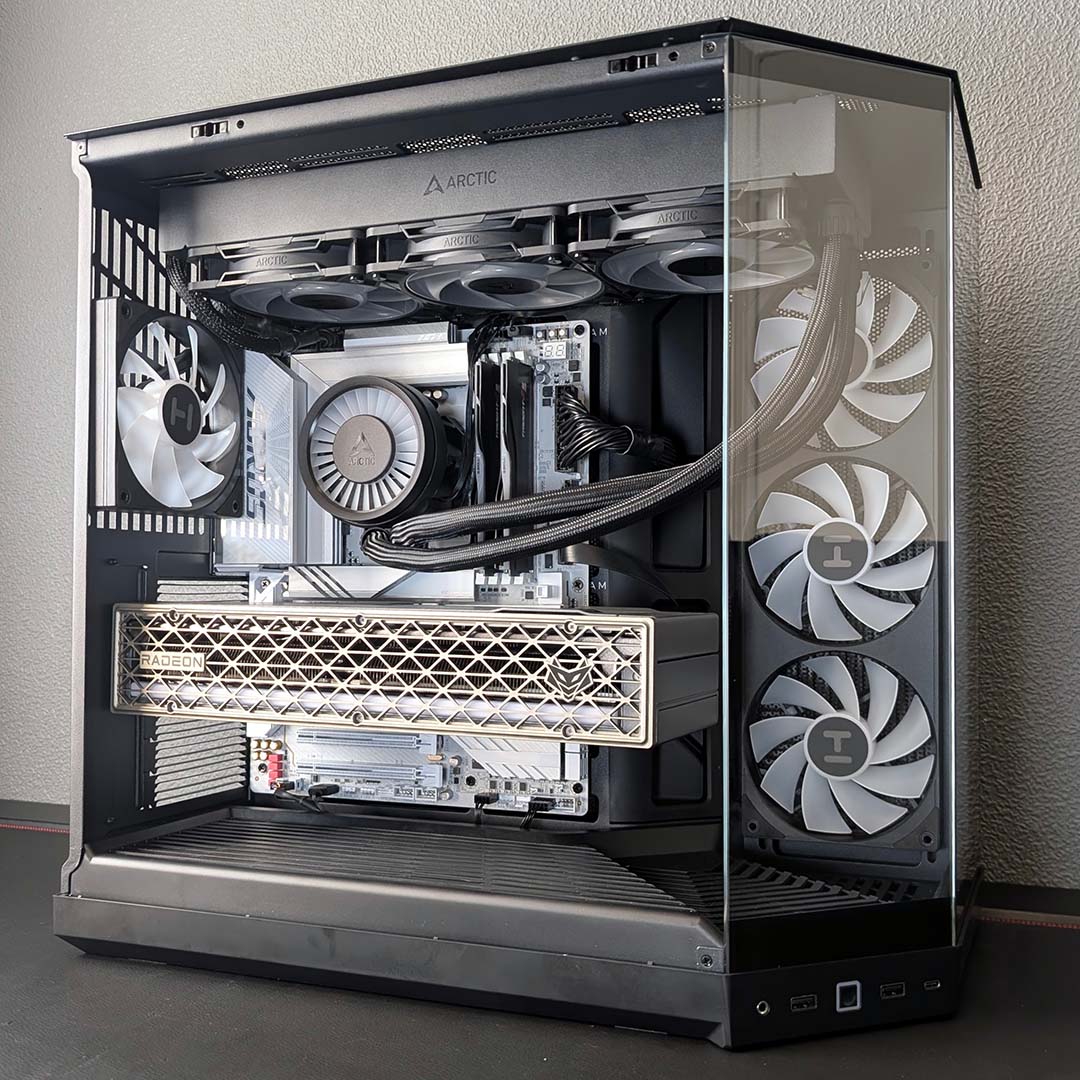
My problems getting our cooler and CPU power connectors to play nicely together did hamper build time, pushing me past my typical hour target for PC builds. Despite this bump, though, the process was otherwise smooth and the finished system looks undeniably slick. It’s a small design choice on paper, but the angular tempered glass really does give the Y50 RGB an appreciably distinctive shape and presence on my desk.
Performance
The UK heatwaves are thankfully behind us, meaning the Y50 RGB only has to face up against 23°C ambient temperatures in my office. This is slightly above the comfortable 20-22°C range, but that extra degree should do little to hamper the case’s thermal potential.
As per previous case reviews, I’m running all fans across the system at 30% while the Arctic Liquid Freezer III Pro 360 A-RGB’s pump hums along at 100%. These settings are identical to our 9950X3D test benches, but it’s worth noting that our Hyte build has a smaller case and cooler in play.
Sitting 30cm away from the side intake or rear exhaust, my sound meter records noise levels at ≤30dBA, making for a wonderfully inaudible case. Meanwhile the top exhaust, from our Arctic Liquid Freezer III Pro 360 A-RGB hums along at a comfortable 32dBA. This is pleasingly quiet as PCs go, with Hyte creating a blissful acoustic base from which to build. Of course, this measurement will vary depending on your graphics card, as that component’s fans sit idle while GPU usage is low.
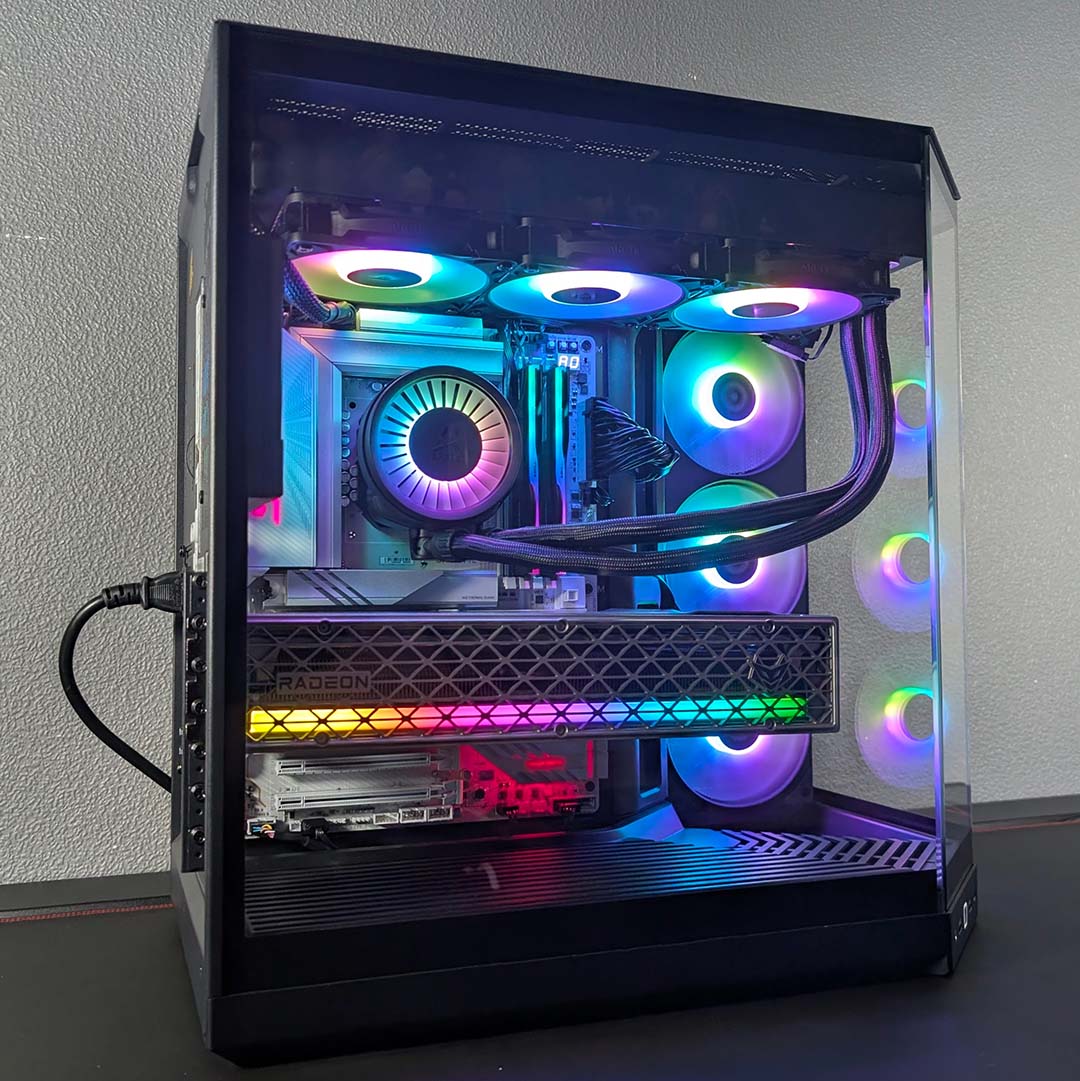
Starting from a 30°C base, the Core Ultra 7 270K Plus’ core temperatures peak at 80°C following a 10-minute Cinebench 2026 multi-threaded stress test. Taking differences of ambient temperature into account, these results are in line with those we saw on the larger InWin Covalent using identical internal components, bar case fans. This highlights the strong airflow that Hyte’s design provides our system, despite its use of glass panels.
Shifting gears to gaming with a Cyberpunk 2077 RT Ultra benchmark, the Y50 RGB expectedly holds up well as our CPU core temperatures sit at a cosy 62°C. Meanwhile, the system’s Radeon RX 9070 XT is barely breaking a sweat at 54°C. Suffice to say, you shouldn’t have trouble keeping your components cool in this case.
It’s tempting to reduce fan RPMs even further in service of small improvements to noise levels, given the amount of thermal headroom the case has to offer our system. Regardless, I’m more than pleased with how this configuration holds up, particularly relative to larger chassis.
Conclusion
Hyte describes the Y50 RGB as an ‘essential aesthetic case’, which is an apt assessment. For £99 / $99, this chassis is a cut above many cheaper offerings on the market, with great looks, solid airflow via its A-RGB fans, Hyte’s unique tempered glass styling, and broadly high build quality across its various materials. There’s a wide choice of colours to match your setup as well, and you get a generous four-year warranty for your money.
I’d like to see Hyte include a few more dust filters, at least on the side intake, in a future revision of the case. However, my biggest gripe with the chassis design stems from the difficulties I described earlier in mounting my AIO water cooler.
While I might expect such problems in a smaller, less-beginner-friendly mini-ITX build, I’m surprised to have encountered such an issue in what’s billed as a mainstream option. Of course, this won’t be a problem with every cooler, nor using a back-connect motherboard, but it’s a gripe worth bearing in mind nonetheless.
In terms of alternatives, the NZXT S5 RGB is worth considering as a cheaper alternative at $49 if you don’t need E-ATX or back-connect motherboard support. However, I’d argue the Hyte Y50 RGB is the better-looking case, and that four-year warranty trumps the two years you get with the aforementioned alternative.
The Antec C5 ARGB provides more of a challenge, with a whopping count of seven pre-installed A-RGB fans complete with fan and LED controllers. However, measuring at 400mm in height, it’s not possible to mount a 360mm radiator on the side panel. You can’t forget the amount of colour options that the Hyte Y50 RGB offers too.
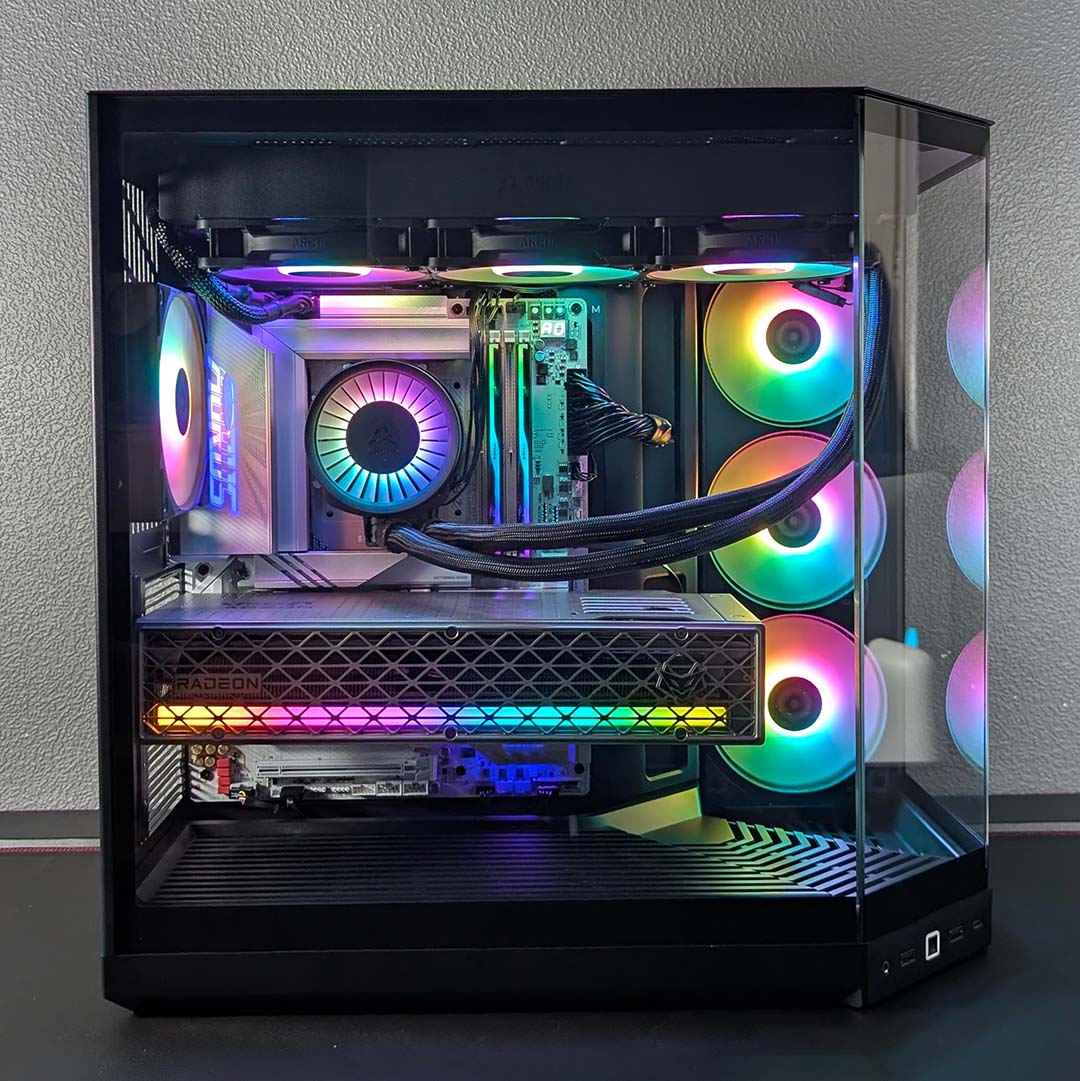
Carving out a unique space in the case market is difficult, but the Y50 RGB manages that through its triple tempered glass design and variety of colourways. I’m happy with both the look and performance of my build, and while it wasn’t a frustration-free build process, it’s otherwise a great, distinctive-looking fish tank PC case that won’t break the bank.
