

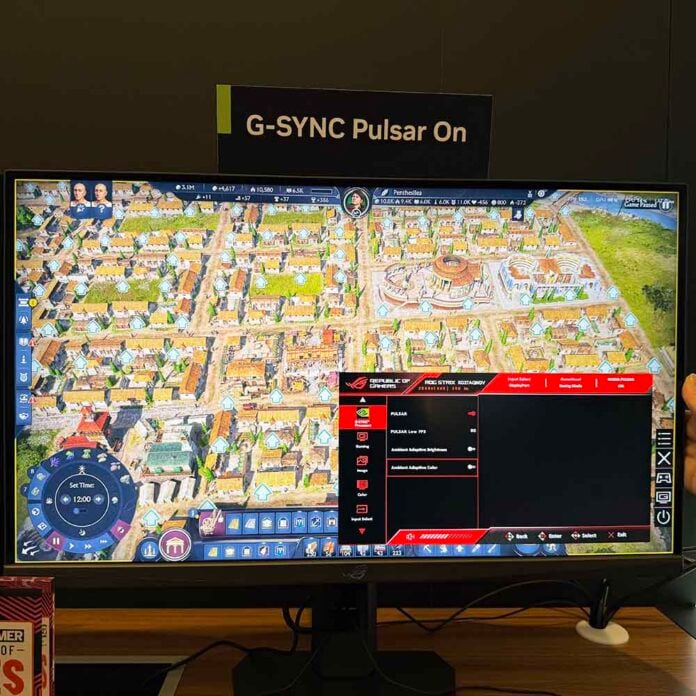
Nvidia might not have launched any new GPUs at CES 2026, but it did still at least chuck a couple of bones to PC gamers, one of which is its new G-Sync Pulsar tech. It’s fair to say that the original G-Sync transformed the gaming monitor landscape, bringing variable refresh rates into sync with your GPU frame rate, knocking unsightly tearing on the head. G-Sync Pulsar is the next evolution of this tech, and I had the chance to try it out at CES 2026.
There’s some seriously clever and precise tech under the hood of G-Sync Pulsar, which syncs up your gaming frame rates with more than just your monitor’s refresh rate. This time, G-Sync brings Ultra Low Motion Blur (ULMB) into the fold as well. This is a high-speed backlight strobing (or black frame insertion) system that’s designed to improve motion clarity and massively reduce blurring between frames. It works remarkably well in practice, but until now, you couldn’t enable it at the same time as Nvidia’s variable refresh rate tech.
That’s solved by G-Sync Pulsar, which now dynamically alters the length and rate of backlight pulses and pixel response times to ensure the whole lot is in sync with your frame and refresh rate. Nvidia claims the end result of this visual trickery is effective motion clarity of over 1,000Hz, all from a 360Hz monitor. How well does this work in practice? I had a chance to find out.
Nvidia’s demo setup was based on a GeForce RTX 5070, with a new Asus ROG Strix XG27AQNGV monitor, running at 2560×1440 with a 360Hz refresh rate. I was expecting Nvidia to demonstrate this new tech to me using a fast-paced, competitive first-person shooter, so I was surprised to see the slow-paced Roman strategy title Anno 117: Pax Romana set up on the Pulsar demo rig.

As it turns out, though, this large-scale city builder demonstrates the benefits of this new tech perfectly. There’s so much intricate detail in the landscape of this game, especially in the buildings, where you can clearly see each roof tile on every building, as well as all the foliage and extra details in gardens and backyards.
If you pan across a large, detailed city on this setup without Pulsar enabled, it not only looks a little juddery in action, but your eyes also struggle to resolve all that detail. Even on a top-spec 360Hz monitor such as this one, those roof tiles quickly become a homogenous blur, and you simply lose all those intricate details as you move around the city.
Switch on Pulsar, though, and not only is the panning smooth, but you can also clearly resolve all those details – the roof tiles are all clearly visible, even in fast motion. Colour me impressed – I’m not a competitive FPS player, and I confess I’ve never really got the appeal of very fast monitor tech, but G-Sync Pulsar demonstrates a clear advantage here. I can see how this same boost in visual clarity in fast motion could really help in competitive FPS games like CS2 and Overwatch as well.
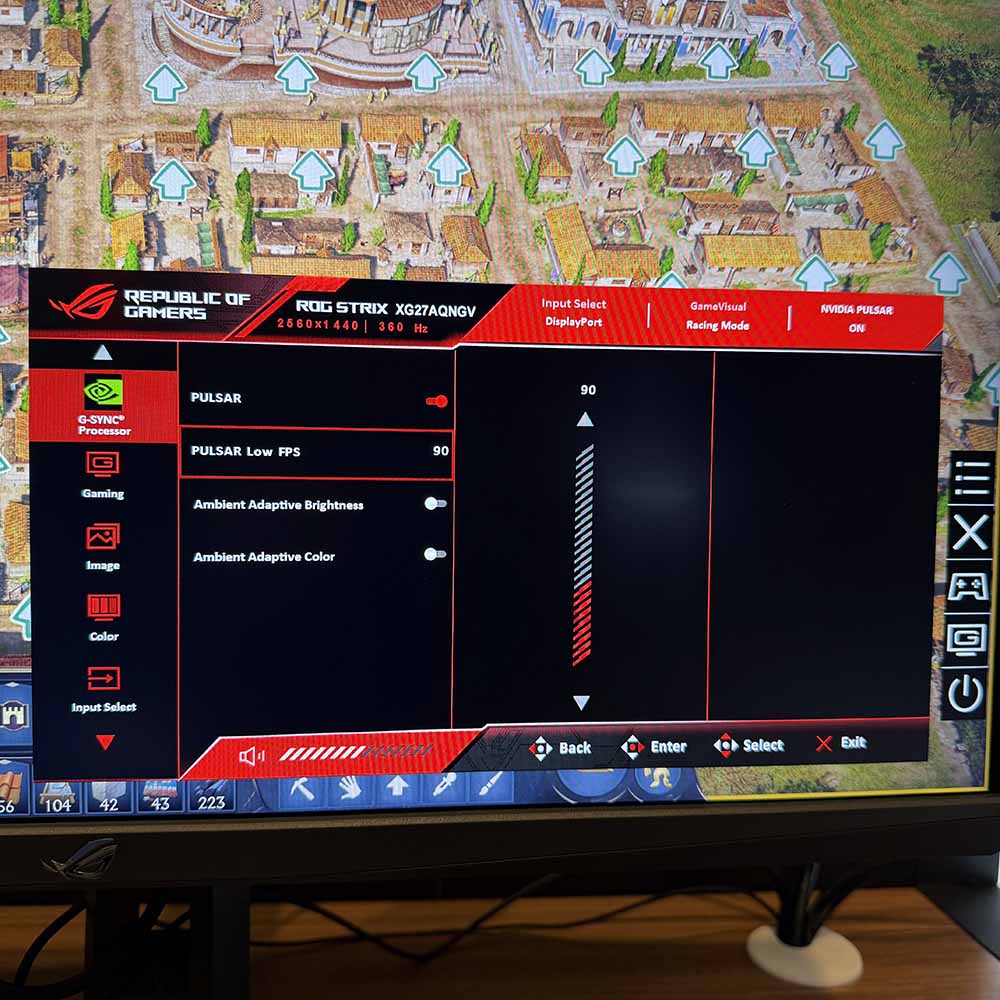
Much like the original G-Sync tech, Pulsar requires a monitor to integrate a proprietary Nvidia processor (made by MediaTek) to perform all this wizardry – it’s not just software. On the Asus test monitor, the G-Sync settings were all available in its on-screen display (OSD) menus. Here you have the option to turn Pulsar on and off, and also enable ambient adaptive colour and brightness features. There’s also the option to adjust the point at which Pulsar turns off with the Low FPS setting, as ULMB can start to look flickery at lower frame rates.
There are plenty of big players bringing out Pulsar screens, including the AOC Agon Pro AG276QSG2, as well as MSI’s new MPG 272QRF X36. We’ll be taking a look at some of these monitors in the Club386 lab as soon as we can get our hands on them, but in the meantime, we’re impressed by what Nvidia has shown us at CES. Make sure you follow Club386 on Google News to stay in the loop with our latest reviews. Adding the site to your Google Preferred Sources will also get our coverage to you more frequently. Simply click both buttons below, and you’ll be all set up.
