

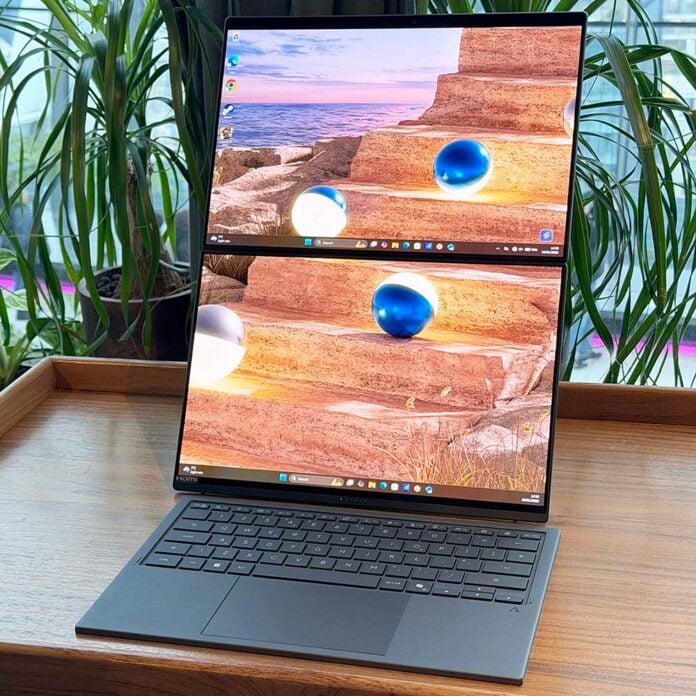
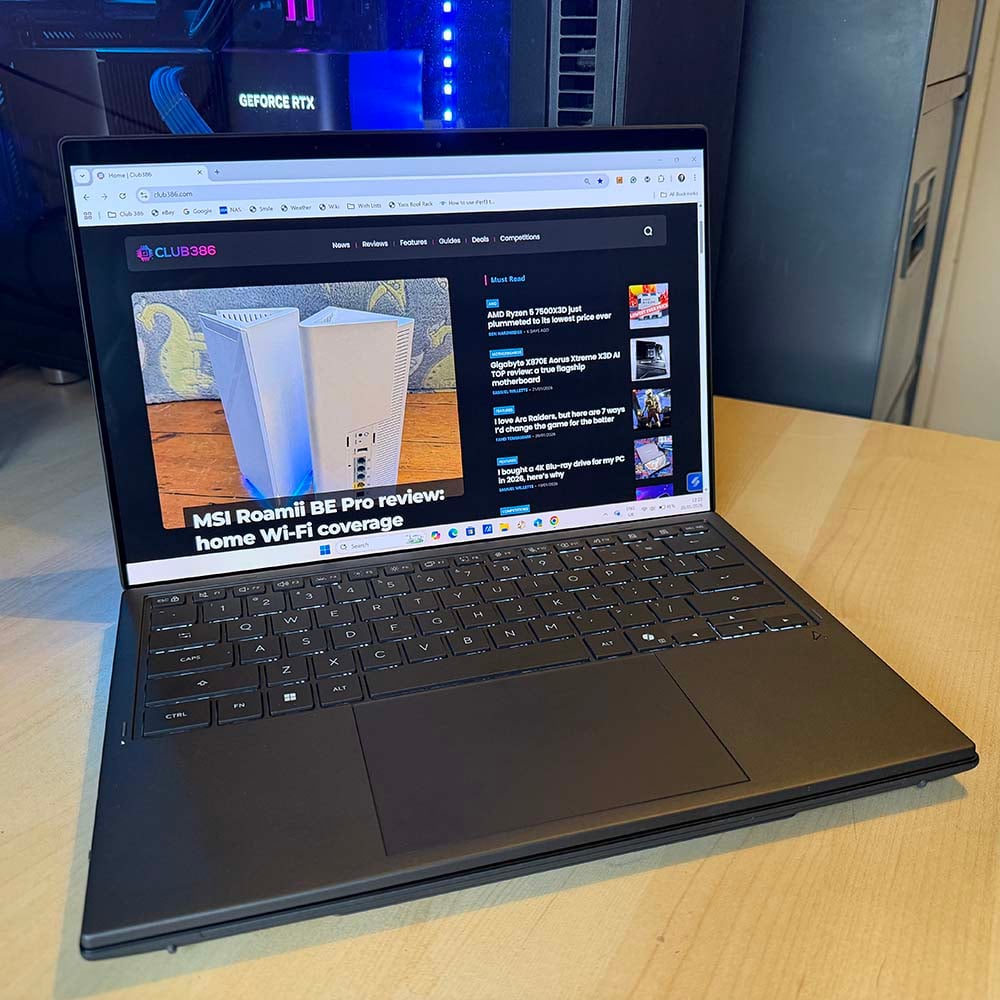
As you can no doubt see from the photo above, Asus’ new Zenbook Duo isn’t just an ordinary laptop. This ingenious piece of computer design folds out to reveal two 14in OLED panels, with no visible hint of an ugly hinge between them, meaning you can set it up on your desk and have loads of monitor space, unlike a normal mini laptop. The idea is that you can have the best of both worlds in a single, portable machine.
To that end, it’s also massively helped by a brand new Intel Panther Lake chip nestling in its motherboard. The UX8407 model I’m reviewing here is kitted with an Intel Core Ultra X9 388H processor, which offers solid CPU performance and class-leading power efficiency. What’s more, its integrated Arc B390 GPU can even play games at 1920×1080 with high settings. Is this enough to give you an ultra-portable laptop that basically doubles as a desktop? Let’s find out.

Asus Zenbook Duo 2026
£2,499
Pros
- Absolutely gorgeous design
- Two OLED screens make for a versatile portable setup
- Outstanding battery life
- Decent gaming performance
- Solid CPU pace
Cons
- High price
- Screens don’t always play nice with Windows
- Limited port selection
- Not much SSD space
- Noisy fans at full load
Club386 may earn an affiliate commission when you purchase products through links on our site.
How we test and review products.
Specs
| Asus Zenbook Duo 2026 (UX8407) | |
|---|---|
| CPU | Intel Core Ultra X9 388H |
| GPU | Intel Arc B390 (integrated) |
| Displays | 2x 14in 2880×1800 144Hz OLED touch-screen |
| RAM | 32GB (2x16GB) LPDDR5X 9,600MT/s |
| Storage | 1TB Samsung PM9C1a PCIe Gen 4 |
| Battery | 99WHr Lithium-Ion |
| Connections | 1x 3.5mm audio combo output Bluetooth 5.4 1x HDMI 2.1 1x USB 3.2 Gen 2 Type-A (10Gbps) 2x Thunderbolt 4 (40Gbps) inc display and power delivery Intel BE201 Wi-Fi 7 |
| OS | Windows 11 Home |
| Weight | 1.65kg |
| Dimensions | 310mm (W) x 209mm (D) x 19-22mm (H) |
| Extras | Backlit detachable Bluetooth keyboard FHD (1080p) IR webcam |
| Price | From £2,499.99 |
While that pair of OLED screens is undoubtedly the Zenbook Duo’s big selling point, there’s also some great hardware under the hood. Most notably, it contains a new Intel Core Ultra X9 388H chip. As a part of Intel’s new Panther Lake lineup, it promises to couple decent CPU performance with outstanding battery life. There are 16 cores, but it’s worth noting that only four of them are performance-focused P-Cores, which can boost to up to 5.1GHz in lightly-threaded workloads.
These are assisted by eight power-efficient E-Cores for multi-threaded workloads, along with a further four low-power (LP) E-Cores. Intel has optimised its latest Thread Director to really take advantage of the latter, as they can handle a lot of everyday tasks, from video calls to web browsing, just as well as the faster cores, but without draining your battery so much.
Another key feature of Panther Lake is Intel’s latest graphics tech, which is surprisingly potent. There’s an Arc B390 GPU integrated into this chip, containing 12 of Intel’s latest Xe3 cores, and they turn this thin-and-light machine into a useful gaming rig, as we’ll see later.
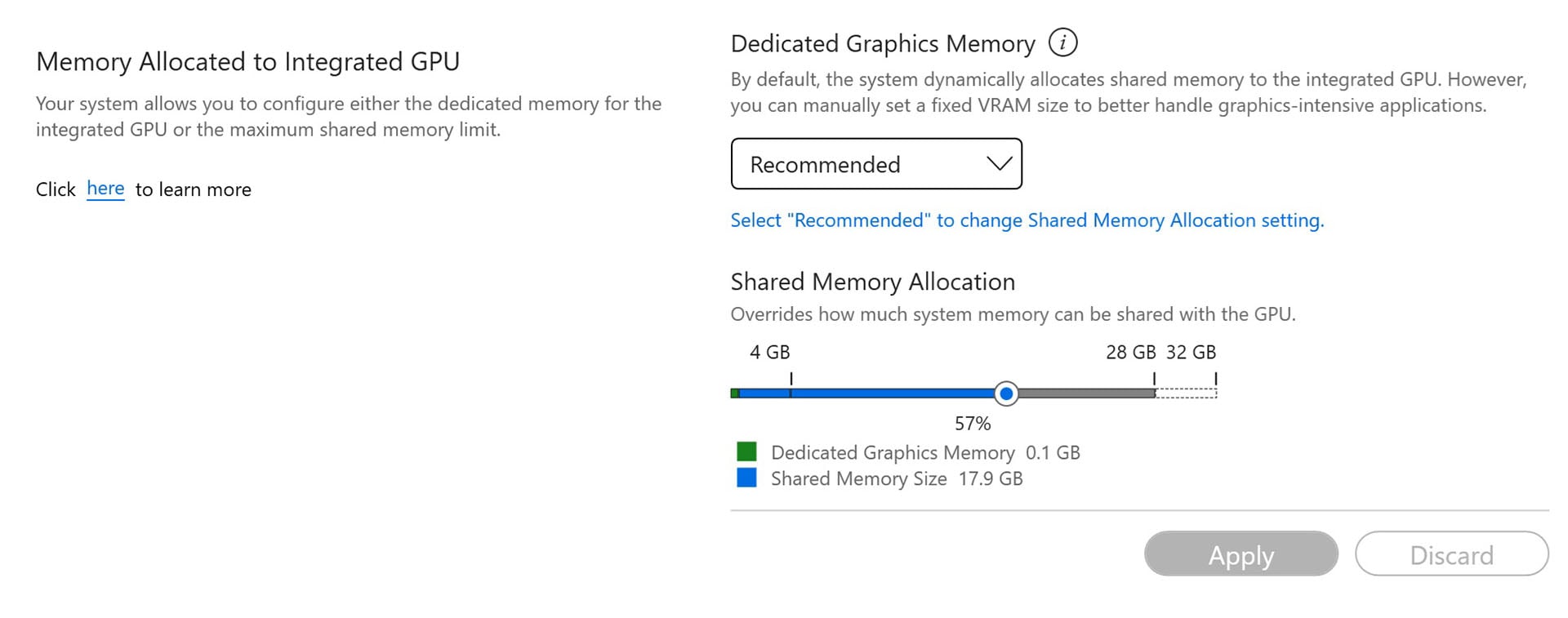
Asus hasn’t held back with its memory config either, furnishing this laptop with 32GB of super-fast 9,600MT/s LPDDR5X RAM. You can’t upgrade it, but you wouldn’t want to at current memory prices anyway. That’s a decent capacity, and it’s fast as well – great for both memory-intensive software, such as image-editing, while giving the GPU some fast memory for gaming.
12 of Intel’s latest Xe3 cores they turn this thin-and-light machine into a potent gaming rig.
You can allocate the precise amount of RAM you want to give to the GPU in the provided MyAsus software. You shouldn’t need to go beyond default settings for most games, but we found upping it to 12GB helped in some titles.
If there’s one disappointment, it’s the lowly 1TB Samsung PM9C1a SSD. NAND prices are going up at a disturbingly similar rate to RAM at the moment, so this isn’t hugely surprising, but you’ll quickly find space getting eaten up by games and software packages. At this price, I’d ideally want at least a 2TB drive, but maybe that’s just an overly optimistic expectation in these times.
Design
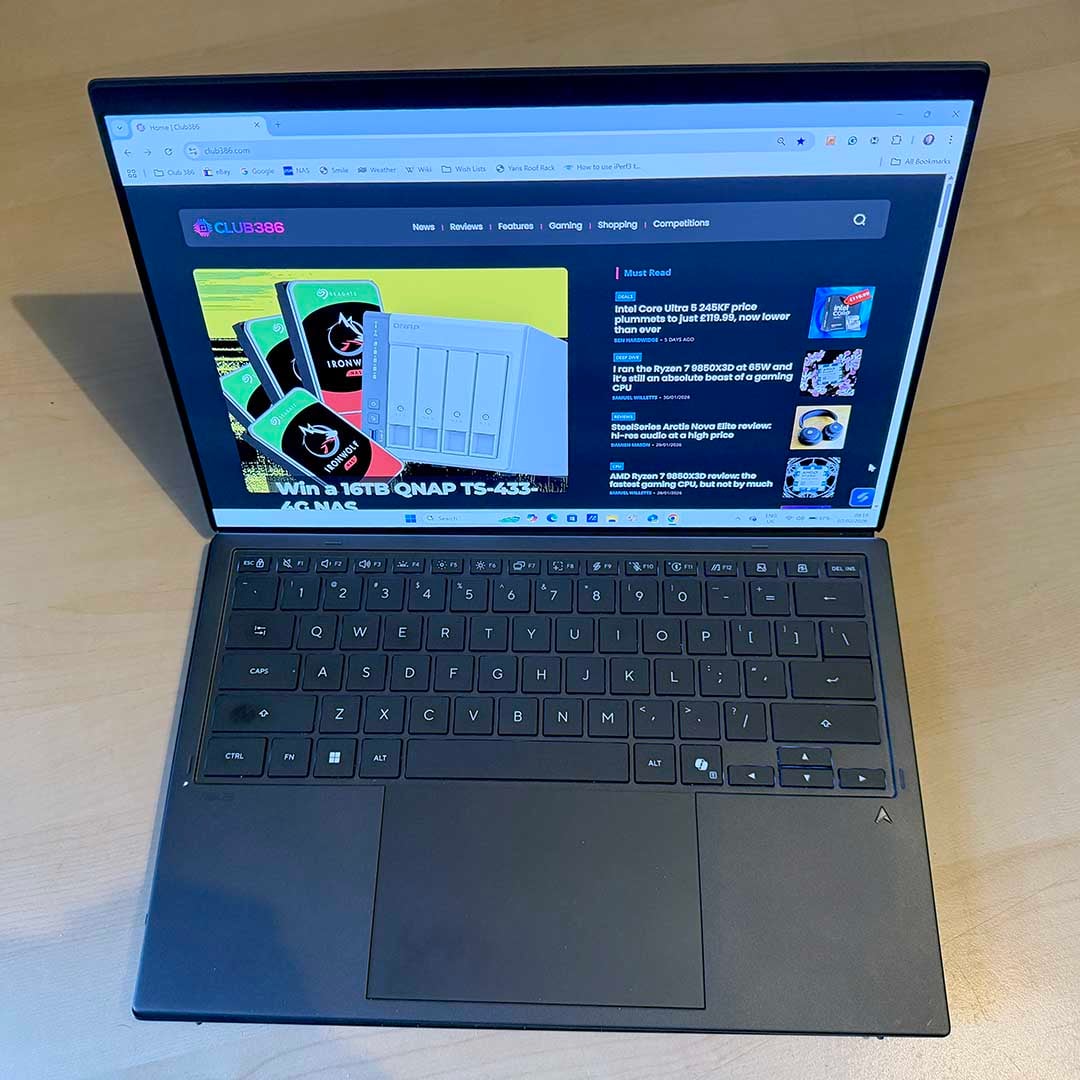
Asus has really gone to town on the latest Zenbook Duo design, and it ticks all the boxes, making for a light machine with premium build quality and dashing good looks. The Ceraluminum material used for the outer chassis is hewn from aluminium that’s sunk into a bath of pure water and minerals. The end result feels smooth, light and reassuringly sturdy – a bit like a really well-made piece of pottery with a matte finish. There’s no flex in the lid at all, and it feels gloriously smooth and premium in your hands.
The new design is genuinely like opening a book, with hinges completely hidden.
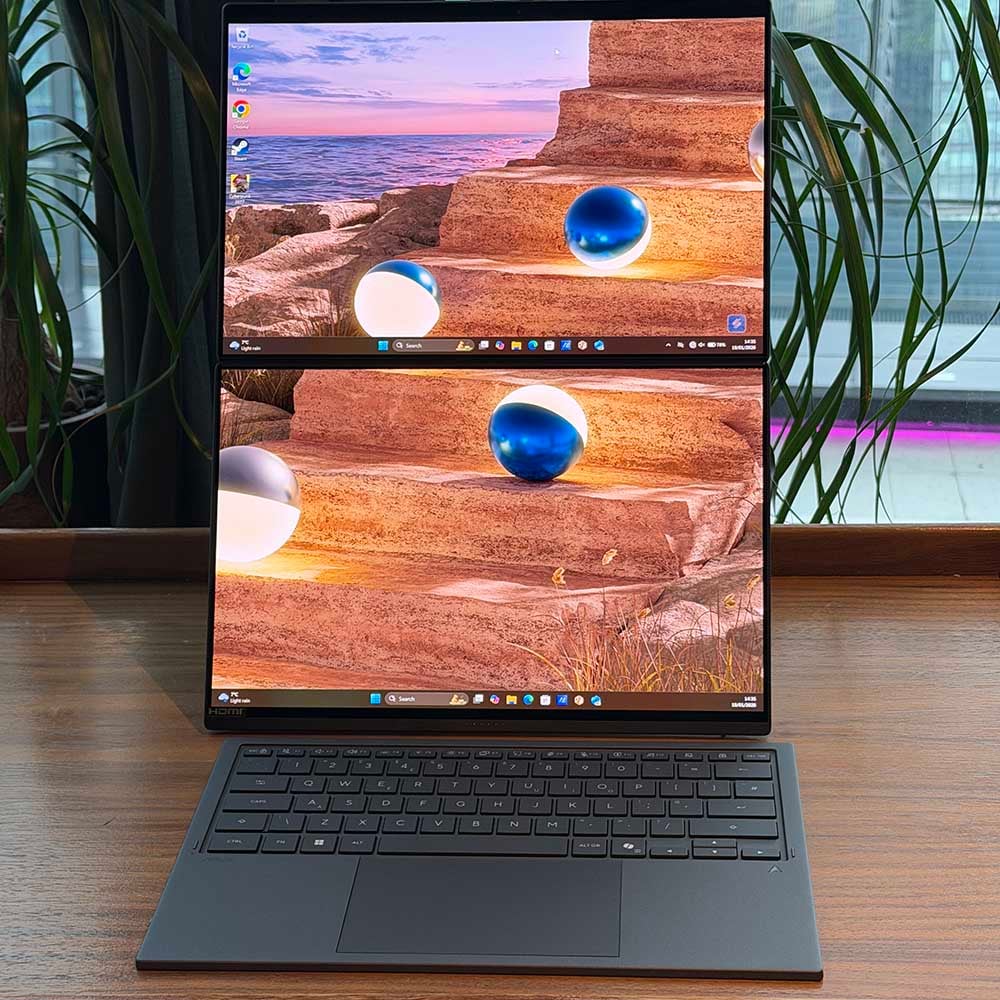
Unlike previous Zenbook Duo designs, this new model features a flashy new hinge system between its two displays. There’s now no gap or jutting edges between them when you unfold it. The new design is genuinely like opening a book, with the two screens evenly matched and hinges completely hidden – you can lay it perfectly flat on your desk.
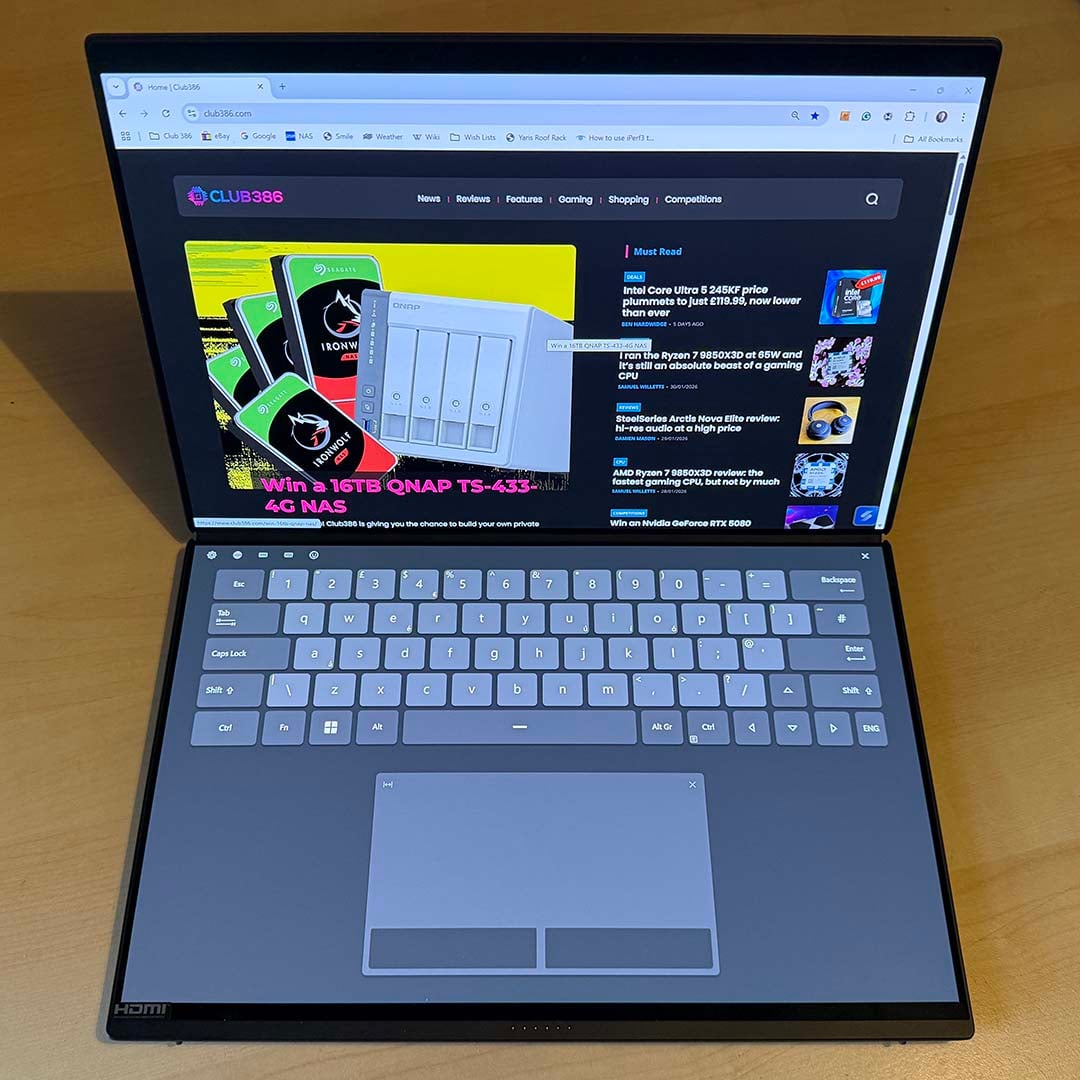
The end result is an incredibly versatile system you can take on the move. I wasn’t sure how I’d get on with it at first, but I’m a complete convert. Firstly, you can easily use it as a standard laptop, with the supplied magnetic Bluetooth keyboard connecting directly to a set of six pogo pins and sitting securely in place. Alternatively, you can detach this keyboard and put it in front of the two screens on your desk.
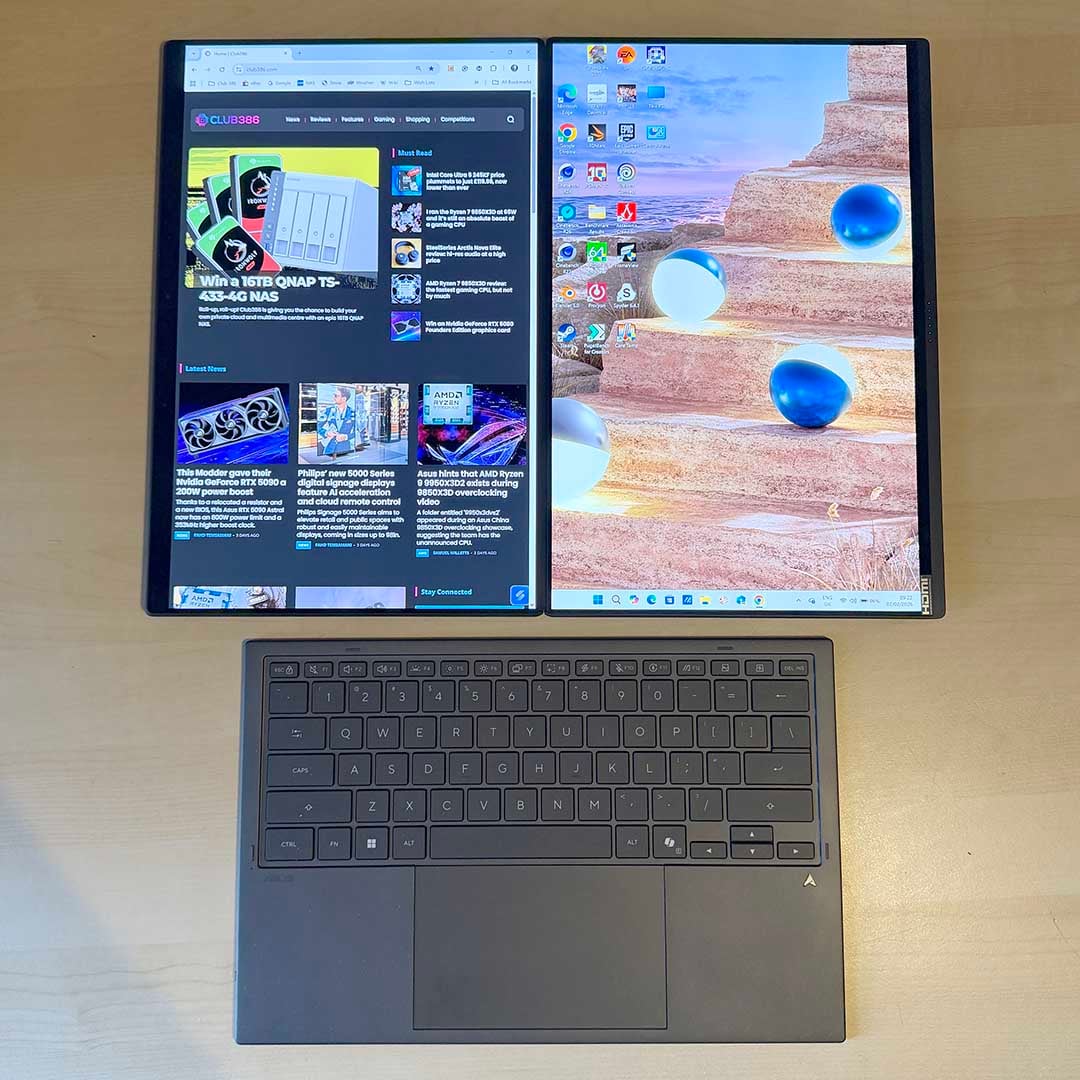
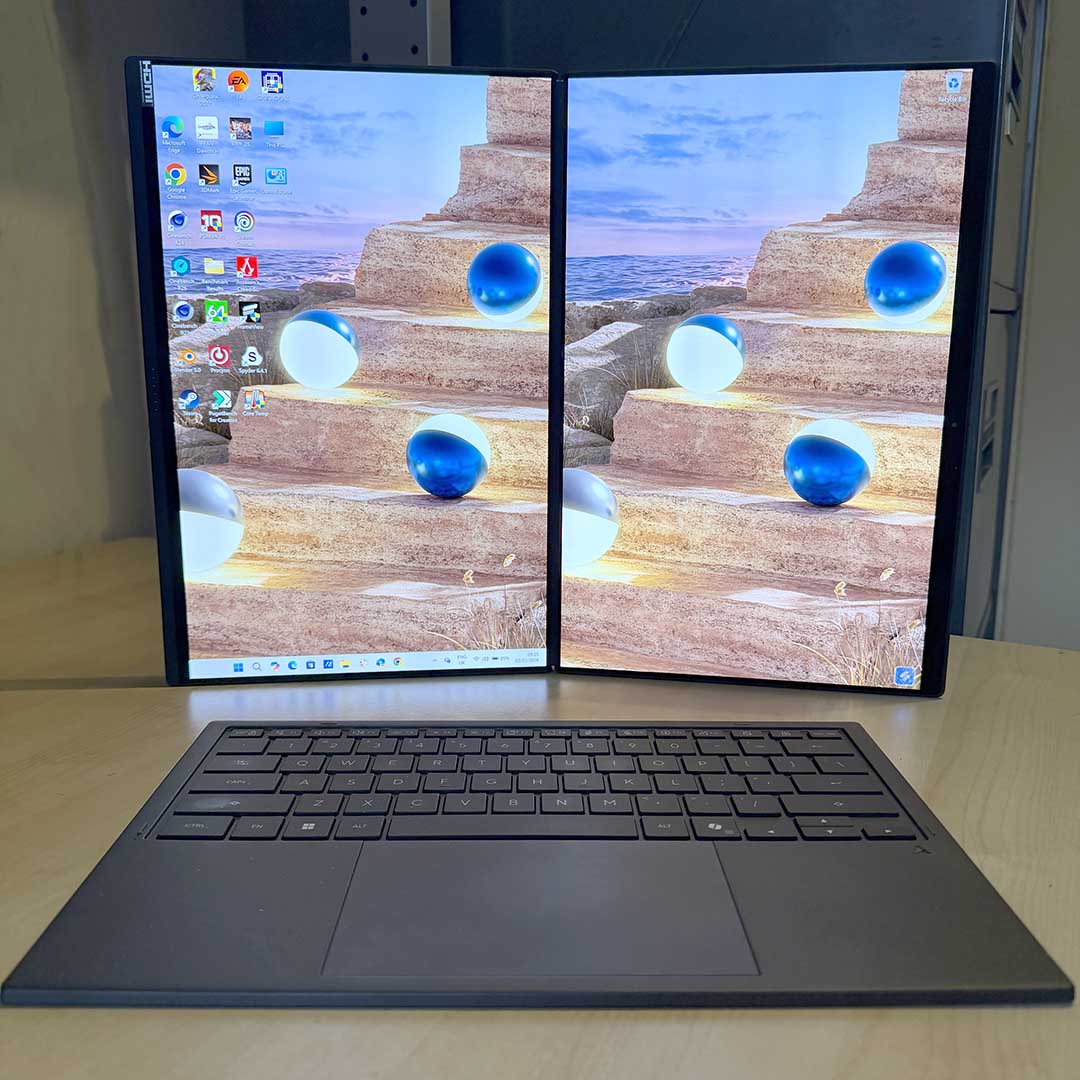
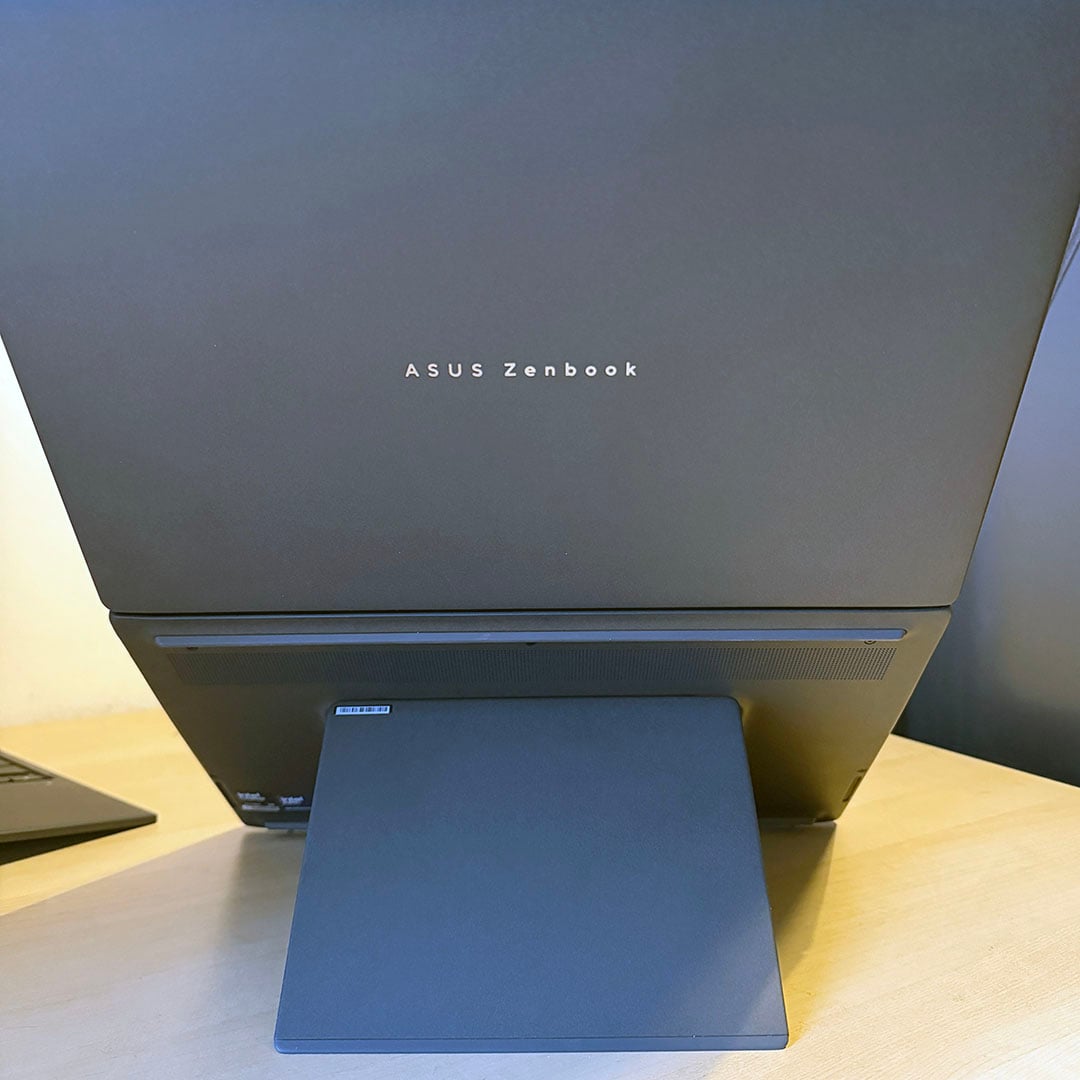
There are a couple of options here as the screens can be arranged next to one another horizontally or vertically. I much preferred the former for work, not least because there’s a secure stand you can pull out to prop up the Zenbook Duo on your desk. You suddenly get much more vertical working space, which I found really useful for writing in WordPress, for example – you can have all the options on the bottom screen, and type your copy into the top screen, with no frustrating crowding.
The whole setup is so much better than working on a single, tiny laptop screen.
Alternatively, just having one app open on one screen and one or two on the other also worked really well, such as Photoshop on the bottom screen, and my browser and Teams on the top screen. Handily, you can also hook up the keyboard via USB-C, so you don’t need to worry about it running out of power either. The whole setup is so much better than working on a single, tiny laptop screen, and it transforms this miniature machine into a genuine desktop replacement.
There is a word of warning, though, which is that Windows sometimes doesn’t really know what to do with a dual-touchscreen system like this. Just as an example, by default, the Windows Taskbar is replicated on both screens, even in Extended mode. I disabled it on the top screen to give me a full vertical working area in dual-screen horizontal mode, but then I switched to dual-screen vertical mode, and it didn’t look right with a Taskbar on just one screen.
It’s not a deal breaker – you can customise the Taskbar how you want it, but I would prefer Windows to make all these adjustments instantly as you switched the screen orientation or removed the keyboard. Sometimes the OS also gets confused and ends up putting dialogue boxes on the second screen, even when the keyboard is in place (it did this throughout display testing with my colourimeter). You can Alt-Tab to these boxes and click them, rather than having to remove the keyboard, but it’s a needless irritation.
On the plus side, I often found the touch interface handy for quickly scrolling up and down, particularly in tablet mode, and Asus has integrated a whole load of touch features as well. One is a full-size keyboard, including a virtual touchpad, which takes up the whole of the bottom screen, meaning you don’t even need to use the physical keyboard. You miss the tactile feedback of a proper keyboard, but it’s perfectly usable, largely thanks to its size.
The machine guides you through various multi-finger touch gestures when you first power it on.
The machine also guides you through various multi-finger touch gestures you can use when you first power it on. Tap six fingers to bring up the keyboard, for example, or you can pull up a numeric keypad with cut, copy, and paste buttons. Asus’ software includes several software features to make Windows behave helpfully, with the ability to call up a control panel, for example, with a volume dial, brightness control, and so on.
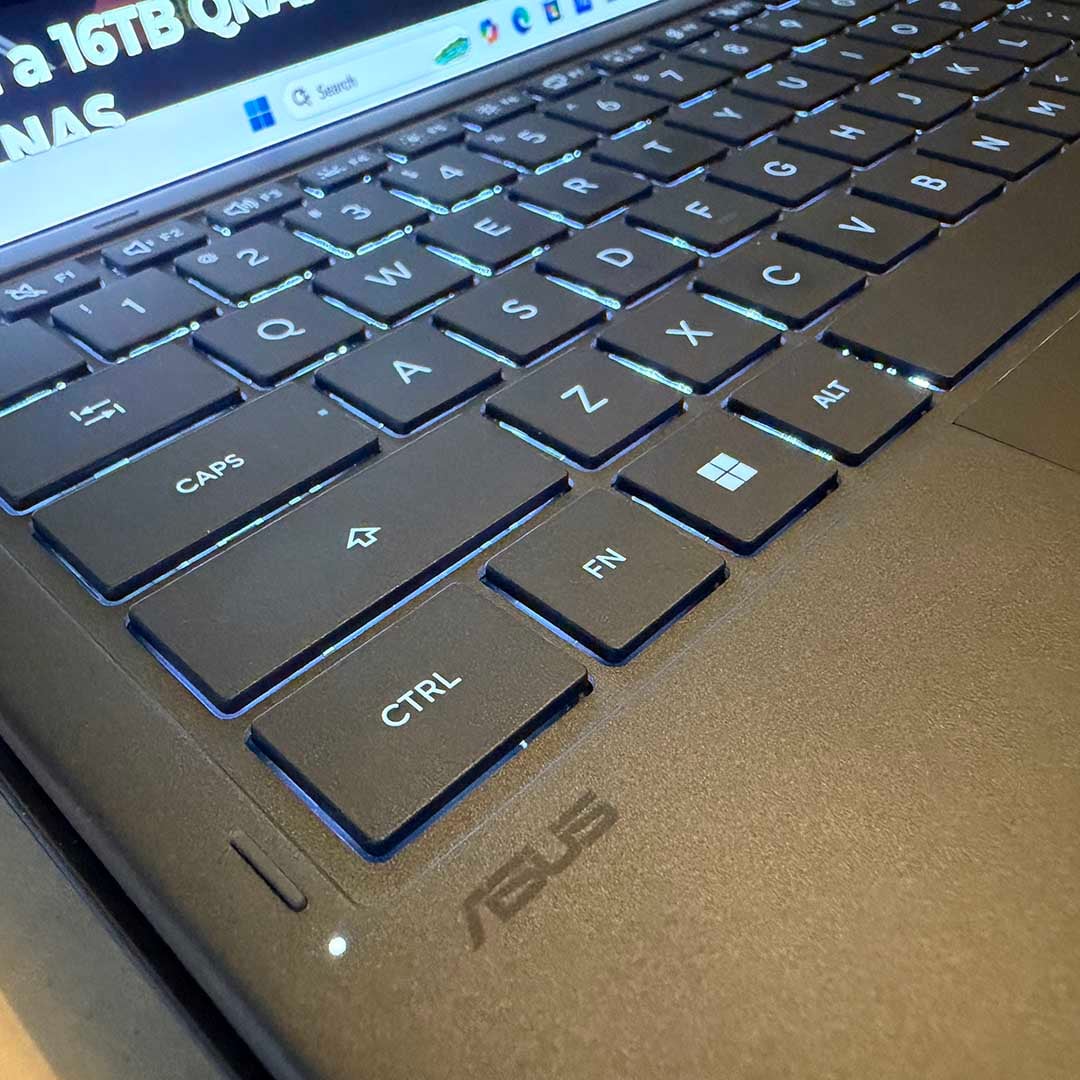
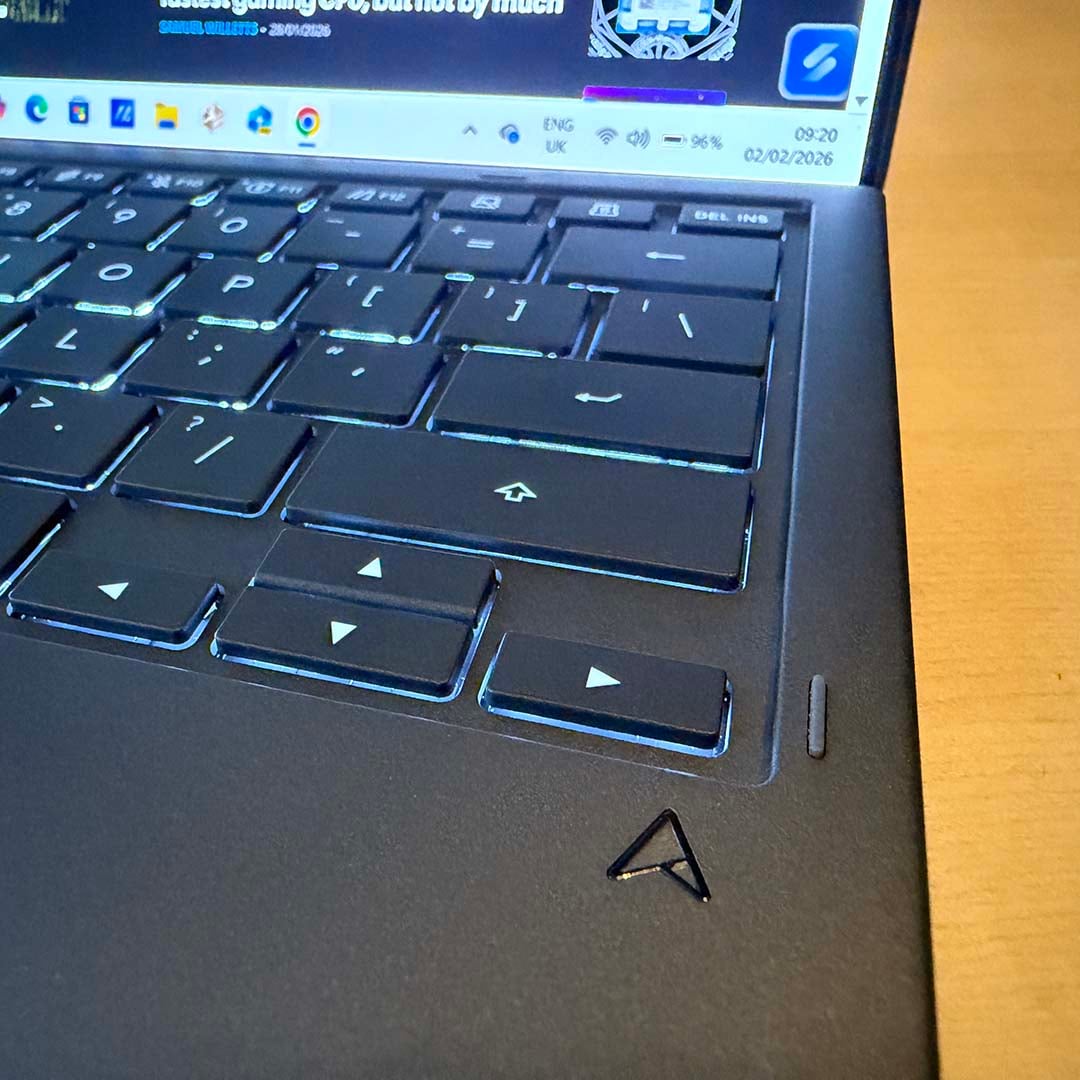
However, in practice, I found most of these gestures a bit fussy and unpredictable, with failed inputs initiating the wrong tasks, or just making the screen blink – at one point, I had to restart the machine to get the virtual keyboard back. Windows still isn’t the best touch interface, and it’s good to see Asus attempting to improve this situation, but ultimately, I found myself just avoiding using the touch interface on these screens for the most part – it’s a much better laptop and semi-desktop than a tablet. I either used the Zenbook as a single-screen laptop on the move, or as a horizontal dual-screen machine on my desk with the keyboard detached.
Ultimately, I found myself just avoiding using the touch interface on these screens for the most part.
One other compromise you make here is that the Zenbook Duo is considerably thicker than your average thin-and-light laptop, as it needs to make room for a Bluetooth keyboard and second screen in the lower half. The result makes the Zenbook Duo feel more like a chunky book than an iPad when you pick it up, but it’s still small, light, and easy to carry in a backpack.
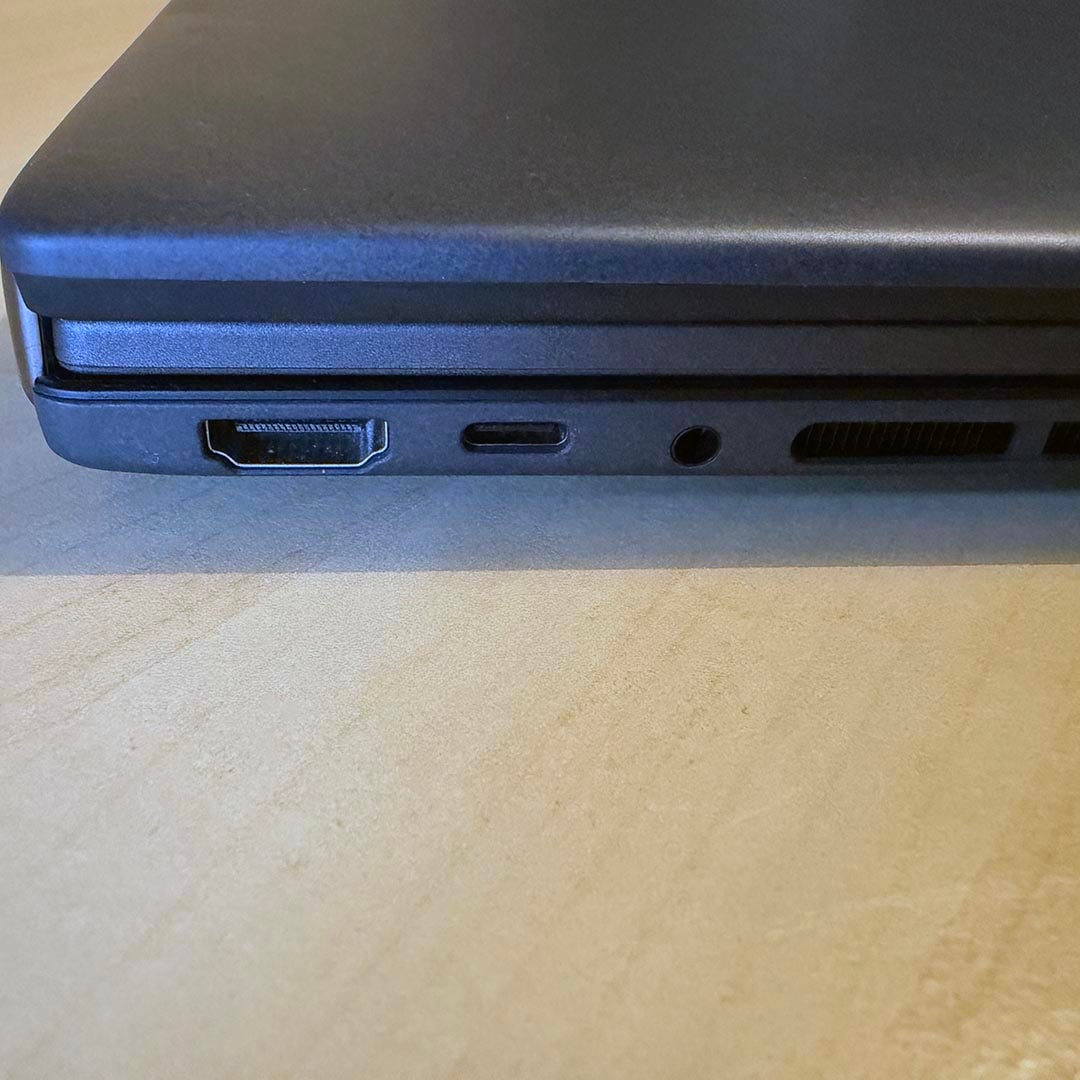
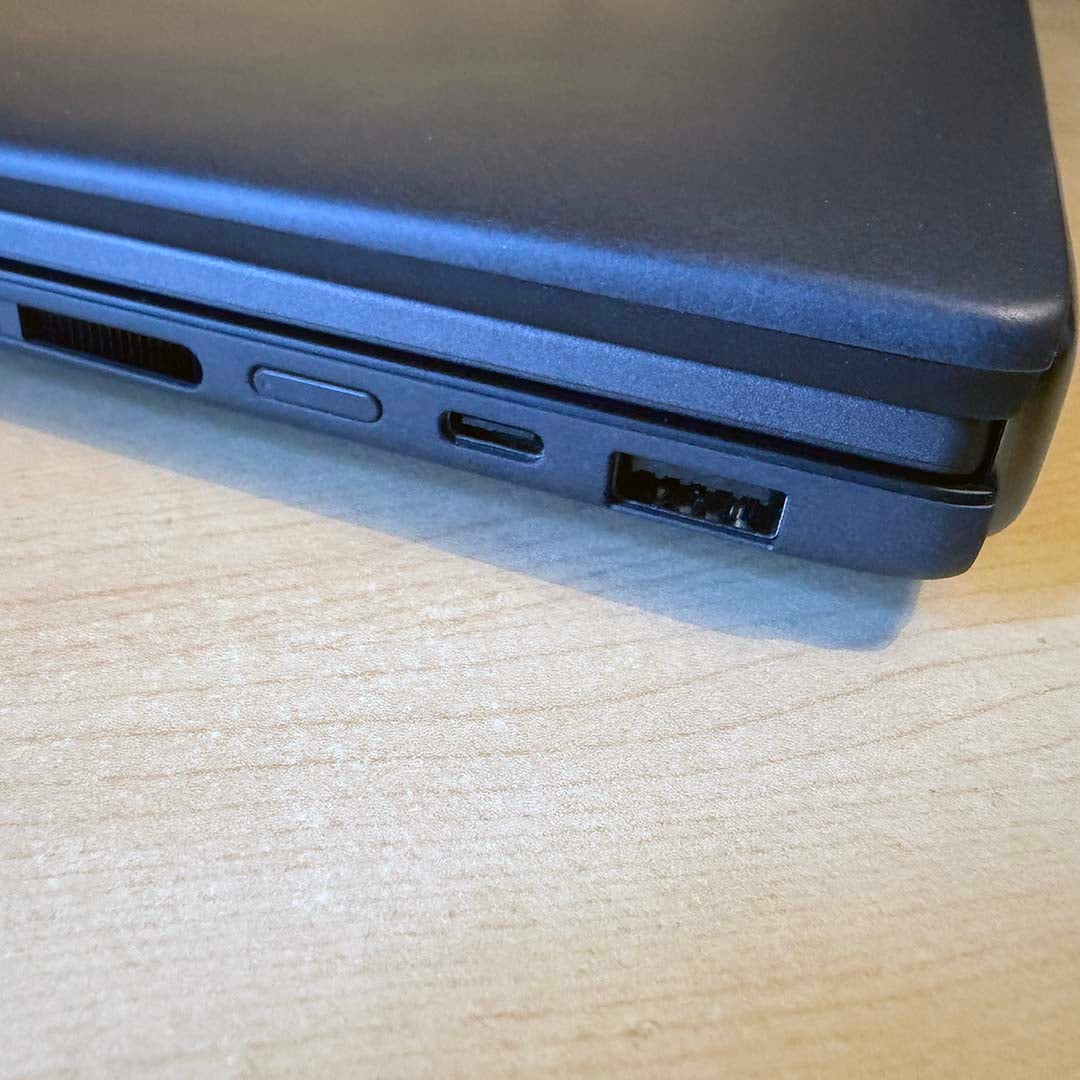
There aren’t many ports, however. There’s a single 10Gbps USB 3.2 Gen 2 Type-A port on the right, a pair of Thunderbolt 4 USB-C ports (one of which you need for the power adaptor), an HDMI 2.1 output, and an audio combo jack. That’s it.
On the plus side, those Thunderbolt 4 ports support DisplayPort (up to 8K at 60Hz), networking, and power delivery. If you invest in a Thunderbolt hub, you’ll have no trouble making a decent desktop setup. Call me old-fashioned, though, because I’d much prefer a proper selection of ports in the first place. You can’t have everything in a small, thin-and-light machine where space is at a premium, mind you, and these connectors do at least cover the essentials.
Screens
| Benchmark | Asus Zenbook Duo 2026 |
|---|---|
| AdobeRGB | 93% |
| DCI-P3 | 100% |
| sRGB | 100% |
| Brightness | 9.7-512nits |
| Colour accuracy | 0.67 (Avg. Delta E) |
The screens are the main selling point of this laptop, and they’re both fantastic. Why have just one OLED screen when you can have two? As I mentioned earlier, having two screens that fold out adds an enormous amount of versatility to this portable machine, and it helps that they’re really high quality. Both screens are identical and performed within a whisker of each other with my Datacolor Spyder Pro colourimeter.
Colour accuracy is superb, with a super-low average Delta E of just 0.67 – anything below 2.2 is considered good here, so that’s an outstanding result. Blacks are also deep and true, while whites are pure and bright. I particularly noticed this when going from my 27in IPS desktop screen to the Zenbook for work – the contrast of black text on a white background is really striking on the OLED displays. The colossal detected contrast ratio of 29,770:1 really drives this point home.
Blacks are deep and true, while whites are pure and bright.
Meanwhile, both sRGB and DCI-P3 gamuts come out at 100% – outstanding results that ensure accurate colour reproduction, whether you’re watching movies or browsing the Web. Peak brightness is standard for an OLED screen in SDR mode, at 512nits, and I found both screens were plenty bright enough for my working and gaming needs. Thanks to their OLED panels, there’s also decent HDR support, including DisplayHDR True Black 1000 certification – great for watching HDR movies.
Colour uniformity is decent across each display as well, with the largest variance being a 1.6% difference in the upper middle, while most of the variation was under 1% – that’s basically imperceptible. There’s a bit more variation when it comes to brightness, though, peaking at a 6% difference in the upper middle. This is an odd result, as there’s no backlight, so brightness should be pretty much the same across the board. However, these results persisted in multiple retests on both displays, and I can only assume it’s down to the anti-reflective surface or touch-screen hardware. To my eye, I couldn’t see any brightness variation at all across either screen.
Meanwhile, the 144Hz refresh rate (including VRR support) enables these fast OLED screens to scroll smoothly and show fast motion in games. As we’ll see later, 144fps isn’t out of the question on this machine. The resolution is super-sharp as well, with 2880×1800 making for a pixel density of 242ppi.
Performance
Applications
| Asus Zenbook Duo UX8407 | |
| 7-Zip MT | 112,695 MIPS |
| Geekbench 6 SC | 3,036 |
| Geekbench 6 MC | 17,800 |
| PCMark 10 | 10,086 |
| Cinebench 2026 SC | 542 |
| Cinebench 2026 MC | 4,670 |
| Cinebench 2024 SC | 131 |
| Cinebench 2024 MC | 1,162 |
| Blender Monster | 129.2 |
| Blender Junkshop | 88.1 |
| Blender Classroom | 61.3 |
| Corona 10 | 6,422,301 rays/s |
| Photoshop (PugetBench) | 9,198 |
With a new Intel Core Ultra X9 388H Panther Lake CPU inside its small chassis, the new Zenbook Duo is pretty pokey. There are only four P-Cores for lightly-threaded performance, while eight E-Cores and four LP E-Cores help with multi-tasking. On the face of it, you might expect the lack of P-Cores to hold this machine back, but this setup actually strikes a solid balance between lightly-threaded and multi-threaded performance.
The former is really strong, with a score of 131 in Cinebench 24, and 3,036 in Geekbench 6. This is similar to a Core i7-14700K or Ryzen 5 9600X in a desktop system. Meanwhile, all those E-Cores really help out with heavily multi-threaded workloads. The Zenbook Duo’s multi-core Cinebench 24 score of 1,162 is in line with an AMD Ryzen 7 7700X desktop chip. We’re not talking about earth-shattering performance records here, but CPU performance is decent across the board and covers all of most people’s bases.
You can read our full Core Ultra X9 388H review, which is based on the benchmarks of this exact machine, for more in-depth analysis of these figures. Basically, this isn’t a super-powered workstation, but it’s amazingly powerful for the battery life and size of this machine. It’s the equivalent of a decent 8-core desktop PC, and that’s enough for the vast majority of users.
Gaming
| Asus Zenbook Duo UX8407 (Intel Arc B390) | AMD Ryzen AI Max+ Pro 395 (Radeon 8060S) | |
| 3DMark Time Spy | 7,710 | 9,521 |
| 3DMark Fire Strike | 14,478 | 22,444 |
| 3DMark Night Raid | 48,530 | 56,941 |
| 3DMark Steel Nomad | 1,668 | 1,926 |
| 3DMark Speed Way | 1,005 | 1,829 |
Let’s kick off with some good old-fashioned 3DMark numbers to get a feel for how this machine performs in games. As you can see from the table above, integrated Intel Arc B390 GPU can’t compete with the super-powered Radeon 8060S GPU inside AMD’s Strix Halo chips, but it does perform remarkably well. Its Steel Nomad result of 1,668 isn’t far off the ~1,800 scores you see from Nvidia GeForce RTX 4050 machines.
The demanding ray-traced Speed Way test was clunky, with a score of 1,005, but it’s also remarkable to be able to run this test at all on a small, consumer-focused, thin-and-light laptop with integrated graphics.
| Asus Zenbook Duo UX8407 1920×1080 (Min / Avg) | |
| Final Fantasy XIV: Dawntrail – High | 39 / 71fps |
| Forza Motorsport – High/Auto | 52 / 61fps |
| Assassin’s Creed Shadows – High | 25 / 29fps |
| Assassin’s Creed Shadows – High, XeSS Quality | 29 / 36fps |
| Assassin’s Creed Shadows – High, XeSS Quality + 2x FG | 29 / 57fps |
| F1 25 – Ultra High, TAA | 18 / 28fps |
| F1 25 – Ultra High, XeSS Quality | 36 / 47fps |
| F1 25 – Ultra High, XeSS Quality + 2x FG | 45 / 83fps |
Turn to our real game tests, and it’s clear the new Zenbook Duo can indeed handle many of the latest games. We’re not talking about playing them with low settings at 1280×720 either. Running at 1920×1080, Forza Motorsport is happily averaging 61fps at high settings.
Even a demanding new game such as F1 25 is playable with Ultra High settings, including ray tracing. You can’t enable path tracing, but with these settings and Intel’s XeSS upscaling tech on the Quality setting, the Zenbook averages 47fps, while the game looks great. You can then enable frame gen and get smooth action at 83fps – this is really impressive stuff for Intel’s new integrated GPU.
Assassin’s Creed Shadows is just about playable with High settings as well, with XeSS pushing the average frame rate to 36fps. Enabling frame gen takes this figure up to an impressive-looking 57fps, but in practice, I found the game a bit juddery at these settings, as the starting frame rate isn’t quite high enough to make frame gen work smoothly.
| Asus Zenbook Duo UX8407 1920×1080 (Min / Avg) | |
| Cyberpunk 2077 – High | 47 / 54fps |
| Cyberpunk 2077 – High, XeSS Quality | 57 / 70fps |
| Cyberpunk 2077 – High, XeSS Quality + 2x FG | 96 / 113fps |
| Cyberpunk 2077 – High, XeSS Quality + 3x MFG | 131 / 158fps |
| Cyberpunk 2077 – High, XeSS Quality + 4x MFG | 183 / 213fps |
| Cyberpunk 2077 – Low RT | 31 / 37fps |
| Cyberpunk 2077 – Low RT, XeSS Quality | 45 / 55fps |
| Cyberpunk 2077 – Low RT, XeSS Quality + 2x FG | 76 / 90fps |
| Cyberpunk 2077 – Low RT, XeSS Quality + 3x MFG | 95 / 116fps |
| Cyberpunk 2077 – Low RT, XeSS Quality + 4x MFG | 112 / 142fps |
Since the Panther Lake launch, Intel has now issued its latest driver with multi frame gen (MFG) support, so we gave it a whirl on the Zenbook Duo. Cyberpunk 2077 already runs impressively well on this machine. Even without any help from XeSS it averages 54fps at High settings, while XeSS on the Quality setting even lets you enable some ray tracing. Frame gen actually works fine at both these presets, as the starting frame rates give the algorithm enough data to make its calculations.
In fact, with an average of 158fps using 3x MFG at High settings, you’re already saturating the 144Hz refresh rate of the Zenbook Duo’s displays. Frame gen isn’t a magic fix-all solution to low frame rates, and Intel’s MFG tech isn’t perfect, as we’ve found. However, it definitely improves motion and can be a useful tool in the box.
Storage
| CrystalDiskMark | Samsung PM9C1a SSD |
|---|---|
| Sequential read | 7,009MB/s |
| Sequential write | 5,752MB/s |
SSD performance is run-of-the-mill for a standard OEM PCIe Gen 4 SSD. With a peak sequential read speed of 7,009MB/s, and writes topping out at 5,752MB/s, this drive is fine for most people’s needs. Yes, PCIe Gen 5 drives will be double the speed, but they’re also much more expensive and produce more heat too. This drive is fine, if unexceptional – it’s just a shame the capacity isn’t larger.
Vitals
| Idle (Max.) | Cinebench (Max.) | Cyberpunk 2077 (Max.) | |
|---|---|---|---|
| CPU temperature | 50°C | 98°C | 97°C |
| Noise | N/A | 55dBA | 55dBA |
| Power consumption | 8W | 108W | 108W |
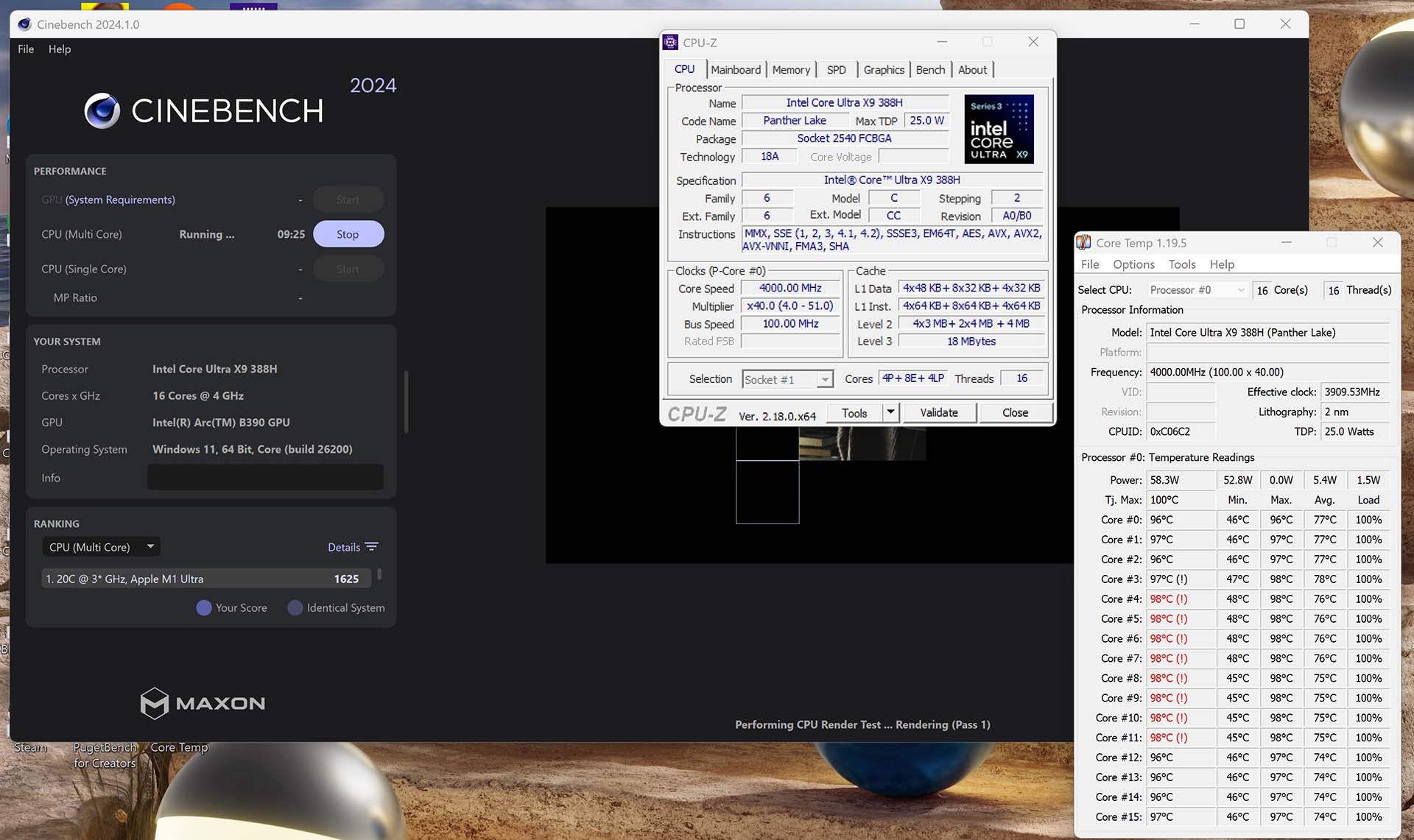
Asus is clearly pushing its internal hardware hard in this tiny dual-screen laptop. Several of its CPU cores peaked at a toasty 98°C when I first fired up Cinebench, pushing the total system power draw to 108W, with a top P-Core clock speed of 4.8GHz. Fan noise also kicks in hard when running this test, peaking at 55dBA, making an unpleasant racket. These results were identical using both the Performance and Standard fan speed modes in Asus’ software.
The Zenbook takes action to ensure your CPU doesn’t cook, though. These peak temperatures were banished very soon after the start of the test, with P-Core clock speeds reduced to 3.6-4.5GHz and temperatures dropping to the 80-90°C range. Results were similar in gaming, with the same peak power draw, and a toasty top temperature of 97°C. If you put this laptop on a decent external cooler, it would probably run even quicker, as it could sustain higher clock speeds.
Performance is perfectly fine in this system with its current setup, though. You won’t want to sit next to it while it’s running a rendering workload, and a headset will easily drown out the fan noise when you’re gaming, but noise was never a problem in day-to-day work.
Battery
| Asus Zenbook Duo UX8407 | |
| Office battery life | 21:36 |
| Gaming battery life | 2:10 |
One major advantage of Asus’ two-screen, extra-thick design is that it frees up room for two batteries (one under each screen). With both batteries linked up and working together seamlessly, Asus says you get a massive 99Whr total capacity. Combine that with the superb power efficiency of Intel’s Panther Lake chips, and you’re looking at phenomenal battery life.
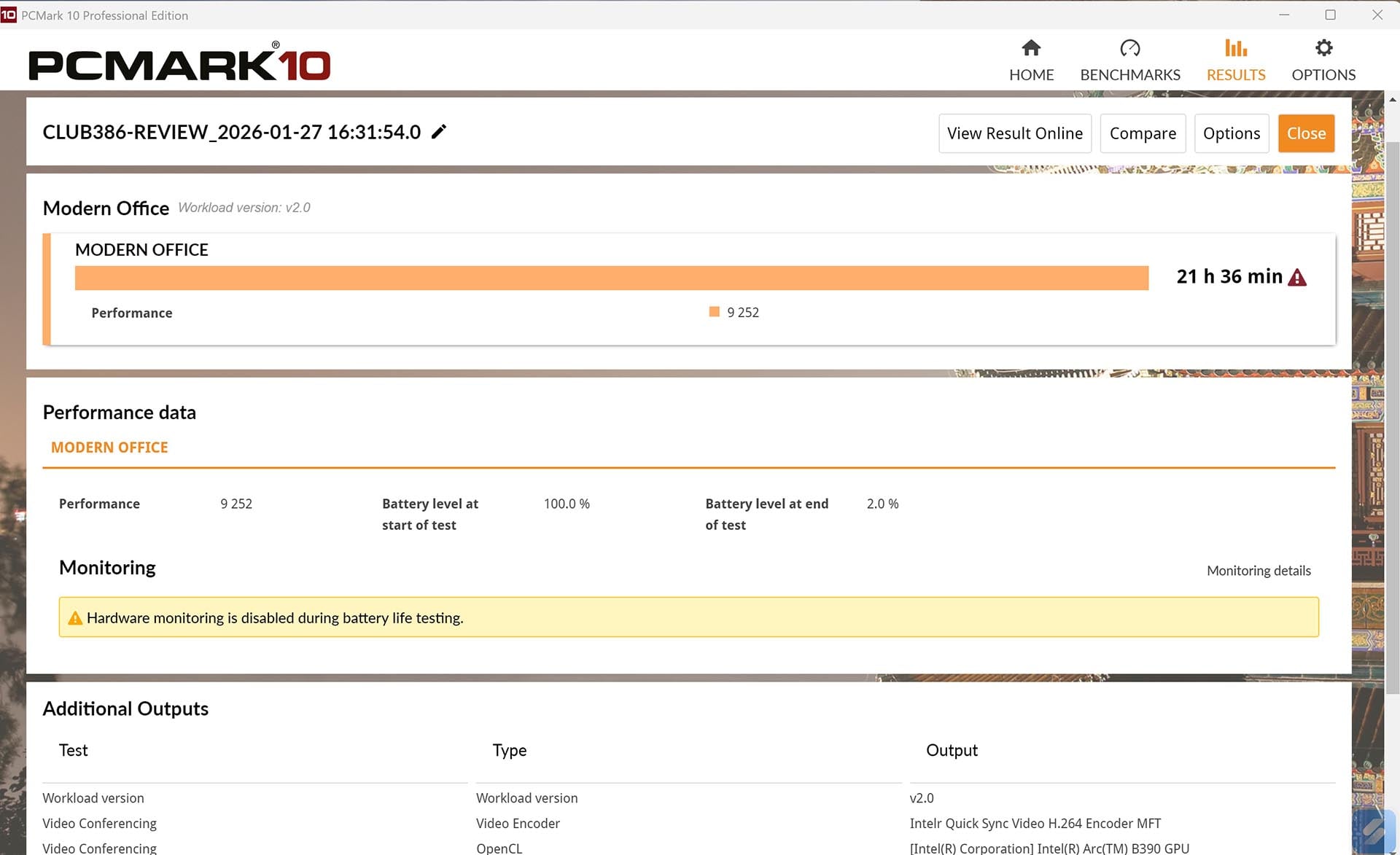
Indeed, it took 21 hours, 36 minutes for the Zenbook Duo to finally run down while running the PCMark Modern Office battery test. This was in single-screen mode, using the Balanced performance preset in Windows, and brightness at 50% (with adaptive brightness disabled). I’ve never seen a laptop last anything like this long before, and it means you can easily work away from the mains for a good stretch of time. As an experiment, I also tried using the Zenbook Duo as my main work machine at maximum brightness with both screens for a whole working day, and it got through it with 24% of battery life left at the end.
It took 21 hours, 36 minutes for the Zenbook Duo battery to finally run down.
Even gaming is realistic on the move with this machine. I normally only expect an hour or so of gaming time on battery, but the Zenbook Duo lasted well over two hours. That result was achieved using the Balanced preset, and with energy saving after 30% disabled – settings that still clock up over 50fps in Cyberpunk 2077 at High settings.
Conclusion
Asus has made an eye-catching portable computer with the latest Zenbook Duo. Its two full-size, high-quality OLED screens lend it an enormous amount of versatility, meaning you can use it as a straightforward laptop, or set it up on your desk with plenty of screen space.
The build quality is fantastic too, and reminded me of an Apple device. Unlike many Windows laptops, the hardware feels like it’s been professionally designed and engineered. There’s no flimsiness, weird sharp edges or off bits that stick out; it feels absolutely solid in your hands, with rounded edges, and a keyboard that locks securely in place.
Unlike many Windows laptops, the hardware feels like it’s been professionally designed and engineered.
The internal hardware is top-notch as well, with Intel’s flagship Panther Lake chip providing great CPU and GPU performance in this tiny form factor, and the dual battery system lasting an extraordinarily long time. There was only a 1TB SSD in our sample, but Asus says there will be a 2TB model available as well.
It’s not perfect. The foibles of Windows mean it’s not great with touch, and its fans make a lot of noise during games. Perhaps its biggest problem, though, is price. Asus originally listed this machine at £2,299 in the build up to the Panther Lake launch, but it’s already gone up to £2,499, and it isn’t even available in stores yet (there’s just a box to be notified when it’s available on Asus’ website). That’s undoubtedly a product of the current chaos around RAM prices, and isn’t necessarily Asus’ fault, but it’s turned an already-expensive device into an even pricier one.
Two and a half grand is a massive amount of money for a laptop, even if it does have two OLED screens. For that price, you could buy a 16in MacBook Pro with an M4 Pro chip, and Apple isn’t known for its generous hardware prices.
It also doesn’t help that you can pick up a last-gen Zenbook Duo for £1,599 right now, including a pair of 120Hz OLED screens, an Intel Core Ultra 7 255H CPU, and 16GB of RAM. That’s a £900 saving, and you still get a lot of the versatility of this latest model, even if it has a comparatively ugly hinge between the screens.
If you can afford it, though, and you want the ultimate portable Windows machine, the new Asus Zenbook Duo is a triumph of modern industrial design and versatility.
