

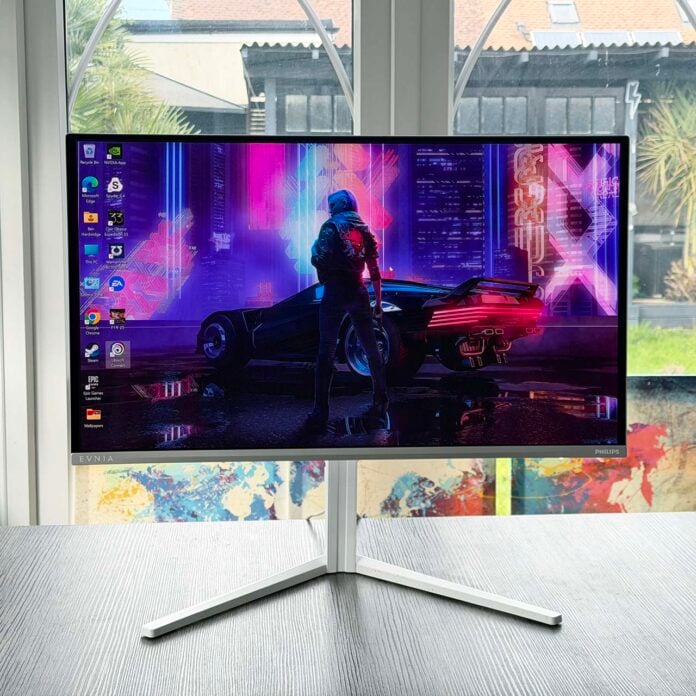
Proving that QD-OLED gaming monitors are no longer just playthings for wealthy gamers, the Philips Evnia 27M2N6501L has an almost absurdly low MSRP of just £399.99. That’s about half the price demanded by a monitor with this spec just a couple of years ago, and it makes this screen a bargain for the image quality on offer.
There are several benefits to buying a QD-OLED screen over a cheaper IPS monitor, including lightning-quick response times, superior colour accuracy, and high contrast with deep, inky blacks. That means you can also use it for HDR content, with the Philips Evnia 27M2N6501L having full HDR 10 support, although there’s no DisplayHDR True Black certification.

Philips Evnia 27M2N6501L
£399.99
Pros
- Amazing price for QD OLED
- Outstanding colour accuracy
- Low power draw
- Nvidia G-Sync support
- Very responsive in games
- Classy white and silver looks
Cons
- Visible text fringing
- Not that bright
Club386 may earn an affiliate commission when you purchase products through links on our site.
How we test and review products.
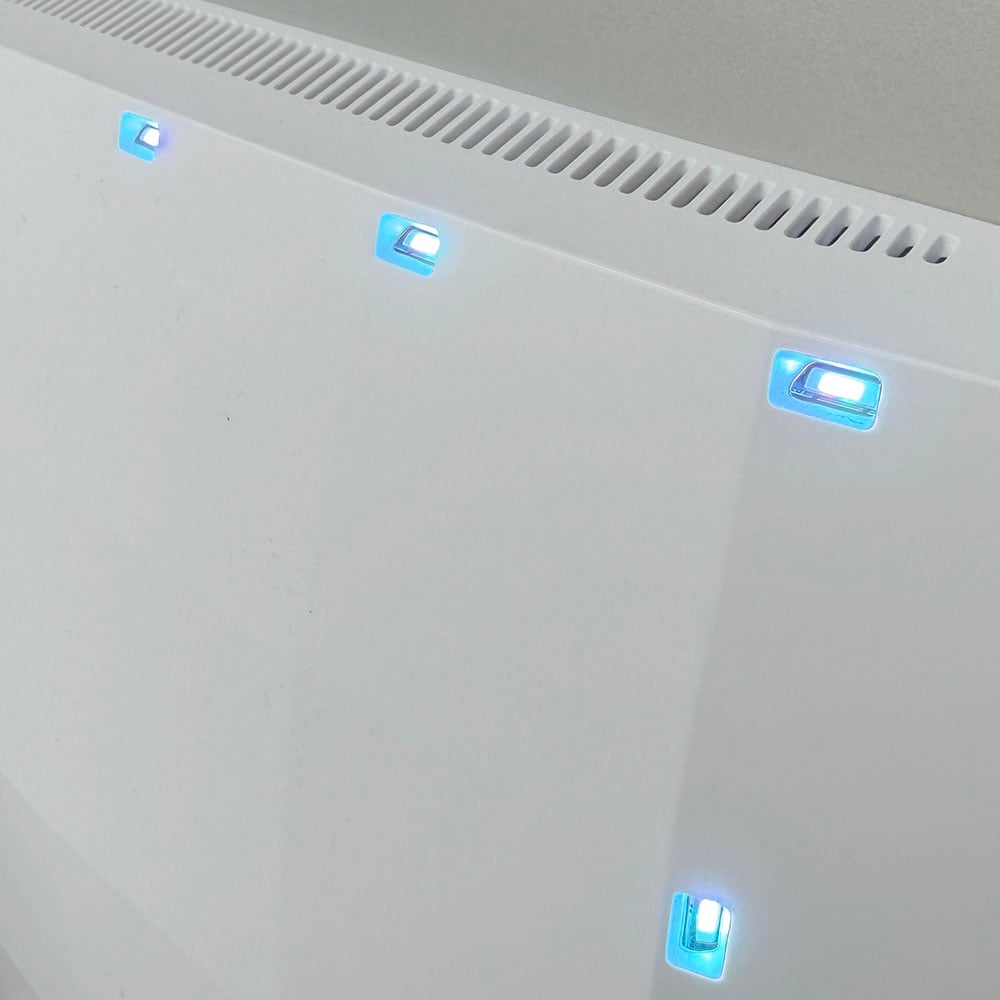
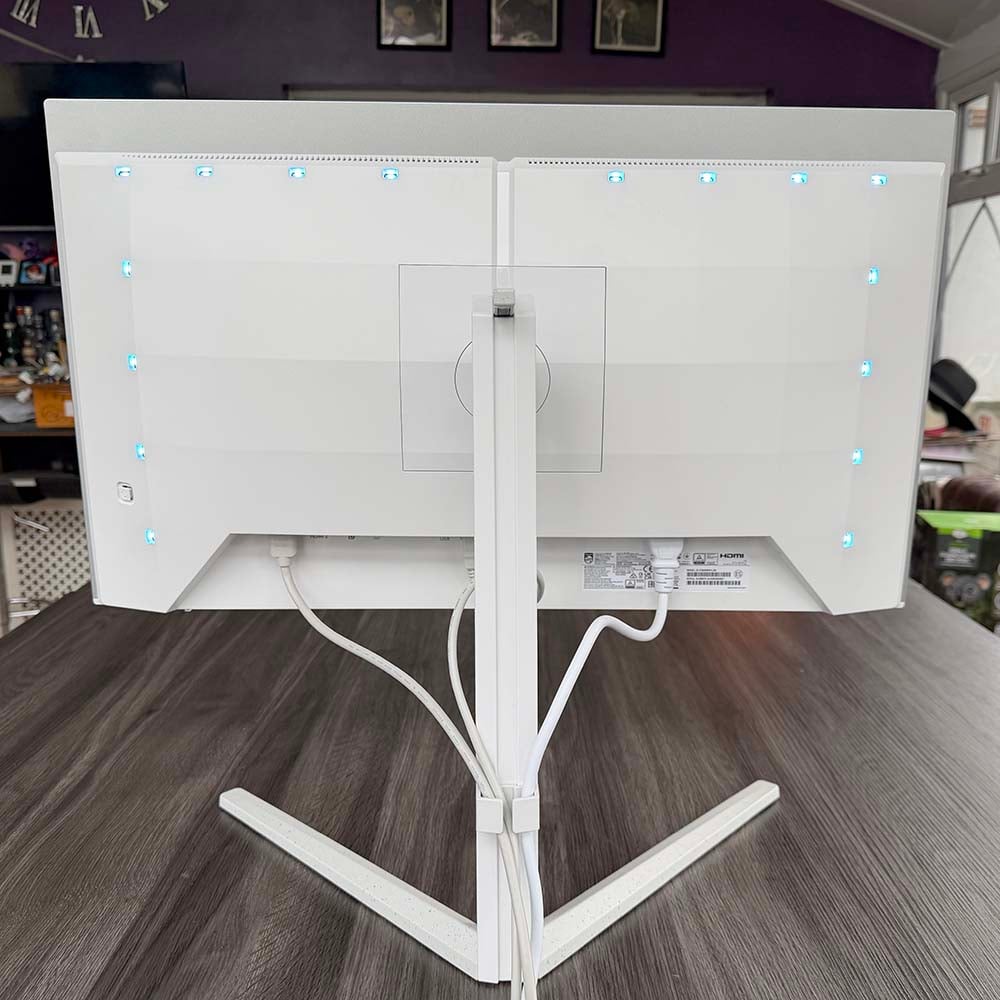
Philips hasn’t sacrificed loads of essentials to hit the price either, with a solid range of ports and support for both Nvidia G-Sync and AMD FreeSync. It even looks good, with a silver and white colour scheme that will look great next to a themed PC build. Plus, the rear of the panel is covered in Philips Ambiglow lights, giving you a dynamic RGB lighting backdrop behind the monitor, which can sync up with what’s on screen.
Specifications
| Philips Evnia 27M2N6501L | |
|---|---|
| Screen size | 26.5in |
| Resolution | 2560×1440 |
| Refresh rate | 240Hz |
| Response time | 0.03ms (GtG) |
| Panel technology | QD-OLED |
| Variable refresh rate | Yes, Nvidia G-Sync compatible, AMD FreeSync |
| HDR | HDR 10 |
| Ports | 3.5mm audio-out (x1) DisplayPort 1.4 (x1) HDMI 2.1 (x2) USB-A, downstream (x2) USB-B, upstream (x1) |
| Speakers | None |
| Warranty | Three years |
| Price | £399.99 |
Philips has made sensible decisions across the board when it comes to the specs of this monitor. For a start, its 2560×1440 resolution is ideal for the 26.5in panel, giving you a pixel density of 110 pixels per inch (PPI). That’s considerably sharper than the 83PPI of a 1920×1080 resolution with the same screen size, but without requiring the huge GPU horsepower demanded by games if you want to run them at 4K.
What’s more, the Evnia 27M2N6501L has a fast 240Hz refresh rate which, when combined with its super-fast 0.03ms (grey-to-grey) response time, makes for extremely smooth motion. You can get an even faster 360Hz refresh rate if you pay an extra £100 for the AOC Q27G4SDR, but you’ll need a powerful GPU to run your games at 360fps, even with frame gen. For most people’s needs, 240Hz is more than fast enough, especially on an OLED screen such as this one.
It’s also great to see official support for both Nvidia G-Sync and AMD FreeSync here. These technologies dynamically sync up the refresh rate with your in-game frame rates, meaning you don’t get any nasty tearing artefacts.
Features
With a price of just £399.99, I didn’t expect the Philips Evnia 27M2N6501L to come loaded with extra goodies – you’re already getting a QD-OLED screen for a bargain price, after all. However, I was pleasantly surprised to find there are actually plenty of features here. One of the key ones for Philips is the integration of its Ambiglow RGB lighting tech, via an array of LEDs on the back of the monitor.
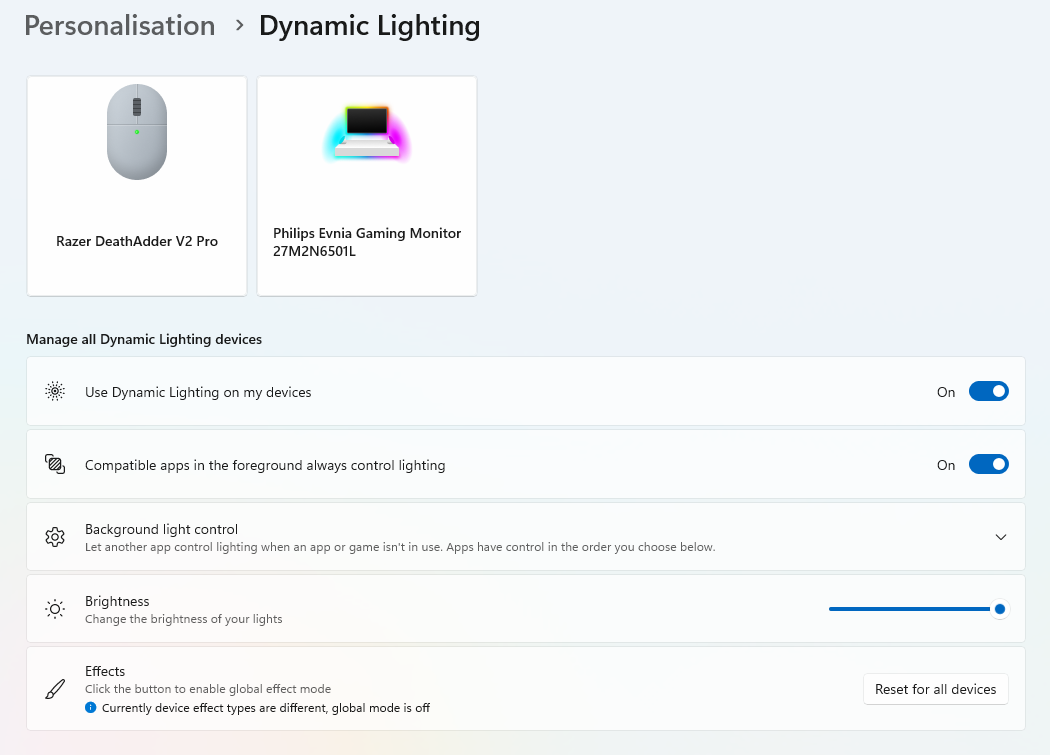
This creates a glowing backdrop behind the monitor, adding some ambience to your setup. What’s more, if you hook up the USB-B cable to your PC, you can sync it up with Windows Dynamic Lighting, so you can match the colours of other compatible components. Some games also support Windows Dynamic Lighting, adjusting the hue in line with what’s happening in your game. Alternatively, you can set it to sync up with what’s on screen via the intuitive GUI.
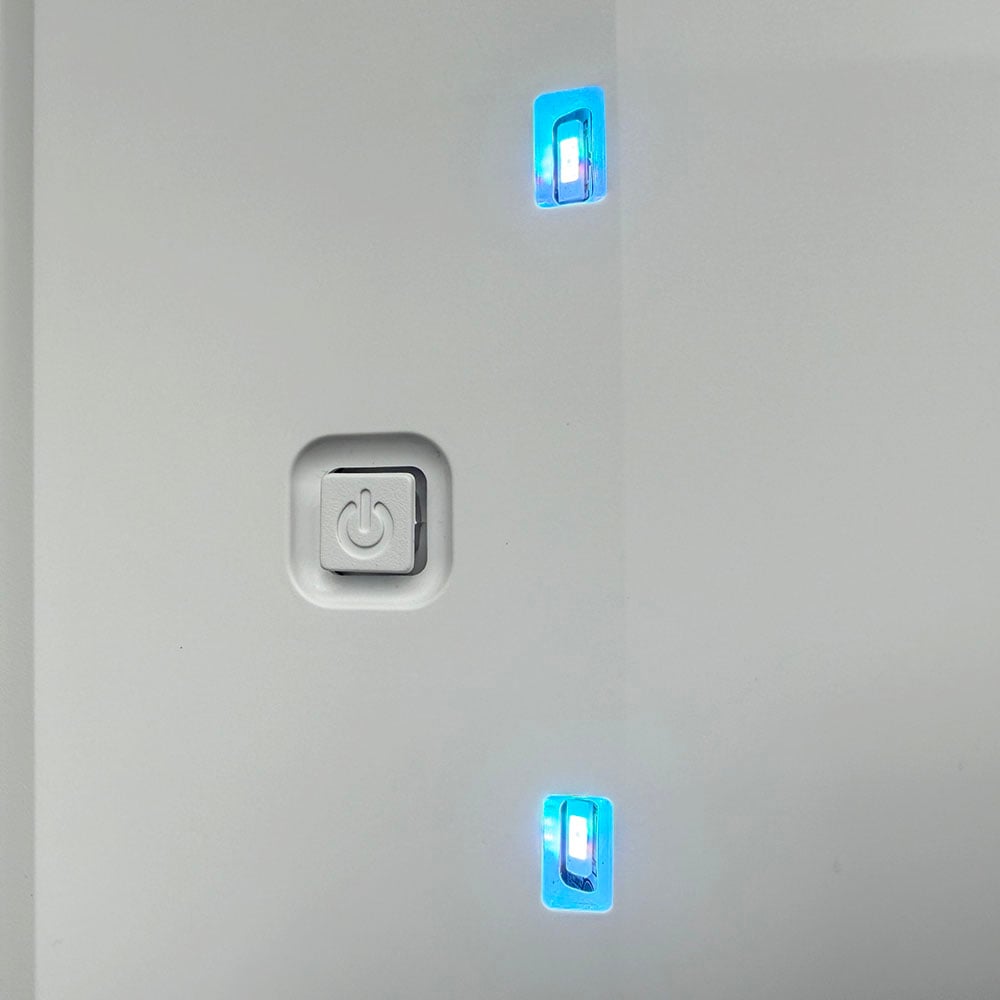
This is controlled by a little joystick on the back, which doubles as a power button. Navigating the OSD is easy enough once you get used to its quirks, with the joystick making for much quicker adjustments than pressing several buttons. Ambiglow options here include setting them to follow on-screen video, as well as static and colour shift options.
There are also colour temperature and separate RGB controls for calibration, as well as separate sRGB, DCI-P3 and AdobeRGB profiles, although, as we’ll see later, the out-of-the-box native settings are already great. Meanwhile, anti-burn-in options include screensaver and pixel orbiting options, both of which are enabled on their slow settings by default, with the latter shifting the image a little now and then to alleviate the risk of getting burn-in damage. This is sadly one of the drawbacks of OLED tech at the moment, and disabling pixel orbiting will invalidate your warranty, so it’s best to keep it enabled.
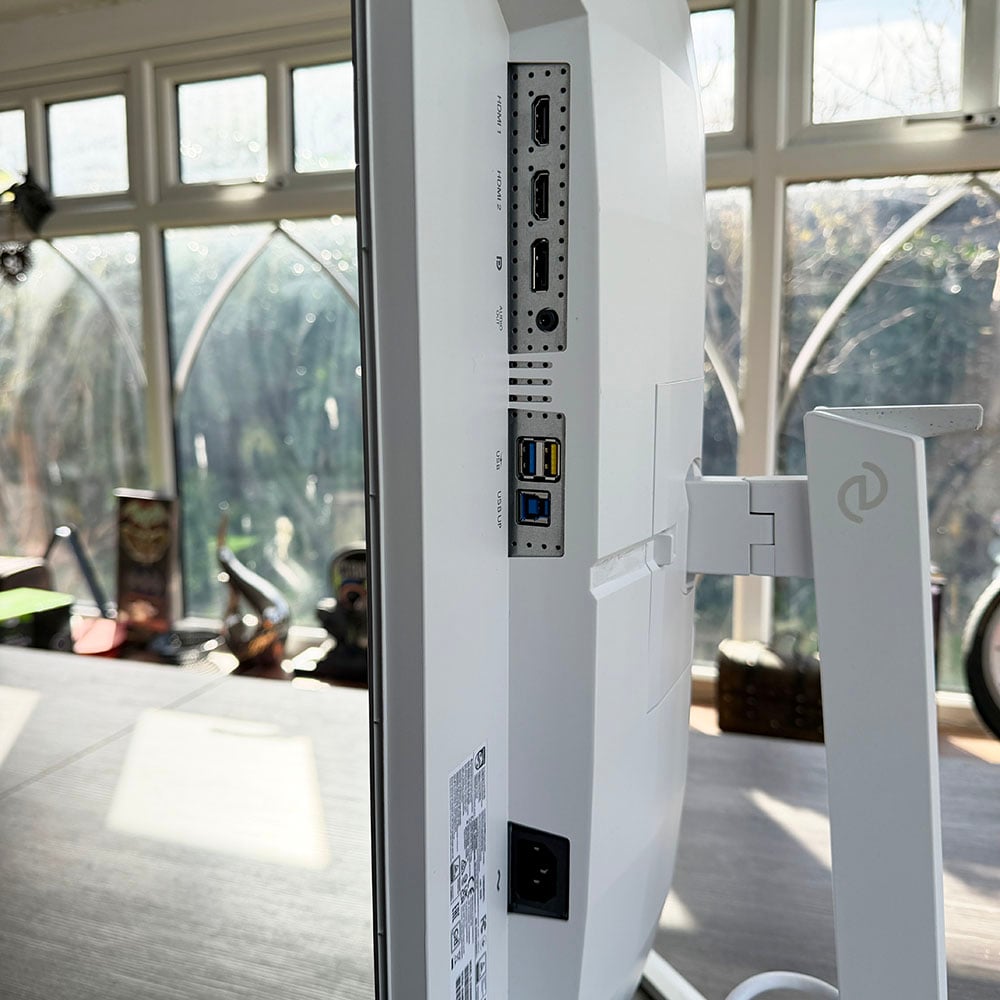
Several sockets are provided on the underside of the panel, covering all the usual bases. There’s a DisplayPort 1.4 input to hook up the Evnia 27M2N6501L to your PC, and you get a pair of HDMI 2.1 ports as well, enabling you to plug in two other devices, such as a console or Blu-ray player. By default, these HDMI ports are set to refresh at 144Hz, which is fine for a console, but you can set them to run at 240Hz in the OSD.
Another handy feature is the basic USB hub. You’ll want to connect the USB-B cable to properly control the Ambiglow lights, and doing so also gets you access to a pair of 5Gb USB-A ports. These are ideal for plugging your keyboard and mouse straight into the monitor, so you can keep all your cables together, although bear in mind there’s no KVM (keyboard, video, mouse) switch to enable you to instantly toggle your monitor and peripherals between different PC systems.
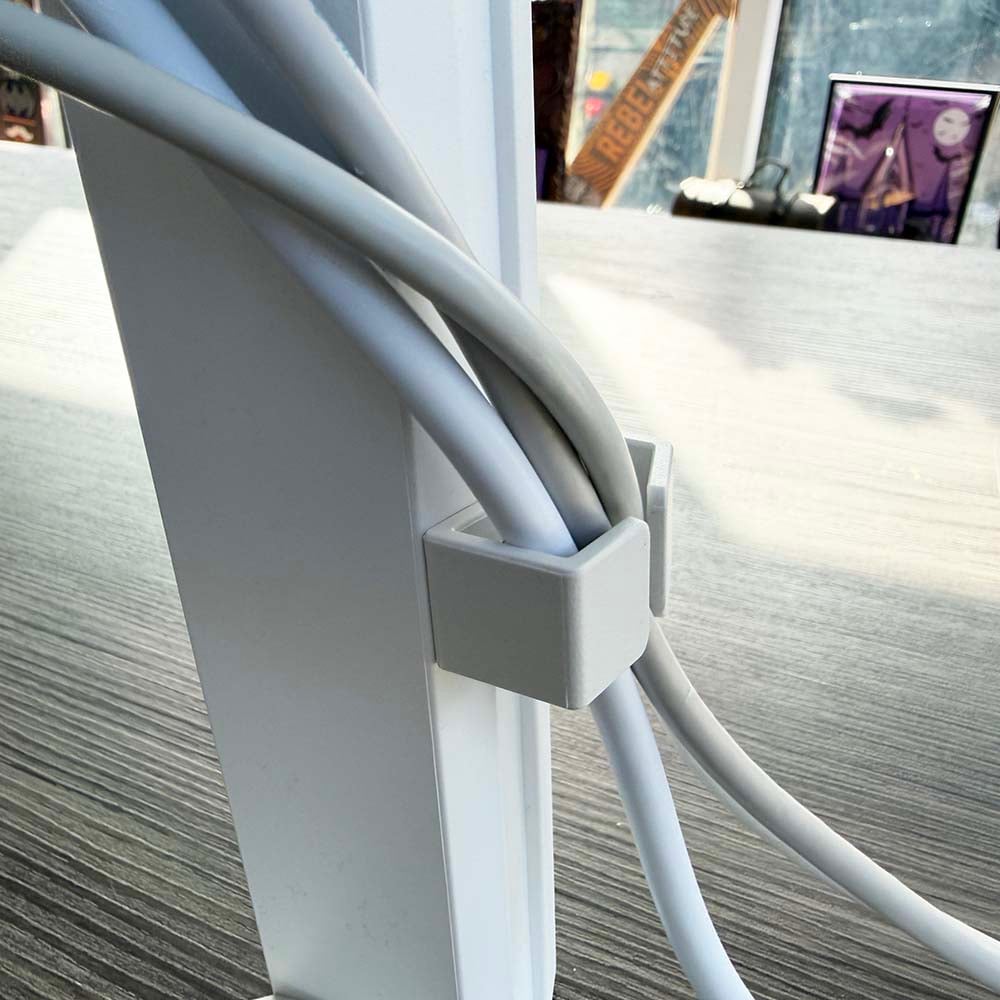
Cable management is pretty basic, with just a clip on the back of the stand to keep them together. However, I found this was just the right height to keep cables pretty much out of sight from the front.
Philips has really paid close attention to detail with the cabling as well. It’s a white monitor, so you don’t want black cables clashing against it, and Philips has handily provided matching white HDMI, DisplayPort, USB, and power cables in the box.
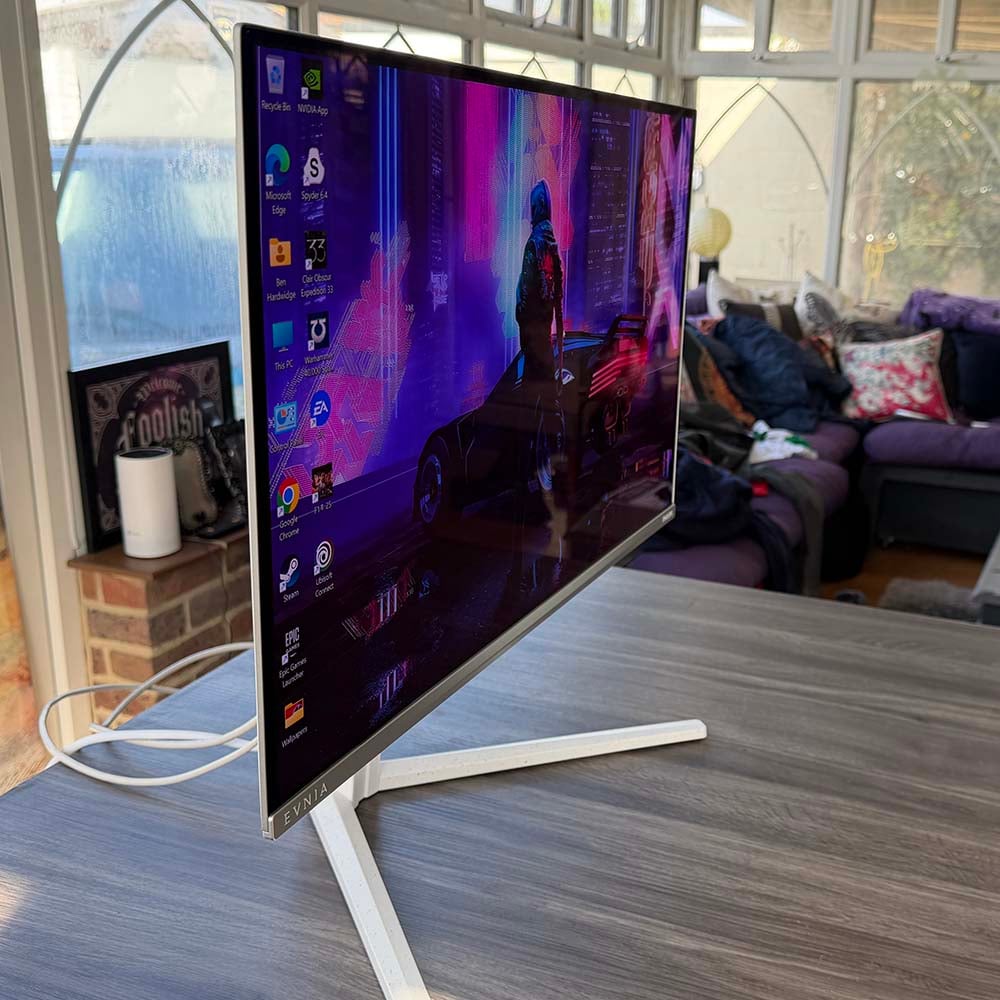
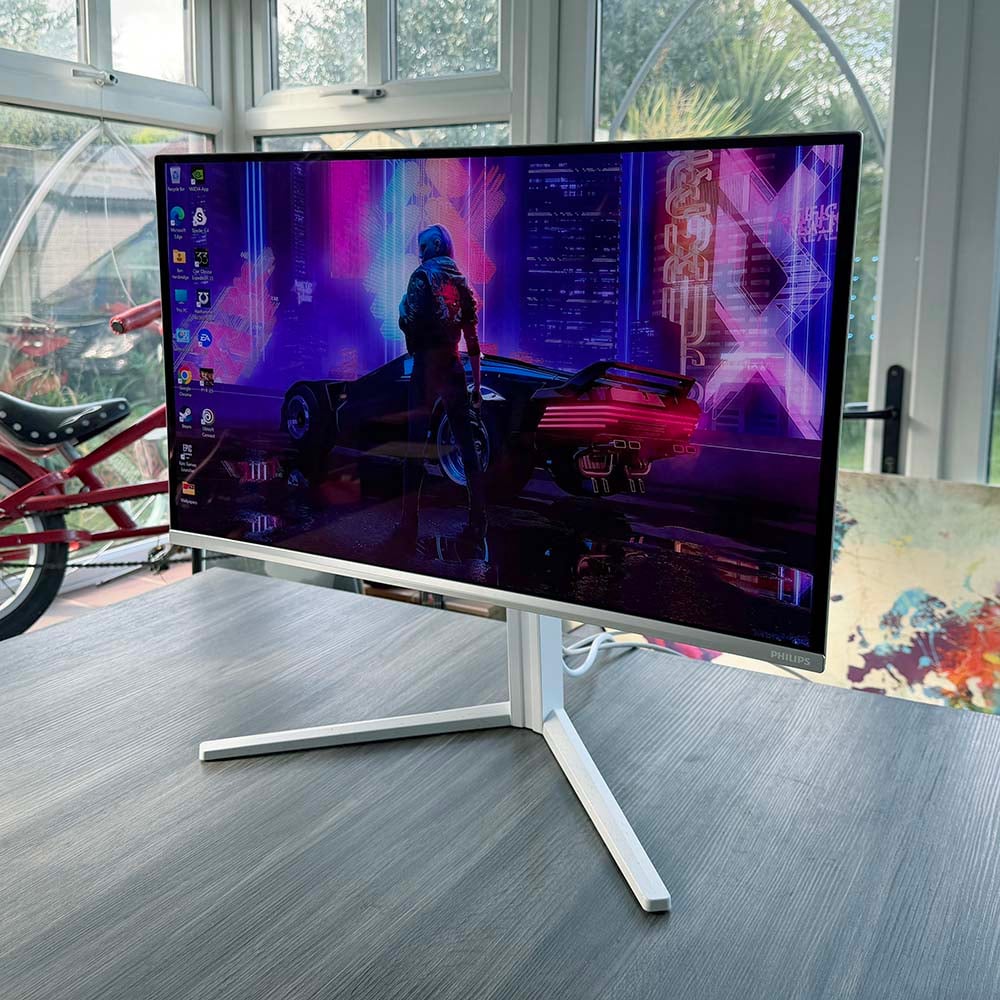
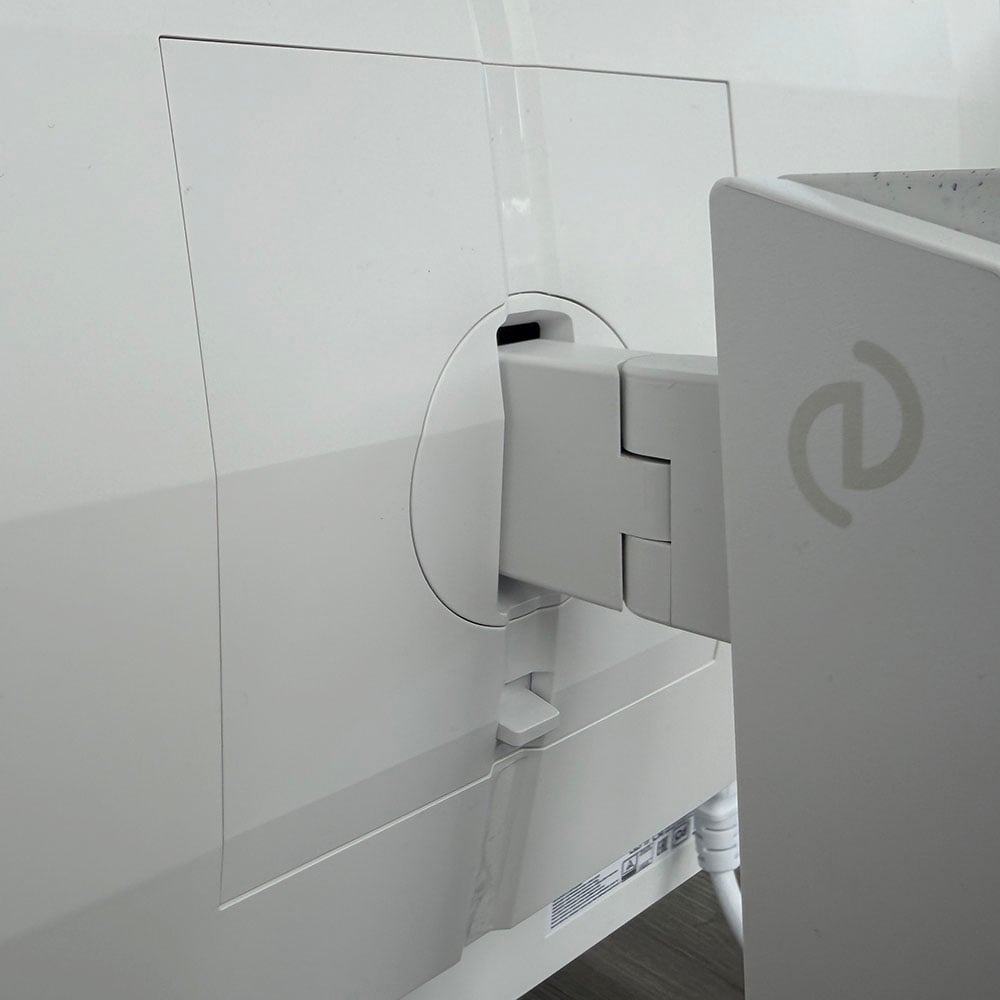
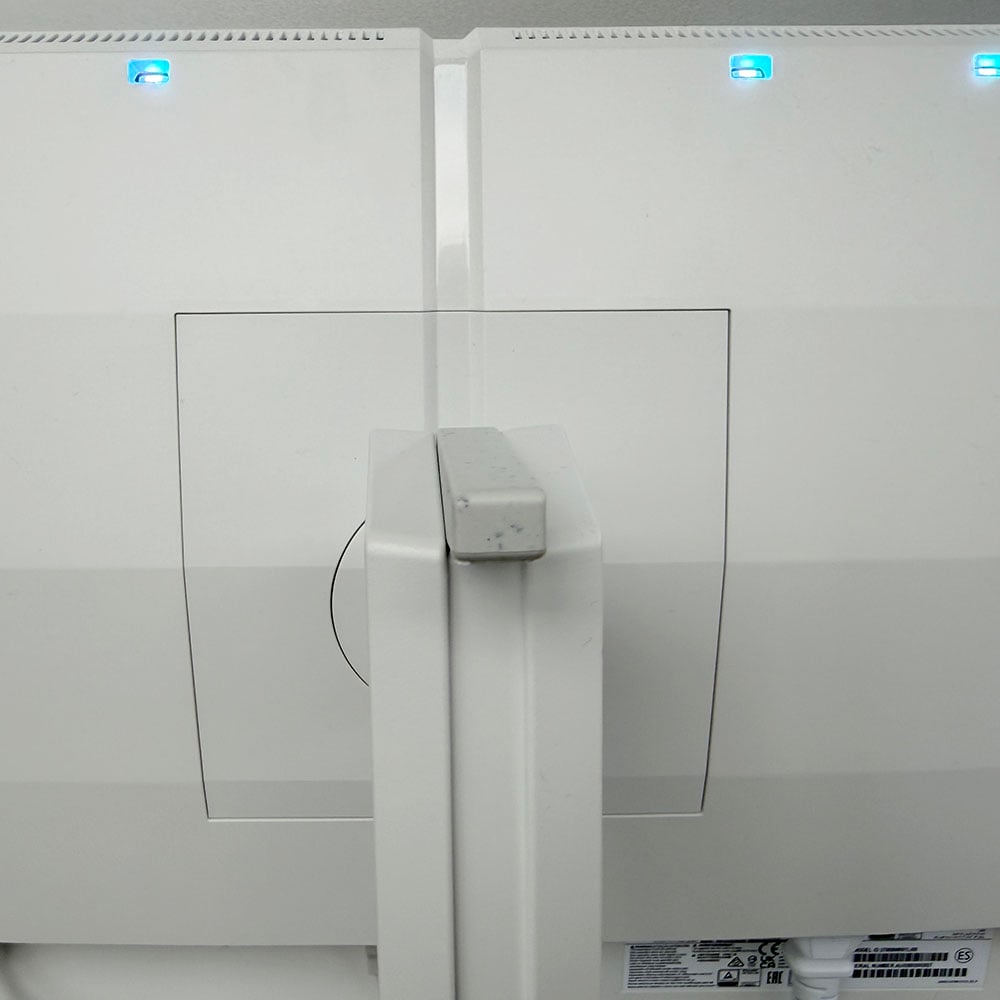
The whole package is really well designed, especially for the price. There’s a solid stand, which doesn’t require any tools for construction. It’s all supported by a pair of forked white feet, which have a speckled pattern, evoking egg shells. These screw into a firm stand using a thumbscrew on the base, which in turn goes into the back of the monitor with a solid click.
You can then rotate the monitor all the way into portrait mode, if you like, adjust its height by up to 130mm, swivel it by up to 30 degrees, and tilt it between -5 and 20 degrees – it’s a flexible, sturdy, and good-looking setup. The only factor to bear in mind is that you’ll need room for the forked base to spread out over your desk – it’s not as tidy as the small flat base supplied with the AOC Q27G4SDR.
There are no speakers, although you do get a headphone jack. This isn’t a deal breaker, seeing as monitor speakers are usually pretty poor quality, and you’ll ideally want a proper set of speakers or a headset for gaming anyway. However, monitor speakers can come in handy for basic Windows audio, especially if you have limited desk space, so this is worth bearing in mind, depending on your setup.
Performance
Thanks to its Samsung QD-OLED panel, this Philips monitor is already off to a good start when it comes to performance. Running the Blur Busters UFO test on this screen at 240fps looks like magic, with the alien spaceships looking crystal clear as they speed across the screen. There’s barely any motion blur visible, and this screen is superb in games. I played several hours of Space Marine 2 on it, using frame gen to push up the frame rate as far as possible, and it looked fantastic in action, with smooth motion and a sharp picture with no perceptible ghosting.
First impressions are great when you fire it up as well, with deep blacks, and vibrant colours. However, before we get to the colorimeter tests, one factor to note is that today’s low-cost QD-OLED screens, including this one, are based on last-gen panels, which exhibit noticeable text fringing compared to the latest screens.
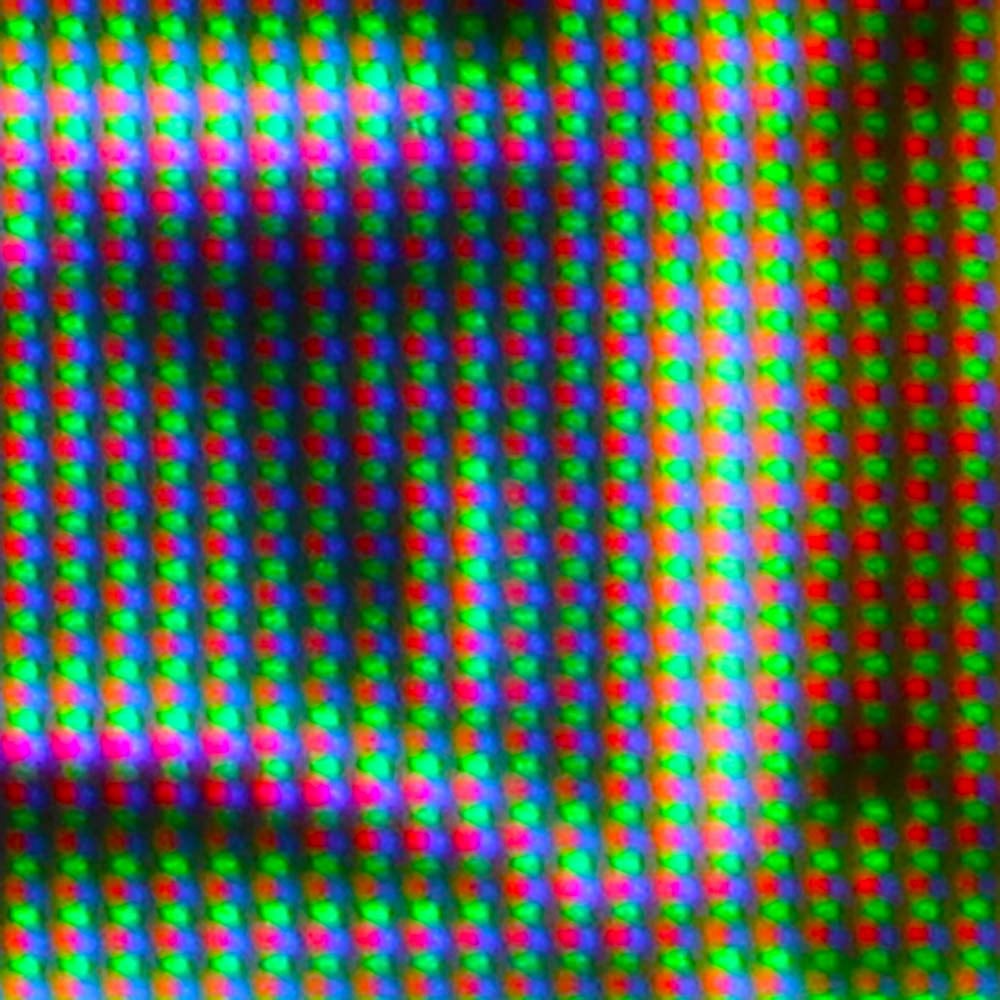
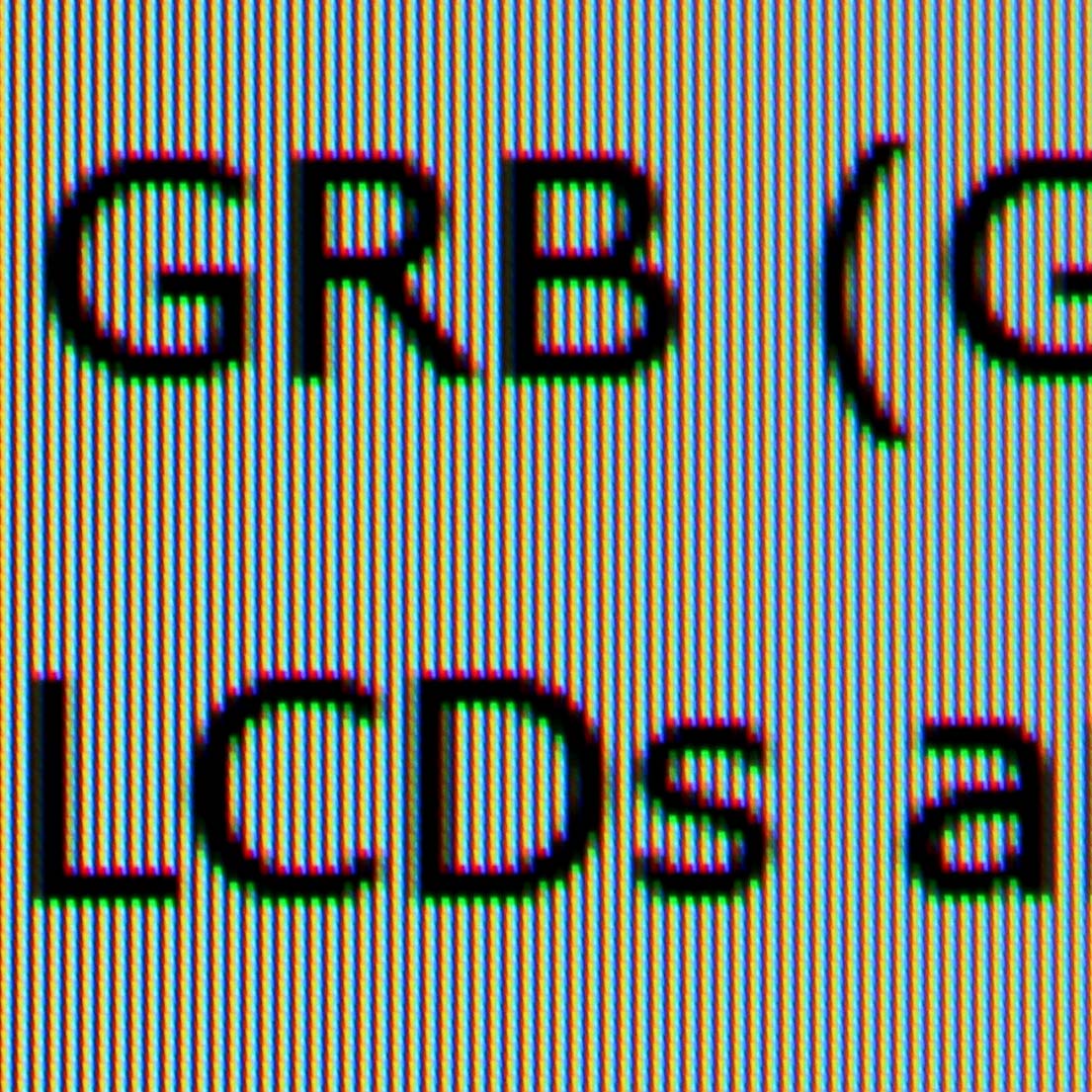
This is a product of the panel’s triangular GRB (Green Red Blue) subpixel structure (as shown in the above-left photo), compared to the neat striped RGB layout found on the latest QD-OLED panels. This results in purple and green fringing around black text on a white background (shown in the above-right image), which means there’s a comparative lack of sharpness if you’re working on text-based documents.
This is a complete non-issue for gaming, and I found I rarely noticed it when casually browsing the Web, but it did become noticeable when writing for long periods in Windows. As such, I wouldn’t recommend this monitor for an all-day working screen if you do a lot of writing, but as we’ll see later, it’s great for graphics work and gaming.
Colour
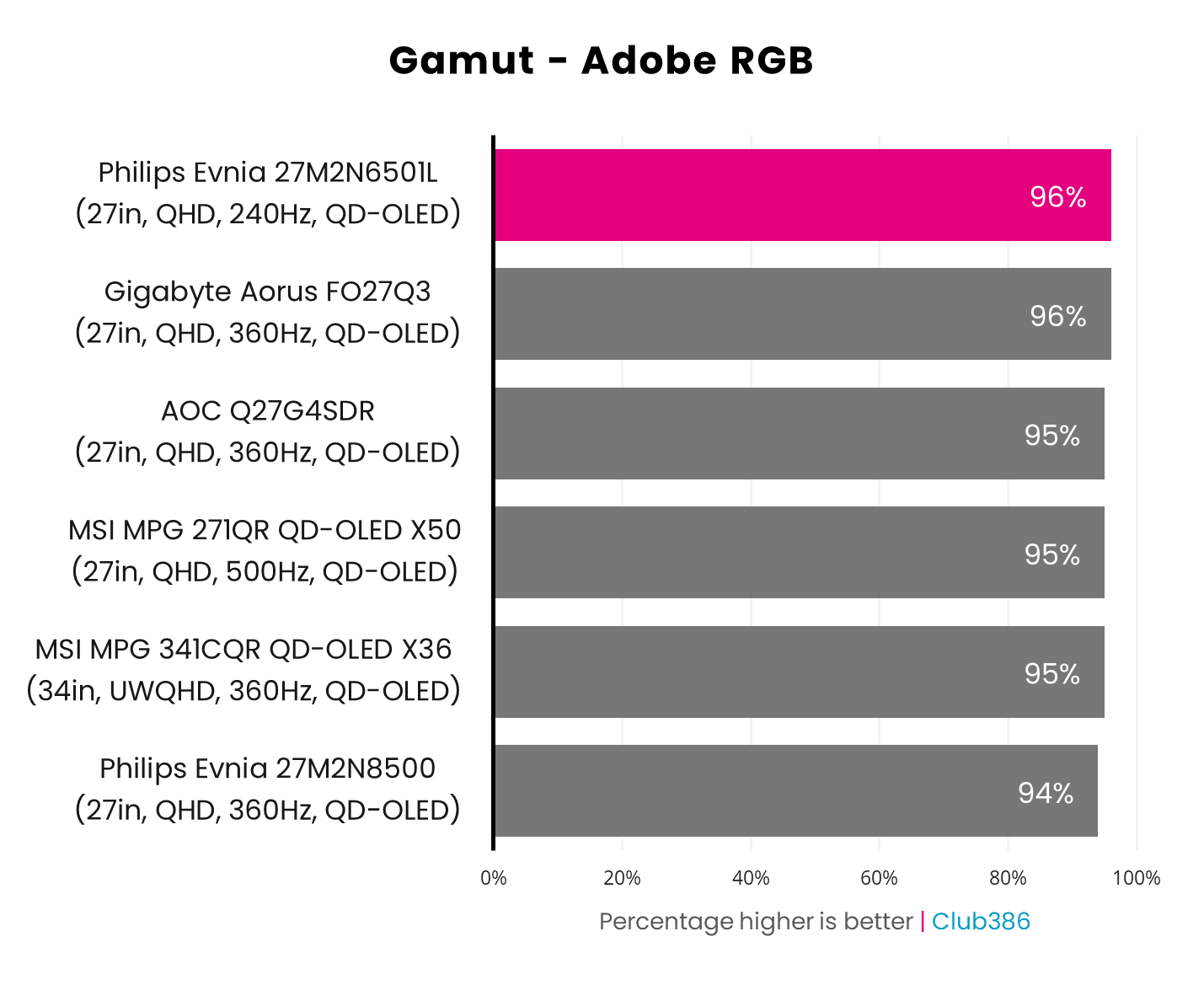
If you do any colour-critical work, this affordable QD-OLED monitor is fantastic out of the box. It can happily reproduce 96% of the Adobe RGB gamut, putting it in the top tier of monitors, particularly at this price.
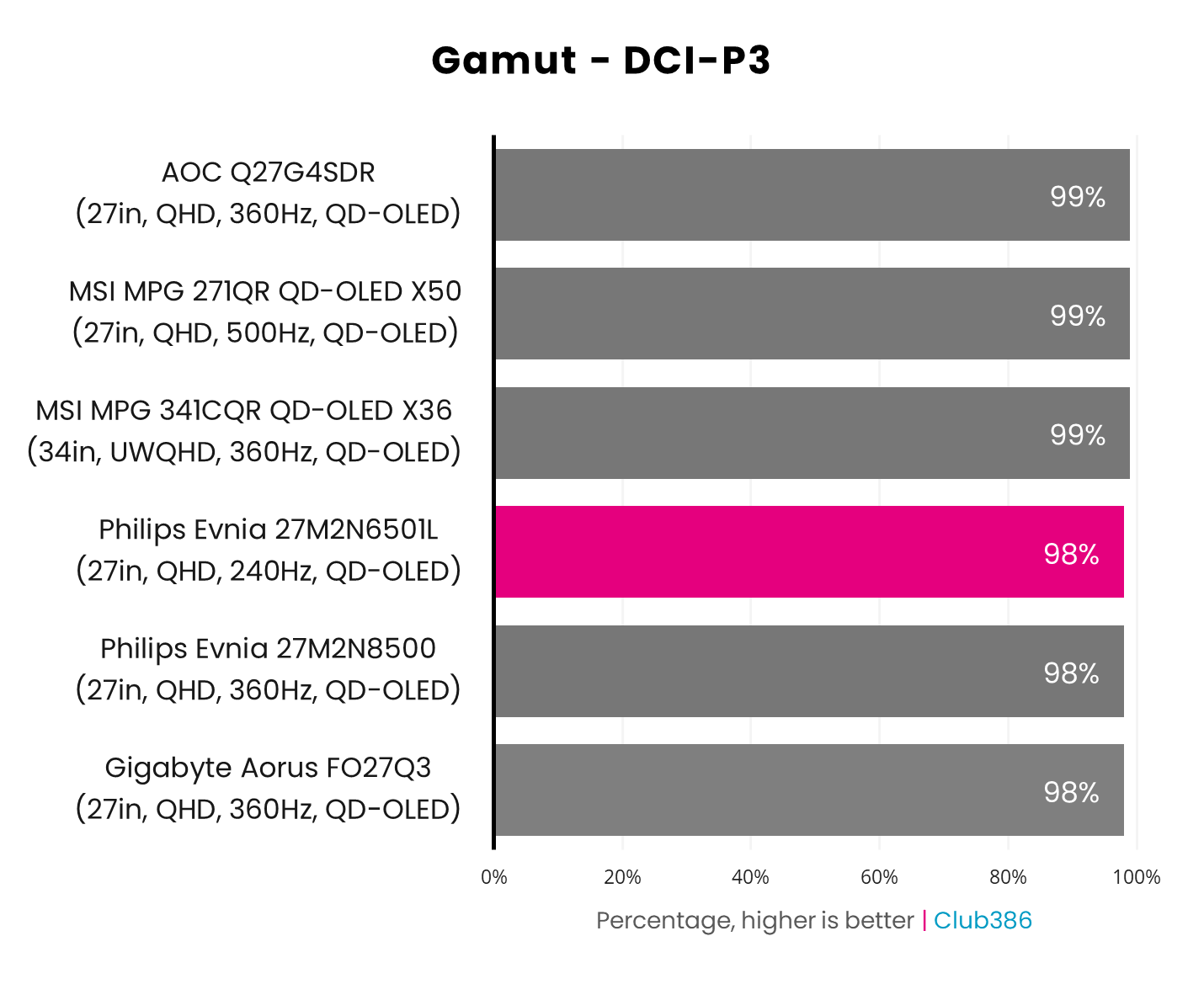
Likewise, DCI-P3 coverage is excellent out of the box at 98% – the same result as the £499 iiyama ProGraphic HB2701UHSNP, which is specifically designed for it. There are other monitors that hit 99%, but 98% is still undoubtedly a top result.
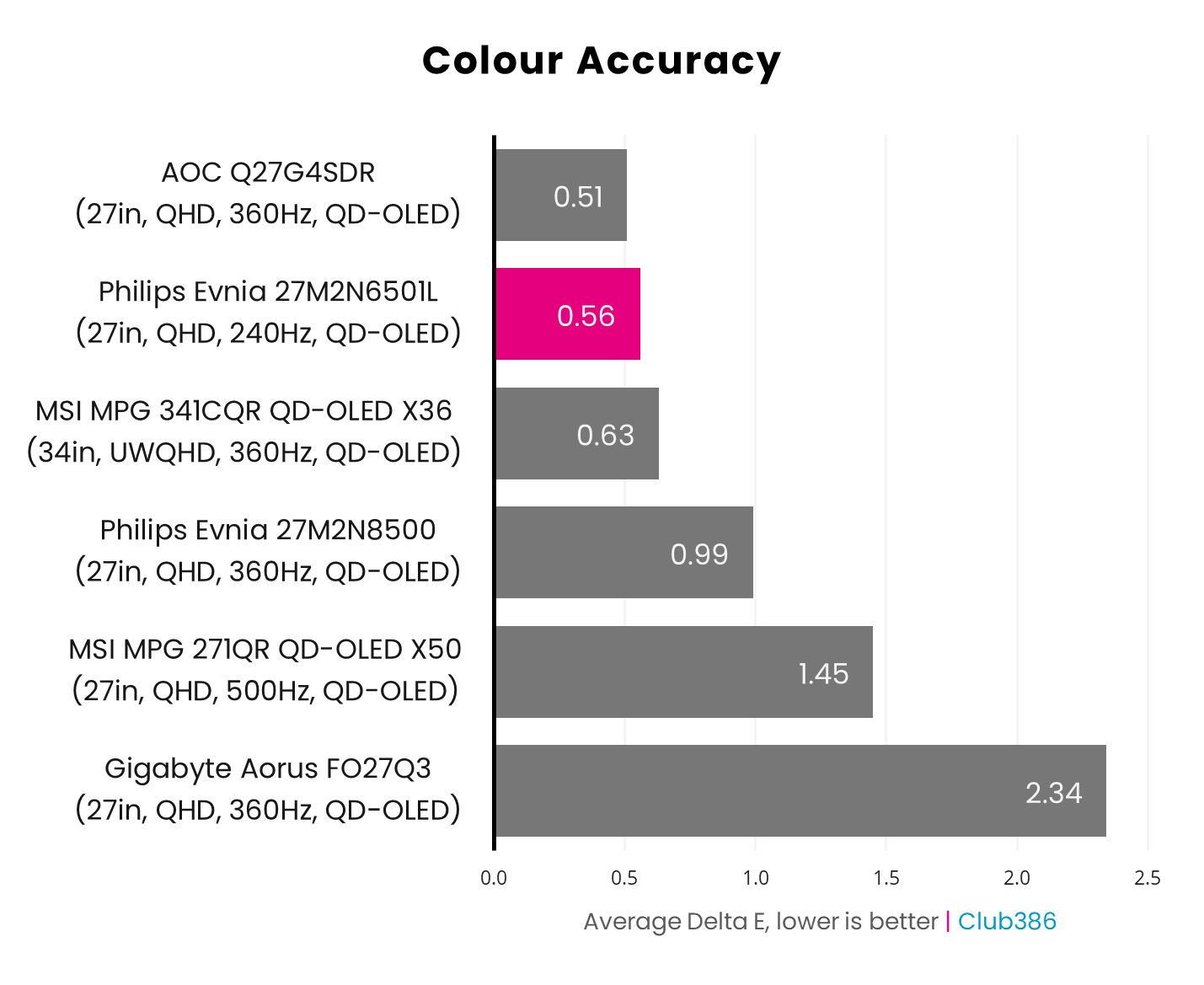
Colour accuracy is absolutely superb on this monitor. My colourimeter measured a Delta E of just 0.56, referring to the average deviation from a perfect result of 0. That’s a fantastic result, and while it’s ever so slightly bettered by the AOC Q27G4SDR’s 0.51, the difference is negligible. Given that any result under 2 is considered good here, 0.56 is exceptional – if you do any colour-critical work, this monitor is definitely up to the job.
Brightness
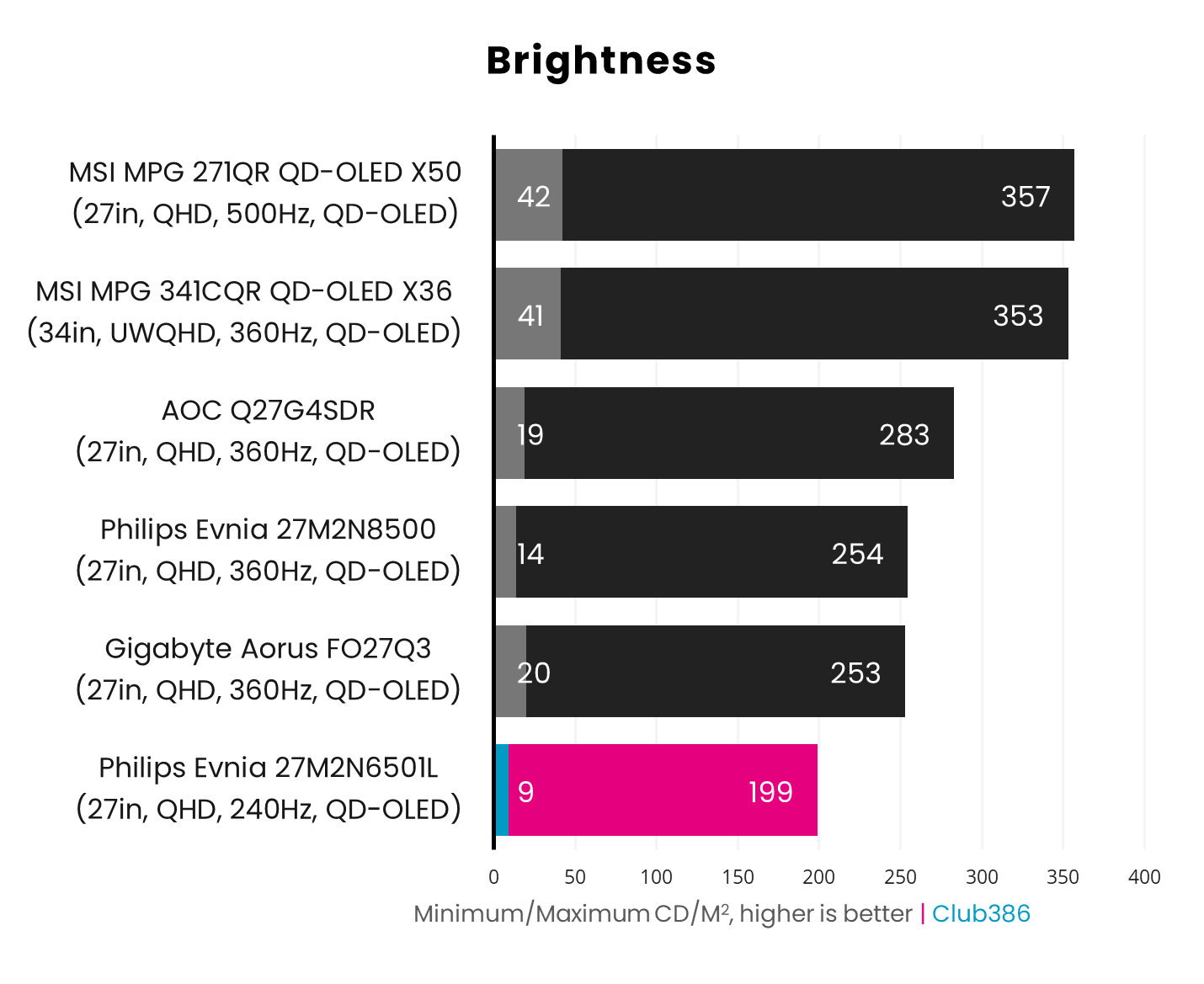
This is one area where the Philips Evnia 27M2N6501L falls down a bit compared to the competition. To be fair to Philips, it doesn’t make any big claims about brightness, saying the 27M2N6501L can hit 200nits in SDR mode. This is reflected in our results, with a peak brightness result of almost exactly what’s quoted. While other monitors are brighter, though, there was never a moment where I thought this screen needed to be brighter while I was using it. The brightness is set at 90% by default, and that’s where it stayed.
Uniformity
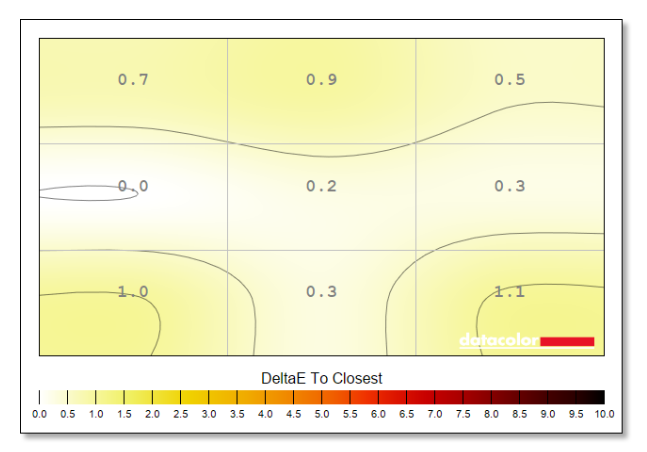
As with accuracy, colour uniformity (below, left) is again superb on this monitor, with barely any deviation in colours across the screen. The highest result is 1.1 in the bottom right corner, but even that’s still very respectable.
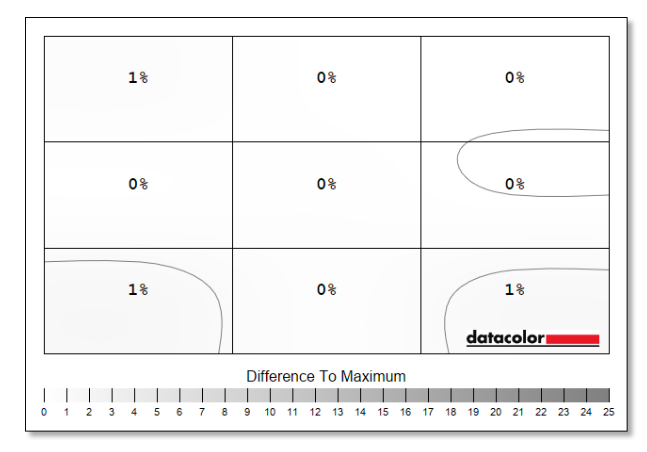
Even better is the luminance uniformity (above, right), thanks to the unique way OLED screens work. As there’s no traditional backlight, with each individual OLED producing its own luminance, there’s barely any difference in brightness wherever you look at this panel. The largest difference is just 1%.
Efficiency
We’re used to seeing OLED monitors eat a good chunk of electricity from the mains, especially with the brightness maxed out, but the Philips Evnia 27M2N6501L is pretty frugal when it comes to power draw. With the brightness cranked up to 100%, power consumption peaked at just 60W, and generally hovers around 54W at the default 90% setting.
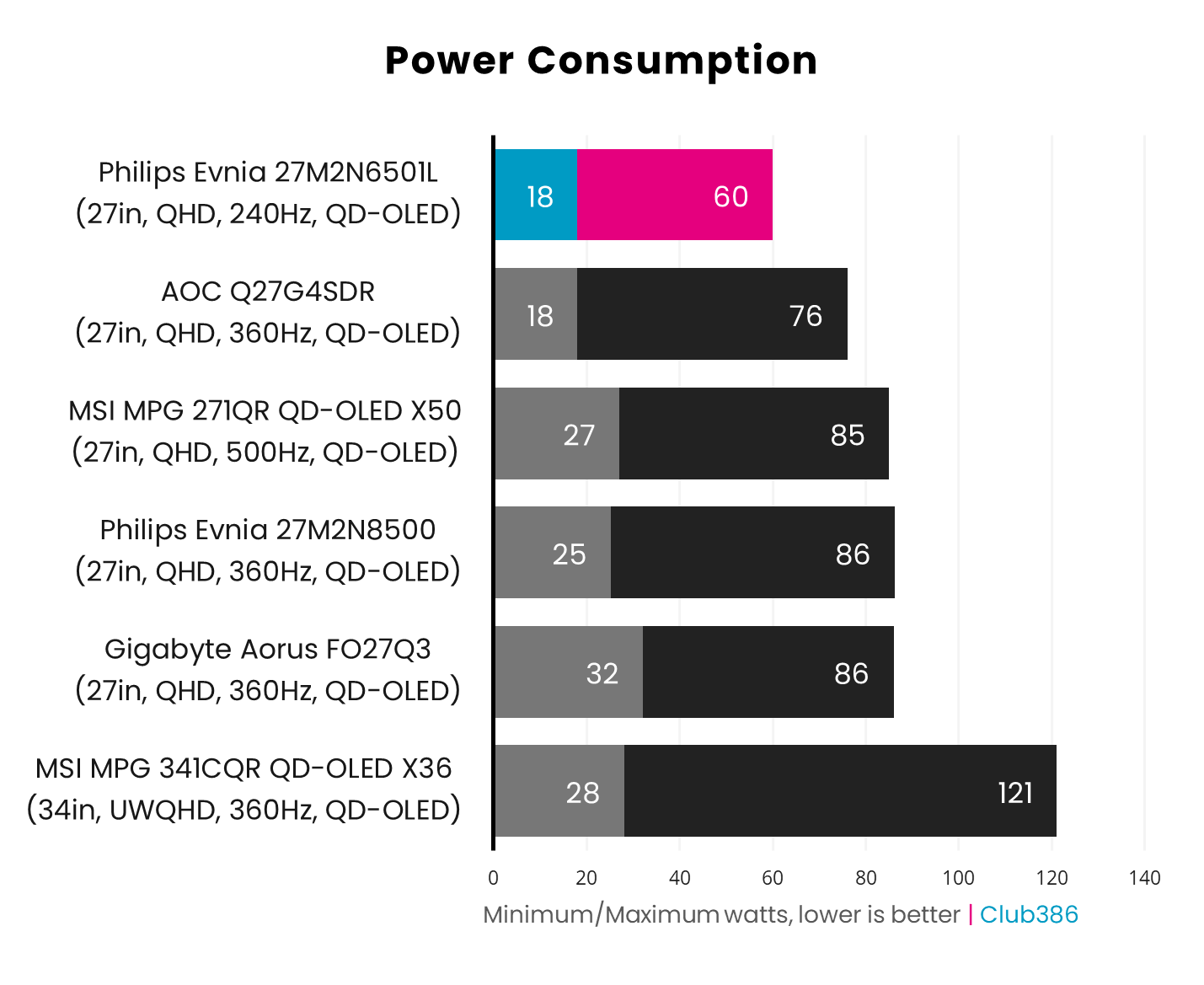
This is partly down to the fact that this screen isn’t as bright as the other monitors in the graph above, which undoubtedly has an impact on power draw, as does its 27in screen size compared to the larger panels of some of these models. Even so, 60W is a great result for a QD OLED monitor – we usually only see this level of power draw from IPS and VA screens.
Conclusion
For a price of just £399.99, the Philips Evnia 27M2N6501L is a bargain for the image quality and specs on offer. Its colour accuracy is outstanding, across the whole panel, and it’s fantastic for gaming, with smooth, sharp action. Its classy white and silver finish also looks lovely, especially if you pair it with a white PC build, and the design and build quality is top-notch.
No monitor is perfect, mind, and there are definite problems with text fringing, thanks to the last-gen QD-OLED panel. That means I wouldn’t recommend the Philips Evnia 27M2N6501L as an all-purpose screen for all-day work and play, especially if you do a lot of writing. Other screens are also brighter, but during use I found the Philips Evnia 27M2N6501L was still bright enough for all my needs.
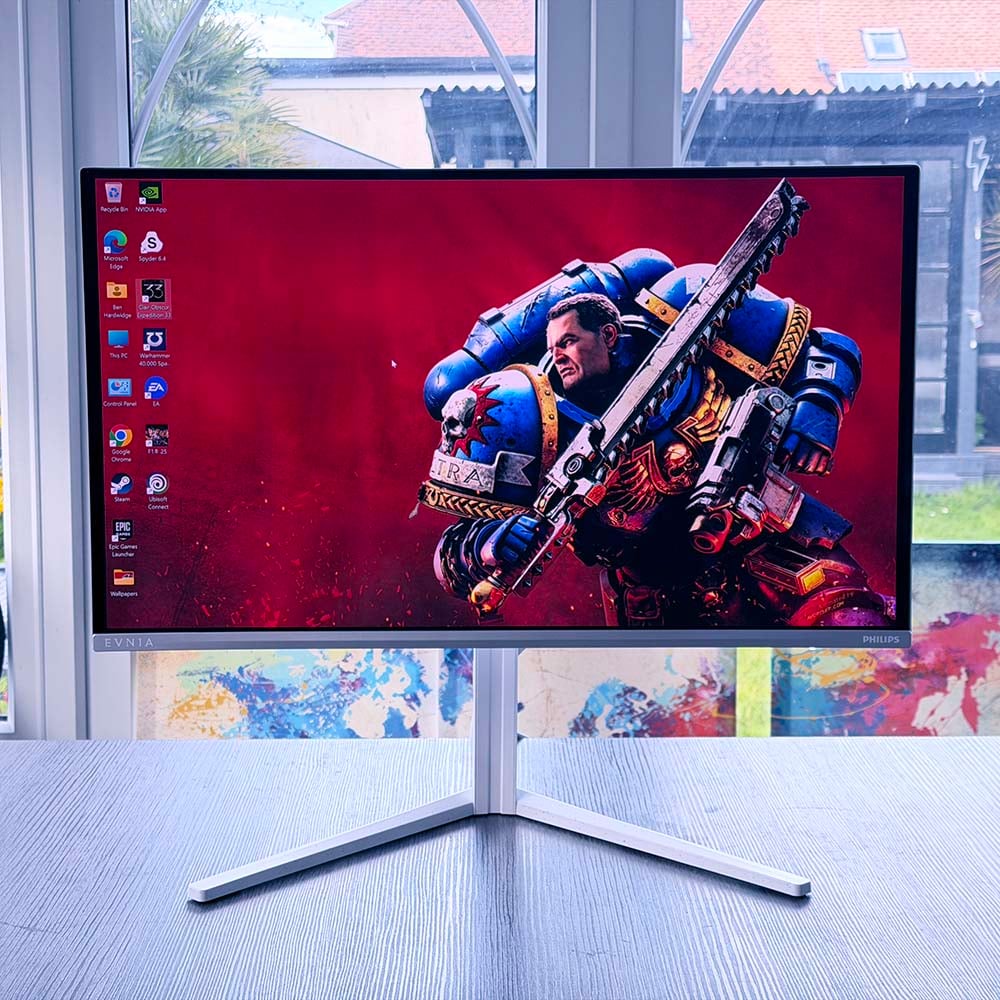
Despite its affordable price, Philips hasn’t skimped on features, with a decent array of ports, a USB hub, colour-matched cabling, and an array of Ambiglow lights on the back. It all makes for a classy-looking setup when it’s plugged in.
If you’re looking for an attractive, well-built gaming monitor that doubles as a great screen for graphics work, the Philips Evnia 27M2N6501L offers excellent value for money at just £399.99.
