

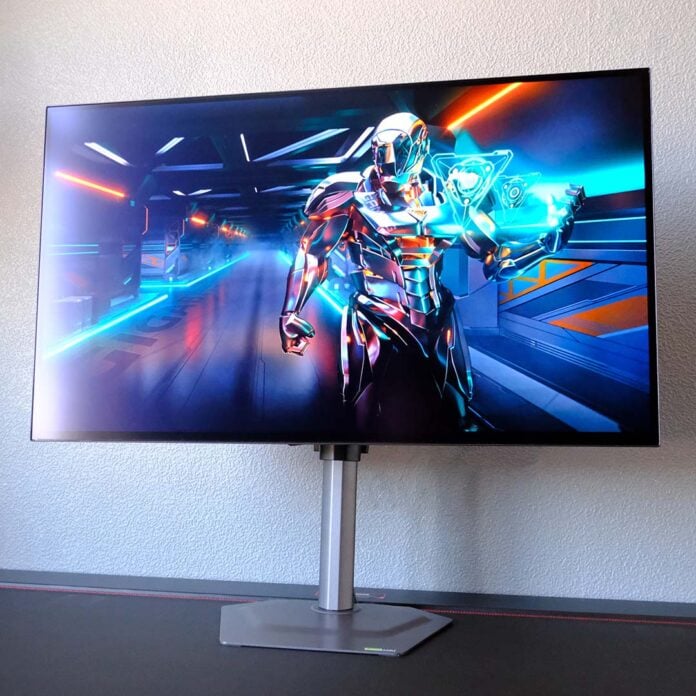
The Gigabyte MO27Q28GB represents a new phase in the evolution of WOLED screens, arriving with a Tandem OLED panel that promises to turn the tables on QD-OLED rivals. While there are a few areas in which this new tech leaves room for improvement, the benefits it provides, particularly when it comes to brightness, are nothing short of transformative.

Gigabyte MO27Q28G
£549 / $599
Pros
- Class-leading brightness
- Great colour accuracy
- Fast response time
- Lean power consumption
- KVM switch
Cons
- Minor uniformity issues
- Text fringing
Club386 may earn an affiliate commission when you purchase products through links on our site.
How we test and review products.
You’ll find the MO27Q28G on store shelves rocking a £549 / $599 MSRP. However, the recent launch of this monitor’s glossy sibling, the MO27Q28GR, has seen the older model fall in price closer to £500 / $549. That’s a reasonable cost for this screen’s specifications, taking its bleeding-edge panel into consideration, and it has plenty of other features that further bolster its value.
Specifications
The MO27Q28G is one of the first monitors to rock an LG Tandem OLED panel, in which two RGB emissive layers work in tandem with one another inside a single screen. This new spin on LG’s WOLED tech promises superior brightness, colour gamut, and lifespan in addition to better efficiency, all welcome improvements that improve the competitiveness of WOLED relative to QD-OLED.
Gigabyte’s monitor arrives with a 27in WQHD (2560×1440) panel. That’s my preferred size for this resolution, as the large display makes use of the additional PPI (pixels per inch) headroom, while still appearing sharper than a 24in FHD monitor. Diffusion from the matte screen coating does lead to a subtle softness in the final image output, but it also keeps reflections at bay in brighter environments. Personally, in my light-controlled room, I prefer a glossy finish, which you’ll find on the otherwise identical MO27Q28GR.
| Gigabyte MO27Q28G | |
|---|---|
| Screen size | 27in |
| Resolution | WQHD (2560×1440) |
| Refresh rate | 280Hz |
| Response time | 0.03ms (GtG) |
| Panel technology | WOLED |
| Panel coating | Matte |
| Variable refresh rate | AMD FreeSync Premium Pro Nvidia G-Sync compatible |
| HDR | VESA DisplayHDR True Black 500 |
| Ports | 3.5mm audio-out (x1) DisplayPort 1.4 (x1) HDMI 2.1 (x2) USB 3.2 Type-A (x2) USB 3.2 Type-B (x1) USB Type-C, with 18W PD & DP Alt Mode (x1) |
| Speakers | 5W (x2) |
| Features | KVM Tactical Switch 2.0 |
| Warranty | Three years |
| Price | £549 / $599 |
A 280Hz refresh rate, combined with a sub-1ms response time that’s typical of all OLEDs, makes the MO27Q28G as pleasingly smooth in motion as it is sharp. While motion clarity is at its best on this monitor the closer your frame rate gets to the maximum refresh rate, there’s no overdrive at play here, so there’s no threat of ghosting or overshoot regardless of your in-game performance.
This monitor pairs well with either Nvidia GeForce or AMD Radeon graphics cards, supporting both AMD FreeSync Premium Pro and Nvidia G-Sync. The adaptive sync range starts from 48Hz, so you’ll need to keep frame rates up to at least 48fps to keep the screen free of tearing, but that’s a reasonable target and a floor most screens share.
Design
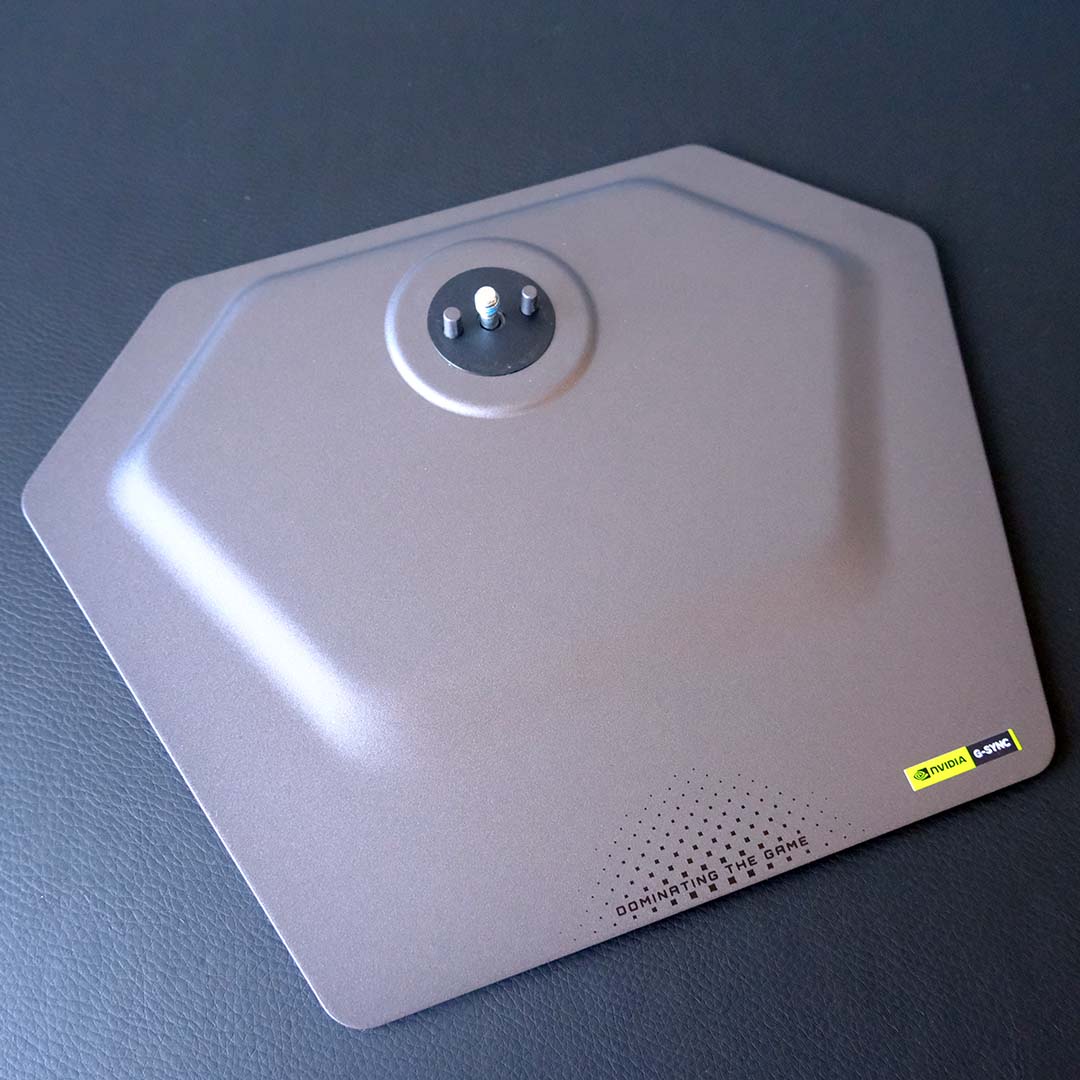
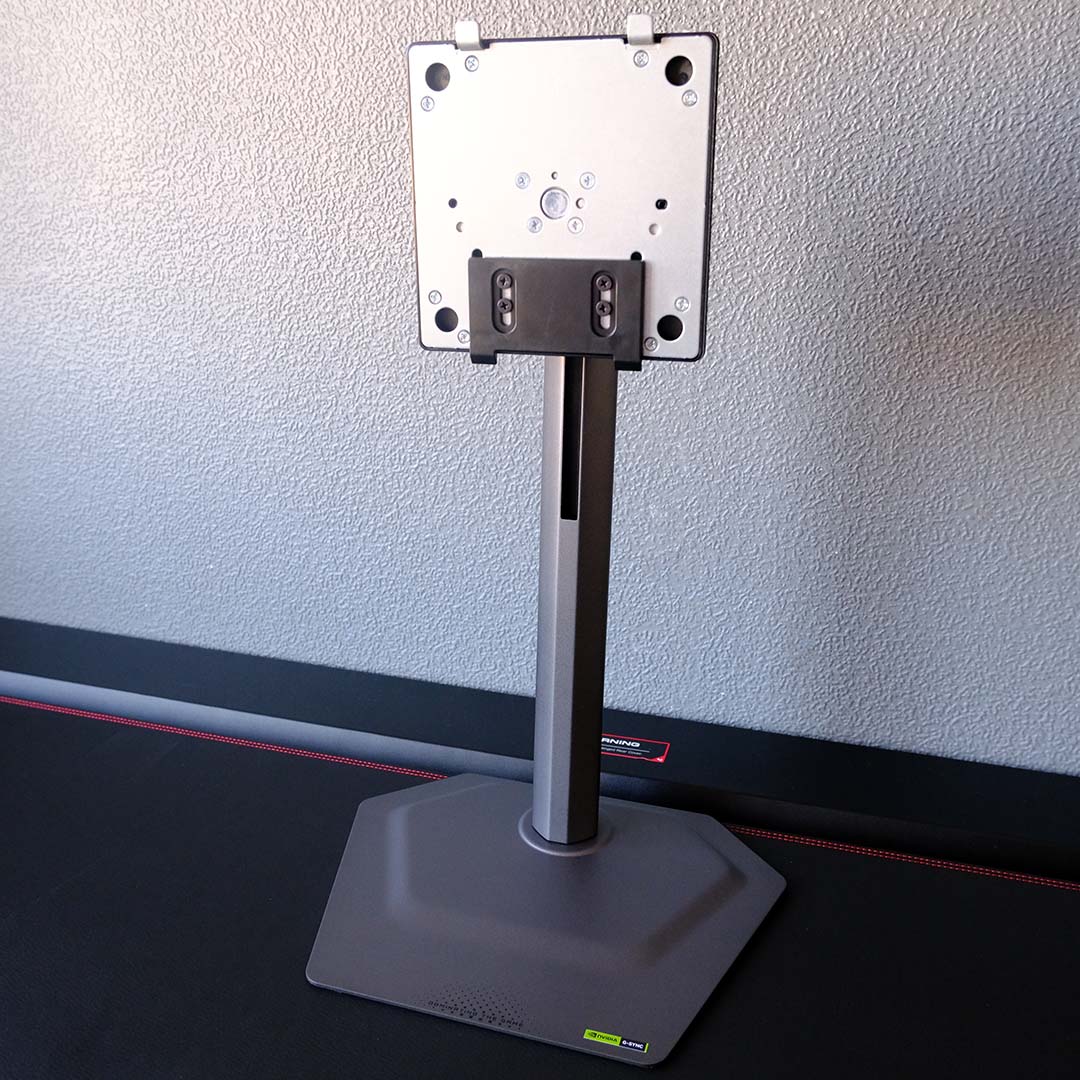
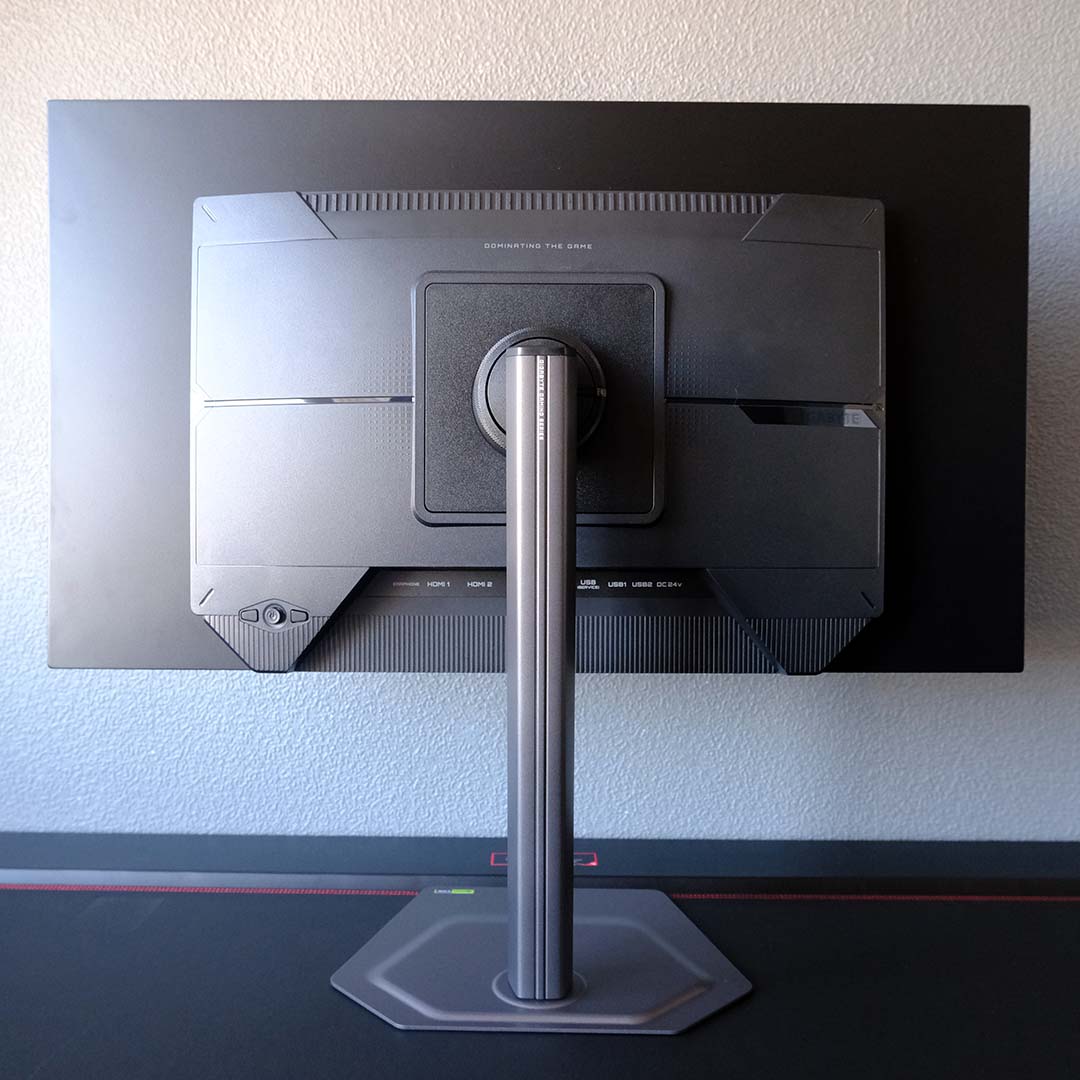
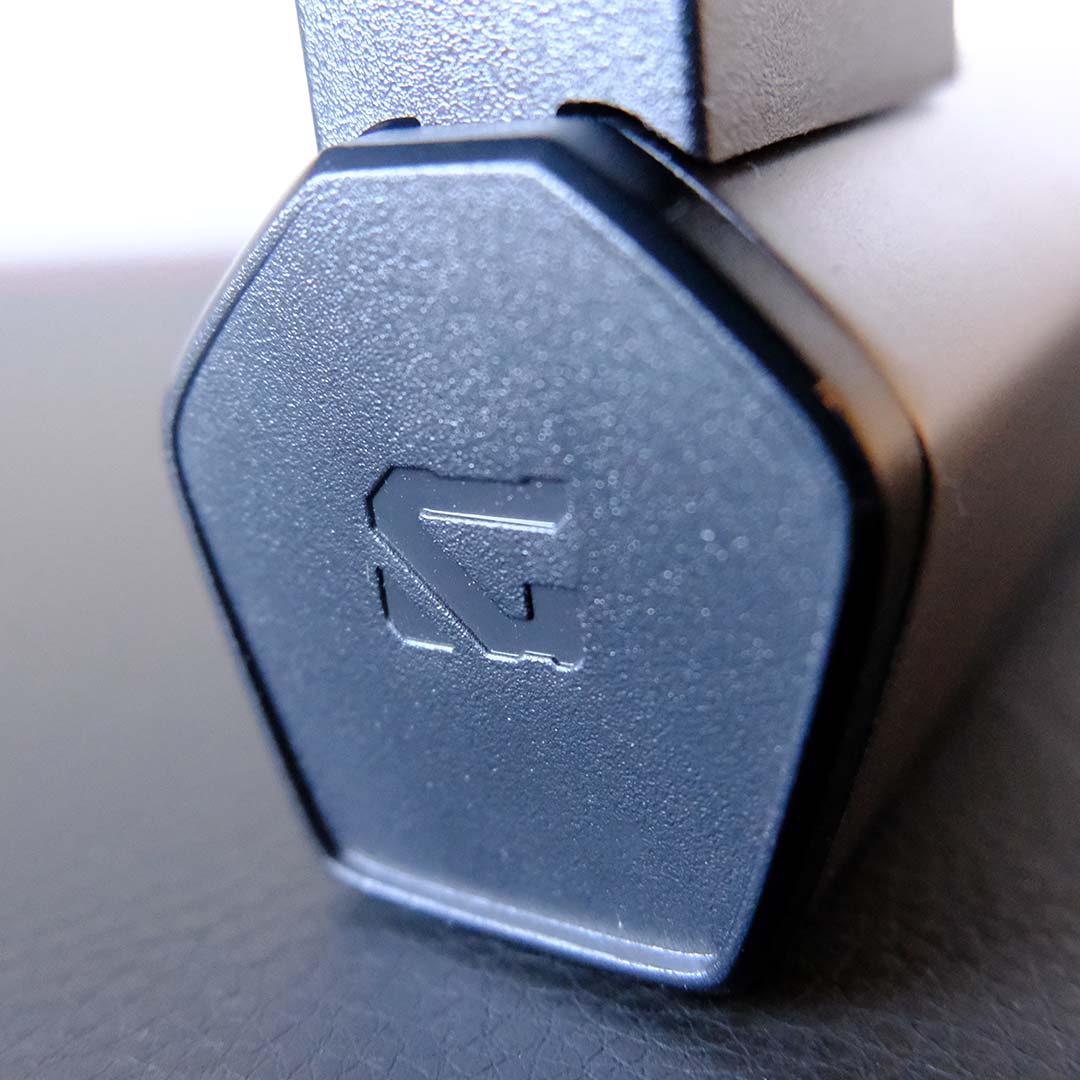
Sitting on my desk, the MO27Q28G gives off an undeniably sleek energy. Both its base and stand are surprisingly slender, enhancing the premium feel of their weighty metal materials. There’s not even a Gigabyte logo on the front of the panel, as the all-black surround subtly frames the screen.
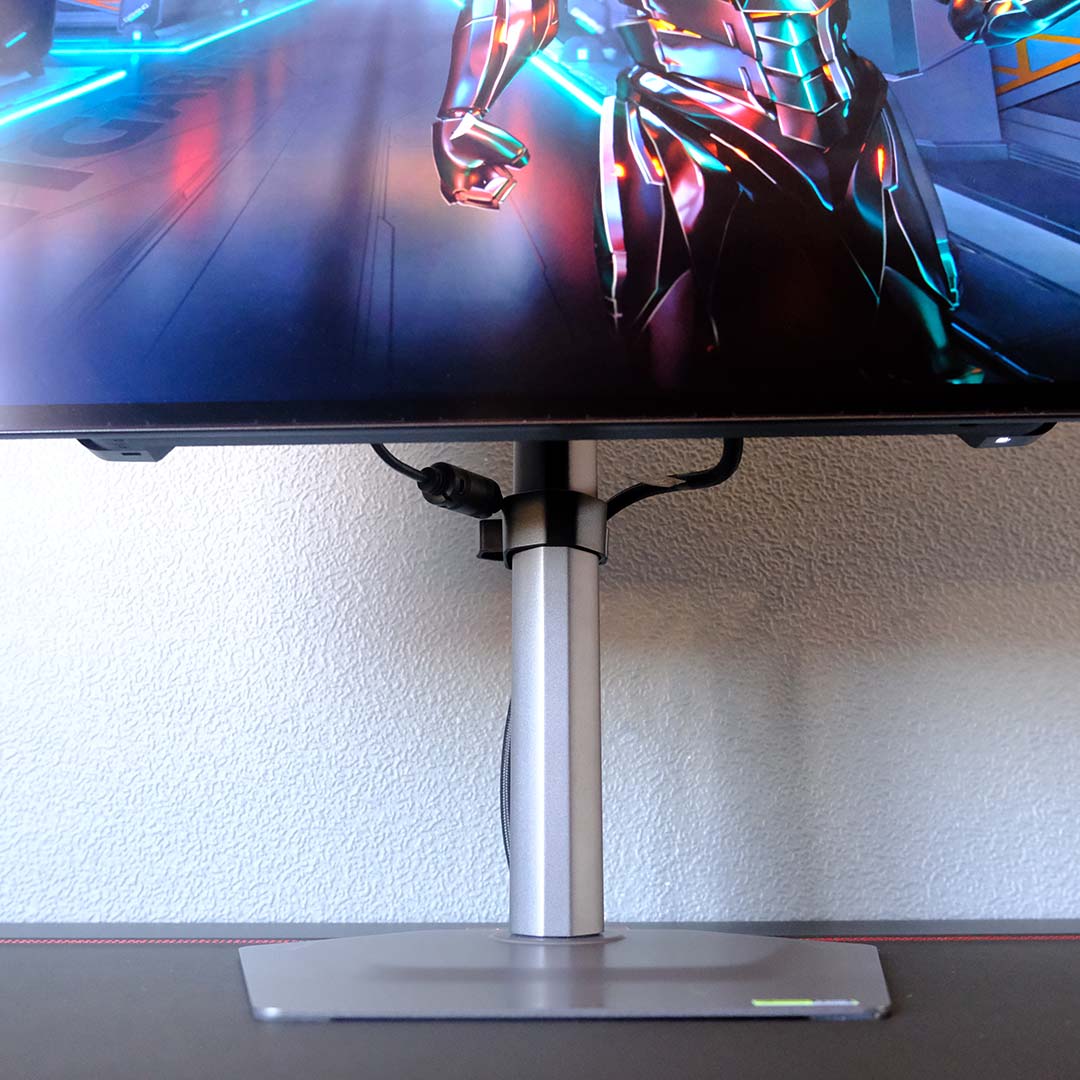
While there’s no built-in grommet for cable management, Gigabyte supplies a plastic clip that attaches to the monitor’s neck. To its credit, this accessory does keep limp wires at bay, but there’s no avoiding the need to find somewhere to hide this screen’s external power brick.
The stand offers a welcome 130mm of height adjustment, allowing me to match the MO27Q28G to my eyeline with millimetres to spare. For those that need it, there’s also ±15° of swivel, a 26° range of tilt, and 90° of rotation with which to play. Alternatively, you can scrap all that and attach the monitor to a 100mm² VESA mount instead.
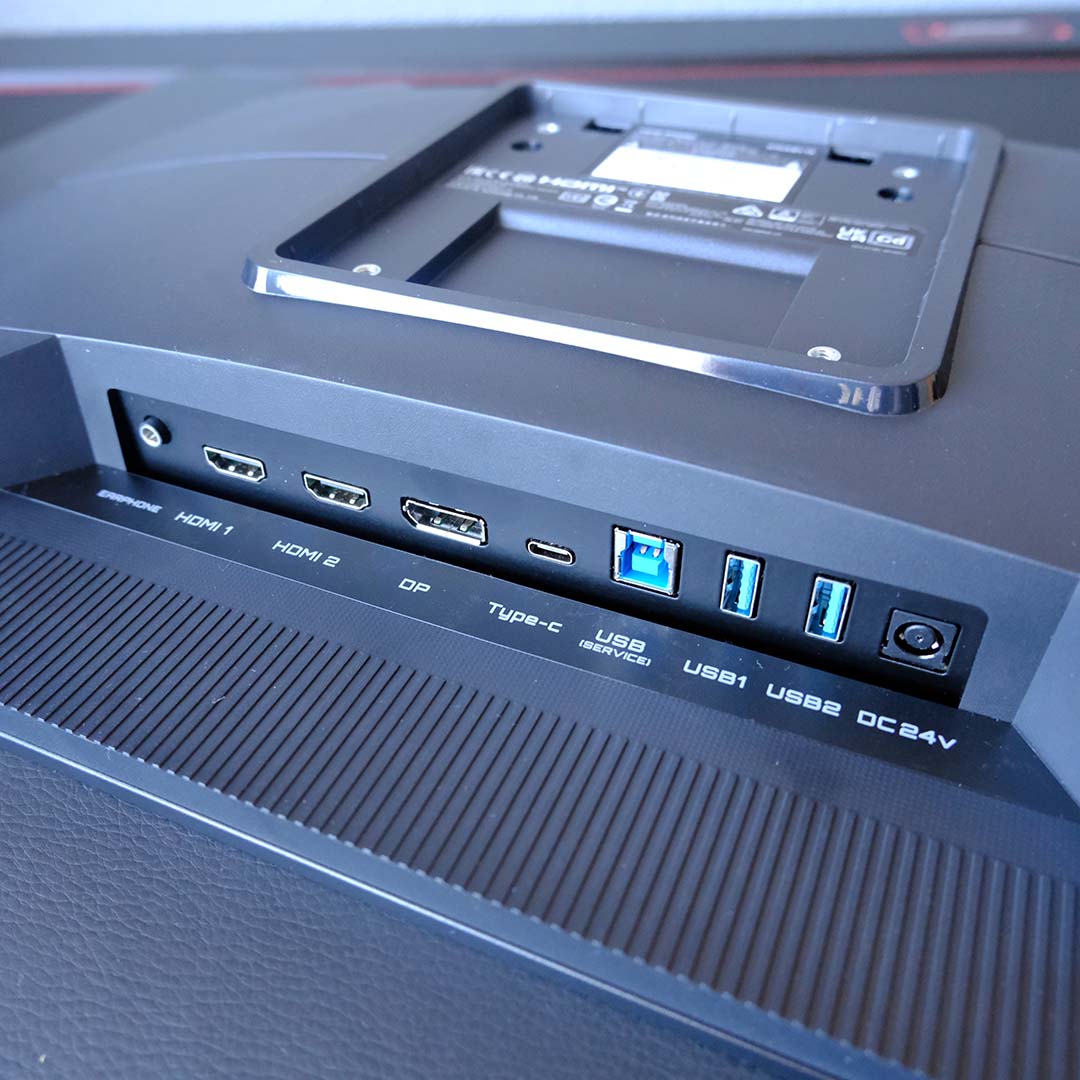
Both the two HDMI 2.1 ports and single DisplayPort 1.4 input will run the monitor at its full native resolution and refresh rate. However, the former connections boast higher bandwidth (48Gb vs. 32.4Gb), meaning it doesn’t need Display Stream Compression to hit that QHD/280Hz combo. As such, you’re better off using HDMI here, as there’s no risk of visual artefacts.
There’s also a USB Type-C port that features DP Alt. capabilities, which is ideal for hooking up this monitor to laptops or portable handhelds. However, it’s only capable of supplying 18W of charge, so you’ll still need to keep chargers handy, rather than enjoy a true single-cable connection.
For peripherals, the MO27Q28G offers two USB Type-A ports. These feed into a KVM (keyboard, video, mouse) switch, so you can share devices across two systems, which connect to the monitor via the Type-B and Type-C ports. You’ll also find a 3.5mm audio jack at the end of the row, should you need it.
I can’t remember the last time I saw built-in speakers on an OLED screen, so hearing audio coming out of this screen took me by surprise. As you might expect, the two 5W tweeters sound quite thin (particularly at high volumes), but they do the job in a pinch.
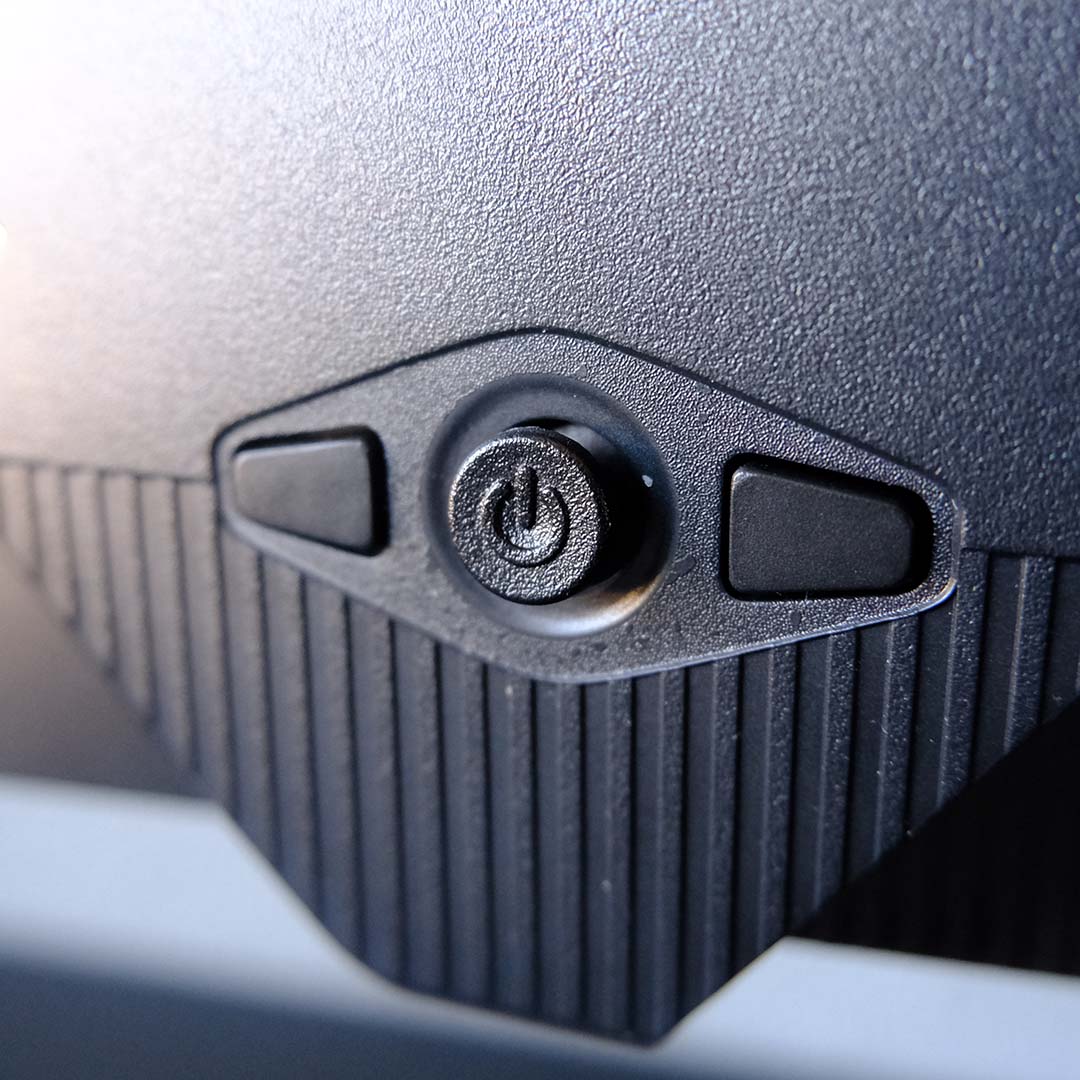
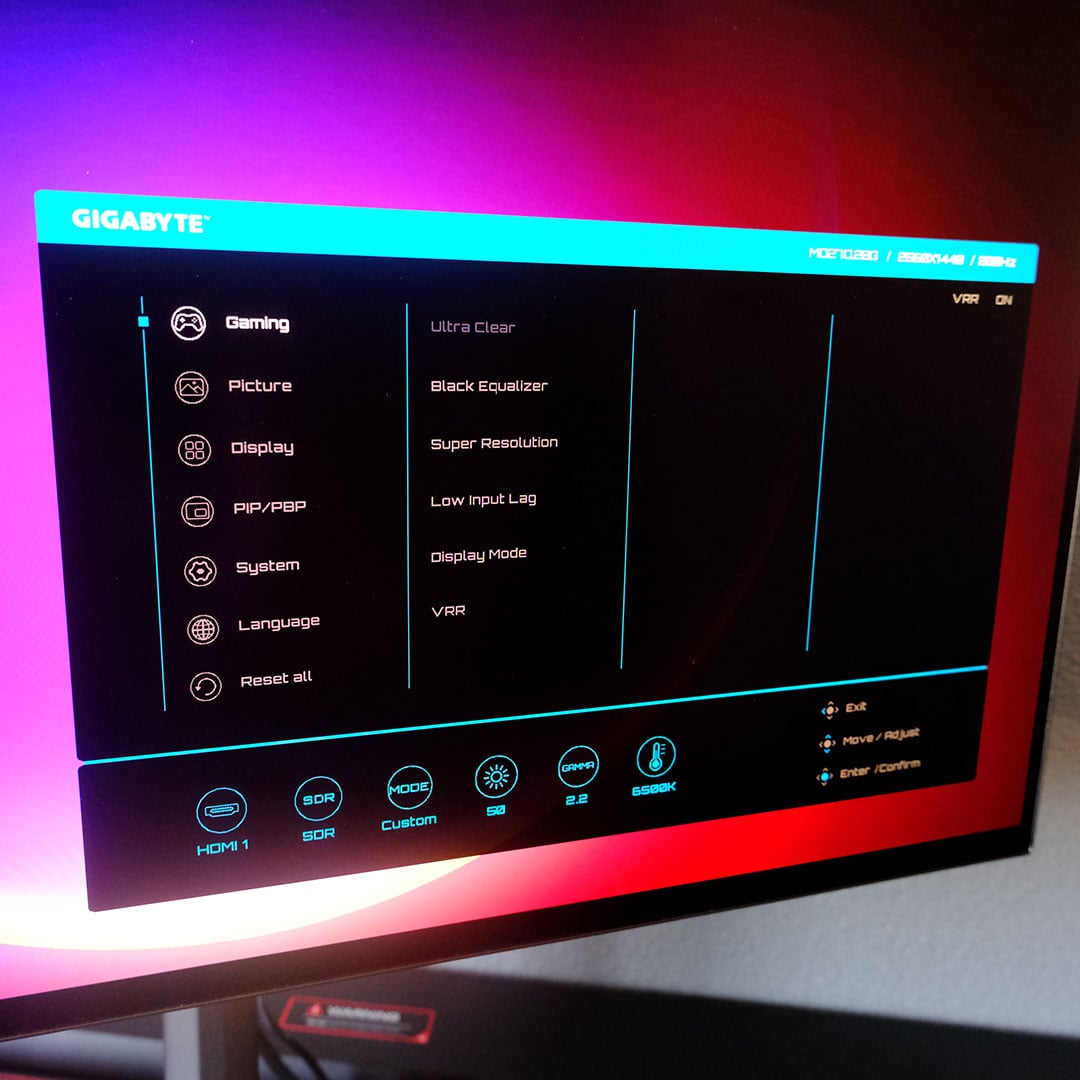
A joystick and two shortcut buttons serve as physical controls for the MO27Q28G’s OSD, living out of sight on the screen’s rear. Alternatively, you can adjust many of the monitor’s settings via Gigabyte Control Center, all via HDMI.
The monitor’s factory tuning is of such quality that there’s little reason for most folks to make any adjustments to its stock settings. That said, I do recommend pushing brightness from the default 70% to 100% for a more impactful viewing experience.
Inside the OSD’s Game Assist submenu, you’ll find on-screen crosshairs, flash dimming, and other features for which I personally don’t have much use. That said, I do see some competitive value in Gigabyte’s Tactical Switch 2.0, which allows you to quickly switch your resolution and screen size at the press of a button.
As an OLED monitor, the MO27Q28G naturally packs plenty of protective measures, and its three-year warranty includes burn-in damage. In addition to pixel cleans, Gigabyte outfits the screen with pixel shifts, logo dimming, and more to protect the panel’s lifespan. You can turn most of these features off entirely, although I wouldn’t recommend doing so.
Performance
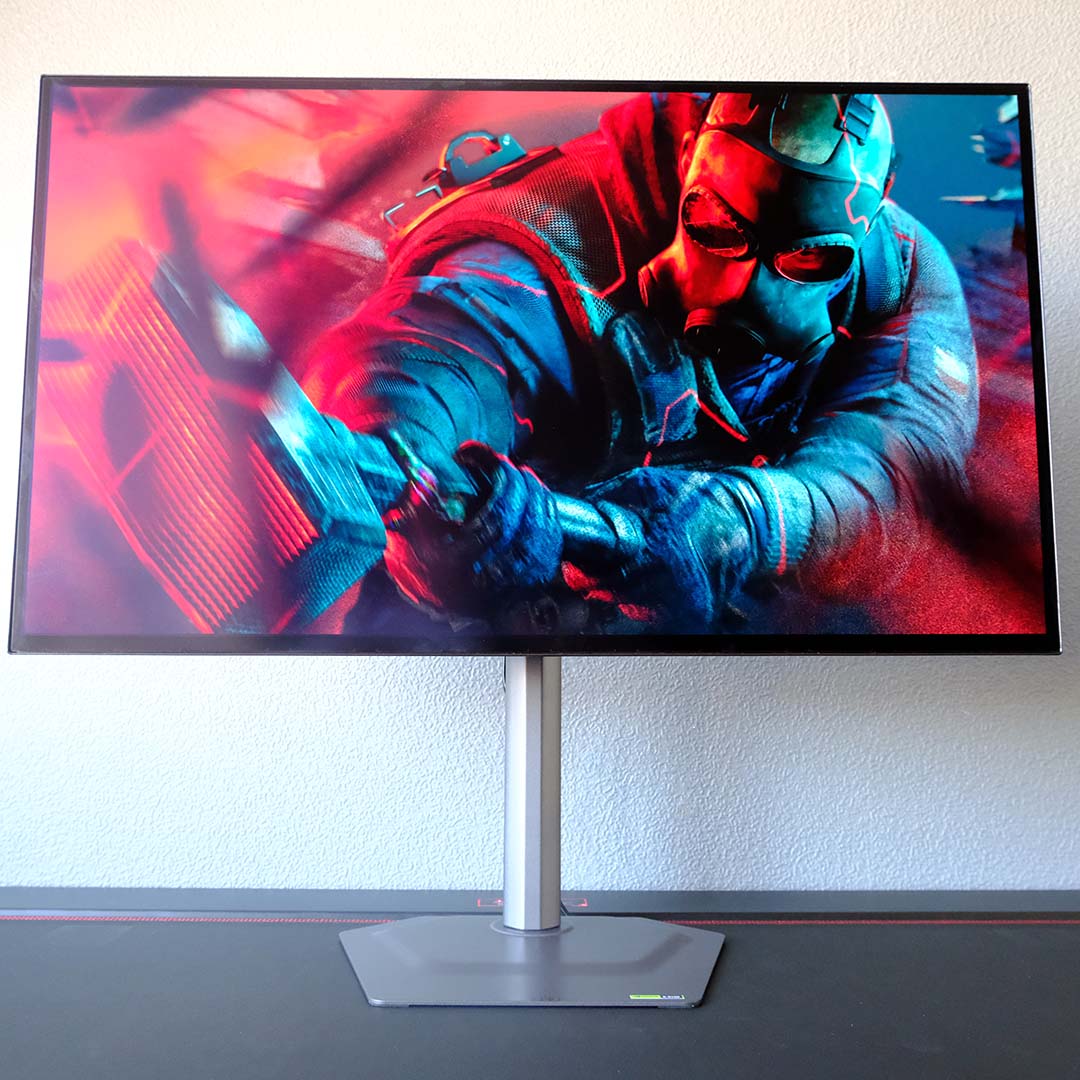
The MO27Q28G entered my setup as I’ve attempted to work more Rainbow Six Siege into my life. The competitive FPS thrives on this panel, as the 280Hz refresh rate and near-instant response times make it easier to track enemy operators or quickly flick my crosshair on them. At the very least, this monitor gives me room to perform my best, even if its specifications don’t guarantee I’ll always make the right play or land every game-changing shot.
However, achieving 280fps+ is no mean feat at QHD, even in typically lightweight esports titles like Siege, or League of Legends. While you should consider the limits of your hardware with relevance to potential monitor purchases, don’t forget that the likes of upscalers and frame generation can help plug the gap. This is to say nothing of the fact that monitors of this quality will serve you well across multiple upgrades.
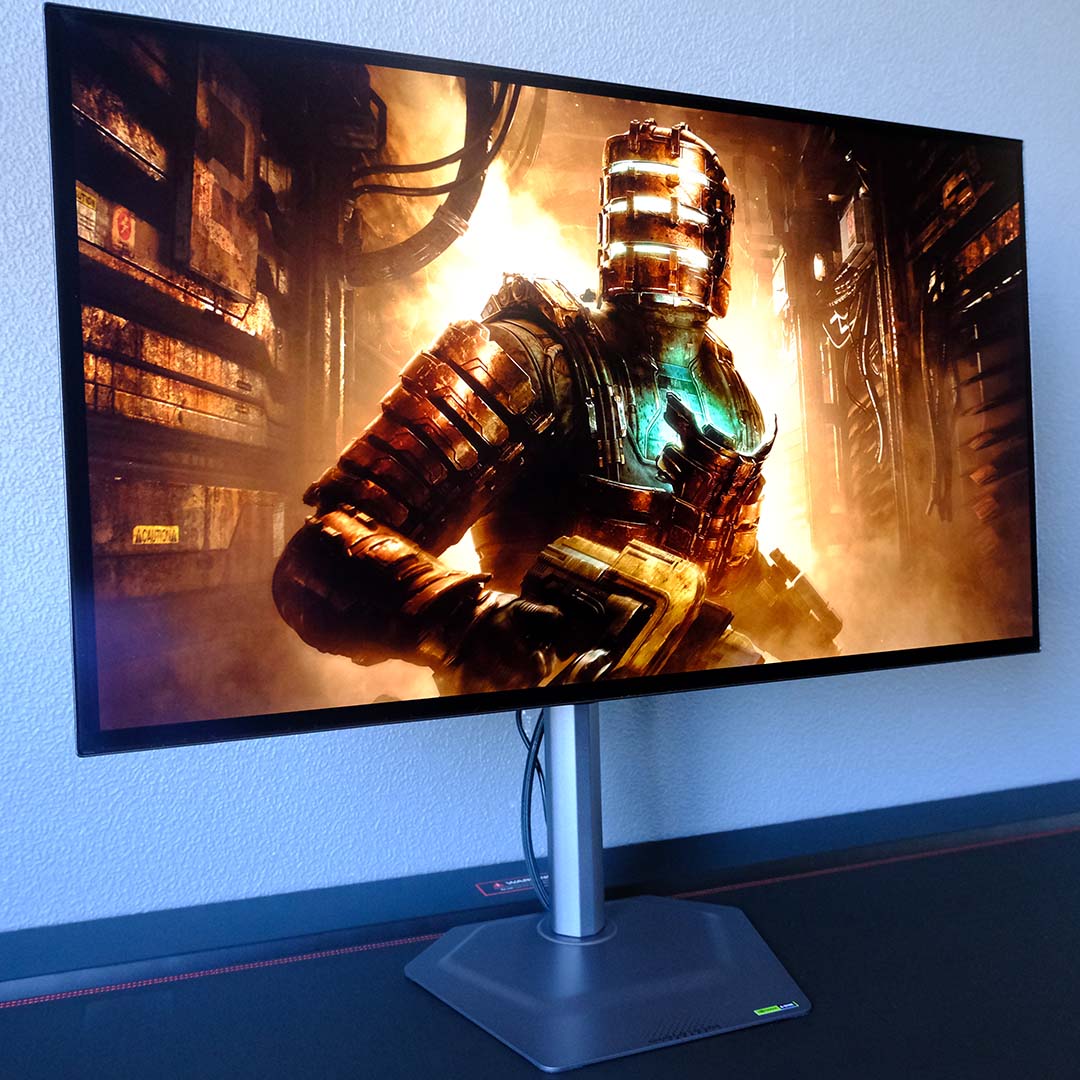
To test this monitor’s inky-black contrast, I returned to the cosmic horrors of the USG Ishimura in the Dead Space remake. This panel’s high brightness enhances the inky-black contrast that only OLED screens can deliver, allowing pockets of light to shine brighter against the dark and disgusting hallways of the planet-cracker. However, I did notice some dim environments bringing minor grey banding to the fore, but there’s sadly nothing you can do about this inherent flaw of WOLED screens.
Outside of games, I’ve also used this monitor as my main display for work. While text clarity isn’t perfect on this screen, on account of the matte coating and text fringing inherent to the panel’s RGWB subpixel layout, it is far less noticeable and distracting than on the majority of QD-OLED screens I’ve used.
However, I wouldn’t recommend using a monitor like the MO27Q28G for any line of work with lots of static elements (such as mine), as this will impact the panel’s lifespan even with protections in place. Still, for occasional writing, image editing, or other creative work, there’s no harm in putting this monitor’s high brightness and wide colour gamut to work.
Colours
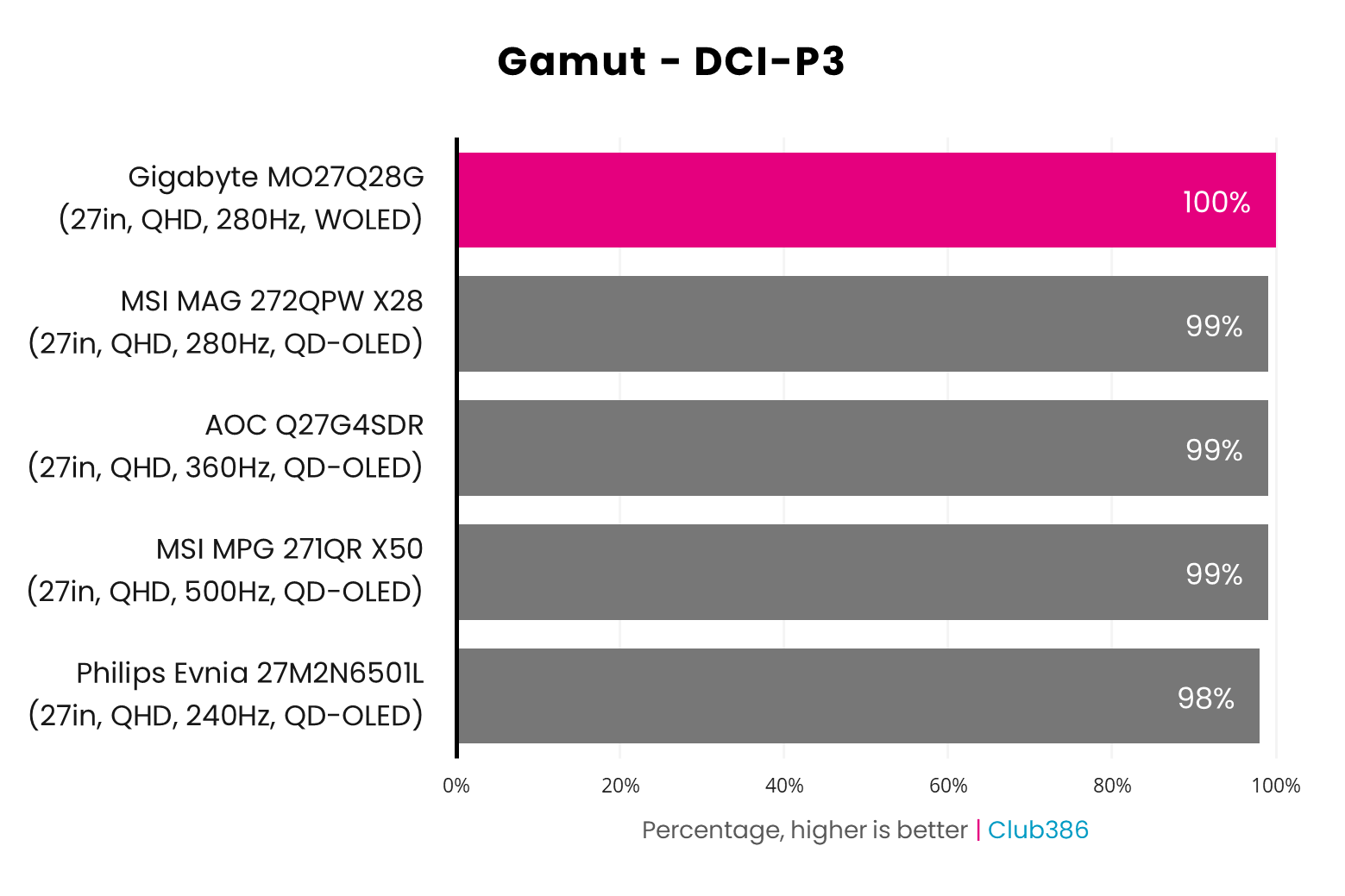
Tandem OLED greatly improves gamut, relative to prior WOLED panels, to the point where this technology now comfortably trades blows with the latest QD-OLED displays. Case in point, the MO27Q28G covers 100% of the DCI-P3 colour space, leaving no hue off the screen in HDR games and other media. That’s only a 1% difference versus the majority of its competitors on the chart, but it’s enough of a difference to secure the top spot.
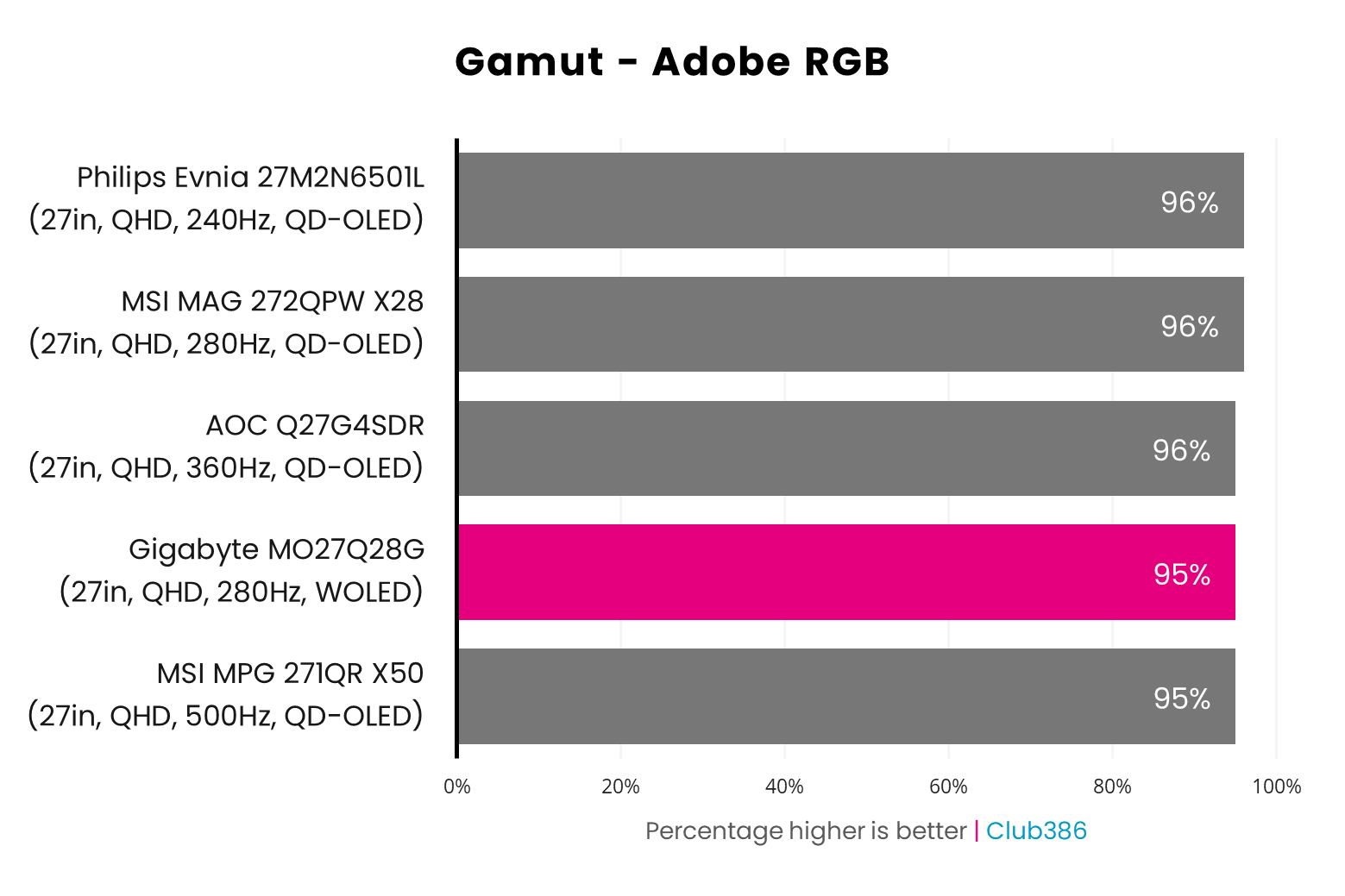
While Gigabyte’s MO27Q28G doesn’t rule the roost in terms of Adobe RGB coverage, its Tandem OLED panel keeps it in line with QD-OLED alternatives at 95%. Such a high value makes this monitor suitable for some light photography or print work, but just remember that the RGWB subpixel layout can cause some artefacts around text.
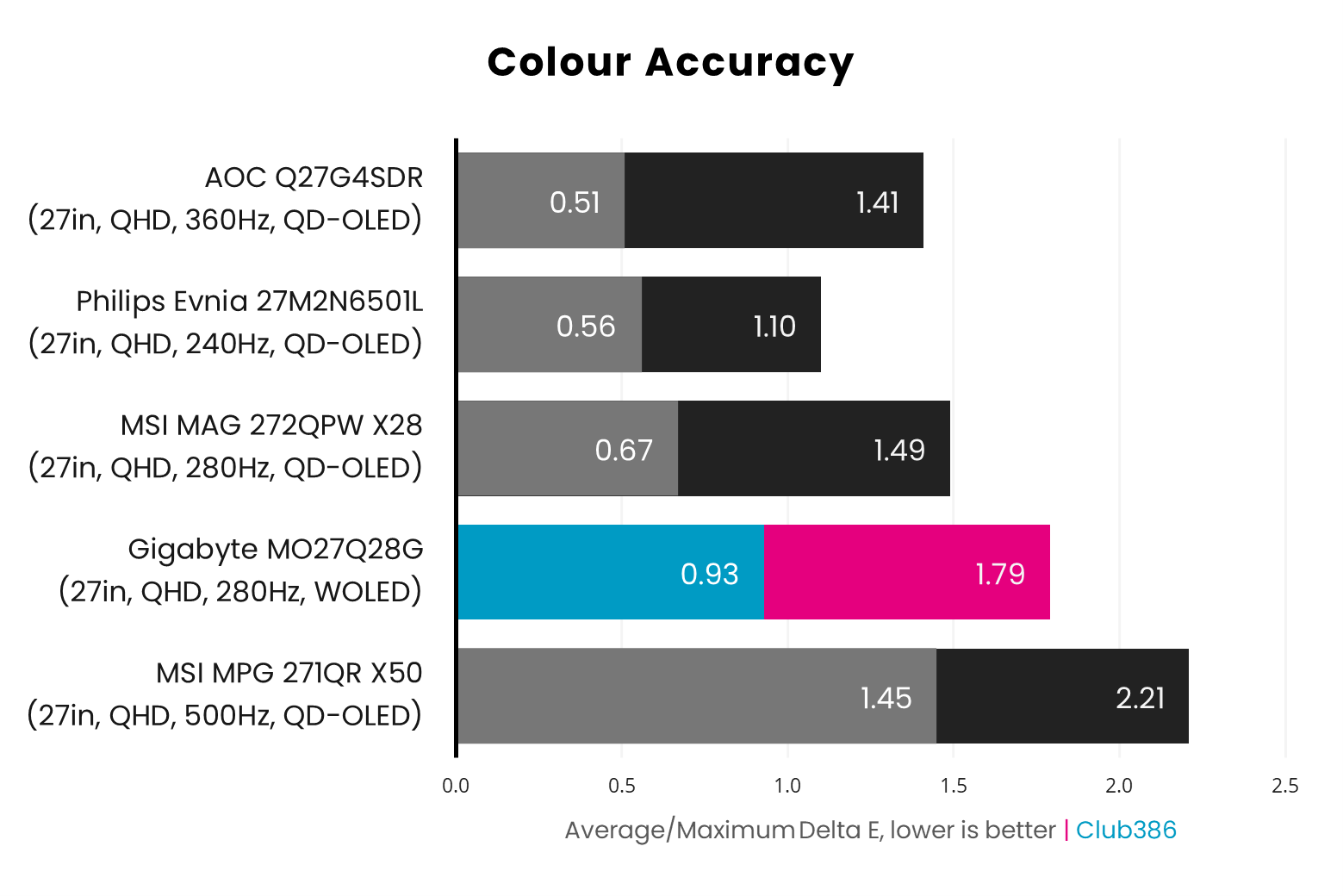
Using the monitor’s default Eco preset at 70% brightness, the MO27Q28G delivers great colour accuracy out of the box, with a 0.93 average delta E and 1.79 maximum. Anything less than a result of two for these values is practically imperceptible to most eyes, so kudos to Gigabyte for delivering such great tuning.
That said, swapping to the Custom preset and 100% brightness does tighten accuracy even further, with a 0.80 average and 1.64 maximum. There’s no reason not to use the display in this way, and I wish monitor manufacturers would prompt users with a choice to swap without requiring manual input.
Brightness
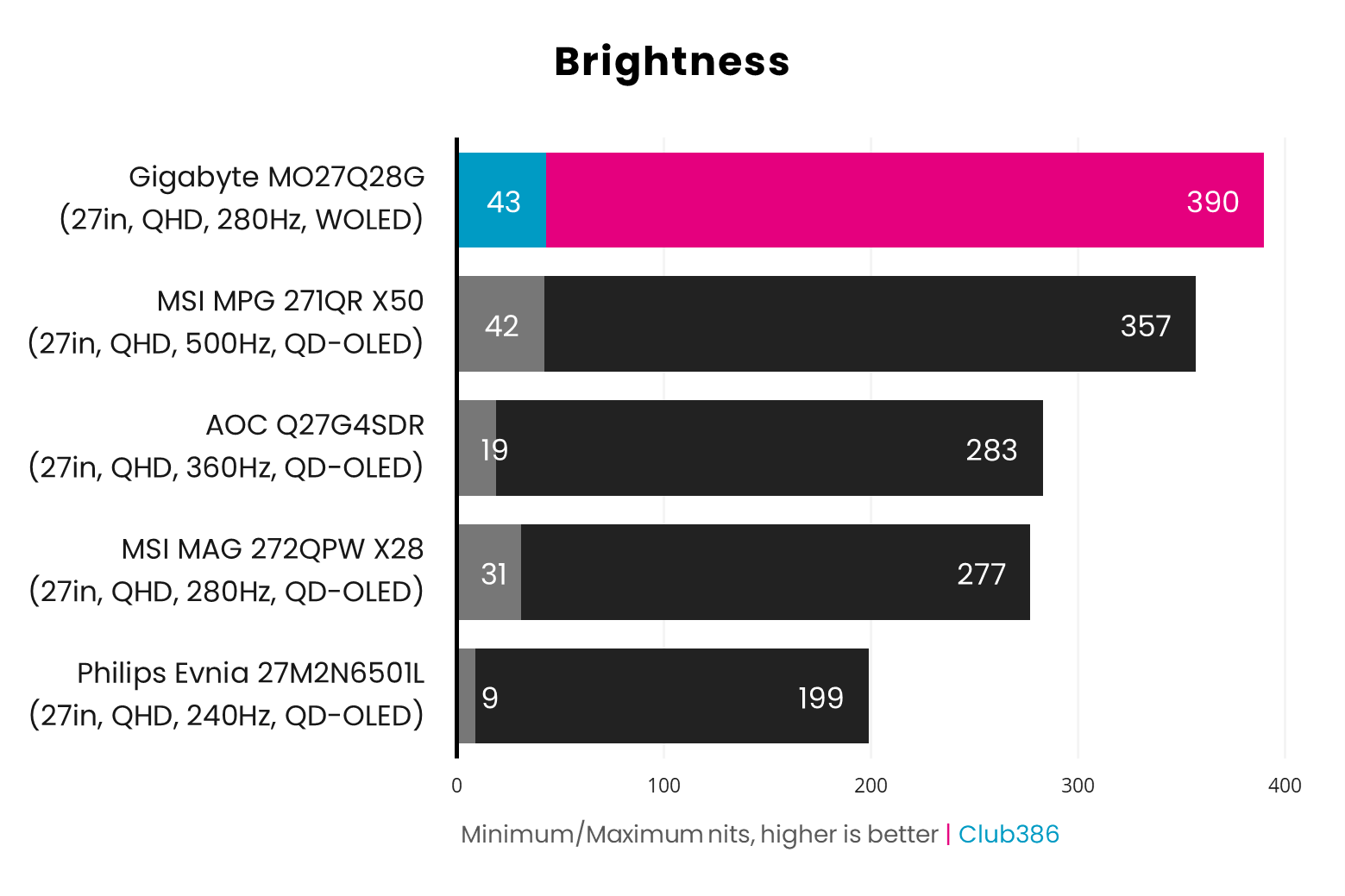
In SDR mode, the MO27Q28G’s Tandem OLED panel delivers class-leading brightness at 390nits, beating every self-emissive panel we’ve ever tested. The likes of the MSI MPG 271QR X50 aren’t far behind, but those latest generation QD-OLED screens command more of a premium, giving Gigabyte’s offering an edge in terms of value.
Shifting to HDR, the monitor similarly excels. As per its VESA DisplayHDR True Black 500 certification, highlights within a 10% patch of the panel output at a minimum of 500nits. Gigabyte also includes a Peak 1,500 mode, alongside its HyperNits feature, which offers higher brightness levels at the expense of accuracy. I’m a stickler for artistic intent, so I recommend sticking with the default True Black 500 mode.
Uniformity
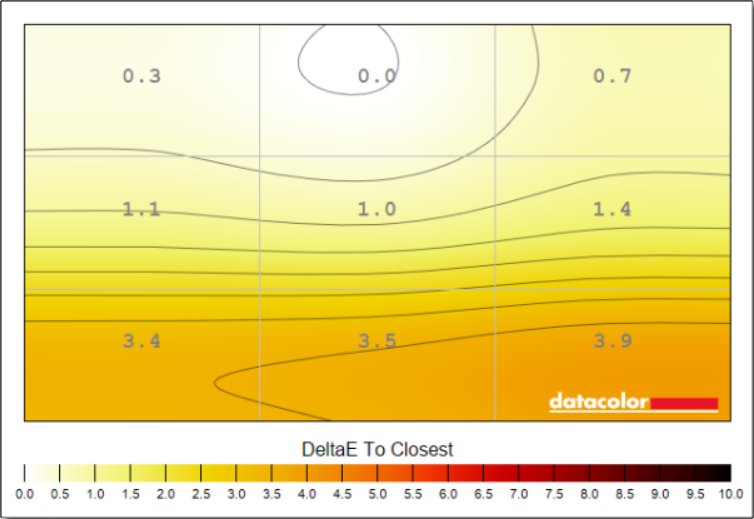
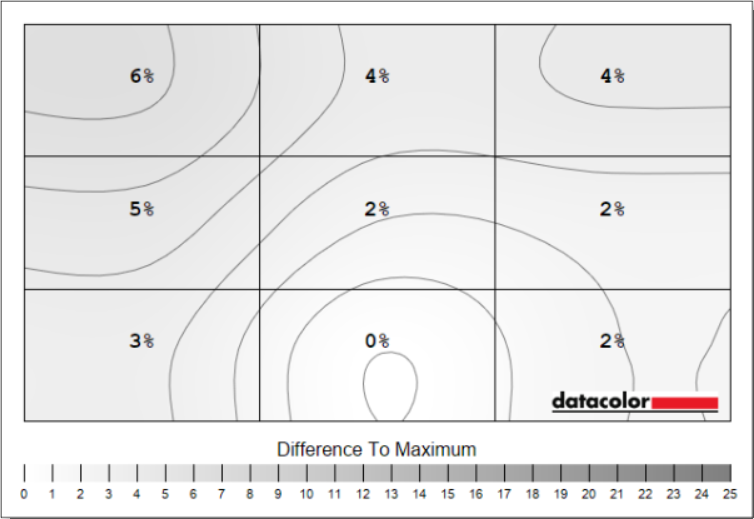
For all the improvements Tandem OLED offers, LG Display still has room to improve when it comes to uniformity. While far from a deal-breaking issue, QD-OLED screens simply don’t face this problem.
In the case of our MO27Q28G, colour deviation noticeably increases along the bottom of the panel to the tune of a 3.4-3.9 delta E at 100% brightness, falling to a 2.3 peak at 50%. These inconsistencies are difficult to spot in games, but do dampen the monitor’s creative credentials.
Meanwhile, luminance deviation tops out at 6% with 100% brightness, increasing to 8% when dimming to 50%. This sounds worse than it is, as we’re only talking about a difference of 6-18nits at most in real terms – you’ll struggle to notice this in real-world conditions.
Power
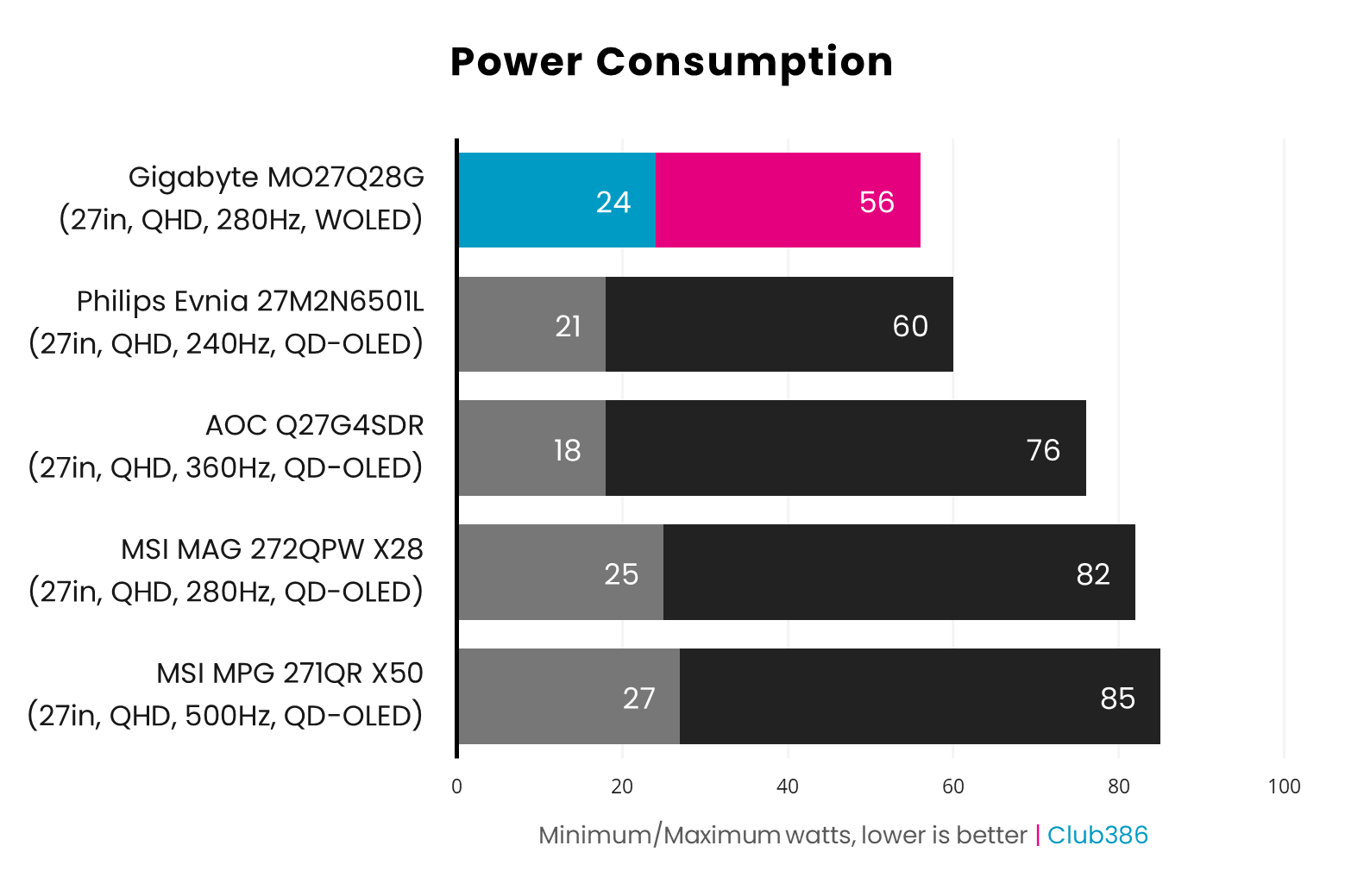
Backlit panels still have a clear advantage over self-emissive ones as far as efficiency goes, but Tandem OLED proves the least power-hungry technology of the latter cohort we’ve seen to date. At 100% brightness, displaying a full white screen, the MO27Q28G pulls just 56W from the wall, proving far more conservative than the majority of QD-OLED monitors we’ve tested.
Conclusion
The MO27Q28G wonderfully demonstrates the benefits that Tandem OLED offers. Class-leading brightness and competitive colour performance bring welcome, albeit long overdue, competition to the flood of QD-OLED monitors that currently saturate the market.
While its WOLED panel pales slightly in terms of uniformity, this issue doesn’t spoil the overarching splendour this screen offers. That’s not forgetting the convenience of other features, such as the KVM switch, which make such minor shortcomings all the more forgivable.
At the time of writing, you can find the MO27Q28G for £489 / $499, making it substantially cheaper than the glossy MO27Q28GR at £550 / $599. With that price difference, sticking with the matte finish is sensible. However, there are shiny QD-OLEDs worth considering that offer similar specifications and pricing, including the MAG 272QPW QD-OLED X28 and AOC Q27G4SDR.
If not for the matte coating (I prefer a glossy finish, but your mileage may vary), I wouldn’t think twice about picking up the MO27Q28G for my setup. Those brightness levels give it a transformative advantage, and set a new gold standard for self-emissive displays. Your move, QD-OLED.
