

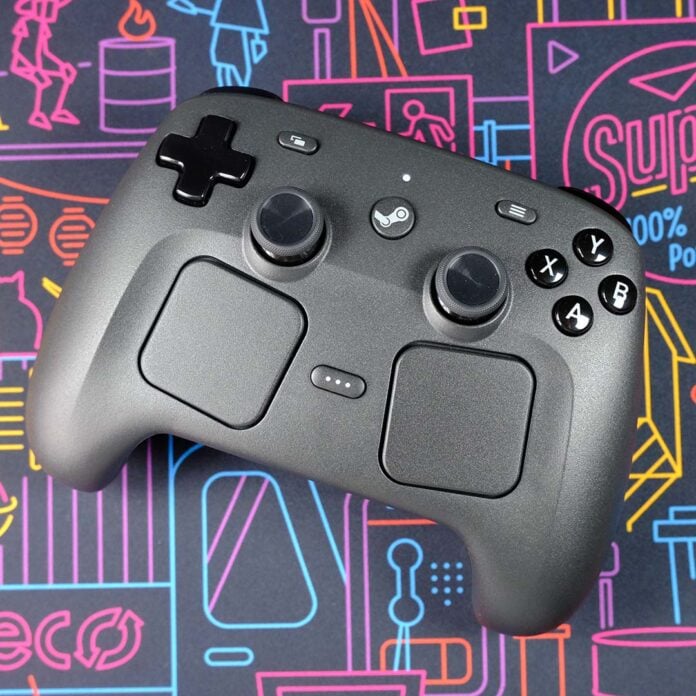
Ten years after the first Steam Controller launch, Valve is finally trying to once again realise its vision for a gamepad built with PC games as a priority. Second time’s clearly the charm, as the firm has clearly learned many lessons from its prior effort and through building Steam Deck, delivering a welcome alternative to a mouse and keyboard.


Steam Controller
£85 / $99
Pros
- Dual haptic trackpads
- Drift-free TMR joysticks
- Comfortable layout and design
- Excellent battery life
- Highly customisable software
Cons
- Lacks XInput
- Premium price
Club386 may earn an affiliate commission when you purchase products through links on our site.
How we test and review products.
Launching at £85 / $99, the Steam Controller carries a premium price relative to PlayStation (£65 / $75) and Xbox (£60 / $70) pads and a lot of the wider peripheral market. However, nothing out there offers the same feature set as Valve’s offering, particularly where the track pads are concerned. While I don’t believe paying extra for these features makes sense for everyone, there’s a large contingent of gamers (including myself) for whom this controller makes perfect sense.
Specificaitons
| Steam Controller | |
|---|---|
| Button layout | Xbox |
| Connections | 2.4GHz / Bluetooth / USB-C |
| Features | Capacitive grips (x2) Haptic motors (x4) Grip buttons (x4) Six-axis IMU (accelerometer and gyroscope) Trackpads with haptic feedback (x2) Tunnel Magnetoresistance (TMR) thumbsticks with capacitive touch |
| Battery life | 35+ hours |
| Weight | 292g (+16g with puck) |
| Dimensions | 111 x 159 x 57mm |
| Price | £85 / $99 |
Design
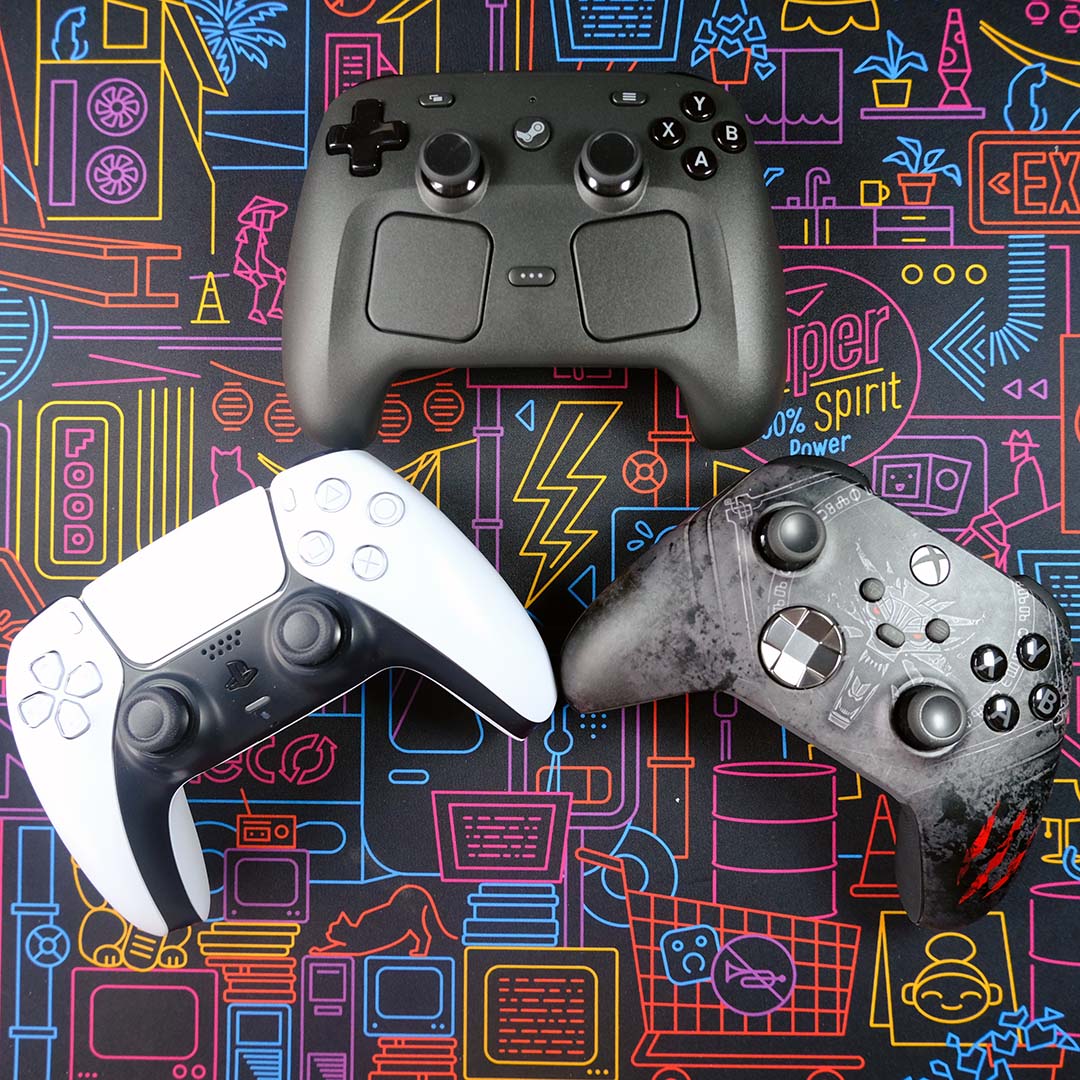
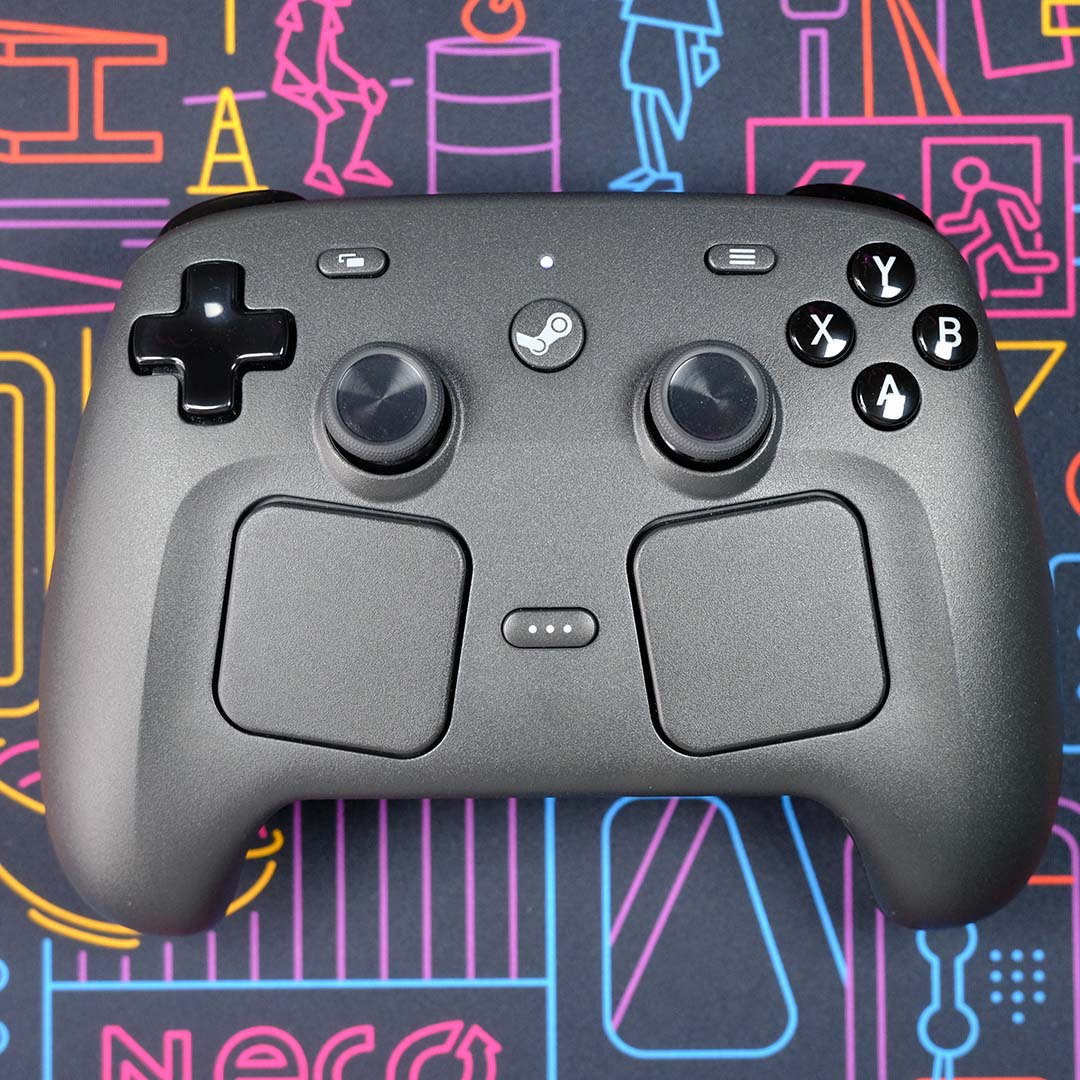
Weighing 292g, the Steam Controller is noticeably heavier than either a PlayStation DualSense (281g) ot Xbox Series (276g) controller. This isn’t too surprising, considering it’s bigger than both these pads, measuring 111 x 159 x 57mm. However, that extra heft thankfully doesn’t get in the way of comfort.
Valve has adopted a similar shape to an Xbox Series pad in building the Steam Controller, including the same face button positions. However, the layout of its directional-pad and thumbsticks more closely resembles a DualSense. If you’ve used a Steam Deck, this setup will prove familiar.
This amalgamation of influences thankfully comes together well, keeping all inputs within thumb’s reach and without creating discomfort. That said, players with larger hands may find the closeness of buttons and thumbsticks somewhat unwieldy.
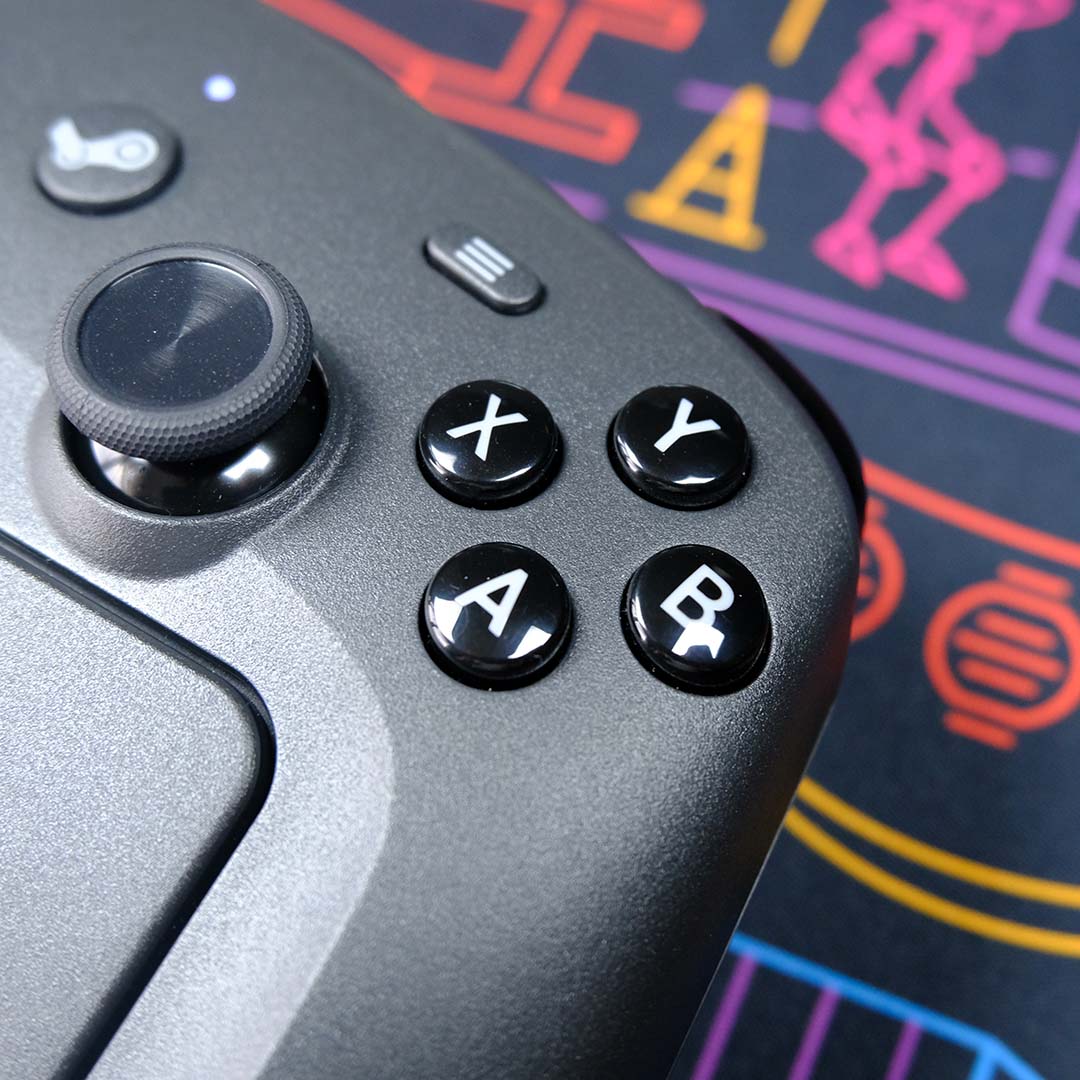
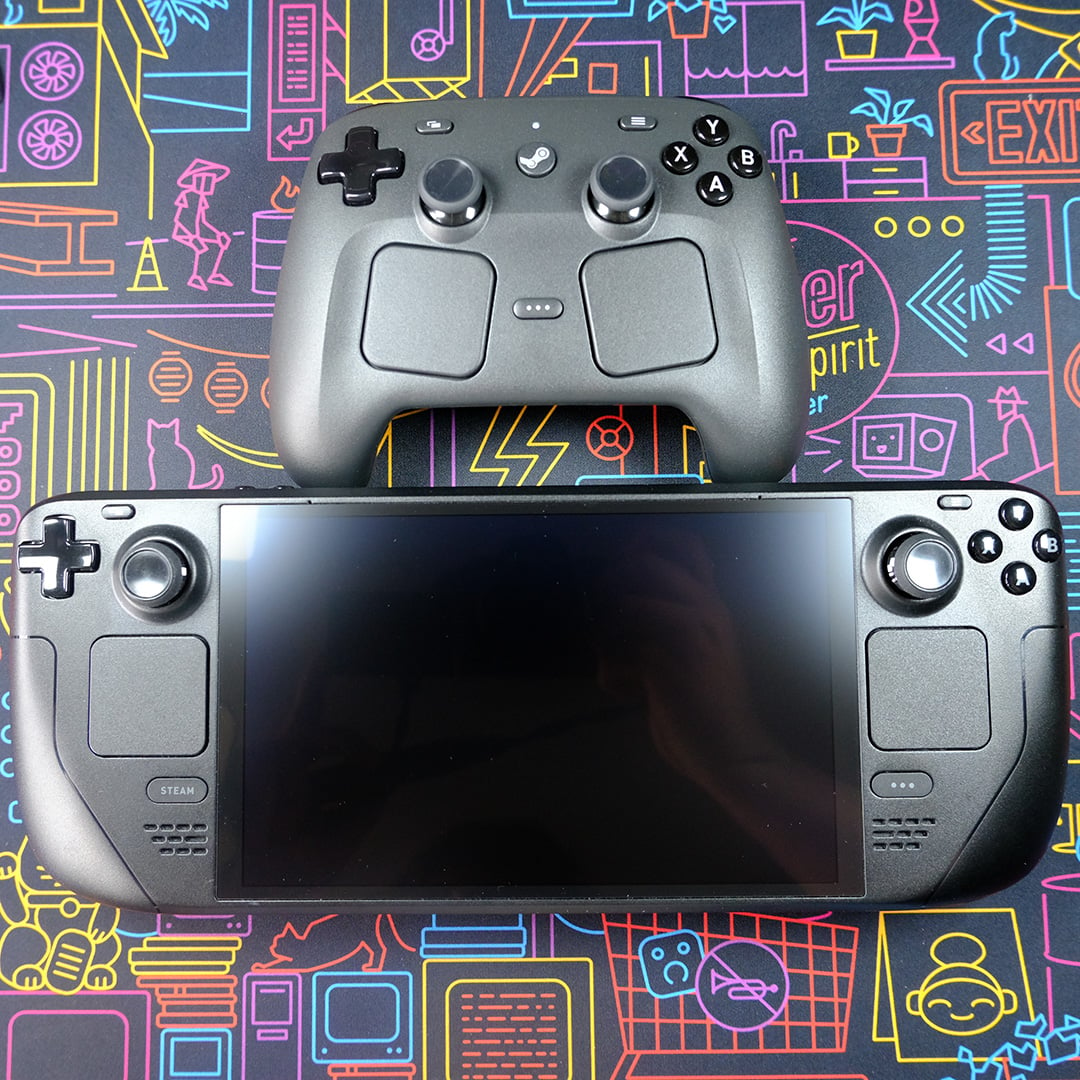
The Steam Controller shares many of the design sensibilities that characterise Valve’s Steam Deck, with both sporting the same brushed black plastic chassis material and grey-on-black button design, demonstrating a clear throughline for Valve’s growing hardware portfolio. That said, there are several changes present on this pad that are mostly clear improvements over the handheld’s design.
Starting with the most subtle difference, Valve has enlarged the face buttons on the Steam Controller relative to Steam Deck. While they’re less than 1mm bigger (8.8mm vs. 9.5mm), this increase makes a substantial difference in practice. I find it far easier to distinguish between them, as they’re now closer to what you’d find on a DualSense (9.9mm) or Xbox Series pad (10.1mm).
All these face buttons, as well as the back’s four large circular grip buttons, use rubber membrane switches, which feel closest to a DualSense in terms of clickiness. While I prefer Series X pad’s tactility above all these options when it comes to buttons, the Steam Controller isn’t far behind, and I can easily see some folks preferring Valve’s quieter noise profile.
Meanwhile, both triggers and shoulder buttons are surprisingly quiet to the press without feeling mushy. Sadly, there’s no hair trigger feature here, nor dual-stage design returning from the original Steam Controller, but these are both nice-to-haves rather than essential features.
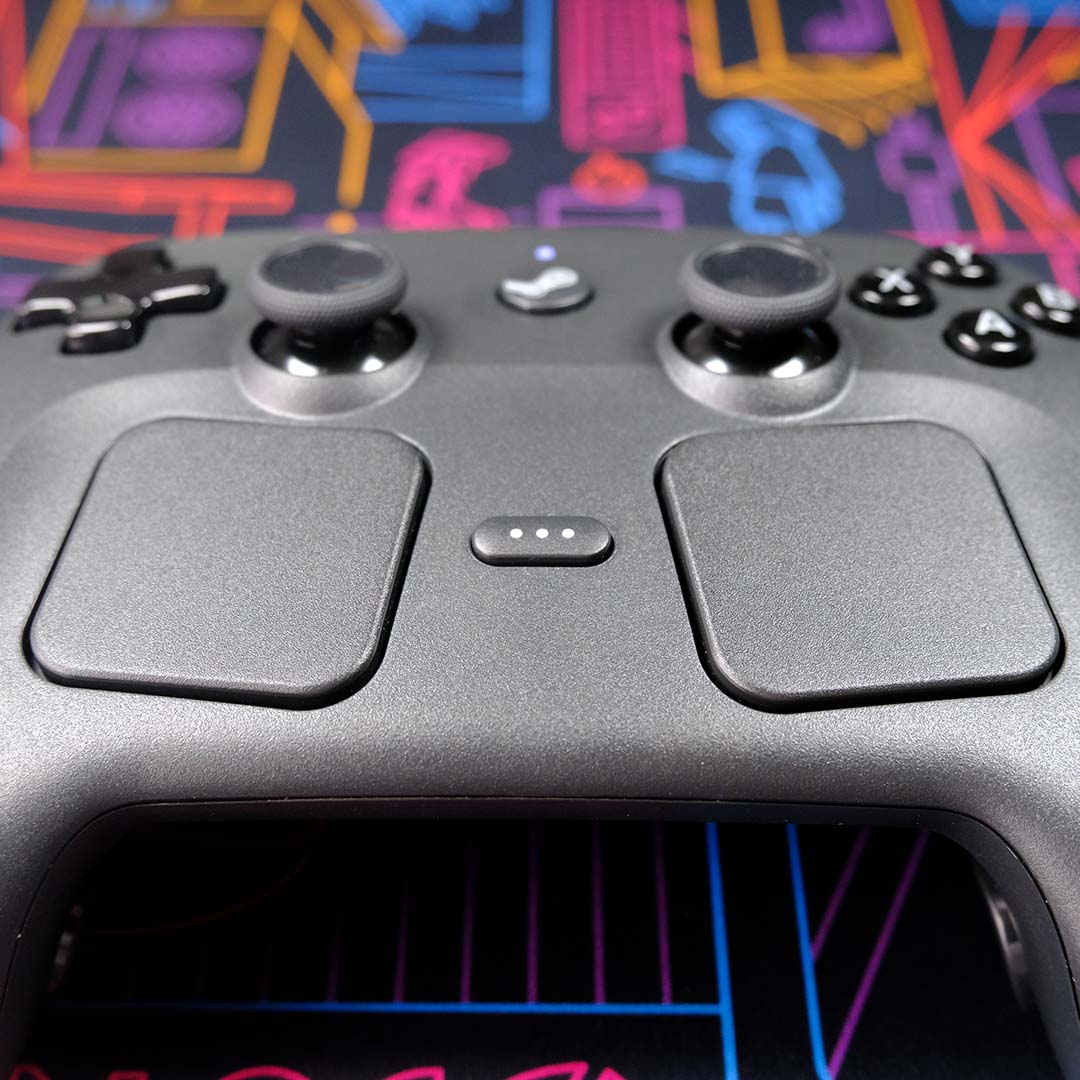
The controller’s directional-pad is slightly larger than the Steam Deck’s one, too, while thumbsticks retain the same size, symmetrical layout, and capacitive touch support. Both feel great to use, but the latter steal the show thanks to their underlying tunnel magnetoresistance (TMR) tech.
In essence, these TMR sticks offer the same benefit of hall-effect alternatives, namely a lack of stick drift, but via a more power-efficient method that aids battery life. Drift-free thumbsticks are an absolute must on premium gamepads, and I’m glad to see Valve hit this mark with flourish.
Two pressure-sensitive trackpads, complete with haptic feedback, sit towards the bottom of the Steam Controller. These touch inputs are also slightly larger than the equivalents you’ll find on Deck (34.5mm² vs. 32.5mm²) but adopt the same square shape, enhancing an already comfortable and intuitive design.
Linear Resonant Actuator (LRA) haptic motors sit underneath each of the trackpads, providing wonderful tactility to thumb swipes across their planes. I’ll go into greater detail about my experiences with the trackpads later in this review, but for now I’ll say that this is as good as controllers get in terms of replicating mouse-look in games.
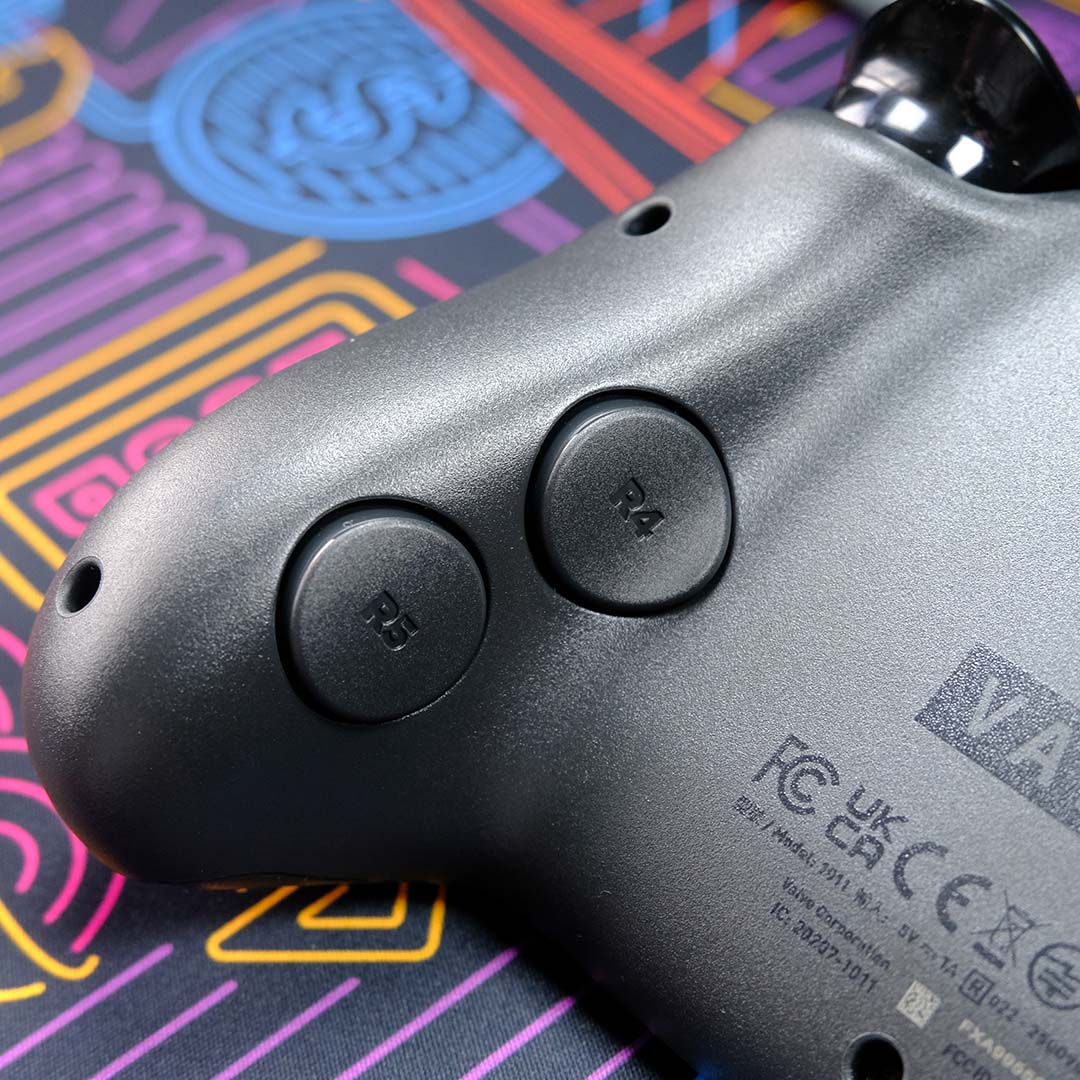
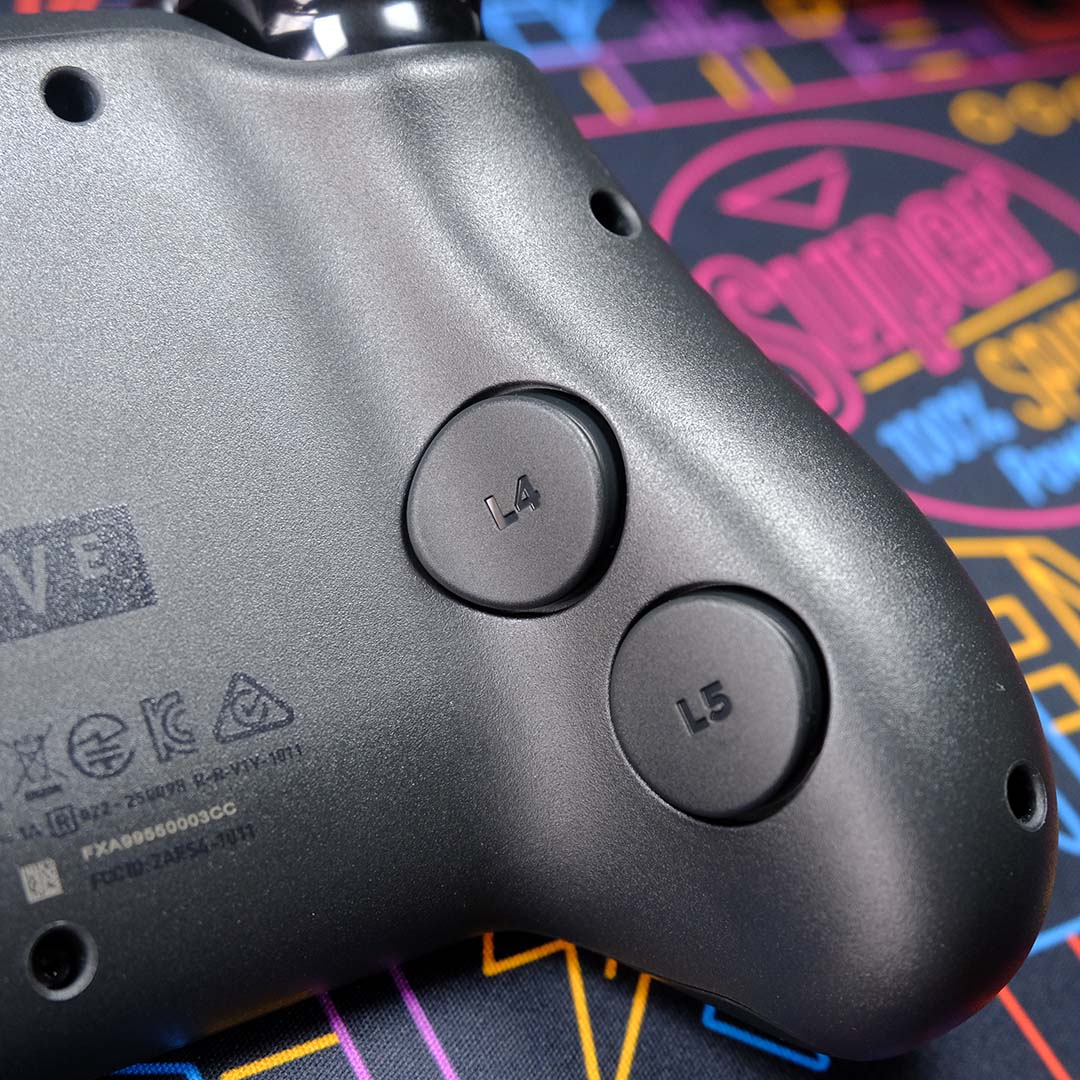
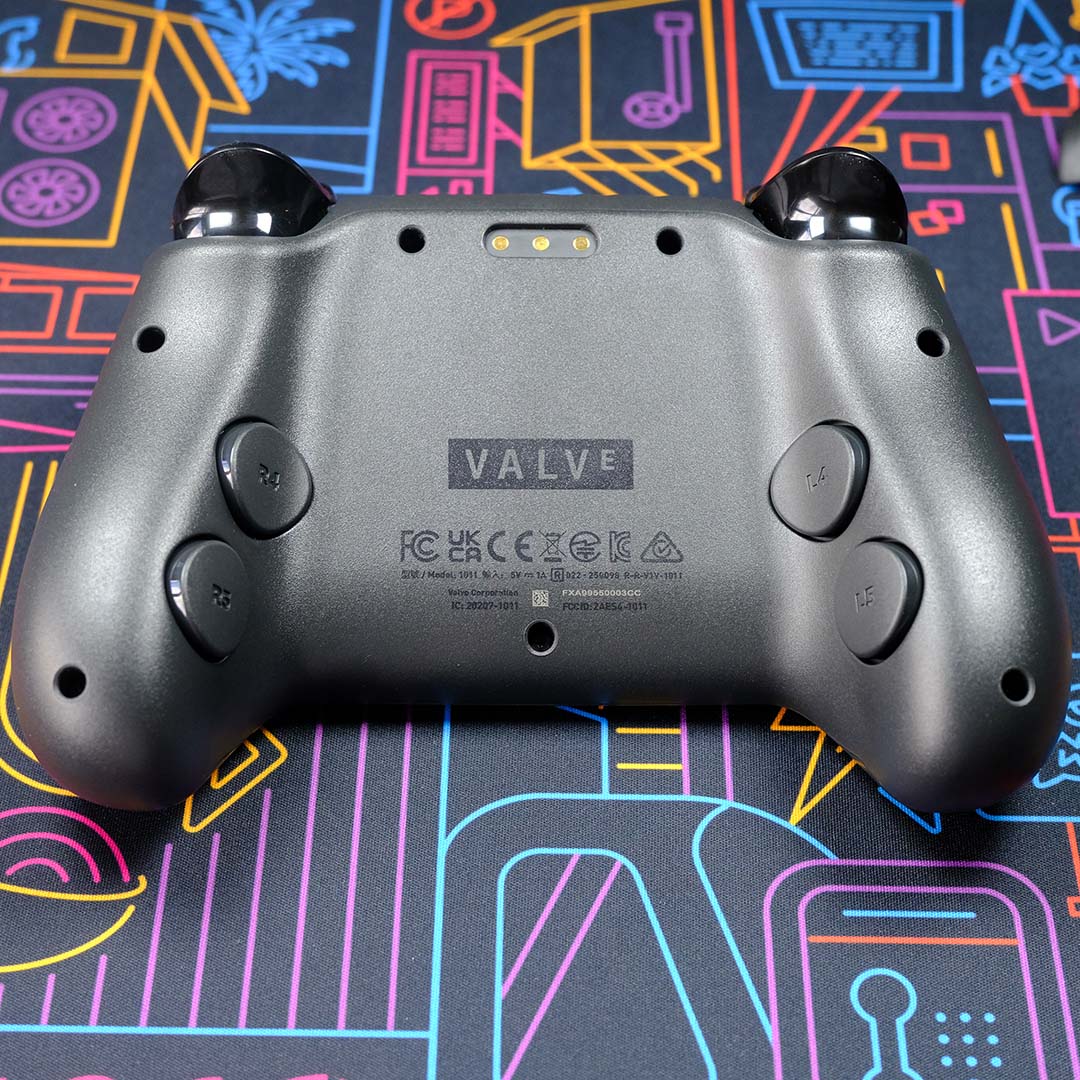
Valve also includes a six-axis inertial measurement unit inside the Steam Controller, providing an accelerometer and gyroscope. This will undoubtedly assist the peripheral during VR experiences with the Steam Frame, but this feature is already useful.
With practice and perseverance, gyroscope aiming improves camera control precision in first-person games. I appreciate that this learning curve will understandably push many folks towards the familiar comfort of thumbsticks, but I’m glad to have the option available to me and look forward to seeing how it complements VR.
The Steam Controller also features capacitive areas that run along its handles, which detect when you’ve got your hands on the pad. While their usefulness isn’t as immediately obvious as, say, rear buttons, my time with the controller has revealed them to be yet another welcome and responsive addition to a stacked feature set.
All that’s really missing from this controller is a headphone jack, which you’ll find on most other pads. Personally, I’ve long since cut the cord and exclusively rock 2.4GHz USB cans or speakers for gaming, but it’s an omission worth noting if you’re using a wired headset.
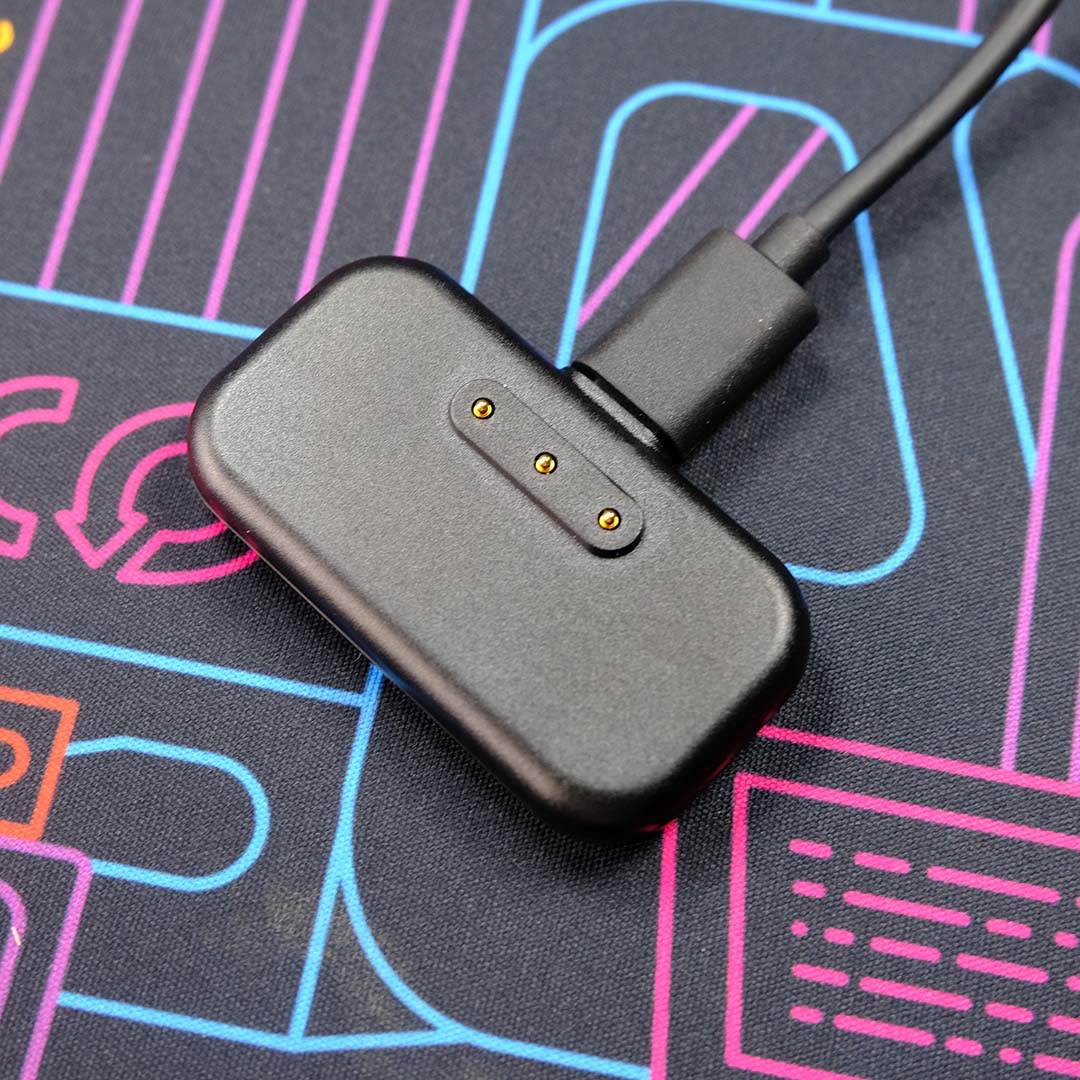
Rather than a standard dongle, the Steam Controller uses a bespoke ‘puck’. It pairs to the pad via magnets, and can handle up to four simultaneous connections through a 2.4GHz signal.
You won’t need this puck for connecting the controller to a Steam Machine, as this system will arrive with a built-in receiver. However, you’ll want to free up a USB port for it regardless, as it also serves as a charging station. This effectively eliminates any battery life anxieties if you’re disciplined and place the pad on its plinth after every session.
Valve supplies a USB-C to USB-A cable with the Steam Controller, which can either connect the puck or pad to your PC. Curiously, this makes it impossible to connect it to a Steam Deck without a dock or dongle, as the handheld only has a USB-C port, which feels like a small oversight.
In an absolute pinch, there’s also a Bluetooth connection available via a three-button shortcut during boot (RB+B+Steam). The controller will remember your last method of connection, so swapping back to 2.4GHz requires a similar combination (RB+A+Steam).
Software
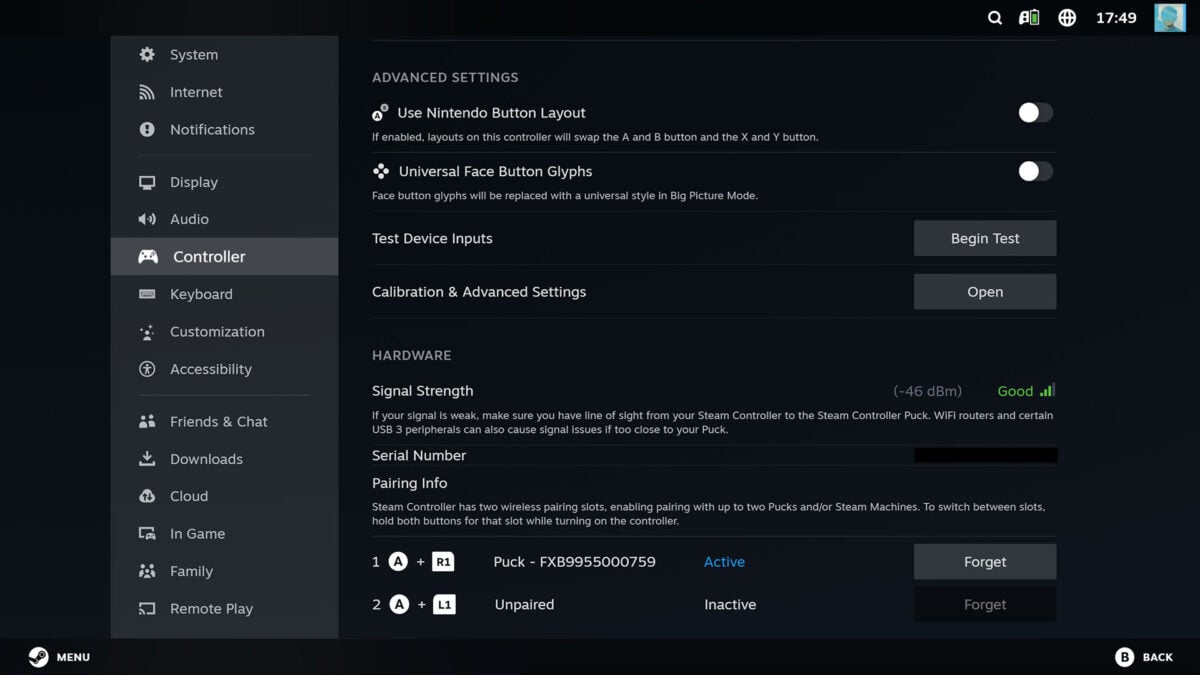
This pad’s software controls integrate seamlessly into the Steam interface across desktop and Big Picture Mode. Overarching settings live within the Controller submenu of the storefront’s wider menu. From here, you can toggle the likes of haptics and game rumble, as well as access troubleshooting tools. This is a similar software control setup to the one you’ll find on the Steam Deck, and Valve has translated it all to its controller without a hitch.
Unique to the Steam Controller is a real-time analysis of signal strength, measured in dBm (decibel-milliwatts). While it won’t help you identify the root cause of signal issues, it will provide confirmation, and Valve does provide a useful tooltip that some Wi-Fi routers and USB devices can cause interference.
I’m also grateful for the ease with which I can identify which puck I’ve connected to my Steam Controller (up to a maximum of two), as this feature will make it easier to use the same pad across a Steam Machine and another device. Valve also provides a convenient list of all controllers connected to a particular puck as a nice touch and win for convenience.
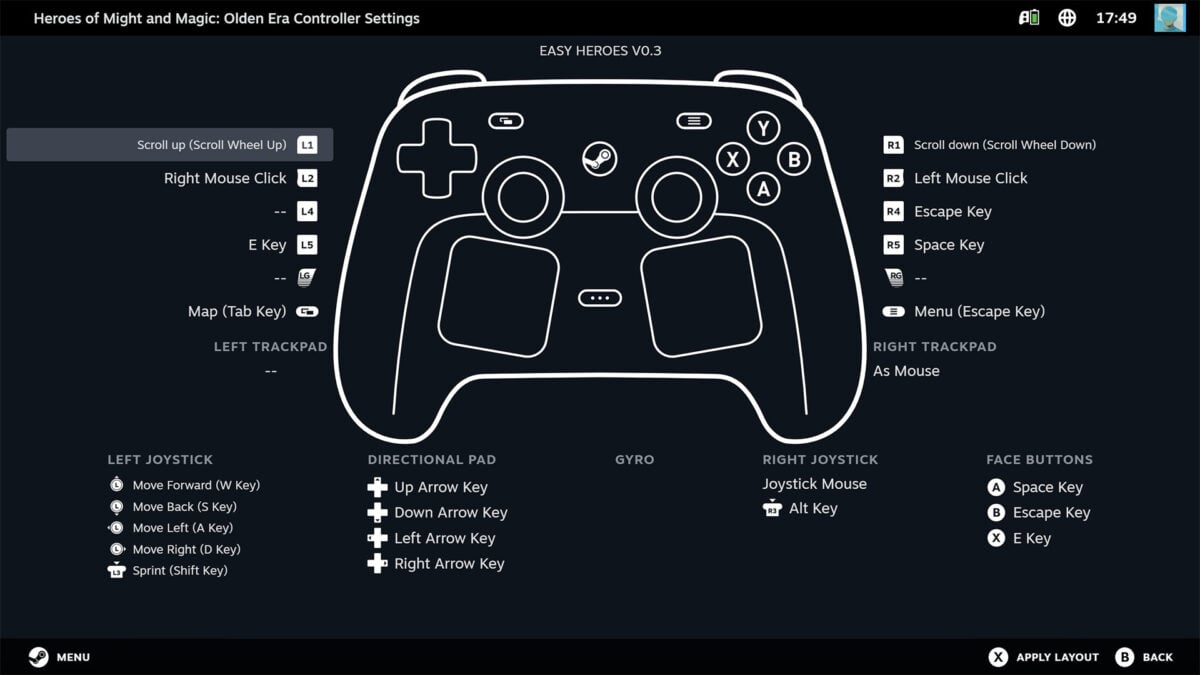
When it comes to configuring the Steam Controller for games, it uses Valve’s tried and tested Steam Input menu. While the wealth of options available within the software is undeniably intimidating, you only need to engage with its depth as much as you’re comfortable. You can become intimately familiar with the customisation it offers, or you can stick with stock settings, plus community or official layouts.
At the most basic level, this software opens the door to mouse controls via joystick or trackpad. However, you’ll find a wealth of configurability if you dig deeper, enabling you to set different shortcuts for single presses versus holds across each face button. You can also set toggles via the Steam Controller’s grip sensors and more.
However, for all the wealth Steam Input offers, it’s irritatingly an outright necessity for the Steam Controller too, as the pad lacks any XInput support. This means that, while the pad does function outside of Steam to a degree, support for games outside of the storefront is spotty at best. Loading up games on GOG and Xbox Game Pass using this controller is a fool’s errand at the time of writing, and I hope Valve can fix this glaring omission via a firmware update or optional driver in the near future.
Performance
I’ve spent the majority of my time with the Steam Controller playing Heroes of Might & Magic: Olden Era. Despite the early access game not sporting any official controller or Steam Deck layout, Steam Input automatically pulled a community profile, and I was up and running in seconds. I also experimented with building off a stock layout, which proved fruitful, but ultimately not much better than the initial settings.
A turn-based strategy game like Heroes, or Civilization VI, is a perfect fit for the Steam Controller. The trackpads serve as intuitive replacements for a mouse, allowing me to click and drag units or scope the map with ease. Remembering what actions I’d assigned to face buttons did require some patience, but after an hour or so, I was smashing shortcuts without a second thought. It’s come to the point now where I’m quite keen to kick back in my chair using this controller to play strategy games, rather than sit up with my mouse and keyboard.
Switching out chill vibes for the third-person action of Pragmata and Resident Evil 9, the Steam Controller continued to perform well using a more standard control configuration of dual thumbsticks. I did try to combine the sticks with gyro to fine-tune my aim, and while I did see some potential benefits to this approach. I’m still not wholly comfortable with this setup. Putting aside the practice I still need to accumulate there, I was missing the Adaptive Trigger effects from my DualSense more than anything.
In short, if you’re not using the Steam Controller’s trackpads or any of its other unique features, you can expect an experience akin to an Xbox Series controller. That’s no bad thing considering that the Xbox pad largely sets the standard on PC, particularly when this comparison also includes comfort. Even after an eight-hour play session, with minor breaks, my hands were happy to wrap around Valve’s peripheral.
One clear advantage the Steam Controller offers over both the DualSense and Xbox Series, though, is battery life. While both the PlayStation and Xbox pads will just about last around 12-15 hours a pop, I’ve still yet to put this one on charge after somewhere in the region of 30 hours of use across my week of testing. Valve claims 35+ hours of uptime from full to flat, and that certainly seems to be a reasonable estimate in my experience.
Conclusion
The Steam Controller isn’t a revolution in gamepad design, but it is a welcome remix. While there are occasions where I’d prefer to use my DualSense or Xbox pad, neither can deliver the broader range of experiences of Valve’s pad, provided you’re playing through Steam owing to the lack of XInput.
As much as TMR thumbsticks and other niceties bolster the appeal of the Steam Controller, the decision to purchase one over a standard pad ultimately comes down to its trackpads. For me, as someone who plays a lot of games that would otherwise require a mouse, paying £85 / $99 for that feature is an acceptable prospect (providing you can find any stock right now). If you’re not in that same boat, there’s little reason to spend extra.
Curious as I am to see how the Steam Controller pairs with the Steam Machine and Steam Frame, it’s more than earned a place in my current Windows setup as a great gamepad in its own right.
