
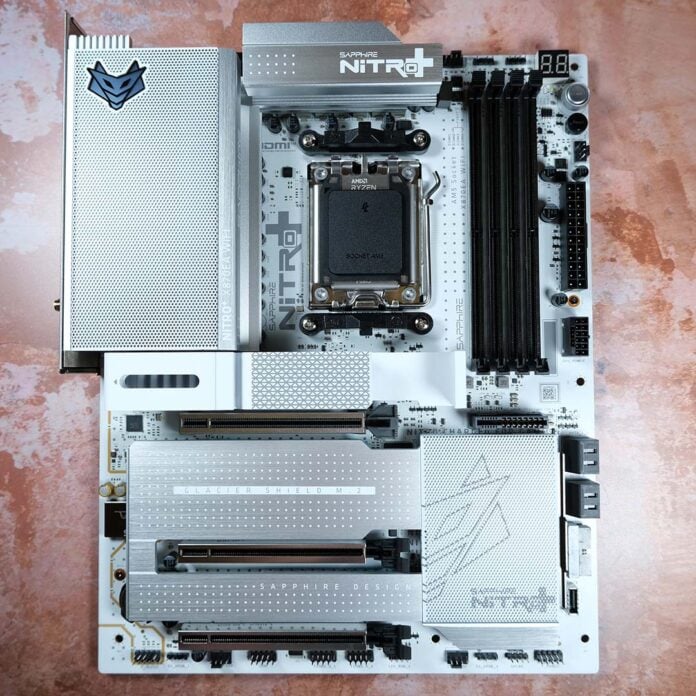
I’ve been wanting to get my hands on the Sapphire Nitro+ X870EA PhantomLink Edition since I first laid eyes on this gorgeous motherboard back at Computex 2025. While there’s lots to love about this board in its own right, such as stylish aesthetics and a good feature set, the addition of GC-HPWR helps separate this offering from the AM5 pack.
In case you’re not up on your tech lingo, that means you can slot a compatible graphics card into this board, and plug its power cable into the motherboard. The graphics card will then get all its power directly from the motherboard, without the need to trail unsightly cables to it from the front.

Sapphire Nitro+ X870EA PhantomLink Edition
£319 / $399
Pros
- Delectable build quality
- Decent feature set
- Good firmware
- GC-HPWR compatible
Cons
- Fiddly PCIe bandwidth sharing
- No easy-release PCIe latch
- Entry-level audio codec
Club386 may earn an affiliate commission when you purchase products through links on our site.
How we test and review products.
The Nitro+ X870EA PhantomLink Edition is available at £319 / $399, regardless of whether you’re eyeing up this Polar model with its fancy white colour scheme or the standard colourway. This places the motherboard decidedly in premium territory.
Specifications
| Sapphire Nitro+ X870EA PhantomLink Edition | |
|---|---|
| VRM | 16+2+1, 90A |
| RAM support | Slots: 4 Max capacity: 256GB (4x64GB) Max OC speed: 8,400+MT/s |
| Onboard graphics | HDMI (x1) USB-C (x2) |
| PCIe expansion slots | PCIe 5.0 x16 (x1) PCIe 4.0 x4 (x2) |
| Audio | Realtek ALC897 |
| Storage | PCIe 5.0 x4 (x2) PCIe 4.0 x4 (x2) SATA 6Gb (x4) |
| Rear USB | USB 4 Type-C (40Gb) (x2) USB 3.2 Gen 2 Type-A (10Gb) (x4) USB 3.2 Gen 1 Type-A (10Gb) (x4) USB 2.0 Type-A (480Mb) (x2) |
| Front USB | USB-C 3.2 Gen 2×2 (20Gb) (x1) USB-A 3.2 Gen 1 (5Gb) (x2) USB-A 2.0 (480Mb) (x2) |
| LAN | Realtek 5Gb (x1) |
| Wireless | Bluetooth 5.4 Wi-Fi 7 |
| Price | £319 / $399 |
Features
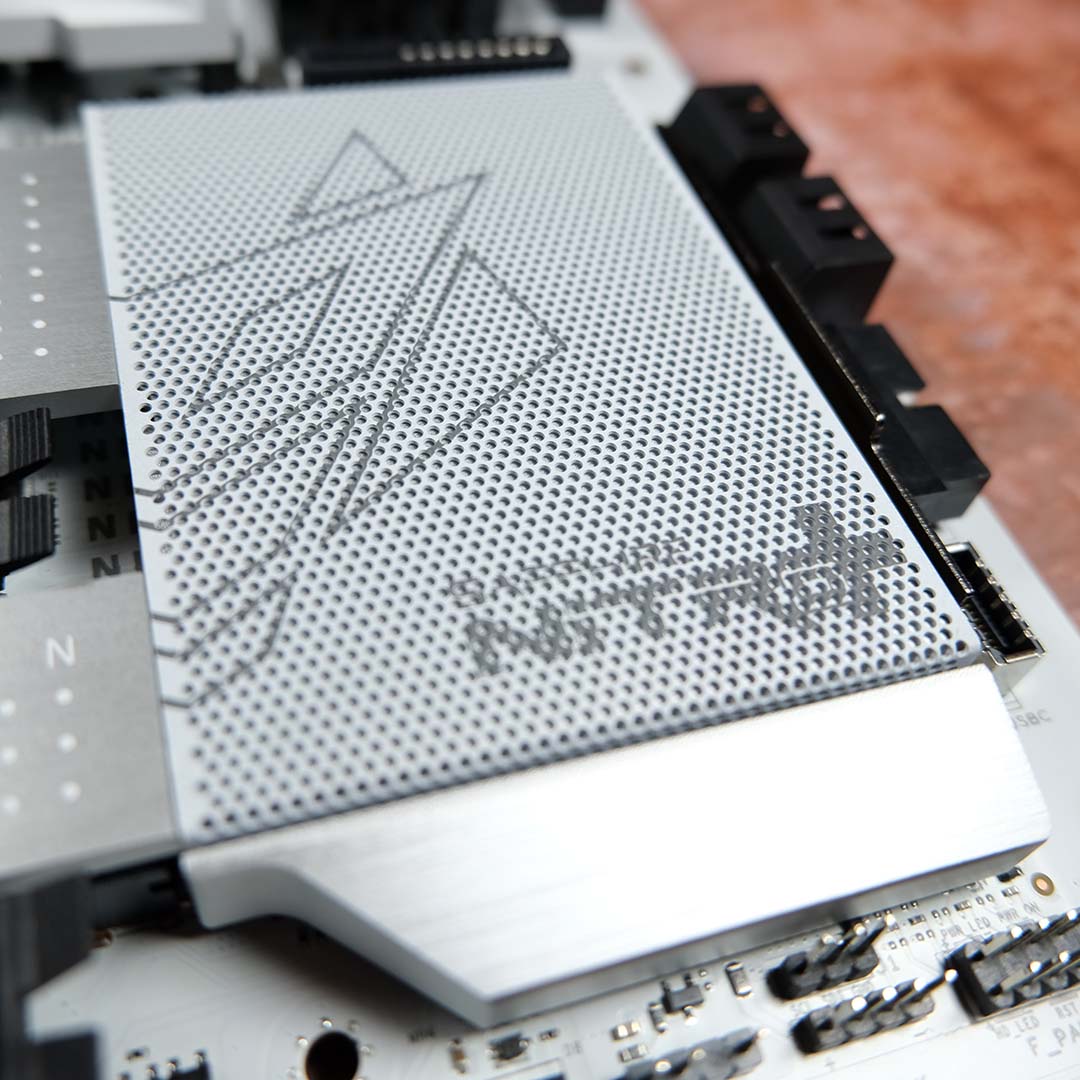
Diving straight into what makes this motherboard a PhantomLink Edition, let’s talk GC-HPWR. For those unaware, this is a proprietary connector that Asus developed for its BTF graphics cards, which the company has licensed out to Sapphire under the PhantomLink banner. You’ll find the header for it on this board just below the DIMM slots, and that’s where you need to plug your PSU’s 12VHPWR connector.
GC-HPWR is capable of providing up to 600W of power to compatible graphics cards, directly from the motherboard. It does this by shifting the 16-pin power connector away from the GPU and on to the PCB instead. Simply plug the cable into the board and marry the connector with the header and you’re away.
The main advantage of this approach is that it eliminates cable clutter from your graphics card. This is a problem that Sapphire’s original Nitro+ Radeon RX 9070 XT already addressed rather well with its obscured 16-pin connector placement, but there’s no denying that GC-HPWR is simpler and produces cleaner results.
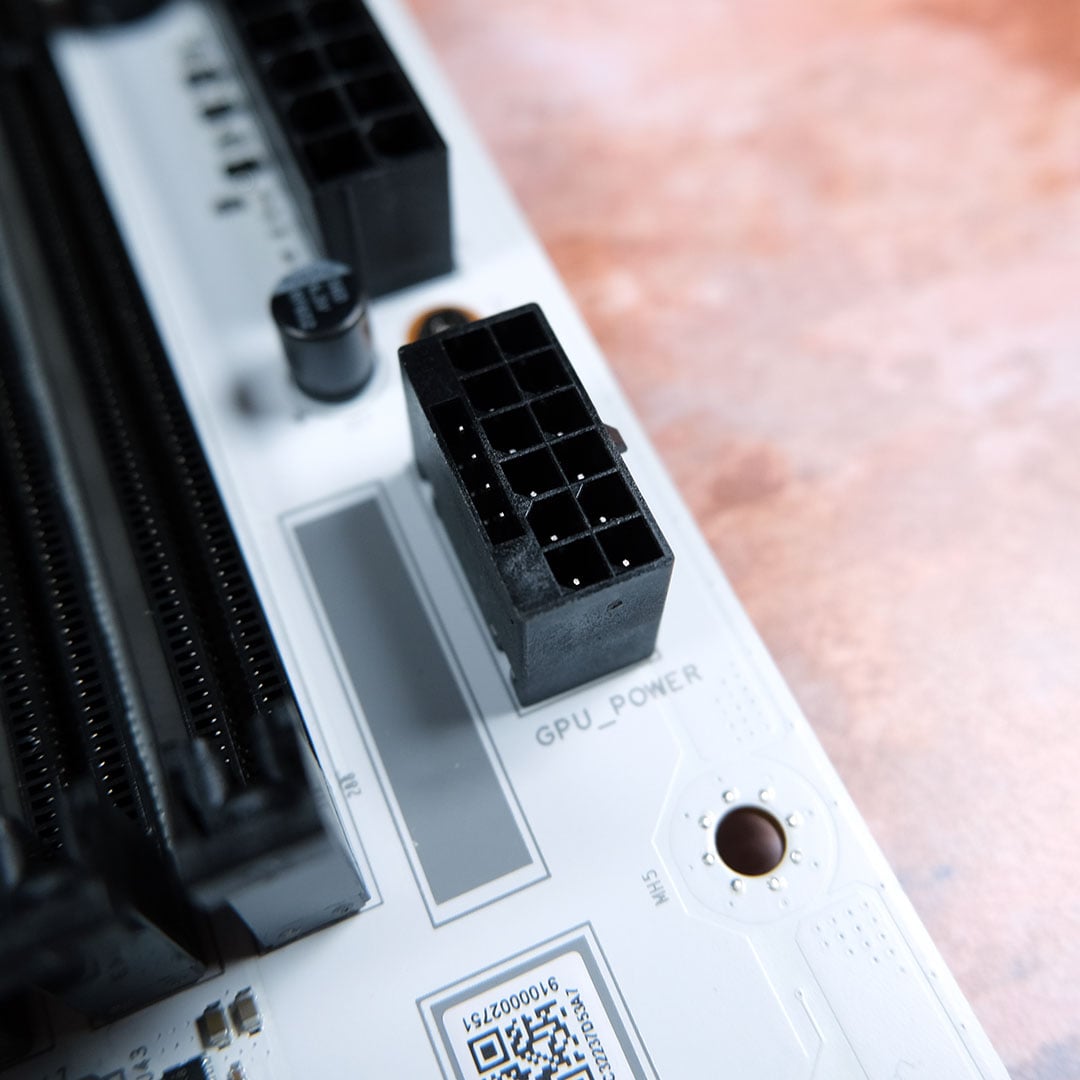
Of course, you can adopt the tried and tested approach if you’d prefer, or have no other choice, as the Nitro+ X870EA PhantomLink Edition is compatible with all graphics cards on the market. Furthermore, much as Sapphire’s own GC-HPWR offering makes for a perfect pairing with this board, you can also use any of Asus’ equivalent cards too, including the likes of the ROG Astral GeForce RTX 5090 BTF Edition.
There’s no denying that this feature has niche appeal, owing to its requirement for particular hardware. Thankfully, Sapphire’s offering serves as a sort cost correction for the tech, which is otherwise only found on two other current-generation AM5 motherboards, the ROG Crosshair X870E Hero BTF (£500) or TUF Gaming B850-BTF WiFi W (£257)
While I applaud Sapphire’s higher value here, a large part of me would love to see a back-connect variant of this motherboard. I’m sure such a design choice would incur a premium, but having GC-HPWR eliminate one cable while all others remain seems like a missed opportunity, particularly when this one cable still has to be plugged into the front of the board anyway.
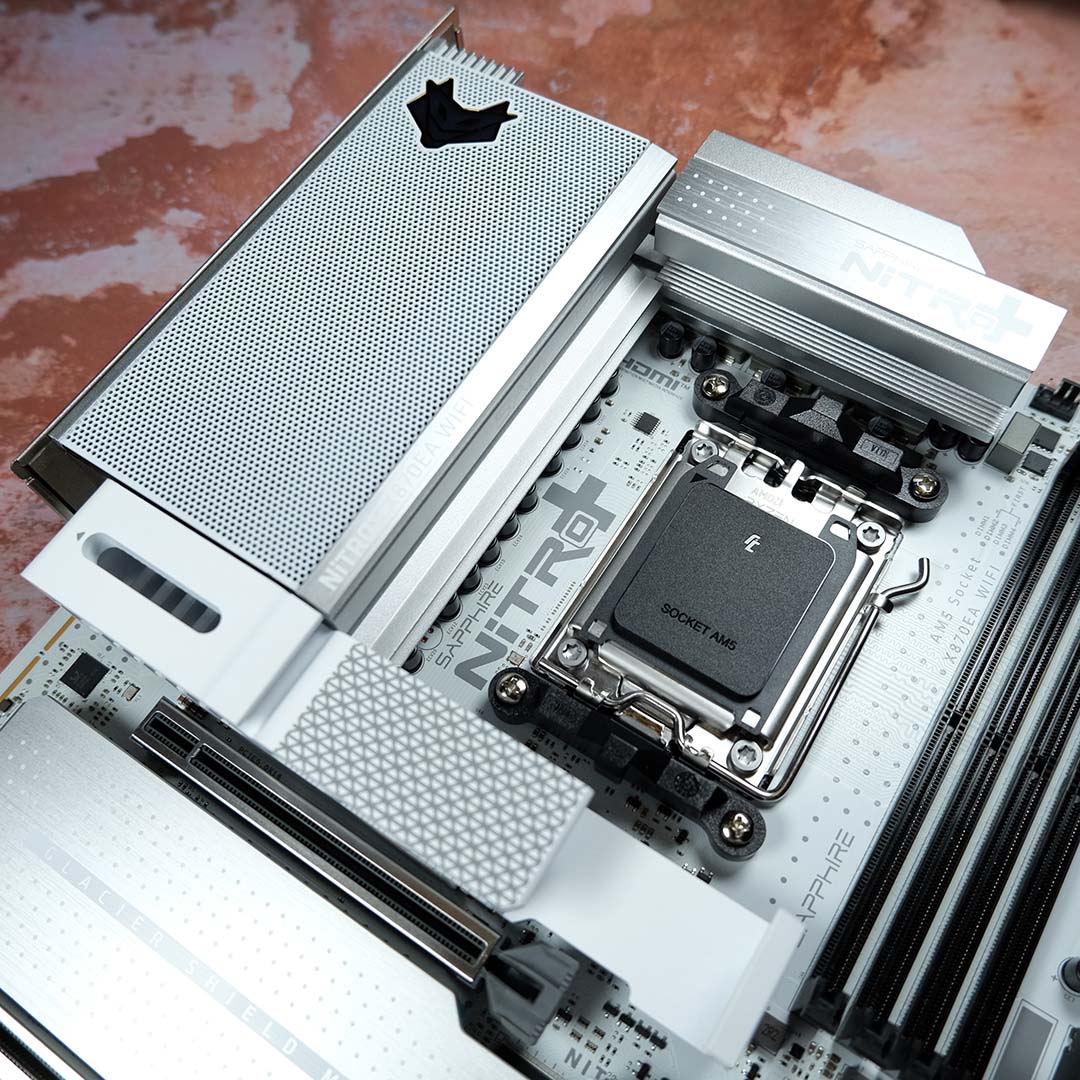
Moving on to more-standard, but nonetheless important, features, the Nitro+ X870EA PhantomLink Edition arrives with a 16+2+1 VRM design and 90A phases. That setup isn’t far off the likes of AM5 titans, such as the MSI MEG X870E Ace Max, providing a proverbial safe pair of hands for handling your system’s voltages without breaking the bank.
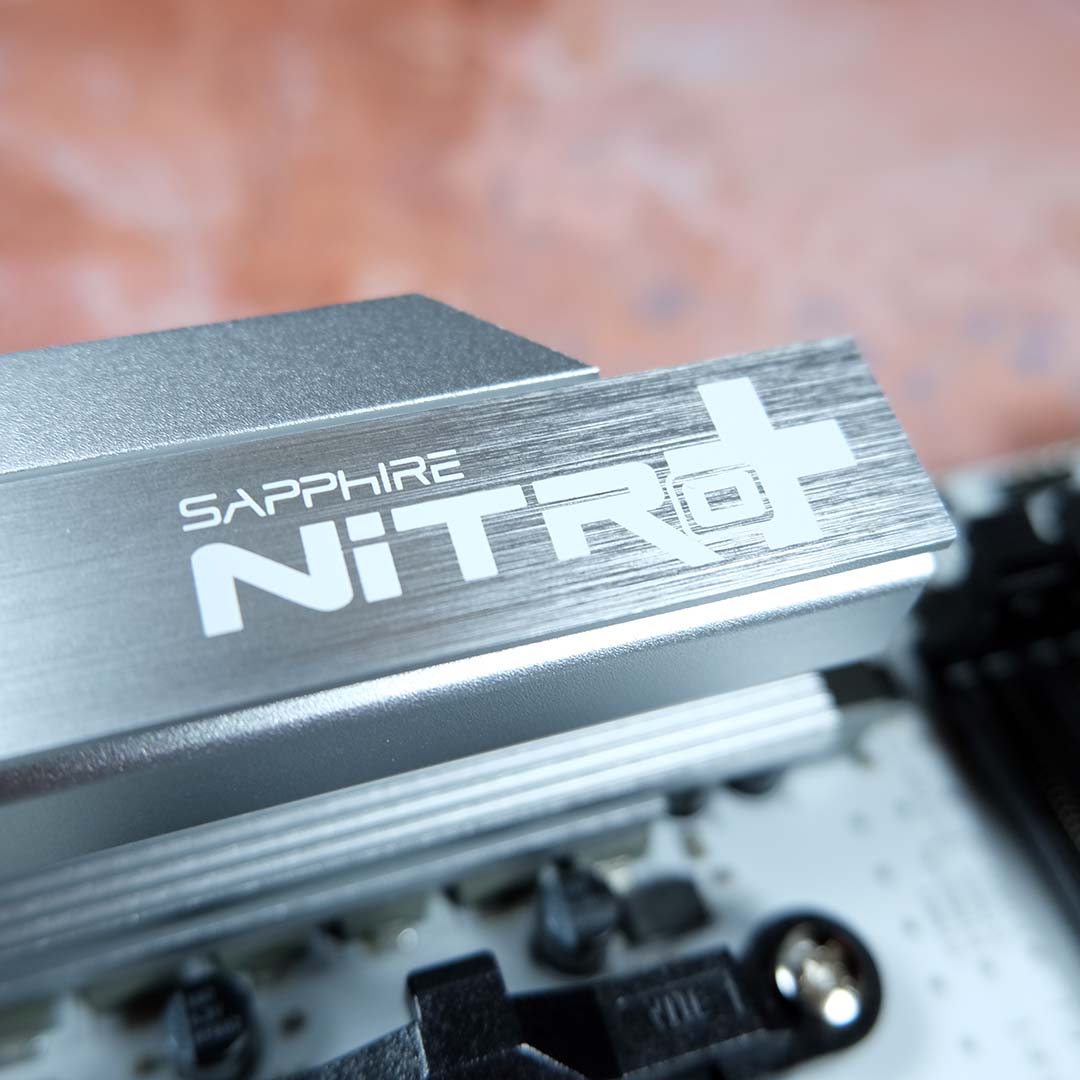
I’m also head over heels for Sapphire’s stylish VRM heatsinks, which pleasingly balance function and form. I definitely prefer the brushed silvers and matte whites of this Polar colourway, relative to the standard variant, but both look and feel premium. The RGB effects on the board are tasteful too, with LEDs peering through perforations, and the Nitro+ knight logo even gets his groove on.
Rounding off the core features on the top half of the motherboard, you’ll find four DIMM slots capable of supporting up to 256GB (4x64GB) of DDR5 RAM. Sapphire lists support for kits running up to 8,400MT/s, bringing the board in line with its closest competitors, much as the reality is that most folks will stick to 6,000-6,400MT/s.
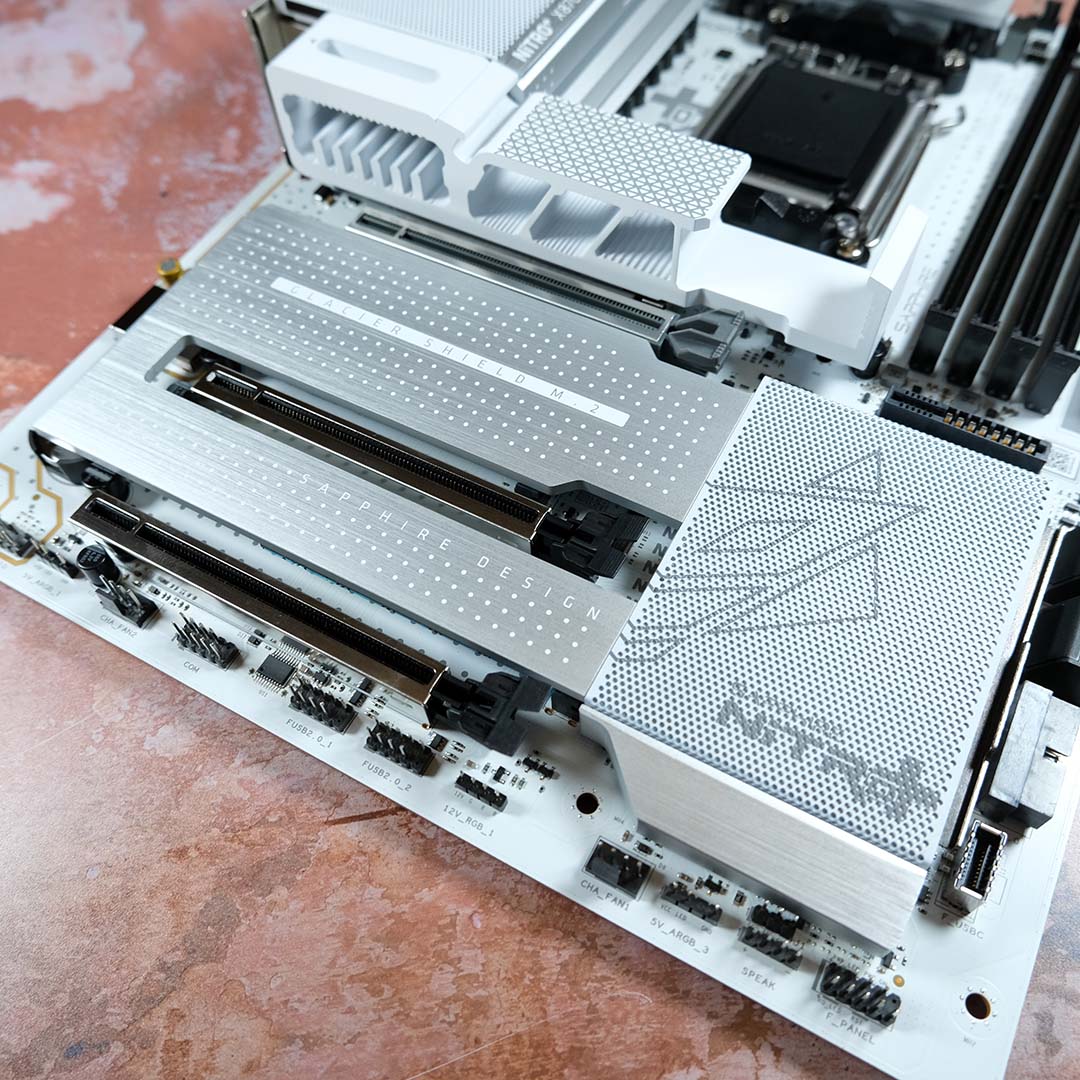
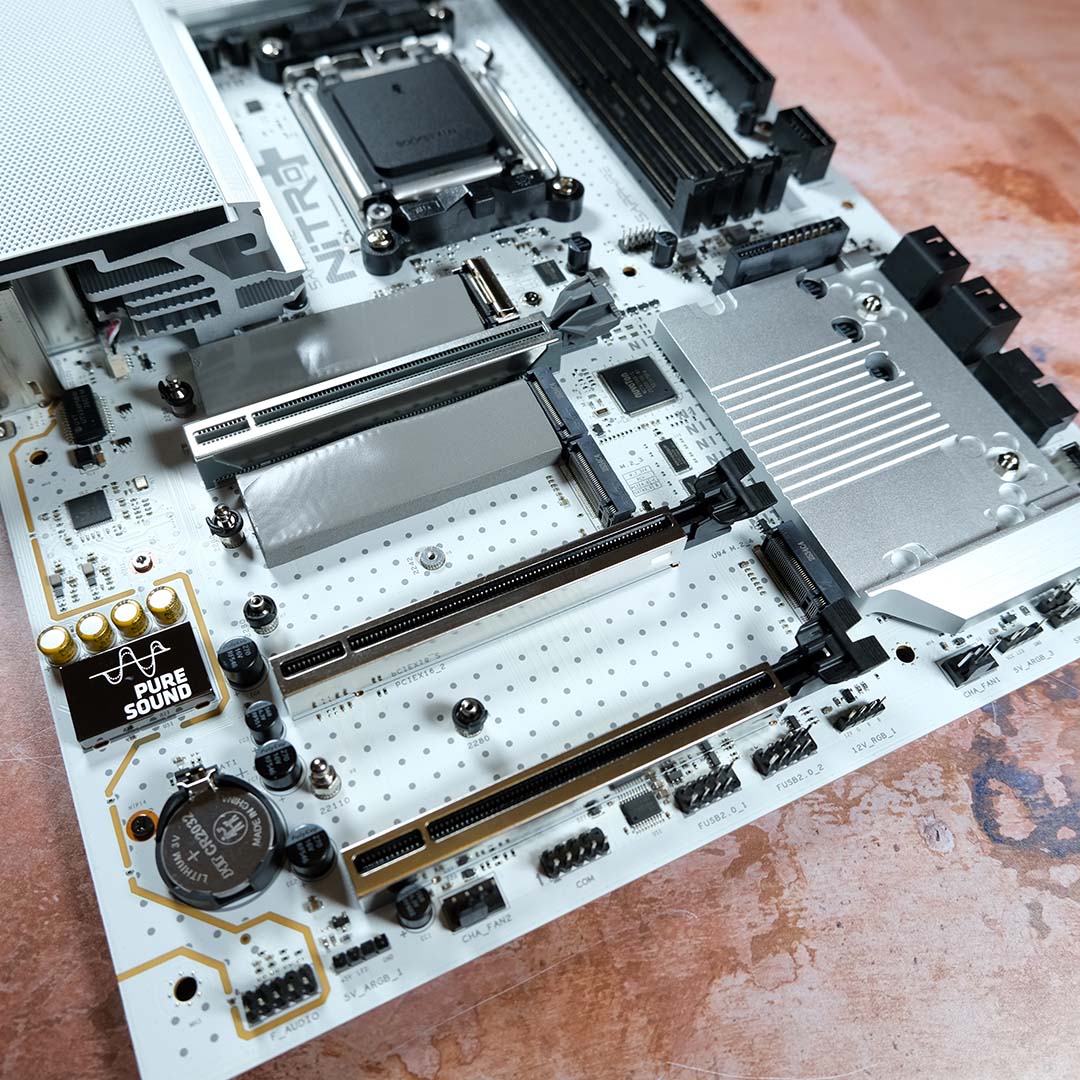
On the bottom half of the board, there’s plenty of room for M.2 storage through two PCIe Gen 5 slots, alongside a duo of Gen 4 connectors. While all these M.2 sockets conveniently receive passive cooling from the single-block heatsink, only the speedier of the quartet enjoy the luxury of Sapphire’s extra-thick thermal pads. They are really chunky, though. Seriously, what is the company feeding these large lads?
In terms of PCIe expansion, the Nitro+ X870EA PhantomLink Edition arrives with steel reinforcement around every slot in yet another welcome win for build quality. While all are x16 in size, only the top-most header runs at such speed, specifically Gen 5 x16, while the remainder cap out at Gen 4 x4. That’s a solid configuration that will cater to a modern graphics card with a few expansion cards.
Curiously, Sapphire splits PCIe bandwidth across the primary Gen 5 slots and sockets, so your GPU will run at x8 speeds should you install an SSD in the topmost slot. I wouldn’t have known this without reading the manual, and I’m sure this fiddly bandwidth sharing will unfortunately catch plenty of other system builders unawares. You can at least get a full load of bandwidth – x16 for your GPU and x4 for a PCIe Gen 5 SSD – if you use the second M.2 slot down, but that then means you need to remove your graphics card to access this M.2 connector. It’s far from an ideal arrangement, and it’s one that Sapphire needs to address on future board designs.
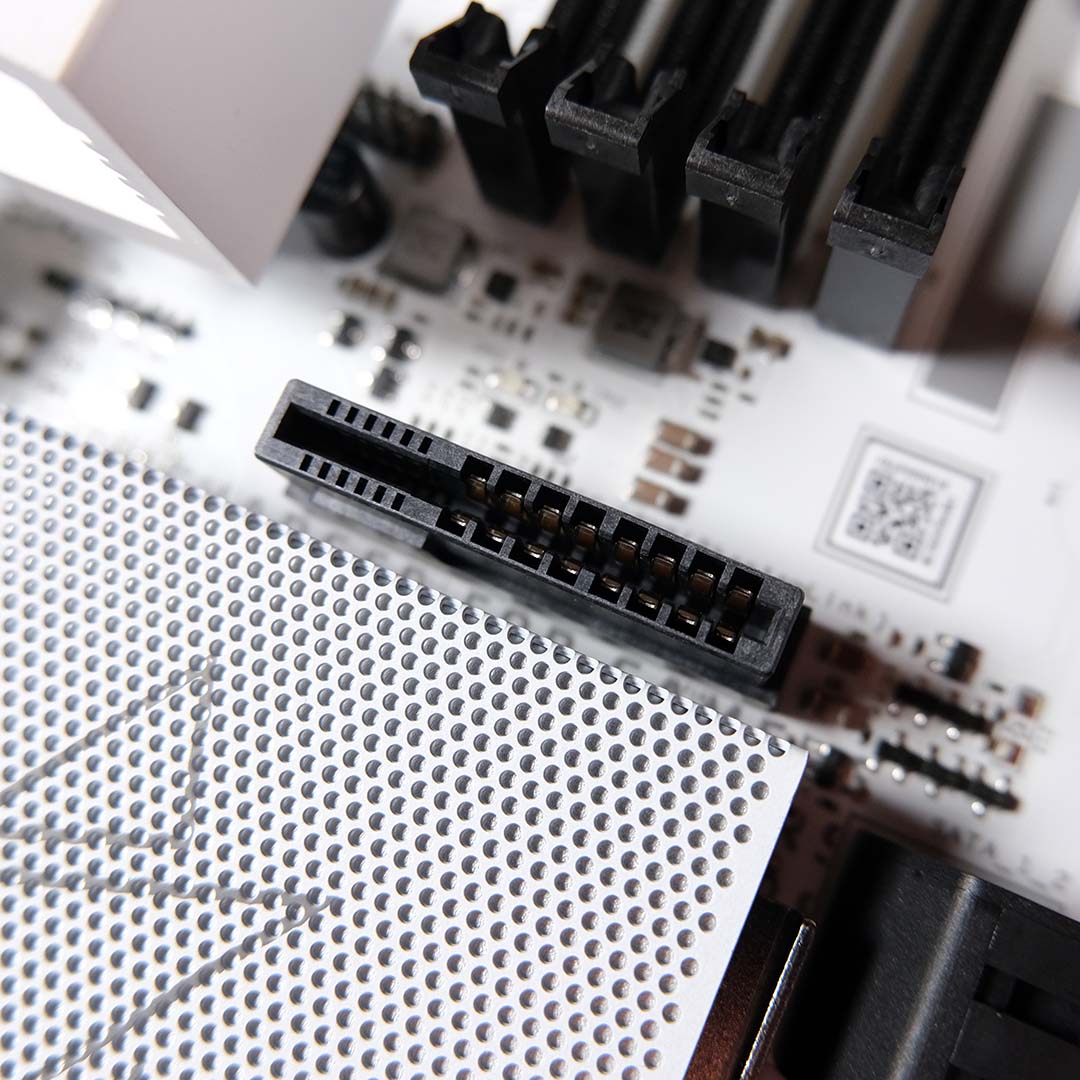
On the plus side, I’m thankful for a toolless installation experience across all M.2 slots, making storage management all the more convenient. However, this does make the lack of a GPU release mechanism stand out, particularly when I’m having to reach past a thick, tall graphics card and squish my fingers to reach the PCIe latch. Plenty of cheaper motherboards have an easy-release latch system for PCIe graphics cards, and the lack of one dents this Sapphire board’s appeal
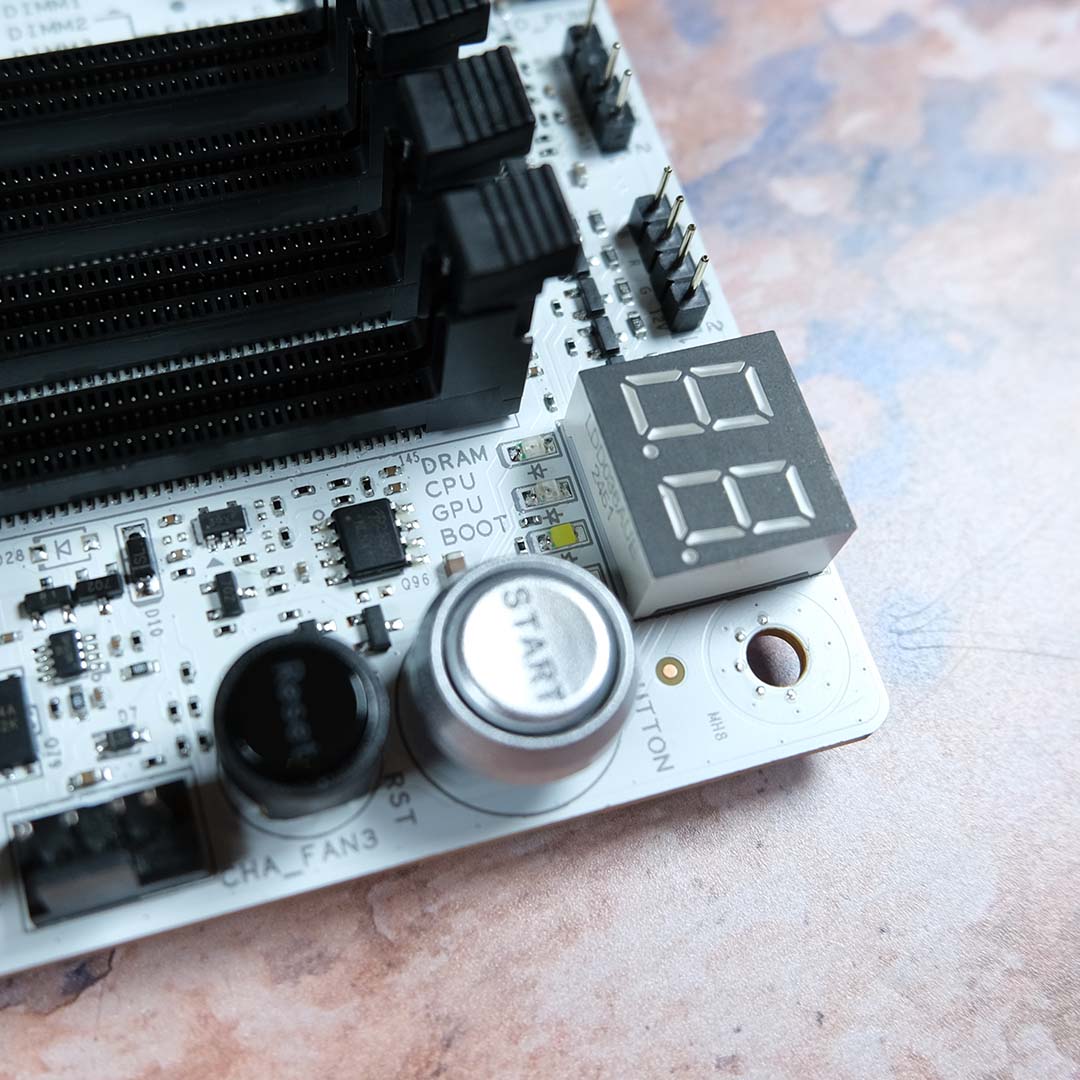
I love some debug tools on a motherboard, and the Nitro+ X870EA PhantomLink Edition doesn’t skip a beat in this feature category. In addition to standard debug LEDs, you get a large and sharp code display, as well as discrete power and reset buttons. Wunderbar!
However, as with the lack of an easy-release PCIe latch, the use of Realtek ALC897 is surprising in a board at this price. I’d expect to find this audio codec on budget-leaning motherboards, rather than a flagship, with the likes of ALC1220 and above being more appropriate.
In terms of headers, Sapphire offers up a selection of three chassis fan connections, alongside four A-RGB, as well as CPU fan and AIO pump headers. There’s an even spread around the bottom and top-right of the PCB, which makes installation and cable management a simple affair for most builds.
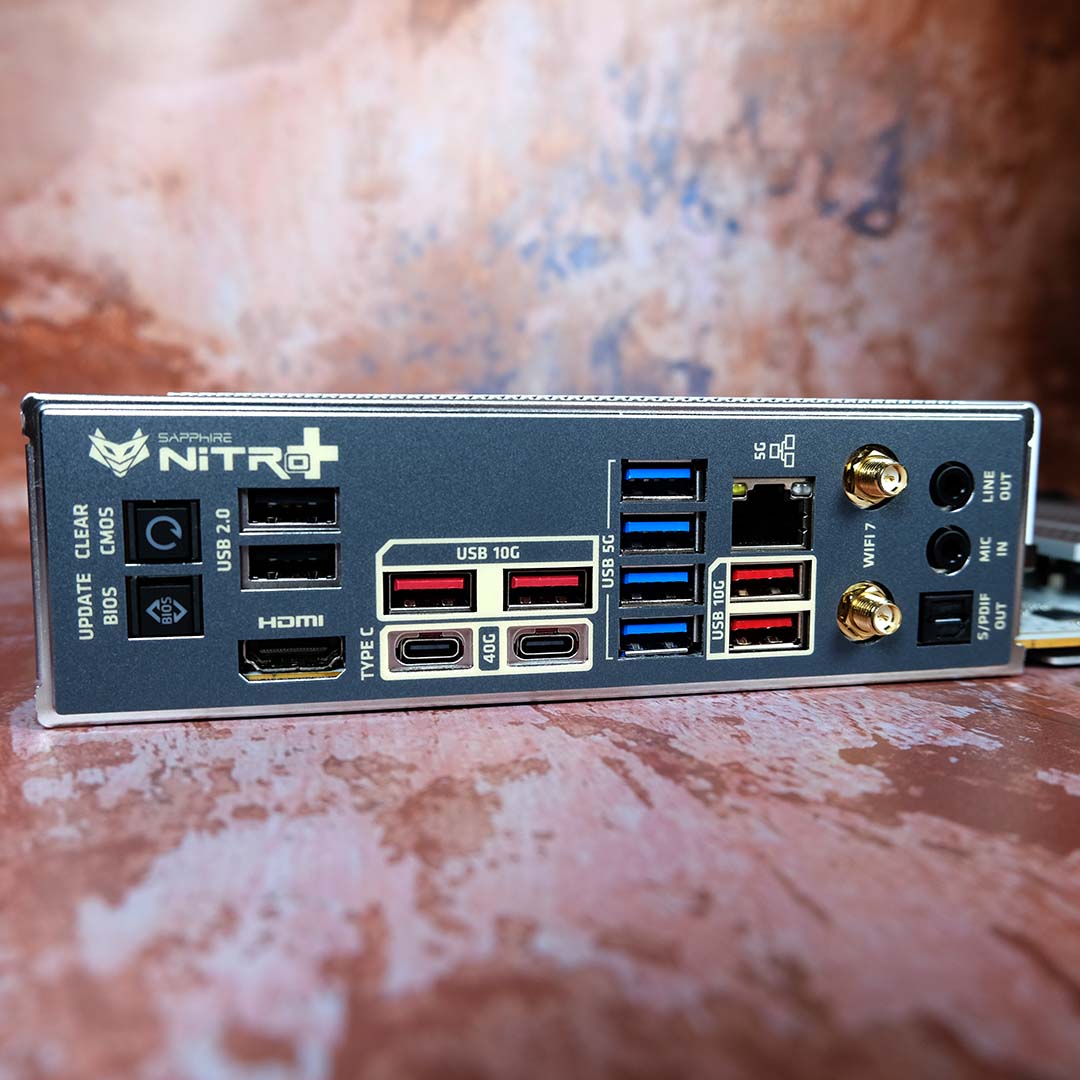
Round back, Sapphire treats the Nitro+ X870EA PhantomLink Edition with plenty of USB connections, all with easy-to-parse labels and colouring. From the top down, the board has two 40Gb USB-C ports, alongside four 10Gb and 5Gb USB-A sockets, in addition to two USB 2 480Mb inputs. That’s plenty of bandwidth for modern peripherals and then some.
Networking is similarly robust, with 5Gb Ethernet and support for Wi-Fi 7, the latter of which also brings Bluetooth 5.4 to the party. As usual, I had no issues using either connection type. If I had to nitpick, I’d love to see a modern plug-and-play wire on the Wi-Fi antenna, rather than the old-school screw-on installation.
I’m also happy to see both BIOS Flashback and Clear CMOS buttons, as they’re always useful to have in a troubleshooting pinch. You won’t be wanting for much when it comes to high-speed connections and enthusiast features.
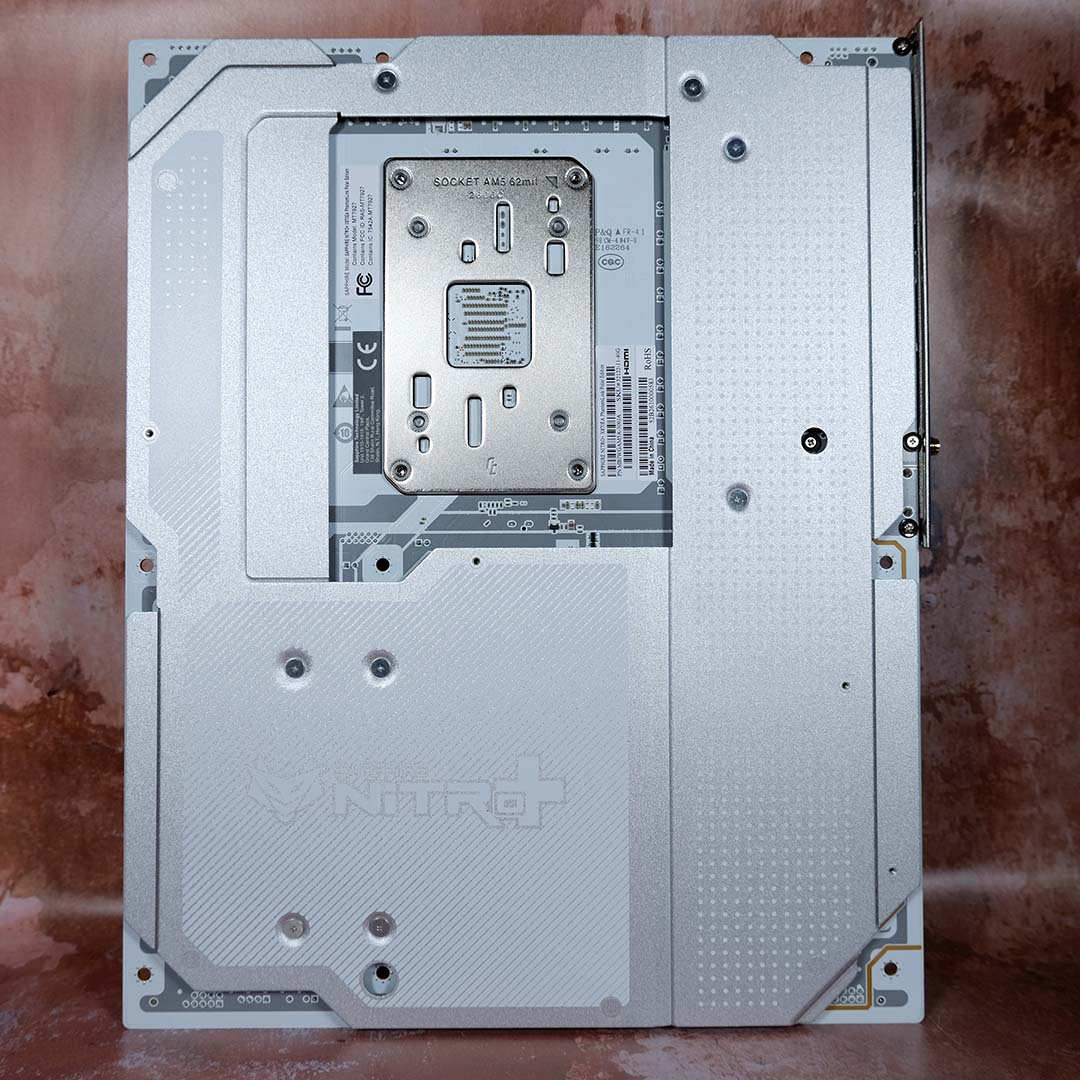
Finally, flip over the Nitro+ X870EA PhantomLink Edition, and you’ll find a tasteful, rock-solid metal backplate. This welcome flourish not only enhances the board’s already high build quality, providing a protective shield for the PCB that doubly serves as an aid for heat dissipation.
The feature set Sapphire has put together on this motherboard offers bandwidth and conveniences aplenty, particularly if you plan to use a GC-HPWR graphics card. While there are some notable shortcomings, the package as a whole still offers decent bang for your buck, particularly when it comes to USB connections and build quality.
Firmware
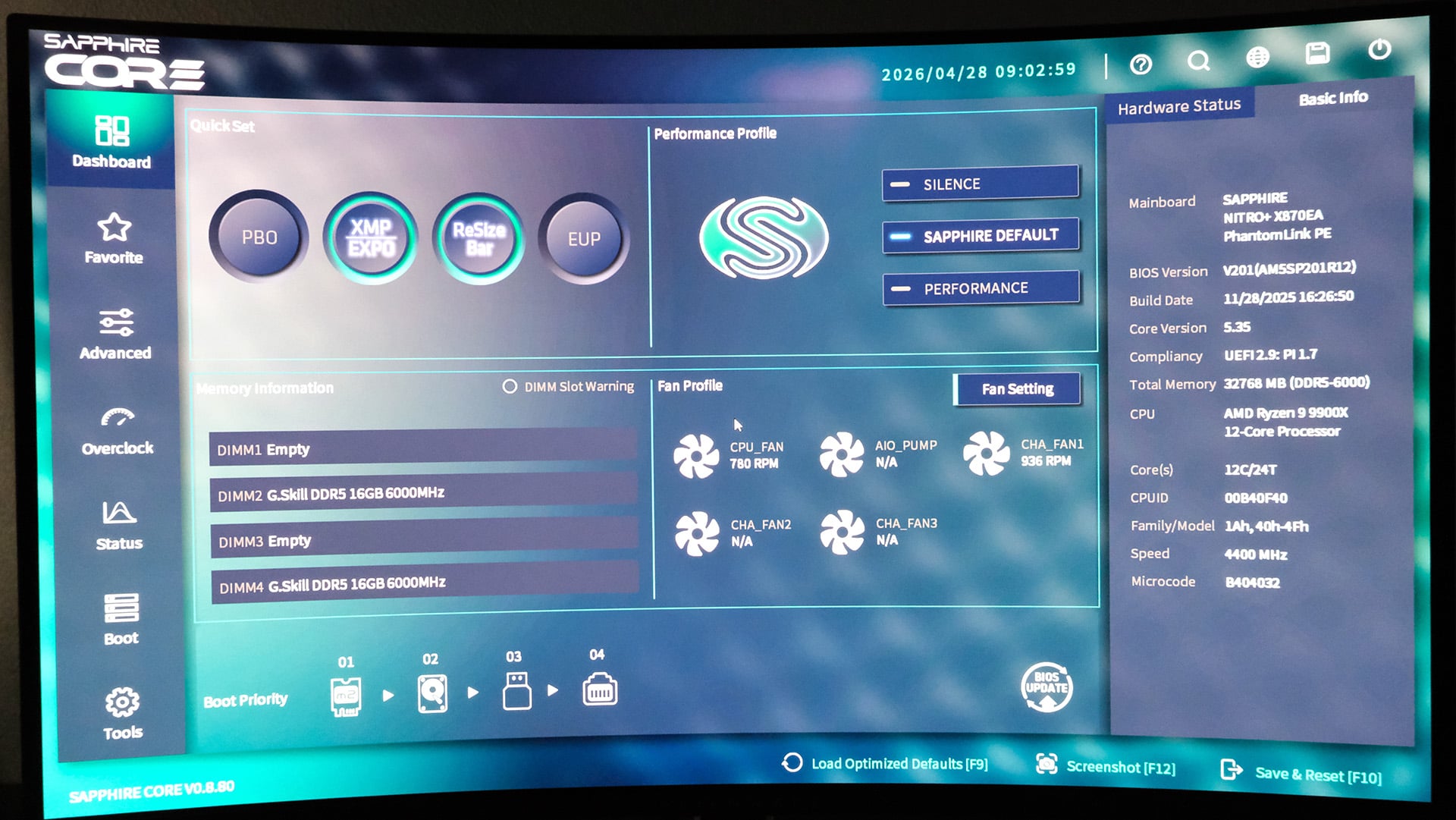
My motherboard sample arrives with firmware V0.8.80, the same version I covered earlier this year on the Sapphire Pure X870A WiFi 7. As such, my appraisal of the BIOS remains much the same.
Sapphire’s Core BIOS is sharp and responsive, as all modern firmware should be, with an FHD interface. It’s easy to find commonplace settings, including XMP/EXPO, among others, thanks to an intuitive layout and useful search function.
That said, I’m still waiting for a numeric interface for Core BIOS’ fan curve editor. Preset profiles and large dots are welcome, but having a table I can easily configure via my keyboard is far more convenient. I’m also strangely unable to take screenshots of the firmware, despite having a FAT32 drive to hand, hence the photograph of my monitor above.
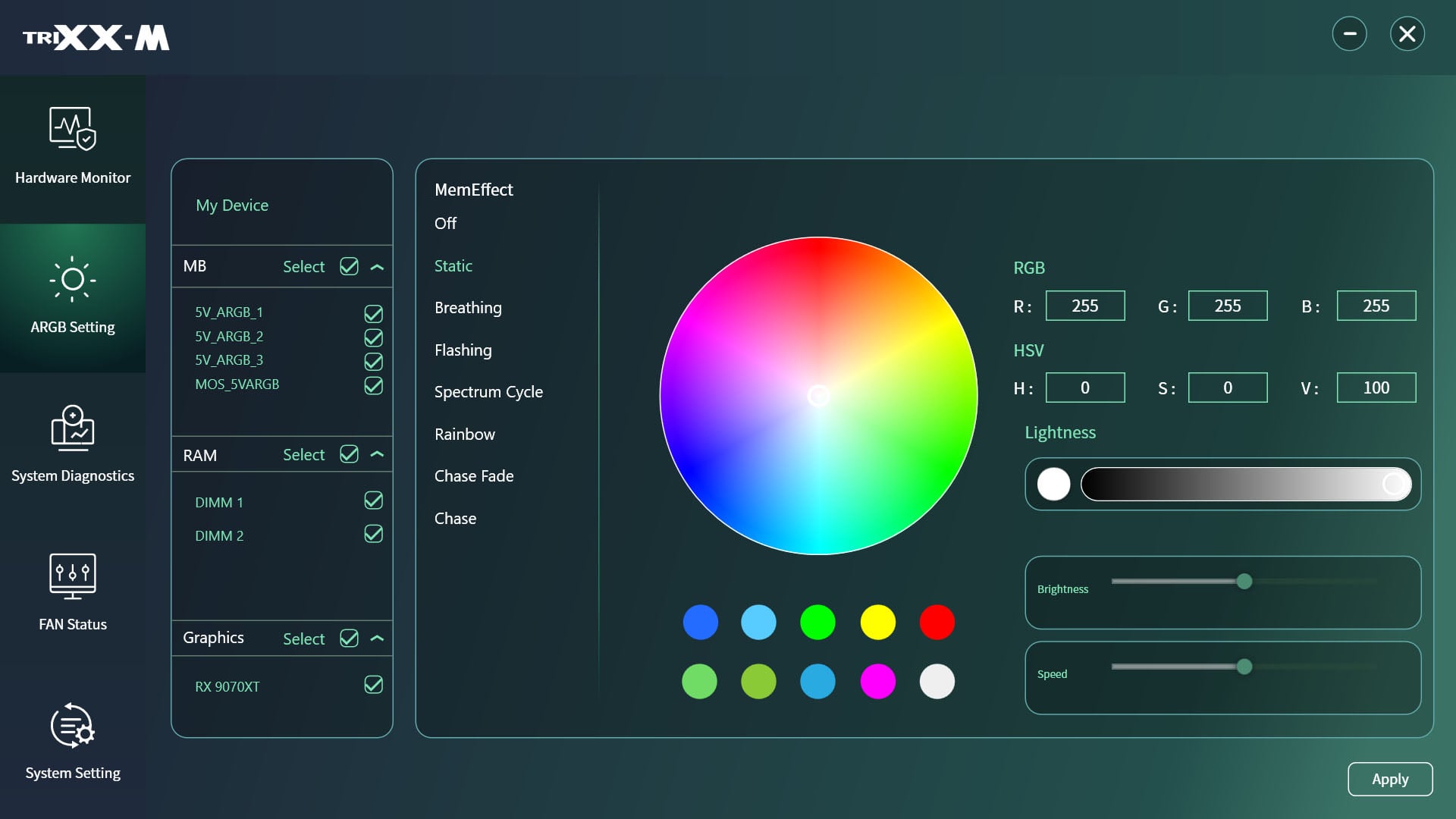
Outside of the BIOS, Sapphire also offers its Windows TriXX-M software, largely as a means of monitoring the Nitro+ X870EA PhantomLink Edition and your wider system from the desktop.
Through its various tabs, you can check the current RPM of system fans and temperatures, among other variables. However, the dashboard doesn’t provide any meaningful way to interact with your system, such as tweaking fan curves, and instead serves more as a springboard to other troubleshooting tools.
That said, I appreciate the easy-to-use ARGB tab. Getting my test system shining in unison is a doddle using TriXX-M, once I kick Windows Dynamic Lighting to the curb.
Test methodology
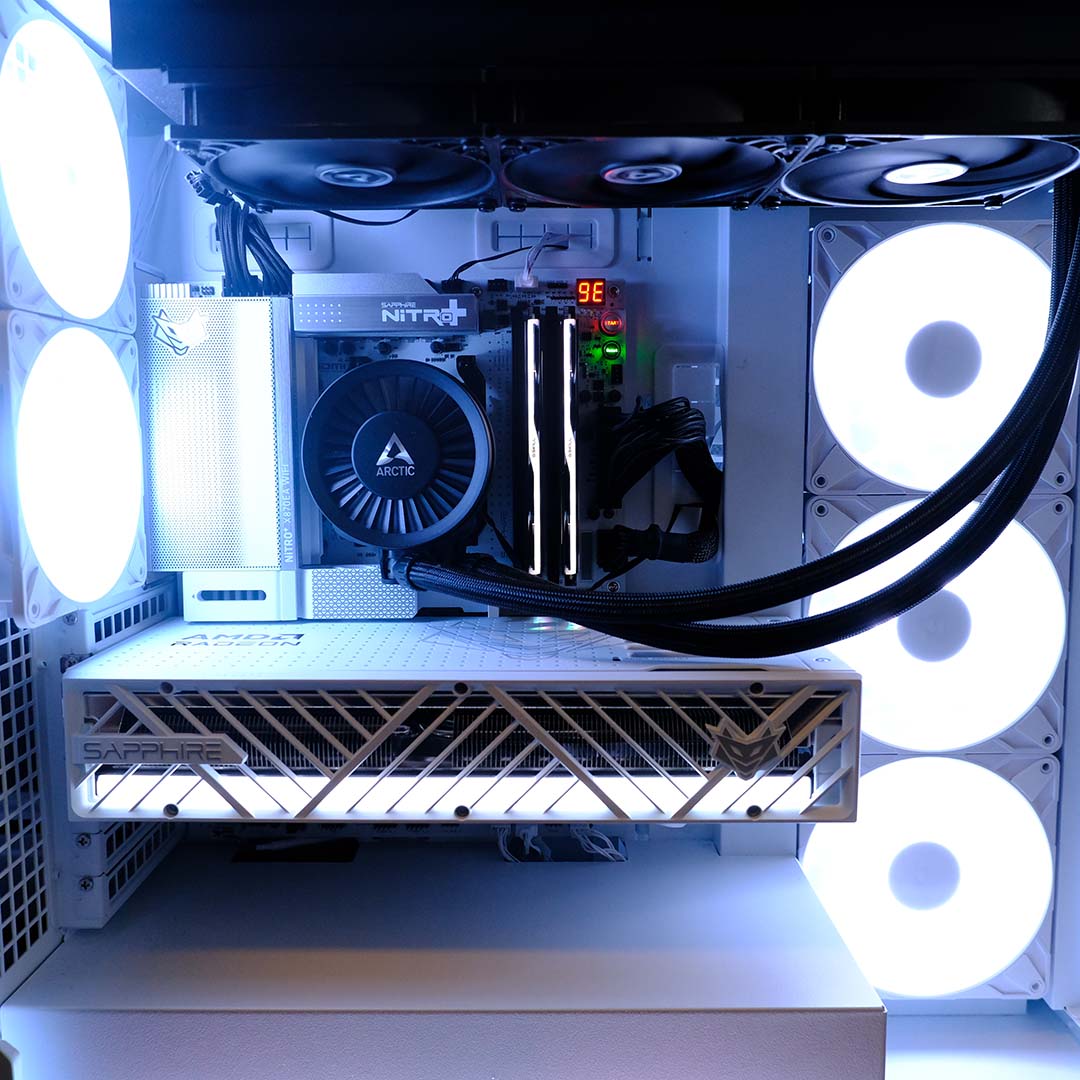
It’s ultimately wasteful to run the Nitro+ X870EA PhantomLink Edition without using its GC-HPWR connector, so I’m pairing this board with a Nitro+ Radeon RX 9070 XT PhantomLink Edition as part of my test setup. However, this isn’t the only component change I’ve made from prior motherboard reviews.
While the AMD Ryzen 9 9900X remains the keystone of my test bench, I’m now pairing the processor with 32GB (2x16GB) DDR5-6000 CL28 G.Skill Trident Z5 Neo RGB RAM. This kit boasts faster timings than my previous setup, and swaps A-XMP for full-fat EXPO.
Test PC specifications
Club386 carefully chooses each component in a test bench to best suit the review at hand. When you view our benchmarks, you’re not just getting an opinion, but the results of rigorous testing carried out using hardware we trust.
Shop Club386 test platform components:
CPU: AMD Ryzen 9 9900X
Cooler: Arctic Liquid Freezer III Pro 360
Motherboard: Sapphire Nitro+ X870EA PhantomLink Edition
GPU: Sapphire Nitro+ Radeon RX 9070 XT PhantomLink Edition
Memory: 32GB DDR5-6000 CL28 G.Skill Trident Z5 Neo RGB
Storage: 1TB Samsung 9100 Pro NVMe SSD
PSU: 1,300W be quiet! Dark Power Pro 13
Chassis: Arctic Xtender VG White
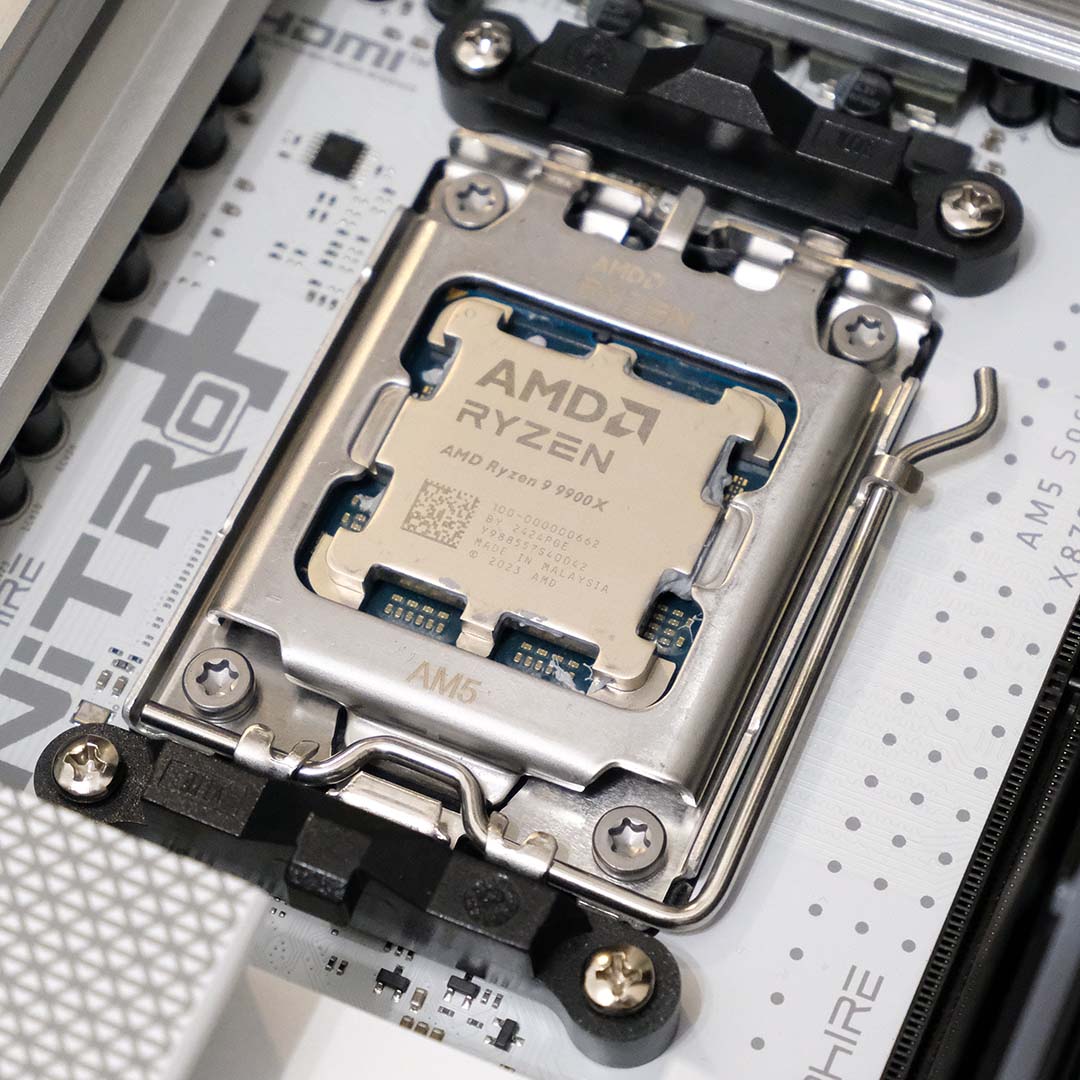
I’m also tagging in an Arctic Liquid Freezer III Pro 360 for cooling, while the 1TB Samsung 9100 Pro is on storage duties, and my 1,300W be quiet! Dark Power Pro 13 handles power. Finally, all this kit calls an Arctic Xtender VG case its home during benchmarks.
Outside of enabling the RAM’s EXPO profile, all BIOS settings are stock. I’ve similarly run applications with default parameters, save for gaming benchmarks, and I’ll specify settings for these tests during my analysis.
Performance
Starting from the top, the Nitro+ X870EA PhantomLink Edition facilitates communication between the CPU and RAM without any hiccups. Memory bandwidth and latency are within expectations for a dual-CCD (Core Complex Die) processor like the Ryzen 9 9900X, specifically operating in the region of 70,000-78,000MB/s and 78ns.
Contending with Cinebench 2026’s single-threaded and multiple-threaded benchmarks, the board’s VRM rises to the challenge without breaking much of a sweat in the 24°C heat of my office. My infrared thermometer revealed the heatsinks were keeping relatively cool at 45°C at their hottest point, providing a respectable peak delta T of 21°C. As such, the 9900X had no problem achieving solid benchmark scores.
Placing the Samsung 9100 Pro under load via CrystalDiskMark, the Nitro+ X870EA PhantomLink Edition’s meaty thermal pads and M.2 heatsink ensure the SSD stays well away from the point of thermal throttling. The drive reaches advertised sequential read and write speeds, 14,735MB/s and 13,496MB/s, respectively, peaking at just 59°C.
| Nitro+ X870EA PhantomLink Edition | |
|---|---|
| AIDA Copy | 70,180MB/s |
| AIDA Latency | 77.9ns |
| AIDA Read | 75,005MB/s |
| AIDA Write | 77,770MB/s |
| Cinebench 2026 1T | 559 |
| Cinebench 2026 MT | 7,545 |
| CrystalDiskMark seq. read | 14,735MB/s |
| CrystalDiskMark seq. write | 13,496MB/s |
| 3DMark Speed Way | 6,301 |
| 3DMark Steel Nomad | 7,047 |
| 3DMark Time Spy (CPU) | 15,765 |
| 3DMark Time Spy (GPU) | 29,123 |
| 3DMark Time Spy (Overall) | 25,838 |
| Cyberpunk 2077 (Min / Avg) | 63 / 73fps |
| FFXIV: Dawntrail (Min / Avg) | 85 / 222fps |
| VRM temperature (Delta T) | 21°C |
| Power consumption (Idle / Load) | 120 / 286W |
Moving on to gaming, the board’s GC-HPWR connector happily satiates the appetites of our RX 9070 XT PhantomLink. In Cyberpunk 2077, I recorded a peak 334W TBP as the graphics card faced off against the game’s RT Overdrive mode with FSR 4 upscaling on the Quality setting. Checking against a standard Nitro+ Radeon RX 9070 XT in this test build, we’re bang on for minimum and average frame rates.
The story is much the same when you swap path tracing for rasterisation in Final Fantasy XIV: Dawntrail. Meanwhile, running through the 3DMark gauntlet of Speed Way, Steel Nomad, and Time Spy, the Nitro+ X870EA PhantomLink Edition doesn’t stumble and provides solid bedrock for all components to achieve scores within expectations.
Twiddling its thumbs, our test setup with the Nitro+ X870EA PhantomLink Edition pulls 120W from the wall. This is a reasonable power draw, particularly given the five A-RGB fans, light strip, and logo that are all adding a handful of watts to the total. A Cinebench 2026 multi-thread benchmark pushes consumption to 265W, but note this number reflects the motherboard in tandem with our test components, and mileage will naturally vary with other hardware.
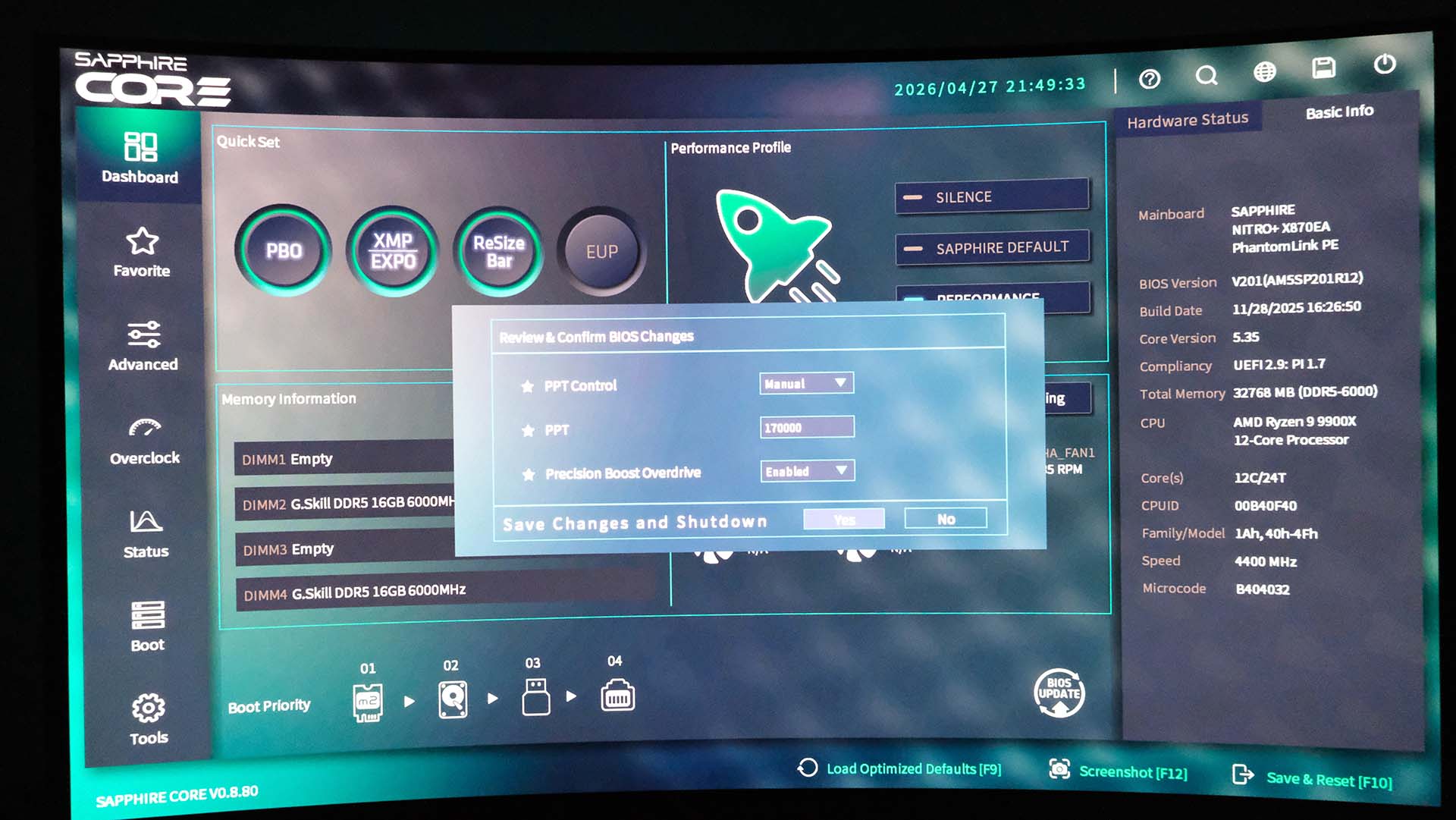
Toggling the Performance preset in the motherboard’s Core BIOS enables Precision Boost Overdrive, and increases PPT (Package Power Tracking) limits to 170,000W. Obviously, the processor will never come close to calling for that amount of power, but setting such an absurd upper limit essentially frees the CPU to consume as many watts as it likes within thermal limits.
| Performance | Change vs default | |
|---|---|---|
| Cinebench 2026 1T | 556 | -1% |
| Cinebench 2026 MT | 7,631 | +1% |
| Power consumption (Idle / Load) | 123 / 302W | +3% / +6% |
In practice, however, our 9900X only pulls an additional 3-16W, translating to a 3-6% increase in power consumption. As such, Cinebench scores using the Performance preset fall within the margin of error, as single-threaded performance falls by 1%, while multi-threaded pace rises by the same amount. Summarily, this is far from a transformative one-click overclocking system.
Conclusion
Sapphire has crafted a solid addition to the AM5 motherboard ecosystem via the Nitro+ X870EA PhantomLink Edition. This is an attractive board, with decent features but there are some notable omissions in a board at this price, including the lack of an easy-release PCIe slot latch, while the basic ALC897 audio and fiddly PCIe bandwidth setup dent its appeal.
At £319, the Nitro+ X870EA’s value stumbles slightly in the face of similarly priced competitors such as the MSI MPG X870E Edge Ti WiFi. While this MSI board lacks GC-HPWR, it doesn’t arrive with strange PCIe bandwidth sharing, and plugs the gap in terms of audio and other quality of life features.
GC-HPWR support is cool and I’d welcome its use across more motherboards, but this is decidedly an enthusiast technology for the moment. That being the case, I’m all the more biting at the champ to see Sapphire take PhantomLink one step further with a full back-connect design.
