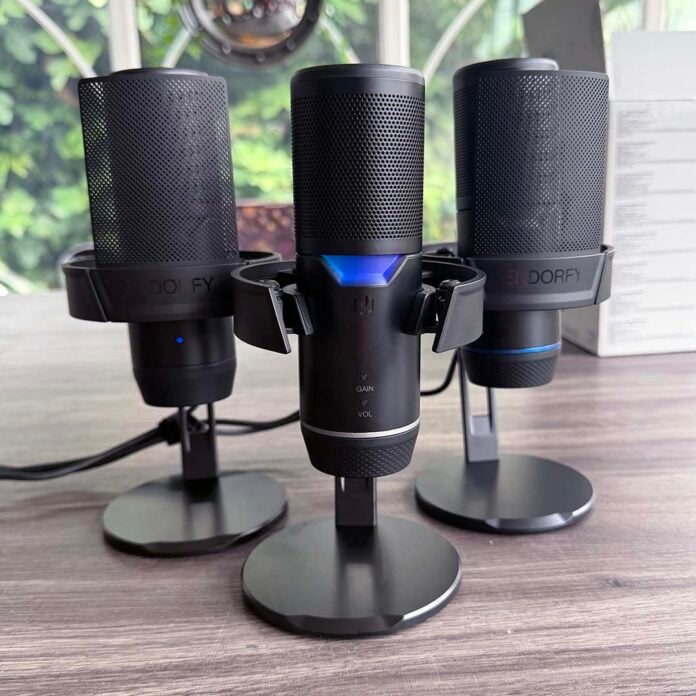
Aiming to bridge the gap between expensive studio-quality microphones and the cheap plastic ones you find on Amazon, Endorfy’s Solum 2 range concentrates on reproducing the human voice as accurately as possible, all while maintaining solid metal construction at an affordable price. To that end, the focus is all on build quality, noise reduction, and a decent condenser capsule, rather than fancy extras and software features.
In fact, there’s no software at all – you don’t even need to download a driver. Windows picks up all Solum 2 models automatically when you plug them into a USB port, and you then just need to set them up in your choice of app.

Endorfy Solum 2
From €59.90
Pros
- Solid audio quality
- Solid metal construction and build quality
- Easy setup process
- Fair price
- Shock absorber included
- Real-time headphone monitoring on Pro version
Cons
- No software features
- Hard to find at MSRP outside EU
- Mute button takes some getting used to
Club386 may earn an affiliate commission when you purchase products through links on our site.
How we test and review products.
Three models are available at launch, but they’re all based on the same core microphone. It starts off with the Solum 2 Core at just €59.90 which, despite its low price, has the same solid stand, pop shield, and quality metal construction as its siblings, as well as a mute button on the top.
Meanwhile, the standard Solum 2 adds an extra €10 to the price, which buys you a manual gain control on the bottom. The range tops out with the Solum 2 Pro, which has all the features of the standard model, but adds a headphone jack for real-time monitoring, as well as a higher sample rate.
Specifications
| Solum 2 Core | Solum 2 | Solum 2 Pro | |
|---|---|---|---|
| Max sample rate | 24-bit/96kHz | 24-bit/96kHz | 24-bit/192kHz |
| Frequency response | 20Hz-20kHz | 20Hz-20kHz | 20Hz-20kHz |
| Pattern | Cardioid | Cardioid | Cardioid |
| Mic type | Condenser | Condenser | Condenser |
| Shock mount | Yes | Yes | Yes |
| Pop shield | Yes (detachable, metal) | Yes (detachable, metal) | Yes (detachable, metal) |
| Stand | Yes | Yes | Yes |
| Compatibility | Windows, iOS, macOS, Android, PS4/PS5 | Windows, iOS, macOS, Android, PS4/PS5 | Windows, iOS, macOS, Android, PS4/PS5 |
| Headphone output | No | No | Yes |
| Mute button | Yes (touch) | Yes (touch) | Yes (touch) |
| Manual gain adjustment | No | Yes | Yes |
| Dimensions | 100 x 125 x 210mm | 100 x 125 x 210mm | 100 x 125 x 210mm |
| Weight (inc stand) | 622g | 647g | 659g |
| Weight (mic only) | 235g | 260g | 272g |
| Warranty | Two years | Two years | Two years |
| MSRP | €59.90 | €69.90 | €82.90 |
The sample rate is absolutely fine on all three models, though. Even the base-level Solum 2 Core still samples happily at 24-bit/96kHz, putting it well in excess of the 16-bit resolution and 44.1kHz sample rate of CD audio. It’s easy to read too much into sample rates, and assume that the higher numbers have a big impact on audio quality. In actuality, while the Pro model can sample at 192kHz, you’d have to be a bat to tell the difference.
A high sample rate and bit resolution are only one part of the equation, and one that’s often beyond the range of human hearing when you get past a certain point – 24-bit/96kHz is more than good enough here. The much bigger factors here are the condenser capsule used, its mount and housing, and the quality of analogue-to-digital conversion. Thankfully, all the Solum 2 models deliver on these fronts, as we’ll see later, but it’s worth pointing out that there’s very little point in spending extra on the Pro model just for the higher sample rate.
Design
The core design of the Solum 2 is a classic condenser capsule with a cardioid polar pattern. In simple terms, that means this mic is optimised to be stood up straight while you speak into the front of it, with its capsule focused on picking up your voice, without picking up the sounds around you. It’s exactly what you want for streaming or podcasting.
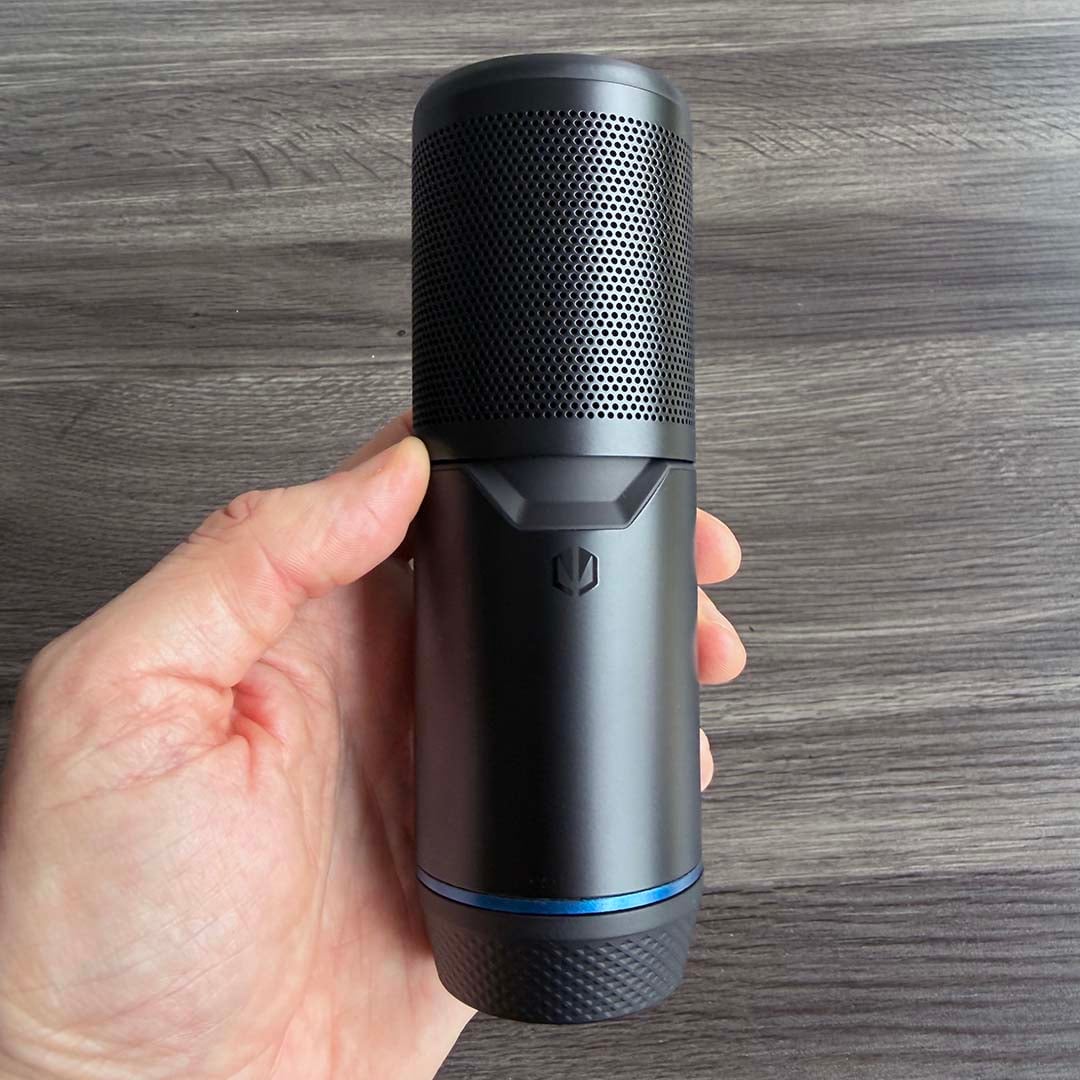
It’s all housed in a sturdy metal case, which has a decent weight (235g for the Solum 2 Core) for a mic at this price. Even more impressive for the money is the weighty metal stand that comes with all three models. It’s a hefty unit, weighing in at 387g, and you don’t even need to put it together yourself – it’s already built in the box.
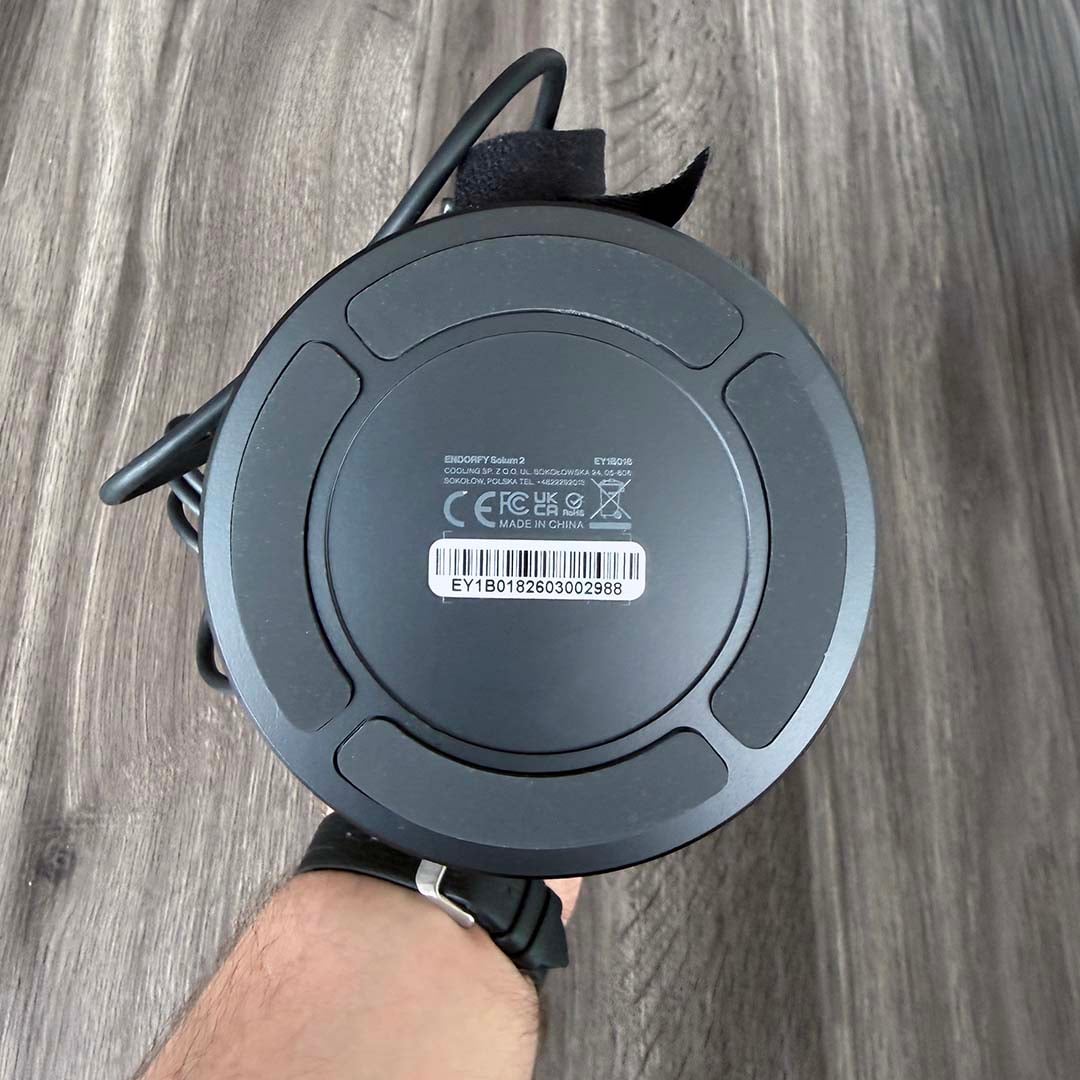
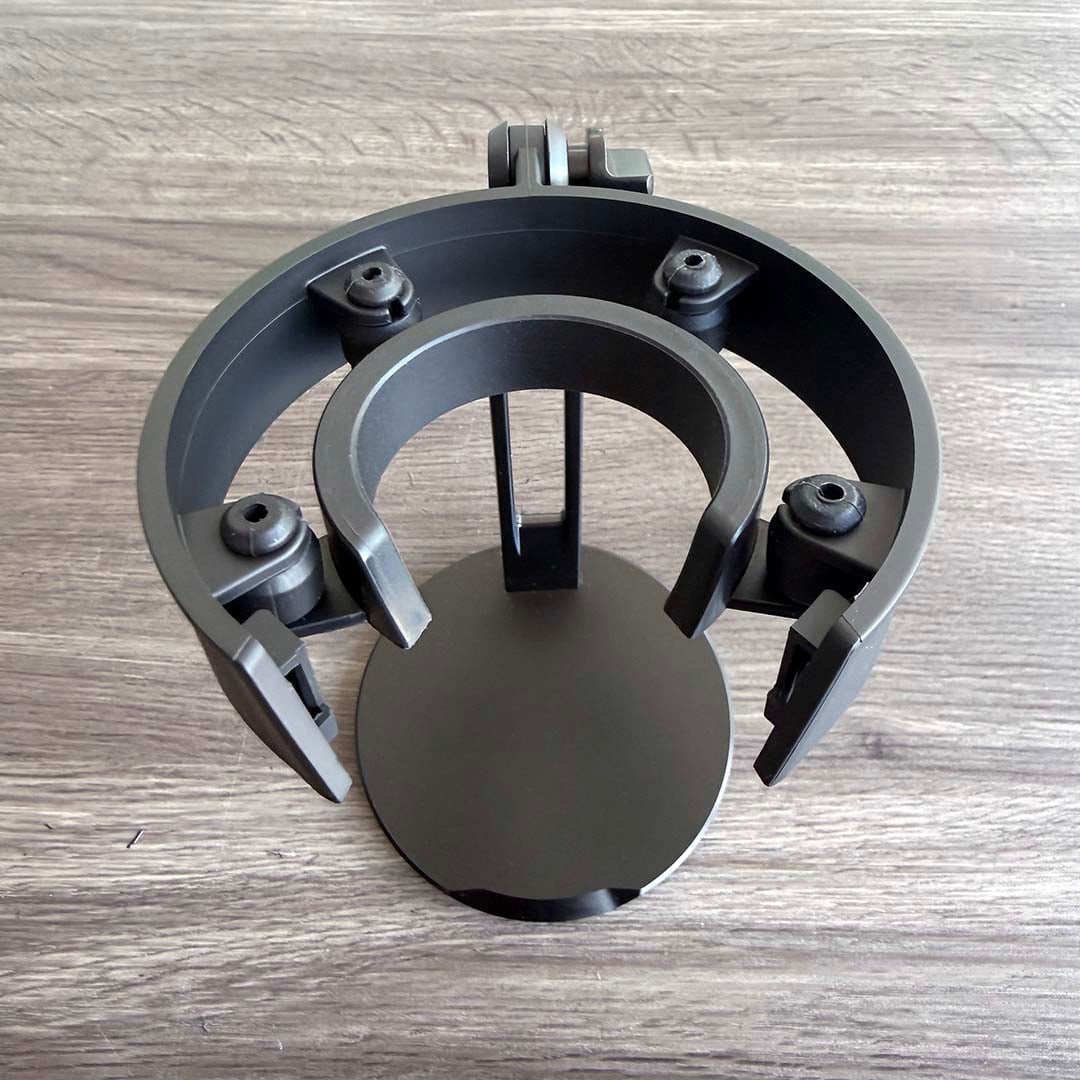
Thick rubber feet on the base give it a layer of insulation from your desk, while preventing it from slipping. The base itself has a fair weight to it as well, all of which helps prevent the stand from toppling over.
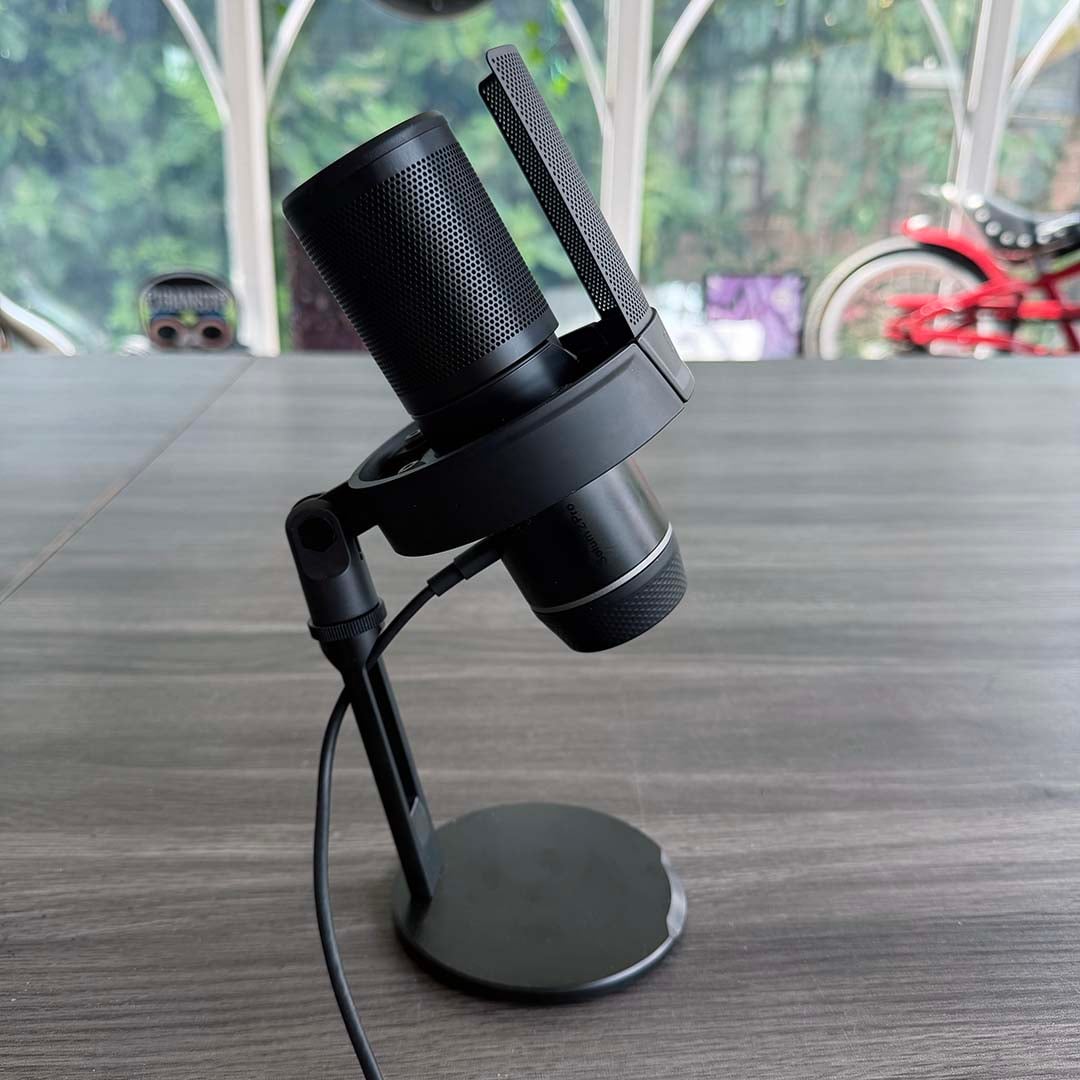
The real standout feature of this stand, however, is the shock absorber at the top. The mic is gripped by a tight plastic ring in the centre, which floats in the middle of the stand, flanked by four points at the bottom. Four flexible rubber grommets are attached to these points, meeting the mounts on the outer ring at the top.
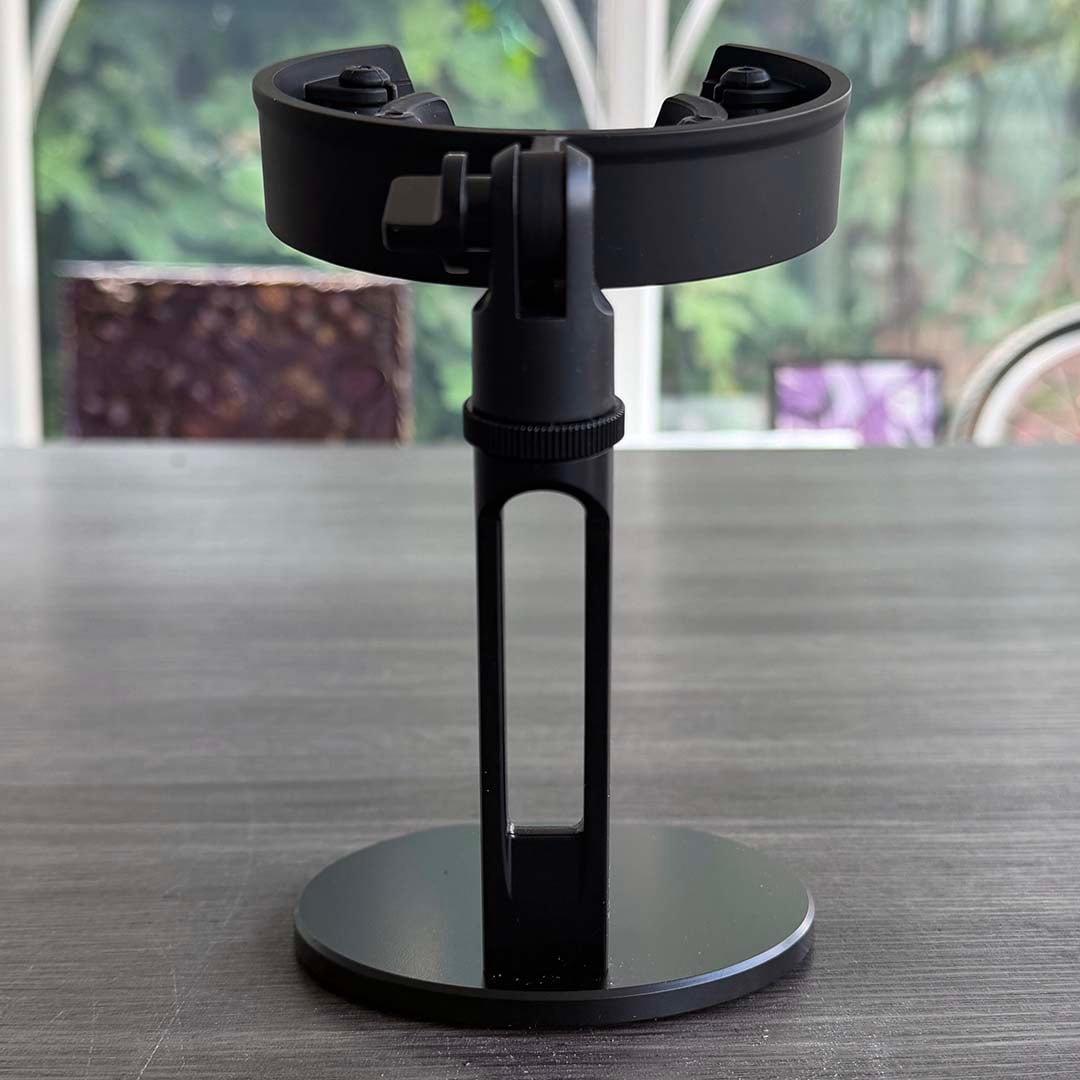
Basically, no rigid part of the mic holder touches the stand directly, so there’s little chance of you accidentally knocking the mic casing. This is all a big upgrade from the usual swing mounts you get on low-cost USB microphones, and you can still angle the mic how you like.
Turn the knob at the top, and you can tilt back the shock absorber system to create your desired angle. If you twiddle the knurled ring on the back, you can also detach the shock absorber from the stand, where you’ll find a standard 5/8-inch thread to mount it to a boom arm or mic stand. Speaking of which, there’s also a version of the Solum 2 with a boom arm, though we’re not reviewing it here.
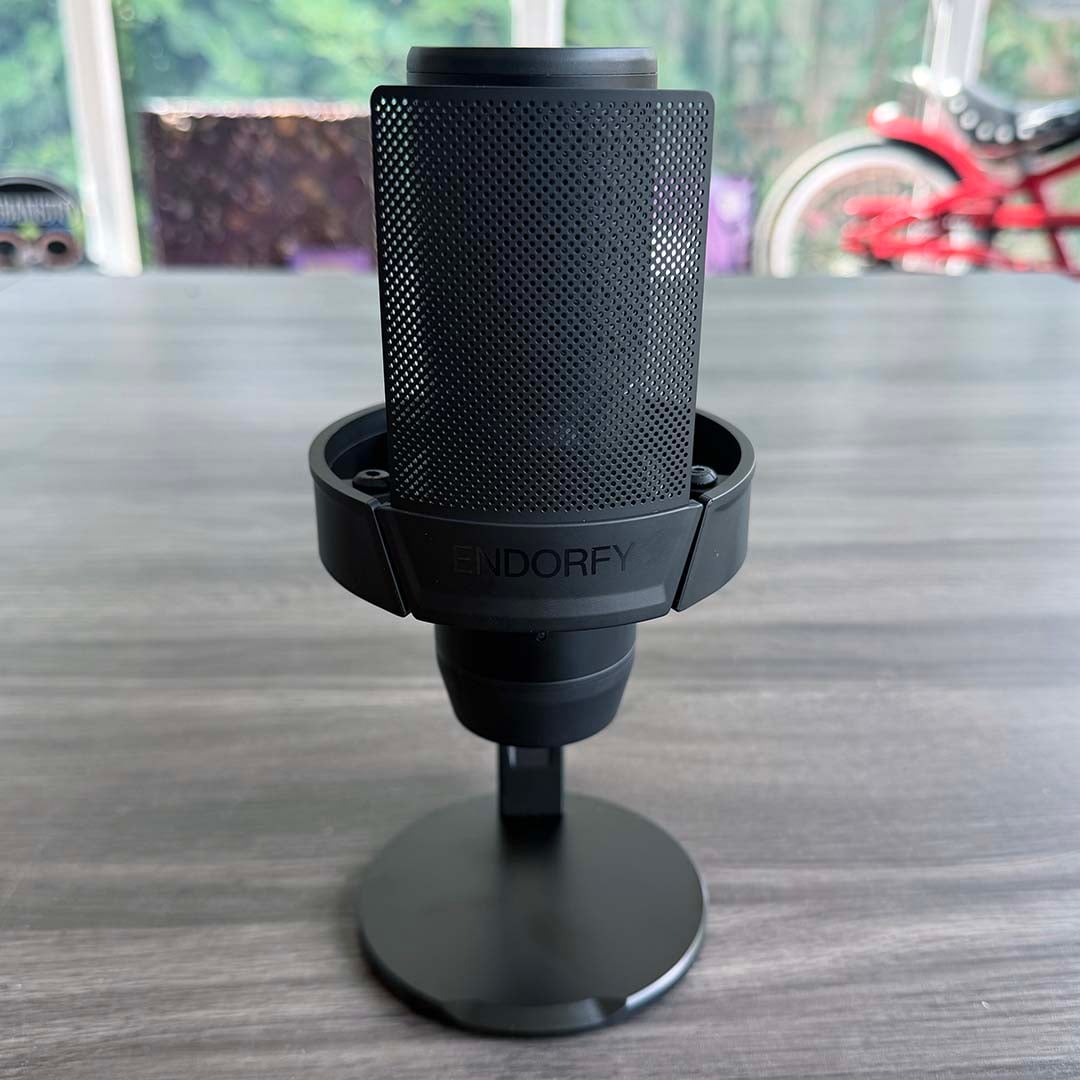
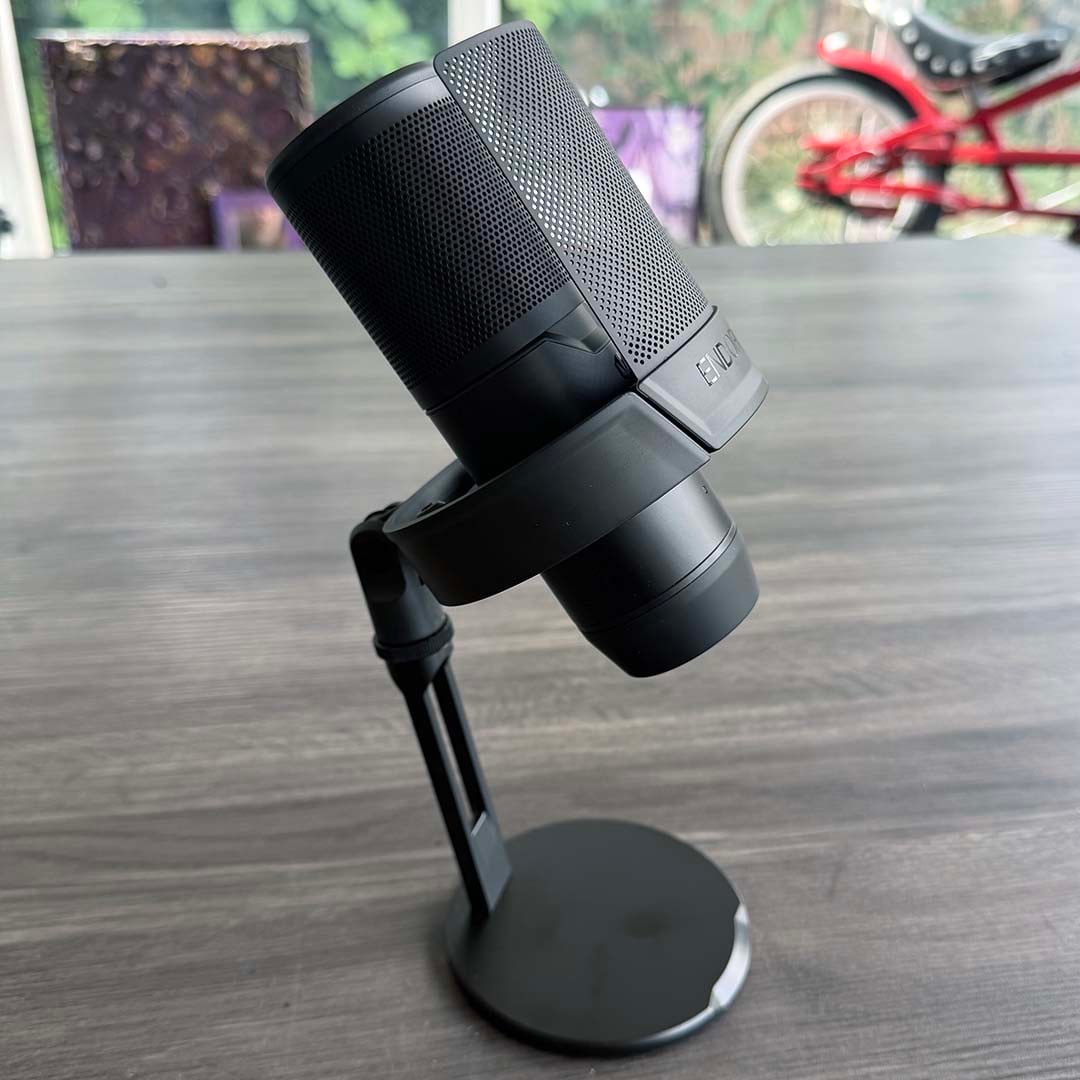
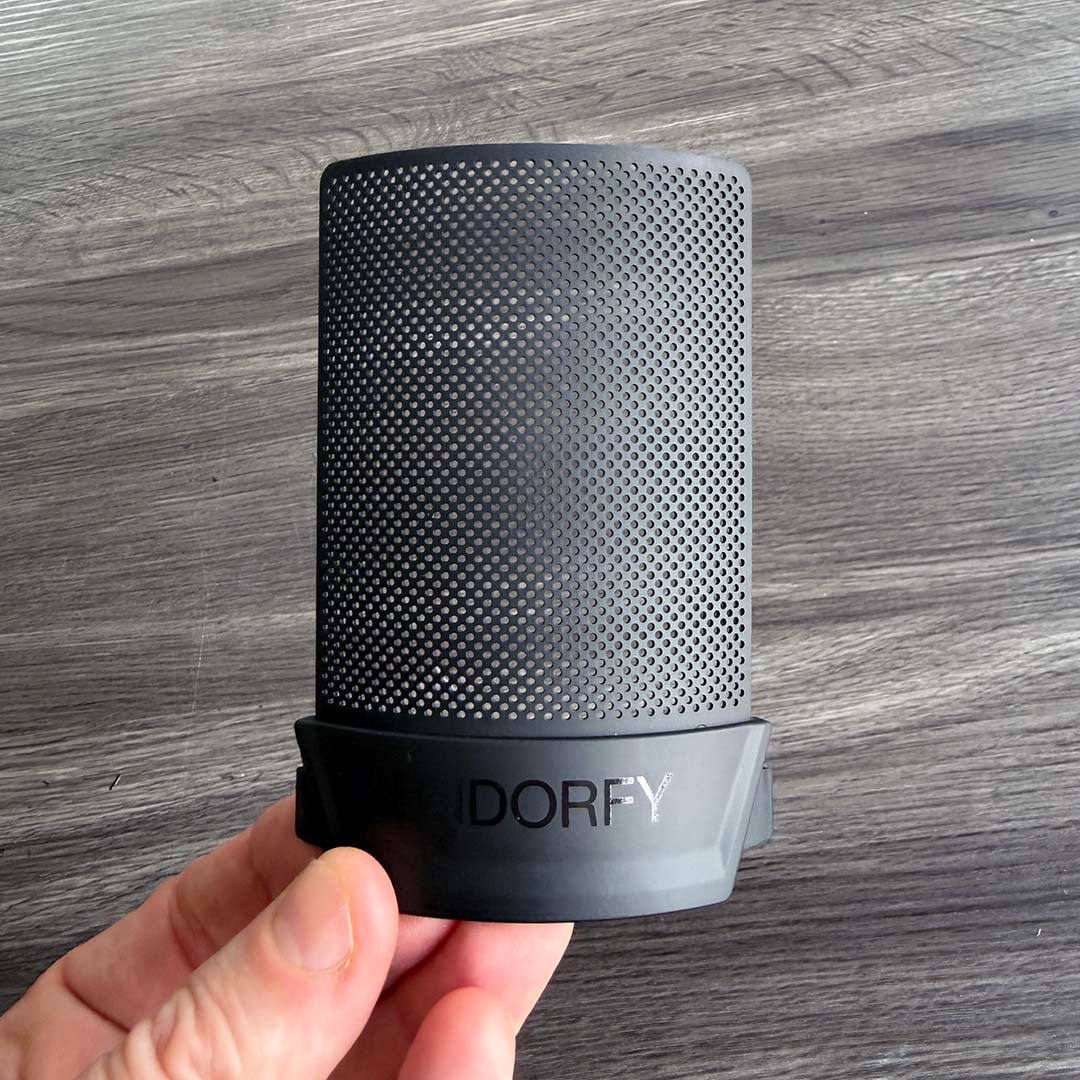
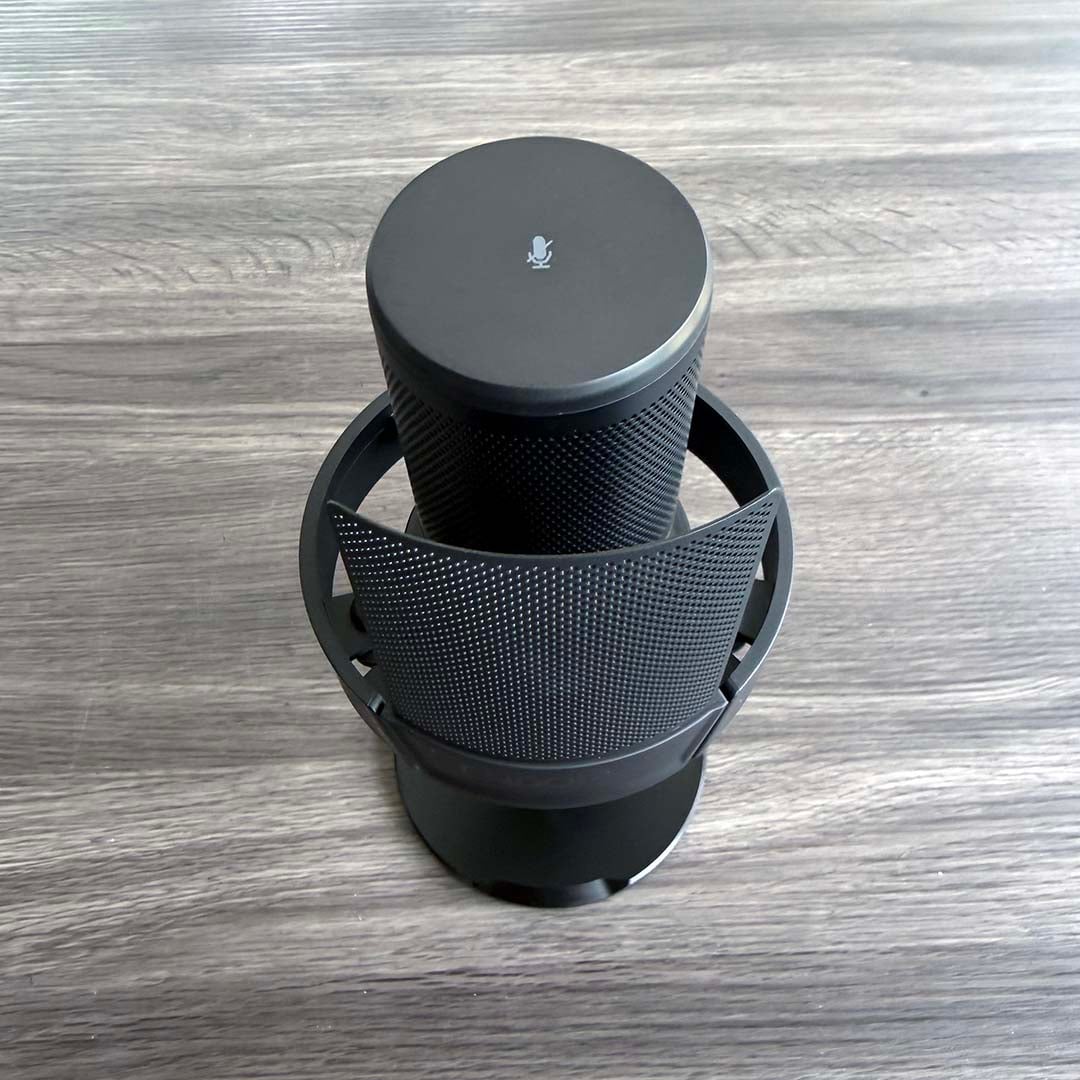
Once you’ve slotted the mic into your shock absorber, the next part of the equation is fitting the metal pop shield. This slots into mounting holes on either side of the shock absorber’s outer ring, and sits directly in front of the capsule.
That gives you a barrier to prevent you from recording overly-accentuated plosives, such as hard ‘P’ and ‘B’ sounds. Endorfy has also placed internal foam inside the mic housing to help reduce this kind of interference further. One other bonus of the pop shield is that it always keeps your face at least 2cm away from the mic.
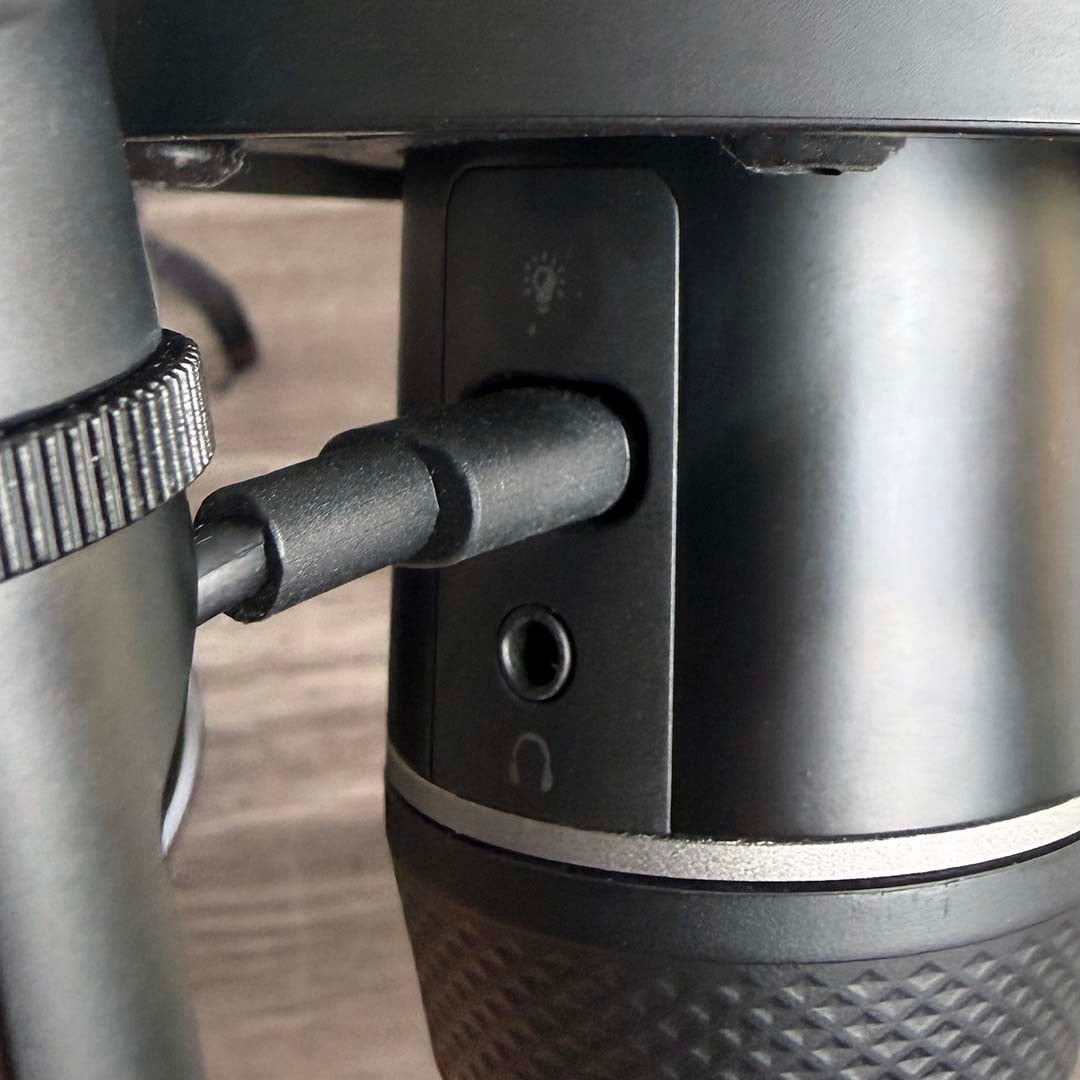
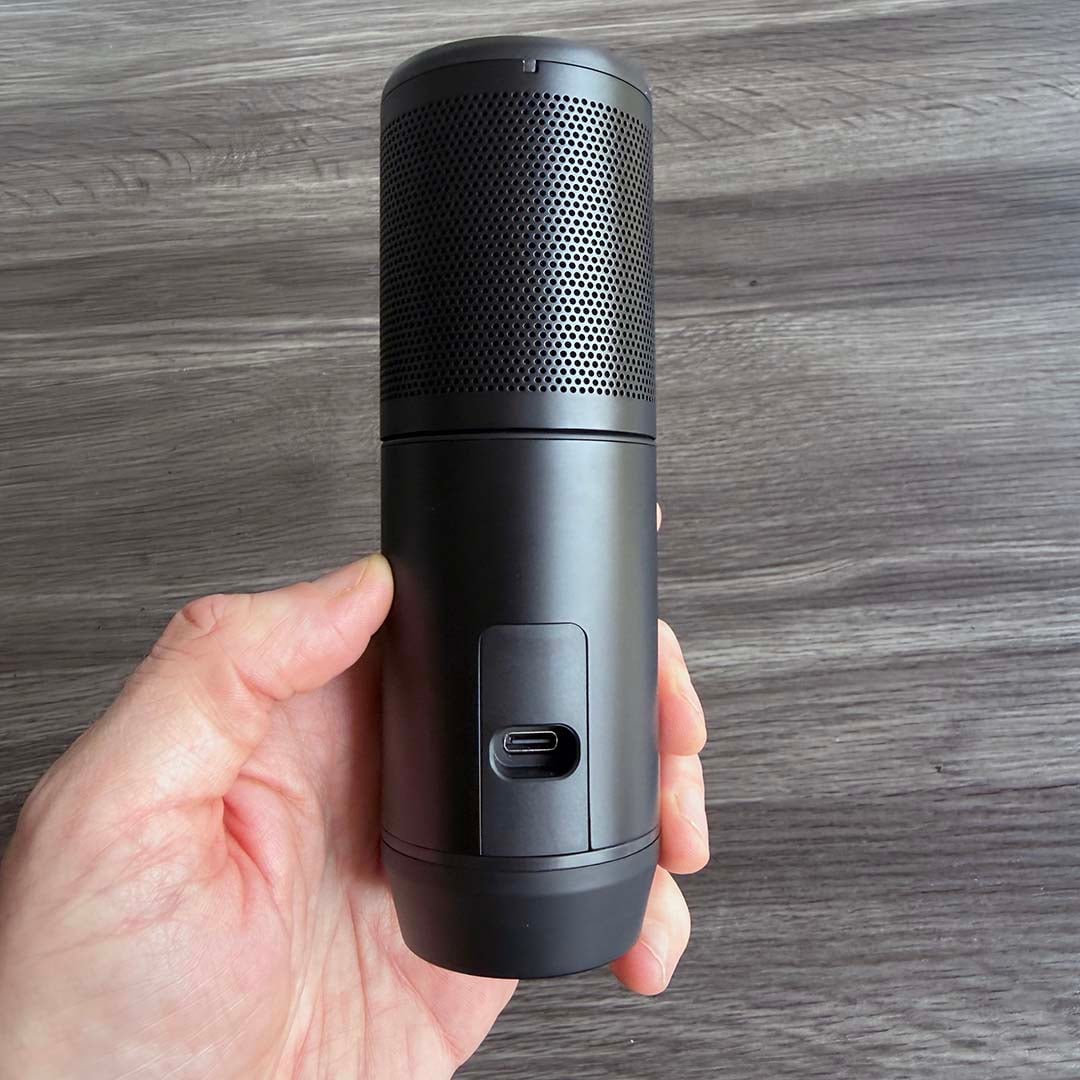
The final part of the equation is hooking up the Solum 2 to your computer or console. A USB-C cable is provided in the box, along with a USB-A adaptor, and the wire simply passes through the hole in the back of the stand to meet the socket at the bottom of your mic.
It all looks quite elegant on your desk, with its cable neatly routed out the back. Hats off to Endorfy for the professional look of the whole kaboodle as well – you’d never think you were looking at a sub-€60 mic here. It’s also incredibly easy to set up, with no tools involved – you simply stick the mic in the stand, install the pop shield and plug it in.
Features
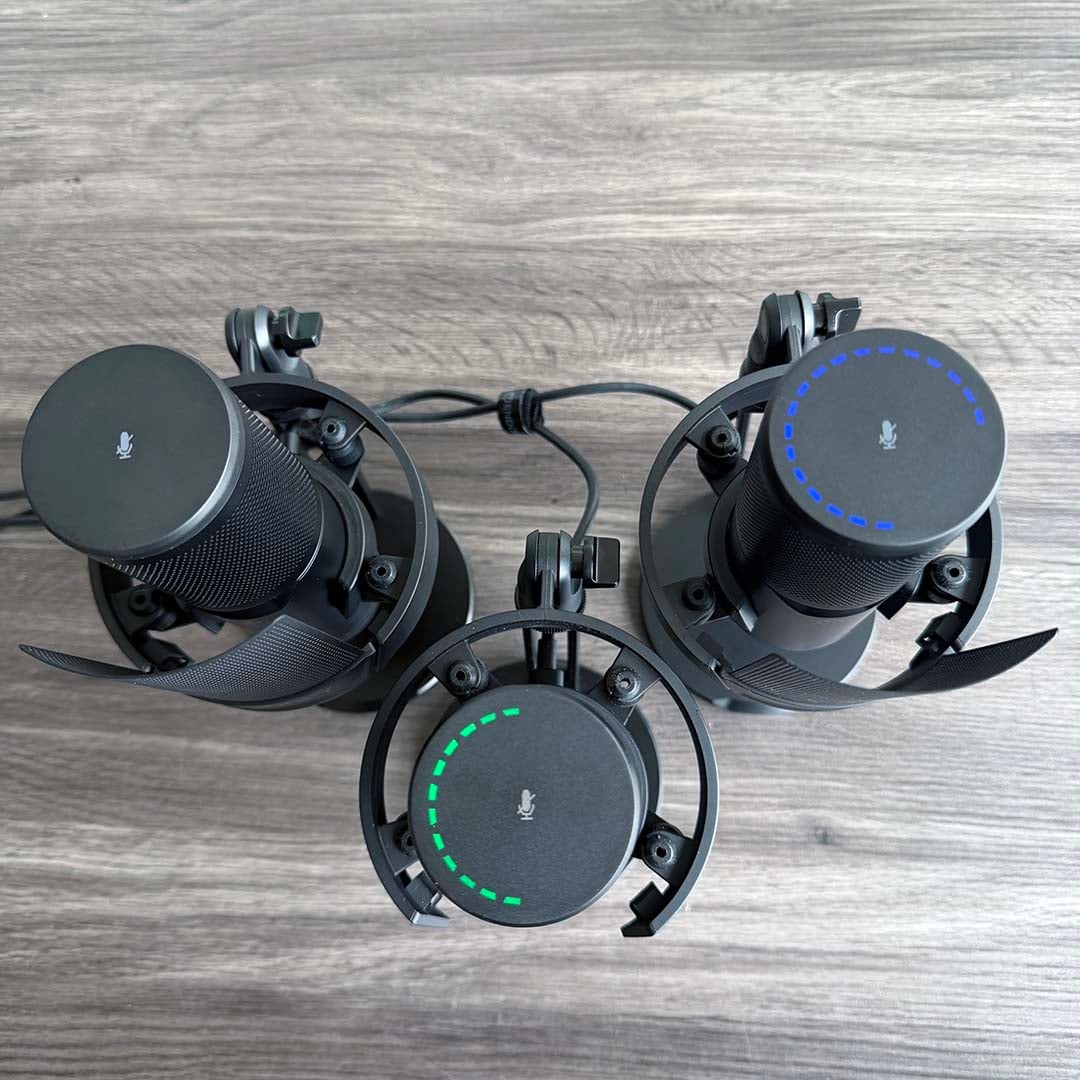
Endorfy has deliberately kept frills to a minimum with the Solum 2 range, particularly when it comes to the Core version. Your only clue that the base model is powered on is a blue LED on the front, which turns red when the mic is muted.
All three mics in the series have a mute button built into the top of the main unit. Tap this once, and the lights will go red, while it cuts out all the sound. Tap it again and the mute is lifted. Once you go beyond the Core model, you also get a series of lights in this area, acting as a level display.
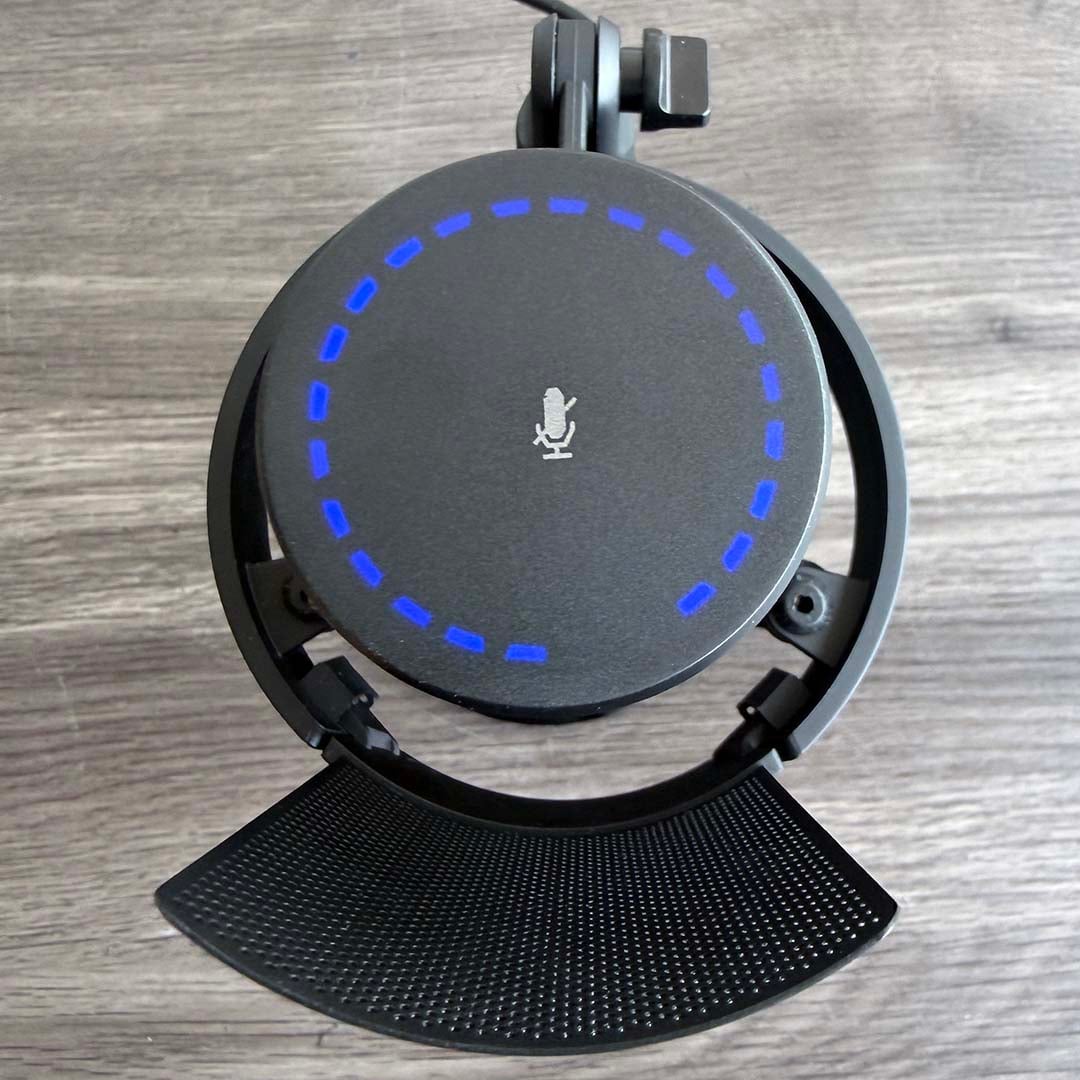
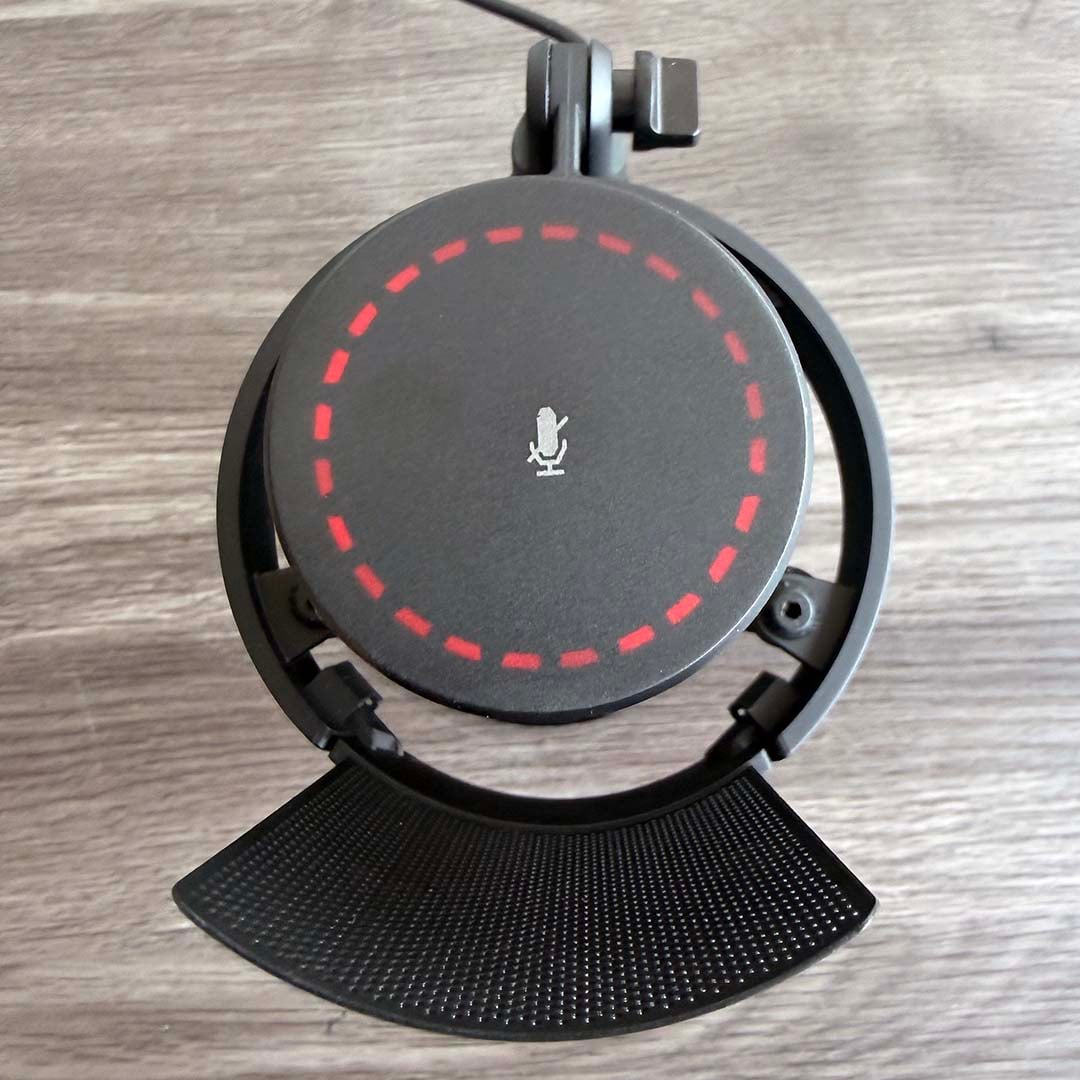
On the Solum 2, you can twiddle the bottom section of the mic to adjust the gain (recording level) up and down, without having to reach for your mouse, and a series of blue LEDs on the top shows the level you’ve selected. On the Solum 2 Pro, if you tap the very bottom of the mic, that gain control turns into a volume control for the headphone output, and the lights go green.
The latter feature is a neat inclusion, especially on a mic at this price level. You can plug a pair of headphones in the jack socket on the back, and then monitor your voice in real-time, hearing exactly how it sounds to the listener, without any perceptible latency.
This is actually really useful – while it can be a bit jarring to hear your own voice in real-time outside the acoustics of your head, you can instantly gauge the EQ of the sound, tell if there’s any hissy sibilance or noisy plosives, and whether you’re consistently keeping the right distance from your mic. The only downer is that it requires an analogue jack connection, when so many of today’s PC headphones are USB only.
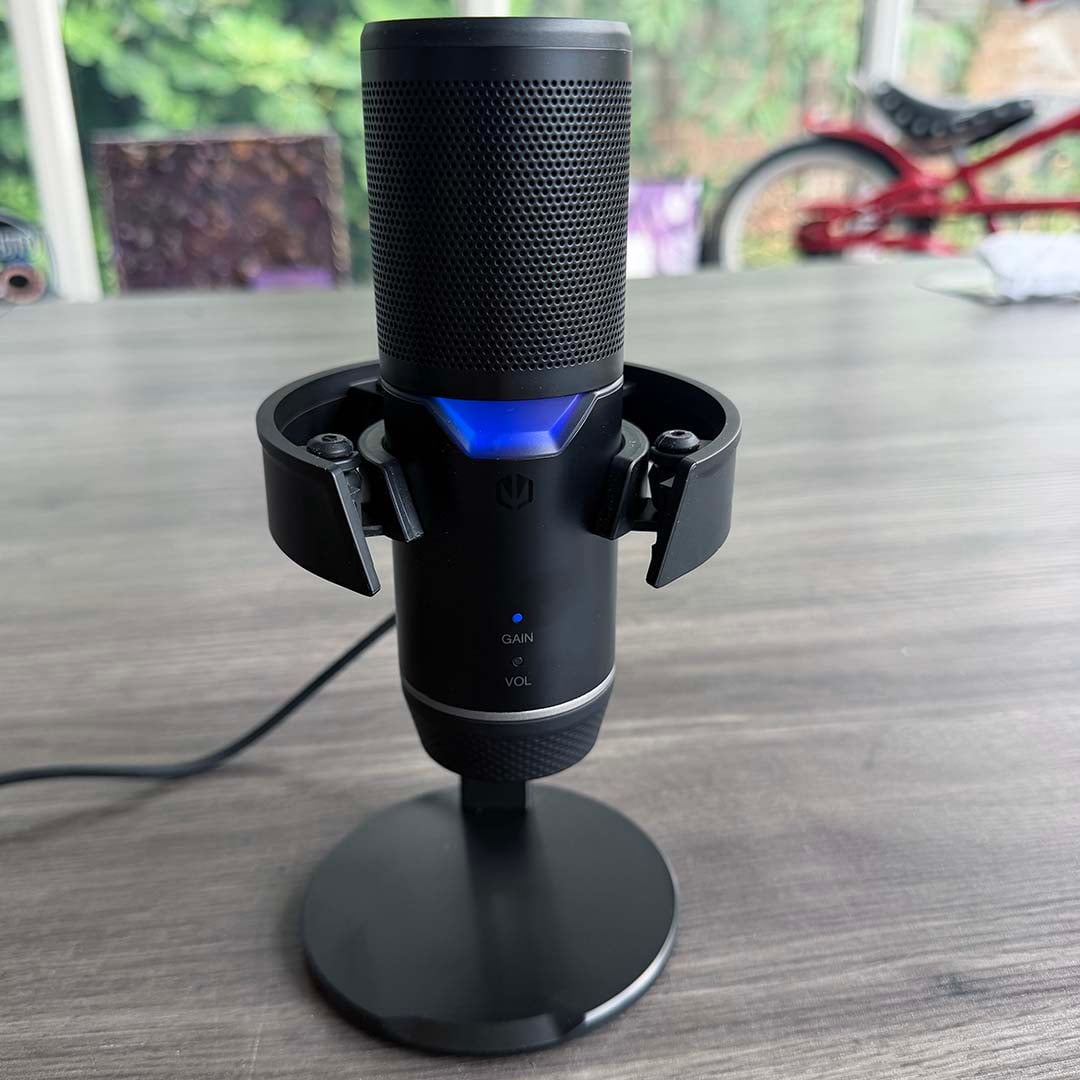
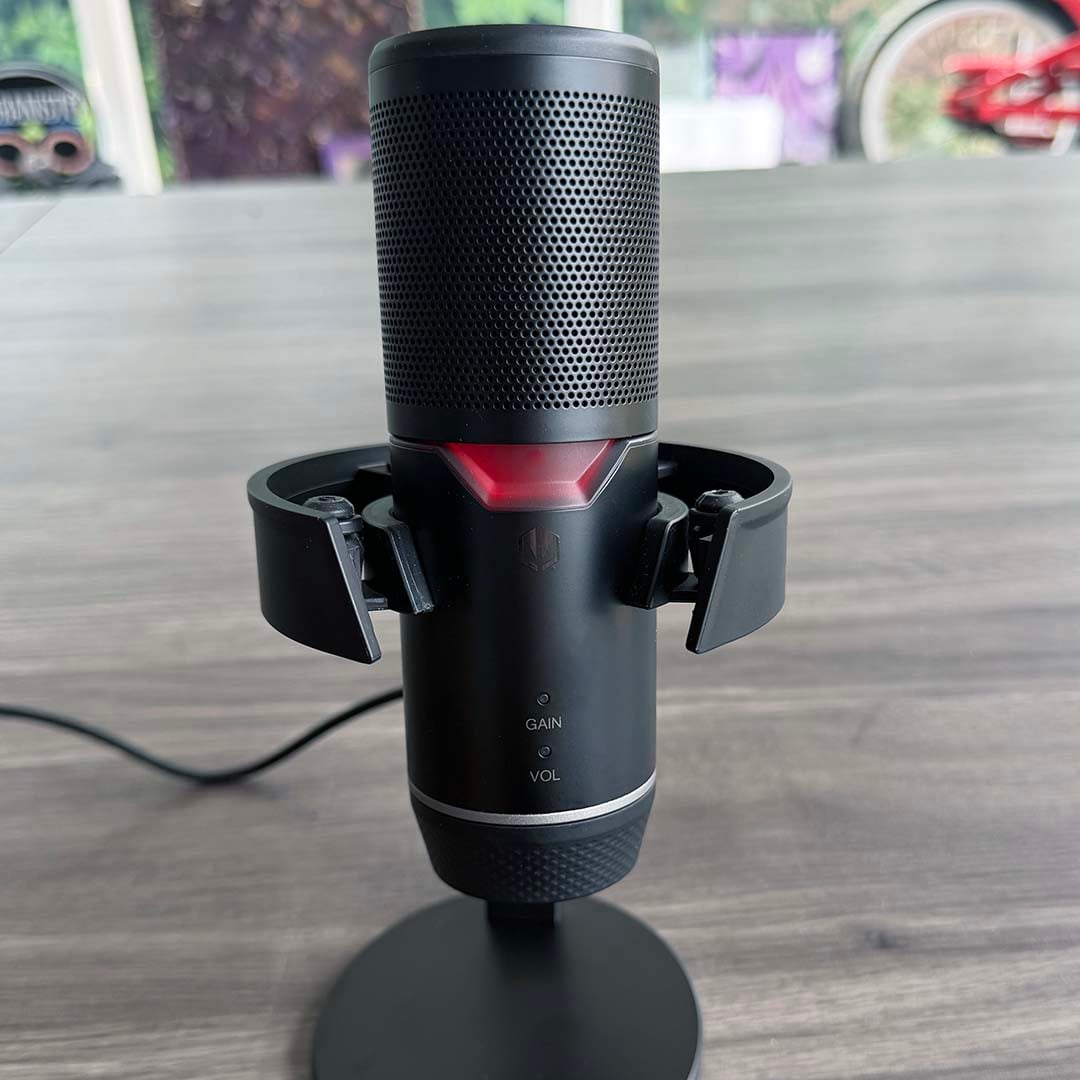
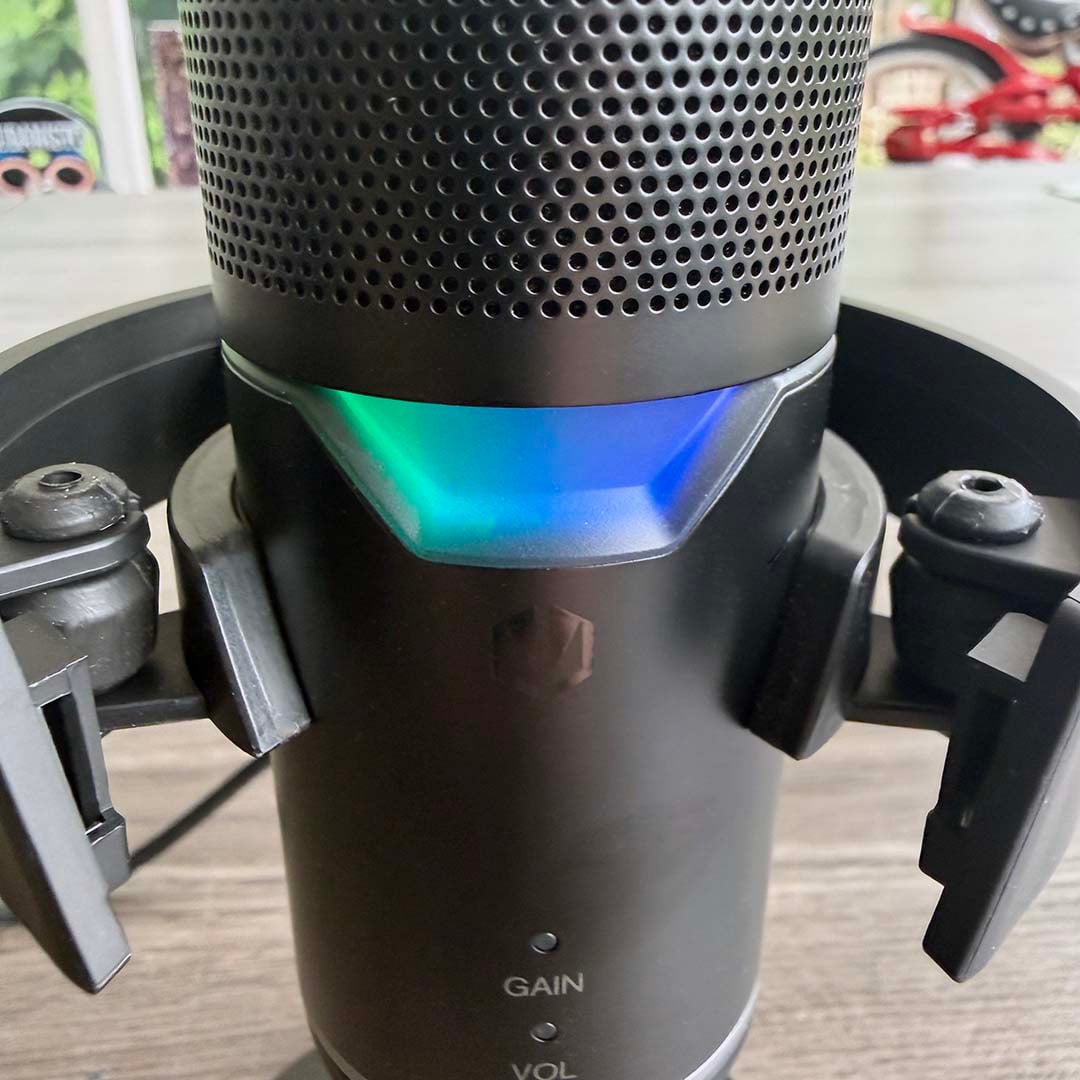
Finally, one other extra on the Pro version is a patch of diffused RGB lighting on the front. In all honesty, though, I think this cheapens the otherwise minimalist black aesthetic – it reminded me a little of Count Binface. On the plus side, that big light instantly shows when the mic is muted, as it turns red, but you can tell that from the LEDs on the top as well.
Removing the needlessly high sample rate and RGB light from the equation, the main bonus of the Pro model over the standard Solum 2 is the direct headphone output.
Performance
Setting up any of these microphones is an absolute doddle. I love the fact that you just get them out of the box, plug them in, and they work. There’s no complicated setup procedure or the need to download any software. They’re instantly picked up by Windows, and you can then go into Audacity and find them readily set up to record (and monitor in the case of the Pro model).
While I really like this simplicity, though, there is a downside, which is a lack of flexibility before you start recording. Plenty of competitors, such as SteelSeries, accompany their microphones with a rich software suite, offering features such as a real-time noise gate and compressor, so you can get the sound exactly right in real time while you’re recording.
Thankfully, the raw sound from the Solum 2 is already solid out of the box. As I suspected, I was unable to discern a difference between the Solum 2 Pro recording at 192kHz, and the other models at 96kHz, but Endorfy absolutely delivers on its promise to record the human voice as naturally as possible.
Voice recordings sound full and clear, with no perceptible sibilance on ‘S’ sounds. When testing for plosives, the internal foam only does so much without the pop shield, as several hard ‘B’ and ‘P’ sounds interrupted the smoothness of the recording. However, with the metal pop shield in place, they disappear.
There’s no trebly, tinny edge to the sound, as you find with a lot of cheaper USB microphones, and neither is it overly bass-heavy like some gaming headset mics. It sounds like a natural human voice. Meanwhile, there’s no hint of hiss or hum in the background, and no clipping, as long as you stay the recommended 10-25cm away from the mic. As expected from a cardioid-pattern mic, the capsule does a good job of focusing on the voice in front of it and ignoring background noise as well.
If there’s one criticism, it’s that it takes a while to get used to the touch-based mute button on the top, and that it doesn’t always work well. On the plus side, it responds to touch, so you don’t have to fiddle with a physical button, but it doesn’t work flawlessly.
I found that I often didn’t tap it quite right for the signal to register, so the mic ended up not being muted. Even if you touch it gently, you inevitably knock the mic casing, with a corresponding sound appearing in your recording. You don’t get any noise when you tap it again to unmute, but I found it hard to get it to mute without the knock being picked up in Audacity. This is an area where having a remote mute button, that isn’t actually on the mic casing, really helps.
Conclusion
Endorfy has delivered a great-quality microphone for a surprisingly affordable price with the Solum 2. It does a great job of recording your voice, with a clear, natural sound, and the build quality of its stand and shock absorber is excellent. Setup is blissfully simple as well, and it looks great on your desk. If you’re looking to get started in streaming or podcasting, this is a solid step up from a cheap USB mic, but without the extra cost of needless frills, nor the hefty premium of studio-quality gear.
It’s not perfect – I didn’t get on with the touch-based mute button on the top, and the lack of extra software features limits its flexibility. It’s also hard to find outside the EU, with prices in the UK being considerably higher than the quoted MSRP in Euros (the Core model costs £97.45 here). That’s a shame, because this is a quality mic that deserves a wider audience with its low-cost pricing.
I’d also argue that there’s no need for three models here. The Core version acts as a great base model, but if you want to step up, what you really want is the manual gain control on the Solum 2, and the real-time headphone output on the Pro – the RGB lighting and higher sample rate on the latter is largely a waste of time, needlessly adding to the cost. A standard Solum 2 that had these two core features over the Core model would nail this formula.
These criticisms aside, though, this is a great showing from Endorfy. The high-quality shock absorber and stand are a solid step up from the flimsy tripods and swivel mounts you often find on cheaper USB microphones, audio quality is spot-on, and they’re really easy to set up. If you’re in the EU, this is a great choice of microphone.