

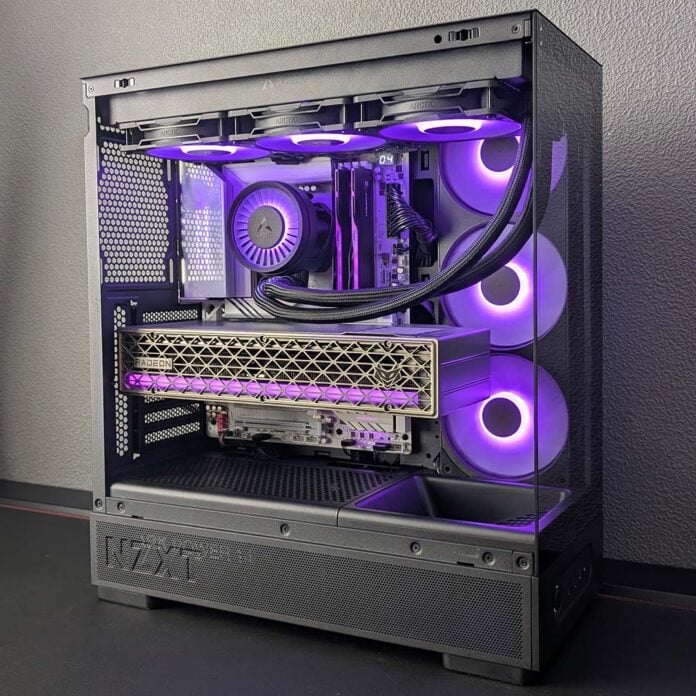
The amount of value that the NZXT S5 RGB offers at $49 is nothing short of stunning, handily challenging the build quality and value of PC cases that are double the price, if not more. There’s simply nothing else on the market that packs as big a high-value punch as this budget chassis.
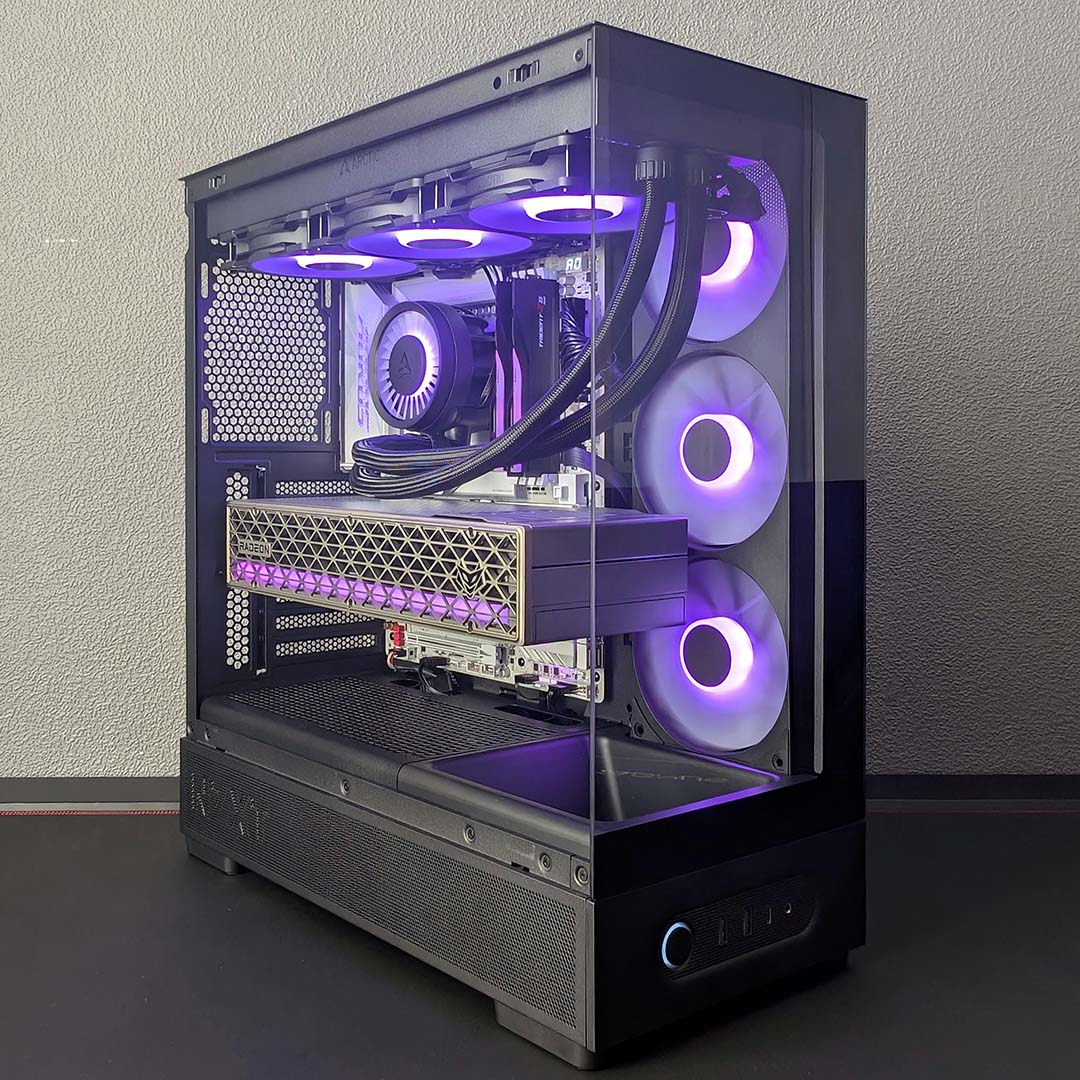

NZXT S5 RGB
£49 / $49
Pros
- Awesome value for money
- Great build quality
- Solid airflow
- 360mm A-RGB fan block
- Black and white colours available
Cons
- No back connect support
- No rubber grommets on cable cutouts
Club386 may earn an affiliate commission when you purchase products through links on our site.
How we test and review products.
We’re taking a look at the black S5 RGB in this review, but NZXT also has a white colourway available at no additional premium. The company is also launching the S5 RGB Deluxe for $59, which comes with two additional A-RGB fans, but is otherwise identical. A $10 premium for some extra flash and airflow is reasonable, but by no means necessary to achieve good temperatures in this case.
Specifications
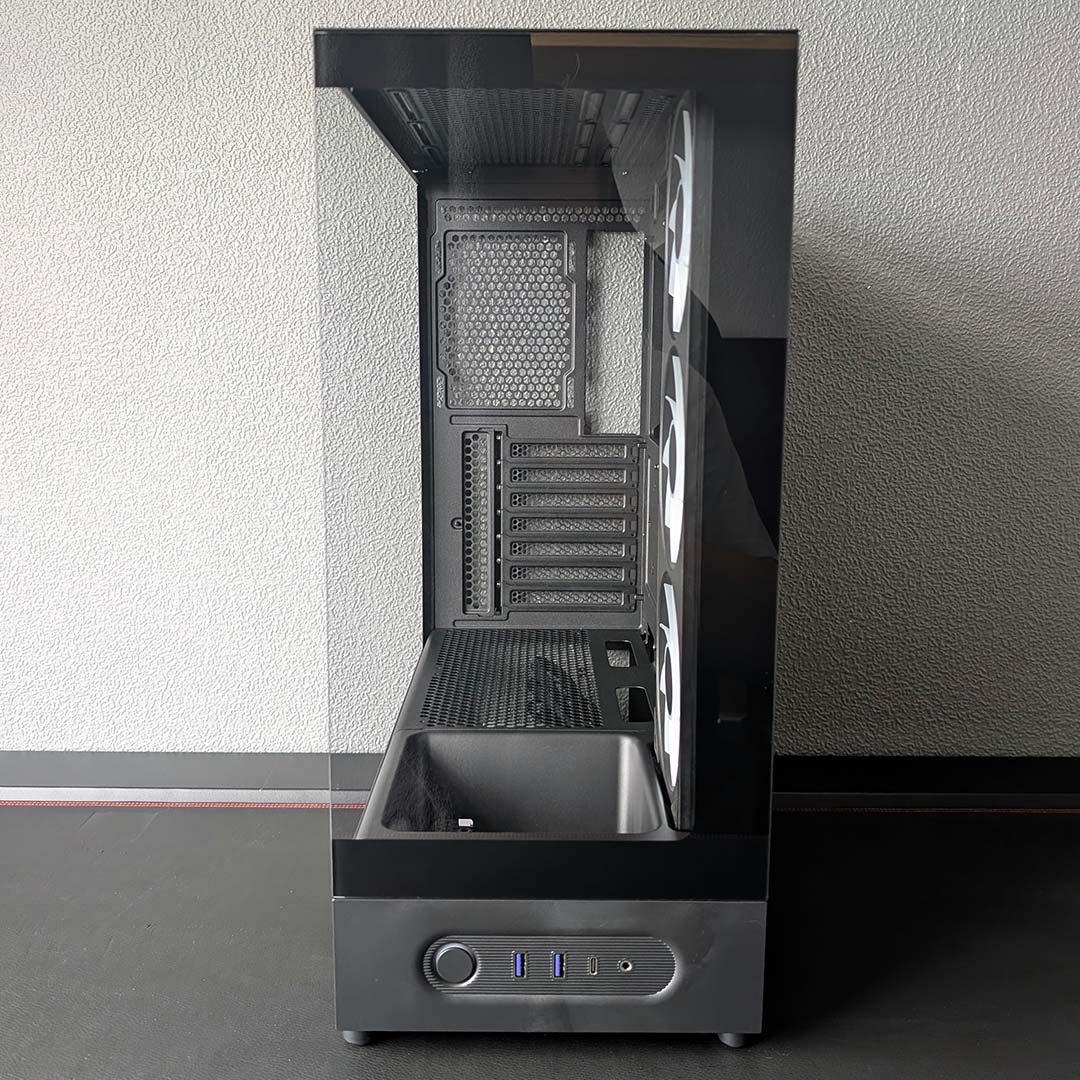
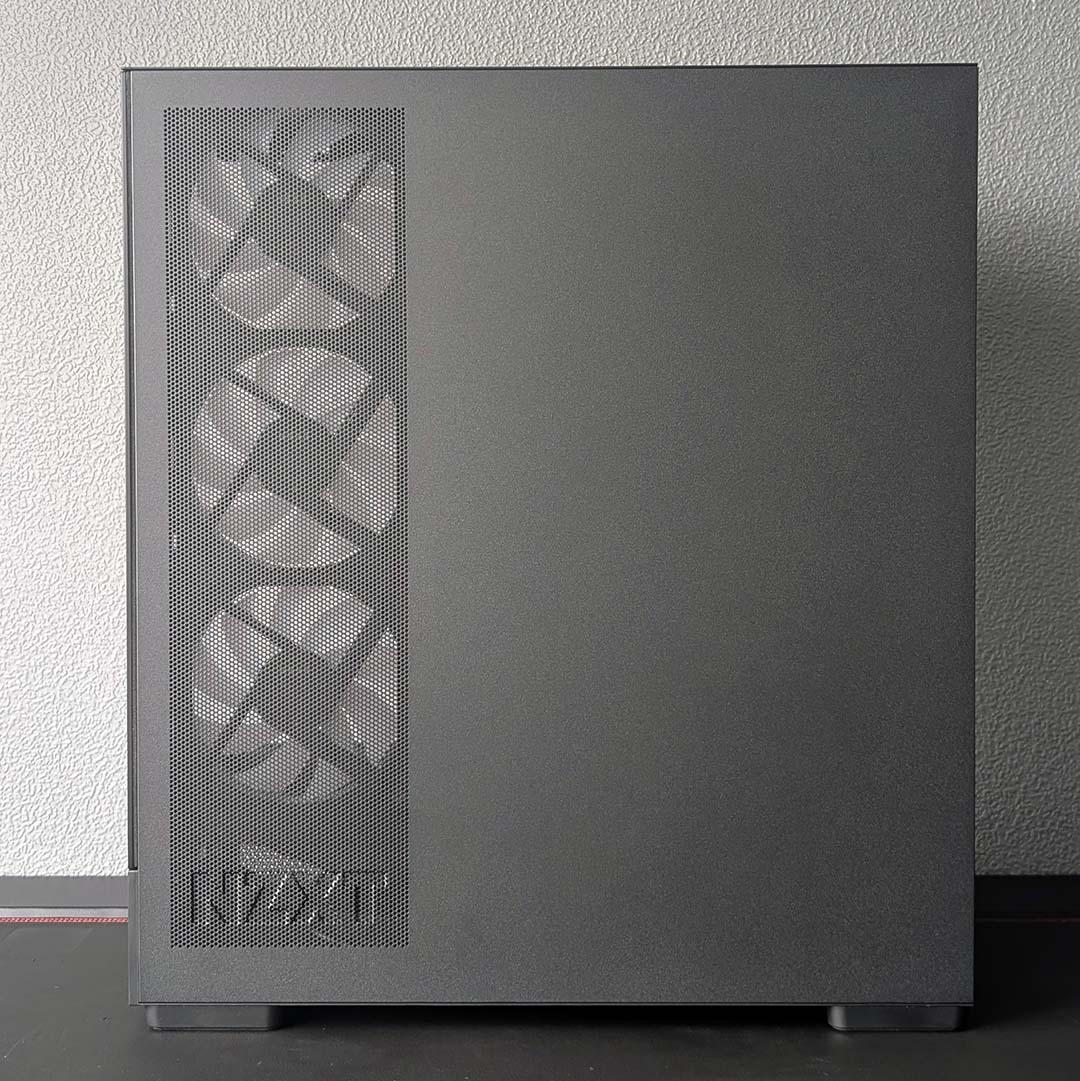
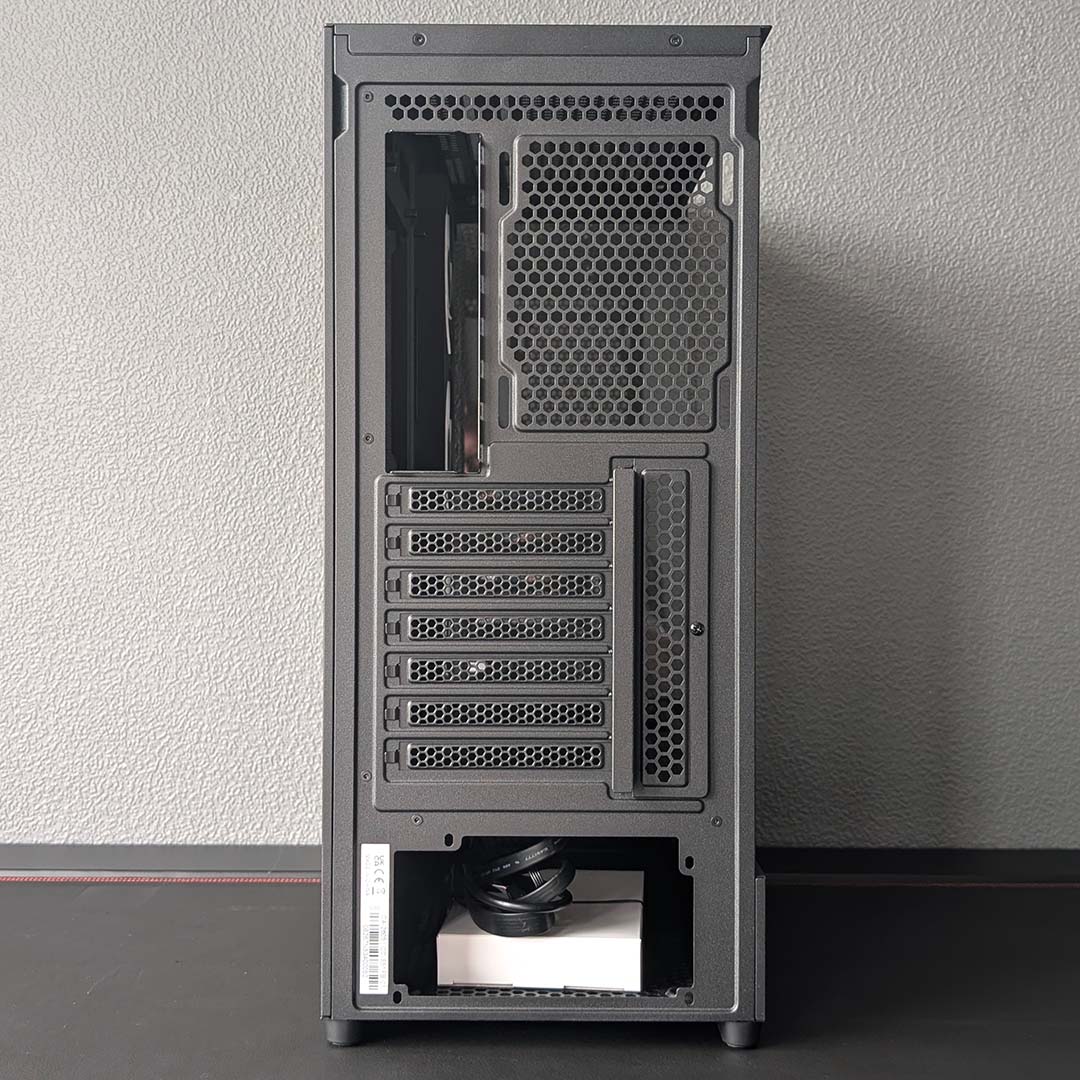
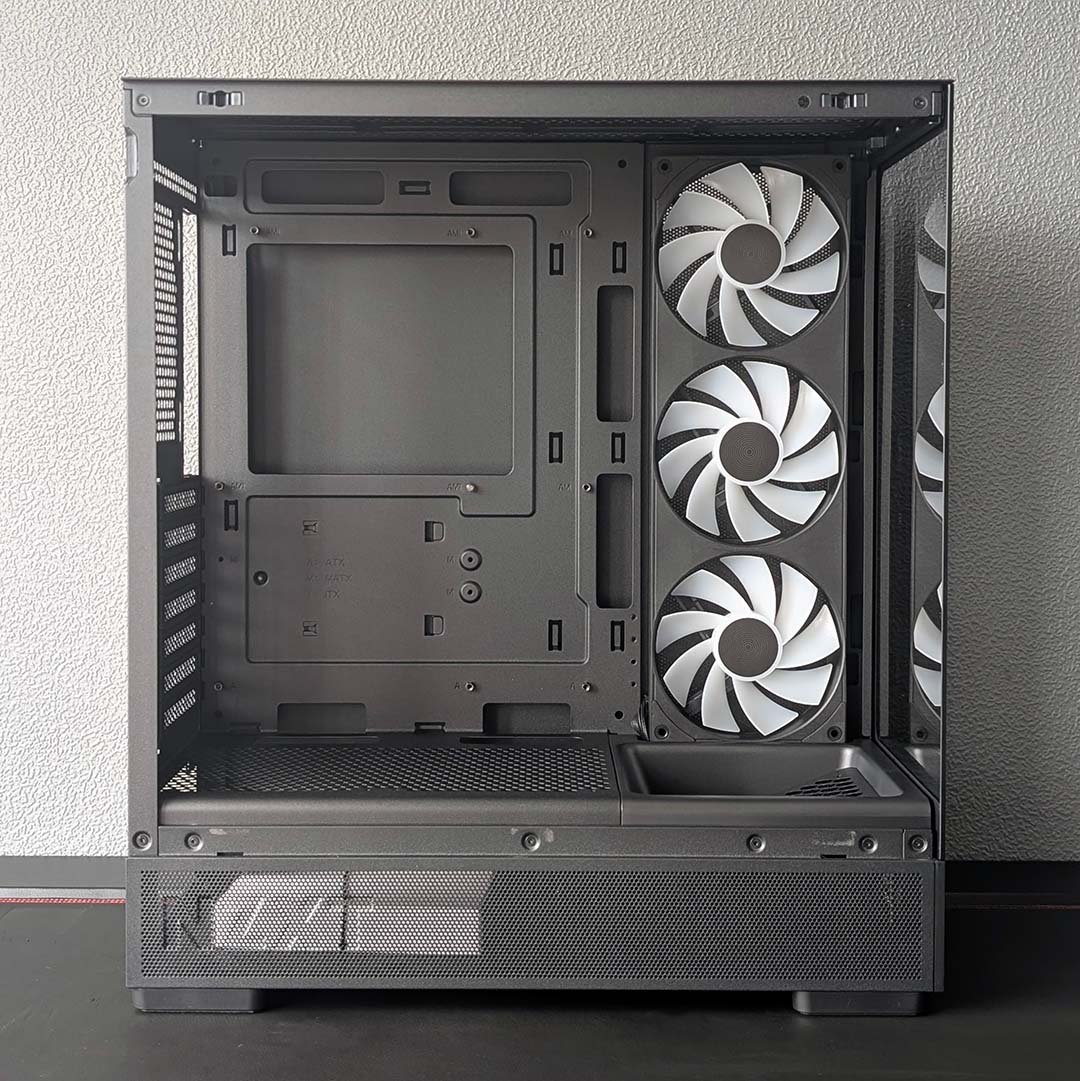
Standing 382mm tall, the S5 RGB is relatively short for a mid-tower ATX PC case. This slim footprint continues in terms of width (210mm) and depth (423mm), for 34L of total volume. Despite such small dimensions, though, it almost never feels cramped when you’re working in NZXT’s budget hero.
This lightweight chassis weighs in at 6.14kg, making it easy to lug around, with or without a complete system inside it. That lack of weight doesn’t denote poor build quality mind, with the metal side panel and wider steel frame all standing strong with minimal flex.
Of course, part of what makes this case so attractive at $49 is the inclusion of dual glass side panels. All similarly priced alternatives right now pair a tempered glass side with a front mesh design, making the S5 RGB unique in this part of the market.
| Specifications | NZXT S5 RGB |
|---|---|
| Dimensions (H x W x D) | 382× 210 × 423mm |
| Motherboard support | ATX, micro-ATX, mini-ITX |
| Back-connect compatible | No |
| Fan support | Bottom: 120mm (x3) Rear: 120mm (x1) Side: 120mm (x3) Top: 120mm (x3) / 140mm (x2) |
| Radiator support | Rear: 120mm Top: 120 / 140 / 240 / 280 / 360mm |
| CPU cooler height | ≤162mm |
| PSU length | ≤200mm |
| Graphics card length | ≤415mm |
| Connections | 3.5mm audio-out/mic-in (x1) USB-A 5Gbps (x2) USB-C 20Gbps (x1) |
| Drive bays | 2.5in (x1) 3.5in (x1) |
| Warranty | Two years |
Both tempered glass panels, and metal side panel, secure to the case via metal teeth at their base and plastic pegs up top, and are removable sans any tools. I greatly appreciate the ability to easily lift them away for easy cleaning and configuration of my system.
The S5’s motherboard tray supports ATX motherboards, with standoff holes available for both micro-ATX and mini-ITX models. However, there’s no support for back connect designs in this case, which while worth bearing in mind if you were planning a cable-free interior, is a forgivable trade-off in service of affordability.
In terms of clearance, you can expect to fit a CPU cooler up to 162mm tall and a graphics card up to 415mm long. That’s enough room to fit practically any model you could want of the latter, but exceptionally large air coolers like the Noctua NH-D15 G2 chromax.black are off the table.
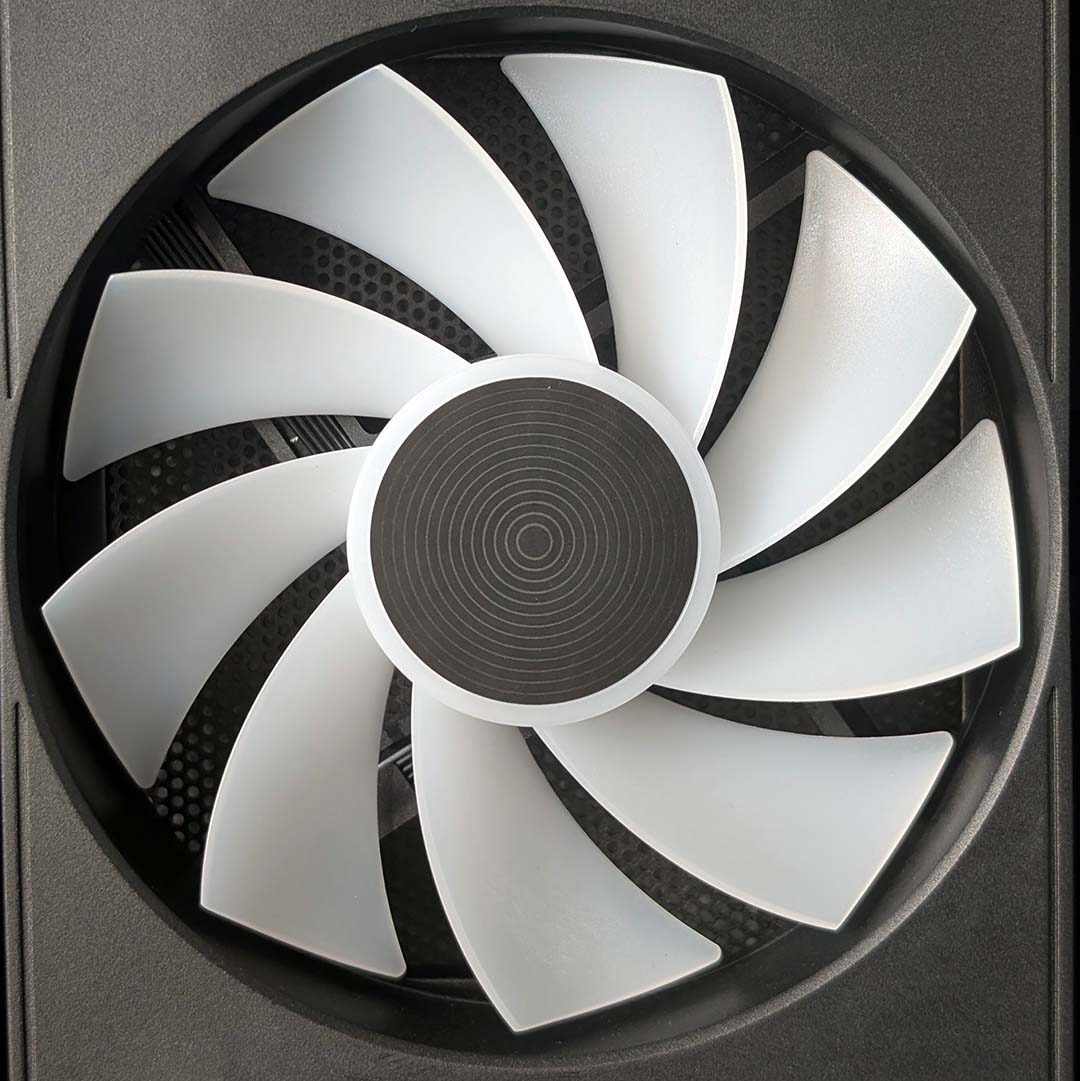
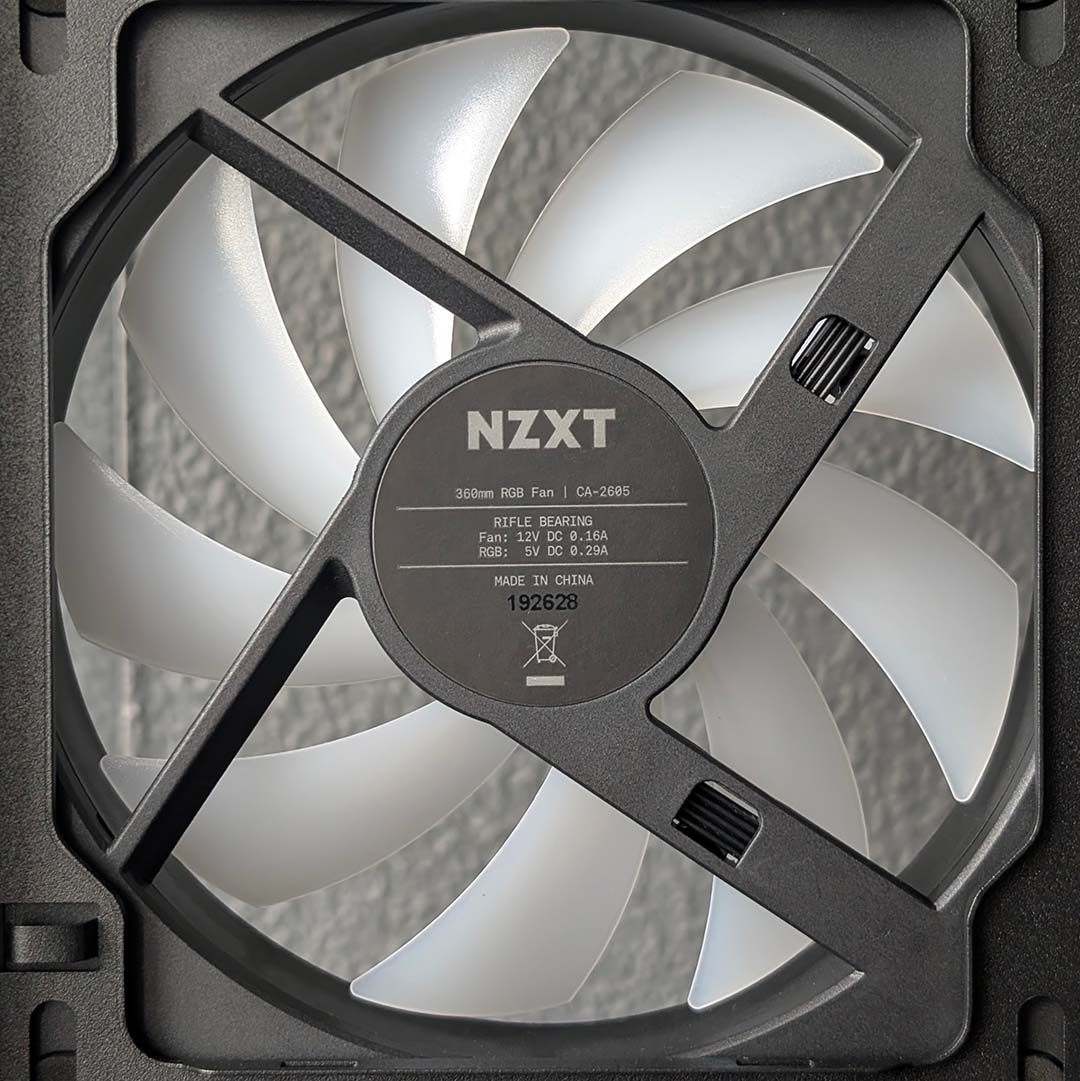
NZXT outfits the S5 RGB with a single 360mm unibody fan unit containing three 120mm spinners, complete with LEDs, which pair to your PC via single PWM and A-RGB cables for a tidy finish. I’m personally comfortable with single-frame fans, particularly given the case’s two-year warranty and low price, but it’s worth noting that, should a single spinner fail, you’ll need to replace the whole unit.
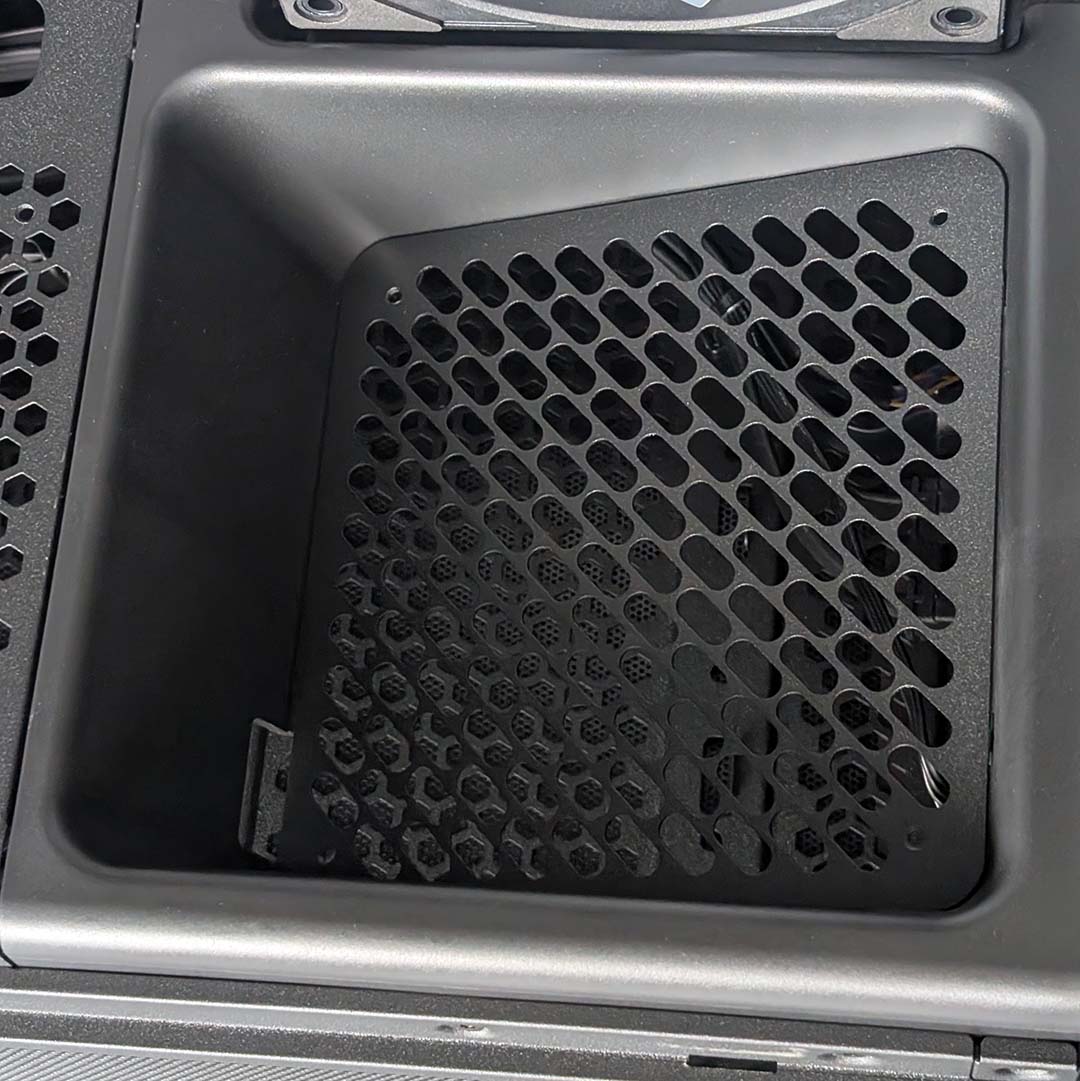
There’s a total of 10 120mm fan mounts across the main chamber, including the three intakes occupied by the stock blowers. One of the bottom fan mounts also sits at an acute angle, aiming to direct airflow towards your CPU and GPU. The S5 RGB Deluxe comes with a reverse-blade 120mm spinner for this cubby, but you’ll need to bring your own to the standard S5 RGB.
Given the compactness of the chassis, radiator support is expectedly on the slim side. You can install up to a 360mm AIO water cooler in the roof of the main chamber, or a 120mm in the rear. Taking the case’s price into account, these are reasonable constraints, and will offer more than enough cooling potential for most mainstream builds.
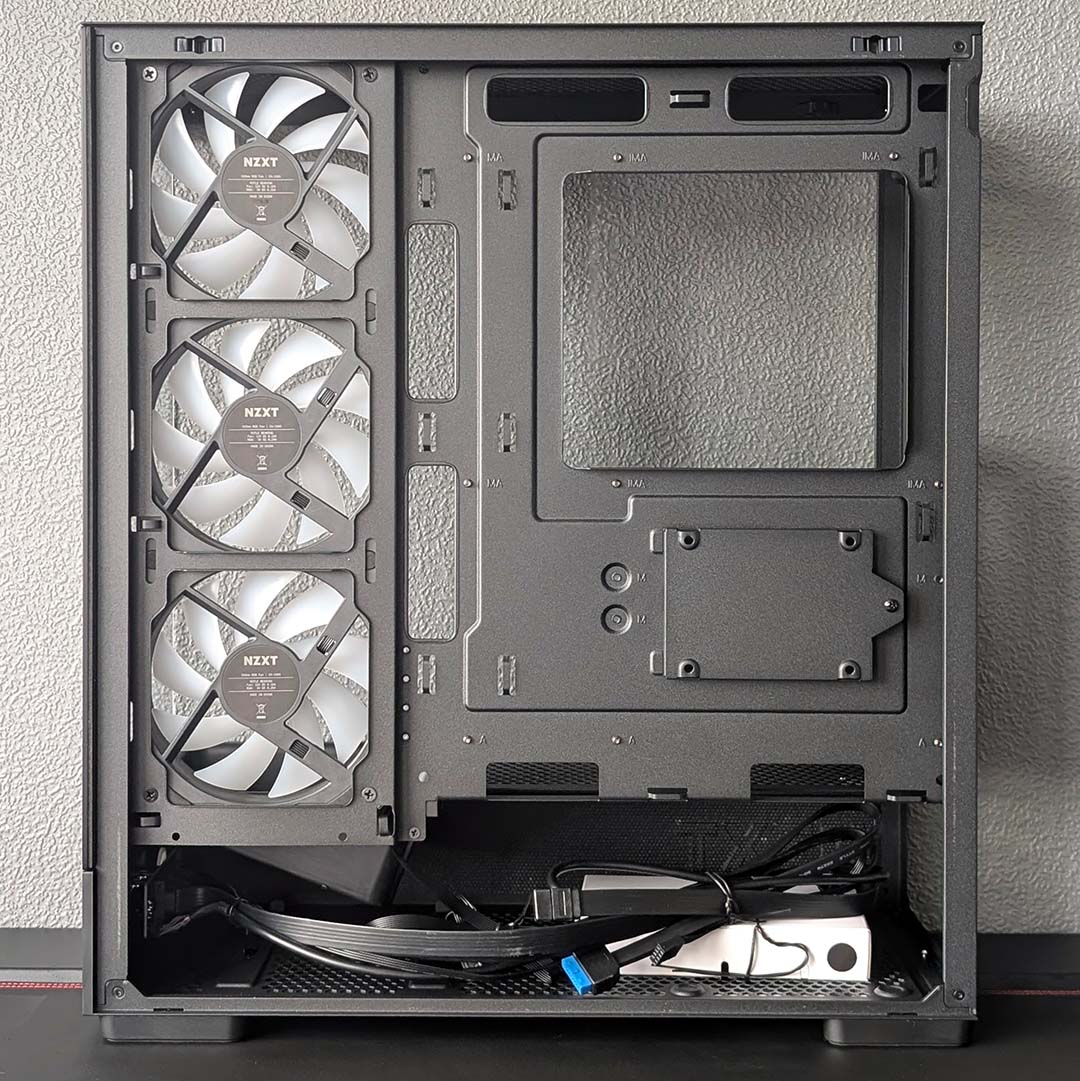
Lifting away the case’s metal side panel reveals a tidy, albeit sparse, rear. A power supply shroud sits at the bottom of the frame, with enough room to house a PSU up to 200mm long. Regrettably, there’s no removable bracket here, so you’ll need to carefully slide your unit in from the side.
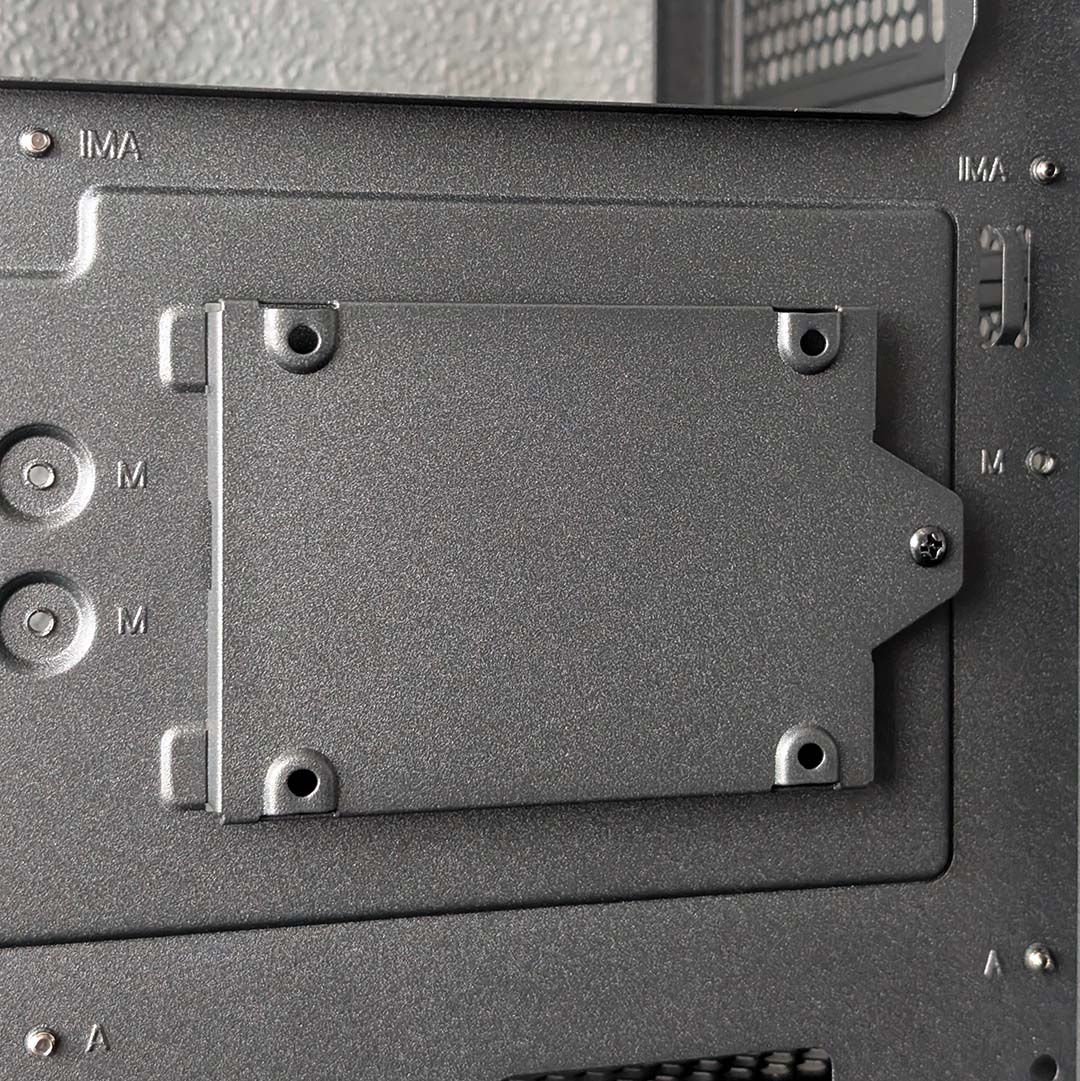
A 2.5mm caddy attaches to the case’s middle spine (motherboard tray) via a single screw and two teeth, enabling you to tuck away a single SATA SSD into your setup. There are also mounting holes for a lone 3.5mm hard drive below the tilted fan mount, if you’re still rocking spinning disk storage.
I’d love to have seen some rubber grommets covering the S5 RGB’s cable cutouts, but this is a nicety I can happily forgo in the name of affordability. However, as we’ll discuss later, the position of these routing holes so flush to the fan bracket can cause some minor problems.
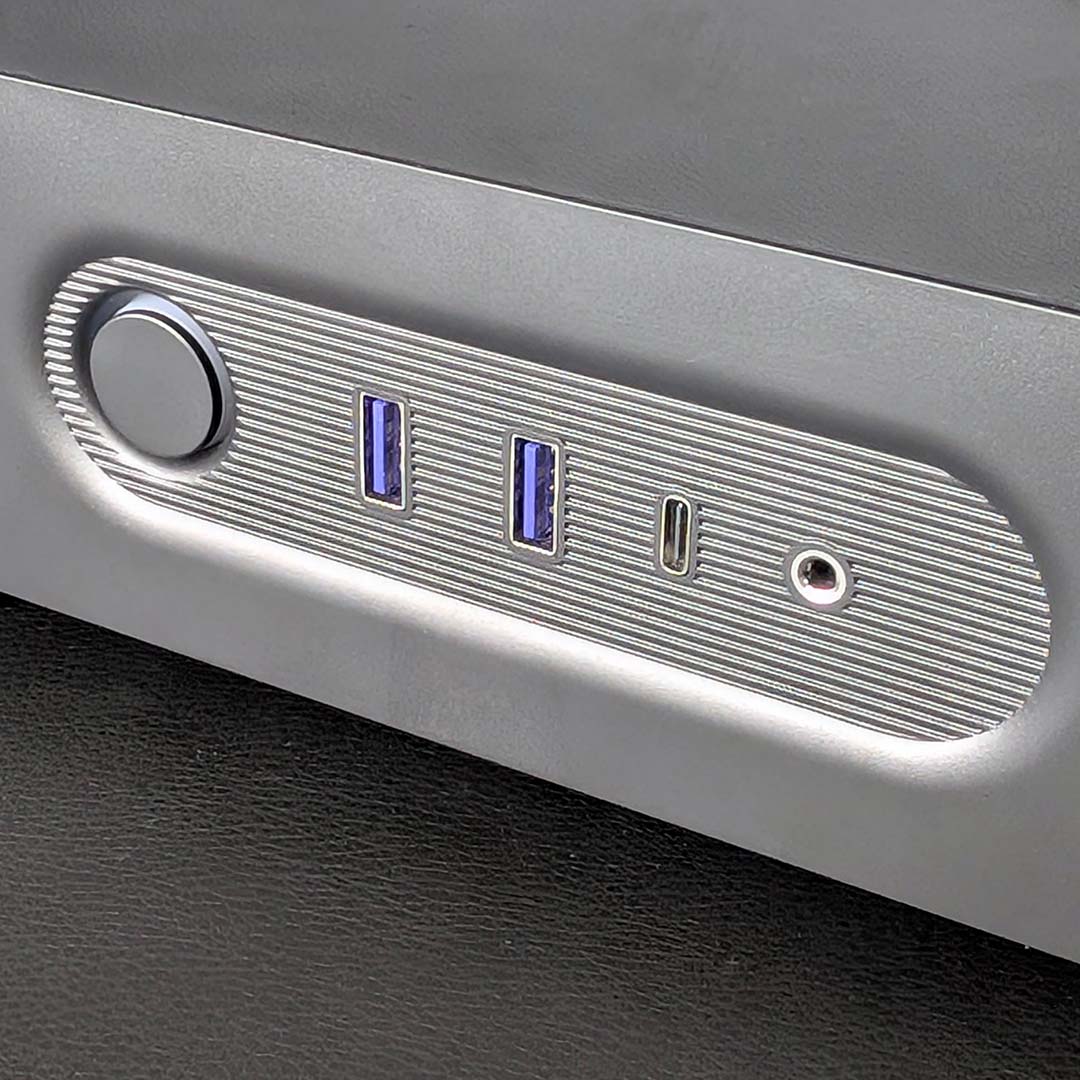
On the bottom of the front panel, you’ll find the case’s pleasingly large and clicky power button, two 5Gbps USB-A ports, a single 20Gbps USB-C port, and a 3.5mm audio-out/mic-in underneath the front panel. This is standard fare in terms of I/O, but I appreciate NZXT’s design touches to give the assortment some flair, with a recessed stadium shape and ribbed metal materials.
I’d usually prefer to see USB ports and the like on the side, rather than front, of a case such as this one. However, the S5 RGB’s compactness makes this placement more forgivable, as it enables you to easily push the chassis deeper into your desk. The bottom portion of the case underneath the tempered glass also serves to improve passive airflow (or active if you’re running a fans in the lower portion of the main chamber).
Summarily, NZXT has hit all the beats you’d expect from a $49 case and beyond to an appreciably high standard. The build quality here is great, and the firm’s broad design language is undeniably attractive, to the point where you could easily believe this chassis costs closer to $99.
Test components
While the S5 RGB may command a low price, you can happily throw all manner of expensive components into this case. For this review, I’m using our usual assortment of test hardware, including an Intel Core Ultra 270K Plus, which will help shine a light on this chassis’ thermal performance with its 250W power limit.
Here’s a list of the components I’m using in the case:
- CPU: Intel Core Ultra 270K Plus
- Cooler: Arctic Liquid Freezer III Pro 360 A-RGB
- RAM: G.Skill Trident Z5 RGB DDR5-7200 CL34 32GB
- Motherboard: Gigabyte Z890 Aorus Pro Ice
- GPU: Sapphire Nitro+ Radeon RX 9070 XT
- SSD: WD_Black SN8100 2TB
- PSU: be quiet! Dark Power 14 1,200W
Build experience
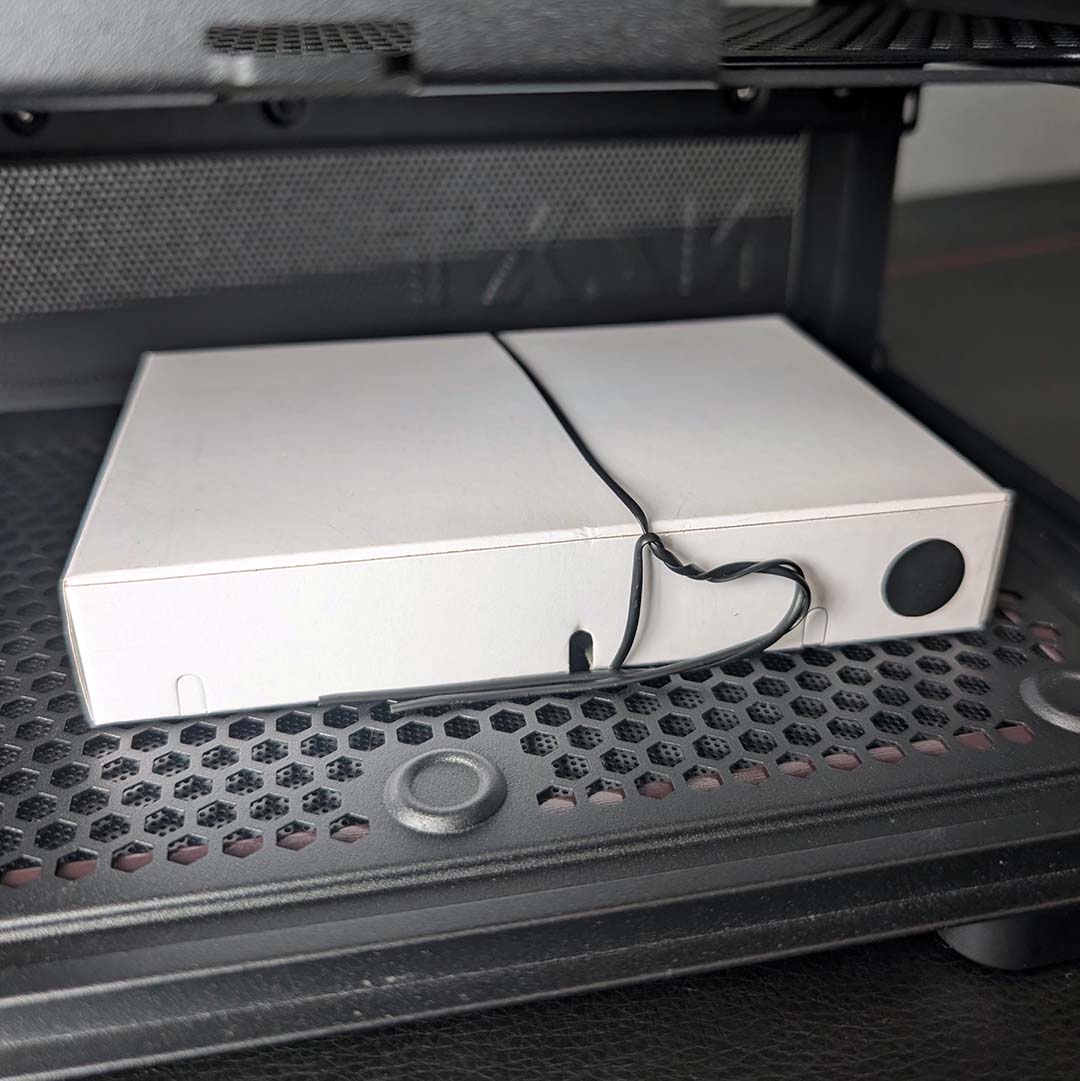
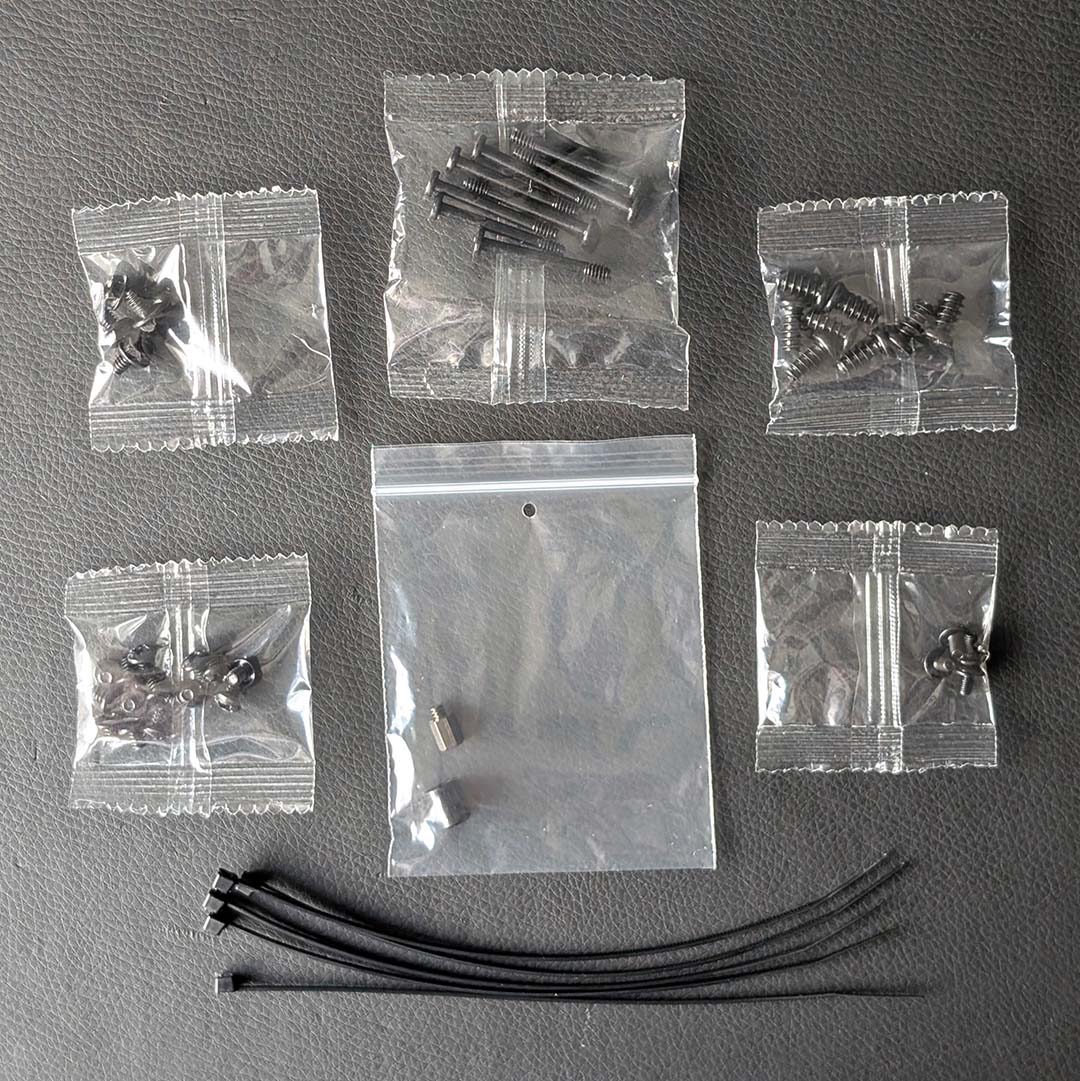
You’ll find all this case’s accessories in the power supply shroud, placed in a cardboard attached to the bottom panel via a twist tie. As you might expect for a budget case, the contents aren’t anything more than the simple bare necessities.
Open the box, and you’re greeted by several types of screw in single-use plastic bags without labels. Additional motherboard standoffs come in a resealable bag, as well as several cable ties, to round off the accessories collection.
This is certainly all you need to build your PC. However, I’m sad that there are no Velcro straps here, just as they make it much easier when it comes to cable management adjustments down the road, relative to standard zip ties.
After safely moving the side and front panels away from my build area, I populate my motherboard with CPU, RAM, and SSD. Our Gigabyte Z890 Aorus Pro Ice easily slots into place without any tweaks, as the case arrives with mounts in an ATX arrangement by default.
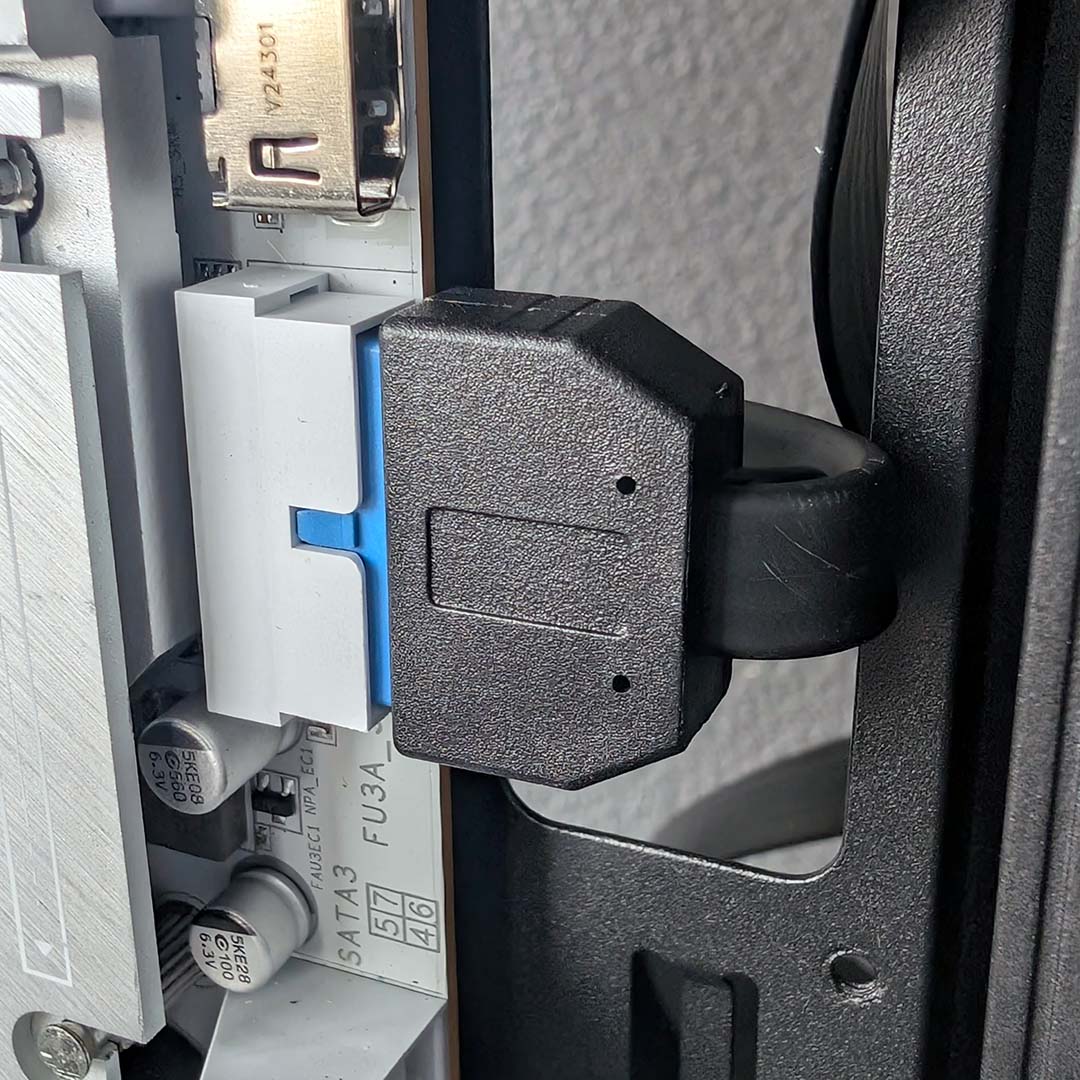
I then route case cables to the board, and that’s where I hit the only major snag during the build process. While the majority of wires settle into their headers and ports without issue, the internal USB 3 cable struggles on account of the tightness of the case’s cut outs (which you can see in the picture above).
This won’t affect motherboards with USB 3 headers that face vertically up from the motherboard, but those with horizontal ports like ours will need to manage this tight turn. The problem here is that the fan bracket sits very close to the cutout, leaving little room for the cable to sit without being so decidedly taut.
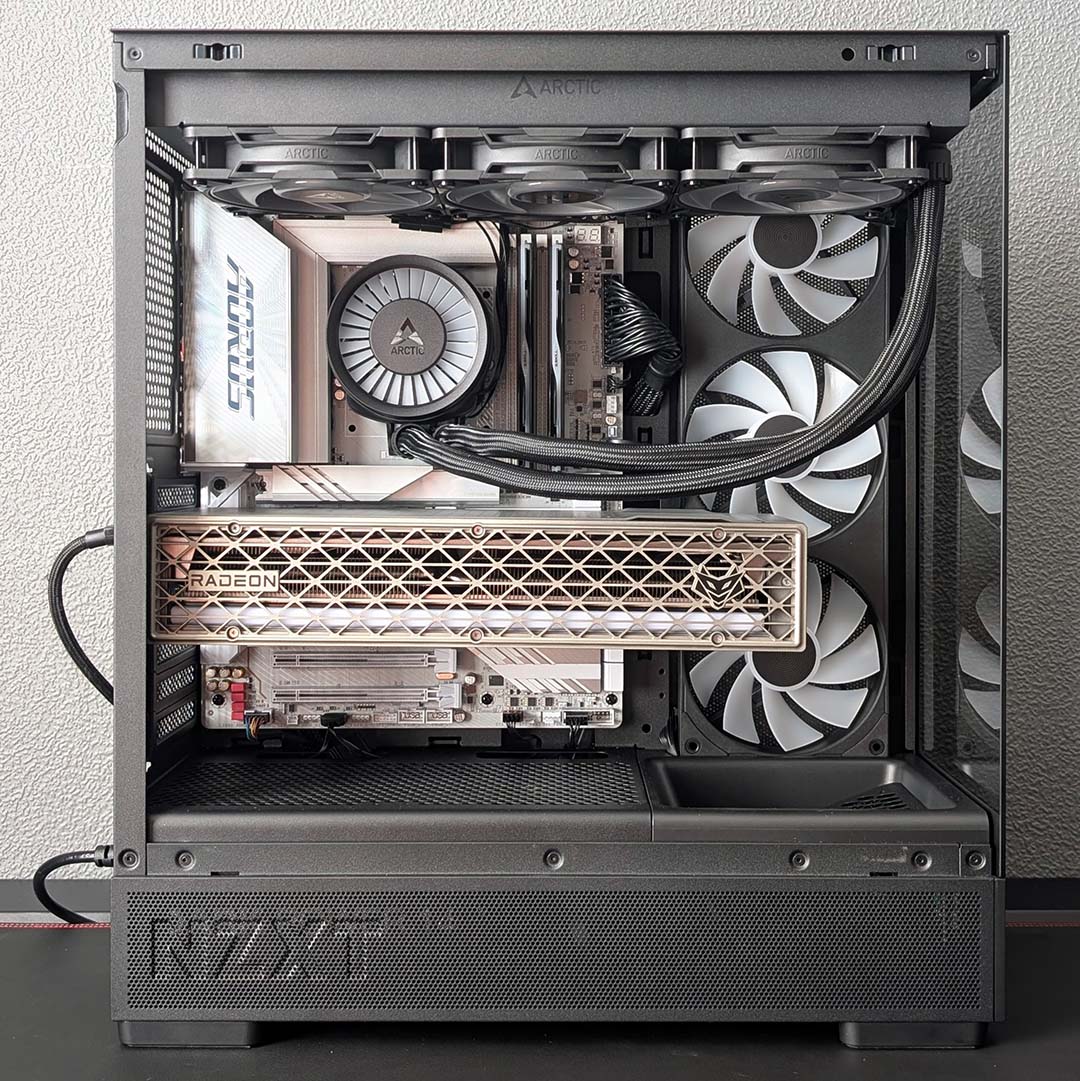
After this stint of choppy waters, the rest of the build proves smooth sailing. I slide our power supply into its shroud, screwing the unit into place afterwards, and route our cables with no bother. As I’ve mentioned earlier, there’s no separate bracket to pair with the PSU, but this is a minor relative inconvenience that no doubt saves on cost, thanks to fewer modular parts.
To install the graphics card, I first need to unscrew the PCIe bracket cover to gain access to the necessary slits and screws. I can take or leave such covers. While they do make the case a little more pleasing to the eye by obfuscating screws, I’m only ever looking at the back of the case when I need to make a tweak, making this aesthetic change largely invisible for the majority of use.
Our AIO cooler completes the setup. The S5 RGB’s top panel and fan bracket aren’t removable, so I need to hold the liquid cooler in place for a moment while I insert two screws to hold the radiator’s position as I affix the others. This part of the case benefits from a magnetic dust filter, which sadly doesn’t sit entirely flush once I have my cooler in place, as the screws create small bumps underneath the mesh.
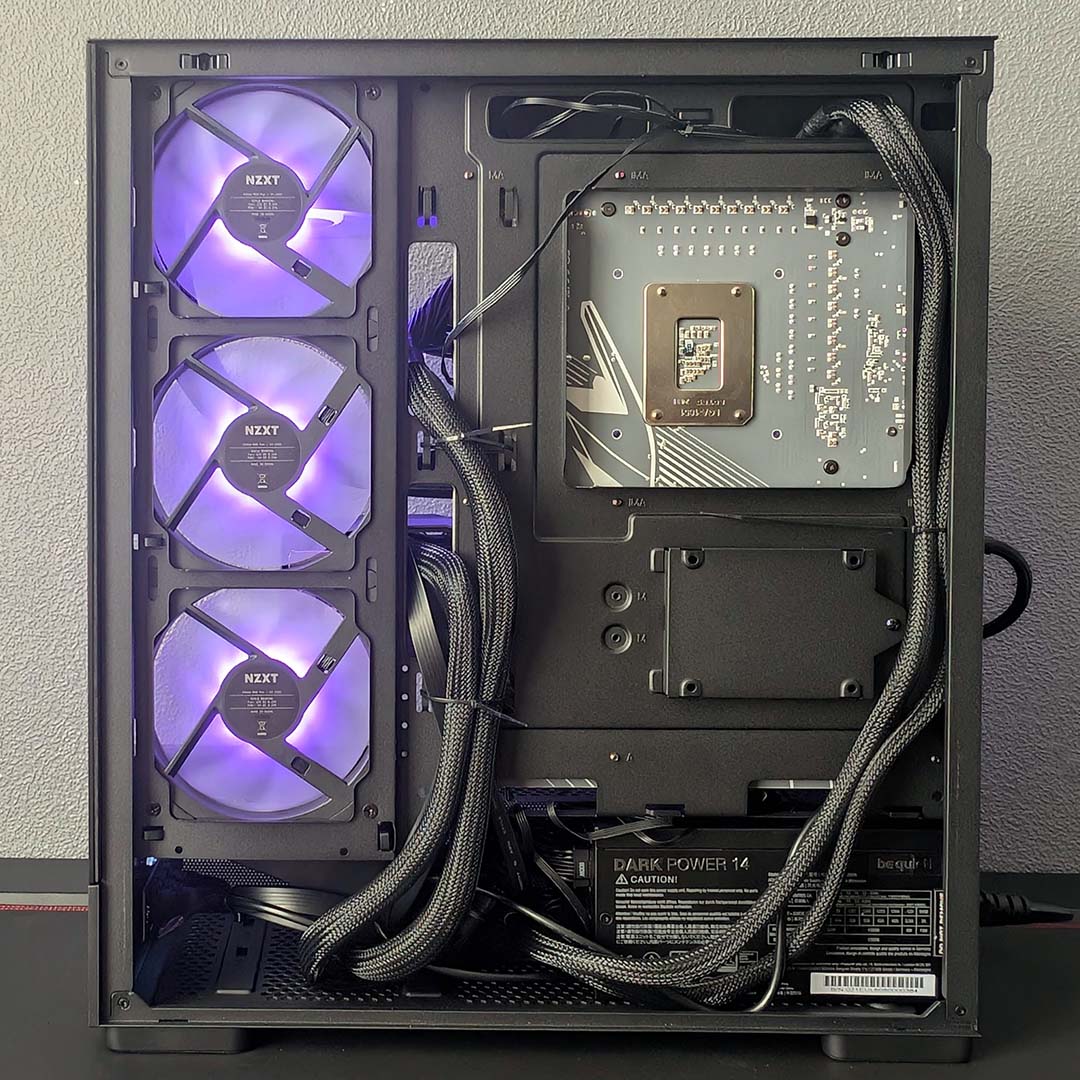
Cable management is straightforward, with enough grip points for the cable ties to attach to. The overall finish is clean across the main and rear chambers, but some rubber grommets would help elevate the former’s appearance a touch more.
Building our test system inside the S5 RGB was largely a flawless effort, bar some minor difficulties with the internal USB 3.0 connector. Budget cases like this one should accommodate those with less experience in putting together PCs, and I believe the case largely succeeds in meeting that requirement.
Moreover, I’m happy with the overall look of our test components inside this compact chassis. If I had to nit pick, the angled fan cubby along the base of the main chamber does look a little odd on closer inspection without a fan inside, but it certainly doesn’t spoil the overall aesthetic.
Performance
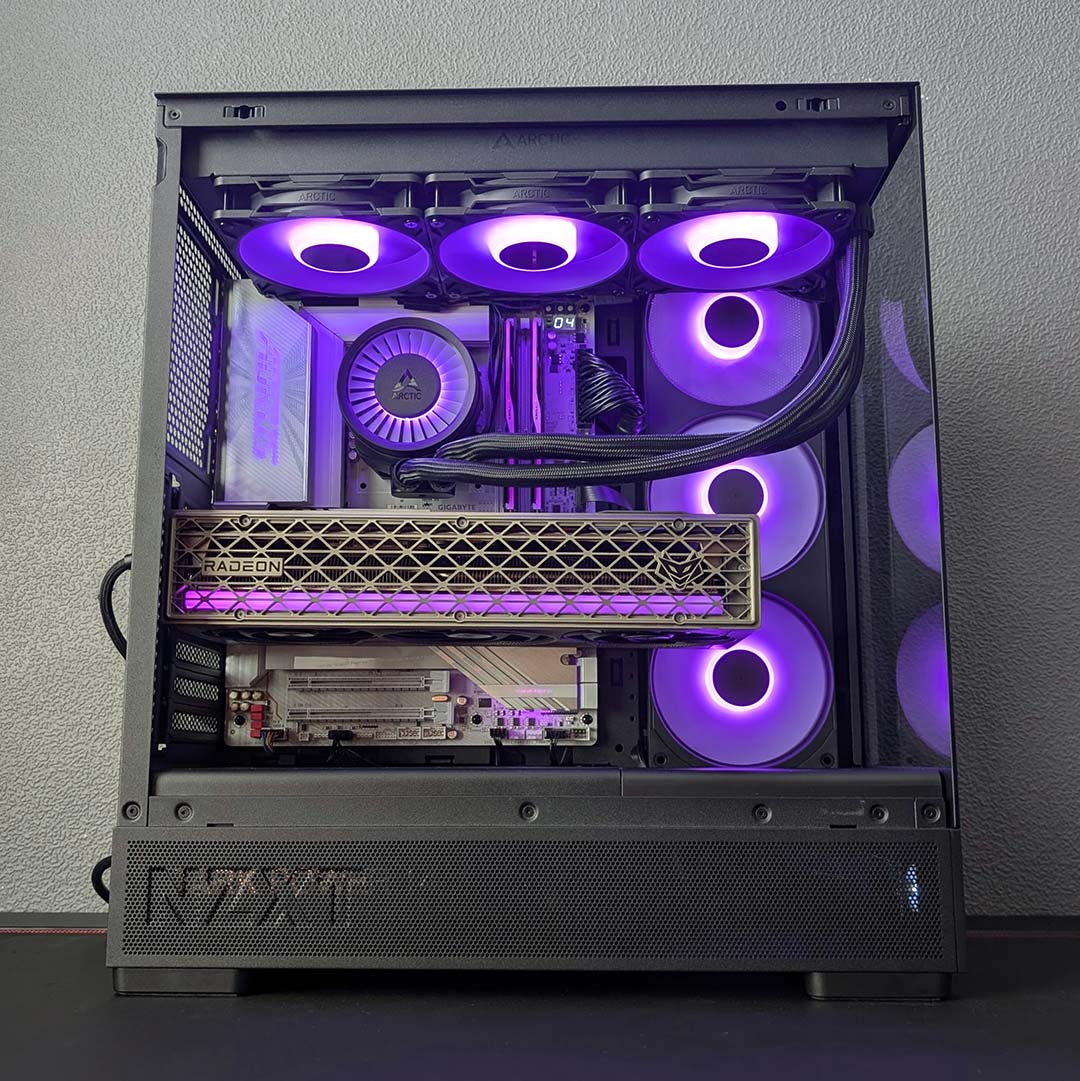
Our performance testing of the S5 RGB takes place in a 21°C testing environment, as my office does its best to stay warm in the face of Britain’s recent cold snap. It’s worth remembering this value as I’ll be describing absolute temperatures reported from our PC, rather than Delta-T values.
As usual, I’m maintaining parity with prior case review tests in terms of cooler and fan settings. More specifically, our Arctic Liquid Freezer III Pro 360 A-RGB’s pump is running at 50% while fans across the radiator and case spin at 30%. We use the same values in our 9950X3D test benches, but that setup benefits from a 420mm cooler and larger fans, so we’re expecting results to sit a little hotter than our system.
Measuring 30cm away from the intake grille, my sound meter reports noise levels of ≤30dBA. The stock case fans are practically inaudible at these settings. It’s also worth bearing in mind that they sit on the opposite side of the chassis that you’ll sit next to, so expect even less audible noise from your seating position.
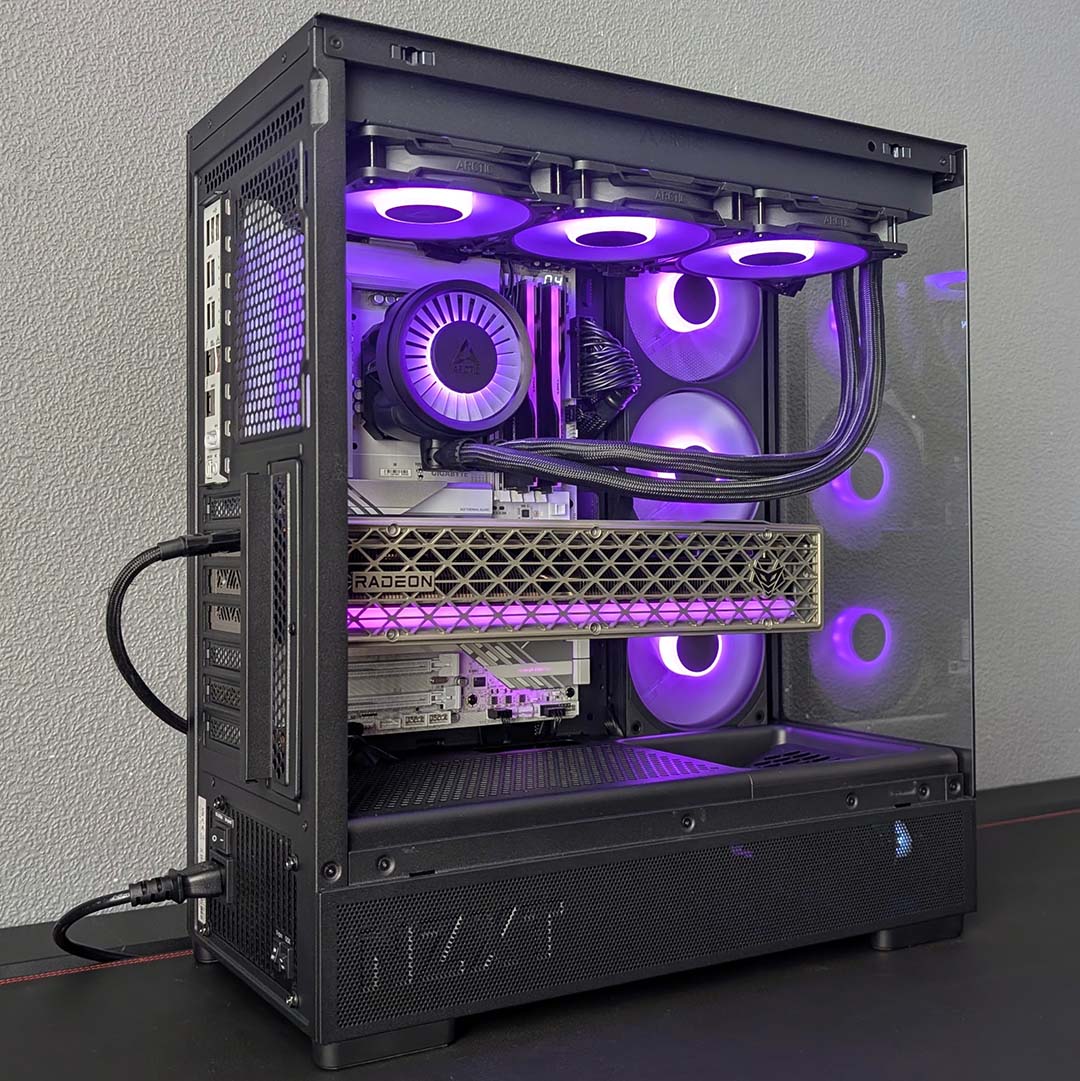
Sitting idle, our 270K Plus kicks back at a cool 28°C. Meanwhile, the system’s Sapphire Nitro+ Radeon RX 9070 XT rests at 33°C, making nary a sound as its fans silently stand at the ready for GPU load to increase. The challenge of a Cinebench 2026 multi-threaded benchmark over 10 minutes leads to our peak CPU core temperature rising all the way up to 80°C. Taking the ambient temperature into account, we’re bang on with where we expect this processor to fall in terms of thermals.
Moving on to gaming, and the S5 RGB continues to provide solid airflow. Cyberpunk 2077 brings our CPU up to a reasonable 64°C, while our graphics card cruises at a comfortable 55°C. Both components are far below the realms of thermal throttling in this test, allowing us to enjoy maximum performance from each with plenty of headroom.
It’s clear from the results above that there’s enough headroom to reduce fan and/or pump speed further if we wanted to further tip the scales in favour of noise over thermals. However, there’s really no need to do considering acoustics and temperatures are more than pleasing with these settings, with components operating quietly and comfortably far from their thermal limits.
Conclusion
The S5 RGB offers everything you need from a compact ATX case to a high standard, complete with dual tempered glass panels for a stylish look. This would be commendable at ~$100, but to have this all arrive at $49 is practically worthy of applause. This is our new go-to recommendation for anyone looking to save some cash on their case with little sacrifice.
The only noteworthy compromise you’re making with this case is a lack of support for back connect motherboards. However, accommodating such designs would certainly increase manufacturing costs owing to tooling, naturally pushing up the MSRP. Forgoing compatibility with typically niche and premium board designs is a reasonable sacrifice in my eyes.
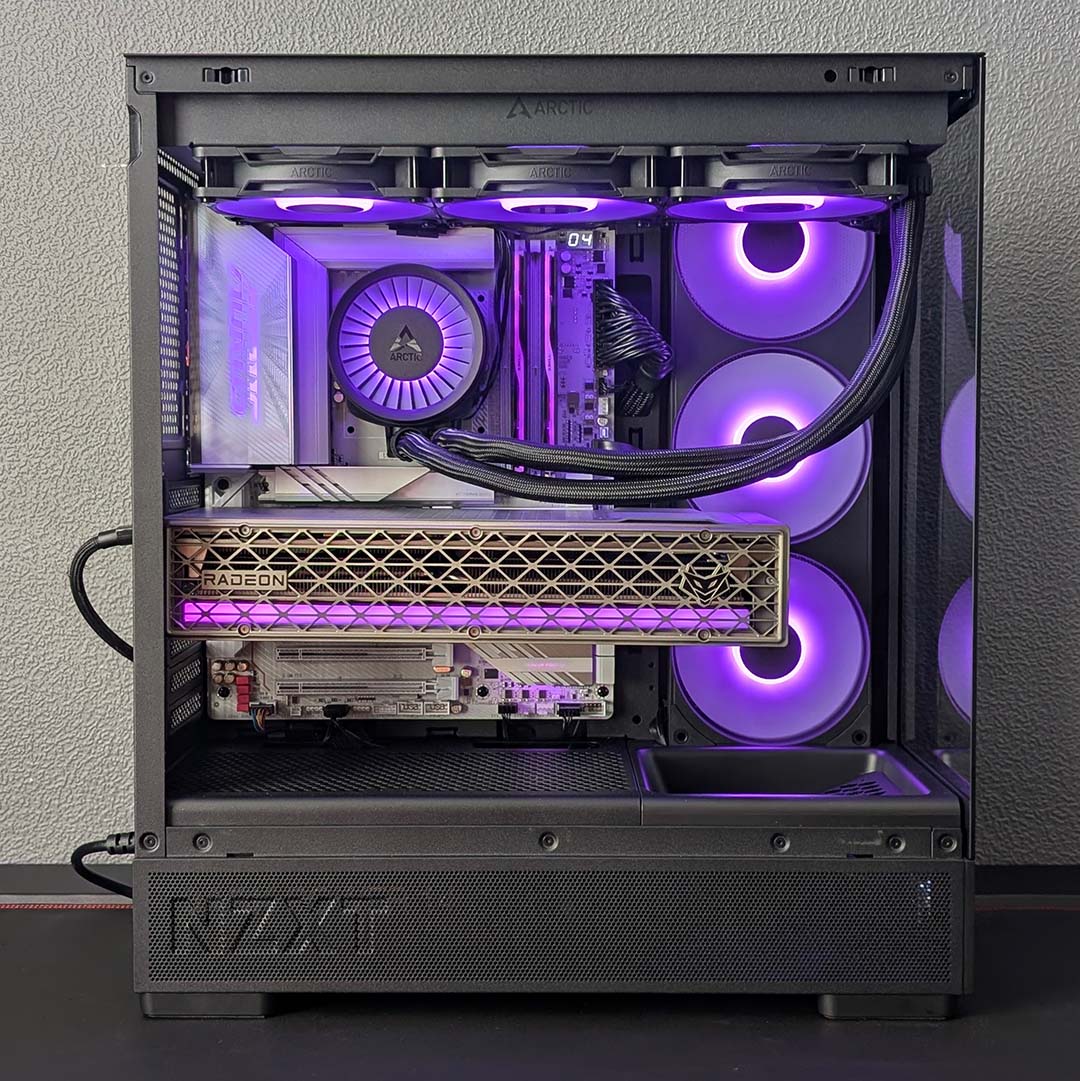
There’s no like-for-like competition for the S5 RGB at this price. The closest we get is a case like the MSI MAG Forge 320R Airflow at the same $49 price, packing three RGB intake fans and one RGB exhaust, but lacking a dual tempered glass finish. Meanwhile, NZXT does offer the H5 Flow for slightly cheaper, but it doesn’t come with any RGB lighting, and only has a mere two blowers.
I’d certainly consider reaching for the S5 RGB Deluxe, as the premium is small at $10. However, doing so is only in service of better looks and plugging the hole the angled fan mount creates in the standard model, as baseline airflow is already strong.
