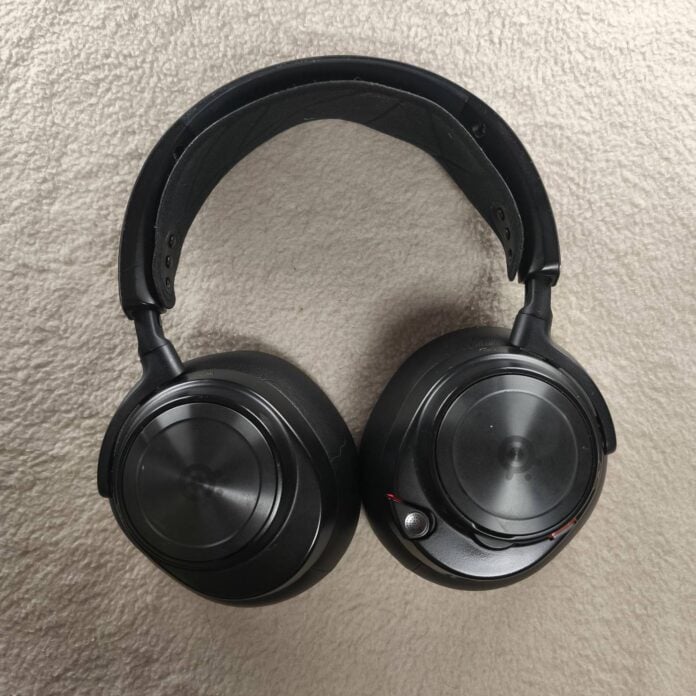
The SteelSeries Arctis Nova Pro Wireless has been my main headset for more than two years now, serving me admirably across both PC and Xbox. However, as only time can tell, I’ve identified areas for improvement, and specific changes I’d want to see implemented on future models. These include the battery, headband, source mixing, dock, and earpads.
Sounds like I want an entirely different set of cans, but not at all. This has been an excellent headset and many of my suggestions entail simple design or software tweaks that would transform the Nova Pro Wireless from good to excellent, at least for me. But before we start, keep in mind that the negatives I’m about to identify are by no means deal breakers. I am still perfectly satisfied with my headset, which is a good thing since it cost more than my monitor!
Batteries
Let’s start with the Nova Pro Wireless’ main feature, hot-swapable batteries. For those who have never experienced such a feature, I can tell you that it’s fantastic, especially if you hate cables. Though each battery gives you about a day of use at medium volume – if you find yourself out of charge, you can simply swap to a full pack, effectively giving you infinite playtime.
However, while this swapping procedure is quick when you have long enough nails, or small fingers, things get annoying when neither apply. See, the battery pack has smooth sides without any texture or groove to latch your finger on, so the main way to remove it from the headset is to catch the furthest side using your nail before prying it like a crowbar. I can only imagine how tricky or messy this task would be if your fingers have just demolished a pack of Doritos.
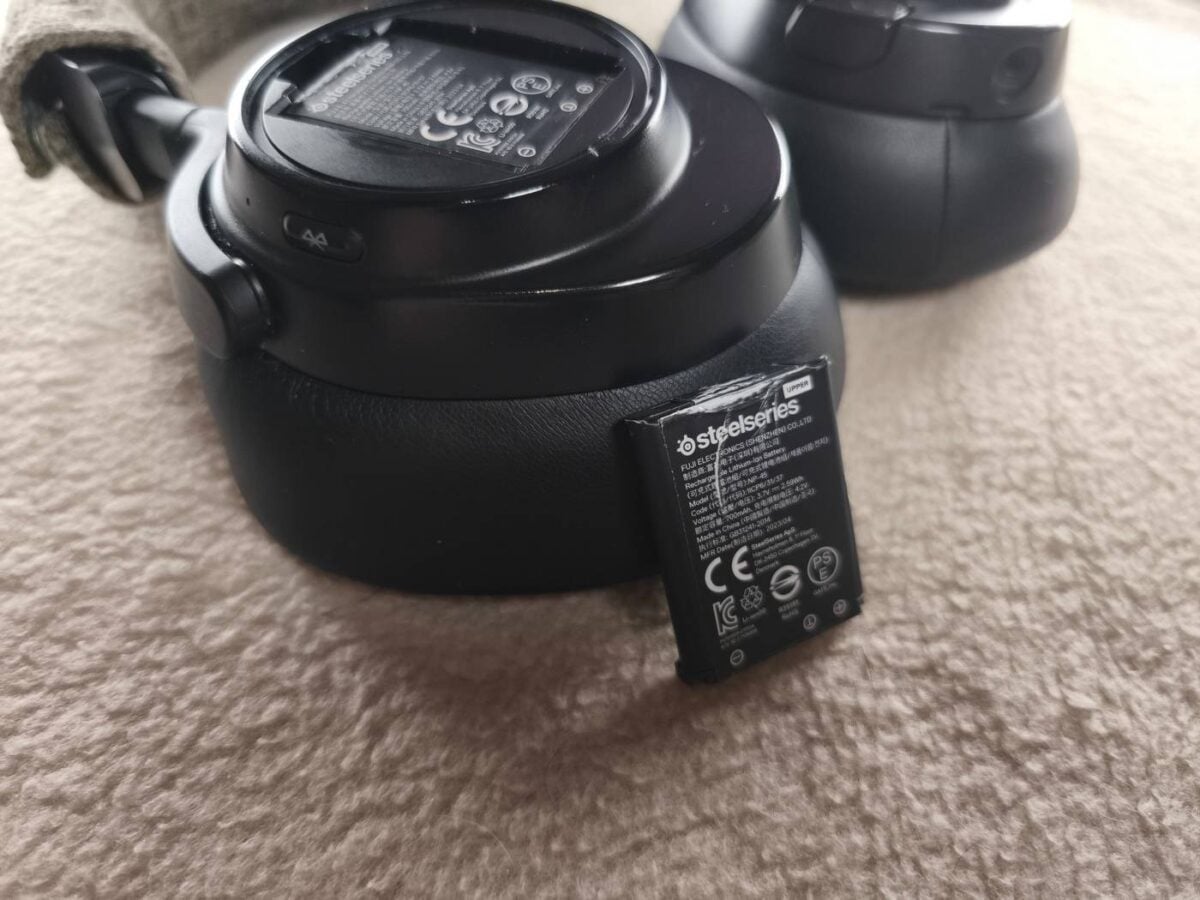
This little annoyance can apparently be dealt with by adding a small groove into the top side of the battery to help grip it better. I thought about adding one myself using a hot knife, but decided against it since I didn’t want risk damaging the battery’s internals. A better fix would be a more accessible slot, or a push-to-release mechanism. Heck, there’s even an option to switch to magnetically attached packs like the Angry Miao Infinity Mouse, which would be easier to remove than the current friction-based holder. Hot-swappable batteries are absolutely a good thing, it just needs to be easier to swap.
Headband
The headband was the quickest part to wear out on my Nova Pro Wireless. What I mean by this is that it quickly lost its tension, even in the furthest attachment setting. Unlike the cheaper Arctis model, the Nova uses a couple of fixed points to attach the head strap, limiting the range of customisation. So, after months of use, the strap extended to a point where the plastic frame started resting directly on my skull, which isn’t the most comfortable during long sessions. To fix this, I glued a replacement foam I bought for my old Logitech headset between the plastic frame and the original band of the Nova. I also added a removable protection fabric that adds a bit of cushioning while keeping the foam clean. £5 well spent.
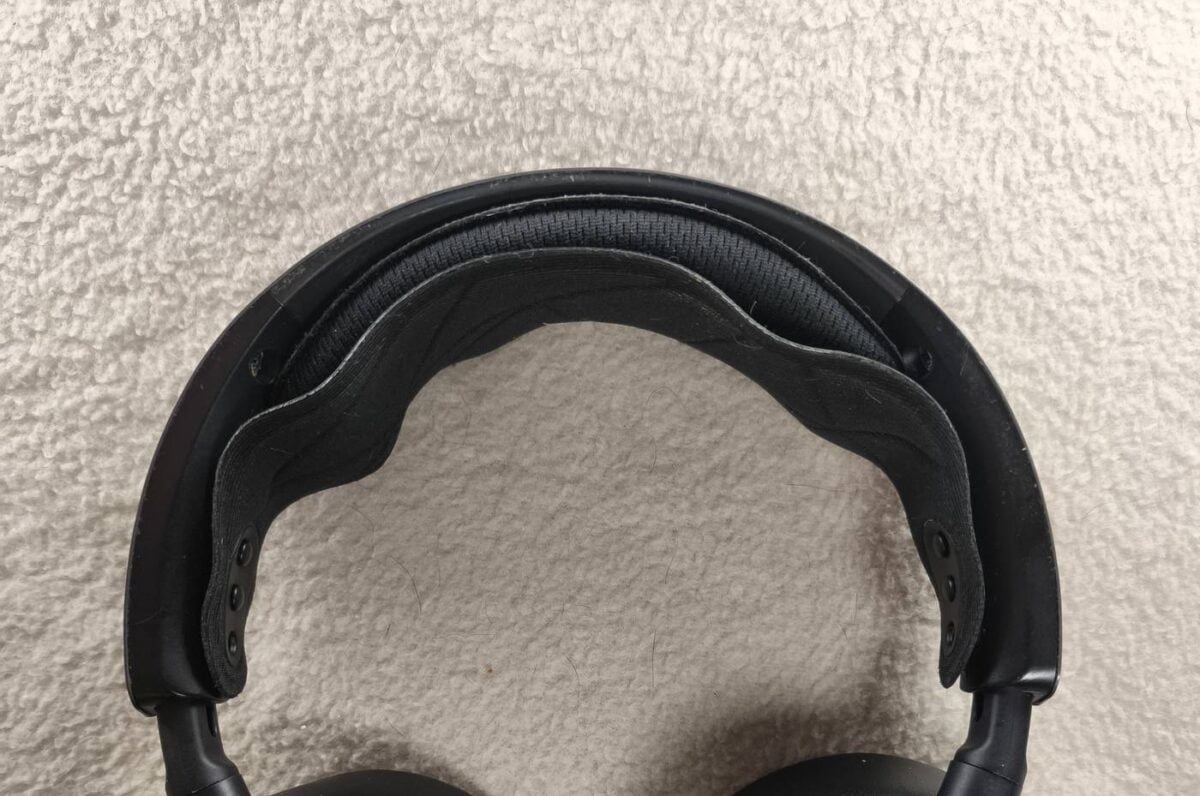
Now, the way SteelSeries could fix this is by adding more anchor points to the strap, going back to the scratch strap like the cheaper Arctis. There’s also an option to copy my home-brew fix by slotting some amount of foam between the frame and the band. I promise I won’t charge for the service, and I believe this change is what most gamers would appreciate, as good sound must go hand-in-hand with all-day comfort.
Multi-source mixing
The absence of multi-source mixing is a limitation of the Nova Pro Wireless. While the headset supports multiple inputs, you can only listen to one at a time. Yes, mixing multiple sources is a niche feature, but hey, we are not talking about an entry-level product. At a time when much cheaper headsets allow you to hear two or even three sources at the same time, you would expect this $300 product to do the same, if not better.
For my part, I needed this feature to be able to talk via Discord PC while playing and listening to my Xbox games. Now that Discord is available on Xbox, this is no longer an issue, but back then, I had to choose between talking to my friends and hearing the game sound.
It should be noted the new Arctis Nova Elite has already fixed this bugbear, allowing you to mix up to four sources at the same time, but I believe it’s a feature that must be present on next-gen Pros.
Dock’s OLED display
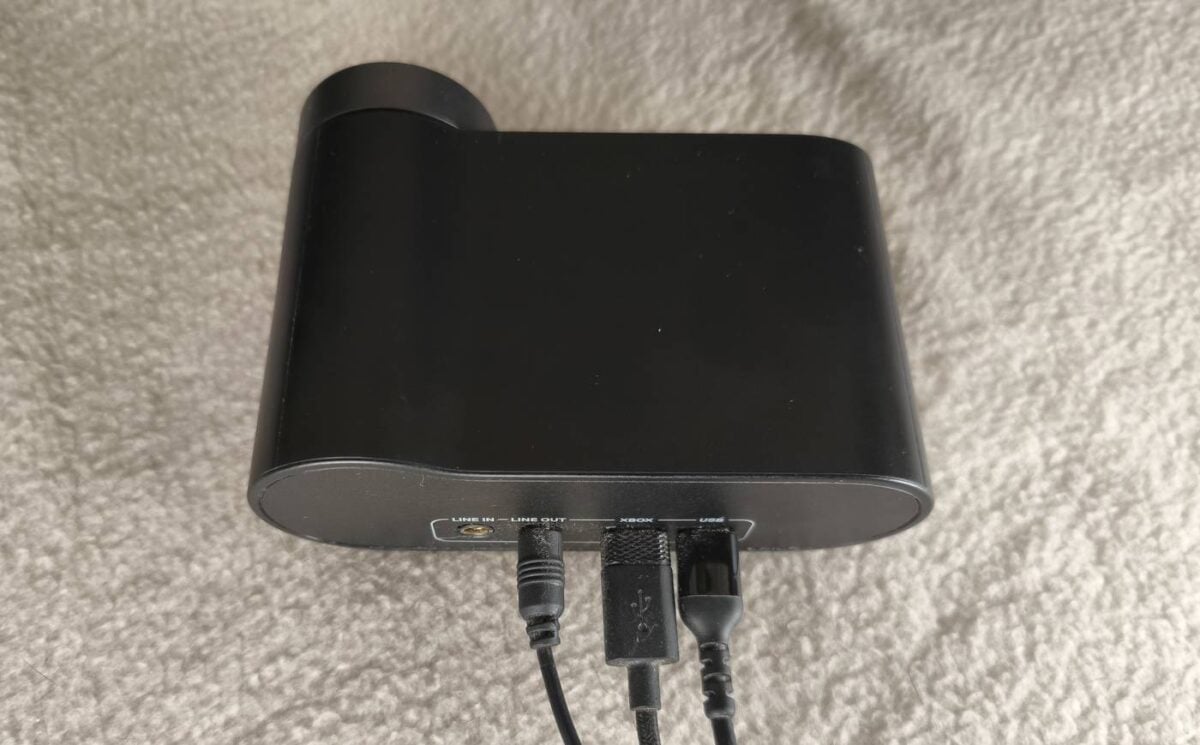
Ah, the docking/GameHub station; so many features, yet so little use. As someone who prefers to take all the time he needs to properly set and forget a device, the GameHub only serves to charge the extra battery in day to day use. While I don’t have any major qualms with the overall feature set, I don’t understand why there is no option to turn off the display or at least dim it to a noticeable degree.
For context, since I optimised my PC for efficiency, I tend to keep it on 24/7, which gives me fewer problems than cycling Windows on and off. This meant that while everything else (RGB, keyboard, and mouse) would go into sleep mode with lights off, the station remains on and bright, noticeably glowing in my otherwise dark room. So, to avoid this, I have a small opaque napkin that I use as a cover to block the light. I understand that this wouldn’t be a problem if the PC were switched off entirely, but at the same time, a proper sleep mode surely isn’t too much to ask.
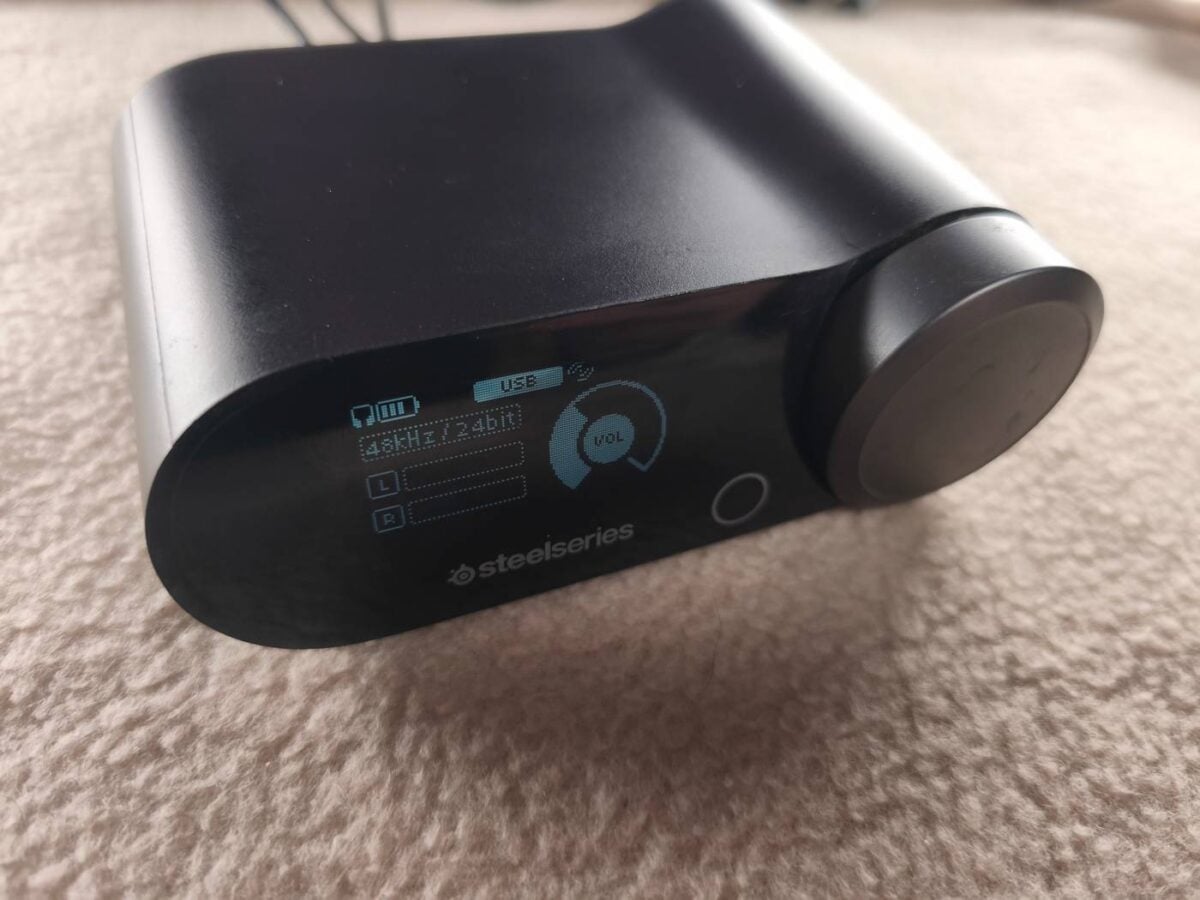
I had hoped this would be fixed via a firmware update, but two years later, nothing has changed. I now hope the next-gen station will be built without this limitation. It’d be even better if the user could adjust the delay after which sleep takes effect, and bonus points if brightness could be adjusted manually or automatically with an ambient sensor.
Earpads
As far as earpads go, I have yet to encounter a headset that remains entirely comfortable after extended use, and the Nova Pro Wireless is no exception. I don’t believe I have Ferengi ears, but I had to buy a third-party pair of earpads for every headset I owned; otherwise, after a couple of hours, they became hot, sweaty, and noticeable. As you can guess, I did the same for the Nova Pro Wireless, which brings me to my last criticism, swapping said earpads.
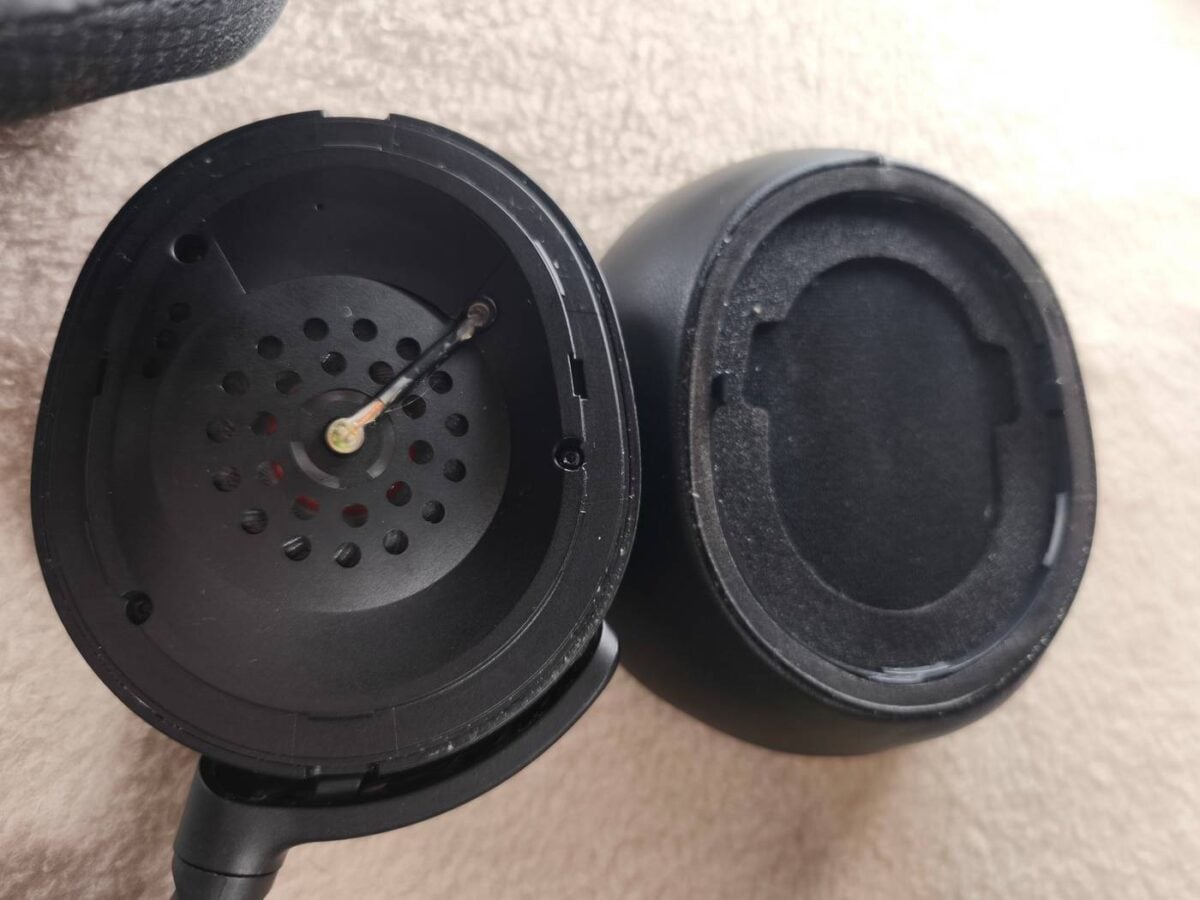
SteelSeries’s choice of plastic clips doesn’t suit a product of this tier. It takes a good amount of force to remove and install each earpad, making you wonder if you are doing it correctly. Magnetically attached earpads like those used by the Astro A40 would have been fantastic. If not, SteelSeries should have gone with at least a slot system that requires a simple turn to remove the pads, like the Audeze Maxwell and Corsair Virtuoso Pro. Definitely a must-have upgrade for next-gen Nova Pro.
Summary
In summary, the Nova Pro Wireless isn’t a perfect headset, but it’s damn close to being one as far as I’m concerned. The sound is great, the software is up there among the best I’ve used for a gaming headset, and customisability options are endless. A fine base that can be greatly improved with a few upgrades.
While the new Arctis Nova Elite admittedly fixed some of my complaints, I’m not convinced it does enough to make me want to shell out an eye watering $599/£599. I believe my recommendations are not in any way absurd for a $300 product, and I’d be interested to hear the thoughts of other Nova Pro wireless users on Club386’s social media feeds. With any luck, we’ll begin hearing news of a v2 model early in 2026, and I’ll be first in line to pore over everything that’s new.