

I happily use Nvidia DLSS upscaling on my PC where possible, but Gears of War: E-Day has changed how I want to use this feature. The game features a dynamic upscaling option that works in tandem with a customisable frame rate target, effectively switching priorities from minimum resolution to performance. It’s a game changer in terms of managing image quality and performance.
Dynamic resolution scaling to maintain a target frame rate is prevalent across many console releases, but isn’t as readily available on PC. Even if the option appears in a game’s settings menu, developers rarely give you the ability to aim for a specific performance target. Cyberpunk 2077, for example, ships with an Auto preset, and no means of customising your baseline frame rate.
In the Gears of War: E-Day settings menu, you can easily switch between your upscaler of choice, whether that’s Nvidia DLSS 4.5, AMD FSR 4.1, or Intel XeSS 2, all of which are able to run from a static or dynamic resolution. I typically default to using DLSS in Performance mode on my 4K setup, upscaling from a baseline pixel count of 1920×1080 for the best balance of fidelity and performance.
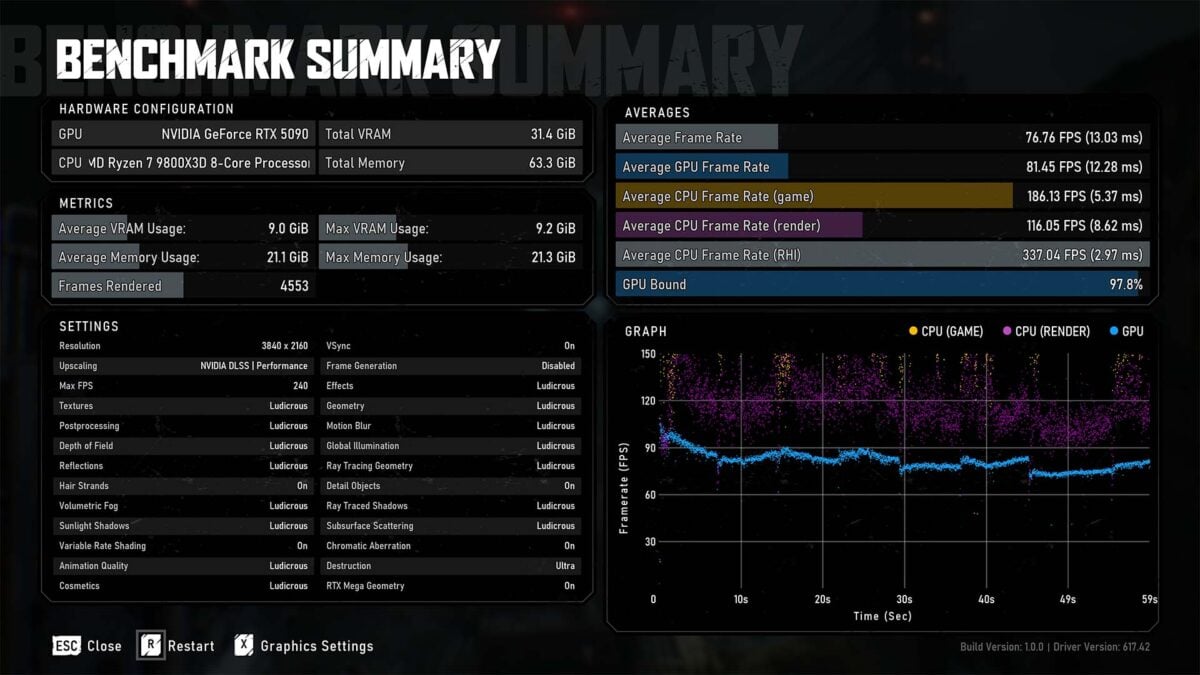
Applying this mantra to our test bench, with a Ryzen 7 9800X3D and GeForce RTX 5090, we can run Gears of War: E-Day at maximum settings with a 77fps average while being 97.8% GPU bound. This is certainly a great experience, but there’s room in the tank to go beyond 1080p without falling below a playable threshold.
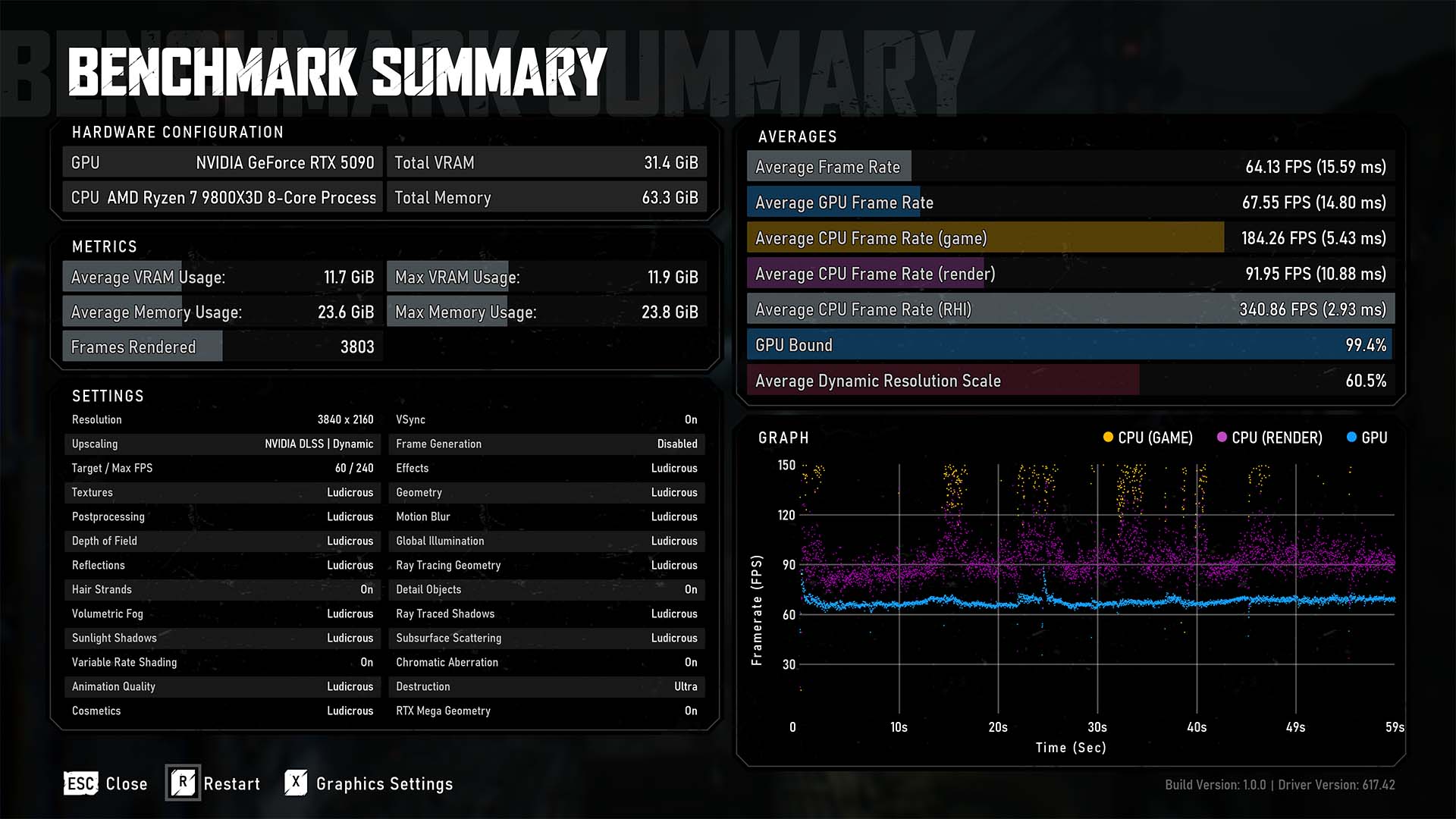
Swapping over to dynamic DLSS, with a 60fps target and 240fps maximum, our test system happily hits a 64fps average and is now 99.4% GPU bound. Meanwhile, the average resolution scale sits at 61%, meaning our pixel count has increased by 11% but performance has fallen 18.4%. VRAM usage has also notably increased by almost 3GB.
Some will understandably balk at this inequitable trade between performance and resolution. However, I’m personally happier putting graphics card horsepower and Nvidia DLSS towards sharpness rather than smoothness in a cinematic game like Gears of War: E-Day campaign. Give me that ray tracing and other eye-candy at the highest pixel count possible, please.
This is to say nothing of the benefits of ensuring that the game is consistently running at 60fps. You certainly won’t feel any unsightly dips below that threshold in scenes that could prove more demanding than the stock benchmark illustrates. This baseline also means less-powerful graphics cards can confidently enable frame generation if they wish, without fear of a noticeable latency penalty.
In any case, I simply welcome the option of being able to prioritise my PC hardware and software as I see fit. While Gears of War: E-Day isn’t the first game to provide such configurability, I certainly hope it doesn’t remain an exception among games for long.
