
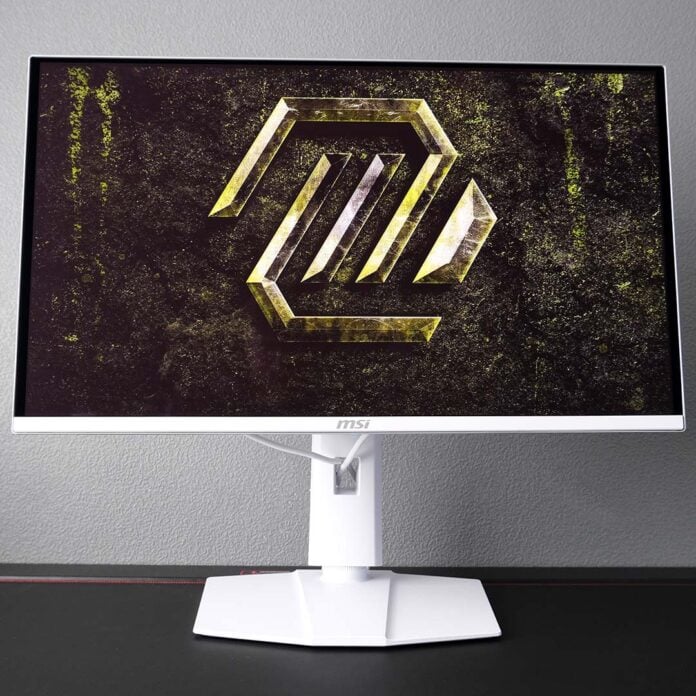
The variety of QD-OLED panels available continues to grow each year, with 280Hz monitors like the MSI MAG 272QPW QD-OLED X28 serving as one of the most-recent evolutions in the self-emissive space. More hertz never hurts, particularly when the build and tuning of the display is this solid.

MSI MAG 272QPW QD-OLED X28
£449
Pros
- Wide and accurate colour gamut
- Great build quality
- Robust OLED care features
- Solid spec for the price
- Black and white colourways
Cons
- Text fringing
- No USB hub
- High power draw
Club386 may earn an affiliate commission when you purchase products through links on our site.
How we test and review products.
Launching at £449, but already down to £428 on Amazon, the MAG 272QPW QD-OLED X28 has a tempting price for the spec on offer. Even in the face of stiff competition and fierce pricing in this corner of the market market, the monitor competes well on both fronts.
Specifications
MSI packs a 27in QD-OLED panel into the MAG 272QPW QD-OLED X28, boasting a native WQHD (2560×1440) resolution. This is the smallest size and resolution you’ll find for this display technology, providing a notable uplift in sharpness at 109 pixels per in (PPI) relative to the 92PPI you’ll encounter on 24in FHD backlit alternatives.
The screen also arrives with a native 280Hz refresh rate, creating sufficient headroom to benefit from reducing frame times all the way down to 3.6ms at 280fps. For context, that’s a 78% reduction from 60Hz content (16.6ms), and a still impressive 57% jump from 120Hz (8.3ms). Those coming from a 240Hz panel (4.2ms) will notice less of a difference, but there’s an improvement here nonetheless.
| MSI MAG 272QPW QD-OLED X28 | |
|---|---|
| Screen size | 27in |
| Resolution | WQHD (2560×1440) |
| Refresh rate | 280Hz |
| Response time | 0.03ms (GtG) |
| Panel technology | QD-OLED |
| Variable refresh rate | AMD FreeSync Premium Pro Nvidia G-Sync Compatible |
| HDR | VESA DisplayHDR True Black 400 |
| Ports | 3.5mm audio-out (x1) DisplayPort 1.4a (x1) HDMI 2.1 (x2) USB-C, with 15W PD & DP Alt Mode (x1) |
| Speakers | None |
| Features | Console Mode MSI OLED Care 2.0 |
| Warranty | Three years |
| Price | £449 |
While you’ll need a graphics card and processor with a fair amount of power to saturate these specifications, the MAG 272QPW QD-OLED X28 feels excellent to use regardless of your rig’s capabilities. Those near-instant 0.03ms response times apply across its entire refresh rate range, as there’s no overdrive algorithm working behind the scenes to deliver them. Universally fast responsiveness, plus no ghosting and overshoot, what’s not to like?
Finally, the monitor comes complete with Nvidia G-Sync compatibility and AMD FreeSync Premium Pro support. These adaptive sync technologies will stave off tearing from 48Hz upwards, so make sure to keep your minimum frame rates above that target.
Design
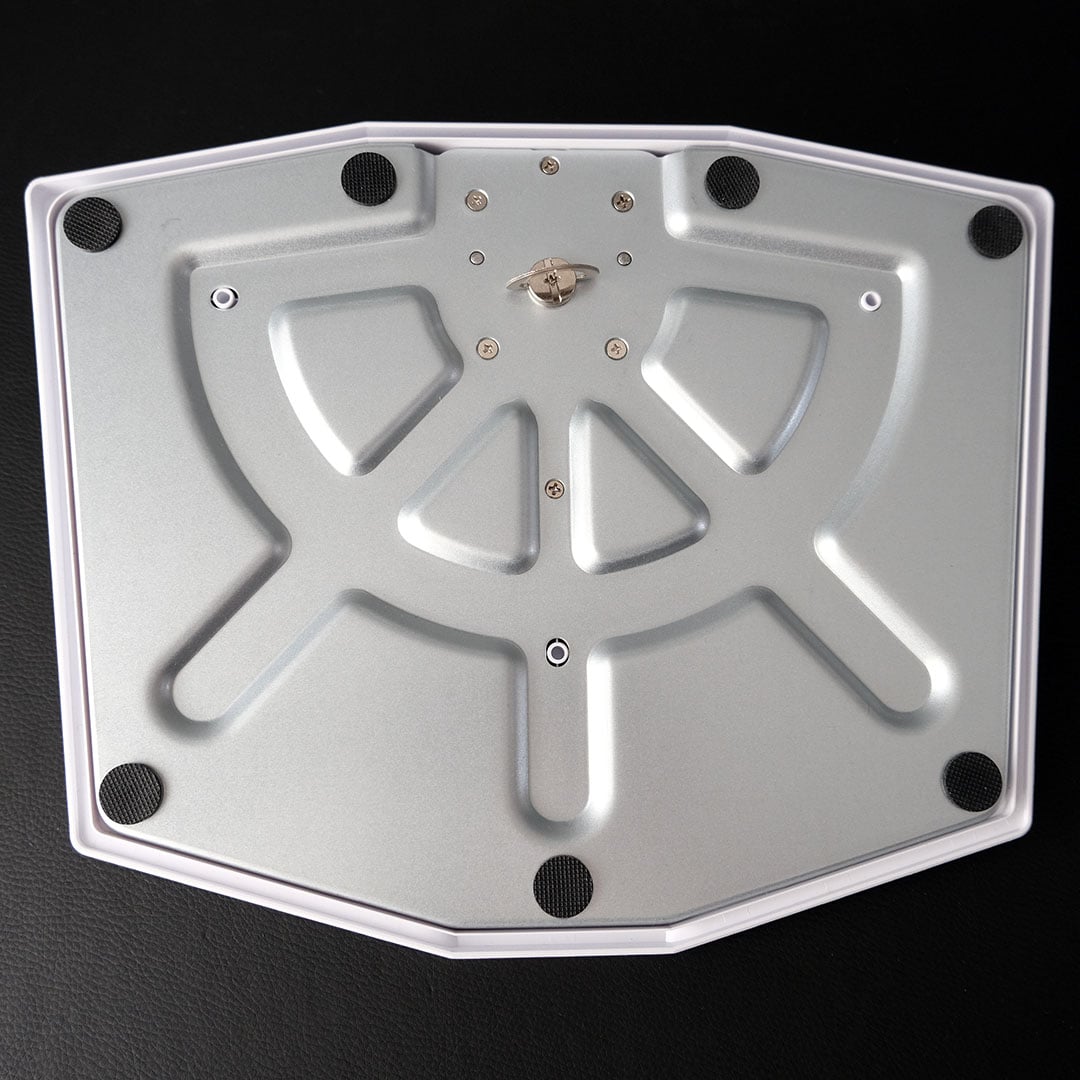
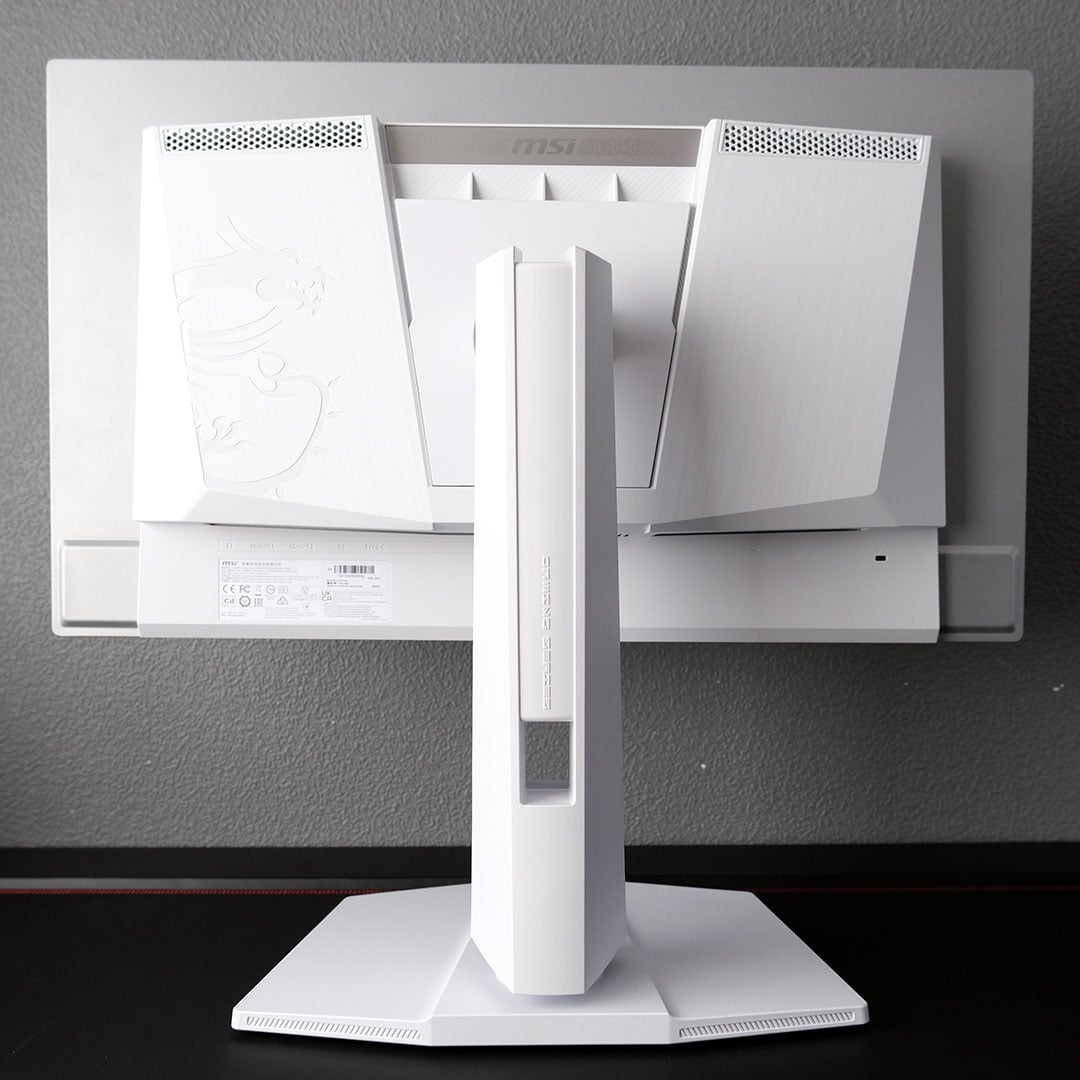
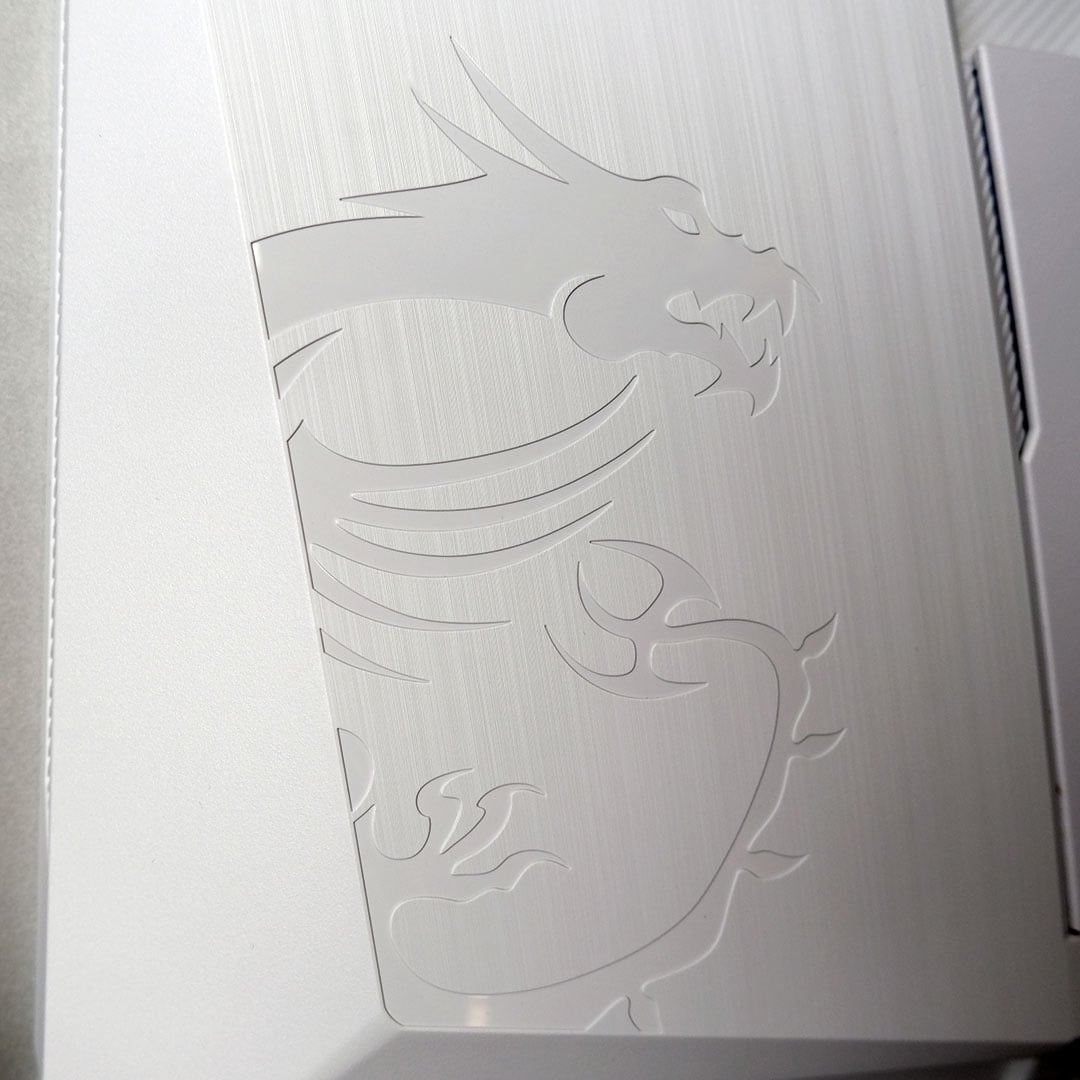
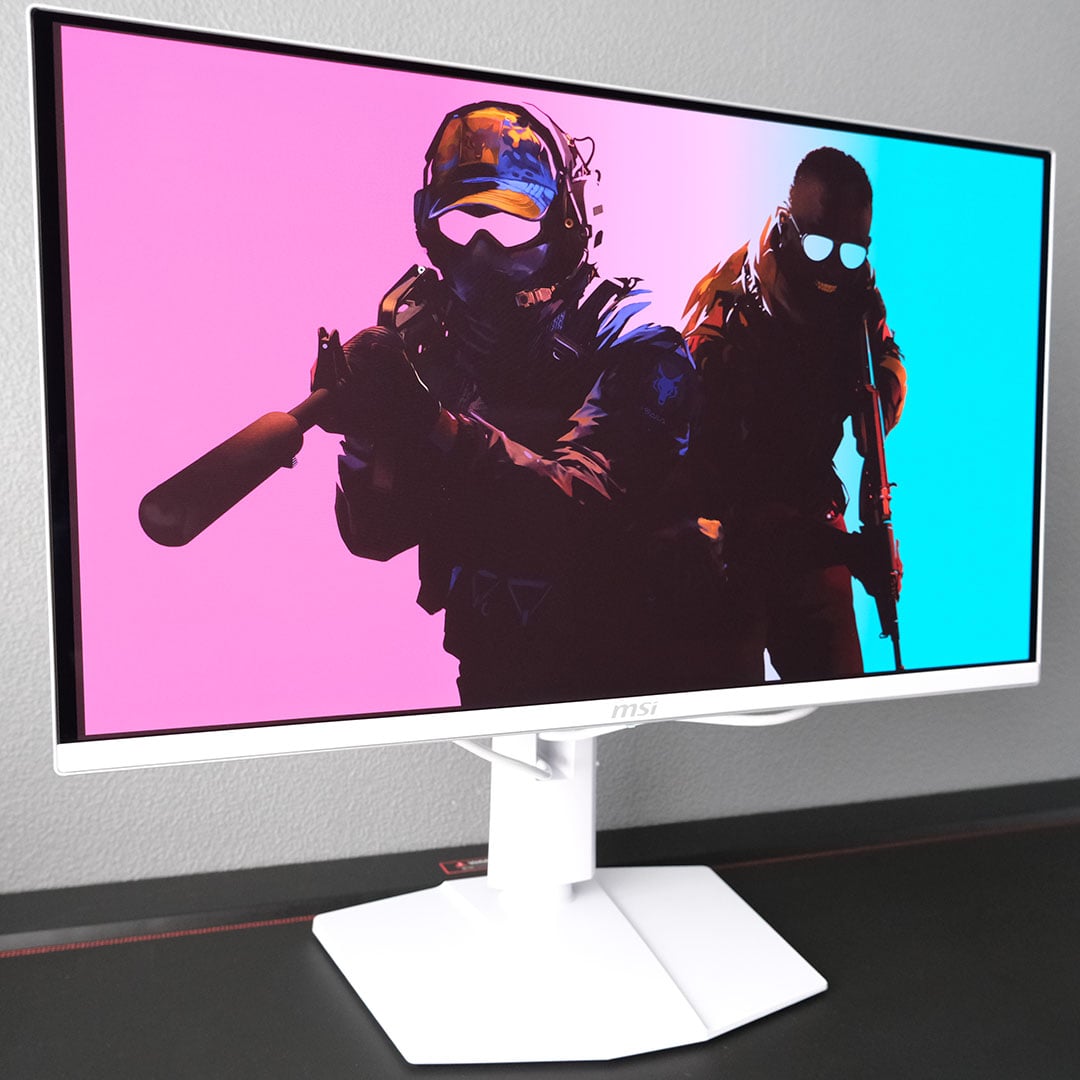
A white colour scheme and matching cables help the MAG 272QPW QD-OLED X28 stand out among its predominantly black and grey peers. However, those in search of a darker hue with the same specifications should seek out the MAG 271Q QD-OLED X28.
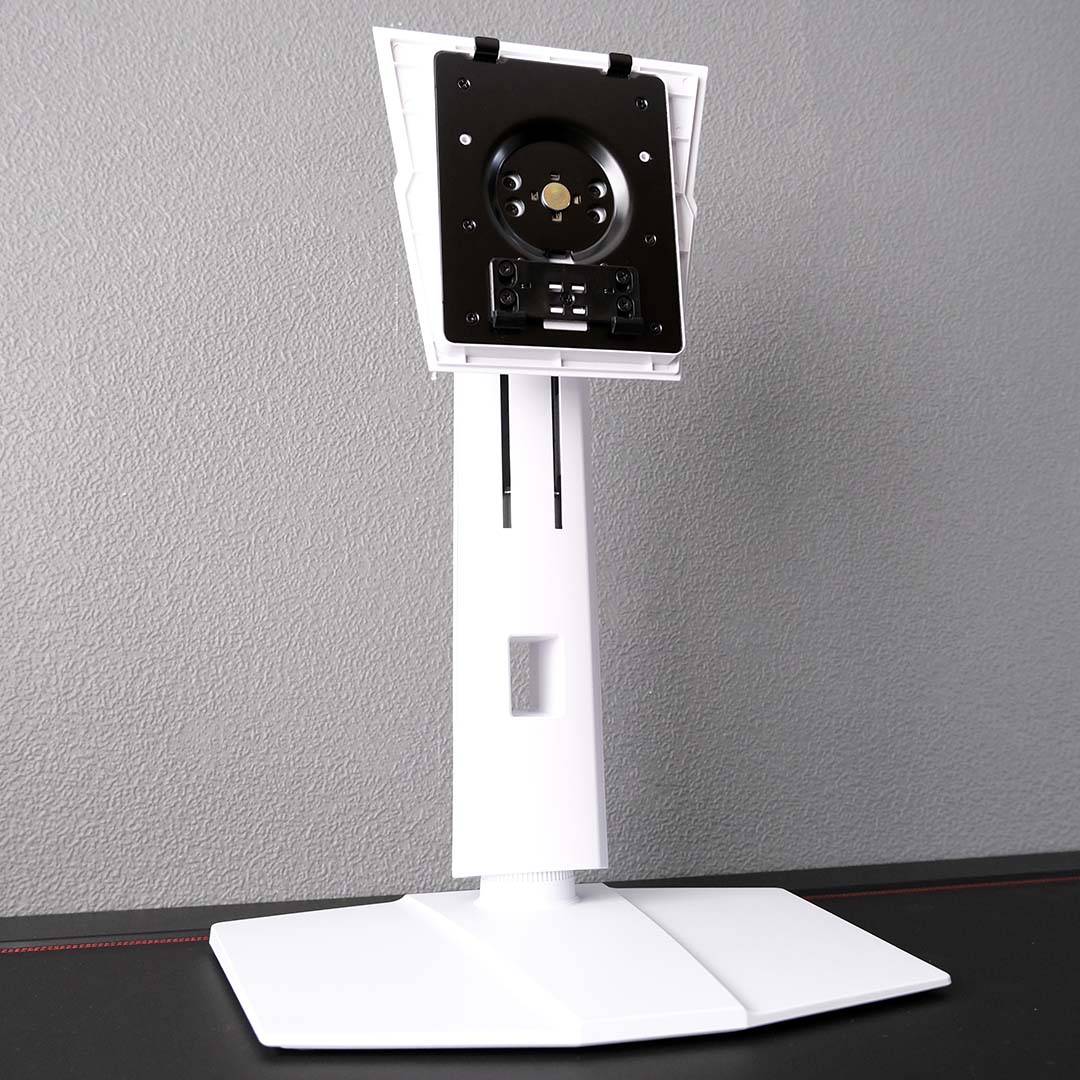
Snowy aesthetics aside, the monitor adopts the same high-quality design as other MSI QD-OLED displays. Base, neck, and screen go together without need for tools, with the complete screen carrying a welcome air of tasteful minimalism.
Adjusting the panel for your setup isn’t difficult. The stock neck and base offer 110mm of height adjustment, as well as 60 degrees of swivel. Should you require further tweaks, you also have 25 degrees of tilt and 180 degrees of rotation with which to play. Anyone with a monitor arm can push beyond these limits of course, using a 100x100mm VESA mount.
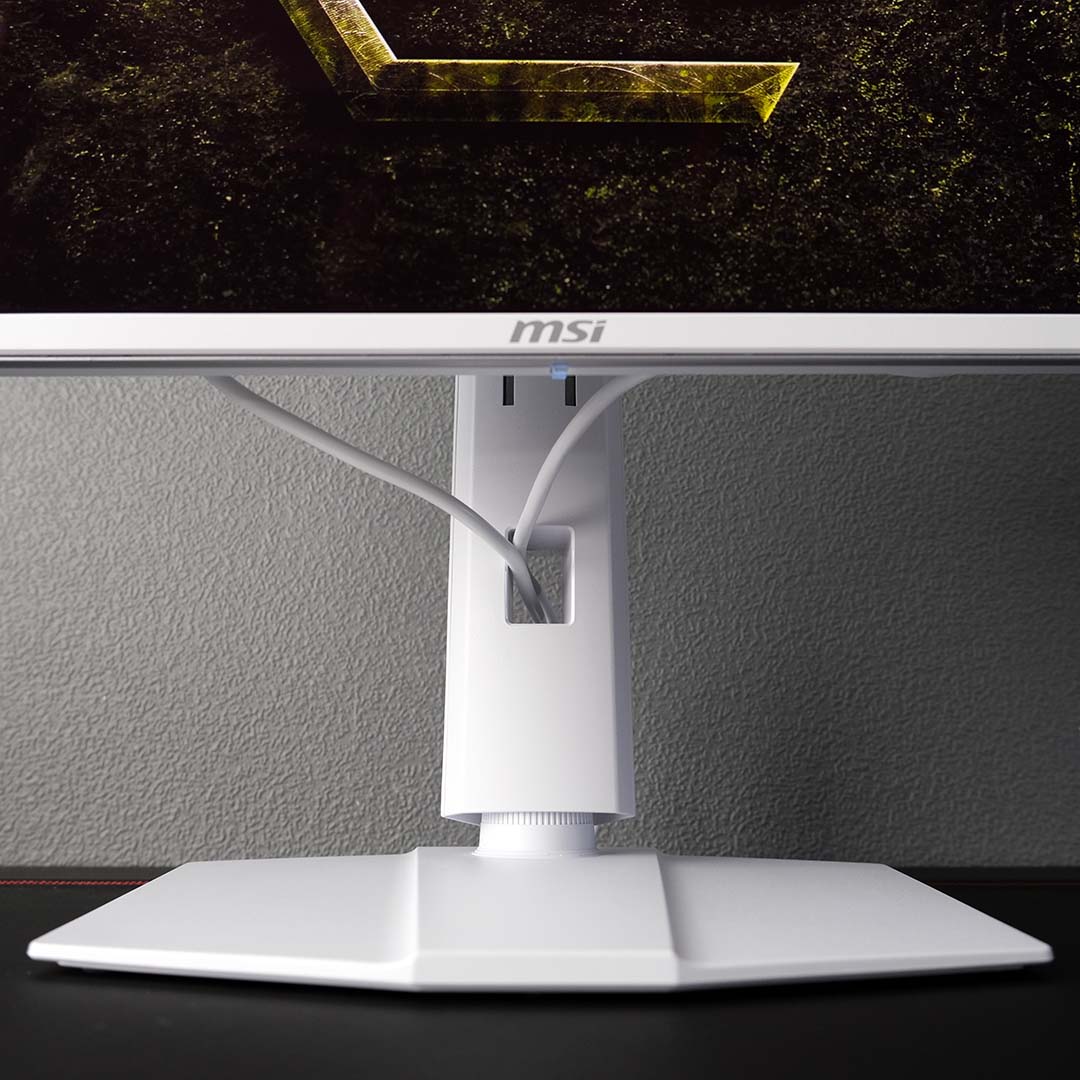
As ever, my only gripe with MSI’s design comes down to cable management. The port and grommet placement together leads to bothersome and unsightly cable sag. I would be over the moon to see trenching or additional routing supports appear in future moulds.
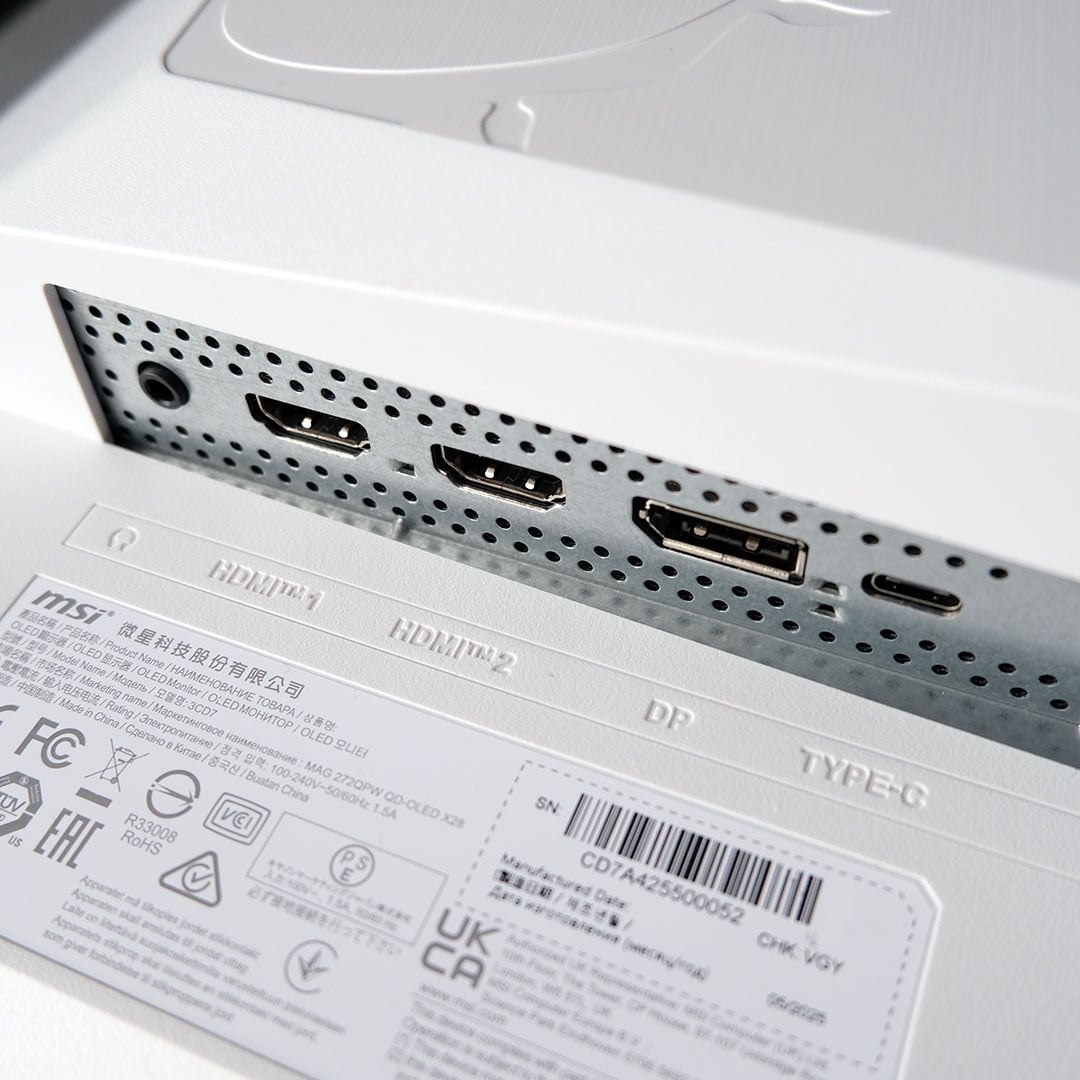
You sadly won’t find a USB hub among the MAG 272QPW QD-OLED X28’s port array either, with MSI resolutely saving that nicety for its more-premium MPG QD-OLED series. I’d love to see the company change tack in this respect, as competitors are offering such features on similarly-priced monitors now.
On the plus side, both the monitor’s single DisplayPort 1.4a and two HDMI 2.1 inputs support the monitor’s native resolution and refresh rate. However, the latter two can do so without the aid of compression, owing to their larger bandwidth, and thus are my preferred method of connection. Those HDMI 2.1 ports also play nice with consoles. MSI rightly configures them for PC out of the box, but a setting in the OSD will cap output to QHD/120Hz on the likes of PlayStation 5 and Xbox Series systems, ensuring proper compatibility.
Finally, there’s also a USB-C port which supports both DP Alt Mode and 15W of power delivery. This is convenient from the perspective of having a single cable connection between your laptop and monitor, but such a low wattage means you can’t expect much in the way of charging on most devices.
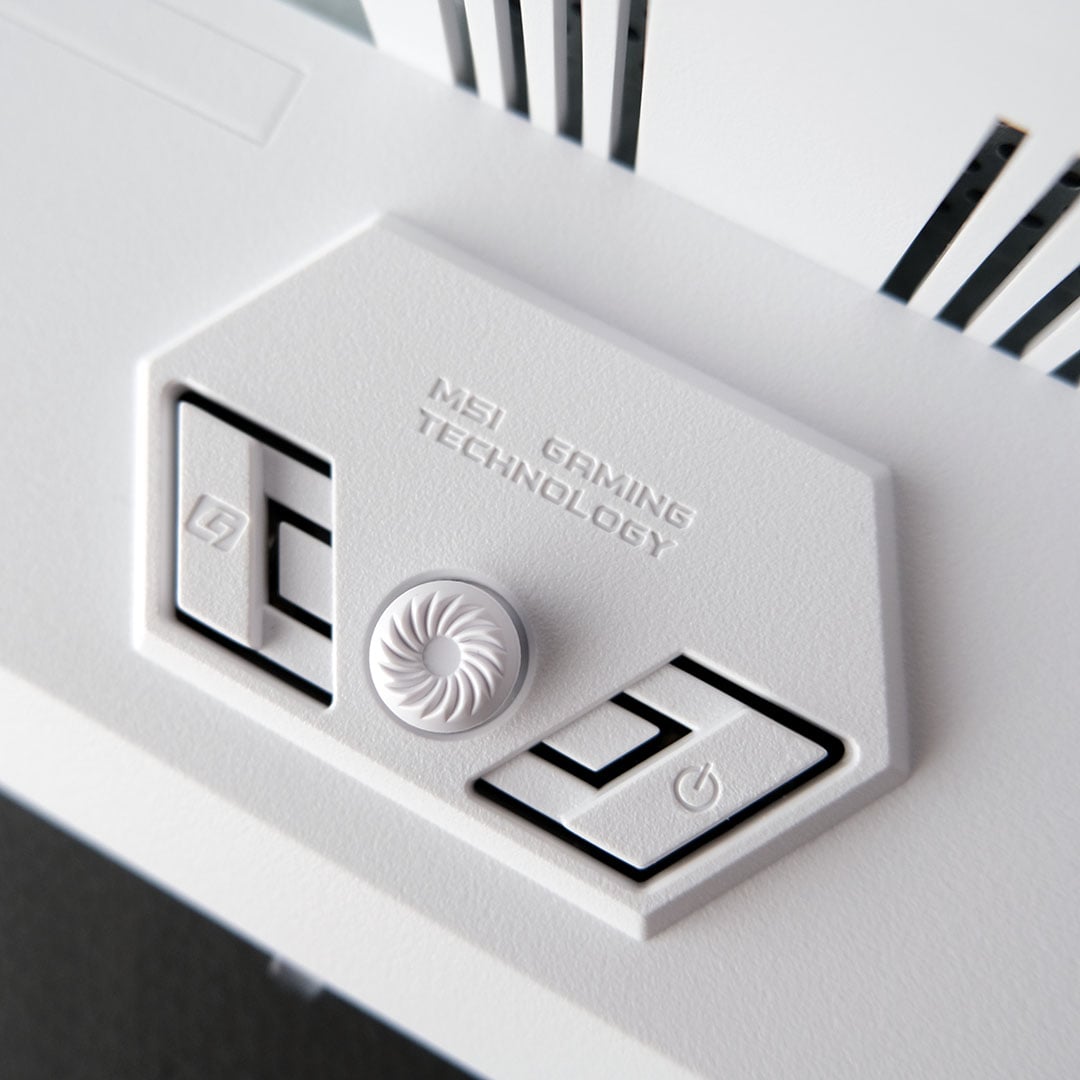
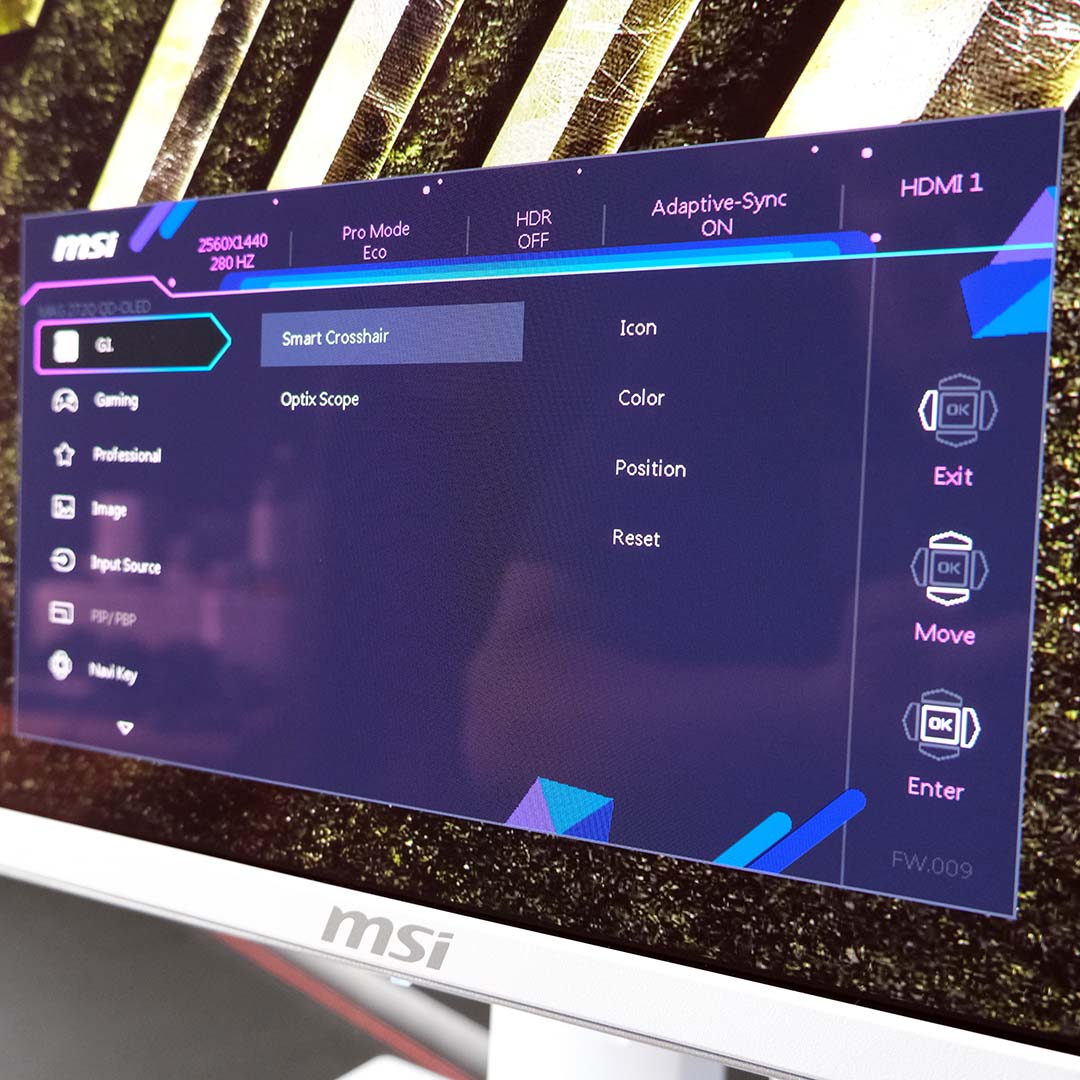
The MAG 272QPW QD-OLED’s on-screen display (OSD) is easy to navigate and configure via the joystick tucked behind its chin. With no USB connection between the monitor and your PC, compatibility with MSI’s Gaming Intelligence app is sadly out of the question, but this is easy to forgive given how well the physical controls feel and operate.
Stock settings will suit most folks, barring a boost to brightness from 70% to 100%. That said, MSI curiously leaves Type-C power delivery off by default, which caused me to initially think there was something wrong with the port before further investigation. Consoles will also benefit from enabling HDMI CEC, for simultaneous power states.
I find little value in features like ‘Smart Crosshair’ and ‘Optix Scope’, but both are ready to go for those that do. More pertinent to my interests are colour space modes, which make for convenient clamps for sRGB, DCI-P3, and Adobe RGB.
Lastly, a word on MSI OLED Care 2.0. The company has packed so many protective measures into the monitor’s firmware, including pixel shifting, logo detection, and more, greatly diminishing the chance of burn-in. Should the worst come to pass regardless, the display’s three-year warranty covers this outcome too.
Performance
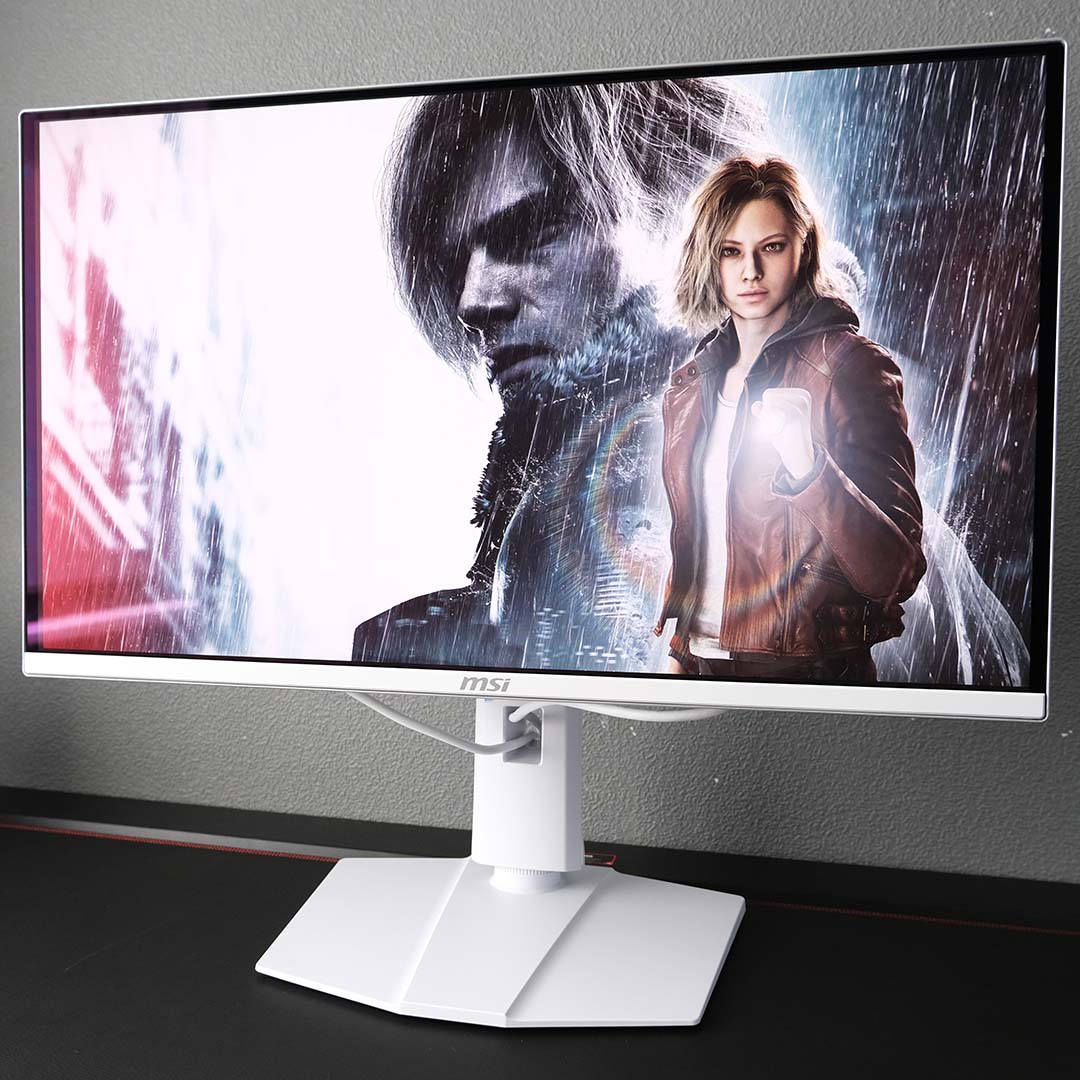
I’ve had the MAG 272QPW QD-OLED in my setup for the past month, conveniently coinciding with the launch of Resident Evil Requiem. Capcom’s latest combination of horror and action made for a fertile testing ground for this monitor, with dark corridors and intense sequences aplenty showcasing the panel’s capabilities.
The horrors of the Rhodes Hill Chronic Care Center and beyond come to life in splendid fashion on this screen. While perfect black levels and inky black contrast make shadowy sections all the more suffocating playing as Grace, a vibrant colour gamut (particularly in HDR) and sufficiently high PPI help every grisly detail jump out of the display. Like all the best tech, this monitor aids immersion to the point it fades into the background so you can focus on enjoying the viewing experience.
Switching to Leon, the 280Hz refresh rate came to the fore, enhancing the slick feeling of parrying, lining up shots, and quickly manoeuvring to avoid the unfriendly embrace of a zombie. This is thanks to great motion clarity at 280fps and near-instant pixel response times working in tandem. Lower frame rates perform well too, as response times remain consistent at lower hertz.
These qualities naturally apply to other games too, with my current playthrough of Baldur’s Gate 3 feeling and looking similarly pleasing on this screen. The competitive gamer in me also felt right at home on the MAG 272QPW QD-OLED, happily benefitting from the display’s specifications in Counter-Strike 2 and League of Legends. That said, don’t expect your skills to improve because of the monitor. Just because it can make landing pivotal shots easier, you’re still the one who has to point and click.

Stepping outside the realms of gaming, this monitor holds up well. SDR and HDR video content looks expectedly great, with letterboxed films in particular benefiting from per-pixel dimming to eliminate distracting bloom on black bars. Seriously, if you’re a regular moviegoer, it’s difficult to return to the backlit life after experiencing cinema in this way.
I’ve also used the MAG 272QPW QD-OLED as my daily work monitor, without thinking twice about potential burn-in. While the many static elements of my workflow certainly aren’t ideal for panel health, they’re not terminal either, as the prolonged use of my Alienware AW3225QF under the same circumstances has already proven. OLED Care 2.0 eliminates much of the anxiety that owning a QD-OLED can conjur, with simple changes in behaviour such as a hidden taskbar and screensaver helping too.
However, there’s no avoiding text fringing on this monitor owing to its triangular GRB subpixel structure, as shown in the closeup image above. While I don’t notice the effect in normal use, unless I bring my face much closer to the monitor, others will find the issue untenable. Newer QD-OLED panels don’t share this drawback but command a higher premium.
Colours
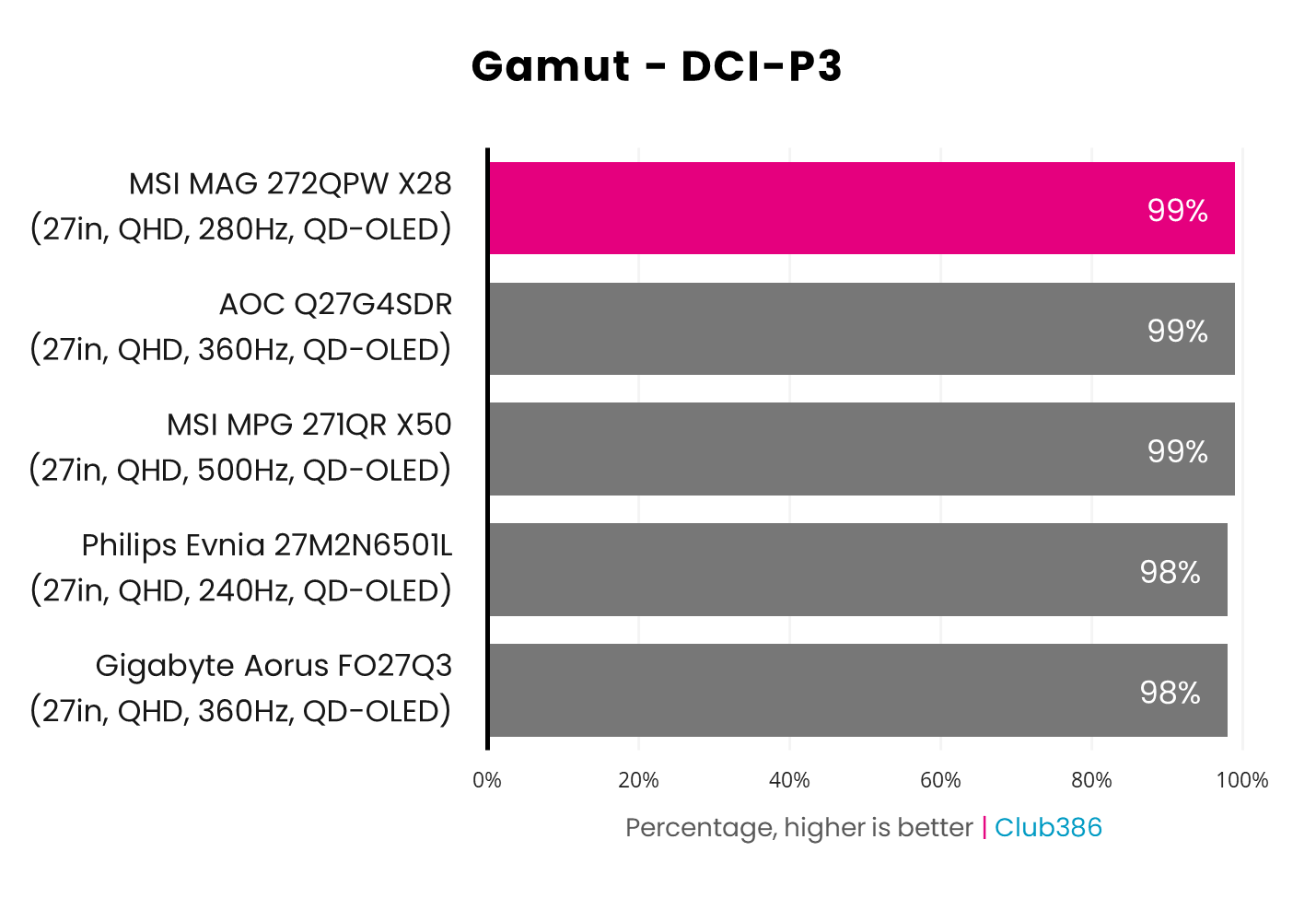
QD-OLED monitors typically offer a wide gamut. As such it’s no surprise to see the MAG 272QPW X28 cover 99% of the DCI-P3 colour space, alongside other displays using the same panel technology.
This effectively-complete coverage of DCI-P3 means the screen can output all the colours creators are using in HDR content, including games, films, and more. Combined with the per-pixel local dimming inherent to QD-OLED, only Mini LED panels come close to offering such a high-quality viewing experience.
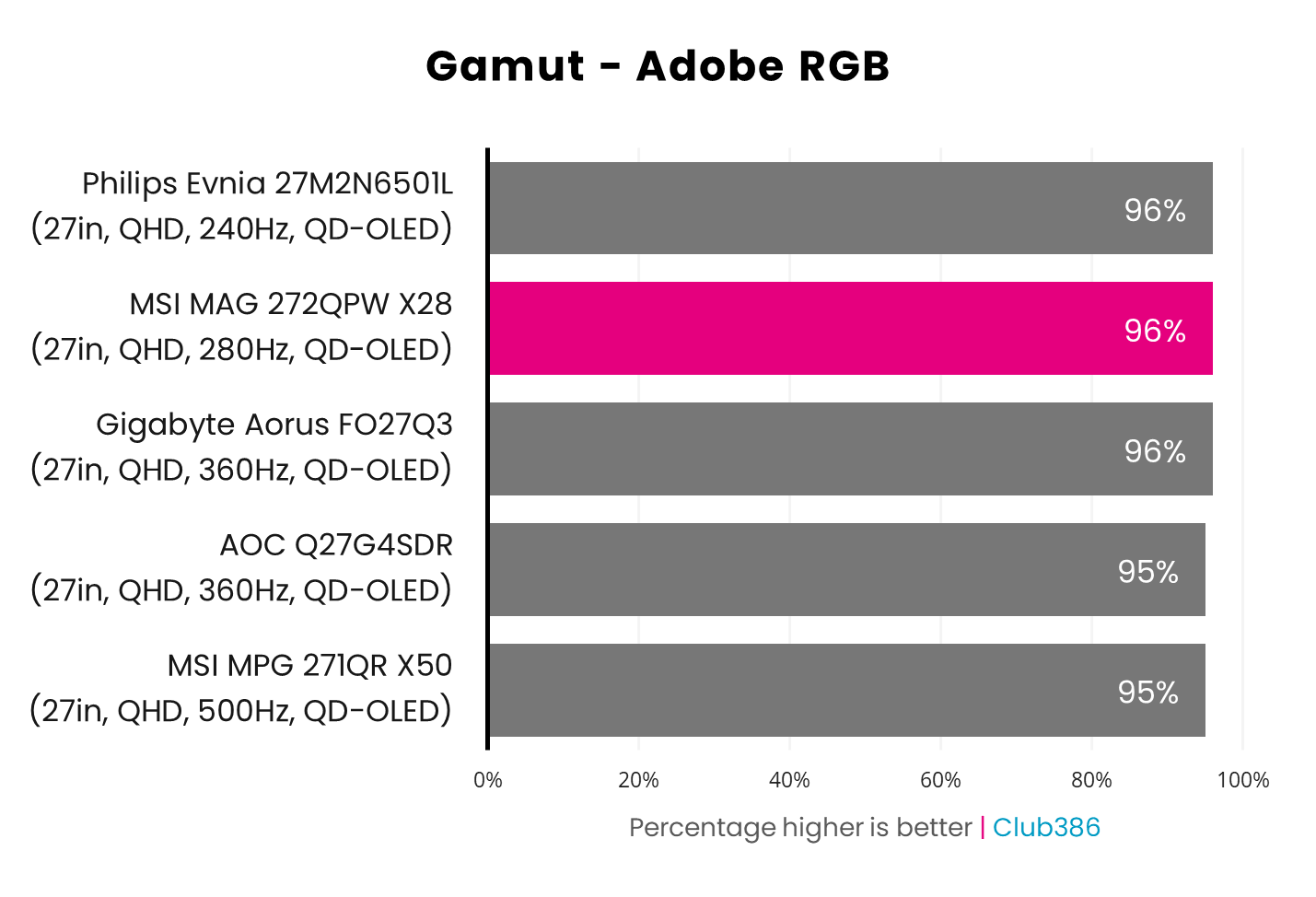
Adobe RGB coverage is also expectedly strong at 96%. While this value is more important for professional creative workflows than content consumption, it’s great to see such a strong gamut persist across colour spaces.
You could use the MAG 272QPW X28 as a dual-purpose display, if you’re looking for a jack-of-all-trades monitor. However, you’ll need to consider whether text fringing is a deal breaker, as there’s no way around this inherent flaw stemming from the panel’s subpixel structure.
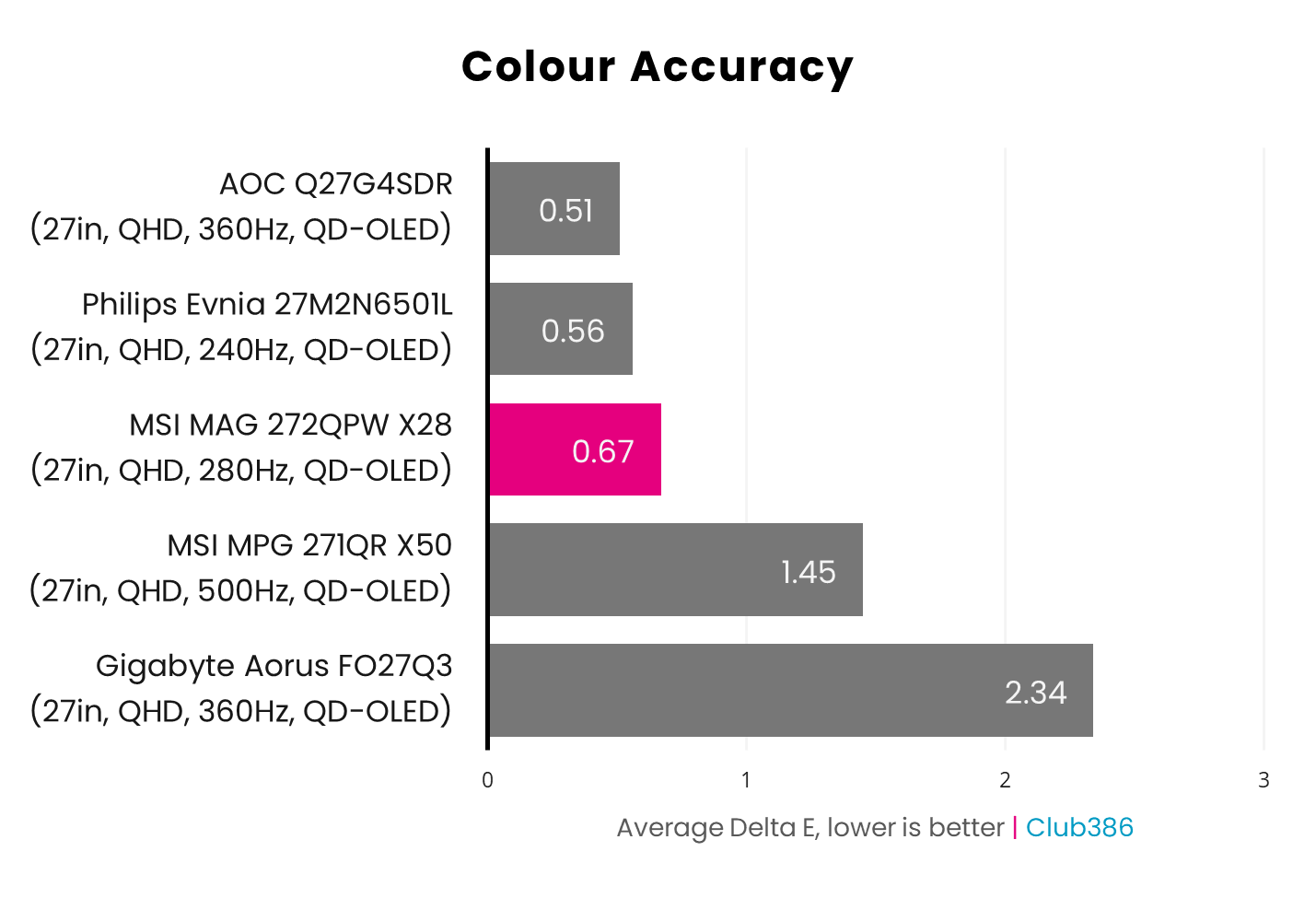
In its default Eco mode at 70% brightness, the MAG 272QPW X28 delivers nothing short of brilliant colour accuracy. A 0.67 average Delta E is fantastic in its own right, and its 1.49 peak means any inaccuracies are imperceptible to all but the most-trained eyes.
Increasing brightness to 100% sees average and maximum Delta E shift to 0.79 and 1.42, respectively. Given these results are still comparably on the mark, this is the way I prefer to use the monitor. Those extra nits can make all the difference.
Brightness
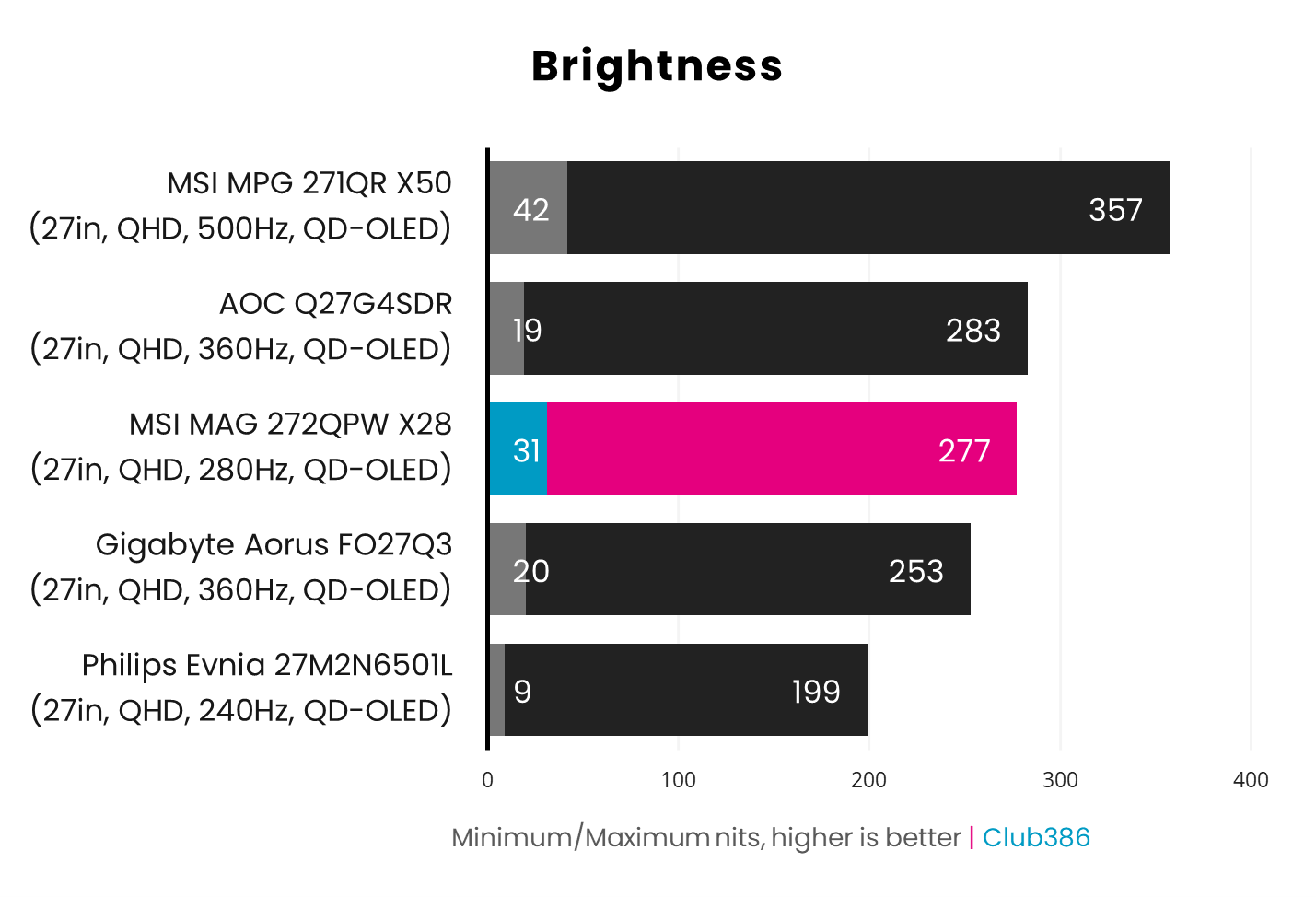
The latest QD-OLED panels push brightness to new heights, but part of the way MSI keeps the MAG 272QPW X28 price down is through the use of an older screen. As such, we’re looking at a 277nits peak in SDR, which will require some ambient light management for general use. However, I strongly recommend using this monitor, and any other QD-OLED or WOLED displays in as dark a room as possible.
VESA DisplayHDR True Black 400 certification ensures that HDR highlights (8% window) will output at 400nits at least. Meanwhile, expect fullscreen flashes to bottom out at 250nits. This isn’t too far behind the latest screens, which meet the criteria for True Black 500, and offers a plenty punchy experience in HDR content.
Uniformity
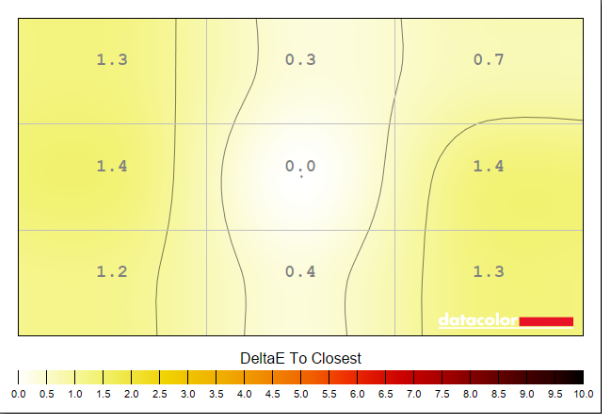
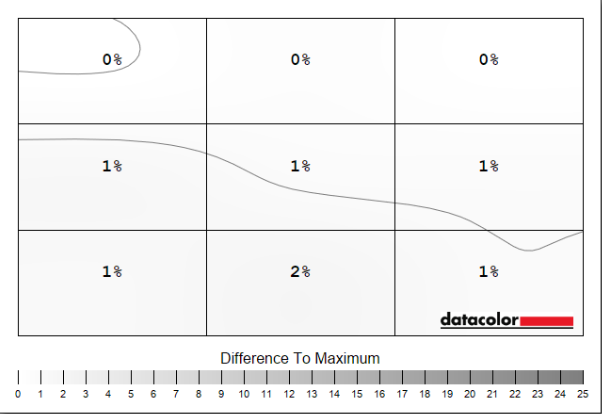
Colour uniformity is practically flawless on the MAG 272QPW X28, with a negligible 1.4 Delta E at most relative to the centre of the screen. Luminance is similarly excellent, peaking at a minor 2% deviation.
These results are par for the course with QD-OLED panels, as this self-emissive technology doesn’t have to manage the transmissive troubles of a backlight. Wherever you look on this screen, you’re getting an accurate and uniform image.
Power
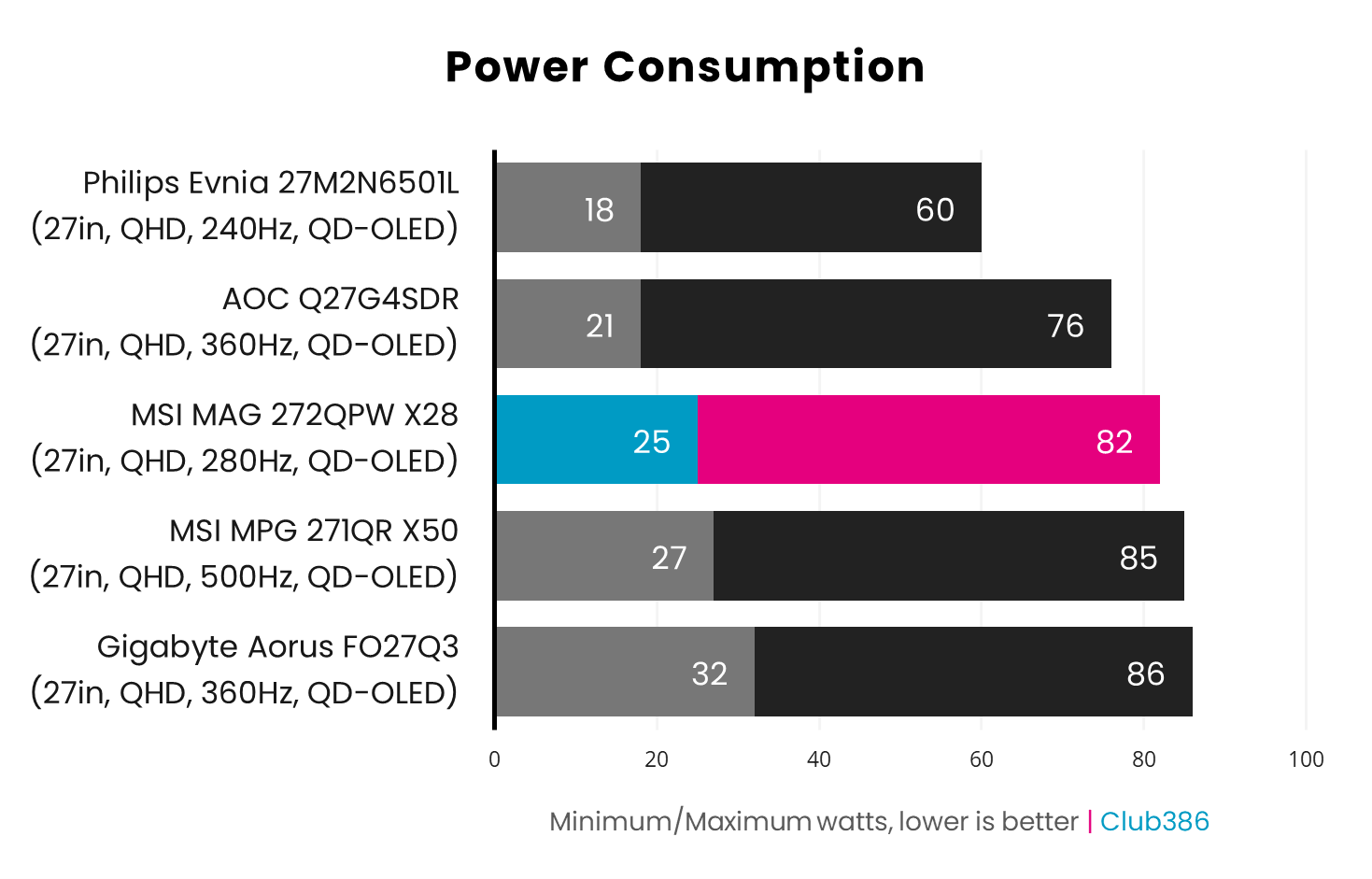
Power consumption on QD-OLED monitors is always high relative to backlit alternatives, pushing 50-100W in most cases. The MAG 272QPW X28 is no exception, pulling 25-82W from the wall.
Curiously, this puts MSI’s offering on the greedier end of the scale. Meanwhile, the likes of the AOC Q27G4SDR pulls fewer watts and boasts a USB hub.
Conclusion
The MAG 272QPW X28 carries all the qualities you expect from a high-quality QD-OLED gaming monitor. The screen’s excellent colour accuracy and gamut, relatively high brightness, as well as per-pixel dimming and lightning-fast response times, make for an experience that will please any gamer.
£449 for this QHD/280Hz combo is a reasonable asking price, but current pricing at £428 is all the more palatable. However, it’s still worth considering 240Hz models that are ~£30-50 cheaper if you can live without the additional 40Hz. Alternatively, spending a little extra allows 360Hz screens to enter the fold, often complete with USB hubs. There’s no wrong answer here.
Finding gaps in pricing like this is awkward and tricky for QD-OLED manufacturers but undeniably beneficial to consumers like you and me. I’m glad to see such variety blossom in the market, and the MAG 272QPW X28 is another welcome bloom in this proverbial garden.
