

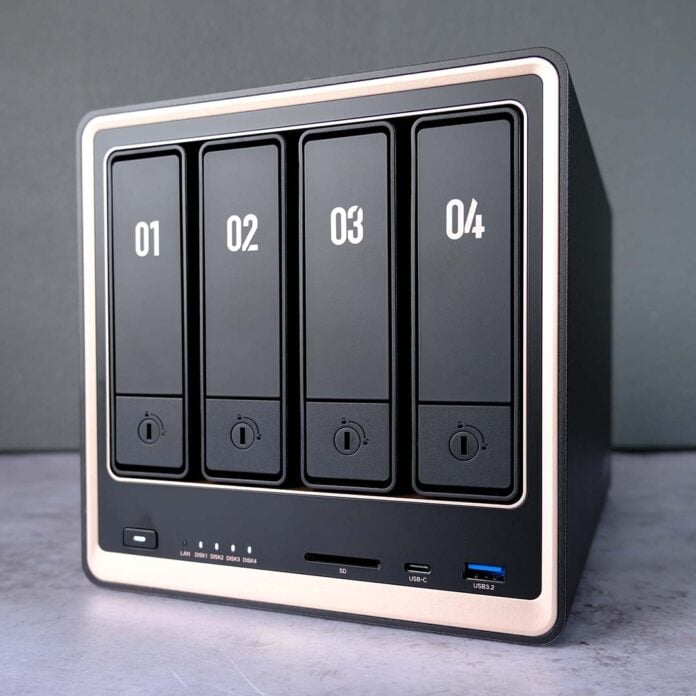
Like all NAS enclosures worth their salt, the Ugreen NASync DXP4800 GT aims to balance capacity and speed with price. Featuring an AMD CPU, complete with Radeon Vega integrated graphics, this system boasts alluring enthusiast-class niceties such as support for ECC (Error-Correcting Code) RAM and U.2 SSDs. Taken as a whole, it’s undeniably solid, but it isn’t necessarily the right fit for everyone.

Ugreen NASync DXP4800 GT
£529 / $589
Pros
- Solid internal hardware
- Excellent build quality
- Dual 10GbE ports
- User-friendly operating system
- ECC and U.2 support
Cons
- Small native app selection
- SSD slots are only PCIe 3.0 x2
Club386 may earn an affiliate commission when you purchase products through links on our site.
How we test and review products.
As with its previous NAS launches, Ugreen is bringing the DXP4800 GT to market with limited-time early bird pricing. Picking up this system now will set you back £529 / $589, rising to £589 / $659 once the promotional period expires. Similarly, the DXP2800 GT is hitting store shelves with the same plan. You can purchase it now for £412 / $459, but this NAS will eventually retail for £459 / $509.
Specifications
Unlike the rest of Ugreen’s current NAS offerings, the DXP4800 GT features an AMD CPU at its heart, specifically a Ryzen Embedded R2514. This chip packs four Zen+ cores and eight threads, with a base clock of 2.1GHz that can rise all the way up to 3.7GHz.
While this setup looks aged by desktop PC standards, this choice of processor is perfectly competitive within the NAS market in terms of compute performance. Importantly, unlike many other AMD CPUs in NAS devices, the R2514 arrives complete with Radeon Vega 8 integrated graphics. This inclusion makes hardware transcoding possible, plugging the gap relative to Intel offerings with Quick Sync.
| DXP4800 GT | DXP2800 GT | |
|---|---|---|
| Max. storage | 144TB | 80TB |
| Drive bays | 4 | 2 |
| OS | UGOS Pro | UGOS Pro |
| CPU | AMD Ryzen Embedded R2514 | AMD Ryzen Embedded R2514 |
| RAM | 8GB DDR4 (expandable up to 64GB) | 8GB DDR4 (expandable up to 64GB) |
| System drive | 64GB eMMC | 64GB eMMC |
| RAID support | JBOD / Basic / RAID 0, 1, 5, 6, & 10 | JBOD / Basic / RAID 0 & 1 |
| Ports | 10Gb USB-A (x2) 10Gb USB-C (x1) 10Gb Ethernet (x2) 480Mb USB-A (x2) HDMI 2.0 output (x1) SD 3.0 (x1) | 10Gb USB-A (x2) 10Gb USB-C (x1) 10Gb Ethernet (x1) 480Mb USB-A (x2) HDMI 2.0 output (x1) |
| Expansion slots | PCIe Gen 3 x2 M.2 (x2) | PCIe Gen 3 x2 M.2 (x2) |
| Features | ECC RAM support Docker U.2 support | ECC RAM support Docker U.2 support |
| Warranty | Two years | Two years |
| Dimensions (L x W x H) | 257 × 178 × 178mm | 232 × 109 × 178mm |
| Price | Early Bird: £529 / $589 MSRP: £589 / $659 | Early Bird: £412 / $459 MSRP: £459 / $509 |
The DXP4800 GT supports up to 64GB of DDR4-SODIMM memory across two channels, if you’re affluent enough to afford such luxuries in this current market. While it’s difficult to procure memory modules at an affordable price in this economy, I’ll always welcome expandability like this, as it gives you some room for future proofing as time goes on.
As a welcome bonus, Ugreen’s choice of SoC also nets this NAS support for ECC RAM, though it only comes with unregistered memory as standard. For those whose data integrity is of paramount importance, this feature makes the DXP4800 GT an extremely attractive NAS, although casual consumers won’t get much benefit from it.
Design
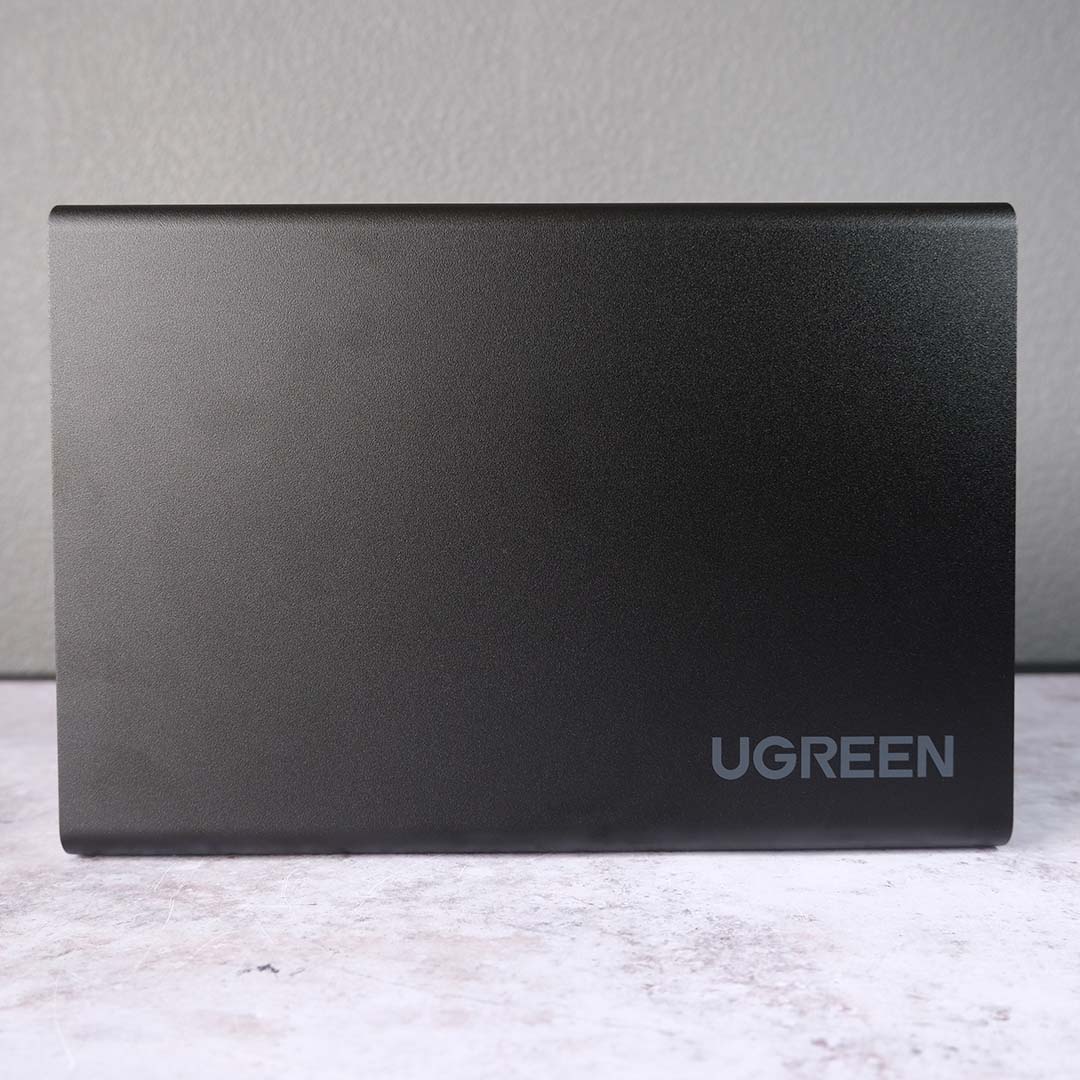
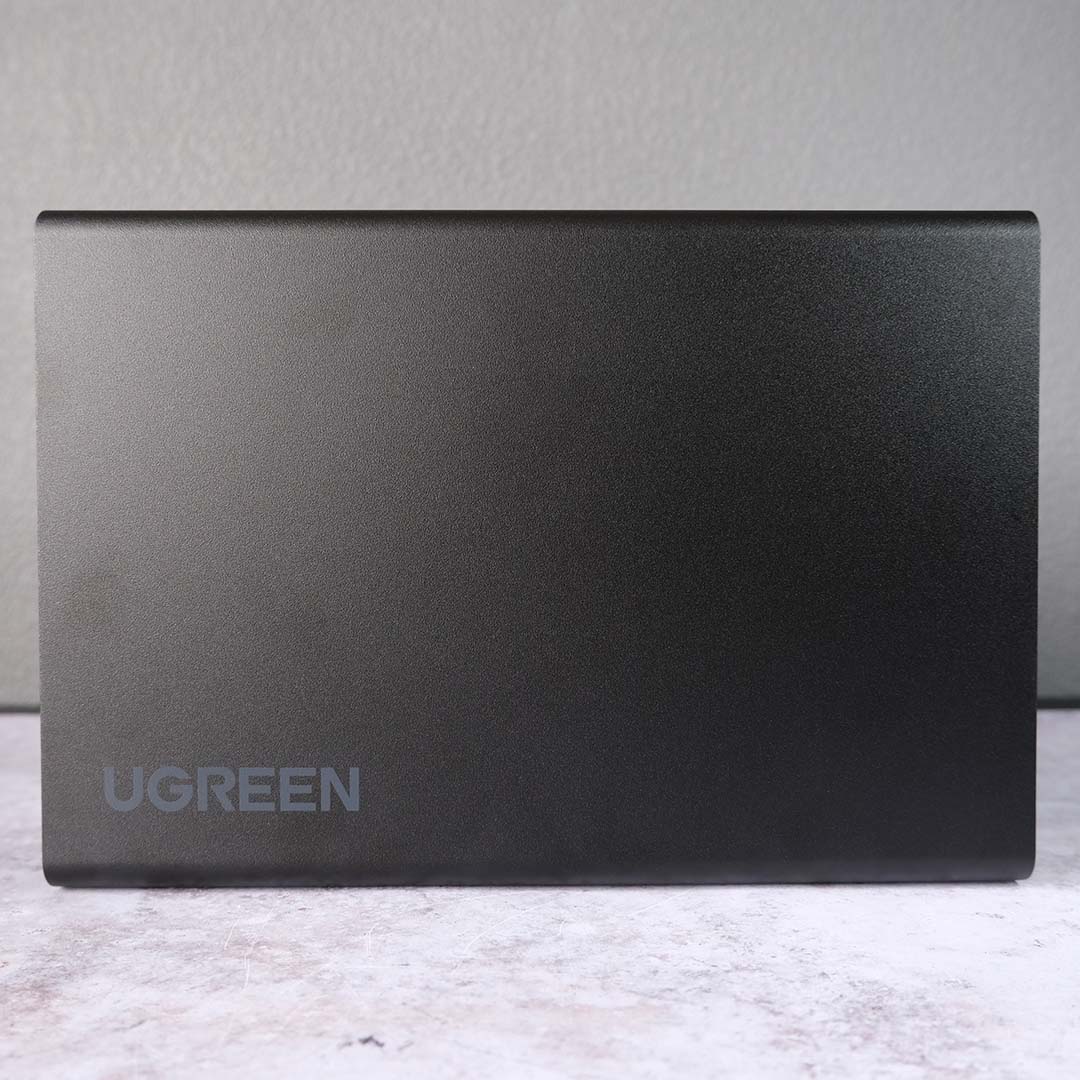
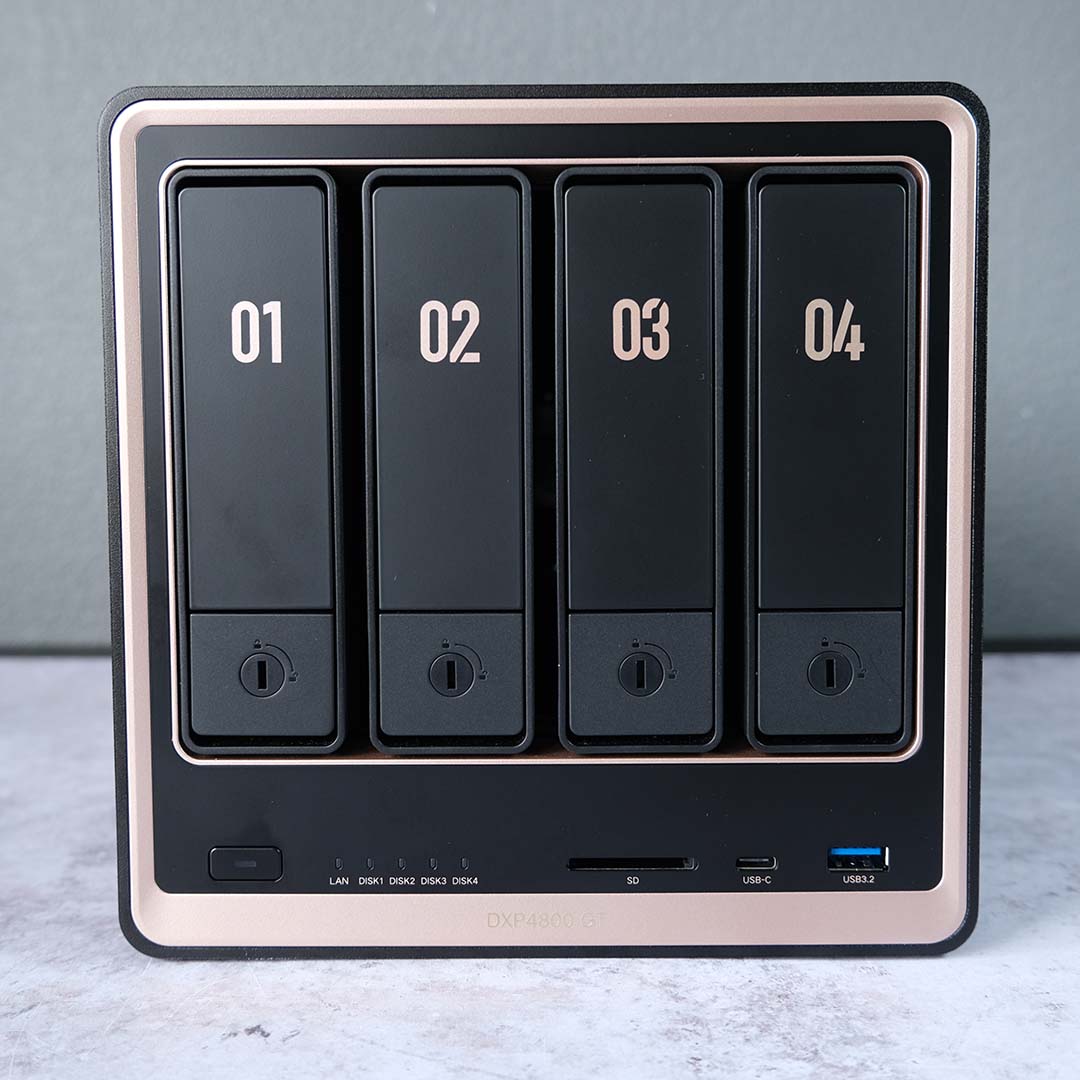
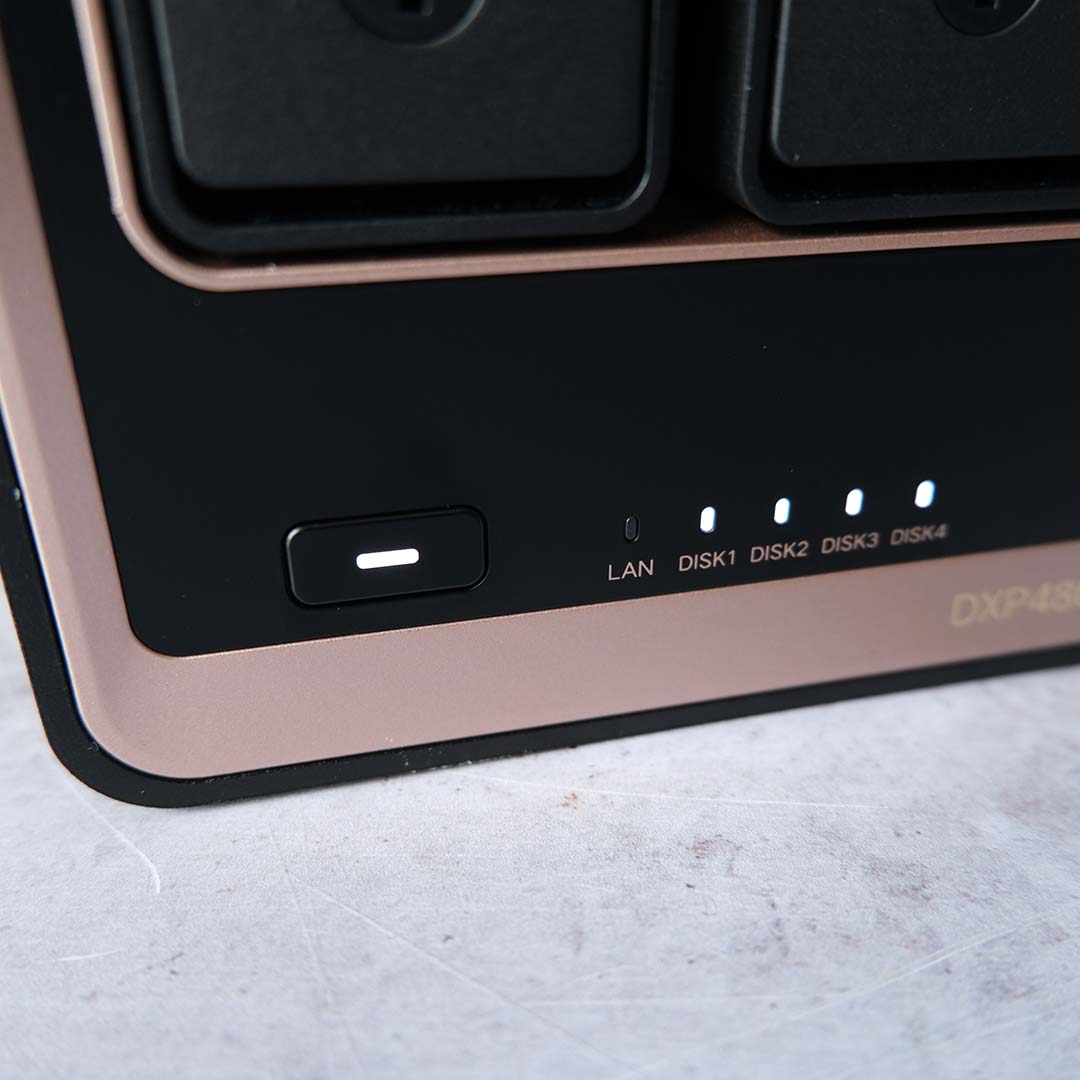
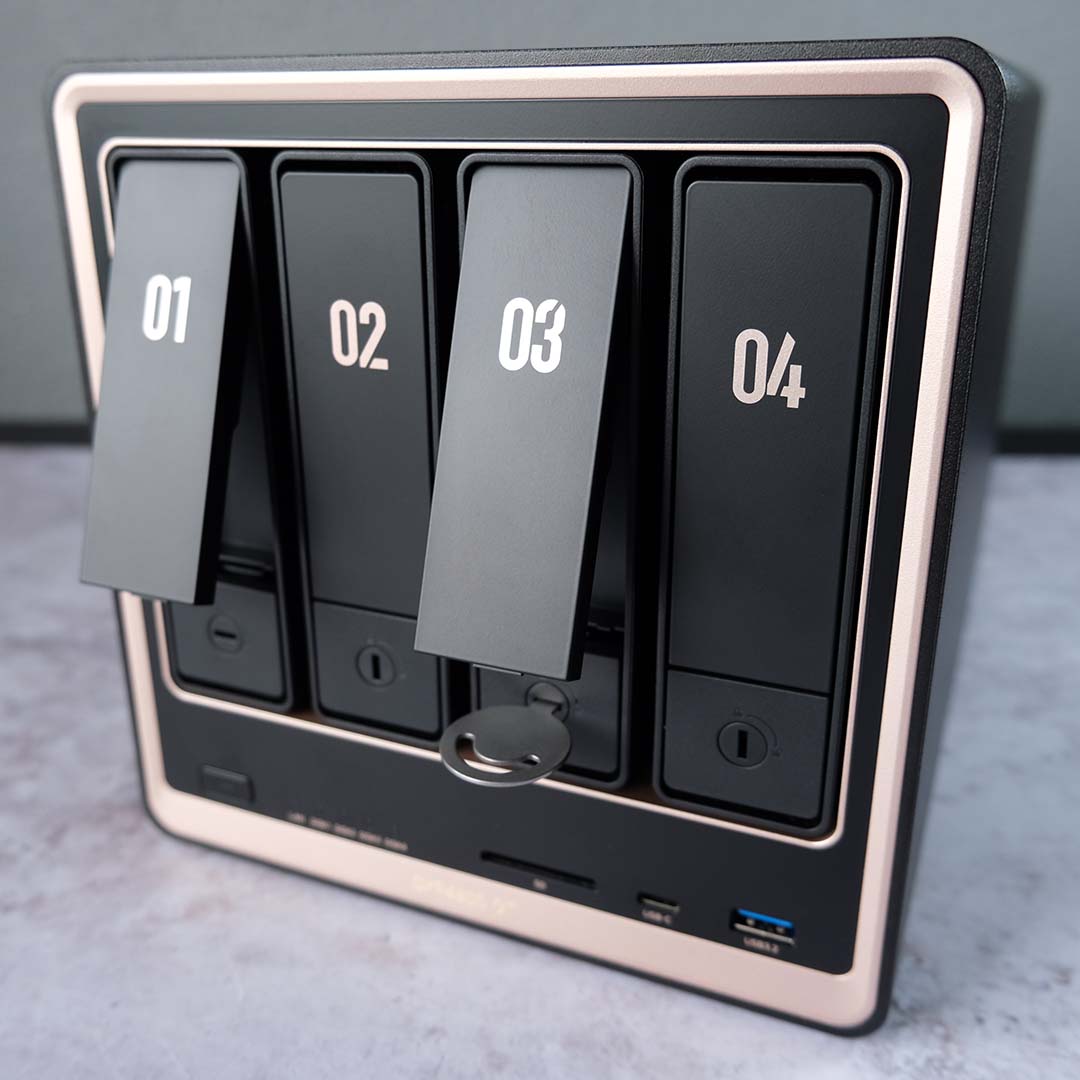
Unboxing the DXP4800 GT, this NAS makes an immediate positive impression through its build quality. The weighty all-metal chassis feels premium to the touch, and the combination of jet-black panels with rose gold accents gives it a distinctively expensive feel. I can understandably see the colour scheme not suiting some folks’ tastes, but I personally welcome its unique flair, fingerprint magnetism aside.
Measuring 257 × 178 × 178mm, this NAS isn’t much smaller than some Mini-ITX PC cases and thus requires some forethought as to placement. You don’t need an enormous amount of room to accommodate the system, but it won’t disappear on your desk either. Thankfully, the DXP4800 GT is attractive enough to warrant public display, but it will be just as happy tucked away in a nook or cupboard.
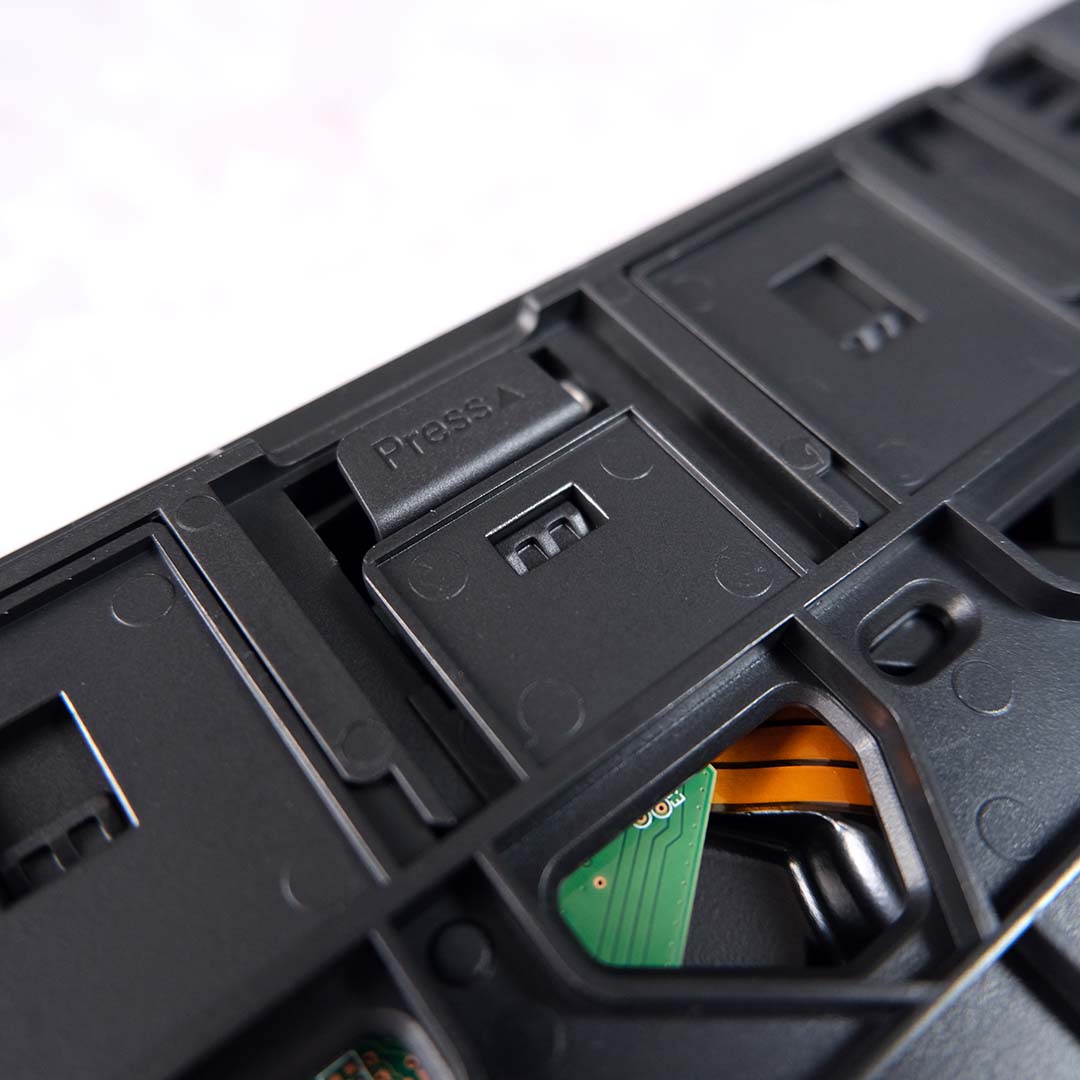
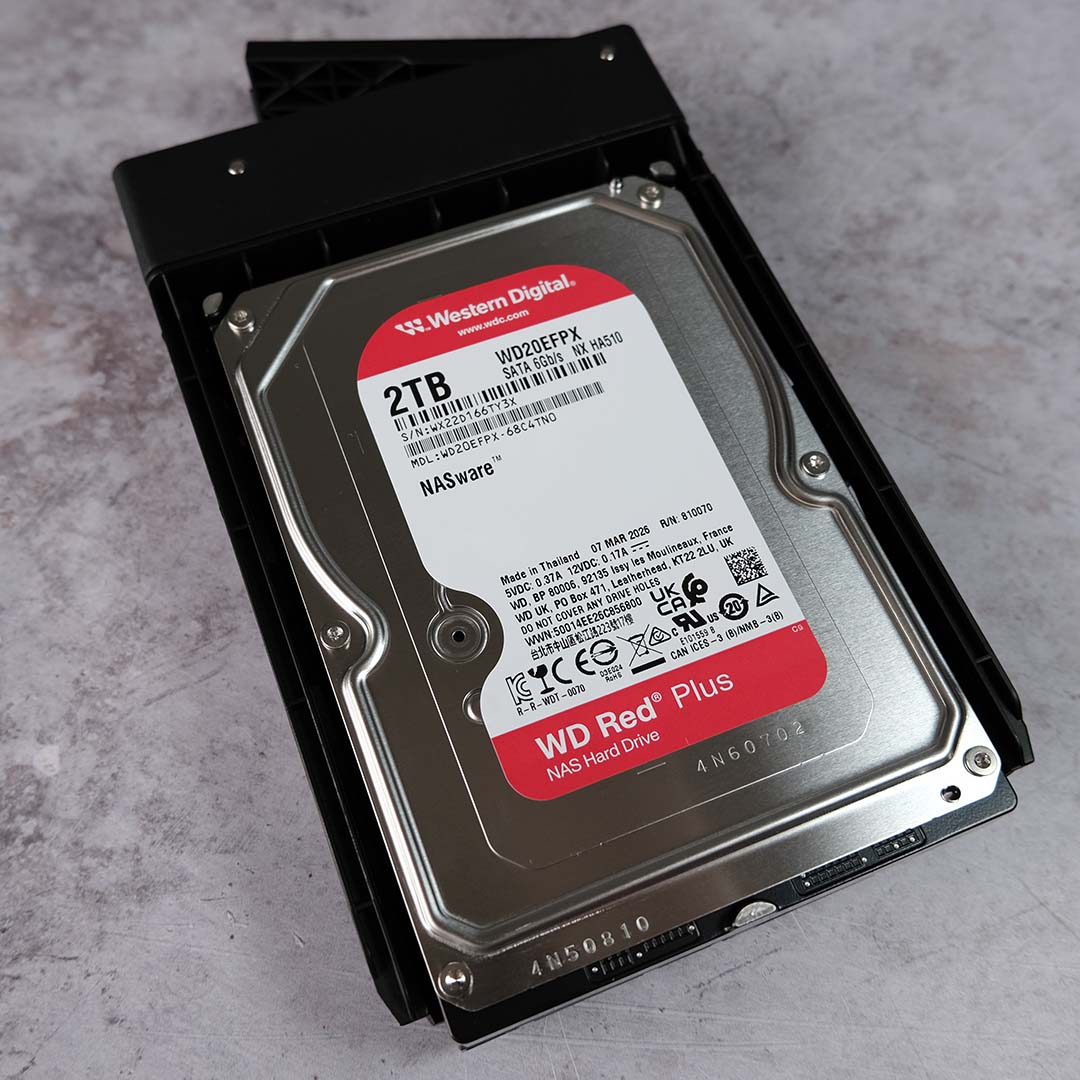
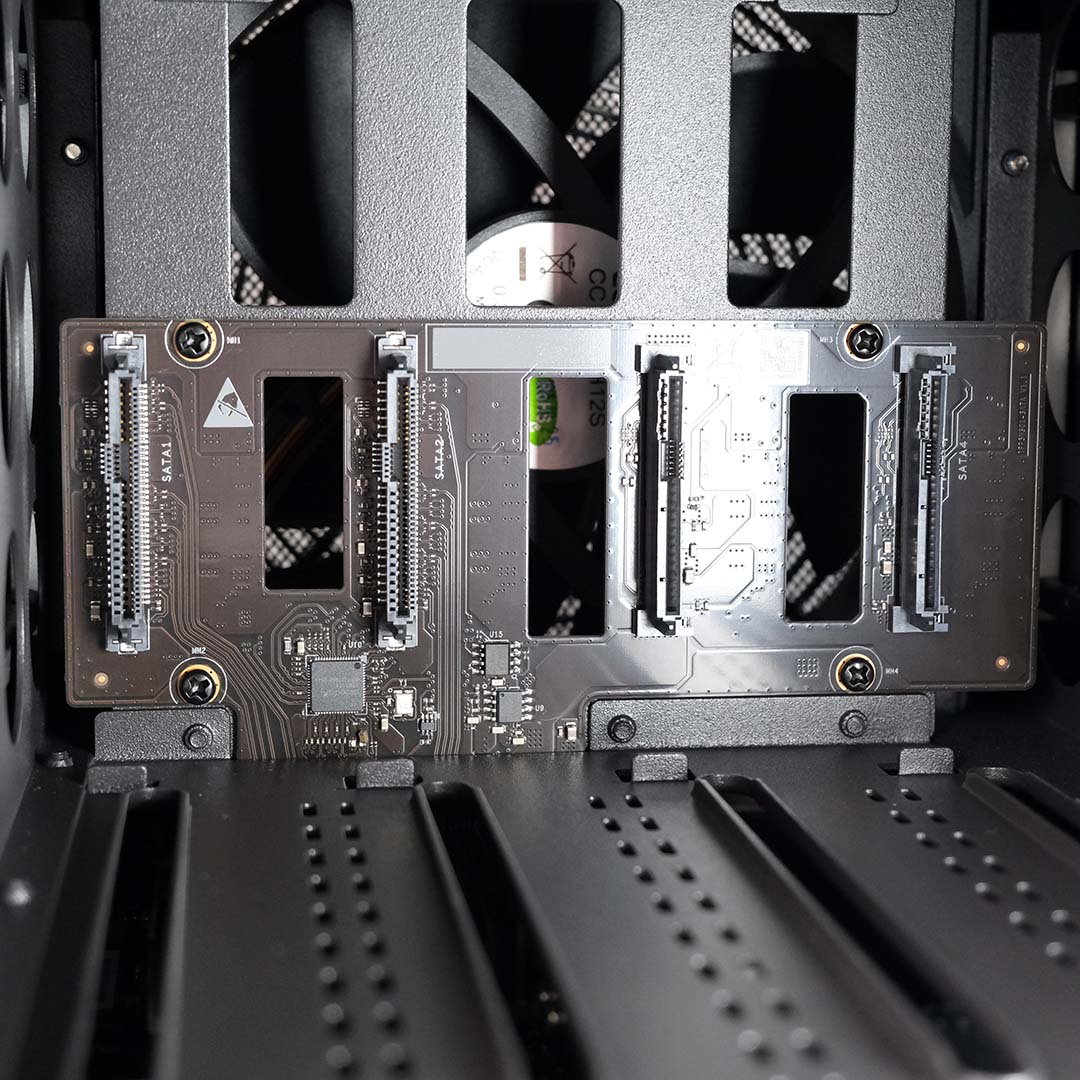
Installing 3.5in HDDs into any of the four drive bays couldn’t be simpler. The bays rest flat against the face of this NAS, but their grips pop out with a satisfying click of their respective buttons. I appreciate Ugreen’s inclusion of numbers on each of the faceplates, making it easy to track which drive belongs where, should you need to remove several of them at a time.
With the mounts free, you just need to widen them via their built-in pressure clip, pop in each disk, and push them back in to close. Ugreen doesn’t provide orientation guidance on the bays themselves, but you can find all the details in the supplied manual, or take a look to see whether you’ve lined up the SATA connectors before populating the NAS. Finally, the locking mechanism for each bay requires a bespoke key accessory, but that’s the only tool you’ll need for HDD installation.
Alternatively, you can install 2.5in SSDs into these mounts, but this requires you to use the bundled screws and screwdriver. It’s also possible to install U.2 drives in this system, for those who want the absolute fastest storage performance, but only the first two bays support this storage type. Regardless of form factor, you can expect to create a storage pool up to 144TB in size across all ports.
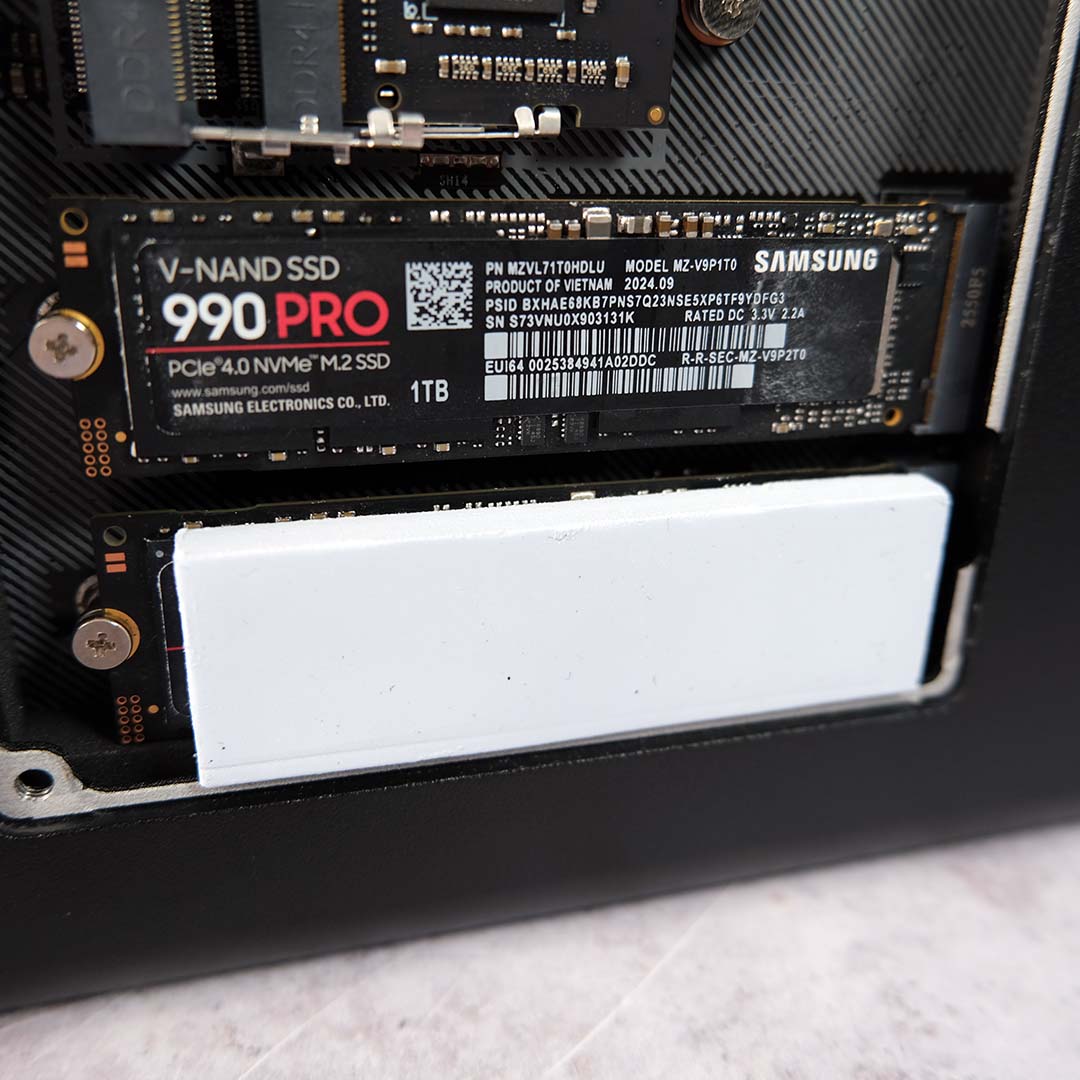
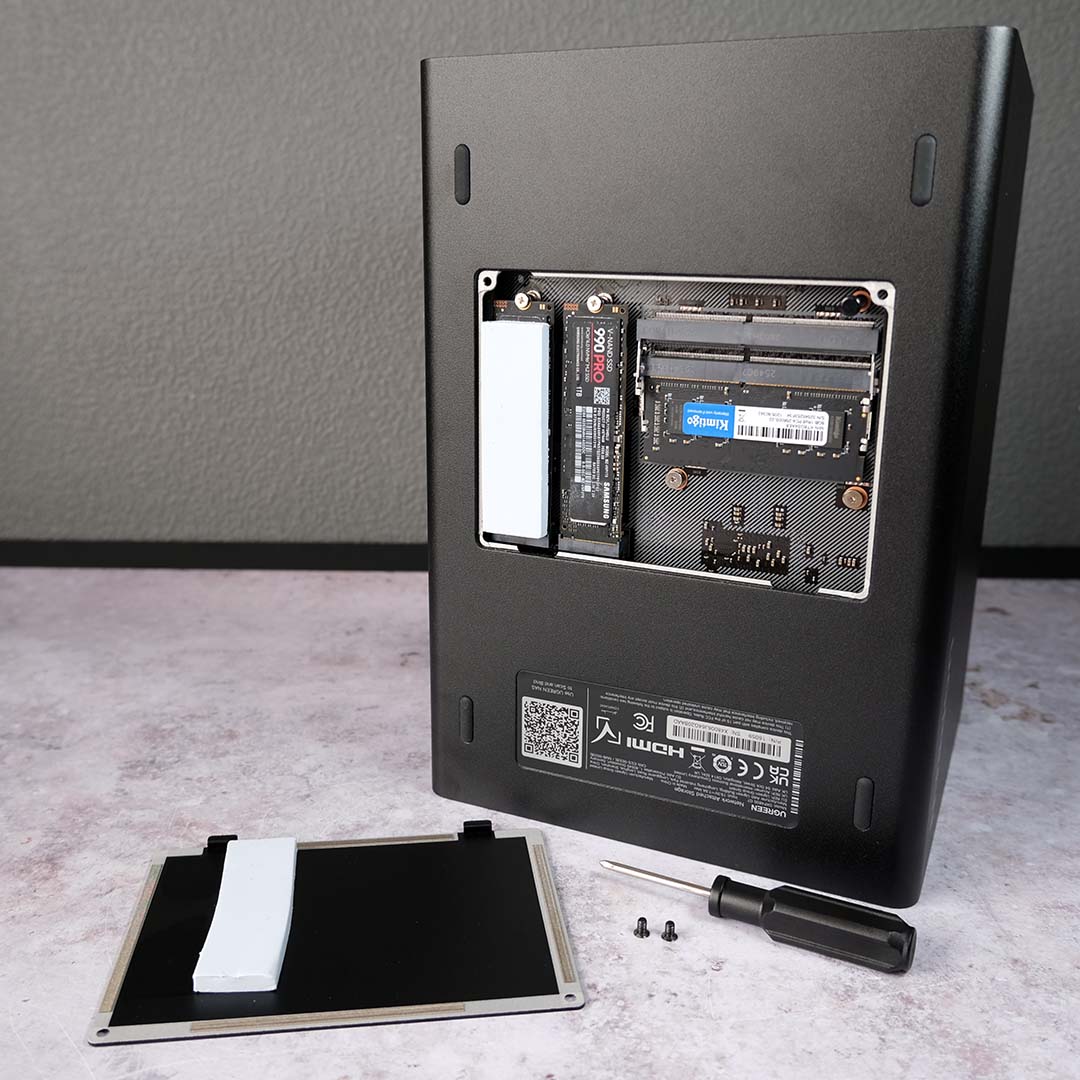
On the DXP4800 GT’s underside, there’s room for further storage expansion via two full-size M.2 slots. However, neither offer spectacular speed owing to the limitations of their PCIe 3.0 x2 interfaces, topping out at 2GB/s at most. While some enthusiasts will bemoan this limitation, that amount of bandwidth exceeds the 10Gb (1.25GB/s) networking speeds of this NAS and remains fine for caching.
There’s no active cooling in this compartment, but Ugreen supplies two thick thermal pads to shift heat from the M.2 drives. These grey sponges sit on top of the drive, sandwiched between the panel door, turning the chassis itself into a passive heatsink. In practice, operating temperatures fall well below the realms of thermal throttling.
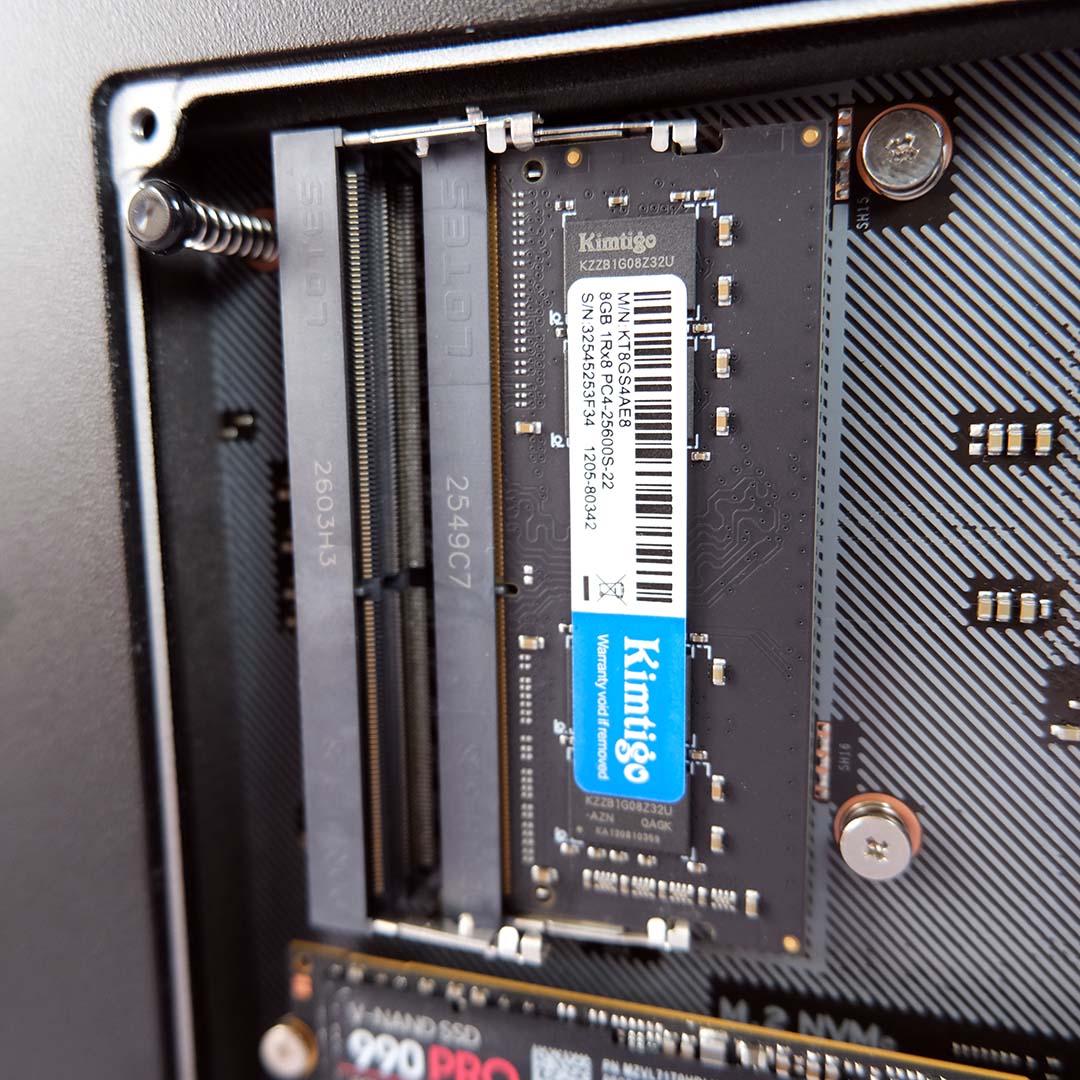
Sitting alongside the M.2 slots is a lone 8GB SODIMM module of DDR4 RAM, running at 2,667MT/s (the limit of the CPU). For those looking to the DXP4800 GT for its support of ECC RAM, note that you’ll need to support your own stick(s) to unlock that feature. The memory that Ugreen supplies with the NAS is a standard SODIMM, which naturally helps keep down the price of the system.
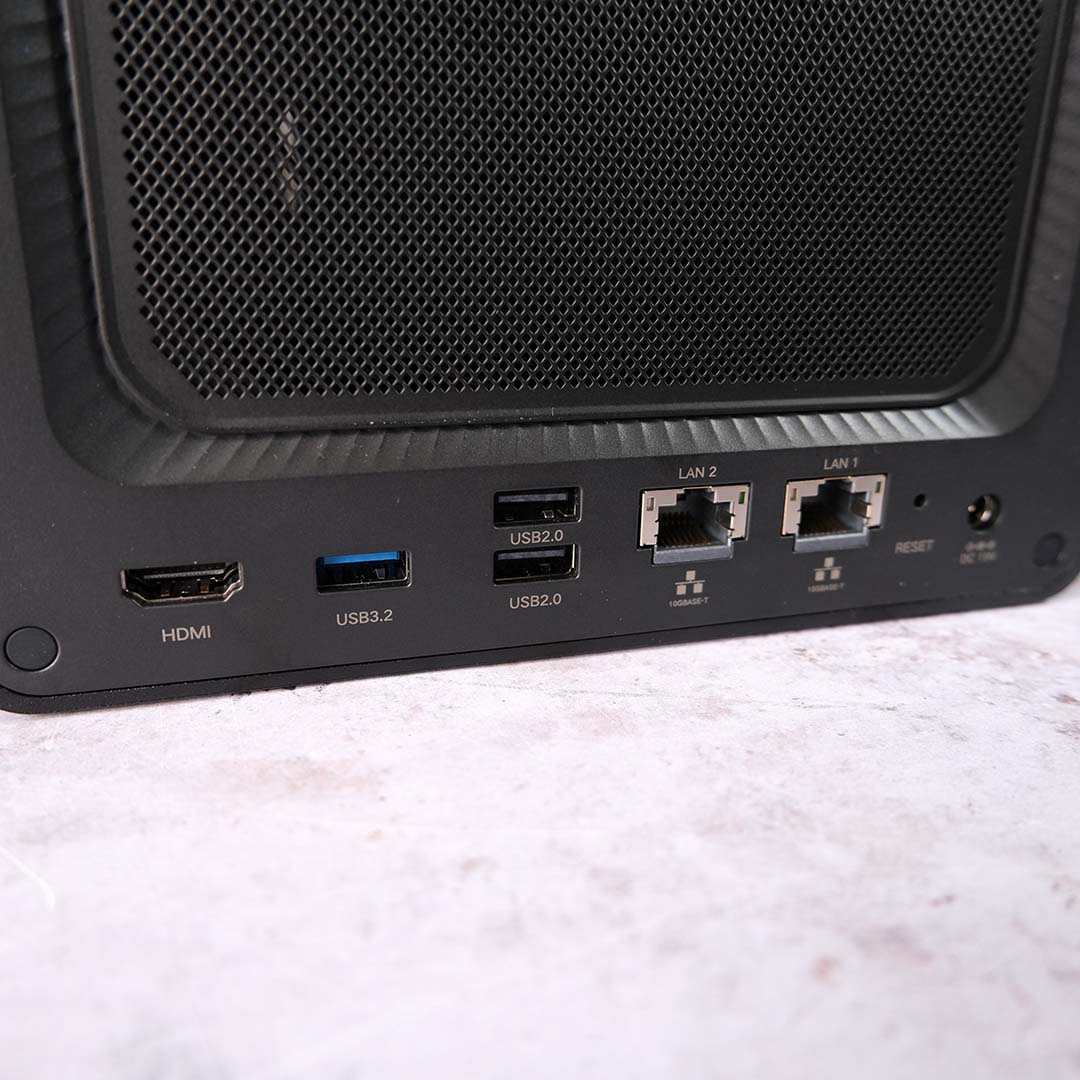
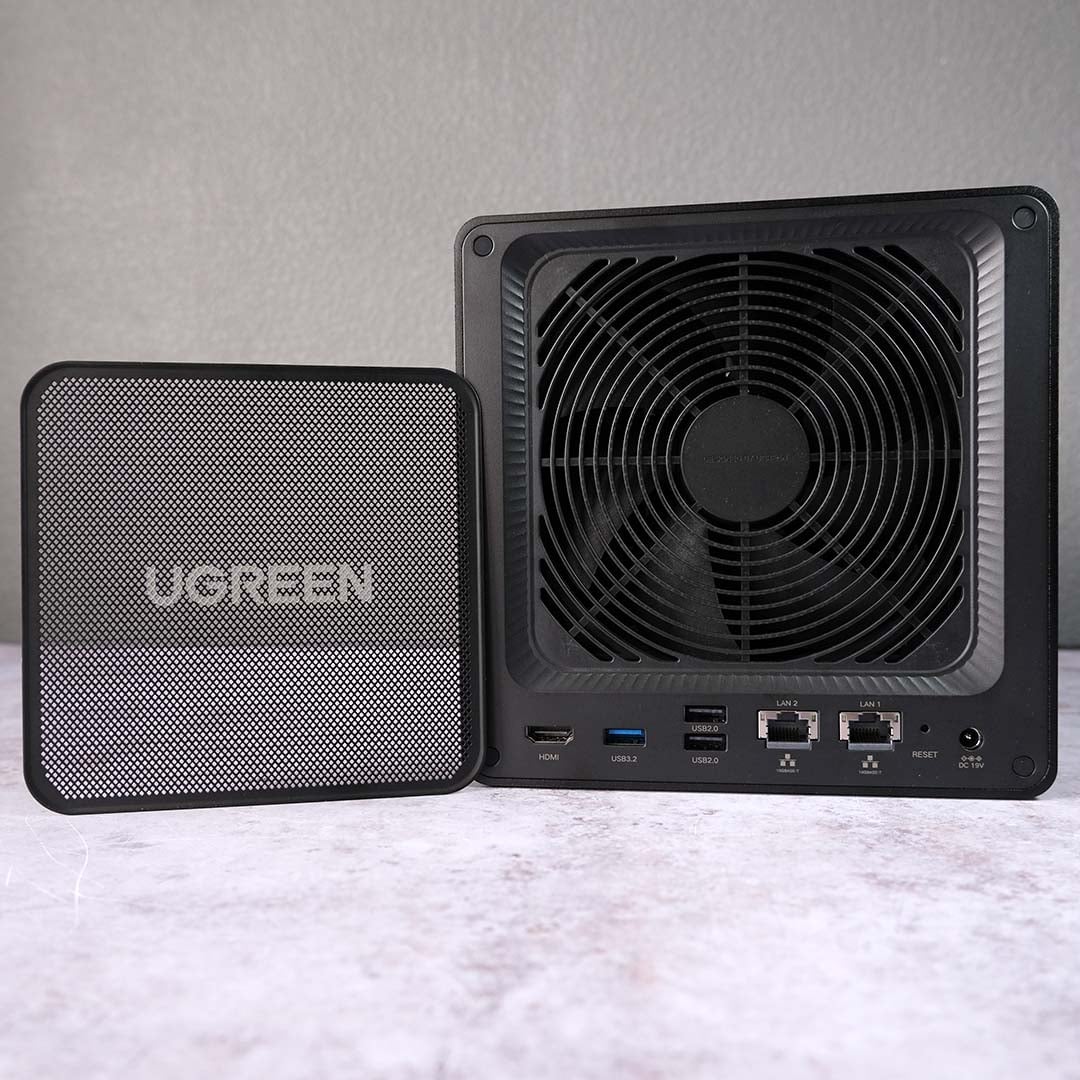
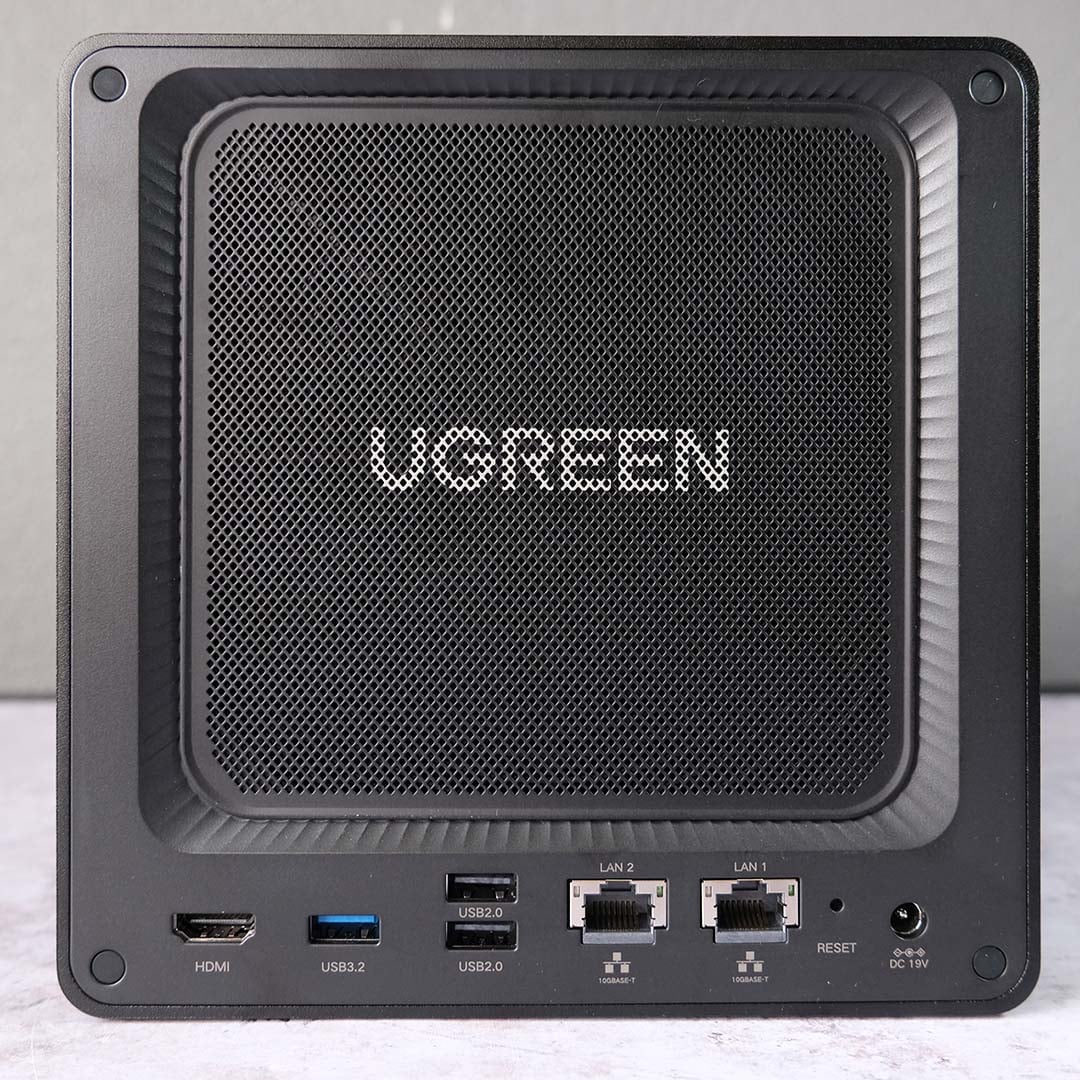
The DXP4800 GT sports not one, but two 10GbE ports, making it one of the speediest NAS devices on the market in its price range when it comes to networking. For context, you can expect to find single 10GbE connections on alternative devices, complemented by relatively paltry 2.5GbE or even 1GbE ports. You’ll need similarly speedy infrastructure in your whole setup to hit those 1.25GB/s transfer speeds, but the system will fall back to whatever your network has to offer.
On the rear of the device, you’ll also find a single 10Gb and two 480Mb USB Type-A ports. These are ideal for connecting a UPS (uninterruptible power supply) to the NAS, as well as tertiary storage through external drives. Meanwhile, an HDMI 2.0 port serves as a means to play content directly from the DXP4800 GT, but you’ll still need a separate client to select and control your media.
At the back, you’ll also find the 120mm exhaust fan. This blower is hidden behind a magnetic mesh filter, a trick other NAS devices often miss that helps keep dust at bay and prolong your hardware’s lifespan. The only other major backside component is the external AC adapter, but squirrelling away that block and largely forgetting about it isn’t a massive ask. If anything, I’m glad to be free of an internal PSU fan, which proved thoroughly irritating on the NASync iDX6011 Pro.
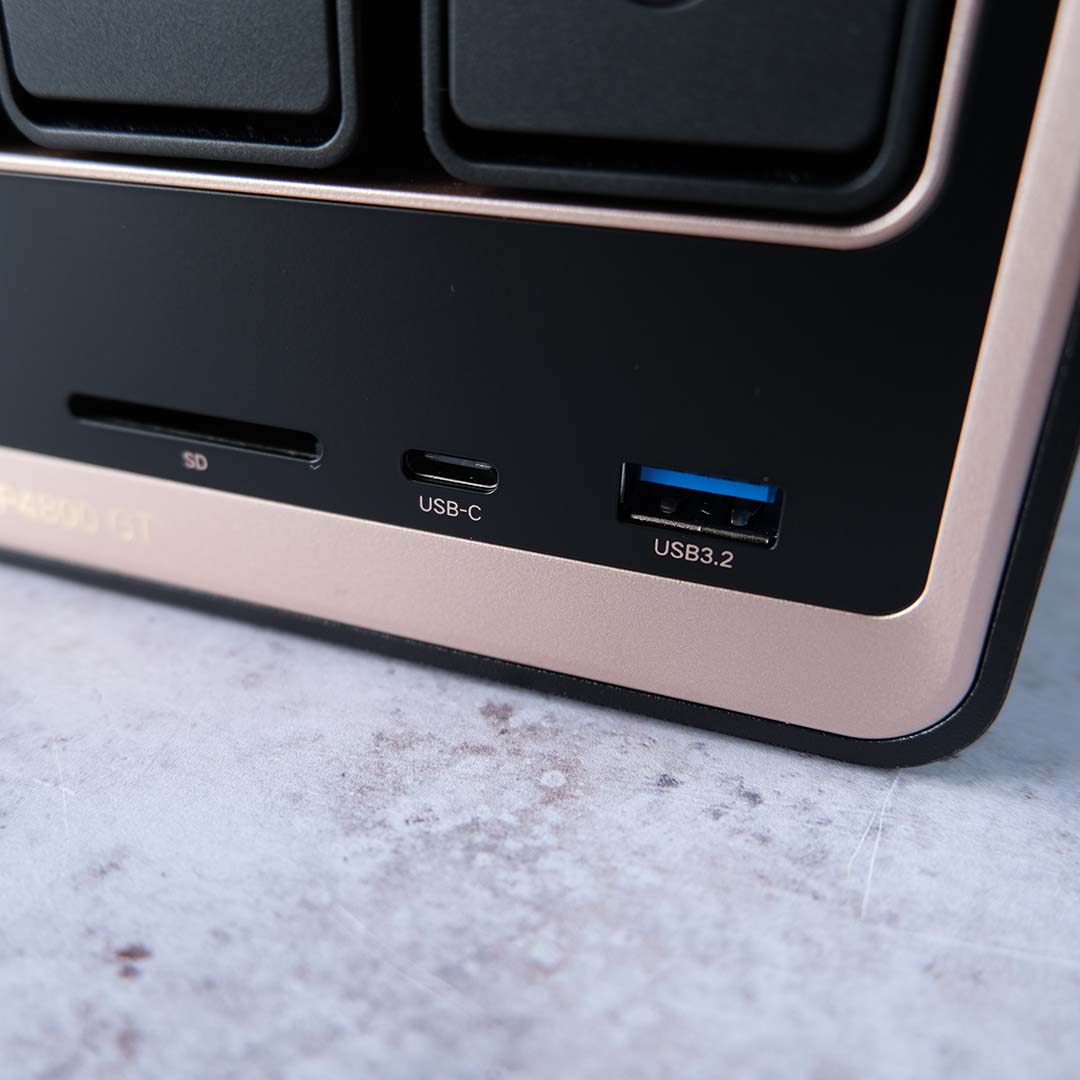
Finally, up front, there are 10Gb USB-A and USB-C ports, in addition to an SD 3.0 slot. Having all these ports so easily accessible on the DXP4800 GT makes for appreciably convenient data transfers between the NAS and my devices. I’ve made frequent use of all three connectors across my camera, laptop, and various USB storage devices, enabling me to quickly share content across my PC and laptop.
Software
Setting up the DXP4800 GT’s software couldn’t be simpler. You can start the initialisation process from Ugreen’s desktop or smartphone application, as well as via the Web (provided the NAS is running on the same network as your device). It took me 10 minutes at most to go from plugging in the system to arriving at the UGOS Pro home screen.
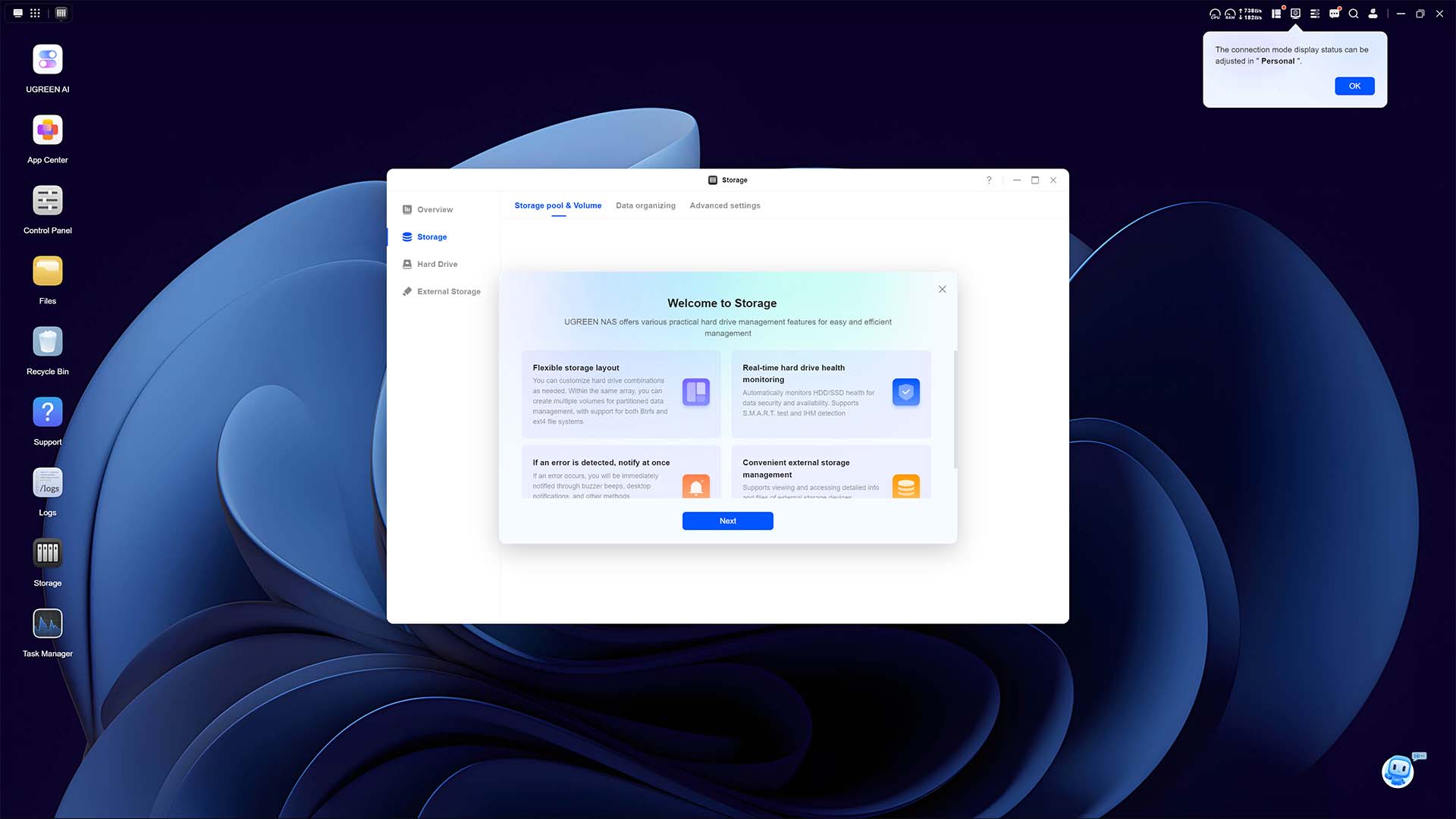
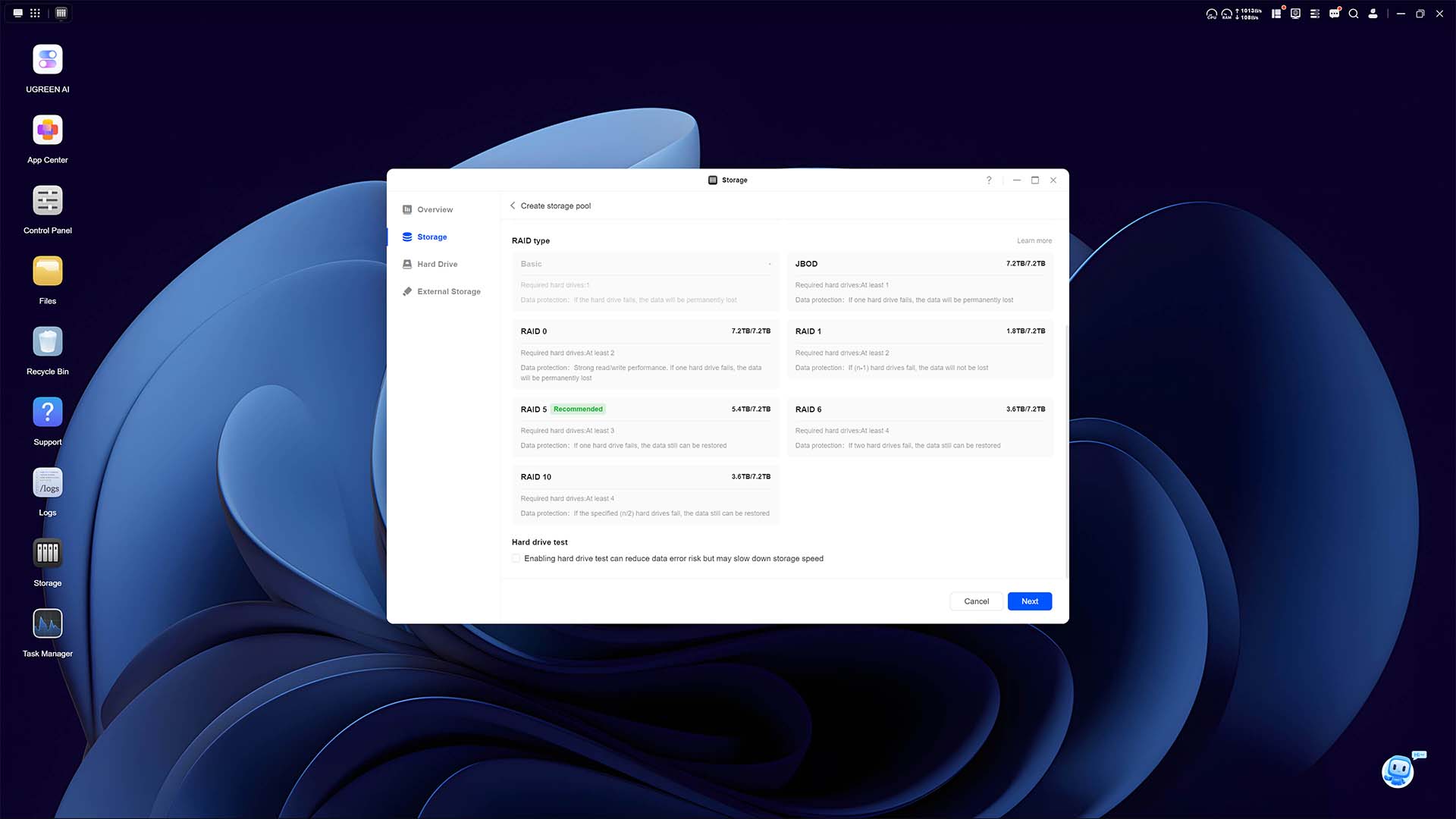
From the word go, UGOS Pro wastes no time in bringing you up to speed with its core elements. In addition to highlighting key applications, the step-by-step tutorial provides plenty of information about the creation of storage volumes. Ugreen recommends running RAID 5, but the NAS also supports RAID 0, 1, and 6, as well as JBOD and Basic.
The desktop-style interface of UGOS Pro makes the DXP4800 GT very approachable to NAS newbies and veterans alike. This operating system feels pleasingly responsive and intuitive to navigate, if a touch sparse in terms of stock applications, with no backup or multimedia programs arriving pre-installed.
You can easily outfit the NAS as you please via Ugreen’s App Center, with 31 apps available at the time of writing. This is a small number of options relative to competitors, and there’s no native support for several popular programs, such as Plex. Power users can circumvent this shortcoming to a degree via Docker, but requiring users to take such a path does diminish the DXP4800 GT’s pre-built appeal for some.
My use case for the NAS is admittedly on the simpler side, leaning mostly into file storage with a dash of media playback via Jellyfin and DLNA-certified devices. For these purposes, the DXP4800 GT does well, with particular thanks to the Vega 8 integrated GPU’s transcoding on the latter front. However, there’s no native support for AV1 transcoding here, giving alternative systems with Intel Quick Sync support an edge.

For those (like me) trying to rid themselves of evermore expensive smart home subscriptions, the DXP4800 GT can serve as the base for Home Assistant, with Ugreen recently bolstering such a use case through its new Surveillance Center. The NAS is also capable of running Virtual Machines out of the box, not forgetting how many proverbial doors Docker can open.
As I mentioned earlier, the operating system runs off 64GB of dedicated eMMC storage. This makes installing alternative operating systems, such as TrueNAS, more difficult compared to NAS devices that run their OS from modular storage. This isn’t an area I expect the majority of DXP4800 GT buyers to explore, but it’s a limitation worth noting.
Performance
My home network tops out at 1GbE, so I’ve turned to one of our 9950X3D test benches in order to push the performance of the DXP4800 GT. Sporting a 10GbE port, this PC leaves no throughput on the table, and demonstrates the kind of performance you can expect from clients connecting via the same speed.
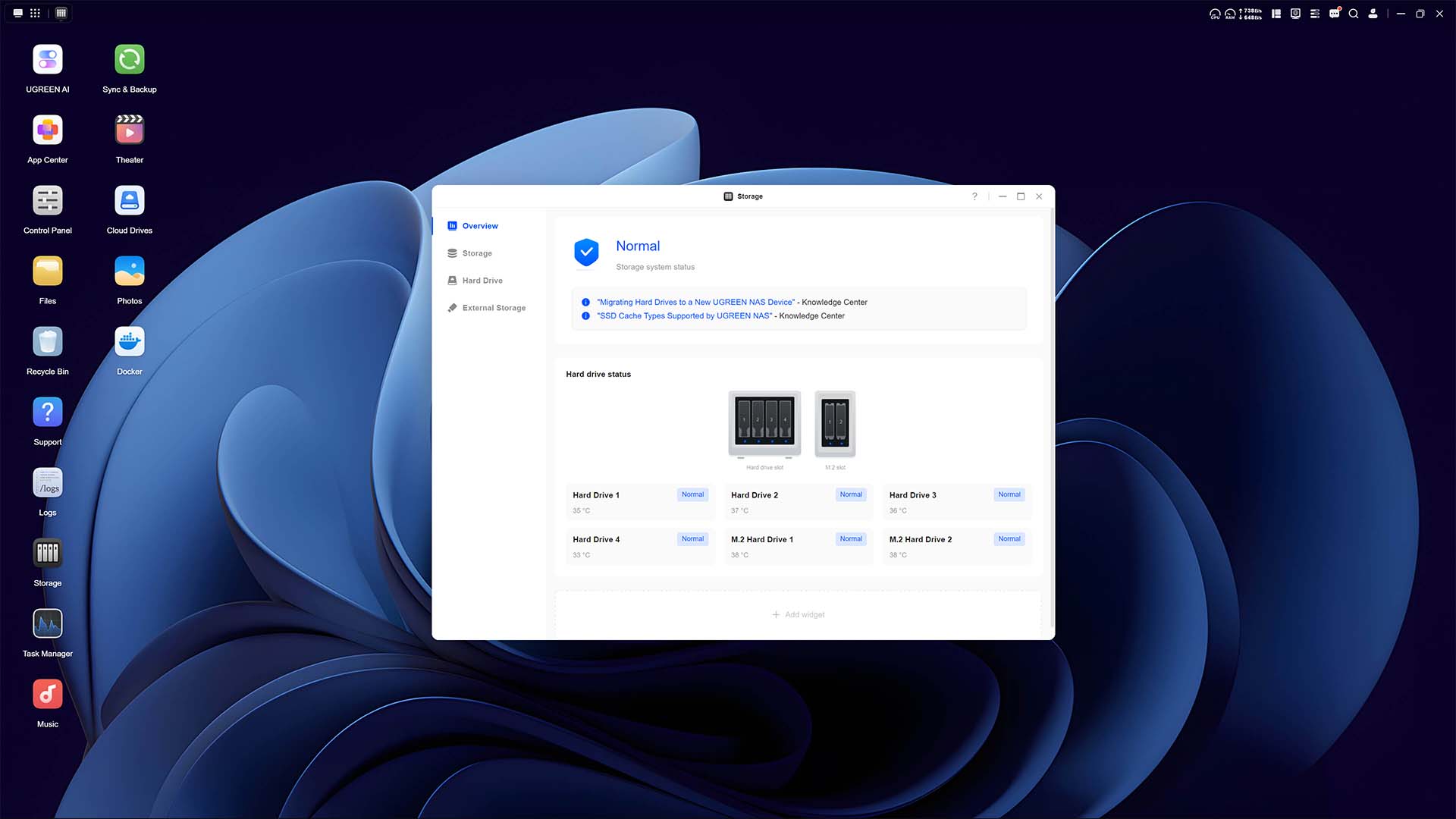
Combining the four 2TB HDDs I have at my disposal, I’ve created a RAID 10 array to maximise bandwidth and data protection, providing 3.6TB of usable storage. I’ve also set up a complementary 500GB SSD cache, using two Samsung 990 Pro M.2 drives, to bolster read and write speeds.
Beginning with a simple 50GB text file, this test demonstrates a best-case scenario for the client and NAS. Both upload and download speeds peak at 1.11GB/s, barely wavering from that transfer rate, approaching the theoretical 1.25GB/s limit of the 10GbE interface on both devices.
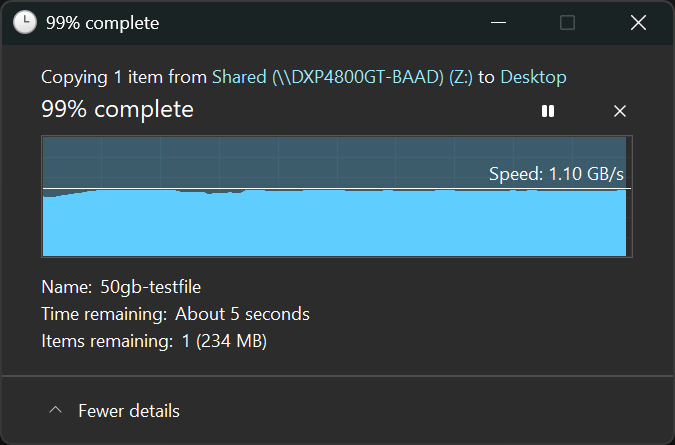
Moving on to a larger and more varied dataset, namely a Steam backup of Assassin’s Creed Shadows, performance remains similar. Transfer rates once again peak at 1.11GB/s both up and downstream, occasionally falling to ~1GB/s during the process.
Finally, using AJA System Test, I can create synthetic video files of varying sizes to benchmark the array’s speed. Starting with a 1GB test, my RAID 10 array inside the DXP4800 GT operates at 655MB/s for reads and 753MB/s for writes. Increasing the size of the load to 16GB write throughput doesn’t take much of a hit, clocking in at 614MB/s, but reads fall to 654MB/s.
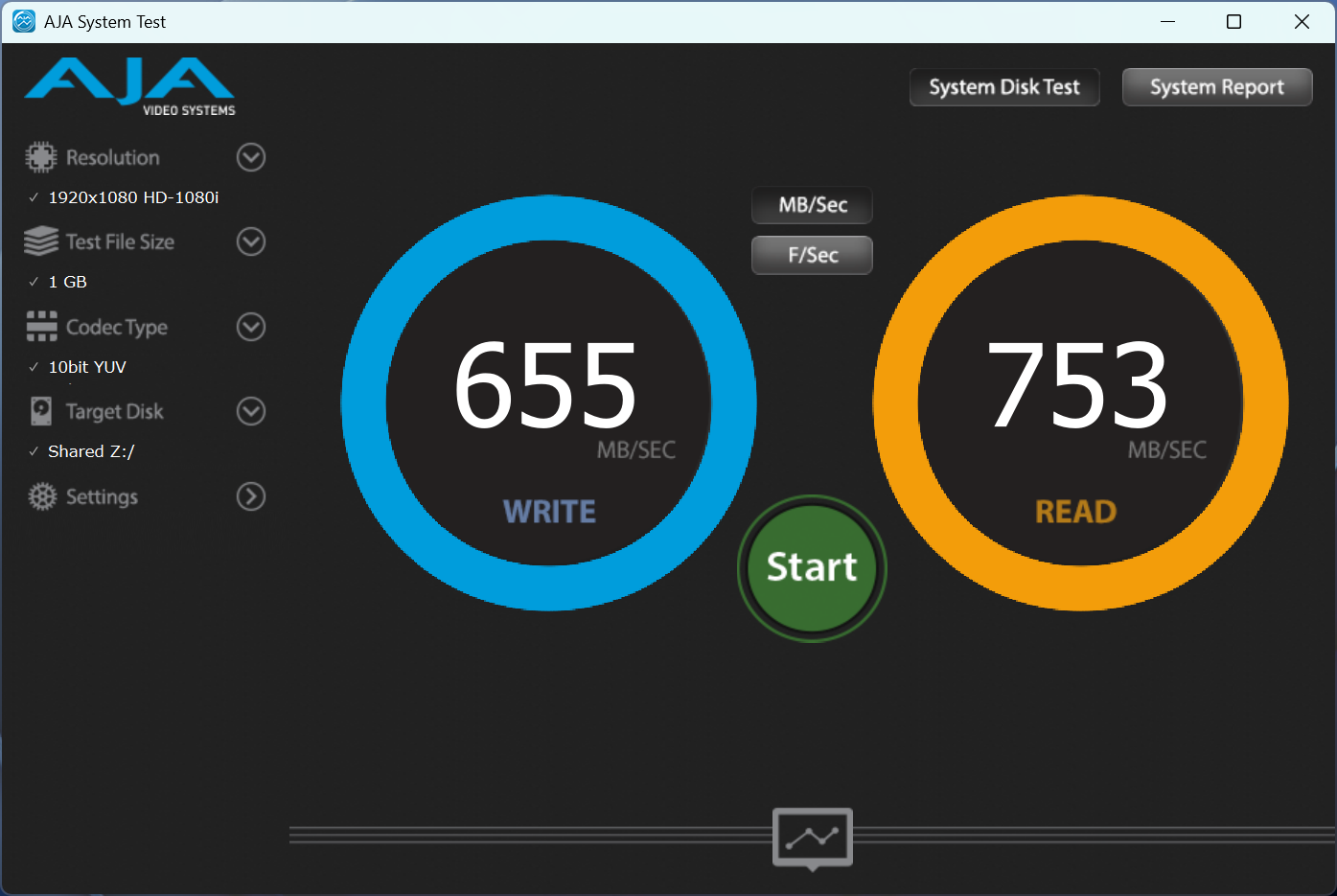
Of course, these values are only demonstrative of my 5,400RPM hard drives. There’s room to increase performance via 7,200RPM models, providing you don’t mind a bump in noise, and you could also boost performance by using 2.5in or U.2 SSDs.
In the current market, you’ll need deep pockets to outfit the DXP4800 GT with anything above the calibre of hard drive I’ve used in this review. Thankfully, that still means plenty of performance for average users, with room to go further if you have more cash to spend.
Vitals
Speed is important, but a NAS also needs to balance noise levels, operating temperatures, and power consumption. As you might expect from the DXP4800 GT’s excellent build quality, none of these variables prove problematic for the system.
In my 26°C office, hard drive temperatures range between 33-37°C sitting idle, while the two M.2 drives forming the SSD cache kick back at 38°C, with the CPU sitting at 46°C. This is while using the default Balanced fan profile.
During the file transfers I described earlier in this review, temperatures across the system naturally rose. While the hard drives didn’t see much movement, with the temperature range merely shrinking to 34-37°C, the SSDs’ peak temp shot up to 45°C. However, the CPU saw the largest increase, reaching 77°C under load. AMD doesn’t provide TjMax values for the Ryzen Embedded R2514, but the chip showed no signs of thermal throttling.
The DXP4800 GT is practically whisper-quiet while idle and using its stock Balanced fan profile, with my noise meter peaking at just 33dBA about 10cm from the system. The metal chassis does make the hard drive noise louder relative to plastic housing, but this NAS is hardly bothersome while it works away at just 38dBA.
There is a Quiet fan profile, but I wasn’t able to measure any noticeable difference relative to Balanced, and Ugreen sadly doesn’t provide any information about the curves of each mode. Meanwhile, the Full Speed preset is expectedly much louder, to the tune of 52dBA. That said, the fan noise has a surprisingly well-rounded timbre, making it audible but far from irritating during prolonged use.
With my drives running at full pelt during a file transfer, the DXP4800 GT pulled up to 65W from the wall, up from 27W while idle. That’s perfectly reasonable for a NAS with hardware of this calibre, but installing additional RAM or SATA/U.2 SSDs in place of the HDDs will likely see this value increase.
Ugreen does include several measures to reduce power consumption in the operating system, such as drive hibernation and an Energy Saving performance profile, but both will curb performance to a degree. I’d sooner suggest making use of scheduled startup and shutdown times for the NAS, with support for Wake on LAN (WOL) too.
Conclusion
The DXP4800 GT is an undeniably solid and stylish choice of NAS. Arriving with dual 10GbE ports and rare support for ECC RAM, as well as U.2 SSDs, it’s an appealing system to both professionals and enthusiasts.
However, riding alongside the DXP4800 GT is the similarly priced DXP4800 Plus at £526 / $656. This NAS isn’t outright superior, with less-powerful compute performance and a lack of ECC and U.2 support, but it does have its advantages and retains 10GbE networking. Among them is Intel Quick Sync, meaning superior transcoding, as well as an OS that arrives on a 128GB SSD rather than 64GB of eMMC.
In short, deciding between the two systems comes down to your individual use case. For me, and I’d wager most consumers, the DXP4800 Plus is the preferrable choice. However, the DXP4800 GT certainly has its place in worlds where data integrity is paramount.
Should you fancy the DXP4800 GT, though, I’d strike while Ugreen’s early bird discounts remain active if possible, which are available in both the US and UK. The brand also tells us we can expect a 20% discount for Prime Day 2026, running June 23-28.
