

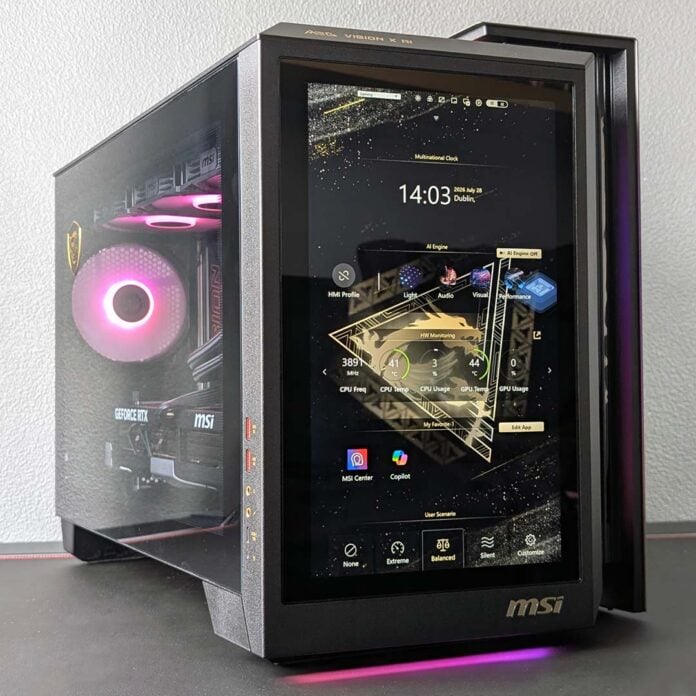
There are prebuilds, and then there’s the MSI MEG Vision X AI. This system demands attention in so many respects, from its uniquely eye-catching chassis, complete with built-in screen, to its underlying high-end hardware. All this pizazz naturally comes at a premium, but does the PC earn its asking price, or is it all just one big gimmick?
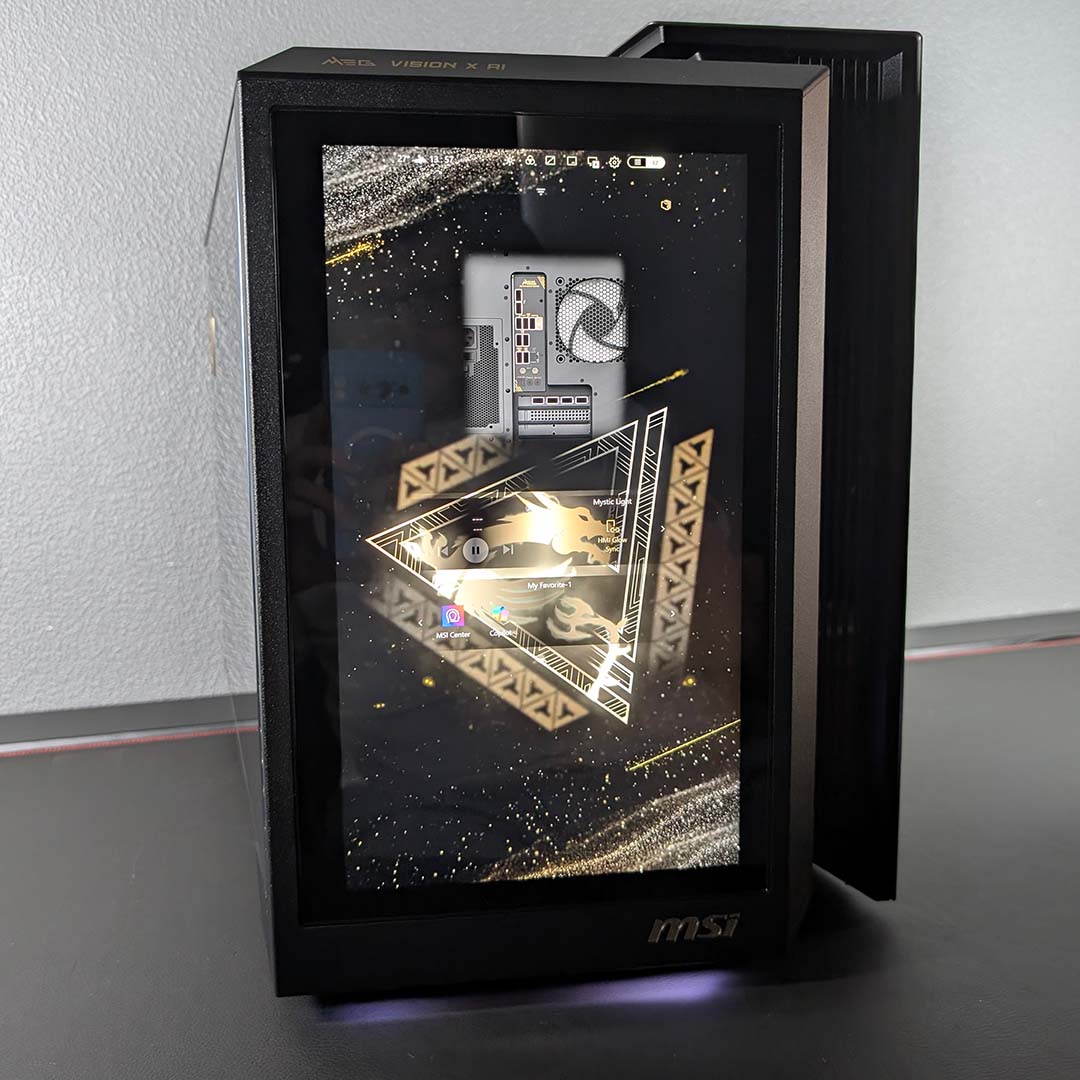

MSI MEG Vision X AI
£4,799
Pros
- Great 4K performance
- Reasonably quiet and cool
- Useful built-in screen
- Fair price
- Eye-catching looks
Cons
- Little CPU upgrade potential
- Comparatively slow RAM
Club386 may earn an affiliate commission when you purchase products through links on our site.
How we test and review products.
MSI ships the MEG Vision X AI in two configurations. The cheapest variant ships with a GeForce RTX 5080 and 32GB of RAM for £3,499. Meanwhile, our review unit featuring a GeForce RTX 5090 and 64GB of memory costs £4,799.
Both options cost an inarguably large amount of money. However, comparing the RTX 5090 spec to market alternatives, MSI’s pricing actually turns out rather reasonable. Surprising as that may be, that feat does come with a few caveats.
Specifications
MSI has chosen Intel’s Core Ultra 9 285K to serve as the MEG Vision X AI’s processor. It’s a curious decision, particularly as the Core Ultra 7 270K Plus effectively supersedes this chip in most regards. This choice likely stems back from the system’s launch date, prior to the Plus refresh, but it still provides the system with plenty of processing power.
More specifically, the 285K brings 24 (8P+16E) cores to the table, with as many threads owing to a lack of Hyper-Threading. Boasting boost clocks of up to 5.7GHz, this CPU can deliver suitably high single-core performance alongside appreciably strong multi-core chops. All that said, gaming performance simply isn’t as high on Arrow Lake as on AMD’s Ryzen X3D chips, particularly these first-gen models, and a Ryzen 9 9950X3D would have been a better choice for this system.
The other factor to bear in mind with this CPU is that it comes with a dead-end motherboard socket. With Intel’s forthcoming Nova Lake CPUs set to use the new LGA1954 platform, and Arrow Lake Refresh topping out at the 270K Plus, there isn’t really any scope to upgrade your CPU at a later date.
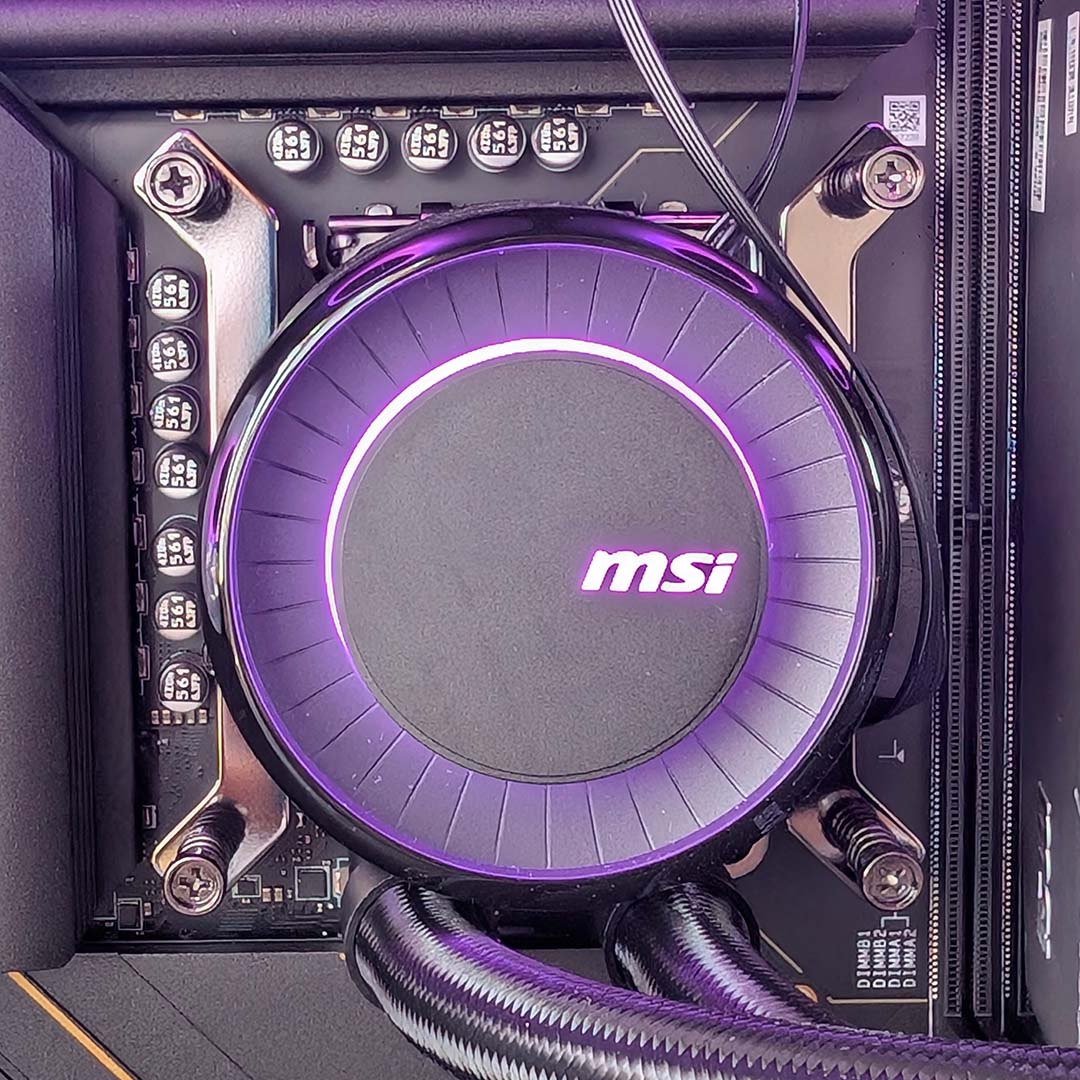
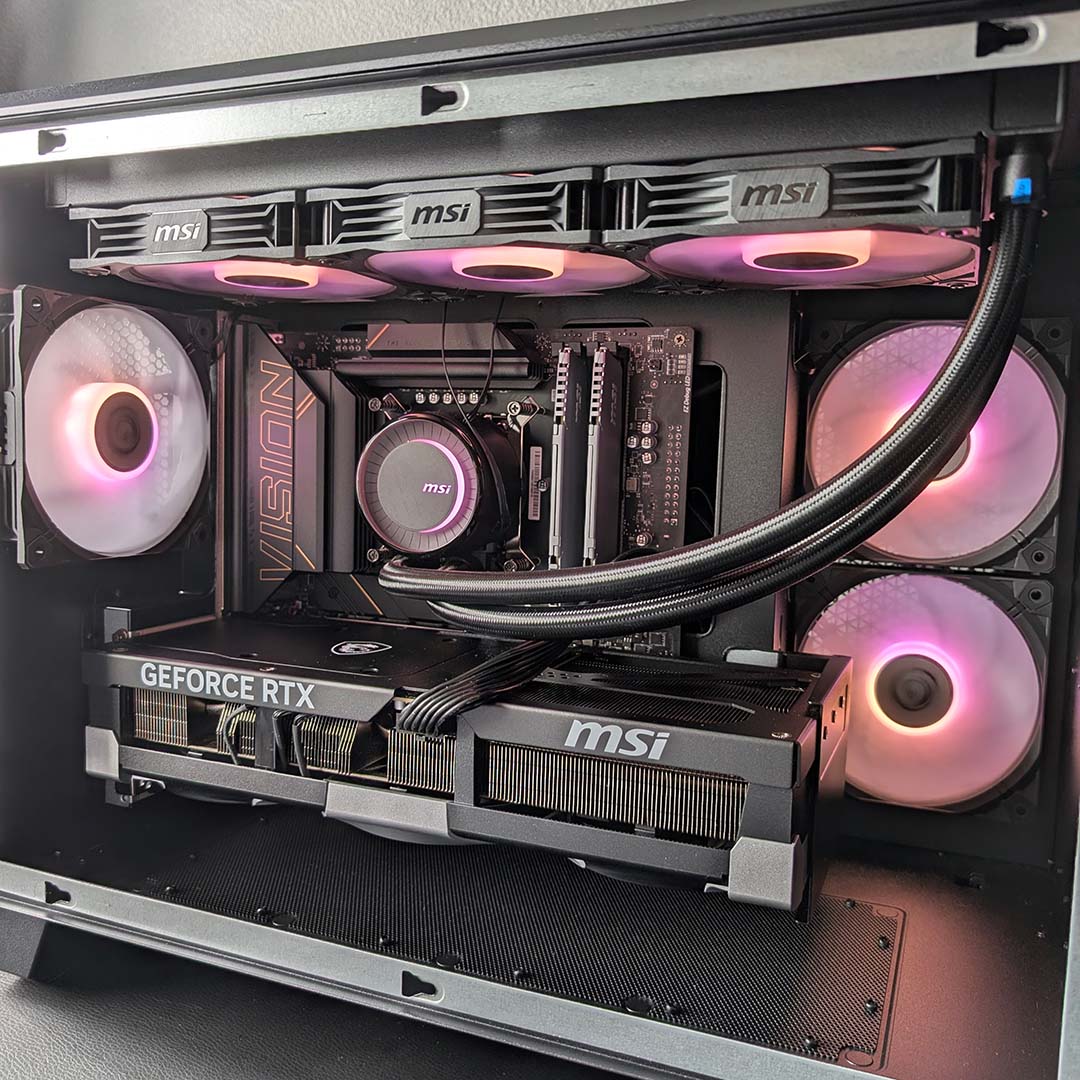
An MSI 360mm AIO liquid cooler sits on top of the 285K, with its pump and fans all sporting A-RGB LEDs. This cooling setup comes complete with MSI’s offset bracket, which the company says reduces Core Ultra 2 series operating temperatures by 3% through realignment to better cover the processor’s hotspot.
| MSI MEG Vision X AI | |
|---|---|
| CPU | Intel Core Ultra 9 285K |
| CPU cooler | 360mm MSI AIO liquid cooler |
| Motherboard | MSI Z890 Project Zero |
| GPU | MSI GeForce RTX 5090 Ventus 3X OC |
| RAM | 64GB DDR5-5600, dual-channel |
| SSD | 2TB Phison PCIe Gen 5 NVMe SSD |
| PSU | 1,200W (80 Plus Gold) |
| Connections | 3.5mm audio (x2) 5Gb Ethernet Bluetooth 5.4 S/PDIF (x1) Thunderbolt 4 (x2) USB-A 5Gb (x4) USB-A 10Gb (x3) USB-C 20Gb (x1) Wi-Fi 7 |
| Operating system | Windows 11 Home |
| Dimensions (H x W x L) | 423 x 299 x 510mm |
| Warranty | Two years |
| Price | £4,799 |
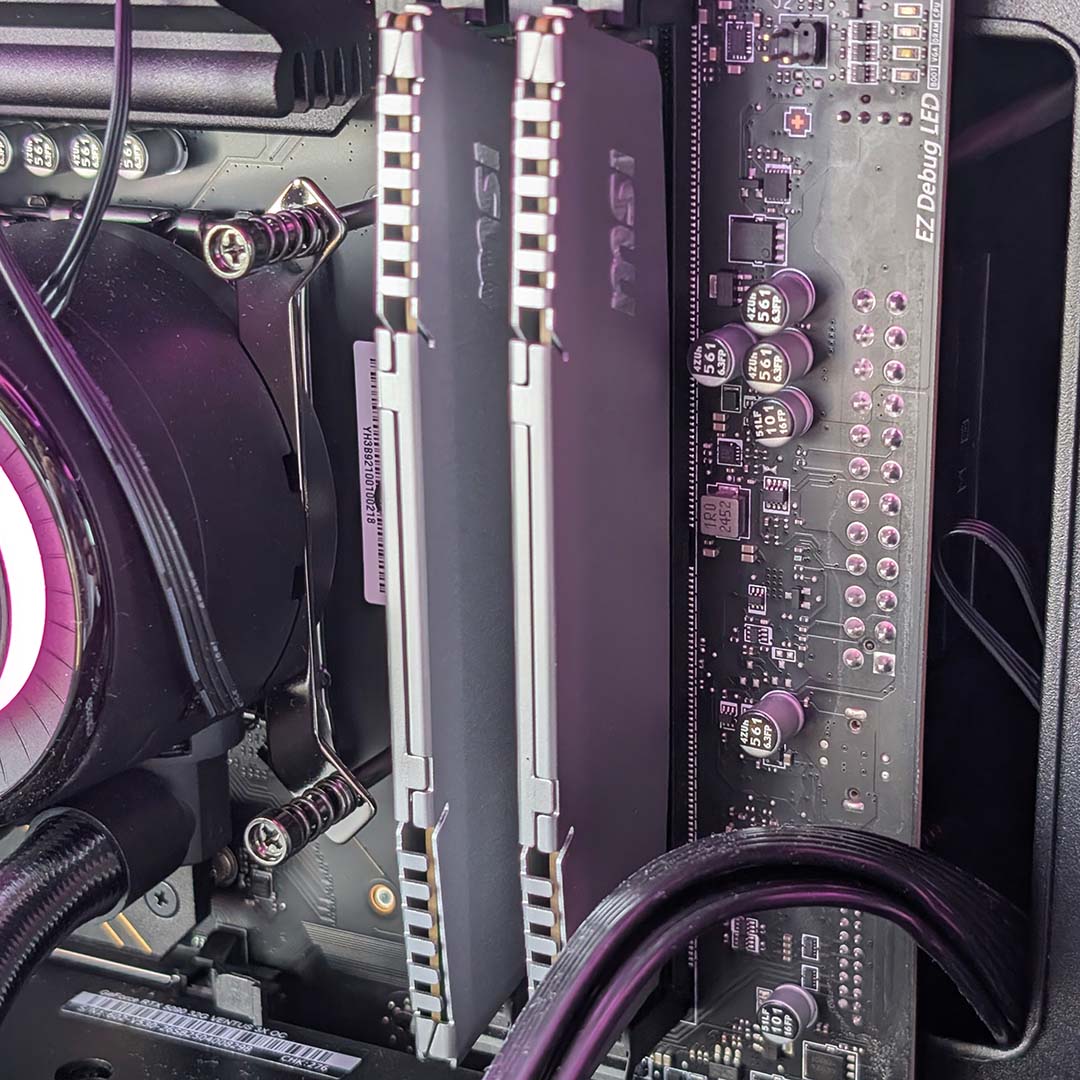
Sitting alongside the 285K is 64GB of DDR5 RAM running in dual-channel. Such capacity is overkill when it comes to gaming, with 32GB proving more than enough, but this does give the MEG Vision X AI genuine consumer workstation chops, even if these aren’t particularly fast sticks with their 5,600MT/s speed and CL46 timings.
While faster transfer rates and tighter timings would provide some additional frames per second and higher scores across most workflows, though, we’re largely talking blink-and-you’ll-miss-it differences. That’s no small blessing considering current memory market conditions stemming from the ongoing RAM crisis.
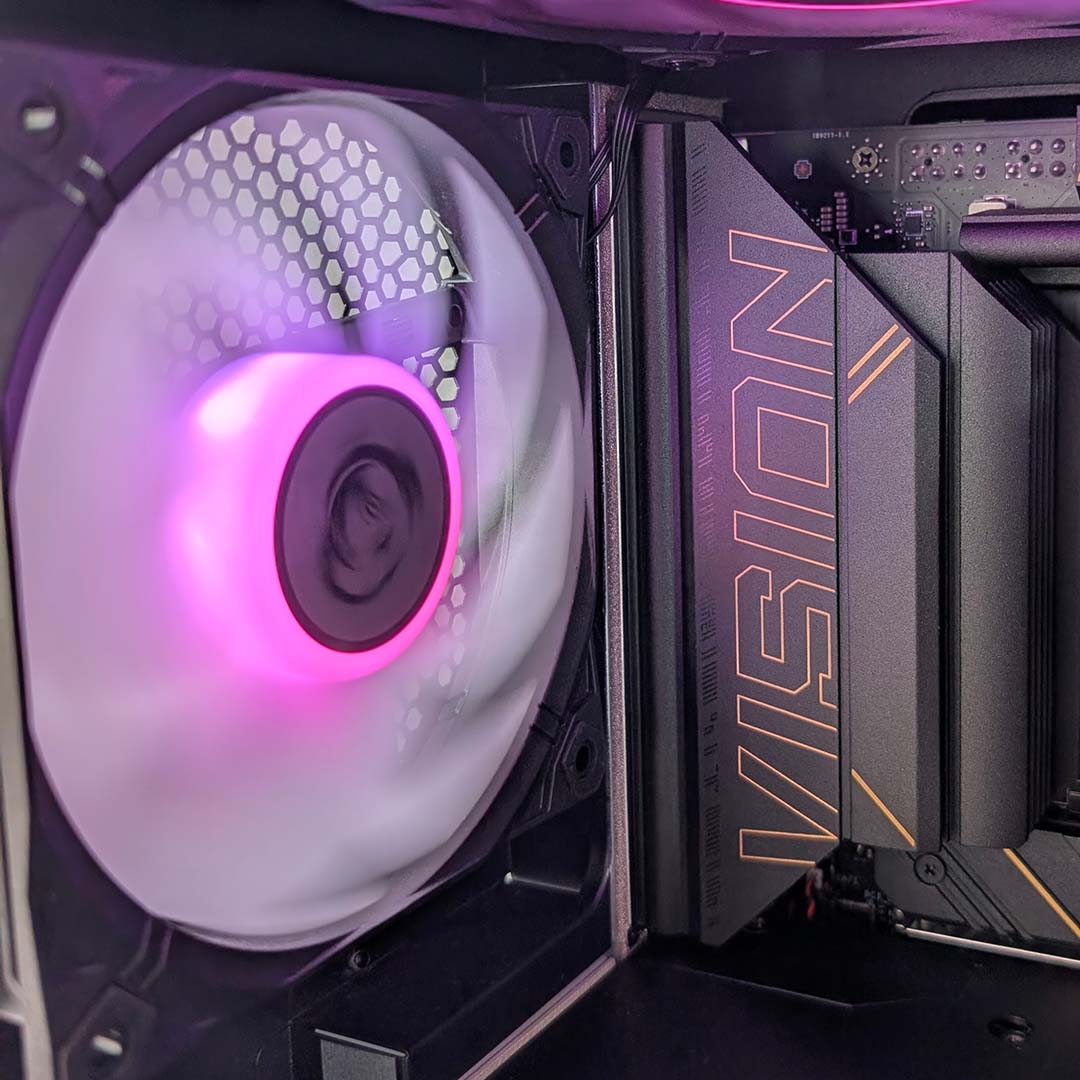
You won’t find the MEG Vision X AI’s micro-ATX motherboard on store shelves. Instead, MSI has crafted a bespoke board for the system, featuring a back-connect design and Intel’s Z890 chipset. The PCB certainly looks the part of an MSI MEG family member, with a black and yellow colour scheme, and it offers some expandability, but expected niceties for this calibre of hardware are missing in action.
Underneath the M.2 heatsink, you’ll find a Phison ESO2K0GMLCA0-EP8-420MS PCIe Gen 5 SSD, delivering up 12GB/s+ of sequential read and write performance. The passive cooling system does a good job of keeping the drive cool, with temperatures peaking at 64°C. I just wish I didn’t have to reach for a screwdriver to access the storage, as it shouldn’t be too much of an ask to expect a tool-free heatsink on an MEG motherboard.
Similarly, there’s no separate release mechanism for the graphics card in this system, and you’re instead at the mercy of a standard fiddly PCIe slot clip. The slot itself runs at Gen 5 x16 speeds, squeezing every drop of performance out of the GPU. There are other slots on the board for other add-in cards, but they’re inaccessible on account of this graphics card’s enormity.
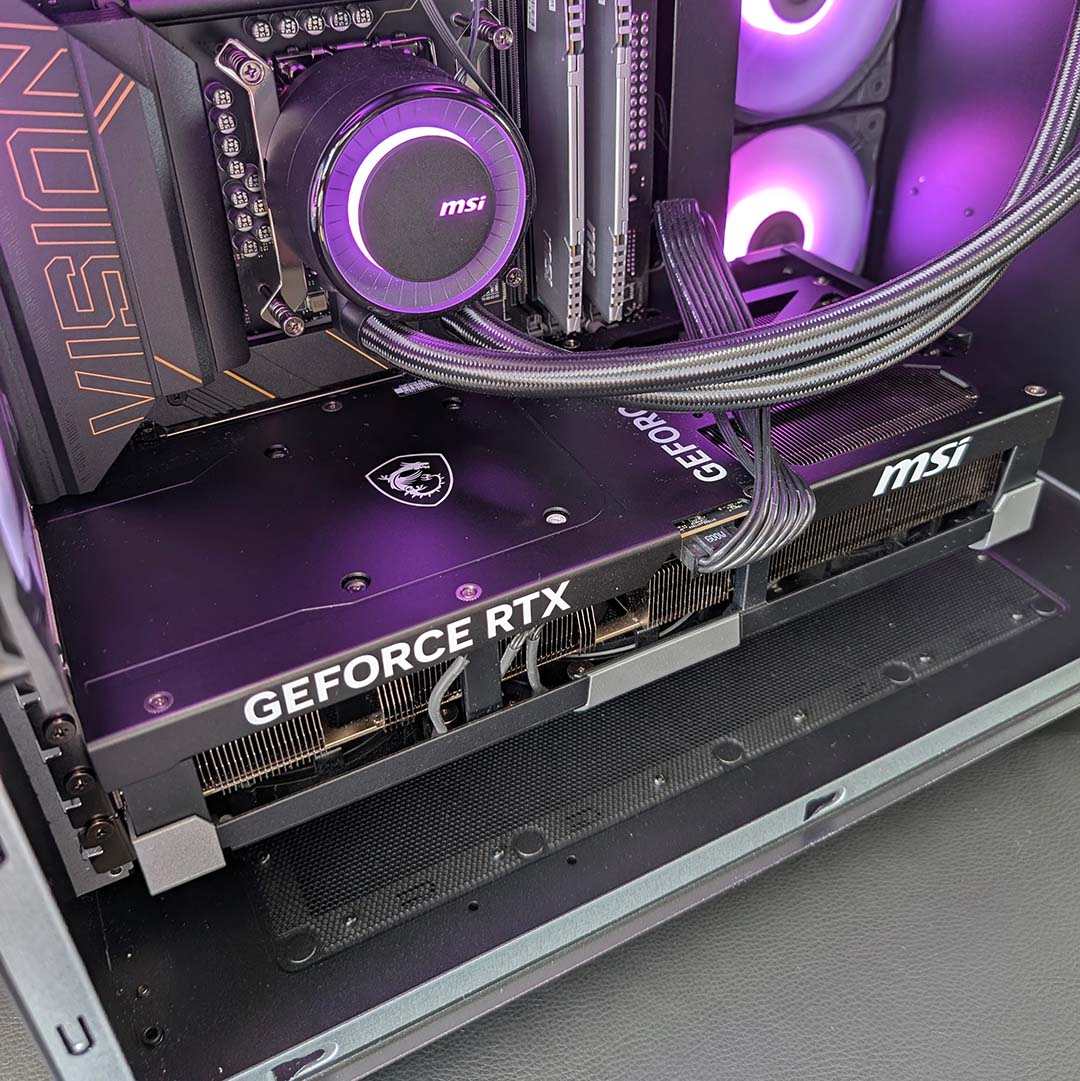
Speaking of, the MEG Vision X AI’s graphics card is an MSI GeForce RTX 5090 Ventus 3X OC. This GPU is on the plainer side of the company’s GPU offerings, without any RGB lighting, unlike a Gaming Trio or Vanguard, but that certainly doesn’t spoil the look of the case’s inner chamber. It’s just a shame there’s no way of hiding that 16-pin power connector.
While I have some gripes with MSI’s choice of CPU and platform, I have none when it comes to this graphics card. There’s simply nothing faster on the consumer market than the RTX 5090 – on our buying guide, it’s without doubt the best GPU, whether you’re working on a creative workflow, gaming, or a mix of the two. With 32GB of GDDR7 VRAM running alongside its ultra-powerful GB202 chip, this monster makes short work of 4K gaming.
While the RTX 5090 is powerful in isolation, there’s no forgetting the perks that Nvidia DLSS 4.5 offers too. GeForce remains top dog when it comes to upscaled image quality, with adaptive multi-frame generation allowing for superior motion clarity to boot. There are plenty of other niceties that make up the full software suite, with RTX HDR remaining a personal favourite of mine to give SDR games a little extra visual kick.
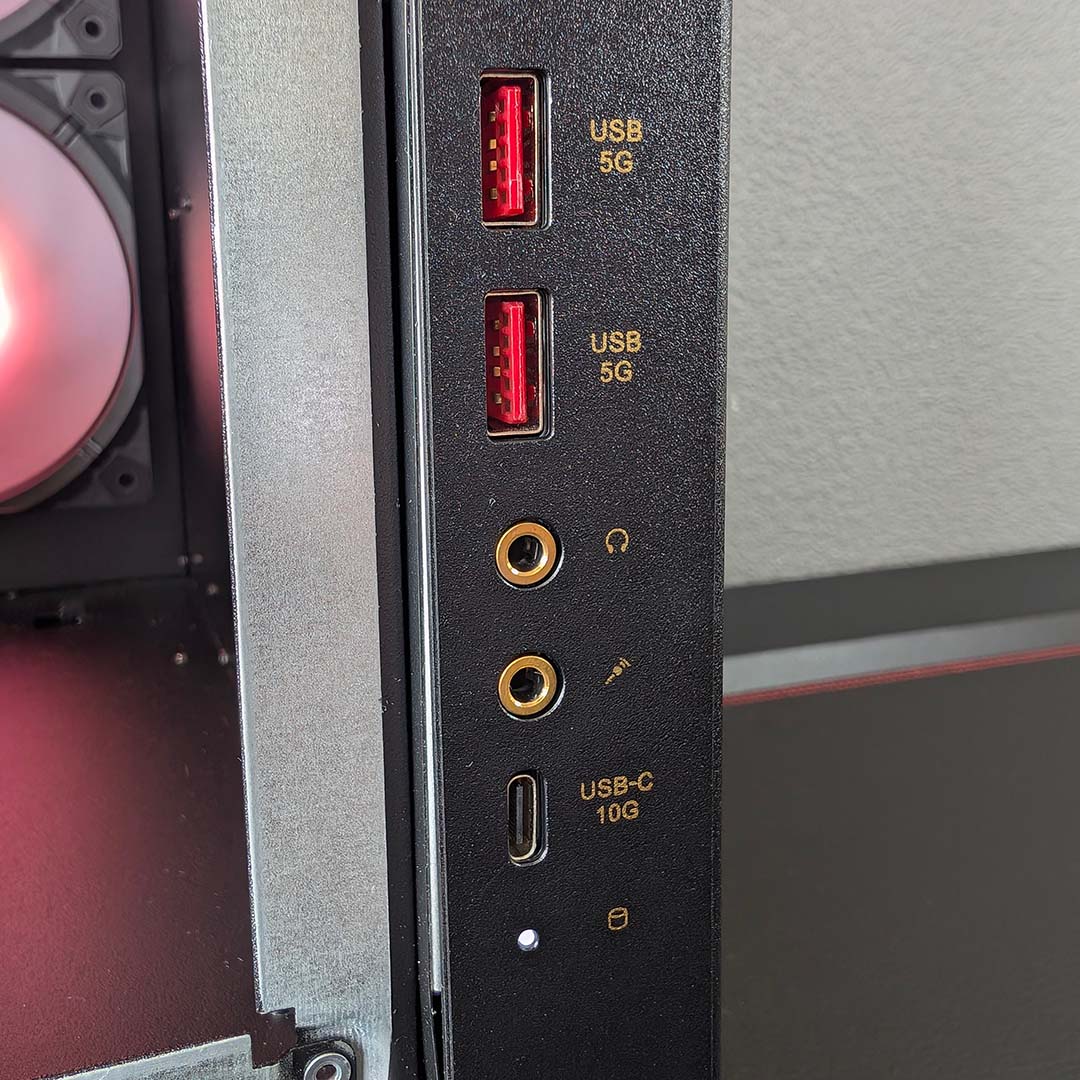
Before moving on to the MEG Vision X AI’s design, let’s talk ports. On the side of the case, you’ll find two 5Gb USB-A sockets and a single 10Gb USB-C input, alongside separate headphone and microphone inputs. That’s standard stuff as far as front panels go, but I appreciate MSI’s choice of placement and the clear bandwidth labels.
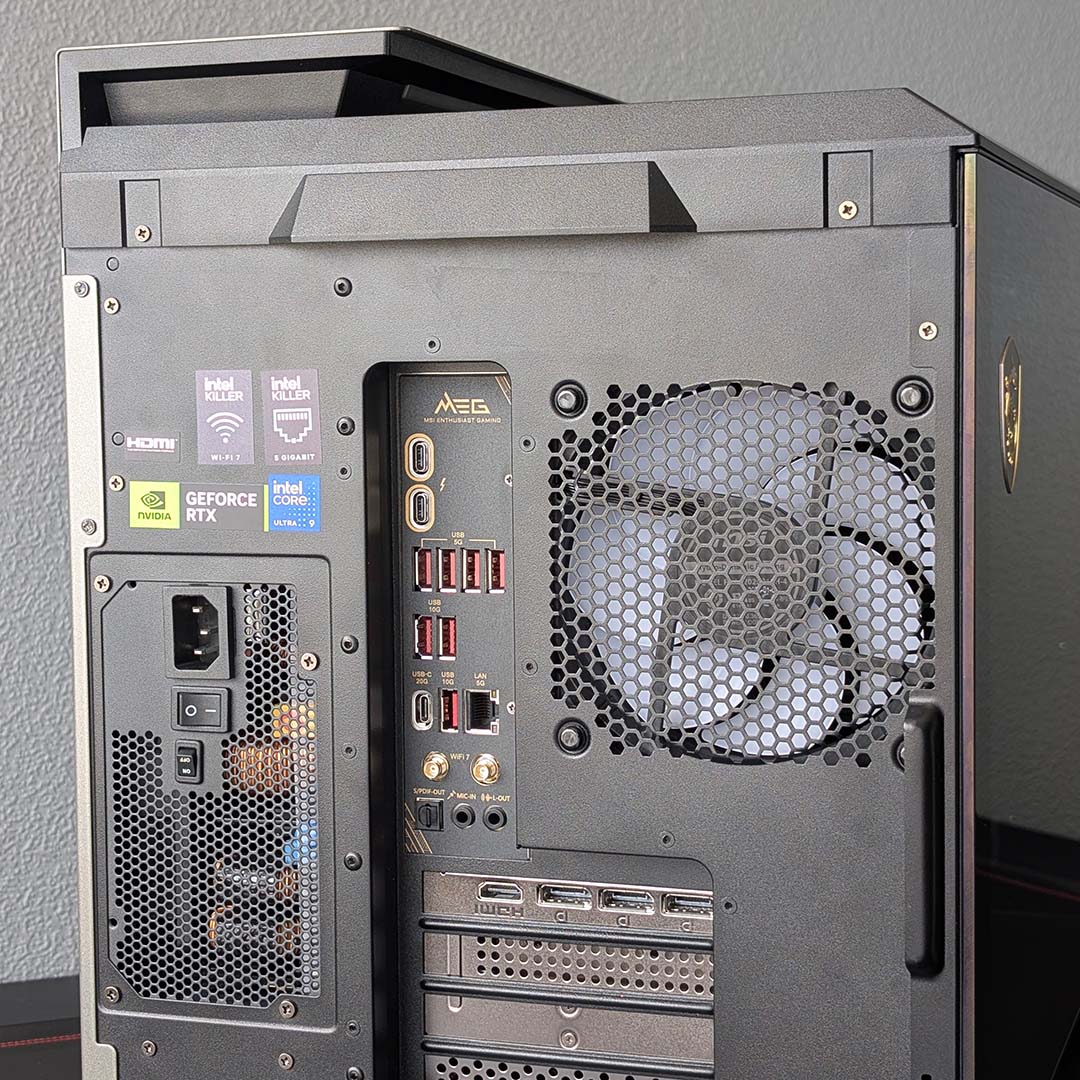
Round back there’s a welcome batch of connections. From slowest to fastest, we have four 5Gb USB-A ports, three 10Gb Type-A sockets, a lone 20Gb USB-C connector, and two 40Gb Thunderbolt 4 ports (which also double as USB 4 inputs). Even the most peripheral-laden setups will have little trouble finding their feet with this array.
In terms of networking, the motherboard packs a 5Gb Ethernet connector, as well as Wi-Fi 7. Don’t worry if, like me, you’re only running Gigabit broadband and an earlier standard of Wi-Fi, as the system will downscale to your setup with no issue. Finally, separate microphone-in and line-out 3.5mm ports and a S/PDIF round out the rear I/O selection.
Design
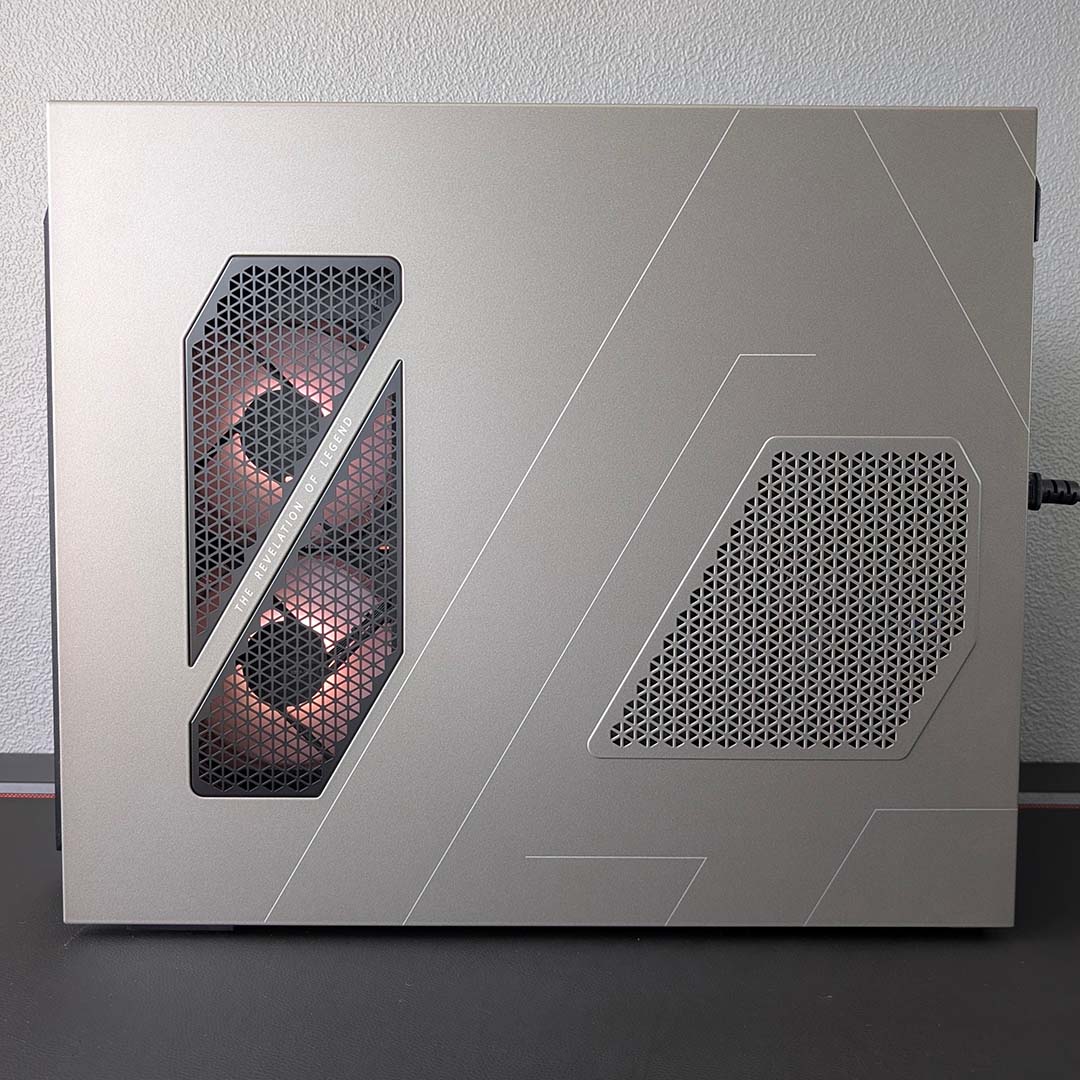
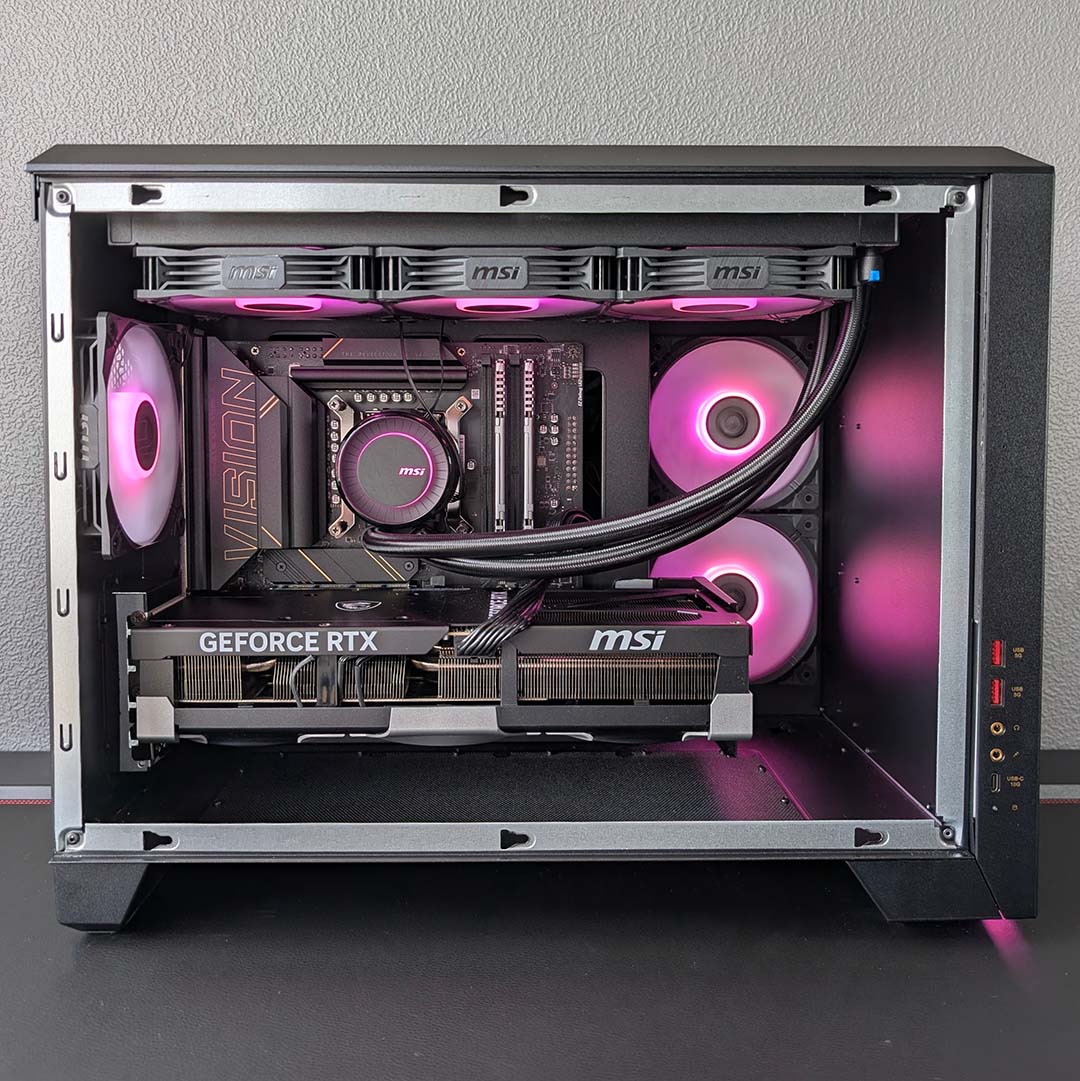
The MEG Vision X AI’s case isn’t especially wide (299mm) nor tall (423mm), but it’s notably long (510mm), just about fitting on my Secretlab Magnus Pro desk with 585mm of usable space. While this sounds expansive on paper, rivalling the likes of a be quiet! Light Base 500 LX, both the rear and main chambers are smaller than you might think, as the front-mounted display and chassis design take up a large chunk of room.
Facing the case head-on, there’s a tinted tempered glass side panel on the left side of the chassis. Large black bezels surround the window, almost like a picture frame for the internal hardware, while also hiding the silver metal surrounds into which this panel locks. MSI also slaps a dragon logo onto the glass in the top-left corner, which is perfectly in keeping with the black-gold MEG colour scheme.
Meanwhile, on the right, MSI introduces some tasteful contrast into the system with a large light-coloured metal panel. The duo of 120mm intake fans peek out through a fan grill, split in two by a diagonal stripe, complete with text that reads “the revelation of legend.” I wasn’t sure how this slogan of sorts pertained to the PC at large upon first reading it, and I’m still scratching my head now.
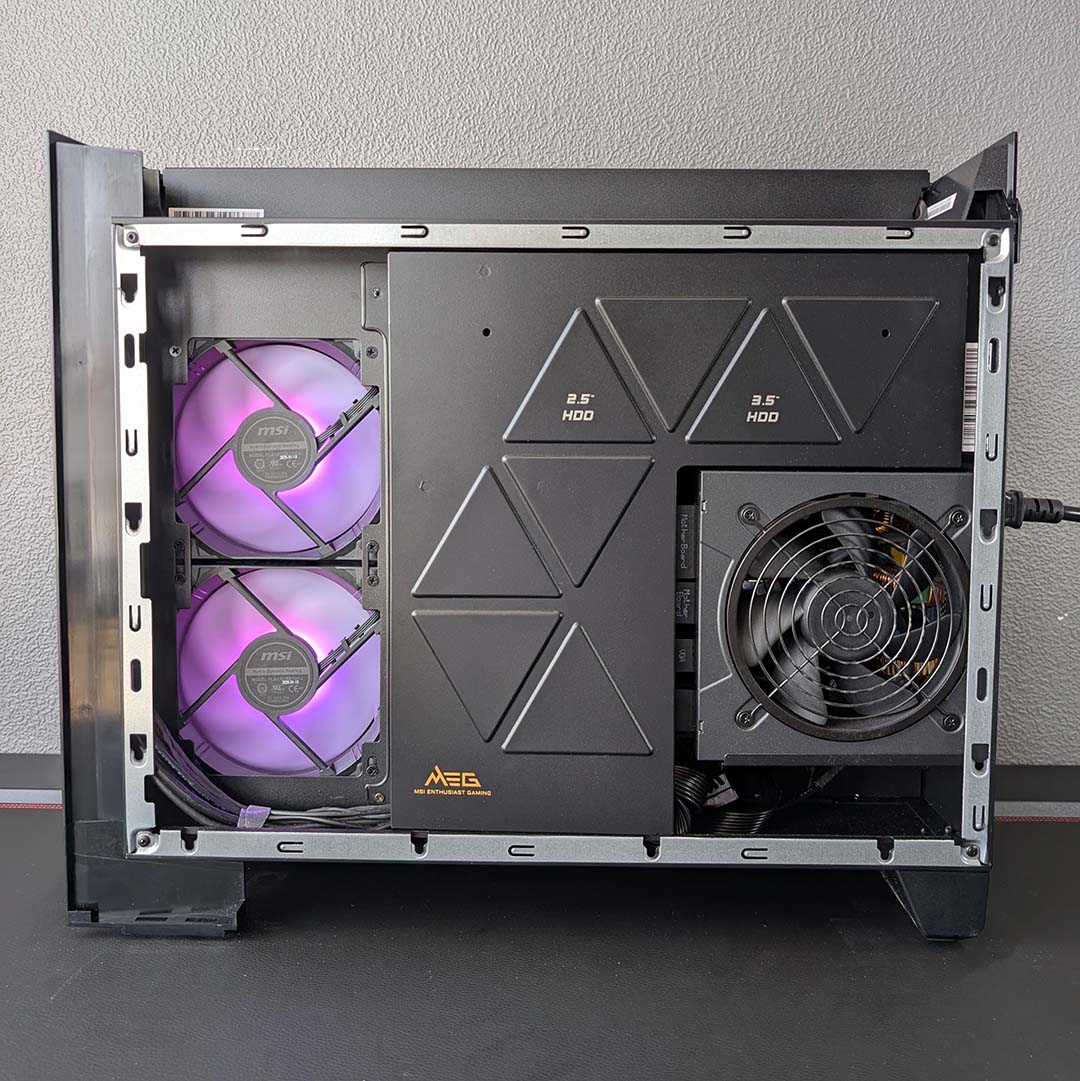
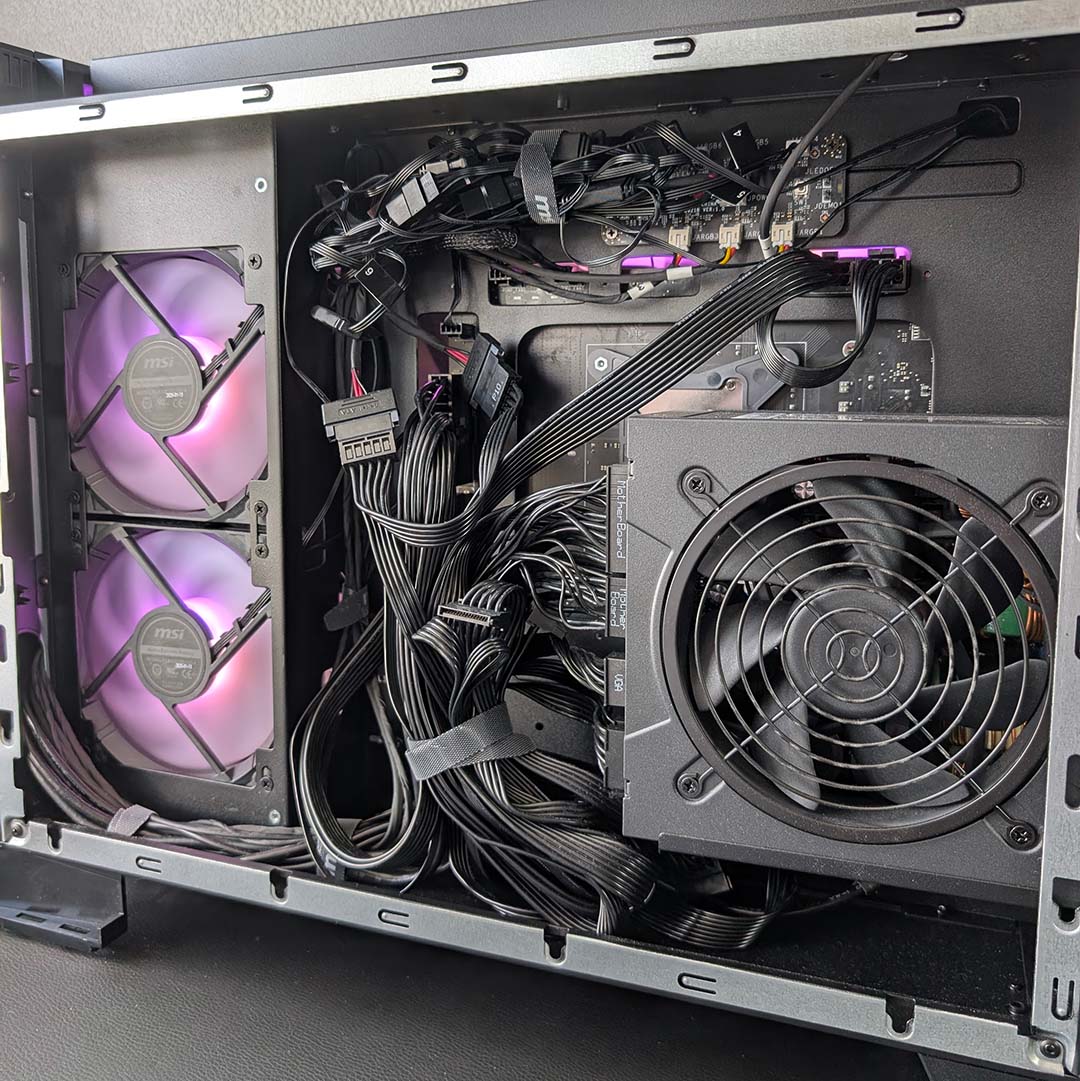
Accessing either chamber requires a screwdriver, with the tempered glass panel pulling away from the case via a single screw, while the metal side panel requires the removal of three. I appreciate thumbscrews aren’t as sleek-looking, but I much prefer being able to access my cases without tools in tow. This preference was all the more palpable after dropping one of these tiny screws in my office, and then spent the next ten minutes panickily searching for it, but I digress.
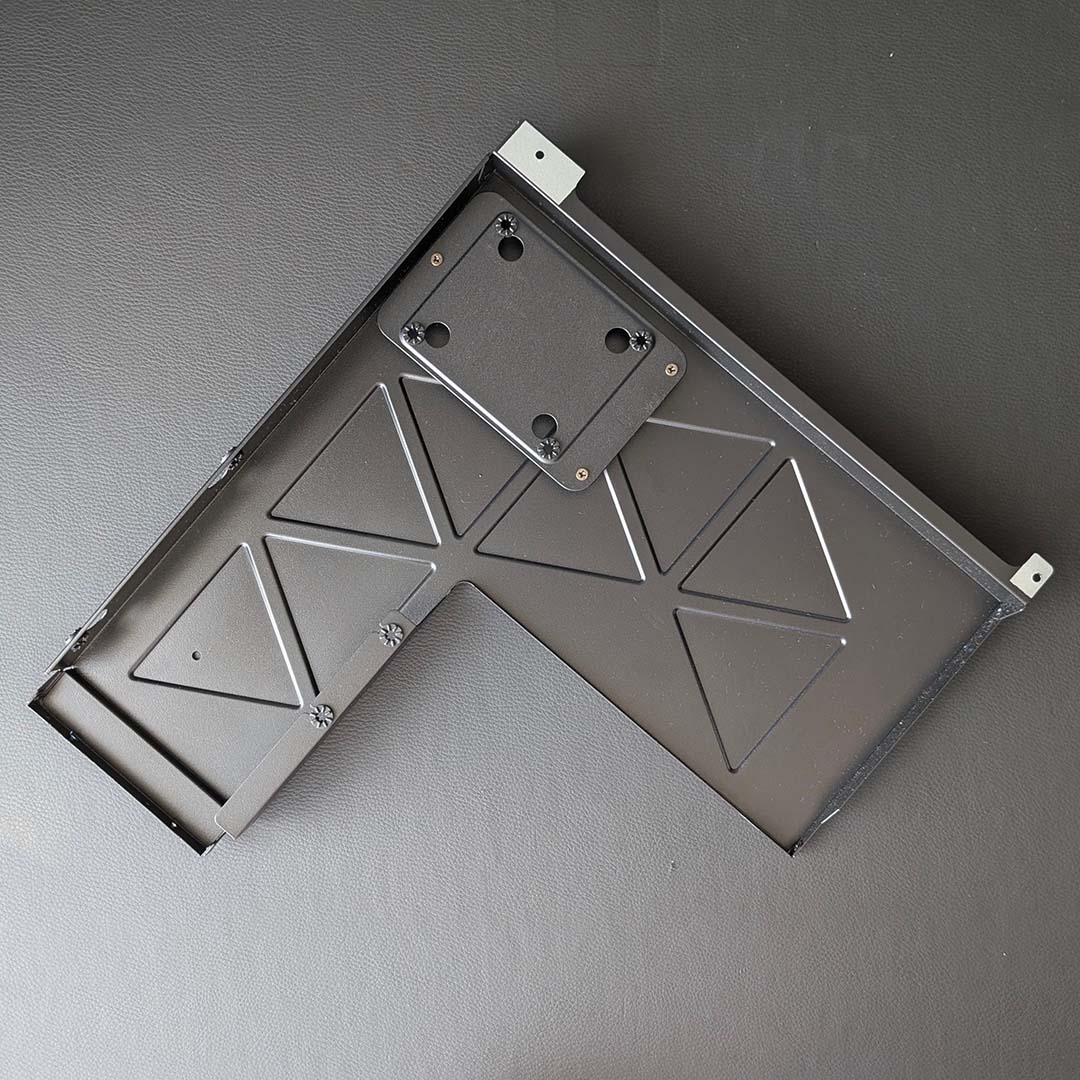
Sliding away the metal panel reveals a caddy for a 2.5in or 3.5in drive, which exits the case after removing a further four screws. As someone who exclusively uses M.2 SSDs in their PC, such a small amount of expansion here isn’t a problem for me, but it’s worth noting if you like to put multiple hard drives in your system. This housing also serves as a cable cover, hiding away a truly unsightly mess of wiring.
Back-connect motherboards will always make cable management more challenging than a standard layout, but I pity anyone who needs to sort through that cable clump. To be fair to MSI, there’s clearly been some attempts to tidy up with Velcro cable ties, but there’s only so much that will do. All being well, there should thankfully never be a need to venture into this web of wires.
AI HMI
I’ve not mentioned the MEG Vision X AI’s built-in screen until now, as mentioning this unique feature in passing doesn’t do it justice. No, this panel demands its own subheading. Seeing the display at trade shows, running MSI’s AI HMI (Human Machine Interface) software, I was admittedly sceptical of its usefulness, ready to write it off as a gimmick. After using it, however, I’m more convinced by the company’s vision.
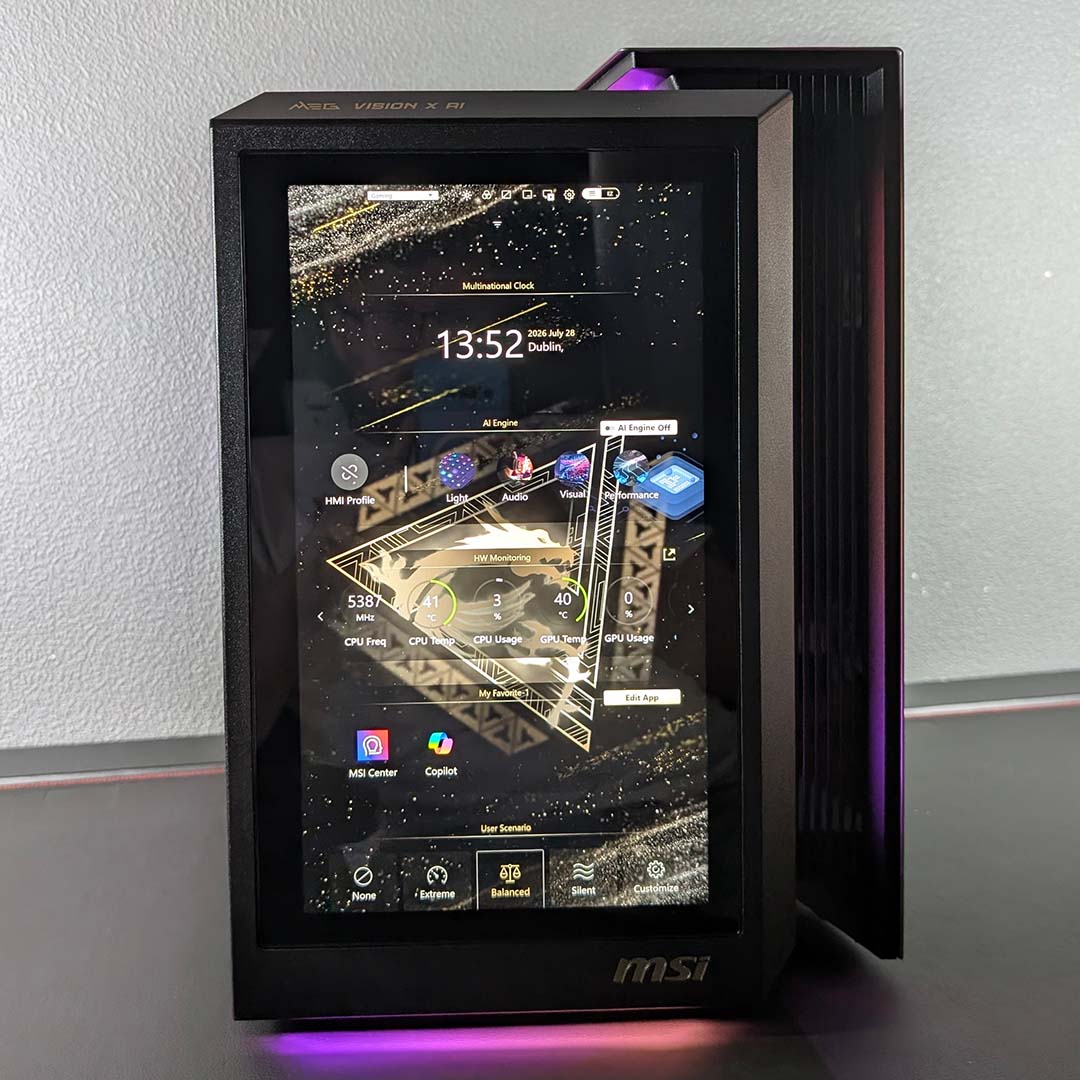
The panel itself has a 13in diagonal, and sports 1920×1080 resolution and 60Hz refresh rate. This is perfectly sharp for a secondary display, and feels responsively smooth, whether you’re interacting with it via your mouse or through touch-screen controls. Better still, the screen runs off the Core Ultra 9 285K’s integrated graphics, avoiding any performance-diminishing overhead for your graphics card, however slight.
Without AI HMI running, you can use it as a secondary display. However, enabling AI HMI via MSI Center unlocks a host of features and widgets that greatly elevate the panel’s capabilities, even in the face of some quirky software.
First of all, you’ll need to manually enable AI HMI in MSI Center, as the feature doesn’t start by default upon a fresh Windows installation. Once you’ve done that, though, there’s thankfully an option within the settings menu to ensure the interface will run automatically on every boot. You’ll also want to download several modules within the software to get the most out of the experience.
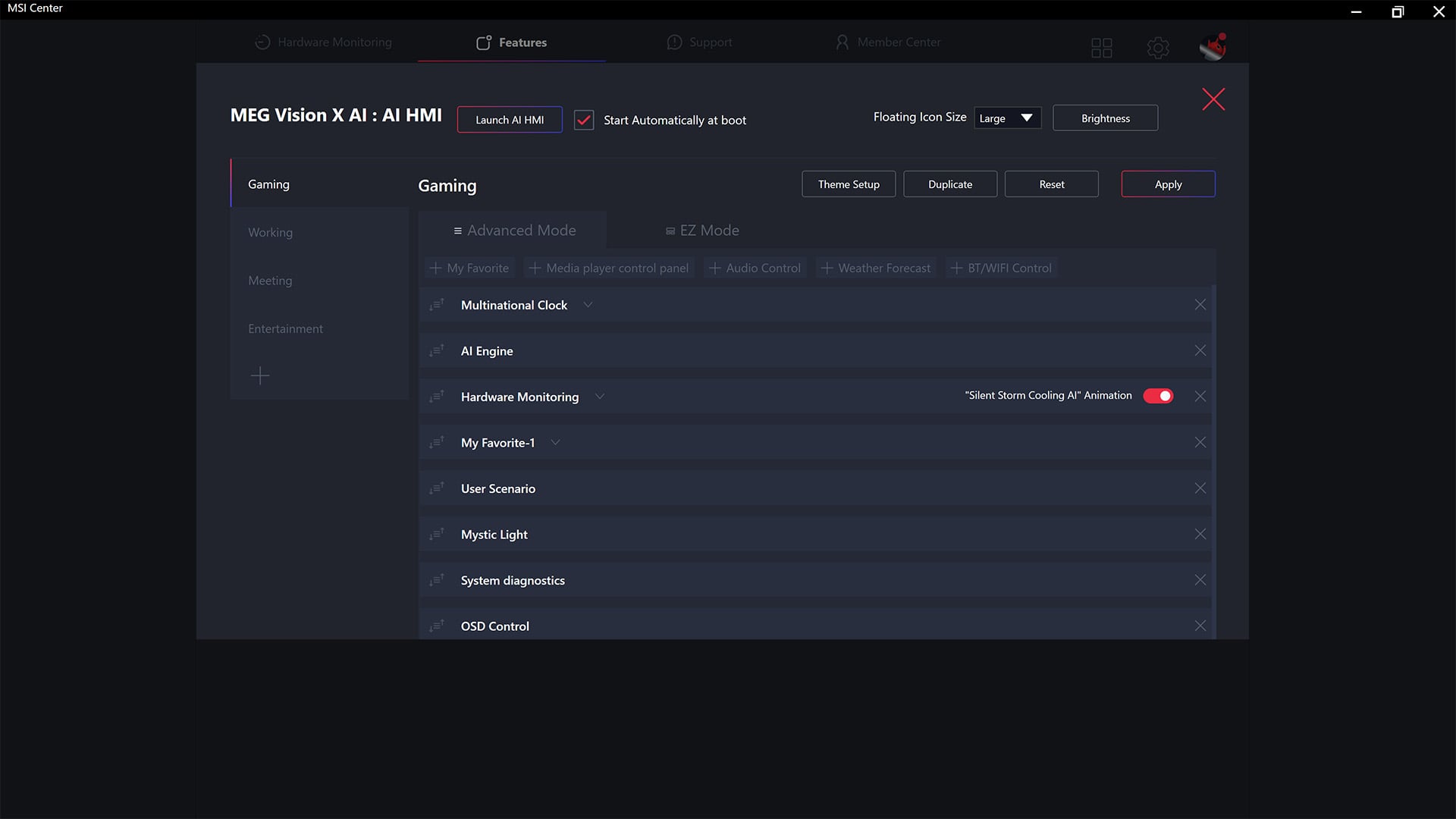
AI HMI operates across several profiles, with MSI shipping four pre-configured options out of the box (Gaming, Work, Meeting, and Entertainment) with the ability to create custom ones too. The software can dynamically switch between them, in response to the dominant application on your primary display, but this is a touch spotty in my experience.
These profiles essentially serve as presets for a background, either from the stock collection or of your choosing, and widgets. You can choose which widgets appear in each profile and in what order from a set list, providing you with at-a-glance system monitoring, controls for fan curves and A-RGB effects, as well as shortcuts to applications.
I ran a dual monitor setup, one landscape and one portrait, for a long time, but have happily been living as a solo display guy for the past several years. While I still don’t see the need for another panel in my life, the one on the MEG Vision X AI combined with AI HMI has proven surprisingly convenient and useful.
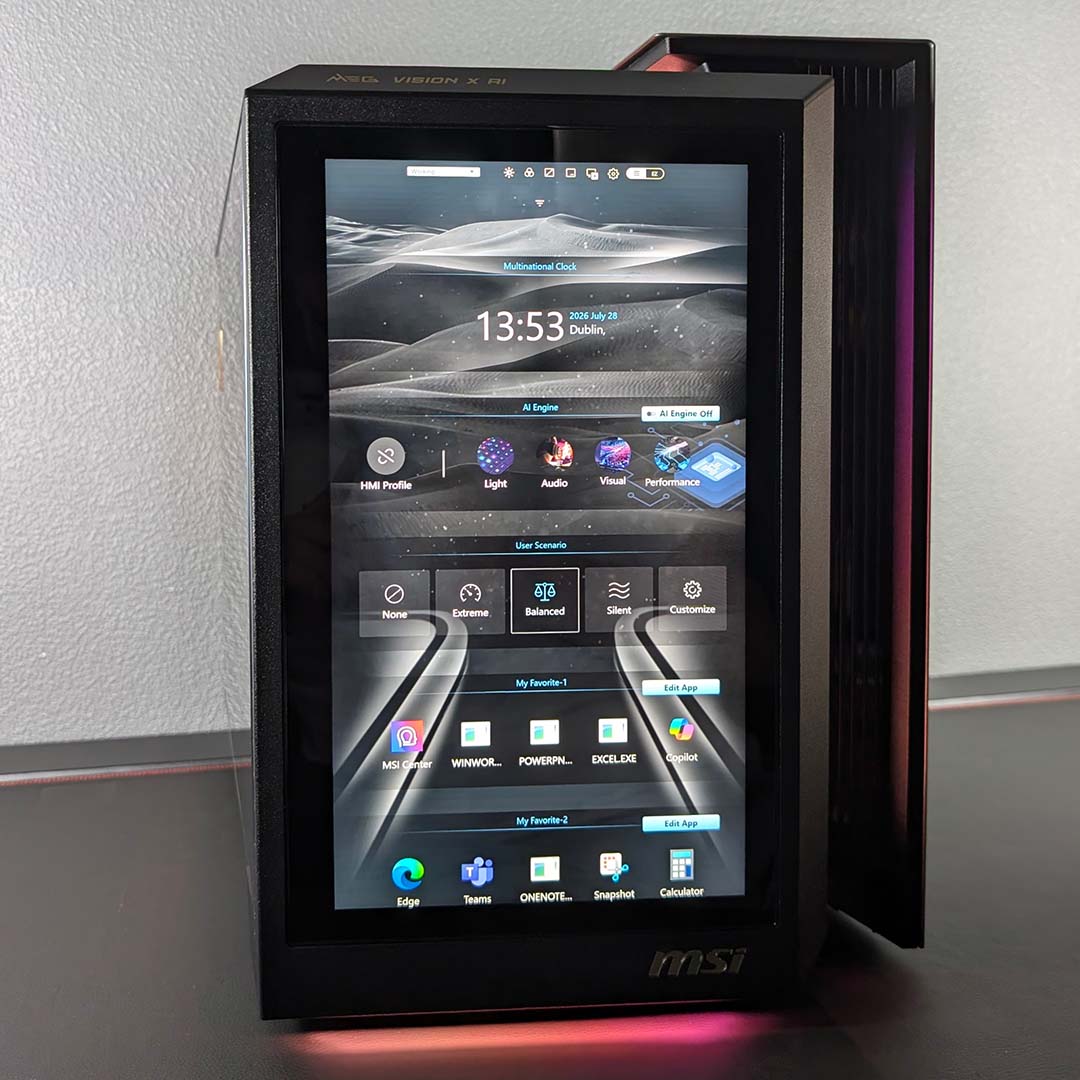
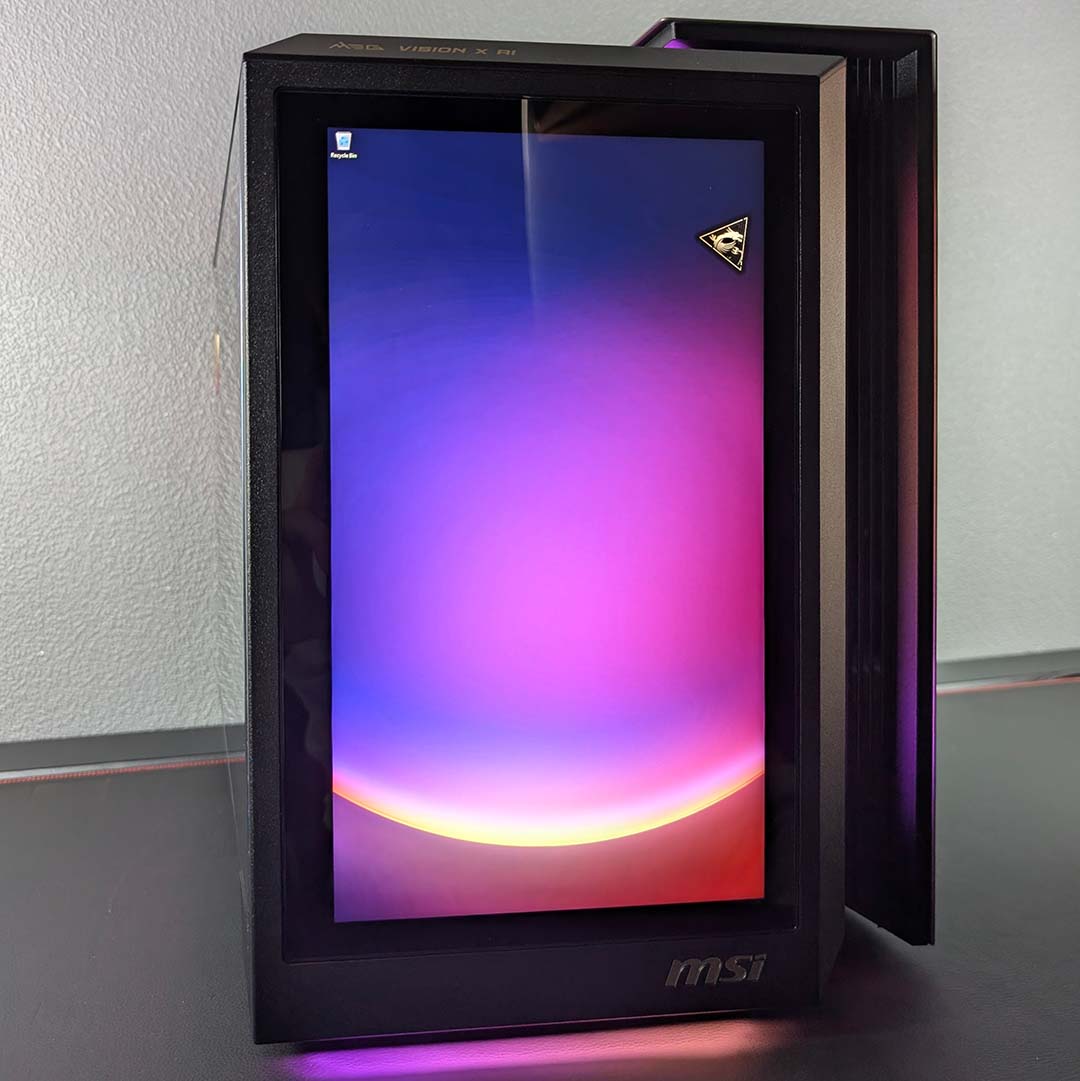
Windows desktop clutter is a pet peeve of mine, to the point that I hide all shortcuts and rely solely on the ever-horrid Windows search to launch applications. Through the AI HMI screen, I’ve been able to keep my wallpaper unspoiled and free myself of the start menu via custom shortcuts for my games and frequently used programs. I also appreciate being able to swap between ‘Silent’ and ‘Balanced’ fan profiles, depending on whether I’m gaming or going about less intensive tasks.
I also appreciate the ability to minimise AI HMI, so I can use the screen as a secondary display for Windows, bringing back MSI’s interface with the press of a button. It’s not often that I’ll need to look at my Discord or consult a League of Legends champion build in a separate window, but it’s certainly a nice feature to have. Importantly, this is a far cleaner setup in my eyes than another monitor, cluttering up my space with its own wires and footprint separate from my PC.
While the software in practice works well, I would like to see efforts to improve the look and feel of the AI HMI settings menu in MSI Center. The interface simply isn’t as slick as the likes of Corsair iCue or NZXT Cam, with odd spacing, sluggish dropdown behaviours, and more oddities that take a shine off the whole user experience. Speaking of spacing, the ability to add blank blocks between widgets would be a welcome addition.
Performance
With a Core Ultra 9 285K and GeForce RTX 5090 in play, there’s plenty of performance to extract from the MEG Vision X AI. To illustrate just how much proverbial horsepower this system packs, we’re conducting general compute tests in addition to gaming benchmarks at QHD and 4K. While this PC is perfectly capable of running at 1080p, such a relatively low resolution isn’t a worthwhile use of this graphics card.
We’ll also be analysing temperature and noise levels, both at ambient and under load. I’ve chosen to run with the system’s default ‘Balanced’ fan profile (dubbed ‘user scenario’ in MSI Center). As its title suggests, this mode provides a welcome balance between the pursuit of absolute performance and comfortable acoustics.
Apps
Starting with our synthetic suite, I test the MEG Vision X AI’s SSD speeds foremostly. In the face of CrystalDiskMark, the 2TB drive manages sequential read and write performance of 12,253MB/s and 12,011MB/s, respectively. Note that the 285K isn’t actually able to push much beyond these speeds anyway, owing to a hardware bottleneck.
Next up comes AIDA64, where the 64GB of DDR5-5600 CL46 memory turns in expectedly underwhelming figures bandwidth in the region of ~82,000MB/s across all performance categories. That 119.4ns latency measurement is among the slowest I’ve seen from this benchmark.
| MEG Vision X AI | |
|---|---|
| 3DMark Speed Way | 14,029 |
| 3DMark Steel Nomad | 14,103 |
| AIDA Copy | 82,026MB/s |
| AIDA Latency | 119.4ns |
| AIDA Read | 82,732MB/s |
| AIDA Write | 81,295MB/s |
| Cinebench 2026 ST | 519 |
| Cinebench 2026 MT | 8,560 |
| CrystalDiskMark seq. read | 12,253MB/s |
| CrystalDiskMark seq. write | 12,011MB/s |
In Cinebench 2026, the 285K turns in a respective single-core and multi-core scores of 519 and 8,560. We’ve seen this chip’s score push north of 9,400 in the latter test, with faster 7,200MT/s CL34 memory at its side, making this reasonably high result come with a touch of disappointment.
Lastly, both 3DMark Speed Way and Steel Nomad see the system accrue a score of just over 14,000 in each benchmark. This is well within expectations for the RTX 5090.
Gaming
Frame rates fly high as we run through gaming benchmarks on the MEG Vision X AI, with the RTX 5090 providing all the graphical horsepower we could expect. That said, the card and system as a whole shine brightest at 4K, as lowering the resolution even to QHD can introduce some noticeable CPU bottlenecks.
Running Assassin’s Creed Shadows at its highest settings with maximum ray tracing proves the heaviest workload among our benchmarks, with the system falling just short of a 60fps average at 4K. However, that’s nothing that DLSS running in Performance mode can’t address, with the game now running at a smoother 77fps, marking a notable 25fps (+48%) uplift.
The PC can handily run Naoe and Yasuke’s adventure above 60fps without issue at QHD without a helping hand from upscaling. In fact, there’s little to gain by enabling the upscaler in Balanced mode, as frame rates only increase by 11fps (+18%), just 6fps out from 4K with the Performance render, as the aforementioned CPU bottleneck manifests.
| QHD (Min. / Avg.) | 4K (Min. / Avg.) | |
|---|---|---|
| Assassin’s Creed Shadows (Ultra High + Full RT) | 61 / 70fps | 45 / 52fps |
| Assassin’s Creed Shadows (UH + RT + DLSS) | 73 / 83fps* | 66 / 77fps** |
| FF XIV: Dawntrail (Maximum) | 68 / 194fps | 69 / 147fps |
| Rainbow Six Siege (Ultra+) | 287 / 349fps | 170 / 216fps |
| Total War: Warhammer III (Ultra) | 61 / 90fps | 60 / 86fps |
Switching over to rasterised rendering, the MEG Vision X AI turns in delightful triple-digit frame rates in both Final Fantasy XIV: Dawntrail and Rainbow Six Siege across both QHD and 4K. The latter title is an excellent example of how high-end systems like this can truly utilise the capabilities of premium monitors, even without DLSS to help boost performance.
Total War: Warhammer III similarly runs well on this PC, but serves as another illustration of a CPU bottleneck. There’s a mere 4fps separating the system’s 86fps average at 4K and 90fps at QHD in this real-time strategy behemoth, as the RTX 5090 waits for the 285K to catch up.
Make no mistake, these are categorically great results that will provide a pleasing gaming experience. It’s just difficult to shake the feeling that frame rates aren’t quite as high as they could be for such a premium PC, given MSI’s choice of processor, and with slow memory also playing a small part in holding back performance.
| Cyberpunk 2077 (RT Ultra) | QHD (Min. / Avg.) | 4K (Min. / Avg.) |
|---|---|---|
| Native | 89 / 100fps | 52 / 58fps |
| DLSS | 98 / 117fps* | 96 / 116fps** |
| DLSS + FG x2 | 192 / 231fps* | 180 / 199fps** |
| DLSS + FG x3 | 285 / 345fps* | 251 / 277fps** |
| DLSS + FG x4 | 382 / 451fps* | 317 / 347fps** |
Boasting a minimum 58fps average without upscaling, despite the pressures of Cyberpunk 2077’s RT Ultra preset at 4K, the MEG Vision X AI once again proves itself a powerful gaming PC. We’re even pushing 100fps when dropping the resolution down to native QHD. However, frame rates aren’t much higher with DLSS respectively running in Performance and Balanced modes, as that dreaded CPU bottleneck rears its head again.
While we can’t completely circumnavigate this limitation, engaging frame generation does allow us to boost motion clarity. Through the feature, we’ve gone from a stalemate of 116-117fps to average performance in excess of 450fps at QHD and 347fps at 4K. Better still, that base frame rate provides a wonderfully solid base from which to work, as latency is pleasingly low from the start.
Vitals
Wrapping up our performance analysis with some all-important vitals, the MEG Vision X AI handles tough graphics and processor workflows like a champ. This is despite ambient temperatures doing their best to hamper results, as my office sweats along at a warm 27°C.
Starting with acoustics, the system’s ‘Balanced’ fan profile provides near-silent operation, with levels falling below my equipment’s 30dBA floor. Both a Cinebench 2026 run and a Cyberpunk 2077 benchmark produce noise levels within 1dBA of each other (46-47dBA), measuring a foot away from the system’s exhaust. You can certainly hear the system while it whirs away during these workloads, but it’s by no means invasively loud.
| Idle | Load (max) | |
|---|---|---|
| CPU temperature | 38°C | 84°C |
| GPU temperature | 32°C | 70°C |
| Noise level | ≤30dBA | 47dBA |
| Power consumption | 142W | 379-773W |
With those noise levels in mind, peak temperatures for both CPU and GPU indicate room to tip the scales in favour of prioritising quiet operation. The 285K doesn’t push beyond 84°C in response to a single or prolonged 10-minute Cinebench 2026 run. Meanwhile, the RTX 5090 maintains a relatively cool 70°C under load.
Finally, power consumption is expectedly on the higher side for hardware of this calibre. Kicking up its feet, the PC pulls 142W from the wall, but power consumption almost triples as the 285K and other components spring into action in response to CPU load. Gaming sees the system’s appetite for watts rise to its highest levels, peaking at a whopping 773W.
Conclusion
The MEG Vision X AI is a thoroughly capable PC, delivering a 4K gaming experience without breaking much of a sweat. Combine this with its showpiece of a case, and you have a compelling prebuild that’s worth considering adding to your setup.
At the time of writing, there’s little point attempting to build a comparable DIY build, as you’ll end up spending well in excess of the system’s £4,799 price. More precisely, you’re looking at £6,000+ regardless of whether you stick with Z890 or seek an alternative path with an AMD X870E system.
The closest I can get to matching MSI’s price is at £5,352 via PCSpecialist’s configurator, with a Ryzen 9 9950X3D and RTX 5090 Founders Edition. And yes, that would give you a faster gaming CPU, but at a massive £600 premium, and you wouldn’t get the fancy case screen either. It’s a real shame MSI didn’t go with an AMD X3D chip with this build, as you’d get faster gaming performance, as well as an upgrade path.
All that said, if you’re looking for a unique high-end prebuild that offers good value in today’s market, then the MEG Vision X AI offers an incredible amount of kit for the money in today’s market For the rest of us who can’t afford to drop almost £5k on a PC, I can only hope MSI has the heart to launch the case separately at some point in the future.
