

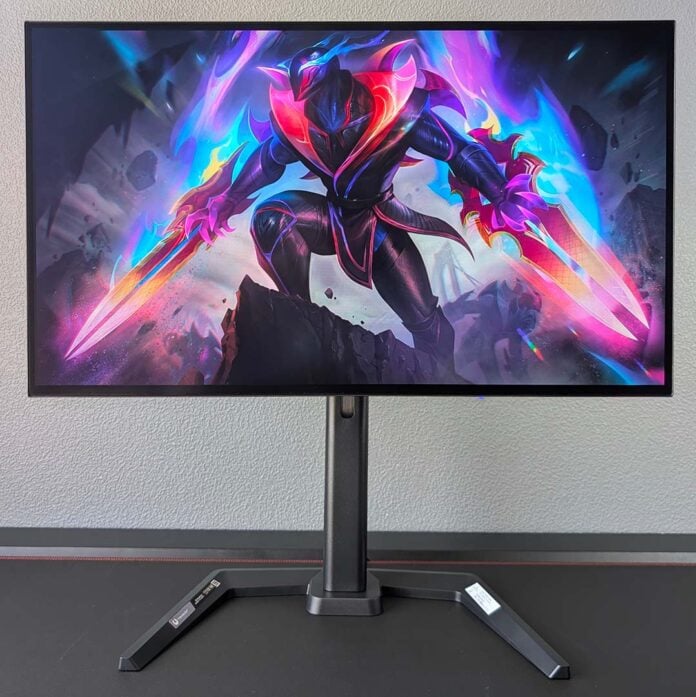
It’s been a long time coming, but iiyama is finally putting its own spin on OLED gaming monitors with the G-Master GOB2701QSC-B1. Debuts are often tricky, even for seasoned manufacturers, but the Japanese firm’s first foray into this space is nothing short of excellent with almost zero missteps.

iiyama G-Master GOB2701QSC-B1
£419
Pros
- Excellent brightness
- Fast response times
- Relatively low power draw
- KVM switch
- Nice price
Cons
- Small colour inaccuracies
- Minor text fringing
Club386 may earn an affiliate commission when you purchase products through links on our site.
How we test and review products.
A £419 price point separates the GOB2701QSC-B1 from the pack right off the bat, massively undercutting £500+ alternatives running the same panel technology. Greater affordability is always welcome, particularly when it comes to OLEDs, providing cut corners don’t saddle the lower costs. Thankfully, there’s impressively little to worry about in that regard from this monitor.
Specifications
iiyama isn’t messing around with its OLED debut, equipping the GOB2701QSC-B1 with the latest Tandem WOLED tech from LG Display. This panel promises higher brightness, a richer colour gamut, and superior efficiency relative to older screens, to the point of giving QD-OLED competitors a proper a run for their money.
This panel in particular measures 27in diagonal with a native WQHD (2560×1440) resolution. That translates to 109PPI (pixels per inch) in play, resulting in an appreciably sharp viewing experience that you’ll immediately notice if you’re upgrading from a 24/27in FHD monitor.
That said, the matte screen coating on the panel does result in a slightly softer image relative to glossy equivalents. While I would’ve preferred the latter finish, iiyama’s choice at least does a great job of diffusing reflections in environments with high ambient light. Regardless, like all OLEDs, the darker the room you put this monitor in the better, in service of the richest and deepest black levels.
| iiyama G-Master GOB2701QSC-B1 | |
|---|---|
| Screen size | 27in |
| Resolution | QHD (2560×1440) |
| Refresh rate | 280Hz |
| Response time | 0.03 (GtG) |
| Panel technology | WOLED |
| Panel coating | Matte |
| Variable refresh rate | Nvidia G-Sync VESA Adaptive Sync |
| HDR | DisplayHDR True Black 400 |
| Ports | DisplayPort 1.4 (x1) HDMI 2.1 (x2) USB-A 5Gb (x2) USB-B 5Gb (x1) USB-C 5Gb, 65W PD & DP Alt Mode (x1) |
| Speakers | Yes (5W) |
| Warranty | Three years (including burn-in) |
| Price | £419 |
Like other OLEDs, the GOB2701QSC-B1 promises near-instantaneous response times of 0.03ms. This is miles faster than any LCD on the market and, better still, remains consistent across refresh rates while requiring no bothersome overdrive to achieve. So, whether you’re pushing the panel to its limit at 280Hz or cruising at a lower frame rate, you can expect excellent motion clarity with no ghosting or unwanted artefacts.
That said, you’ll want to keep performance above 48fps to reap the benefits of the monitor’s variable refresh rate support. While GeForce graphics cards enjoy official Nvidia G-Sync certification, VESA Adaptive Sync keeps tearing at bay for Intel Arc and AMD Radeon pixel pushers.
Design
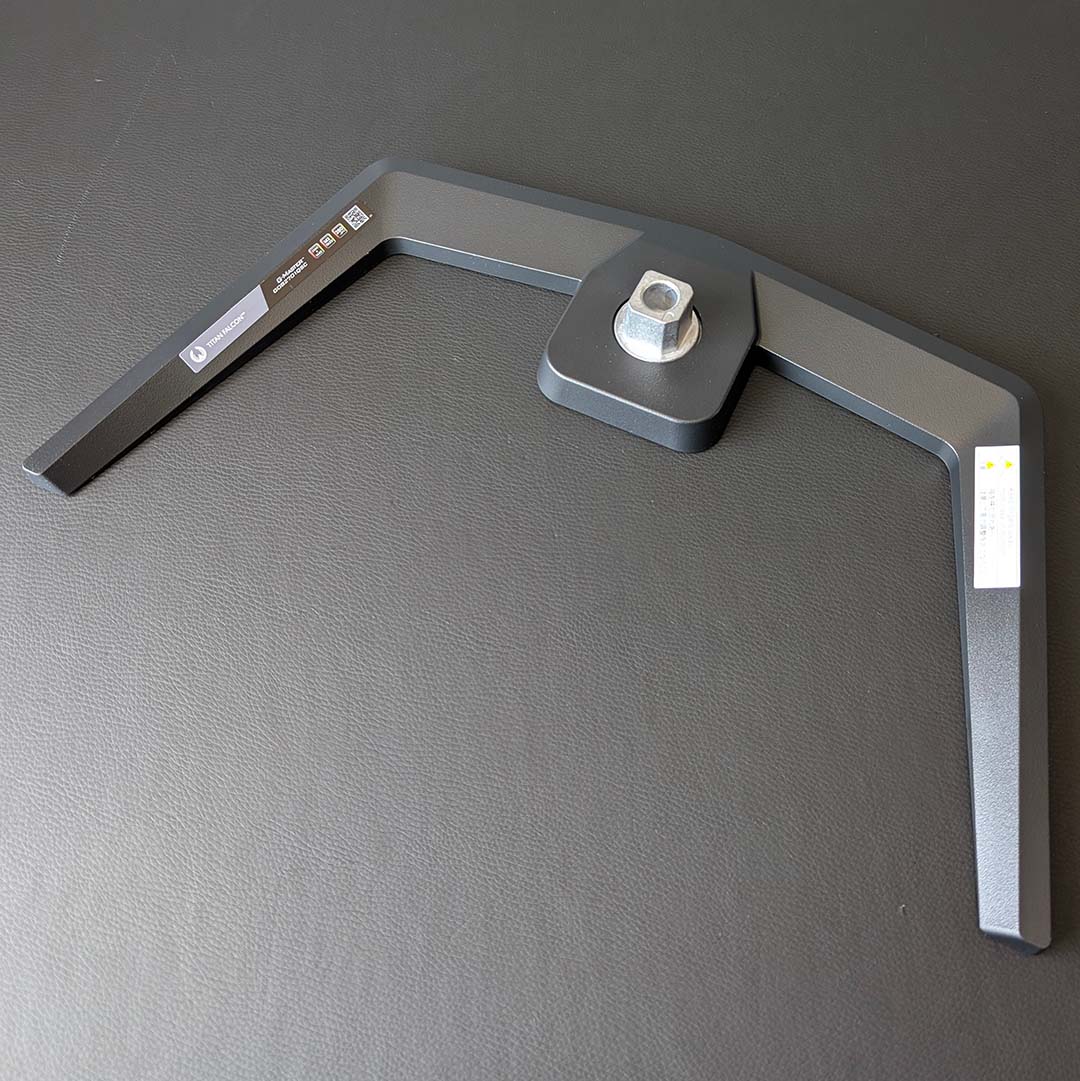
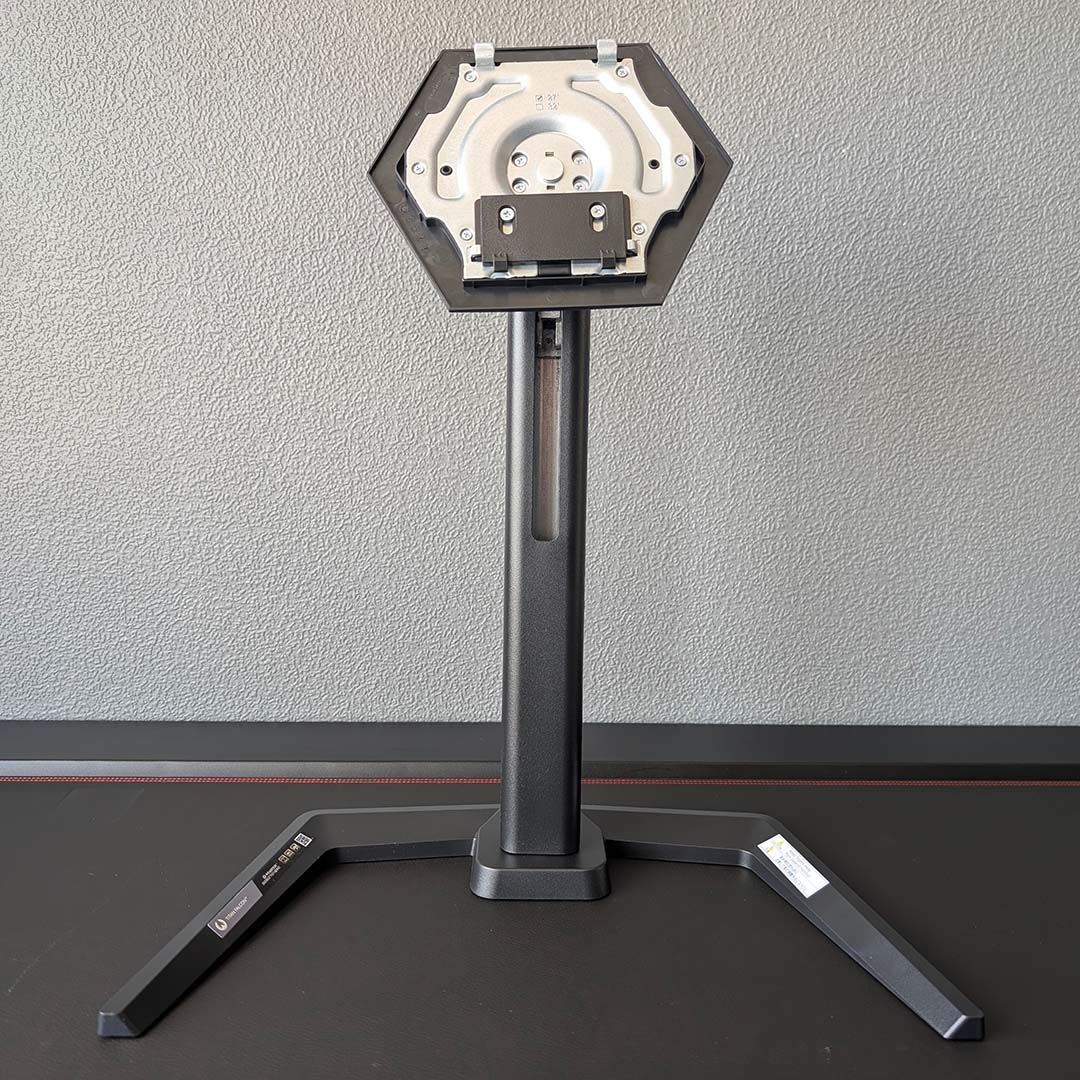
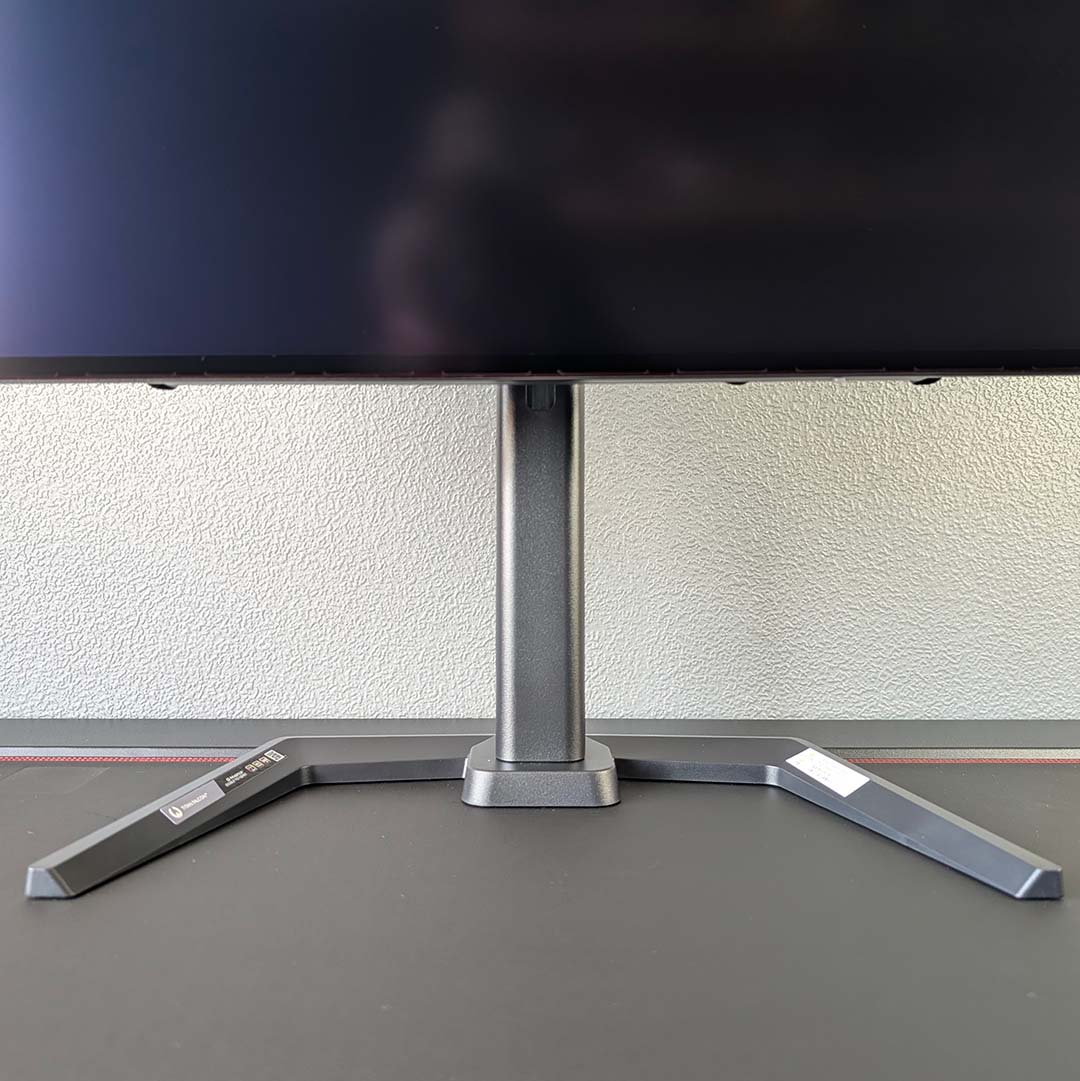
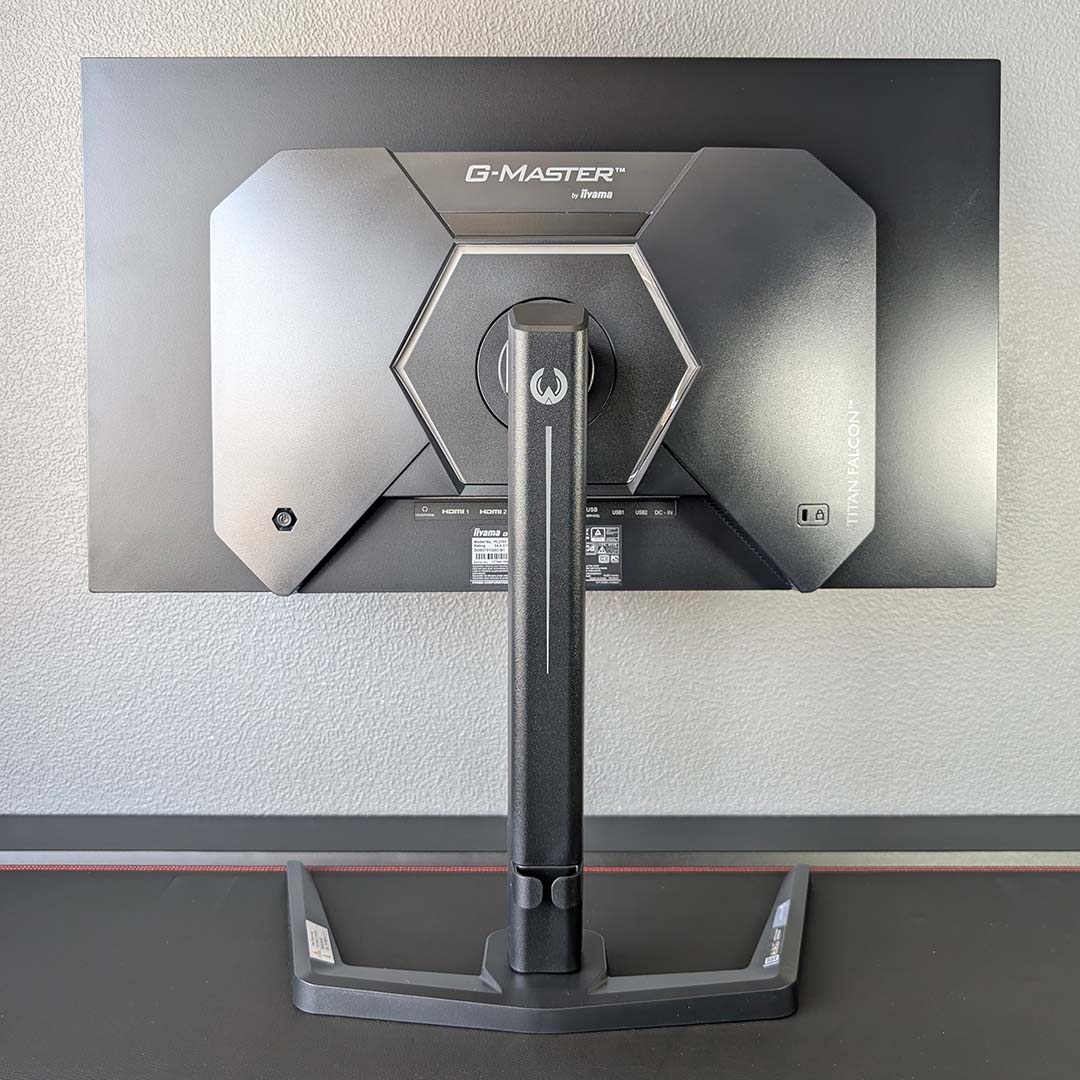
As you’d expect from an iiyama monitor, build quality across the GOB2701QSC-B1 is of a high standard. The base, neck, and chassis all feel premium and weighty to the touch, and come together to form an attractive whole. This launch also marks the advent of the firm’s ‘Titan Falcon’ product family, but there’s honestly little in the way of distinguishing aesthetic or design to separate the series from other product lines.
You can attach the 3.8kg panel to a standard 100mm VESA mount if you prefer, but the stock stand provides plenty of room to adjust the display to perfectly suit your seating position. With 150mm of height adjustment, alongside ±45° of pivot, as well as a 28° tilt range, getting comfortable with this screen in my setup was easy. There’s also ±90° of rotation available, should you want to switch into portrait mode.
Cable management duties fall to a small lip towards the bottom of the neck, which does a decent job of keeping the monitor looking tidy providing you’re willing to put in a little effort. If you’re artful enough with slack, you can effectively make all wires disappear as I have, but you’ll still need to find somewhere to stow the screen’s power brick.
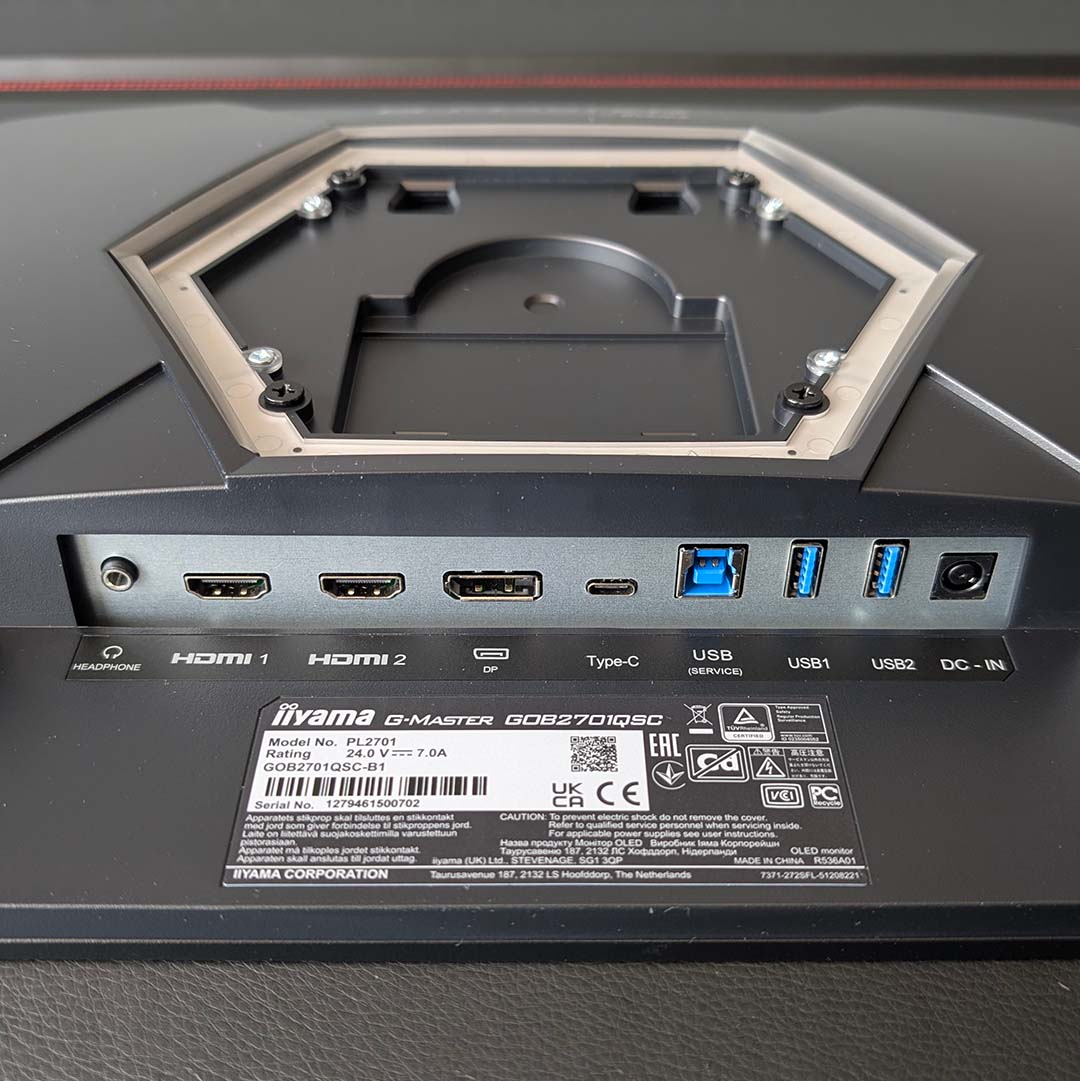
All ports on the GOB2701QSC-B1 sit bottom-centre of the monitor, including two HDMI 2.1 inputs, and a single DisplayPort 1.4. Either option will output the panel’s maximum resolution and refresh rate, but the former can do so without DSC (Display Stream Compression) on account of its higher bandwidth (48Gb/s vs. 32.4Gb/s), making it the preferred choice.
A 5Gb USB-C with DP Alt Mode further expands display capabilities. This same port also provides 65W of power delivery for a single cable connection, making it ideal for docking, say, a laptop or handheld PC. Better still, the monitor features a built-in KVM switch, making it easy to share peripherals across two systems without having to manually shift wires. USB-B is also available to bring support to older systems, and iiyama conveniently provides means to swap USB-B and USB-C associations between HDMI and DP inputs via firmware.
Rounding off the port selection, there’s a 3.5mm output ready and waiting for a pair of headphones. There’s also a set of 5W speakers hiding away in the chassis. These expectedly can’t deliver fabulous sound, but are fine for casual listening when you don’t feel like donning a headset and want to steer clear of external speaker clutter.
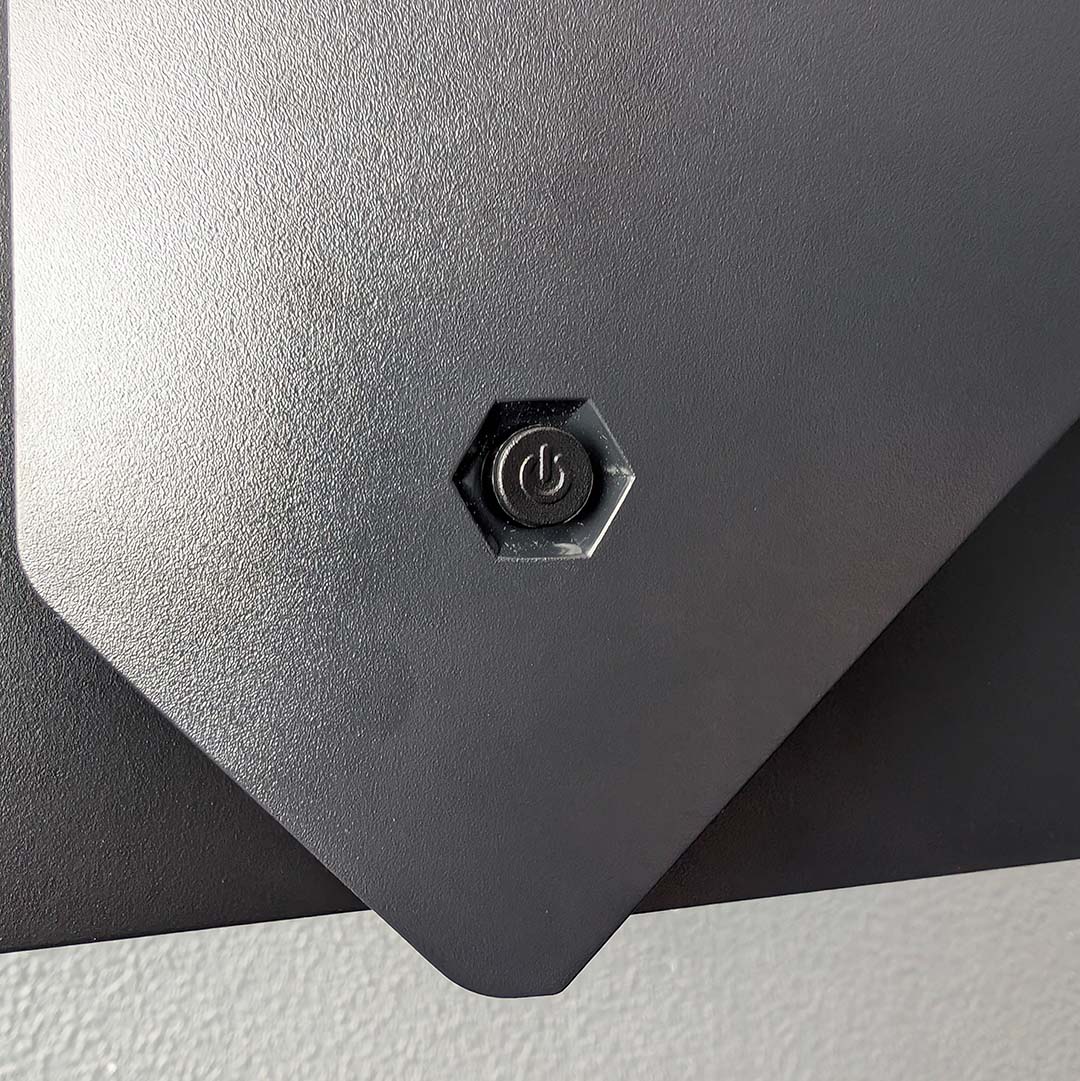
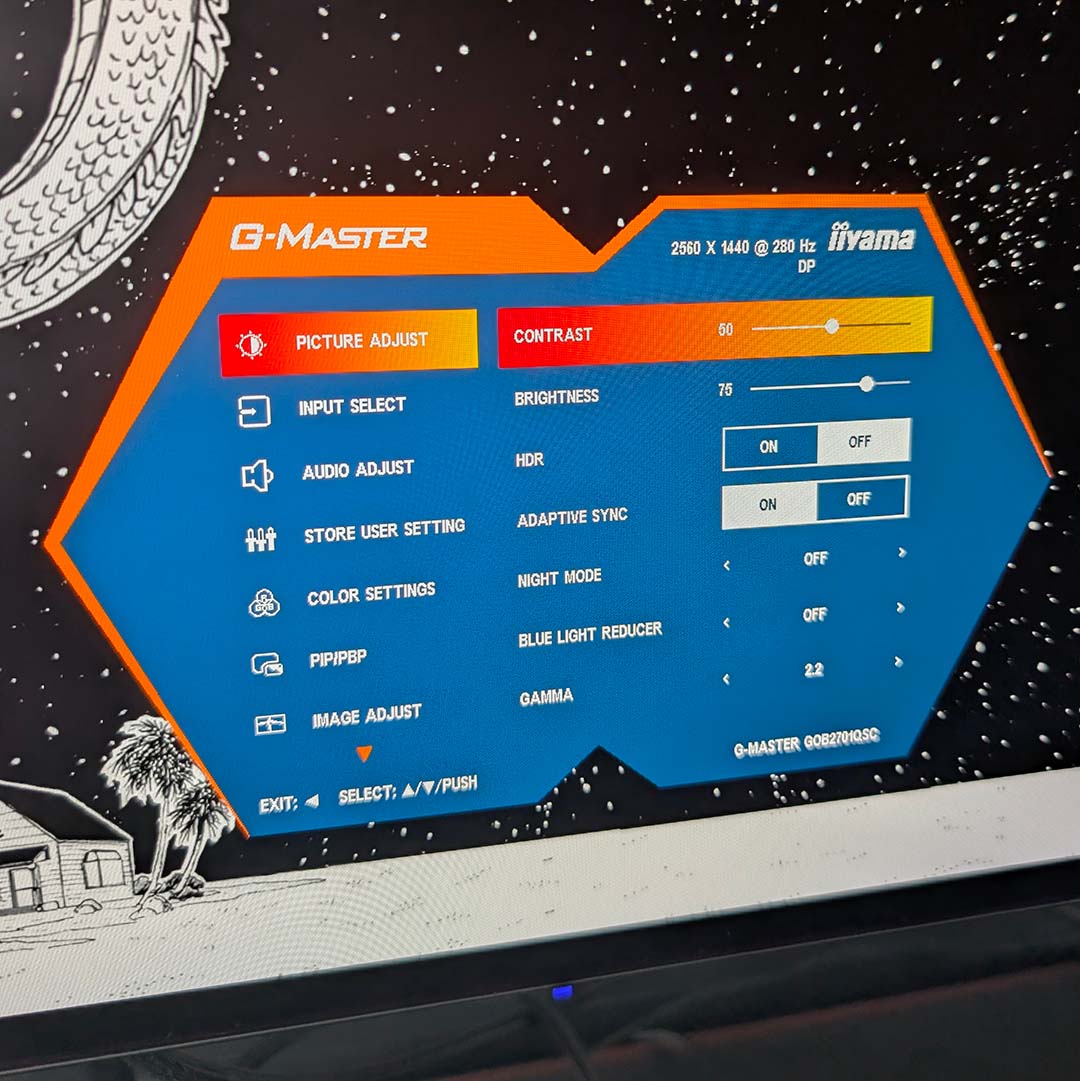
Accessing the GOB2701QSC-B1’s on-screen display (OSD) is a little finnicky at first owing to the joystick’s off-centre position and relatively low height. Thankfully, it didn’t take me long to learn cupping my hand to the right of the power LED was a sure fire way to locate it. iiGMasterControl1 is available as a means of software control from within Windows, but with fewer available options relative to the OSD.
Inside the settings menu, you’ll find the usual assortment of controls (brightness, contrast, gamma, etc.), as well as an sRGB clamp and HDR toggle. The latter option is important, as the monitor doesn’t automatically switch to HDR mode when receiving an HDR signal, leading to a washed out appearance that won’t improve until you dive into the OSD and switch it on. This is a minor problem but one that doesn’t rear its head on rivals.
iiyama crams a lot of features into the ‘setup menu,’ including controls for the KVM, RGB, and built-in crosshair. There’s room for at least a few other categories in the OSD without adding an additional page, so the decision not to split up these options is curious. This layout gripe aside, the rest of the menus are intuitive and responsive to use.
No OLED is complete without burn-in protection and this monitor boasts several defences. You can turn off pixel shifting and screen saver options if you’d prefer, but there’s no disabling pixel refreshes (dubbed screen care here). I recommend leaving these settings as they are, as none prove invasive. For extra peace of mind, a three-year warranty covers the panel.
Performance
The first game I played on the GOB2701QSC-B1 was Fatal Frame II: Crimson Butterfly Remake, an ideal showcase for the monitor’s meaty contrast. Exploring the hauntingly dark nooks and crannies of Minakami Village feels all the more tense and frightening on this screen, as the true black shadows that only OLEDs can produce heighten feelings of dread far more than the greyish darkness of LCDs ever could.
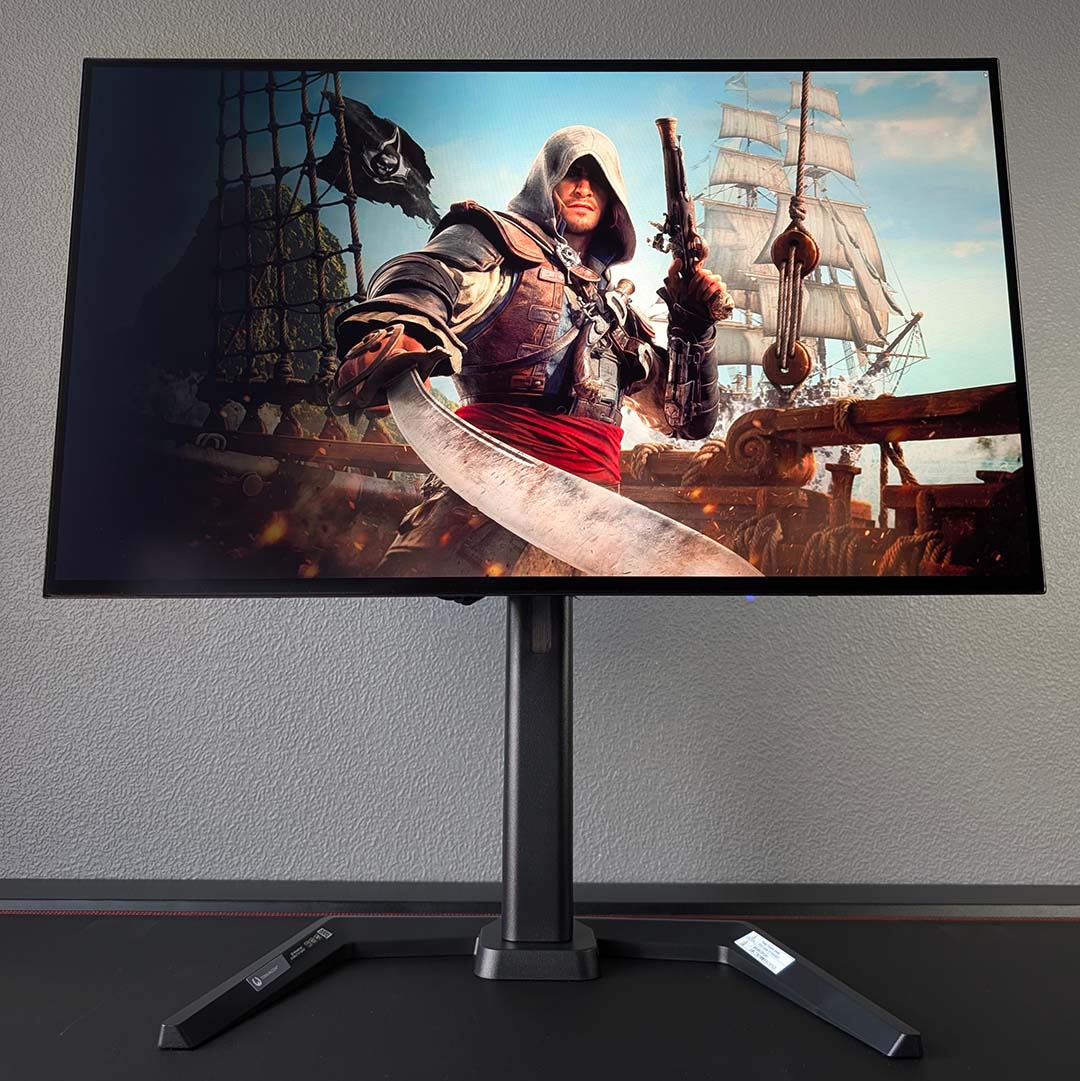
Giving myself reprieve from close encounters of the ghostly kind, I spent a lot of time playing another remake on this panel, namely Assassin’s Creed Black Flag Resynced. The high seas and lush Caribbean islands shine on the iiyama screen, with wonderfully bright and vibrant colours that make living a pirate’s life all the more splendid for me. Sunsets look particularly gorgeous in HDR, as does much of the game, with the SDR experience also proving pleasant to the eye.
Despite my age, I’m finding time to prove I’m not past my prime in esports games, with regular matches of both Counter-Strike 2 and League of Legends. Both games happily run at 280fps at QHD on mainstream hardware, making full use of the rapid refresh rate from this display. Motion clarity and responsiveness were excellent in each title, making it easy to track and click on fast-moving targets.
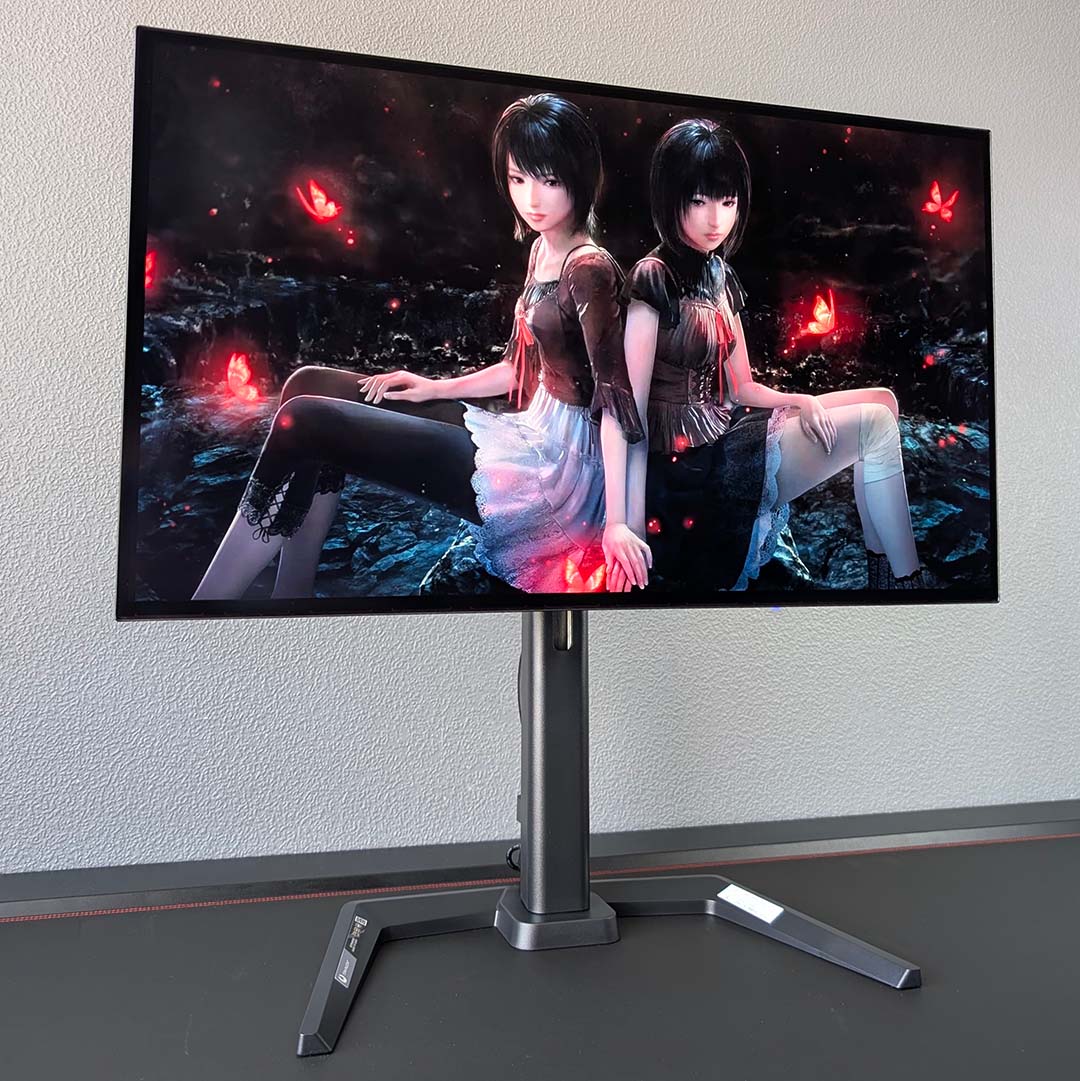
Like all monitors that cross my desk, I’ve used the GOB2701QSC-B1 as my primary screen for work as well as gaming. Text isn’t as sharp on this OLED as it is on most LCDs, on account of the panel’s matte coating and minor fringing stemming from the RGWB subpixel layout. Personally, I’ve had no trouble writing this review and other pieces with this screen, but it’s a shortcoming worth bearing in mind nonetheless.
That said, like other OLEDs, I’d only encourage using this monitor for purposes outside of gaming on a fleeting basis. Static elements common in image and video editing software, as well as word processors, won’t do the panel’s lifespan any favours, even with plenty of burn-in protections in place.
Colours
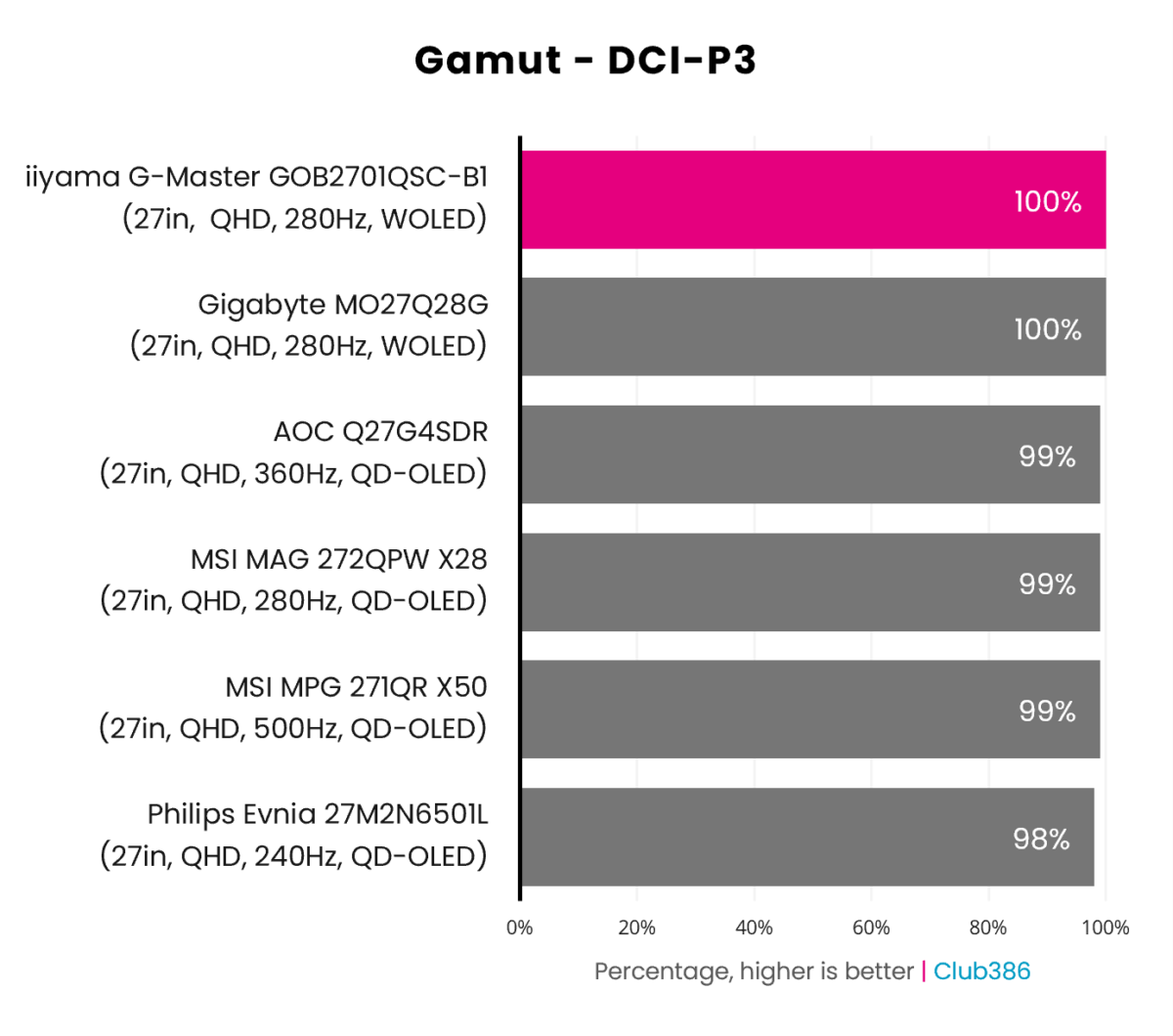
As expected, the GOB2701QSC-B1’s Tandem OLED panel boasts an excellent gamut that’s competitive with QD-OLED rivals. In terms of the DCI-P3 colour space, the most pressing for HDR games and media, there’s not a single drop of coverage left off the table.
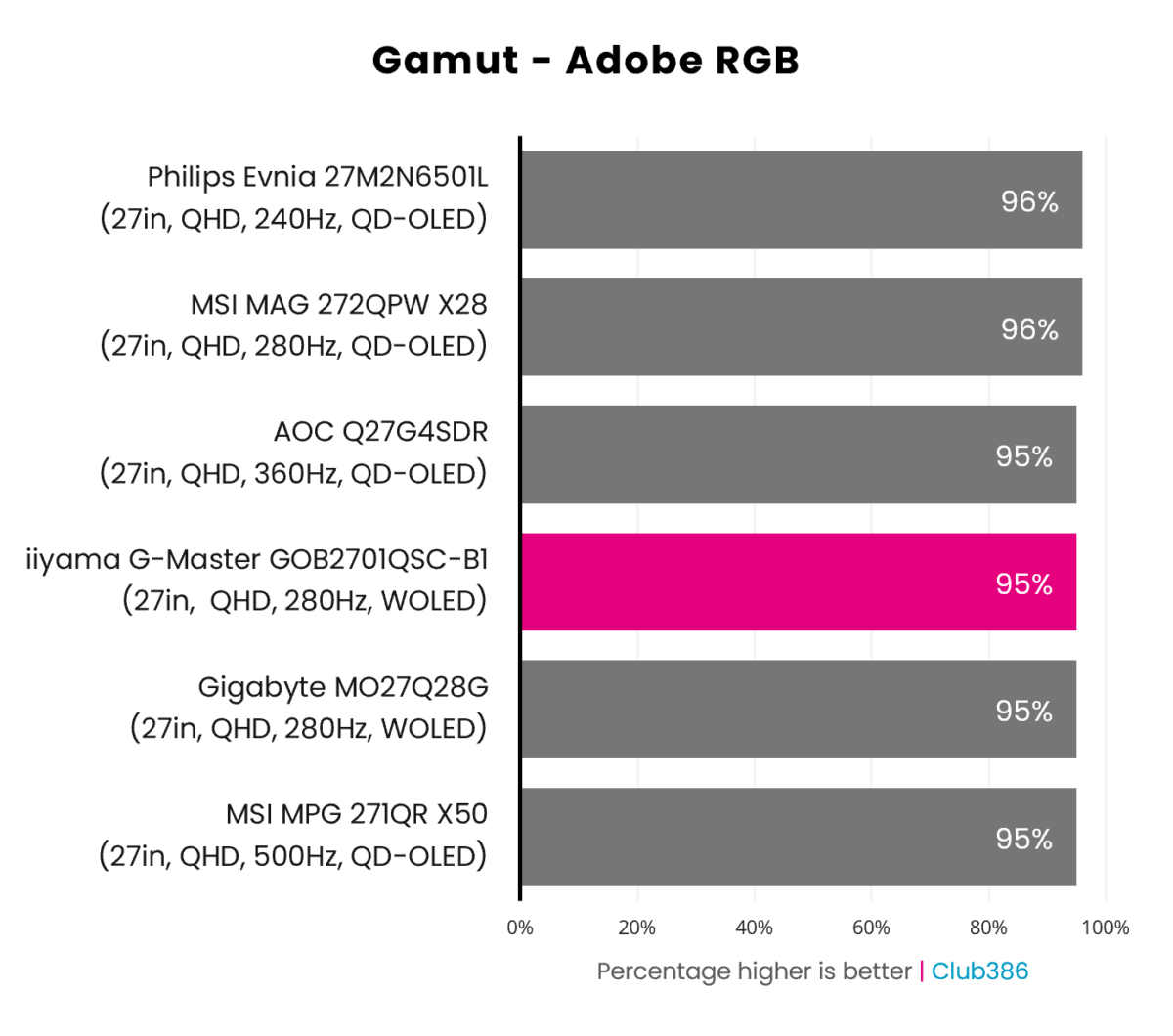
Adobe RGB coverage sees the GOB2701QSC-B1 sit joint third with the majority of our comparison points on the graph at 95%, with just two other monitors pipping past at 96%. This should, in theory, make the monitor suitable for photography and print work but there’s colour accuracy to consider first.
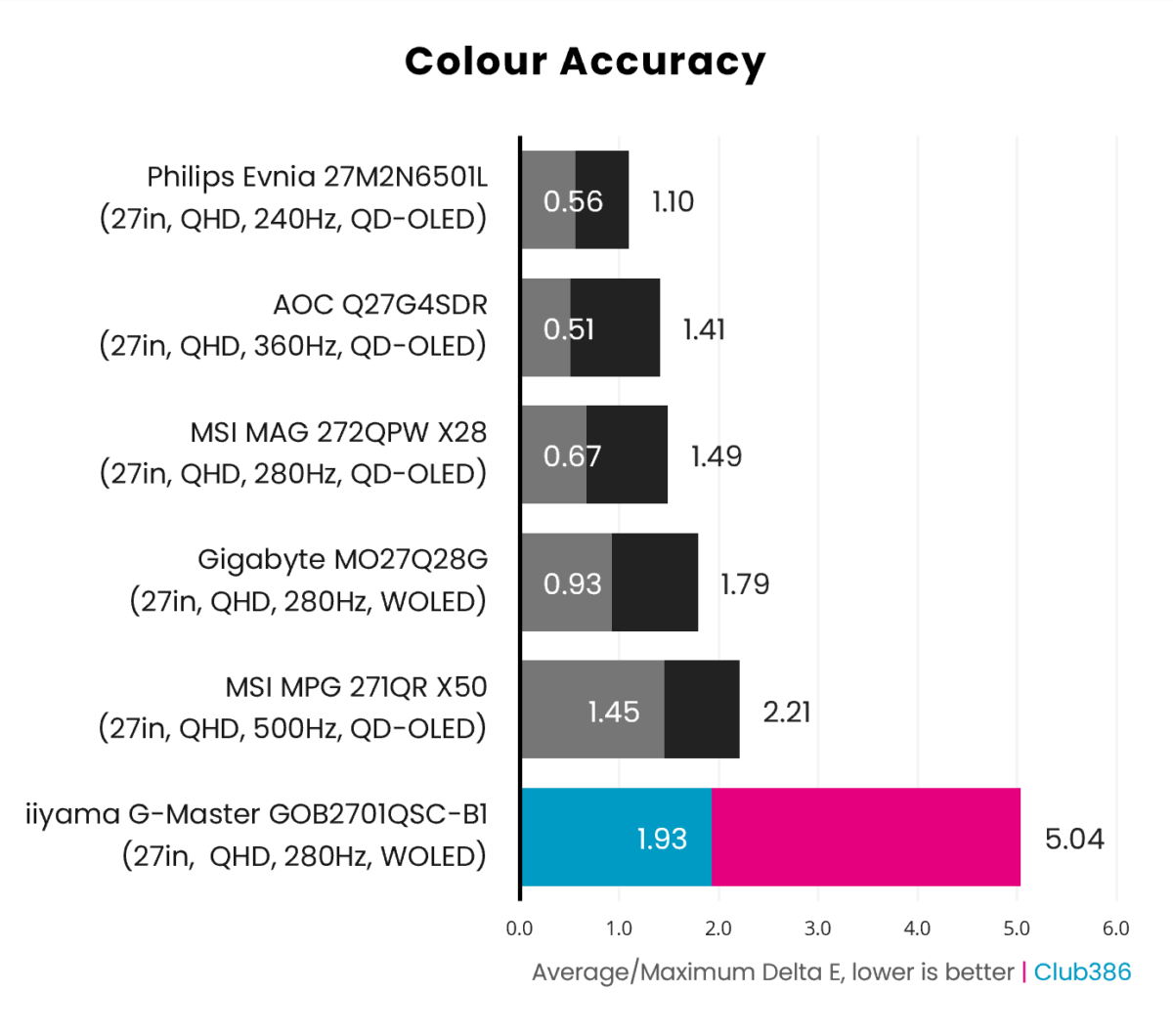
Both QD-OLED and WOLED monitors are typically lauded for their colour accuracy, but the GOB2701QSC-B1 proves an unruly example out of the box. While a 1.93 average Delta E falls under the imperceptible threshold of less than 2.00, the panel’s 5.04 maximum is a ways off.
Shifting brightness to 100%, from the 25% default, reduces maximum deviation to 4.10, but pushes average errors up to 2.24. These values remain tolerable for gaming but discourage colour-accurate workflows on the GOB2701QSC-B1, and are below average for this display tech, meaning minor calibration may be required for optimal results.
Brightness
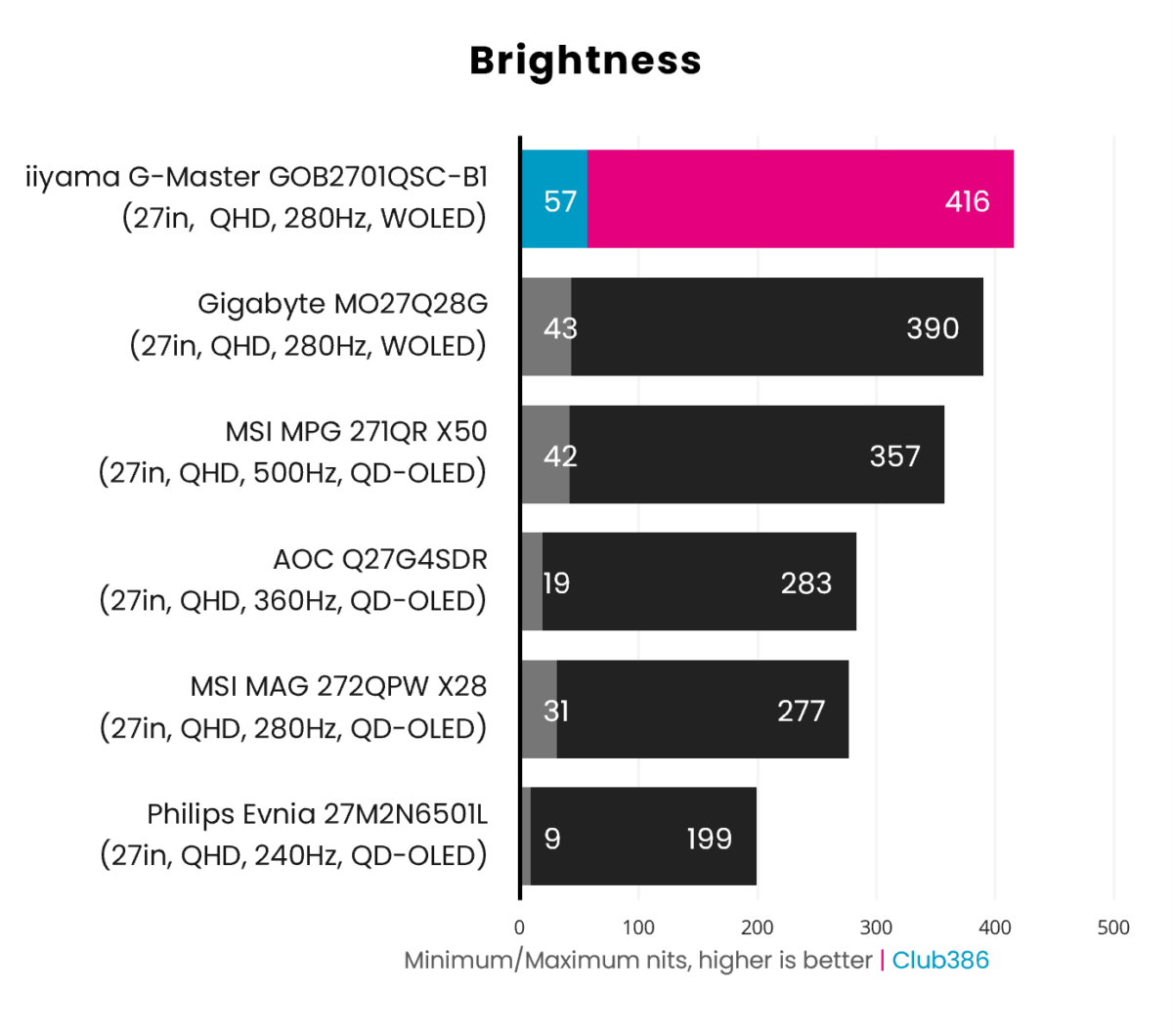
With a maximum SDR light output of 416nits, the GOB2701QSC-B1 usurps the Gigabyte MO27Q28G as the brightest self-emissive display we’ve tested. That’s also a welcome 16% brighter than the best QD-OLED we’ve seen in this performance category, namely the MSI MPG 271QR X50 (357nits).
Despite sporting a Tandem WOLED panel, there’s no True Black 500 certification for this monitor. Instead, the GOB2701QSC-B1 tops out at True Black 400, netting a pleasing HDR experience.
Uniformity
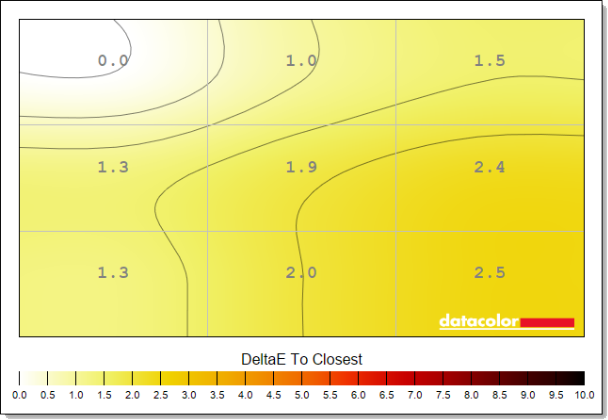
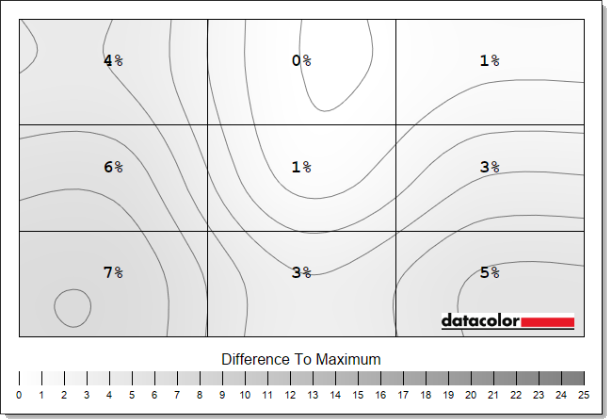
Out-the-box luminance uniformity is generally excellent on the GOB2701QSC-B1, with my testing equipment revealing minor deviations that are practically imperceptible to the naked eye. Colour is similarly uniform at stock settings, but wobbles as brightness increases.
Starting with the most positive category, I saw maximum luminance deviations of just 15nits (7%) at 25% brightness. Results are similarly strong at 100%, with the dimmest part of the panel falling behind the brightest by 34nits (5%).
Colour uniformity starts out solid with the majority of the screen’s deviations falling under the imperceptible 2.0 Delta E threshold, while the remainder aren’t far off at 2.4-2.5. Performance becomes messier at 100% brightness, with the middle and bottom right portions of the panel pushing Delta E of 3.3-4.0.
Power
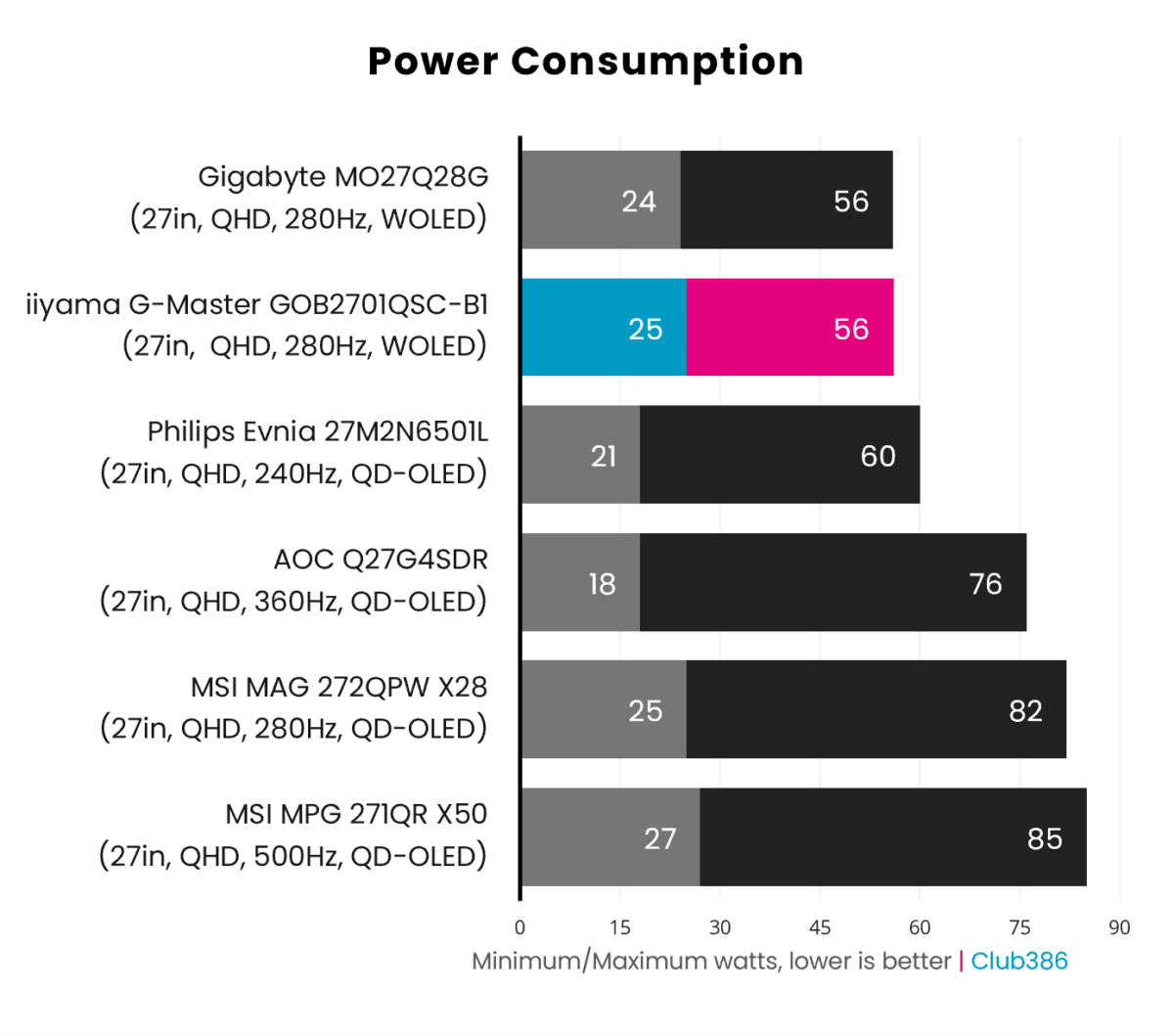
The GOB2701QSC-B1’s power consumption is unsurprisingly almost identical to the Gigabyte MO27Q28G, given both monitors use the same panel. This makes iiyama’s offering more efficient than any QD-OLED in our chart, though still a good deal hungrier for watts than LCDs.
Conclusion
Given iiyama’s choice of Tandem OLED panel, there was little doubt that the GOB2701QSC-B1 Titan Falcon would make for an excellent gaming monitor. This is the brightest example we’ve seen of a self-emissive screen, allowing all the other splendid qualities of this display such as its wide gamut and butter-smooth response times to come the fore.
Outside of small niggles, such as the manual HDR toggle, the only real weakness of iiyama’s offering concerns out-the-box colour accuracy. While not egregiously off the mark, those seeking a gaming monitor with serious creative chops should note that some calibration may be required to deliver the absolute best results.
For £419, the GOB2701QSC-B1 is the most-affordable and best value Tandem OLED gaming monitor on the market bar none. An impressive feat for iiyama’s debut OLED, yet there’s little sense paying £549 for a Gigabyte MO27Q28G given how similarly the two monitors perform. Moreover, iiyama’s setup provides greater power delivery over USB-C (65W vs. 15W), further bolstering its position as the smarter buy.
QD-OLEDs with similar specifications such as the MSI MAG 272QPW QD-OLED X28 serve as more appropriate challengers to this WOLED, with stock available for £398. However, even with a lower price point and slightly better colour accuracy in its favour, massively higher brightness makes the GOB2701QSC-B1 easier to recommend overall.
