
We’re fortunate in our line of work to get to play with all the latest and greatest PC components. The nature of the job is such that the Club386 team is often faced with two recurring questions. The first is what should I upgrade to? The second, what do you use in your own rig?
It’s the latter that we’re collectively tackling in this article, and I suspect the builds we employ will surprise you. Spanning different age groups and priorities adds nuance to our personal PC setups, and having access to cutting-edge gear doesn’t necessarily imply using the absolute best parts available.
Ben’s backward compatible
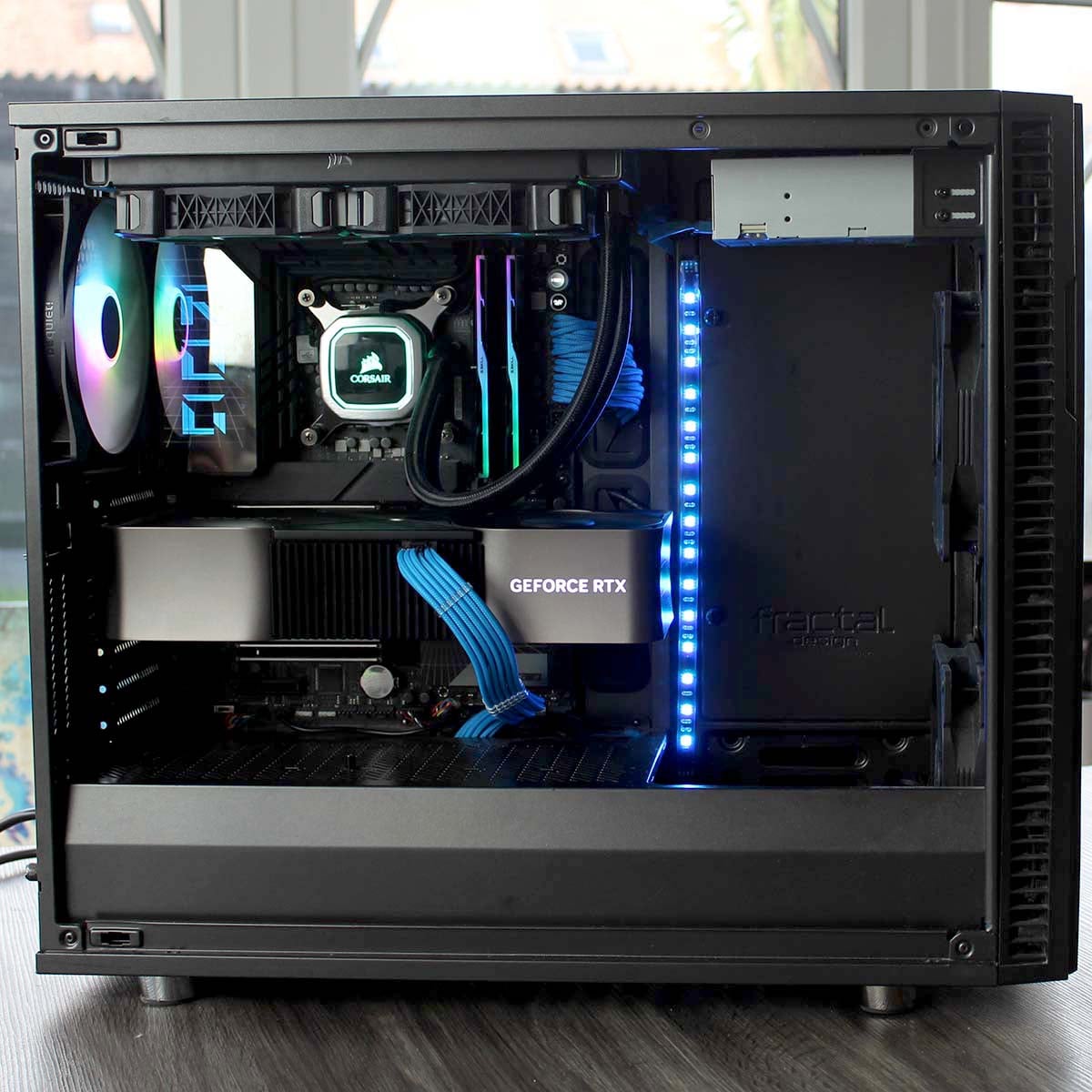
If I sent my PC in for review, it would probably get criticised for being unbalanced. I mean, who in their right mind would couple the monstrous might of an Nvidia GeForce RTX 4090 with a Core i5 CPU, and then put it in a nine-year-old case with a DVD drive? But this is what I love about the PC. If you’re building it yourself, you can prioritise the bits you want and ignore the naysayers.
- CPU: Intel Core i5-14600K
- CPU cooler: Corsair H100i RGB Platinum
- Motherboard: Asus ROG Maximus Z790 Dark Hero
- Graphics card: Nvidia GeForce RTX 4090 Founders Edition
- Memory: 32GB G.Skill Trident Z5 RGB DDR5-7200
- Storage: 4TB Samsung 9100 Pro M.2 SSD, Optiarc AD-7280S DVD RW
- Chassis: Fractal Design Define R6
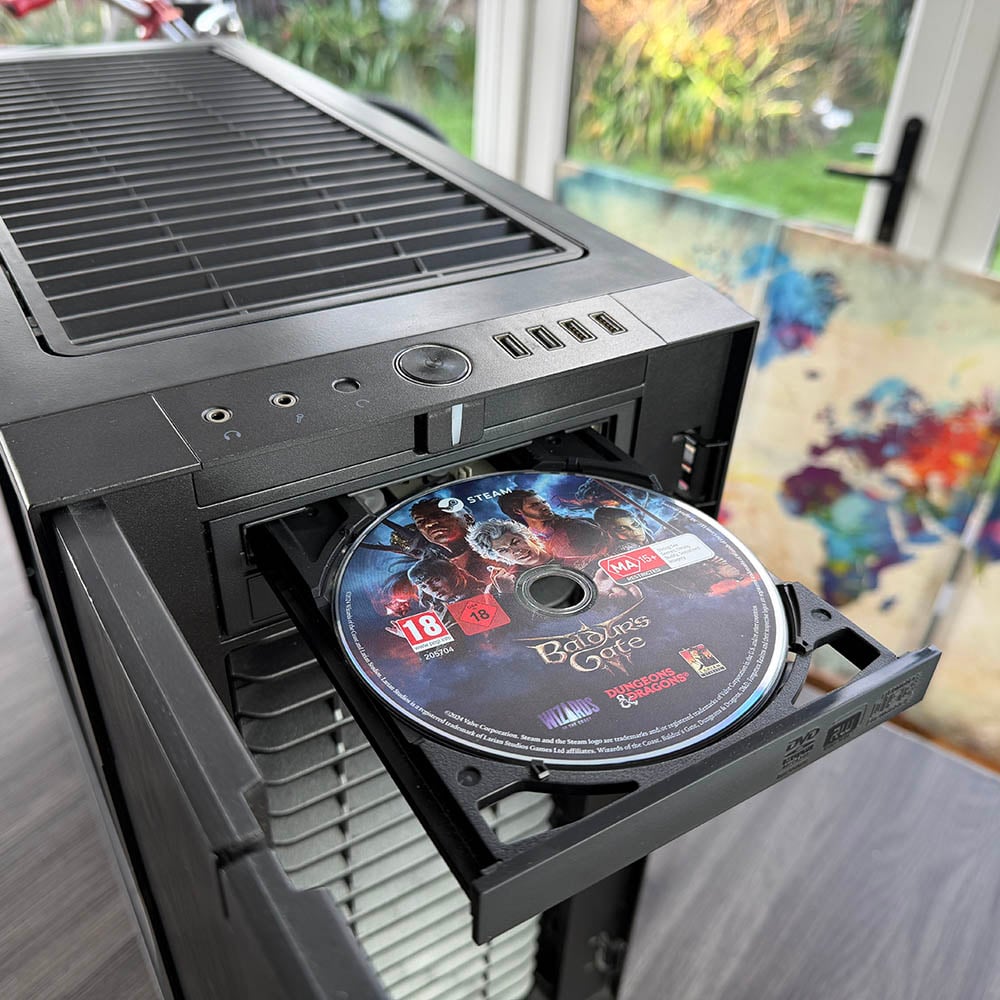
In all honesty, the DVD drive doesn’t get a lot of use these days, but I like to have it on hand so my PC maintains a link with the past, and that means I need a case with a 5.25in bay. If I want to play my old copy of Dune 2000 with the original soundtrack, then I have that option. I also liked popping the Baldur’s Gate 3 installation disc into it, even if it ended up downloading the game from Steam. I’d probably still have an internal 3.5in floppy drive if modern motherboards had the controllers for them.
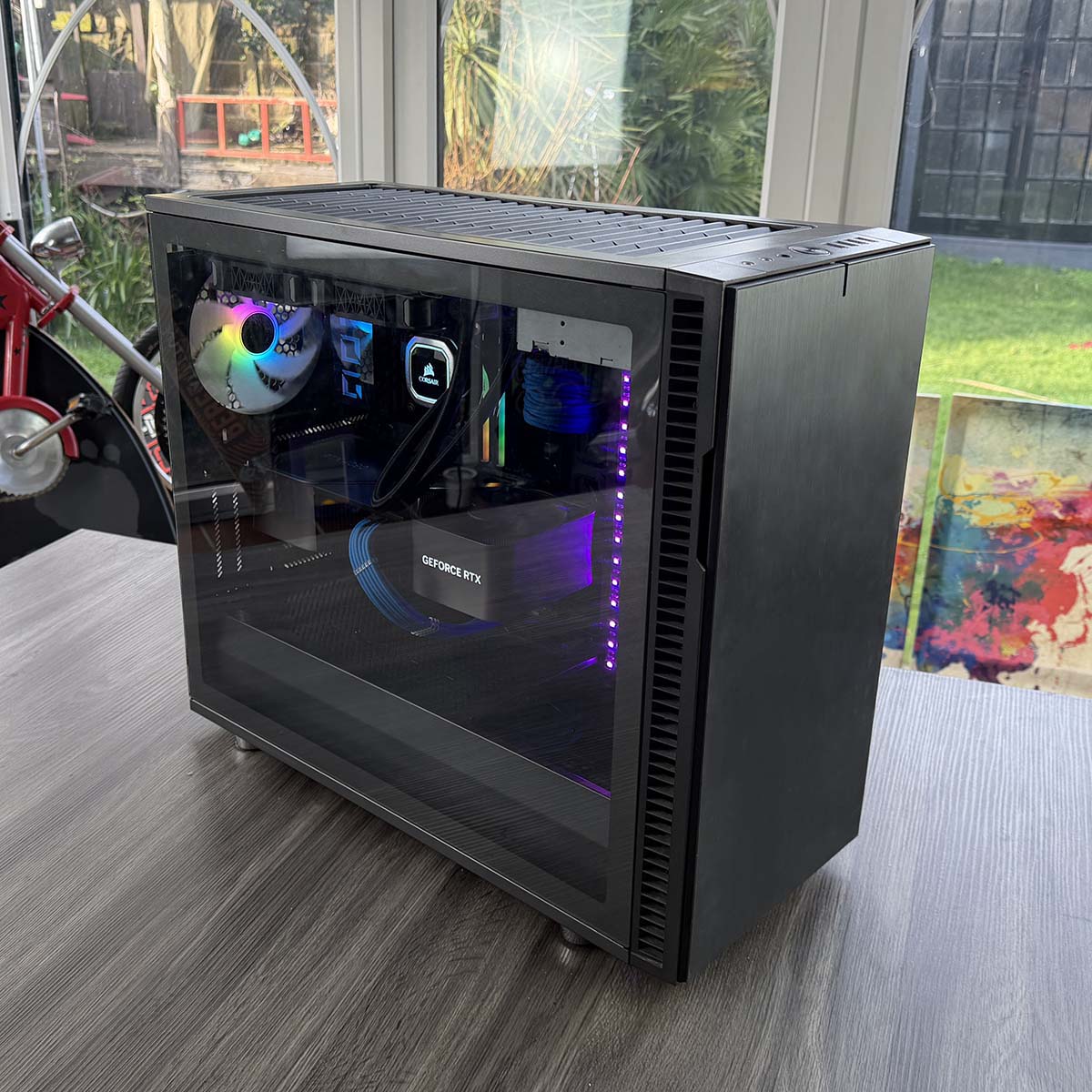
One problem created by the internal optical drive, though, is that I can’t then install a 360mm radiator in the roof, which means I’m limited to a 280mm rad in the front or a 240mm one in the top. My trusty old 240mm Corsair H100I RGB Platinum is still working fine, so that’s what I’m using.
I tried running a Core i9-14900K in this setup for a bit, but it just overheated when all the cores were loaded. That’s no problem, though, as I swapped it for a Core i5-14600K, which runs games perfectly well. I play at 4K using my RTX 4090, so the CPU has limited impact here, and the 14600K’s six P-Cores do the job absolutely fine. Plus, it has loads of E-Cores for multi-threading too – I don’t even need to overclock it. Sometimes people overstate the need for a very powerful CPU. I’d argue that most people’s needs would be easily sated by this chip.
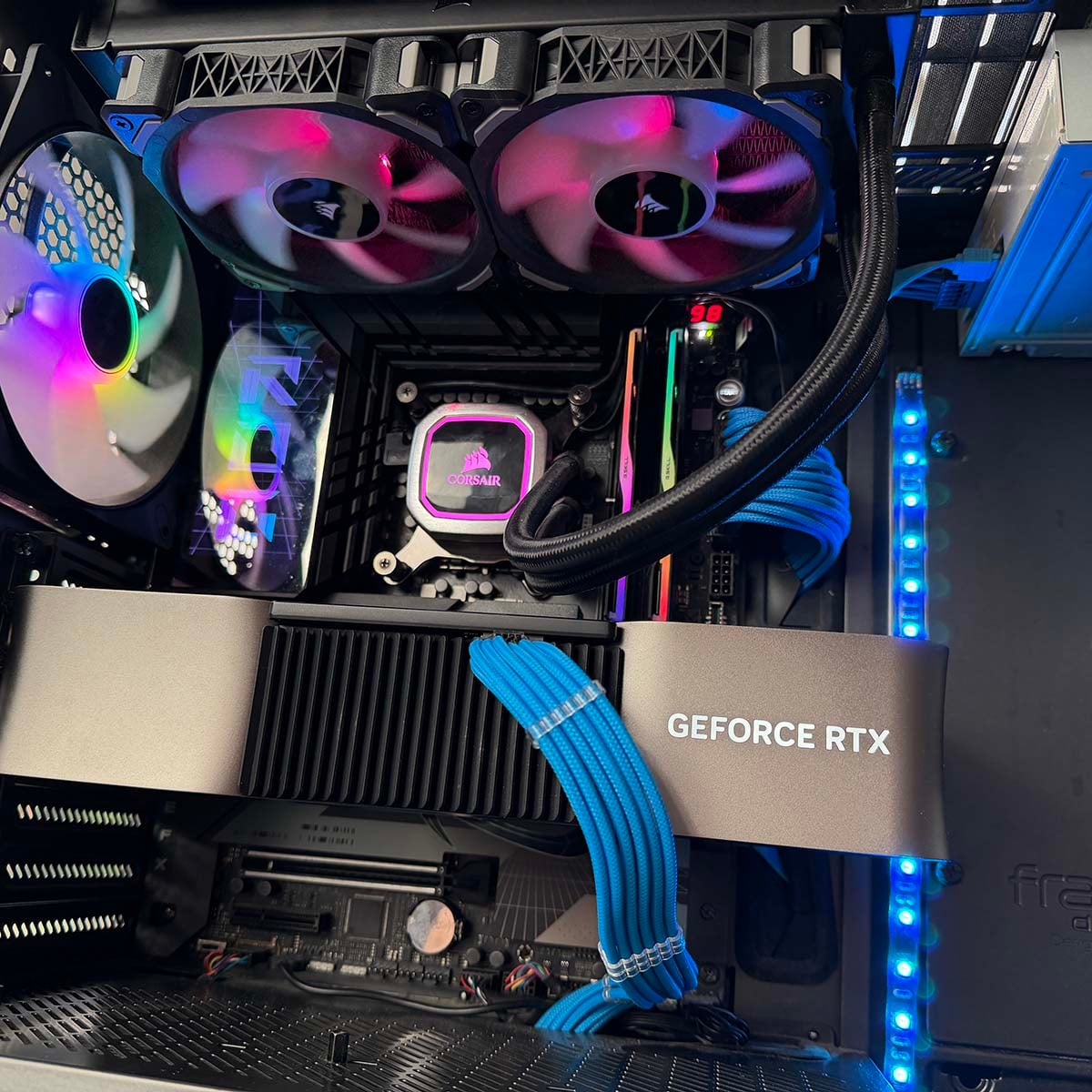
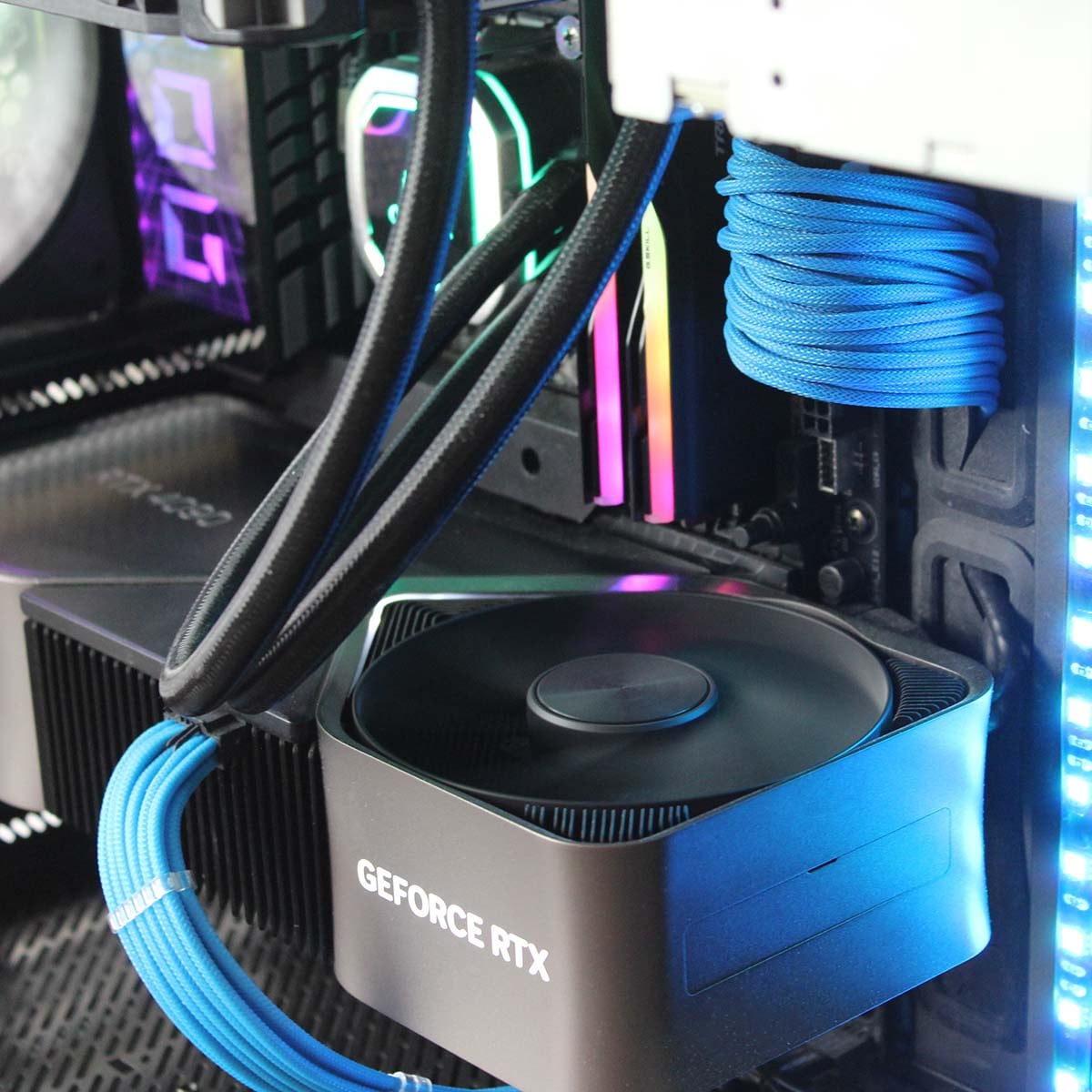
The rest of my rig is unashamedly high-end. Nothing stops the RTX 4090 over three years after its release, and I have no need for multi-frame gen. My 4K monitor refreshes at 144Hz, so anything past that point is wasted. Having this setup, I can max out all the settings in Clair Obscur: Expedition 33 at 4K, enable DLSS on the Quality setting, and then use frame gen to smooth out the motion to around 135fps. It looks and feels great.
I’m also very glad I got that 4TB Samsung 9100 Pro and 32GB of 7,200MT/s G.Skill memory last year, as I simply wouldn’t be able to buy them now. That’s enough fast storage space to install loads of games, and the whole system is quick and responsive in Windows, not to mention quiet. Oh, and the motherboard is undoubtedly overkill for my needs, but it does look absolutely lovely, and it has all the fast USB-C ports I need, plus a 4x PCIe 5 M.2 slot, which isn’t always a given on Z790 boards.
It’s not a PC for everyone, but it’s perfect for my needs, and I love it.
Chris’s storage smorgasbord
PC builds can often be drawn out over longer periods, and that’s definitely been the case for my latest system, which I’d been chasing for some time. It’s an enthusiast setup built around Intel’s Raptor Lake Core i9-14900K and Nvidia’s GeForce RTX 4090. The goal? A rig that could chew through WQHD gaming, creative workloads such as image and video editing, plus every benchmark I could throw at it without breaking a sweat.
The 14900K sits at the centre of it all – 24 cores ready to tear through multi-threaded tasks, yet still capable of ludicrous single-core boosts that make games and day-to-day tasks feel instant. It’s set to a 125W power limit for everyday usage, and I don’t even feel the performance difference in the majority of the games I play, making me appreciate the power saving. Said chip lives on an Asus ROG Z790 Maximus Hero motherboard, and though the hardware has proven rock solid, the accompanying Armoury Crate software continues to rattle my nerves. I’ve lost the will to fight with it to set the ARGB to white as it’s seemingly impossible to change the colour following a recent update.
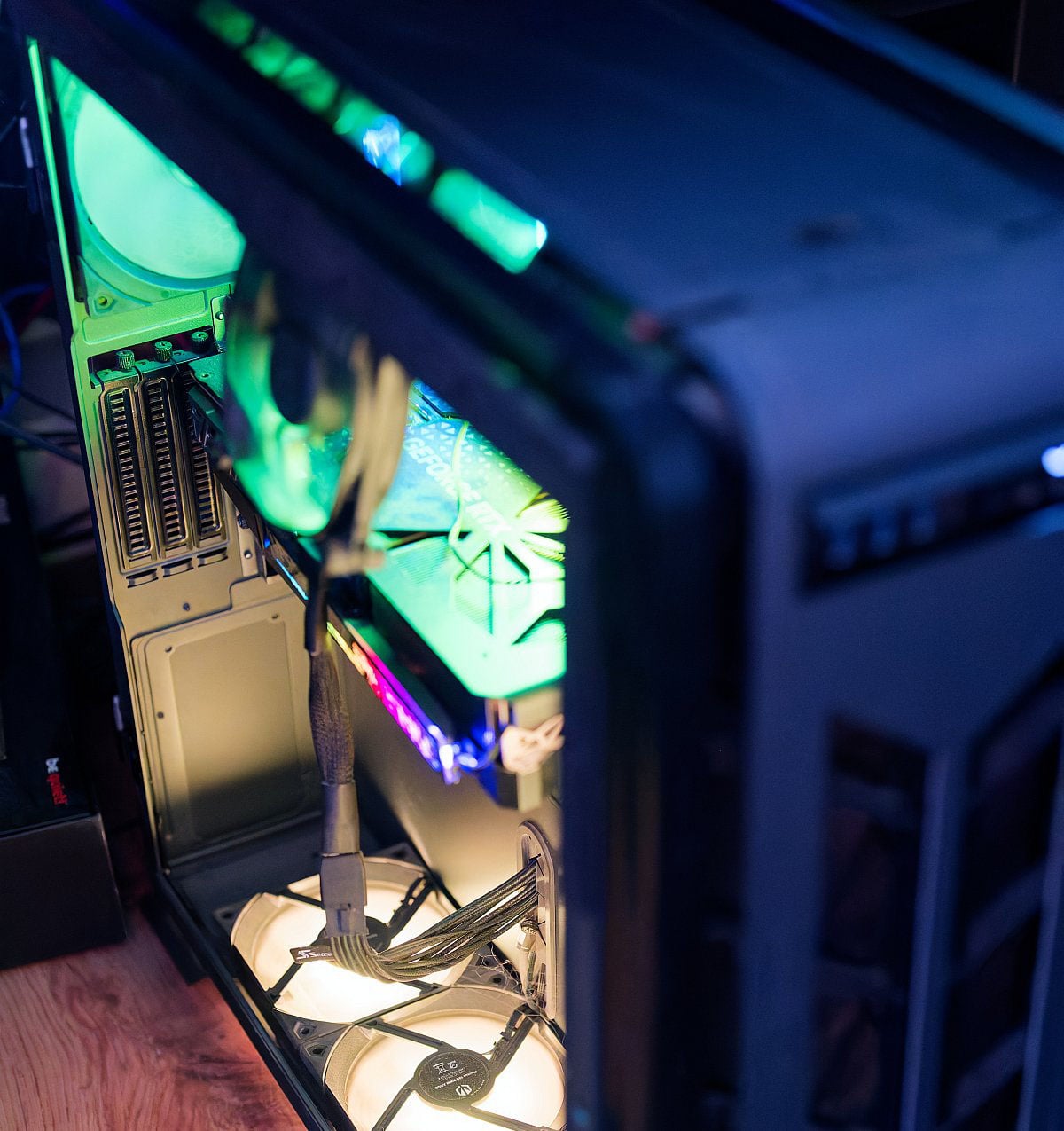
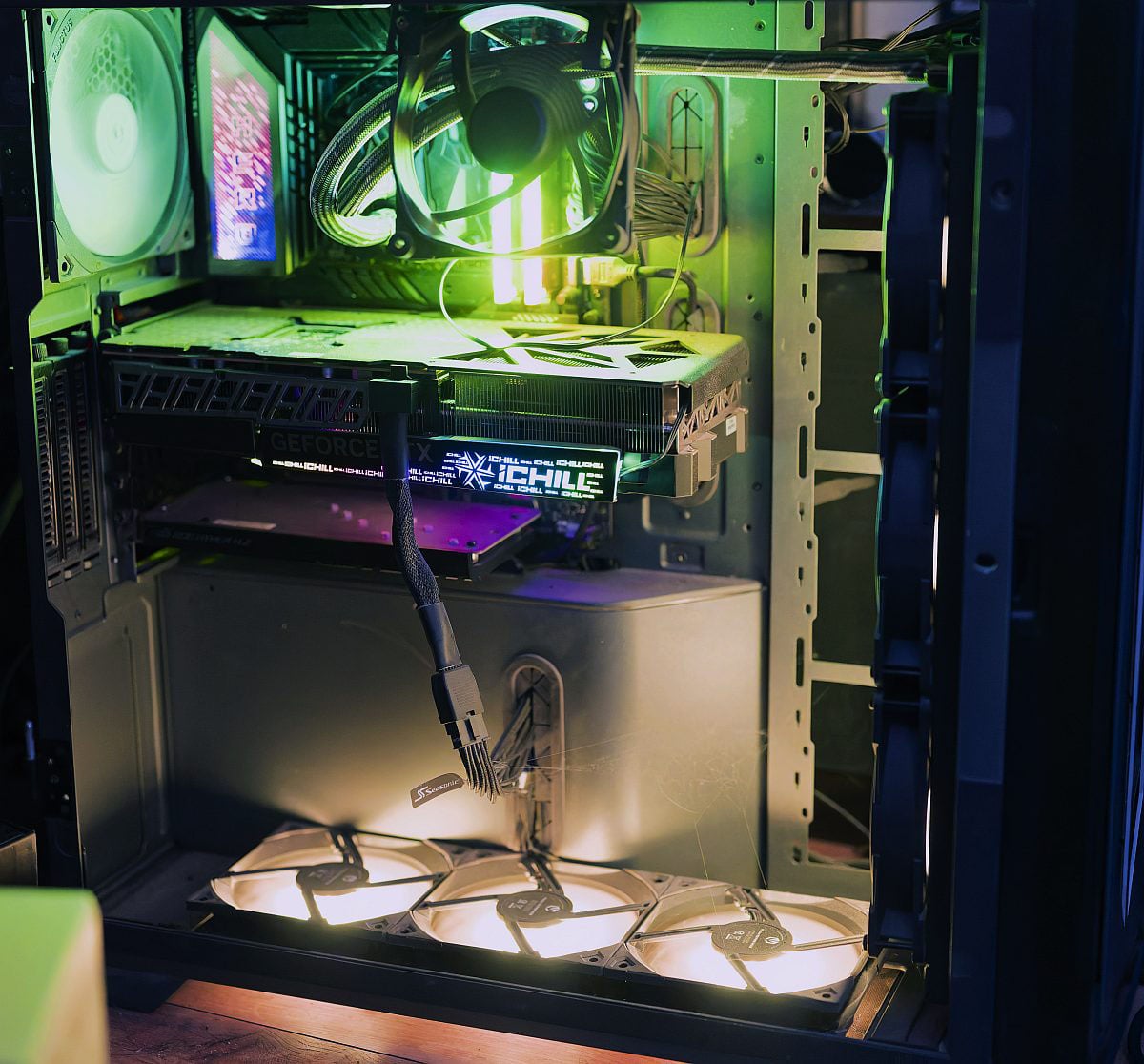
Completing the build is a capable Arctic Liquid Freezer II 420mm AIO cooler, ensuring temperatures stay in check even when all eight performance cores are pulling peak wattage. There’s a certain thrill in seeing task manager light up like a Christmas tree and knowing the chip barely flinches.
But like Ben’s PC, the real star is, of course, RTX 4090. Although I’ve had it for over 3 years (time flies when you’re having fun), it’s still more than capable of managing any title at 1440p. There’s always an option to enable DLSS if frame rates begin to struggle, but at this moment in time, with prices being what they are, I don’t feel the urge to upgrade to RTX 5090. I’m strapped in for the long wait until at least RTX 60 Series.
- CPU: Intel Core i9-14900K
- CPU cooler: Arctic Liquid Freezer II 420
- Motherboard: Asus ROG Z790 Maximus Hero
- Memory: 96GB V-Color DDR5-6800
- Storage: Samsung 970 Evo 1TB (system drive), Samsung 970 Evo Plus 2TB, Sabrent RocketQ 2TB, Kioxia Exceria Pro 2TB, Goodram IRDM PRO M.2 SSD 2TB, Crucial BX500 SATA SSD 2TB, Crucial MX500 SATA SSD 2TB
- Chassis: Phanteks Enthoo 719
Memory is a sore subject right now, and I don’t mean to gloat, but I got in while the going was good and run 96GB (2x48GB) of DDR5 at 6800MHz from V-Color alongside a smorgasbord of SSDs I’ve accumulated over the years. 13TB of total storage comes in handy and the build lives inside a Phanteks Enthoo 719, where tempered glass shows off the gear inside. Power delivery comes from a 1600W fully modular PSU from Seasonic. The Prime TX-1600 ATX 3.1 might sound like overkill, but that’s never a bad thing in my book.
As for displays, my main monitor is a 34in Ultrawide OLED from Philips, with a resolution of 3440×1440. The secondary screen is a 22in, 1080p, touchscreen, and if I have the urge to play something like Tekken 8 or Forza Horizon 5 (I too can’t wait for the 6th instalment), I’ll hook up my 42in KTC OLED monitor.
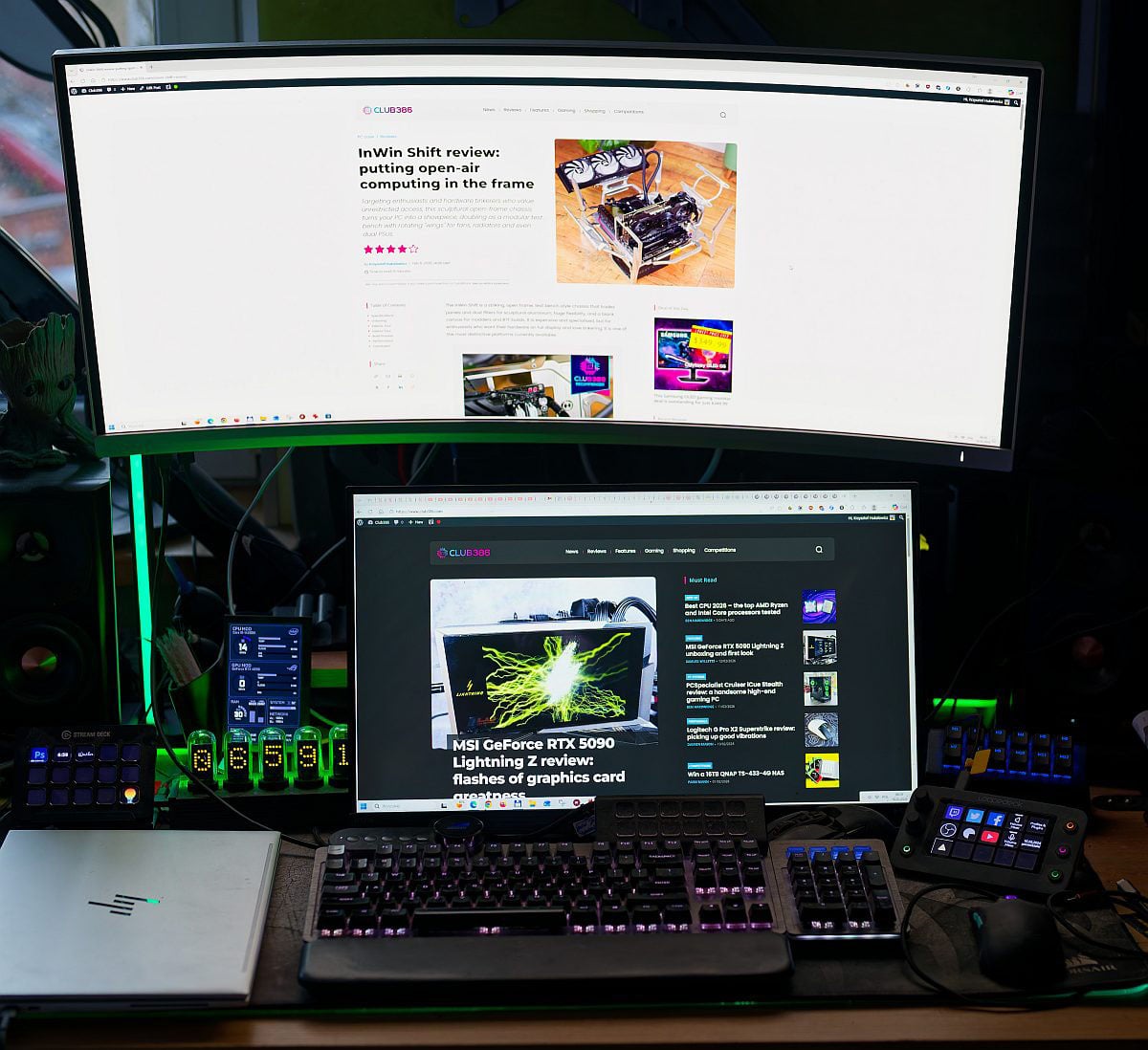
Last but not least, my peripherals consist of a Mountain Everest Max keyboard and an Asus ROG Harpe Ace mouse. They’ve served me well, but I have recently purchased a be quiet! Dark Mount keyboard that I’ll be adding to my setup soon, where you can also find some Stream Deck and Loupedeck devices within reach.
It’s the culmination of years of tinkering, saving, and dreaming. And when those fans spin up, and the screen glows to life, it feels great; as a busy dad, my PC continues to be a safe haven and source of stress relief.
That’s not to say the build is perfect; there’s no such thing, and I do want to make some adjustments. High on my list of wants is a new chassis – a couple have caught my attention – and though I’d contemplated changing the platform to i7 265K or AMD Ryzen 9950X3D, I don’t have the will/time/urge to make such an adjustment just yet. Perhaps the next generation will convince me otherwise.
Fahd’s undervolted setup
You might recall my excitement over upgrading a few years back, and I’m pleased to say the same rig continues to serve me well, despite the dust from my desert climate.
- CPU: AMD Ryzen 5 7600X
- CPU cooler: Thermalright Peerless Assassin 120 SE
- Motherboard: Asus TUF Gaming X670E Plus WiFi
- Graphics card: Sapphire Radeon RX 7900 XT Pulse 20GB
- Memory: 32GB G.Skill DDR5-6000 CL36
- Storage: 1TB Samsung 980 Pro, 1TB Silicon power UD80, 1TB Crucial X9 external SSD
- Chassis: Random, no-name case I picked up at the local market
At the heart of the PC lies an AMD Ryzen 5 7600X, slotted into an Asus TUF Gaming X670E Plus WiFi motherboard alongside 32GB of G.Skill DDR5-6000 CL36 memory and a Sapphire Radeon RX 7900 XT Pulse 20GB graphics card I managed to snag for $700 in June 2023. I chose this CPU and motherboard combo based on price; I wanted a cost-effective platform with good longevity and feature set, and AM5 was just starting out. Asus’s TUF Gaming was the cheapest X670E available locally, and though I’m partial to power savings, the Ryzen 5 7600 non-X wasn’t out yet.
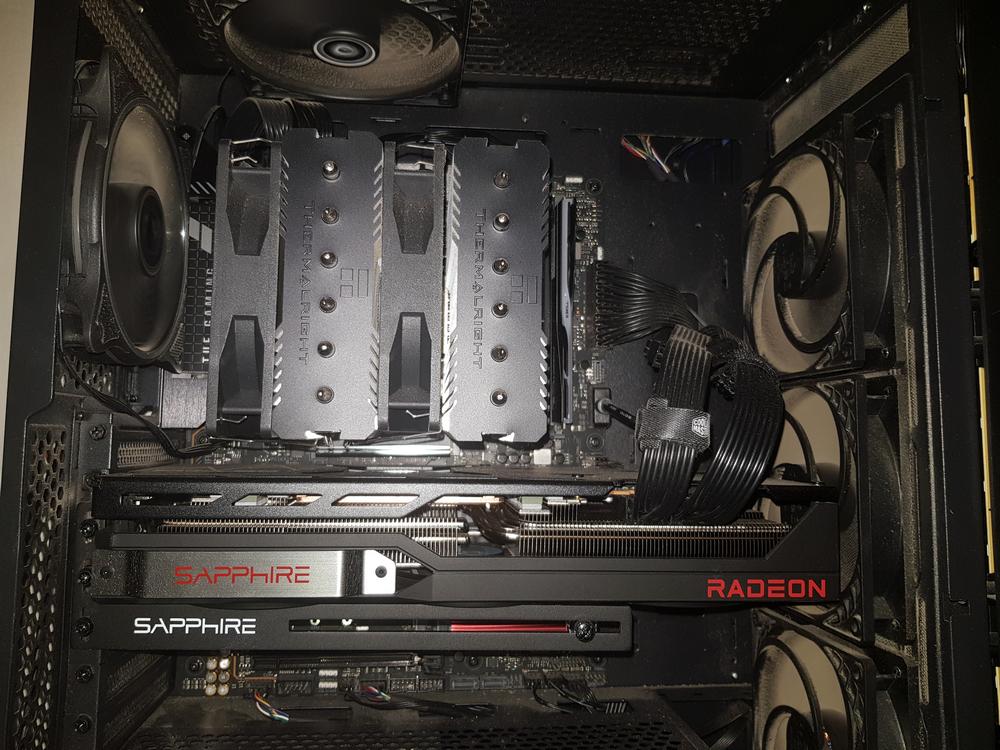
The RAM was a no-brainer for me. Memory was dirt cheap back then, so I went with 32GB of the sweet spot 6,000MT/s. If 48GB kits were available, I would have opted for that. Funnily enough, after a year or so, my system developed a strange struggle to boot at the official 6,000MT/s speed, which counterintuitively disappeared after I overclocked my RAM to 6,200MT/s. Go figure. Before this config, I was rocking an ageing Intel Core-i5 6600K plus a Radeon RX 570 8GB; needless to say, the upgrade was revolutionary.
I only regret not buying large-capacity SSDs when they were cheap, since my triple 1TB setup is not ideal. On the monitor side, I am still rocking my good old AOC Q27G2G4, a 27in 144Hz VA display that has served me very well despite its inherent VA panel limitations.
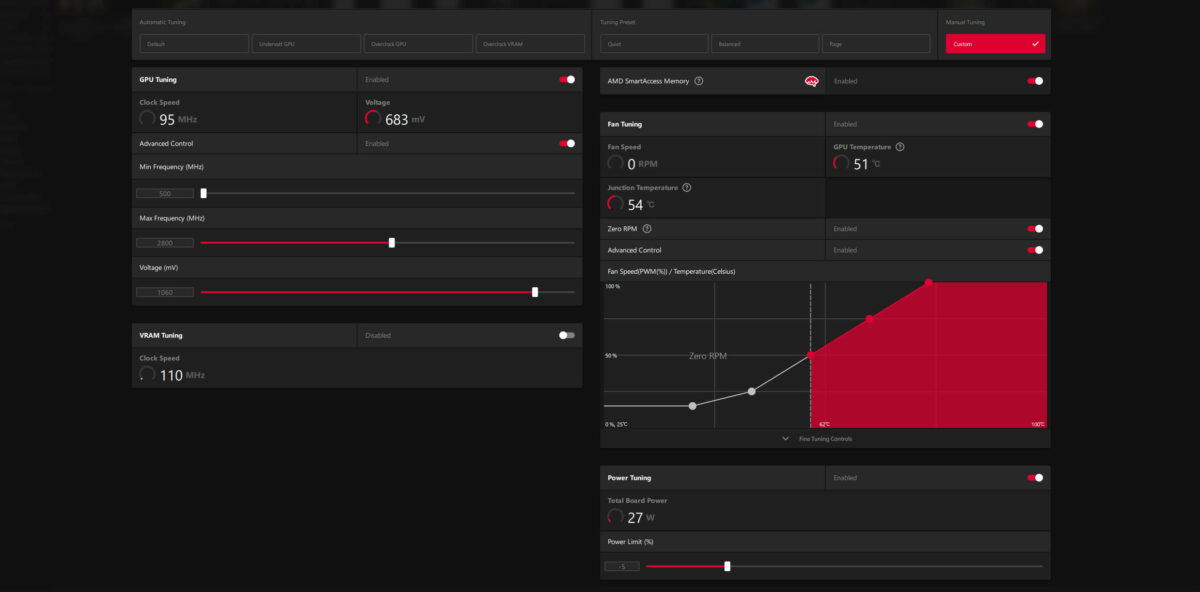
The only thing I would have changed in hindsight is the Radeon RX 7900 XT, mainly due to AMD’s reluctance to offer FSR 4 on RDNA 3 and older GPUs. Nevertheless, I can’t deny undervolting has been a whole lot of fun. I was able to lower in-game power consumption by up to 37% while maintaining excellent in-game performance – you can read all about my findings in my undervolting piece. And it’s not just the power saving that matters; living in a dry, hot climate with ambient temps routinely above 30°C puts extra onus on cooling, and in that regard the Sapphire card has proven a champ.
Parm’s passive PC
Eagle-eyed readers may remember this build from my article in 2023. It was an experimental rig back then, seeing how potent a passively cooled system could be. Well, it worked so well I’ve used it ever since, as it absolutely ticks the right boxes for me.
Aged 40-something (who keeps count after 40?), and with a four-year old daughter, my gaming days are officially on hold until she’s 16 going on 30. Right now, what I need is a reliable PC for work each day, and with no need for a discrete graphics card, I’ve reverted to the AMD IGP. You absolutely cannot hear the PC when I turn it on, and though I do have a fail-safe CPU fan set to kick in if temperatures rise too high, I’ve never yet known that to happen.
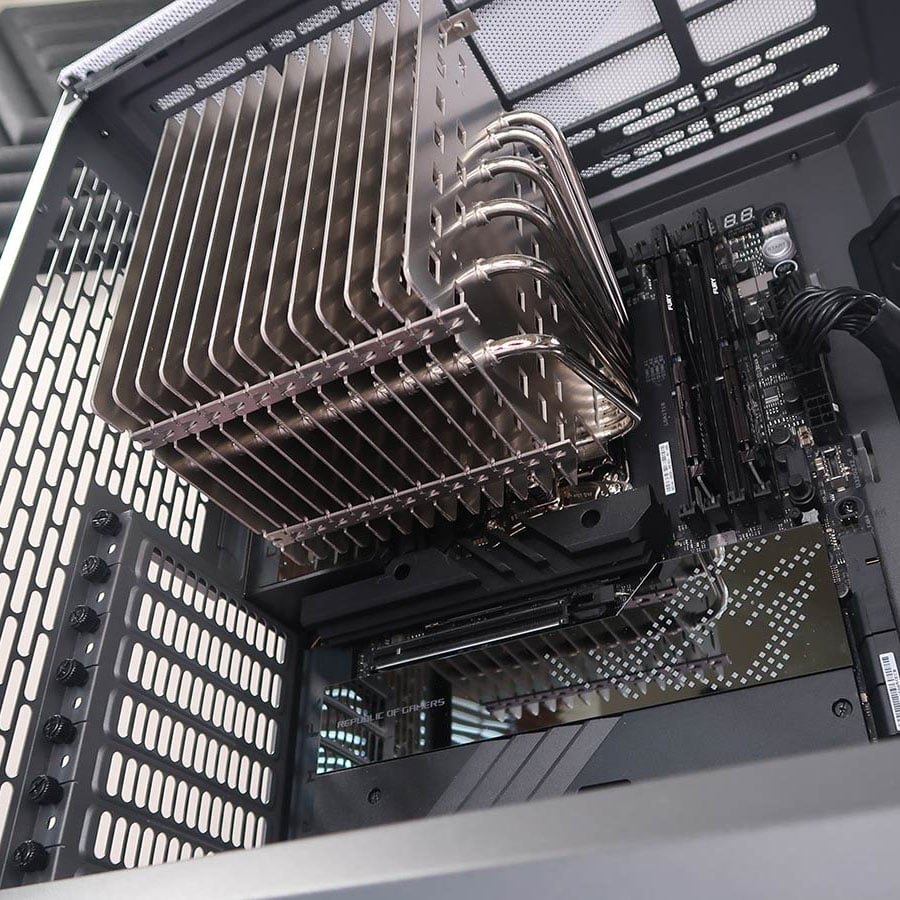
The complete system specifications, while not cutting-edge by today’s standards, are as follows:
- CPU: AMD Ryzen 9 7900
- CPU cooler: Noctua NH-P1
- Motherboard: Asus ROG Crosshair X670E Hero
- Memory: 32GB Kingston Fury Beast DDR5-6000
- Storage: 4TB Crucial P3 Plus M.2 SSD
- Chassis: Fractal Design North
Performance is more than sufficient for my daily tasks, and that in a nutshell is one of the many issues facing the PC industry as a whole. The potency of recent hardware, coupled with inflated cost for modern parts, is such that there’s no pressing need for most users to upgrade. Case in point, I have a superior 9000 Series CPU in the drawer, but for my use case, the benefits of the newer chip are outweighed by the hassle of disrupting a build that just works.
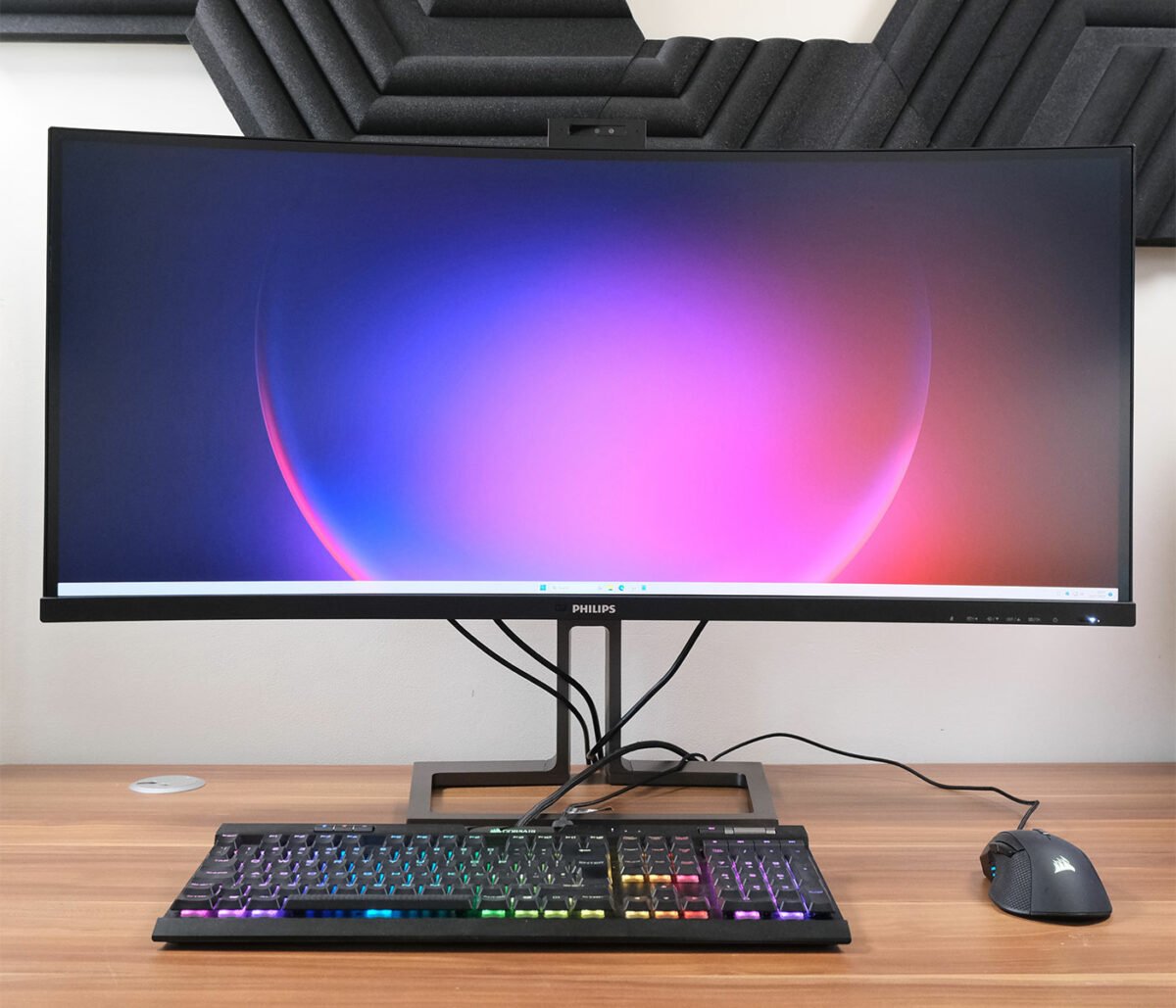
Outside of the rig itself, the pride of my workstation is without doubt a gargantuan 49in Philips 5K2K ultrawide monitor. A productivity powerhouse, it is central to my workflow, and I’d sooner give up the PC than I would this wonderful curved canvas that has completely transformed the way I work.
Sam’s scattershot build
There’s admittedly little rhyme or reason to my personal rig, the formation of which is more the result of happy accidents than careful planning. Despite the scattershot nature of its being, though, I’m still thoroughly proud to call this system my own.
- CPU: AMD Ryzen 7 7800X3D
- CPU cooler: Corsair iCUE H150i Elite Capellix XT
- Motherboard: Asus TUF Gaming X670E-Plus WiFi
- Graphics card: Nvidia GeForce RTX 3080 Ti Founders Edition
- Memory: 32GB Corsair Dominator Titanium DDR5-7200
- Storage: 2TB SK Hynix Platinum P41
- Chassis: be quiet! Shadow Base 800 FX White
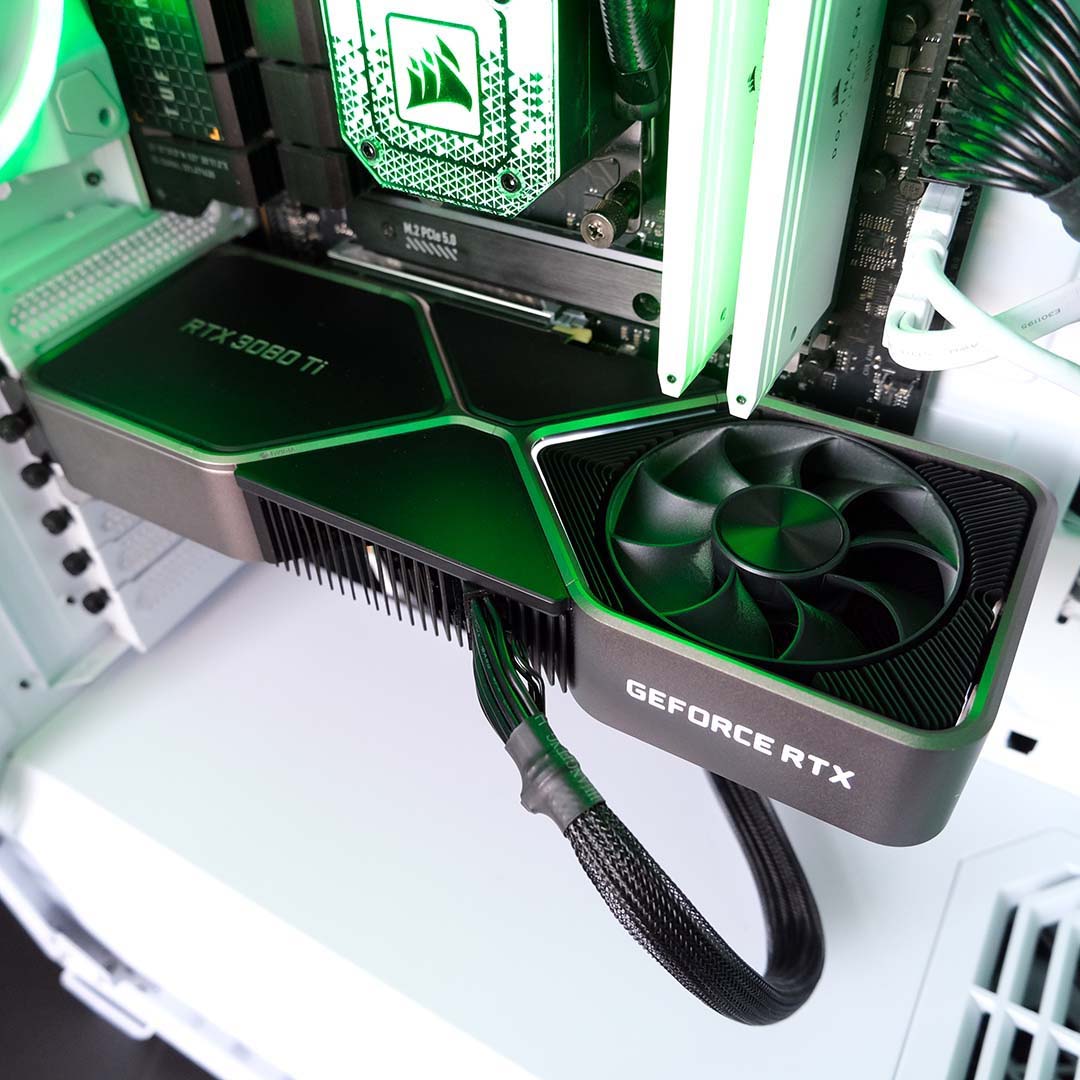
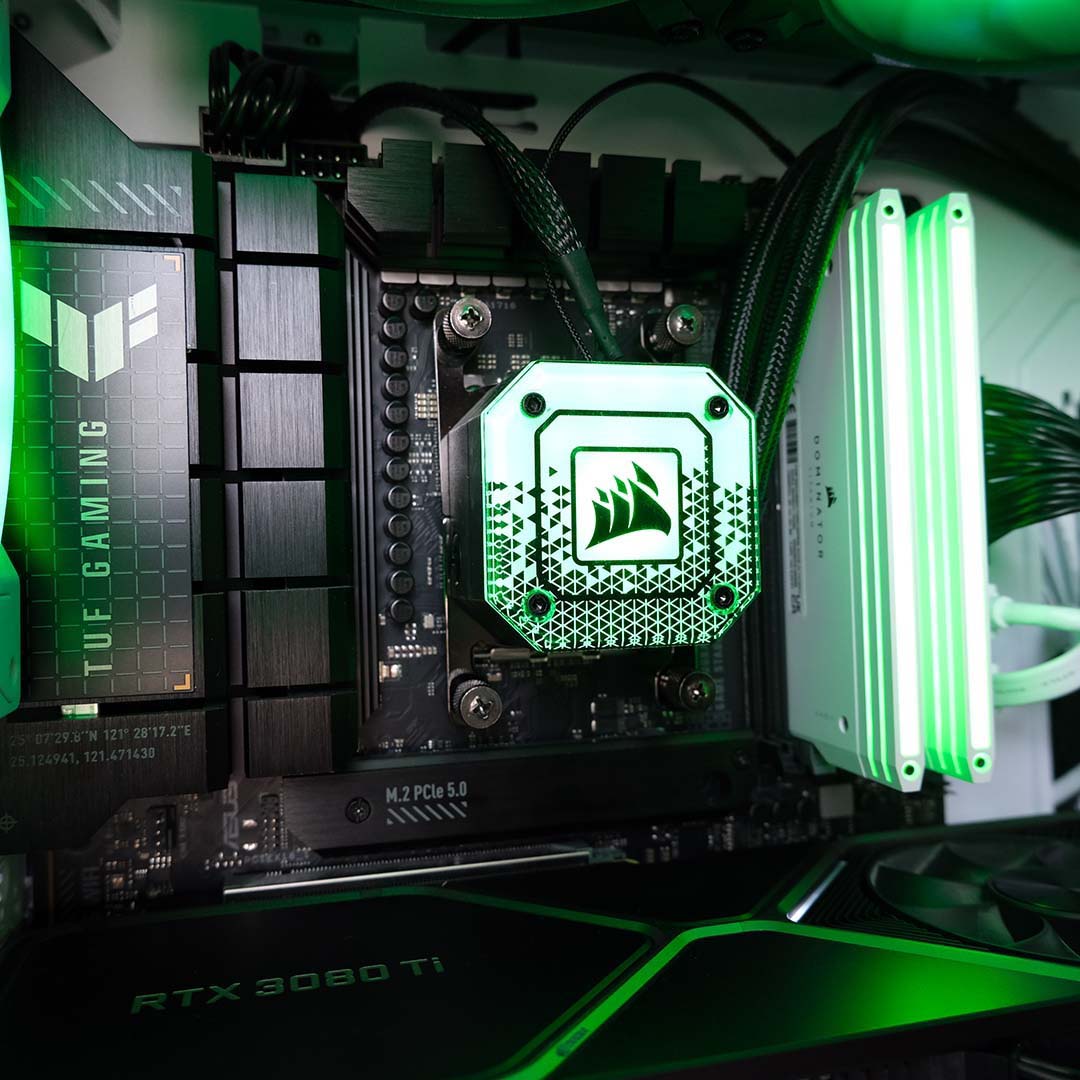
Those of you who have read my Noctua NF-A12x25 G2 and NZXT F360X coverage will have already met ‘Sabre X3D,’ which owes its namesake to my childhood canine companion and the Ryzen 7 7800X3D at its heart. Prior to this chip, I was rocking a hand-me-down Intel Core i7-4790K that I acquired all the way back in 2013, making its arrival quite the upgrade.
I’d have been perfectly happy with a Ryzen 5 7600X, but I had need of this particular processor for professional purposes. In the end, rather than expensing the chip, I kept it for my own. The same goes for the TUF Gaming X670E-Plus WiFi motherboard, which remains steadfast bedrock for my system.
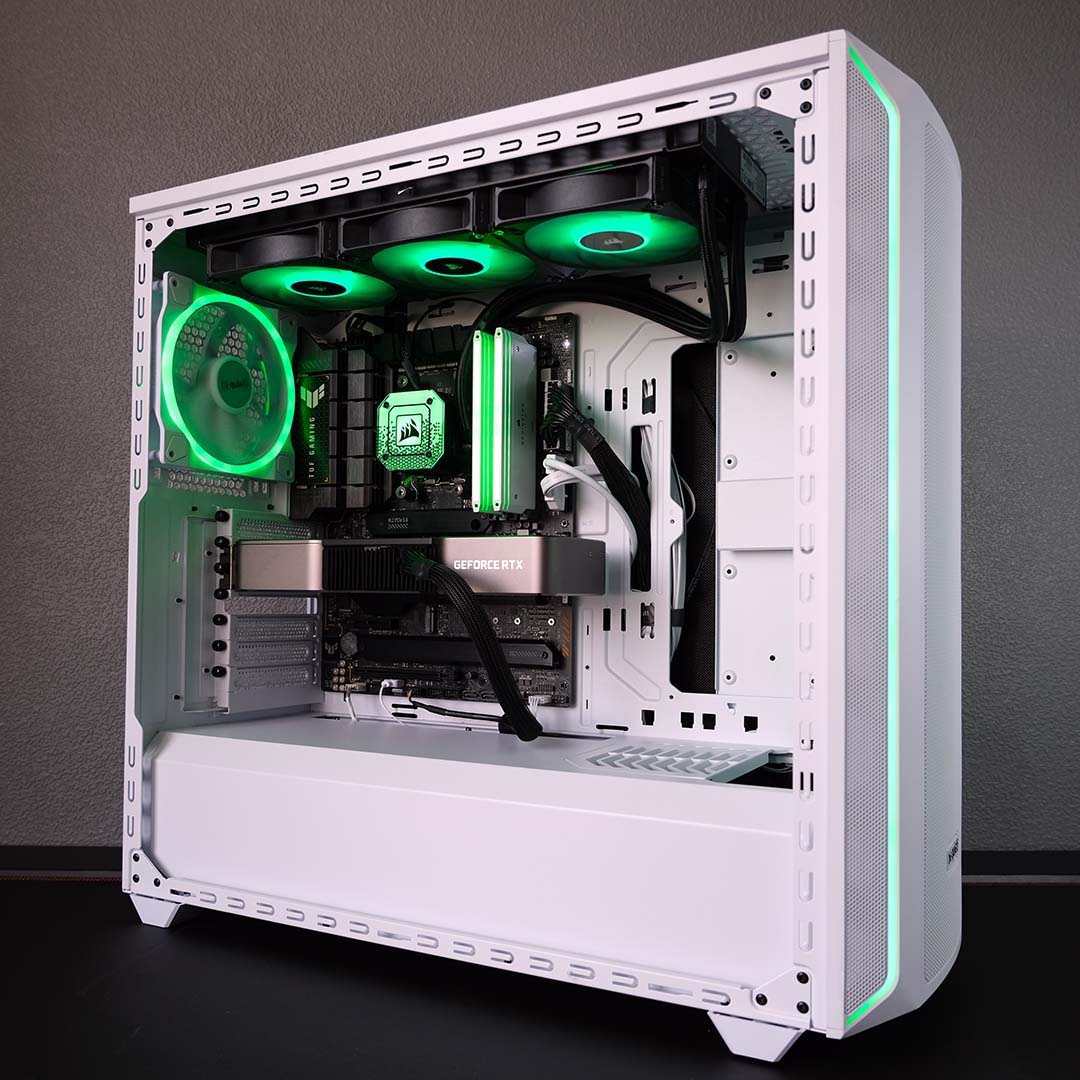
I’ve wanted a Founders Edition cooler since Nvidia unveiled its first batch back during the GeForce GTX 10 series launch in 2016. While I did love the EVGA GTX 1070 and RTX 2070 Super that came before my current GPU, this RTX 3080 Ti is easily the best-looking graphics card I’ve ever owned. I’d love to upgrade to something with more VRAM in the future, but I’ll keep trucking along with this pixel pusher until prices become friendlier.
The pride and joy of my setup though is, undoubtedly, my Alienware AW3225QF monitor. I bought this in 2024, shortly before joining Club386 as a present to myself. It’s the most I’ve ever spent on a single component at just under £1,000, but I don’t regret a single penny. 32in, 4K, 240Hz, QD-OLED. What’s not to love?
Tarinder’s open heart
Here’s something I didn’t expect. As a lifelong Windows user, I purchased my first Mac at the ripe old age of 50, marking a significant change in workflow and a rather steep learning curve.
Why the switch, might you ask? Well, to cut a long story short, I was diagnosed with a heart condition that required extensive surgery just under a year ago. Knowing I’d be bed bound for a while, I needed something portable with excellent battery life, a quality screen and the performance to chew through all my work. My old desktop just wasn’t compatible with the hospital ward.
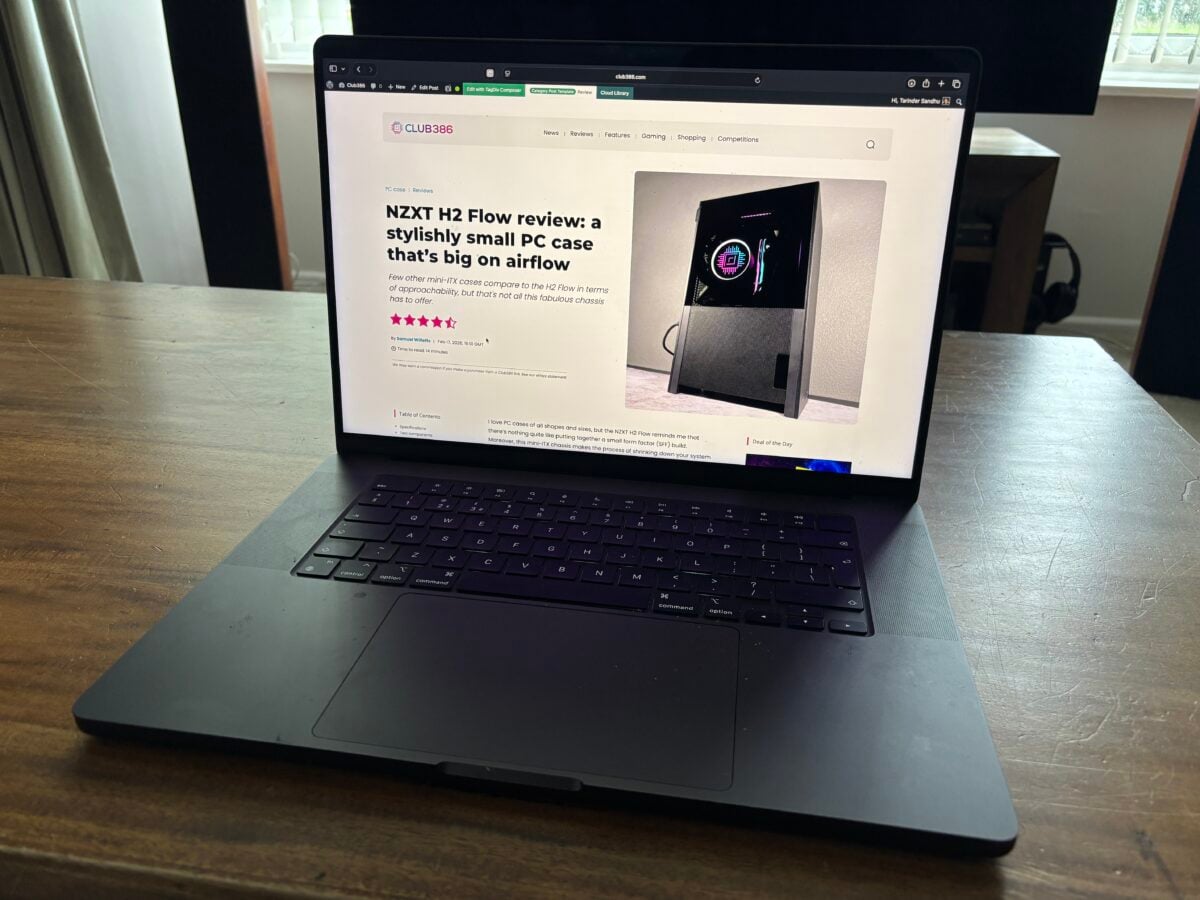
- CPU: Apple M4 Pro
- Memory: 24GB unified memory
- Storage: 512GB SSD
- Chassis: MacBook Pro 16
- Display: 16.2in Liquid Retina XDR
I settled on a MacBook Pro 16 with M4 Pro processor, 24GB of memory and a 512GB SSD. Even though I personally was melting away in the hospital ward during the scorching summer of ’25, the MacBook remained cool and, unlike me, never skipped a beat. We’ve developed a bond to the extent that I’ve continued to use this laptop as my primary system since returning home, docking it to an external monitor and peripherals when need be.
I’m sure I’ll be building a PC again soon – old habits die hard – but while I await the next generation of CPUs, my MacBook will serve me just fine. Now remind me, how do I take a screenshot on Mac without a print screen key?