

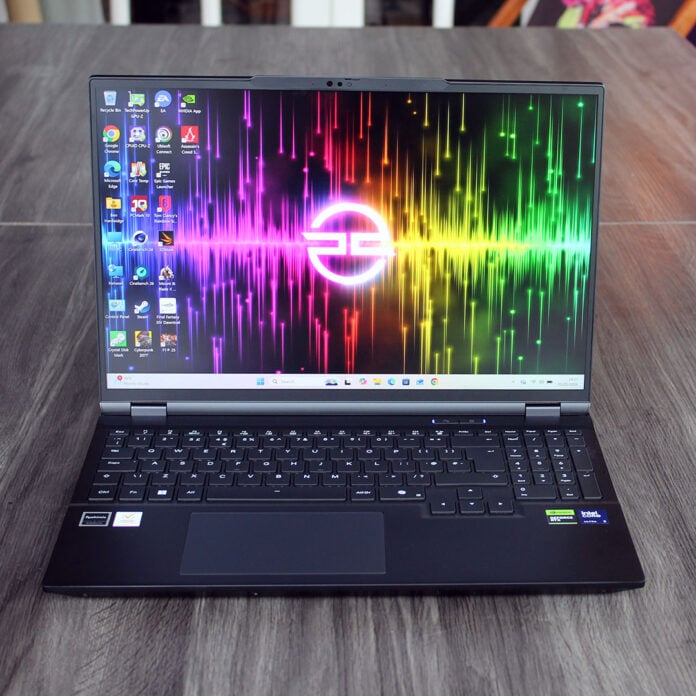
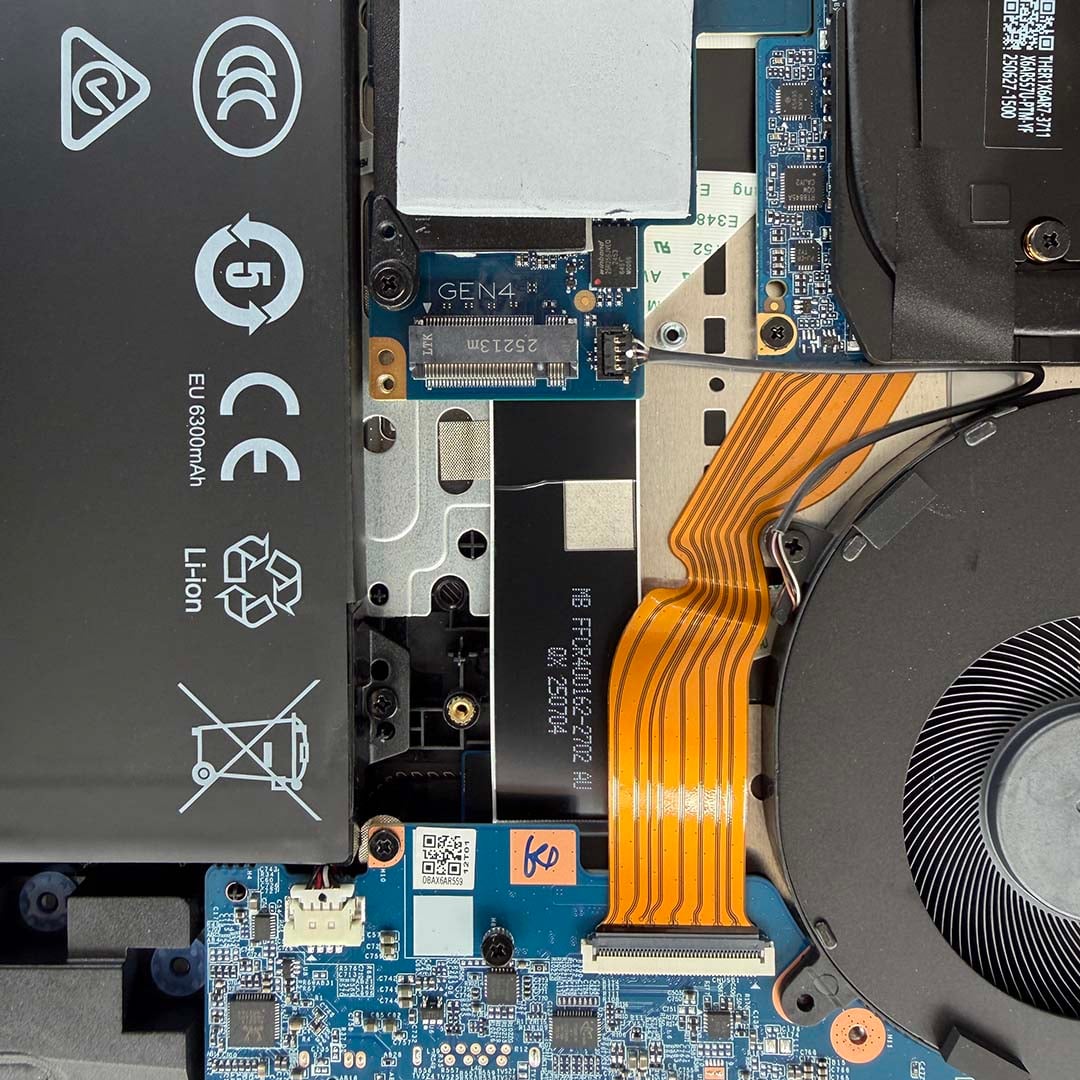
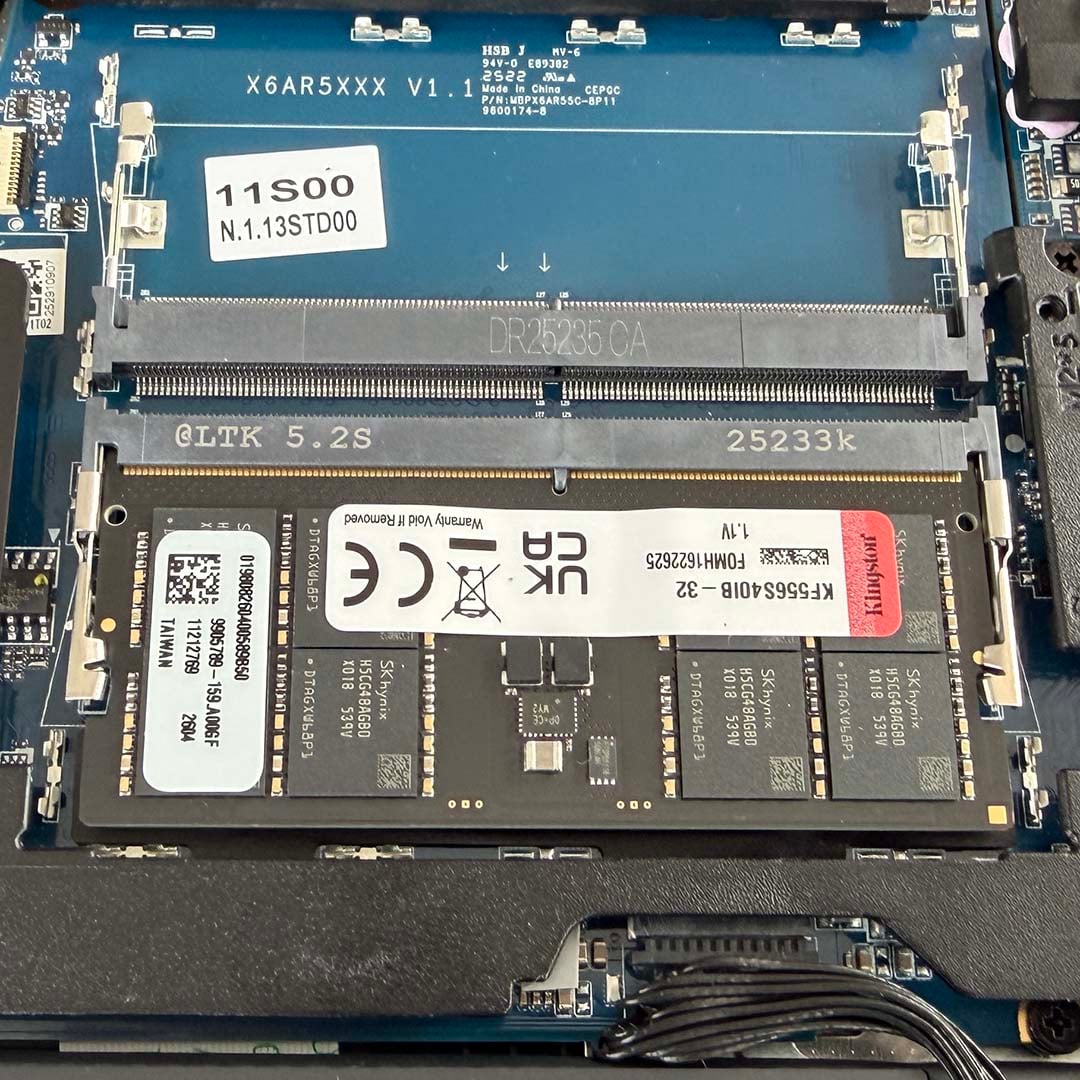
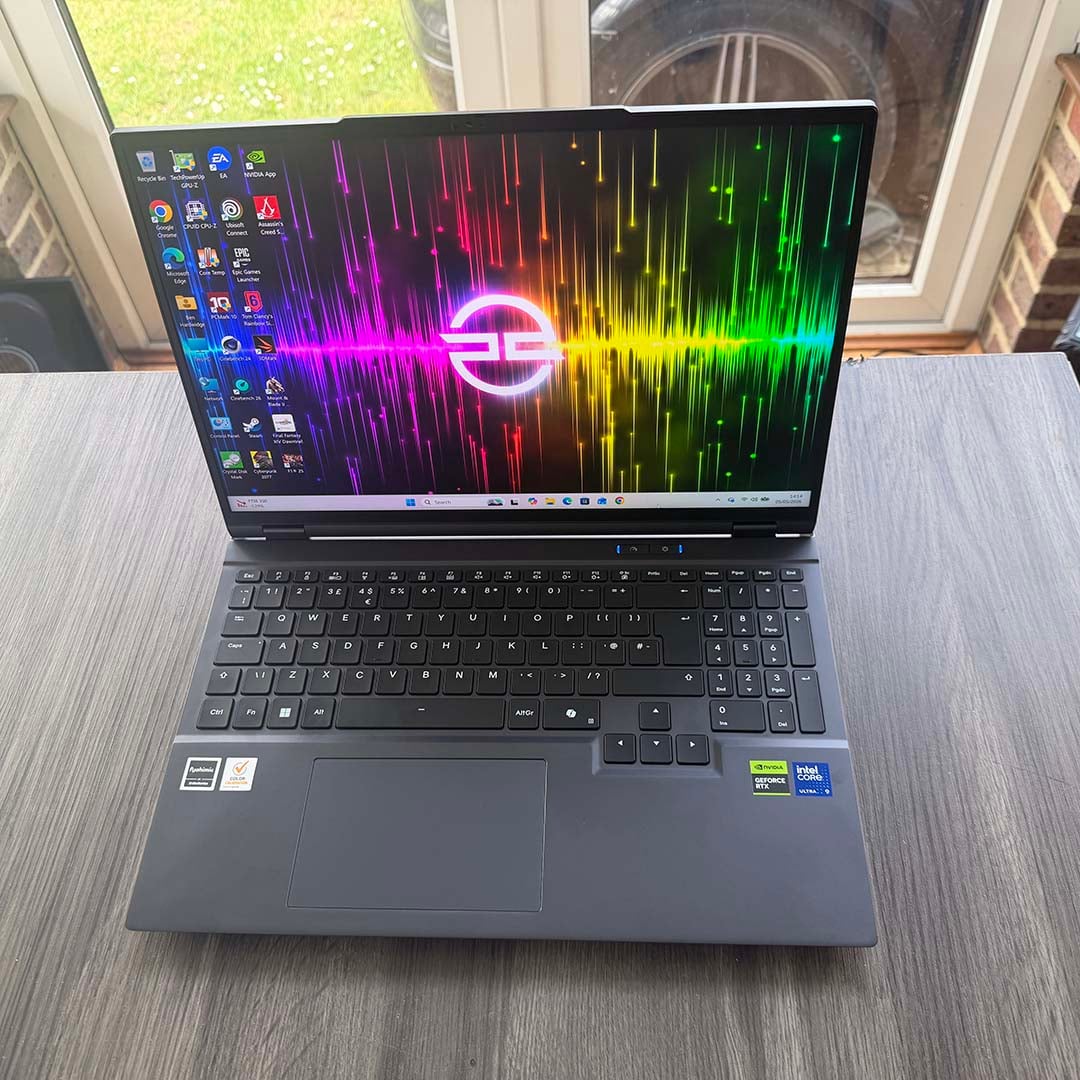
PC Specialist’s Ionico 16 D bucks a lot of frustrating trends that have started plaguing the gaming laptop world. The first is that, unlike several laptops we’ve seen lately, you can actually upgrade the RAM and add a second SSD. When you’re spending big on a laptop, being stuck with 16GB of RAM because it’s soldered to the motherboard puts a serious dent in your system’s longevity. What’s more, you get 32GB of memory to start, which is great to see in these times of RAM drought.
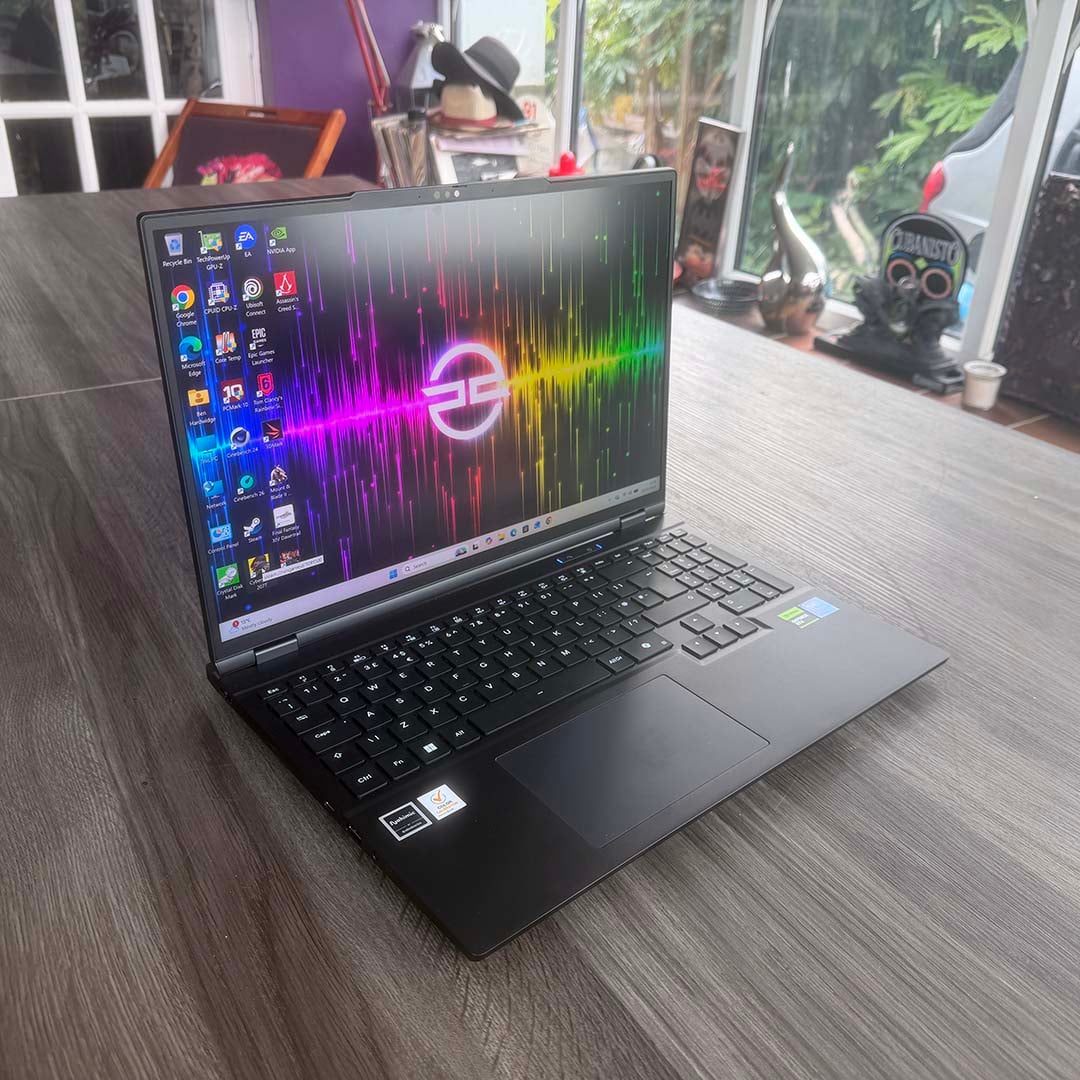
Secondly, most of the chassis is made from strong, cool aluminium, rather than the flimsy plastic that often gets used on gaming laptops. There’s barely any flex in the lid, and the whole unit feels solid and built to last. It’s also relatively slim, with a classy, understated appearance, and no silly, over-the-top gamer styling.
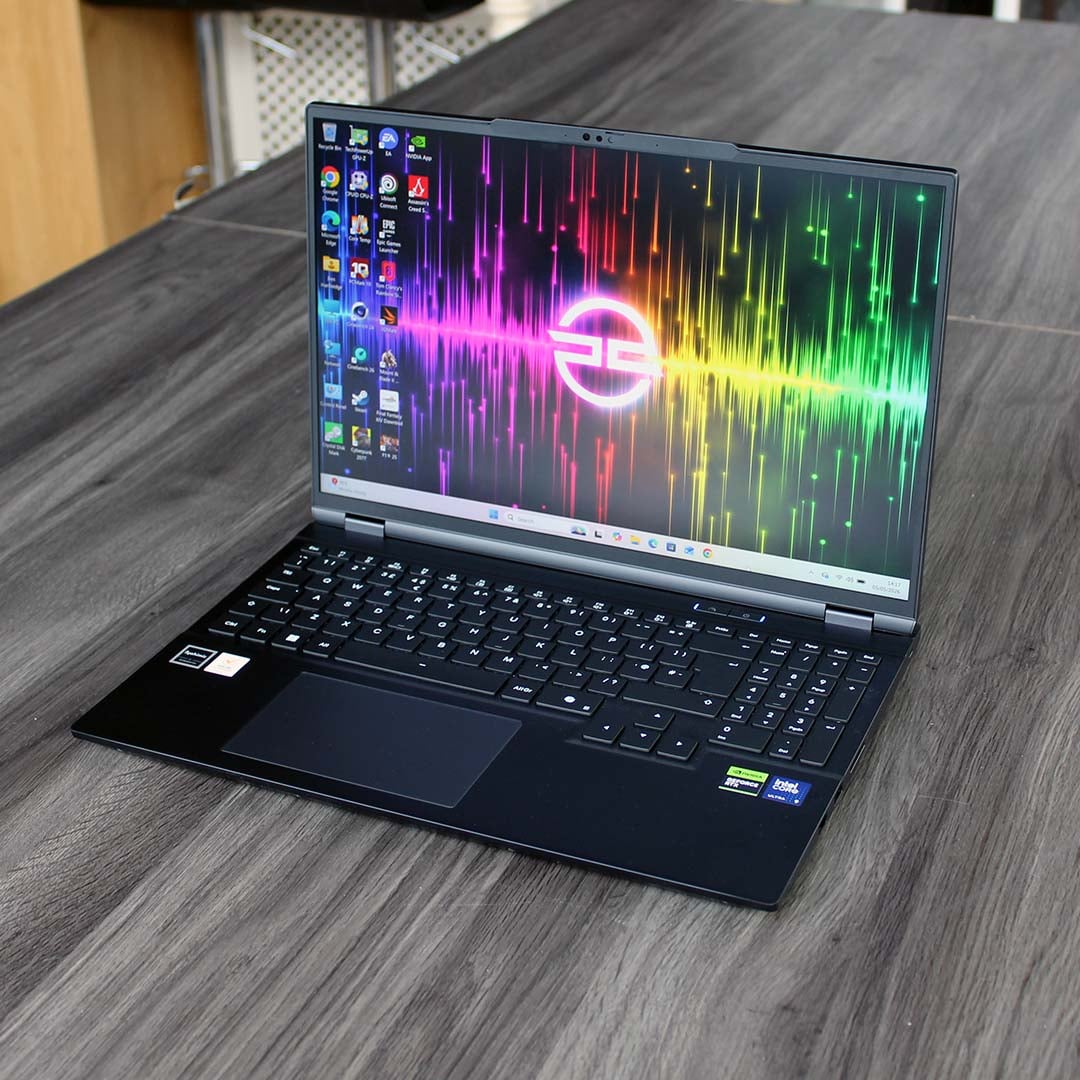

PCSpecialist Ionico 16 D
£1,999
Pros
- Fantastic CPU performance
- Plenty of RAM and storage
- Decent FHD gaming pace
- Loads of features
- Upgradeable RAM and SSD
- Well-built, attractive design
Cons
- 8GB GPU struggles with gaming at 2560×1600
- Makes a lot of noise at full speed
- Disappointing battery life
Club386 may earn an affiliate commission when you purchase products through links on our site.
How we test and review products.
As you would expect, there are some highly capable components inside this £1,999 machine, including a 24-core Intel CPU and an Nvidia GeForce RTX 5070 GPU. Let’s dive under the hood and explore that spec in a bit more detail.
Specs
| PCSpecialist Ionico 16 D | |
|---|---|
| CPU | Intel Core Ultra 9 275HX |
| GPU | Nvidia GeForce RTX 5070 8GB |
| Displays | 16in 2560×1600 IPS 300Hz |
| RAM | 32GB (1x32GB) Kingston DDR5 5,600MT/s CL40 |
| Storage | 2TB Samsung 990 Evo Plus |
| Battery | 99WHr Lithium-Ion |
| Connections | 1x 3.5mm audio combo jack 3x USB-A 5Gb Bluetooth 5.4 1x HDMI 2.1 1x Mini DisplayPort 2.1a 1x Thunderbolt 4, USB-C 40Gb, 100W power delivery 1x USB-C 10Gb, DisplayPort SD card reader 2.5Gb Realtek Ethernet Intel AX211 Wi-Fi 6E |
| OS | Windows 11 Home |
| Weight | 2.2kg |
| Dimensions | 356mm (W) x 255mm (D) x 23mm (H) |
| Price | £1,999 |
That Intel Core Ultra 9 275HX CPU is the main star of the show here, meaning you can use this laptop for serious multi-threaded content creation workloads. It has eight large, performance-focused P-cores, which give it a decent foundation for gaming, plus another 16 power-efficient E-cores that can get busy in big parallel-processing jobs. On the downside, Intel’s first-gen Arrow Lake chips, such as this one, aren’t as fast as AMD’s Zen 5 CPUs when it comes to gaming, although you will still be able to play games on this machine.
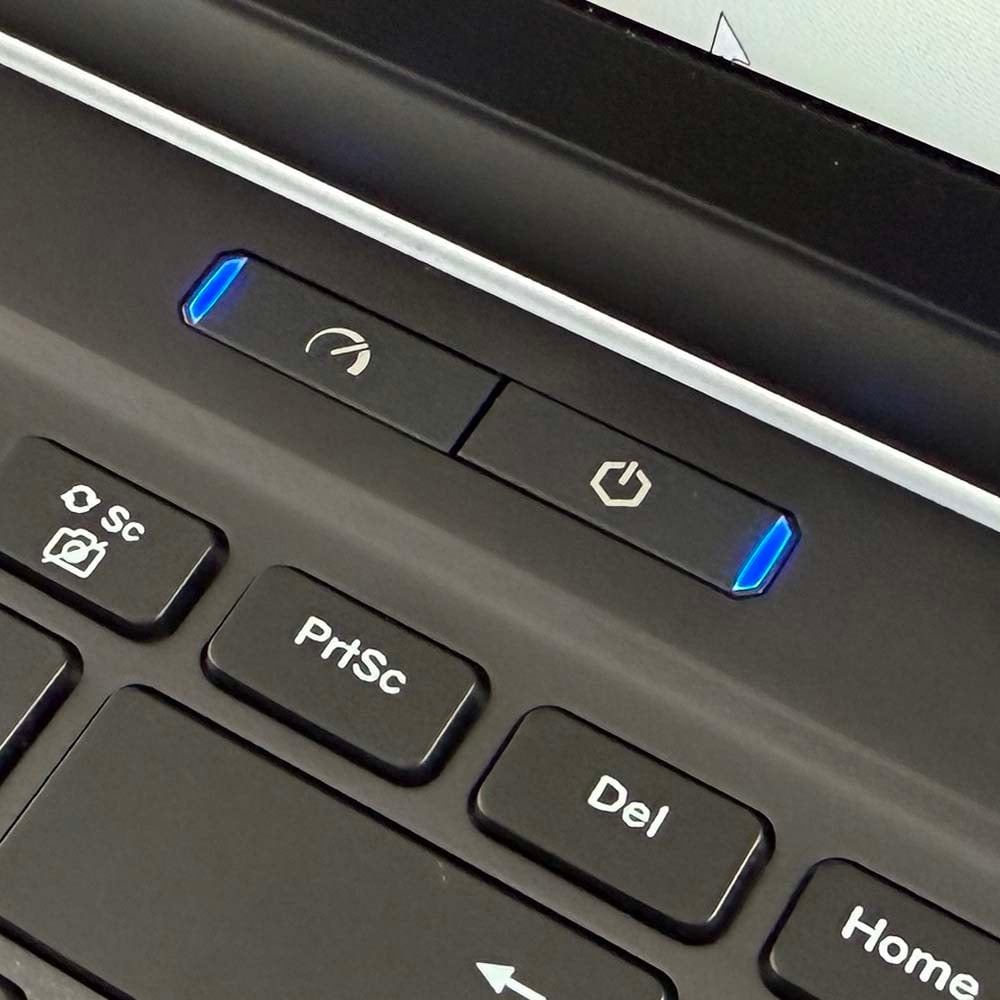
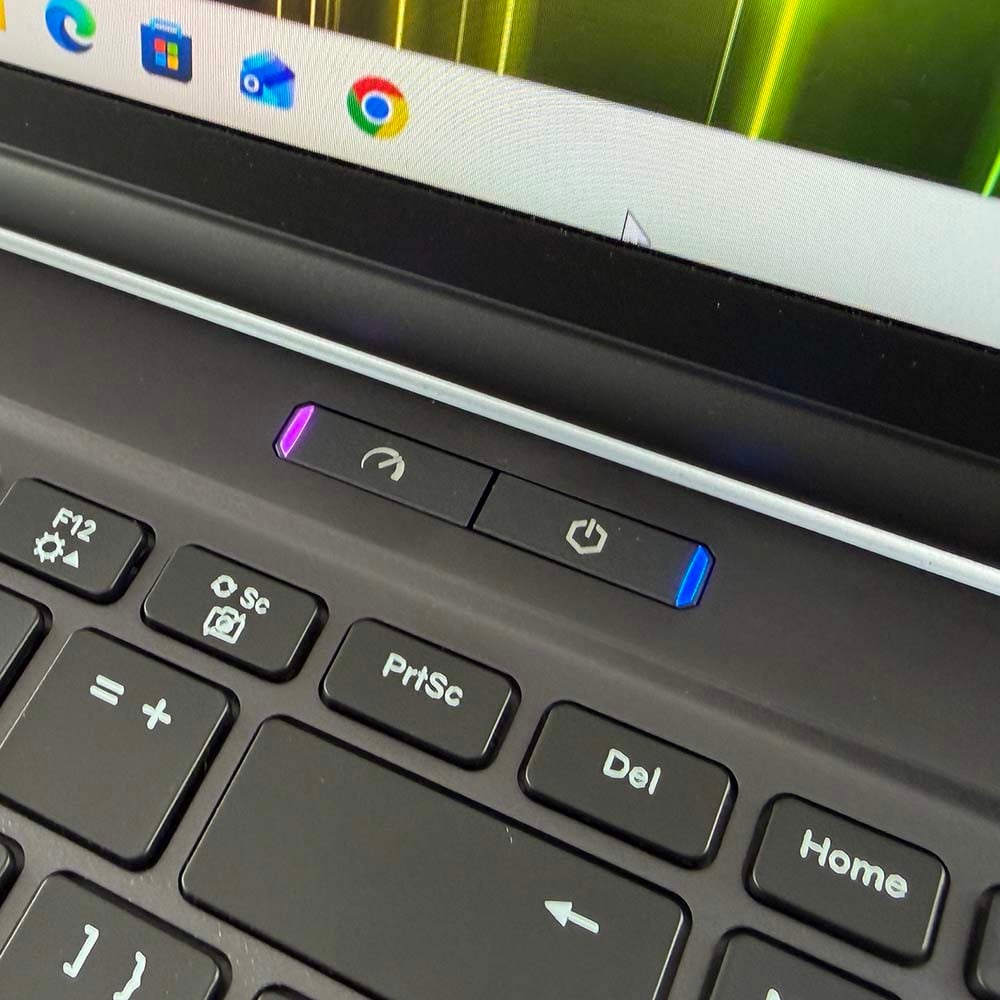
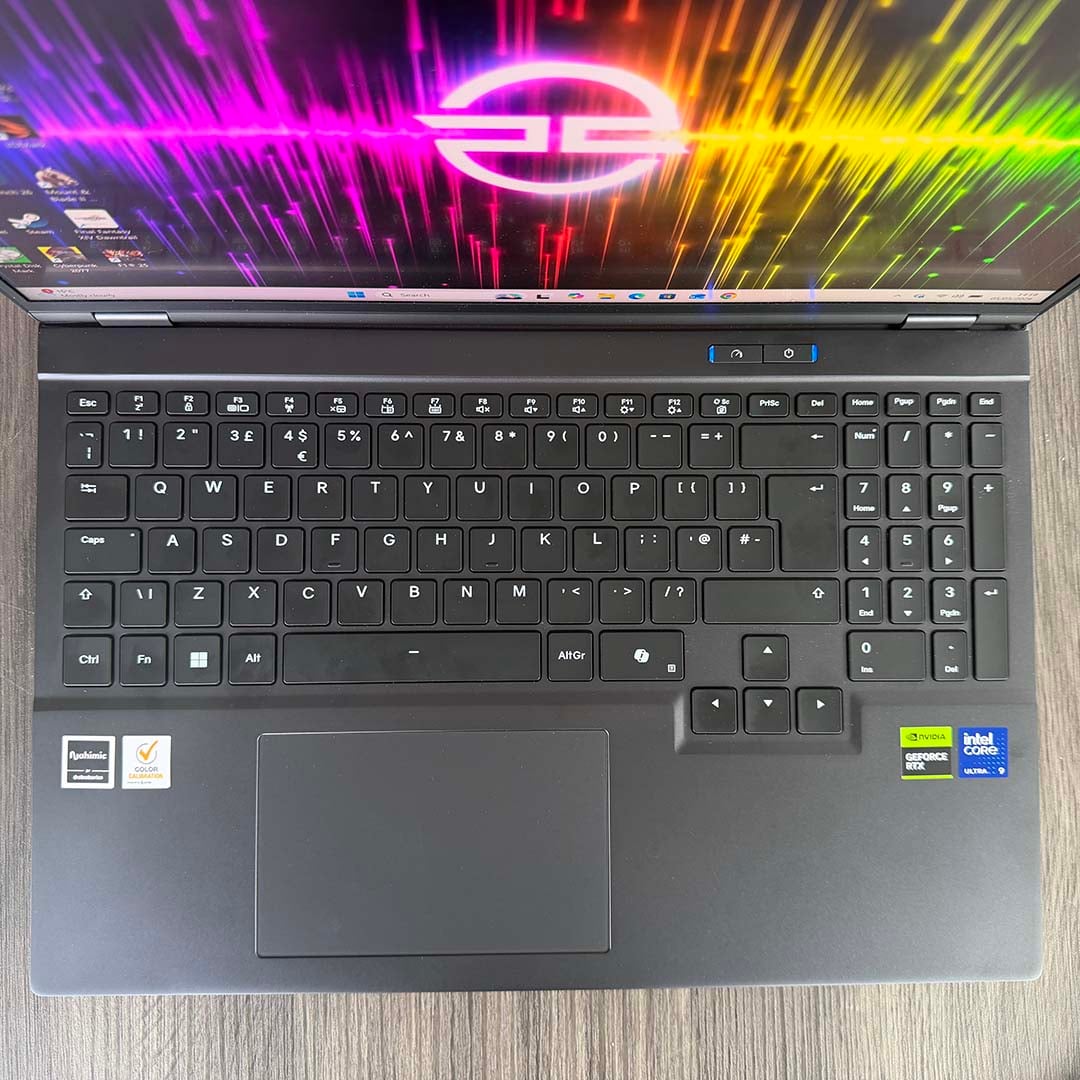
This chip can boost to 5.4GHz if it has enough power available to it, as well as a decent cooling system, and the Ionico 16 D aims to squeeze the most out of the CPU. This laptop also sports a handy performance switch with a speedometer icon on it, which governs how much power is available to the processor.
If you want it to work hard on a big 3D rendering task, switch it to the high-speed mode (denoted by a purple light) and the CPU will get loads of power. If you’re happy with a smaller amount of power, and would rather not have your ears assaulted with fan noise, the default mode (with a blue light) is still quick but results in a much quieter machine. We’ll take a look at this later on.
Meanwhile, an Nvidia GeForce RTX 5070 laptop GPU handles gaming duties. Despite its name, this chip is much more like a desktop RTX 5060 Ti card than a 5070. It has the same number of CUDA cores as the 5060 Ti, at 4,608, and the same 128-bit memory interface. It also only has 8GB of VRAM, which is the biggest sticking point for this laptop. It has a gorgeous 2560×1600 screen, but its graphics card doesn’t really have enough memory to run games at this resolution. Nvidia recently released a 12GB RTX 5070 mobile GPU but, given current memory prices, it’s unlikely to be cheap.
Speaking of the cost of RAM right now, it’s great to see this sub-£2,000 laptop still coming equipped with what I consider to be the bare essential of 32GB of memory. In this case, it’s supplied on a single 32GB DDR5 5,600MT/s CL40 SODIMM, and while I’d rather have a dual-channel setup in this machine, that can be forgiven in light of the current DRAM shortage.
You can specify this machine with a dual-channel (2x16GB) setup, but they will need to come from new stock, which will bump up the price from £1,999 to £2,188. Given that extra premium, I’d stick with the single-stick setup – as we’ll see in the Performance section later, this machine is still plenty fast enough. On the plus side, there are two DDR5 SODIMM slots, so you could always upgrade to a dual-channel pair of modules at a later date if RAM prices ever come down to a sensible level.
I’m also really pleased to see a 2TB NVMe SSD here, giving you plenty of room for the latest games. The Samsung 990 Evo Plus is a PCIe Gen 4 drive with a promise of read speeds over 7,000MB/s. That’s a good compromise between performance, thermals, and price. Unlike a PCIe Gen 5 drive, the Samsung 990 Evo Plus won’t get overly hot, and it keeps this machine affordable as well.
Design
As I mentioned right at the start of this review, the build quality on this laptop is great. It feels cool, strong and solid. The lid hardly flexes at all when you push against it, meaning there’s good protection for the screen. Importantly, the base under the keyboard also feels solid while you’re typing, with no flex or bounce in the action.
Speaking of the keyboard, I love the fact that there’s a numpad on the right. This little calculator-esque array of keys is invaluable when it comes to data entry on spreadsheets, as well as just dealing with numbers generally, and it’s often overlooked on gaming-capable laptops as it’s not important for games. Likewise, I’m also glad to see dedicated Home, End, PgUp and PgDn keys, which I often find helpful in both spreadsheets and word processors.
One slight downside of squeezing a numpad into a 16in laptop chassis, though, is that the main keyboard is positioned to the left rather than the middle, with slightly smaller keys than I’m used to. It took me a little while to adjust to this, and I made a few typing mistakes the first few times I used it, but you quickly get accustomed to the layout.
One notable omission on the keyboard, however, is a dedicated MUX switch to ensure you’re using the right GPU. In addition to the RTX 5070, the CPU has an integrated GPU, which the Ionico 16 D uses for Windows work to save power. It then automatically switches to the Nvidia GPU when it’s engaged. However, there were a few times where I really wanted to access the Nvidia GPU in Windows, mainly so I could tweak settings in the Nvidia App – a lot of them don’t appear when only the Intel GPU is engaged. The only way around this is to reboot, and enable the ‘dGPU only’ setting in the BIOS.
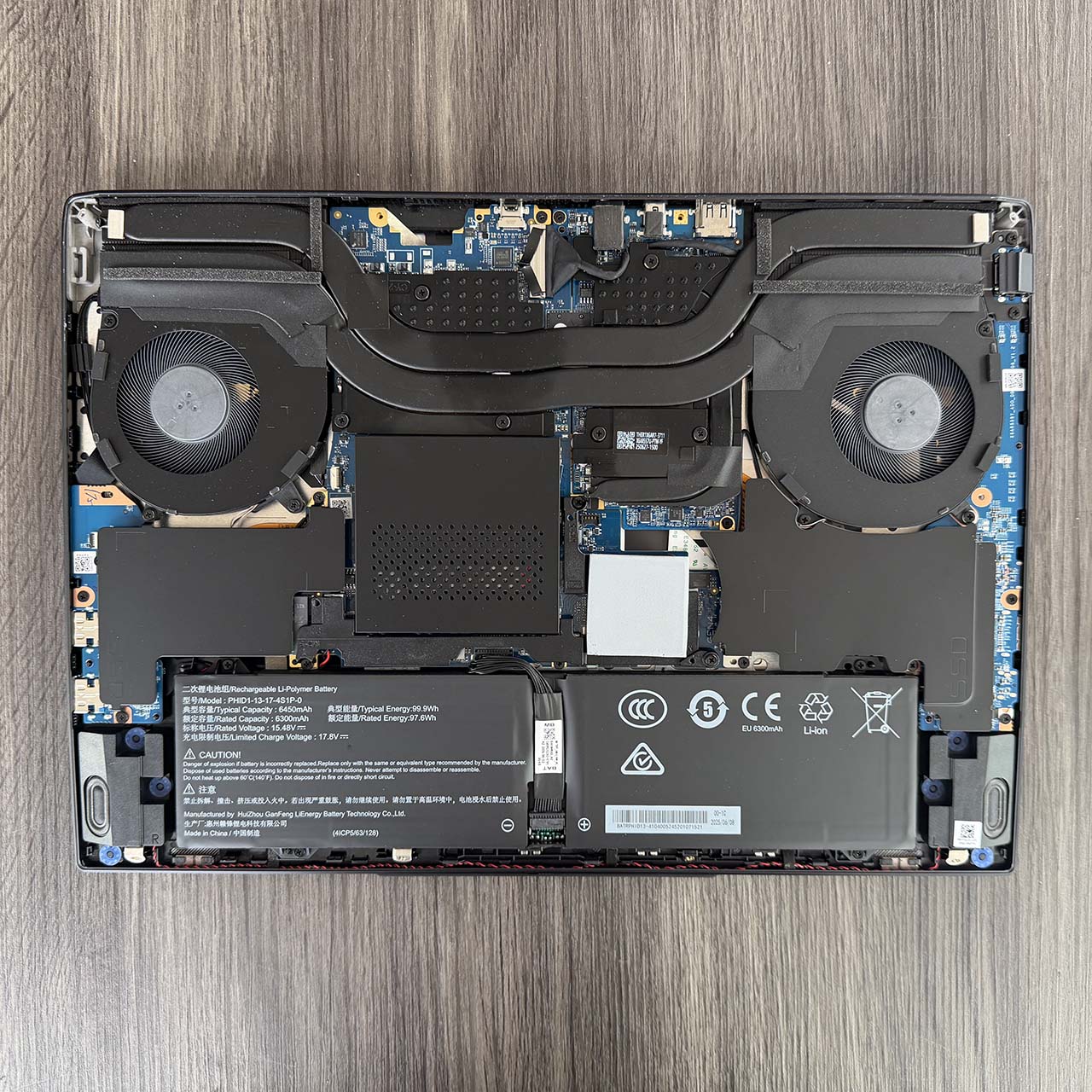
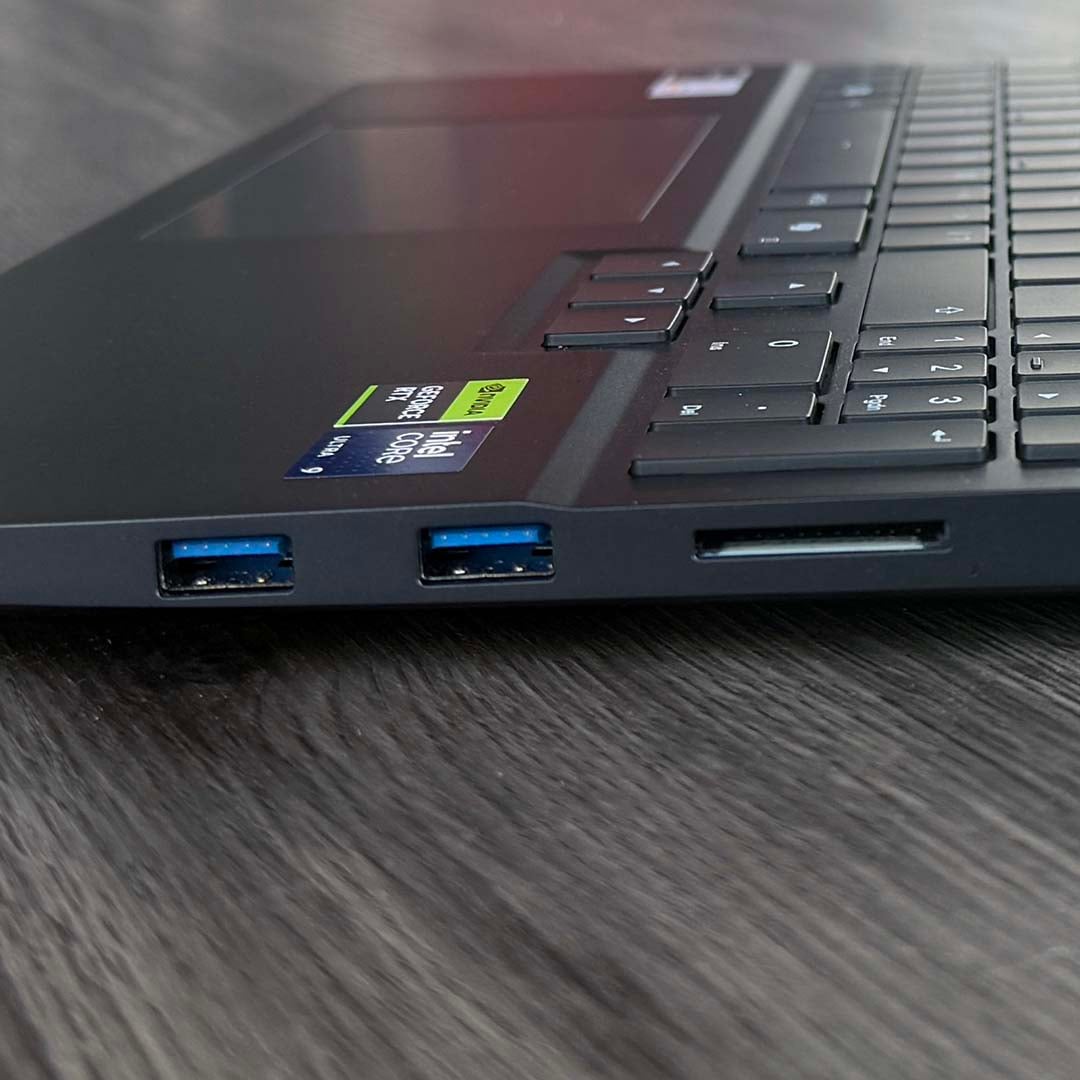
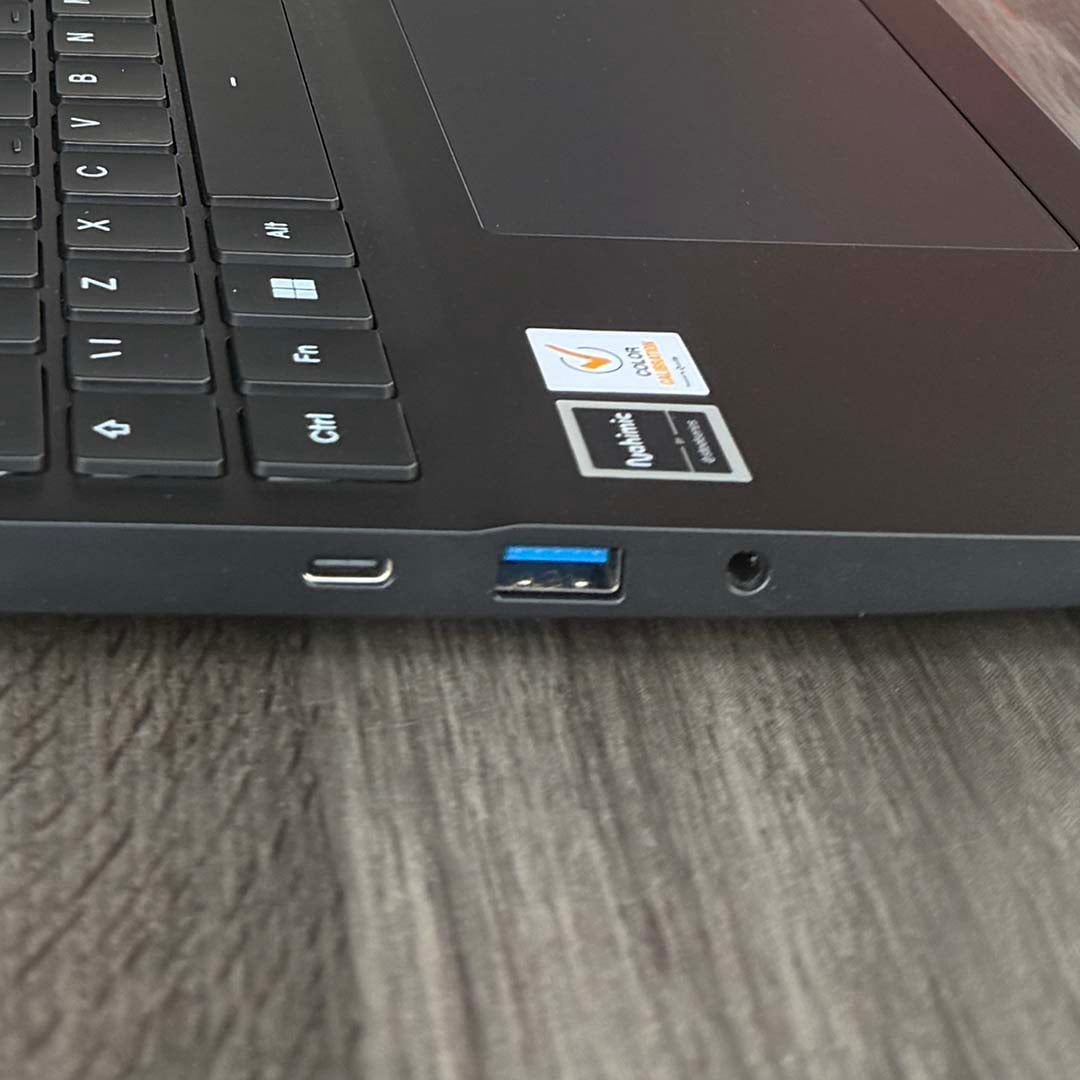
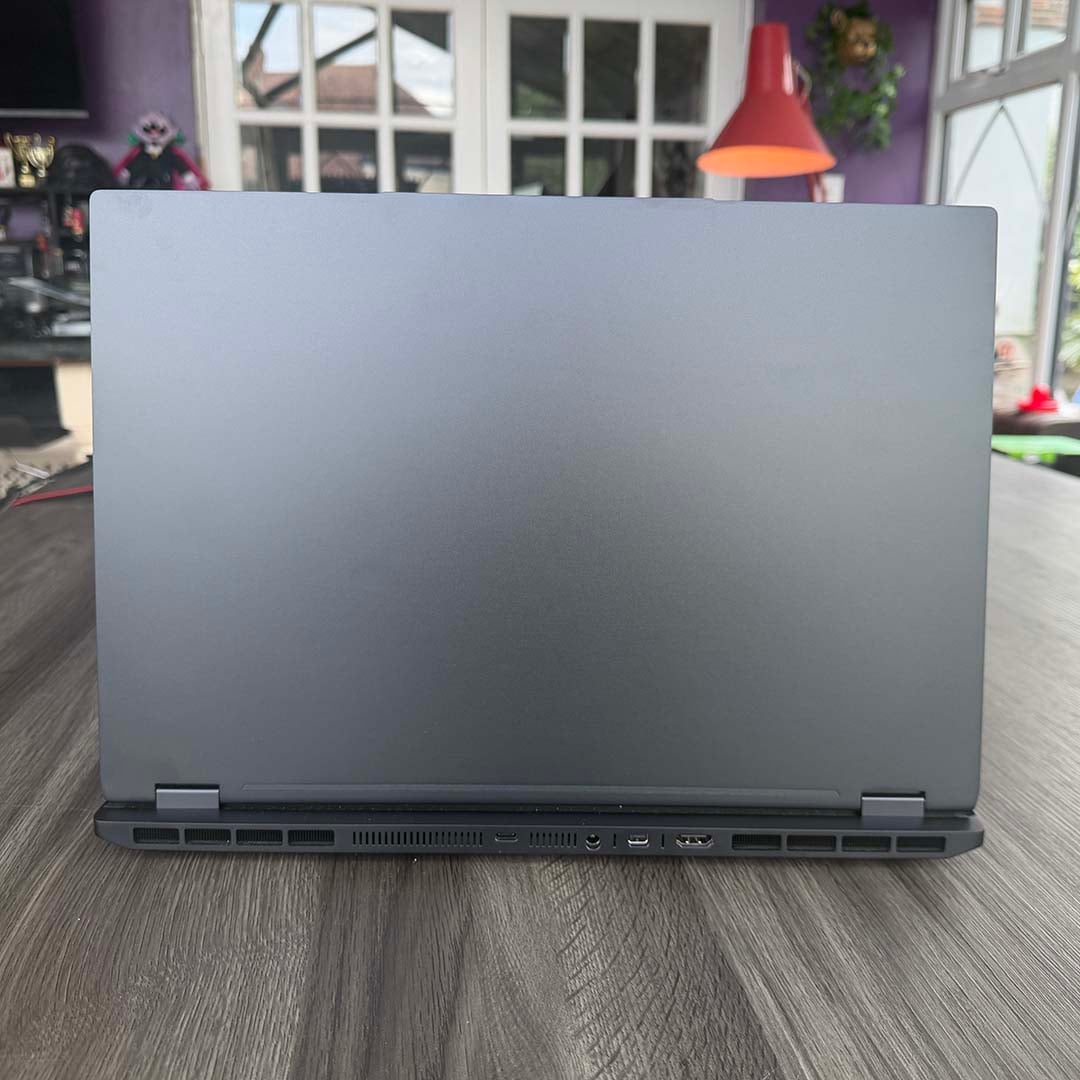
One area where this laptop really excels is ports, with a big array of high-speed connectors and display outputs, as well as a handy SD card reader (still an essential for me as a DSLR user). These sockets can be found all around the machine, including the back, where you’ll also find the power input socket. That’s the best place to put this connector, rather than the sides, as it means you can trail the power cable out of sight behind the machine on your desk.
High-speed connections are provided too, including a Thunderbolt 4 USB-C 40Gb port with 100W of power delivery on offer. That’s really useful if you want to connect this laptop to a Thunderbolt dock, and keep all your cables together, and it also offers huge speeds – great for hooking up an external SSD. Additionally, there’s a second USB-C Gen 3.2 10Gb port, and three standard USB-S 5Gb ports to hook up your peripherals.
Meanwhile, separate HDMI 2.1 and mini DisplayPort 2.1a outputs enable you to connect this machine to high-spec monitors. PCSpecialist has even squeezed a half-height 2.5Gb Ethernet connector onto the side of this laptop, which opens up to take a full-size RJ45 plug for your network. That’s a great array of ports, and that’s not always a given on the latest gaming laptops, as we saw with the Gigabyte A16 Pro.
Finally, this isn’t a thin and light laptop, with its 23mm height and 2.2kg weight, but I found it’s just about the right size to put inside a padded sleeve in a standard backpack. You won’t want to cart it long distances, but you can easily lug it around town.
Screen
One definite highlight of the Ionico 16 D is its bright and colourful IPS screen. There are several display options available with this laptop lineup, and PCSpecialist has kitted this specific machine out with the best one. The company claims this screen offers 500nits of brightness, making for a dazzling display, while also covering 100% of the wide DCI-P3 colour gamut.
As you can see from the table below, it largely delivers on these promises. At peak brightness, this screen has a gorgeous image, where colours really pop. My colourimeter measured 536nits at these settings, which even surpasses the 500nits claim. On a side note, this screen also has the lowest bottom brightness result I’ve seen for a long time, with just 1nit recorded at this very dim setting.
| Benchmark | PCSpecialist Ionico 16 D |
|---|---|
| AdobeRGB | 88% |
| DCI-P3 | 99% |
| sRGB | 100% |
| Brightness | 1-536nits |
| Colour accuracy | 1.47 (Avg Delta E) |
Meanwhile, DCI-P3 coverage comes out at 99%, which isn’t quite the 100% promised, but is impressive for a laptop screen nonetheless. Colour accuracy is solid with a 1.47 Delta E (meaning the average deviation from perfect colour reproduction) as well. Any result under 2 is considered good here, so this is a decent showing.
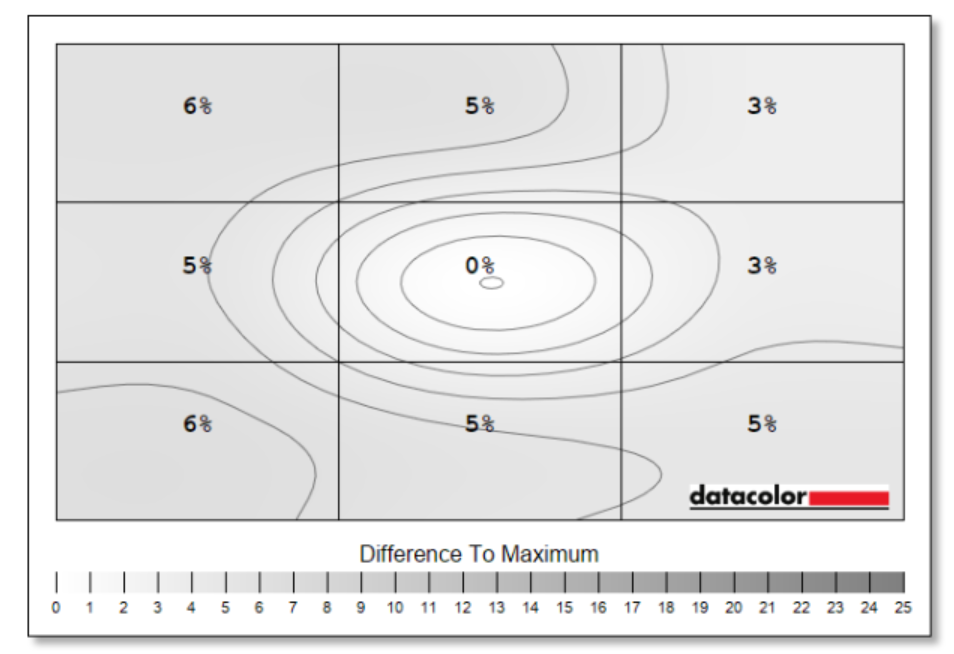
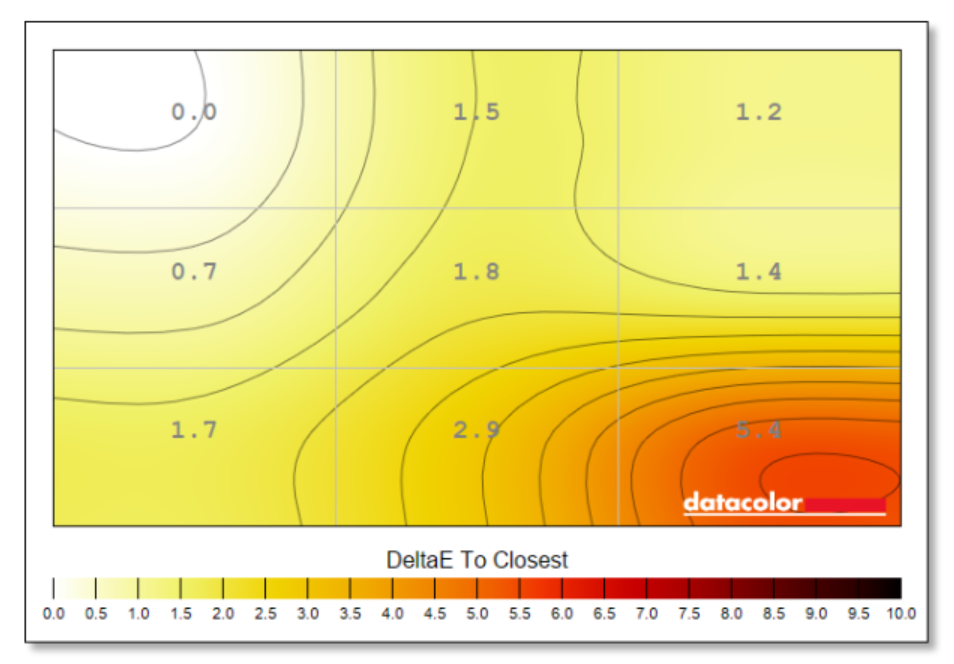
One area where this screen falls down compared to OLED equivalents is backlight uniformity, but even here, this screen is pretty solid. As you can see from the image below, the highest deviation is 6% in the top- and bottom-left corners, which is well below the 10% maximum we like to see. Colour uniformity is generally on point too, although it starts to lose its way in the bottom-right corner.
Going for a laptop with an OLED screen will eliminate backlight uniformity issues, while also giving you faster response times, but you do also get text fringing, particularly on older OLED panels, as well as the risk of burn-in. As an everyday laptop for both work and play, I’d rather have the screen that comes with the Ionico 16 D. It’s sharp, bright, and colourful.
Performance
Applications
| PCSpecialist Ionico 16 D | |
|---|---|
| PCMark 10 | 10,086 |
| Cinebench 2026 SC | 538 |
| Cinebench 2026 MC | 7,705 |
That 24-core Intel CPU is an absolute belter when it comes to multi-threaded rendering performance. That Cinebench 26 multi-core score of 7,705 is faster than the 7,406 from the new Intel Core Ultra 7 250K Plus desktop chip, and not far off the 7,980 we’ve seen from the Core Ultra 7 265K. That’s good stuff for a mobile CPU. On the downside, as we’ll come to later, you need to switch this laptop to the purple performance setting to get these numbers, which results in a lot of fan noise and a hot-running CPU.
Single-threaded performance is also solid, with that result of 538 putting this laptop on par with Intel’s desktop Core Ultra 7 265K chip. Meanwhile, a PCMark score of 10,086 shows this machine is fast at practically any desktop task. For reference, we tested an earlier version of the Ionico with an AMD Ryzen 7 8845HS in 2024, and it got a PCMark score of 7,998, so this Intel CPU is really powerful.
Gaming
| PCSpecialist Ionico 16 D | |
|---|---|
| 3DMark Steel Nomad | 2,991 |
| 3DMark Speed Way | 3,342 |
Moving to our first gaming tests, 3DMark shows this laptop is in the right ballpark for a mobile RTX 5070 machine. Both results are a long way off the 5,016 (Steel Nomad) and 5,832 (Speed Way) scores of a desktop RTX 5070 card, but that’s not surprising given the disparity in spec.
Speed Way tests ray tracing and Steel Nomad tests traditional rasterisation, and these results suggest the Ionico 16 D will be pretty capable at both workloads at 1920×1080, but may well struggle beyond that.
| PCSpecialist Ionico 16 D | 1920×1080 (Min / Avg) | 2560×1600 (Min / Avg) |
|---|---|---|
| Final Fantasy XIV: Dawntrail | 67 / 131fps | 53 / 83fps |
| Forza Motorsport | 22 / 28fps | 5 / 8fps |
| Assassin’s Creed Shadows Ultra | 18 / 27fps | 15 / 24fps |
| Assassin’s Creed Shadows Ultra, DLSS Quality | 22 / 36fps | 15 / 28fps |
| Assassin’s Creed Shadows High, DLSS Quality | 43 / 59fps | 38 / 47fps |
| F1 25 Ultra High, TAA | 15 / 51fps | 11 / 19fps |
| F1 25 Ultra High, DLSS Quality | 22 / 57fps | 16 / 38fps |
| Mount & Blade II Bannerlord | 125 / 176fps | 82 / 118fps |
| Rainbow Six Siege | 122 / 161fps | 72 / 93fps |
Our in-game benchmarks give a firm indication of what this laptop can and can’t do. In short, yes, there are limitations on what you can achieve with a mobile RTX 5070 and 8GB of VRAM, particularly at this screen’s full resolution, but you can run today’s latest games at decent settings on this machine. I’ve run two sets of tests for this review – one at 1920×1080 and one at 2560×1600.
The former has a slightly different aspect ratio (16:9 vs 16:10) than the full screen, and ideally you’d run your games at 1920 x1200 instead, but testing at 1080p is a useful standard baseline to compare to other machines, and it gives the limited GPU spec a good shot at getting decent results. Meanwhile, the 2560×1600 results show you can expect at the screen’s native resolution.
In games where VRAM isn’t stressed too heavily, you can actually play at 2560×1600. This is demonstrated well by our Final Fantasy XIV: Dawntrail benchmark, which averages 83fps with a 53fps minimum at this resolution. Likewise, Mount & Blade II Bannerlord holds up well at this resolution, averaging 118fps. Neither of these games is in danger of maxing out the screen’s 300Hz refresh rate at these settings, but they do run smoothly.
More graphically demanding games really start pushing that VRAM limit hard, though. Forza Motorsport is a solid example. Even at 1920×1080, this game struggles at Ultra settings, averaging a clunky 28fps. Up the resolution to 2560×1600, though, and performance falls off a cliff to just 8fps.
F1 25 similarly struggles. The game is perfectly playable with Ultra High settings (ray tracing but not path tracing) at 1920×1080. It averages 51fps here, or 57fps if you enable DLSS on the Quality setting. The recorded minimums are low, but these happen rarely – I found the game was fine in actual play testing. However, running this game at 2560×1600 drops the average frame by over 62% rate to 19fps.
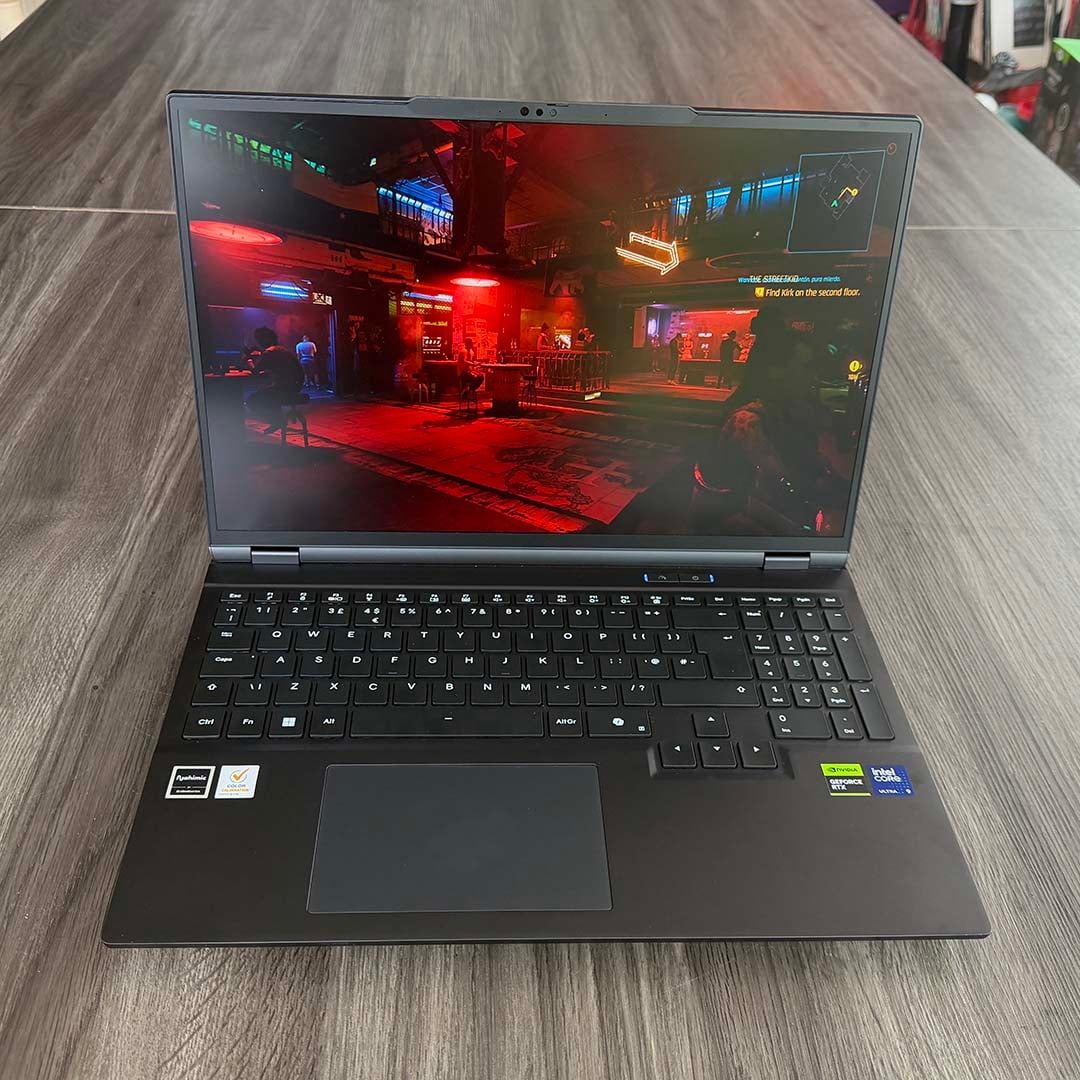
Similarly, Rainbow Six Siege gave me a warning that VRAM was over budget when I ran it at 2560×1600. Its average frame rate of 93fps here is still fine, but it’s much smoother at 1920×1080, where it averages 161fps.
Meanwhile, Assassin’s Creed Shadows was a struggle for this machine at Ultra settings even at 1920×1080. However, this game still looks good at its High graphics preset with DLSS on the Quality setting, and it then averages 59fps at 1920×1080.
Basically, a 2560×1600 screen with a 300Hz refresh rate is wasted on this GPU. It’s a great-quality display for work, and I love the high brightness and colour reproduction, but there isn’t enough VRAM and GPU power to push it in games. That’s also the most powerful GPU you can spec in the Ionico 16. A 1920×1200 screen would be a better choice for this level of GPU power, particularly when it comes to games.
| PCSpecialist Ionico 16 D | 1920×1080 (Min / Avg) | 2560×1600 (Min / Avg) |
|---|---|---|
| Cyberpunk 2077 Ultra RT | 40 / 46fps | 10 / 16fps |
| Cyberpunk 2077 Ultra RT, DLSS Quality | 57 / 65fps | 36 / 40fps |
| Cyberpunk 2077 Ultra RT, DLSS Quality, 2x FG | 103 / 118fps | 33 / 62fps |
| Cyberpunk 2077 Ultra RT, DLSS Quality, 3x FG | 148 / 164fps | 30 / 40fps |
| Cyberpunk 2077 Ultra RT, DLSS Quality, 4x FG | 184 / 204fps | 28 / 37fps |
One benefit of this GPU, however, is that it supports Nvidia’s latest DLSS multi-frame gen tech. While this isn’t a magic bullet for poor gaming performance, it does give you a way to smooth out motion if you already have a solid starting point. I put this to the test in Cyberpunk 2077, using the Ultra ray tracing preset, and it gave me some interesting results. First off, 2560×1600 is a non-starter on this 8GB GPU. In fact, as you can see, performance actually goes down as you increase the amount of frame generation, as the amount of VRAM required also goes up.
However, playing this game with ray-traced eye candy is absolutely achievable if you drop down to 1920×1080. Add DLSS upscaling on the Quality setting, which looks great now thanks to Nvidia’s Transformer model, and this laptop averages a solid 65fps with a 57fps minimum. That’s a great starting point to add frame gen, netting a 204fps average on the 4x setting, with super-smooth motion. That might not push the screen to its 300Hz refresh rate, but it still looks great.
Storage
| CrystalDiskMark | Samsung 990 Evo Plus |
|---|---|
| Sequential read | 7,095MB/s |
| Sequential write | 5,738MB/s |
With a PCIe Gen 4 Samsung 990 Evo SSD installed in one of its M.2 slots, the Ionico 16 D offers decent storage speeds. The sequential read pace of 7,095MB/s is even faster than the venerable Samsung 980 Pro, and not far off the 7,250MB/s maximum Samsung states for this drive. Write speeds are a little slower at 5,738MB/s, but that’s again quicker than the 980 Pro. This is a solid choice of SSD, offering fast performance without the sky-high price and hot-running nature of a PCIe Gen 5 drive (the motherboard only supports Gen 4 anyway). It’s good to have 2TB of capacity as well.
Vitals
| Purple LED | Idle (Max) | Cinebench (Max) | Cyberpunk 2077 (Max) |
|---|---|---|---|
| CPU temperature | 54°C | 98°C | 90°C |
| GPU temperature | 37°C | 59°C | 76°C |
| Noise | Undetected | 53.7dBA | 52.4dBA |
| Power consumption | 29W | 216W | 228W |
I took the results in the above table with this laptop running in its top performance mode (purple LED). When idle, it makes barely a sound, with my noise detector not picking up anything. However, the fans really spin up when it gets going. Running Cinebench 26’s multi-core test for ten minutes pushed the peak CPU core temperature up to a toasty 98°C (and running at around 150W), with a horrible 53.7dBA noise level coming out of the machine.
Intel cites a maximum operating temperature of 105°C for the Core Ultra 9 275HX, so it’s within its thermal limit here, but the noise is unpleasant. In a demanding game such as Cyberpunk 2077, temperatures are lower, and the GPU is fine at 76°C, but the fan noise is still nasty. This mode clearly pushes this laptop to its limit, but it’s good to have the option to use all that performance if you ever want it. You can always drown it out in games if you plug in a headset – I just wouldn’t use it around other people, such as on a train.
Thankfully, you can get a much better balance of performance and noise by pushing that speedo button and engaging the blue LED mode. You can see the thermal, power, and noise results in the table below. At these settings, the CPU temp doesn’t go over 90°C, even in demanding workloads, and the fan noise is much more pleasant.
| Blue LED | Cinebench (Max) | Cyberpunk 2077 (Max) |
|---|---|---|
| CPU temperature | 76°C | 86°C |
| GPU temperature | 50°C | 69°C |
| Noise | 44.3dBA | 44.9dBA |
| Power consumption | 133W | 169W |
There is an impact on performance, of course, but it’s not as huge as you might expect. The Cinebench 26 multi-core score drops to 6,769 from 7,705 – a decrease of 12%. Unless you really need that extra-fast, multi-threaded performance, I’d say that’s a perfectly acceptable compromise. The noise is much quieter, and performance is still strong.
Gaming frame rates also take a hit, but you can still get decent results. Running Cyberpunk 2077 at 1920×1080 with the Ultra ray tracing preset nets you a 40fps average and 35fps minimum in this mode, down from 46fps and 40fps respectively. That’s a drop of 13%, but engaging DLSS will make the game smoother.
Battery
| PCSpecialist Ionico 16 D | |
|---|---|
| Office battery life | 241 minutes |
| Gaming battery life | 83 minutes |
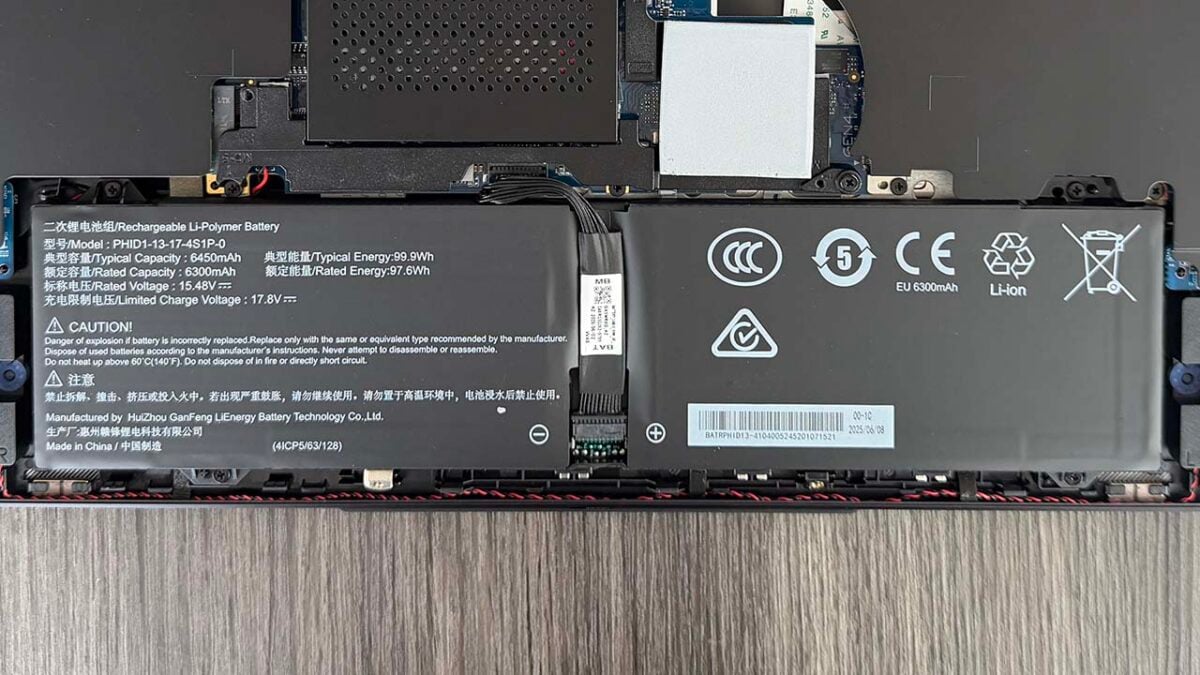
There’s a 6,450mAh Lithium-Ion battery in the Ionico 16 D, promising a typical 99.9WHr lifespan. In my tests, using the blue-LED performance mode, with brightness at 50% and Windows’ energy saving mode disabled, it lasted just over four hours doing general office tasks – a pretty disappointing result. You won’t get a full day’s work away from the mains on this machine, but there’s enough battery power there to last a decent flight or train journey.
As usual for a gaming laptop with a discrete GPU, you don’t get much play time on battery power. The Ionico 16 D lasts just under an hour and a quarter here.
Conclusion
The PCSpecialist Ionico 16 D combines a well-built, classy chassis with a gorgeous screen, a very powerful CPU, and all the ports you could want. Add in a host of supporting components, including 32GB of RAM and 2TB of PCIe Gen 4 storage, both of which are upgradeable, and you have a very capable rig. The price is right too. As a point of comparison, Alienware’s similar 16X Aurora with an equivalent spec currently goes for £2,089.99, so PCSpecialist is offering decent value at £1,999.
If there’s one downer it’s that the 8GB Nvidia GeForce RTX 5070 doesn’t have the VRAM or GPU power to properly run games at the screen’s 2560×1600 native resolution, let alone at its 300Hz refresh rate. You can only specify the RTX 5070 model of the Ionico 16 with this screen, and while it’s a gorgeous, sharp display, it needs a more powerful GPU to get the most out of it. That said, the GPU is still powerful enough to play games at lower resolutions, and its support for multi frame gen can get you some smooth motion if you have a decent starting point.
The only other criticism is that the CPU gets very hot, and this laptop’s fans make a horrible noise when it’s running at full pace. That’s easily switched at the literal press of a button, though, giving you high performance or low noise when you need it, and speed is still solid with the blue LED mode engaged.
This is a powerful, well-made laptop with a decent supporting spec, just be aware that you’ll struggle to run demanding games at the screen’s native resolution.
