

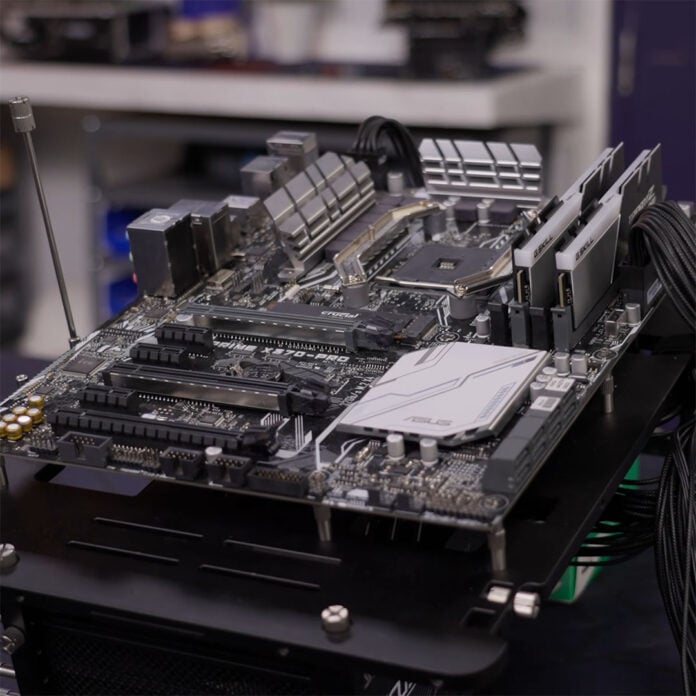
You might think your near-decade old X370 motherboard is due an upgrade, but swapping to a newer chipset won’t necessarily net you any kind of performance boost. This isn’t an unexpected outcome, as a recent battle between boards by YouTube channel Linus Tech Tips helps demonstrate, but there are a few caveats worth keeping in mind if you’re still rocking an AM4 system.
Linus Tech Tips pitted two AM4 motherboards against each other, one based on the X370 chipset from 2017, and the other based on a newer X570 setup, with otherwise identical specifications in a series of performance benchmarks. The YouTube channel outfitted each board with a Ryzen 7 5800X3D 10th Anniversary Edition, the fastest gaming processor on the platform, and an Nvidia GeForce RTX 4070 Ti.
Running through a gauntlet of gaming and synthetic benchmarks, the YouTuber highlights that real-world performance differences between the two chipsets are negligible at best. This is despite the X370 system only supporting PCIe Gen 3.0, rather than Gen 4.0 on the X570 board, providing half the available PCIe bandwidth to both your storage and graphics card.
As such, while it’s possible to stick with X370 for a while longer, doing so can come with a few pitfalls that LTT glosses over. For instance, the channel’s choice of a PCIe 4.0 GPU expectedly doesn’t limit performance much on X370, but would have a more noticeable negative effect on PCIe 5.0 pixel pushers like those in the GeForce RTX 50 and Radeon RX 9000 series, particularly those that use fewer than 16 lanes.
That’s because there’s a gargantuan difference in available versus expected bandwidth, with modern graphics cards having to contend with a quarter of their interface’s maximum speed (16GB/s vs. 64GB/s). The channel demonstrates this effect on storage, running a Gen 4 SSD in a Gen 3 slot, in which sequential speeds halve. However, running your drive at a ~3.5GB/s maximum, isn’t hugely detrimental to your gaming experience.
LTT also notes that it was unable to run its choice of RAM at the same speed across both the X370 and X570 motherboards, which can also affect CPU performance. However, the Ryzen 7 5800X3D has a large built-in pool of L3 cache, making the chip less reliant on memory, and largely masking any decreases you’d see on a Ryzen 5 5600 or other processor without 3D V-Cache.
Finally, the YouTube channel shares that its 2026 processor expectedly doesn’t work with a 2017 motherboard out of the box, requiring firmware updates. This isn’t a problem if you have a compatible processor to use during the patching process, but can leave those without one adrift, making fresh builds less advisable than upgrades. That’s because a lot of these boards don’t feature BIOS flashback, a feature that’s now commonplace on new motherboards.
That’s not forgetting the minefield that comes with running X370 motherboards with new firmware. There’s a chance that the manufacturer culled support for older processors to make room for new ones, as BIOS storage space often caps out at a piddly 16MB on these boards. Basically, upgrading or picking up a board with this chipset requires some due diligence.
With all these caveats in mind, there are clear advantages to each path. If you already own an AMD X370 motherboard and plan to keep your PCIe Gen 4 graphics card for the foreseeable future, you can enjoy a CPU upgrade with few catches. However, for those with eyes on faster storage and GPUs, swapping to X570 is a high-value option relative to upgrading to AM5, especially as it doesn’t necessitate the purchase of expensive DDR5 RAM.
We recently took a look at a system sporting a Ryzen 7 5800X3D and RTX 5070 on a B550 motherboard, which delivered impressive value for its asking price. Check out our PCSpecialist Apex Ultra review to learn more.
