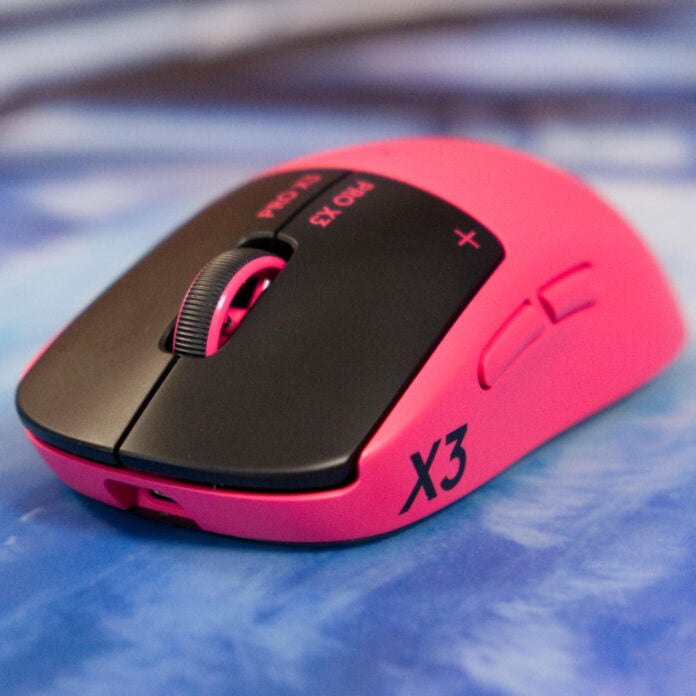
In blink-and-you’ll-miss-it fashion, the Logitech G Pro X3 Superstrike arrives on the scene just seven months after its predecessor, which was one of the most innovative gaming mice to date. It sports Logitech’s flagship inductive HITS clickers again, and they’re identical to the original switches.
As such, this mouse is more about being refined than revolutionary, but there’s enough here to draw your eye away from the original if you haven’t already bitten the bullet. Given that the Logitech G Pro X2 Superstrike offered stunningly low latency, I’m keen to see what its successor can now offer.
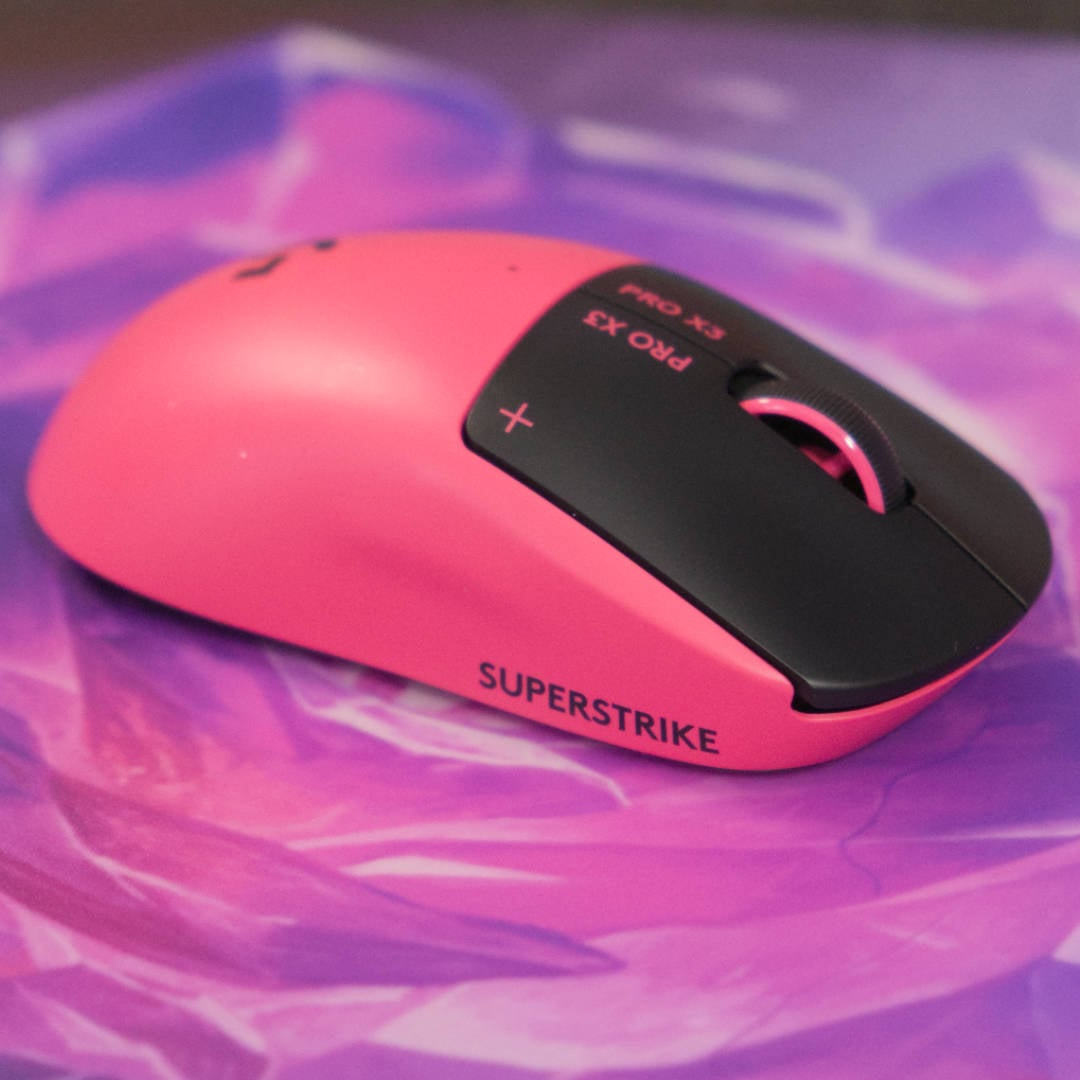

Logitech G Pro X3 Superstrike
£169.99/ $199.99 / €189.99
Pros
- Lowest latency ever
- Long battery life
- Superior weight distribution
- Smooth haptics
- Wide choice of colours
Cons
- No DPI switch
- Very expensive
Club386 may earn an affiliate commission when you purchase products through links on our site.
How we test and review products.
Developed at the same time as the X2 Superstrike, the Pro X3 has been in the oven for a couple of years. That’s a blessing, given it’s no secret that the brand’s first attempt was a bit of a rush job, cramming the new inductive switches into a Superlight 2.
This meant the same shell, Hero 2 sensor, and Nordic nRF52833 microcontroller from 2023. This time, however, we’ve got those ground-breaking switches in a properly new package.
Design
Love it or hate it, the G Pro X shape is back once again, as the X3 Superstrike plays it safe. This means it has the same near-symmetrical egg-like design and medium-sized profile for the fourth generation in a row. Since the industry is currently exploring compact mice designed for fingertip grips, such as the Lamzu Orcus, and more ergonomic rear humps in the Endgame Gear OP1 8k, it’s not as adventurous as I’d like but if it ain’t broke…
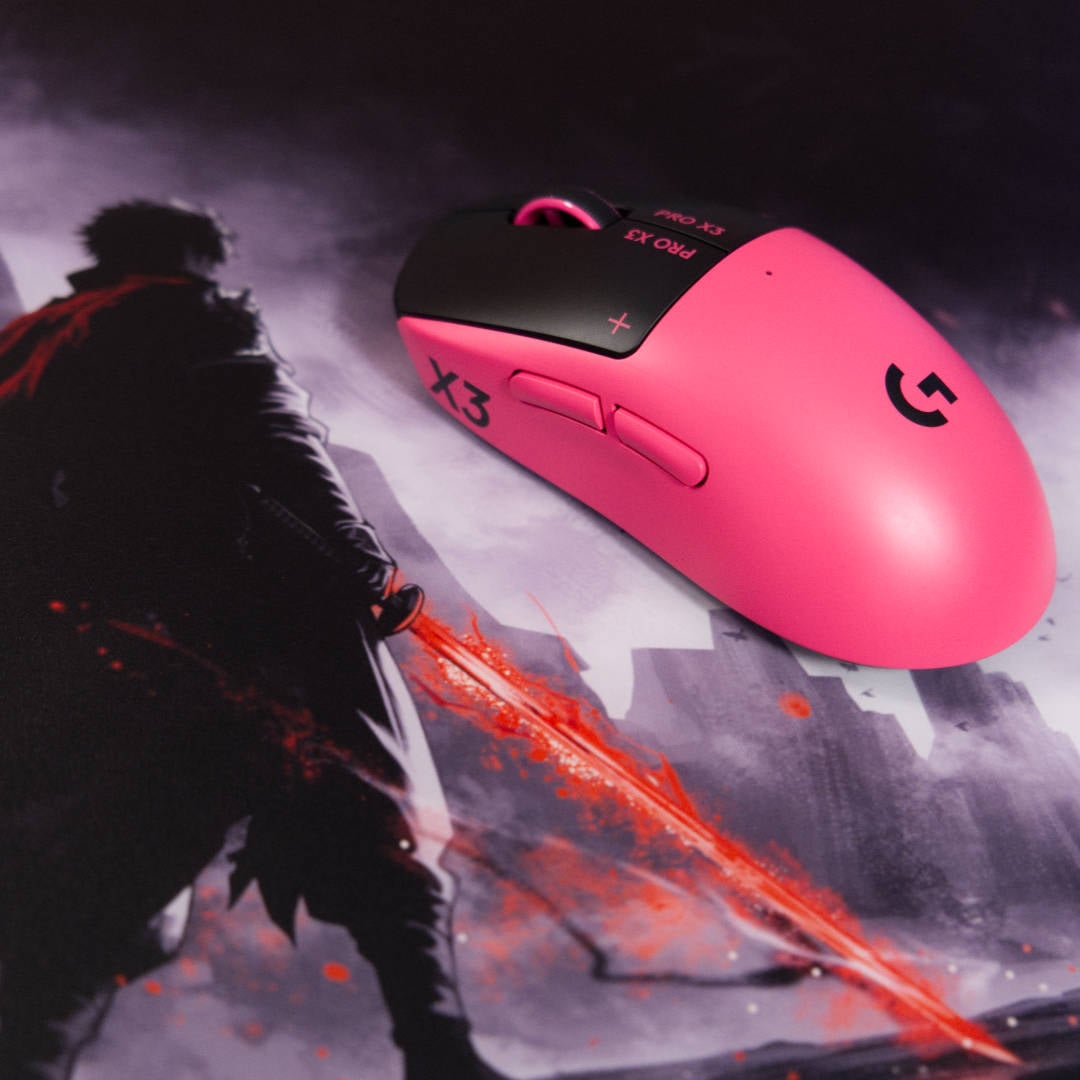
This time, however, the X3 sports a new coat of paint and gives you a choice. You can either channel your inner Batman and go for all black, copious amounts of branding aside, or embrace the return of Logitech’s signature magenta. The two-tone black and white scheme remains exclusive to the X2.
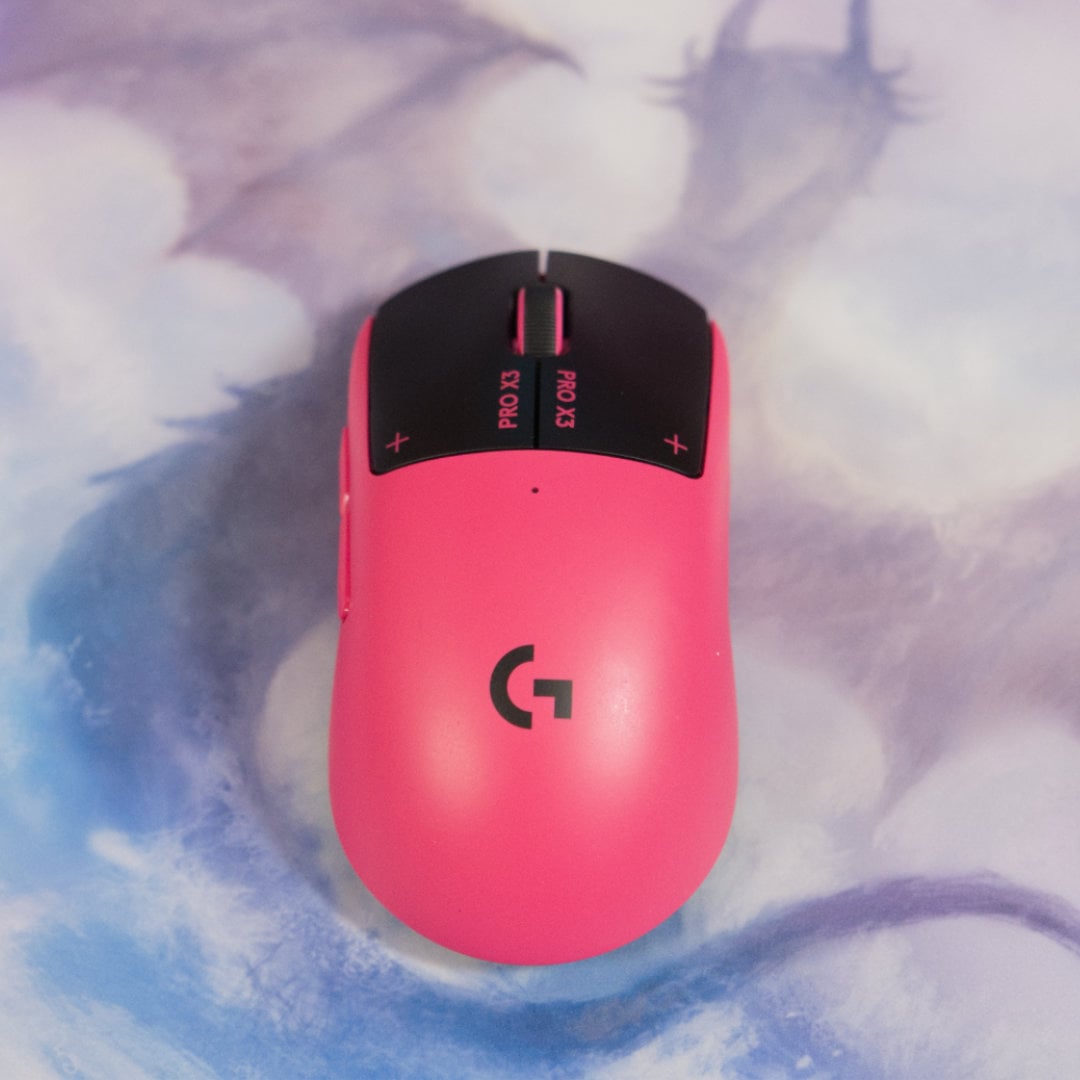
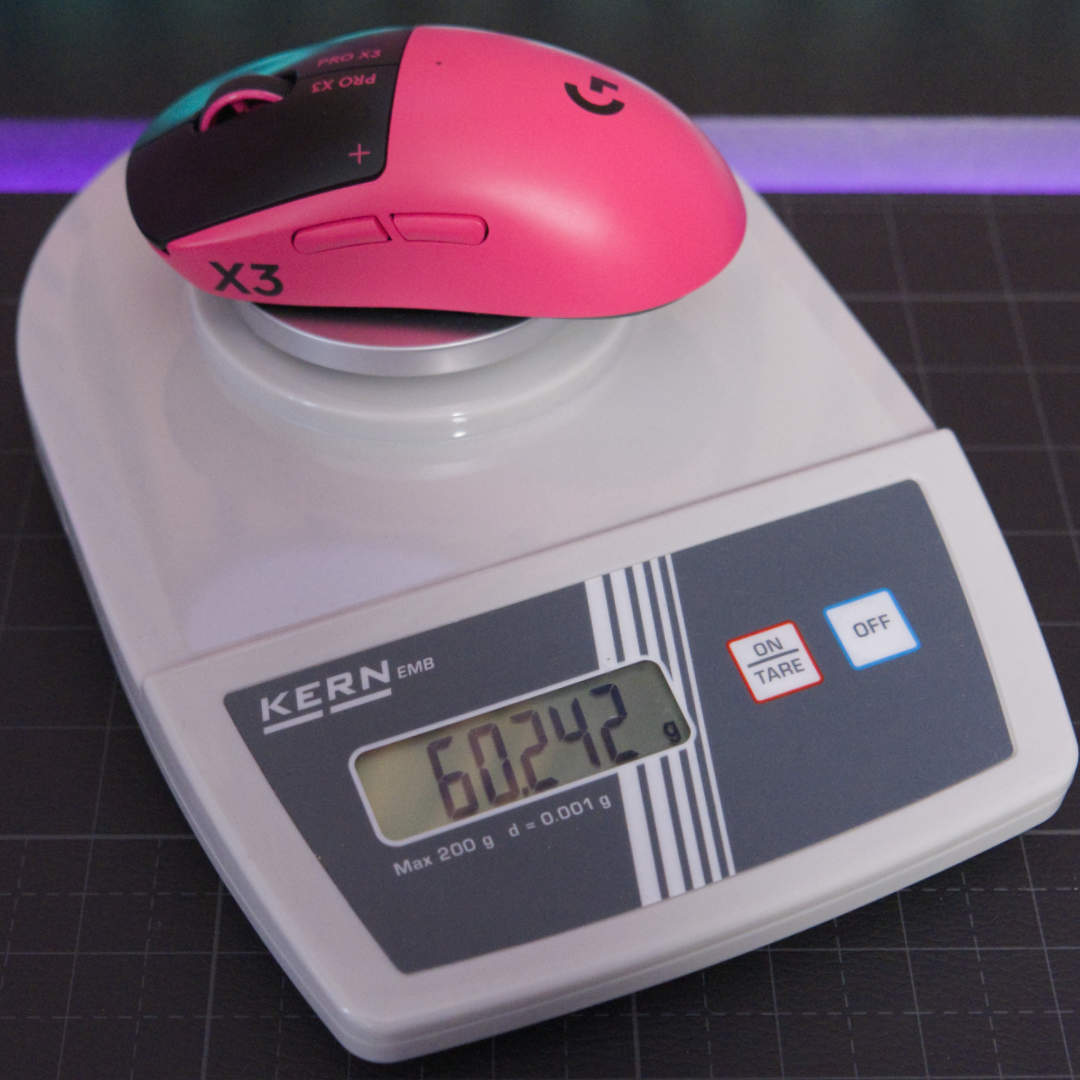
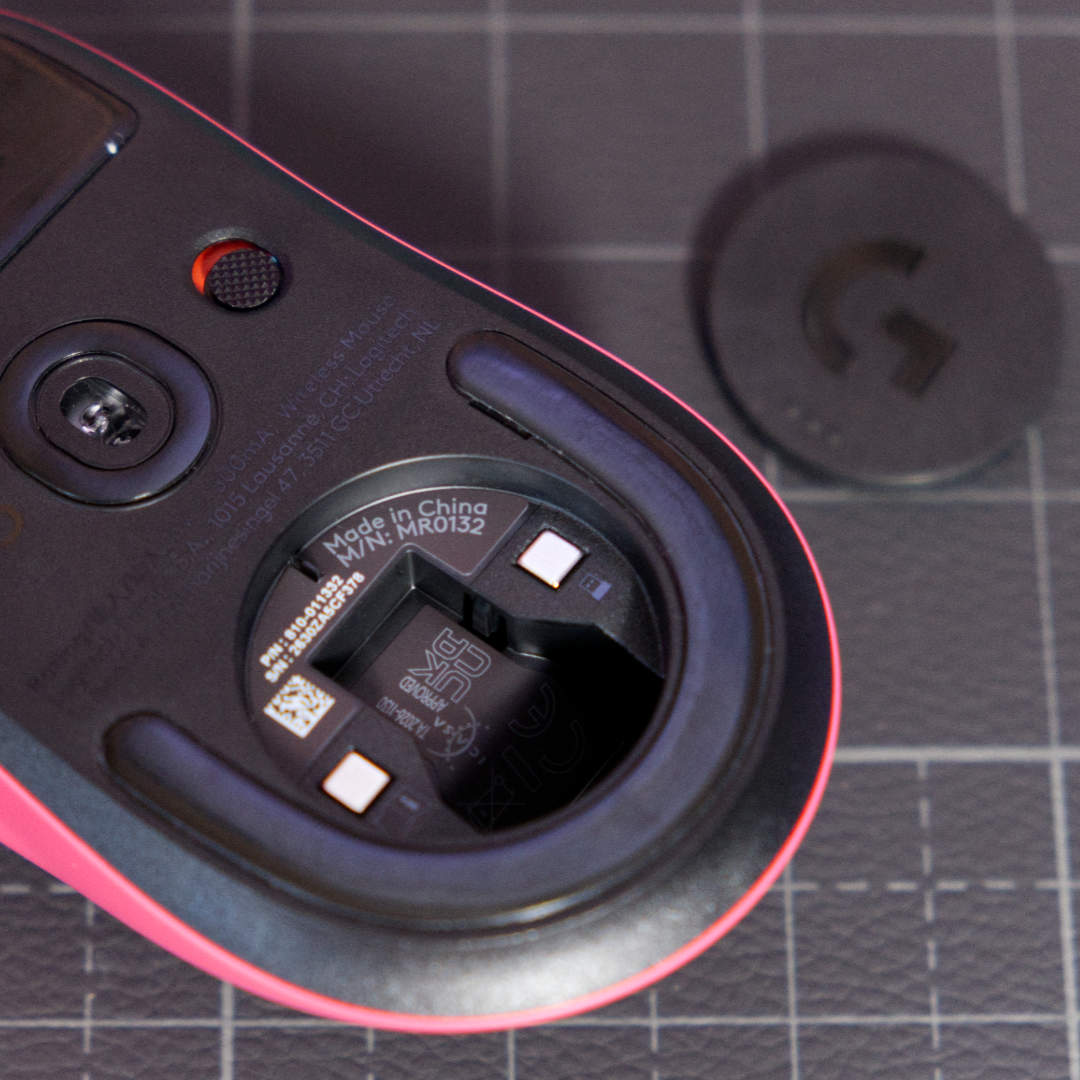
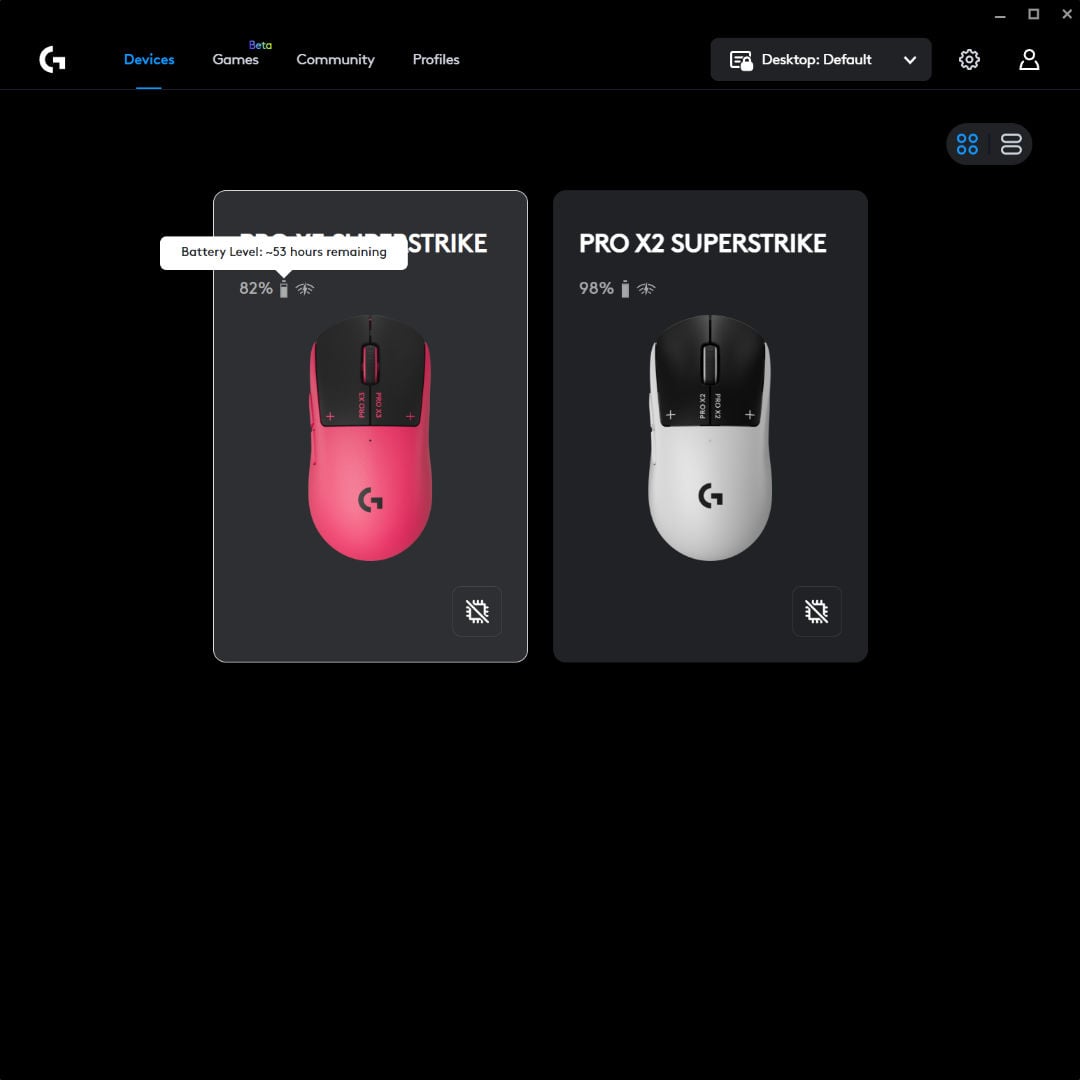
Weight is where things get a little more complicated, depending on where you live. Globally, the X3 Superstrike tips the scales at 59g, shaving 2g off its predecessor. Here in the UK and the rest of Europe, however, it sits at the same 61g as the X2. That’s because European models have a user-replaceable battery, in line with EU rules. Logitech has also added its own protective housing around the cell so you don’t accidentally puncture it when performing the technical surgery.
Weighing it for myself, Logitech’s estimate is on the conservative side, as my European Pro X3 sits at 60.242g. Remove the puck shielding the hollow USB holder underneath and you can shave a further 1.216g off your device, achieving the 59g that the global version touts.
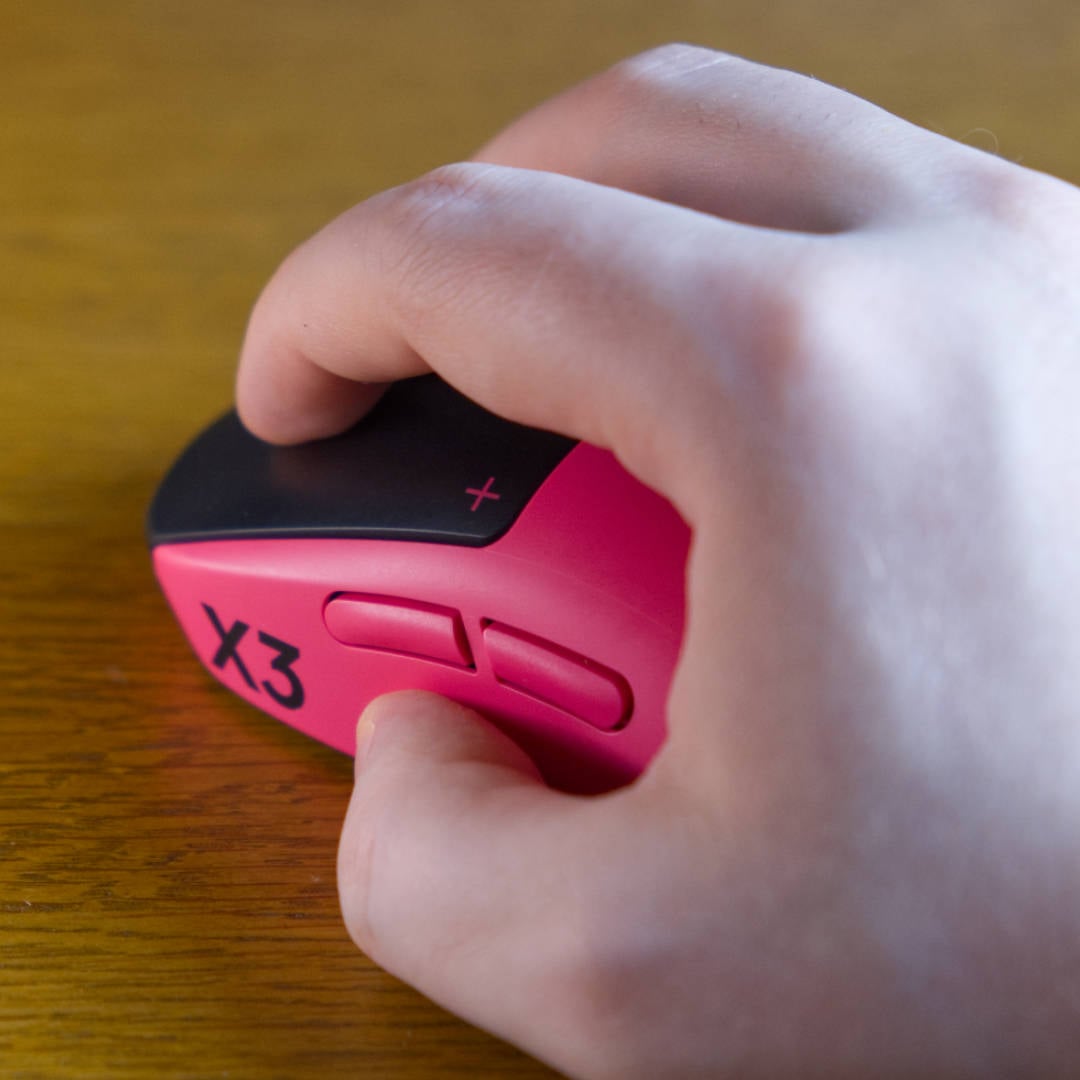
The more meaningful change is where that weight sits. The X2 skewed front-heavy, but Logitech has significantly improved the X3’s balance across the whole device. Its inductive system still adds a few grams to the front, but lifts and quick micro-adjustments feel more natural in your hand.
Everything else will be familiar to owners of lightweight Logitech mice. You still get the hollow rear to stash the Lightspeed dongle when travelling, and some optional grip tape in the box. There’s still no DPI button, though, leaving you reliant on G Hub software to set your standard.
This is a small bugbear for me, particularly given that other competitive mice like the Razer Viper V4 Pro offer a sensitivity switch on the underside so you don’t accidentally press it. Having DPI settings always within reach can be really handy for both gaming and Windows desktop work, but this omission hasn’t stopped me from making the X2 my daily driver for most of 2026.
HITS
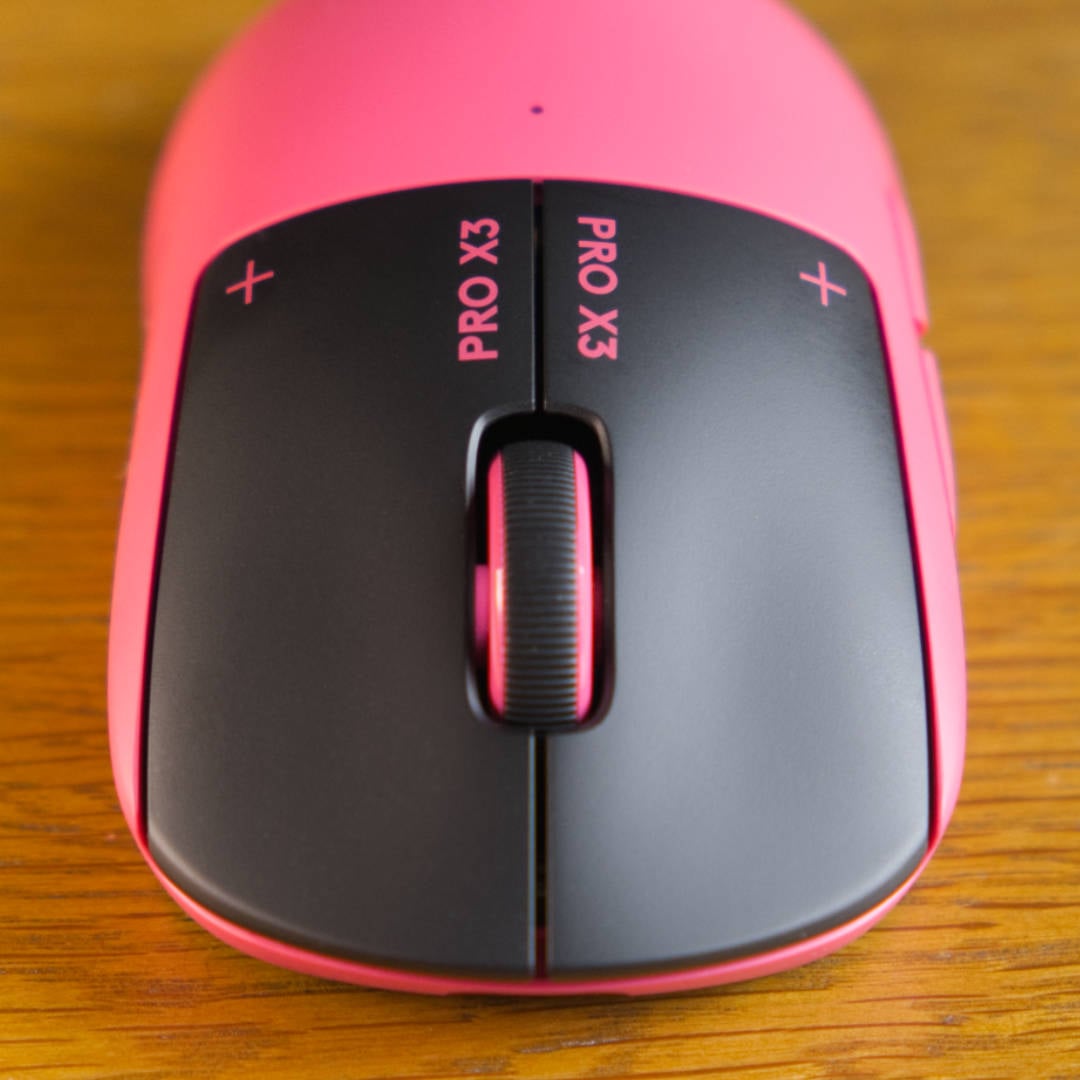
Logitech’s Haptic Inductive Trigger System (HITS) is still the star of the show, and it’s unchanged here from the X2. HITS still uses an electromagnetic coil to measure exactly how far you push the left and right buttons to register a press, rather than relying on a physical switch, in the same spirit as a Hall Effect switch. You get ten adjustable actuation points and five Rapid Trigger settings per button, and Logitech is still claiming that “clicks” register up to 30ms faster than standard switches.
Haptics are still the stand-in for a traditional click, and they feel as clean as ever. You have five intensities from which to choose (six including turning them off), with larger rumbles costing you more battery life.
Internals
The bulk of this mouse’s upgrades are under the hood. While the X2 made do with the same Nordic nRF52833 microcontroller found in Logitech’s Superlight 2, the X3 swaps it for Logitech’s NxLogi chips, featuring custom silicon based on Nordic’s next-gen nRF54 platform. This engine is what’s behind the X3’s biggest gains, chiefly efficiency, which feeds directly into a 50% battery life boost.
Logitech has tuned up the Hero 2 sensor, too, with sensitivity climbing from 44,000 to 48,000 DPI (dots per inch), max acceleration going from 88G to 90G, and 888 IPS tracking increasing to 930 IPS (inches per second). We could debate whether there’s any meaning behind bigger numbers being better these days until we’re blue in the face, but there’s no doubt they yield diminishing returns.
Pitting the X2 and X3 against each other side by side, you’d struggle to feel these changes in action. If nothing else, though, these figures mostly put it on par with the Razer Viper V4 Pro in terms of raw specs, and in line with the current gold standard.
Performance
Logitech’s biggest claim about inductive clickers is lower latency than optical alternatives. To put this to the test, I whipped out my OSLTT (Open Source Latency Test Tool) and set both Superstrikes to actuation point 3, rapid trigger 3, and haptics at 5. I then tested 100 clicks across each mouse, alongside a handful of rivals.
Before getting into the weeds, it’s important to note that OSLTT times the gap between a click sound and the input registering, capturing how quickly each mouse processes a click once it’s actuated. Logitech’s “up to 30ms faster” claim comes from HITS actuating earlier in the press than an optical switch, which this test doesn’t capture.
| Measured latency (8K polling) | Avg. (ms) | Min. (ms) | Max. (ms) |
|---|---|---|---|
| Logitech G Pro X3 Superstrike | <0.02 | 0.01 | 0.02 |
| Logitech G Pro X2 Superstrike | <0.02 | 0.01 | 0.02 |
| Razer DeathAdder V4 Pro (Niko Edition) | 0.07 | 0.04 | 0.12 |
| Asus ROG Keris II Ace | 0.11 | 0.04 | 0.21 |
| Pulsar X2N CrazyLight | 0.14 | 0.05 | 0.27 |
| Glorious Model O3 Wireless | 0.14 | 0.05 | 0.36 |
Using an 8K polling rate, there’s just a hair in it between all the mice I’ve put through the OSLTT. Both Superstrikes performed so well that this tool’s results page didn’t populate, but the live graph showed they never once crept above 0.02ms.
With games like League of Legends, Marvel Rivals, and Overwatch 2 sometimes experiencing microstutters when using 8,000Hz, this ultra-high polling rate isn’t for everyone. After all, handling the mouse’s position every 0.125 milliseconds is CPU-intensive. As a result, many competitive players lower the polling rate just to play it safe. Here’s how the mice compare at 1,000Hz:
| Measured latency (1K polling) | Avg. (ms) | Min. (ms) | Max. (ms) |
|---|---|---|---|
| Logitech G Pro X3 Superstrike | 0.12 | 0.06 | 0.24 |
| Razer DeathAdder V4 Pro (Niko Edition) | 0.20 | 0.06 | 0.44 |
| Logitech G Pro X2 Superstrike | 0.31 | 0.12 | 0.71 |
| Asus ROG Keris II Ace | 0.44 | 0.13 | 0.83 |
| Glorious Model O3 Wireless | 0.53 | 0.15 | 1.26 |
| Pulsar X2N CrazyLight | 0.84 | 0.33 | 1.39 |
Logitech’s X3 Superstrike tops the chart with an average of 0.12ms at 1K polling, less than half the X2’s 0.31ms. That’s a striking gap for two mice with identical inductive clickers, showing that the NxLogi chip handles lower polling rates far better. With Razer’s DeathAdder V4 Pro Niko Edition edging out the X2 using optical switches, it’s clear that HITS isn’t a guaranteed win on its own.
Consistency is key in tense situations, and with just 0.18ms between the X3’s lowest and highest latency, it’s more reliable than any other mouse I’ve put through the OSLTT. You’d be hard-pressed to notice any difference between the X3 and DeathAdder V4 Pro in real-world scenarios, of course, but when there’s a prize pot on the line, every little helps pros edge out the competition.
Like most gamers, I’m not a pro, however, and the X3 won’t make you one. After using the X2 for the past seven months, I’ve noticed no difference in responsiveness between it and the X3, although both are noticeably quicker than mechanical and optical switches. I’ve sadly not improved my K/D in Rainbow Six Siege, but you should never consider a wireless gaming mouse a silver bullet that replaces practice and dedication. Becoming a serious aimer often takes hard work.
The X3 also features the same-shaped PTFE skates underneath its shell as the X2, and these respond fairly well to glass and cloth mouse pads. They’re not quite as smooth as the Razer DeathAdder V4 Pro’s default skates, and seem to wear down quickly on hard surfaces, but I haven’t felt the need to replace them with UHMWPE dot skates just yet.
Battery life
When rumours first started to swirl about a Pro X3 Superstrike, I got my hopes up for a hot-swappable battery. After all, that’s a fairly hot topic for 2026 with the Glorious Model O3 Wireless, Angry Miao AM Infinity, and now Wallhack M-001 all offering a second cell. Unfortunately, that’s not the case here, but we do get a pretty hefty battery life instead.
The NxLogi chips earns its keep here, with Logitech rating the X3 at up to 135 hours, a 50% jump over the X2’s 90-hour rating. As you’d expect, these figures come from ideal conditions that don’t exactly reflect real-world use, including turning haptics off.
While I haven’t had the time to bleed both mouse batteries dry to find an exact figure, I have pitted them against each other for a full eight-hour day each using median settings (haptics and rapid trigger at 3, actuation point at 5), while setting DPI to 1,600 and wireless polling to 4,000Hz. Naturally, the higher the polling and haptics figures, the more power is used.
The Pro X3 Superstrike lost 1% per hour, falling to 92%, which roughly projects to 100 hours of use before needing to juice it up, assuming a linear drop off. Meanwhile, the X2 dropped to 90% after the same eight hours of use, putting it on course for roughly 80 hours with the same assumptions.
As such, you’re likely to see closer to a 25% improvement moving up a generation instead of Logitech’s claimed 50% leap, using what I’d consider real-world settings. Still, that’s plenty to keep you gaming across the week.
Software
Unlike Logitech’s G Pro X2 Rapid keyboard, all the X3’s cleverness is locked behind its G Hub software, making it a day-one download. Once you’ve altered HITS to your liking, though, your settings will save to the mouse’s on-board memory, so you can set and forget the software. That’s handy if you encounter a bug where it fills your C: drive with logging files, as mine did about two months after testing the X2.
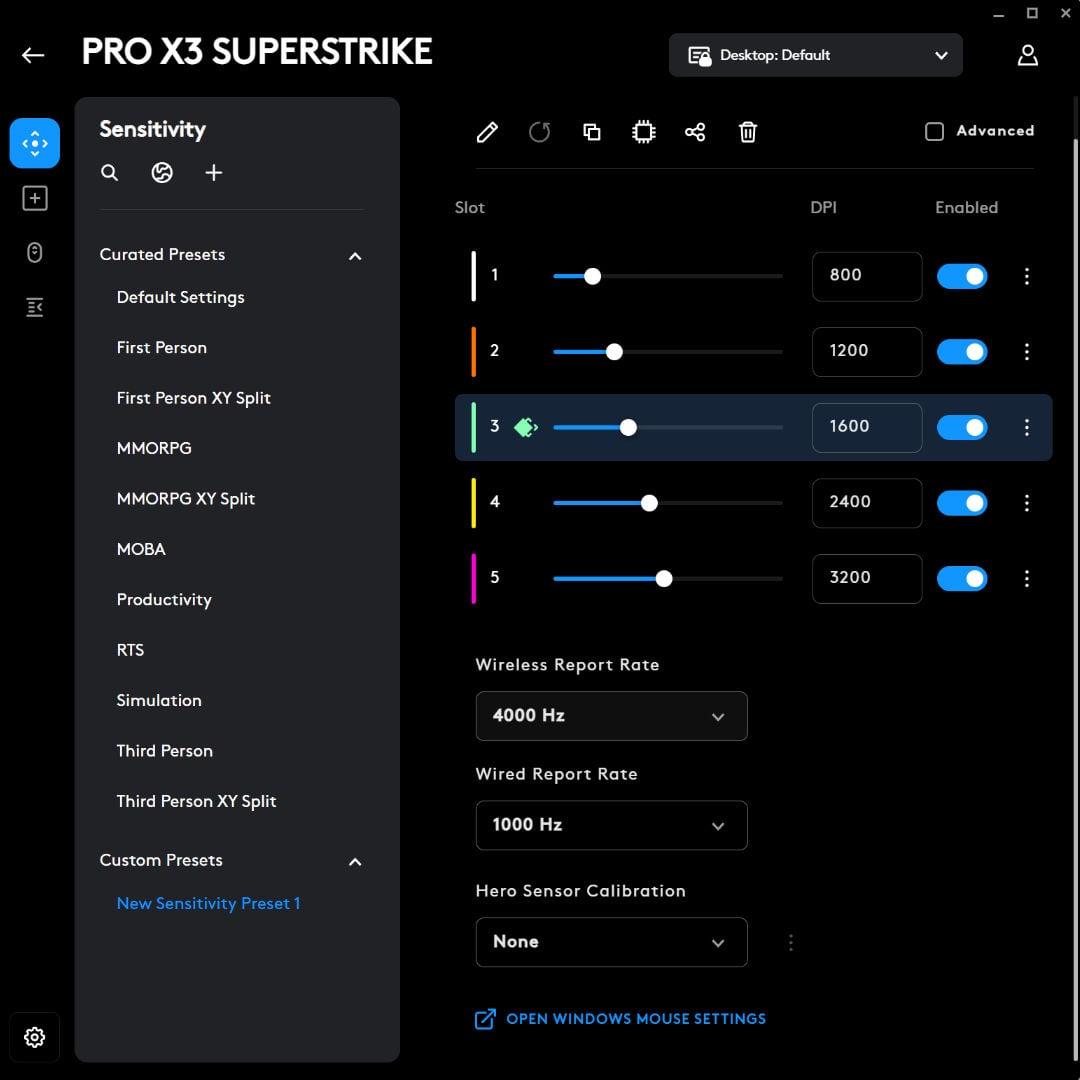
The first menu you’ll load after selecting your device is Sensitivity, where it’s easy to adjust five DPI profiles, select your wired and wireless polling rate from 125Hz all the way to 8,000Hz, and calibrate your Hero sensor for different surfaces. While I had to calibrate the X2 to make it feel a little better on glass mouse pads, the X3 felt lovely right out the box.
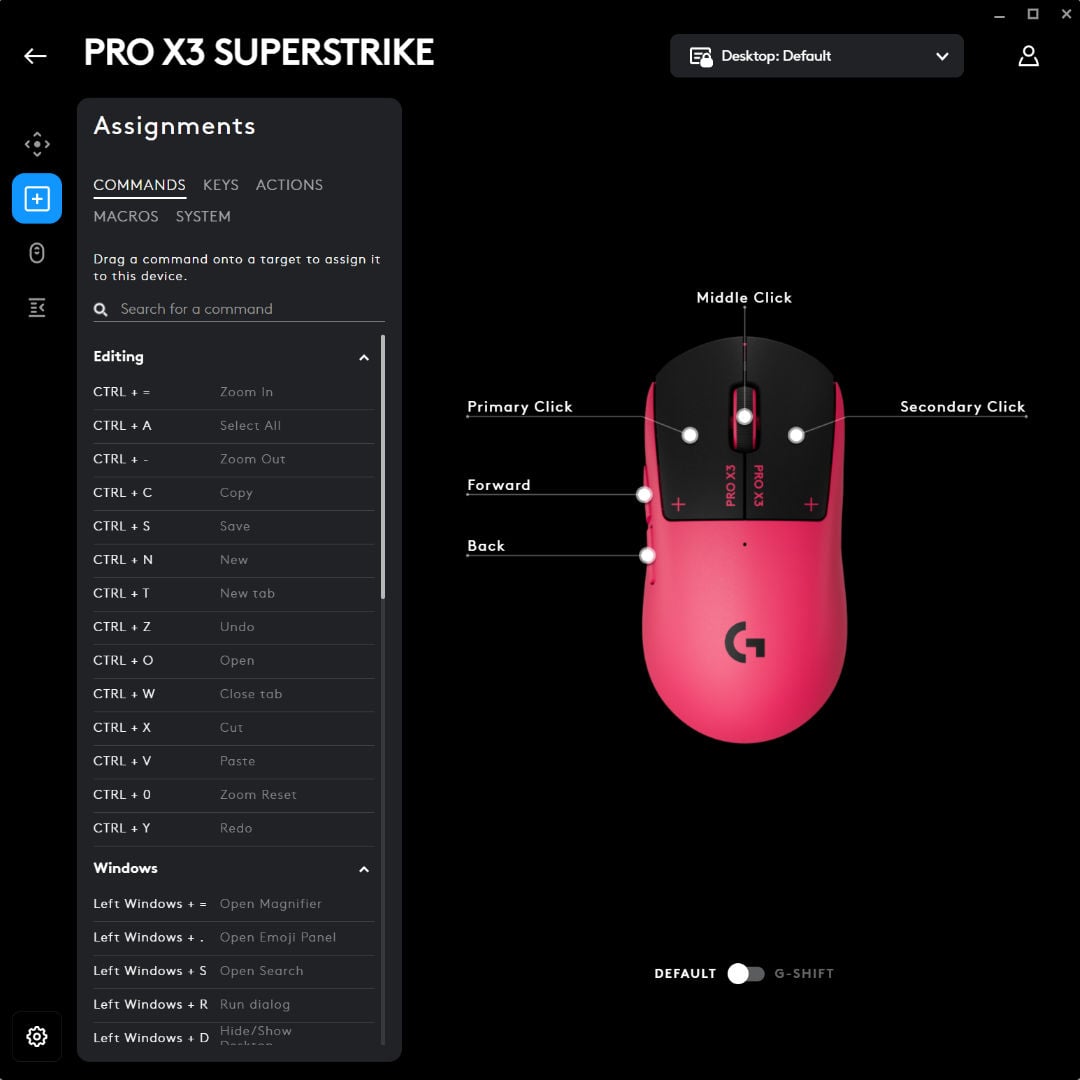
Moving to the Assignments tab, you can curate macros, including setting a DPI switch similar to the one that’s native on the G502. Since buttons are a rare commodity on the X3, I don’t fancy sacrificing my side buttons for a dedicated sniper switch, but the possibility is there.
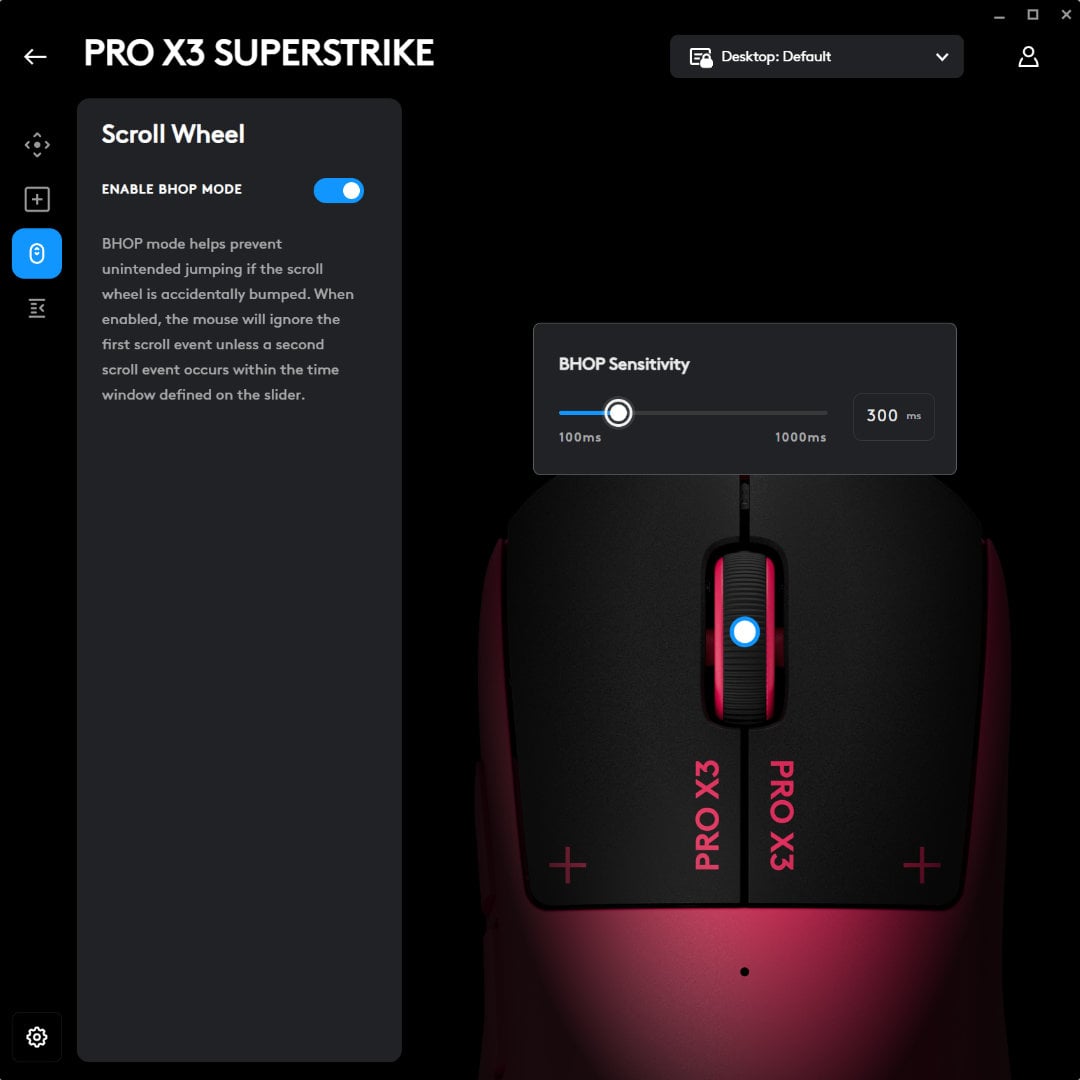
The scroll wheel gets a dedicated menu for BHOP mode, which lets you add a delay of anywhere from 100ms to 1,000ms between scroll inputs. It’s aimed squarely at CS2 players who bind Jump to the scroll wheel for bunny-hopping, giving them finer control over timing, but it’s just as useful as a safety net.
In Rainbow Six Siege, I’ve lost count of the number of times a stray nudge of the wheel has swapped me to my secondary mid-gunfight, and a short delay all but eliminates that without making deliberate weapon swaps feel sluggish.
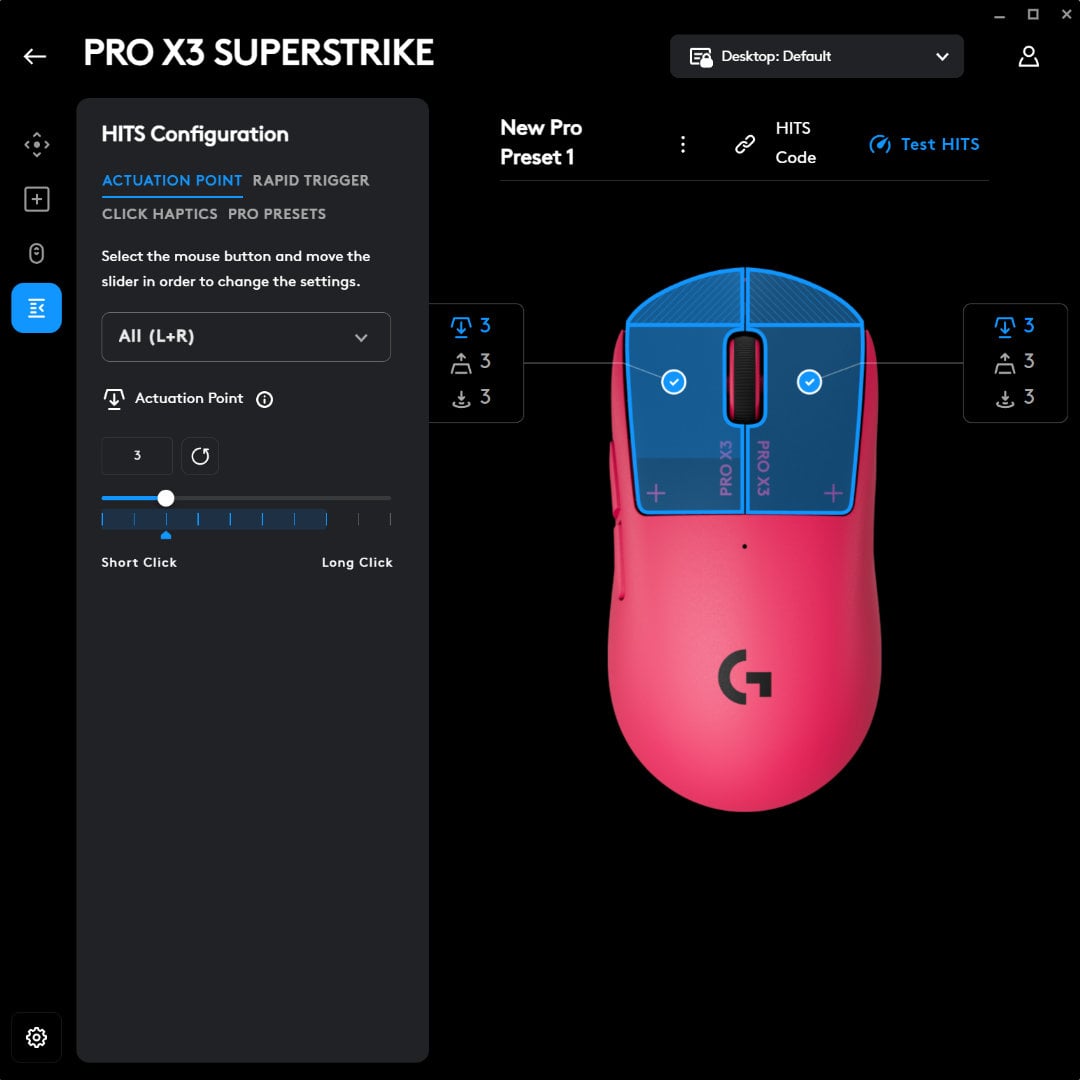
The HITS tab is where you’ll find the action. Your left- and right-click get ten actuation levels, ranging from a feather-light tap to a full, deliberate press. There are also five Rapid Trigger reset points, which decide how far a button needs to rise before it’s ready to fire again.
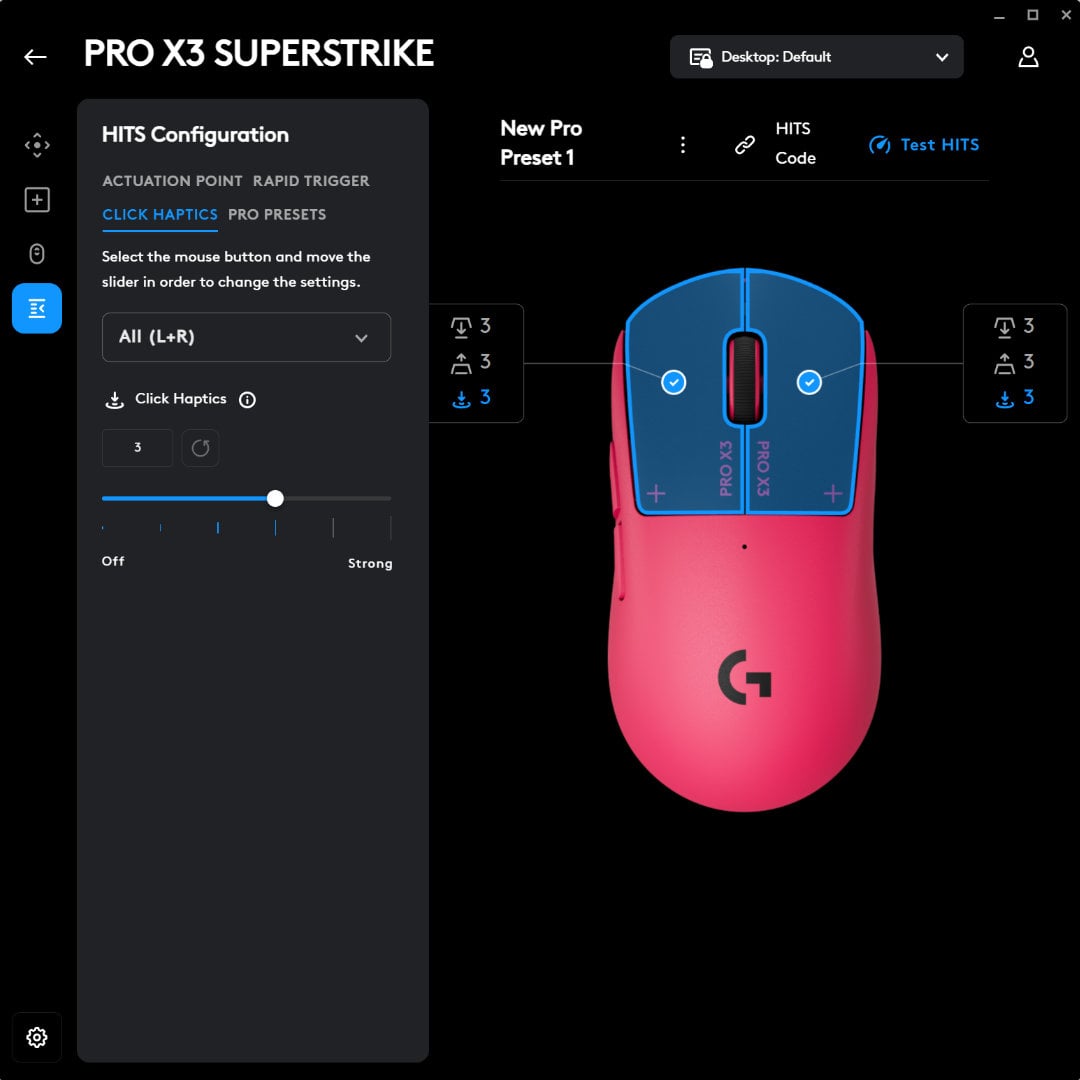
Haptic strength sits on the same page, with five different intensities and an off switch. It’s surreal clicking the mouse with no feedback, but I’m sure someone out there will enjoy it.
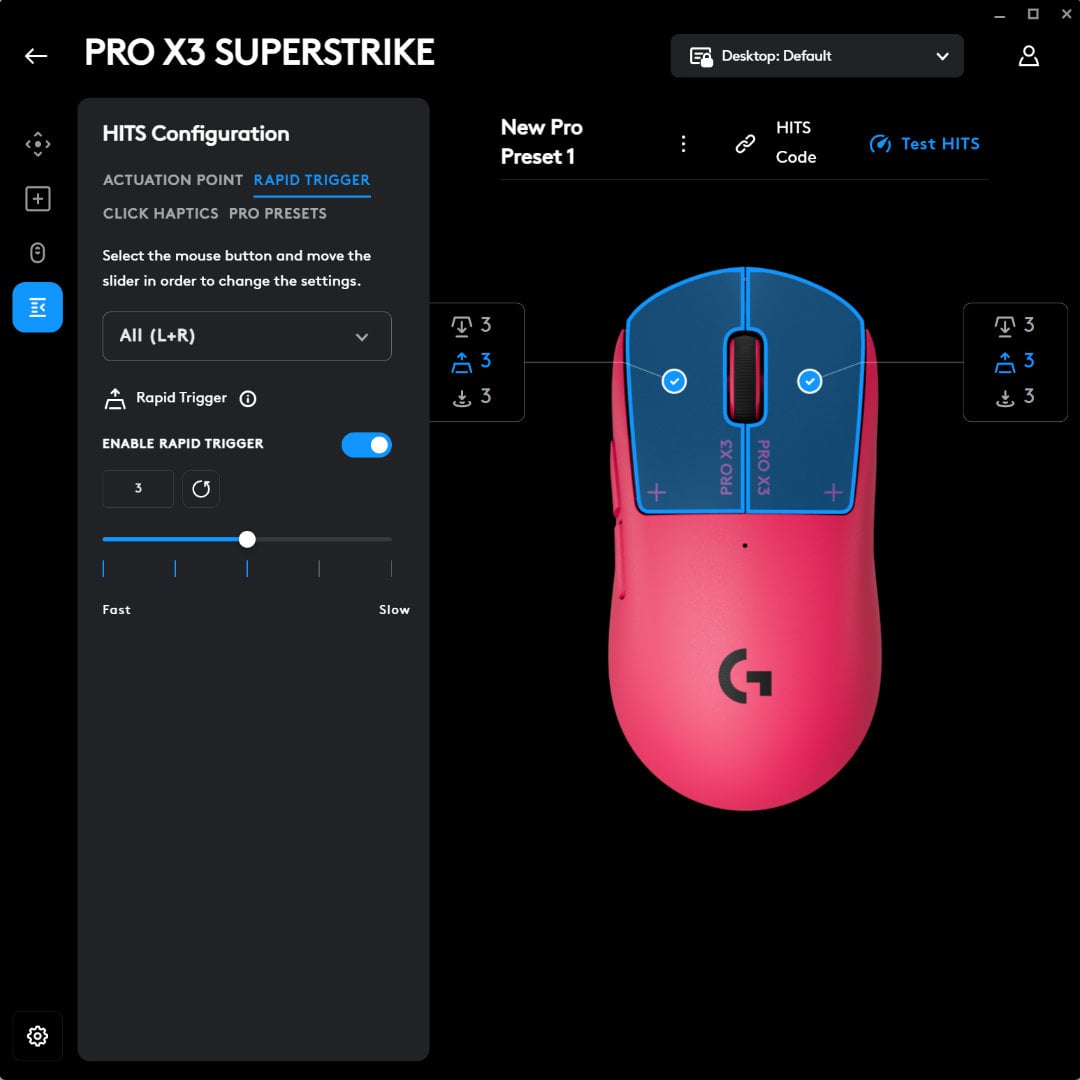
Pro profiles offer a shortcut for indecisive players, loading the exact HITS configurations used by Logitech’s sponsored esports players. It’s not an exhaustive list at the time of writing, and only active pros who are sponsored by Logitech make the cut for obvious reasons. However, there’s a good selection from m0NSEY’s CS2 settings to ShowMaker’s League of Legends profile and MrFaliN’s Valorant setup.
Conclusion
The Logitech G Pro X3 Superstrike is everything the X2 should’ve been when it first came out. HITS was always the headline act, and now it finally has a supporting cast to match, with a modern chip, a longer-lasting battery, and a near-perfectly balanced weight distribution that feels properly thought out rather than rushed. The only main criticism is that it lacks a DPI button.
If you already own the X2, there’s nothing here worth forking out for the upgrade. HITS is identical, as is the shape, and in Europe even the weight is the same. For everyone else, though, the X3 is the mouse to buy here, unless the X2 gets a hefty discount that makes the trade-offs worth swallowing.
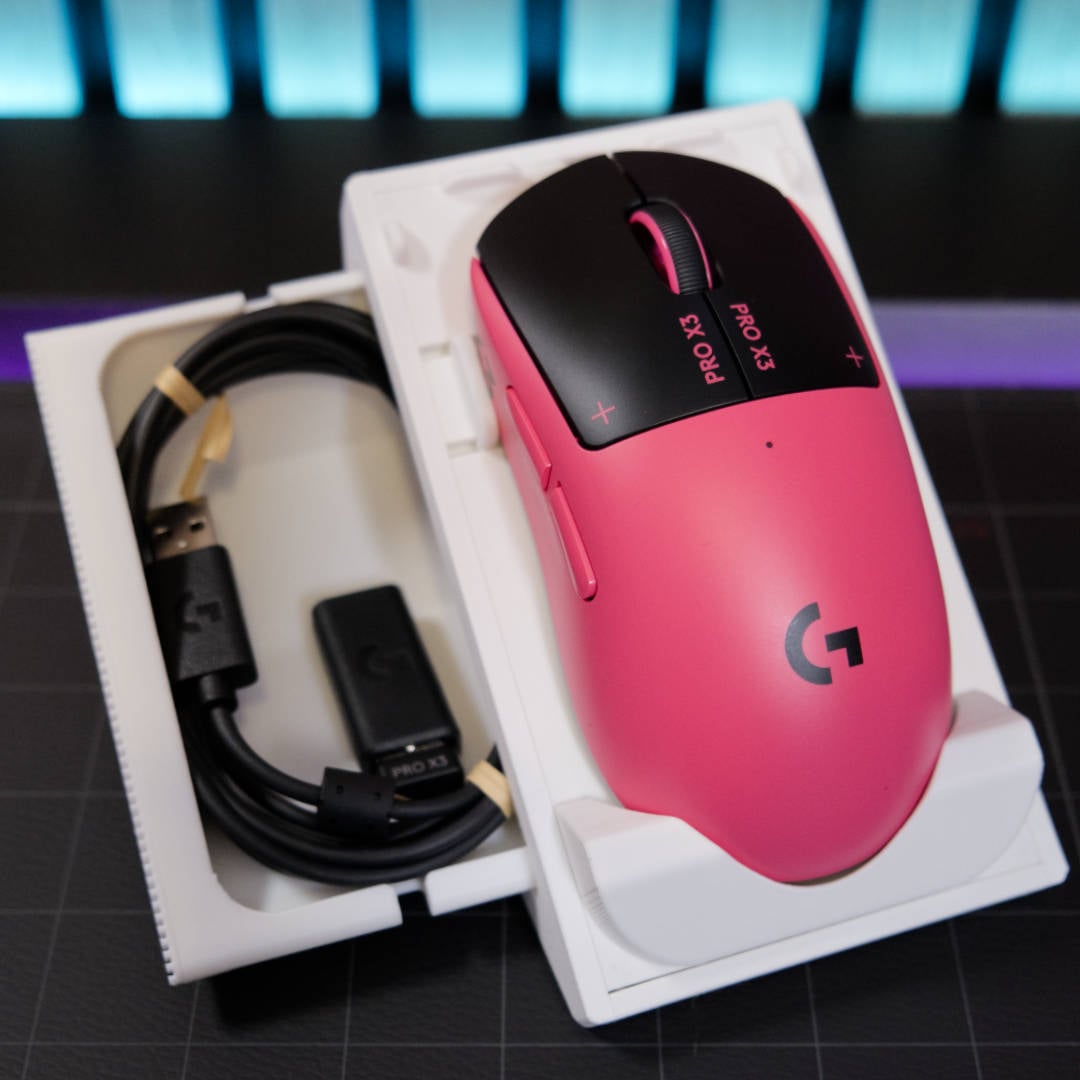
£169.99/ $199.99 / €189.99, both Superstrikes are still among the most expensive mice on the market, but they remain unique offerings if you’re serious about comeptitive gaming. Nothing else quite feels like HITS just yet, and you have to pay a premium for bleeding-edge tech.
That said, rivals are cooking up their own analogue alternatives. Global pre-orders for the Keychron G6 HE open in October, and it’ll feature MagOptic hybrid optical-magnetic switches, which are some of the first real HITS alternatives.
It’s already been crowdfunded in Japan and has a retail price of ¥17,930. That suggests it could comfortably undercut Logitech in price, but with no firm global shipping date or indication of performance, it could be a while before the Superstrike has to fight for its throne.