

Microsoft has just released Windows 11 26H2, available now via Windows Update for most PCs running versions 25H2 and 24H2. The company is pitching this patch as “a predictable and low-disruption update,” implying there’s some hope that it will be a more stable release than prior launches. Here’s how to make the leap to the new OS and what changes you can expect.
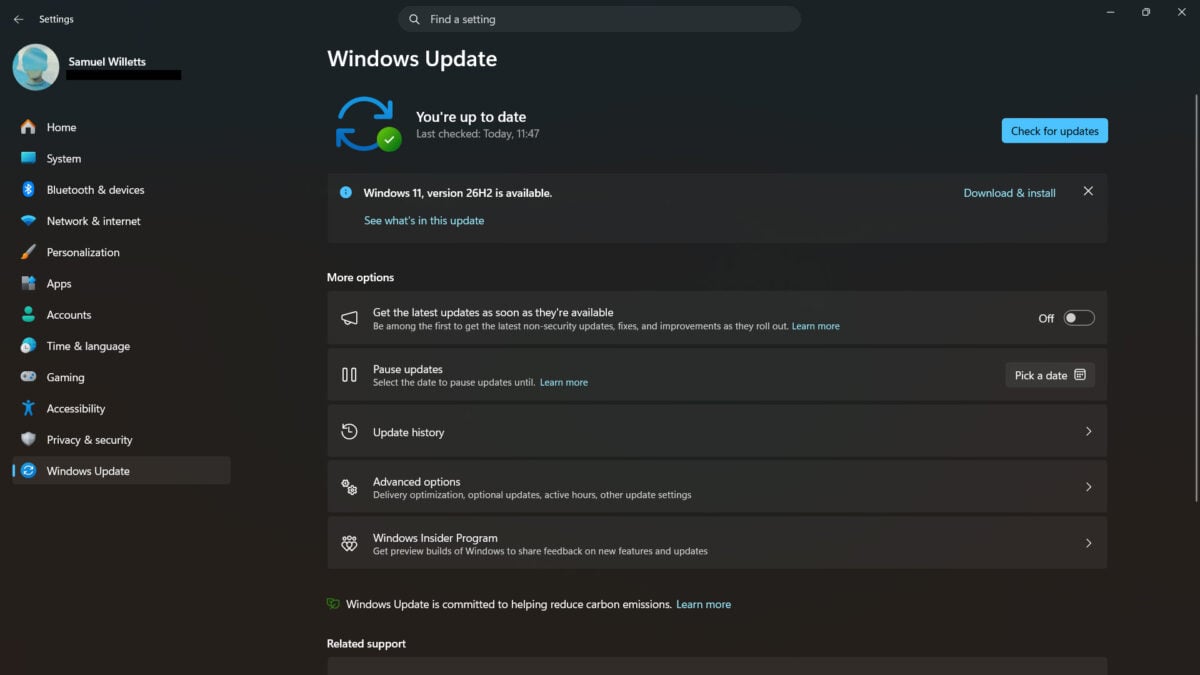
You can expect Windows 11 26H2 to gradually roll out across eligible PCs from today, with the option to download the patch appearing in Windows Update. My personal system, which I regularly keep up-to-date with the latest patches, is already eligible as you can see from the screenshot below.
There’s nothing explicitly new for consumers in 26H2 that didn’t already arrive via prior updates. However, the new version does enable some features that may not have been active by default, such as the ability to shift the taskbar from the bottom of your screen to the sides or top.
The biggest change that I’m looking forward to is the ability to officially finally rid Windows search results of Bing without having to use faffy workarounds to rip out the bothersome search engine. More importantly, updating to Windows 11 26H2 sets you up for the next two years of software updates from Microsoft. The company will only continue to support 24H2 Home and Pro users until October 13, so it’s high time to update if you haven’t already.
If you’ve already been regularly applying Windows 11 updates over the past year, you’re already well on your way to running 26H2, as the underlying codebase is similar to that of 25H2 and 24H2. As Microsoft explains, this new version serves as an “enablement package,” effectively activating features and changes that were planted in prior patches.
In case of potential incompatibilities, Microsoft says it’s deployed safeguards. These should ensure that any systems that might not play nicely with Windows 11 26H2 won’t be able to update to it. So, if you can’t see the option to upgrade, this could be the reason why, and you’ll just need to be a little more patient.
Enterprise customers and IT administrators can learn more about the changes Windows 11 26H2 brings in the official Microsoft Learn article. Here’s hoping the promise of a low-disruption update holds true for both businesses and consumers.
