
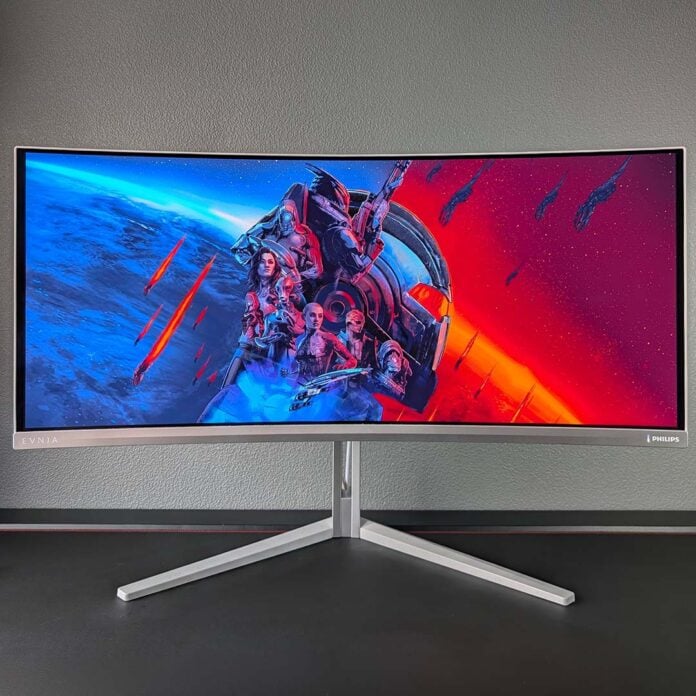
Ultrawide QD-OLED monitors received a Penta Tandem glow up earlier this year but came at a hefty price, but Philips is seeking to make that tech more affordable with the Evnia 34M2C8600P. The firm has adopted a 280Hz refresh rate in service of this lower price tag, but that’s about the only compromise you’ll find on this panel, which is otherwise exemplary by most measures.
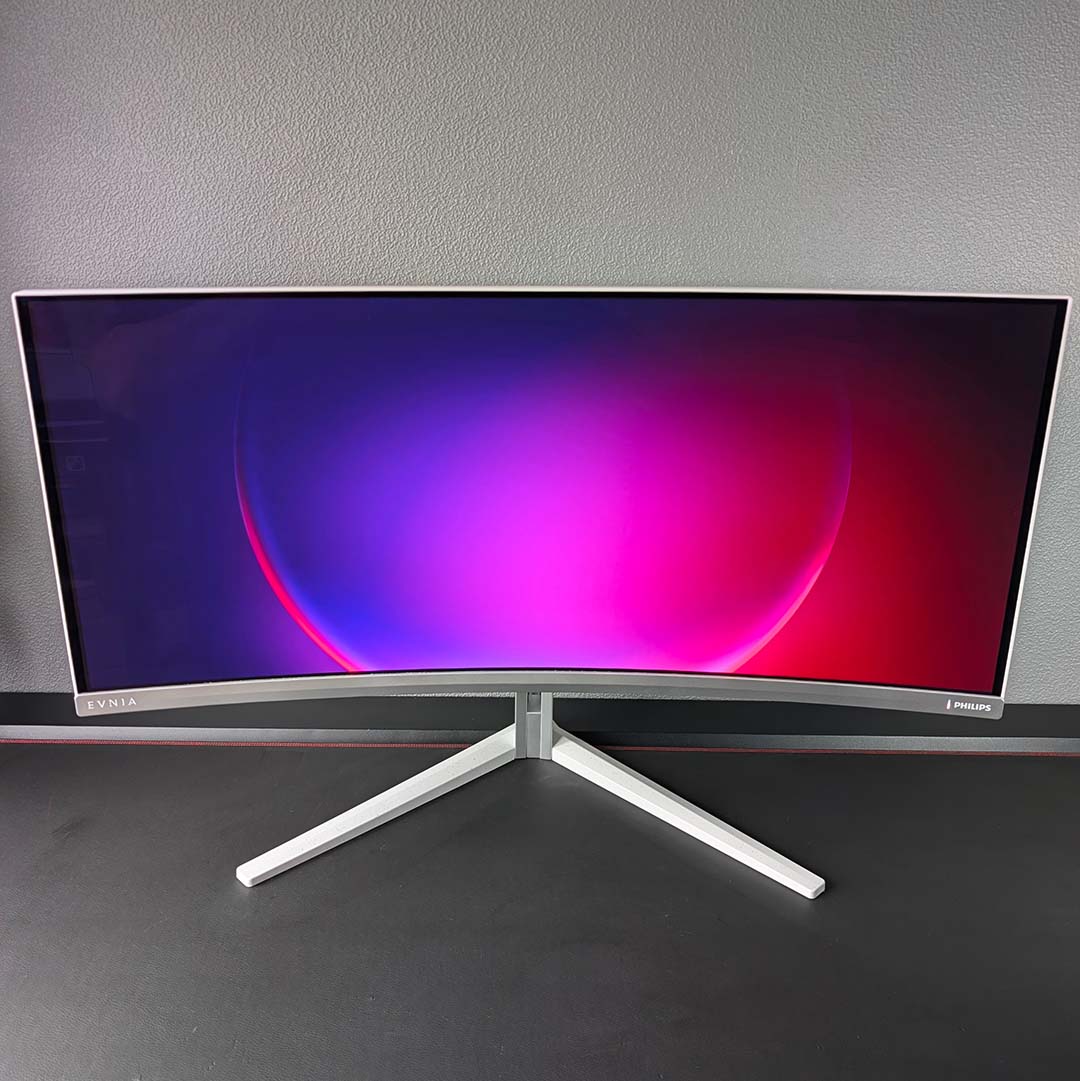

Philips Evnia 34M2C8600P
£779
Pros
- Immersive 21:9 QD-OLED panel
- Fabulous colour accuracy
- Great brightness and contrast
- Built-in KVM and 90W PD USB-C
- Philips Ambiglow LEDs
Cons
- High power consumption
- ‘Only’ 280Hz refresh rate
Club386 may earn an affiliate commission when you purchase products through links on our site.
How we test and review products.
Retailing for £779, the Evnia 34M2C8600P enticingly undercuts 360Hz alternatives by a few hundred pounds. The model sadly isn’t available in the US, but those in the UK would do well to pay attention to this stunning screen, both for its value and viewing experience.
Specifications
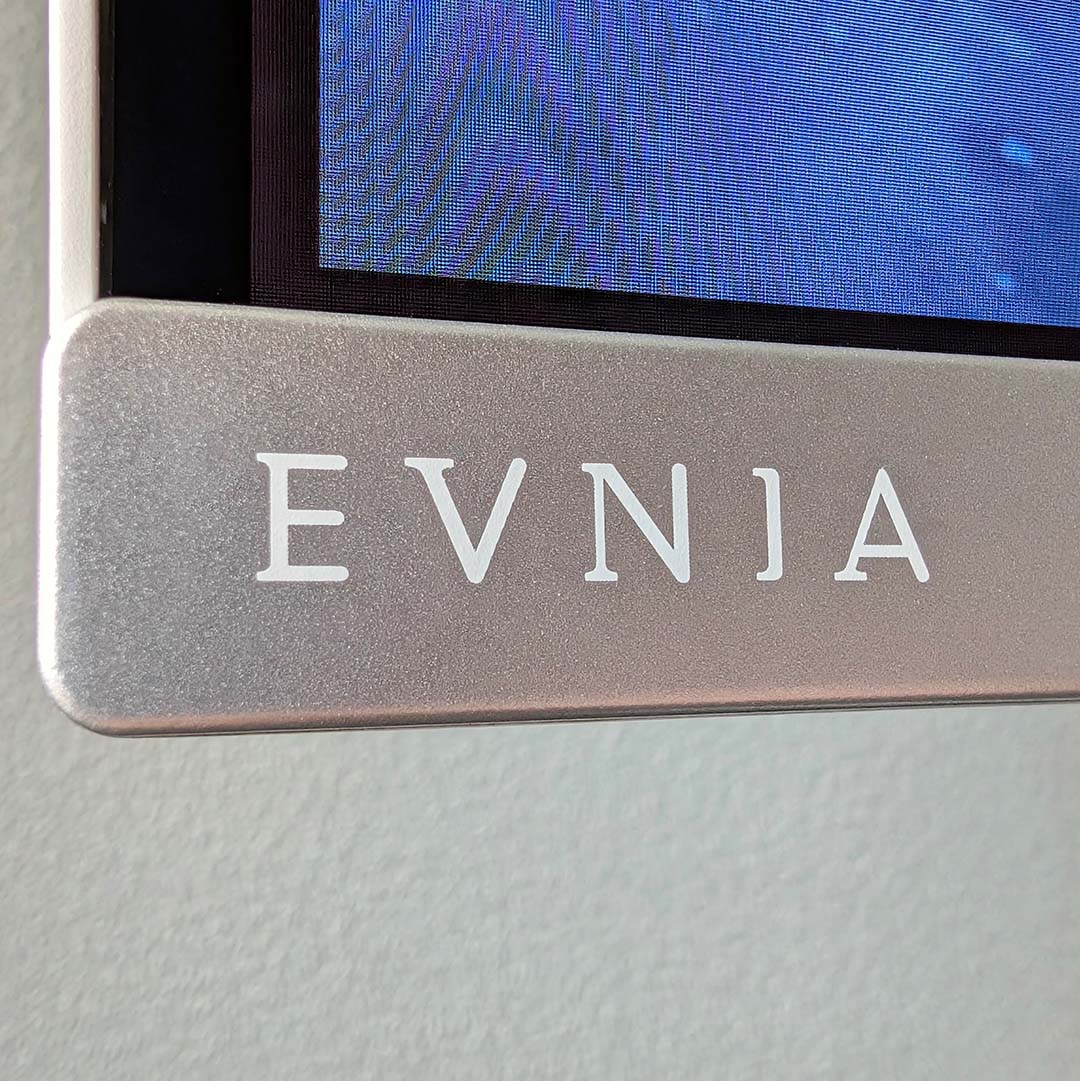
As the Evnia 34M2C8600P’s name suggests, this monitor’s panel has a 34in diagonal. Boasting an UWQHD (3440×1440) resolution, there are 109 pixels per inch (PPI) at work across the display. That’s the same density you’ll find on 27in QHD (2560×1440) models, but pixel count is actually 34% higher on the larger screen relative to the smaller one.
QD-OLED monitors of this size have been around for years, but Philips has equipped its latest offering with one of the latest fifth-generation Penta Tandem panel designs. Advancements over older alternatives include superior brightness, lower power consumption, better ambient light handling, and improved text rendering, but we’ll go into these in more detail later in the review.
| Philips Evnia 34M2C8600P | |
|---|---|
| Screen size | 34in |
| Resolution | 3440×1440 |
| Refresh rate | 280Hz |
| Response time | 0.03 (GtG) |
| Panel technology | QD-OLED |
| Panel coating | Glossy |
| HDR | DisplayHDR True Black 500 |
| Ports | DisplayPort 1.4 (x1) HDMI 2.1 (x2) USB-A (x2) USB-B (x1) USB-C, with 90W PD and DP Alt Mode (x1) |
| KVM | Yes |
| Speakers | Yes (5W) |
| Warranty | Three years (including burn-in) |
| Price | £779 |
Ultrawide Penta Tandem monitors hit the market earlier this year with 360Hz refresh rates, but the Evnia 34M2C8600P uses an alternative panel and tops out at 280Hz. While that’s not the fastest money can buy, such speed is still fast enough to push gaming frame times down to a nippy 3.57ms. Combined with near-instant pixel response times, this screen delivers satisfyingly smooth motion clarity and responsiveness.
There’s no AMD FreeSync or Nvidia G-Sync certification in this monitor’s bag of tricks, but it does support variable refresh rate via standard AdaptiveSync. Just make sure to keep your frame rate at 48fps and above, and you can expect a tear-free gaming experience.
Design
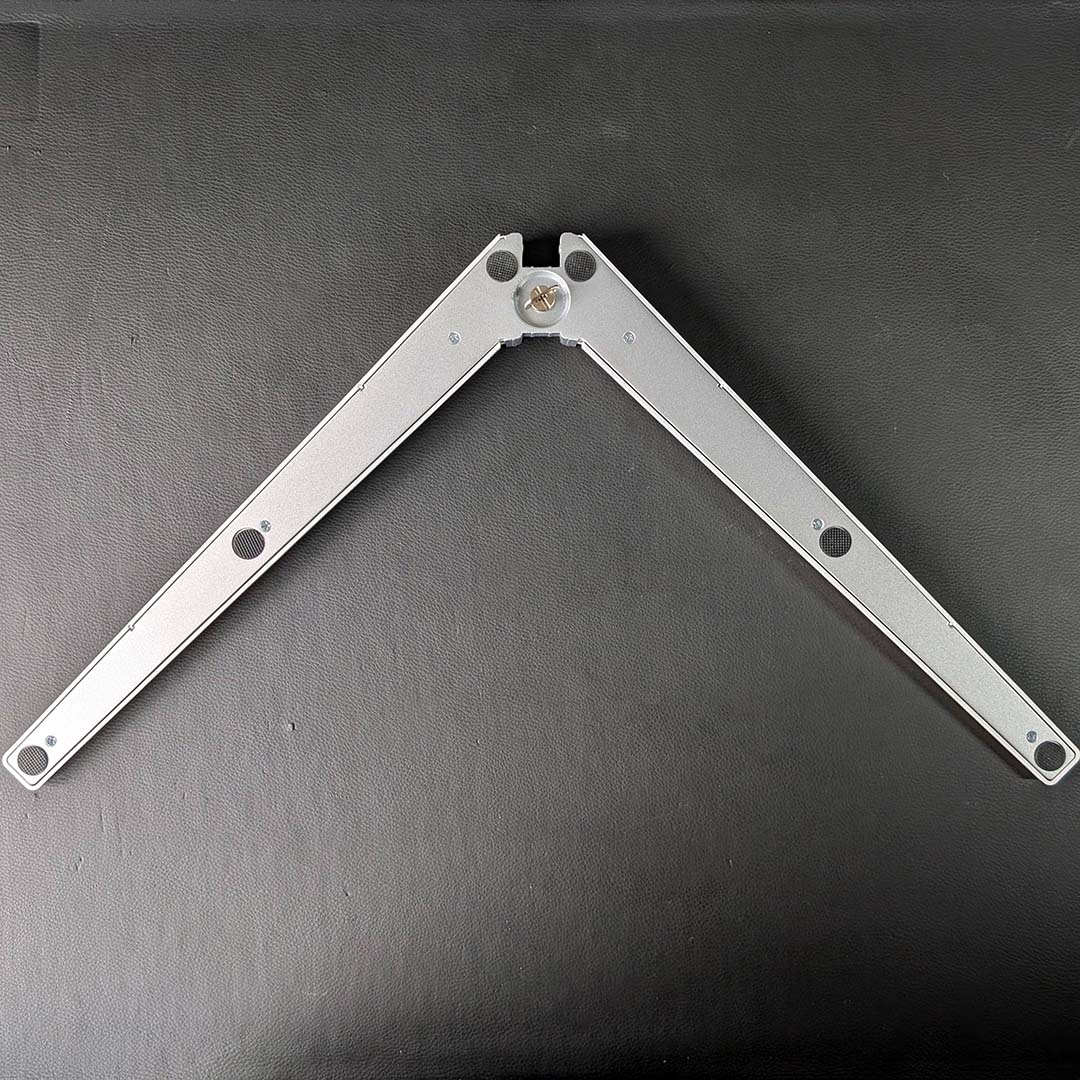
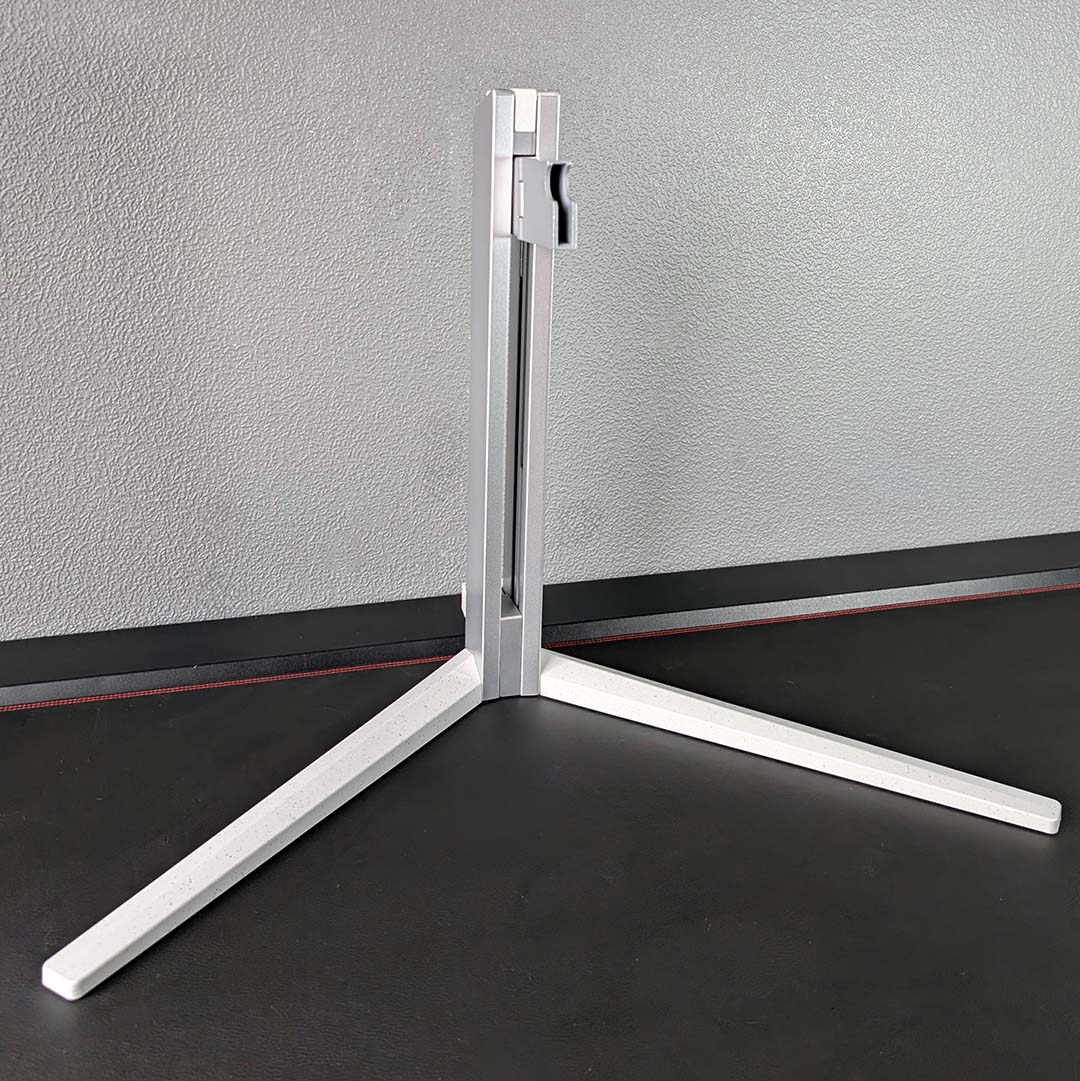
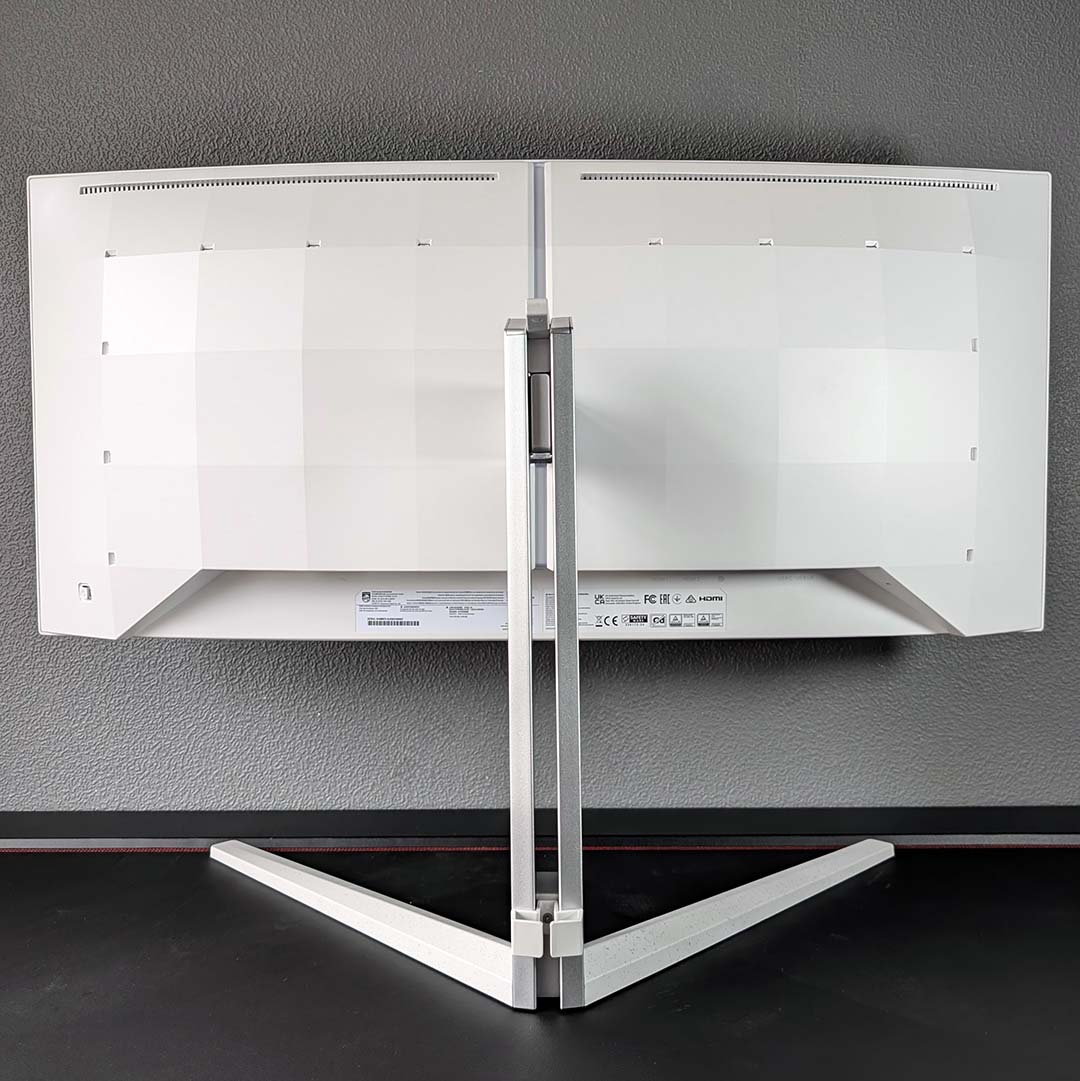
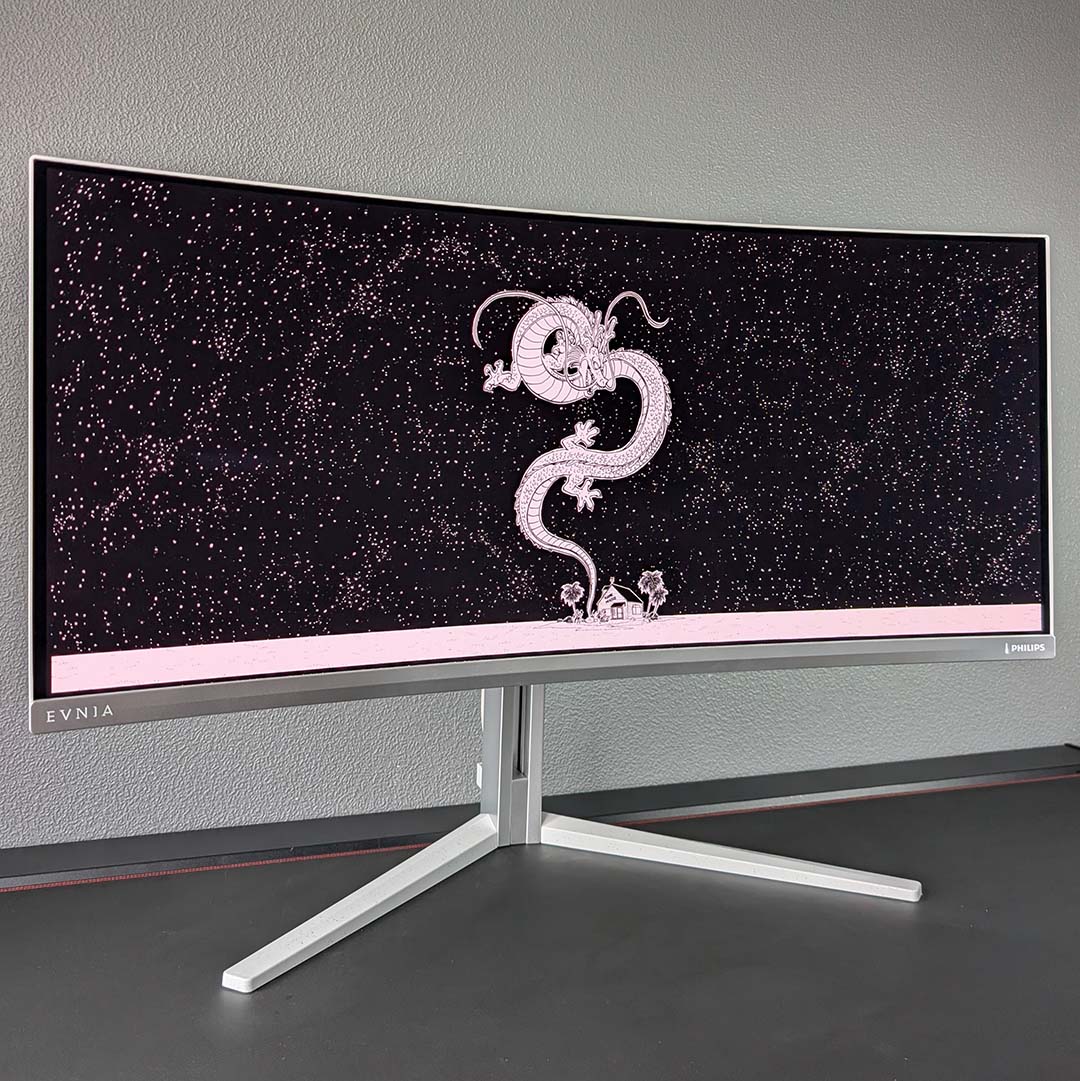
Welcoming the Evnia 34M2C8600P onto my desk brings back memories of the Evnia 32M2N8900P I tested earlier this year, with these two monitors sharing the same pretty pearlescent hues and broader design language. It’s a genuinely beautiful-looking bit of tech, but I do wish Philips would ditch its V-shaped stand in favour of a smaller base that doesn’t clutter your desk
Legs aside, the stand does provide a solid assortment of adjustment potential, with a 150mm height range, ±20° of swivel, alongside a 25° range of tilt. You can’t rotate the display with the stock arm, but you can also mount its 7.4kg screen to a 100mm² VESA mount via the bracket included in the monitor’s packaging.
You’ll find two small guiding fingers at the base of the stand to assist with cable management, which help to keep wires conveniently bunched, but do little to combat slack. Speaking of cables, Philips includes grey wires that fit nicely into the overall colour scheme. However, my UK plug is curiously bright white and spoils the ensemble’s uniformity.
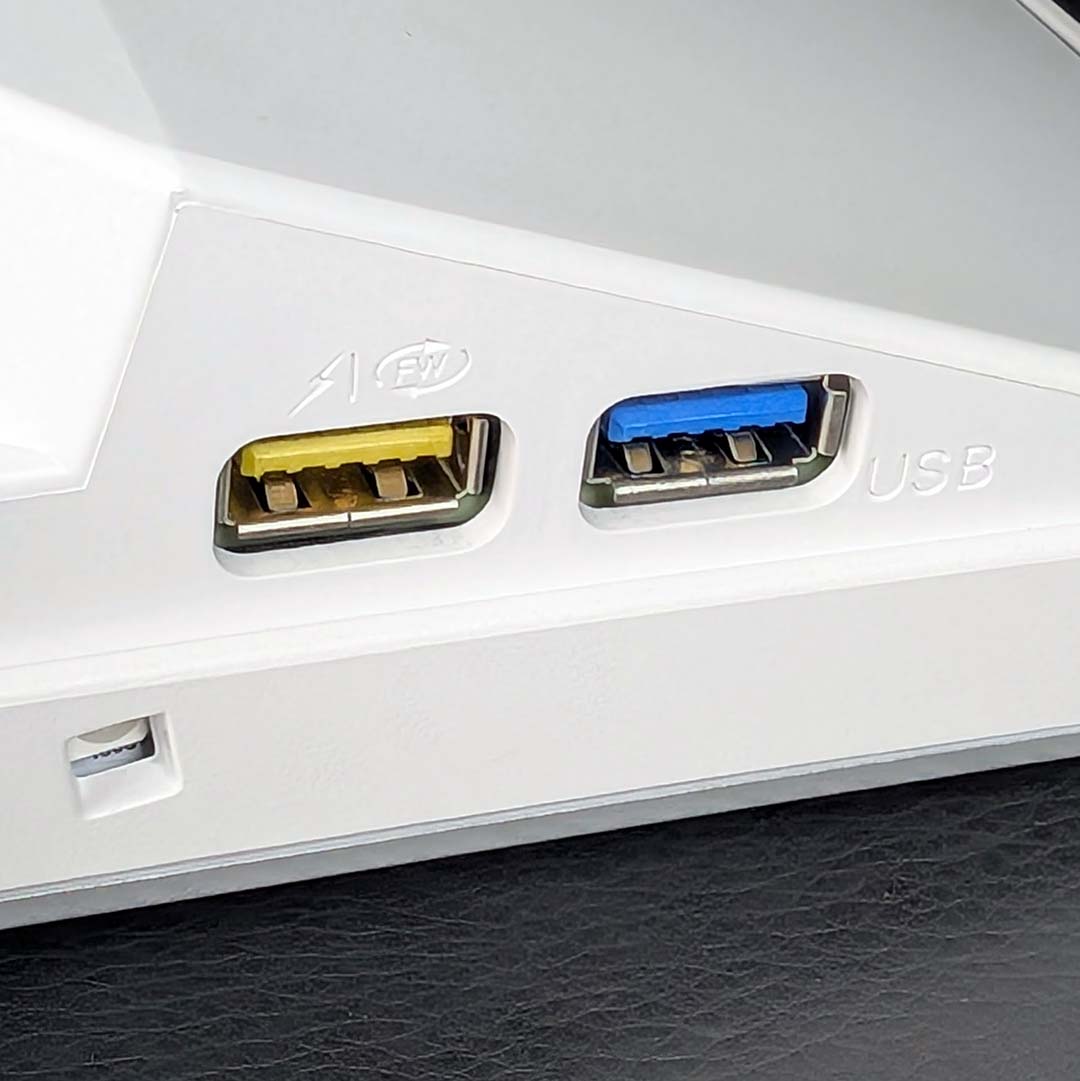
Flipping the monitor around, we find Ambiglow LEDs running around the sides and down the middle of the chassis. They can help enhance on-screen content with real-time lighting effects, as well as reduce eye-strain, and you won’t find this proverbial party trick on any monitors bar those from Philips.
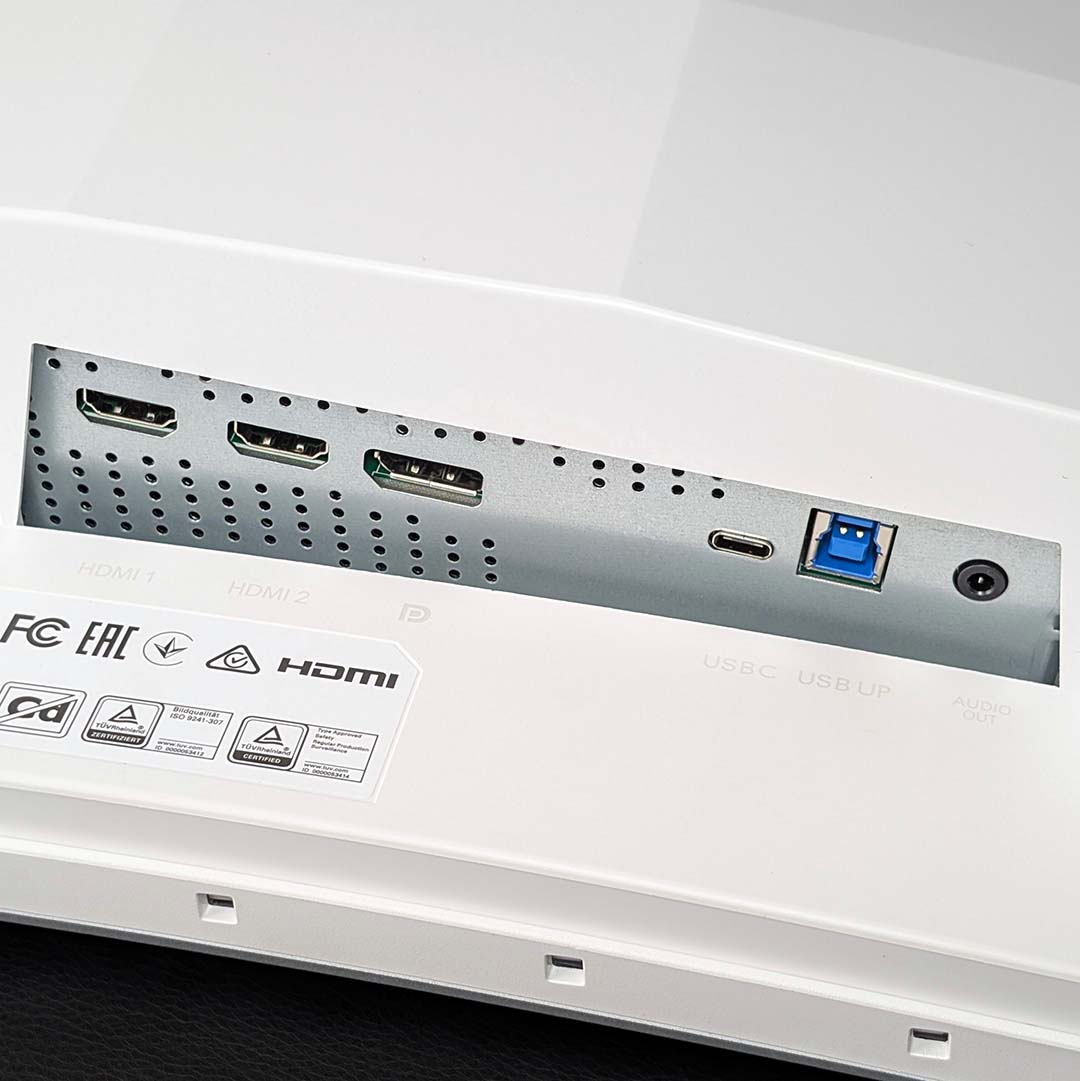
Turning attention to the Evnia 34M2C8600P’s underside, we find two HDMI 2.1 inputs and a lone DisplayPort 1.4 input, as well as USB-C with DP Alt 2.0 support. All three of these ports will allow you to run the panel at its maximum resolution and refresh rate, so take your pick.
That USB-C port also provides 90W of power delivery, and forms part of the built-in KVM switch, sharing two 5Gbps USB-A inputs with a USB-B upstream port. During this review, I connected my keyboard and mouse to the monitor and could seamlessly use both devices across my MacBook (via USB-C) and Windows PC (via USB-B).
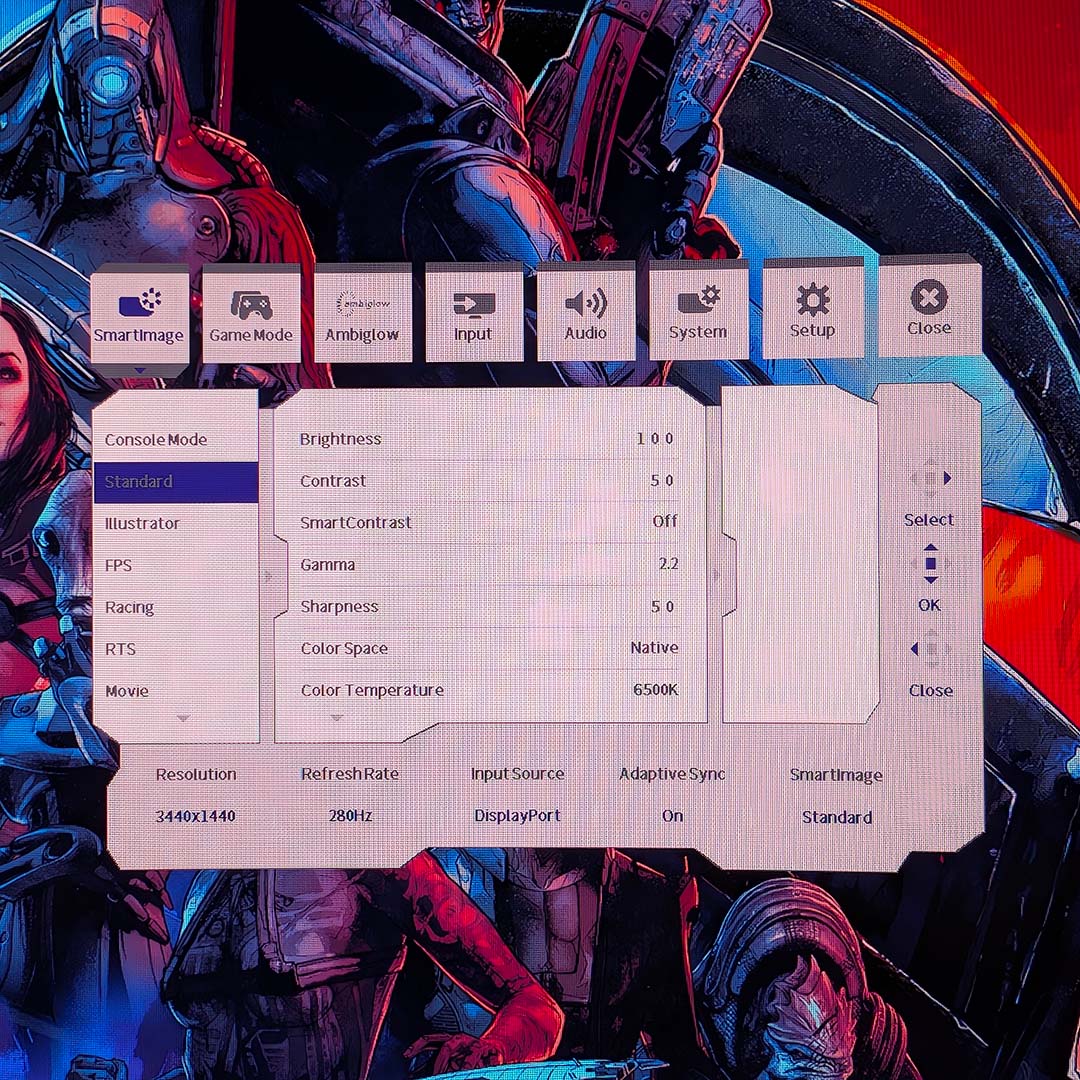
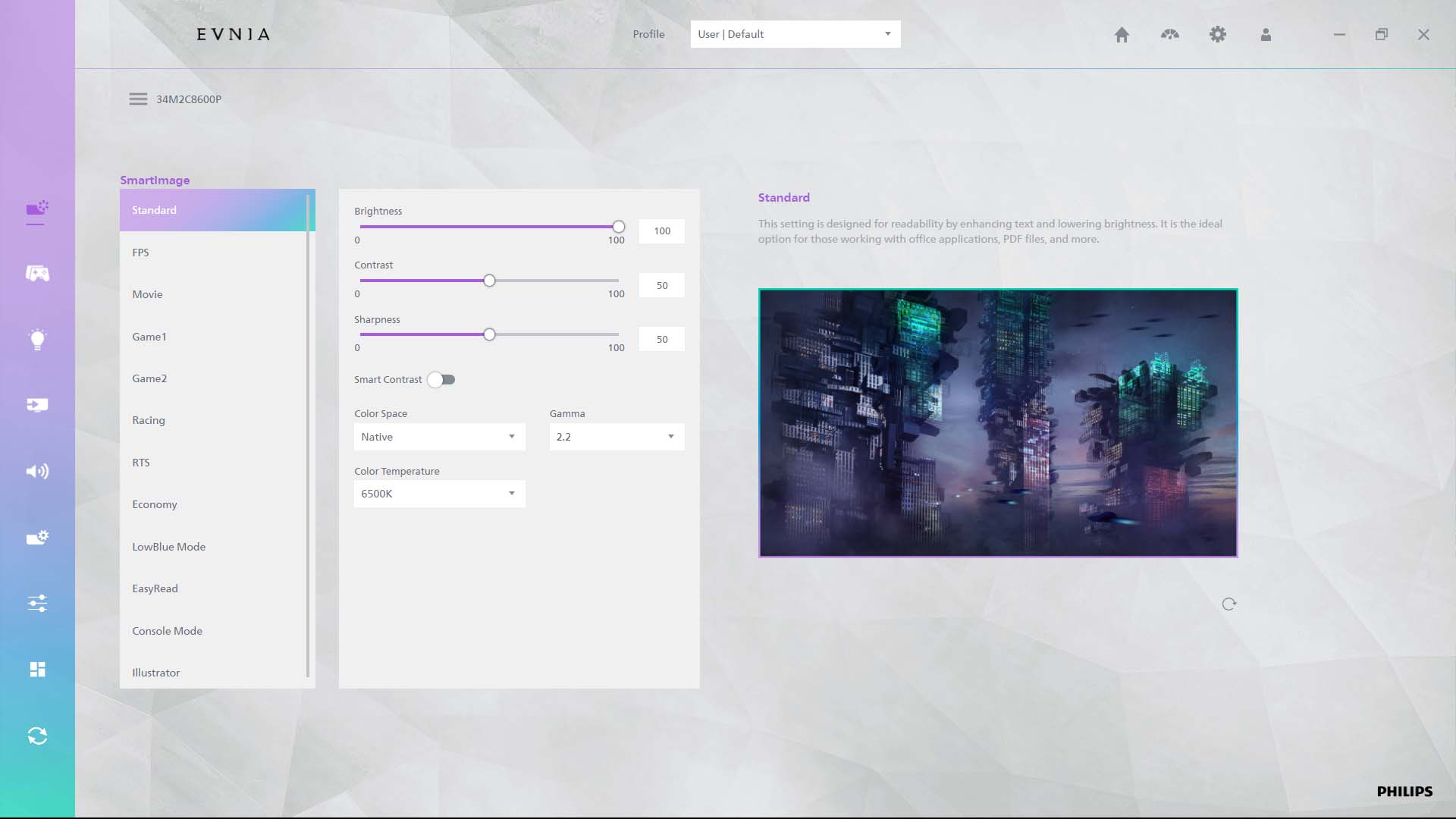
Finally, let’s talk on-screen display (OSD). You can access this menu by pressing the joystick-style power button on the back-right of the chassis, which will toggle power states via a long press. Evnia Precision Center provides a means of software control, and I’m grateful that Philips continues to provide full feature parity between the application and built-in OSD.
Truthfully, there’s little reason to enter this menu bar turning up the brightness from the default 80% to a full 100%. If you’d prefer to tune the monitor’s Ambiglow lighting to respond to different sources, or disable the LEDs outright, you’ll find controls for that here.
No QD-OLED monitor is complete without burn-in protection, and the Evnia 34M2C8600P is chock-full of safeguards, including pixel shifting, panel cleaning, logo detection, and more. You can disable all of them if you’d like, but I wouldn’t recommend doing so as none are obstructive to daily use. Meanwhile, a three-year warranty inclusive of the issue brings further peace of mind.
Performance
Following EA’s heart-breaking decision to dissolve BioWare, I’ve been playing through the Mass Effect Legendary Edition as part of my testing. As an expansive RPG with a rich and diverse colour palette, you can’t ask for a much better showcase for the Evnia 34M2C8600P.
If you’ve played Mass Effect, then you know how vast its worlds can be, and the 21:9 aspect ratio of this monitor helps illustrate that in a manner that more commonplace 16:9 displays can’t match. Once you’ve grown used to game worlds occupying more horizontal space, it’s difficult to go back.
Meanwhile, the galaxy map was one of my favourite places to gawp at while playing the game on this QD-OLED. The inky black depths of deep space contrasting against bright starlight and colourful celestial bodies are as intimidating as they are beautiful. That’s not forgetting how much vibrancy there is to enjoy in populated locales like the Citadel too, both in SDR and HDR.
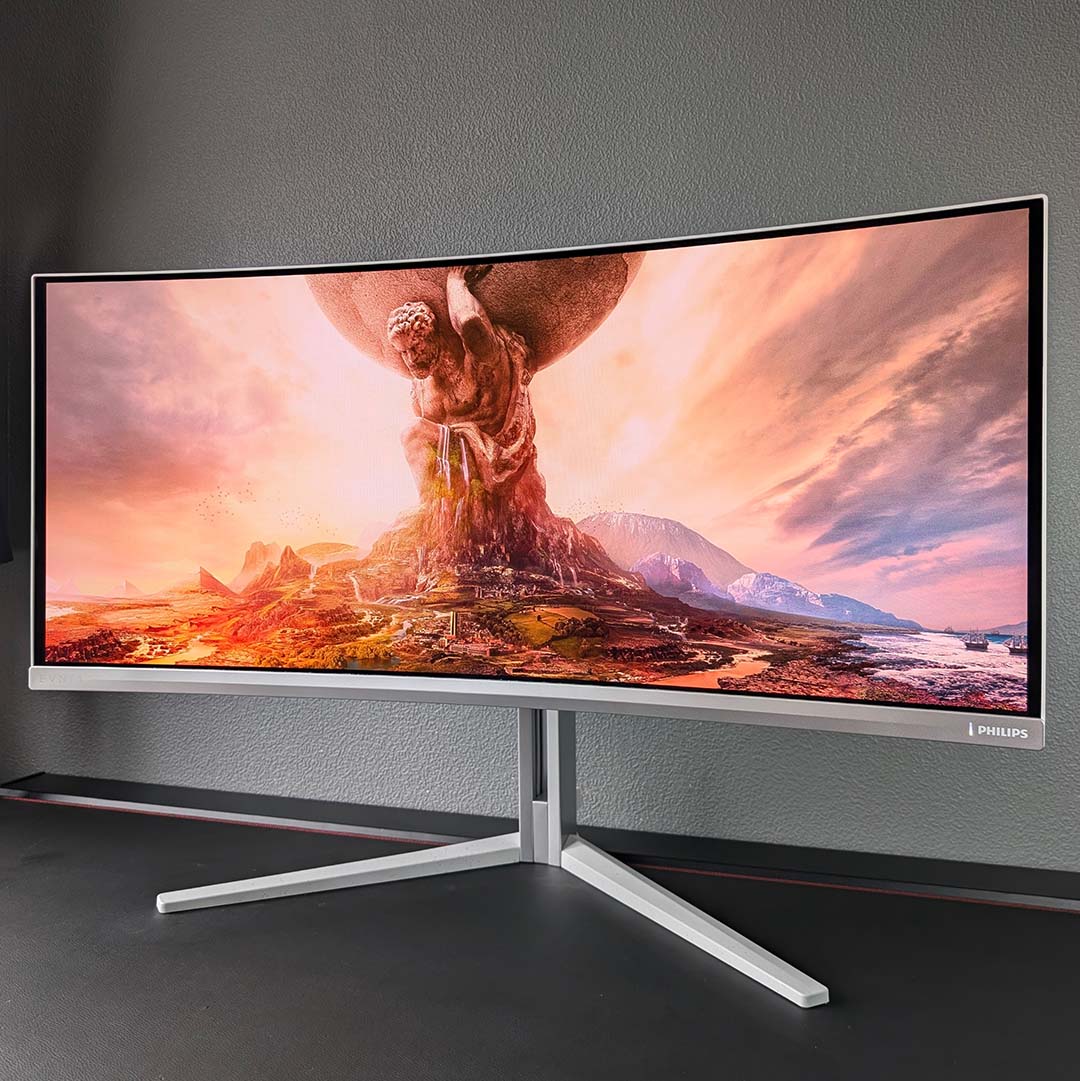
A wider field of view benefits first-person shooters, allowing you to see more of your surroundings at one time. While some competitive games like Counter-Strike 2 happily support ultrawide resolutions, others like Valorant don’t, but you can easily drop down to QHD (2560×1440) with surrounding black bars in those cases.
A monitor such as this one doesn’t just benefit FPS games, though. As a case in point, I began a new save in Civilization VI. The sprawl of my state felt all the more impressive to behold as it stretched across all 34in of the panel. That extra screen real estate also made managing my ever-growing empire all the easier, as I could process more of it at one time.
Whatever game I decided to load up on this monitor, they all felt incredibly responsive. That’s thanks to the near-instant pixel response times I mentioned earlier, which keep motion consistently snappy and free of ghosting in a manner with which LCDs simply can’t compete.
That’s not the only underlying advantage of this QD-OLED screen, though, as the new panel coating that comes part and parcel with Penta Tandem designs makes for a much better viewing experience in brighter environments. Black levels no longer notably rise in the face of ambient light, eliminating the purple hue you’d see on older models. You’ll still want to play in as dark a room as possible to get the most out of this monitor, but it’s no longer quite as necessary to enjoy the tech.
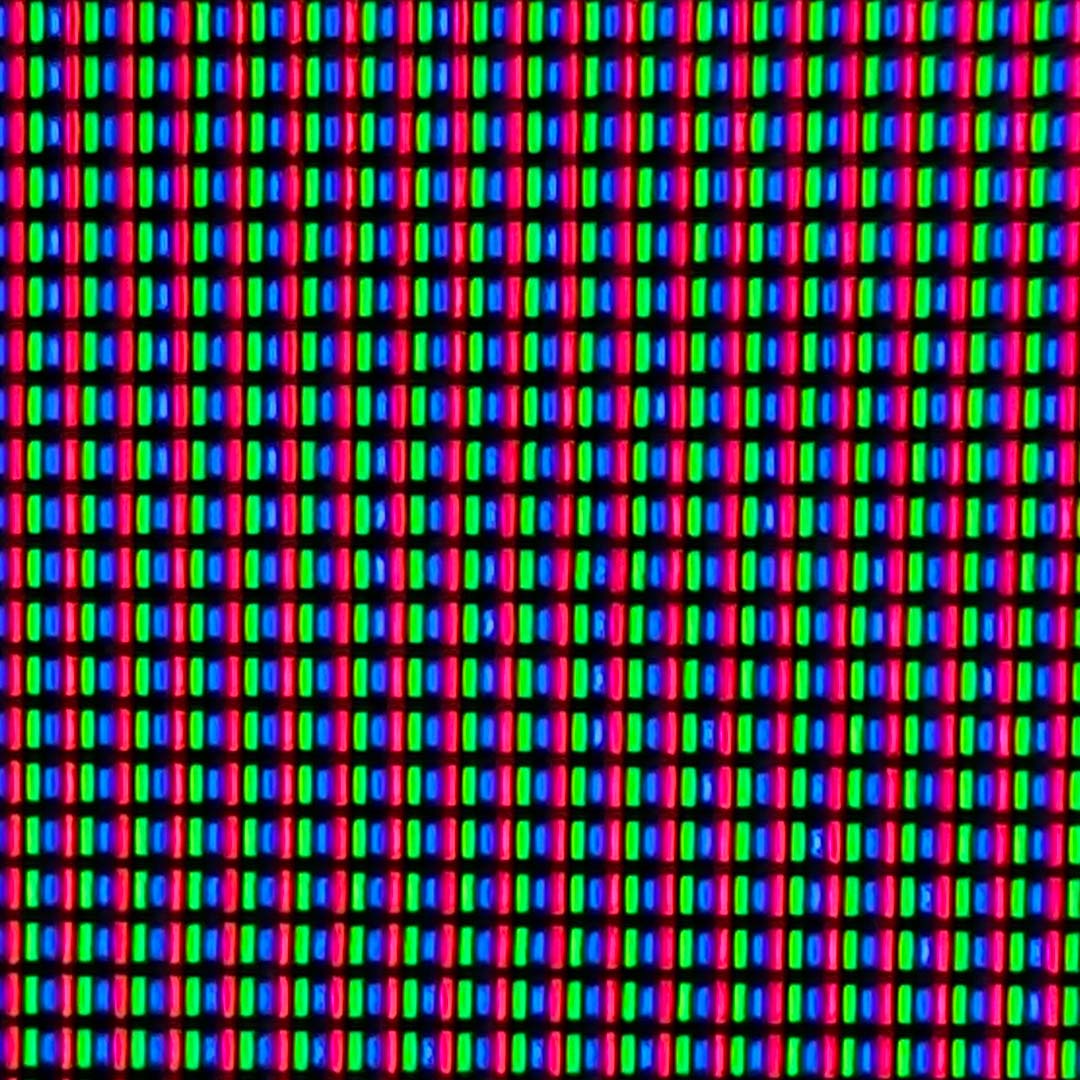
Diving deeper into the monitor’s sub-pixel structure highlights further improvements relative to older QD-OLEDs too, as the Evnia 34M2C8600P arrives with a V-stripe layout. This new arrangement eliminates fringing artefacts around text, improving readability with increased perceived sharpness, and removing a concern from creative workflows.
As always, I’ve used Philips’ monitor both for gaming and work. Burn-in remains a concern for my profession, with frequent static elements, but certainly not a deal breaker considering the protections in place. Having an ultrawide resolution naturally boosts productivity, as my array of windows have more space to share and can display more information at one time.
Colours
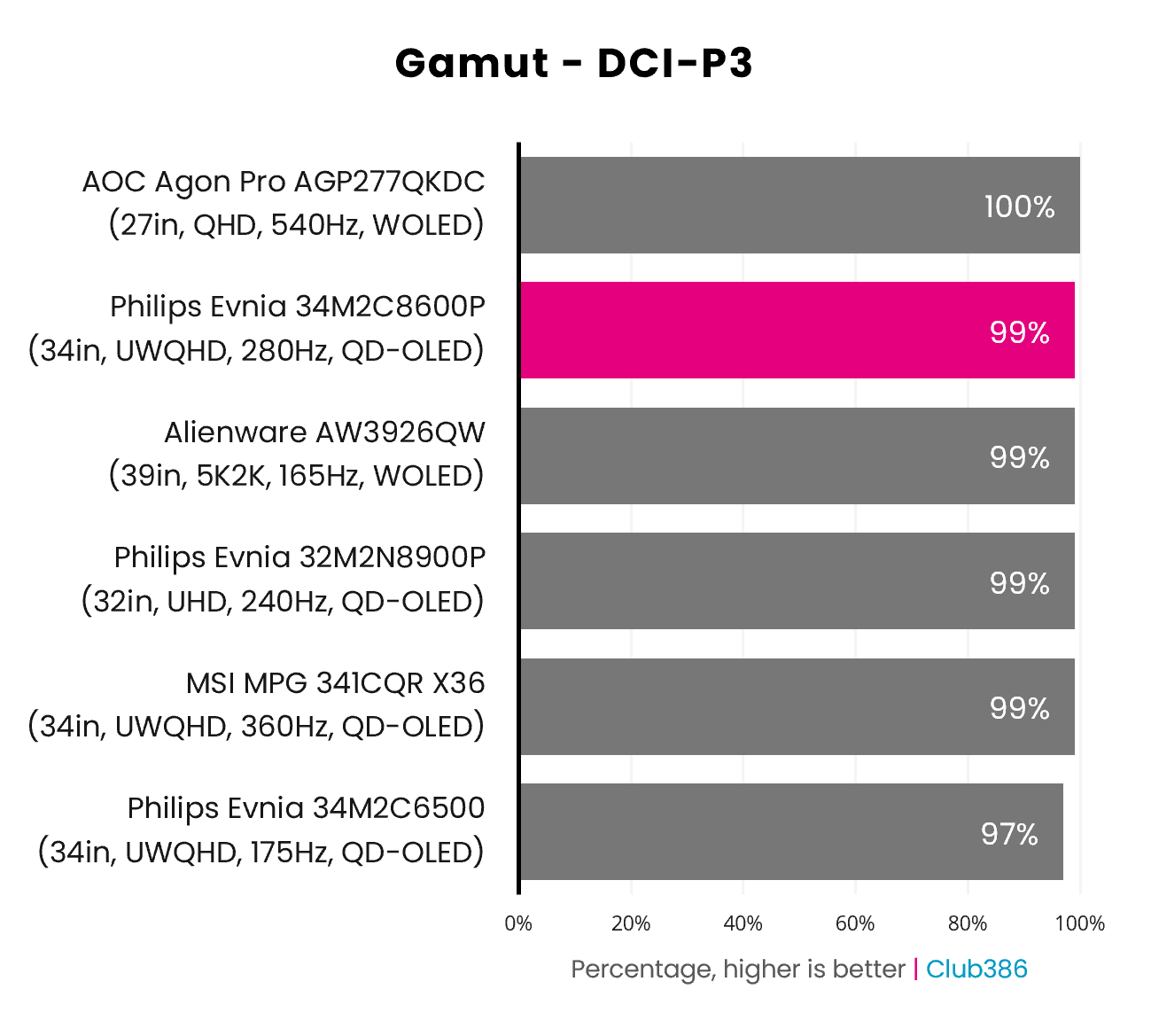
Like all OLED monitors, the Evnia 34M2C8600P’s gamut stretches far and wide. Our testing instruments find the panel just 1% shy of complete DCI-P3 colour space coverage.
These credentials, while not unexpected for a modern QD-OLED, make for a fantastic HDR experience. Expect a wide and vibrant variety of hues across games and other content.
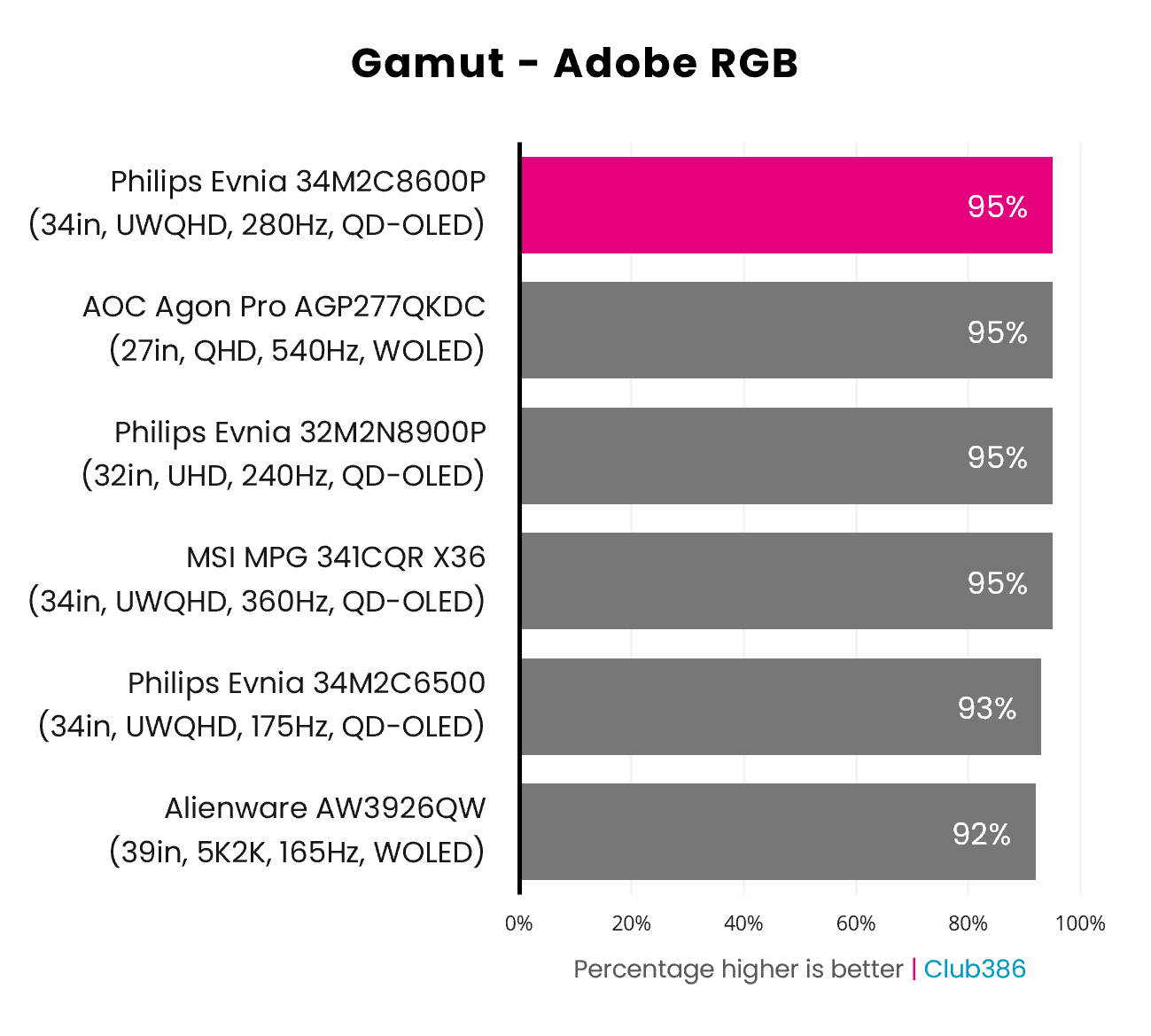
Adobe RGB coverage is similarly strong, measuring at 95% according to our tests. Once again, that’s in line with most other modern OLED screens and a slight step above older models, like the Evnia 34M2C6500.
This colour space is more relevant to graphic design and photography workflows than gaming, but the monitor is suitable for both work and play in these regards. As mentioned earlier, you needn’t worry about text fringing artefacts on the Evnia 34M2C8600P either, unlike older QD-OLEDs.
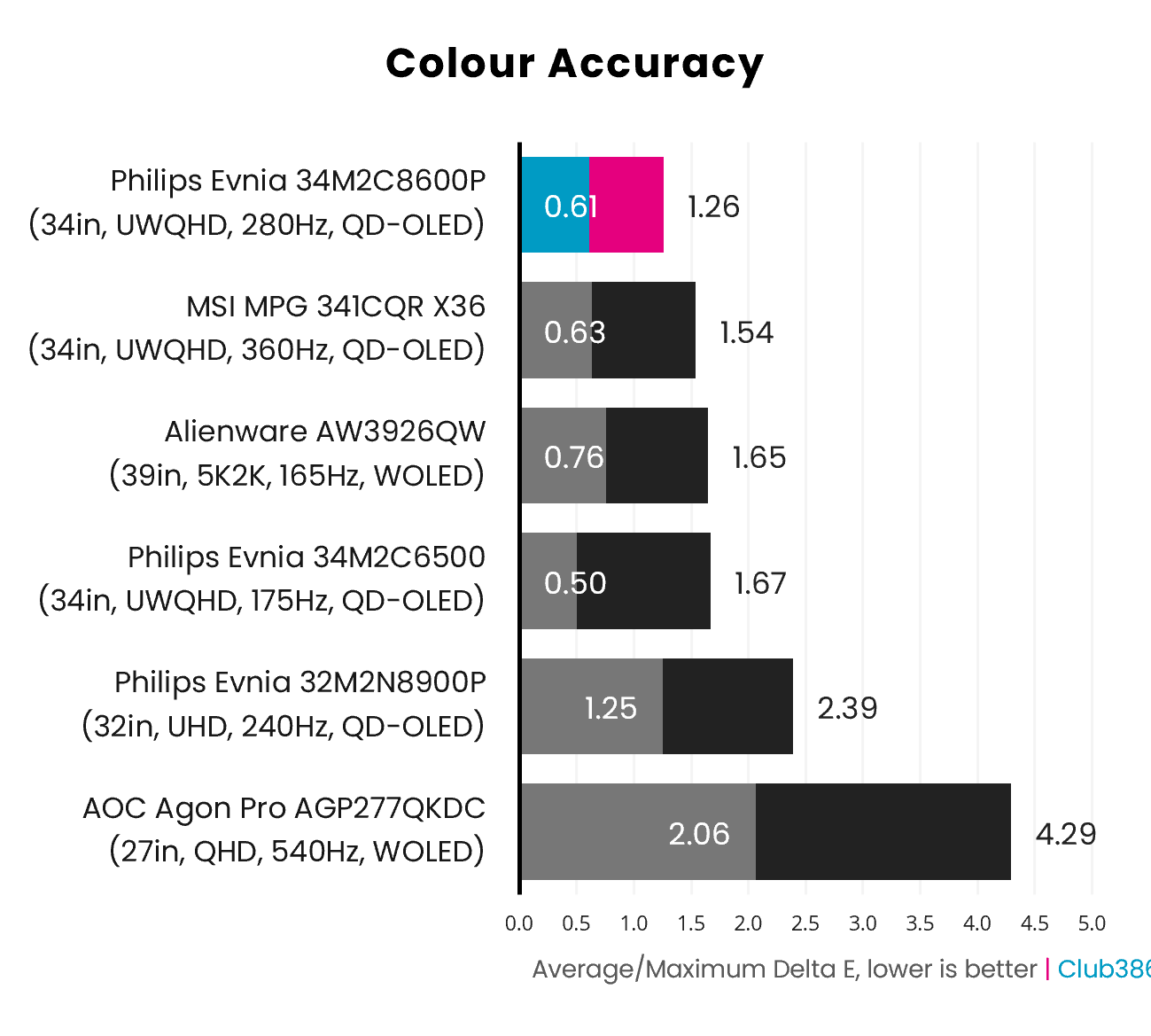
Out-of-the-box colour accuracy is among the best we’ve seen from a QD-OLED screen, with a 0.61 average Delta E and 1.26 maximum. Considering the threshold for imperceptible inaccuracies is ≤2.0, you won’t notice a single hue out of line on this monitor.
Better still, raising brightness from 80% to 100% doesn’t negatively impact colour accuracy. In fact, the Evnia 34M2C8600P becomes a little more accurate with those extra lumens in play, shifting to a 0.46 average Delta E and 1.19 maximum.
Brightness
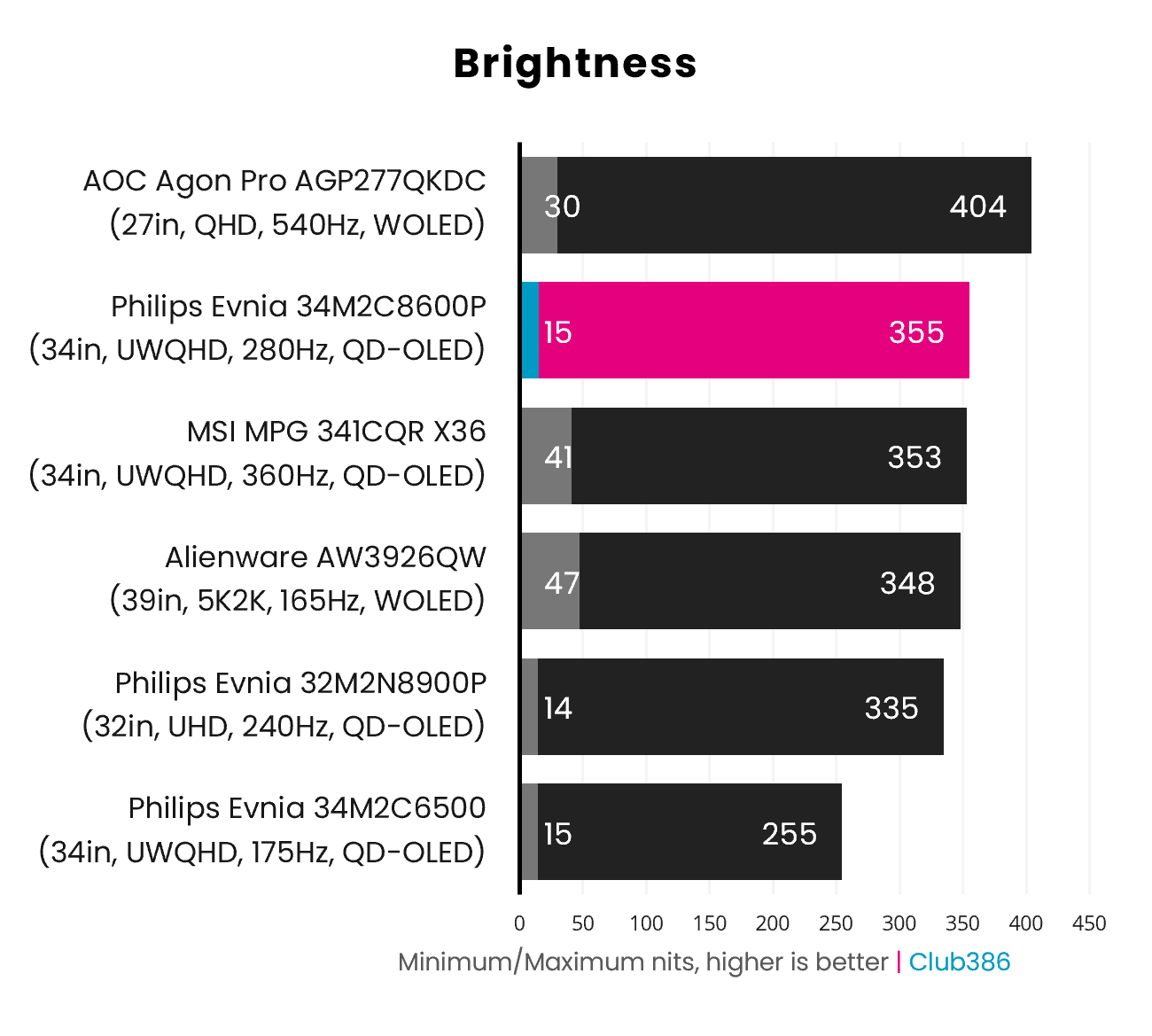
Penta Tandem QD-OLED designs promise higher brightness relative to older approaches, and that’s exactly what we see when measuring the screen’s light output. 355nits is the brightest SDR value we’ve recorded on a QD-OLED screen, pipping past the previous record holder, the MSI MPG 341CQR X36, but still a touch behind WOLED models like the AOC Agon Pro AGP277QKDC.
Switching over to HDR, the monitor boasts VESA DisplayHDR True Black 500 certification. This means you can expect full-screen brightness to exceed 300nits, while smaller highlights will go past 500nits. In short, this panel offers one of the brightest and punchiest experiences you can expect from a QD-OLED screen today.
Uniformity
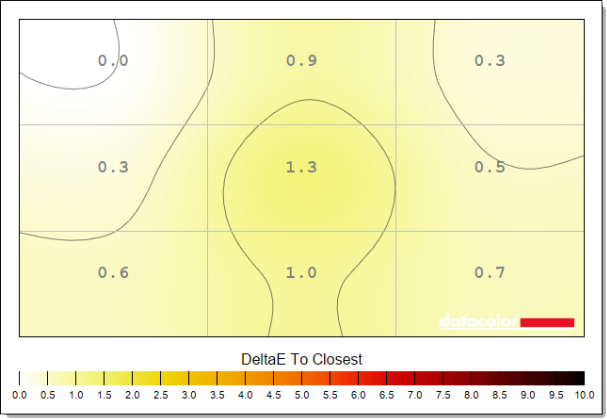
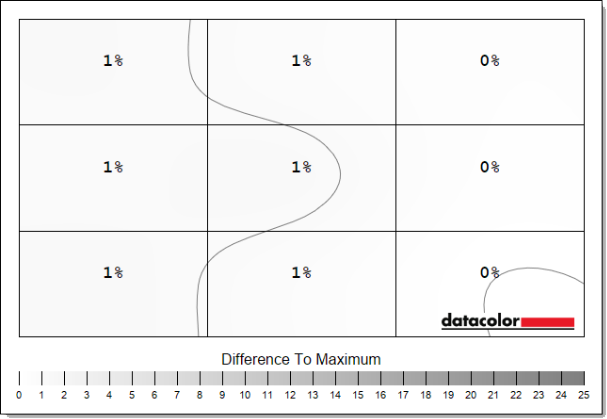
Colours remain pleasingly uniform across the entirety of the panel. While our testing found some minor fluctuations in play, they’re within expectations for QD-OLED tech, and a 1.2 maximum Delta E makes these deviations imperceptible.
Luminance uniformity is similarly strong, as there’s no backlight with which to contend. Unlike WOLED alternatives, there’s no risk of distracting grey banding artefacts either, as we’ve seen on the likes of the Alienware AW3926QW.
Power
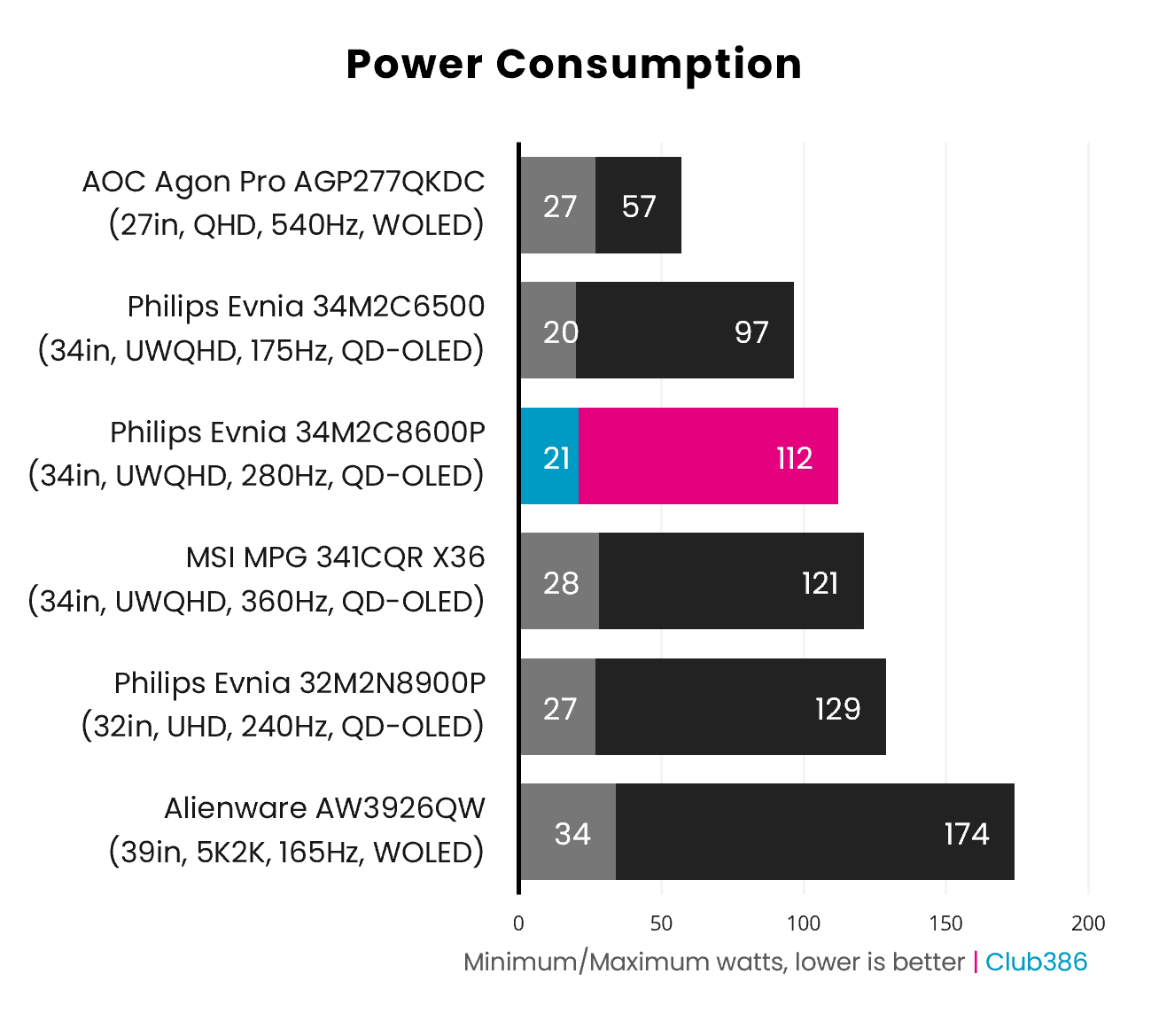
Peak power consumption on the Evnia 34M2C8600P measures at 112W, expectedly below the MPG 341CQR X36. While this value isn’t lower than the older Evnia 34M2C6500, brightness is much higher at the same power draw, denoting better efficiency.
It’s worth noting that LCD panels of the same size and resolution are typically far less power-hungry than QD-OLED equivalents. WOLED can be more efficient at producing white hues if the panel uses white subpixels, but monitors like the Alienware AW3926QW buck this trend with an alternative RGB Stripe layout.
Conclusion
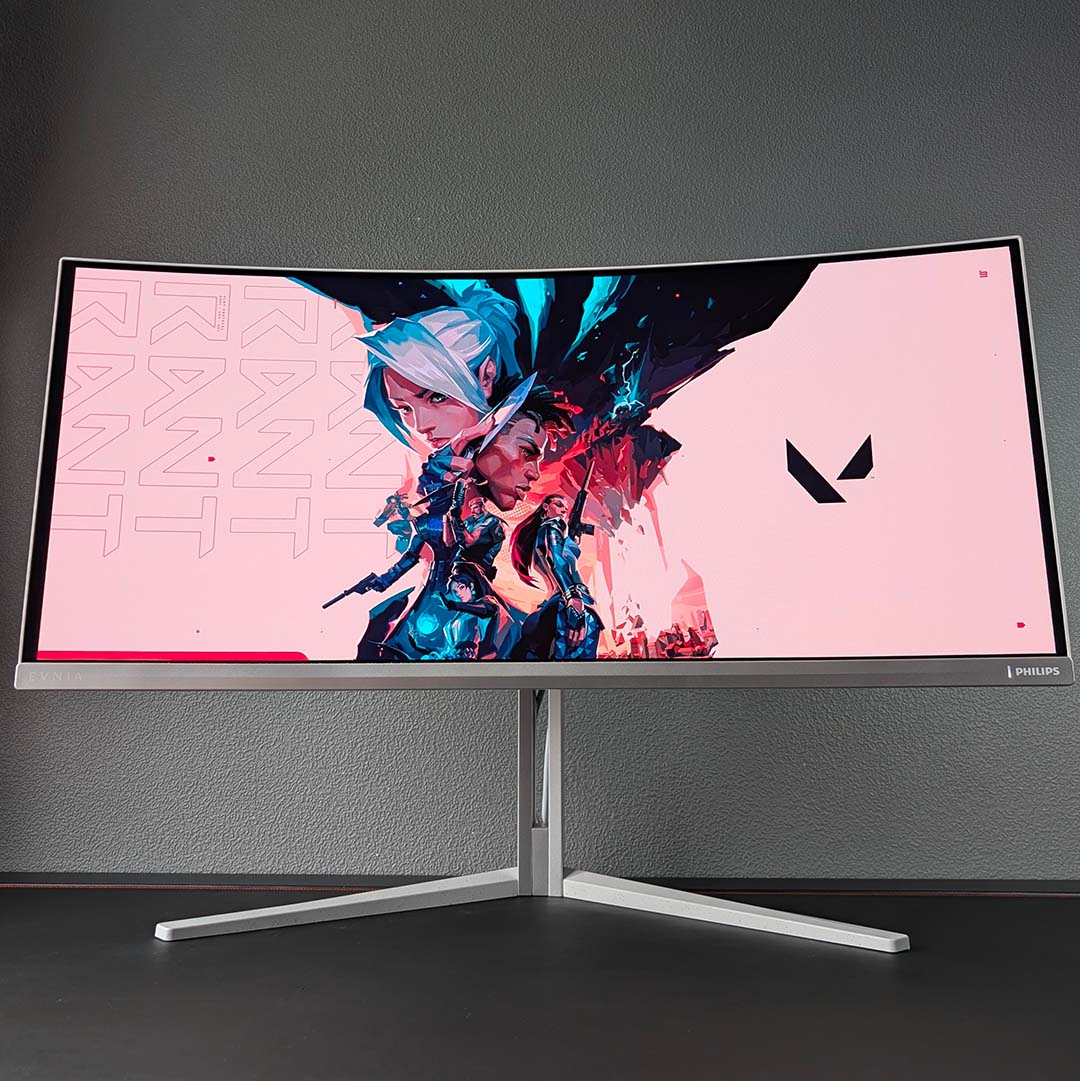
If I were planning to purchase an ultrawide QD-OLED monitor, then I’d put the Evnia 34M2C8600P straight into my basket. The display delivers the best colour accuracy and brightness we’ve seen from this panel technology, complete with a satisfyingly well-rounded port selection and intuitive settings selection. That’s not forgetting its lovely looks either.
About the only drawback you can level at this screen is its power consumption, but this is a weakness that the panel shares with all other QD-OLED monitors. Some may find the 280Hz refresh rate relatively low compared to 360Hz options, but the latter usually carry a much higher asking price. I’d sooner settle for saving ~£200 at the expense of 80Hz.
At the time of writing, the MSI MPG 341CQR QD-OLED X36 makes for a worthy similarly-priced alternative thanks to recent Black Friday discounts. However, that monitor usually sits between £850-999, whereas you’ll reliably find the Evnia 34M2C8600P at its £779 price.