

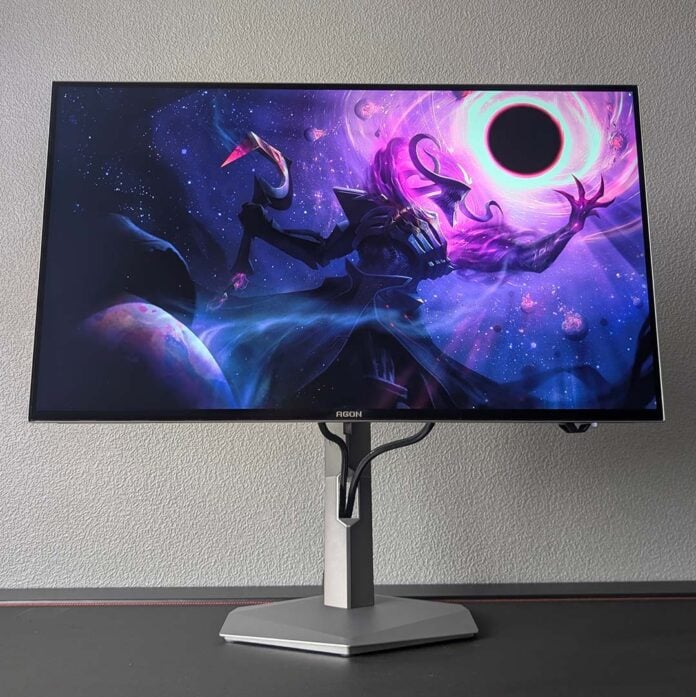
I now know the butter-smooth pleasure of 720Hz gaming thanks to the AOC Agon Pro AGP277QKDC. However, reaching such highs requires settling for a 720p render resolution. Is that too much of a compromise on a 27in panel, when a QHD/540Hz mode is on the cards? Let’s find out.
Regardless, the native resolution and refresh rate combo on this screen provides a pleasing balance of sharpness and speed on its own, which will please all but the most particular of esports enthusiasts. Combine that QHD/540Hz combo with all the pluses of a cracking Tandem WOLED panel, and you have a compelling display that competes and even exceeds premium QD-OLED alternatives.

AOC Agon Pro AGP277QKDC
£799
Pros
- Bright QHD WOLED panel
- Super fast 540Hz refresh rate
- HD/720Hz dual-mode option
- KVM with plenty of USB ports
- Low power consumption for OLED
Cons
- 720p on a 27in screen can look rough
- Middling colour uniformity
- Minor text fringing
Club386 may earn an affiliate commission when you purchase products through links on our site.
How we test and review products.
Arriving on store shelves for £799, the AGP277QKDC is one of the most-expensive QHD monitors you’ll find on the market. This price sees the WOLED panel rub shoulders with similarly speedy 500Hz QD-OLED displays. That additional 40Hz doesn’t count for much in terms of a tangible improvement, but AOC’s screen has plenty of other advantages to flaunt.
It’s also worth noting that you can pick up 32in 4K QD-OLED monitors for similar money, but those panels top out at just 240Hz. The motion clarity offered by 540Hz is appreciably superior, so it’s a question of whether you fancy a larger and sharper screen versus one with smoother motion. Both approaches have their place on the market, with this display’s specifications fitting more suitably into a competitive gaming setup.
Specifications
While the AGP277QKDC’s refresh rate is the highest among WOLED monitors, AOC’s offering uses the same Tandem OLED panel technology found across current-generation models at its heart. In short, there are two emissive layers working together under the screen to boost brightness and colour gamut, in addition to improving efficiency and endurance. The end result makes for impressive viewing, with greater light output than a QD-OLED panel with similar colour space coverage.
The monitor has a native QHD (2560×1440) resolution, across a 27in screen. This is a classic combination as far as pixel count and screen size go, delivering 110.84 pixels per inch for a solidly sharp viewing experience. That said, its matte screen coating does soften image quality to a degree, and while this does net impressive ambient light rejection, I always prefer a glossy finish to heighten perceived colour saturation.
Running at 540Hz out of the box, the AGP277QKDC delivers the highest refresh rate you’ll find on a self-emissive display. While that’s a far cry from 1,000Hz LCDs on paper, response times are much faster and more consistent on OLED, resulting in comparable (if not superior) motion clarity across all frame rates, as there’s no risk of overshoot or ghosting on the latter panel type.
| AOC Agon Pro AGP277QKDC | |
|---|---|
| Screen size | 26.5in |
| Resolution | QHD (2560×1440) |
| Refresh rate | 540Hz |
| Dual-mode setting | HD (1280×720) / 720Hz |
| Response time | 0.03 (GtG) |
| Panel technology | WOLED |
| Panel coating | Matte |
| Variable refresh rate | Nvidia G-Sync compatible VESA Adaptive Sync |
| HDR | DisplayHDR True Black 500 |
| Ports | DisplayPort 2.1 (x1) HDMI 2.1 (x2) USB-A (x3) USB-B (x1) USB-C, 65W PD and DP Alt Mode (x1) |
| KVM | Yes |
| Speakers | 5W (x2) |
| Warranty | Three years (including burn-in) |
| Price | £799 |
It’s possible to run thus monitor at 720Hz via its dual mode function, which you can activate via a few button presses on the rear of the chassis. This improves motion clarity by 33%, the same kind of jump you’d experience shifting from 60Hz to 90Hz, or 180Hz to 240Hz.
However, doing so requires dropping the resolution down to HD (1280×720), greatly reducing sharpness as there’s now only a 55.42PPI pixel density in play. I’ll go into detail of what it’s like to use the AGP277QKDC at such a low pixel count in due course. For now, though, I’ll say it’s an experience that I believe few will find useful bar the most competitively minded.
Wrapping up core specifications, variable refresh rate support is here to keep screen tearing at bay. GeForce graphics cards can revel in official Nvidia G-Sync compatibility, while Radeon and Arc users can fall back on Adaptive Sync. The technology works from 48Hz upwards, so make sure you keep frame rates above 48fps to reap this benefit.
Design
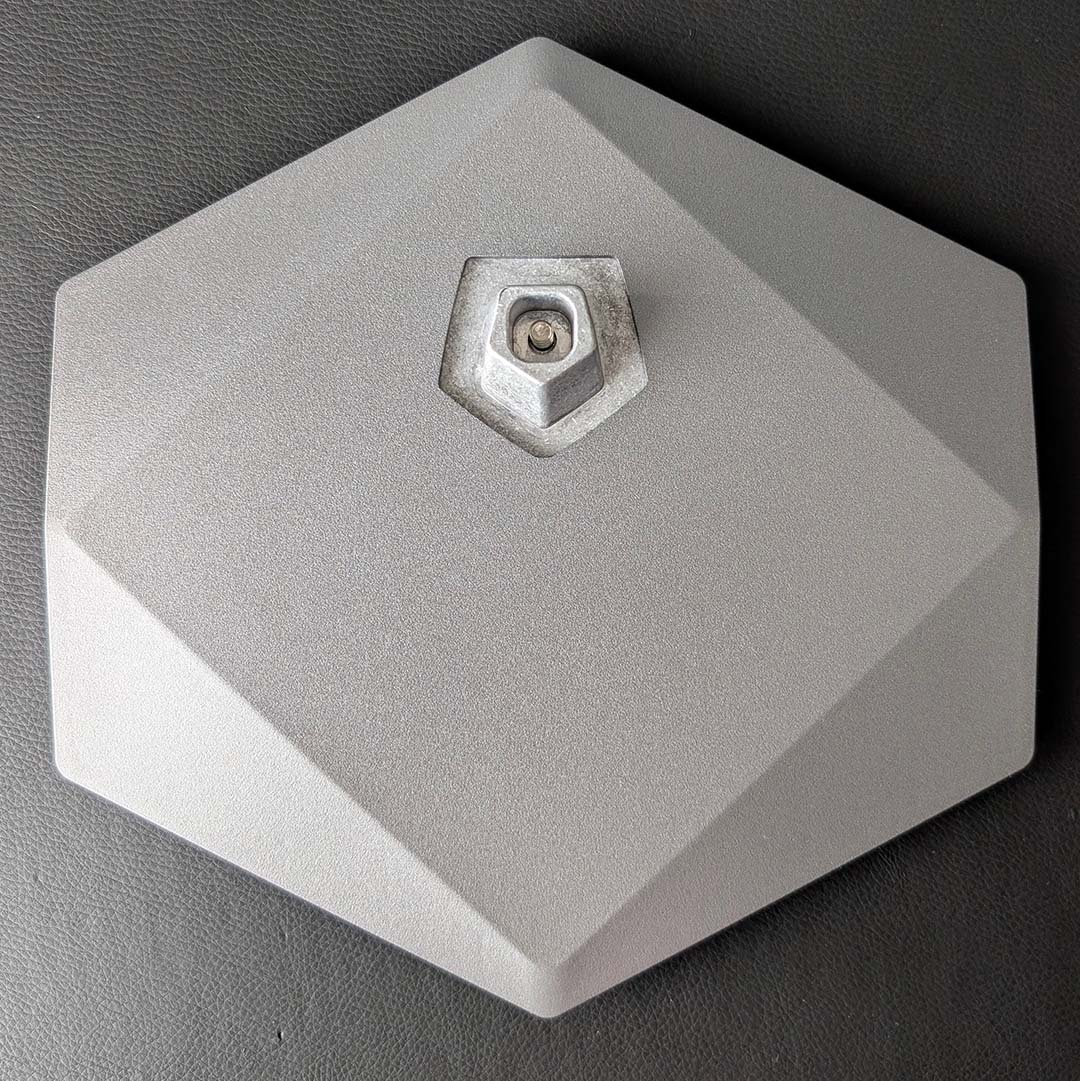
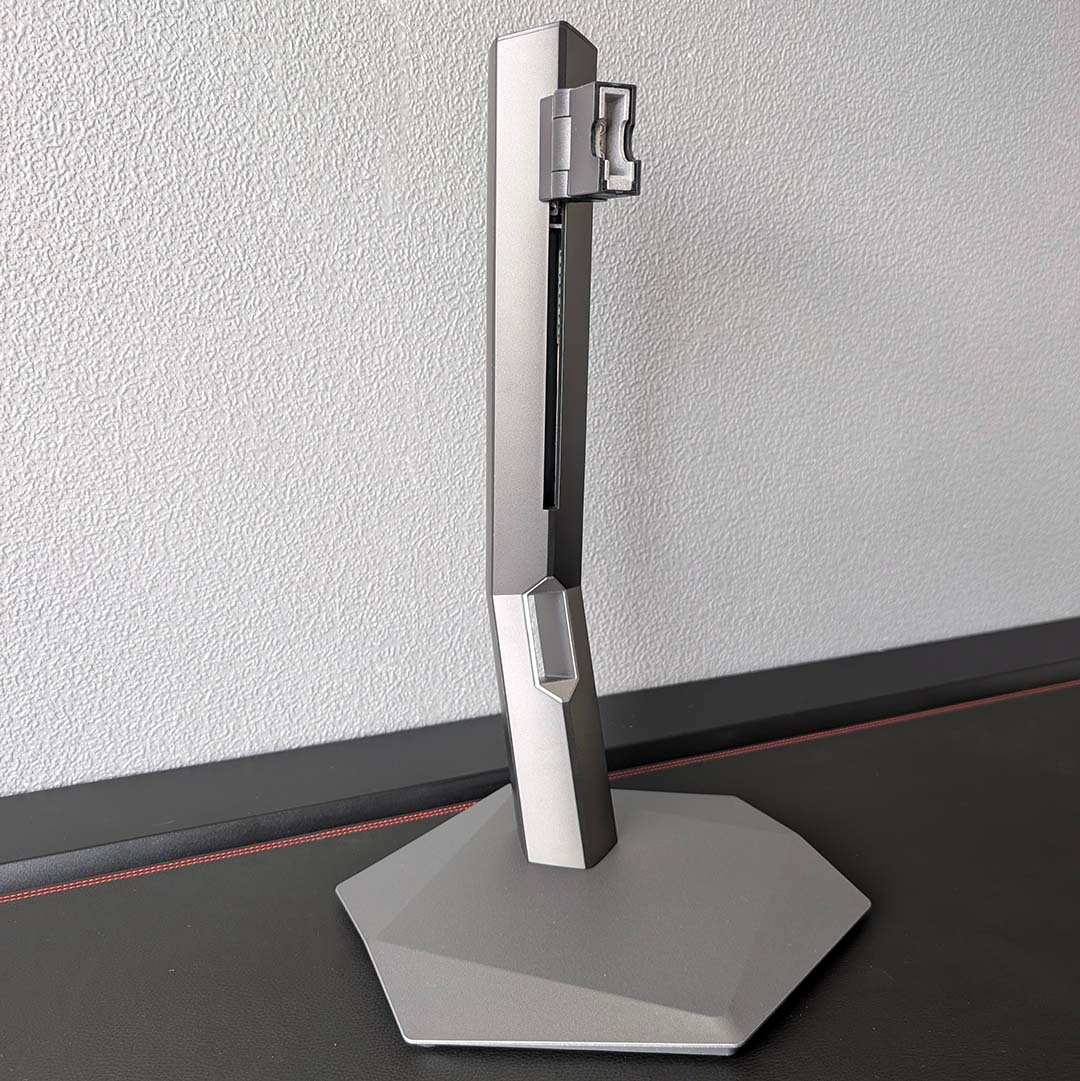
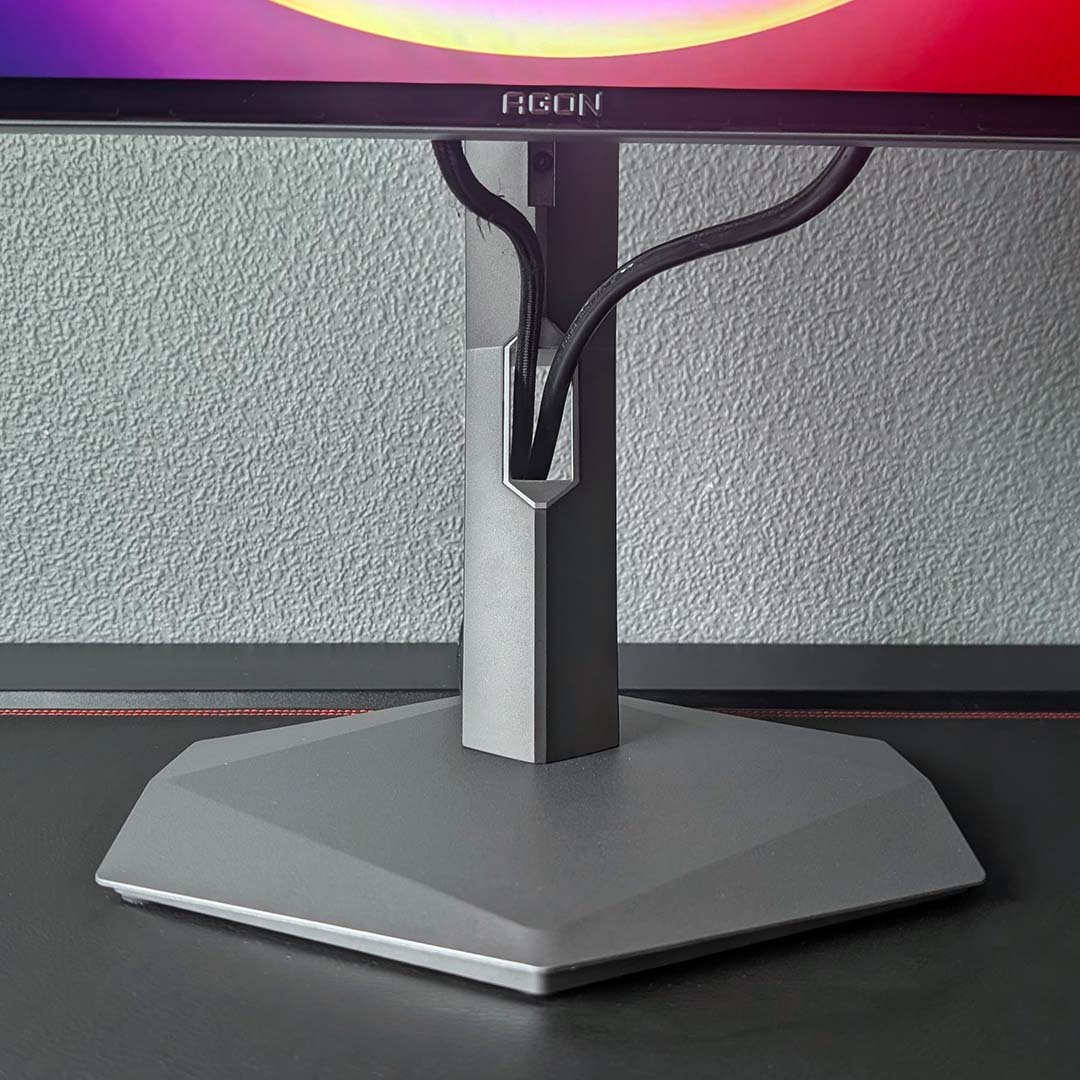
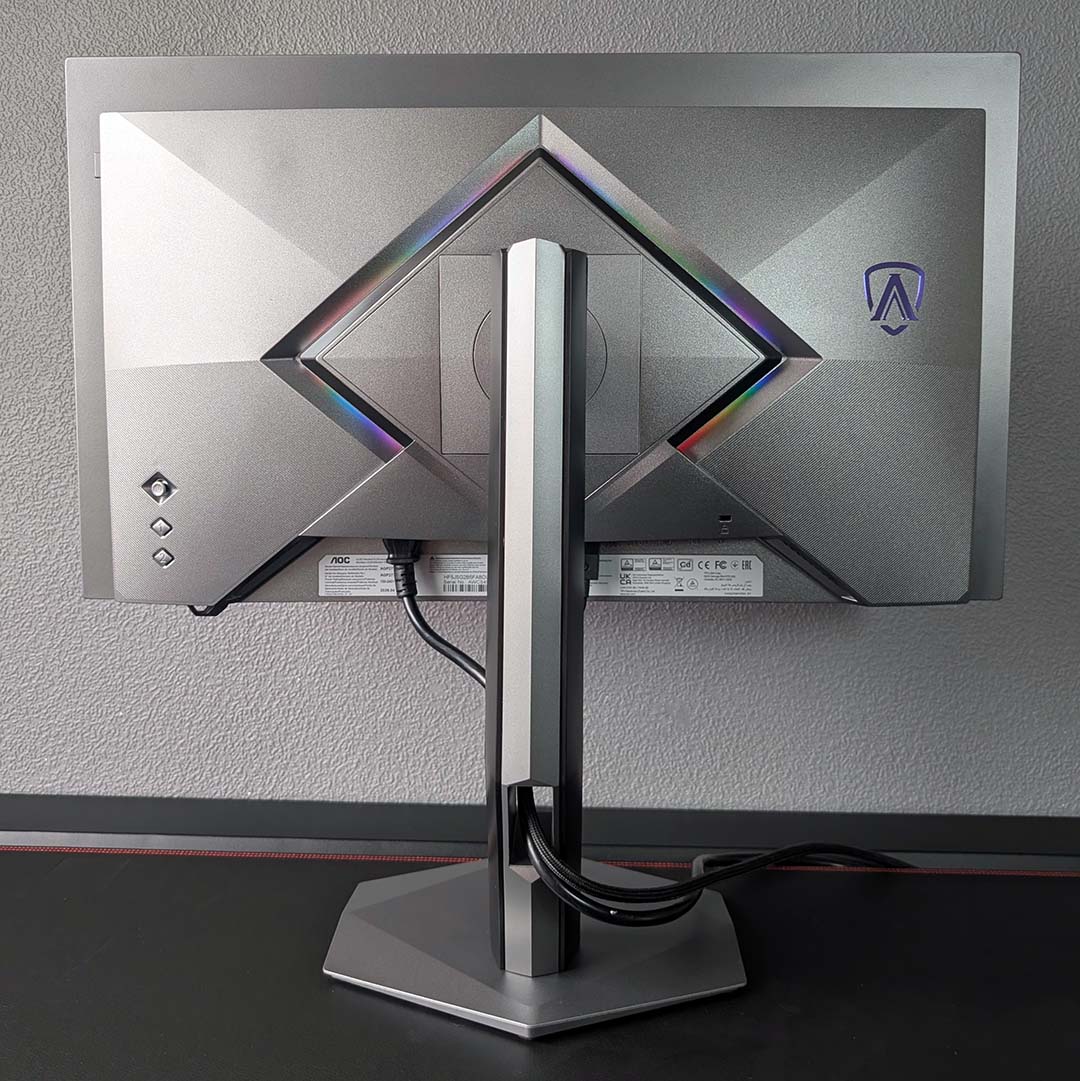
The AGP277QKDC marks a shift in design for AOC’s Agon Pro series, finally abandoning asymmetry for more uniform shapes across the base, neck, and chassis. This is a minor change on paper, but it gives the monitor a more premium appearance to match its excellent build quality.
It’s possible to mount this 5kg screen to a 100mm² VESA wall mount, but the stock stand will serve most folks well. Height adjustment is most important of all in my view, and there’s a generous 150mm of height with which to play here. Meanwhile, there’s also ±90° of rotation, as well as ±30° of swivel and a 28° tilt range.
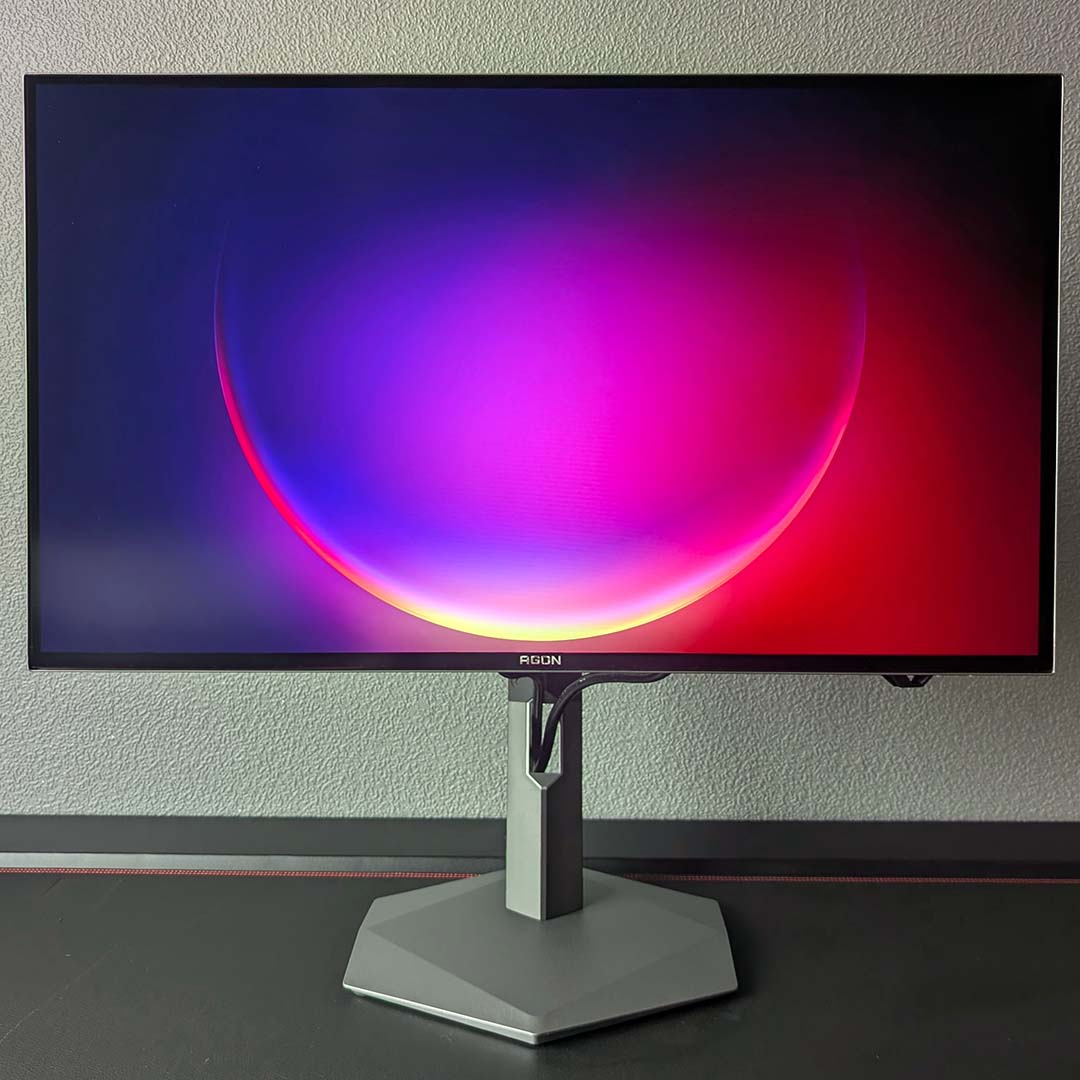
Cable management isn’t anything to scream about, with no holsters to accompany the narrow-but-tall cutout in the monitor’s neck. I’ve managed to create a relatively tidy-looking finish by tweaking wire slack after taking the photograph above, but it’s simply easier to accept the visible wiring for what it is.
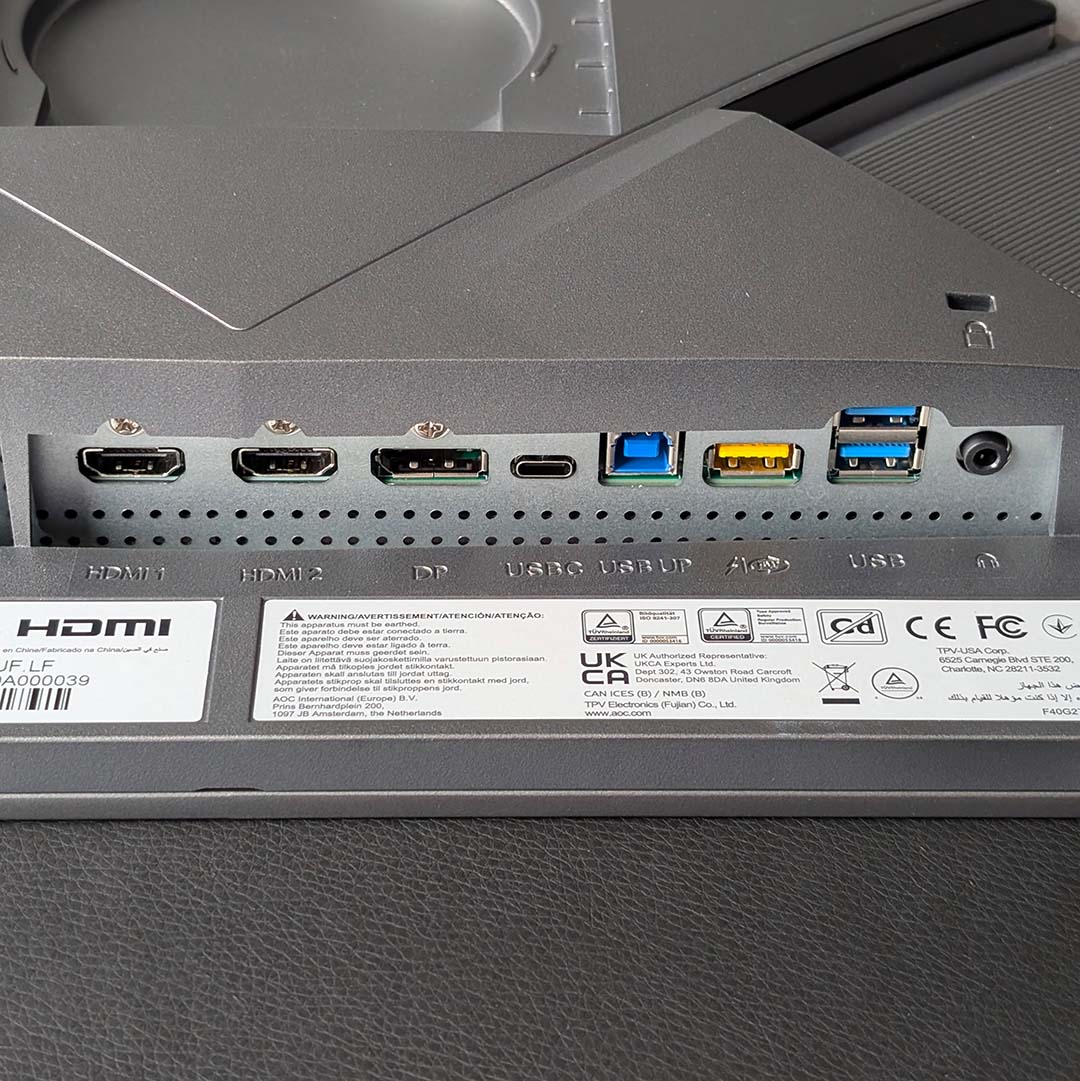
There’s a generous helping of ports on the AGP277QKDC’s underside. Chief among the group is a single DisplayPort 2.1 (UHBR20) input and two HDMI 2.1 ports. Both standards are capable of outputting the monitor’s full resolution and refresh rate, albeit with the assistance of Display Stream Compression. There’s no reason to choose one over the other on current-generation graphics cards, but older pixel pushers will want to stick with HDMI 2.1 over DP 1.4a to avoid chroma subsampling.
The lone USB-C port also serves as a display input (via DP Alt Mode) and provides 65W of power delivery, carving a viable path for a single cable connection between this monitor and some laptops. This connection also feeds into the display’s built-in KVM (keyboard, video, mouse) switch system, allowing you to share any devices plugged into the three USB-A ports across two computers. As someone who’s frequently swapping between my PC and laptop, it’s a feature I use frequently.
The AGP277QKDC also features a retractable ledge from which to hang your headset. I personally don’t love how my Audeze Maxwells look hanging from the side of the monitor, but I appreciate AOC’s attempt to bolster the screen’s utility. I feel similarly about the two 5W speakers; a welcome if sparingly useful addition.
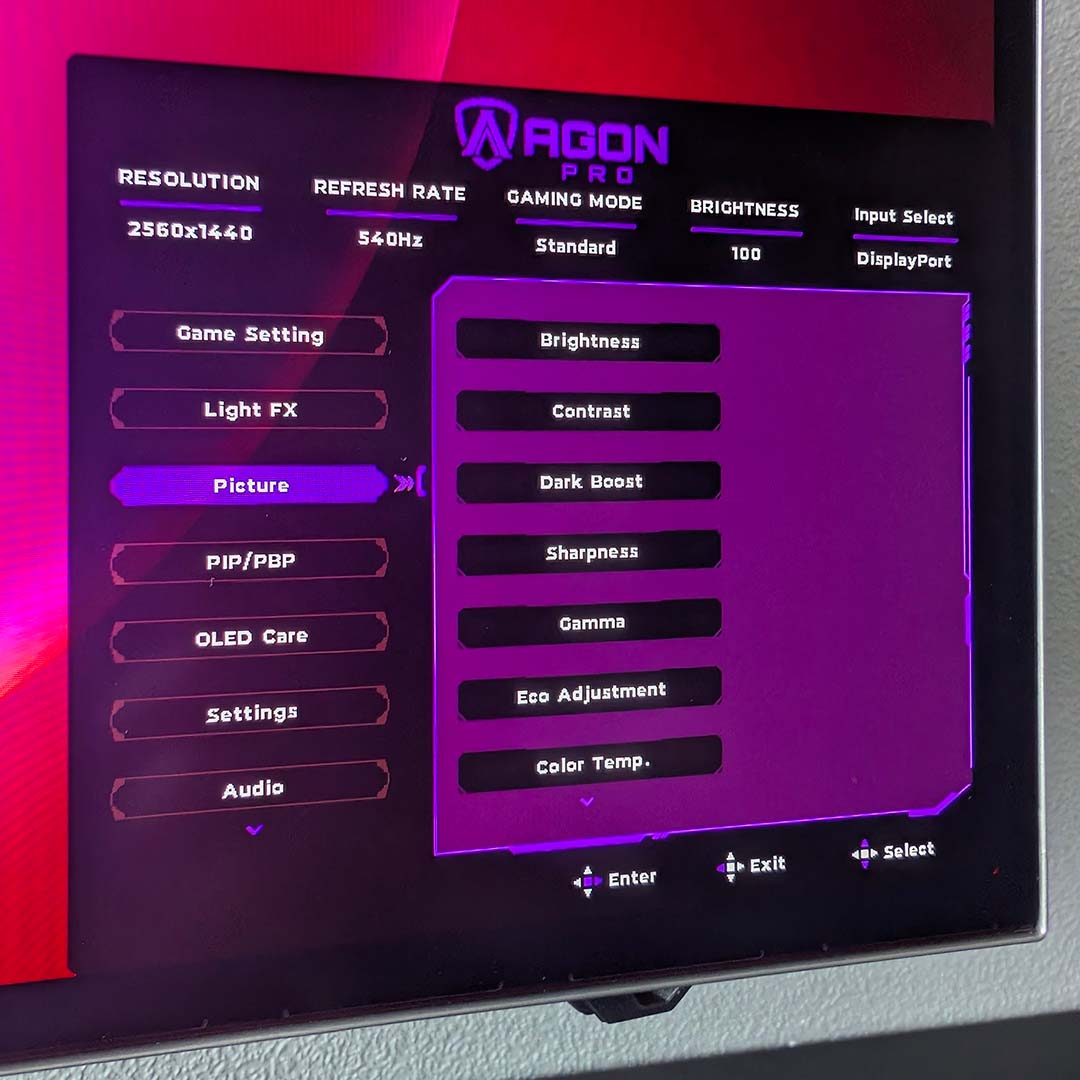
I’m glad to see the AGP277QKDC enjoy AOC’s new OSD design, though. We first saw it on the Agon Pro AG276QSG2, and it’s far more intuitive than the aged setup you’ll find on the likes of the Agon Pro AG326UZD2. Navigating these menus is relatively straightforward via the monitor’s right-side joystick and two shortcut buttons, or you can tweak most settings via AOC’s G-Menu software.
While I normally recommend leaving stock settings well enough alone, there are a couple of tweaks I’d recommend making for this monitor. The first is one born out of necessity, as my HDMI signal couldn’t move past 144Hz until I manually selected the 540Hz mode. The other switch I suggest making is to enable ‘UniformBrightness’ under OLED Care, to address unruly gamma performance and improve colour accuracy.
Speaking of OLED Care, AOC has put several protections in place to mitigate image retention on this panel. These include pixel shifting, logo and taskbar detection, as well as an automatic pixel refresh. The monitor also features a built-in screensaver, which dims the display after detecting a prolonged period of idling. All of these are useful and largely invisible additions that I recommend leaving alone. On top of all this, there’s a three-year warranty inclusive of burn-in to provide extra peace of mind.
Performance
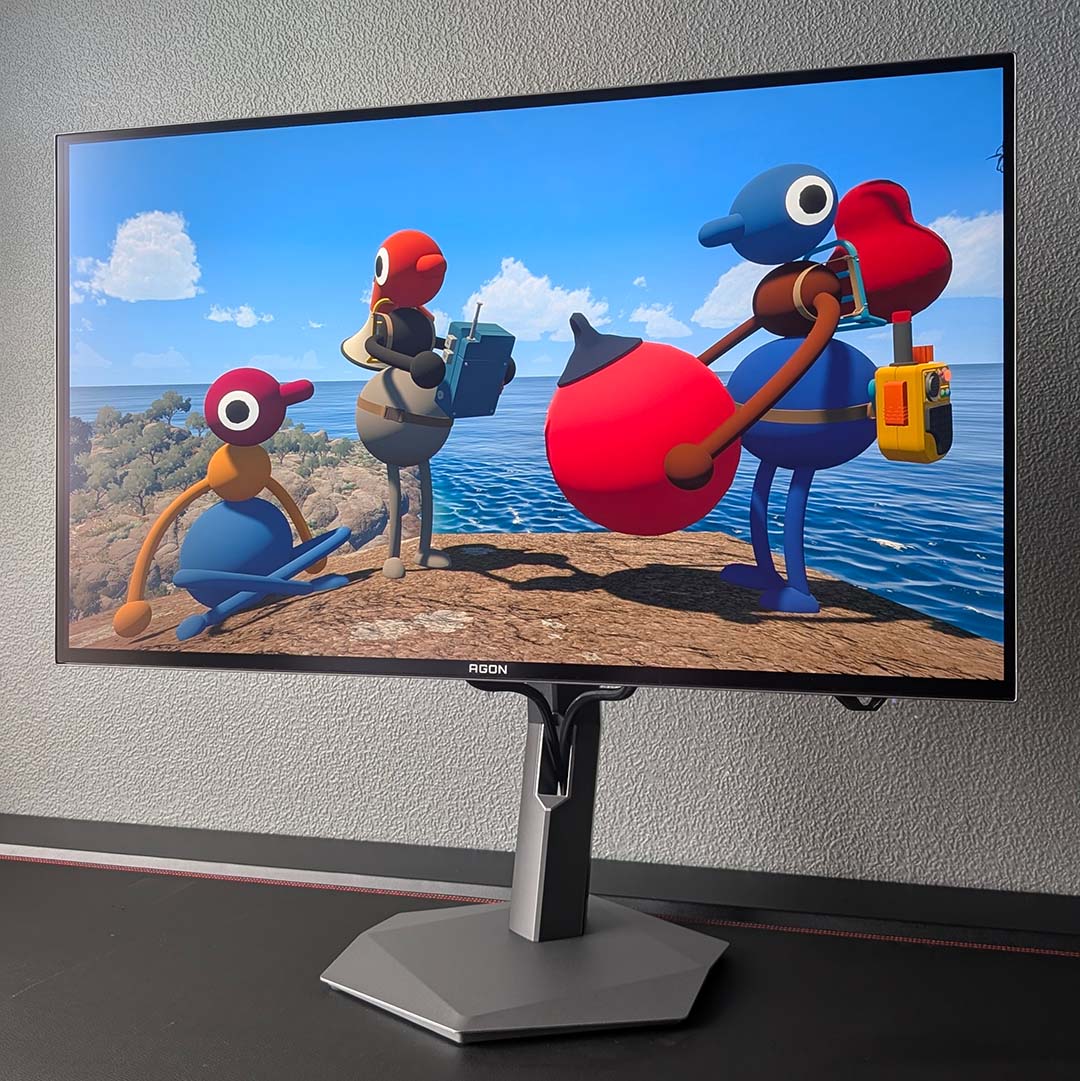
While I was keen to check out the AGP277QKDC’s HD/720Hz mode, I explored the monitor’s baseline QHD/540Hz performance first. To do so, I’ve spent the past few weeks playing Big Walk with friends. While this may seem an unusual choice of testing ground, this game actually serves as a prime showcase for the monitor’s wide gamut and inky black contrast. There’s nothing quite like exploring a lush green forest with your colourful mates in search of mysterious and equally colourful buildings, only to make your way back to base in pitch black darkness once the sun sets.
Keeping the multiplayer theme rolling, I’ve also spent some time playing The Lord of the Rings: War in the North Legacy Edition with RTX HDR to help give this retro game some extra pop. As you’d expect from an OLED, the HDR gaming experience is nothing short of sublime, with fires, magic projectiles, and other bright highlights popping all the more thanks to this panel’s relatively high brightness and per-pixel local dimming.
Finally, I’ve played many matches of League of Legends on the AGP277QKDC, all running at a butter-smooth 540fps. Staggeringly low frame times of 1.85ms, combined with the panel’s near-instant pixel response times, give this MOBA a pleasingly smooth feel. It’s far easier to track fast moving text and champions relative to my usual 240Hz display, with the likes of Rainbow Six Siege and Counter-Strike 2 see similar benefits.
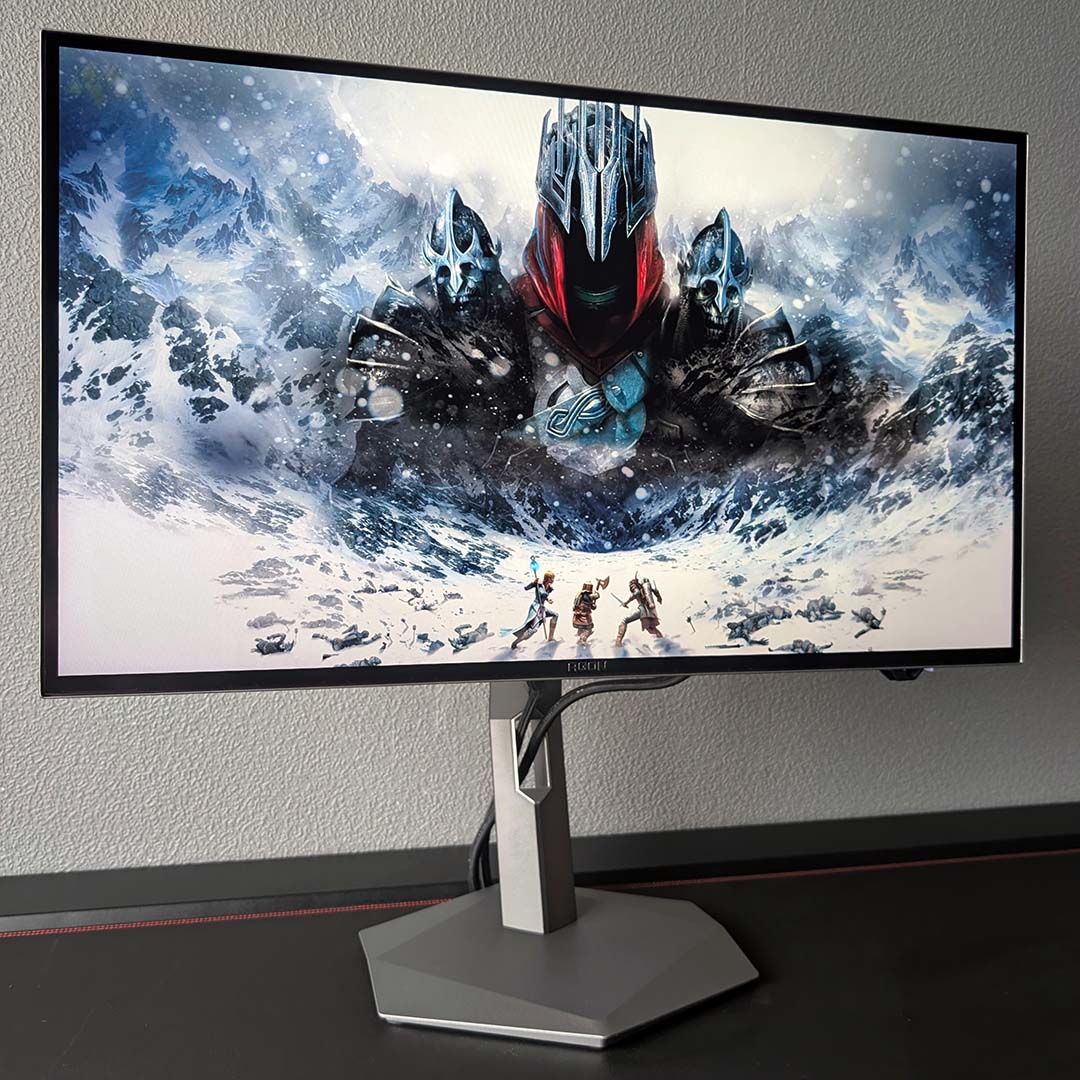
I’m lucky enough to have a system capable enough to deliver high frame rates at QHD, namely by way of a Ryzen 7 7800X3D and GeForce RTX 4080. While I’d recommend throwing as much high-end hardware as you can at this monitor to make the most of its panel, the screen delivers a fabulous experience regardless of your frame rate with no noticeable overshoot or ghosting.
However, while I’m firmly on board with the QHD/540Hz experience, I’m less keen on swapping to HD/720Hz. The benefits of a 33% increase in frame times (1.38ms vs. 1.85ms) and motion clarity simply aren’t as noticeable as the 50% sacrifice to resolution. Let me be clear, the experience feels fantastic, but the blocky or soft look of games on the 27in panel can be very distracting. Furthermore, such a low pixel count makes tracking distant targets in a modern competitive FPS far more difficult than it should be, diminishing usability.
Games such as League of Legends, as well as classic first-person shooters, with art that fits more naturally into such low resolutions, are a better showcase for the monitor’s dual mode tech. Playing Half-Life 2 at HD/720Hz felt like stepping back in time. This isn’t a feature I’d use regularly, but I definitely see the appeal for esports enthusiasts.
Colours
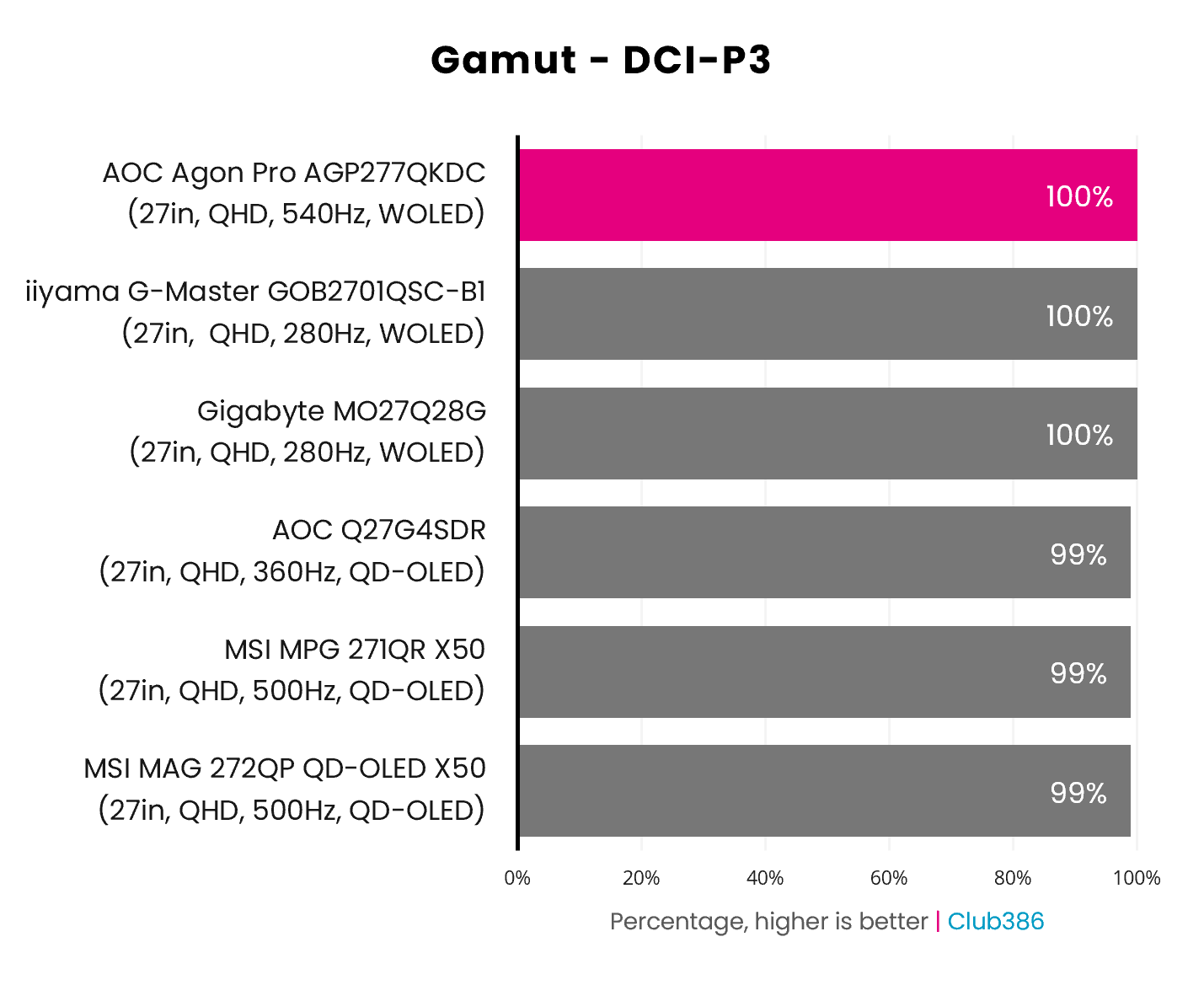
Our technical analysis of the AGP277QKDC starts with gamut, where the Tandem WOLED panel delivers expectedly awesome results. Like other monitors featuring the same screen tech, we’re measuring 100% coverage of DCI-P3. This is the most prevalent colour space of choice for HDR content, so you can rest assured this display is firing out every hue possible for the richest viewing experience.
We’re yet to see a QD-OLED panel deliver the same all-encompassing coverage as modern WOLEDs, with current generation screens topping out at 99%. However, pointing out that 1% difference in real-world content is nigh on impossible, and I’d sooner describe the two screen types as practically identical in this regard.
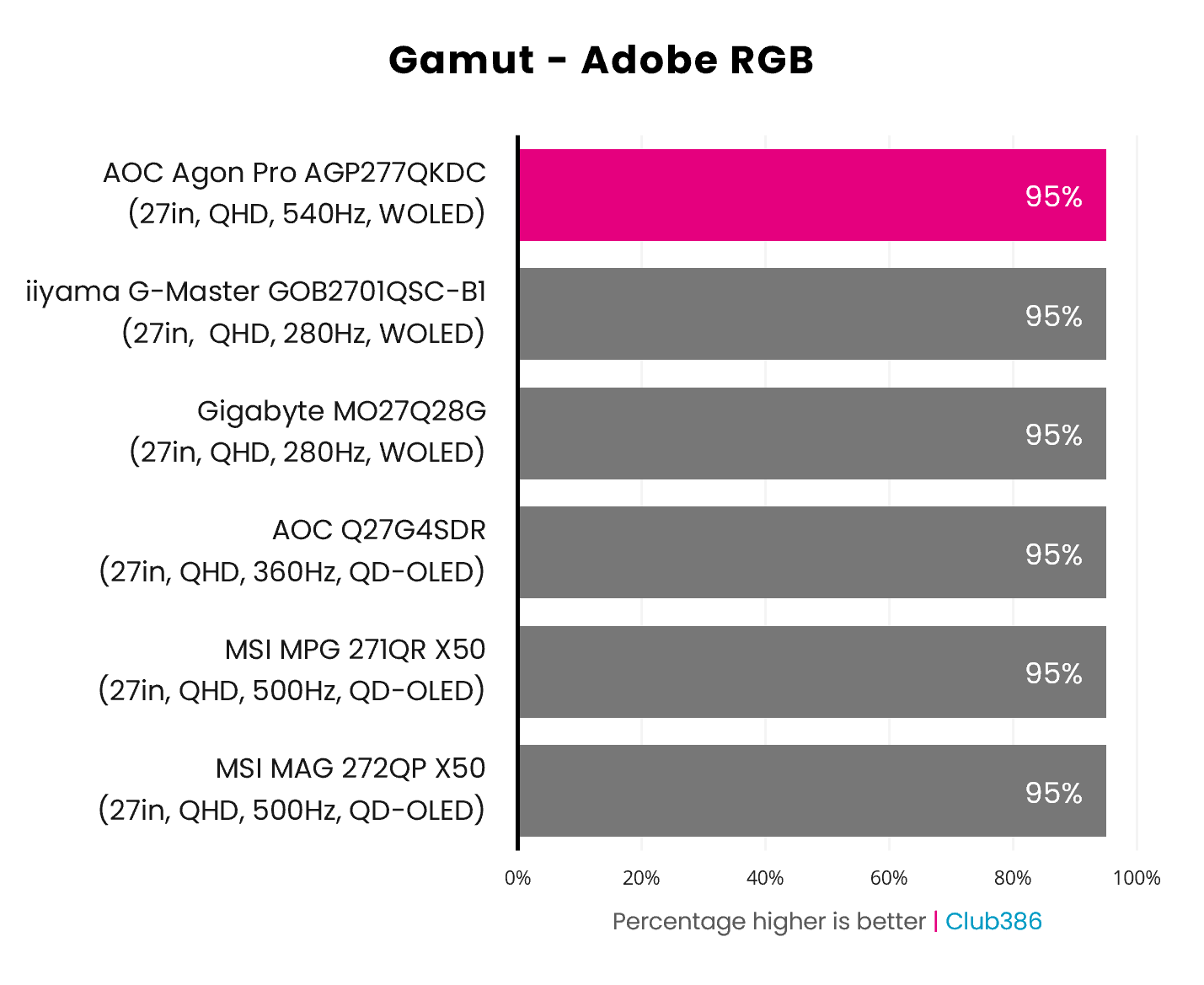
Swapping over to Adobe RGB, coverage between QD-OLED and WOLED is literally identical at 95%. This measurement theoretically makes the AGP277QKDC suitable for some creative workflows, even managing to outpace some professional displays in this category like the iiyama ProGraphic HB2701UHSNP.
Of course, there’s more to consider in the world of photography and print than Adobe RGB coverage alone. It’s worth noting that, like all other Tandem WOLEDs, this monitor features an RGWB subpixel structure, which causes some minor text fringing. This inherent flaw hasn’t impeded my image work, or in writing this review on the display, but it’s worth bearing in mind all the same.
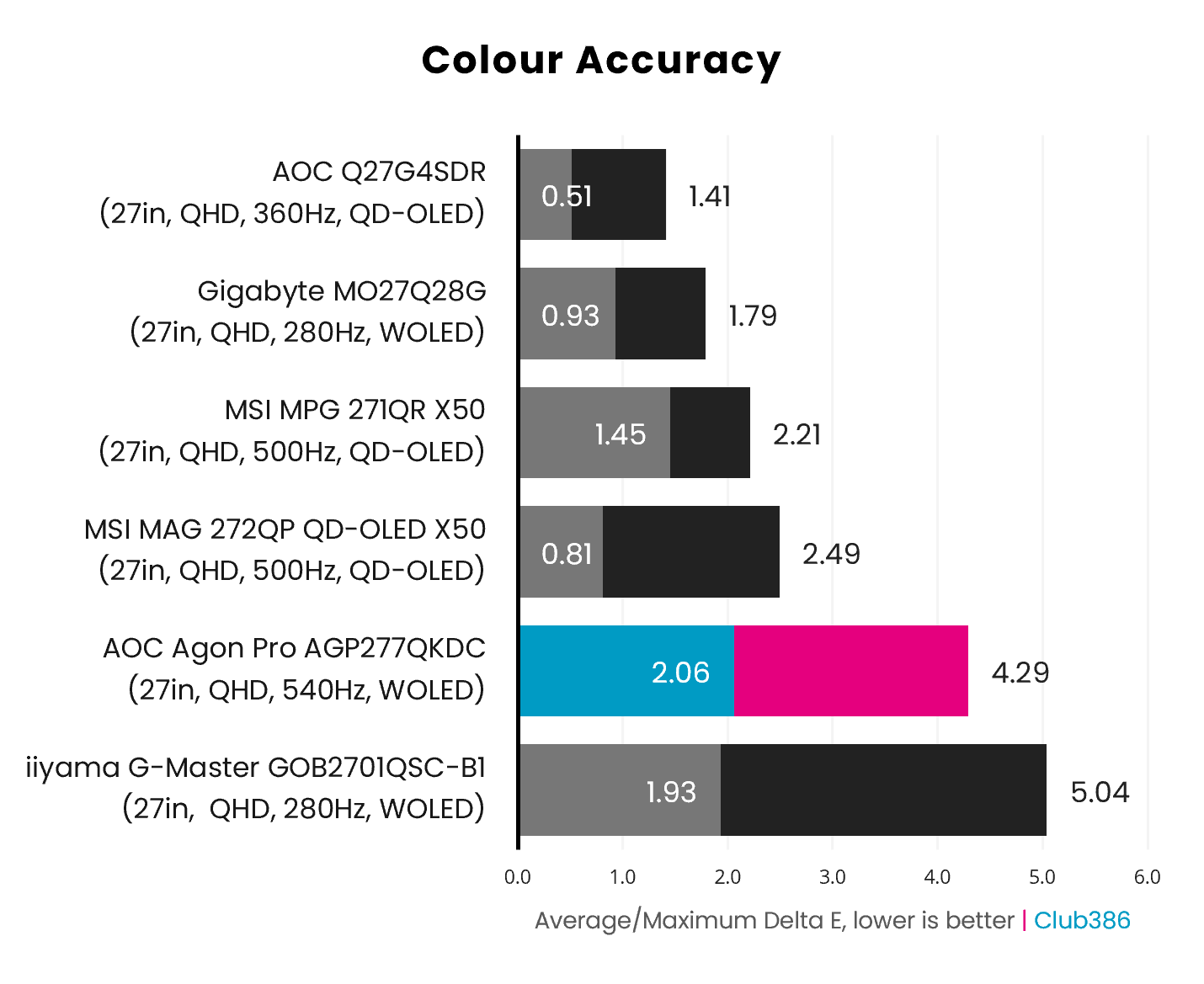
Out of the box, the AGP277QKDC exhibits a surprisingly middling level of colour accuracy, with a 2.06 average Delta E and 4.29 maximum. These values reflect 70% brightness, but results are much the same at 100%. However, as mentioned earlier, there is a way to greatly improve these results by toggling just one setting.
Turning on ‘UniformBrightness’ swaps out the aggressive Automatic Brightness Limiter (ABL), which dynamically adjusts brightness in response to on-screen content, for a blanket lumen ceiling. In short, there’s less variance in nits and a stricter adherence to the gamma 2.2 curve. As a result, colour accuracy now measures at a 1.06 average and 2.33 maximum Delta E.
That’s a superb result, and the way I absolutely recommend using the monitor – I’m not sure why AOC doesn’t enable this feature by default.
Brightness
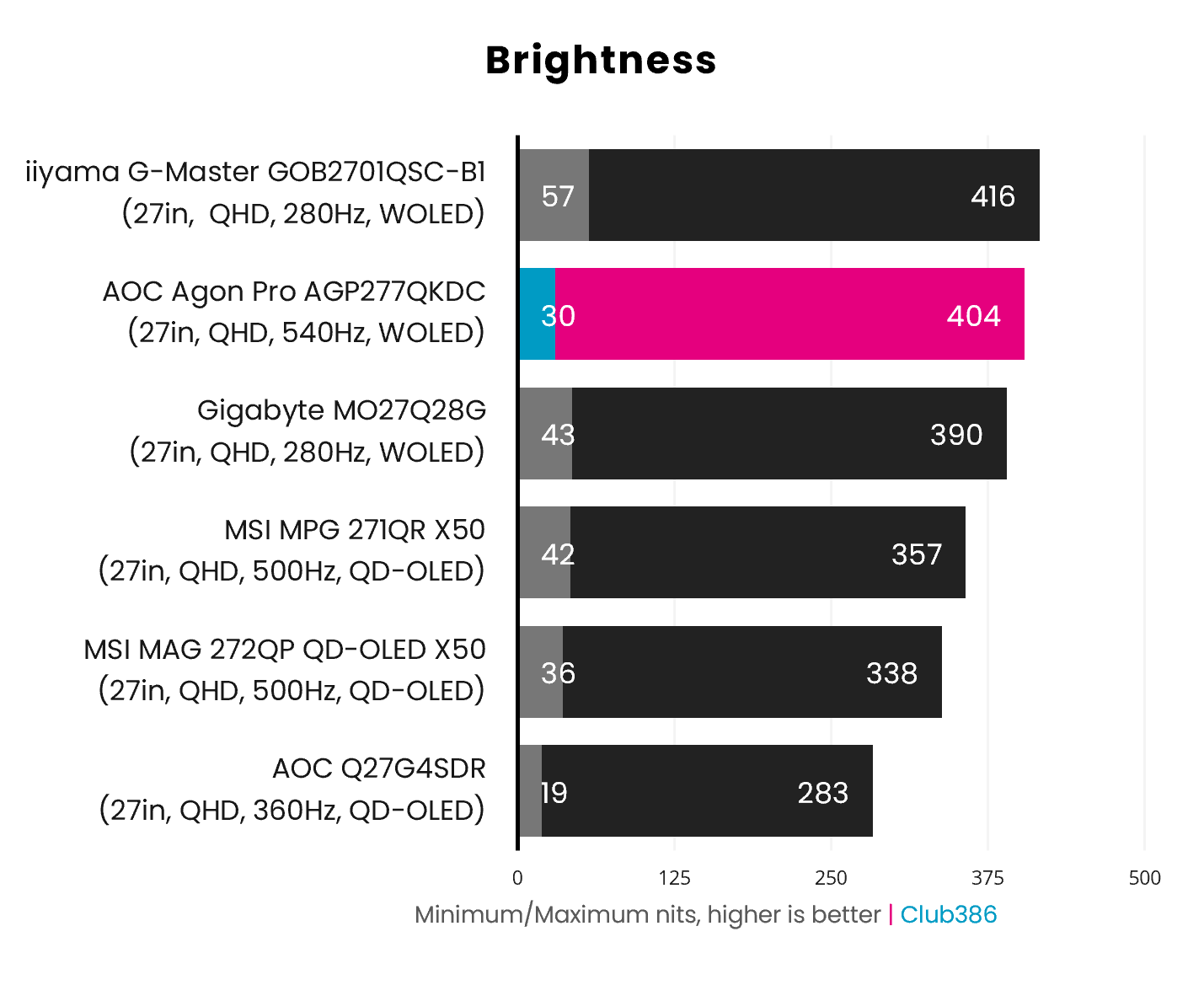
The default 70% brightness setting leaves the AGP277QKDC appearing surprisingly dull, with a peak brightness of 272nits. However, there are plenty more lumens in the tank, rising to 404nits at 100%. This allows the monitor to rightfully rub shoulders with other Tandem WOLED screens, handily outperforming QD-OLED alternatives.
These values reflect stock settings, sans UniformBrightness. Enabling this feature brings maximum brightness down to 382nits, translating to a 5.4% decrease (-22nits). This result still allows the screen to keep pace with its relatives and outperform competitors, and importantly addresses colour accuracy and gamma issues.
The HDR experience on the AGP277QKDC is similarly strong. Sporting VESA DisplayHDR True Black 500 certification, you can expect minimum full-screen brightness of 300nits while highlights pop at 500nits and above. AOC includes various modes for HDR, but I recommend sticking with the DisplayHDR mode for the most consistent viewing experience.
Uniformity
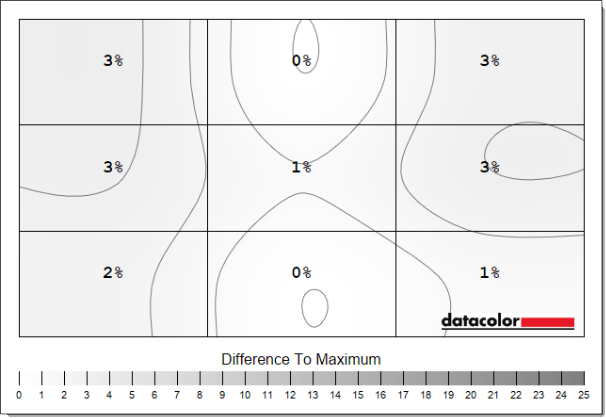
Luminance uniformity is excellent across this panel, with deviations peaking at a mere 3%. That translates to differences of just ~14nits, which are practically imperceptible in real-world use.
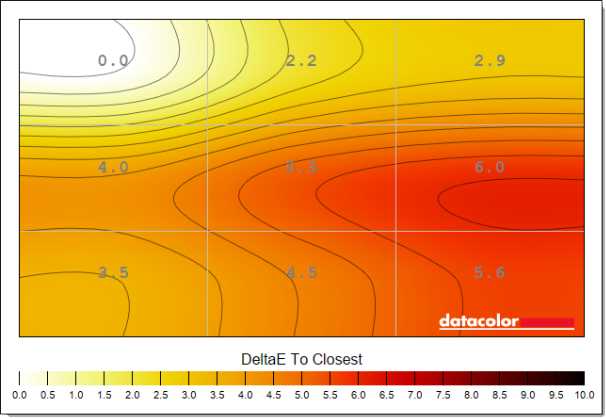
On the flip side, colour uniformity is surprisingly wobbly. A maximum Delta E deviations of 6.0 means this monitor isn’t best suited to colour-critical workflows, but you’ll struggle to notice this difference in games.
Power
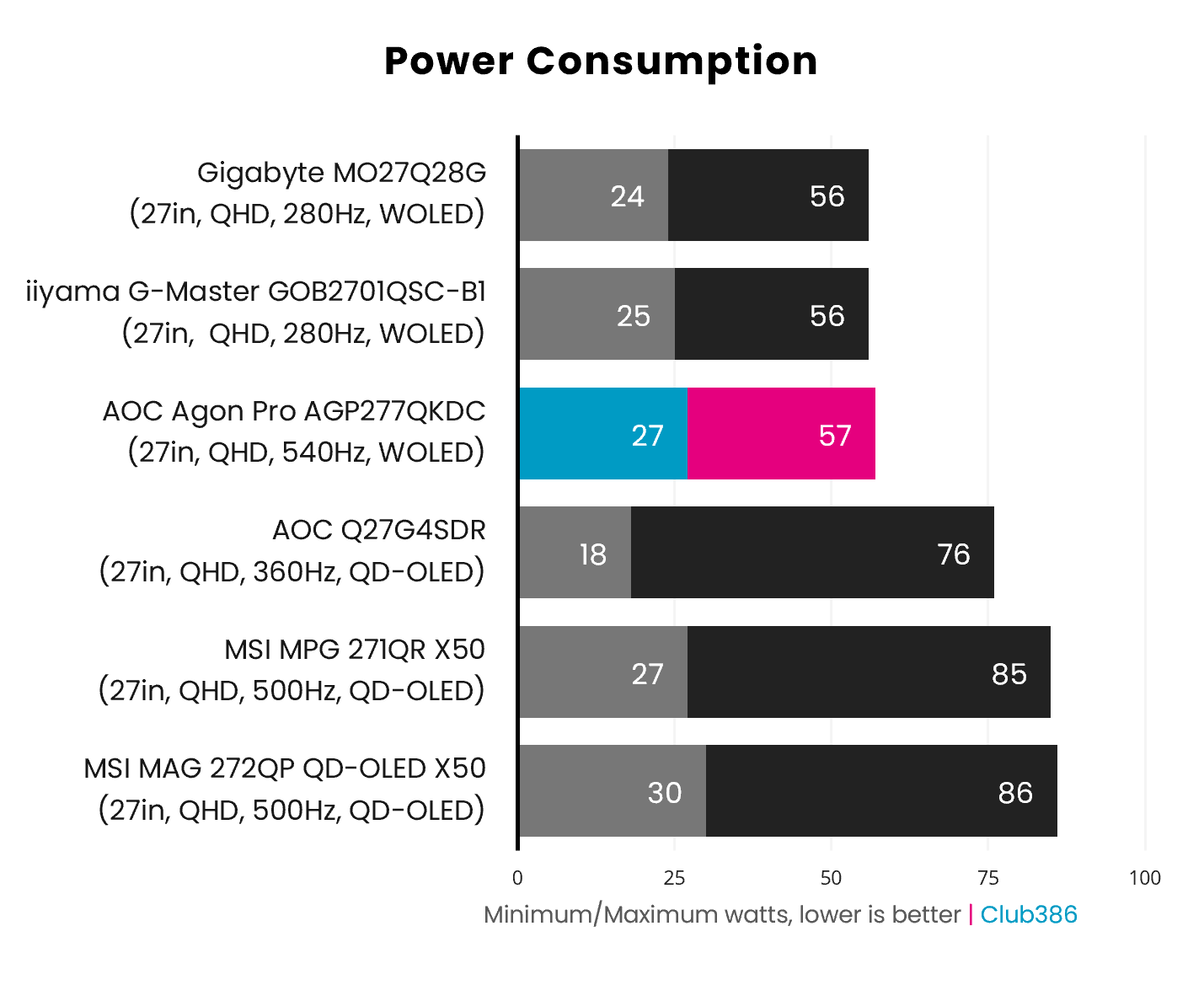
There are no surprises on this monitor when it comes to power consumption. The AGP277QKDC falls in line with other Tandem WOLEDs, with near-identical idle and maximum watt readings. Relative to QD-OLED panels, LG’s latest designs are far more efficient than those from Samsung.
Conclusion
The AGP277QKDC impresses on many fronts, as its Tandem WOLED panel offers dazzling brightness, a rich gamut, and speedy refresh rate while consuming a relatively lean amount of power. Colour accuracy is strong too after a single tweak, but uniformity leaves room for improvement.
Meanwhile, the headline dual-mode feature holds appeal, particularly to competitive esports gamers, and provides a unique edge for the display relative to QD-OLED alternatives. However, the prime way of experiencing content on this panel in most cases is undoubtedly via the native QHD/540Hz configuration. Upping the base resolution to 4K and downscaling to 1080p would make for a more appropriate compromise. Here’s hoping LG Display has a 27in OLED panel of that ilk in the works.
The AGP277QKDC doesn’t come cheap at £799, but that isn’t too far off the current asking price of an MSI MPG 271QR X50 (£748). You can’t go wrong with either monitor, but spending that extra £50 on this WOLED screen will net you appreciably higher brightness, and dual-mode functionality, providing you don’t mind rocking a matte finish over the QD-OLED screen’s glossy coating.
Alternatively, if you’re content with settling for a lower 280Hz refresh rate, you can reap all the benefits of Tandem OLED, at the same screen size and resolution, for a considerably lower price via the likes of the Gigabyte MO27Q28G (£485) or iiyama G-Master GOB2701QSC-B1 (£424). If refresh rate is your priority, there are also older 360Hz QD-OLEDs worth considering, such as the AOC Q27G4SDR (£468), providing you can tolerate a lower brightness ceiling.
For those who would much rather have the fastest OLED screen on the market, though, regardless of cost or impact to resolution, the AGP277QKDC is a great choice of gaming monitor.
