
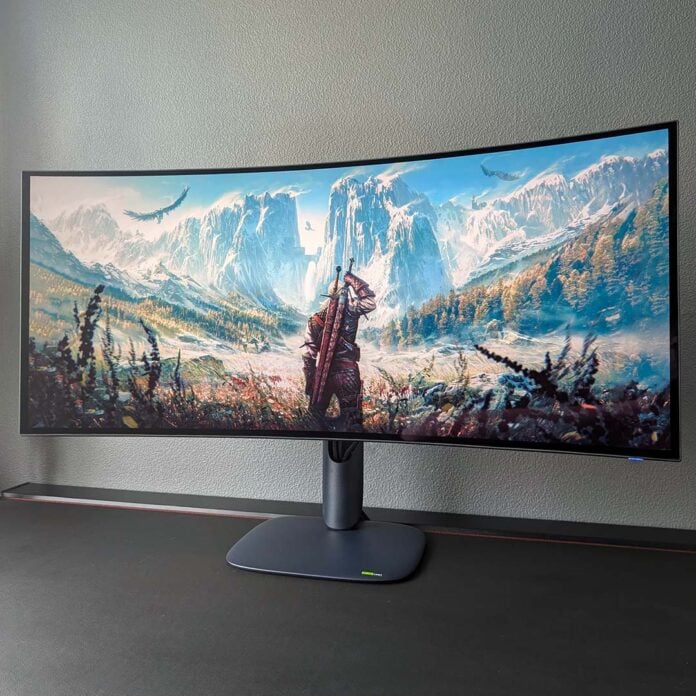
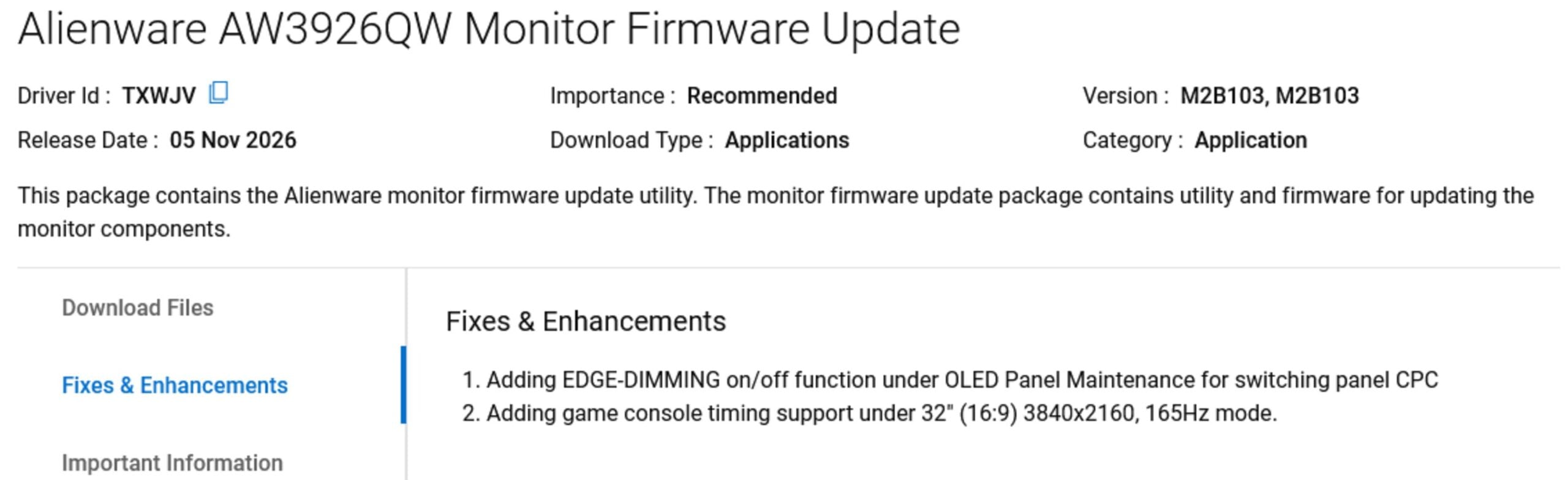
Dell Alienware has released a firmware update that allows users to disable the aggressive CPC edge dimming feature on its AW3926QW OLED monitor. This fix addresses users’ frustration regarding screen brightness uniformity, but it may have an impact on long-term panel longevity.
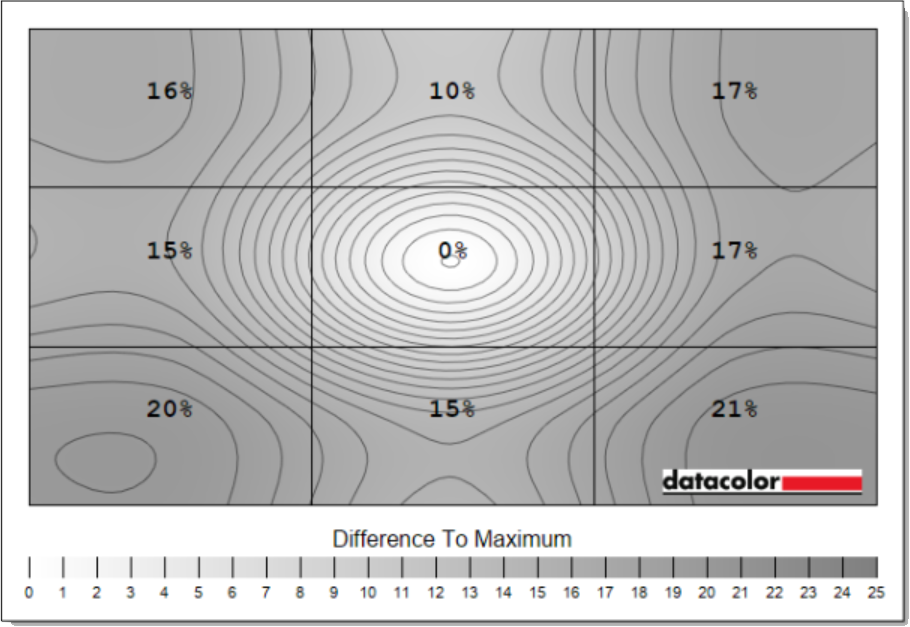
CPC (Convex Power Control), which caused the screen edges to become darker. We suspected CPC was to blame for the curiously poor uniformity we measured on our sample of the AW3926QW, which deviated by up to 21% from the centre of the panel.
After speaking with Alienware’s monitor lead planner, Vincent Seajun Kim, about this issue at IFA 2026, he confirmed this was the likely cause and told us Alienware was considering making this a toggleable feature. Alienware will also bring this toggle to the AW3226Q, potentially as soon as next week, according to TFTCentral, which shared details of the new firmware on social media platform X.
CPC is an OLED protection feature that automatically reduces brightness around the edges of a monitor panel to help prevent image retention and burn-in. However, this non-uniform luminance creates a vignette effect that’s clearly visible to the human eye, especially when looking at a plain white background, perhaps in text editors or web browsers. You can see its dramatic impact on the AW3926QW’s luminance uniformity chart from our colorimeter below. While CPC isn’t exclusive to Alienware, other OLED monitor brands give users the option to disable it, unlike the AW3926QW.
But today that finally changes, as Dell has released a new update for the Alienware AW3926QW, available through its support page. This new firmware introduces manual CPC control, so you can decide for yourself if you want to use it. Since CPC is a panel protection feature, disabling it may reduce the panel’s longevity around the edges of the display, causing image retention or burn-in sooner than with CPC enabled.
That said, even with CPC enabled, the monitor doesn’t become magically immune to burn-in; in fact, the screen’s centre – the part you watch the most – shouldn’t see any difference in longevity between CPC being on or off. The thinking behind implementing it was that, in games, static HUD elements are usually scattered around the edges of your screen, with the moving action in the middle.