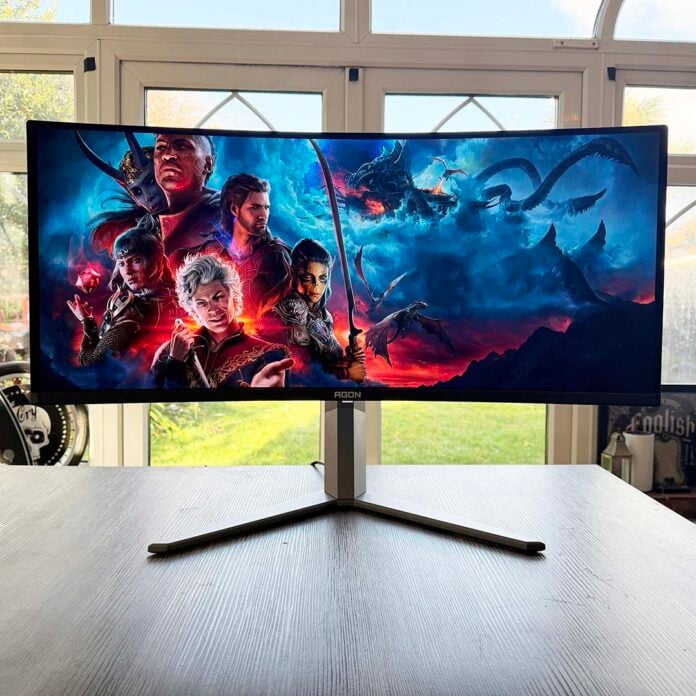
AOC has really gone to town on the Agon Pro AGP346UCSD. Not only does it have a QD-OLED panel, but it’s one of the very latest 5th-gen Penta Tandem models, complete with an RGB Stripe subpixel layout. I’ll explore this in more detail later, but the upshot is that this screen really can do it all.
You don’t need to worry about weird purple and green fringing around text, while its excellent colour reproduction makes it ideal for colour-critical work. Meanwhile, its fast 360Hz refresh rate and near-instant pixel response times make it a dab hand at gaming, and its deep blacks and high contrast make for a fantastic looking image.
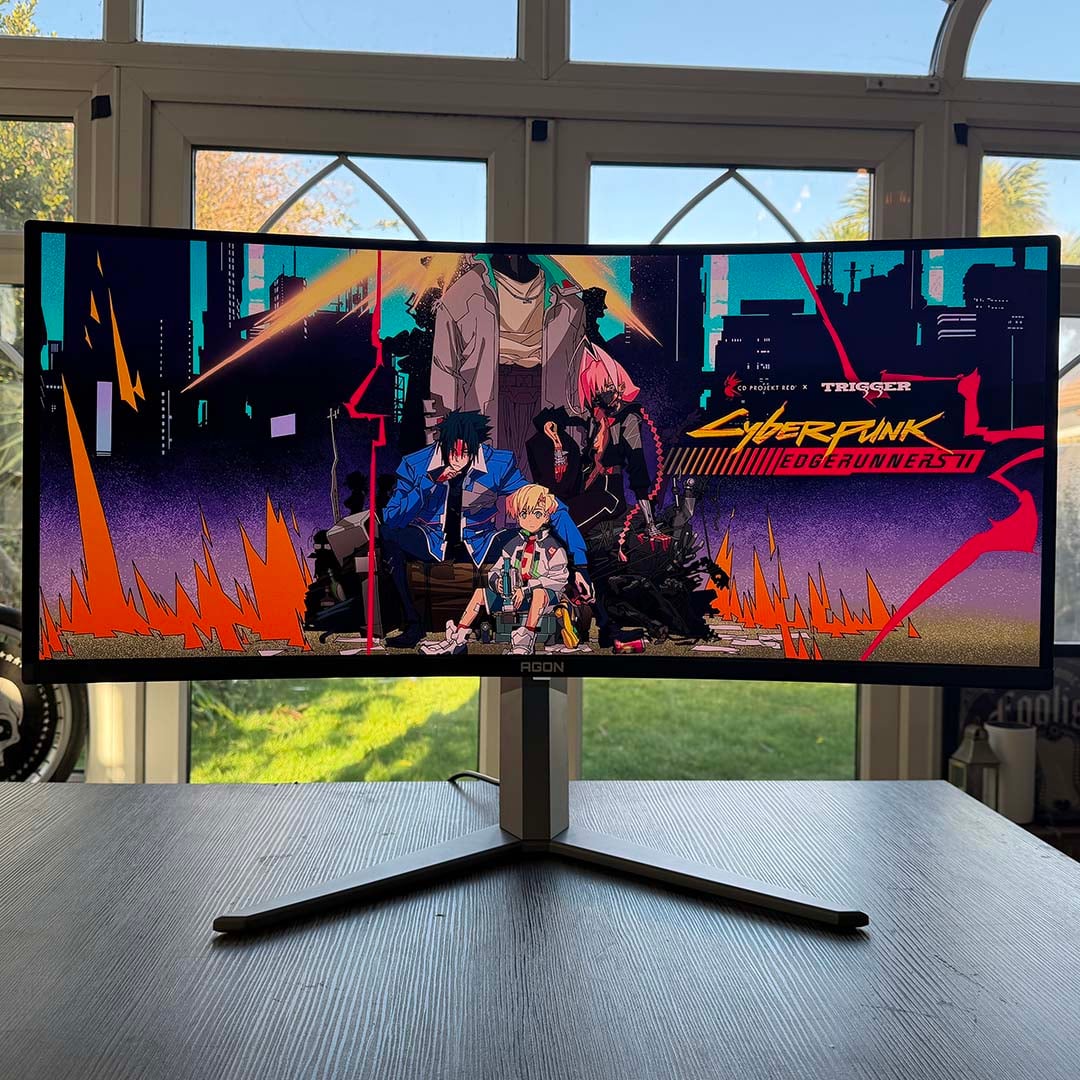

AOC Agon Pro AGP346UCSD X36
£849 / $899
Pros
- Fantastic colour reproduction
- Fast 360Hz refresh rate
- No compression needed to hit full resolution and refresh rate
- No text fringing
- Integrated KVM
- Single-cable USB-C peripherals connection
Cons
- Slightly more expensive than competitors at current prices
- Only 15W of USB-C power
- High power consumption
Club386 may earn an affiliate commission when you purchase products through links on our site.
How we test and review products.
As if that weren’t enough, there’s a built-in KVM, making it easy to share this screen between a laptop and desktop simultaneously. There are a few areas that could be improved, which I’ll address in this review, but it’s undoubtedly a fantastic screen in terms of sheer image quality.
Specifications
| AOC Agon Pro AGP346UCSD | |
|---|---|
| Screen size | 34in |
| Resolution | 3440×1440 |
| Refresh rate | 360Hz |
| Response time | 0.03ms (GtG) |
| Panel technology | QD-OLED |
| Variable refresh rate | Adaptive Sync (48-360Hz) Nvidia G-Sync Compatible |
| HDR | DisplayHDR True Black 500 Peak 1,300nits |
| Ports | 3.5mm audio-out (x1) DisplayPort 2.1 (UHBR20) (x1) HDMI 2.1 (48Gbps) (x2) USB-A, 5Gbps (x3) USB-B, 5Gps (x1) USB-C with 15W PD and DP Alt Mode (x1) |
| Speakers | Yes (2x 8W) |
| Features | KVM RGB lighting on rear |
| Warranty | Three years (includes burn-in) |
| Price | £849 |
Design
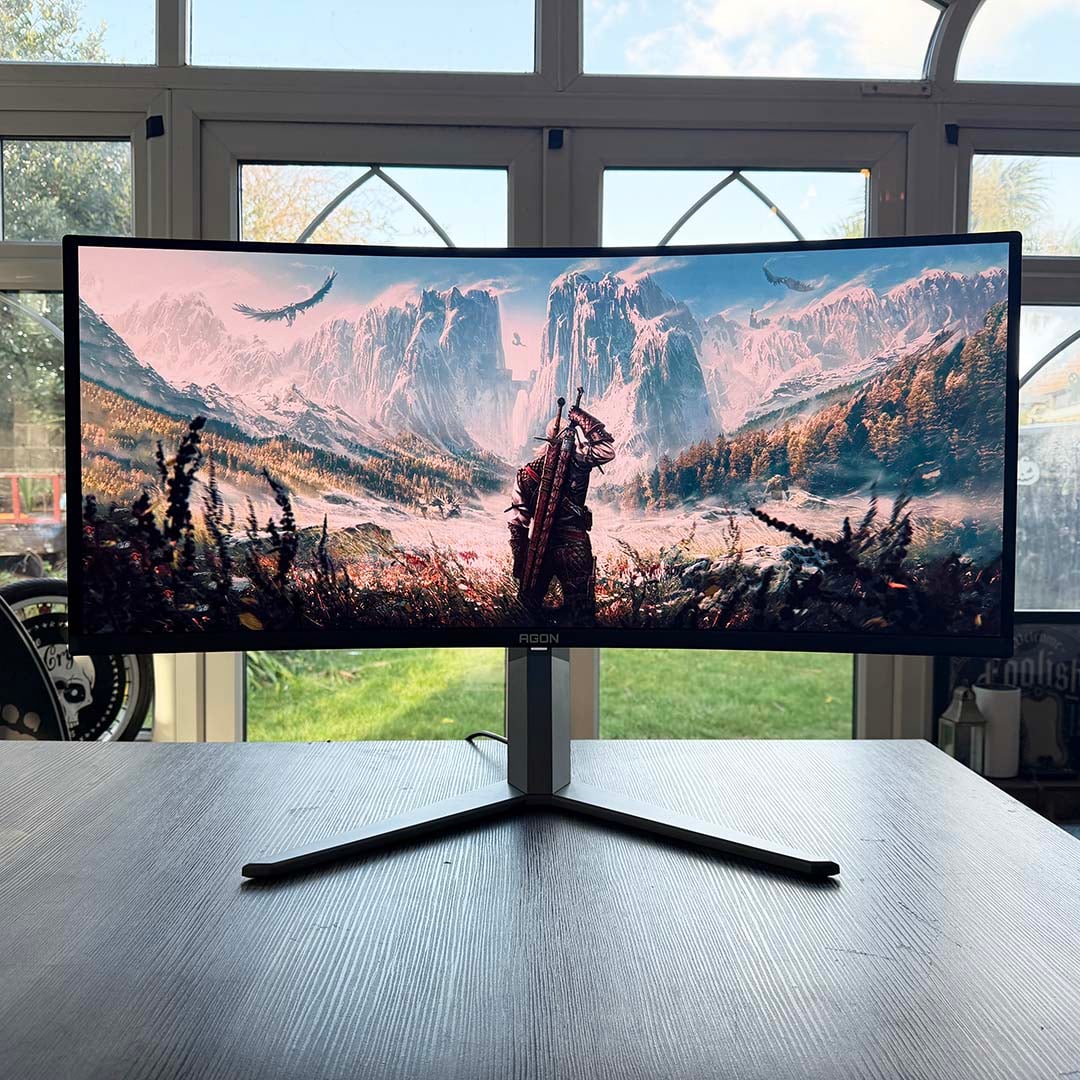
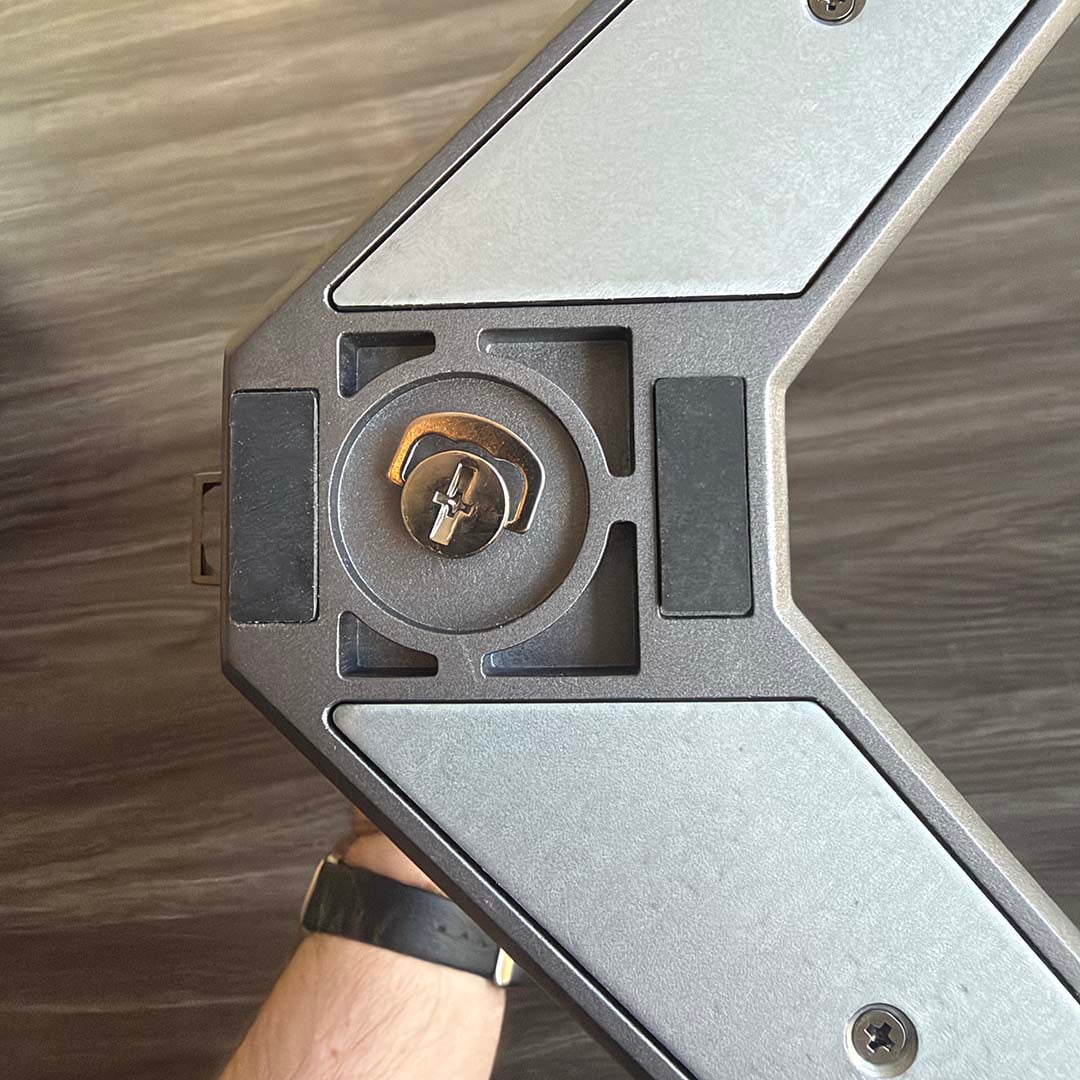
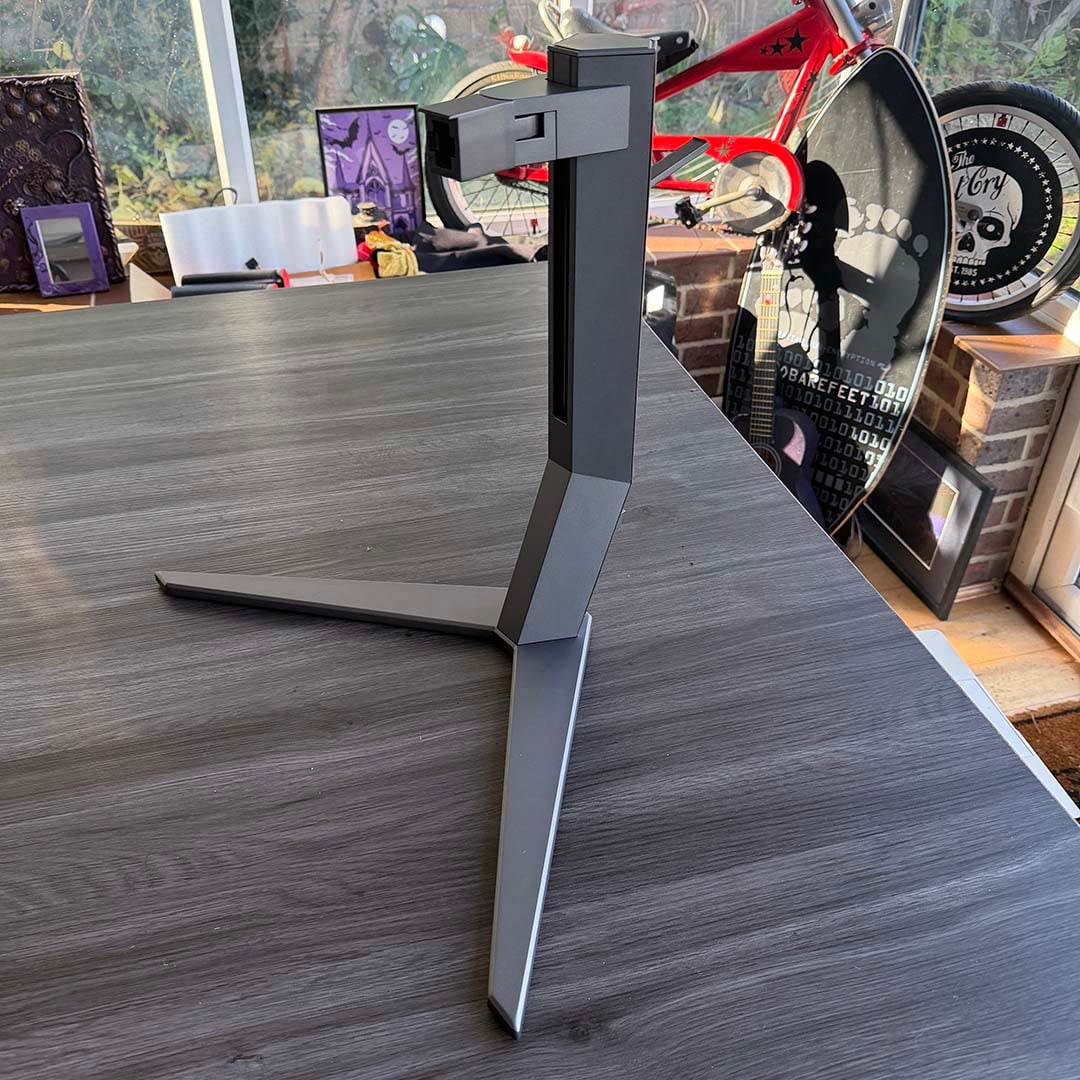
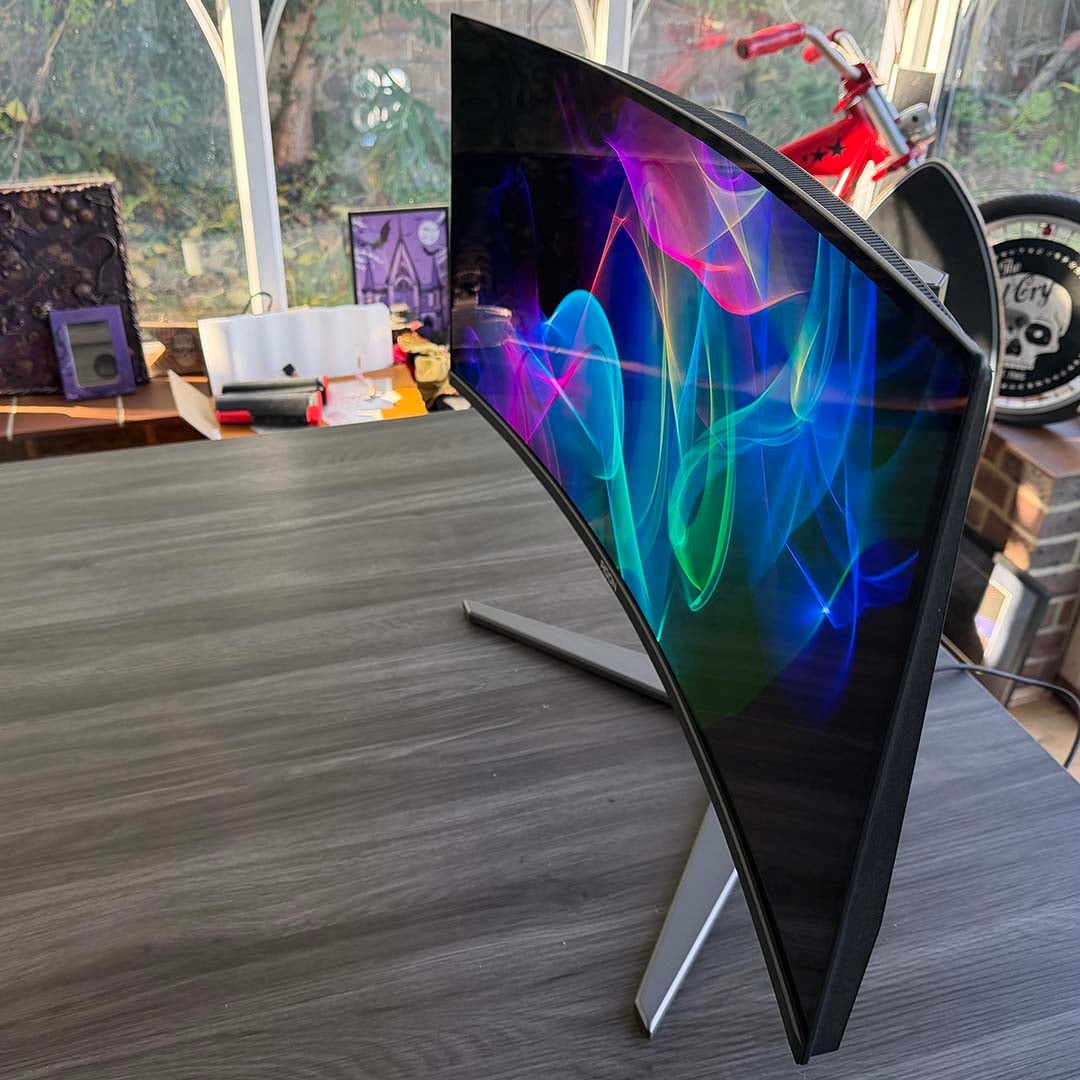
The Agon Pro AGP346UCSD is a big old beast of display, and AOC has equipped it with a sturdy stand to hold it firmly in place. The forked feet screw directly into the main stand unit, with a flip-out handle on the screw enabling you to do this by hand. You then slot the mounting hole on the back of the screen onto the attachment protruding from the stand. I found this a bit unwieldy, as the screen is large and weighty, and it needs a firm push – I’d suggest getting a friend to help you with this part if you can.
Once it’s set up, it’s solid as a rock. You can swivel the screen 16° either way, tilt it up to 3° forward or 21° back, and there’s 150mm of height adjustment too. Unlike the MSI MPG 341CQR QD-OLED X36, the base of the stand is a two-prong fork, rather than a neat flat surface, so it takes up a fair bit of your desk, but it holds the screen firmly.
Alternatively, if you want to fit this 7.7kg panel to a monitor arm or your own choice of monitor stand, there’s a 100x100mm VESA mount in the box, as well as the screws (and screwdriver) needed to attach it to the back.
Unlike the MSI, you also get a pair of 8W speakers built into the Agon Pro AGP346UCSD, and they don’t sound horribly weak and tinny either. They’re no substitute for a dedicated pair of speakers, or a decent headset, as the sound still lacks bass, but they certainly do the job for desktop audio.
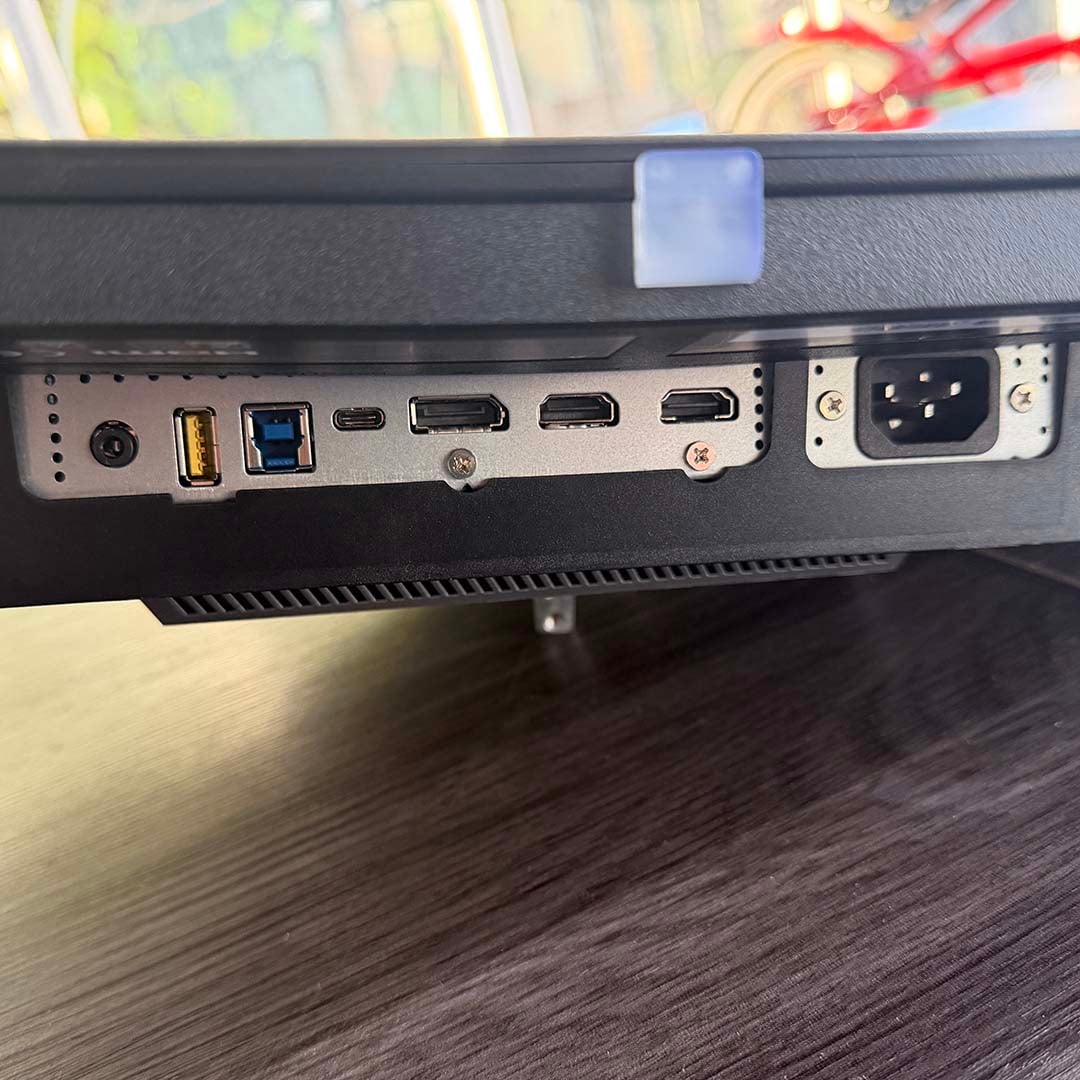
All the usual connections are supplied, with the DisplayPort 2.1 connector being noteworthy for offering full UHBR20 bandwidth. This means there’s a massive 80Gbps available (four 20Gbps lanes) – more than enough to handle this screen’s 3440×1440 resolution and 360Hz refresh rate using 10-bit colour, all without resorting to display stream compression (DSC). That’s one benefit of this screen over MSI’s competing MPG 341CQR QD-OLED X36, which runs to UHBR13.5, meaning it has to use DSC to run at its full spec.
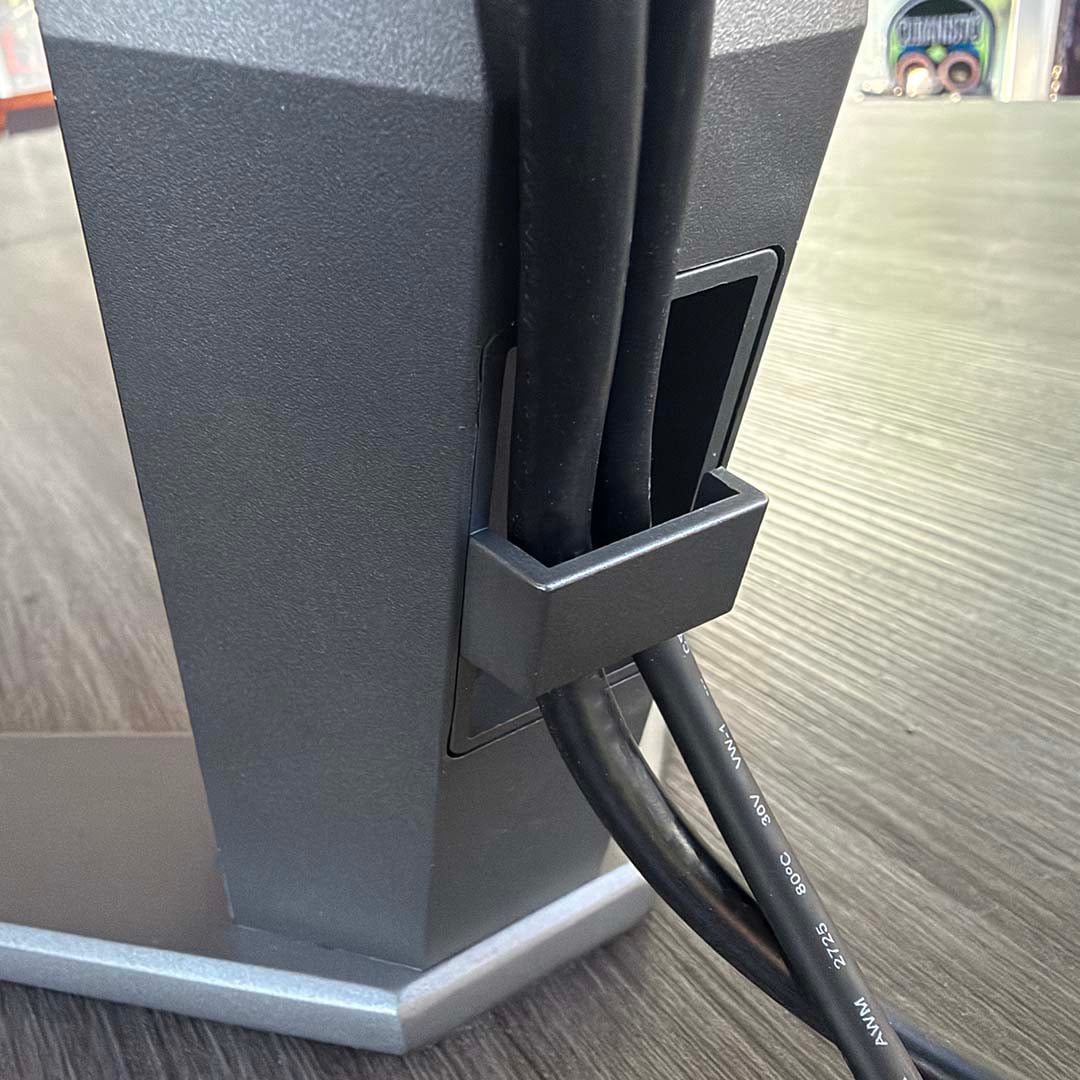
Handily, a 1.8m DisplayPort 2.1 cable is included in the box, as well as a 1.8m HDMI 2.1 lead for either of the two corresponding inputs. There’s a 1.8m USB-A-to-USB-B cable to hook it up to your PC as well, and a 1.5m USB-C cable. These can all be grouped together using a little clip at the bottom of the stand, although that’s it for cable routing features – there’s no pass-through hole for your wires.
One feature that I found really handy on this screen is its built-in KVM, meaning you can have a laptop and desktop PC hooked up to the same monitor, keyboard, and mouse, and switch the whole lot between the two machines just by changing the monitor’s display input.
I had it connected to an Asus Zenbook 14 using just its USB-C port, meaning display output, keyboard, and mouse were all hooked up with just a single cable. On the downside, there’s only 15W of power available from the USB-C port, meaning the laptop couldn’t charge at the same time – comparatively, the MSI MPG 341CQR QD-OLED X36 offers 98W, and can power an average laptop fine.
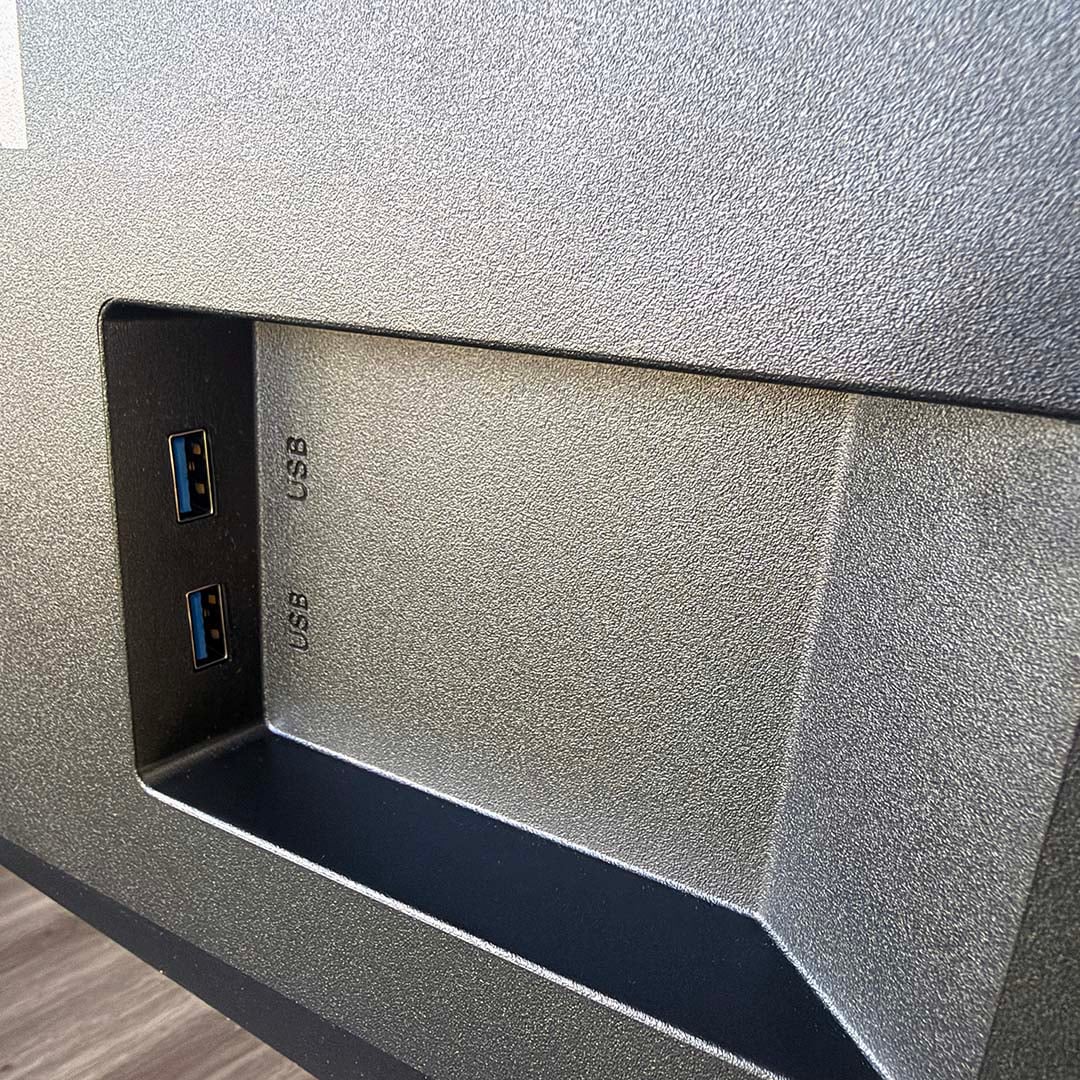
It’s still a really useful feature, though. A pair of USB-A 5Gbps ports are handily mounted on the side for easy access to plug in a keyboard and mouse, and you can then just flit between your machines at will. Just beware that you’ll need to have a charger handy as well – it’s not a complete single-cable setup for everything.
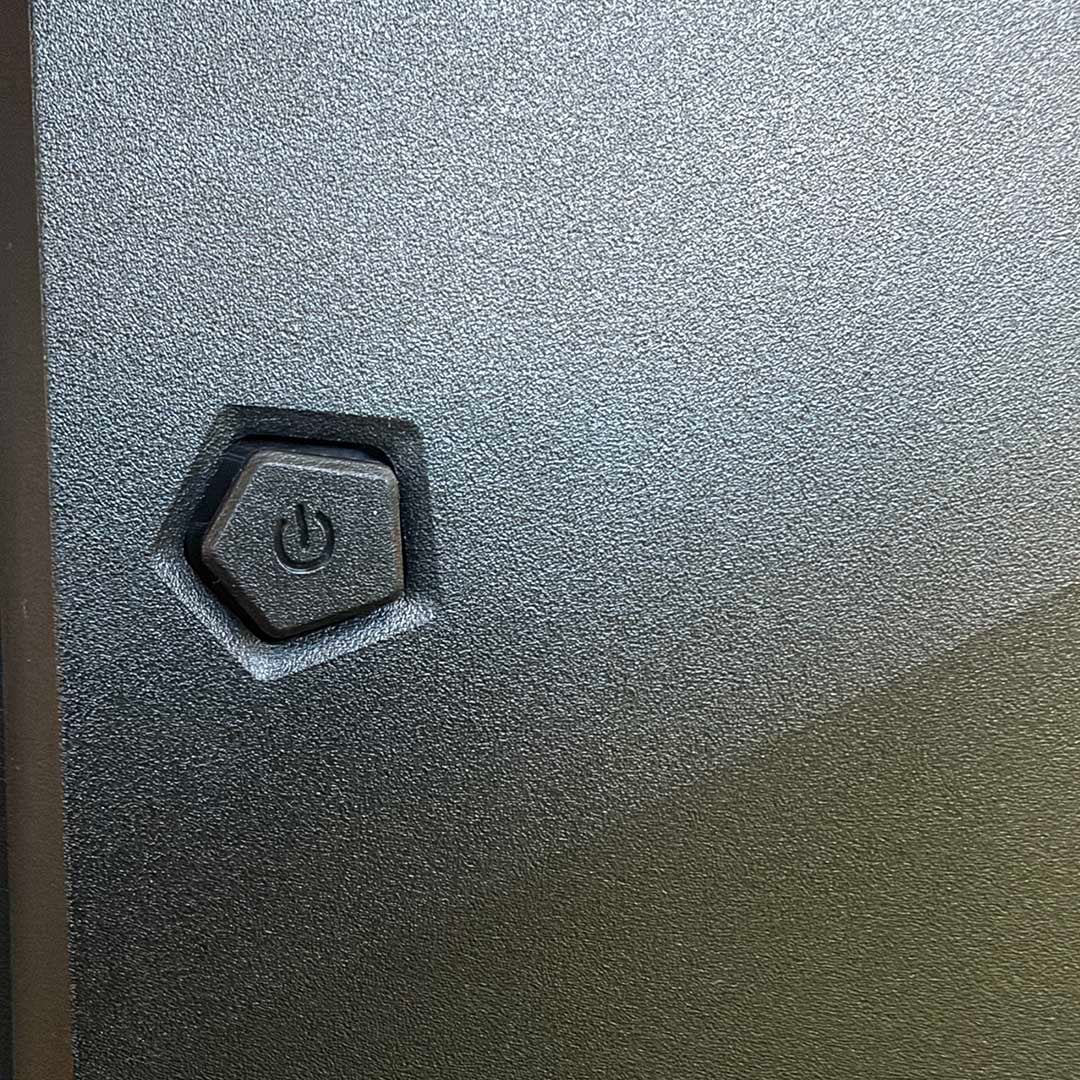
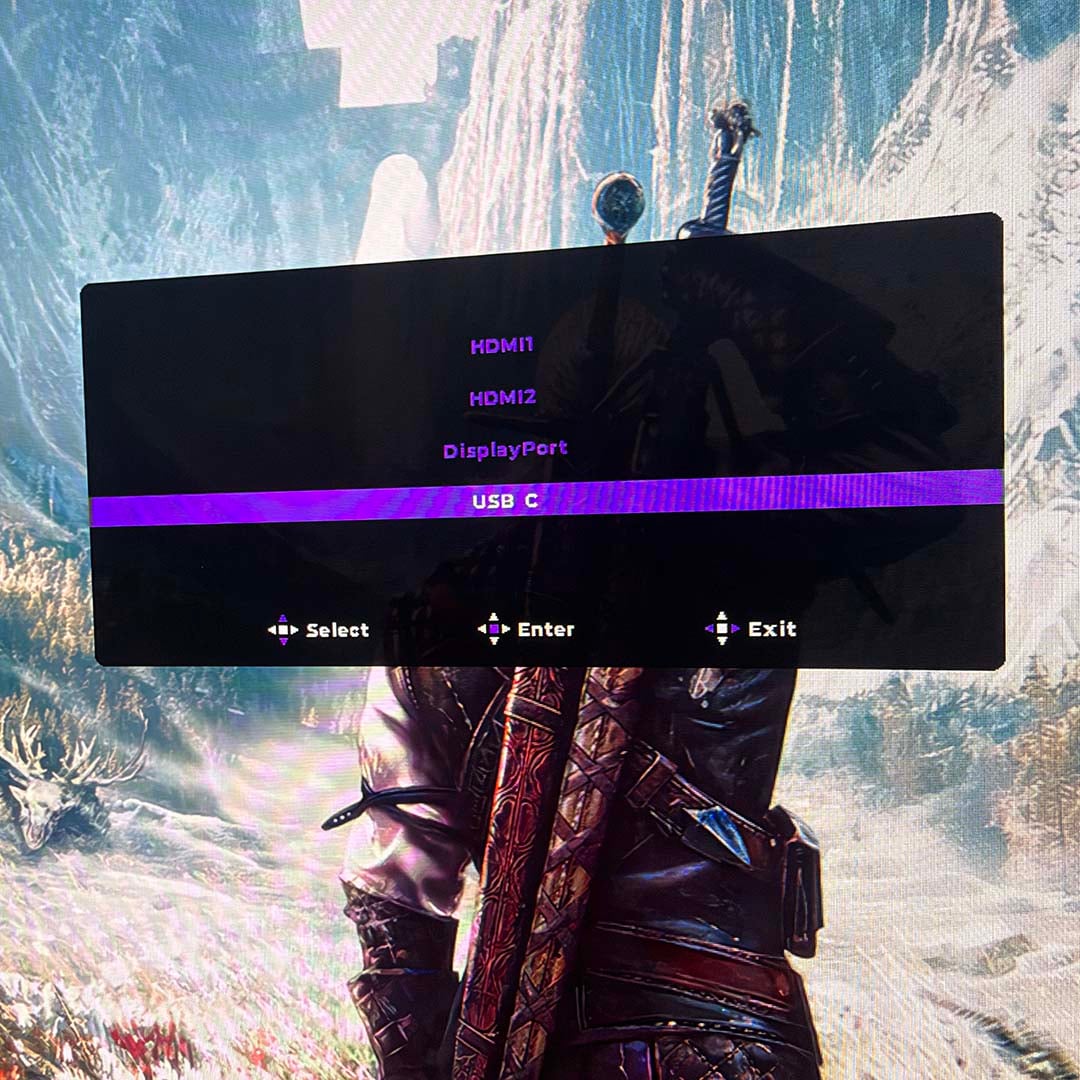
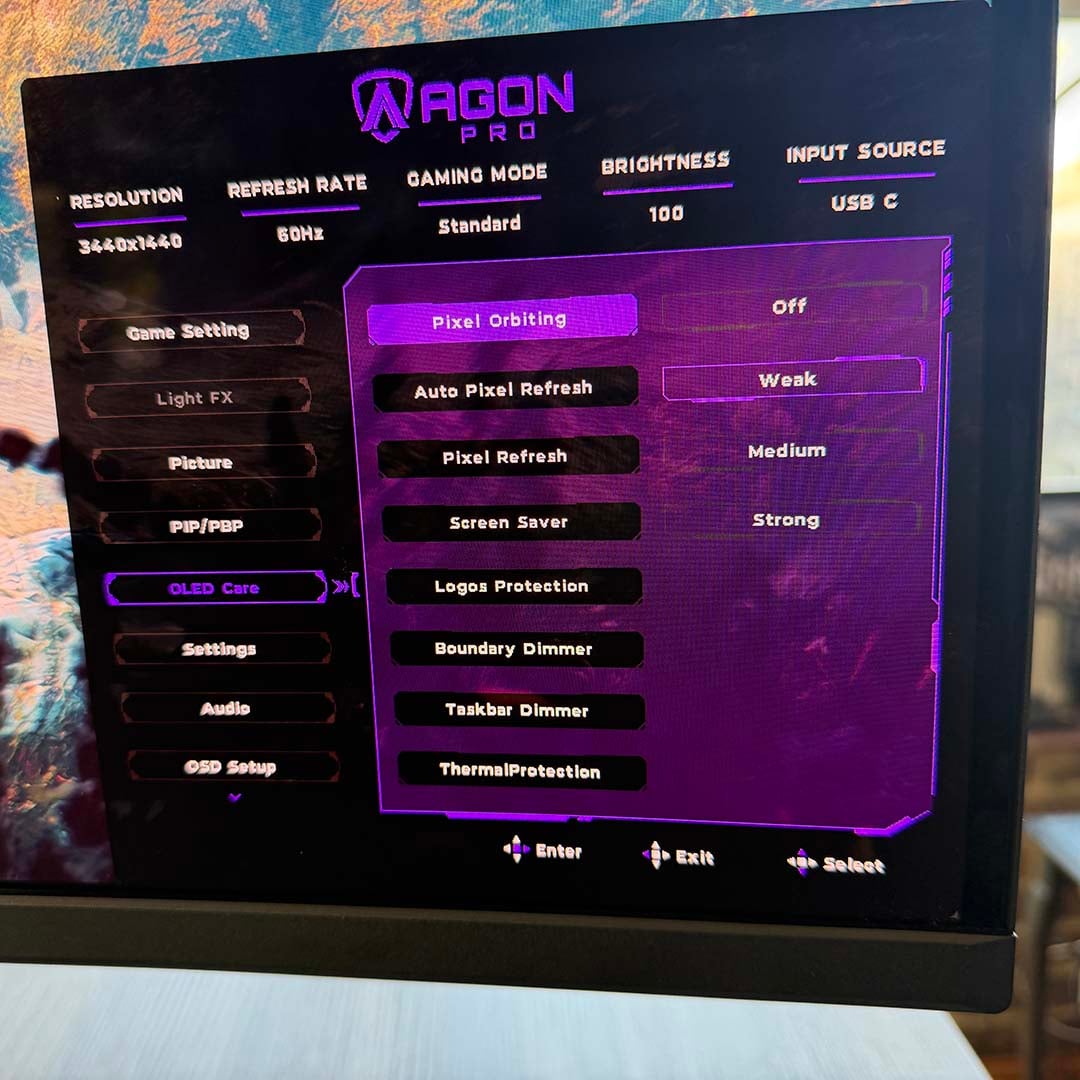
Meanwhile, the on-screen-display (OSD) menu system is neatly laid out and all controlled by a single joystick on the back. This is much better than having to faff around with multiple buttons, and it’s from here that you can enable or disable various anti burn-in features. Most of them are disabled or set to low presets out of the box, but you can ramp them up if you want peace of mind.
There are options for pixel orbiting and pixel refresh, for example, as well as options to dim the edges and taskbar, although the latter are disabled by default. AOC provides a three-year warranty for this screen, which includes burn-in cover, as long as you look after it in accordance with AOC’s warranty conditions.
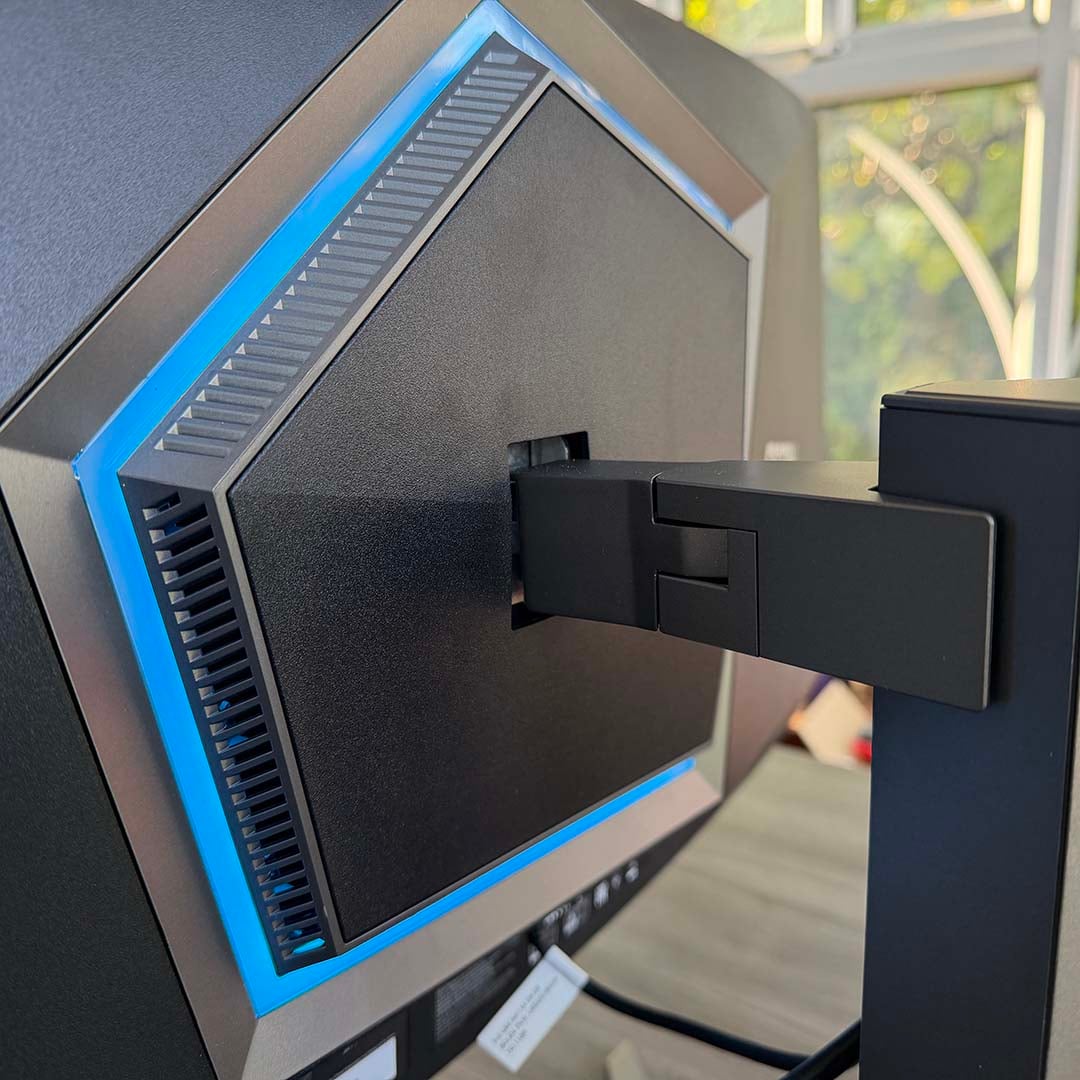
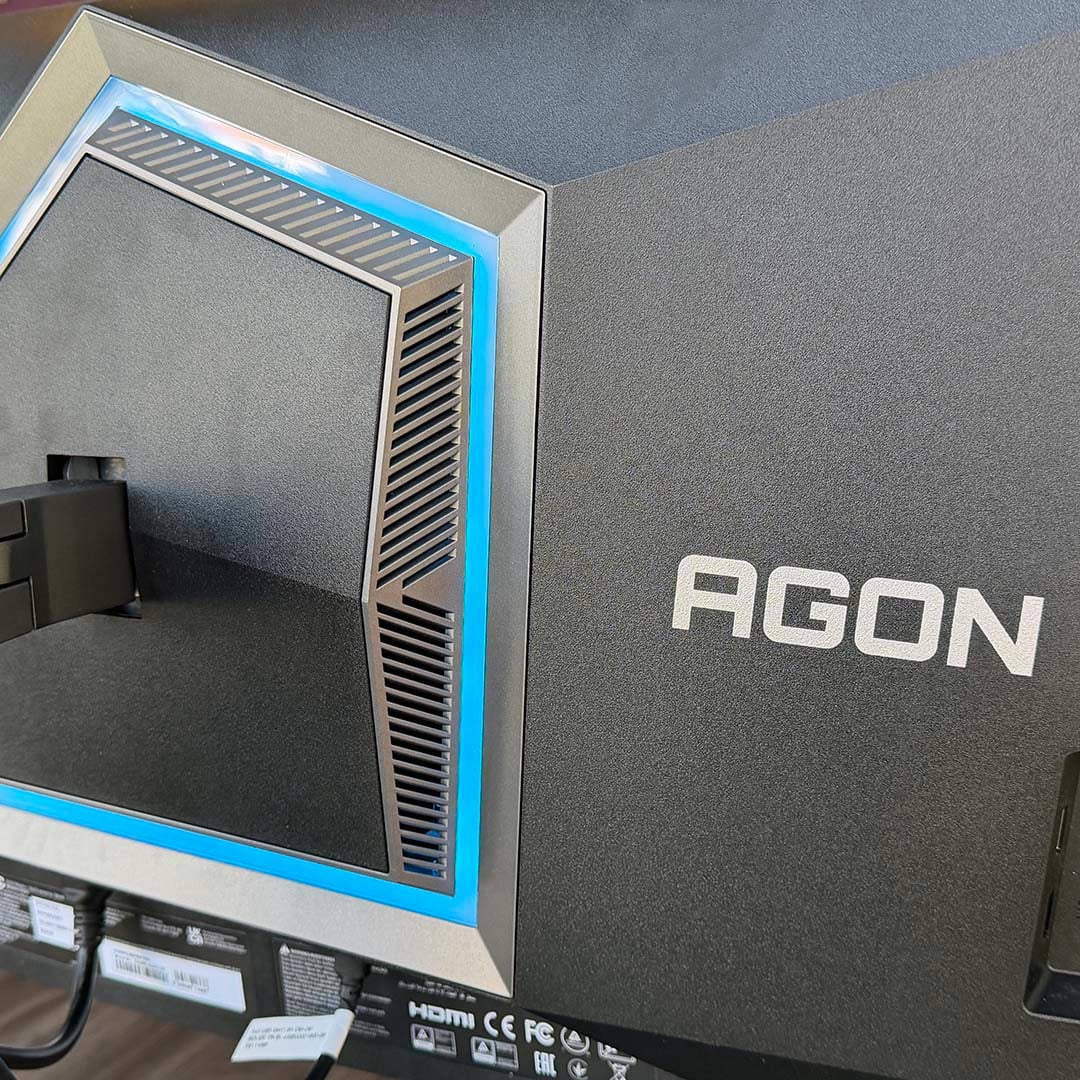
AOC’s G-Menu software for Windows also gives you easy access to a lot of this monitor’s core features. You can also control the RGB lighting on the back from G-Menu, although there aren’t many options. You can choose between static and random colours, for example, and enable a breathing effect, but you can’t enable a cycle between your own specific choice of colours. In all honesty, I can take or leave this feature – it subtly outputs a bit of lighting on the wall behind your screen, but it’s far from an essential.
Performance
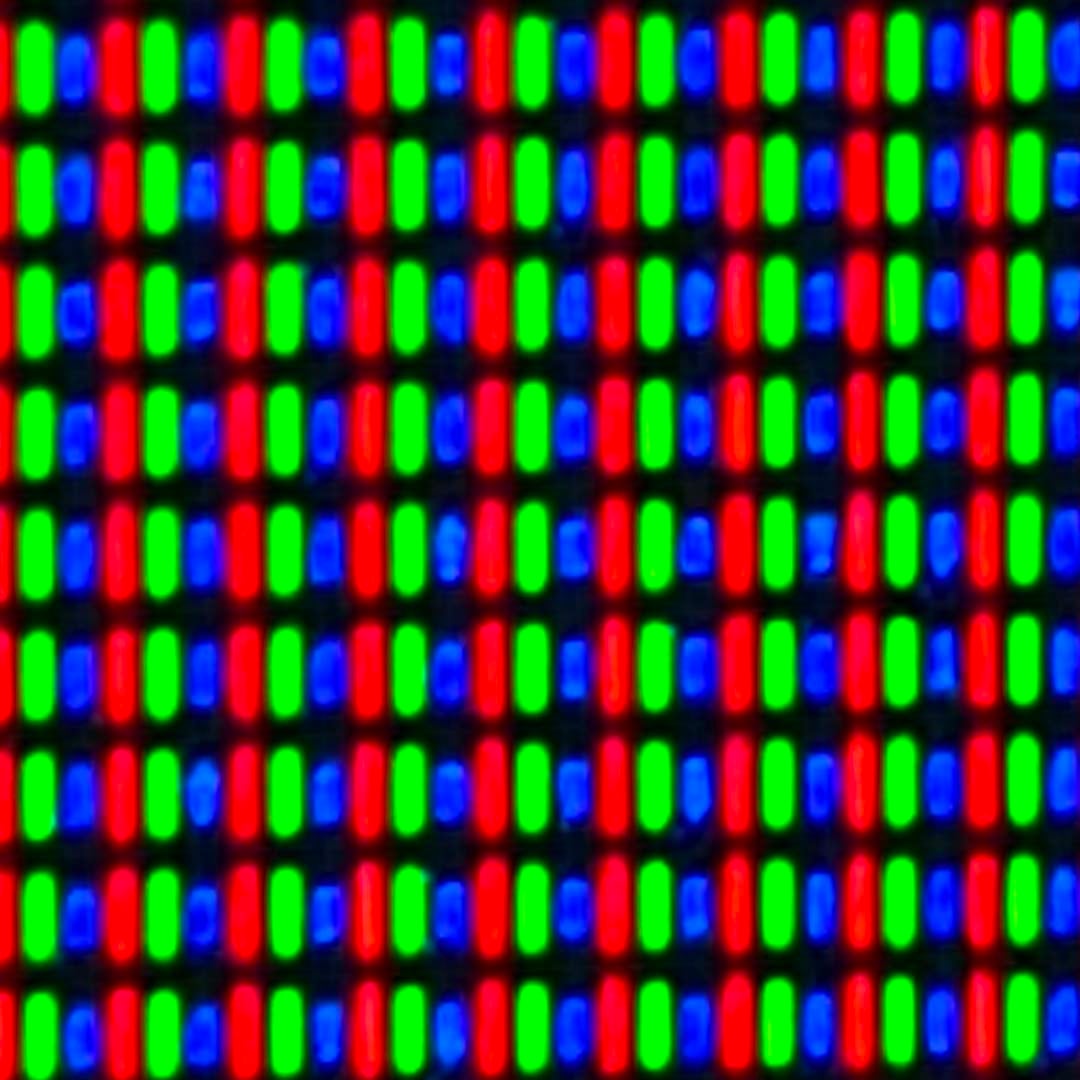
I’ll start off with one of my favourite aspects of this monitor, which is its RGB Stripe subpixel layout. Rather than having a grid of triangular subpixels, with blue at the top and green and red underneath, this monitor’s panel has the subpixel’s colour components neatly laid out in a line, as shown in the picture below.
This means you get clear, sharp characters when you’re viewing black text on a white background, with none of the weird purple and green fringing around the edges that you see on earlier QD-OLED and WOLED screens. As someone who spends a lot of my day reading and writing text, this is a game changer for me – it means I can enjoy the fantastic colour reproduction of a QD-OLED screen without being distracted by text artefacts.
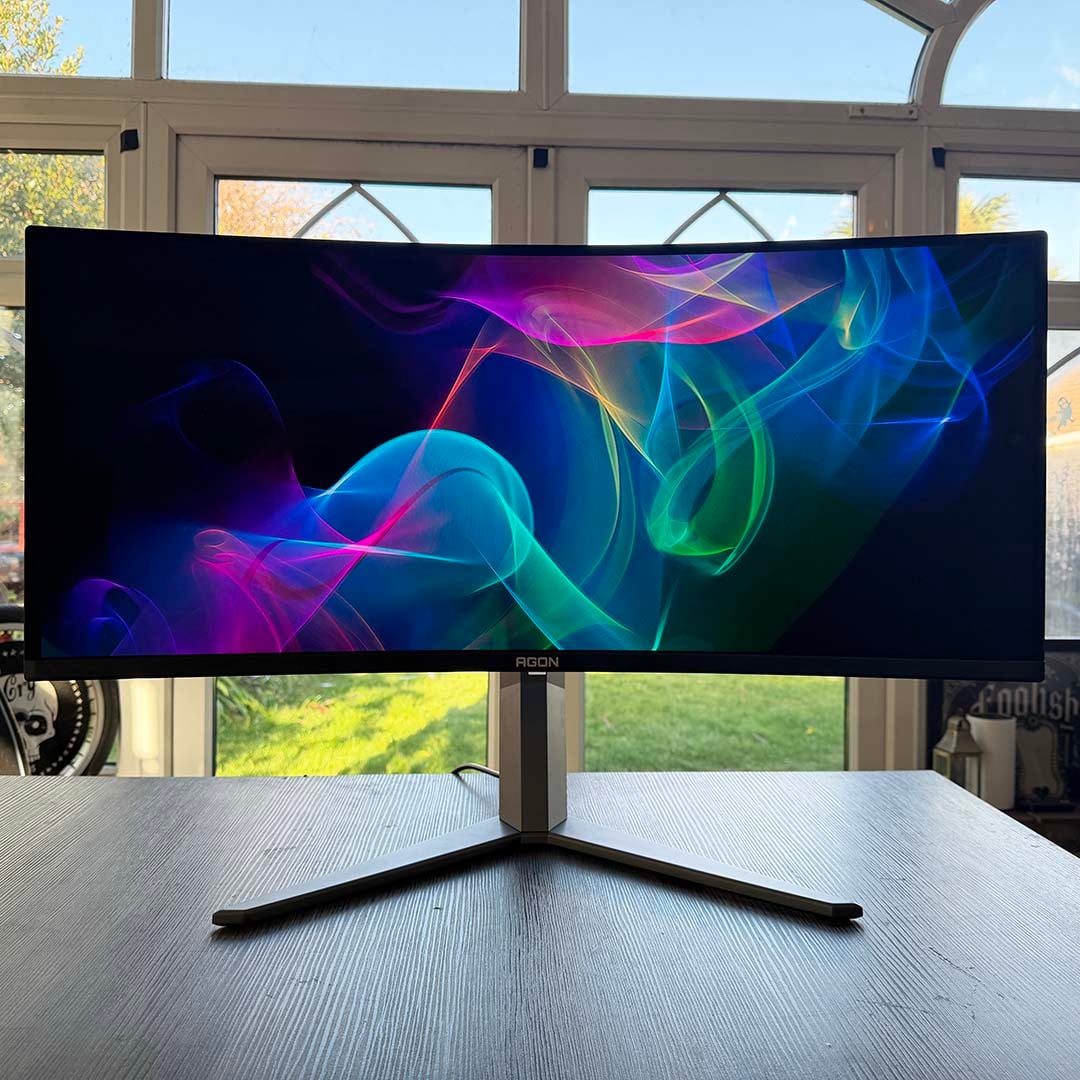
Speaking of which, colours look absolutely gorgeous on this monitor. They jump out at you, with none of the washed out look you see on IPS screens, and as we’ll see later, colour reproduction is incredibly accurate too. One of the factors that really helps the colours pop is the excellent contrast of this screen, and deep black levels – an inherent quality of OLED tech.
The Agon Pro AGP346UCSD has HDR500 True Black certification, and blacks look deep and inky whether you’re playing games, watching movies, or just editing photos – it makes a profound difference across the board if you’re used to working with an IPS screen. This is also assisted by an “ultra-black” coating, designed to suppress reflections, resist scratches, and improve black levels further.
It goes without saying that gaming on this screen is a fantastic experience. Motion is incredibly smooth at this monitor’s 360Hz refresh rate, and it’s really quick and responsive in action, thanks to its QD-OLED panel. Even mouse cursor movement and window scrolling is appreciably smoother than using a 144Hs IPS screen.
There’s full active sync support, including certified Nvidia G-Sync compatibility, to ensure it can sync up with your GPU’s frame rate output so there’s no tearing. Bear in mind that you’ll need a decent amount of GPU power to run your games at 360fps, though, especially at this screen’s 3440×1440 resolution. Frame gen can help add extra frames here to smooth out motion, but often at the expense of latency.
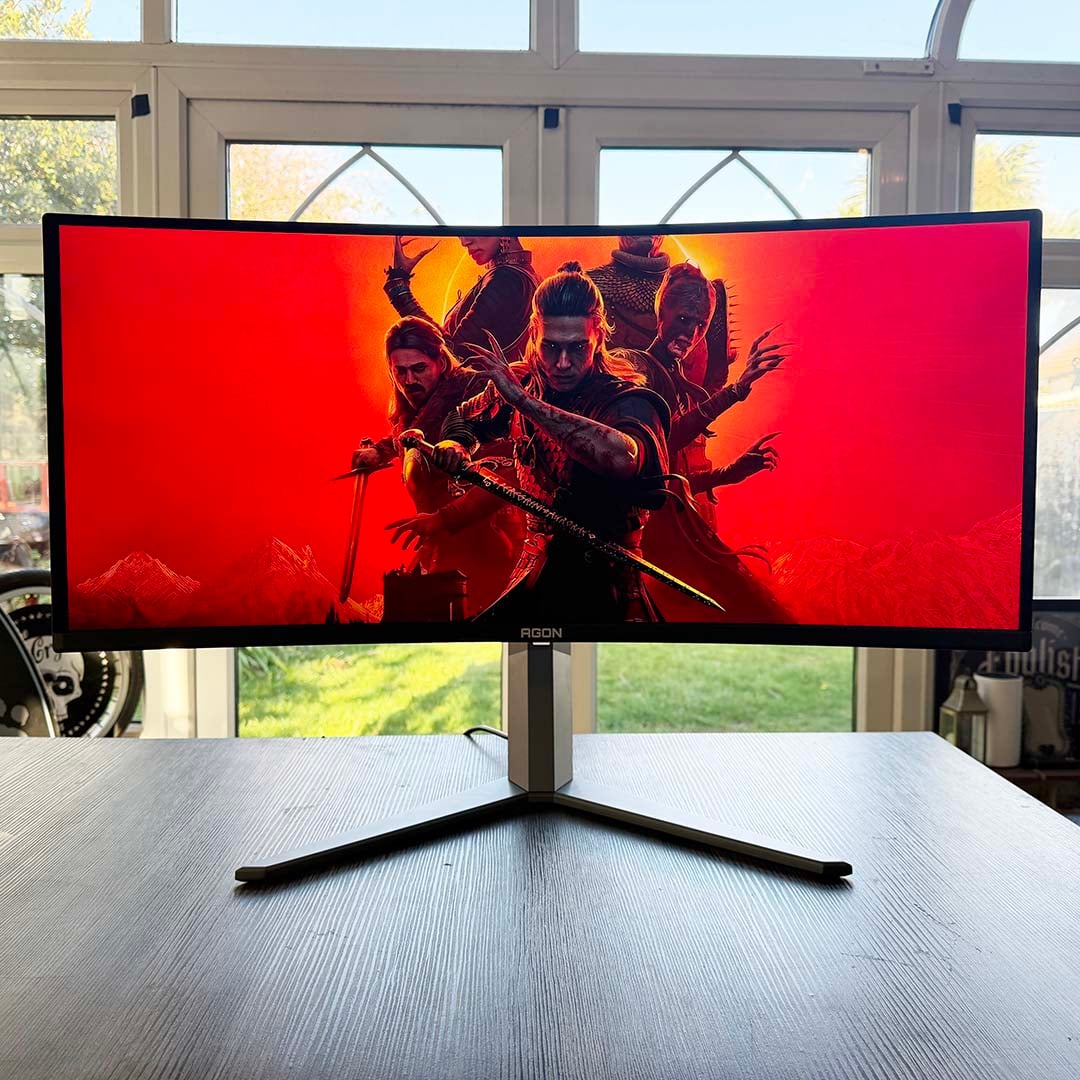
Fast motion aside, that QD-OLED panel just makes games look great anyway. Dark games such as Resident Evil Requiem look amazing with those deep blacks and high contrast, while the bright neon colours of Cyberpunk 2077’s really pop. One game I really enjoyed playing on this screen is F1 25 – it just looks so real when you enable path tracing on a screen that can properly reproduce high contrast and black levels.
The 21:9 aspect ratio also really lends itself to sim games such as F1 25, as you can fill your peripheral vision with the track, assisted by this screen’s 1800R curve. Bear in mind that not all games support this aspect ratio, though, and there are also some quirks, such as cutscenes being displayed in 16:9 with black bars on either side, even if the game itself runs in 21:9.
Generally, though, that ultrawide screen is a big benefit if you have space for it on your desk. I particularly loved sitting back and watching Severance in HDR on Apple TV+, which nearly filled out the whole screen with no black bars. It’s also really useful for work, as you can properly work on two documents snapped on either side of the screen, without the interface getting in the way.
Colours
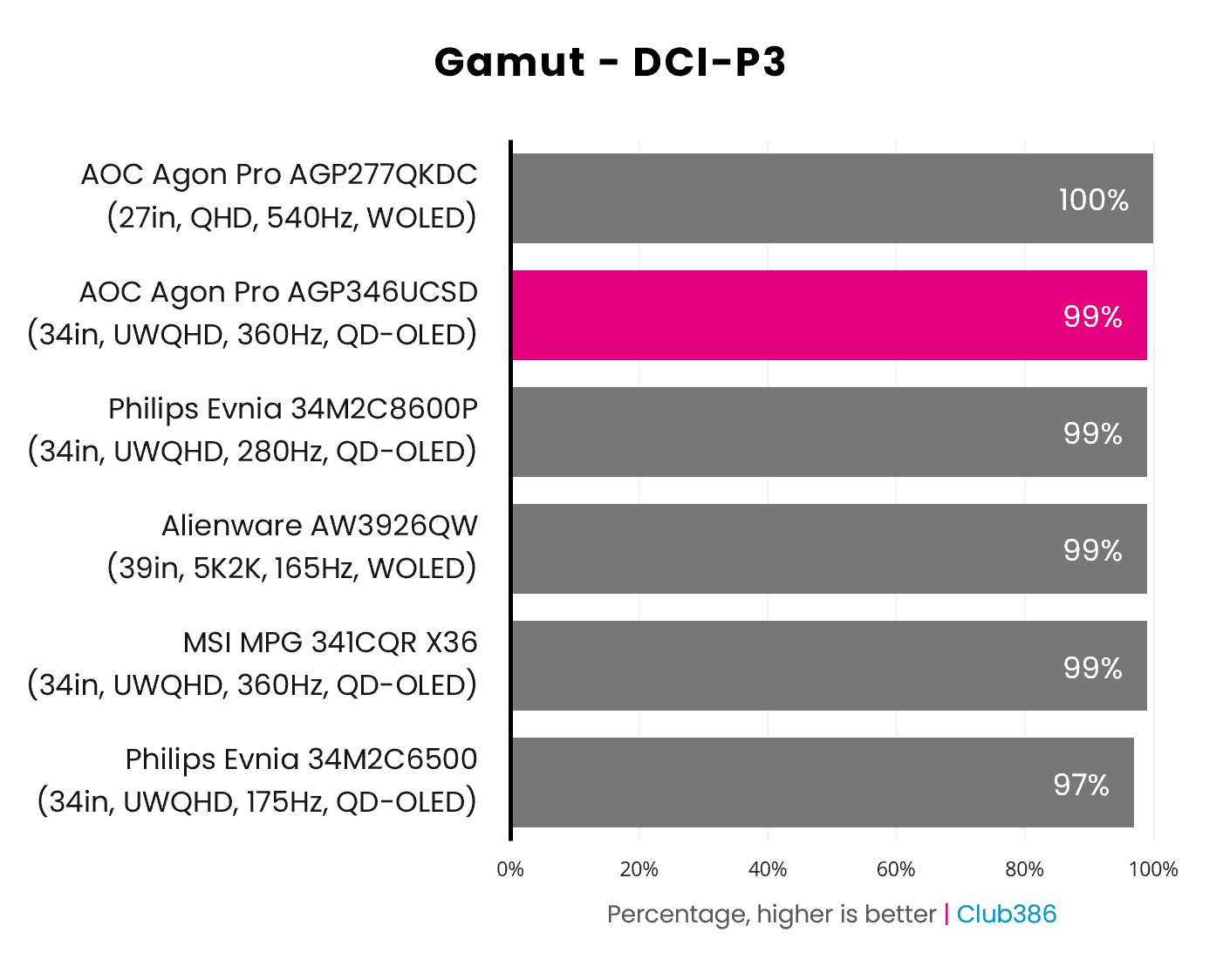
Colour reproduction is fantastic on the AGP346UCSD, with a huge range of hues at its disposal. That’s demonstrated perfectly by its coverage of the broad DCI-P3 gamut, which comes out at 99% on my colorimeter. That’s a fantastic result, and while some screens can cover 100%, you’d be hard pushed to spot the difference.
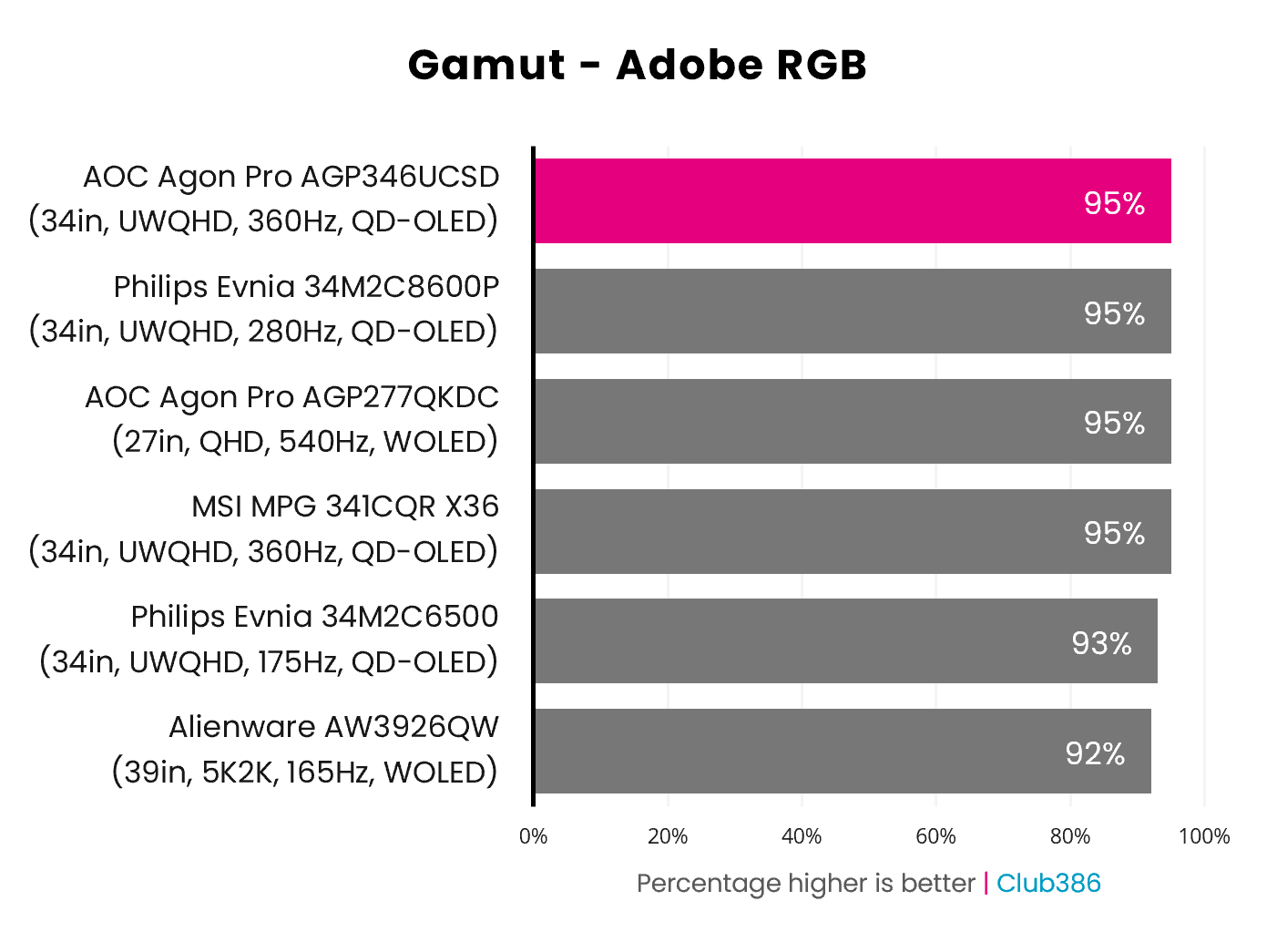
Adobe RGB coverage is strong at 95%. We very rarely see monitors get above this figure in our tests, putting the AGP346UCSD among the very best of the screens we’ve reviewed.
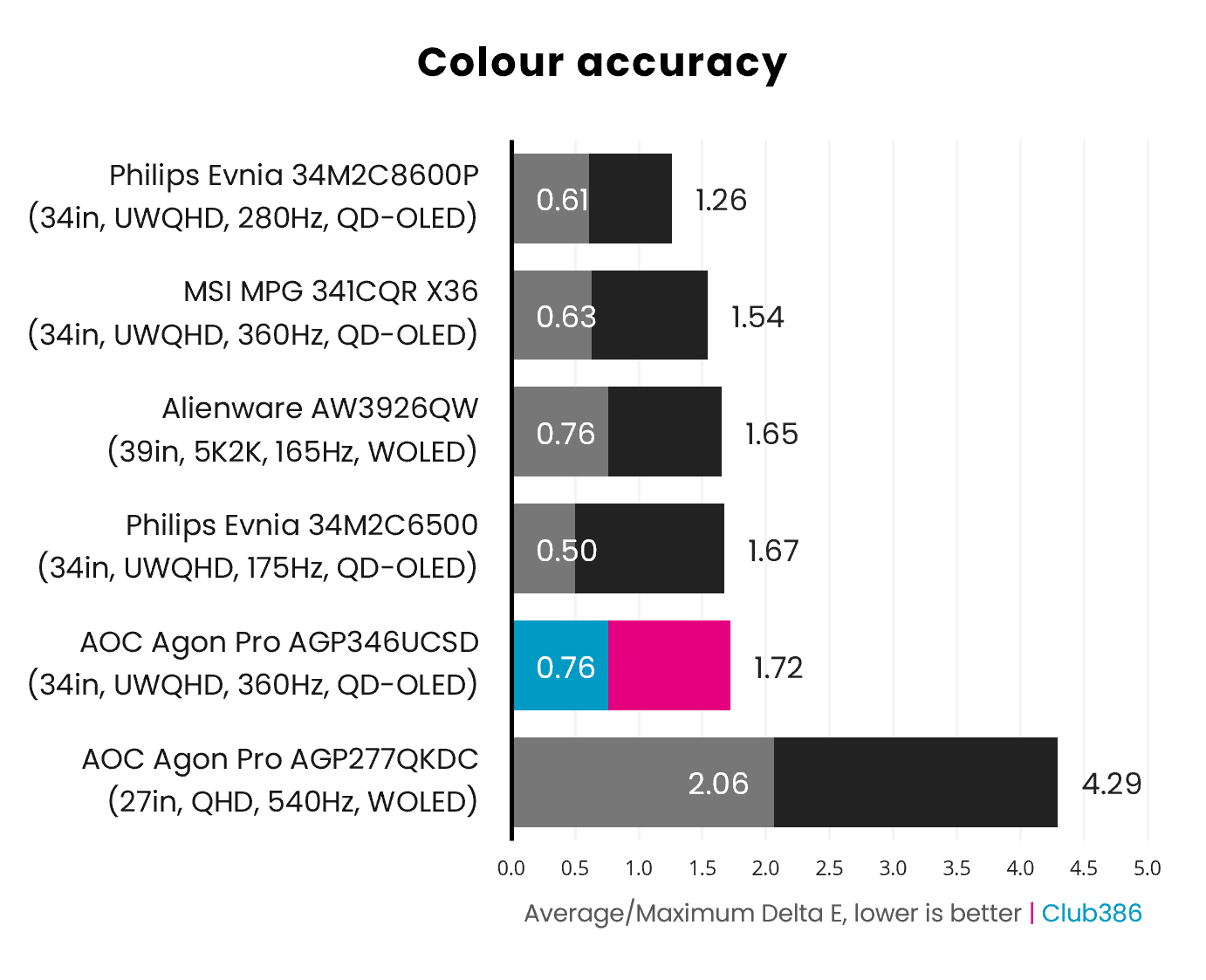
Colour accuracy is expectedly bang on as well. An average below 2 is considered imperceptible to the human eye in this test, so its figure of 0.76 is excellent. There are other monitors that get very slightly better scores, but you wouldn’t notice the difference – this is a fantastic result. Even the maximum figure of 1.72 is also well under 2.
Brightness
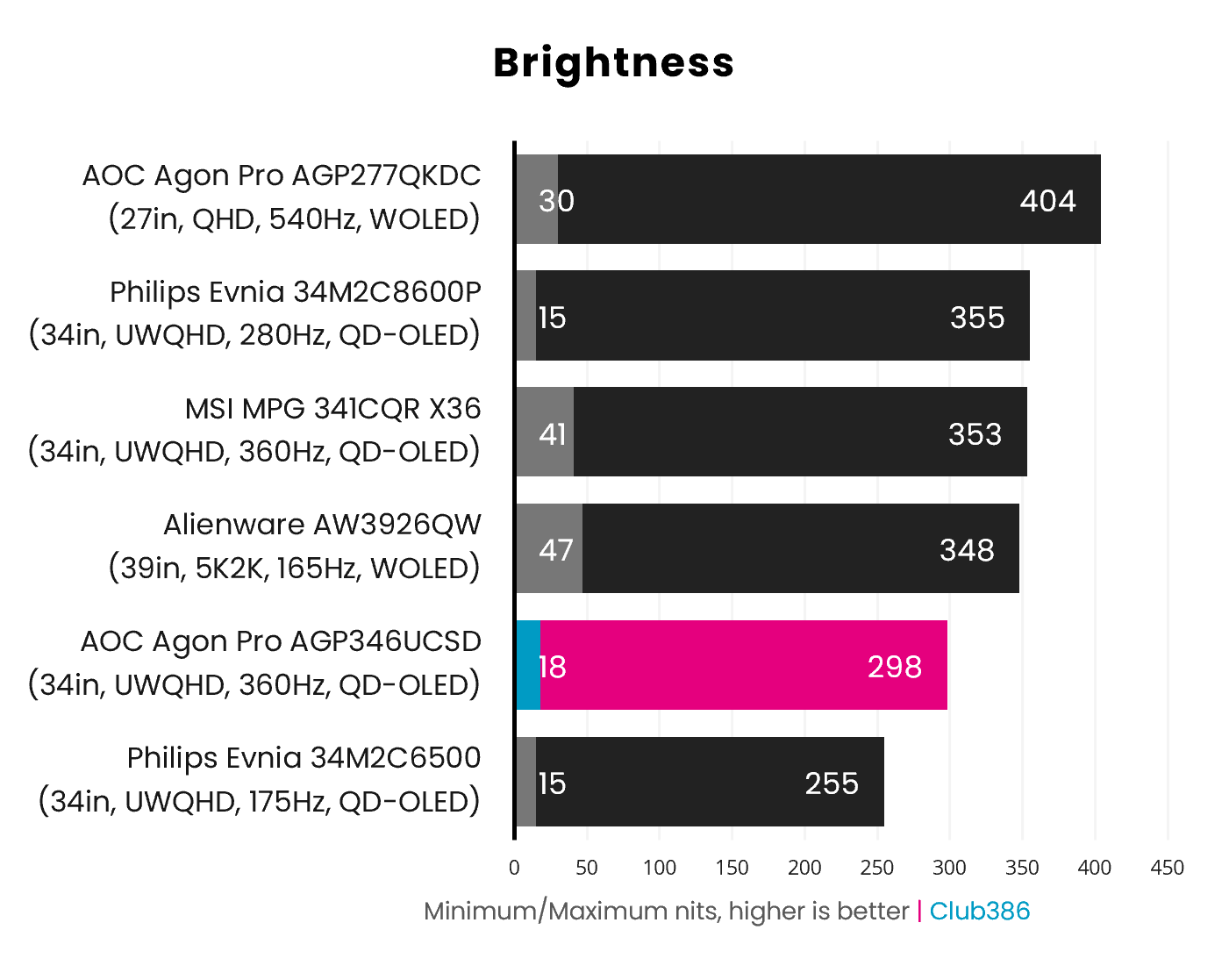
Brightness sits at 298nits in SDR mode when maxed out all the way, which is a little low compared to other screens we’ve tested lately. However, I found this level of brightness was absolutely fine when using the monitor for work and gaming, and you have the option to enable HDR mode if you want more nits for video and games that support it.
Uniformity
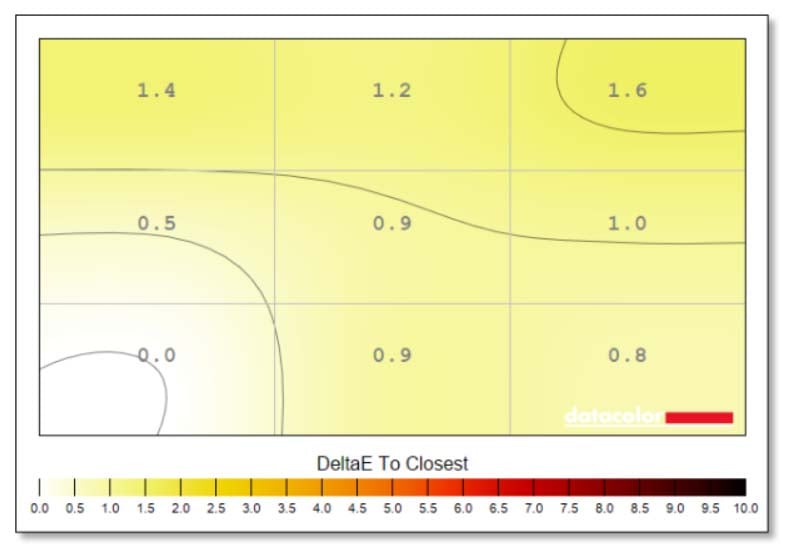
Colour uniformity is fantastic, with the highest variation being just 1.6 in the top right corner. These differences are basically imperceptible to the human eye, meaning you can be sure you’re getting accurate colours wherever you look on this massive screen.
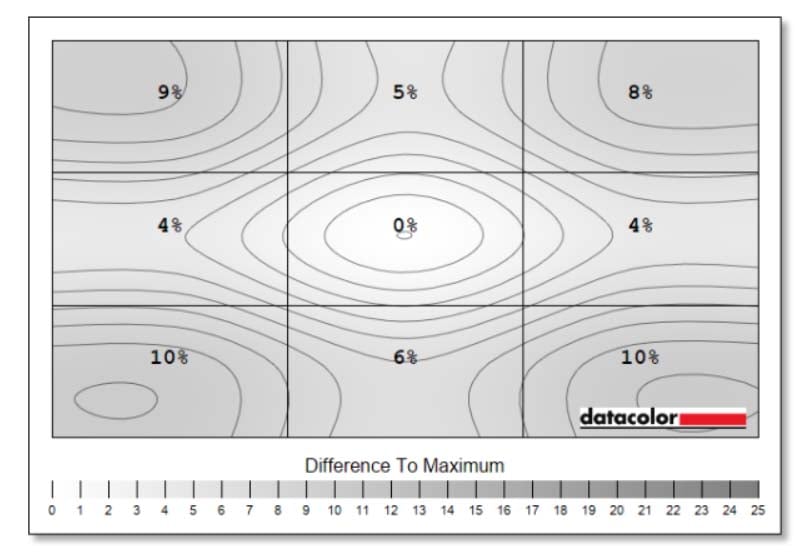
My Datacolor Spyder Pro colorimeter reports some surprising variation in luminance uniformity, with differences of up to 10% in the bottom two corners compared to the middle. As QD-OLED panels are self-emissive, we usually expect to see very little variance here, but we saw similar results from the MSI MPG 341CQR QD-OLED X36, which uses the same 5th-gen Penta Tandem panel, so AOC definitely isn’t alone here.
It’s possible this is down to limits with my test equipment, or the anti-reflective coating throwing the sensor, as I found these variations in brightness uniformity were impossible to see in general use. This may also be a characteristic of the 360Hz version of this panel, given that the 280Hz version used in the Philips Evnia 34M2C8600P didn’t exhibit any of these problems. It looks fine to the naked eye, though. It’s very different from using the Alienware AW3926QW, which uses edge dimming as an anti burn-in measure, with clearly visible variations of up to 21%.
Boundary dimming was disabled in the AOC’s OSD menu, and these results were consistent across multiple tests. I’ve asked AOC for comment on the potential reasons for this disparity.
Power
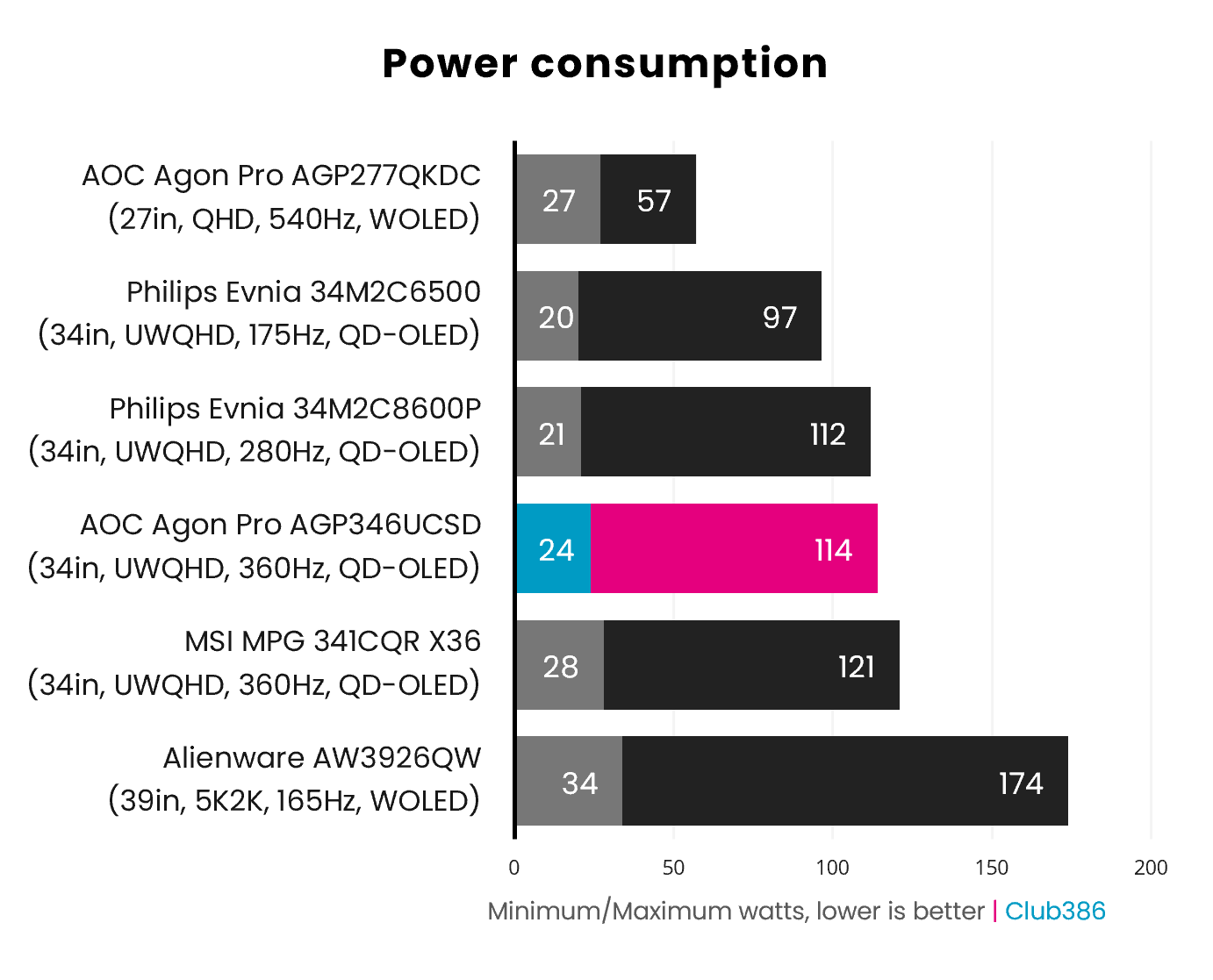
With a massive 34in panel using the latest QD-OLED tech, the AOC Agon Pro AGP346UCSD unsurprisingly draws a fair bit of power from the mains. With brightness maxed out and displaying a white screen, power draw tops out at 114W. That’s a bit lower than the 121W from the MSI MPG 341CQR QD-OLED X36, but that’s not a surprise given the MSI is also slightly brighter and has an AI sensor drawing few watts.
This is a worst-case-scenario figure, though – I found the monitor generally drew 80-90W from the mains during general use with the brightness at 80%. As a point of comparison, an everyday 34in VA screen, such as the iiyama ProLite XCB3497WQSNPH-B1, only draws 50W from the mains under the same conditions, so you’re definitely paying a price in energy for the benefits of this panel.
Conclusion
Make no mistake, the AOC Agon Pro AGP346UCSD is a fantastic display when it comes to sheer quality. Colour reproduction, black levels, and contrast are all top notch, and the lack of text fringing makes it properly usable as a working display for professional writers as well as a decent screen for gaming and graphics work. It’s the first time I’ve used a QD-OLED monitor that really nails all of the above.
The wide aspect ratio is great for both work and play, and the picture quality is fantastic. Meanwhile, UHBR20 bandwidth means it can get all the data from your graphics card without using compression, and the KVM feature is genuinely really useful if you want to hook up a laptop and PC at the same time. However, it’s a real shame there isn’t enough power from the USB-C port to charge your laptop at the same time.
The other main criticism of this screen is its current price of £849. On the face of it, that looks like a good deal for a monitor with the latest QD-OLED tech, but the competition has come down in price lately. You can currently pick up the MSI MPG 341CQR QD-OLED X36 for £50 less, for example, and it uses the same panel while offering 98W of USB-C power, albeit without the benefits of UHBR20.
Meanwhile, the Philips Evnia 34M2C8600P offers the same core panel tech for just £779, complete with 98W power delivery from its USB-C port. It has a slightly slower refresh rate of 280Hz, but that’s still plenty fast enough for the vast majority of gamers’ needs. All of which leaves the AOC looking overpriced at £849.
The AOC’s extra bandwidth is a bonus if you’re not bothered about the lack of USB-C power, plus, unlike the MSI, it also comes with a basic pair of integrated speakers – some of this is really just a matter for your priorities. With a drop in price and some more USB-C power, the AOC Agon Pro AGP346UCSD would be an outright winner, but it still comes recommended as a superb screen, particularly if you want an uncompressed display stream.