

Club386 endorses products based on our extensive tests and experience. If you make a purchase using our referral links, we may get a small commission at no extra cost to you.
In this buying guide, we’ll find the best CPU cooler for your needs, all based on our extensive reviews, in-house testing, and decades of technical expertise. There’s a huge range of CPU coolers available, from basic heatsink-and-fan assemblies that cost just over £20, to sprawling liquid-cooling systems with huge radiators and a bank of spinning fans. Along the way, you’ll also find RGB lighting arrays and even LCDs built into pump units.
Thankfully, you don’t have to splash out a lot of money to get a decent, quiet cooler that can prevent an 8-core CPU from overheating. What’s more, thanks to the low heat output of some current CPUs, you can even cool a 12-core chip with a passive heatsink. There are definite advantages to getting as much cooling power as possible, though.
A well-built, dual-tower air cooler will last you through many years of PC building, and will still be able to cool a high-end CPU without making too much noise. They require a lot of clearance room in your case, though. Meanwhile, a large AIO cooler can offer even more cooling power, sometimes for less money, while putting a fancy RGB pump block on top of your chip. Whatever your needs, there’s a cooler for you in this guide. Here are the best models we’ve reviewed and tested recently.
Best air cooler shortlist
Noctua NH-D15 G2
be quiet! Pure Rock Pro 3
Arctic Freezer 36
Noctua NH-P1
Best AIO cooler shortlist
Arctic Liquid Freezer III Pro 360 ARGB
be quiet! Pure Loop 3 LX 360
Noctua NL-LC1
MSI MPG CoreLiquid P22 360
MSI MAG CoreLiquid A13 360
be quiet! Silent Loop 3 420mm
In detail
Best air cooler overall
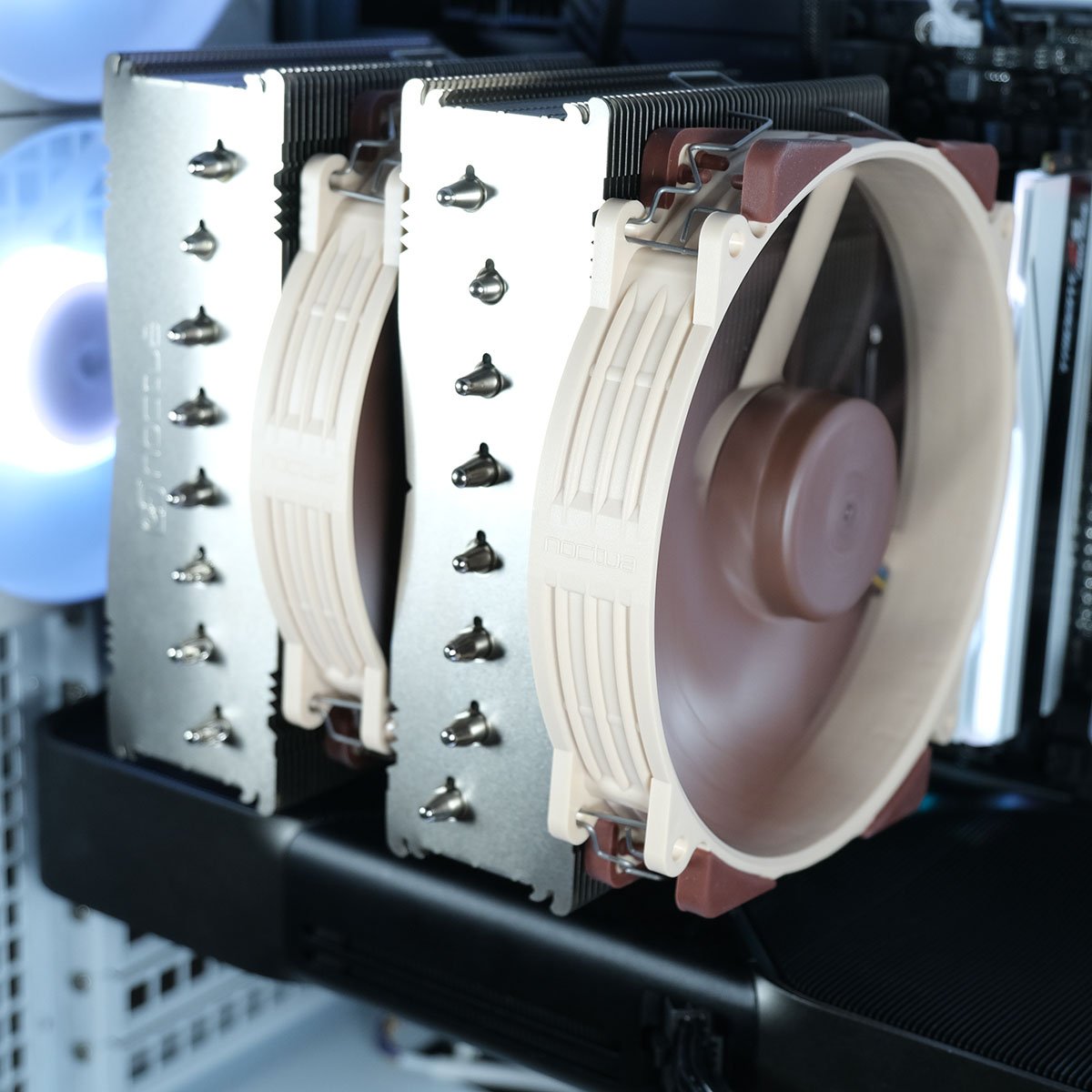
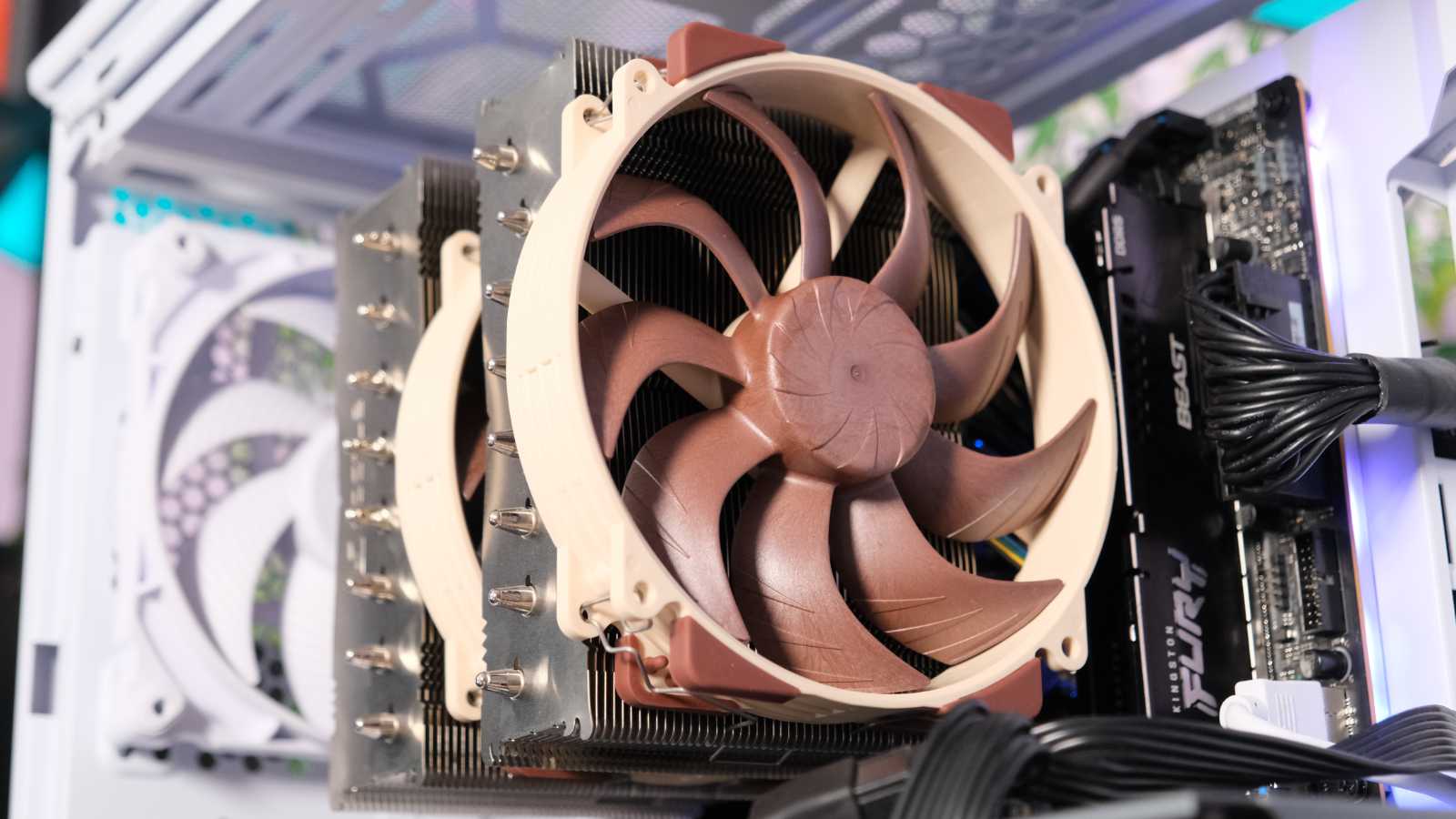
The best CPU air cooler overall is the Noctua NH-D15 G2. This mighty dual-fan contraption might cost a pretty penny, but its cooling performance is simply incredible. In fact, in our tests, this heatsink-and-fan assembly can beat a decent 360mm AIO liquid cooler, and happily keep a hot-running Intel Core i9-13900K at bay.

Noctua NH-D15 G2
£128 / $180
Pros
- Incredible cooling performance
- Low-noise operation
- Adjustable fan height
- Easy to install
Cons
- Very pricey
Club386 may earn an affiliate commission when you purchase products through links on our site.
How we test and review products.
As you would expect from Noctua, build quality is superb, with all the attention to detail enthusiasts love, including relatively easy installation. This mammoth assembly is 145mm tall and features two stacks of heatsink fins, which make contact with your CPU’s heatspreader via eight heatpipes.
Meanwhile, airflow comes from a pair of 140mm NF-A14x25r G2 fans – one on the front, and one sandwiched between the heatsink towers. Handily, you can adjust the height of these fans, so you can avoid them clashing with your memory or other parts of your rig.
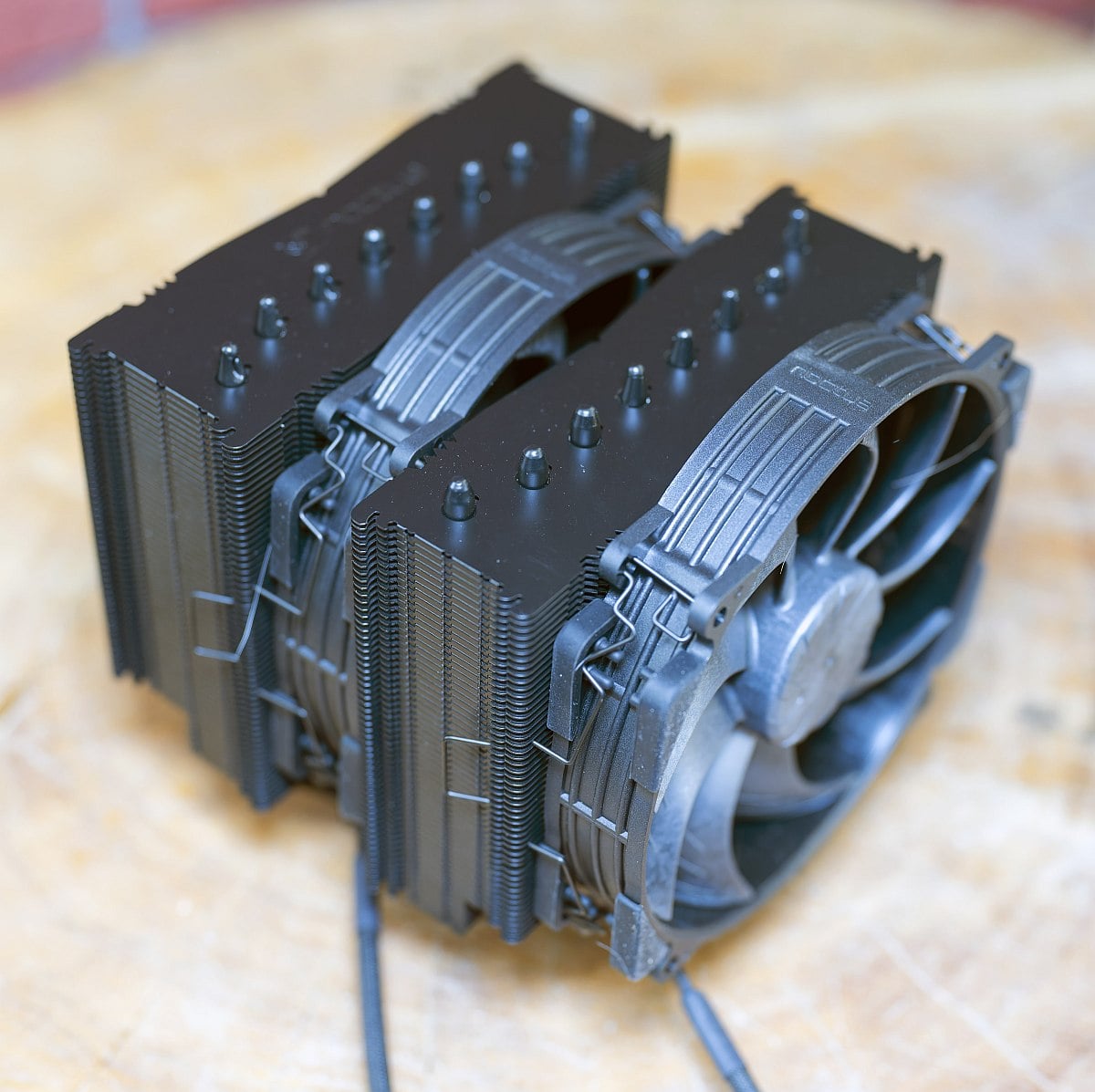
When we first reviewed the NH-D15 G2, we criticised it for the lack of a black version – it might have awesome cooling performance, but we also know that the brown and beige colour scheme is a bit too “Granny’s tights” for some people. Thankfully, there’s now a black version that’s just as good, and you can read all about it on our Noctua NH-D15 G2 chromax.black review.
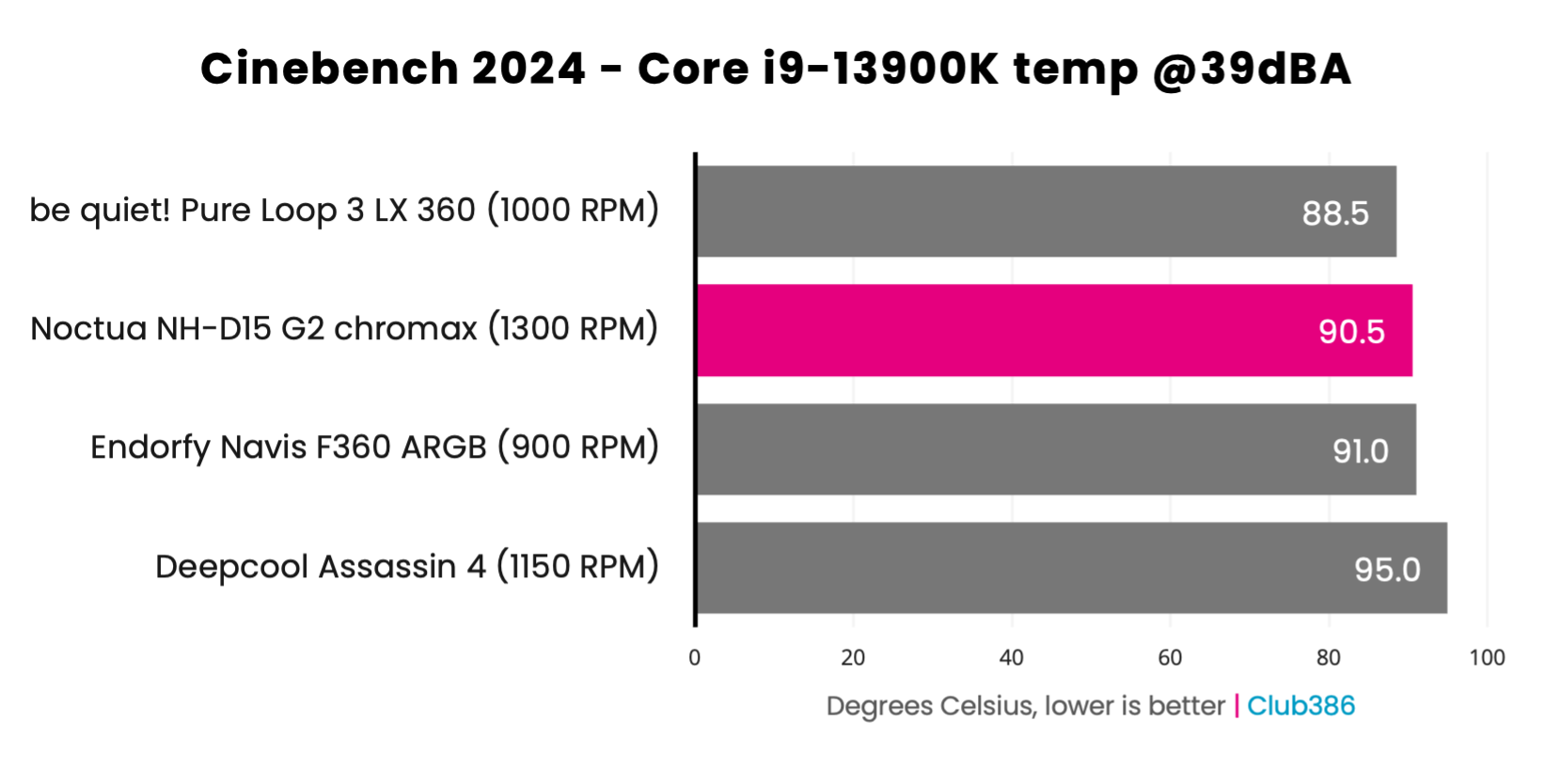
Best of all is that top-notch cooling performance. Check out the graph above, and you’ll see what we mean. When normalised to a noise level of 39dBA, this air cooler achieves a cooler temperature than an Endorfy Navis F360 ARGB AIO cooler, but without the need to install a colossal radiator on your case.
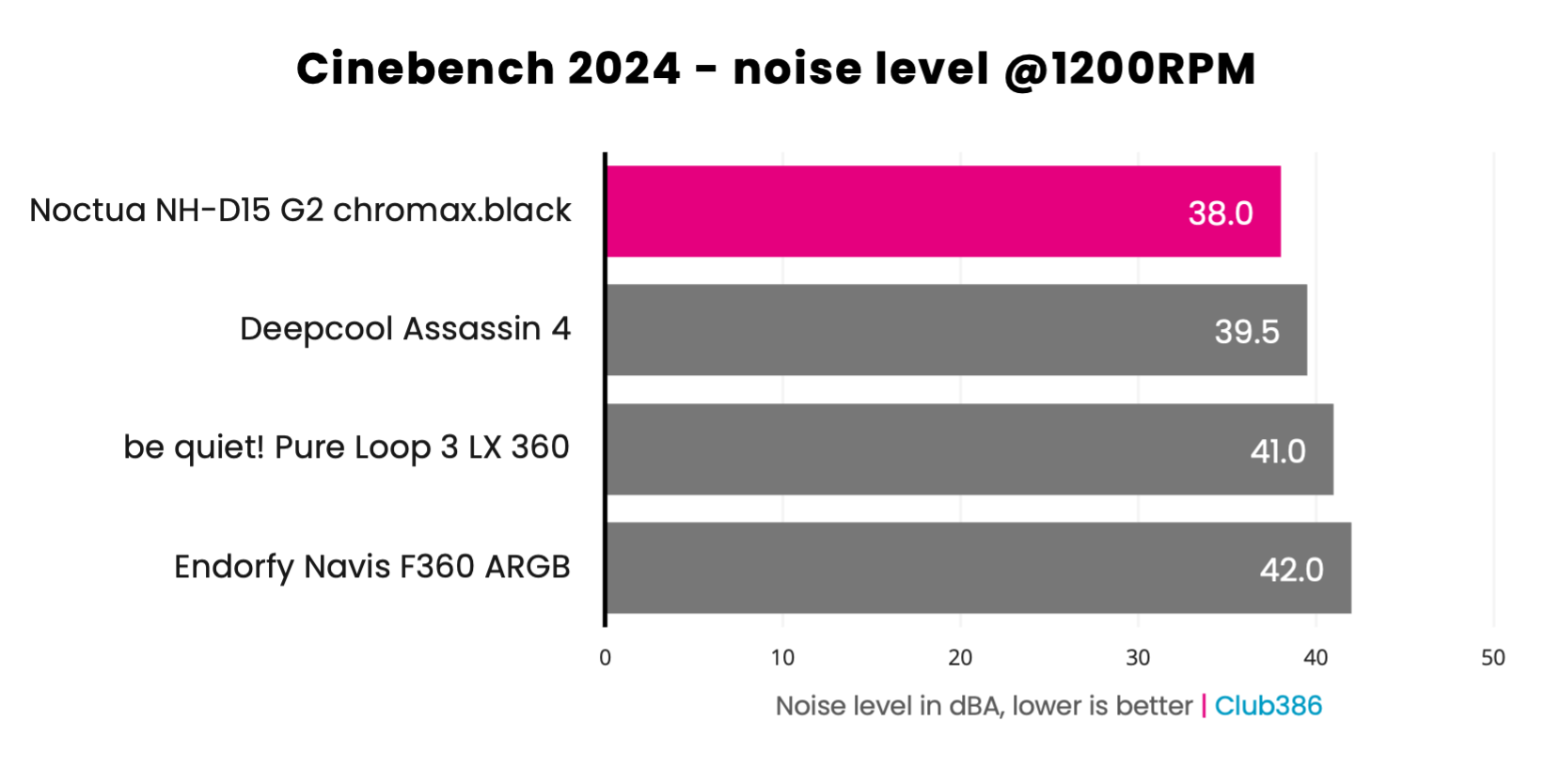
There’s just one problem with this excellent example of air cooler design, and that’s its price. At £128, you could easily buy a 360mm premium AIO cooler with some fancy RGB lighting, and the US price of $180 is particularly hard to swallow. However, there’s very little that can fail on a well-built heatsink-and-fan assembly such as this one, giving it solid longevity, and you can always replace the fans. That’s different from an AIO cooler that will have a limited lifespan, plus Noctua regularly releases upgrade kits for new CPU sockets when they come out.
More details, including all our cooling benchmarks, can be found in our full Noctua NH-D15 G2 review.
| Specs | |
| Socket support | Intel LGA1954, LGA1851, LGA1700, LGA1200, LGA115x; AMD AM4, AM5 |
| Heatsink dimensions | 168 x 150 x 152mm (w/fans) |
| Heatpipes | 8 x 6mm |
| Weight | 1,525g (w/fans) |
| Fan size and type | 2× NF-A14x25r G2 PWM (140 x 150 x 25mm) |
| Fan speed range | 0-1,500rpm |
| Fan airflow | 91.5 CFM |
| Fan static pressure | 2.51mm H2O |
| Fan noise level | Max 24.8dBA |
| Warranty | Six years |
Best quiet air cooler
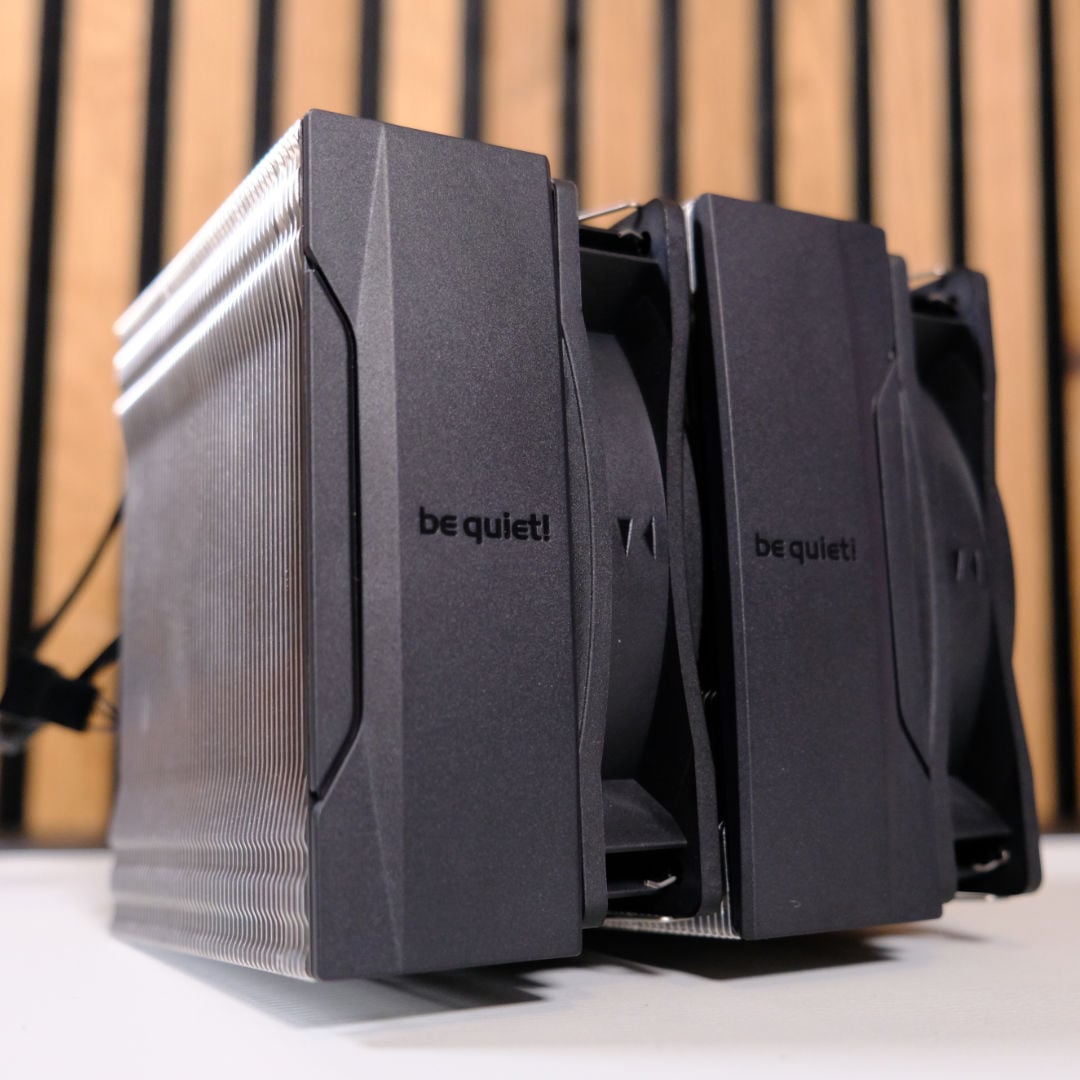
The best quiet air cooler is the be quiet! Pure Rock Pro 3. Despite its surprisingly low price, you get a dual-tower heatsink design with this cooler, as well as a pair of quiet fans. It doesn’t quite have the cooling power to easily cope with a monster Intel Core i9 CPU, but it can handle a mid-range CPU fine.
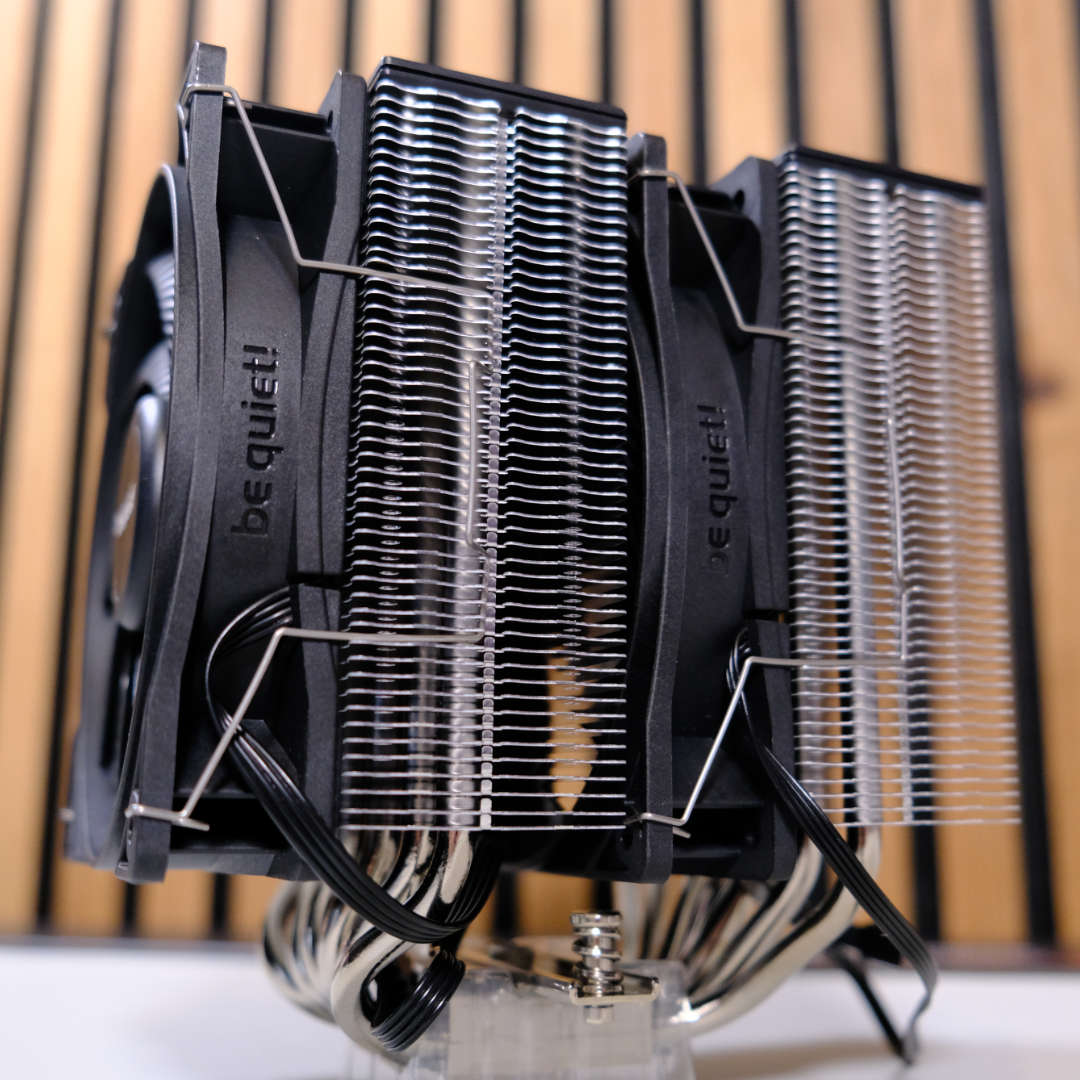
be quiet! Pure Rock Pro 3
£38 / $55
Pros
- Fantastic price
- Very quiet
- Easy installation
Cons
- Can’t quite cope with Core i9
- No Y-splitter cable
- No spare thermal paste
Club386 may earn an affiliate commission when you purchase products through links on our site.
How we test and review products.
As you would expect from a company called be quiet!, this cooler is engineered to produce minimal noise while keeping your CPU temps in check. The box includes a pair of 120mm be quiet! Pure Wings 3 PWM fans, which do a great job of keeping the noise down.
Look at the table below, and you can see the Pure Rock Pro makes significantly less noise than the Arctic Freezer 36 at the same fan speeds. The Freezer 36 is a top cooler for its very low price, but paying a bit extra for the Pure Rock Pro will make for a quieter PC when your CPU is loaded.
| be quiet! Pure Rock Pro 3 | Arctic Freezer 36 | |
|---|---|---|
| 600rpm | <30.2 | 38.5 |
| 1,200rpm | 32.5 | 39.4 |
| Max speed | 40.6 | 41.1 |
The standard edition of the Pure Rock Pro 3 gives you a classic silver and black colour scheme, with some neat plates on the top that cover the heatsinks. However, if you like a bit more flair, there’s also a Pure Rock Pro 3 LX version with RGB fans, which looks great and doesn’t cost too much more at £46.99.
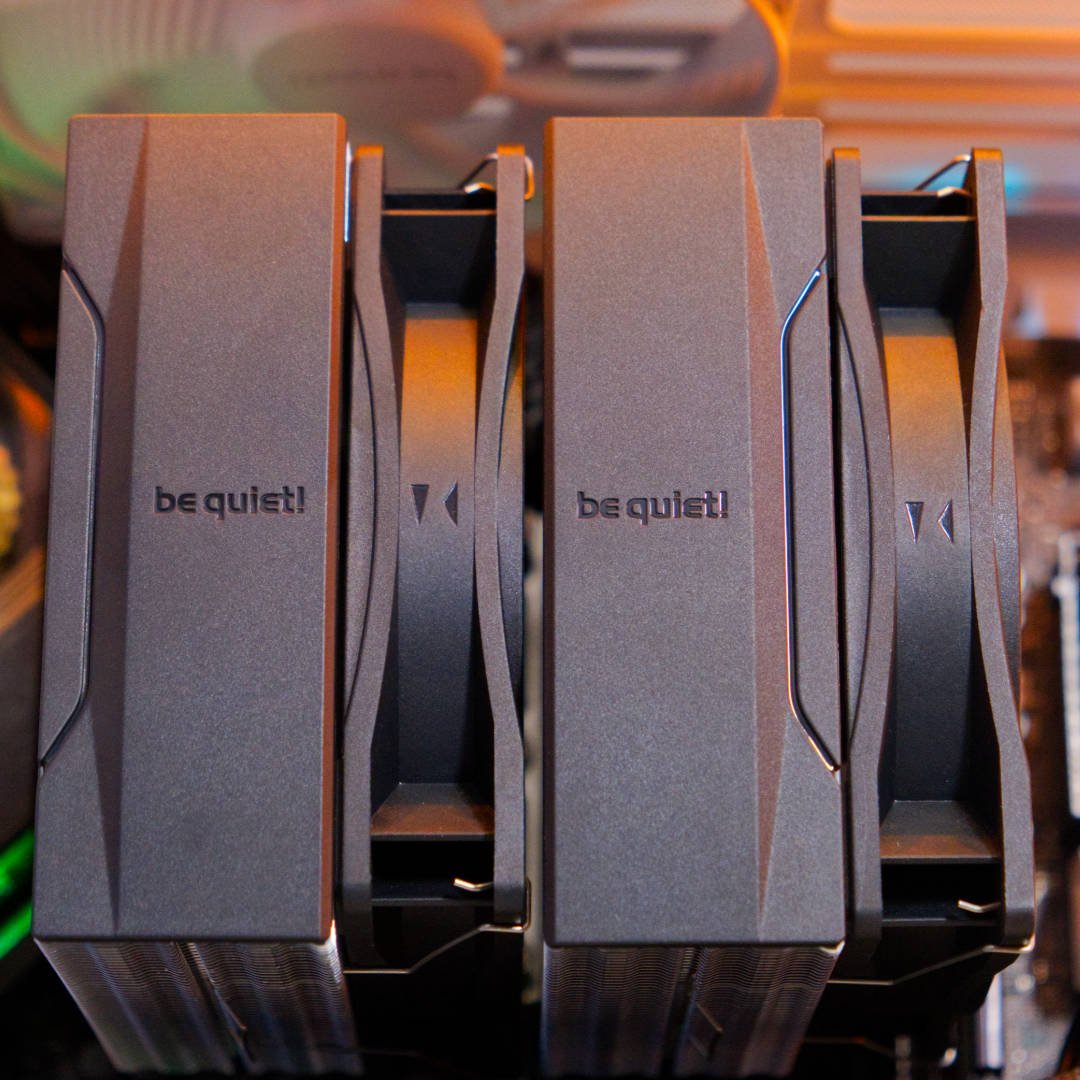
At this price, you’re not going to get the very best cooling performance possible, and we found the Pure Rock Pro 3 struggled to keep our Core i9-13900K in check at full pelt. However, tuning our test CPU’s TDP down to 153W made for a much easier ride, with the Pure Rock Pro still keeping its temperature down to 82.7°C at a low 600rpm fan speed.
If you’re looking for an affordable, quiet cooler to strap to your Ryzen 7 9800X3D, the be quiet! Pure Rock Pro 3 is a top choice.
For more detail, including noise levels and temperature results, check out our in-depth be quiet! Pure Rock Pro 3 review.
| Specs | |
| Socket support | Intel LGA1851, LGA1700, LGA1200, LGA115x; AMD AM4, AM5 |
| Heatsink dimensions | 139 x 124 x 155mm (w/fans) |
| Heatpipes | 6 x 6mm |
| Weight | 1,070g (w/fans) |
| Fan size and type | 2× Pure Wings 3 PWM (120 x 120 x 25mm) |
| Fan speed range | 0-2,000rpm |
| Fan airflow | 59.6 CFM |
| Fan static pressure | 2.41mm H2O |
| Fan noise level | Max 25.5dBA |
| Warranty | Three years |
Best budget air cooler
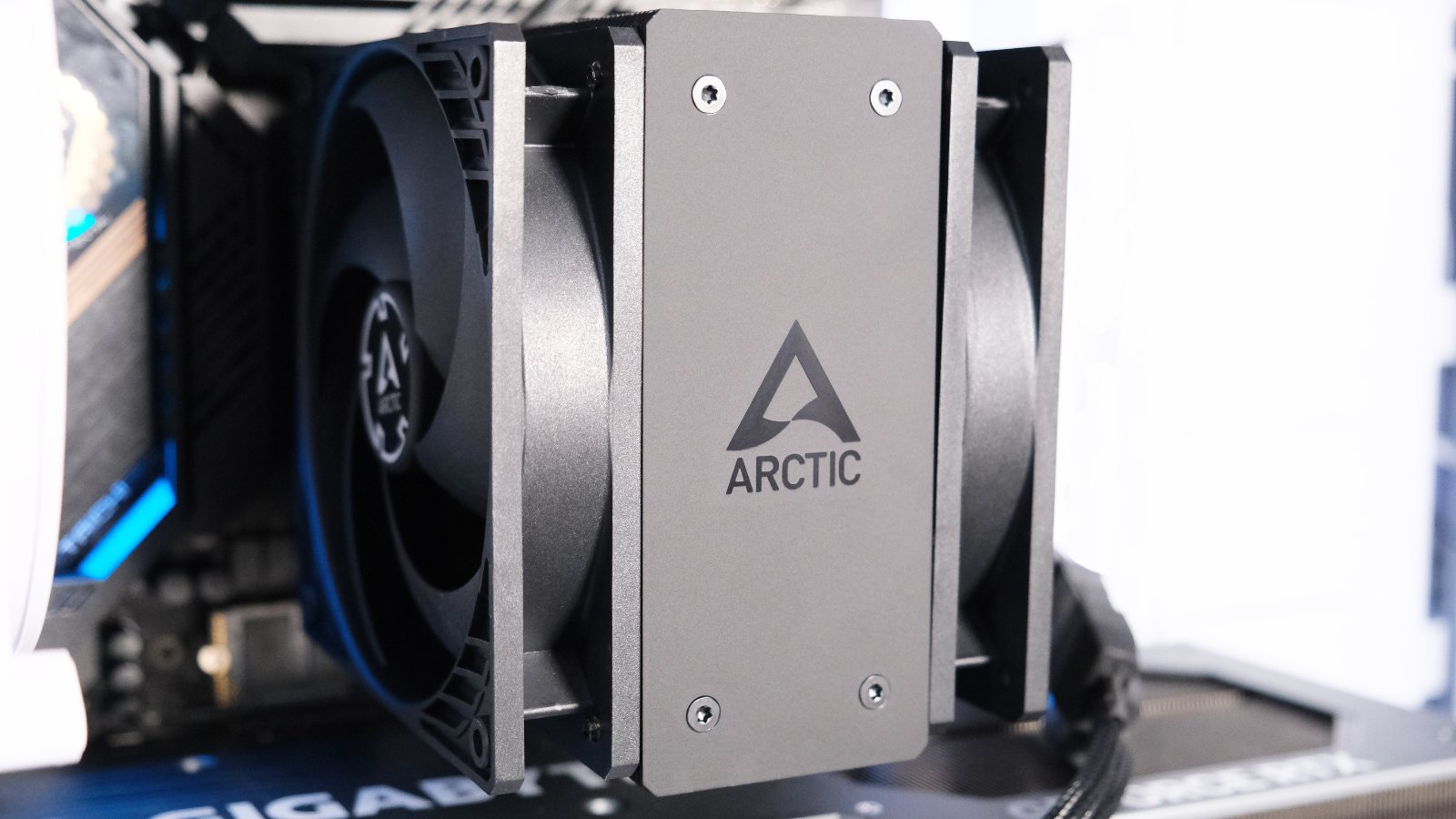
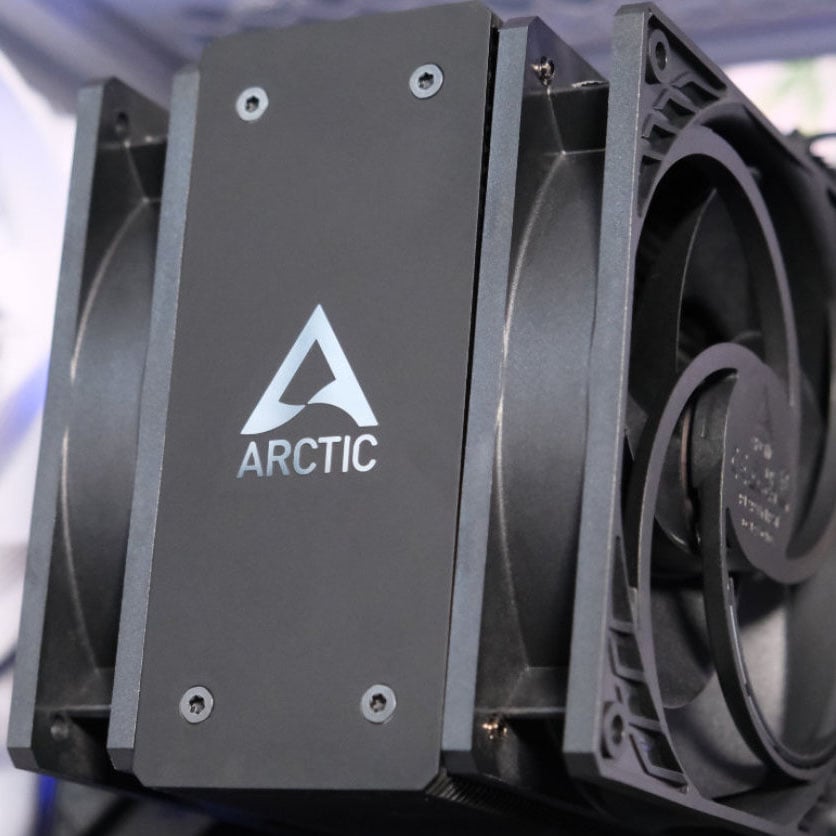
The best budget air cooler is the Arctic Freezer 36. Despite its modest price of just £26, this cooler is surprisingly potent. With two fans set up in a push-pull configuration on either side of its heatsink, the Freezer 36 easily offers enough airflow to keep a mid-range CPU in check.

Arctic Freezer 36
£26 / $29
Pros
- Incredibly low price
- Easy installation
- Six-year warranty
Cons
- Lacks support for older Intel CPUs
- Fan clips are a bit delicate
Club386 may earn an affiliate commission when you purchase products through links on our site.
How we test and review products.
While the Freezer 36 sadly isn’t available for its amazing £21.99 launch price any more, its current cost of £26 is still perfectly reasonable for the cooling power on offer. Unlike the be quiet! Pure Rock 3 Pro, there’s only one tower of aluminium heatsink fins here, but you do get plenty of airflow courtesy of two Arctic P12 PWM fans. With its use of standard fan mounts, you could replace these spinners with pretty much any 120mm fan of your choice as well.
It even looks the part, with its solid aluminium logo plate on top of the heatsink adding a touch of class. Plus, if you want a little more pizzazz, there’s an ARGB version available that costs an extra £7, and it comes in both black and white flavours to match the rest of your build.
| 253W 600rpm | 253W 1,200rpm | 253W Max speed | 153W 600rpm | 153W 1,200rpm | 153W Max speed | |
|---|---|---|---|---|---|---|
| Arctic Freezer 36 | 93.1 | 91 | 88.6 | 80.2 | 76.3 | 73.1 |
| Corsair A115 | 98.9 | 95.1 | 89.8 | 82.4 | 71.5 | 69.2 |
| be quiet! Dark Rock Elite | 94.4 | 93.0 | 91.8 | 77.6 | 70.8 | 67.7 |
| be quiet! Pure Loop 2 280 | 91.8 | 89.3 | 85.5 | 76.7 | 65.9 | 61.8 |
| MSI MAG CoreLiquid E360 | 87.2 | 86.0 | 82.0 | 71.9 | 62.2 | 59.7 |
Importantly, the Arctic Freezer 36 offers solid cooling performance that belies its low cost. As you can see in the table above, it handled our Core i9-13900K test chip admirably once we’d dropped the TDP to 153W, meaning it could easily cope with the heat from an AMD Ryzen 7 9800X3D. Impressively, it even managed to cool this CPU with its fans running at 600rpm, resulting in a temperature of 80.2°C, all without making too much of a racket.
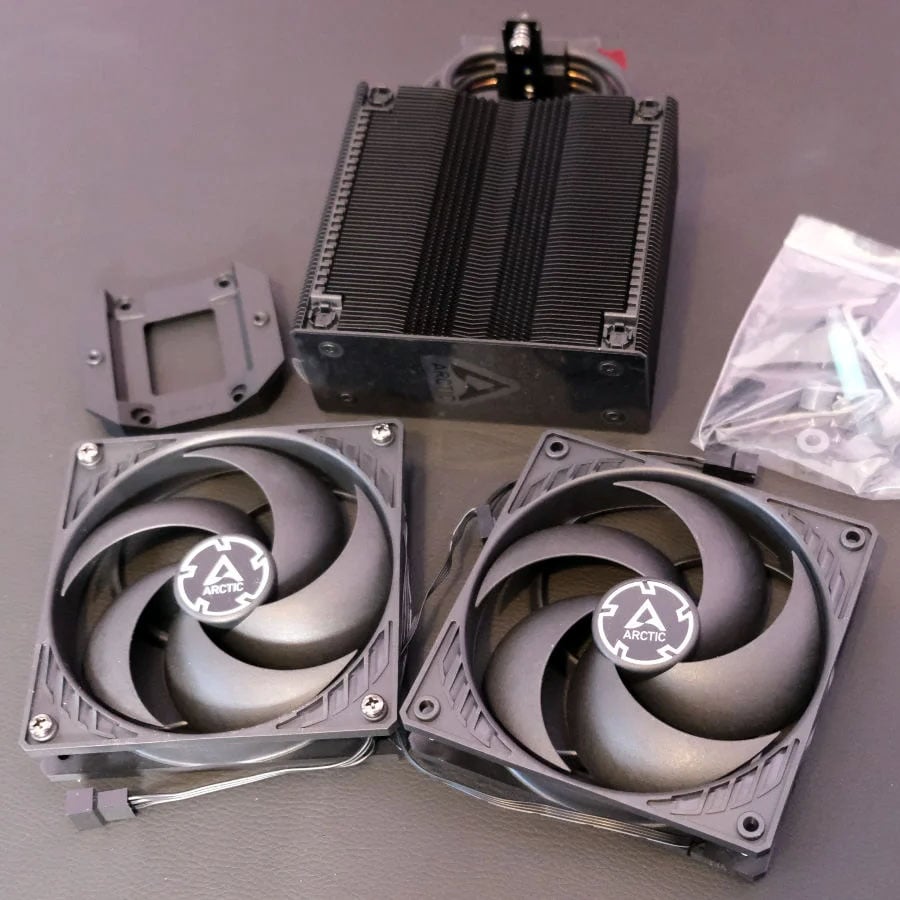
Our only criticisms are firstly that it doesn’t support any Intel CPUs before LGA1700, so you’re not going to be able to mount it on an LGA1200 or LGA115x board. Secondly, we found the fan-mounting clips on the heatsink a bit fragile, and one of them broke during testing, so you’ll need to take care when mounting and removing the fans.
Read our full Arctic Freezer 36 review for an in-depth look at this CPU cooler, including all our temperature and noise test results.
| Specs | |
| Socket support | Intel LGA1851, LGA1700; AMD AM4, AM5 |
| Heatsink dimensions | 104 x 126 x 159mm (w/fans) |
| Heatpipes | 4 x 6mm |
| Weight | 890g (w/fans) |
| Fan size and type | 2× Arctic P12 PWM (120 x 120 x 25mm) |
| Fan speed range | 200-1,800rpm |
| Fan airflow | 56.3 CFM |
| Fan static pressure | 2.2mm H2O |
| Fan noise level | Max 0.3 Sone |
| Warranty | Six years |
Best passive air cooler
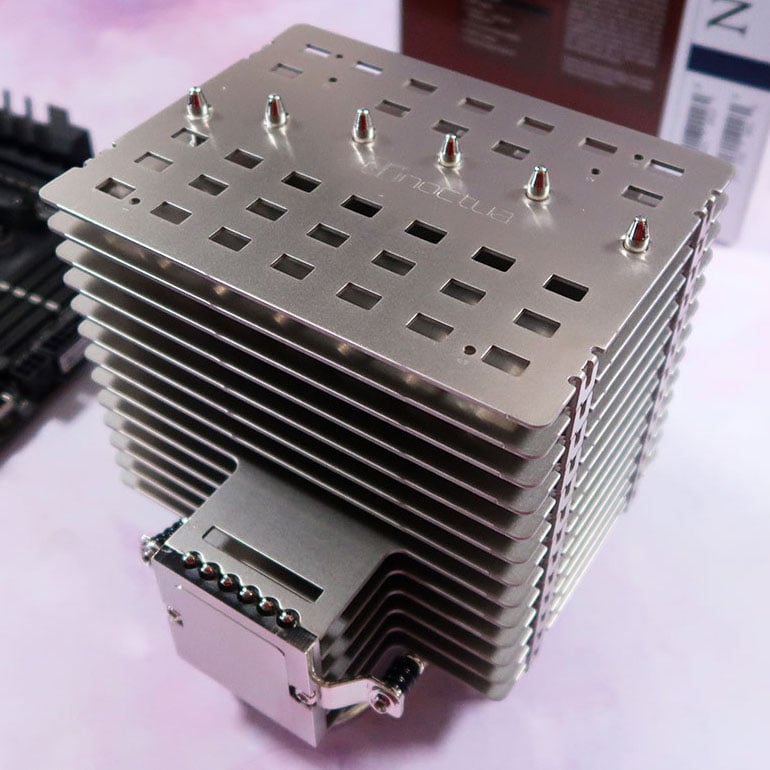
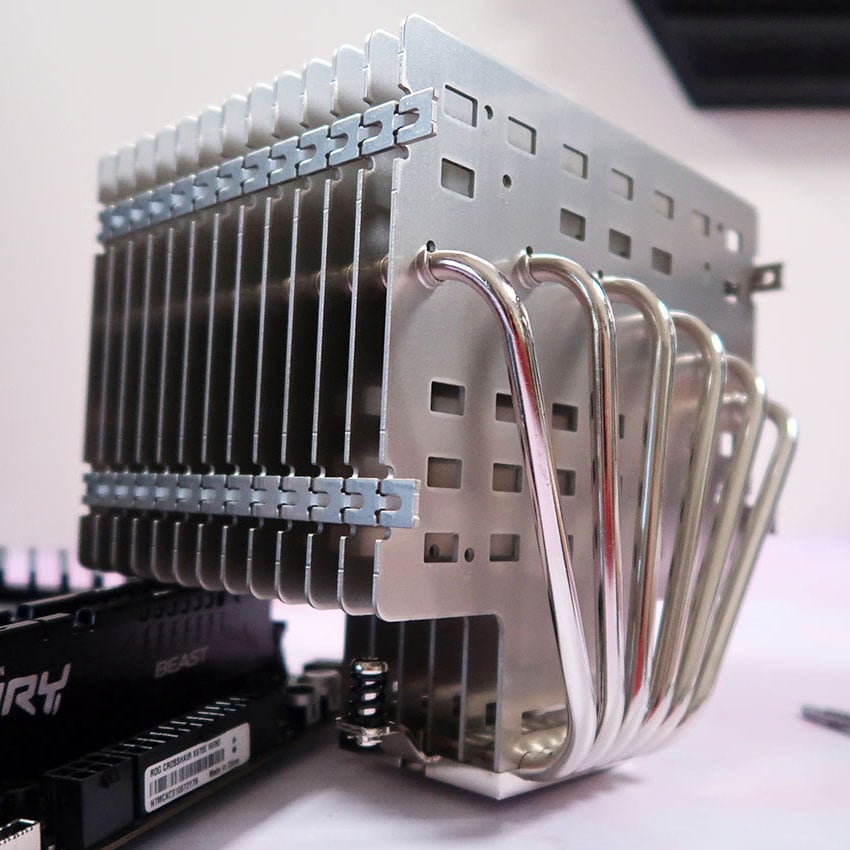
The best passive air cooler is the Noctua NH-P1. Proving that you really can tame a powerful CPU without a single fan, this heatsink is an incredible piece of engineering, with our tests even showing it can cool a 12-core AMD Ryzen CPU.
Noctua NH-P1
£110 / $120
Pros
- Excellent build quality
- Zero noise
- Can cool a 12-core CPU
Cons
- High price
- Enormous size
- Warms up when next to a GPU
Club386 may earn an affiliate commission when you purchase products through links on our site.
How we test and review products.
It almost seems counterintuitive to build a PC without a single fan inside it, especially when there are so many cores in the latest chips, but the Noctua NH-P1 shows it can be done. This mammoth stack of nickel-plated aluminium fins wowed us when we tested it for ourselves, where it managed to keep a 12-core Ryzen 9 7900 running smoothly.
We’re not talking about just running light loads on it here either. We ran a 30-minute Cinebench stress test on this 65W CPU, in a completely passively-cooled rig, and the Ryzen 9 7900’s biggest temperature spike was an occasional 90°C – well within its thermal limits.
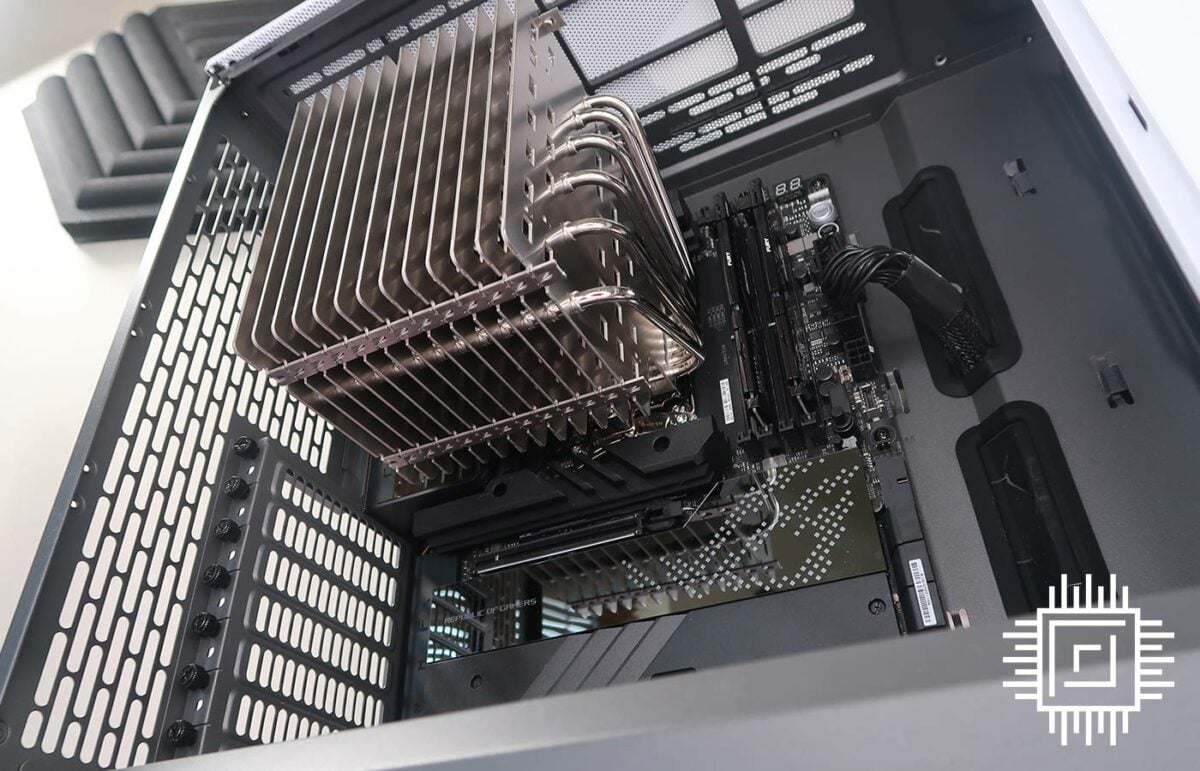
It’s built like a tank, with excellent quality and a six-year warranty to back it up. However, you do need to make sure your case and chosen components will play nicely with it. Handily, Noctua provides a list of compatible cases that will work with the cooler, ensuring that enough air can get through to its fins, so there’s enough room to breathe.
There’s one word of warning, which is that we found putting this cooler in a rig with a high-end graphics card resulted in the CPU temperature climbing further. As such, we recommend caution if you’re planning to build a gaming rig. If in doubt, there’s also an optional mount that enables you to fit a 120mm fan if you need it.
It does enable you to build a completely silent build, though. Our founder and editor-in-chief, Parm Mann, liked the Noctua NH-P1 so much that he’s currently using it in his own personal rig.
Read our Noctua NH-P1 build guide for more details about this cooler’s installation process, and how it copes in an entirely passively-cooled Ryzen 9 7900 rig.
| Specification | |
| Socket support | Intel LGA1851, LGA1700; LGA1954, LGA115x, LGA1200, LGA2066, LGA2011x; AMD AM5, AM4, AM3/+, AM2/+, FM2/+, FM1 |
| Heatsink dimensions | 152 x 154 x 158mm |
| Heatpipes | 6 x 6mm |
| Weight | 1,180g |
| Fan support | Mounting clips for optional 120mm fan |
| Warranty | Six years |
Best AIO cooler overall
The best AIO cooler overall is the Arctic Liquid Freezer III Pro 360 ARGB. We were blown away by this fantastic piece of liquid-cooling engineering when we reviewed it, giving it five stars and our coveted Editors’ Choice award. Unbelievably, it’s also now even cheaper than it was back then, meaning you can get an incredible amount of cooling power, all in a great-looking package, for just £78.
Arctic Liquid Freezer III Pro 360 ARGB
£78 / $99
Pros
- Fantastic value
- Awesome cooling performance
- Beautiful RGB lighting
Cons
- Pump faceplate can’t be rotated
- Short cables
Club386 may earn an affiliate commission when you purchase products through links on our site.
How we test and review products.
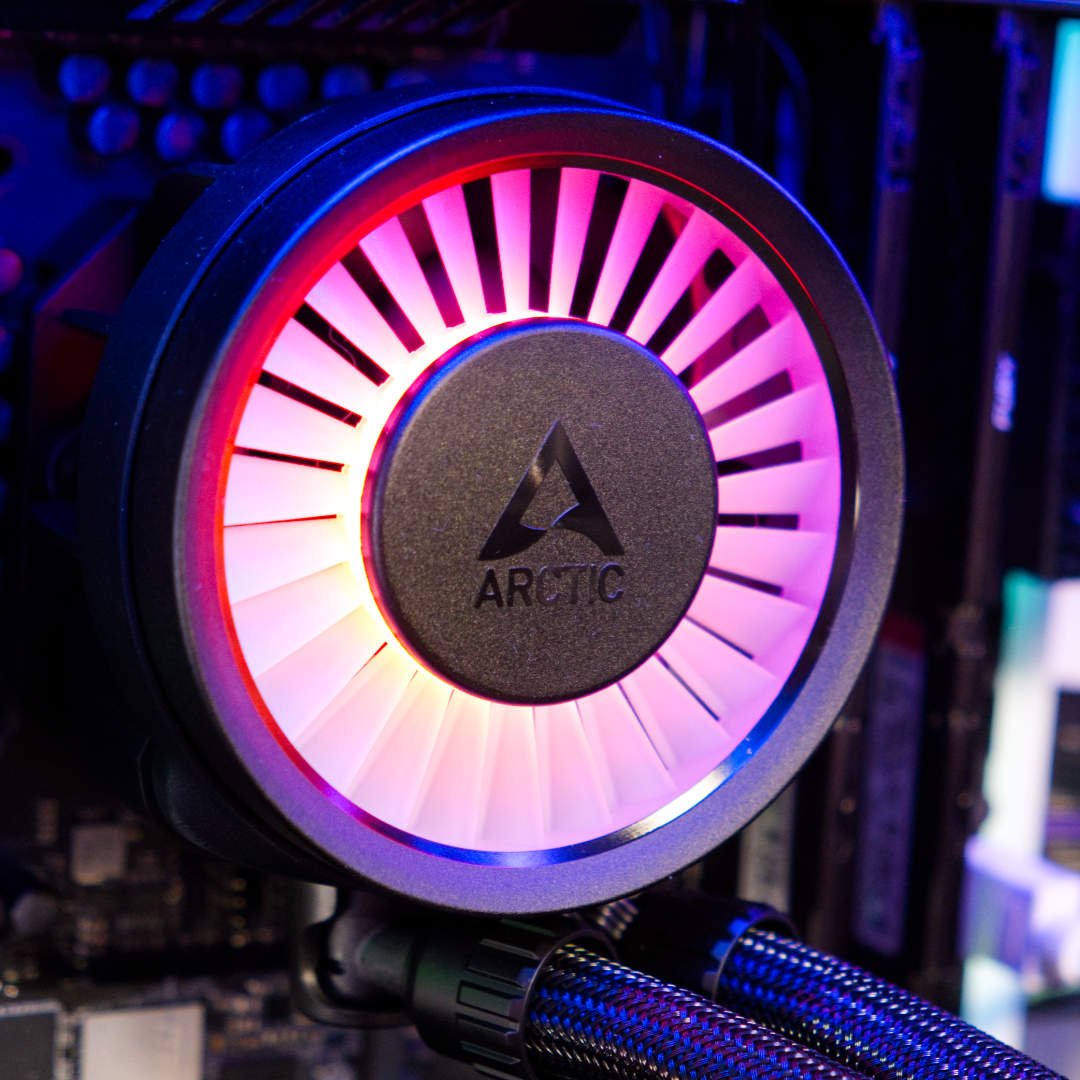
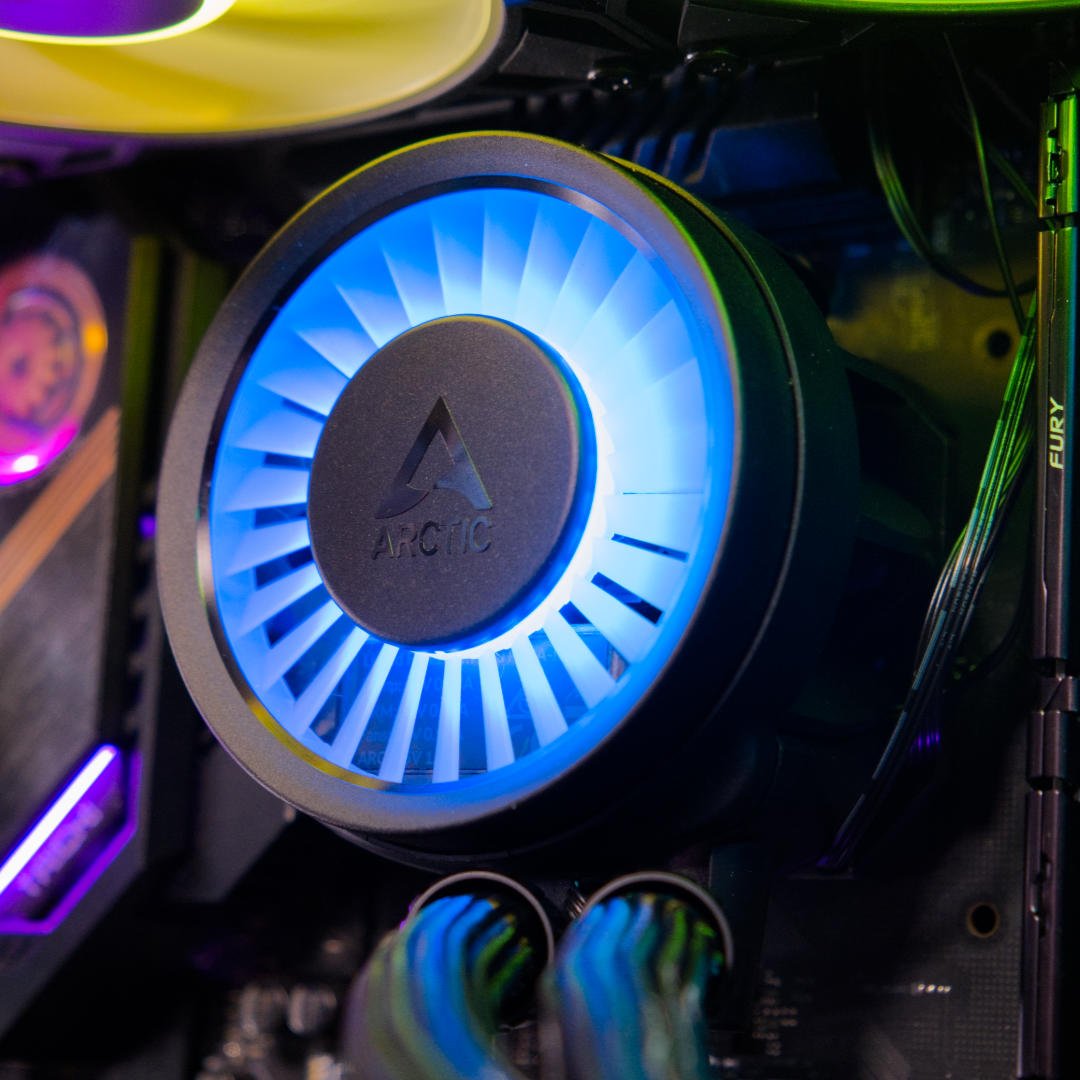
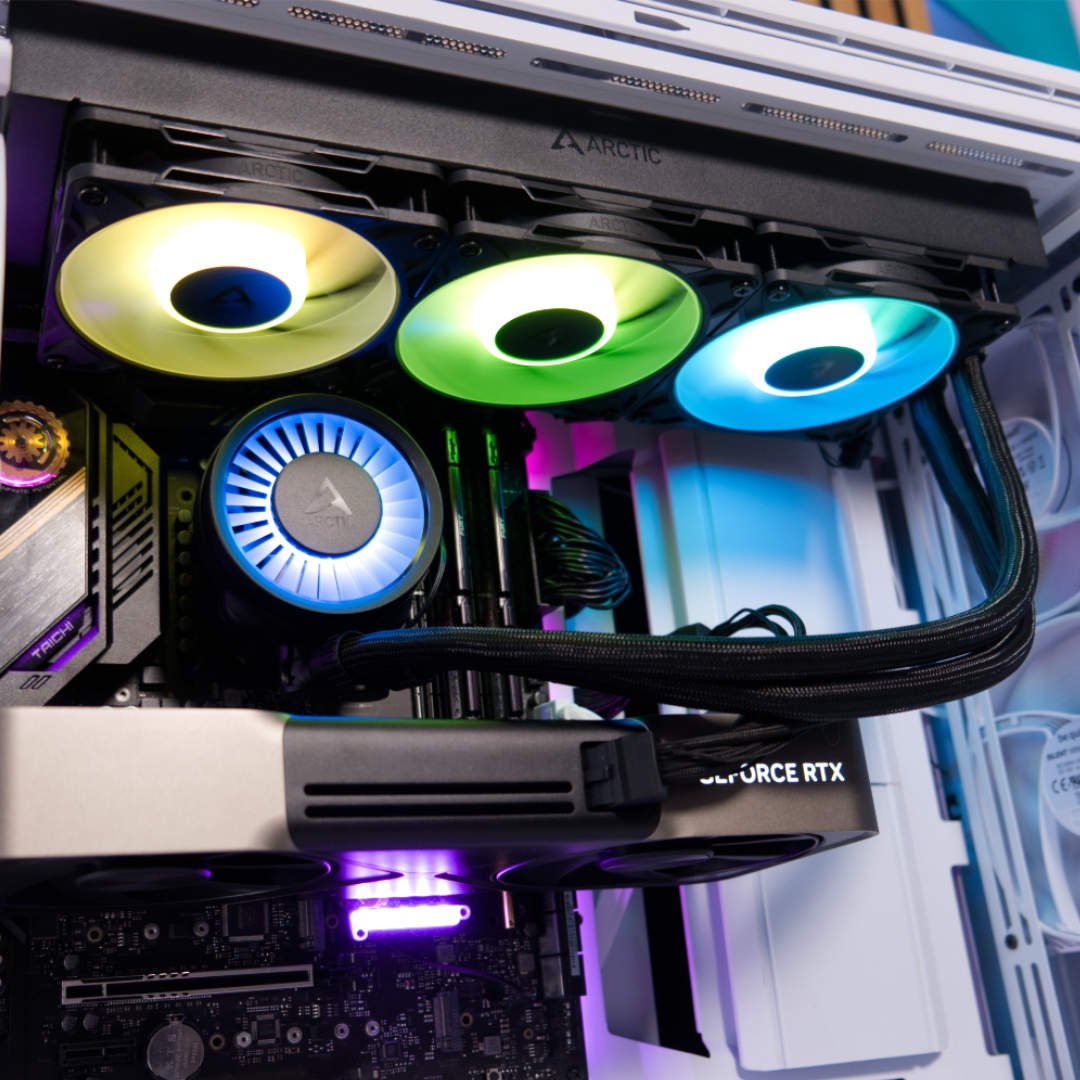
Arctic has consistently offered fantastic cooling performance for a low price – the classic Freezer 7 Pro was released nearly 20 years ago, but the company really pulled out all the stops here. Its 360mm radiator and triple 120mm fan array do a sterling job of cooling even the most powerful CPUs, and it looks absolutely gorgeous too. Each fan has 12 RGB LEDs illuminating its blades, and the jet-engine-style faceplate on top of the waterblock looks lovely when it’s lit up.
Installation is simple, with Arctic even pre-installing the fans so you don’t need to screw them to the radiator yourself. It’s great to see the RGB cable running through the tubing as well, keeping it out of the way. You get a tube of top-quality Arctic MX-6 included, and while pre-applied paste makes installation easier, MX-6 is a premium paste.
| Arctic Liquid Freezer III Pro 360 | Arctic Liquid Freezer III 420 | Enermax Liqmaxflo 360 | |
|---|---|---|---|
| 253W 600rpm | 90 | 90.1 | 90.8 |
| 253W 1,200rpm | 80.9 | 81.5 | 87.3 |
| 253W Max speed | 76.4 | 79.2 | 80.2 |
| 153W 600rpm | 66.5 | 68.5 | 76.5 |
| 153W 1,200rpm | 61.9 | 63.4 | 63.1 |
| 153W Max speed | 54.1 | 61.2 | 58.5 |
Cooling performance is top-notch, especially for the price. In fact, as you can see from the above table, you could even cool a Core i9-13900K at full power with a fan speed of just 600rpm. If you’re prepared to run your fans faster, then the temperatures sink even lower, especially compared to the competition.
We don’t recommend running this cooler’s fans at full speed, as you can probably gather from the noise result in the table below, but it’s remarkable that this low-cost cooler can keep a 13900K running at just 76.4°C at full load. Importantly, noise levels at 600rpm and 1,200rpm are very quiet, and performance is potent to boot.
| Arctic Liquid Freezer III Pro 360 | Arctic Liquid Freezer III 420 | Enermax Liqmaxflo 360 | |
|---|---|---|---|
| 600rpm | <30.2 | 30.2 | 31.5 |
| 1,200rpm | 31.0 | 38.3 | 35.0 |
| Max speed | 58.6 | 46.9 | 44.6 |
Best of all, the Arctic Liquid Freezer III Pro 360 ARGB costs just £78, making it a bargain as well as an awesome cooler.
Read our in-depth Arctic Liquid Freezer III Pro 360 ARGB review for more information, including its installation process and all our test results.
| Specification | |
| Socket support | Intel LGA1851, LGA1700; AMD AM5, AM4 |
| Radiator dimensions | 398 x 120 x 38mm |
| Fans | 3x 120 Arctic P12 Pro ARGB |
| Fan speed range | 600-3,000rpm |
| Fan airflow | 77 CFM (per fan) |
| Fan static pressure | 6.9mm H2O (per fan) |
| Pump speed range | 400-2,500rpm |
| Tubing length | 450mm |
Best quiet AIO cooler
The best quiet AIO cooler is the be quiet! Pure Loop 3 LX 360. If you’ve got a bit more money to spend, and you’re looking for a great-looking cooler that keeps noise to a minimum, this is the one to buy.
be quiet! Pure Loop 3 LX 360
£99 / $105
Pros
- Quiet operation, even at high loads
- Great cooling
- Modular faceplate system
Cons
- Only available in black
- Limited faceplate customisation options
Club386 may earn an affiliate commission when you purchase products through links on our site.
How we test and review products.
Low-noise operation is the main selling point here, and be quiet! delivers the goods. Importantly, it also does this while maintaining great cooling performance. Check out the graph below, and you’ll see what we mean.
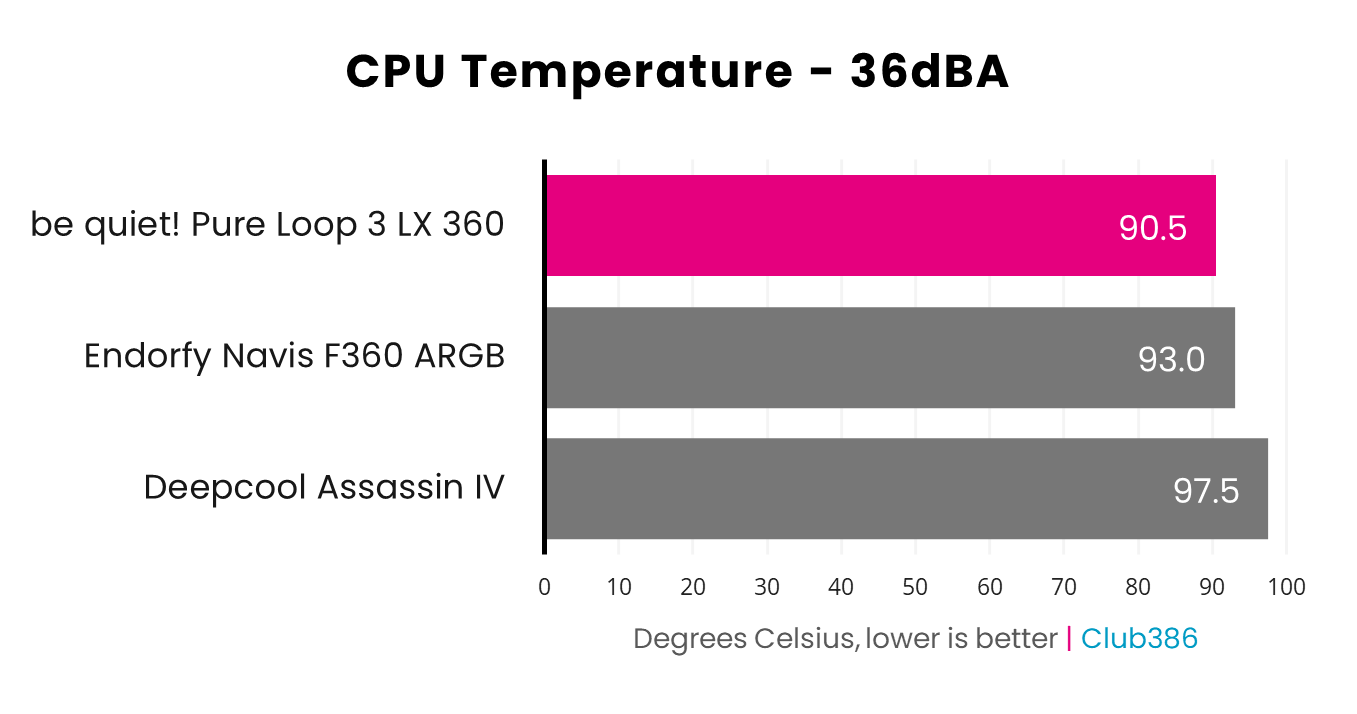
Even when its noise is normalised to a quiet 36dBA, the Pure Loop 3 LX 360 still manages to keep our Core i9-13900K test CPU in check at full load, peaking at 90.5°C. That’s a great result.
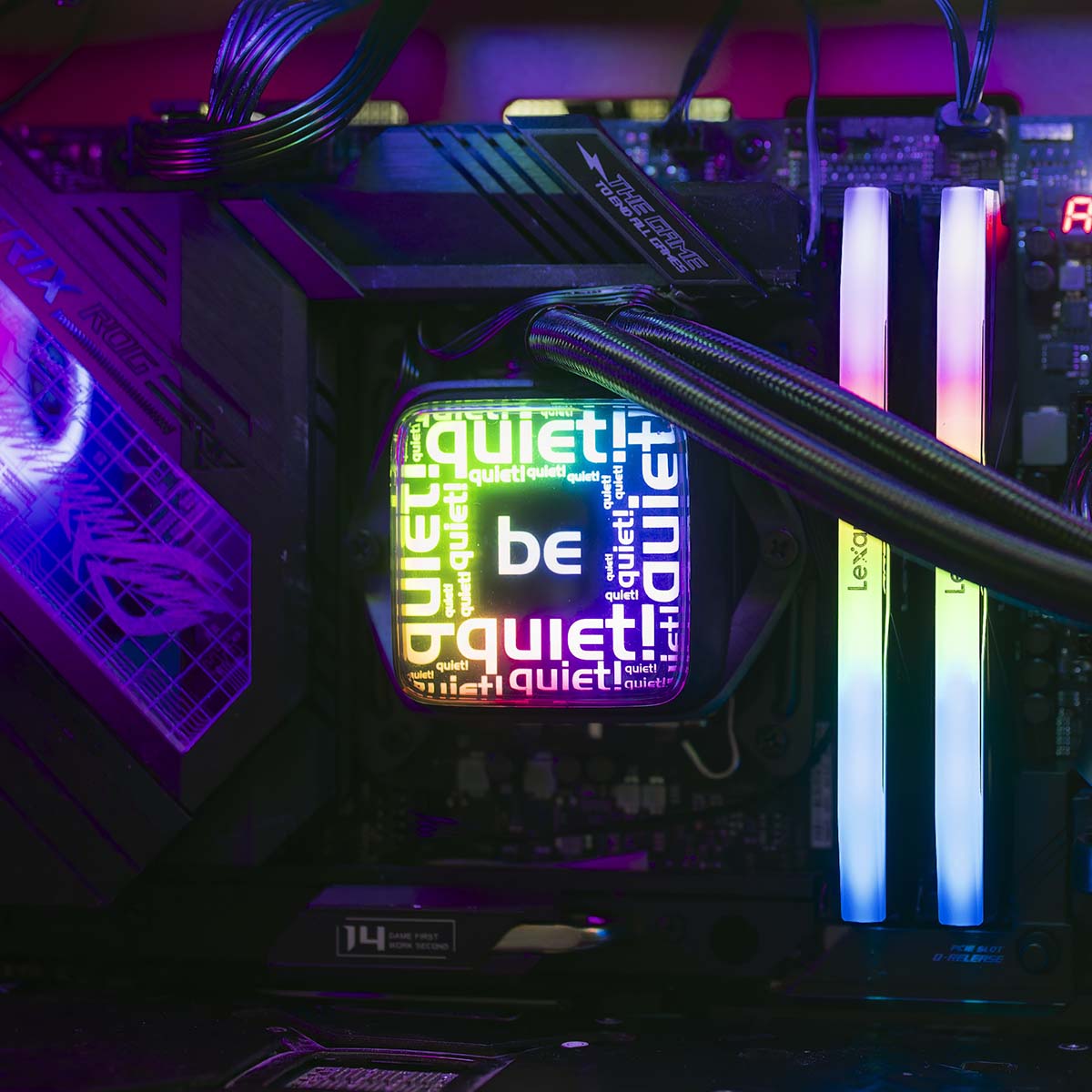
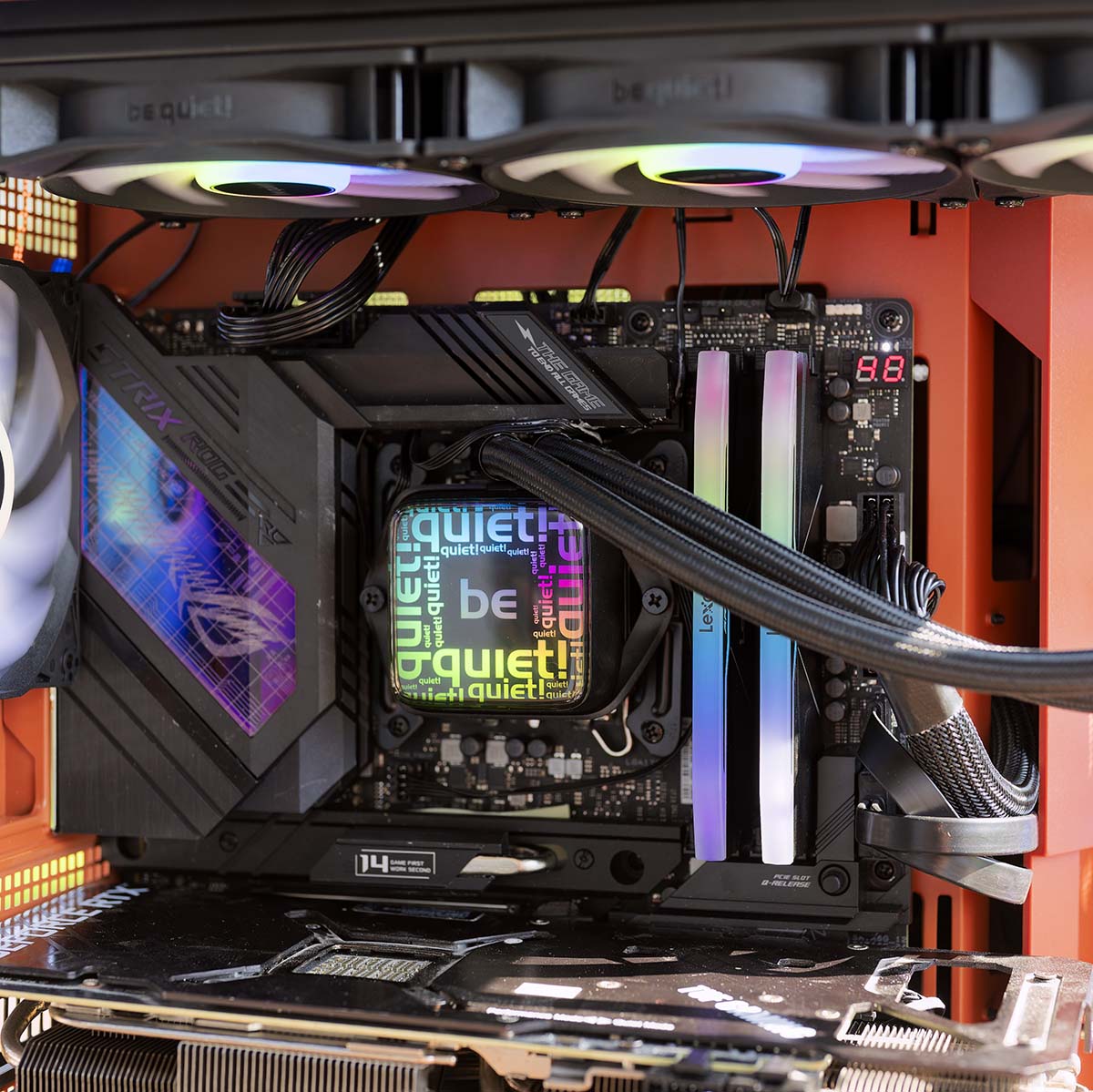
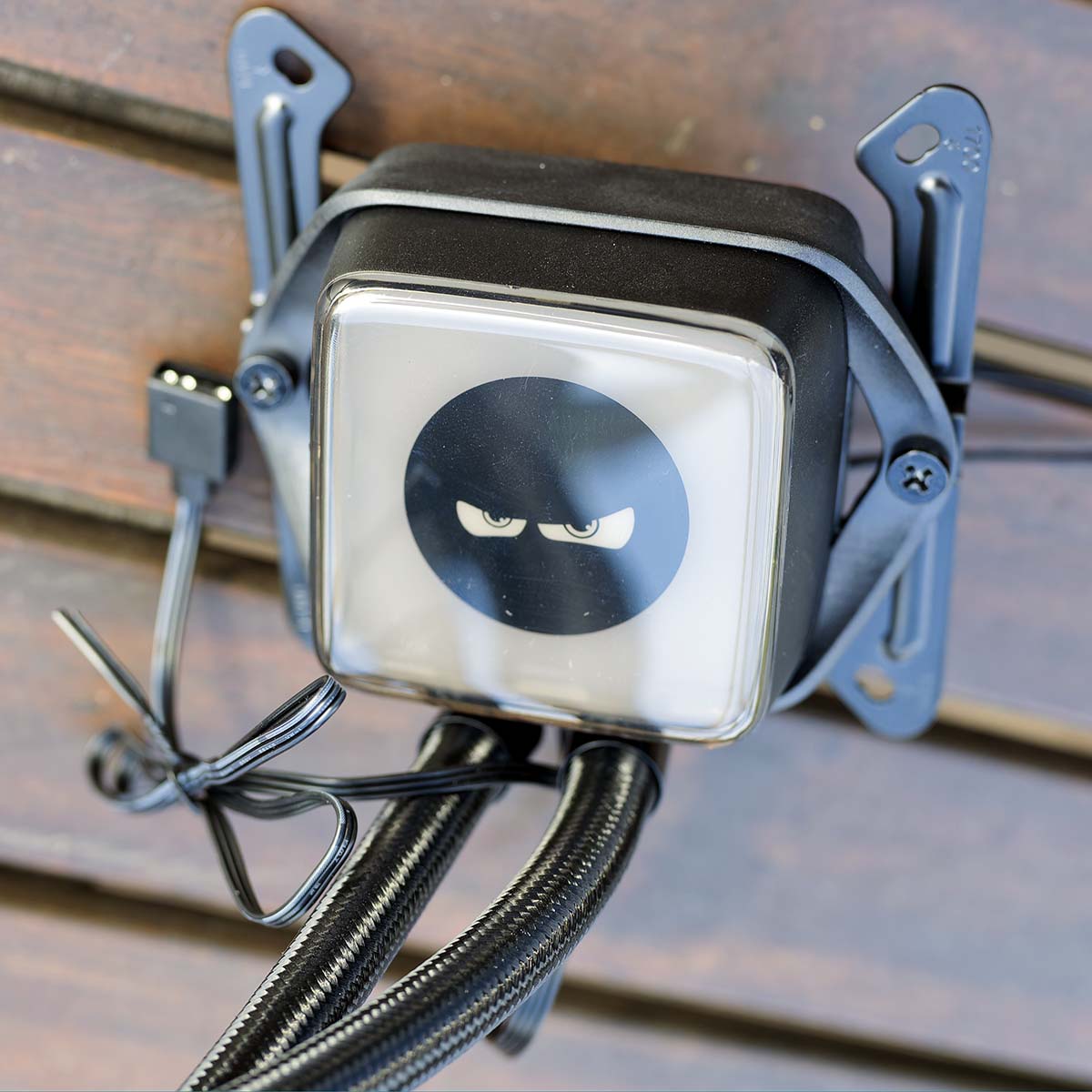
We also love the design of this cooler. Its daisy-chained fans keep cable clutter to a minimum, and the supplied Light Wings LX PWM spinners are great quality as well. Plus, you can even replace the faceplates on the waterblock. A number of options for this feature come in the box, including a ninja face, Space Invaders-style game, and a PCB. It’s not quite like having an LCD, but it does look really good.
Unlike the Arctic Liquid Freezer III Pro 360 ARGB, this cooler is also compatible with a wider range of older Intel CPU sockets, including LGA1200 and LGA115x motherboards. Another neat feature is its coolant refill port, which means you can top up the coolant in your loop, expanding its lifespan.
With powerful cooling, low noise output, and classy looks, this is a great cooler, especially if you’re looking to build a rig with a powerful CPU.
Read our full be quiet! Pure Loop 3 LX 360 review for more detail about this liquid cooling system, including its installation process, noise levels, and temperatures.
| Specification | |
| Socket support | Intel LGA1851, LGA1700, LGA1200, LGA115x; AMD AM5, AM4 |
| Radiator dimensions | 397 x 120 x 27mm |
| Waterblock dimensions | 60 x 60 x 30mm |
| Fans | 3x 120mm be quiet! Light Wings LX PWM |
| Fan speed range | Up to 2,100rpm |
| Fan airflow | 61.8 CFM (per fan) |
| Fan static pressure | 2.51mm H2O (per fan) |
| Fan noise level | Max 36.9dBA (per fan) |
| Pump speed range | 3,000-5,500rpm |
| Tubing length | 400mm |
| Extras | Coolant refill port |
Best premium AIO cooler
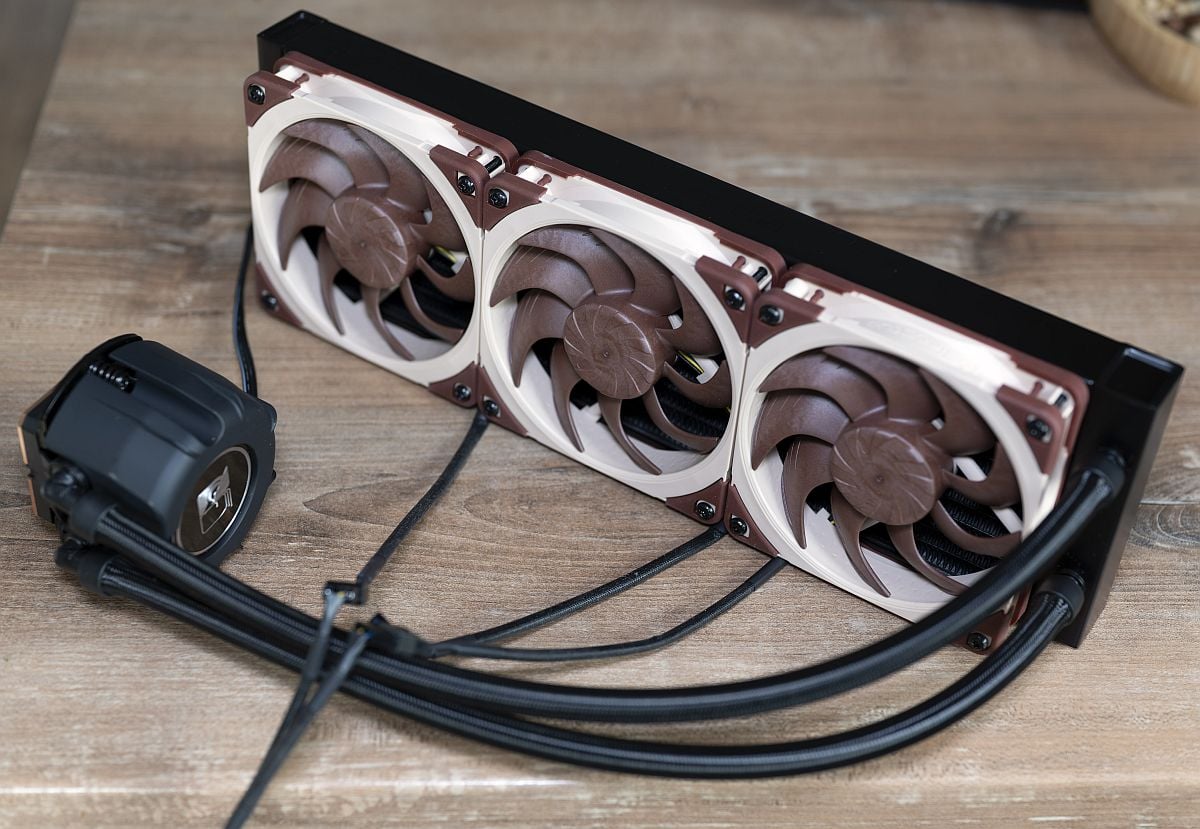
The best premium AIO cooler is the Noctua NL-LC1. After wowing us with the superb build quality of its air coolers for years, Noctua has finally embraced the AIO liquid cooler market. The firm’s collaboration with Asetek is an absolute triumph of cooler design, with amazing cooling power and supremely quiet noise levels.
Noctua NL-LC1
£220 / $250
Pros
- Exceptional cooling
- Incredibly quiet, even at mid fan speeds
- Excellent mounting mechanism
- Six-year warranty
Cons
- Thicker radiator than usual, so check your case clearance
- High price
- No version with black fans yet
Club386 may earn an affiliate commission when you purchase products through links on our site.
How we test and review products.
We’d been eagerly awaiting Noctua’s NL-LC1 for years, and we’re glad to say that it more than lives up to expectations. Although the core of the system is based on Asetek’s Emma V2 design, Noctua has applied its expertise to several key areas.
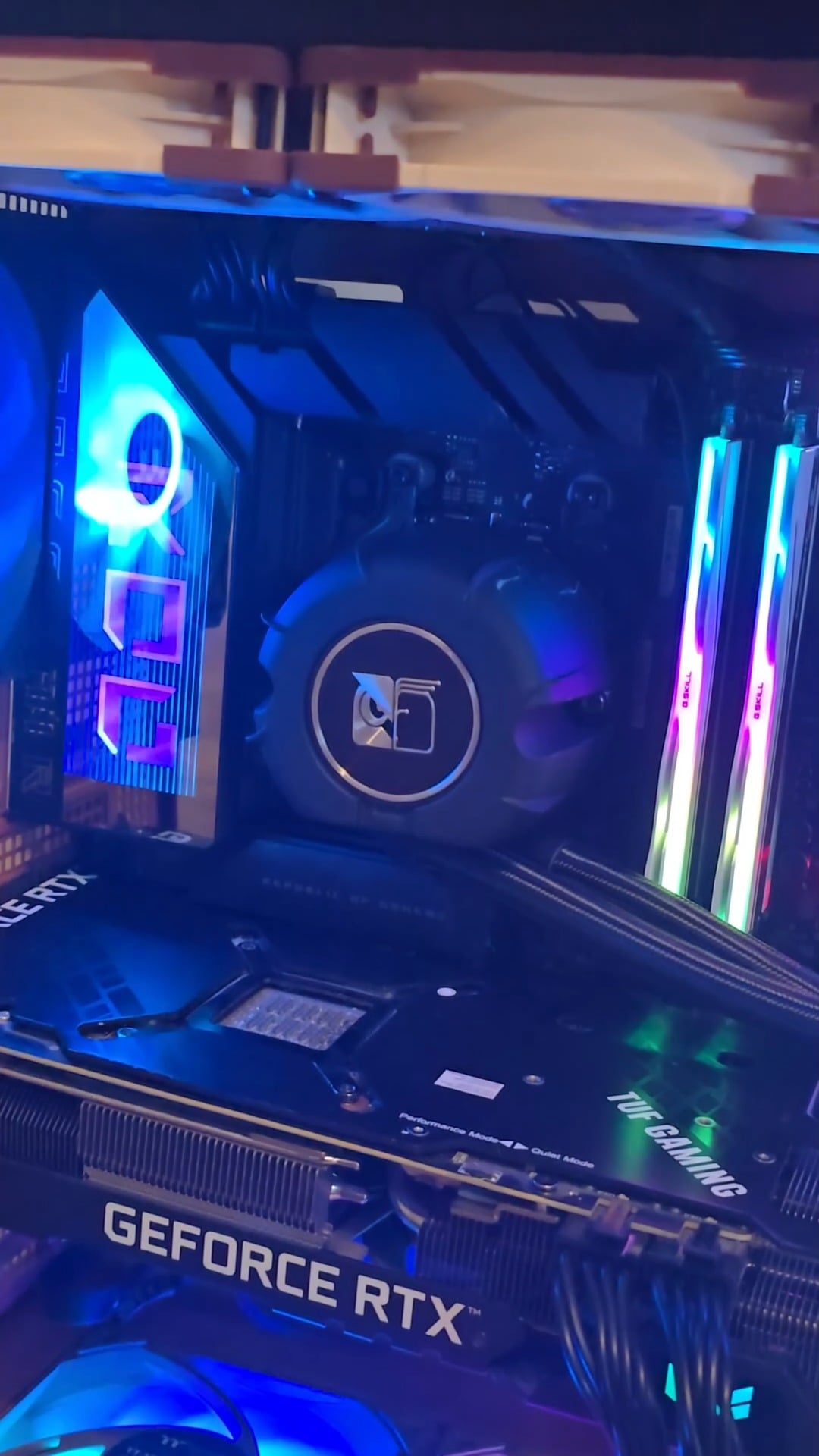
One is the pump, which features three layers of sound-absorbing material to minimise vibration and noise. There’s even the option to add an extra Noctua fan on top of the waterblock/pump unit, so you can cool your motherboard’s VRMs at the same time.
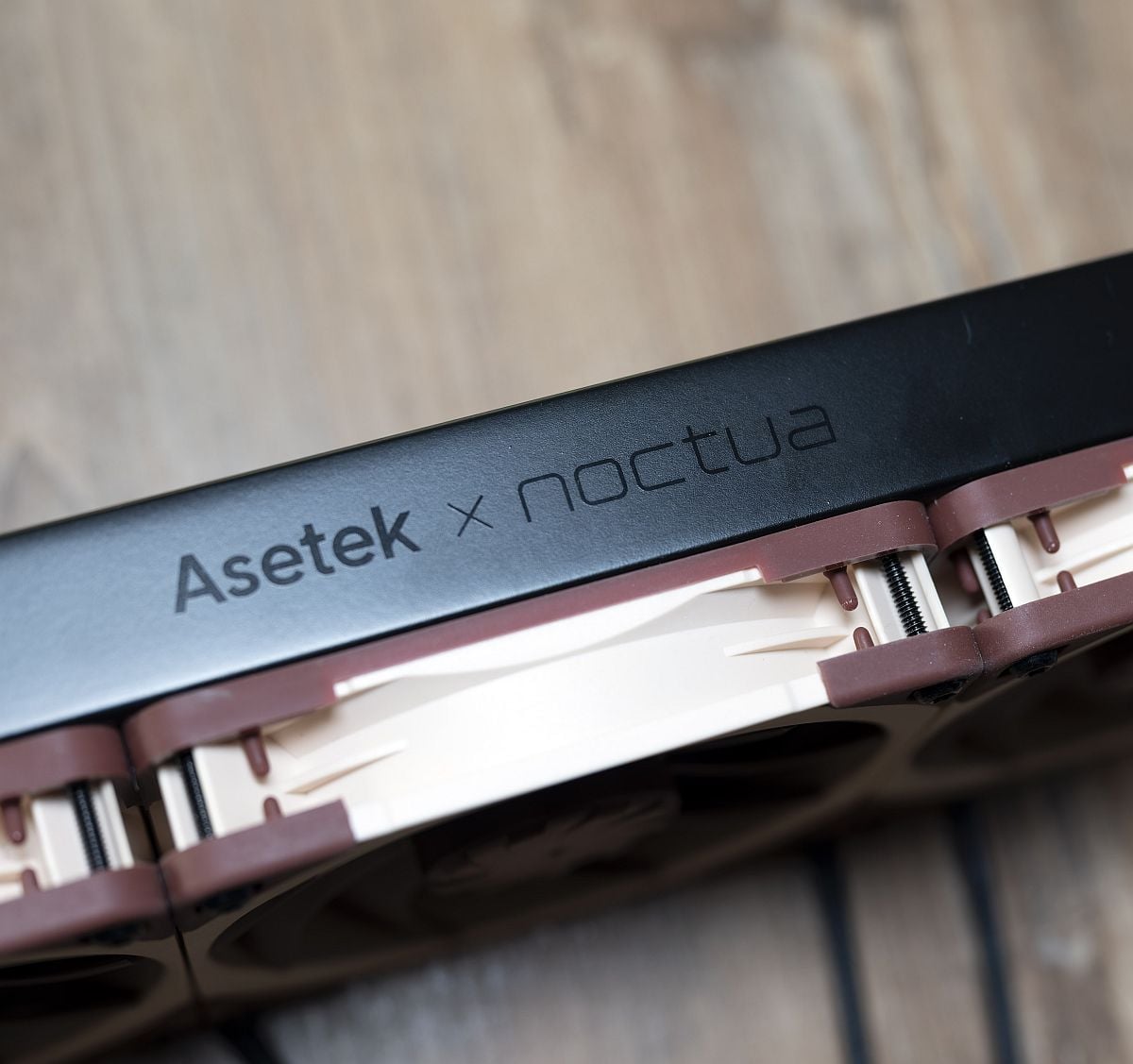
Naturally, you also get an array of Noctua’s NF-A12x25 G2 signature fans on the radiator, which do a fantastic job of keeping thermals in check while minimising noise.
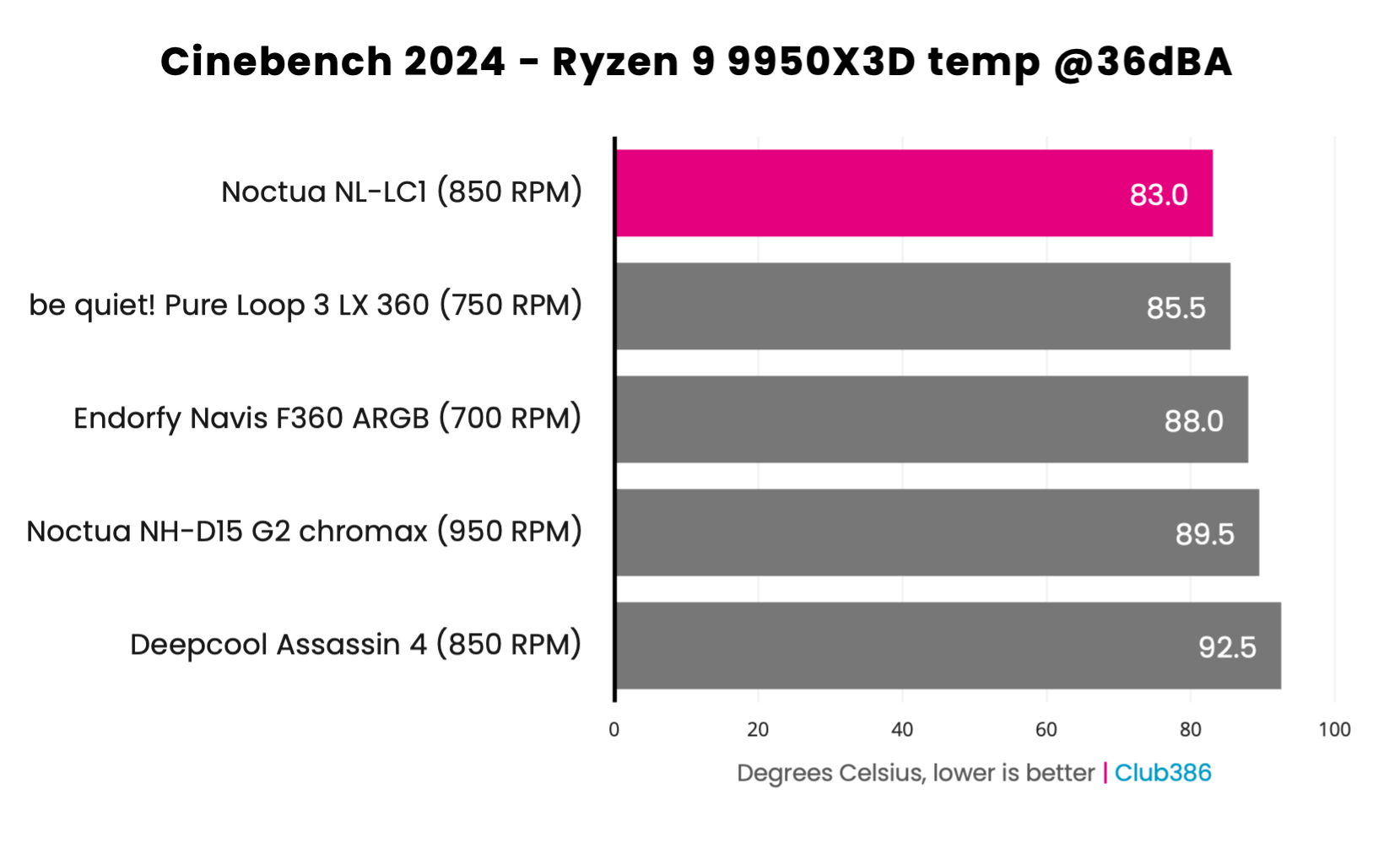
As a case in point, look at the results graph below from our tests of the 360mm version of this cooler. With its noise level normalised to 36dBA, and running an AMD Ryzen 9 9950X3D at full load in Cinebench, the peak CPU temperature of 83°C is superb.
Not only that, but you can see that those Noctua fans can spin at higher speeds than those on other 360mm coolers, while making the same level of noise and getting superior cooling results.
Attention to detail is excellent as well, with Noctua supplying all the gear you need in the box, including a tube of decent thermal goo, an AM5 paste guard to stop it getting all over your chip, and a Torx screwdriver as well.
Well-made and well-designed, it’s a fantastic cooler – just make sure your setup can handle the extra thickness of the radiator. You do have to pay a high price for it, though – more than double the cost of an average AIO design. If you want the best, though, the Noctua NL-LC1 is where it’s at.
Read our full Noctua NL-LC1 review for more detail, including all our thermal and noise results on both Intel and AMD CPUs.
| Specification | |
|---|---|
| Socket support | Intel: LGA1851, LGA1700; AMD: AM5, AM4 |
| Radiator dimensions | 400 x 120 x 30mm |
| Waterblock height | 70mm |
| Fan speed | 0-1,800rpm |
| Fan airflow | 63.15 CFM (per fan) |
| Fan static pressure | 3.14mm H2O (per fan) |
| Fan noise level | 22.5dBA (per fan) |
| Pump speed | 750-3,400rpm |
| Pump noise level | 14.9dBA |
Best LCD AIO cooler
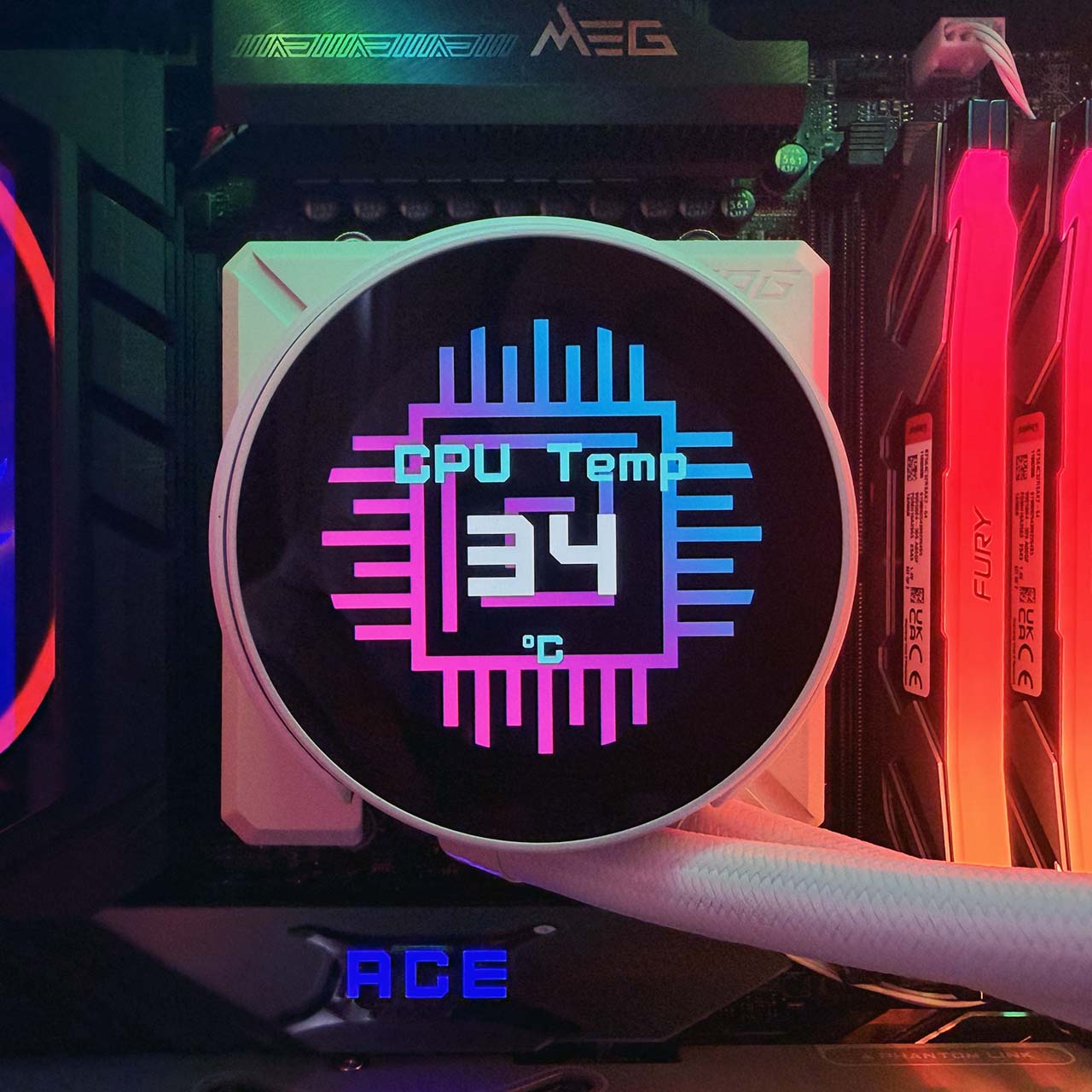
The best LCD AIO cooler is the MSI MPG CoreLiquid P22 360. If you like your cooler to look good while also delivering all the thermal essentials, then this fancy design from MSI is a great choice. It’s not only a decent cooler in its own right, but it also sports an LCD on top of the pump block so you can jazz up your PC’s insides.

MSI MPG CoreLiquid P22 360
$149
Pros
- Fantastic looks
- Great cooling and noise levels
- Pre-installed, pre-wired fans
- Fair price
Cons
- EZ Display software only controls LCD
- USB header cable is too short
- Display could be brighter
Club386 may earn an affiliate commission when you purchase products through links on our site.
How we test and review products.
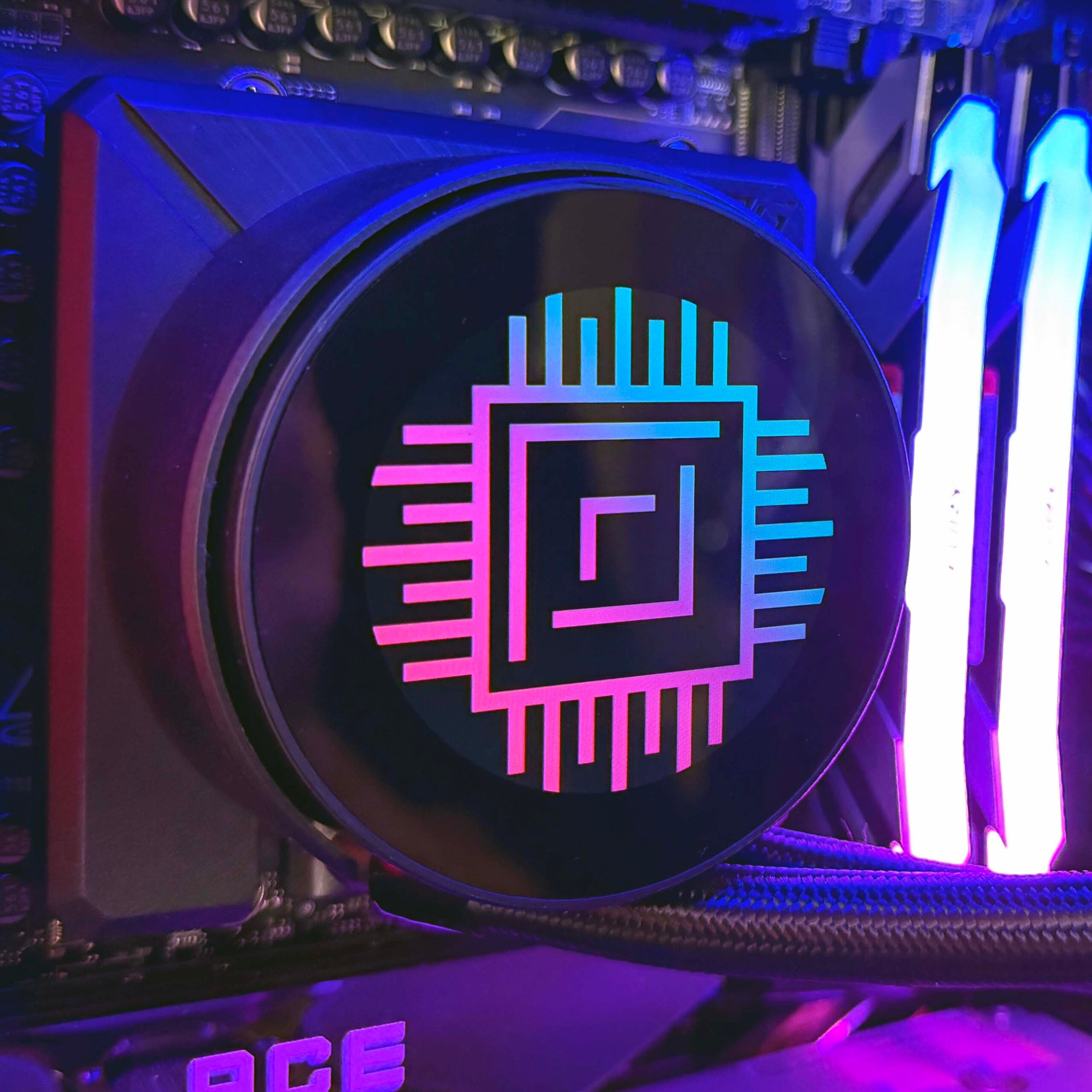
Surprisingly, all this comes in at a reasonable price of $149, and the screen offers solid specs as well. You get a 2.1in IPS LCD on top of this cooler’s waterblock, with a 540×540 resolution.
It displays a series of system stats by default, but you can easily customise it how you like with MSI’s intuitive EZ Display software. We’ve demonstrated it with our lovely Club386 logo in the picture above, but you can also play videos and animated GIFs on it, and rotate them by 90 degrees according to how the pump is orientated in your system. Sadly, that’s all that EZ Display does – there are no pump and fan controls, but you can always set these up yourself in your motherboard BIOS.
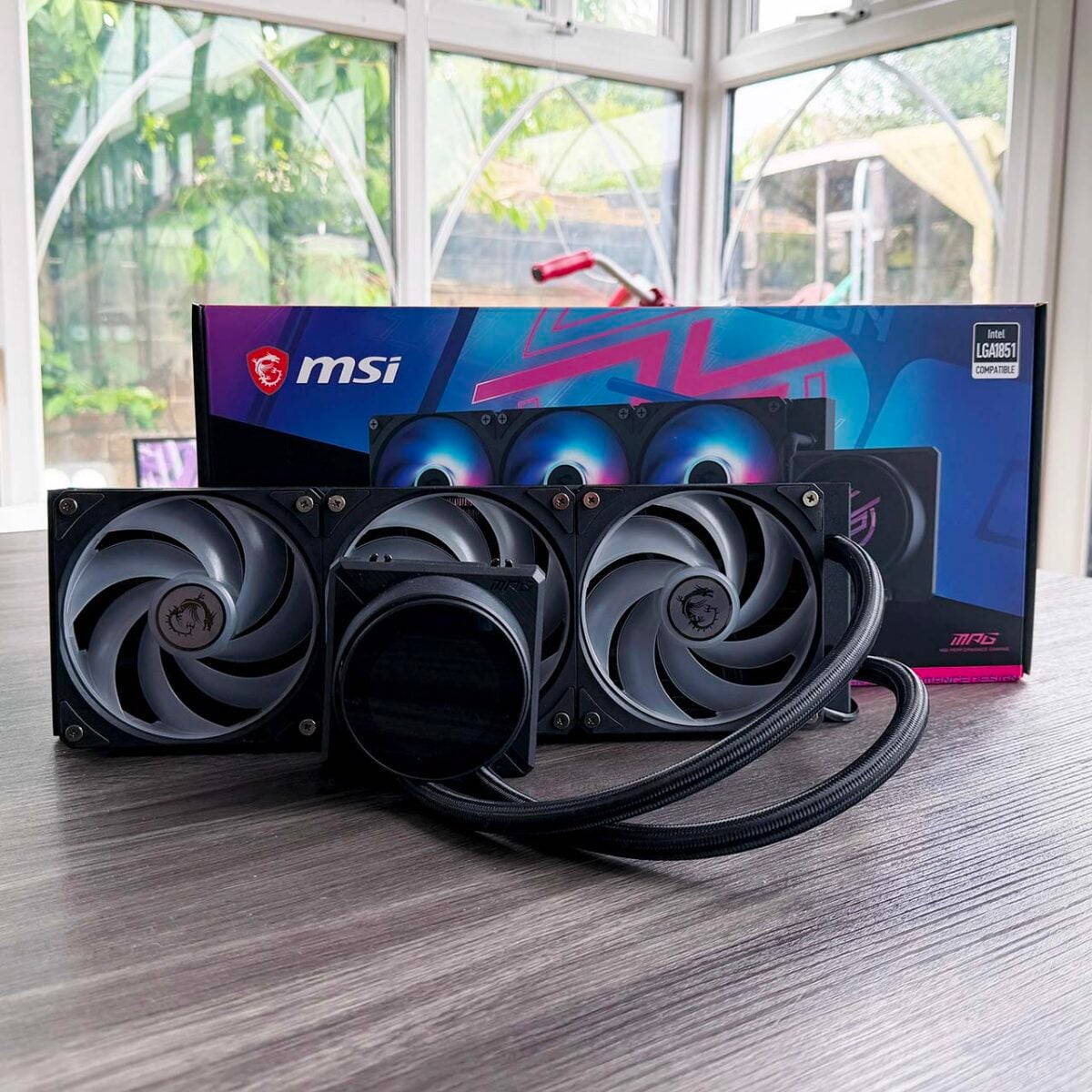
Installation is largely simple, thanks to MSI’s use of pre-installed fans on the radiator, all of which are neatly daisy-chained together out of the box, so you only need to connect one fan cable to your motherboard. There are a few other wires, though, for RGB lighting, as well as powering and controlling the pump.
One issue to be aware of here is that the LCD’s USB header cable is very short, so you can’t neatly route it behind your motherboard to meet your USB headers at the bottom. If you have a recent MSI motherboard with EZ Connect, then you can plug the fans, LCD, and RGB plugs into this all-in-one header on the right of your board. For everyone else, though, this cable is likely to be too short without an extension cable.
| 9950X3D TDP / fan speed | Avg temp (delta T) | Peak core temp (delta T) |
|---|---|---|
| 170W / 600rpm | 56.1°C | 62.9°C |
| 170W / 1,200rpm | 44.3°C | 52.2°C |
| 170W / 2,000rpm | 40.7°C | 47.1°C |
| 105W / 600rpm | 39.7°C | 50.8°C |
| 105W / 1,200rpm | 28.3°C | 37.2°C |
| 105W / 2,000rpm | 26.6°C | 32.9°C |
| 65W / 600rpm | 28.0°C | 46.2°C |
| 65W / 1,200rpm | 14.7°C | 30.4°C |
| 65W / 2,000rpm | 13.2°C | 27.8°C |
Once it’s all set up, though, you’ll have a great-looking display to show off to your mates, as well as a top-notch cooler. As you can see from our results table above, this cooler has no trouble keeping an AMD Ryzen 9 9950X3D in check, even at low fan speeds. We’ve quoted the delta Ts here, rather than the raw CPU temp, but for reference, the peak core temperature was 84°C with the fans running at just 600rpm.
It’s not a flawless design, but it does offer excellent cooling, low noise levels, and a great-looking screen for a very fair price.
Read our full MSI MPG CoreLiquid P22 360 review for more detail.
| Specification | |
|---|---|
| Socket support | Intel: LGA1851, LGA1700; AMD: AM5, AM4 |
| Radiator dimensions | 394 x 119.2 x 27.2mm |
| Waterblock dimensions | 71.6 x 69.5 x 77.6mm |
| Fan speed | 500-2,000rpm ± 10% |
| Fan airflow | 62.6 CFM |
| Fan static pressure | 2.36mm H2O |
| Fan noise level | 31.1dBA |
| Pump speed | 3,400rpm ± 10% |
| Tubing length | 390mm |
Best budget AIO cooler
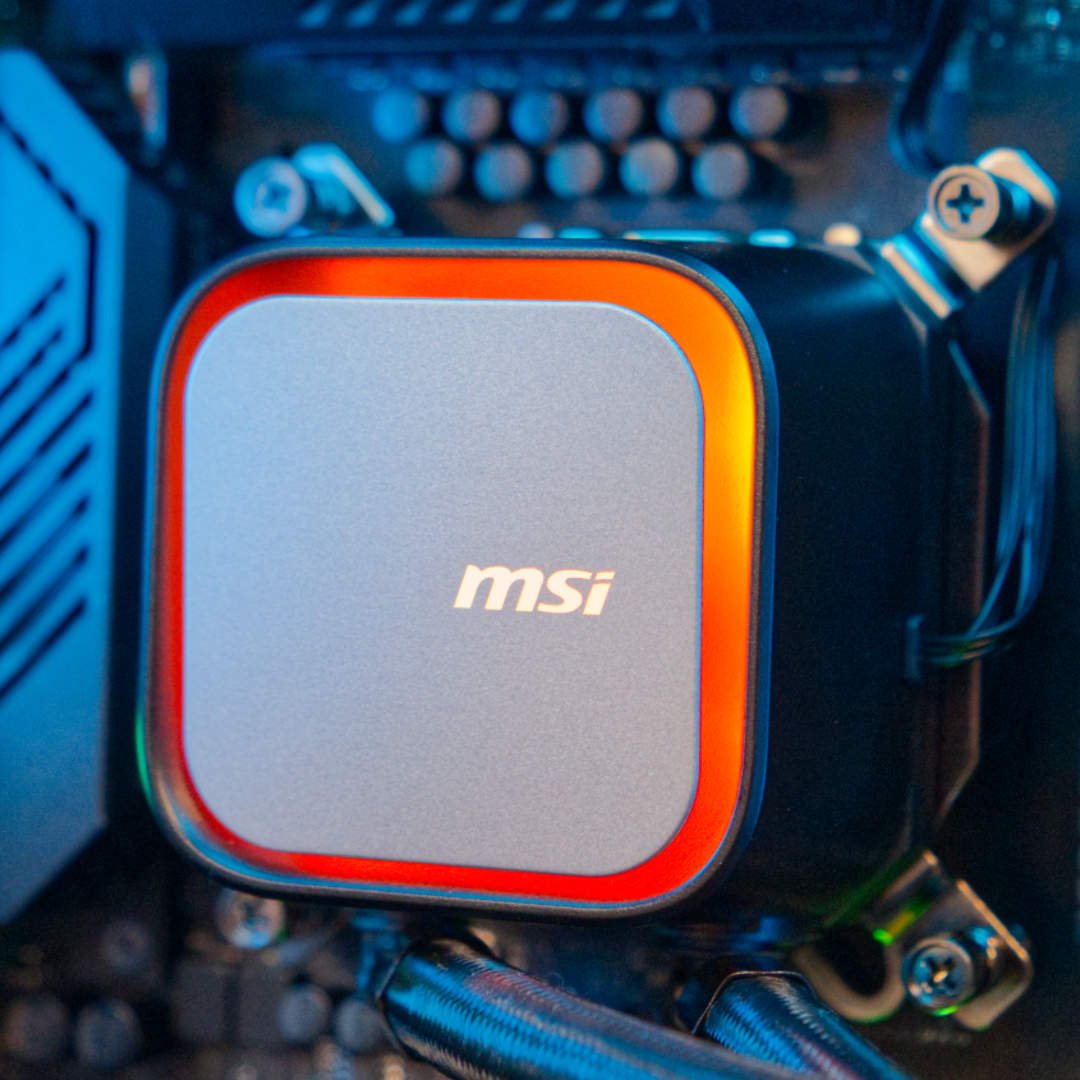
The best budget AIO cooler is the MSI MAG CoreLiquid A13 360. The affordable AIO market is getting mightily crowded, but this great MSI cooler carves a niche for itself with its low price, decent cooling, and customisable faceplates for the waterblock. The CoreLiquid A13 360 already had a temptingly affordable price of £75 when we first reviewed it, but you can now pick one up for £65, which is superb value.
MSI MAG CoreLiquid A13 360
£65 / $90
Pros
- Amazing price
- Swappable faceplates
- Decent cooling
Cons
- No Intel LGA115x support
Club386 may earn an affiliate commission when you purchase products through links on our site.
How we test and review products.
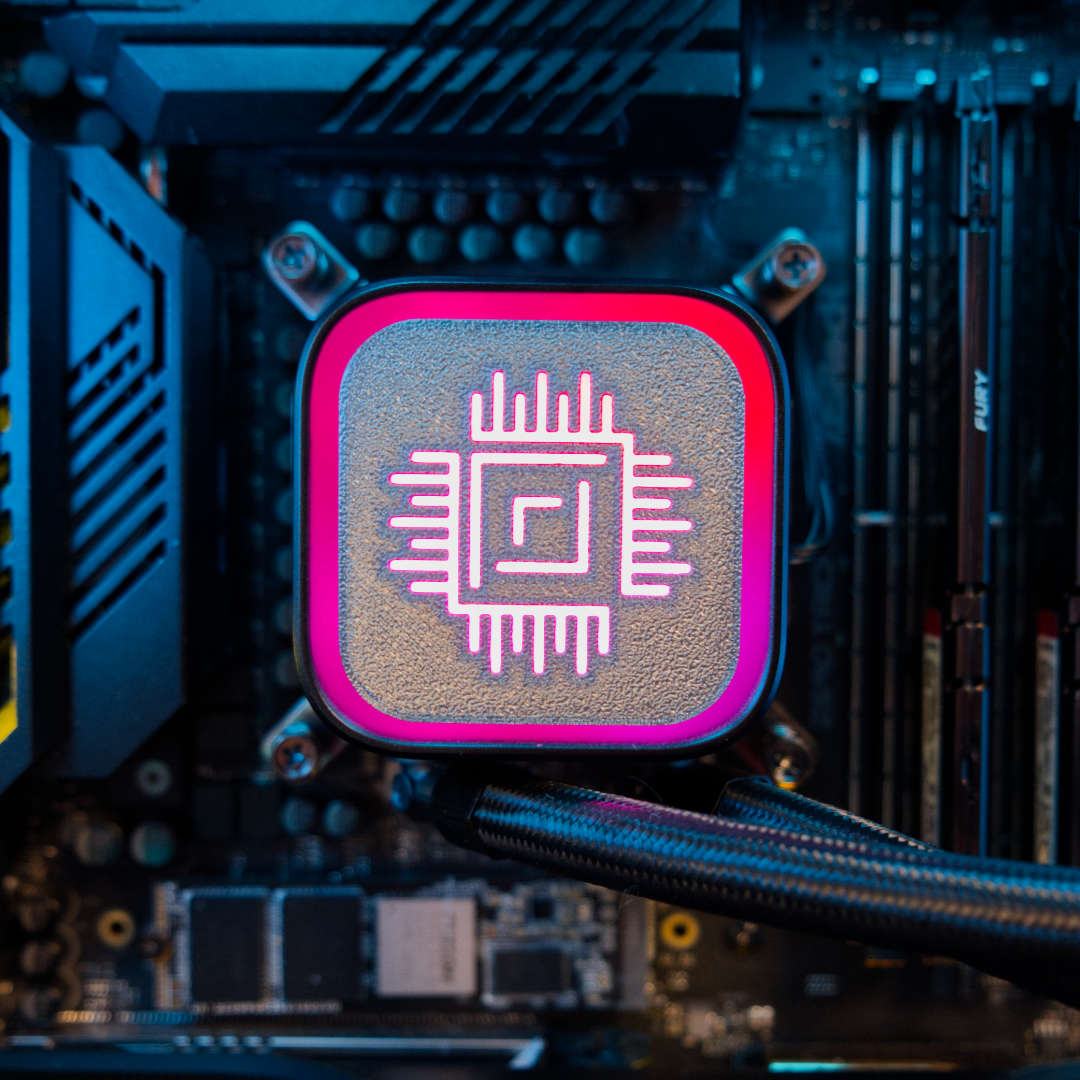
One of the cool features is the customisable plate on the pump unit, which already looks great with the vibrant RGB lighting spilling over the sides of an MSI logo. However, MSI gives you the option to remove this face cover, and provides a 3D printer file to enable you to make your own ones, as demonstrated by our own Club386 plate in the image above.
There’s potent cooling on tap, despite the low price. Check out the table below, and you’ll see what we mean. The MSI offers superior cooling at 1,200rpm, and also has no trouble cooling a 153W CPU at 600rpm either. It’s not a whisper-quiet cooler, but it does enable you to cool an extremely powerful CPU without sounding like a jet engine, and for a very low cost.
| MSI MAG CoreLiquid A13 360 | Arctic Liquid Freezer III Pro 360 | |
|---|---|---|
| 253W @ 600rpm | 93.6 | 90 |
| 253W @ 1,200rpm | 80.2 | 80.9 |
| 253W @ Max speed | 76.8 | 76.4 |
| 153W @ 600rpm | 70.5 | 66.5 |
| 153W @ 1,200rpm | 59 | 61.9 |
| 153W @ Max speed | 55.8 | 54.1 |
That said, the slightly pricier Arctic Liquid Freezer III Pro 360 has the edge at low fan speeds – the MSI struggles with our Core i9-13900K at full speed when its fans are running at 600rpm, for example, making it a better buy if low-noise operation is your top priority.
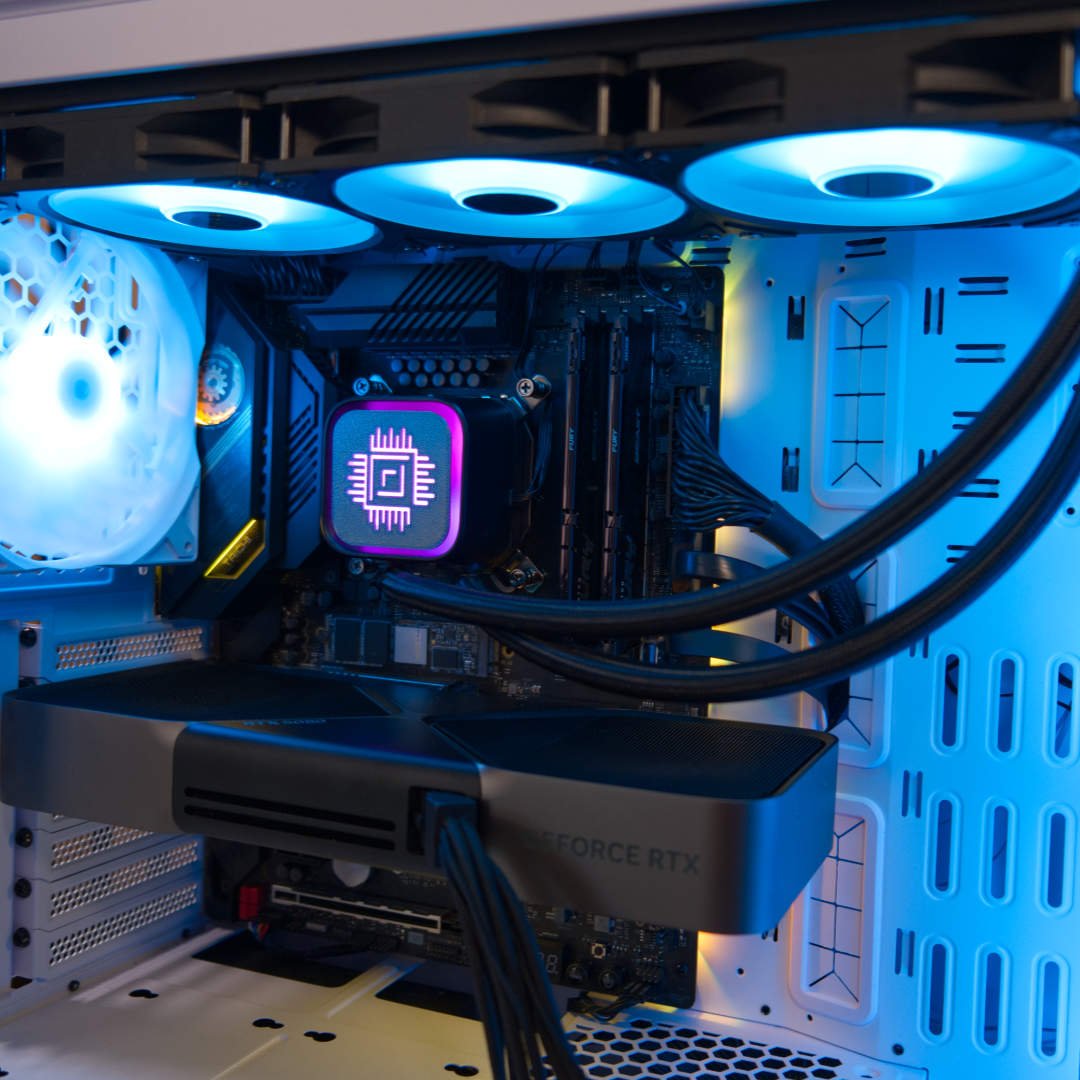
With great lighting, a customisable faceplate, decent cooling, and a very reasonable price, this is a solid cooler for the money.
Read our full MSI MAG CoreLiquid A13 360 review for more detail about this CPU cooler.
| Specification | |
|---|---|
| Socket support | Intel: LGA1851, LGA1700; AMD: AM5, AM4 |
| Radiator dimensions | 394 x 119.6 x 27mm |
| Waterblock dimensions | 70.9 x 69.3 x 56.98mm |
| Fan speed | 500-2,000rpm ± 10% |
| Fan airflow | 62.6 CFM (per fan) |
| Fan static pressure | 2.36mm H2O (per fan) |
| Fan noise level | 31.1dBA (per fan) |
| Pump speed | 300-3,800rpm |
| Pump noise level | 20dBA |
Best 420mm AIO cooler
The best 420mm AIO cooler is the be quiet! Silent Loop 3 420mm. With a massive radiator, a really well-designed pump unit, and three 140mm fans, this liquid cooling system can tame even the most powerful CPUs, and without making a huge amount of noise.
be quiet! Silent Loop 3 420mm
£119 / $140
Pros
- Incredibly quiet pump and fans
- Gorgeous RGB lighting
- Excellent cooling
Cons
- No white option
- Comparatively high price
Club386 may earn an affiliate commission when you purchase products through links on our site.
How we test and review products.
Increasing the size of your radiator and fans doesn’t just enable you to cool extremely powerful CPUs, but also to reduce your fan speeds and hence noise. Bigger blades can push the same amount of air as smaller ones at slower speeds, and a large radiator gives you loads of cooling capacity as well. If you have a big case that can hold a 420mm cooler, then we absolutely recommend fitting a 420mm cooler if you can – we use three of them ourselves in our Club386 test rigs.
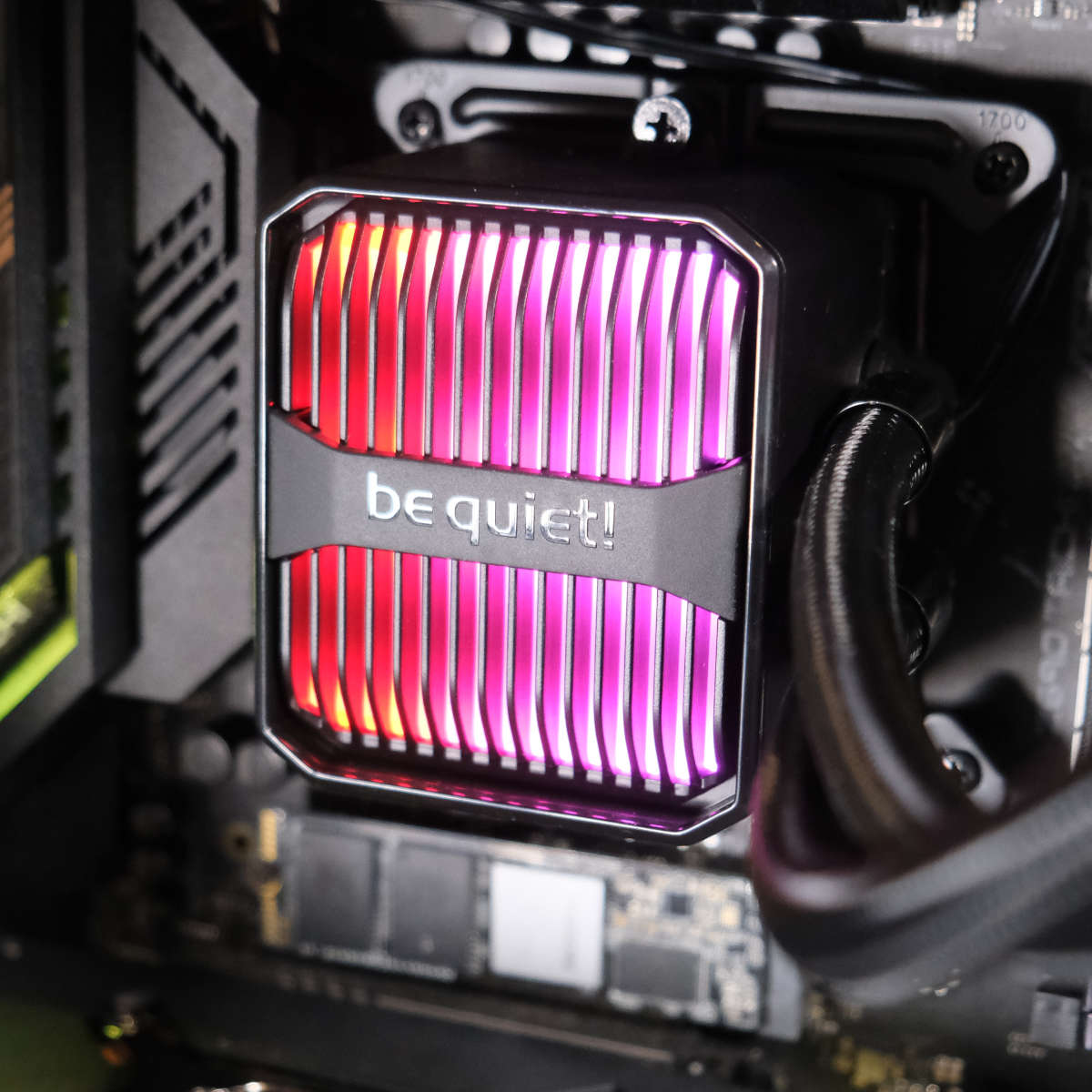
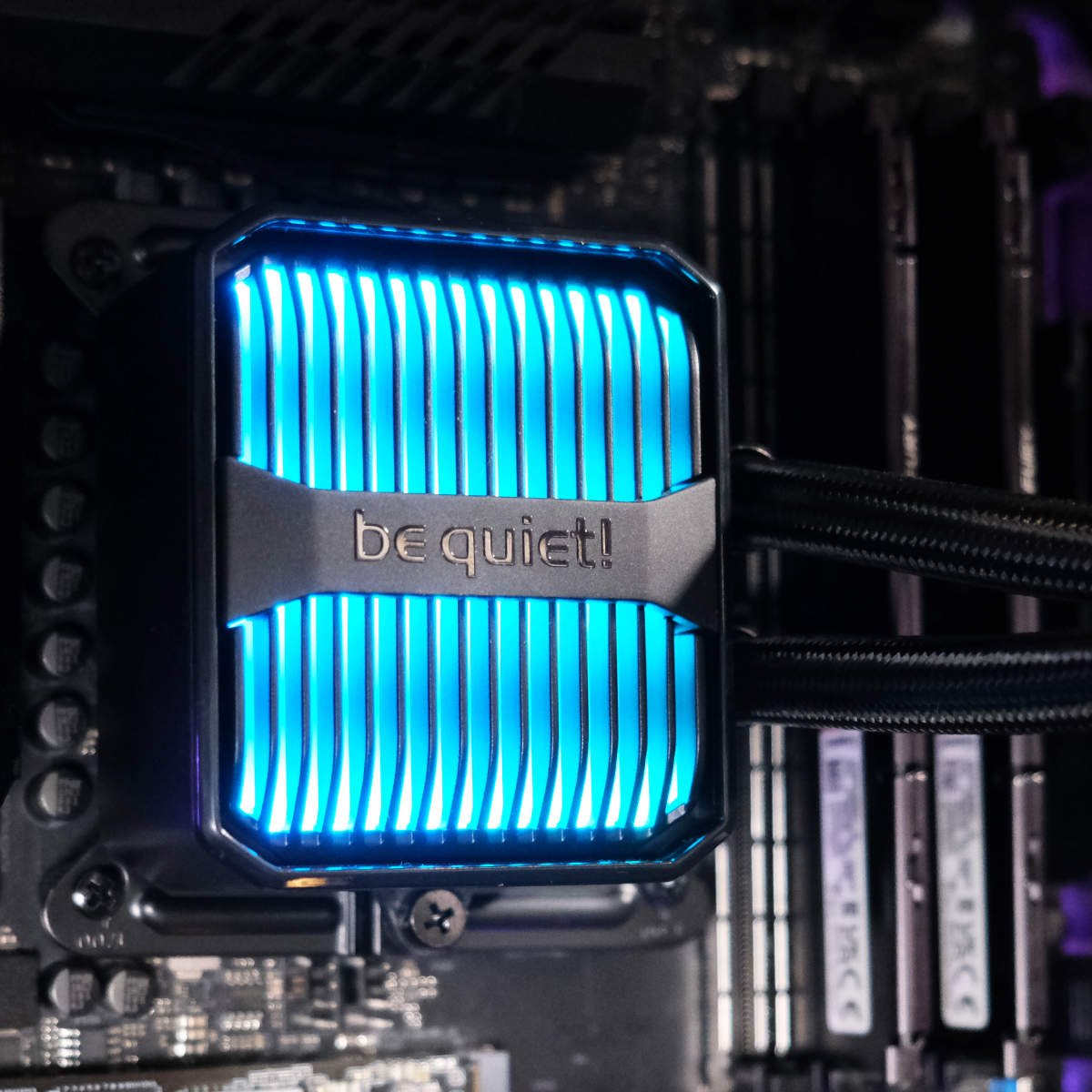
This unit from be quiet! is a particularly good example, receiving our prestigious Editors’ Choice award when we reviewed it, describing it as “the best CPU cooler to pass through Club386 halls.” At £119, it’s not cheap for a cooler with no RGB fans, or an LCD unit, but it absolutely delivers on its promise of low-noise high-end cooling. Besides, the light-up fins on the pump block add a classy touch of flair, looking a bit like a steampunk element heater.
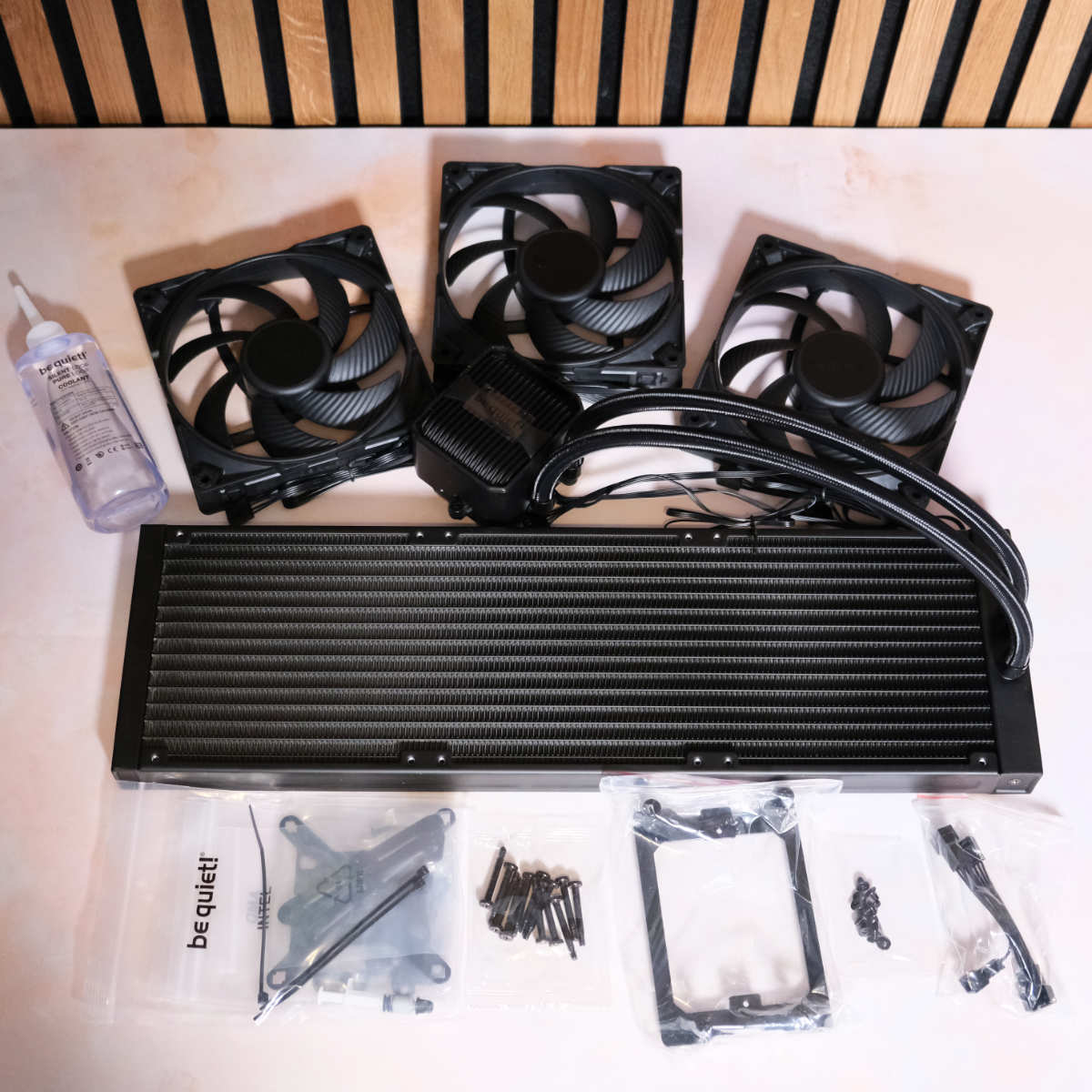
We were particularly impressed by the pump unit, which we found to be practically inaudible during testing, even at high speed. The Silent Wings 4 fans are great too, with their six-pole motors and fluid dynamic bearings pushing up to 78.4 CFM of airflow at maximum speed. There’s also a handy refill port, plus a bottle of coolant in the box, so you can top up the liquid in your loop and extend its lifespan.
| be quiet! Silent Loop 3 420 | Arctic Liquid Freezer III 420 ARGB | |
|---|---|---|
| 253W @ 600rpm | 89.4 | 90.1 |
| 253W @ 1200rpm | 83.5 | 81.5 |
| 253W @ Max speed | 81.7 | 79.2 |
| 153W @ 600rpm | 63.4 | 68.5 |
| 153W @ 1,200rpm | 61.0 | 63.4 |
| 153W @ Max speed | 60.4 | 61.2 |
Of course, the proof is in the pudding, and the cooling power on offer is tremendous, as you can see in the table above. With its fans running at just 600rpm, this cooler is amazingly quiet, and it can still keep a 24-core Intel Core i9-13900K running below 90°C. Plus, while its 1,200rpm results are slightly warmer than those of the Arctic Liquid Freezer III 420 ARGB, its noise level was considerably quieter, at 34.3dBA on the be quiet! unit, compared to 38.3dBA on the Arctic.
If you have a case that can accommodate it, and you can afford the price, the be quiet! Silent Loop 3 420mm is a fantastic high-end, well-built cooler, and it’s very quiet to boot.
For more detail about this 420mm AIO cooler, read our in-depth be quiet! Silent Loop 3 420mm review.
| Specification | |
| Socket support | Intel LGA1851, LGA1700, LGA1200, LGA115x; AMD AM5, AM4, TR5, TR4 |
| Radiator dimensions | 457 x 140 x 27mm |
| Waterblock dimensions | 93.5 x 80 x 56mm |
| Fans | 3x 140mm be quiet! Silent Wings 4 PWM |
| Fan speed range | Up to 2,100rpm |
| Fan airflow | 78.4 CFM (per fan) |
| Fan static pressure | 2.36mm H2O (per fan) |
| Fan noise level | Max 29.3dBA (per fan) |
| Pump speed range | 1,700-3,500rpm |
| Tubing length | 400mm |
| Extras | Coolant refill port |
FAQ
Can I use my old cooler on a new CPU?
Very possibly, but you’ll need to do some research. Some coolers can happily move to a new socket, depending on the mounts they use – we’ve seen this with some AM4 coolers being usable on AM5 motherboards when they use AMD’s standard plastic cooler mounts, for example. Many cooler manufacturers (Noctua is a prime example) also release after-market upgrade kits to ensure that your old cooler can work with a new motherboard platform.
These kits sometimes contain a new backplate, or screws and standoffs of different lengths than the original mounts, and usually don’t cost much money. If in doubt, check the website of your cooler’s manufacturer. If there’s no aftermarket kit, and it’s not specifically stated that your cooler will work on a new motherboard socket, it’s probably time for a new cooler.
What does AIO mean?
AIO simply stands for “all in one” – referring to the fact that these coolers offer a complete water-cooling system in a single, closed system. Unlike a DIY water-cooling loop, where you choose the pump, radiator, fans, tubing and so on yourself, an AIO cooler has everything you need in one easy-to-install package. AIO coolers are substantially cheaper than DIY water-cooling systems, but they also usually have weaker pumps, no reservoirs, and limited choices when it comes to areas such as radiator thicknesses, plus their closed nature means you often can’t top up the coolant if it evaporates either.
There are exceptions, though. As an example, be quiet! has started putting coolant refill ports on its AIO coolers, as well as supplying a bottle of coolant in the box. These days, a decent AIO cooler is perfectly capable of cooling even the most powerful CPUs available, and often do it quietly as well.
Why would I buy an air cooler?
There’s still plenty of love for old-school air coolers in the world of PC hobbyism, despite the increasing popularity of AIO liquid coolers. Air coolers have a very low cost of entry, meaning you only need to spend £26 to get a model that cools an 8-core CPU really well. There are benefits of spending more money on a premium air cooler, though. One is that the only moving parts are the fans, and all the bits are accessible. Fans can easily be replaced if a motor fails, but the same doesn’t go for an internal pump motor on an AIO cooler.
With an air cooler, you don’t need to worry about coolant evaporating or pump noise for that matter. A decent air cooler will last you a long, long time, spanning several builds. You also don’t need to factor the size of a massive radiator into your build, although you will have to make sure there’s enough clearance between your motherboard and your case’s side panel to install your air cooler.
Do I need thermal paste?
Yes, every CPU cooler needs a layer of thermal paste between its contact plate and your processor’s heatspreader. This goo fills in the tiny microscopic pores in these metal surfaces, ensuring there are no insulation pockets that can prevent heat from being transferred from your CPU to the cooler. Pretty much every CPU cooler comes with thermal paste, either pre-applied to the contact plate, or in a separate tube. If you need more of it, or you want better material, check out our guide to the best thermal paste, where we put loads of goo tubes to the test.
