

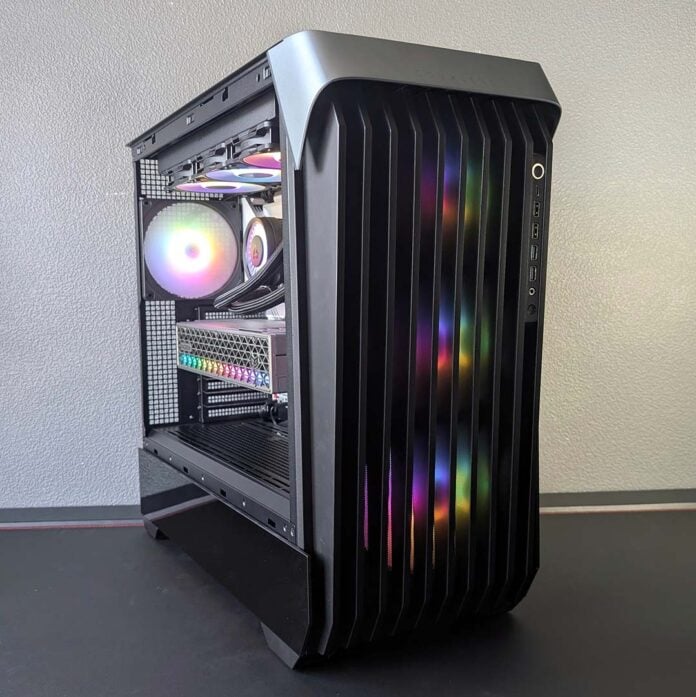
The realms of high-end gaming and workstation hardware aren’t worlds apart, often times crisscrossing, making full tower cases like the InWin Covalent particularly attractive to those with powerful components. That choice of name alone is an entirely appropriate nod to this proverbial covalent bond that the enthusiast and HPC spaces share, and it’s a title the chassis rightfully earns.

InWin Covalent
€149
Pros
- Great airflow and thermals
- Easy build and cable management
- Built-in fan and ARGB hubs
- Broad motherboard compatibility
- Ample room for 2.5/3.5in storage
Cons
- Lack of dust filters
- Minor build quality quirks
Club386 may earn an affiliate commission when you purchase products through links on our site.
How we test and review products.
At €149, the Covalent commands a sizeable chunk of cash. Thankfully, that’s money well spent for the most part, given the case’s quality as a whole. That said, there are a few small missteps worth noting, as well as regional availability potentially hampering relative value for some audiences.
Specifications
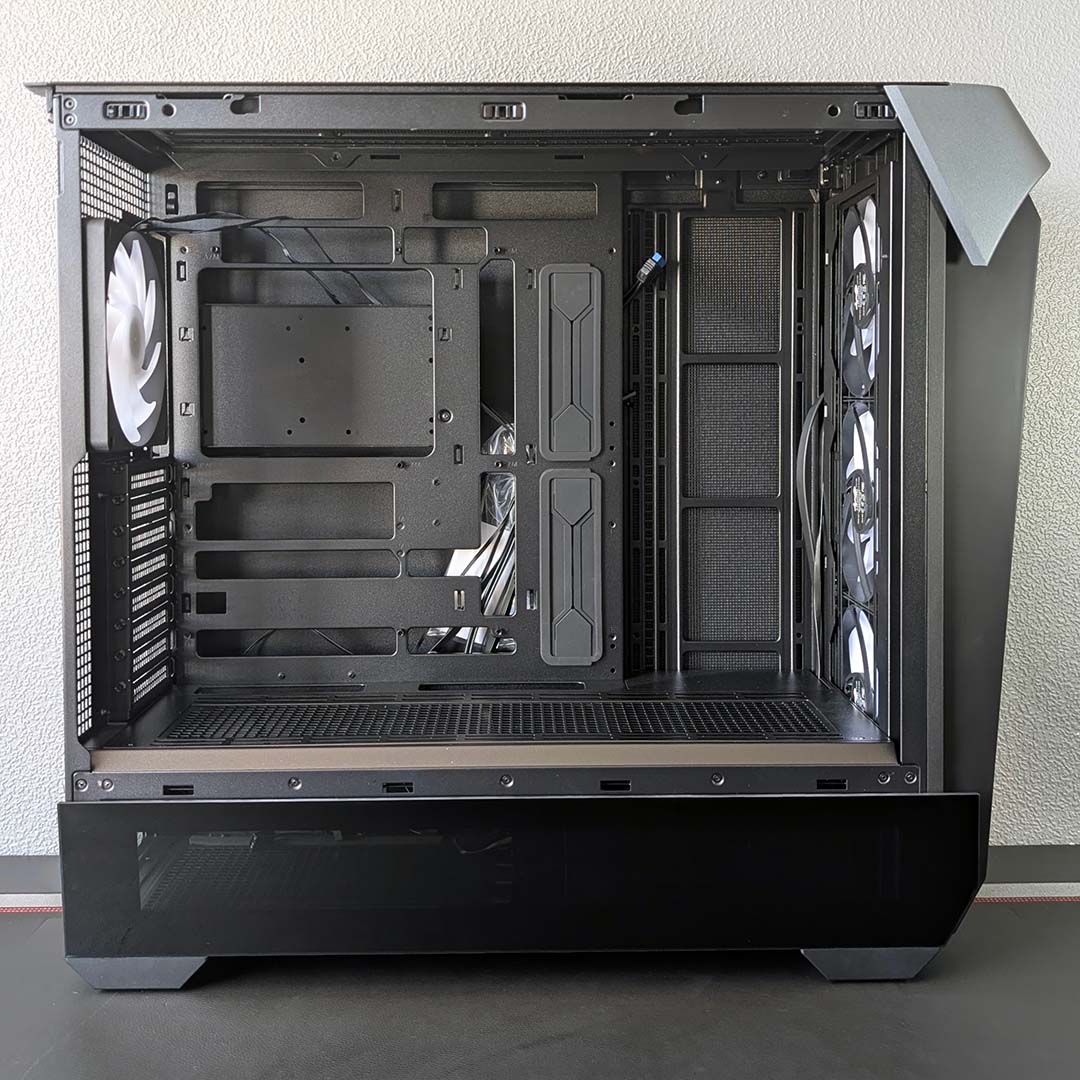
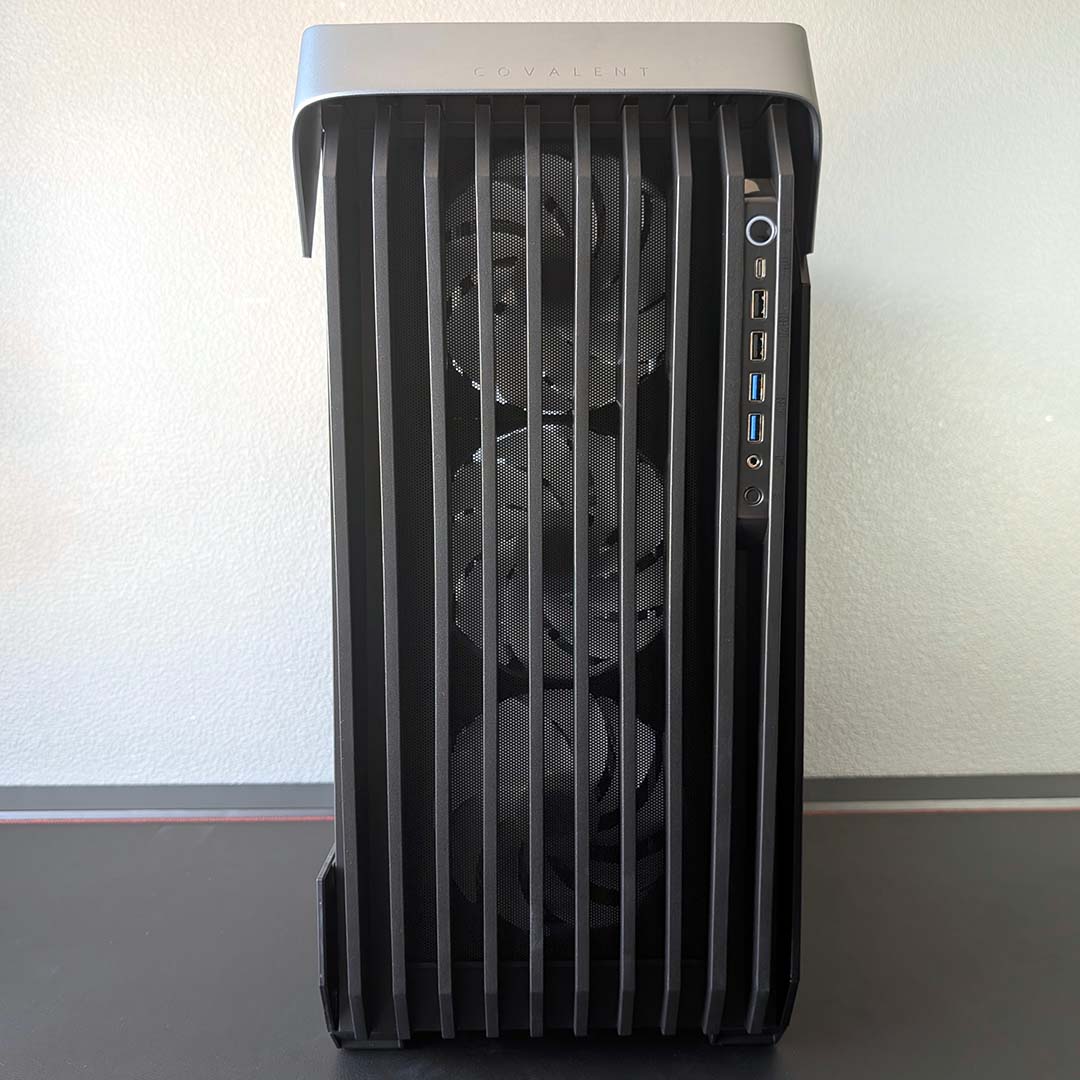
Few cases are quite as large as the Covalent. At 536mm tall, it’s a few millimetres shy of the Antec Flux Pro Noctua Edition but has that chassis beat on width (250mm) and depth (606mm), while outsizing the Arctic Xtender VG on all counts. In terms of volume, InWin’s offering a spacious 81L of capacity here.
In addition to supporting ATX motherboards and smaller form factors, there’s enough room in the main chamber to accommodate larger E-ATX models too, up to 330mm wide. This case also supports SSI-EEB PCBs – ideal for anyone seeking to put together a Threadripper or Xeon workstation.
| Specifications | InWin Covalent |
|---|---|
| Dimensions (H x W x D) | 536 × 250 × 606mm |
| Motherboard support | SSI-EEB, E-ATX, ATX, Micro-ATX, Mini-ITX |
| Back-connect compatible | Yes |
| Fan support | Bottom: 120mm/140mm (x3) Front: 120/140mm (x3) Rear: 120/140mm (x1) Side: 120mm/140mm (x3) Top: 120mm/140mm (x3) |
| Radiator support | Rear: 120/140mm Side: 360/420mm Top: 360/420mm |
| CPU cooler height | ≤190mm |
| PSU length | ≤250mm |
| Graphics card length | ≤480mm |
| Connections | 3.5mm mic/headphone jack (x1) USB-A 480Mb (x2) USB-A 5Gb (x2) USB-C 20Gb (x1) |
| Drive bays | 2.5/3.5in (x5) 3.5in (x4) |
| Warranty | Two years |
Keeping our focus on dimensions, practically any CPU cooler can fit inside the case, with support for cooling up to 190mm in height. That’ll cover all AIO water coolers, as well as gargantuan air coolers like the Noctua NH-D15 G2 (168mm) with room to spare.
In terms of graphics cards, the Covalent can take any pixel pusher up to 480mm long. So, whether you’re planning to run a sizeable model like the Gigabyte Aorus RTX 5090 Infinity (330mm). or an Nvidia RTX Pro 6000 Blackwell (304mm), you won’t find yourself short on space.
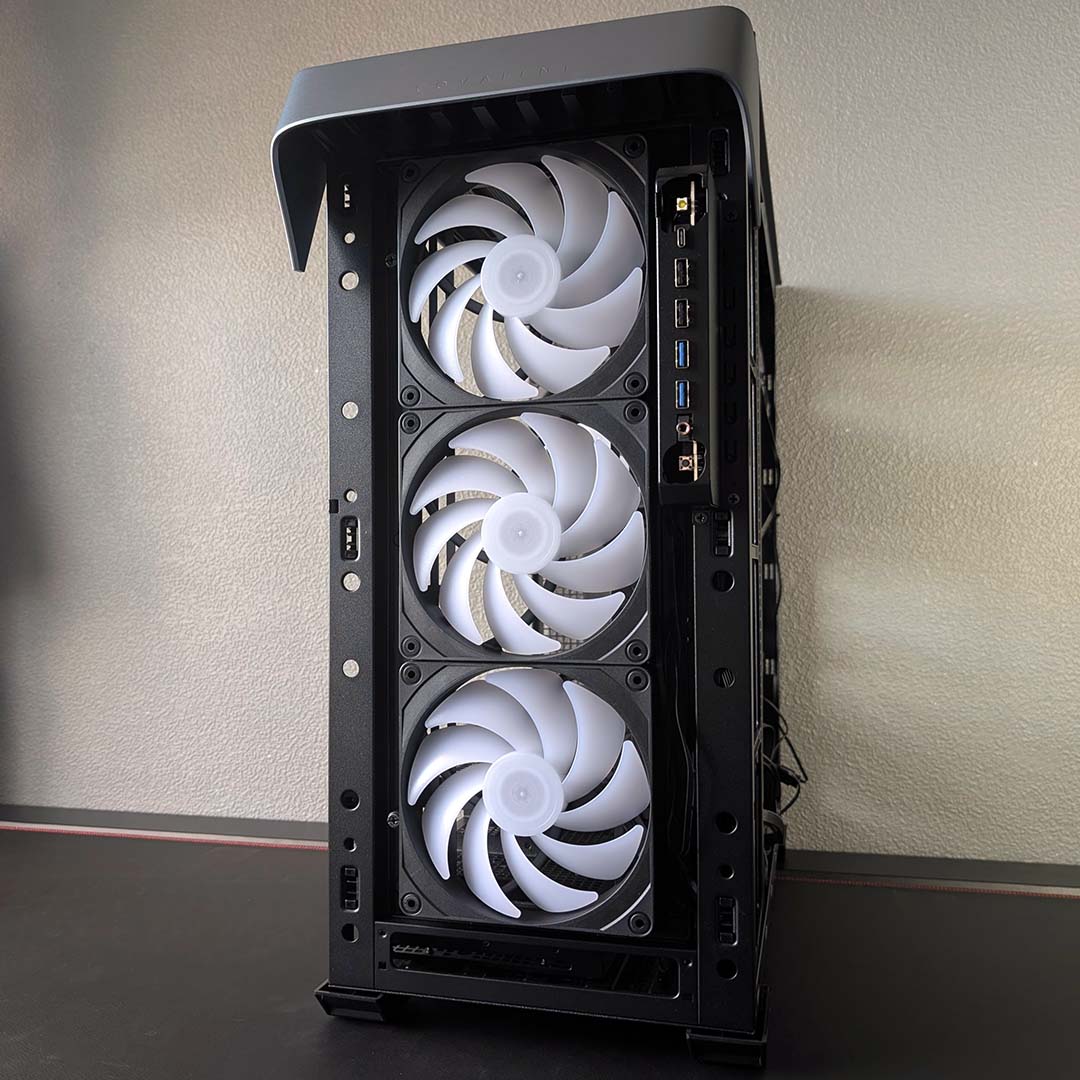
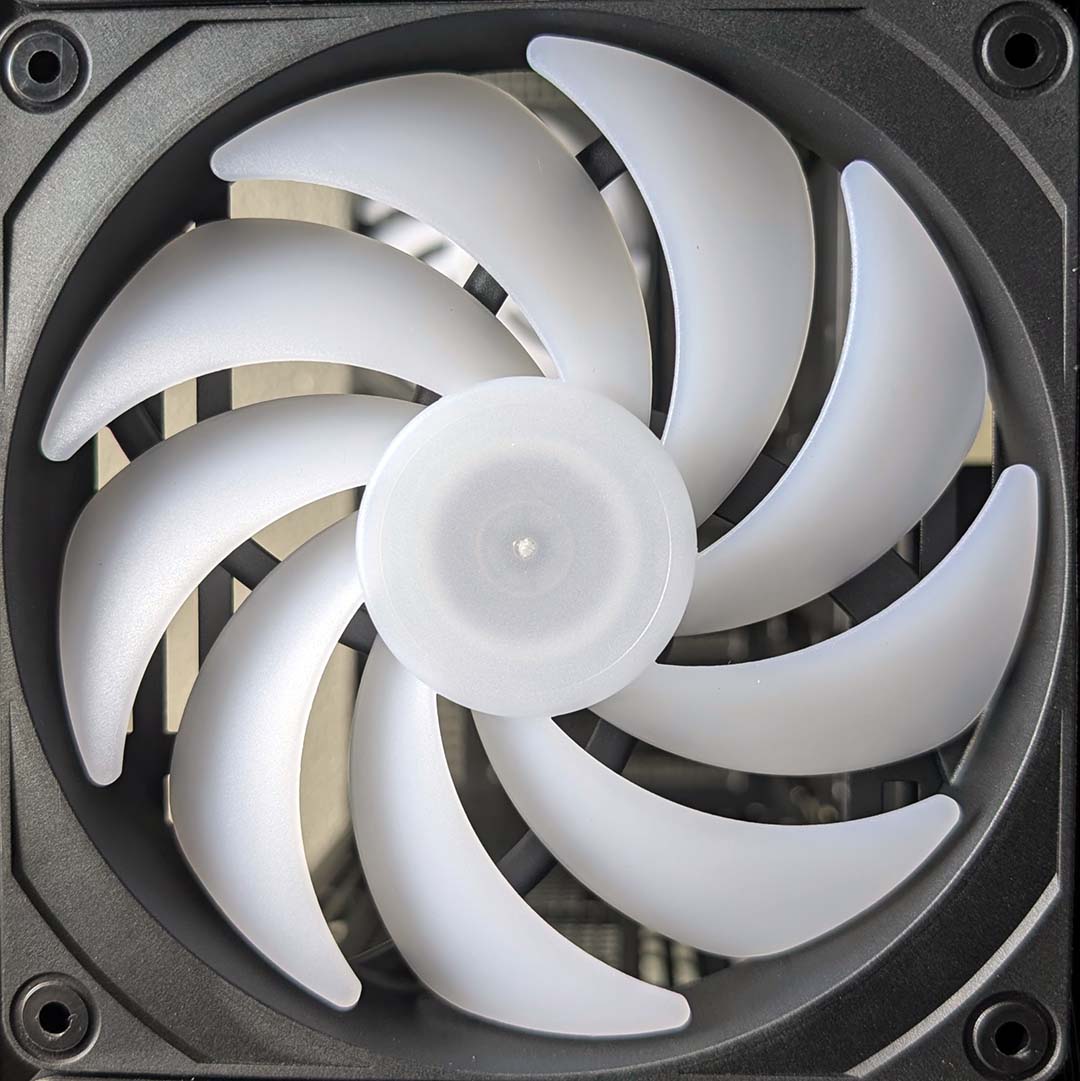
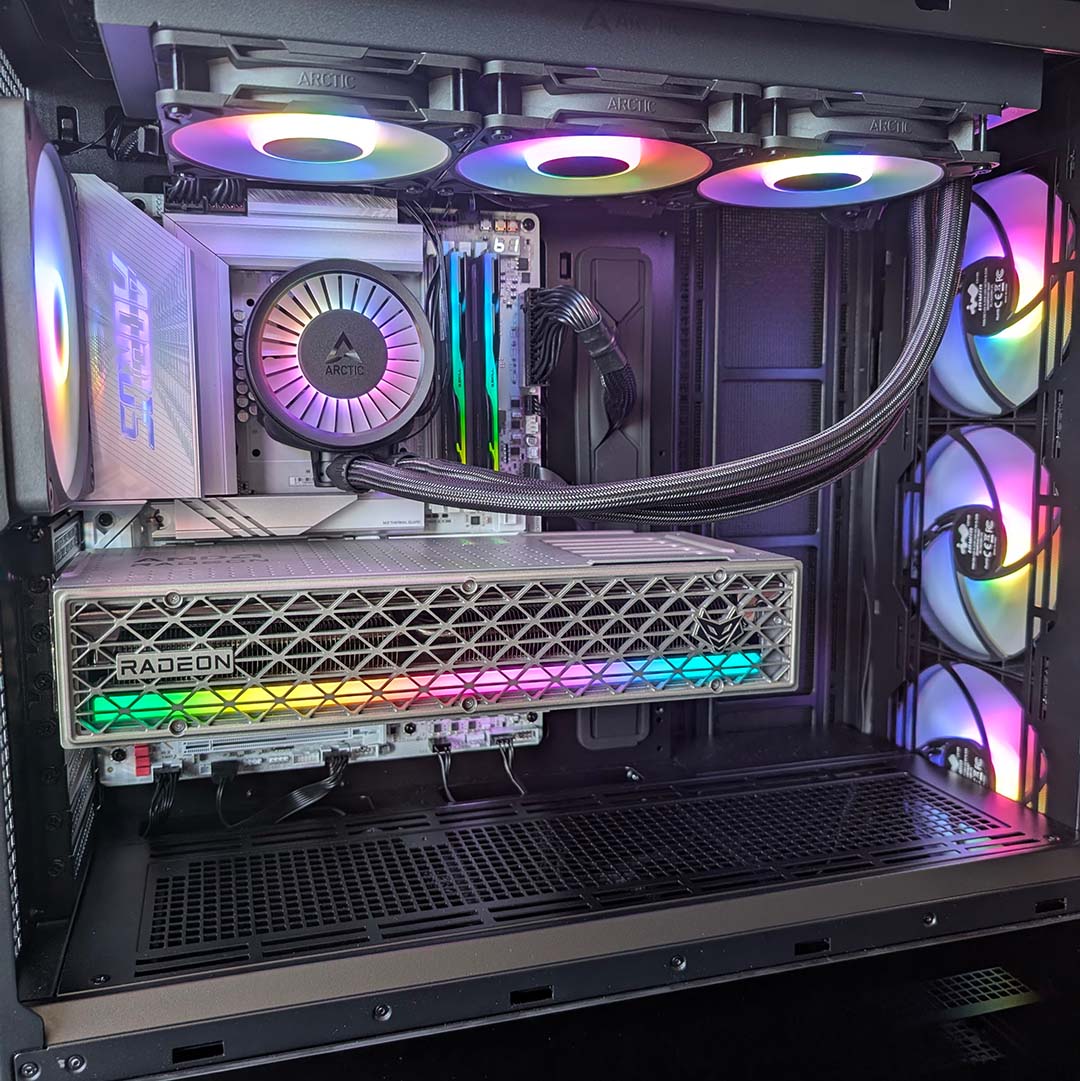
The Covalent packs four InWin CV140 fans, comprising three front intakes and one rear exhaust. These 140mm blowers don’t pack a tonne of pressure (1.2mm H₂O), but that’s no problem considering they’re not attached to any radiators. More pertinently, they promise solid airflow at up to 62.95CFM (cubic feet per minute) without outputting much noise, while offering pretty A-RGB lighting to boot.
You can expand the collection of fans further with three 120mm or 140mm spinners across the side, top, and bottom of the case. Curiously, the chassis doesn’t support radiators up front, but you can fit a 360 or 420mm cooler across the side or top. Meanwhile, the rear can house a 120mm or 140mm unit.
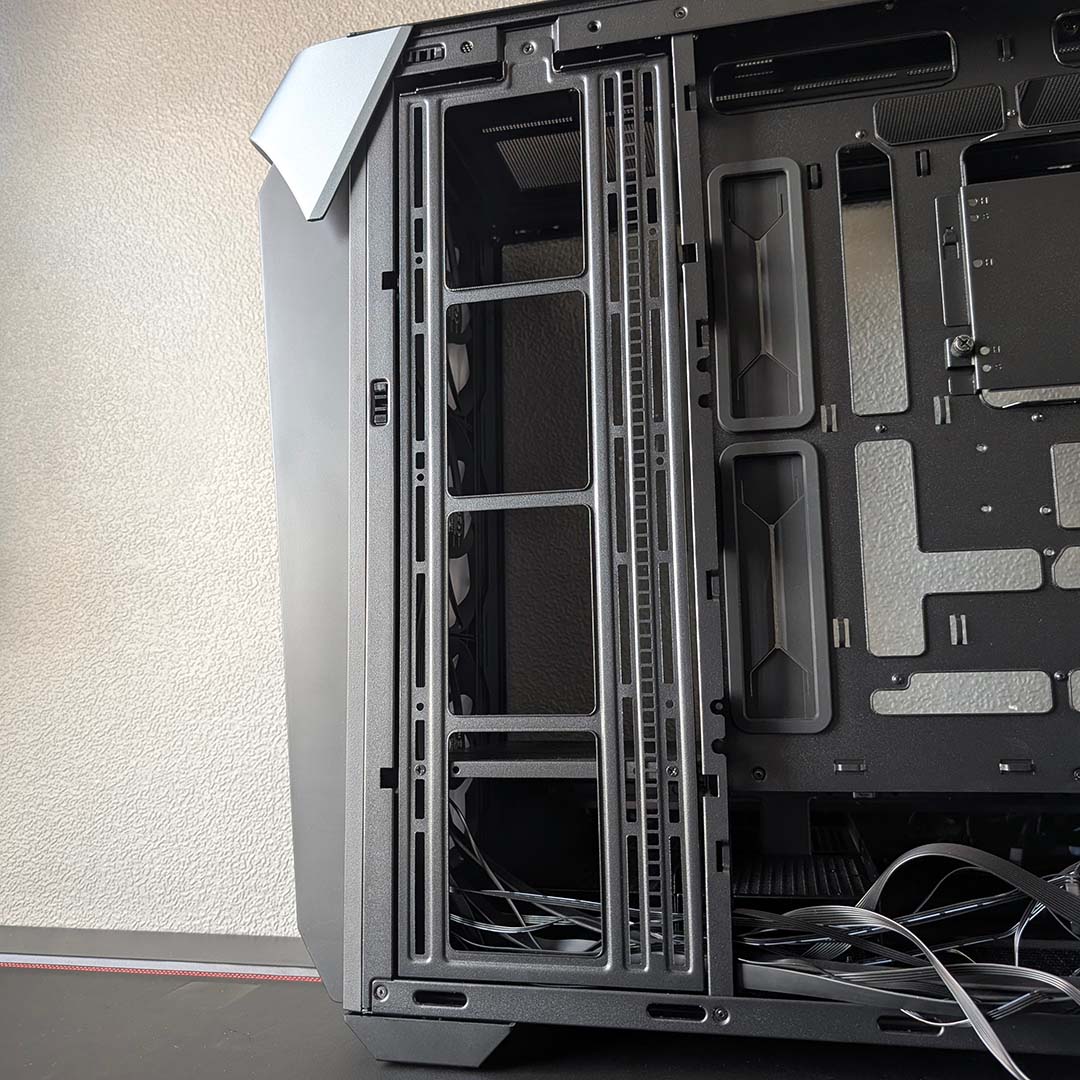
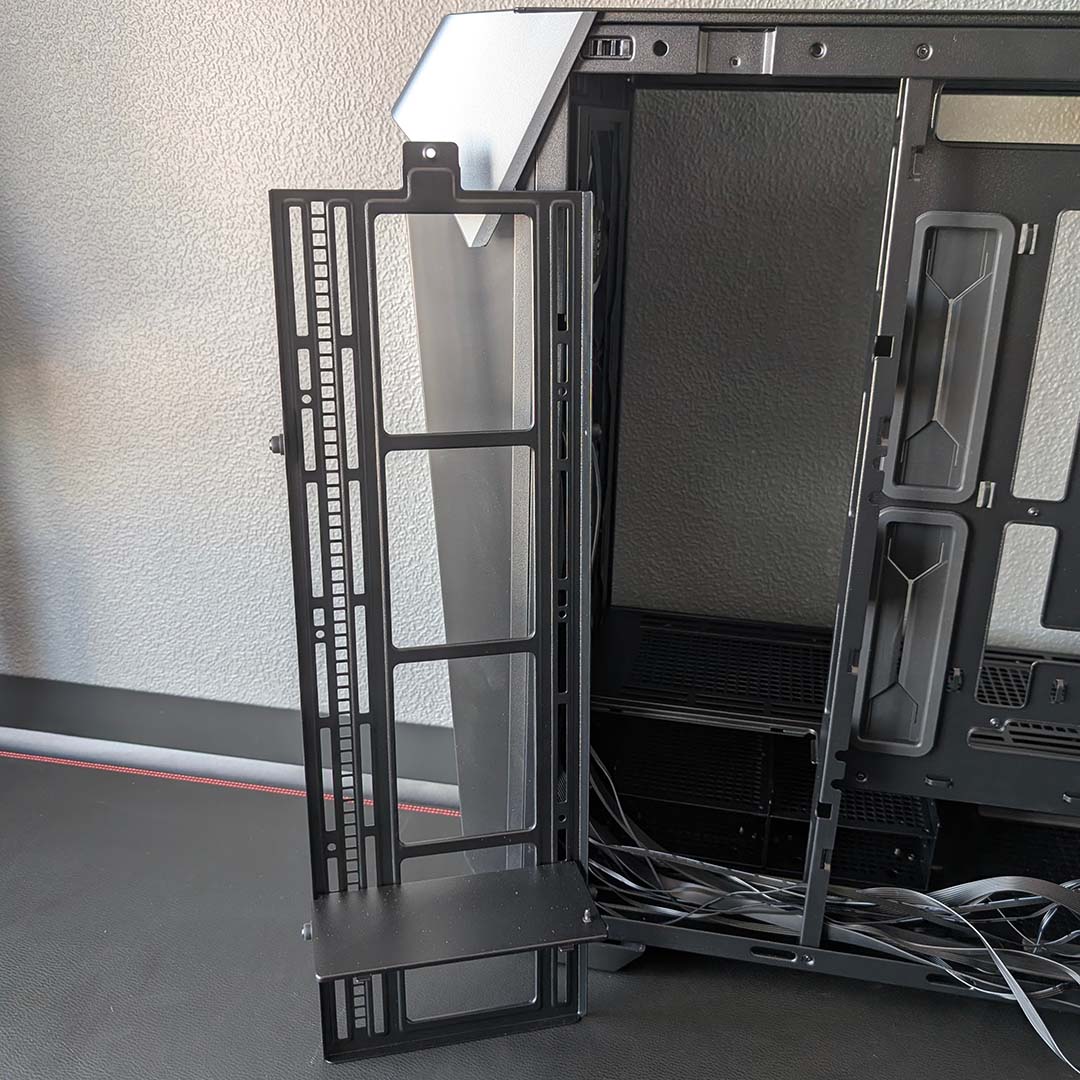
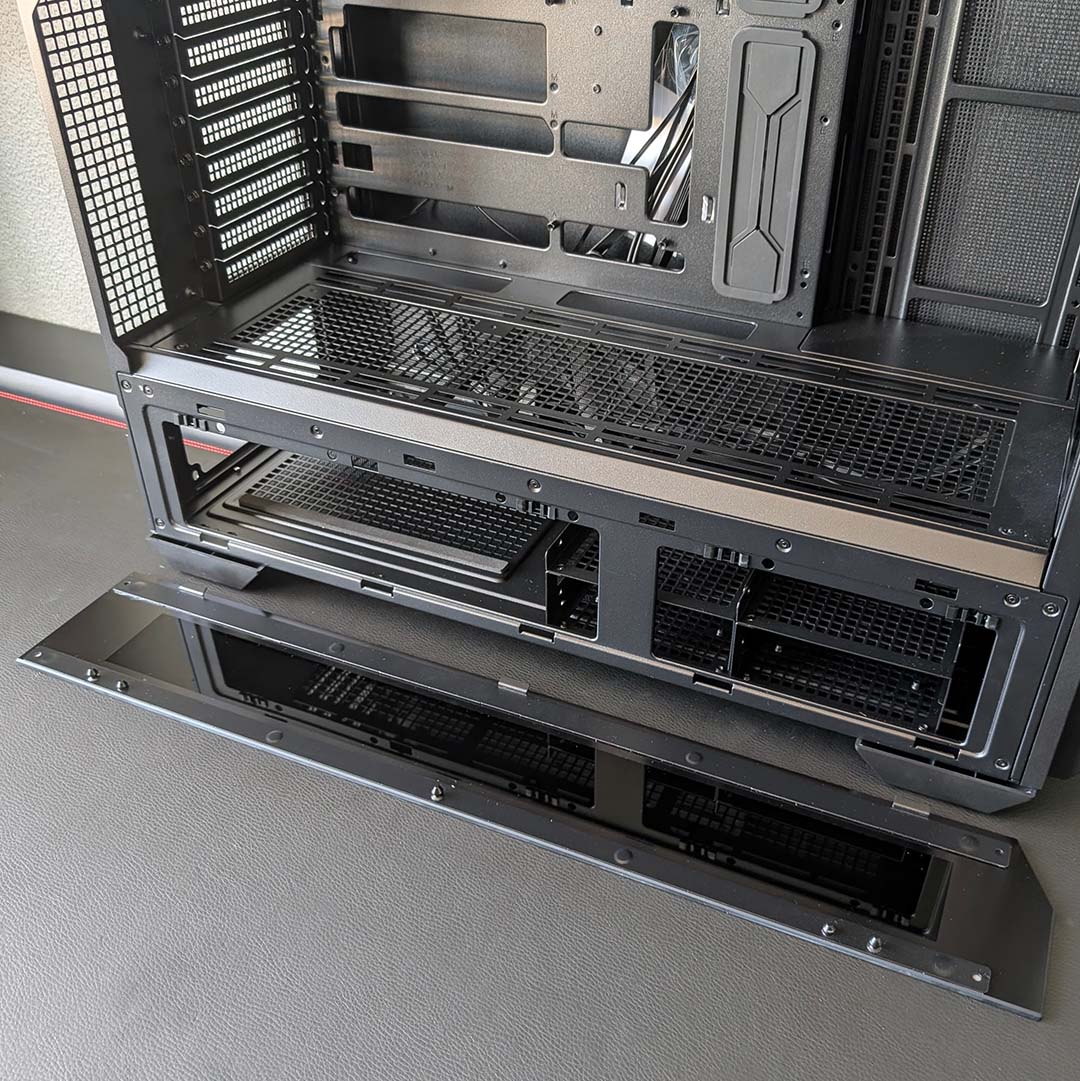
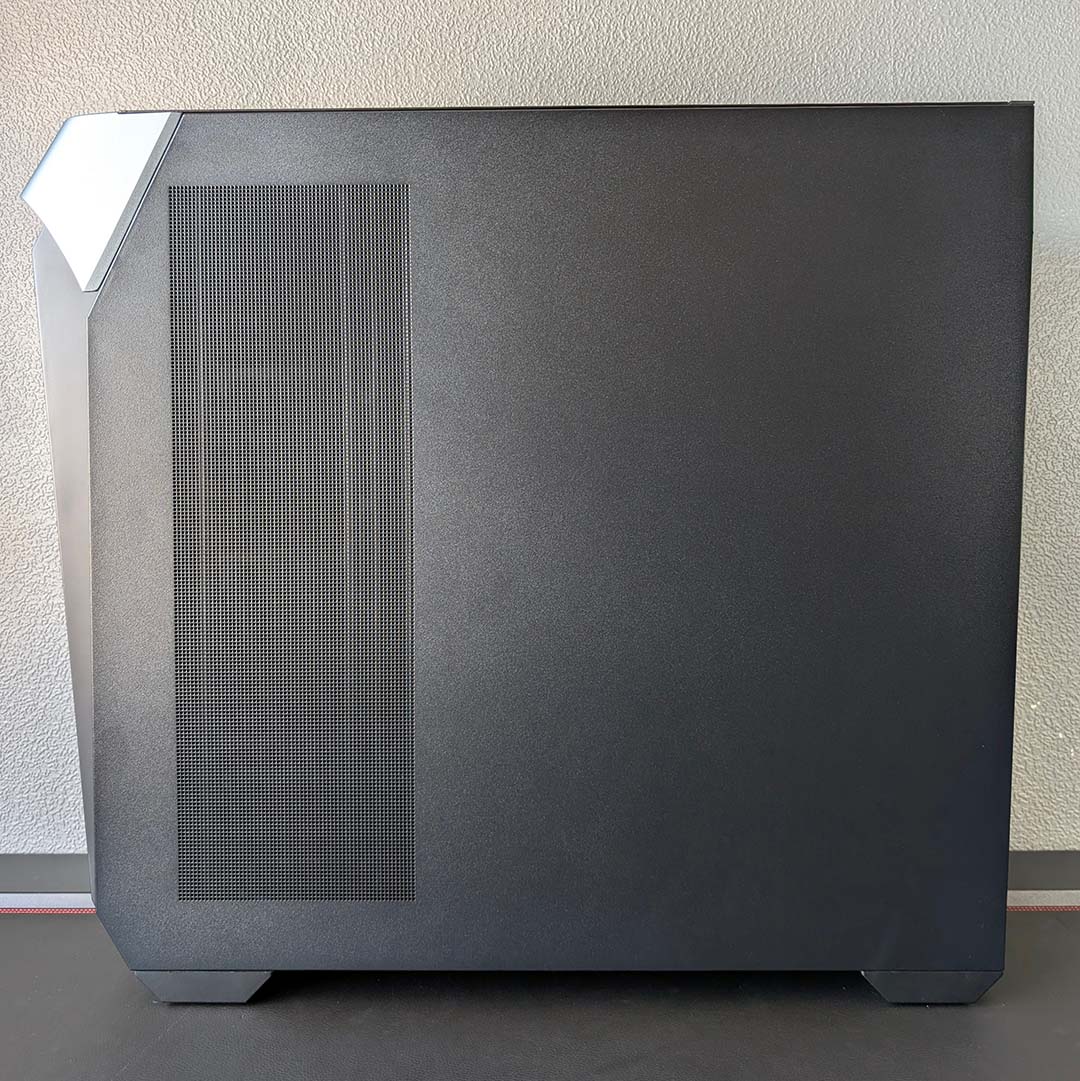
Every panel on this case is removable, with all but the top peeling away from the frame without any screws or tools. There are in fact two glass covers on one side, covering the main chamber and power supply shroud. Having access to both sides of the chamber is helpful, particularly if you’re running 2.5/3.5in storage, and I appreciate the relatively unique styling choice.
There is a surprising lack of removable dust filters throughout the Covalent, though, with InWin choosing to lean on fine mesh instead. I much prefer cleaning a filter I can pull away from my system, rather than combating dust within the case itself. I presume this choice was in service of prioritising airflow, but I’d rather have a system that’s easier to clean.
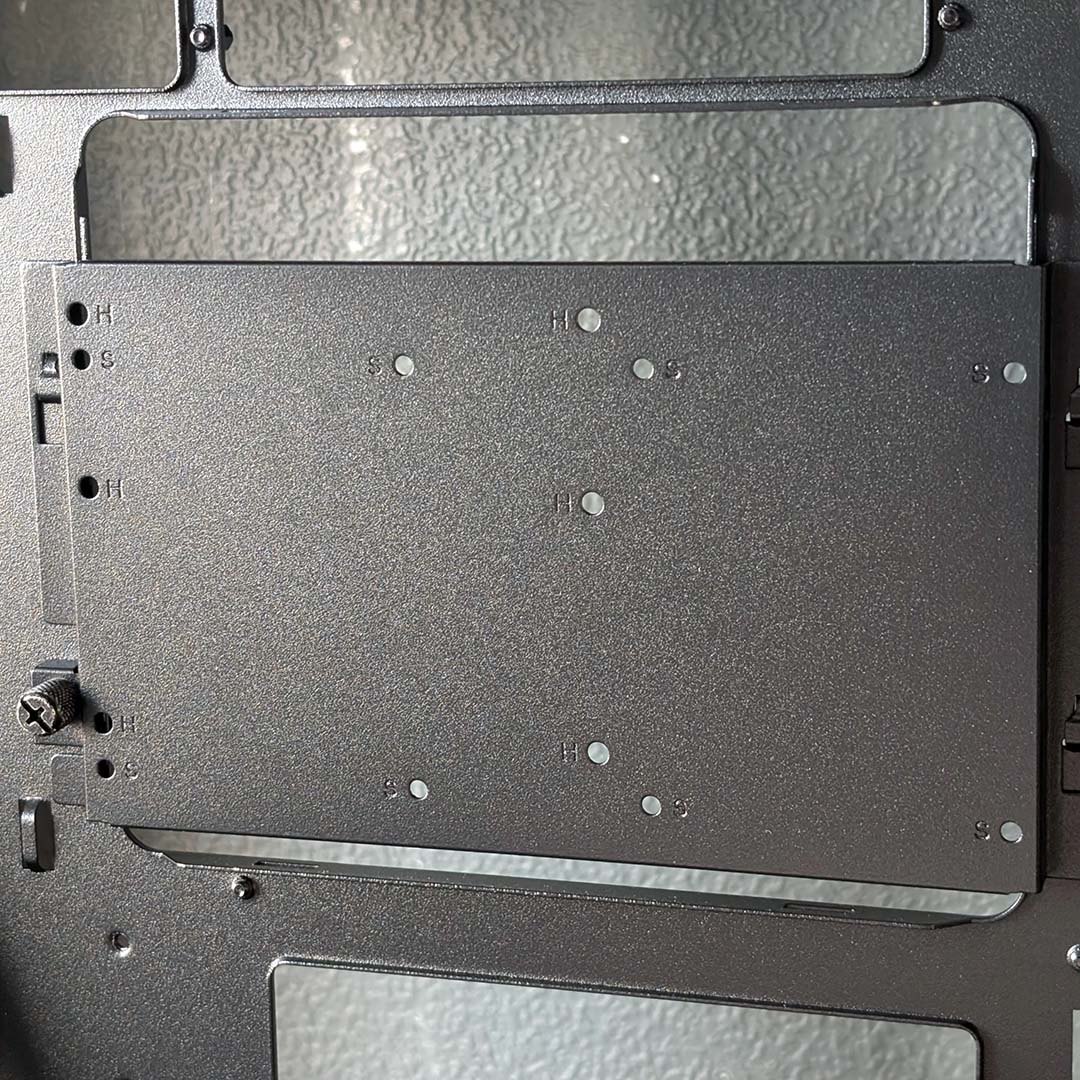
Going back to those 2.5/3.5in drive bays I mentioned, nestling in the power supply shroud, you can house up to five hard drives in the Covalent when combined with the removable bracket that sits behind the CPU socket. Doing so will eliminate all space for 2.5in drives, but you can also go for a balanced approach with three SSDs and two HDDs or vice versa.
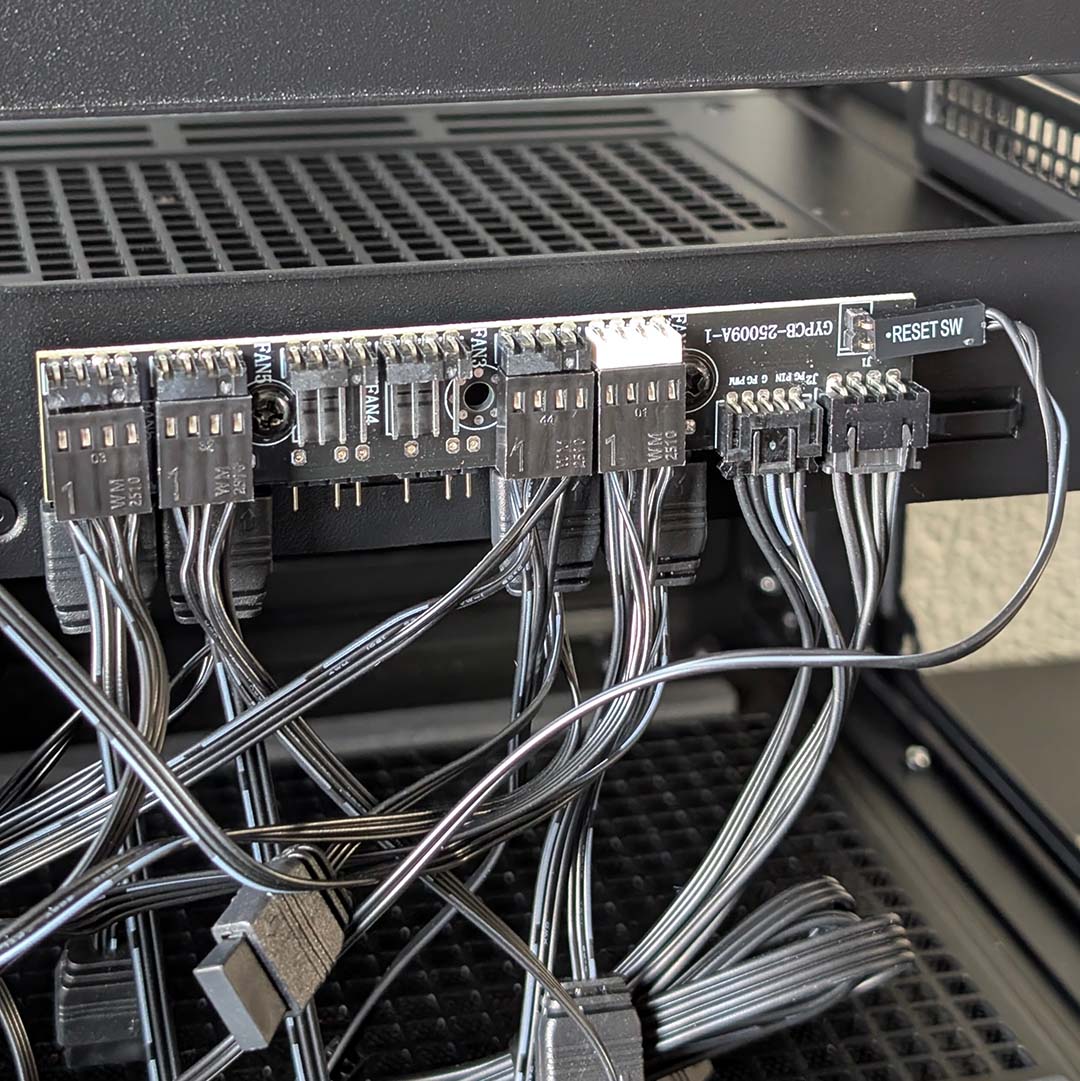
The last features of note in the rear chamber are the A-RGB and fan hubs. They sit atop one another towards the bottom of the frame, with all four stock fans easily reaching both header types. Alternatively, you can daisy chain all the fans together and connect them via a single connection if you prefer. Having both options is handy, if slightly fiddly to manage.
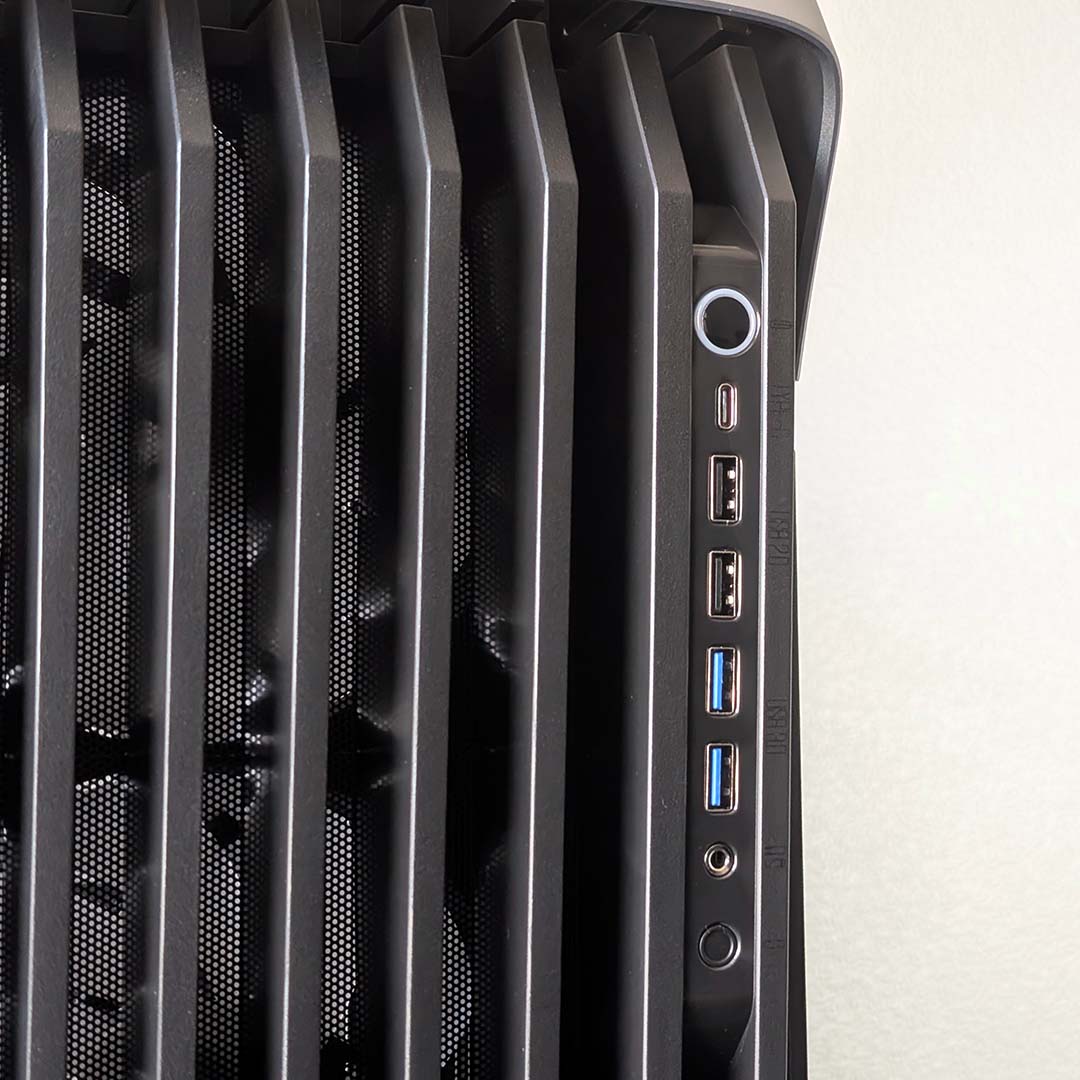
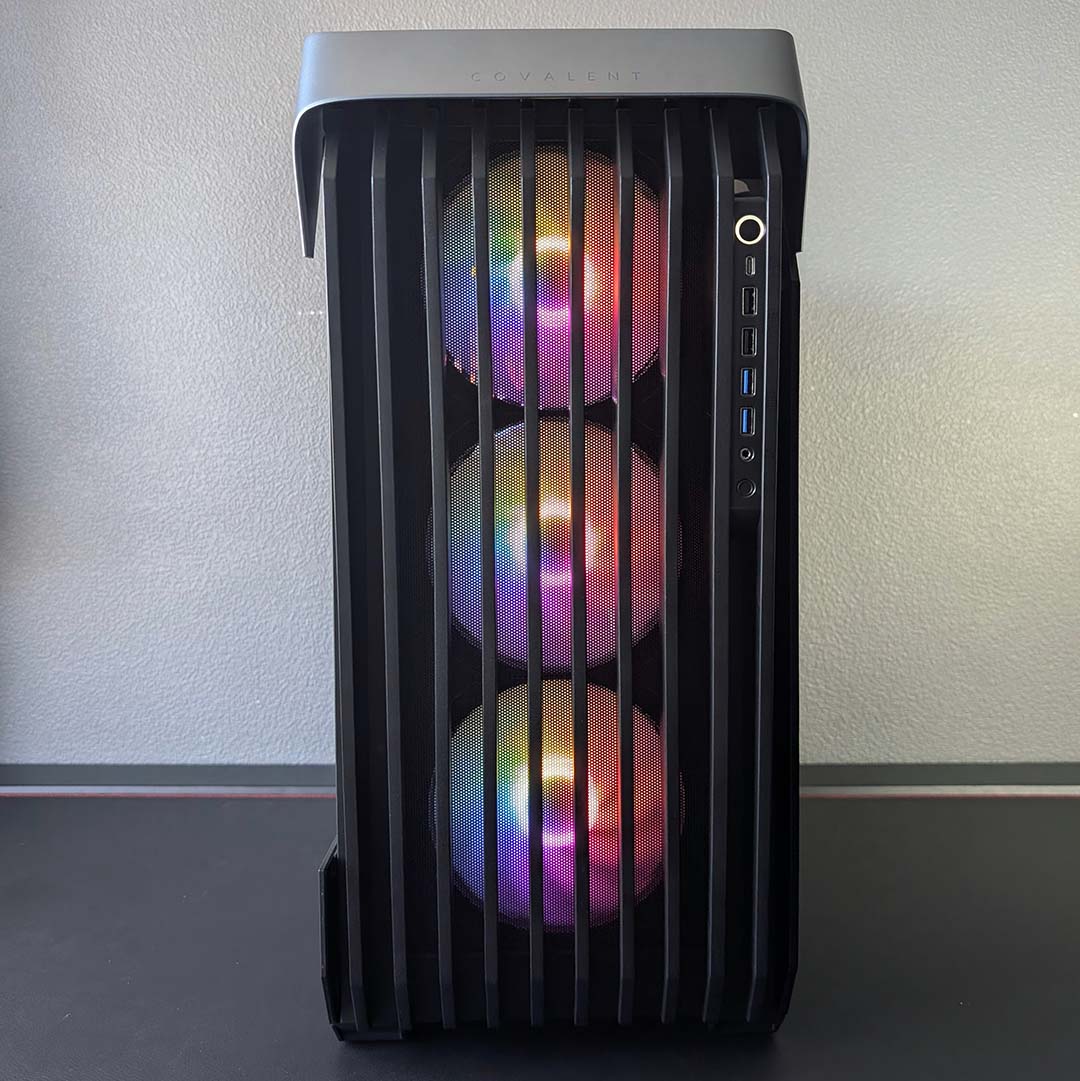
InWin outfits the front of the case with a handy collection of USB ports. In addition to the usual duo of 5Gb USB-A ports we see on so many chassis, the Covalent also arrives with two 480Mb USB-A connectors. The star of the selection, though, is undoubtedly the 20Gb USB-C port. It all adds up to a welcome balance of speed and quantity by any measure.
Sitting alongside the USB ports is a power button, headphone/microphone input, and a manual control for any A-RGB LEDs running through the controller. There is an attempt to make these functions clear via text that runs next to each button and port, but the labels are difficult to make out, and I honestly thought they were scratches at first glance.
Test components
With huge encompassing motherboard support, it’s difficult to illustrate every facet of the Covalent’s performance, as InWin pitches its offering as a do-it-all chassis for either HPC or gaming. I’m focusing on the latter use case in this review, assembling a high-end LGA1851 system, which will provide a broad insight into the case’s build experience as well as acoustic and thermal potential.
Here’s a list of the components I’ll be using:
- CPU: Intel Core Ultra 270K Plus
- Cooler: Arctic Liquid Freezer III Pro 360 A-RGB
- RAM: G.Skill Trident Z5 RGB DDR5-7200 CL34 32GB
- Motherboard: Gigabyte Z890 Aorus Pro Ice
- GPU: Sapphire Nitro+ Radeon RX 9070 XT
- SSD: WD_Black SN8100 2TB
- PSU: be quiet! Dark Power 14 1,200W
Build experience
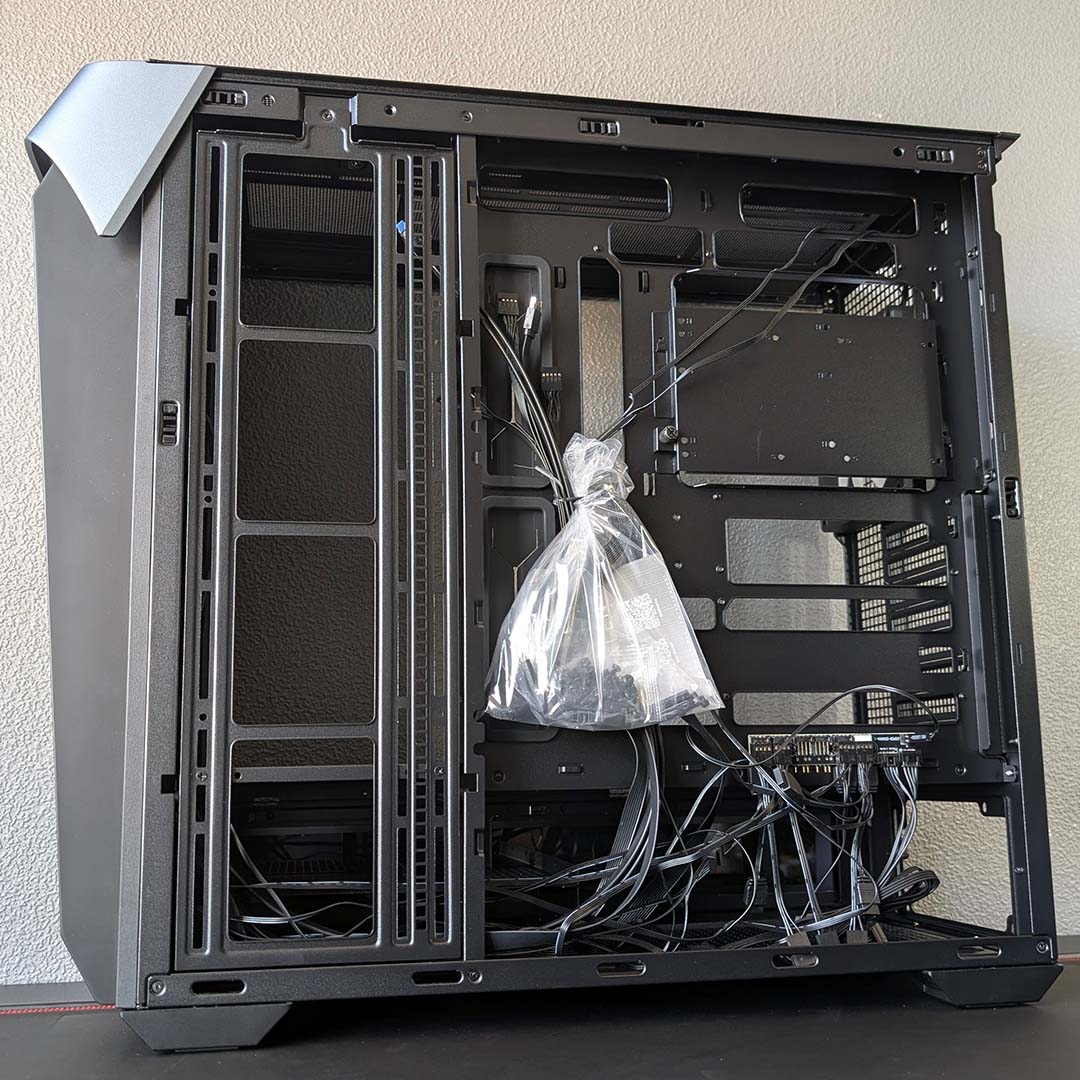
All builds begin with a case’s accessories, so you have all your screws to hand. You’ll find such necessities and more inside a resealable plastic bag, hanging in the middle of the Covalent’s rear chamber by a twist-tie. While it’s not the most stylish presentation, InWin’s approach does at least make this bundle of kit impossible to miss.
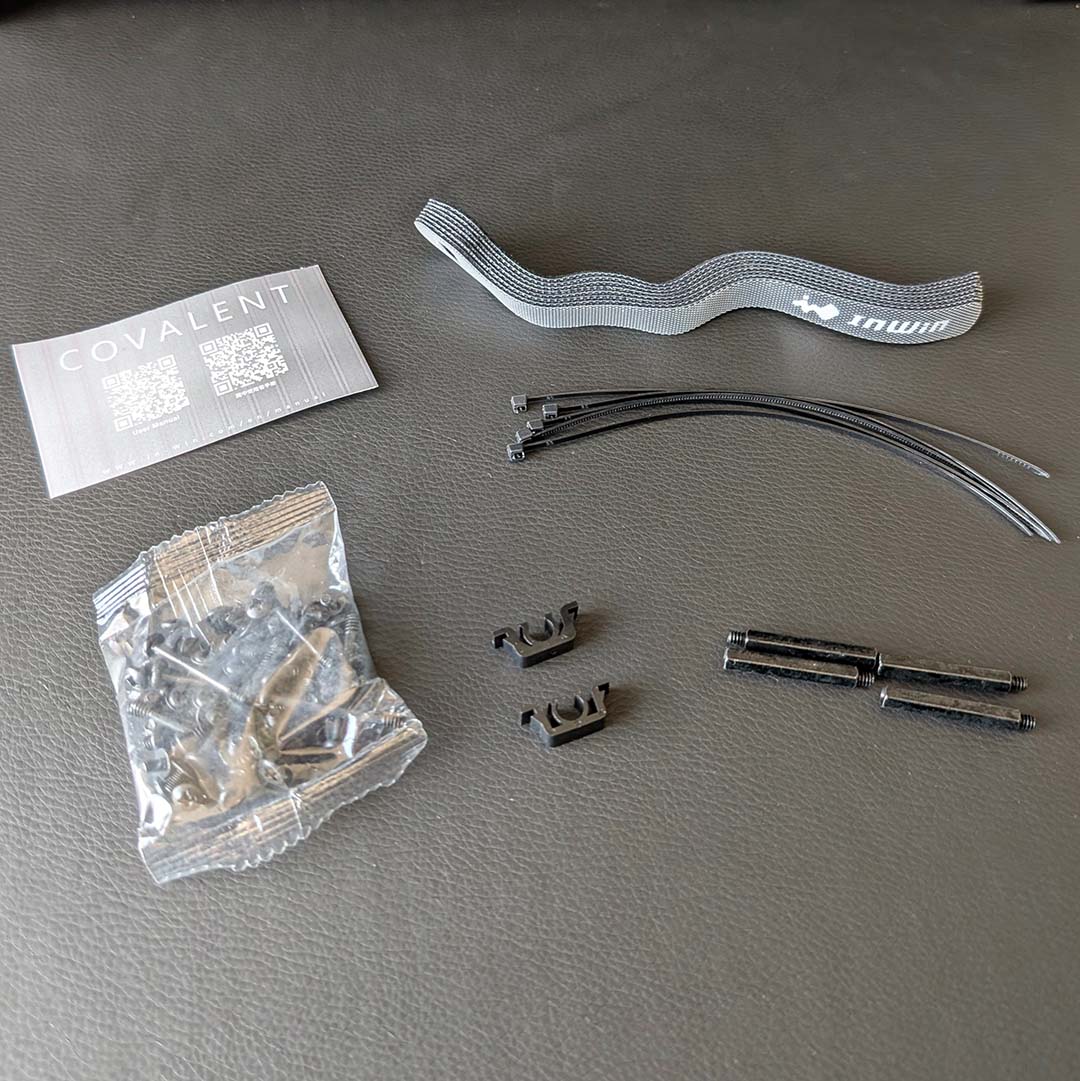
Separating the contents, we find the screws alongside a QR code that serves as a link to the case’s manual. Several Velcro straps and cable ties join the selection, alongside two plastic buckles, which will each aid with cable management. Finally, InWin also throws in four graphics card standoffs.
I do wish manufacturers would take leaf out of Arctic’s playbook with its Xtender VG’s accessories box, using a resealable container for screws, complete with compartments. Having to manually separate 54 screws, 50 of which are very similar in appearance and size, is very tedious.
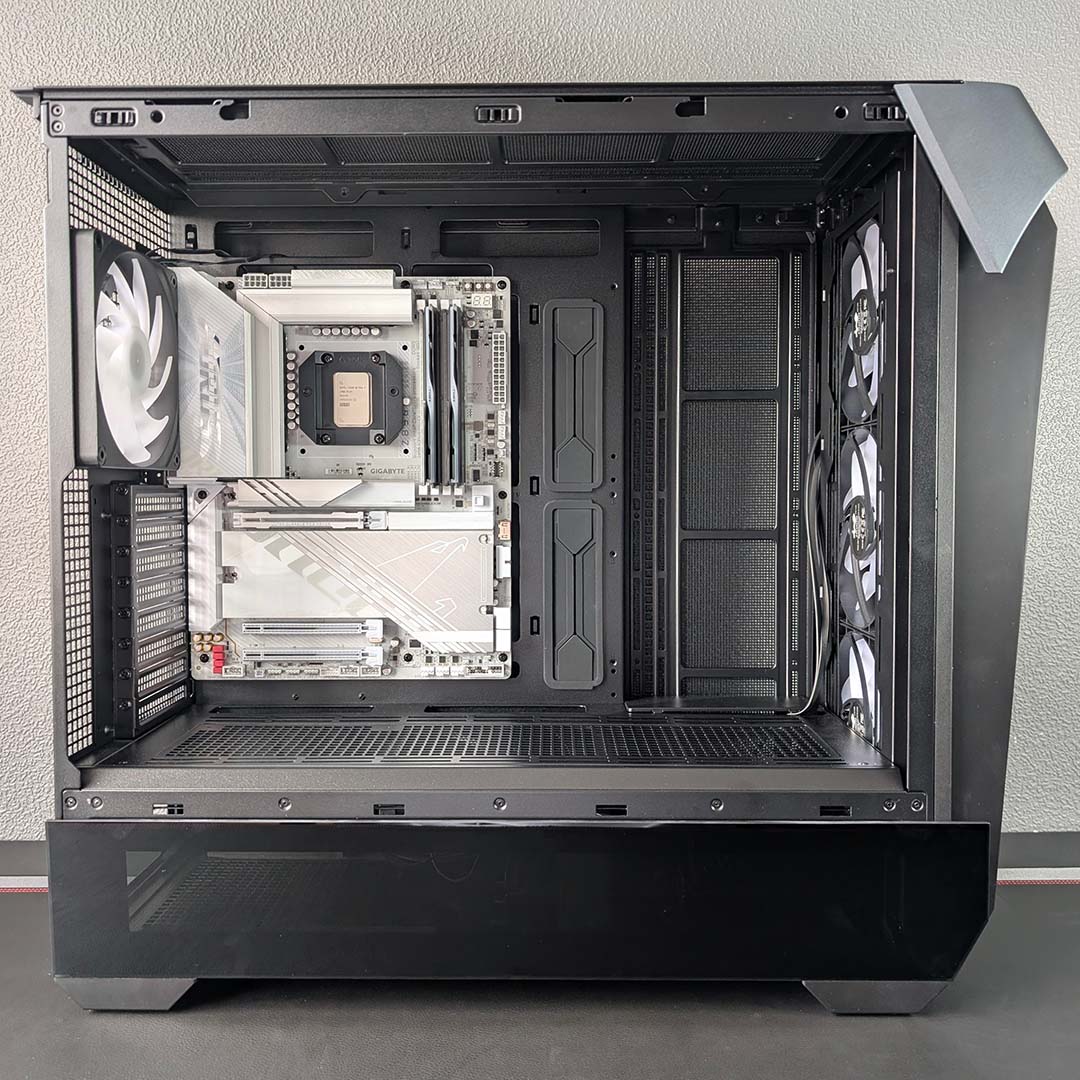
I don’t need to adjust any of the motherboard standoffs to install my ATX motherboard, as the case arrives with them in that arrangement by default. There are four additional standoffs among the screws to enable the installation of E-ATX and SSI-EEB boards, but doing so requires you to remove the rubber grommet covers.
Our Gigabyte Z890 Aorus Pro Ice expectedly slips into position with ease, with no troublesome sticking between screws and standoffs. This isn’t a back-connect motherboard, but the case does support such designs with many gaps around the chassis’ spine. The rear chamber isn’t enormously deep, though, so expect to put in some work managing all those extra cables.
Following the Covalent’s manual, InWin suggests installing the graphics card straight after screwing the motherboard into place. However, I recommend getting your power supply and cabling in place beforehand. In doing so, you’ll have more space to work in the main chamber, along with easier access to USB headers, and the case won’t be as heavy should you need to shift it.
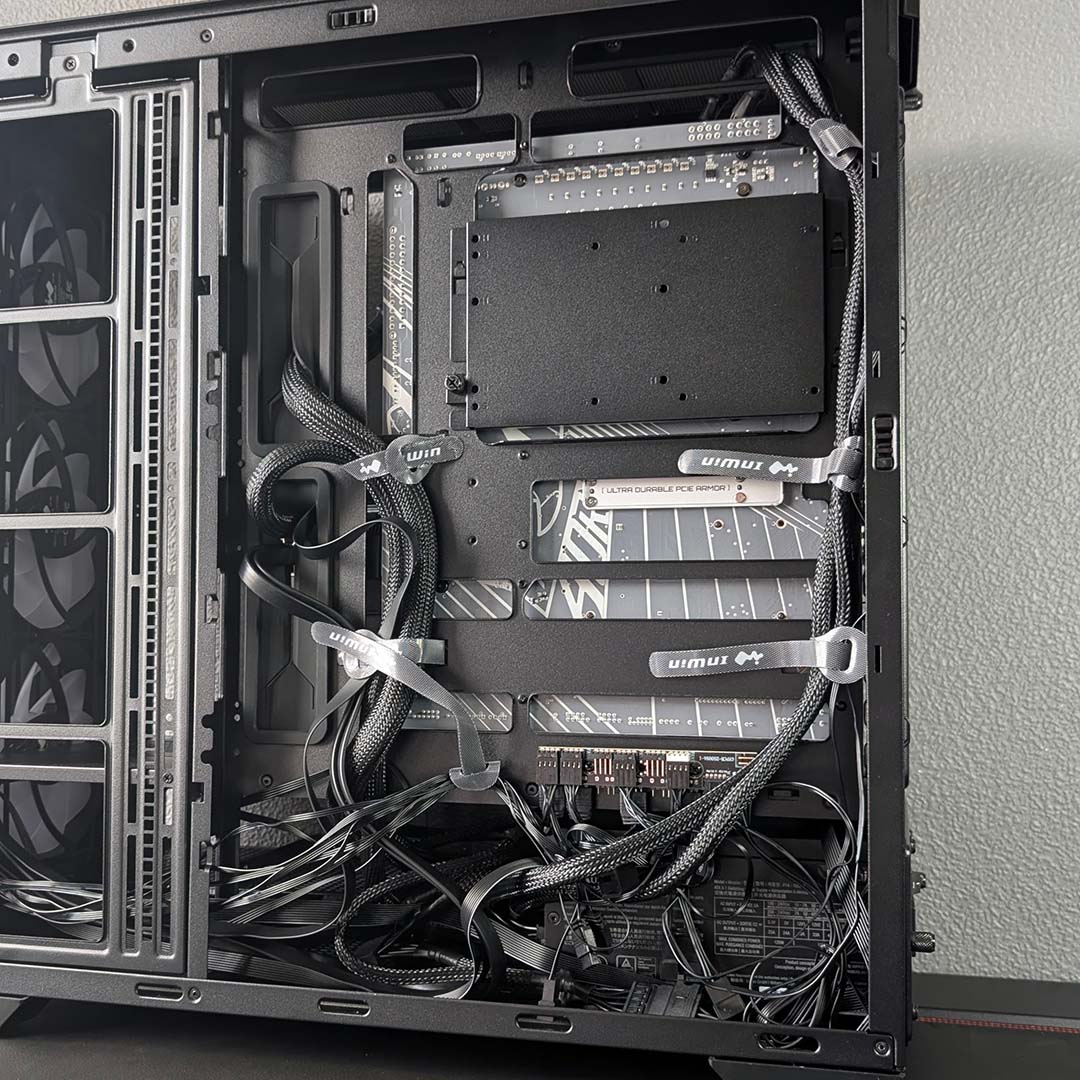
A removable bracket makes getting our PSU into the lower chamber all the easier. Having the chance to prepare any components outside of the case is always welcome, especially ones as potentially cumbersome as the power supply. Four screws and a few twists of two thumbscrews later, and we’re ready to route cables through the rubber grommets and cut outs.
My application of six ties may look a touch overzealous, but placing them among the plentiful grip points felt natural and intuitive. There’s also plenty of room to stuff any cable bulk down below without intruding on the HDD cages. That said, I wish the small groove on the far right of the spine was either shorter or higher up, as it was hard to fit the 8-pin CPU power plugs into the space.
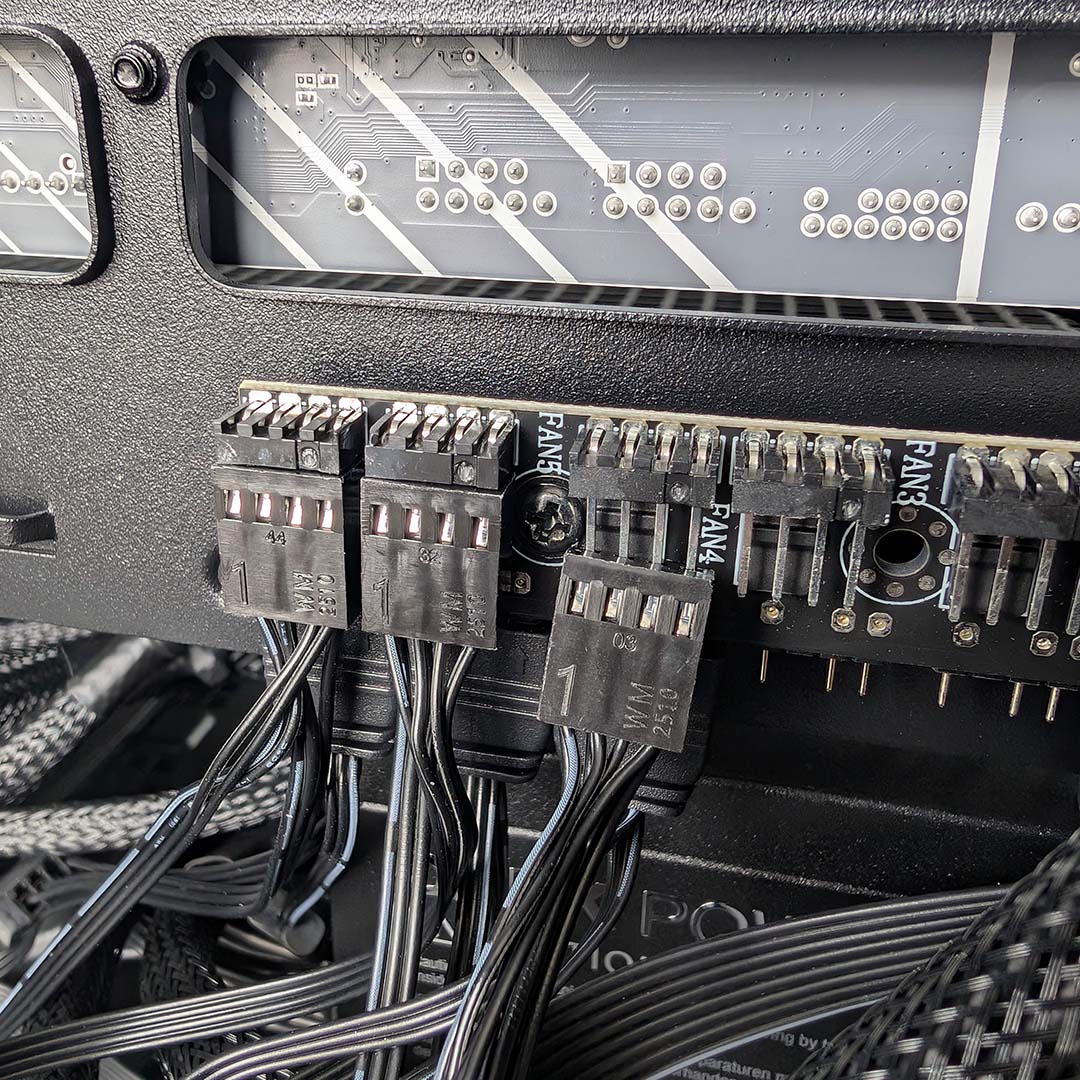
There is a larger gripe I have with cable management in the Covalent, though, involving its PWM fan controller. I purposefully removed all the wires from the PCB to create as tidy a finish as possible, in spite of the mess the daisy chain connectors created. Upon attempting to reconnect them, I made the unfortunate discovery that a neighbouring screw was blocking the third header from marrying properly. While I was able to swap to an alternate one, this is a surprising build quality failing in an otherwise stellar case.
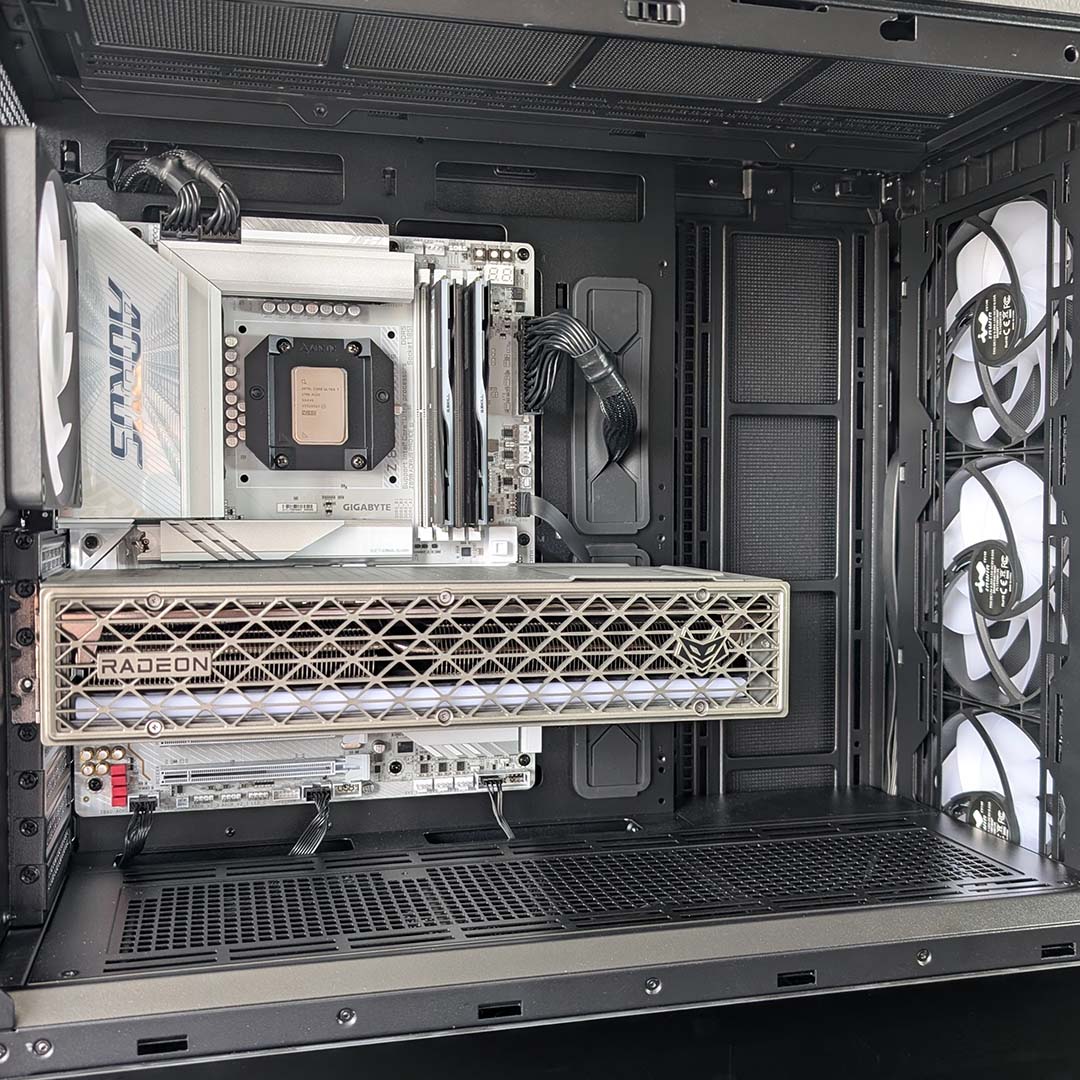
There’s so much space in the case’s main chamber that installing a graphics card as large as the Sapphire Nitro+ Radeon RX 9070 XT isn’t even slightly difficult. Measuring 331mm long, we’re only a little over two-thirds of the maximum length the Covalent supports, and it doesn’t even touch the sides of the dormant side fan bracket.
Combine all that space with eight available expansion slot brackets, and you have a setup that should accommodate vertical GPU mounts with ease. Alternatively, those hoping to build an AI or professional workstation can easily put those slots to work with multi-card setups.
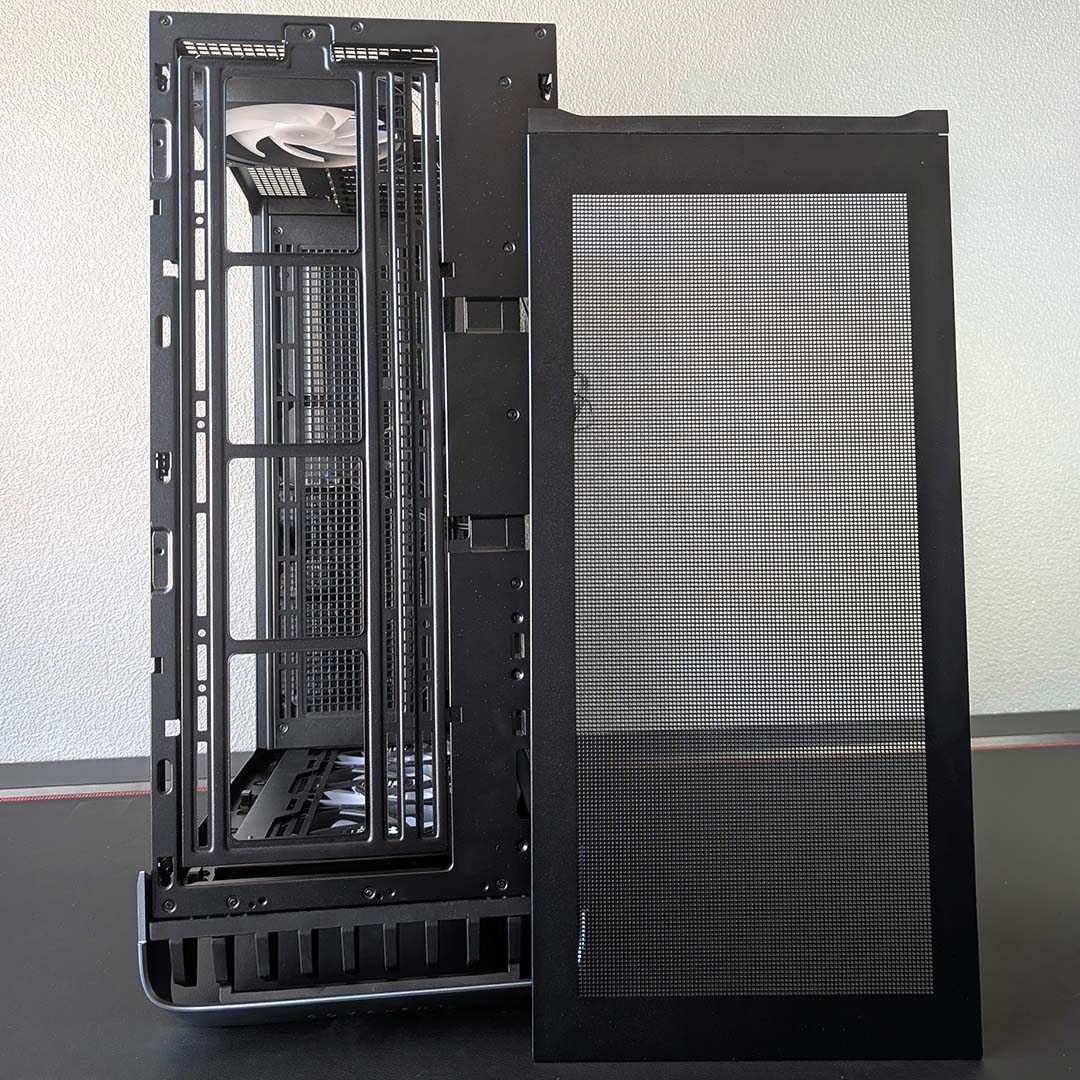
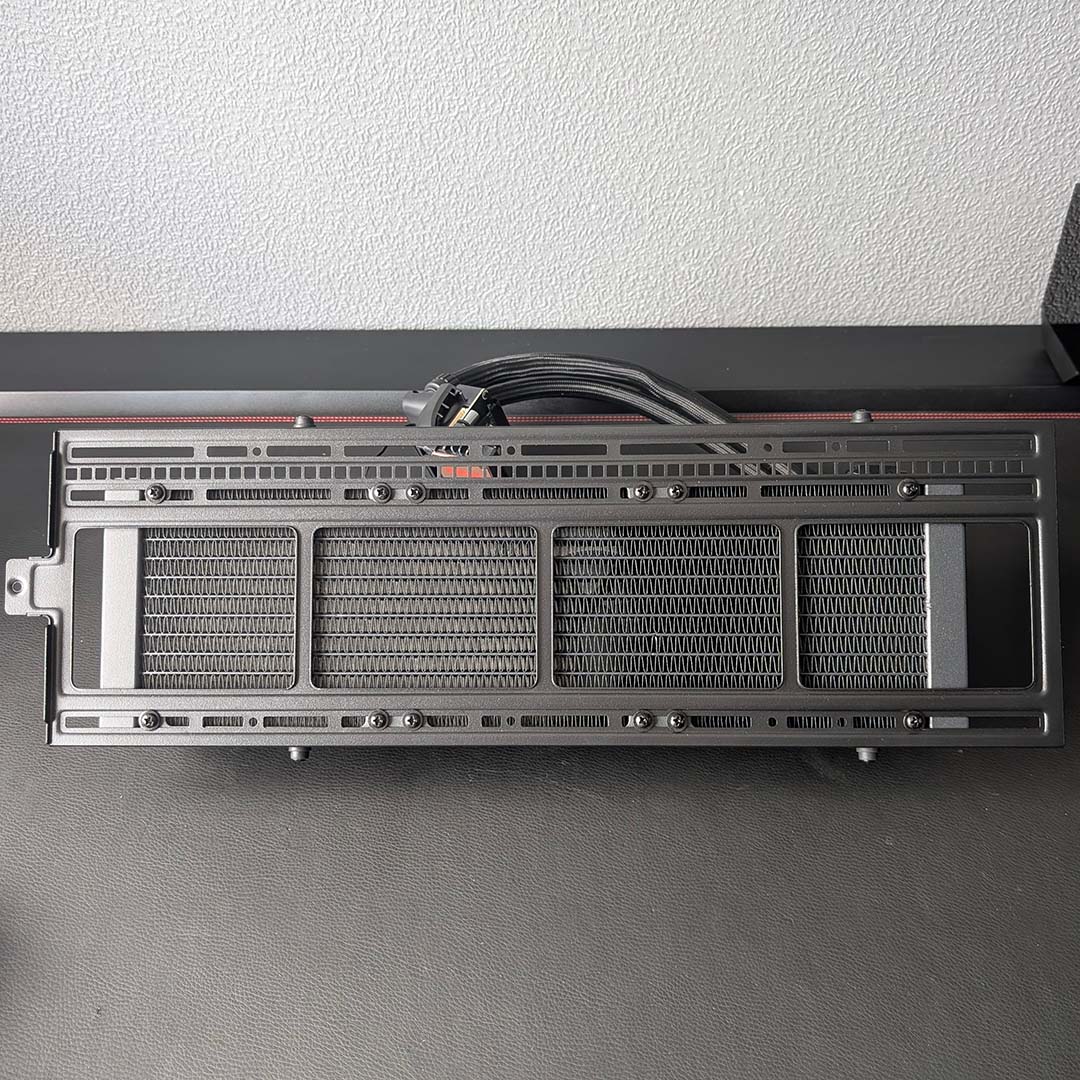
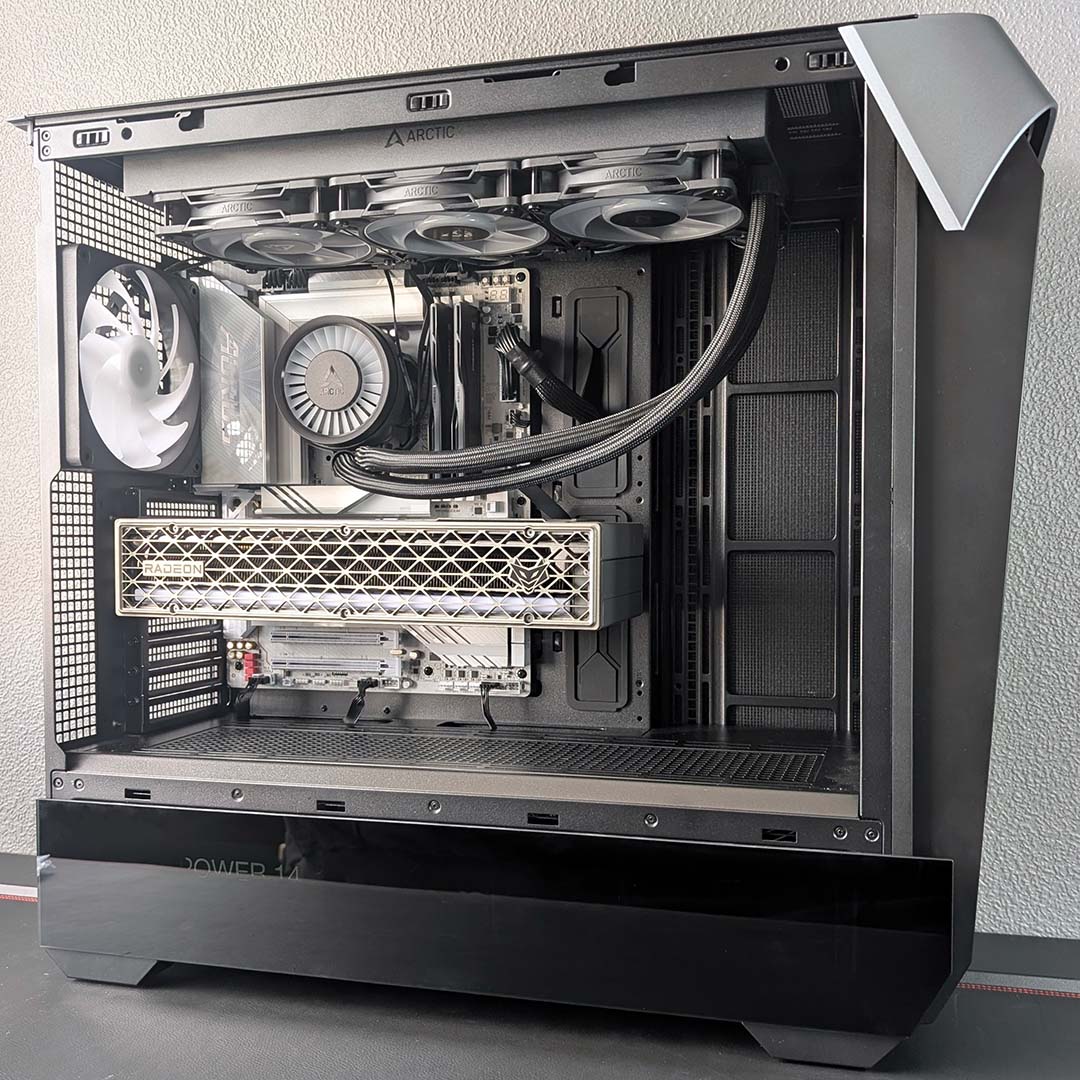
I was happy with this case’s detachable bracket for the PSU, meaning I could easily install and remove cables from the PSU, sliding it in and out with ease via two thumbscrews, rather than undoing all the screws, and I’m all the more thankful for the same convenience while installing my AIO water cooler. Taking out the frame from the case is a touch cumbersome, requiring the removal of two thumbscrews and a single Philips screw, but installation is a breeze from then on.
My 360mm radiator can’t marry to the frame without sitting off-centre. I typically prefer radiators to sit as far back in the case as possible, purely to plug any visible gap above the exhaust fan. A 420mm model would remedy this minor aesthetic ailment, but I’m content with the final position.
Putting together a system inside the Covalent didn’t take long, and the final finish looks great. There are a few minor issues that stop the experience from being flawless, such as the clearance issue I highlighted on the fan controller, but none of them tarnish an otherwise straightforward and satisfying building experience.
Performance
I’m testing the Covalent while the UK enjoys a reprieve from recent heatwaves with relatively cool temperatures, but my office remains cosy at 26°C. These ambient conditions are moderately tough for any PC case, but the chassis has plenty of uninterrupted space to take in and exhaust air atop my Secretlab Magnus desk.
Mirroring the settings of our 9950X3D test rigs, our AIO pump runs at 50% speed, while all our fans sit at 30% (1,200rpm cooler / 600rpm case). Our bespoke benches set a high bar, and I’m hoping for similar results from InWin’s design, with the caveat that we’re using a 360mm radiator in this build rather than a 420mm model.
Sitting idle, CPU core temperatures peak at a cool 34°C. Meanwhile, our graphics card rests silently at 38°C, with its fans running at 0rpm as they wait for GPU load to increase, meaning it’s up to the heatsink and case airflow to manage thermals. So far, so chill.
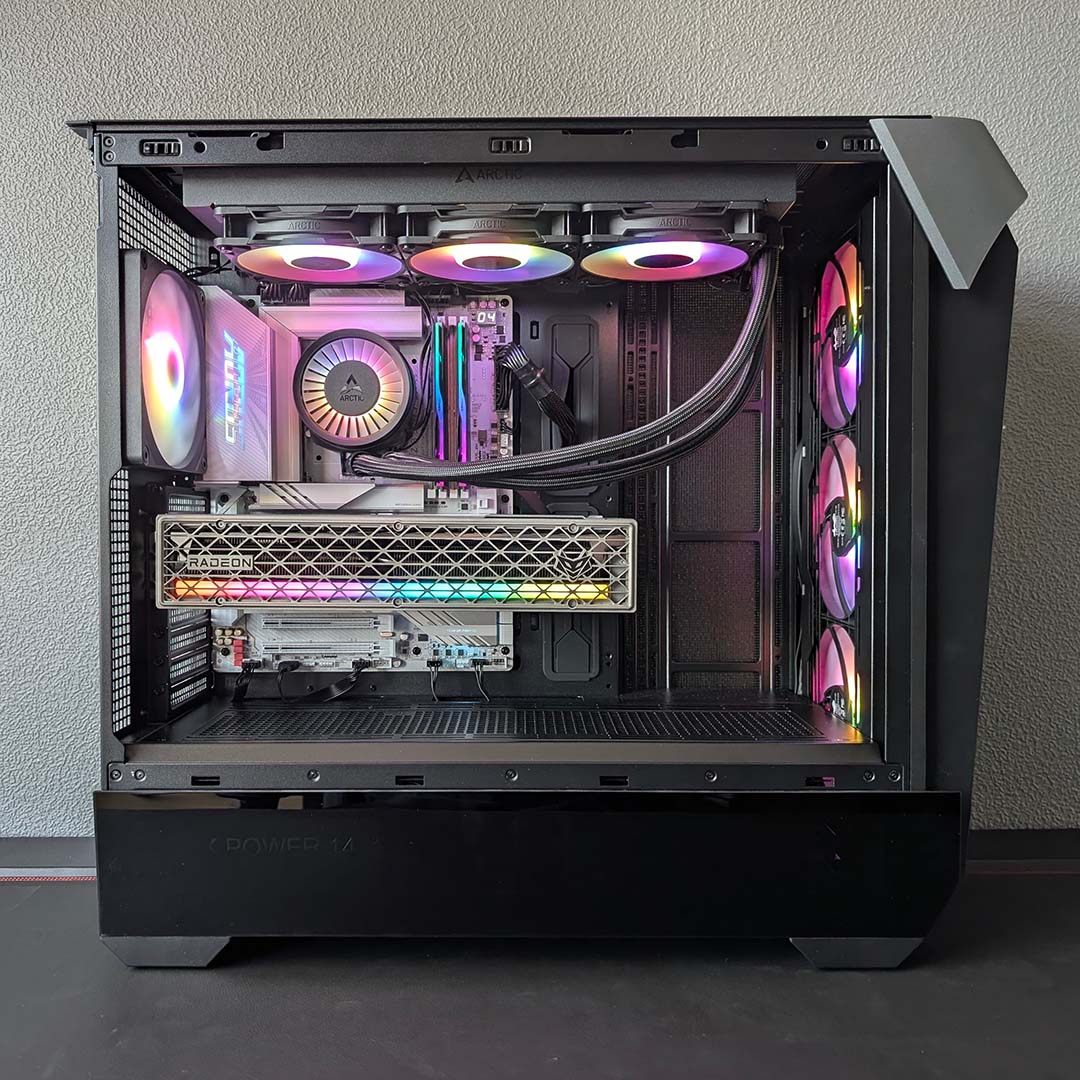
Putting the case and hardware through a 10-minute Cinebench 2026 multi-core benchmark sees CPU core temperatures peak at 84°C. That’s well below the Core Ultra 270K’s thermal limits, and not far off the 79°C we saw from the chip inside our test bench within a 22°C environment. There are clearly no issues with airflow here, far from it.
Placing strain on the CPU and GPU simultaneously via Cyberpunk 2077, the Covalent continues to shine. The system’s processor peaks at a reasonable 66°C, while the graphics card remains cooler still at 55°C. The case is clearly suitable for high-end consumer hardware, and should meet the challenges of professional-grade kit with similar gusto.
Acoustics are similarly strong, as the three CW140 fans noise levels fall below the 30dBA floor of my test equipment, measured 30cm away from the intake. From the same distance, the system’s exhaust hums along at a pleasant 32dBA. There’s plenty of headroom here to push down temperatures at the expense of acoustics, not forgetting the further potential a 420mm AIO cooler could offer.
Conclusion
If you have room in your setup for the enormity that is the InWin Covalent, this PC case ticks almost every box. The chassis design is both attractive and functional, pairing industrial workstation aesthetics with a touch of tempered glass to a pleasing effect. More importantly, the build experience is breezy, and airflow is abundant, without needing to push up fan speeds to untenably noisy levels.
The only major drawback the case faces is a lack of removable dust filters, but there are small blemishes here too. There are ways of addressing the fan controller clearance issues I highlighted earlier, but having to search for solutions to problems that seem so easily avoidable is bothersome. These are largely forgivable offenses considering overall build quality, but ones that stop the chassis from achieving a completely clean sweep.
You can pick up a Covalent in Europe for €149, which is a fair asking price given the size and performance of the case, as well as its included accessories. However, finding the Covalent in the UK is difficult, as purchasing directly from InWin’s EU store will cost an additional €53.60 as my post code flies.
This is still far cheaper than the likes of the Antec Flux Pro Noctua Edition (€399), but I’d sooner steer UK gamers in the direction of the Arctic Xtender VG, as that’s available direct from native retailers for as little as £113. However, for those looking to put together a hefty workstation with an SSI-EEB motherboard, or a machine with plenty of 2.5/3.5in drives, the Covalent is a very capable chassis with plenty of airflow.
