Intel has published its latest WHQL-certified graphics driver, version 32.0.101.8425/32.0.101.8362, for Arc and Core products, featuring new hardware support and tech. This update is available for Alchemist and Battlemage GPUs, as well as Meteor Lake, Lunar Lake, Arrow Lake-S, Arrow Lake-H, and the company’s new Panther Lake chips.
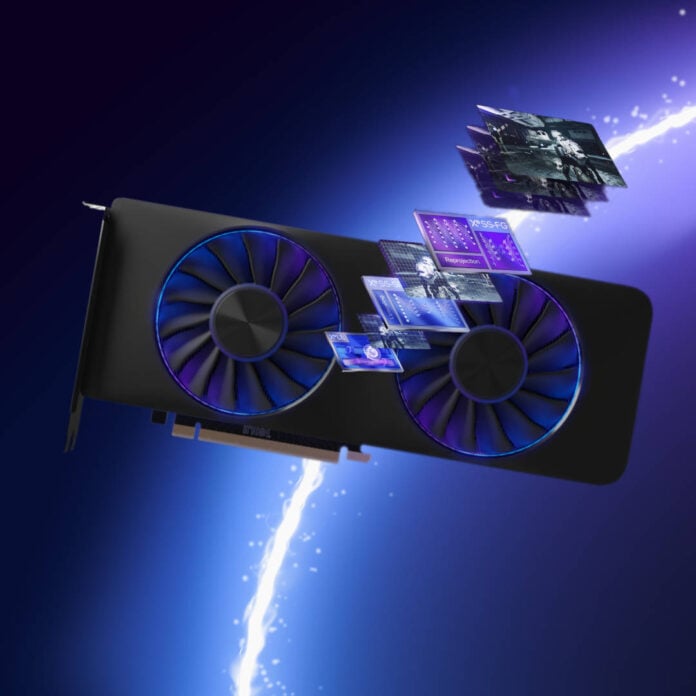
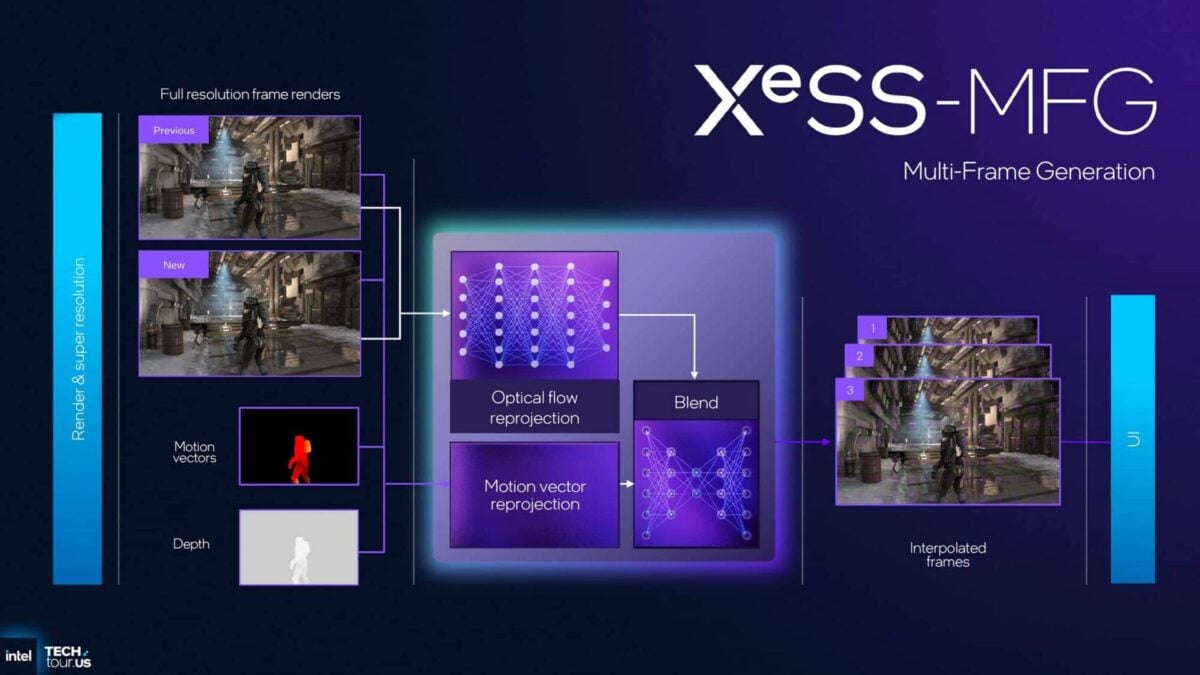
This driver debuts Intel’s multi-frame generation (MFG) technology as part of the XeSS 3 upscaling suite, generating up to three extra frames after each genuinely-rendered one. The idea is to further boost the perceived smoothness with little performance cost, helping Arc graphics users take advantage of the higher refresh rates of modern monitors.
The technology was first unveiled back in October 2025 during a dedicated presentation, but now users can test it for themselves. Intel said that MFG implementation took a bit of time to develop, as now the technology uses only one pass of optical flow calculations to create all three AI-generated frames, which increases performance.
However, unlike Nvidia’s DLSS MFG, which relies on hardware Flip Metering on RTX 50 Series to ensure an even frame delivery over time, Intel went with a software system. It generally worked well in our Panther Lake GPU benchmarks at CES, but we did also spot some strange artifacts when using MFG in Assassin’s Creed Shadows. Intel’s Tom Petersen admitted that Intel still had “work to do” when we showed him the footage.
MFG aside, this driver also adds support for Intel’s latest Core Ultra Series 3 Panther Lake processors, specifically its Arc B390 and Arc B370 Xe3 iGPUs.
In terms of bug fixes, this update doesn’t change much, apart from solving some crashes while launching the Pragmata Sketchbook demo, and correcting Variable Refresh Rate value reporting in the graphics software.
Intel is also aware of bugs in Ghost of Tsushima, The Finals, No Man’s Sky, Star Citizen, Mount & Blade II: Bannerlord, and Call of Duty Black Ops 6, which it says should be fixed in a future driver release. The driver is available through Intel’s website (1.4GB).
Here are all the changes in Intel Arc driver 32.0.101.8425:
Highlights:
• Launch driver for Intel Core Ultra Series 3 with built-in Intel Arc B390, B370 GPUs (codename Panther Lake).
▪ Intel XeSS 3 Support: Introducing Multi-Frame Generation
Fixed issues:
Intel Arc B-Series Graphics Products:
▪ PRAGMATA SKETCHBOOK Demo (DX12) may experience an application crash while launching the game.
Intel Core Ultra Series 2 with built-in Intel Arc GPUs:
▪ PRAGMATA SKETCHBOOK Demo (DX12) may experience an application crash while launching the game.
Known issues:
Intel Core Ultra Series 3 with built-in Intel Arc GPUs:
▪ Ghost of Tsushima (DX12) may exhibit colour corruption on terrains during gameplay.
▪ The Finals (DX12) may experience an intermittent application crash.
▪ No Man’s Sky (VK) may exhibit corruptions on certain terrains during gameplay.
▪ Star Citizen (VK) may experience an application crash on game launch.
▪ Mount & Blade II: Bannerlord (DX11) may experience an application crash during game launch.
Intel Arc B-Series Graphics Products:
▪ Call of Duty Black Ops 6 (DX12) may exhibit intermittent corruptions on certain water surfaces during gameplay.
▪ Star Citizen (VK) may experience an application crash on game launch.
▪ PugetBench for Davinci Resolve Studio may experience an intermittent application crash while running the benchmark.
Intel recommends changing the timeout slider to 1,500 seconds or higher, to wait for each test to complete, in PugetBench benchmark settings.
Intel Arc A-Series Graphics Products:
▪ PugetBench for Davinci Resolve Studio may experience an intermittent application crash while running the benchmark.
Intel recommends changing the timeout slider to 1,500 seconds or higher, to wait for each test to complete, in PugetBench benchmark settings. the timeout slider to 1500 seconds or higher, to wait for each test to complete, in PugetBench benchmark settings.
Intel Core Ultra Series 1 with built-in Intel Arc GPUs:
▪ Battlefield 6 (DX12) may exhibit intermittent corruptions on certain maps during gameplay.
Intel Core Ultra Series 2 with built-in Intel Arc GPUs:
▪ Call of Duty Black Ops 6 (DX12) may exhibit intermittent corruptions on certain water surfaces during gameplay.
▪ Battlefield 6 (DX12) may exhibit intermittent corruptions on certain maps during gameplay on some notebooks
Ultra Series 2 with built-in Intel Arc GPUs:
▪ No Man’s Sky (VK) may exhibit corruptions on certain terrains during gameplay.
▪ Topaz Video AI may experience visual artifacts when using certain AI models.
Graphics issues:
Intel Graphics Software Fixed Issues:
• Variable Refresh Rate range in Display page may show incorrect values.
Intel Graphics Software Known Issues:
▪ When using the settings, preferences, reset all settings option in Windows 10 the application may experience an intermittent crash.
Settings can be reset from individual pages without issue.
▪ Intel Graphics Software may sometimes experience a single application crash on the first re-arrange of metrics within the select metrics window. Subsequent usage will not be affected by this crash again.
▪ Combined Display may intermittently not function as expected while combining displays or resetting settings.