

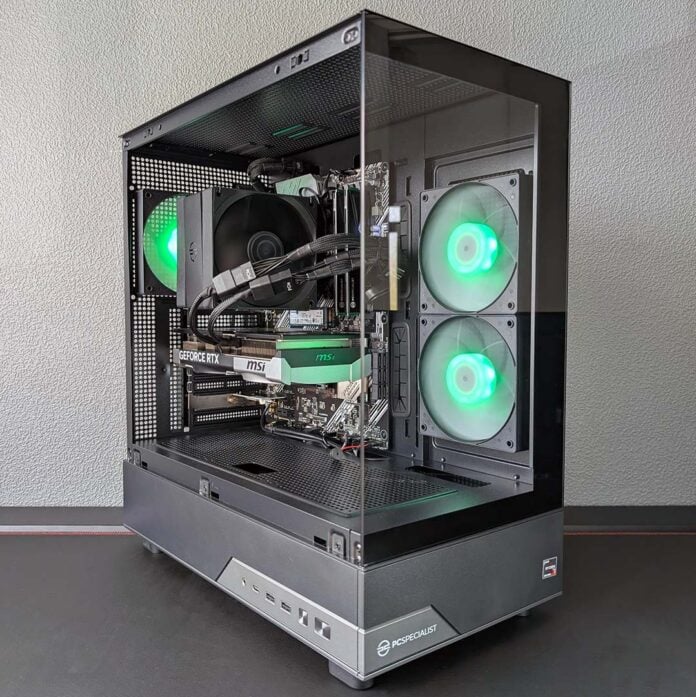
AMD’s Ryzen 7 5800X3D is back on store shelves and powering prebuilds, such as this PCSpecialist Apex Ultra, promising a means to push frame rates as high as possible without shelling out for DDR5 RAM. Having put this system through its paces, I can confidently say the returning AM4 gaming king still has plenty of performance to give, providing you can accept a few notable sacrifices.

PCSpecialist Apex Ultra
£1,599
Pros
- Great FHD/QHD frame rates
- Good price versus DIY
- Two tempered glass panels
- Reasonable noise and thermals
- Lean power consumption
Cons
- Little upgrade potential
- Unsightly GPU cable
Club386 may earn an affiliate commission when you purchase products through links on our site.
How we test and review products.
At the time writing, PCSpecialist is offering up the Apex Ultra for £1,599. This is an attractive price considering the components in play, convenience of pre-assembly, and factoring in relative costs for a DIY build, all of which I’ll discuss in more detail throughout this review.
Specifications
For those unfamiliar with this lauded CPU, the 5800X3D packs eight cores, 16 threads, and a 4.5GHz maximum boost clock. However, what made this processor such a big deal back in 2022 is its exceptionally large pool of L3 cache. Through its then brand-new 3D V-Cache technology, AMD was able to vertically stack a big slice of cache on top of the 8-core chiplet, transforming a typical 32MB pool into 96MB.
AMD’s approach has largely remained the same since. The 5800X3D carries the same number of cores and threads as subsequent successors, namely the Ryzen 7 7800X3D and 9800X3D. Performance improvements on those processors instead largely derive from underlying architectural advancements, higher clock speeds, and DDR5 RAM.
While the likes of the Core i7-14700K and other Intel chips would be reasonable alternatives, the 5800X3D has them all beat when it comes to efficiency with a mere 105W TDP compared to 253W. That’s not forgetting concerns surrounding Raptor Lake stability. Suffice to say, there’s no processor I’d prefer to have in a DDR4 gaming PC.
| PCSpecialist Apex Ultra | |
|---|---|
| CPU | AMD Ryzen 7 5800X3D |
| CPU cooler | PCSpecialist AS-150 |
| Motherboard | Asus Prime B550-Plus |
| GPU | Nvidia GeForce RTX 5070 |
| RAM | 32GB (2x16GB) PCS Pro DDR4-3200 CL22 |
| SSD | 1TB Kingston NV3 NVMe SSD |
| PSU | 750W Corsair CX-750 |
| Other features | Bluetooth 5.3 1Gb Realtek Ethernet Wi-Fi 6E |
| Case | PCS Illumis SF ARGB |
| Operating system | Windows 11 Home |
| Warranty | Three years labour, one year parts, six months collect and return |
| Price | £1,599 |
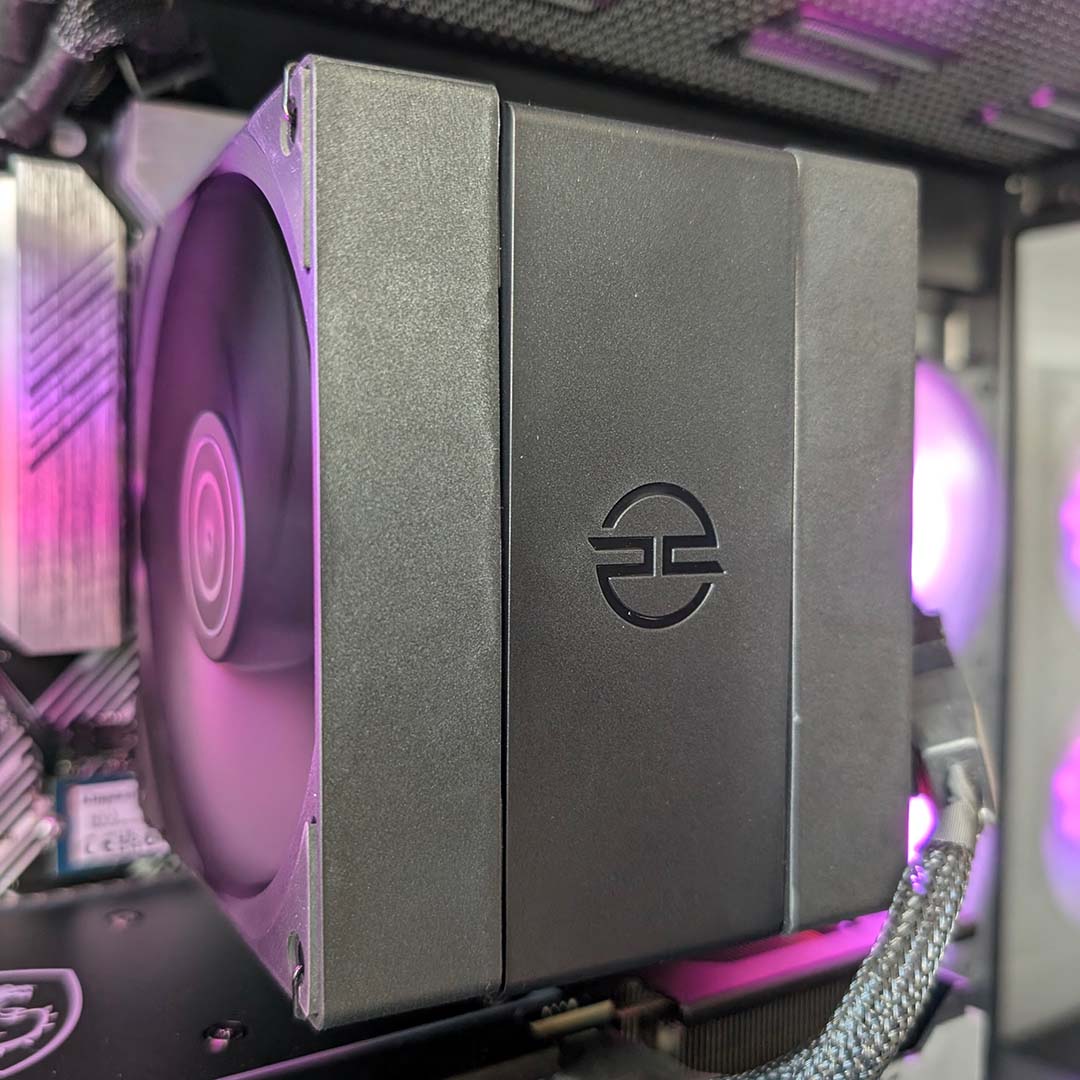
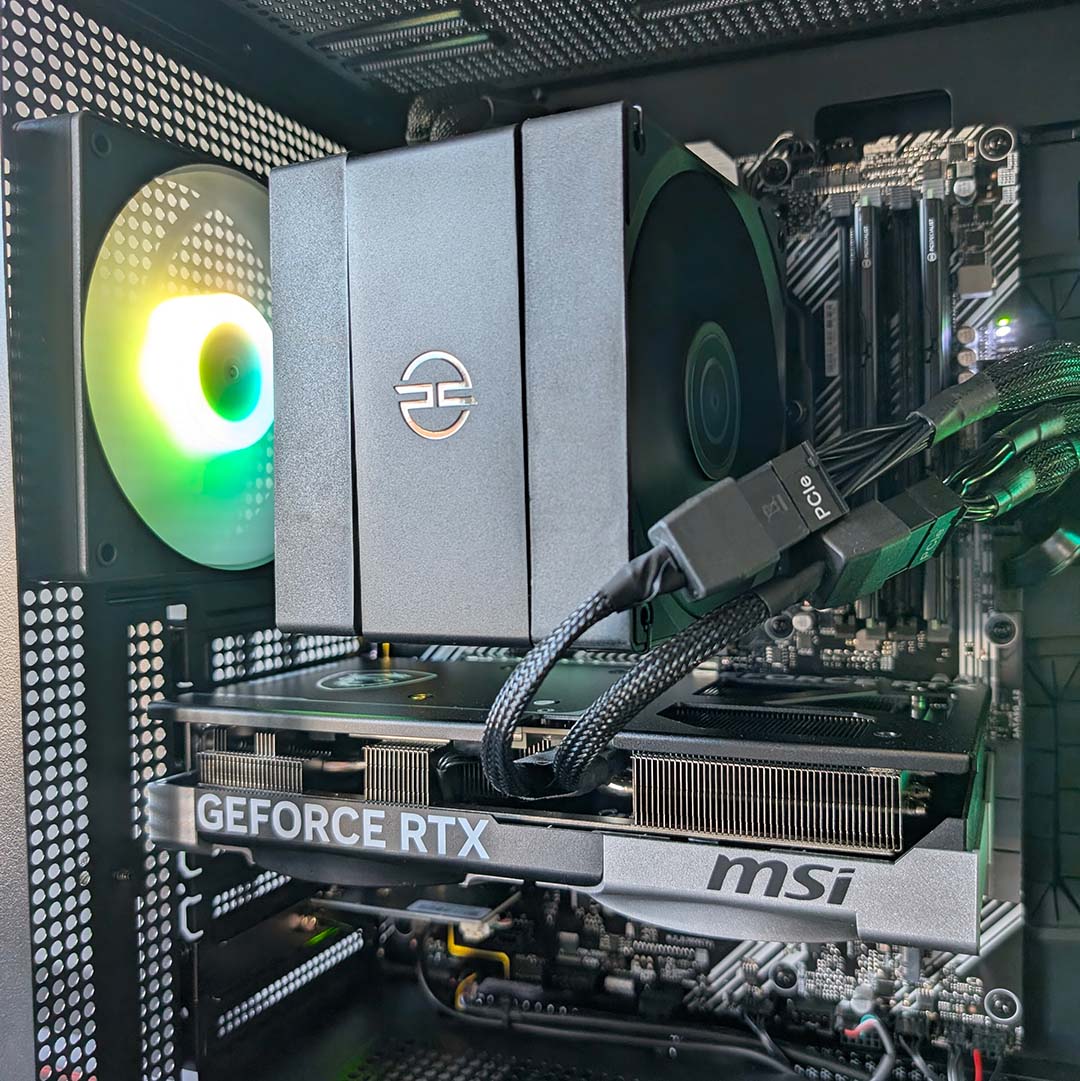
Sitting atop the 5800X3D is a PCSpecialist AS-150 cooler, featuring four heat pipes and two fans attached to its 150mm tall fin stack. The system build rates this air cooler for up to 220W, so cooling this 105W processor should be light work. Despite these credentials, we shouldn’t expect chill temperatures, as we’ve found this CPU can get pretty hot with all that cache on top of the cores.
Moving on to memory, the Apex Ultra sports 32GB of RAM across two PCSpecialist Pro modules. It’s always great to see RAM running in dual-channel mode for maximum performance in these times, and this system has more than enough capacity to meet the demands of games for the foreseeable future.
Processors with 3D V-Cache are less reliant on fast memory speeds and latency than non-X3D chips, owing to their big L3 caches. However, PCSpecialist hasn’t let this fact deter it from outfitting this prebuild with a reasonably fast kit, running at 3,200MT/s with CL22 timings.
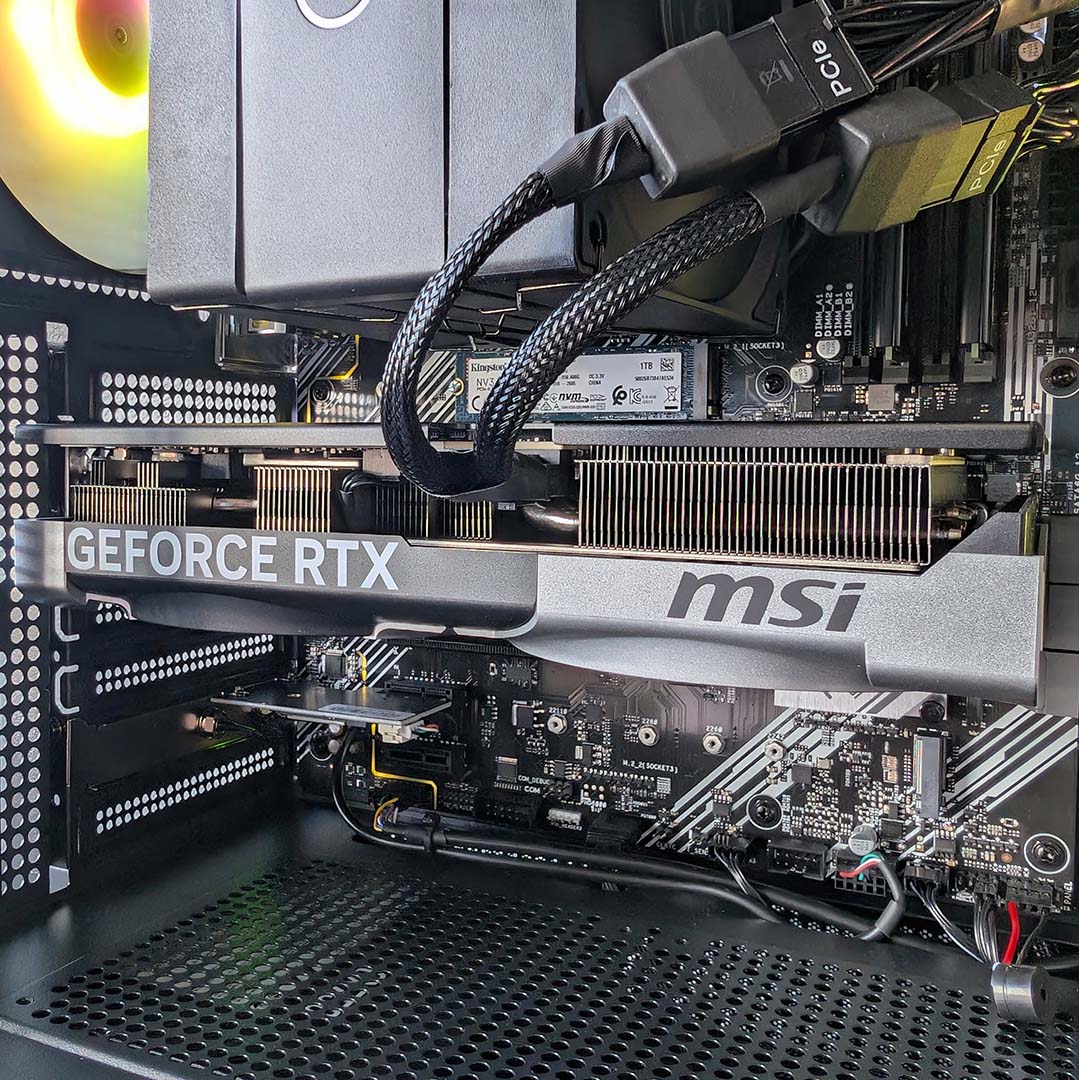
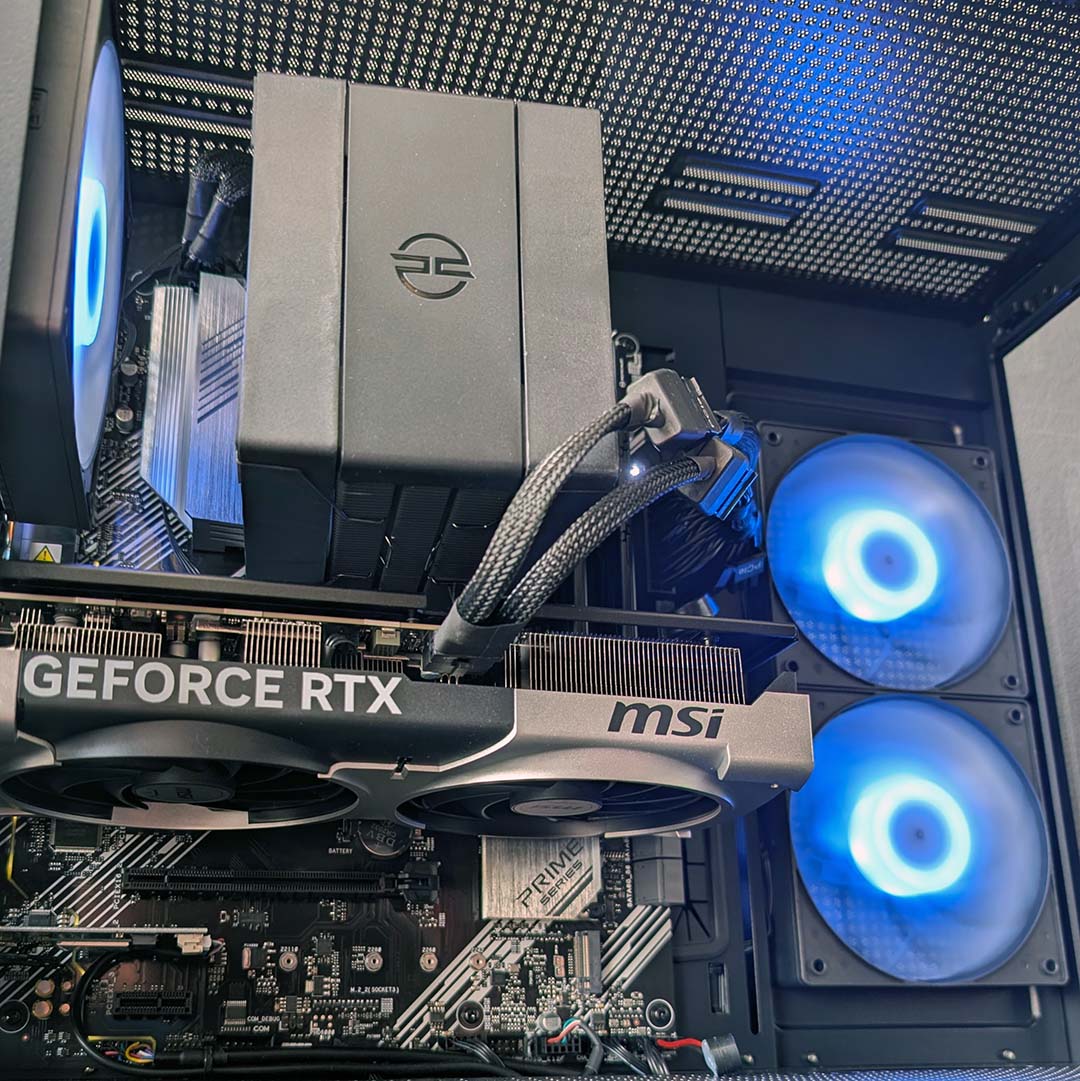
There’s little point outfitting a system with a 5800X3D without sufficient graphical horsepower to complement the CPU, of course, and PCSpecialist does just that. Inside the Apex Ultra is an MSI GeForce RTX 5070 Ventus 2X OC, capable of delivering plenty of frames per second across FHD and QHD resolutions. That said, tweaks may be necessary in demanding games at the latter resolution, owing to the graphics card’s 12GB of VRAM. A Radeon RX 9070 would’ve mitigated such fiddling with its 16GB buffer, but Nvidia’s midrange contender remains a reasonable choice, especially at this price.
Of course, Nvidia DLSS 4.5 does make overcoming the limitations of the RTX 5070’s buffer a touch easier. DLSS Super Resolution frees up video memory capacity by virtue of a lower rendering resolution, while also boosting performance. That’s not forgetting the benefits of frame generation, Ray Reconstruction, and exclusive niceties in the GeForce software suite such as RTX HDR.
Before giving the motherboard our full attention, I’d like to allay any concerns surrounding the PCIe 5.0 x16 interface of the RTX 5070 running at PCIe 4.0 x16 speeds, as it does in this system. That’s still plenty of bandwidth for this GPU, and the use of a B550 chipset, rather than the cheaper A520, means you get PCIe 4.0 for the SSD and graphics card, rather than PCIe 3.0, which is well worth having.
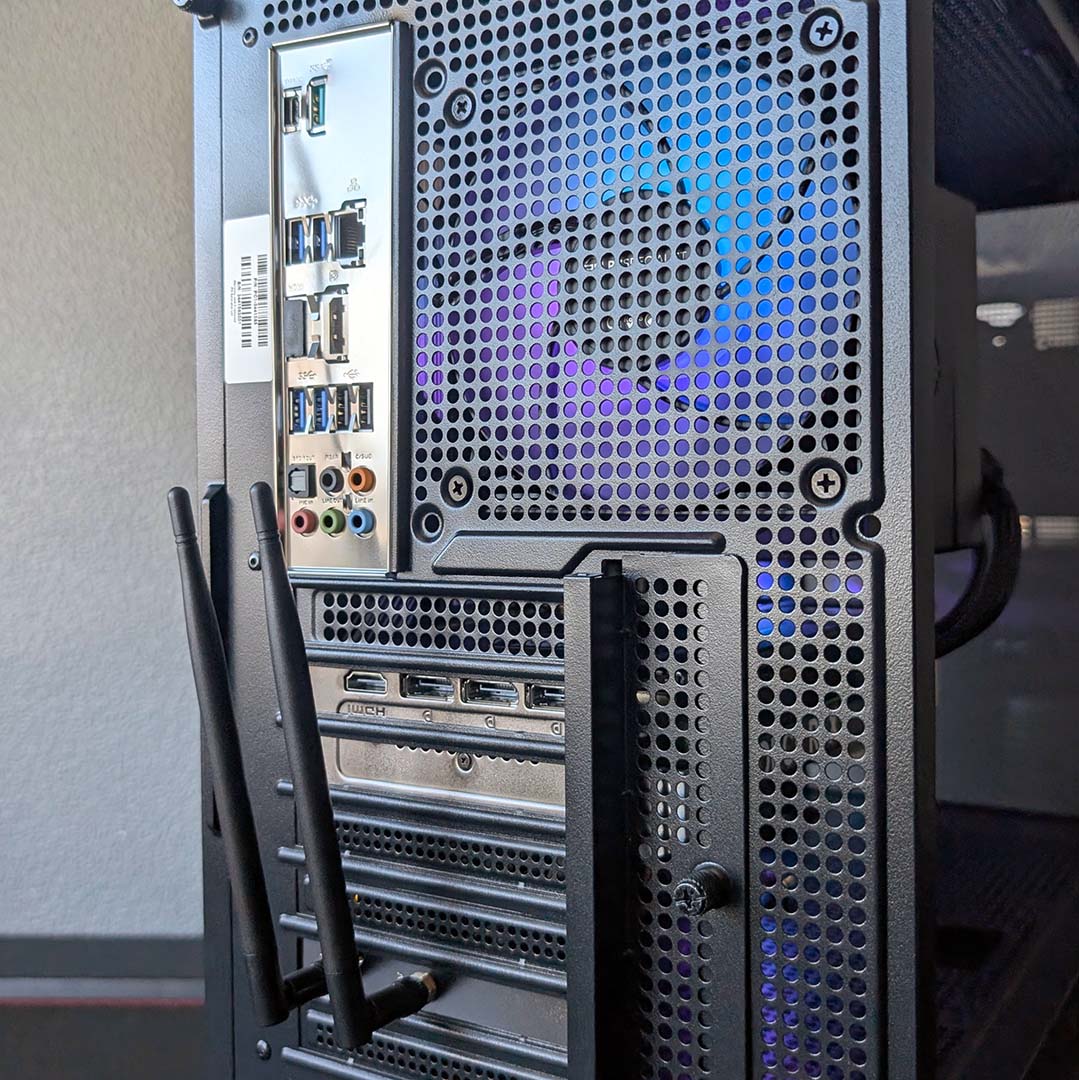
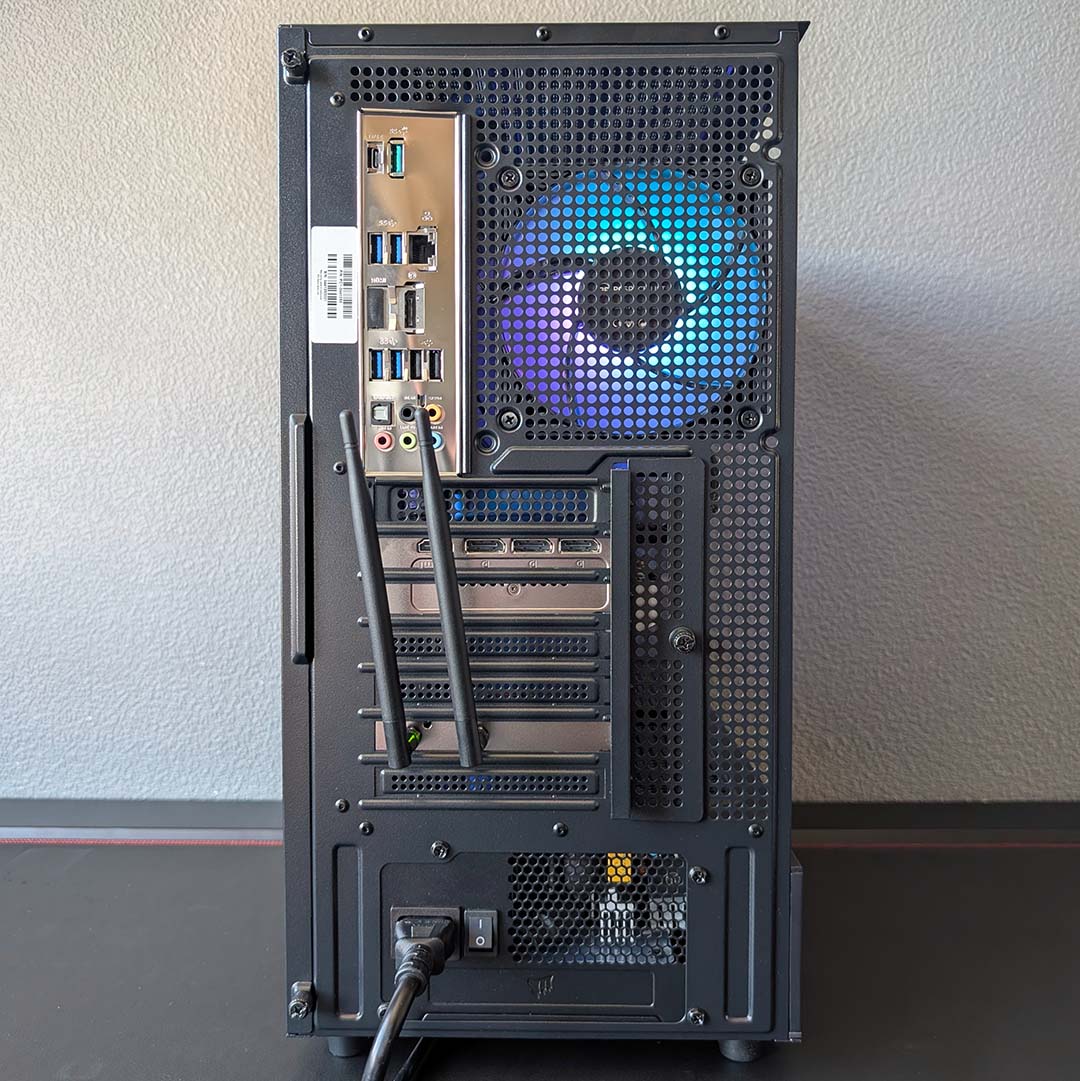
An Asus Prime B550-Plus serves as the foundation of the Apex Ultra. This isn’t a particularly flashy board, but it does offer the majority of creature comforts you’d expect from a motherboard, including that all-important PCIe 4.0 support. Built-in Wi-Fi is not among them, but PCSpecialist uses one of the available expansion slots to plug this gap with an add-in card, bringing Wi-Fi 6E and Bluetooth 5.3 connections to the system.
There are two M.2 slots on the board, one PCIe 4.0 x4 and a PCIe 3.0 x4 with SATA support, and PCSpecialist has installed a 1TB Kingston NV3 residing in the former. This SSD boasts sequential read and write speeds of up to 6,000MB/s and 4,000MB/s, respectively, which is plenty fast enough for loading and installing games. Again, this is a benefit of that B550 chipset – in an A520 board with only a PCIe 3.0 x4 slot, you’d be looking at speeds of around 3,500MB/s at most.
I was also delighted to see a Q-LED array on this motherboard, and I never miss a chance to celebrate those little flashing lights. I maintain that every board should have these invaluable troubleshooting tools, which make identifying any issues relating to your CPU, RAM, or GPU all the easier. A code display in tow remains my gold standard, but I view this as a solid middle ground.
You’ll find a healthy assortment of connections across the Apex Ultra. On the back of the motherboard there are two 480Mb USB-A ports, four 5Gb USB-A sockets, and a single 10Gb USB-A connection. That gives you plenty of room to plug in all manner of peripherals, all colour coded to indicate their speed. That’s not forgetting the lone 10Gb USB-C port too.
The only other connection of note for most folks is the 1Gb Ethernet socket. I’ve become a regular Wi-Fi user in recent years, but this should please all but the few gamers lucky enough to have broadband speeds that meet the bandwidth of this port. Rounding off the selection are DisplayPort and HDMI outputs, in addition to analogue audio connectors.
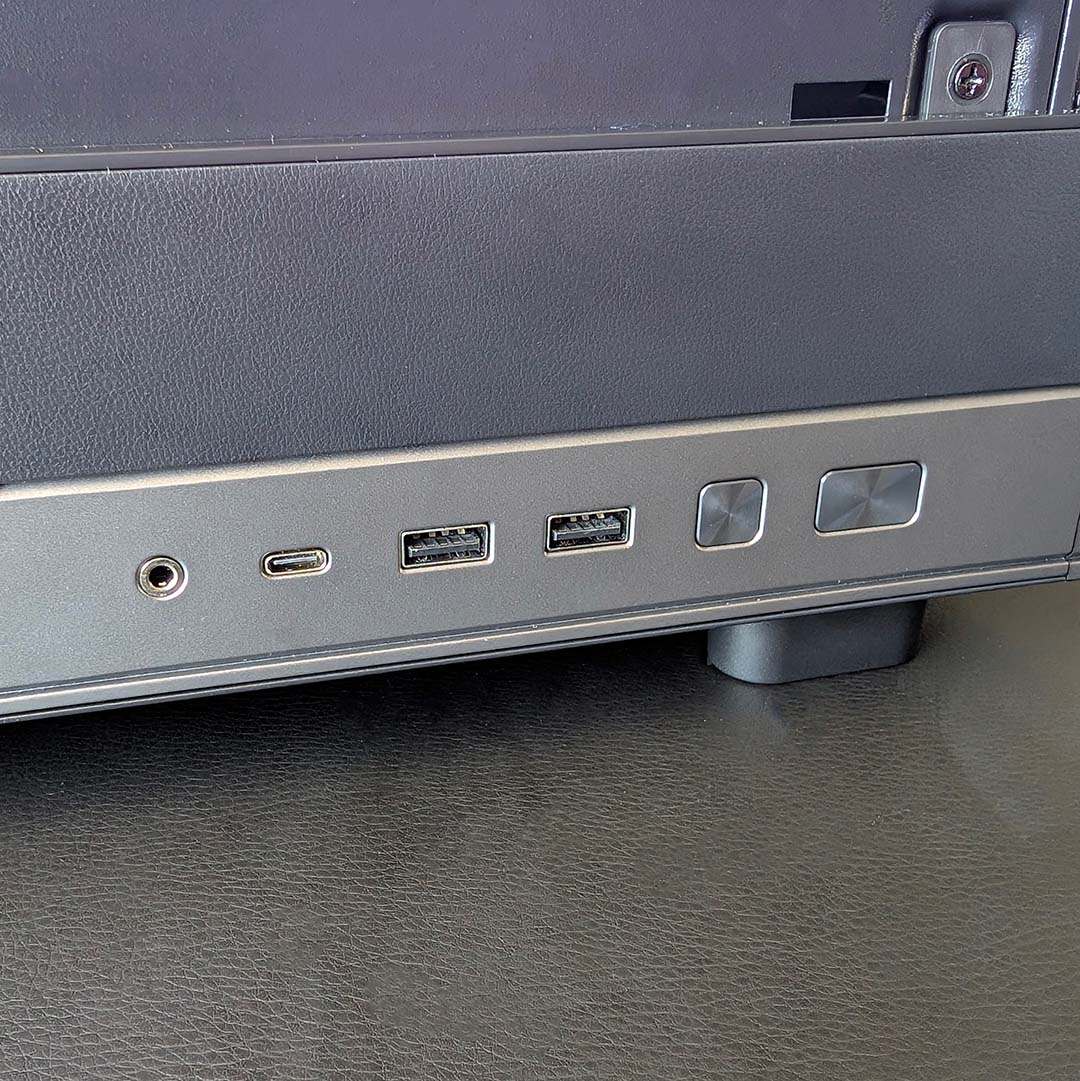
There are two more USB-A ports available on the side of the chassis, as well as a 3.5mm jack connection. Unfortunately, the USB-C port in this array doesn’t work due to a lack of a supporting header. This isn’t a limitation of the B550 chipset, and instead reflects the relatively basic nature of the motherboard, with no way to address this omission beyond swapping in a different board down the line.
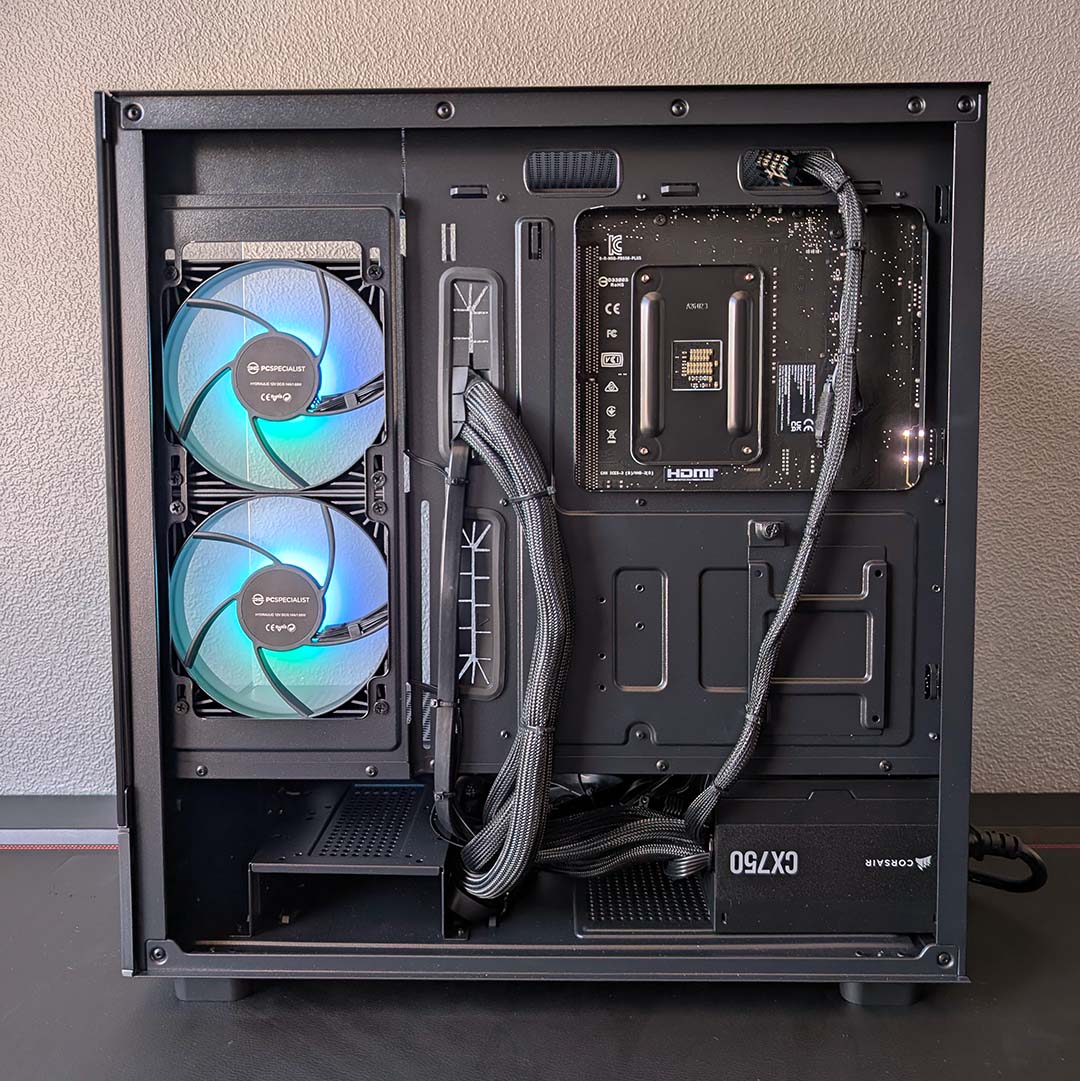
After removing two thumbscrews, we can access the rear chamber. There’s room to install 2.5in and 3.5in storage drives back here, but there’s otherwise little reason to pop off this panel, as PCSpecialist has done a great job at routing all the necessary case and power supply cables. However, I do wish the firm had moved away from using single-use cable ties, as you can’t reuse them if you make any changes further down the line.
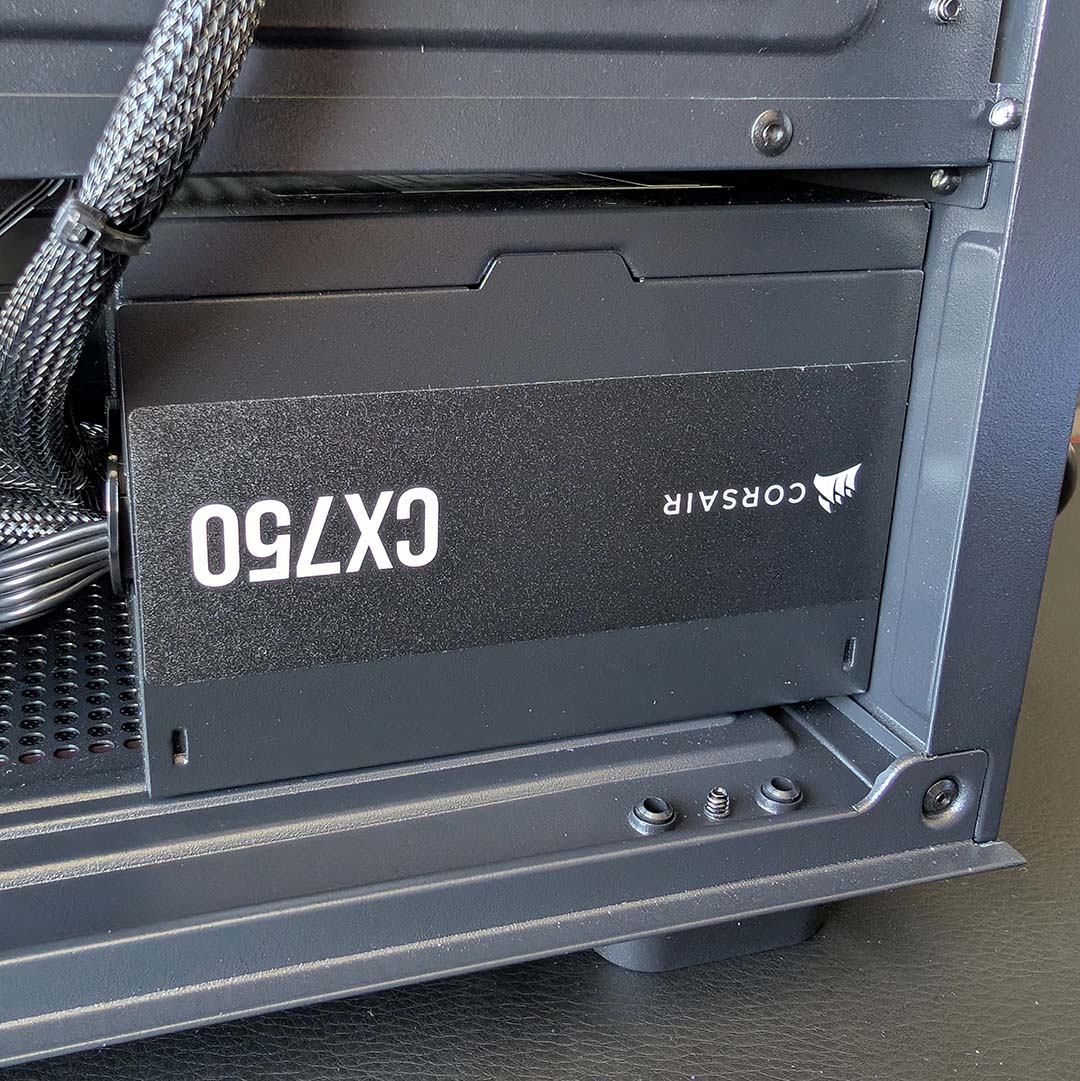
In the bottom corner you’ll find a Corsair CX750, serving as the Apex Ultra’s power supply. This is a non-modular 750W PSU, meaning that all extraneous wiring sits underneath the shroud, but its wattage does at least provide some room to upgrade your graphics card down the road to an RTX 5070 Ti or RX 9070 XT.
Unfortunately, the CX750 doesn’t feature a native 16-pin power cable amongst its many wires. As a result, there’s an unsightly 8-pin adapter spoiling the otherwise clean and minimalist finish of the build. It’s certainly worth considering upgrading the power supply down the road for this reason, as well as to improve efficiency beyond the 80 Plus Bronze rating.
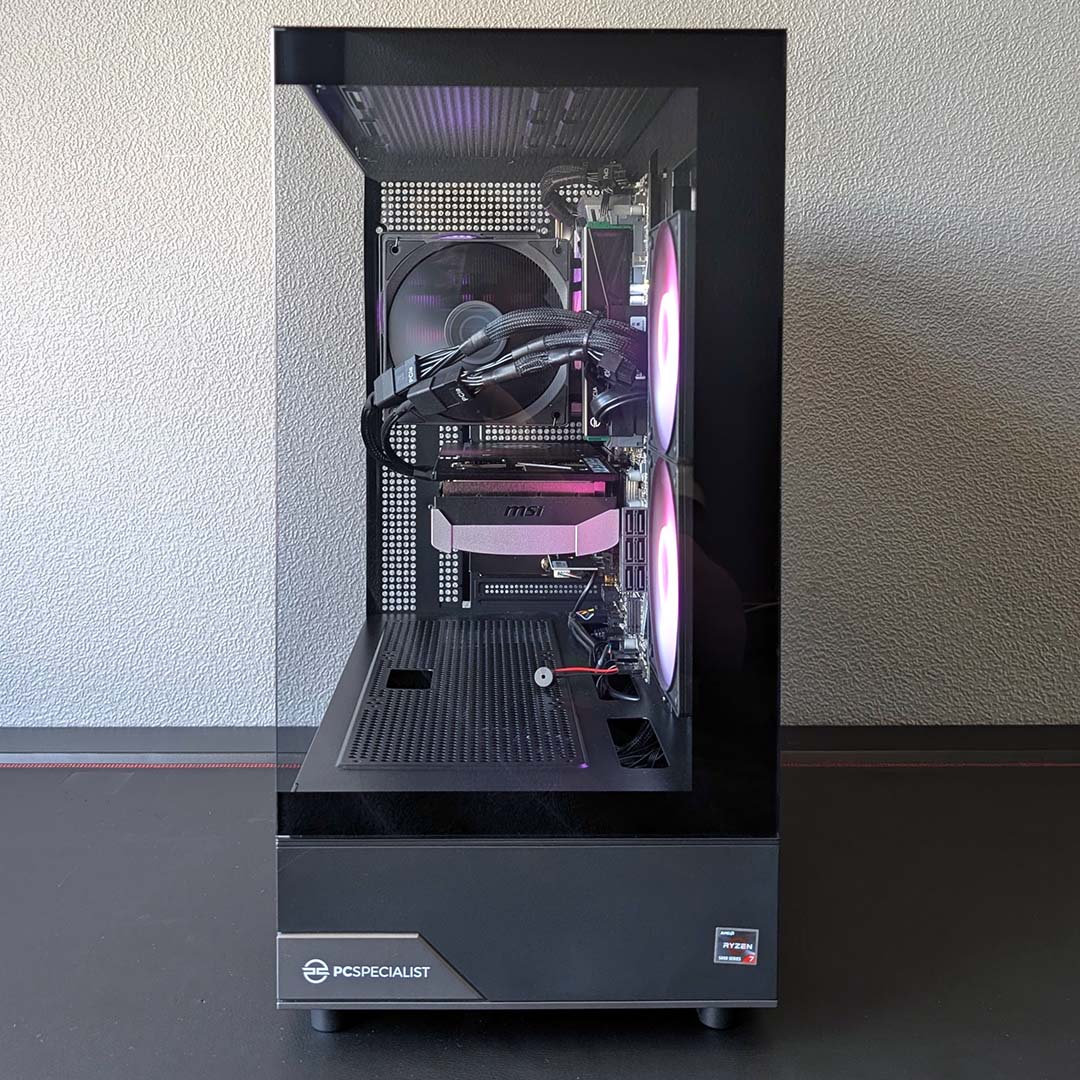
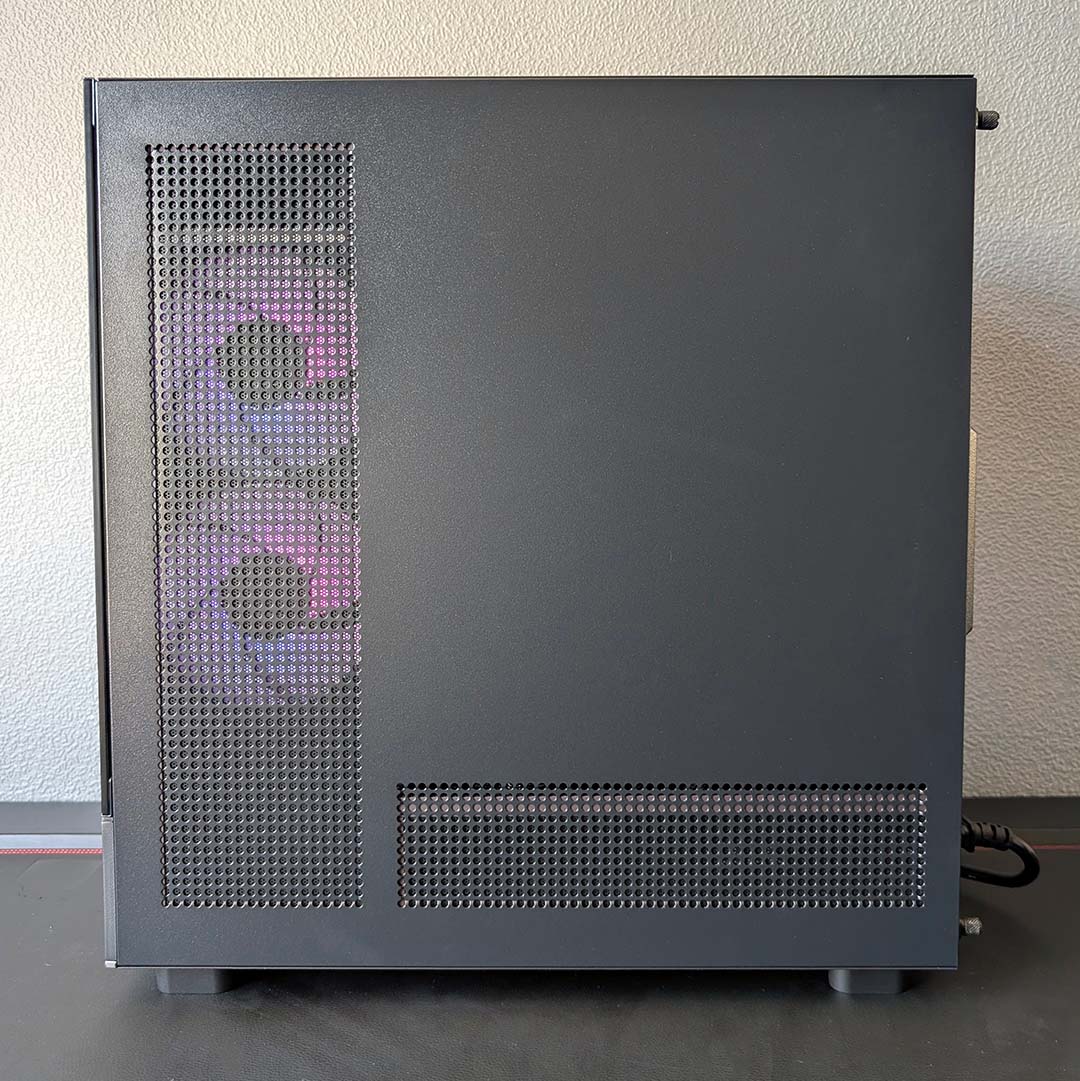
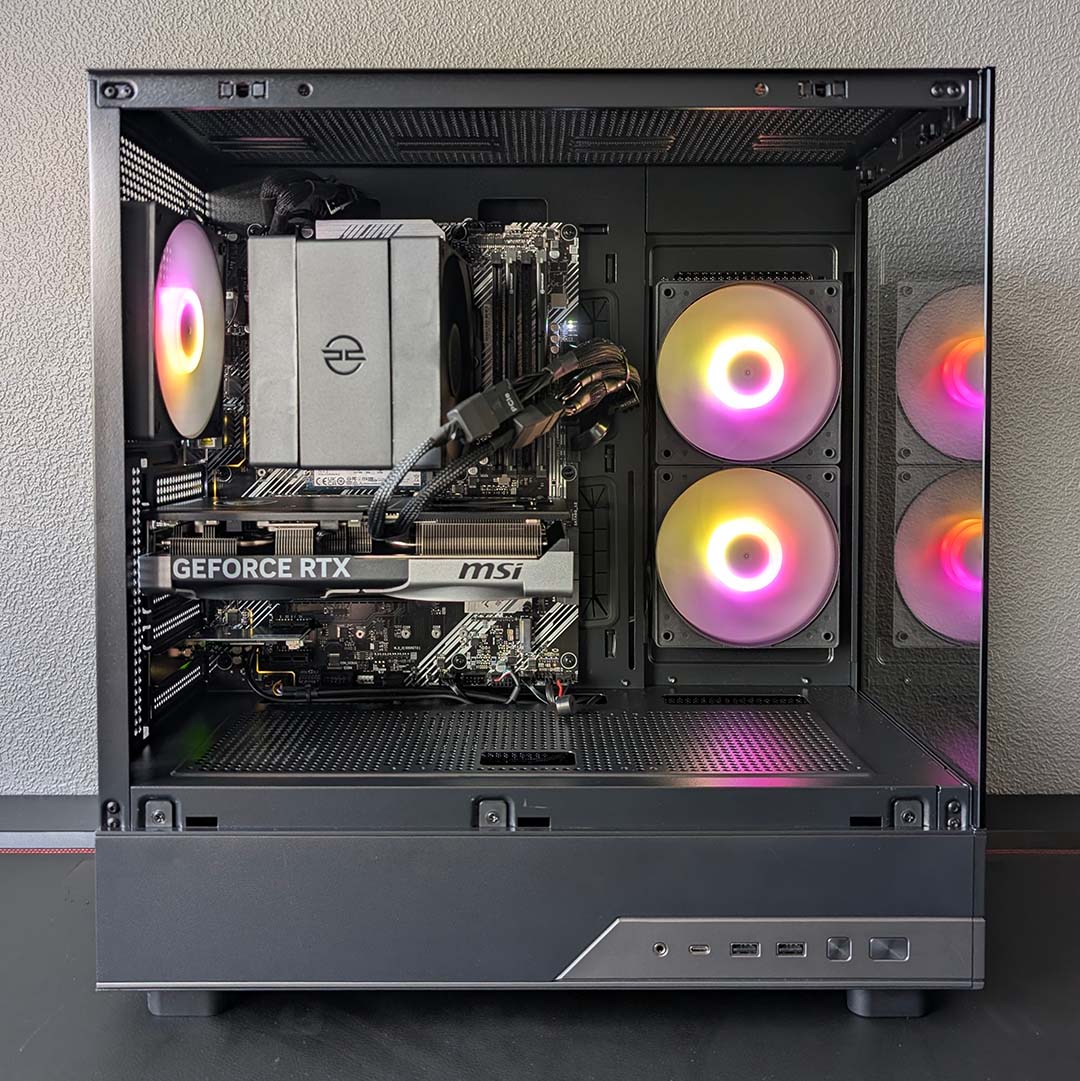
Stepping back and assessing the main chamber as a whole, there are three 120mm A-RGB fans at work. I am curious how the side intakes affect temperatures relative to a front placement, but the results we’ve seen are certainly good enough without proving too noisy. From a purely aesthetic point of view, this system has a sparse but nonetheless attractive finish, thanks to the case’s dual tempered glass panels.
Creating my own DIY build of an Apex Ultra with broadly similar components, I was able to put something together for £1,580. That £19 saving hardly seems worthwhile, considering all the hardware would arrive from different vendors, with all the associated postage costs, and I’d need to assemble the build myself. This is to say nothing of the warranty package that comes with every PCSpecialist prebuild, including three years labour, including one year of parts cover, and six months of collect and return service.
Overall, I’m very happy with the selection of hardware in this system and the asking price. Going with an AM4 build does come with some compromises, namely an inability to carry forward your motherboard and RAM for future upgrades. However, as we’ll see shortly, if you’re simply after a prebuilt PC that packs plenty of performance for a modest amount of cash, this is a path worth taking, especially in these times when DDR5 RAM is so pricey.
Performance
I’m testing the Apex Ultra’s gaming prowess across FHD and QHD resolutions, with and without upscaling and frame generation, as these settings are the most applicable to the combination of a 5800X3D and RTX 5070 here. While the processor has no problem scaling up to 4K with a more-powerful graphics card, our pixel pusher can’t reliably deliver playable frame rates at such high pixel counts.
In addition to frame rates, I’ll also analyse the system’s general performance across CPU, RAM, and SSD benchmarks. You shouldn’t expect high levels of workstation performance from a 5800X3D, nor any AM4 CPU for that matter, but you can at least get some professional grunt out of this PC.
Finally, I’ll also investigate temperatures and noise levels while the prebuild is idle and under load. I’ve made no changes to the fan curve and power settings, so these values will reflect what you can expect from the Apex Ultra out of the box, should you purchase one for your setup.
Apps
Keen to assess this system’s nippiness in the face of a synthetic gaming benchmark, I’ve run both 3DMark Speed Way and Steel Nomad as my first benchmarks. These are primarily GPU-bound tests, and the respective scores of 5,871 and 5,342 are exactly the kind of results we expect to see from the RTX 5070, mirroring performance in our own Ryzen 9 9950X3D test platforms.
Switching over to AIDA64, and the 32GB of DDR4-3,200 memory similarly performs within expectations – we’ve seen similar numbers from other prebuilds rocking the same memory standard. These results are naturally much lower than you’d find in a comparable DDR5 build, such as the Wired2Fire Haven Ember Pro 9060, but our cash in this instance is in service of a much faster graphics card and a CPU with 3D V-Cache.
| PCSpecialist Apex Ultra | |
|---|---|
| 3DMark Speed Way | 5,871 |
| 3DMark Steel Nomad | 5,342 |
| AIDA Copy | 38,988MB/s |
| AIDA Latency | 77.9ns |
| AIDA Read | 43,145MB/s |
| AIDA Write | 25,123MB/s |
| Cinebench 2026 ST | 448 |
| Cinebench 2026 MT | 3,091 |
| CrystalDiskMark seq. read | 6,037MB/s |
| CrystalDiskMark seq. write | 5,195MB/s |
Putting the 5800X3D through Cinebench 2026 single-core and multi-core tests doesn’t call on the processor’s 3D V-Cache, meaning it’s all down to clock speeds, core counts and instructions per clock (IPC) to put their best foot forward. The resulting respective scores of 448 and 3,091 are behind the curve of modern alternatives, with the Ryzen 5 9600X clocking in at 543 and 3,984 in our test bench, for example. However, to reiterate, moving up to such an option requires expensive DDR5 RAM.
Finally, a quick blast of CrystalDiskMark sees the 1TB Kingston NV3 achieve its advertised sequential read speeds, and curiously deliver an additional 1,000MB above its sequential writes. Despite a lack of cooling from the motherboard (no SSD heatsinks are included), this SSD maintained a relatively cool peak temperature of 63°C after two runs.
Gaming
On to the main event, let’s talk frame rates. The most impressive feat we see from the Apex Ultra is an impressively high 279fps average in Rainbow Six Siege at FHD, making full use of the 5800X3D’s 3D V-Cache. That’s a cool 18% (+43fps) higher than the PCSpecialist Storm Elite II we tested a few months ago, despite that system boasting a 10-core Core i5-14400 and DDR5 RAM. However, this lead shrinks to just 3% (+6fps) at QHD, as our graphics card becomes the primary bottleneck.
The benefits of the 5800X3D continue to shine in Final Fantasy XIV: Dawntrail with another set of triple-digit frame rates, this time averaging 210fps at FHD and 149fps at QHD. Comparing these results to the i5-14400 system, the Apex Ultra is an enormous 27% ahead (+45fps) at the lower resolution, with its performance advantage shrinking to 7% (+10fps) as pixel count increases.
| FHD (Min. / Avg.) | QHD (Min. / Avg.) | |
|---|---|---|
| Assassin’s Creed Shadows (Ultra High + Full RT) | 51 / 59fps | 41/ 48fps |
| Assassin’s Creed Shadows (UH + RT + DLSS) | 59 / 71fps* | 54 / 62fps** |
| FF XIV: Dawntrail (Maximum) | 92 / 210fps | 90 / 149fps |
| Rainbow Six Siege (Ultra+) | 207 / 279fps | 135 / 179fps |
| Total War: Warhammer III (Ultra) | 51 / 81fps | 50 / 73fps |
Total War: Warhammer III similarly benefits from 3D V-Cache, as is clear in our Ryzen 9 9950X3D2 review. However, the 5800X3D isn’t delivering massive frame rate increases in this case, relative to our comparison point, with a mere 4% (+3fps) lead at FHD and practically identical performance at QHD.
Meanwhile, Assassin’s Creed Shadows also eats up the cache that the 5800X3D has to offer. While this combination of processor and RTX 5070 can’t muster a 60fps average at either resolution using maximum settings with ray tracing, a splash of DLSS Super Resolution brings us comfortably beyond the threshold in both cases. The Core-i5 14400 system doesn’t hold the same accolade, dropping the ball at QHD despite a boost from upscaling.
| Cyberpunk 2077 (RT Ultra) | FHD (Min. / Avg.) | QHD (Min. / Avg.) |
|---|---|---|
| Native | 62 / 72 fps | 40 / 45fps |
| DLSS | 83 / 104fps* | 77 / 86fps** |
| DLSS + FG x2 | 161 / 183fps* | 113 / 124fps** |
| DLSS + FG x3 | 228 / 255fps* | 159 /174fps** |
| DLSS + FG x4 | 286 / 320fps* | 199 / 217fps** |
Despite the weight of Cyberpunk 2077’s Ultra ray tracing graphics preset pressing down on the Apex Ultra, this system still manages to deliver a 60fps average and minimum frame rate at FHD without any upscaling assistance. Performance isn’t as smooth at QHD, falling to 45fps, but there’s no reason not to use the helping hand of DLSS given the impact to image quality is negligible if nigh imperceptible.
Using the Quality DLSS preset at FHD enables this system to glide at an awesome 104fps, marking a 44% (+32fps) performance improvement over native resolution. With a higher target resolution of QHD, we can shift down to the DLSS Balanced setting and net similar image quality, which in turn nearly doubles our frame rate with a 91% (+41fps) boost. For context, the frame rate was 14fps lower at FHD on the Storm Elite II with DLSS enabled.
With our average and minimum frame rates confidently punching above the 60fps threshold, we can happily engage DLSS Frame Generation to improve motion clarity without negatively impacting the gameplay experience too much. Of course, the more interpolated frames you insert into the pipeline, the greater your latency, so it’s worth experimenting to see what feels best to you. At the very least, I’d happily play with 2x frame generation and enjoy the look of 180fps at FHD or 120fps at QHD.
Vitals
Finally, let’s talk noise levels, power, and temperatures. Starting with the latter, the Apex Ultra expectedly doesn’t kick out much heat or noise while sitting idle in my 25°C office, netting CPU and GPU Delta Ts of 13°C and 19°C respectively. However, the system heats up dramatically once you put the hardware through its paces.
The 5800X3D emerges as the hottest component in the system, with a toasty Delta T of 65°C in the face of a Cinebench 2026 multi-core benchmark. This processor is well known for running at relatively high temperatures, but that air cooler is still keeping the chip within its thermal limits with no signs of thermal throttling.
| Idle | Load (max) | |
|---|---|---|
| CPU temperature | 13°C (Delta-T) | 65°C (Delta-T) |
| GPU temperature | 19°C (Delta-T) | 54°C (Delta-T) |
| Noise level | ≤30dBA | 45-47dBA |
| Power consumption | 59W | 135-346W |
Meanwhile, our RTX 5070 peaked at 54°C (Delta T) across our testing. While I’ve seen this graphics card reach slightly lower temperatures elsewhere, there’s still plenty of thermal headroom in play here. As such, we’re having no trouble squeezing all the performance we can out of this pixel pusher.
You’ll certainly hear the Apex Ultra when it’s under load, with noise levels measuring 45-47dBA at most, when measured 30cm away from the intake and exhaust. However, as both points of airflow point away from a typical seating position for this case, actual noise should be a touch lower.
Meanwhile, power draw is expectedly low considering the 105W and 250W TDPs for the CPU and GPU respectively. Pushing the processor on its lonesome in Cinebench saw watts from the wall increase from 59W to 135W, while gaming with the GPU in play saw usage peak at 346W.
Conclusion
For those in search of a mid-range prebuild that provides great FHD and QHD gaming performance, the Apex Ultra is a compelling choice of rig. The system’s combination of a 5800X3D with an RTX 5070, and 32GB of RAM make short work of most games today, and should continue to do so for several years to come.
While this system’s specifications are attractive now, though, there’s little room to meaningfully upgrade this system beyond a faster graphics card. There’s no processor better for gaming on AM4, meaning you’ll need to swap to an entirely new platform with DDR5 RAM sticks to push CPU performance any further, at least in games.

There are alternative prebuilds worth considering, such as the Wired2Fire Haven Ember Pro 9060, which will get you access to AM5 and DDR5, but you’ll need to settle for significantly weaker graphics performance off the bat.
In any case, at £1,599, PCSpecialist is offering plenty of value for this combination of CPU and GPU. The 5800X3D clearly still has plenty to give in the current landscape, helping the RTX 5070’s performance stretch that little bit further in many games. Just be aware that significant future upgrades will realistically involve replacing the motherboard and RAM.
