

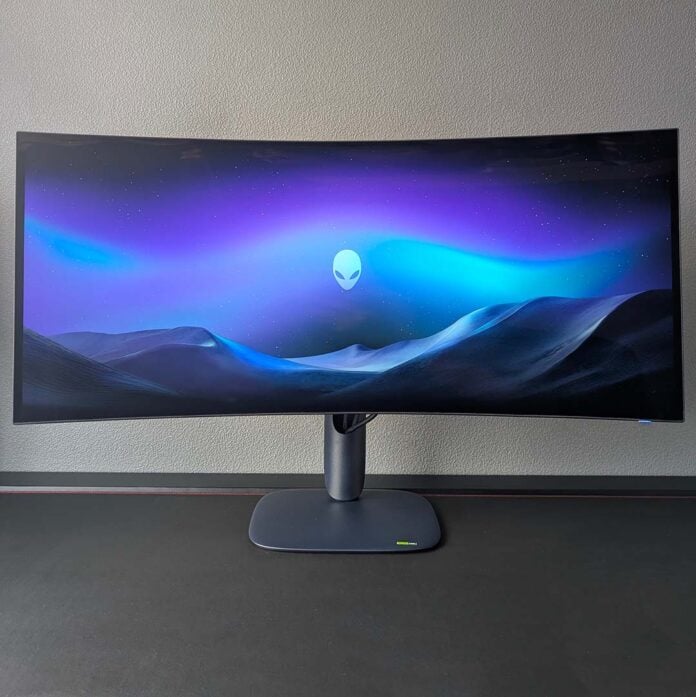
Forget 4K OLED, we can now play with 5K2K (5120×2160) ultrawide monitors, thanks to the advent of the Alienware AW3926QW. In addition to this massive 39in panel taking Tandem WOLED tech to a new size and resolution, it also promises to rid any risk of text fringing to boot. While this shift isn’t free of drawbacks, it does result in one of the most transformative and dazzling screens I’ve tested for a long time.
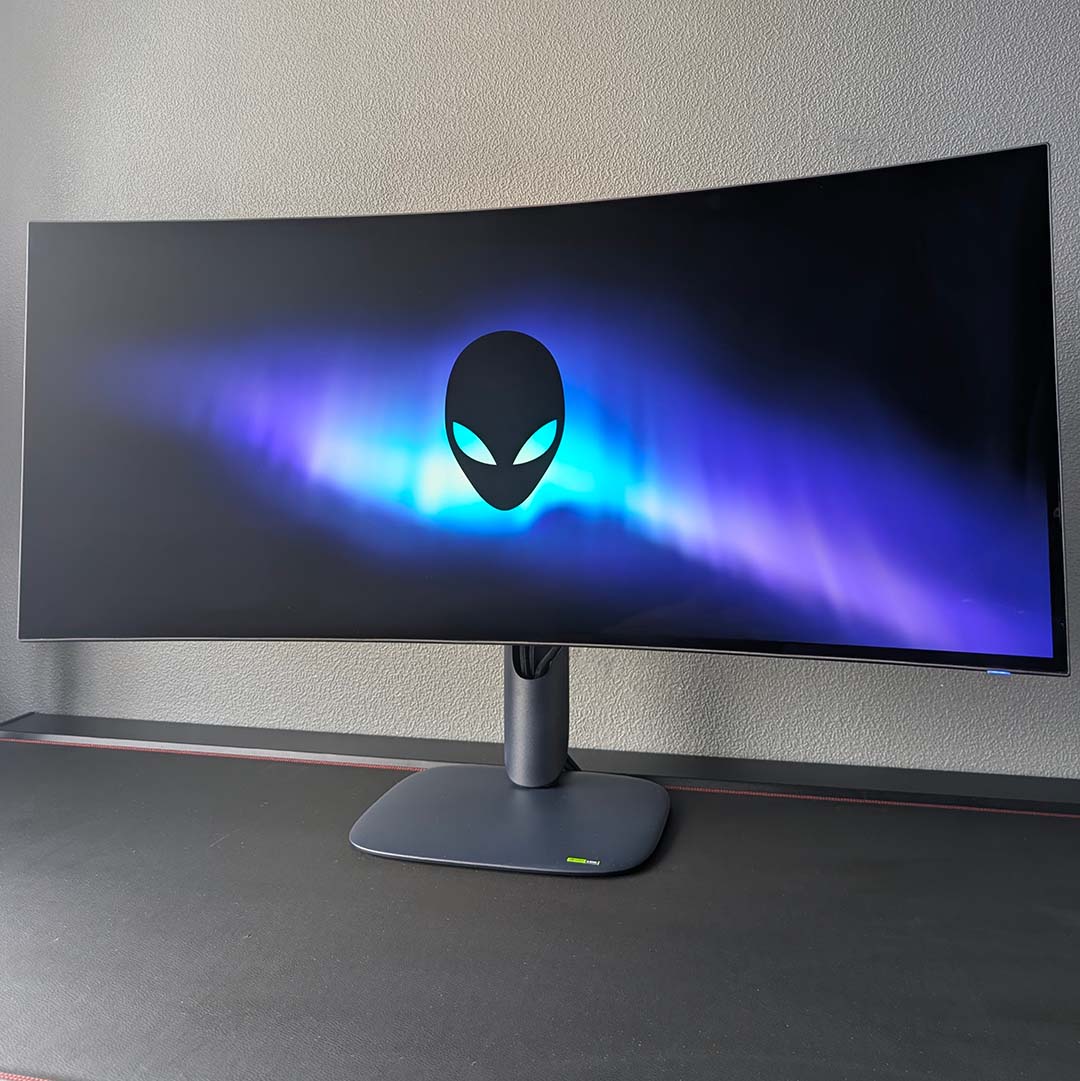

Alienware AW3926QW
£999 / $1,099
Pros
- Pin-sharp 39in 5K2K screen
- Excellent colour accuracy
- Solid brightness
- KVM with lots of USB ports
- Reasonable price for spec
Cons
- Some uniformity issues
- Comparatively high power draw
Club386 may earn an affiliate commission when you purchase products through links on our site.
How we test and review products.
As you might expect from a boundary pushing monitor such as this one, the Alienware AW3926QW carries a big price tag of £999 / $1,099. This makes the screen markedly cheaper than its only like-for-like alternative, the £1,579 / $1,500 LG 45GX950A-B. At the same time, this display also has to compete with similarly pricey premium QD-OLED alternatives, but it rises to the challenge.
Specifications
As I mentioned earlier, the headline specifications of the AW3926QW are its size and resolution. This monitor features a massive 39in panel running at 5K2K, offering similar pixel density to 32in 4K (3840×2160) alternatives at 142PPI (vs. 138PPI), despite the larger screen area. In terms of raw pixel count, however, we’re looking at a 33% overall increase relative to 16:9 displays, as the horizontal axis expands.
Alienware is using the latest generation Tandem WOLED panel tech in this monitor, but with a unique twist. Rather than adopting a typical RGWB sub-pixel structure, this display uses an RGB Stripe layout instead. This impacts performance in a variety of ways, both beneficial and detrimental, relative to the standard design and QD-OLED rivals. I’ll explore these effects in detail later in this review.
Like most OLEDs, the AW3926QW comes with an anti-reflective coating. Alienware opts for a glossy finish on the screen which helps enrich perceived colour saturation, but doesn’t diffuse any direct light. Some folks will want a matte alternative for this reason, but I personally prefer the gloss look, as someone with relatively good ambient light control at their disposal.
| Alienware AW3926QW | |
|---|---|
| Screen size | 39in |
| Resolution | 5120×2160 |
| Refresh rate | 165Hz |
| Dual-mode setting | 2560×1080, 330Hz |
| Response time | 0.03 (GtG) |
| Panel technology | WOLED |
| Panel coating | Glossy |
| Variable refresh rate | AMD FreeSync Premium Pro Nvidia G-Sync compatible VESA AdaptiveSync |
| HDR | DisplayHDR True Black 500 Dolby Vision |
| Ports | DisplayPort 2.1, UHBR20 (x1) HDMI 2.1 FRL (x1) HDMI 2.1 FRL, with eARC (x1) USB-A, 5Gb (x2) USB-B, 5Gb (x1) USB-C, 5Gb (x1) USB-C, 10Gb, with 90W PD and DP Alt Mode (x1) |
| KVM | Yes |
| Speakers | No |
| Warranty | Three years (including burn-in) |
| Price | £999 / $1,099 |
A 165Hz refresh rate is relatively low in the world of OLED monitors, with 240Hz now being a commonplace specification, but none are pushing resolution as high as the AW3926QW. While more hertz are always welcome, I never find myself wishing for more on this monitor, particularly as motion clarity is still solid, and achieving anything close to 165fps frame rates at this resolution is often difficult anyway.
You can prioritise motion clarity by using the monitor’s dual-mode feature, which doubles the refresh rate to 330Hz. However, this comes at a massive cost to resolution, as the panel halves its pixel count to 2560×1080. While there is value in an option for esports titles, improving responsiveness and motion clarity, the lack of sharpness and clarity in the image makes me hesitant to reach for this feature more broadly.
Finally, the AW3926QW arrives with both AMD FreeSync Premium Pro and Nvidia G-Sync compatible accreditations, with VESA AdaptiveSync available as a fallback. Alienware doesn’t list the range for these variable refresh rate technologies, so I recommend keeping your frame rate above the typical 48fps threshold to stave off any screen tearing.
Design
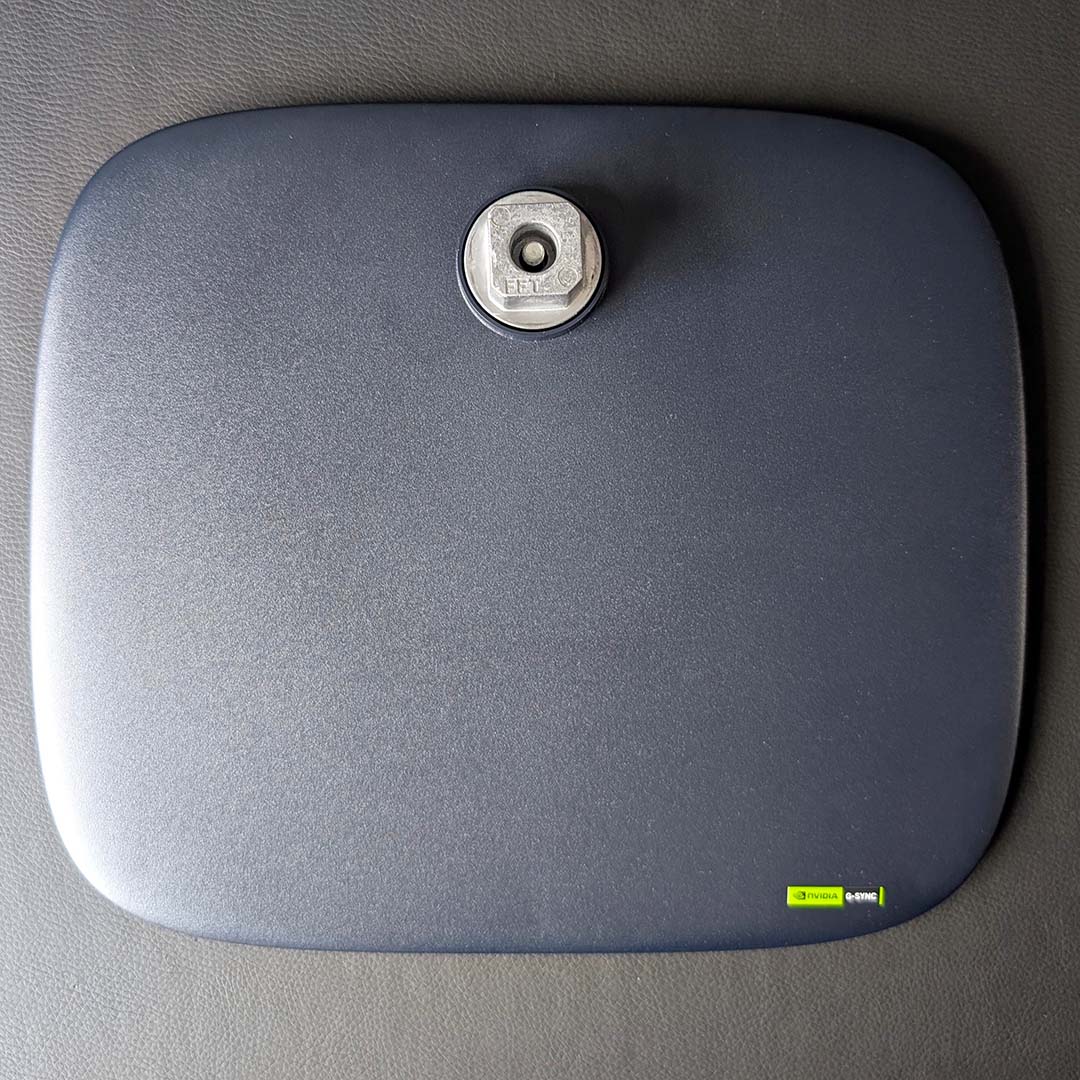
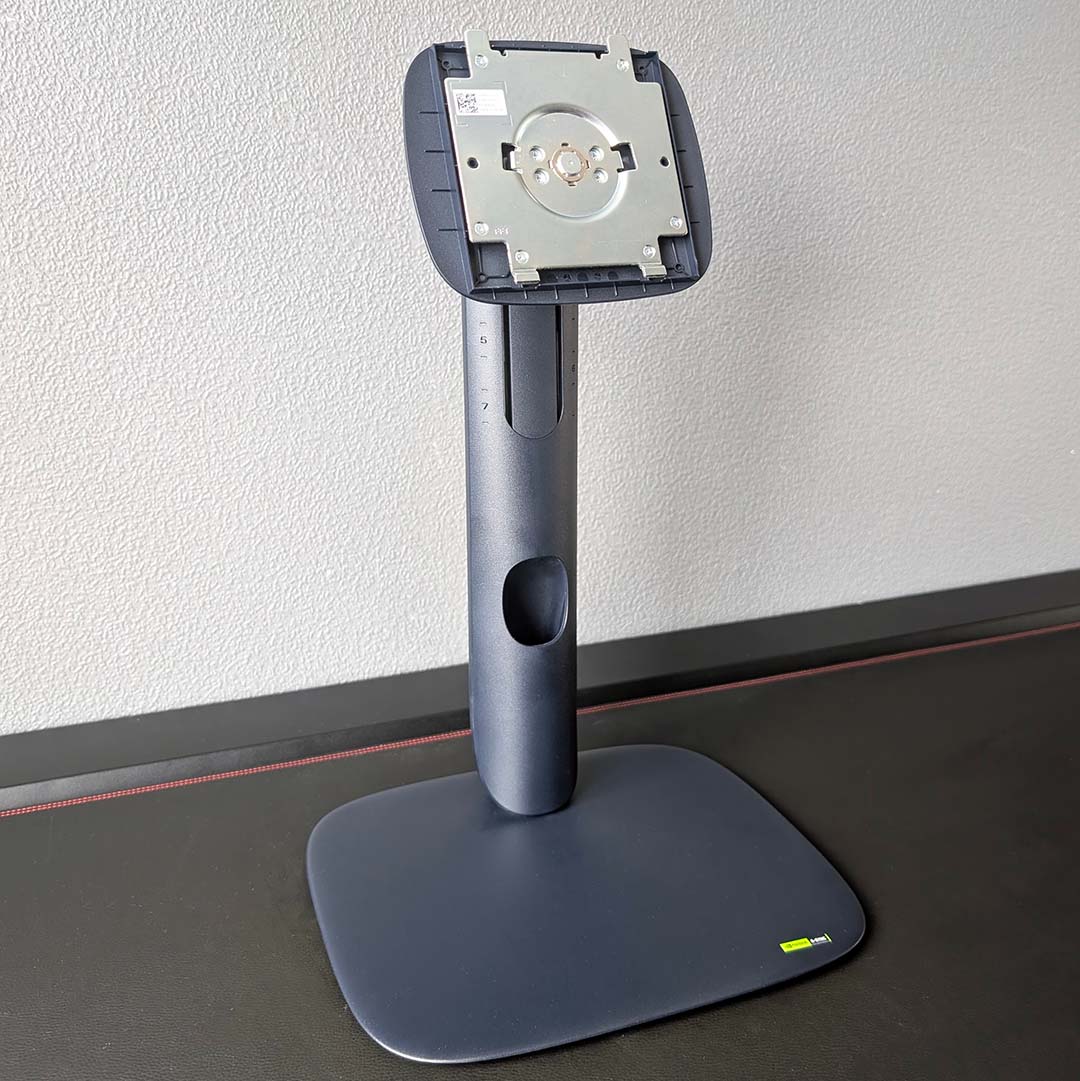
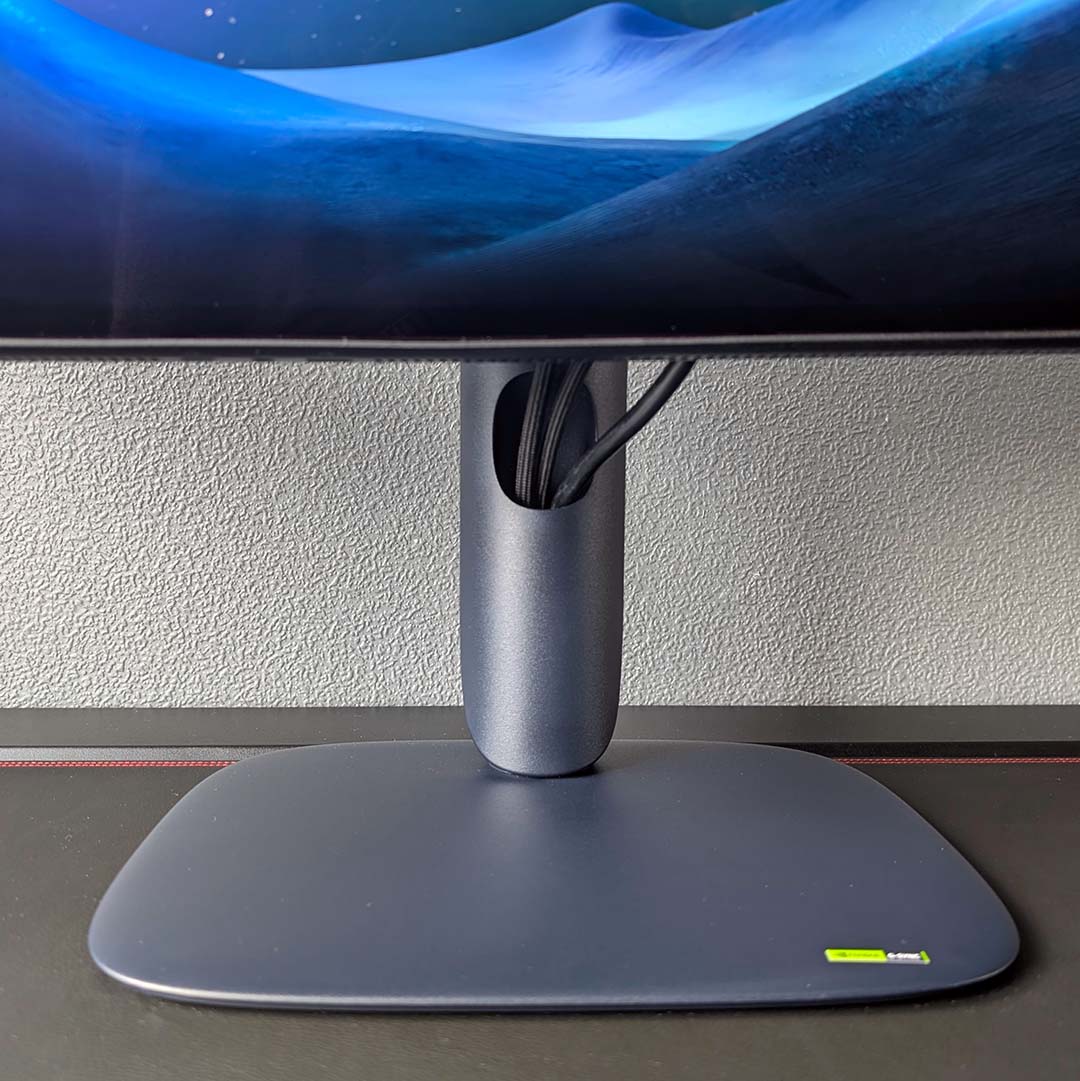
Alienware applies the same design language to the AW3926QW as we’ve seen on other monitors released by the firm in 2026, such as the AW3226DM. The rounded square base and neck each sport a dark blue paintjob, feeling suitably premium and stable as I piece the screen together, while looking great atop my desk with the display attached.
The screen will attach to monitor arms via a 100mm² VESA mount, but you’ll want something strong to hold up this hefty 7.76kg panel. I’m personally happy to stick with the stock stand, which provides 110mm of height adjustment, as well as a 26° tilt range and ±20° of swivel, while rotation is naturally off the menu here, given the size of the panel.
Cable routing requires a little more finesse than most other monitors, as you’ll need to feed your wires through a hole in the bottom of the neck which then emerge out of a cut out. The end result is pleasingly tidy, with minimal slack and visible wiring from a normal seating position. I’m sad Alienware has abandoned the cable shelving I use on my AW3225QF, but this finish remains solid.
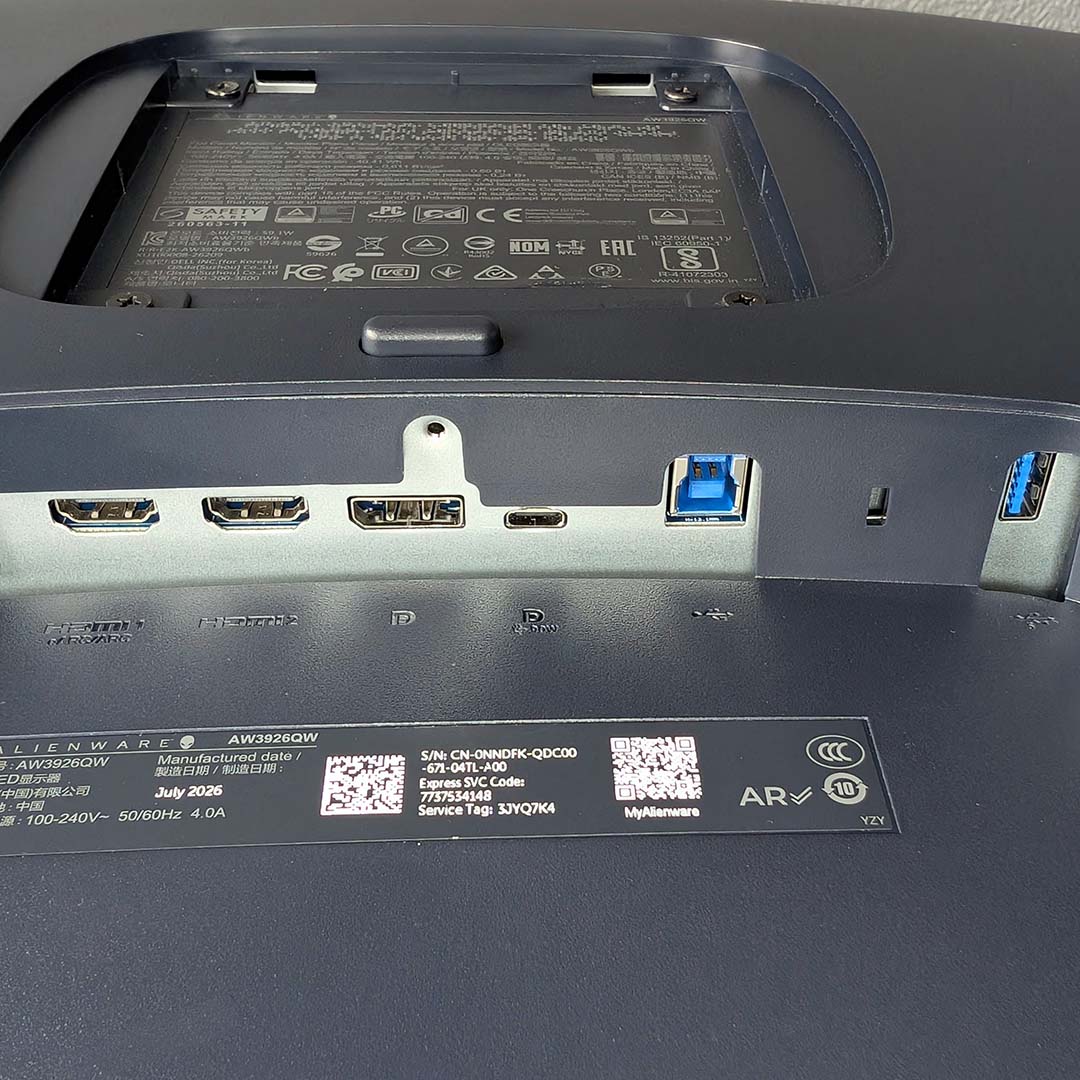
You can run the AW3926QW at its full resolution and refresh rate via the monitor’s single DisplayPort 2.1 (UHBR20) port, or either of its HDMI 2.1 FRL inputs, with one providing eARC support for sound bars or AV receivers. However, DP 2.1 doesn’t require Display Stream Compression (DSC) to do this, owing to its greater bandwidth, making that connection the ideal choice for those with graphics cards supporting the same standard.
Alongside those inputs, you’ll also find a USB-C socket that supports DP Alt Mode and 98W of power delivery. Through this port, you can run charge, data, and display between your laptop and the monitor, all via a single cable. That device, alongside your PC via a USB-B connection to the screen, will also benefit from the built-in KVM switch, enabling you to use the same mouse and keyboard across the devices at the press of a button.
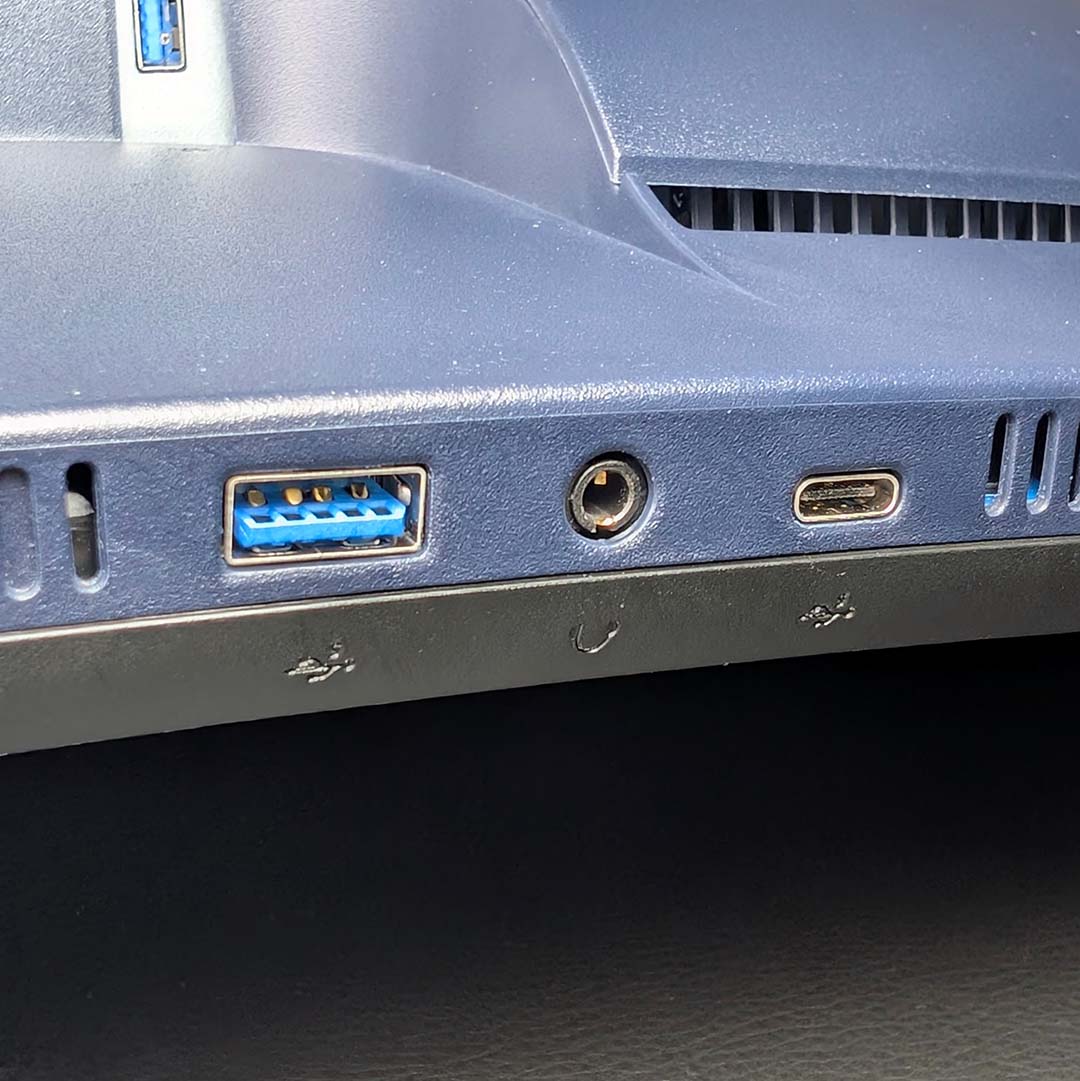
There’s a single USB-A port sitting next to all the ports I’ve mentioned thus far, and you’ll also find another USB-A port and USB-C socket ready and waiting for your peripherals on the monitor’s chin. I really appreciate the positioning of the latter bunch, as they’re much more accessible, and wish more displays would adopt a similar layout for the sake of convenience.
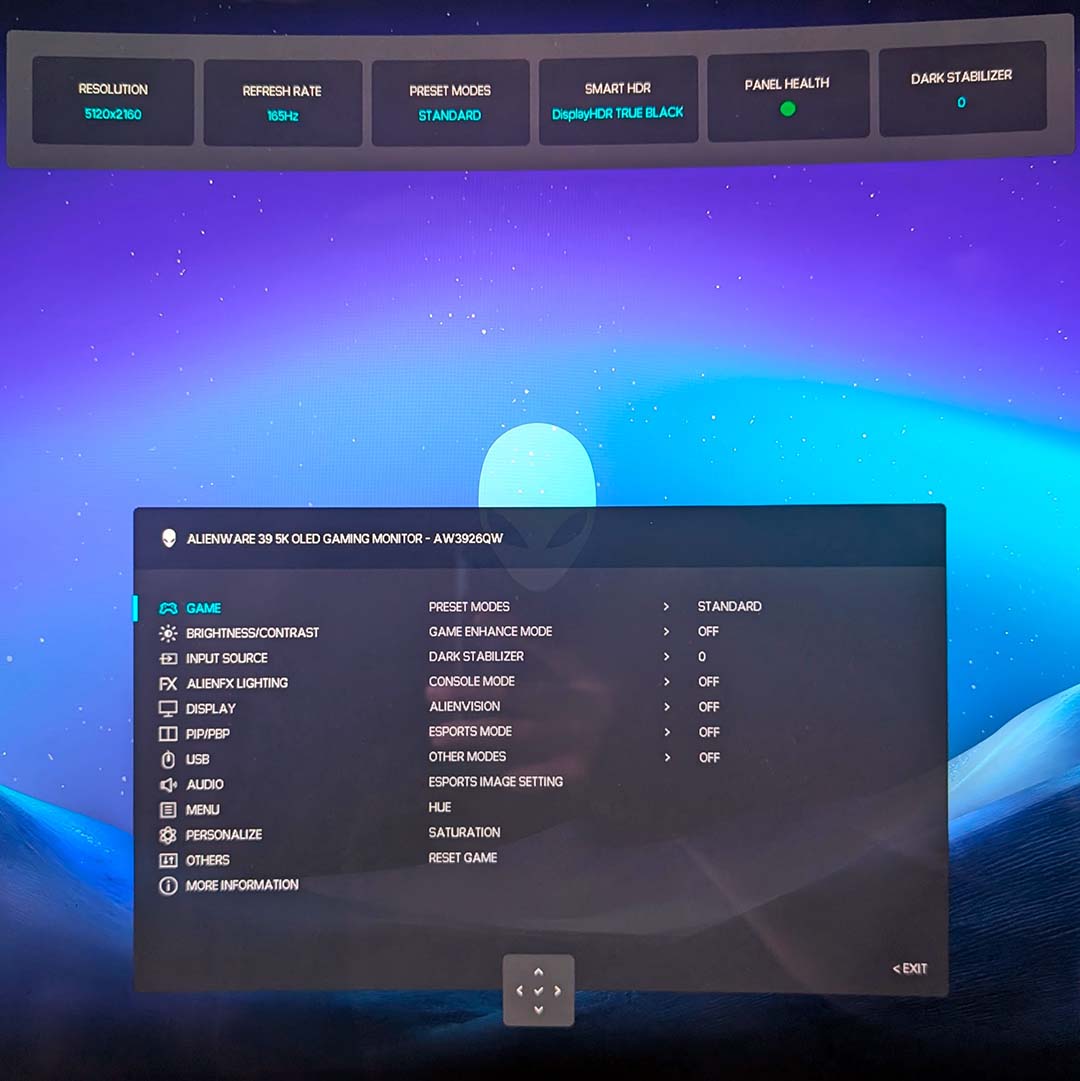
Reaching around the bottom-centre of the monitor, my fingers quickly find the AW3926QW’s joystick and grant access to the monitor’s on-screen display (OSD). Alienware Command Centre serves as a viable software alternative for controlling the screen’s settings, but there’s no beating the immediate convenience that a physical nub offers.
I recommend sticking with the panel’s stock configuration for the most part, save increasing the brightness to 100%, but there are some options in here worth checking out. For starters, the OSD provides access to the monitor’s dual-mode setting, as well as some ‘esports mode’ alternatives that emulate 24in and 27in screen sizes. You can also enhance console compatibility with Console Mode, capping the refresh rate at 120Hz and resolution at 4K, and enabling source tone mapping for better HDR.
While we’re on that subject, Alienware enables Dolby Vision by default on the AW3926QW. This isn’t ideal if you’re consuming content outside of that standard, so I’d advise turning the feature off unless its needed. Meanwhile, I’m happy to see colour space controls for DCI-P3 and sRGB, making it easy to narrow down hues for your particular use case.
Lastly, Alienware doesn’t expose the AW3926QW’s panel protections bar pixel refresh. However, the company states there’s a ‘personalised algorithm’ in play on the monitor, which attempts to predict usage on the fly, to balance brightness and panel lifespan. While I’d prefer more control over my display, a three-year warranty inclusive of burn-in puts most anxieties anyone should have to rest.
Performance
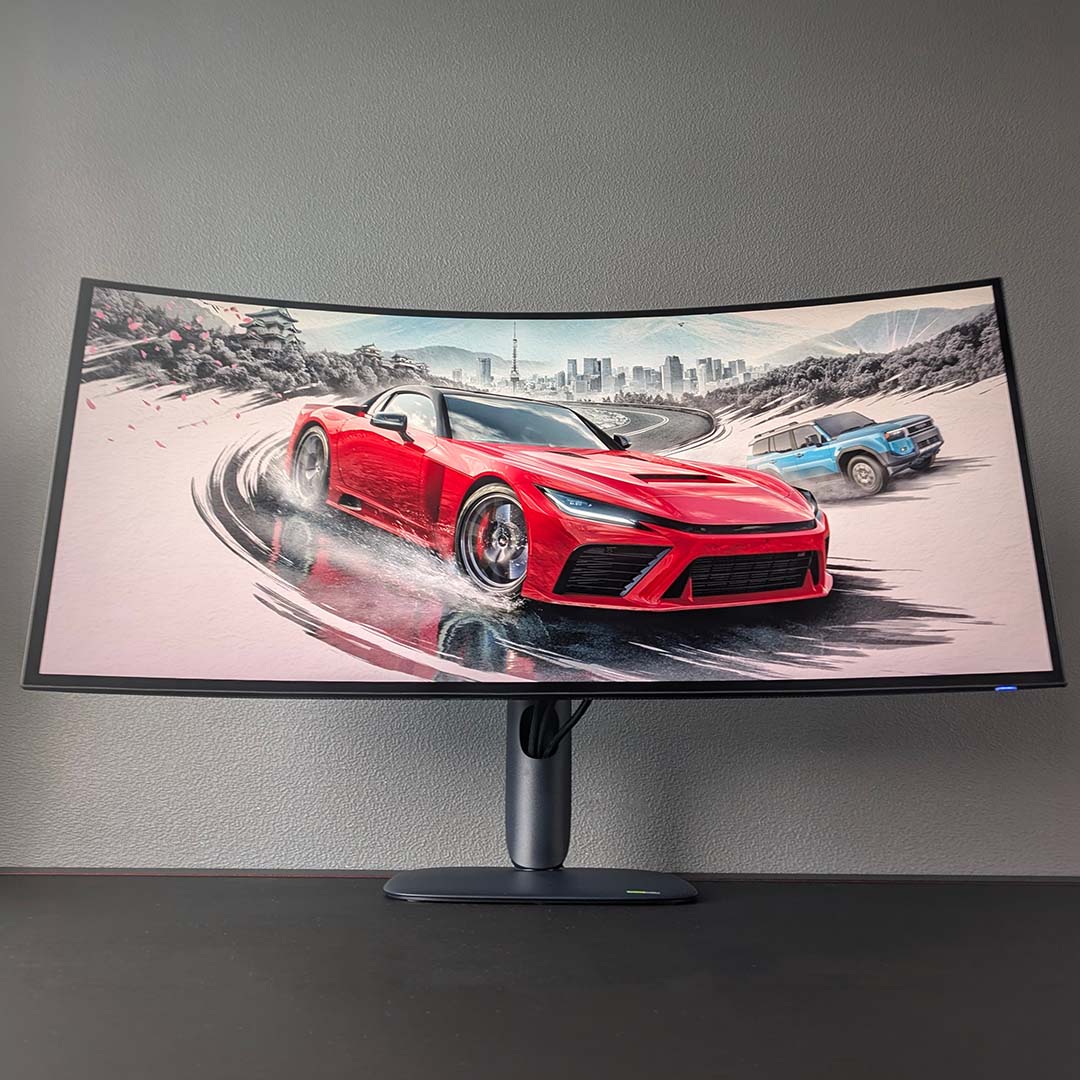
Ultrawide gaming monitors have a storied history with racing games, so it only felt right to load up Forza Horizon 6 on the AW3926QW before anything else. The wider 21:9 aspect ratio naturally made driving across Japan a more immersive experience, as the many sights and rival racers filled my peripheral vision more so than they would on a 16:9 display.
The driving experience feels all the better on an OLED relative to an LCD thanks to near-instant pixel response times and low input lag. Motion clarity is also great, improving the higher I could push my frame rate, but hitting that 165Hz refresh rate at 5K2K with settings cranked up is no easy task, requiring nothing less than the highest-end hardware with upscaling in tow.
While I could make use of the monitor’s 2560×1080/330Hz dual-mode to push smoothness and motion clarity further, I more often than not felt that the sharpness trade off was too stark to my liking in all but esports games. Even with the welcome improvements to the feel of those matches, I could never stop noticing the softness of the output.
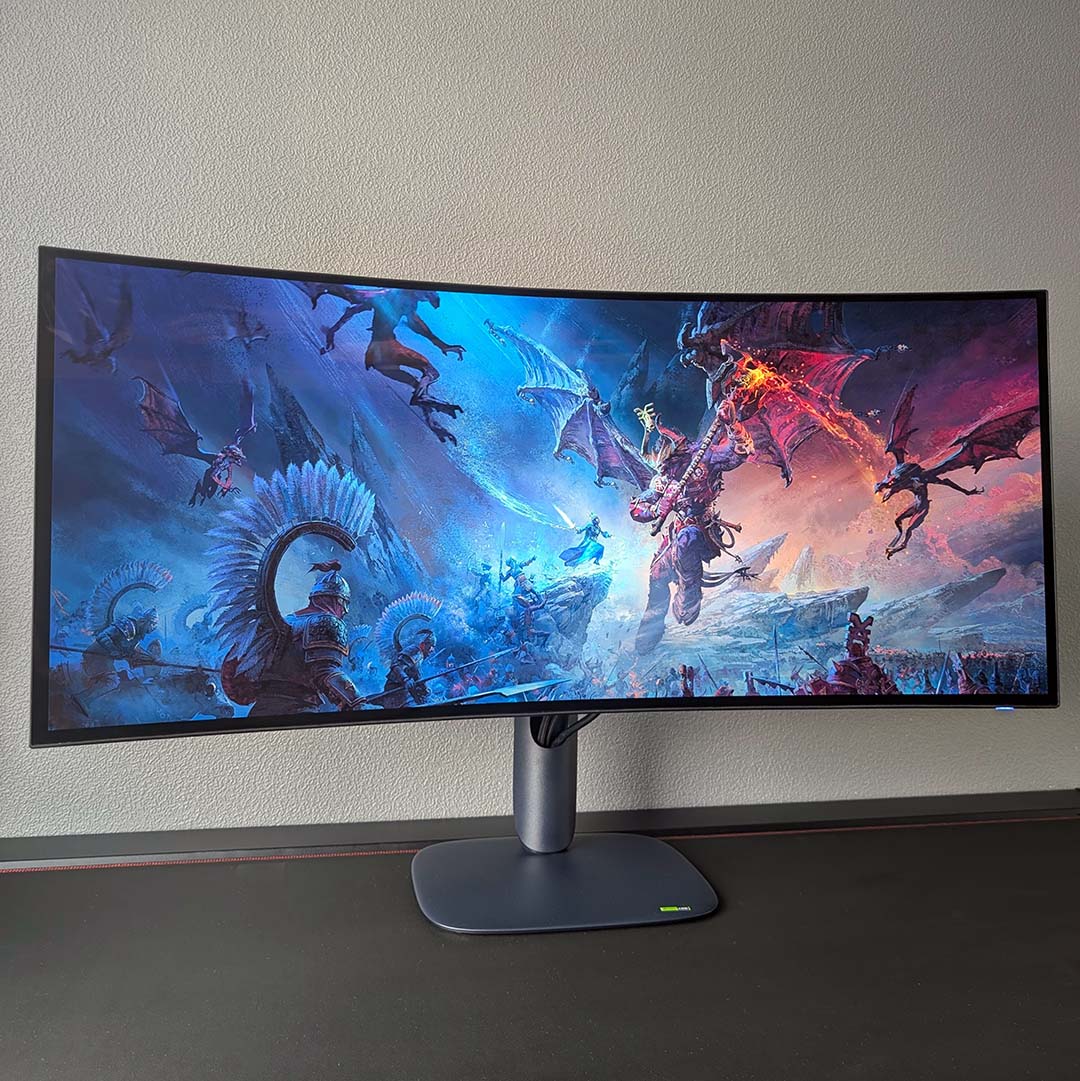
Switching genres to strategy, the AW3926QW expectedly breathes new life into games like Total War: Warhammer III. Both real-time battles and the turn-based campaign map feel more epic and easier to manage, thanks to the large and wide screen.
Where I fell in love with this screen, however, was in The Witcher 3: Wild Hunt. The RPG’s massive open-world feels all the richer on this panel for reasons I’ve highlighted in other games. However, the slower pace of the title also allowed me to more easily appreciate its excellent colour reproduction, soaking in the Continent’s many beautiful hues across marketplace and marsh.
Of course, I’d be remiss not to mention the equally wonderful inky blacks that only OLED screens like the AW3926QW can provide. Per-pixel local dimming remains difficult to give up once you’ve experienced it, particularly when it comes to HDR experiences. There’s nothing quite like navigating shadow-soaked crypts and caves with a blazing torch in hand to demonstrate what proper contrast looks like.
While the majority of games happily support 21:9 resolutions, you will come across the odd title that resolutely wants to keep things 16:9. Elden Ring is a classic example, but you should prepare to see black bars either side of typical video content on platforms like YouTube too. This is by no means a reason not to entertain an ultrawide gaming monitor, but a quirk that’s worth acknowledging before making the jump.
Like all monitors I review, I’ve used the AW3926QW as both my primary display for both gaming and work. The screen has served me well in both respects, and having such a large pixel count and panel at my disposal has undoubtedly boosted my productivity. It’s such an appreciable convenience to have two or more windows open and not have them feel like they’re fighting for space, with plenty of panel to go around.
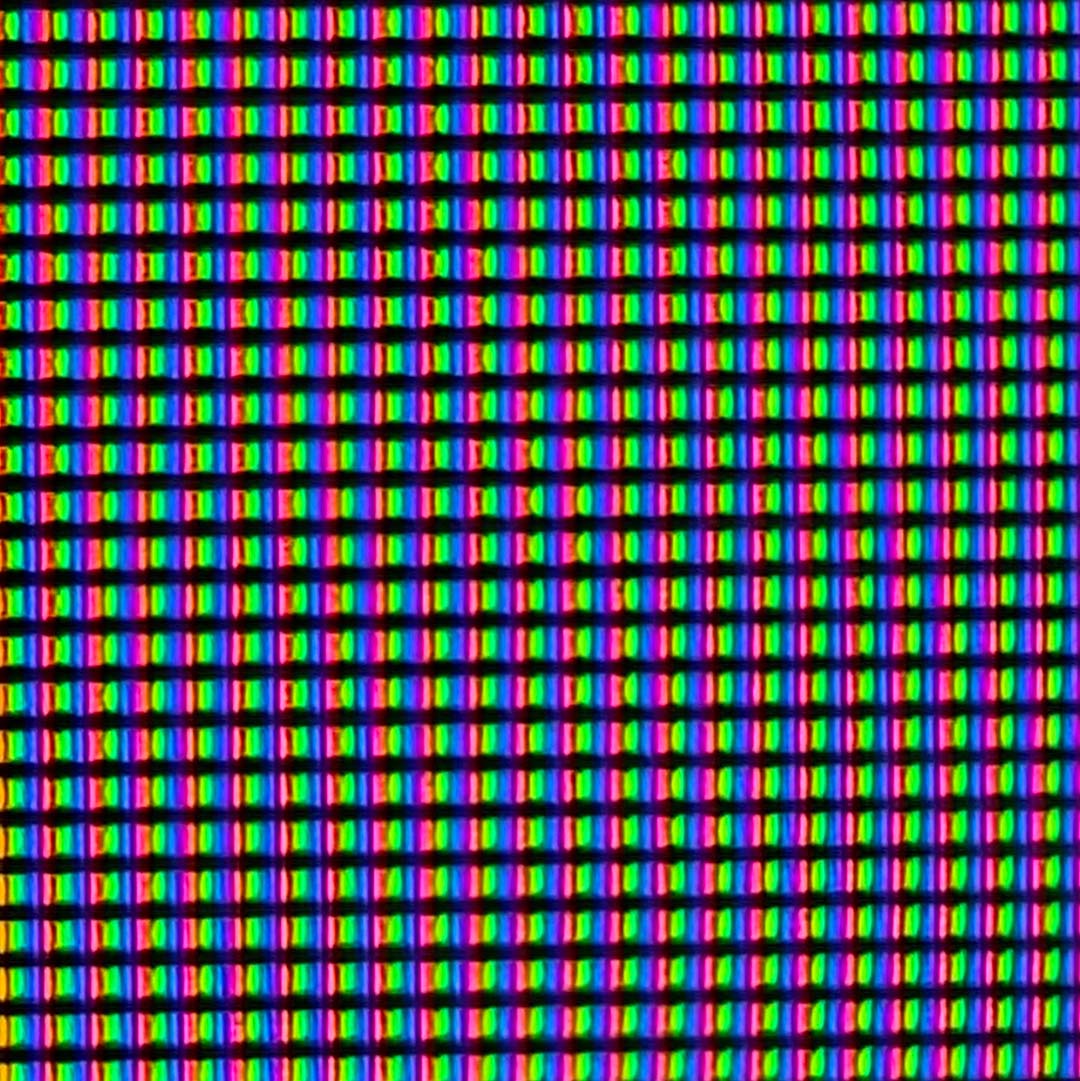
The screen’s RGB Stripe subpixel layout (picture above) means you don’t need to worry about any text fringing either – older-generation OLED panels can exhibit purple and green fringes around the edges of black text on a white background. As such, the high pixel density of the monitor can shine through all the more, as text clarity easily rivals the sharpest LCDs I’ve seen. You won’t get this same look from RGWB WOLED screens.
Colours
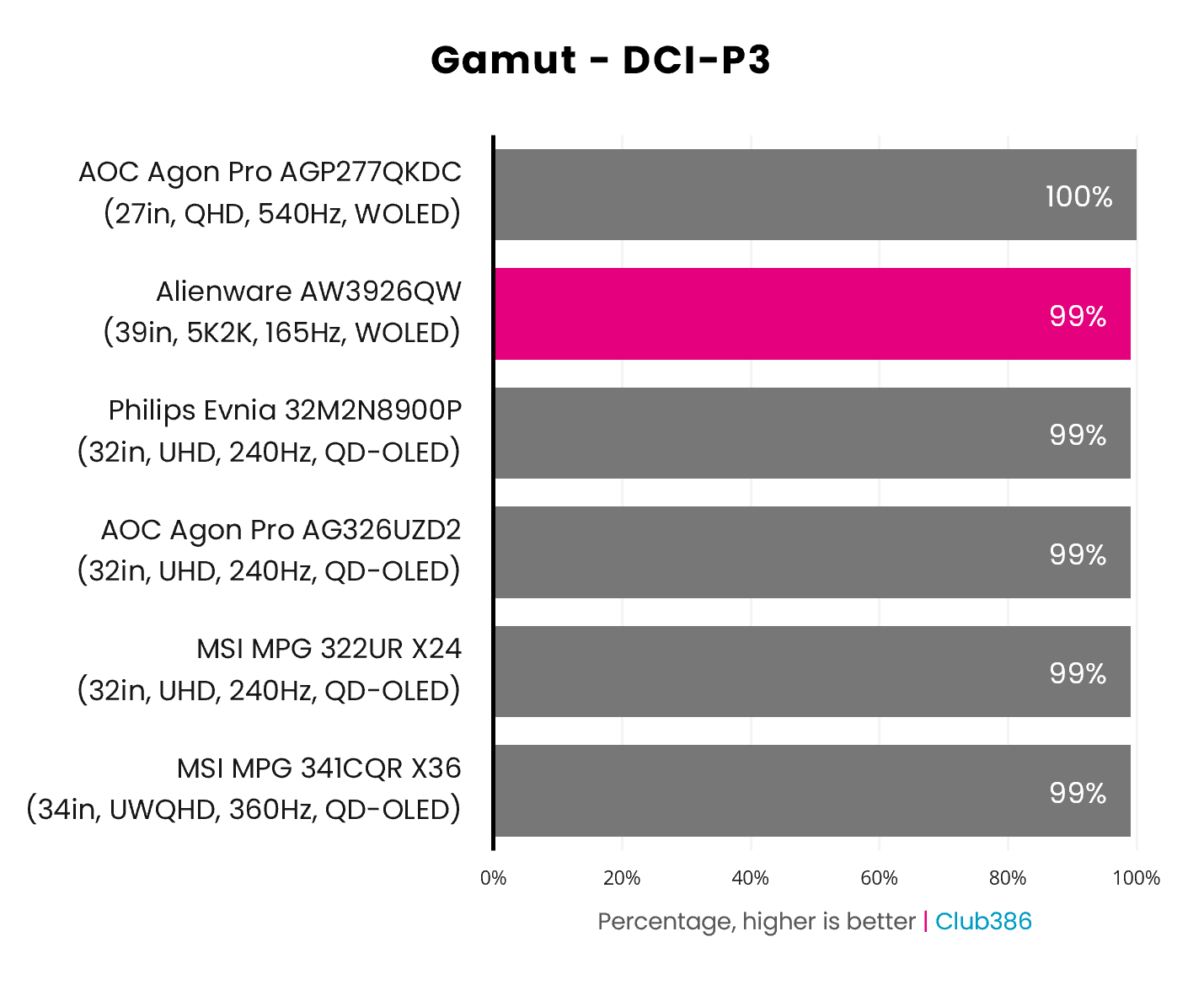
The AW3926QW sports a wide gamut, as you’d expect from an OLED monitor. The screen is capable of displaying 99% of the DCI-P3 colour space, matching QD-OLED capabilities and sitting just 1% off the full coverage we see from smaller Tandem WOLED panels, as you’ll find on the likes of the AGP277QKDC.
Most HDR content uses this colour space, making as close to absolute coverage essential for monitors. While Alienware’s offering doesn’t quite hit 100%, you’d ultimately struggle to notice where that 1% was lacking in real world usage. The richness of the gamut here is pleasingly dazzling, bringing the many hues of films, games, and more to life.
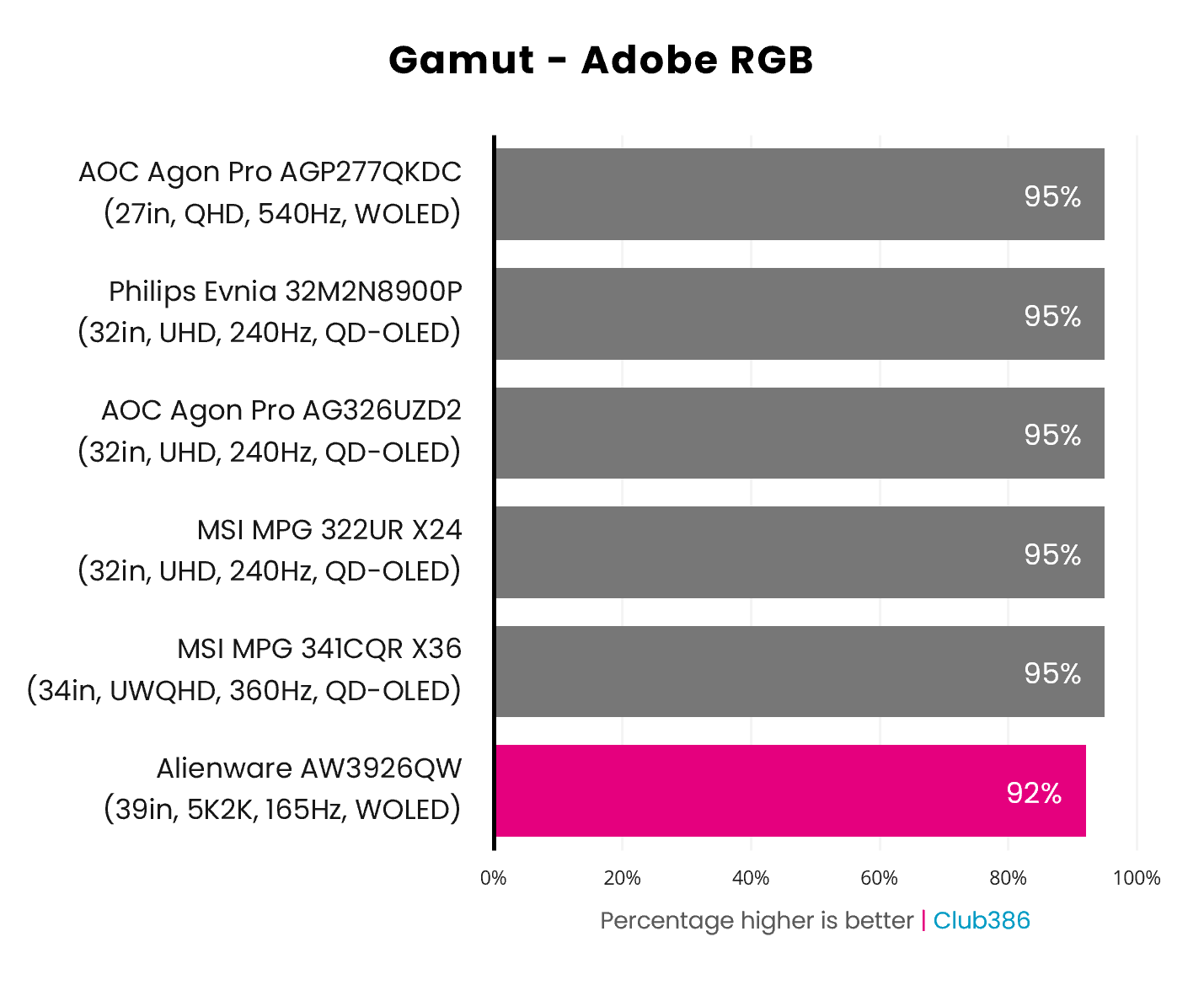
Adobe RGB results for the AW3926QW are surprising, as 92% falls below expectations relative to both WOLED and QD-OLED monitors we’ve tested in recent years. We’re only talking about a small drop from 95%, but any reduction however minor is notable in the world of self-emissive displays.
Regardless, such coverage is still high and remains competitive with professional displays, like the iiyama ProGraphic HB2701UHSNP. This makes the AW3926QW a solid stand-in for workflows within this colour space. The RGB Stripe subpixel layout also removes any threat of text fringing that you’d encounter on other WOLED screens with RGWB structures.
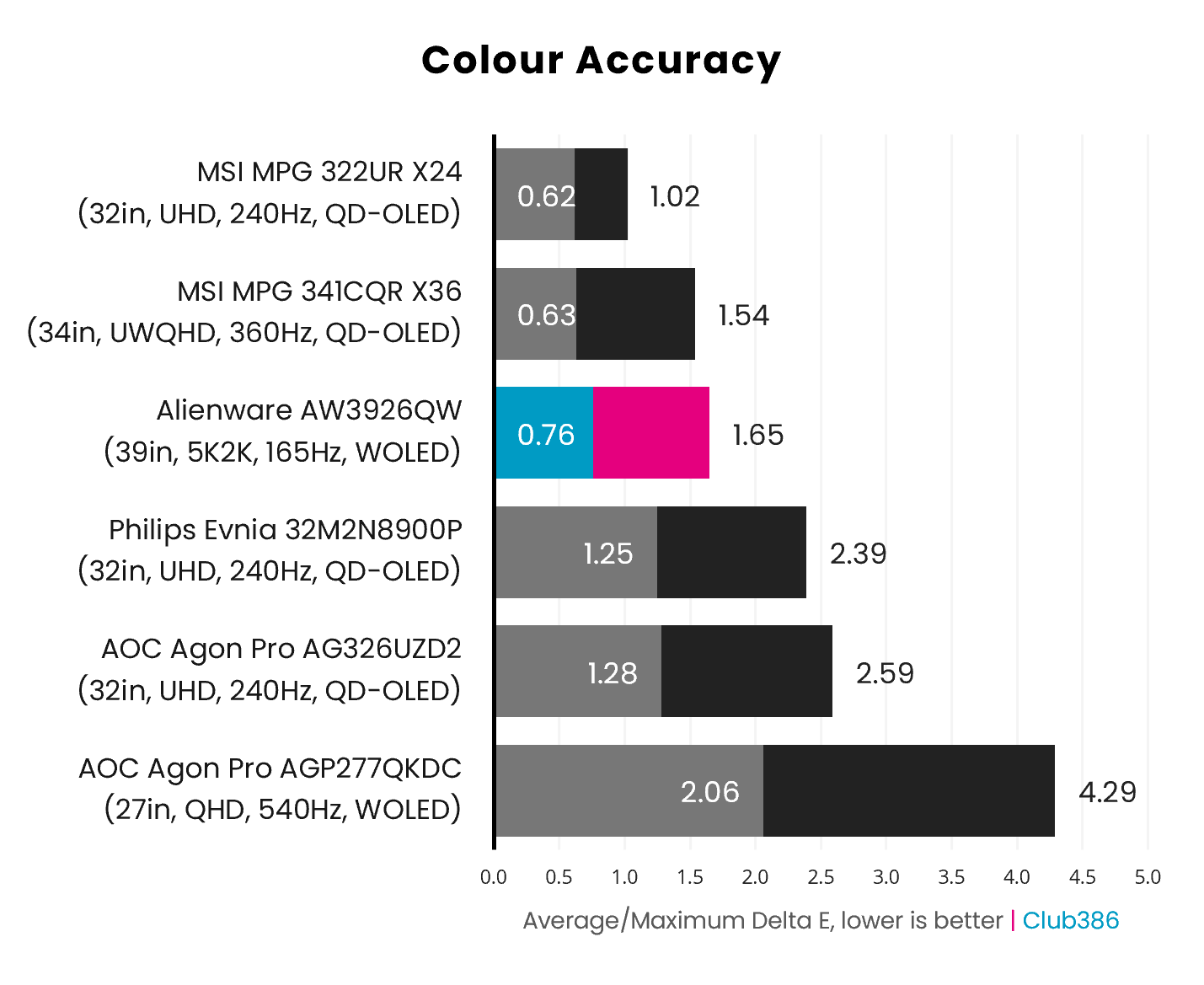
Alienware has done an excellent job of calibrating the AW3926QW’s stock colour accuracy, with an average 0.76 Delta E and a maximum 1.65. Both results are comfortably below the ≤2.0 Delta E threshold, making any errors practically meaningless as they’re imperceptible to the human eye.
Increasing brightness to 100% does negatively impact colour accuracy, but only slightly. We’re now measuring a 0.94 Delta E and maximum of 2.51, with just four near-grey hues of our 48-strong test palette poking above the imperceptible threshold. This is still a fantastic result, particularly as cranking that extra 25% brightness has a big impact on the viewing experience.
Brightness
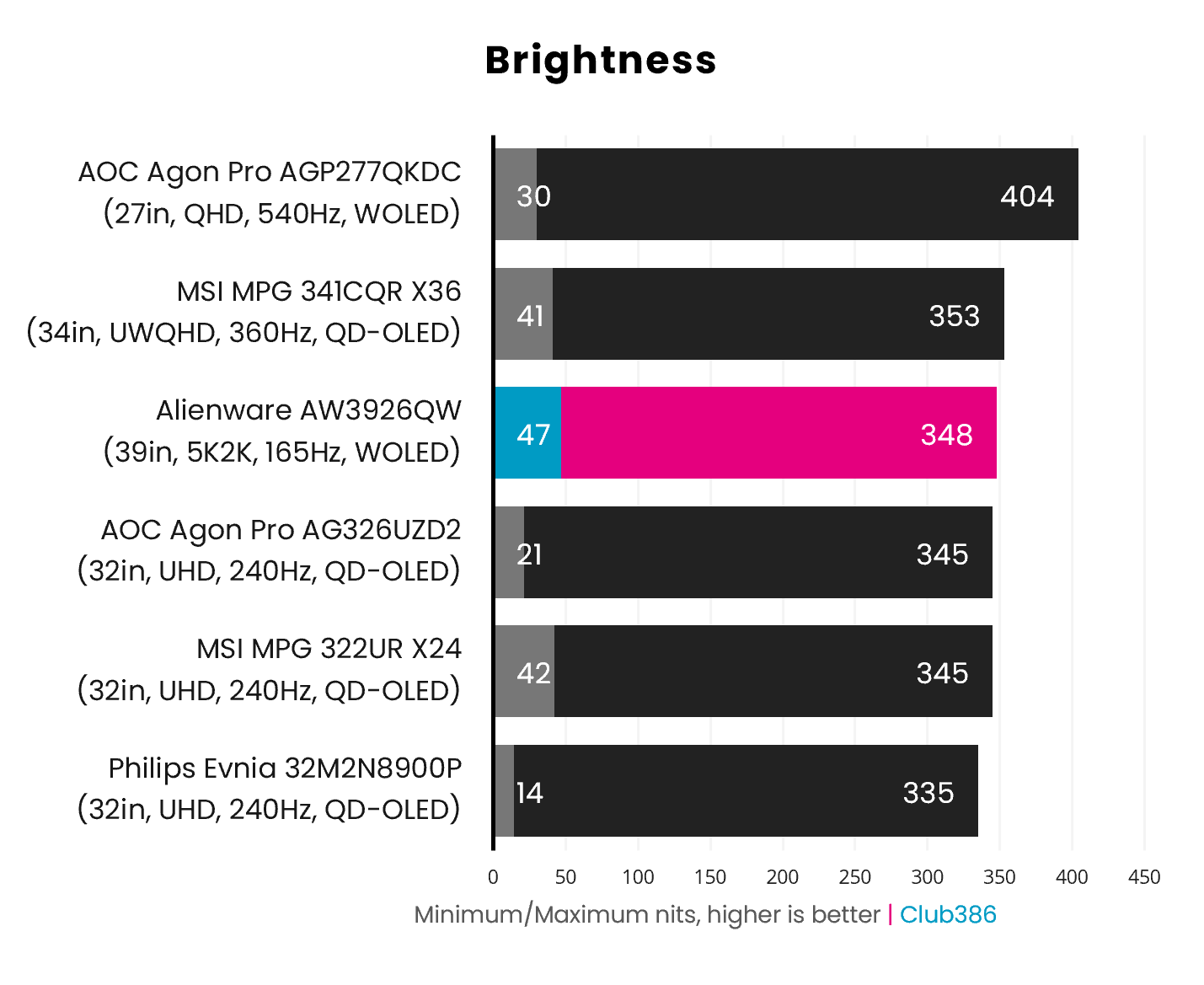
At its brightest, the AW3926QW shines at 348nits in SDR, putting the panel in the same ballpark as the latest QD-OLED alternatives, but behind the capabilities of other Tandem WOLED panels. This difference likely stems from the monitor’s lack of a white subpixel, but still remains high enough to keep the screen usable in the face of high ambient light.
With DisplayHDR True Black 500 certification, you can expect highlights to frequently punch above 500nits with full-screen white running at 300nits minimum. Brighter 32in 4K alternatives will hit the market within the next several months, but this is as bright as 39in 5K2K monitors like this one will get for the foreseeable future.
Uniformity
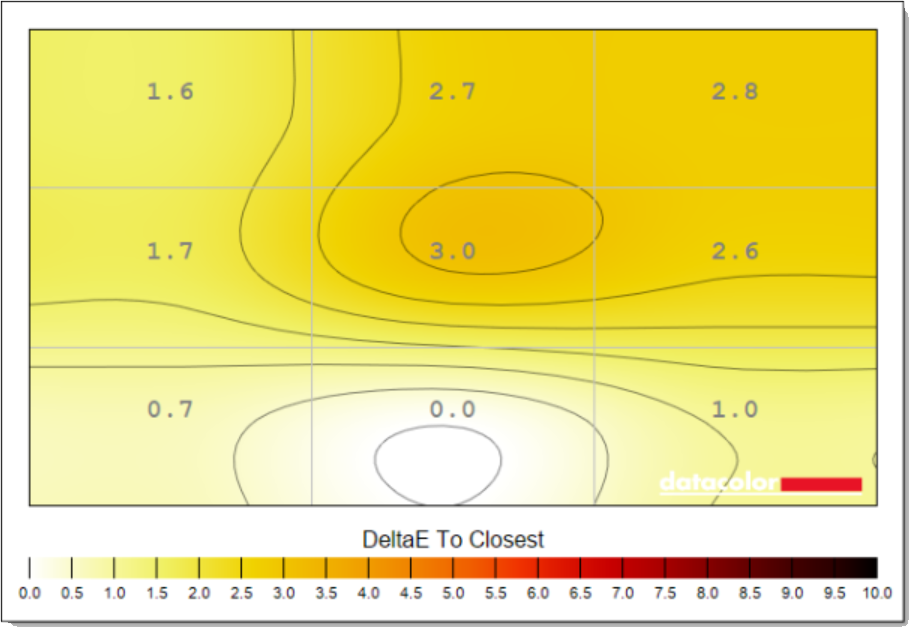
Colour uniformity at stock settings is solid, with deviations peaking at a 3.0 Delta E. However, increasing the brightness to 100% actually makes this panel more evenly spread in this respect, with a 2.2 Delta E maximum in just one of the nine sections we measure. Summarily, hues are solidly consistent across the screen, particularly with more lumens in play.
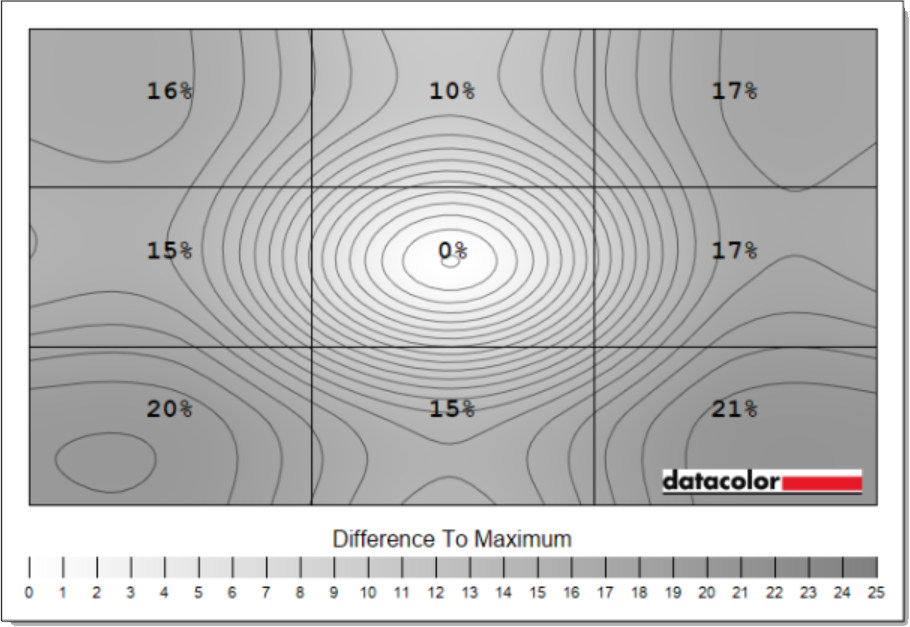
Luminance deviations are surprisingly high on the AW3926QW, though, particularly for an OLED screen. A maximum shift of 21% isn’t a fantastic result by any measurement, translating to a difference of 41nits. Running at 100% brightness lessens this problem in terms of percentiles, now peaking at 15%, but this still translates to a similar change at 54nits, resulting in a slight vignetting effect.
The latter results sadly don’t appear to be exclusive to my unit, with others reporting similarly poor luminance uniformity. I’ve reached out to Dell to see if this is something that future firmware updates can address, possibly by disabling Convex Power Control, if such built-in protections are to blame.
Power
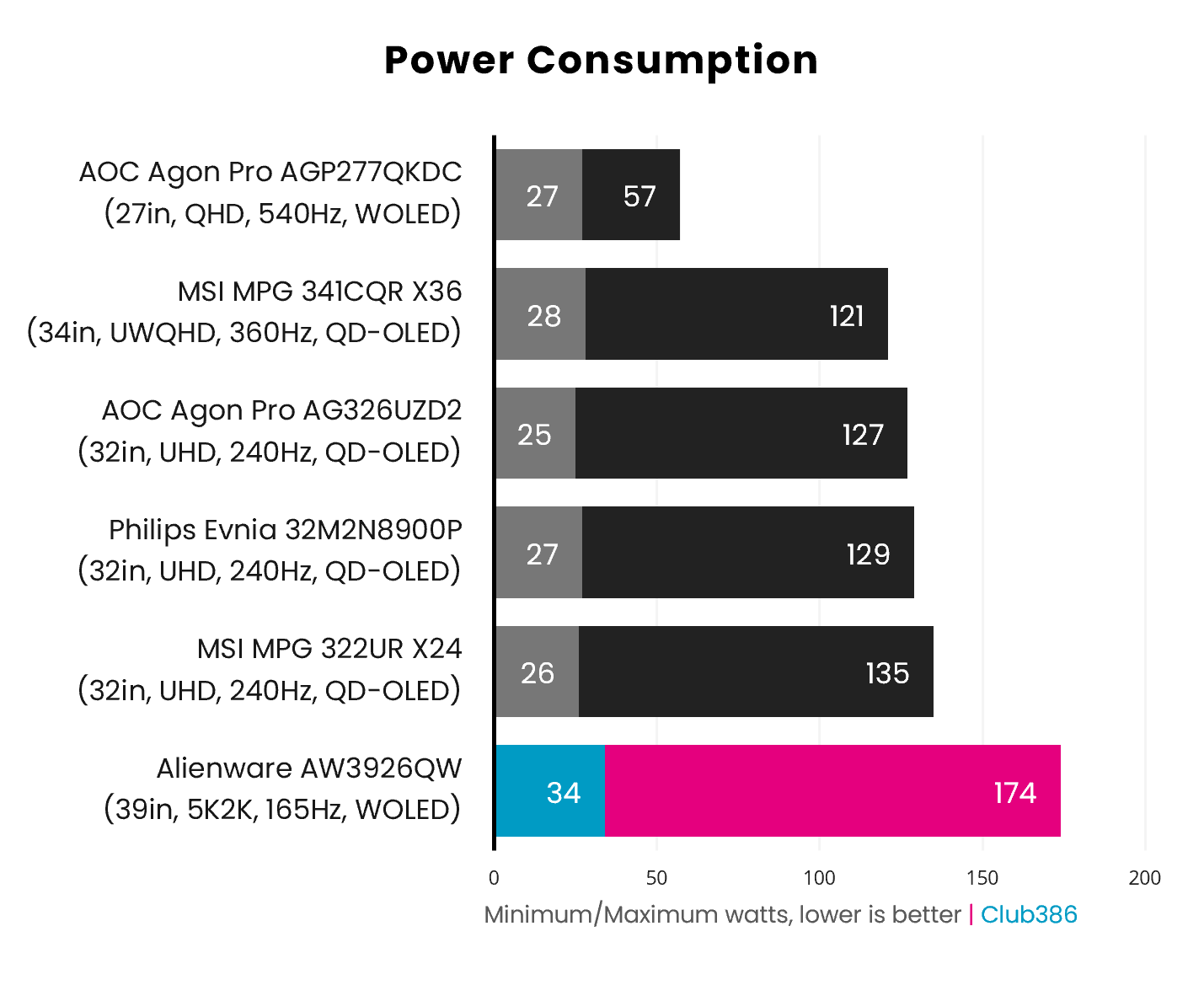
High power consumption is par for the course for large, high-resolution monitors, which is why the AW3926QW is more power-hungry than the other smaller monitors we’ve tested recently. Outputting a full white slide at 100% brightness, we measured the maximum power draw at 174W. That’s definitely a lot of watts for a monitor, but it’s a part of the trade off you make when you buy a big screen.
While the RGB Stripe subpixel structure does benefit text clarity, it massively hampers efficiency in this test. Rather than activating a single white subpixel, the display now needs to power all three red, green, and blue subpixels to output white. This is a large part of why we’re seeing power consumption fall closer to QD-OLED panels, rather than Tandem WOLED.
Conclusion
Prior to sitting down with the AW3926QW, I thought I would replace my existing 32in 4K OLED monitor with another model of the same size and resolution, but brighter and faster, but now I’m not so sure. This monitor is exactly what I’ve been waiting for from the ultrawide space for years, namely more pixels and screen real estate, and it easily ranks among the best gaming displays I’ve ever used.
While the 165Hz panel isn’t as fast as practically all other OLED screens on the market, that refresh rate is plenty smooth enough for me with such a high resolution in play. To focus on that specification in particular is to not see the trees for the forest anyway, as the visual splendour on offer here from this 39in 5K2K panel is nothing short of excellent. Brightness, colours, contrast, are all brilliant.
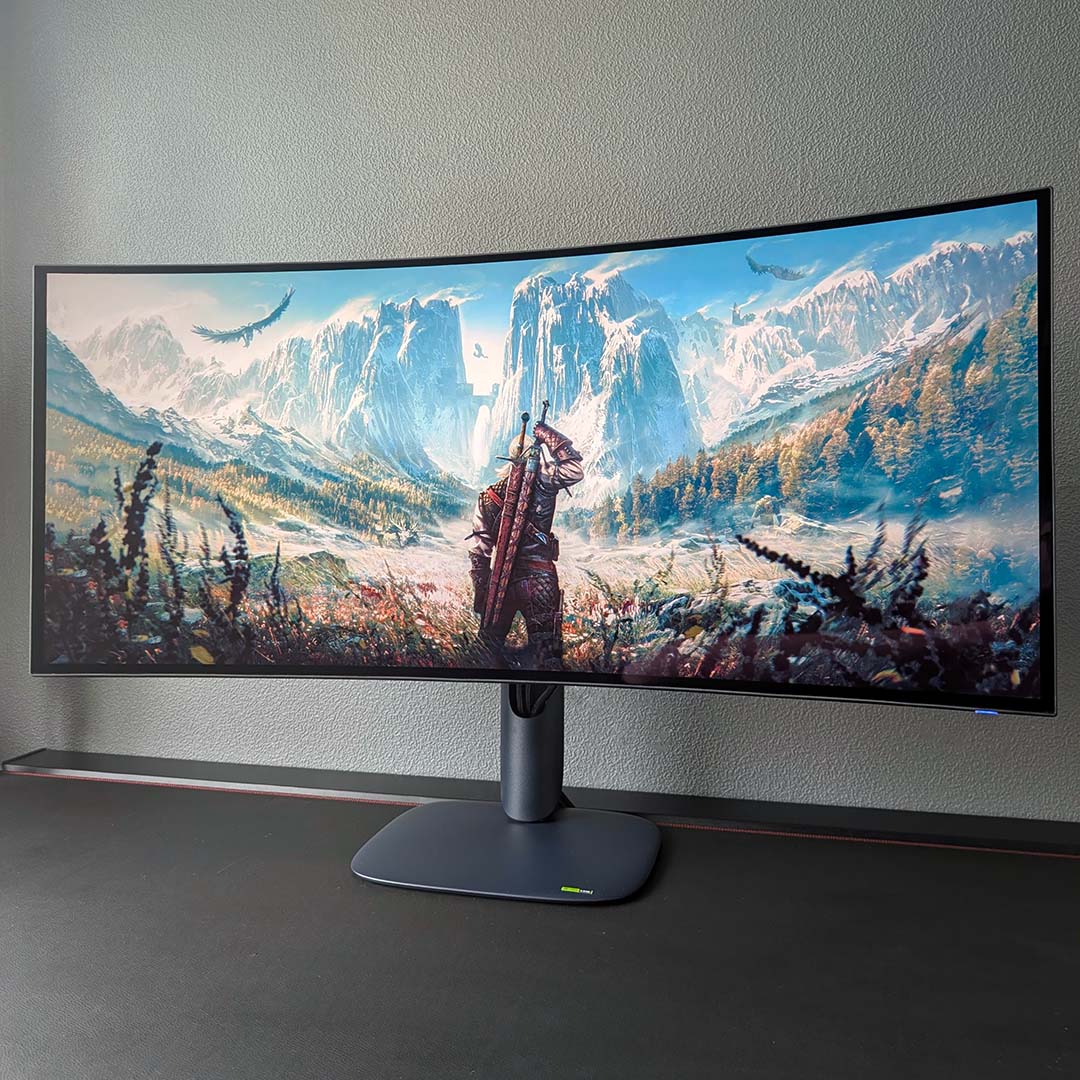
Alternatives a few and far between, bar the markedly more expensive LG 45GX950A-B, which I don’t foresee being worth an additional £500 / $400. Meanwhile, on the QD-OLED front, there are no competing 5K2K models, with the closest screen in terms of specifications being the likes of the MSI MPG 341CQR X36. That £999 ultrawide monitor pushes refresh rates to 360Hz, but only measures at 34in with a UWQHD (3440×1440) resolution.
My only reservations with the AW3926QW stem from its panel uniformity and power consumption. The latter isn’t as much of a concern for power users – as a case in point, I’m already comfortable with daily driving a monitor that consumes ~120W, plus it’s to be expected from such a large screen anyway. If Alienware can fix, or at least greatly improve, the uniformity issues we’ve found here via a firmware update, then I’ll be saving up to pick up this screen as soon as possible.
