

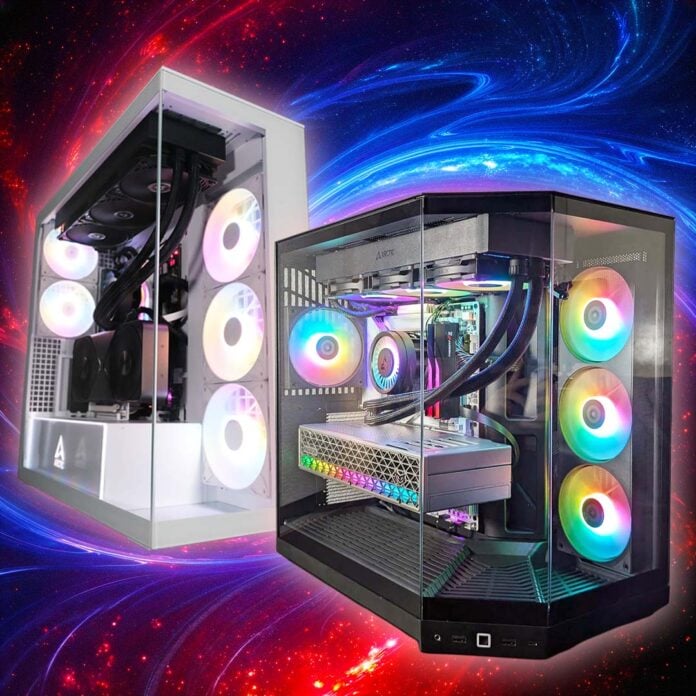
In this guide, we’ll find the very best case for your PC build, all based on our in-depth airflow testing, detailed reviews, and many years of experience building computers. Unlike some core parts of the PC jigsaw, decent cases are still absolutely affordable, even for those on tight budgets. Whether you’re looking to save as many pennies as possible, or go all out on a fancy glass aquarium for your rig, our full expert guide has a chassis for you.
This is undoubtedly a very crowded field, with many unknown brands attempting to lure you their way with cheap prices and flashing lights. However, this is one area where it really pays to get advice from experts who’ve actually had their hands on the latest cases. After all, a specs sheet and a few photos won’t tell you anything about build quality, operating temperatures, noise levels, and irritating cable routing quirks.
We have many decades of PC building experience under our collective belts at Club386, so we know a thing or two about what makes a case good or not, whether you’re looking to build a mini-ITX small form factor (SFF) rig or an E-ATX workstation. Anyway, enough chatter, let’s get this chassis parade on the catwalk.
Best case shortlist

Arctic Xtender VG
NZXT S5 RGB
Hyte Y50 RGB

NZXT H2 Flow

be quiet! Light Base 500 LX
InWin Covalent
HAVN HS 360 VGPU
Antec Flux Pro Noctua Edition
In detail
Best case overall
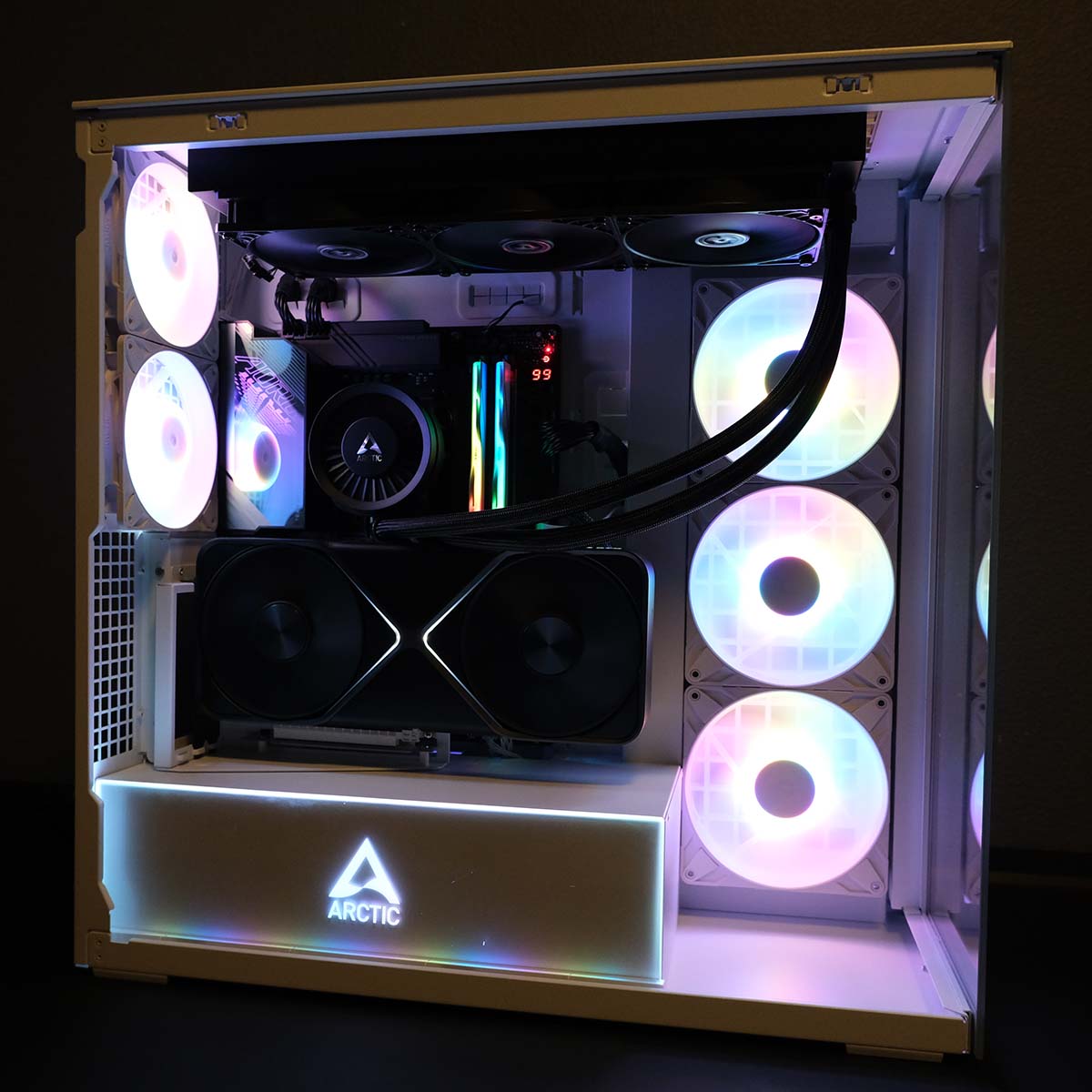
The best PC case overall is the Arctic Xtender VG, nailing the panoramic glass formula with great build quality and a very competitive price. Amazingly, that modest £129 outlay even buys you a vertical GPU mount, meaning you can show off the full majesty of your graphics card behind that classy glass window.

Arctic Xtender VG
£129 / $149
Pros
- Beautiful panoramic glass design
- Superb build quality
- Five RGB fans
- Support for two 420mm radiators
- Easy building
Cons
- Fiddly vertical mount
- PCIe Gen 4 riser
Club386 may earn an affiliate commission when you purchase products through links on our site.
How we test and review products.
Every now and then a case comes along that just bowls us over, and that’s pretty much what happened with the Xtender VG. Arctic has clearly put loads of thought into the design of this chassis, making it easy to remove its panels, and there’s loads of room in which to work, especially if you release that front glass panel.
All the holes around the motherboard tray are neatly lined with rubber grommets, and there’s plenty of room to stow cables out of sight, complete with Velcro ties to keep them tidy. It also really helps that the included ARGB fans can be daisy chained, so you only need to hook them up to one motherboard header.
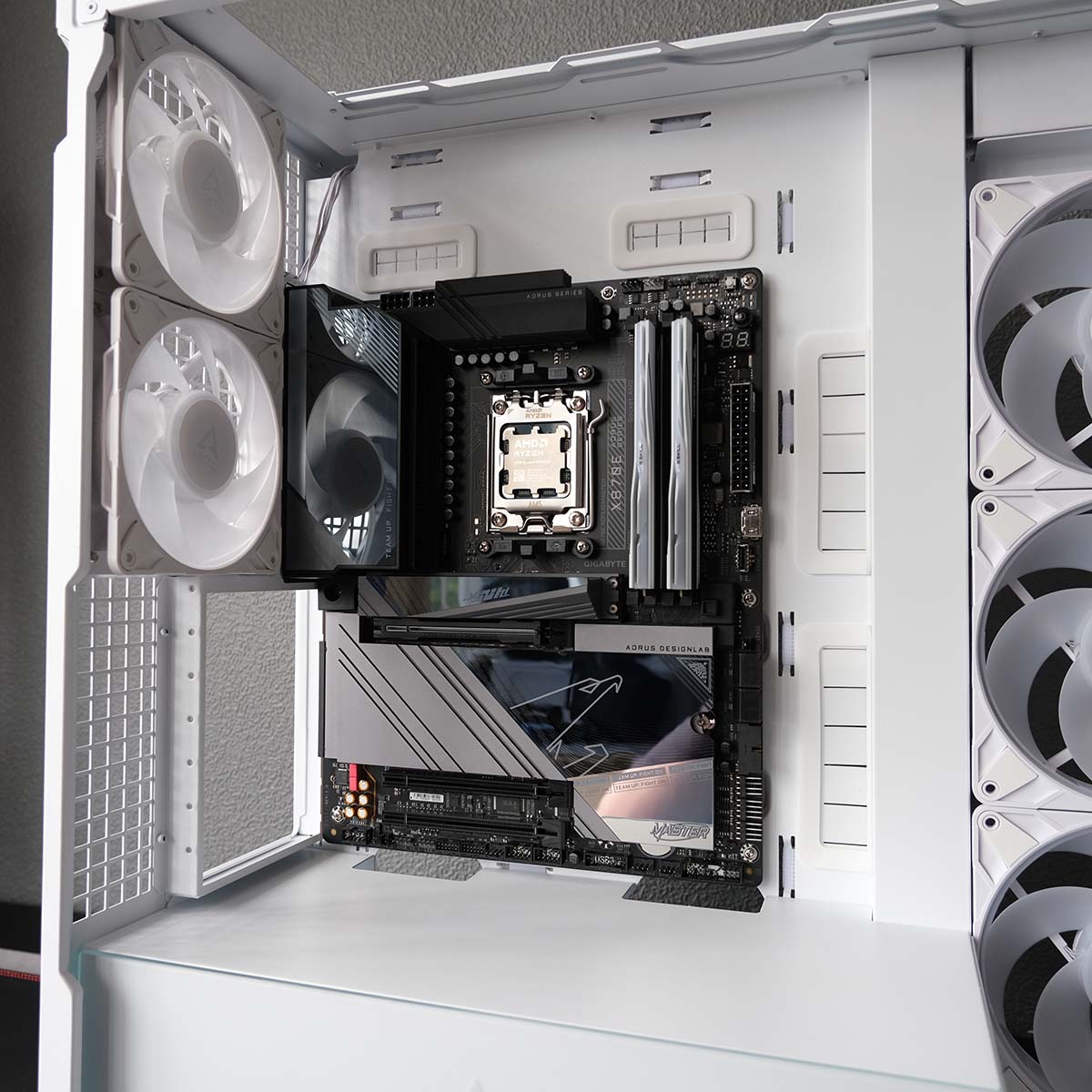

To top it all off, this case can keep a high-end system cool without making a horrible noise – it had no trouble with our Ryzen 9 9950X3D and RTX 5090 test setup. The only downer is that we found installing the vertical GPU mount a bit fiddly, but it does look great when it’s in place.
Bear in mind that the included riser for it is PCIe Gen 4 rather than 5, though, so you’ll lose a tiny little bit of bandwidth on high-end recent GPUs, and you’ll also need to make sure your motherboard’s PCIe x16 graphics slot is set to PCIe Gen 4.0 mode to ensure cooperation with it.
Best of all, though, is the price, which has come down since launch. You can now pick up an Xtender VG for just £129 in the UK, including the fancy mirror version. That’s a fantastic price for such a great-looking, well-designed case with this feature set.
Read our full Arctic Xtender VG review.
| Specifications | Arctic Xtender VG |
|---|---|
| Dimensions (H x W x D) | 529 x 231 x 529mm |
| Motherboard support | ATX, micro-ATX, mini-ITX, E-ATX (up to 285mm wide) |
| Fan support | Rear: 120mm (x2) Side: 120mm (x3) / 140mm (x3) Top: 120mm (x3) / 140mm (x3) |
| Radiator support | Side: 360/420mm Top: 360/420mm |
| CPU cooler height | 171mm |
| PSU length | 318mm (200mm w/ HDD cage) |
| Graphics card length | 482mm (337 w/ side radiator) |
| Connections | 3.5mm line-in/out (x1) USB-A 5Gbps (x2) USB-C 10Gbps (x1) |
| Drive bays | 2.5in (x4) 3.5in/2.5in (x2) |
Best budget case
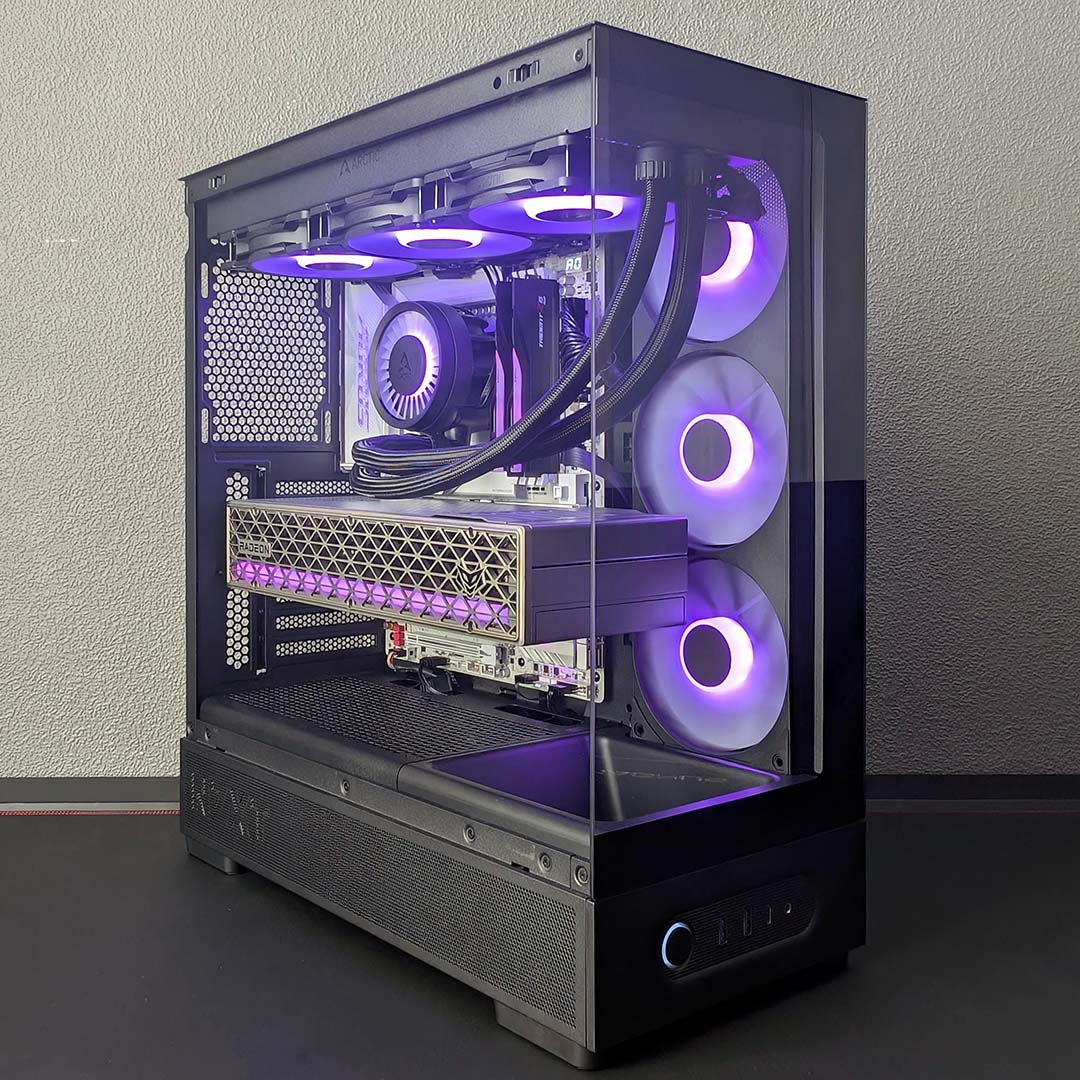
The best budget case is the NZXT S5 RGB. Not everyone has big bucks to spend on their PC, but that doesn’t mean you have to put up with a flimsy, badly designed chassis. NZXT rewrote the rulebook on what you can expect for under £50 with the S5 RGB, with this tasty-looking case offering decent build quality and a solid design for a surprisingly generous price.
NZXT S5 RGB
£49 / $49
Pros
- Fantastic value
- Great build quality
- Decent airflow
- 360mm A-RGB triple-fan block
- Black and white colours available
Cons
- No rubber grommets for cable cutouts
- No back connect motherboard support
Club386 may earn an affiliate commission when you purchase products through links on our site.
How we test and review products.
You usually expect to either sacrifice good looks or build quality at this end of the price scale, but the NZXT S5 completely bucks this trend. This budget case is not only well made, but its panoramic glass exterior also looks great, giving you a full window into your PC’s workings.
NZXT has trimmed down costs by making a few sacrifices, but none of them compromise this case’s build quality or performance. There are no rubber grommets lining the cable routing holes, for example, and the three front fans are all housed in a uniframe block.
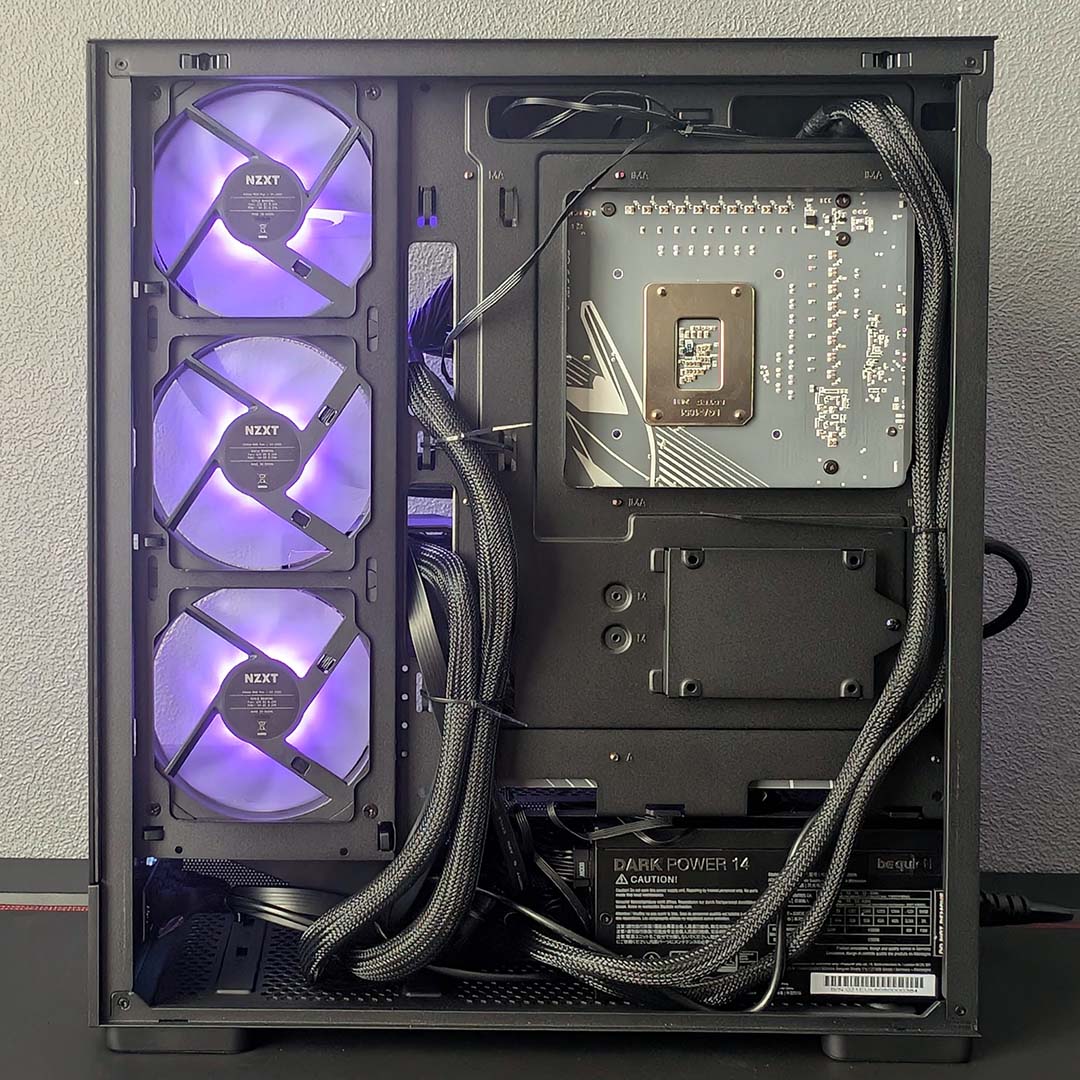
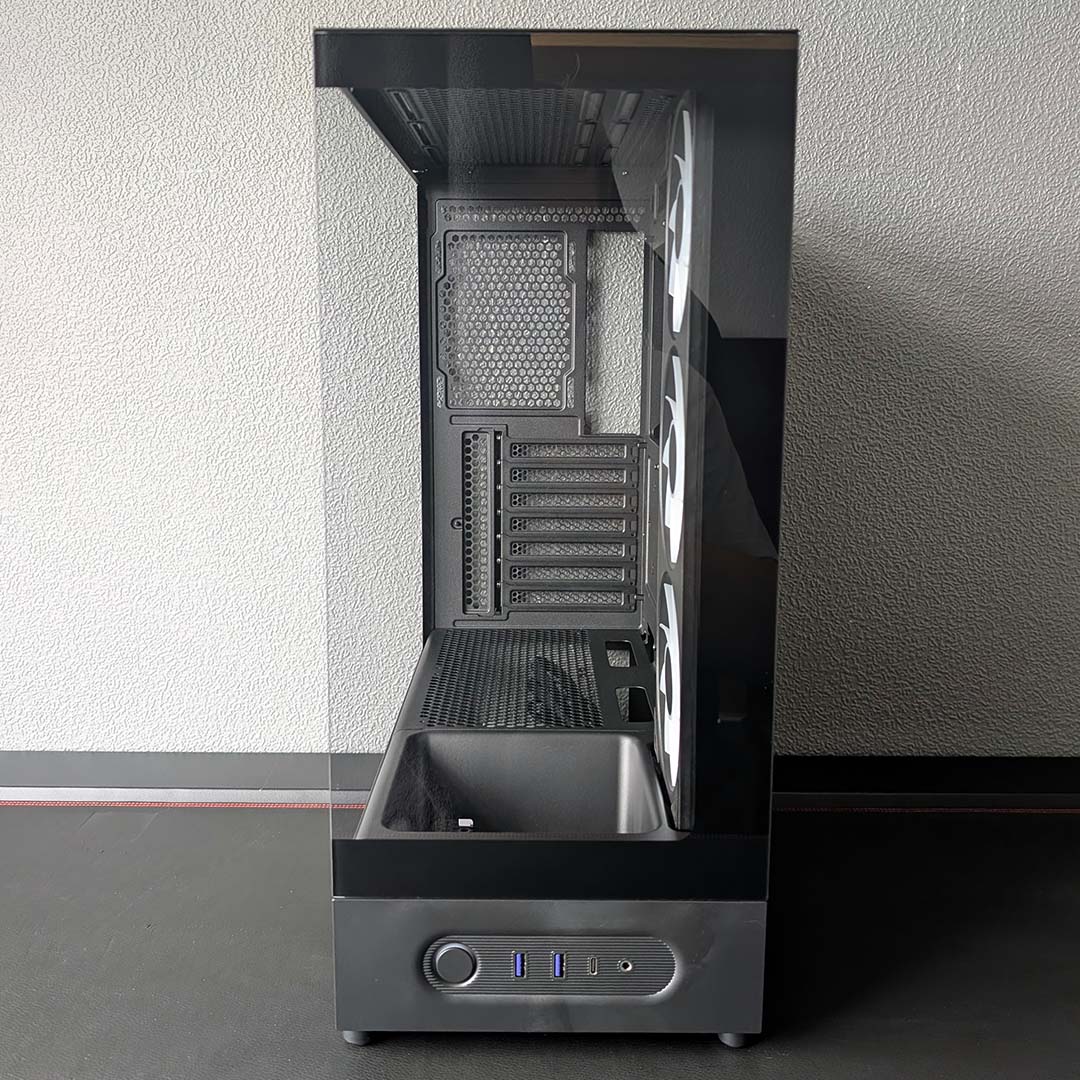
Importantly, though, its steel frame is reassuringly solid, and the hefty window panels are all made from tempered glass. Most aquarium-style cases in this price bracket have a mesh front panel, so NZXT has really pushed the boat out here.
Airflow performance from that block of three fans is also fine, with our test Core Ultra 7 270K Plus system able to keep cool without kicking up a racket.
Best of all, though, is that price. It’s hard to believe NZXT has managed to produce this level of quality for such a low cost, and in a good-looking package too. It’s not perfect, but for £50 it’s an absolute bargain for what you get.
Read our full NZXT S5 RGB review.
| Specifications | NZXT S5 RGB |
|---|---|
| Dimensions (H x W x D) | 382× 210 × 423mm |
| Motherboard support | ATX, micro-ATX, mini-ITX |
| Back-connect compatible | No |
| Fan support | Bottom: 120mm (x3) Rear: 120mm (x1) Side: 120mm (x3) Top: 120mm (x3) / 140mm (x2) |
| Radiator support | Rear: 120mm Top: 120 / 140 / 240 / 280 / 360mm |
| CPU cooler height | 162mm |
| PSU length | 200mm |
| Graphics card length | 415mm |
| Connections | 3.5mm audio-out/mic-in (x1) USB-A 5Gbps (x2) USB-C 20Gbps (x1) |
| Drive bays | 2.5in (x1) 3.5in (x1) |
Best case under £100
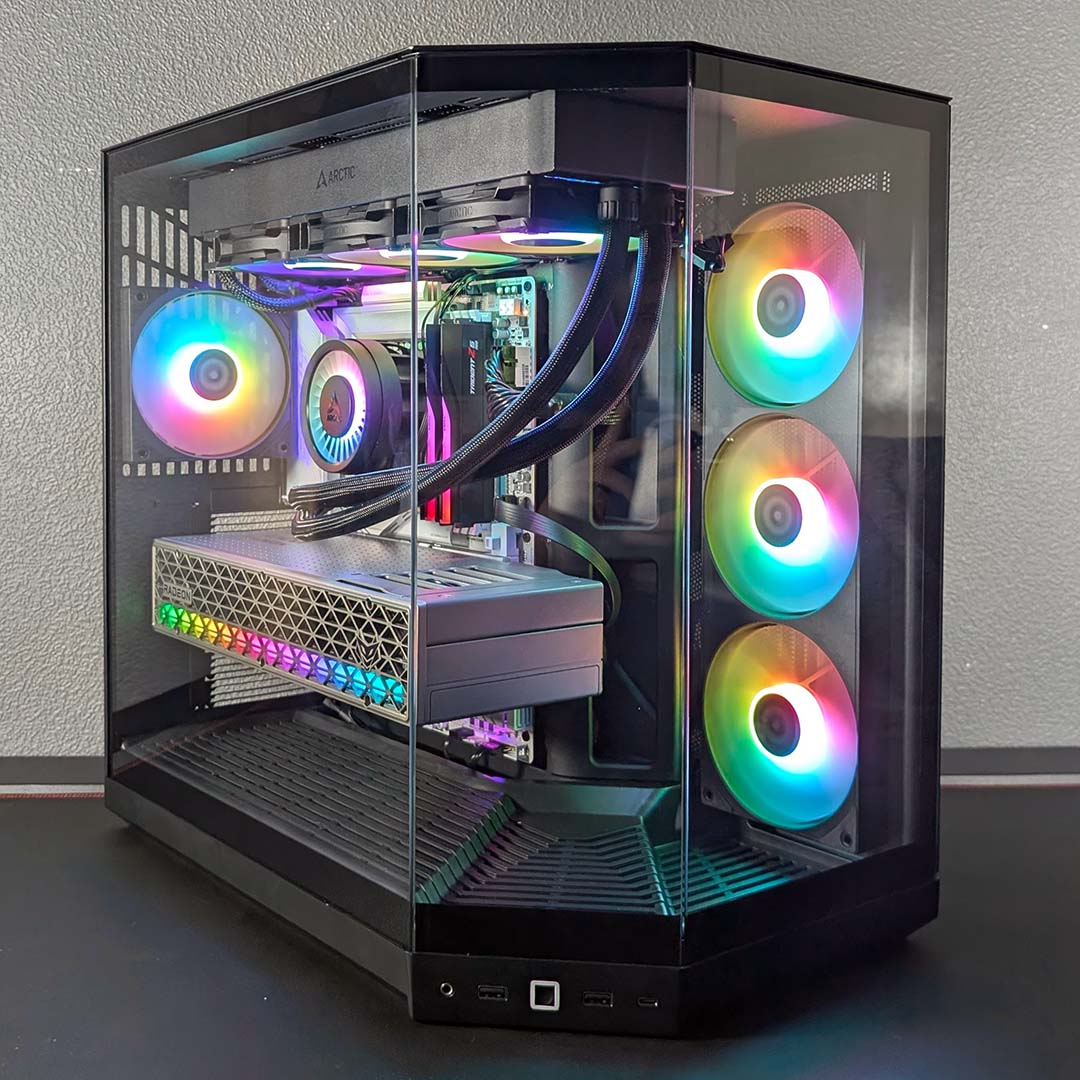
The best case under £100 is the Hyte Y50 RGB. Offering a solid step up from the NZXT S5 RGB, this gorgeous case offers many of Hyte’s usual standout features for a palatable price. That includes the triple glass panel panorama around the front and side of this chassis, providing a deep view of your PC’s interior.
Hyte Y50 RGB
£99 / $99
Pros
- Decent airflow
- Stylish panoramic glass design
- Four A-RGB fans
- Surprisingly low price
Cons
- Tight radiator clearance
- Lack of dust filters
Club386 may earn an affiliate commission when you purchase products through links on our site.
How we test and review products.
As with the NZXT S5 RGB, intake airflow comes from a uniframe block of three 120mm fans, but in this case, you also get a 120mm exhaust spinner as well. There’s room for plenty of hardware here as well, including a 360mm radiator in the roof, and several SATA drives, including a pair of 3.5in hard drives.
As we’ve come to expect from Hyte, this case is also all about making a visual impact. Yes, you can buy it in black and white, just like most other cases, but you also have Black Cherry, Taro Milk, and Strawberry Milk colourways available if you want to build a colourful system.
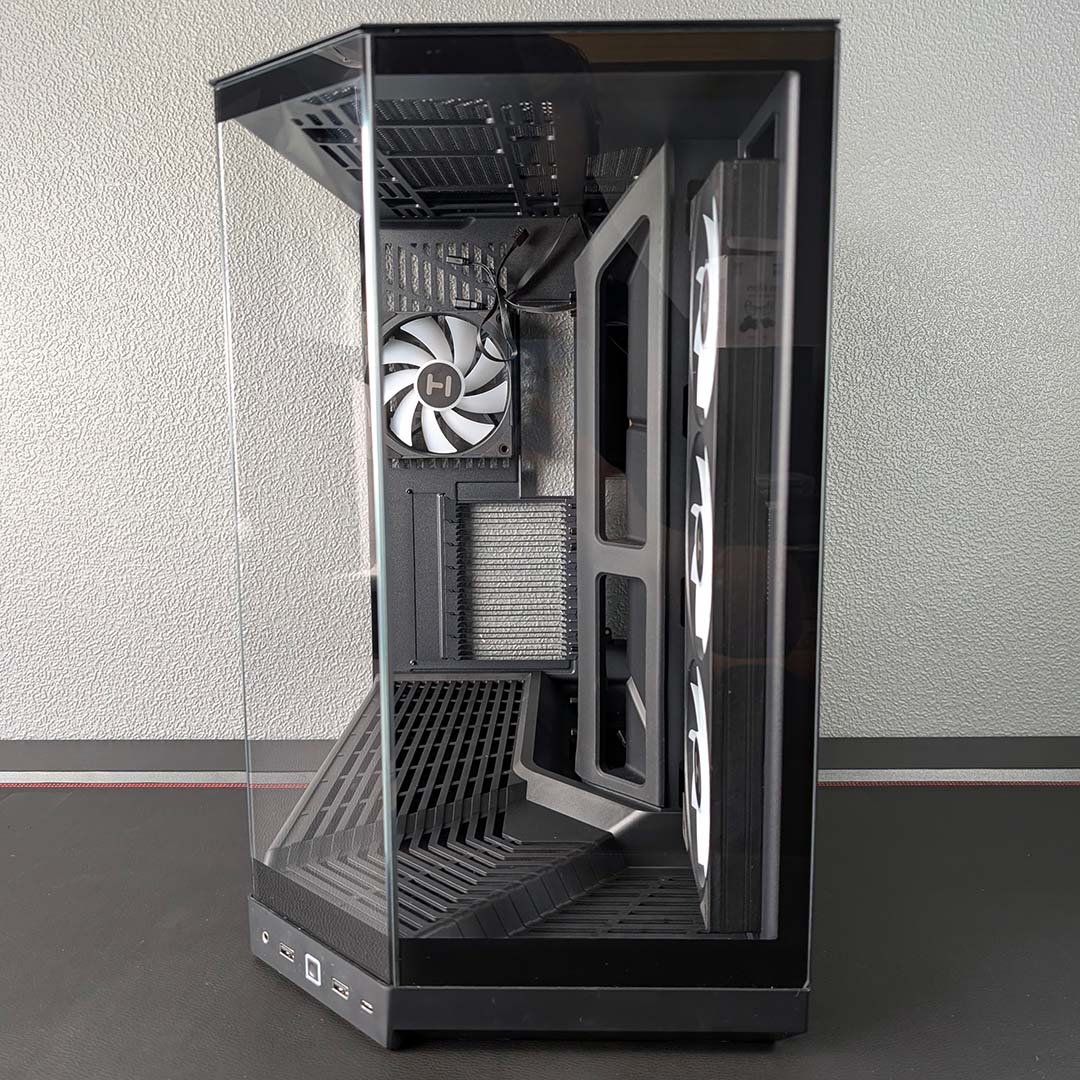
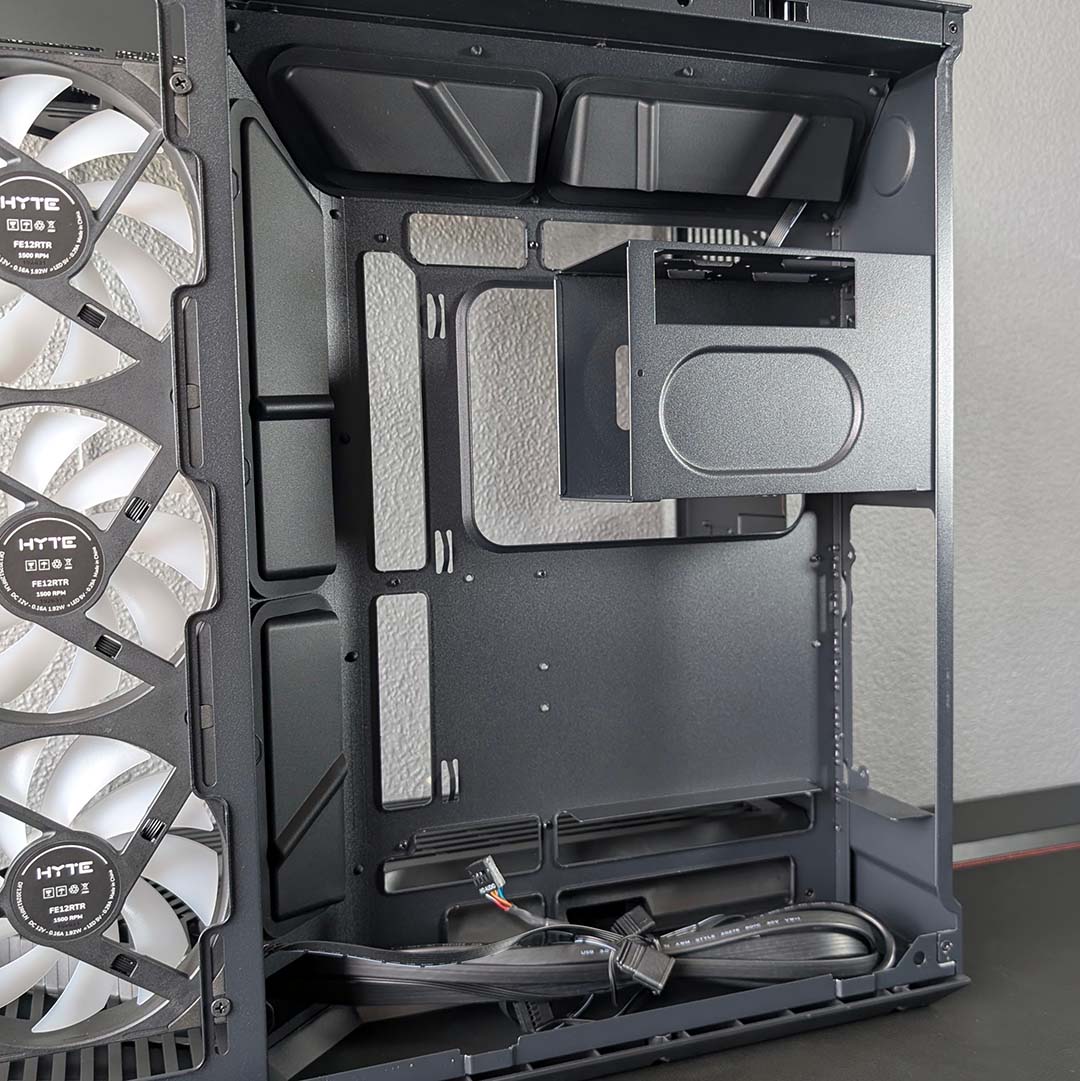
Unlike the NZXT S50 RGB, you also get proper rubber grommets around some of the cable routing holes for a tidy build, and this case also supports back-connect motherboards, enabling you to build a system with barely any visible cables if you have the right gear.
It’s not perfect – there’s a tight squeeze around the top cable routing holes with our test 360mm AIO cooler in place, for example, and the lack of a fan hub means you have to deal with a fair bit of power and ARGB cabling.
This is a fantastic-looking case for the money, though, and it’s really well built to boot.
Read our full Hyte Y50 RGB review.
| Specifications | Hyte Y50 RGB |
|---|---|
| Dimensions (H x W x D) | 461 × 288 × 473mm |
| Motherboard support | E-ATX, ATX, micro-ATX, mini-ITX |
| Back-connect compatible | Yes |
| Included fans | Side: 360mm, with RGB (x1) Rear: 120mm, with RGB (x1) |
| Fan support | Bottom: 120mm (x2) Rear: 120mm (x1) Side: 120mm (x3) Top: 120mm (x3) / 140mm (x2) |
| Radiator support | Rear: 120mm Side: 120/240/360mm Top: 120/140/240/280/360mm |
| CPU cooler height | 160mm |
| PSU length | 250mm (with front connect) 225mm (with rear connect) |
| Graphics card length | 360mm |
| Connections | 3.5mm audio-out/mic-in (x1) USB-A 5Gb (x2) USB-C 10Gb (x1) |
| Drive bays | 2.5in (x6) 3.5in (x2) |
Best SFF case
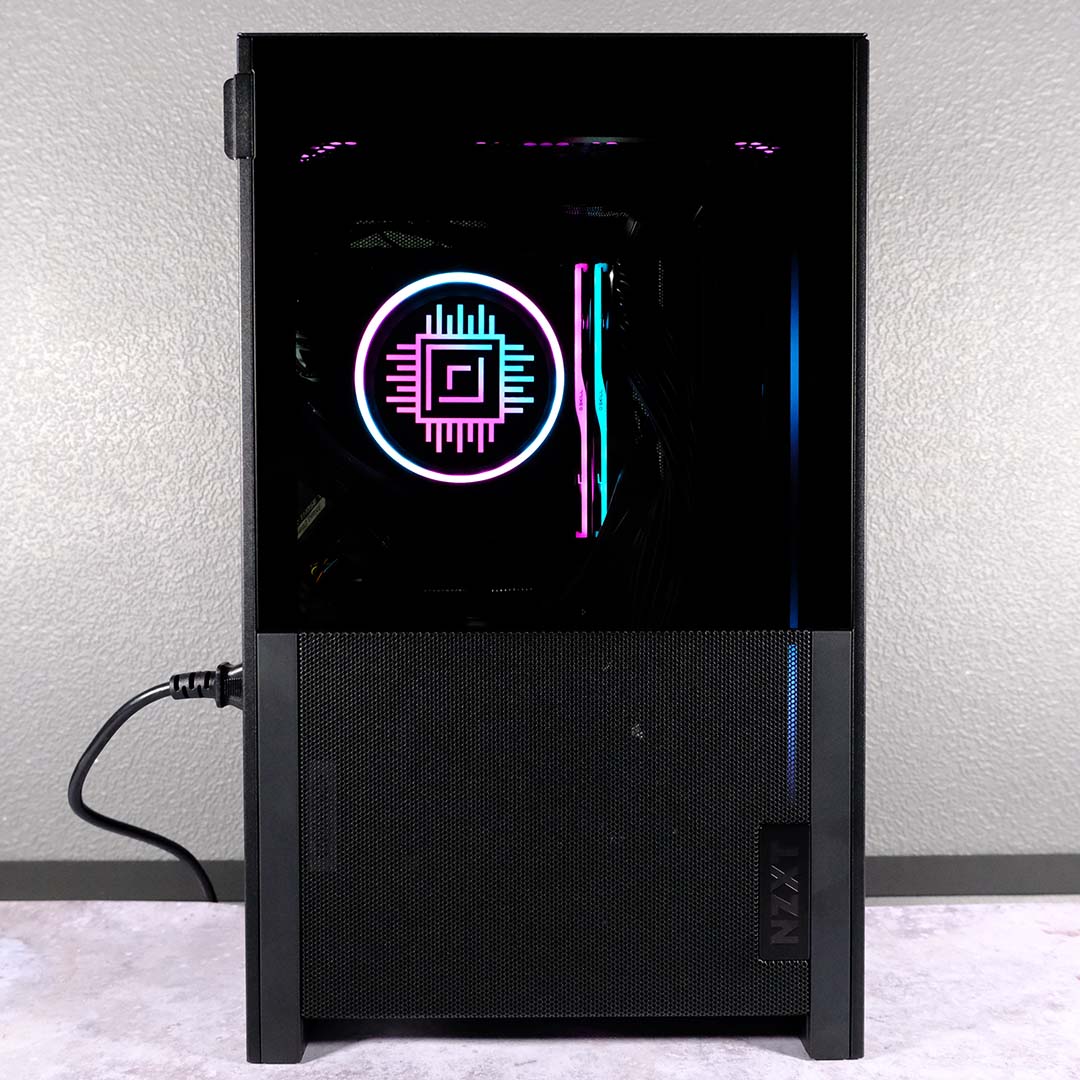
The best SFF case is the NZXT H2 Flow. It’s amazing how much hardware you can cram into a small space these days. Now that mini-ITX motherboards are readily kitted out with all the key features, and barely anyone uses more than one PCIe slot and two DIMM slots anyway, you can downsize your rig without sacrificing much in the way of performance.
NZXT H2 Flow
£129
Pros
- High-quality steel shroud
- Plenty of airflow
- Smooth building experience
- Supports large graphics cards
- Included PCIe Gen 5 riser
Cons
- No discrete dust filters
- Some fiddly cable management
Club386 may earn an affiliate commission when you purchase products through links on our site.
How we test and review products.
That’s especially true with the NZXT H2 Flow, which we even managed to kit out with an Nvidia GeForce RTX 5090 and AMD Ryzen 7 9800X3D CPU, creating a tiny power package. Despite its modest 181 x 263mm footprint, there’s room for a 280mm AIO cooler inside this pint-size chassis, which builds upwards to create space. There’s room for a decent-sized graphics card as well, and there’s a PCIe Gen 5 riser to make sure you get the most out of it.
A pair of 120mm fans keep the interior cool, and you even get a view of your hardware through a tempered glass panel at the top. CPU temperatures remained absolutely fine in our high-end test system as well, topping out at 83°C even during a gruelling Cinebench multi-threaded run.
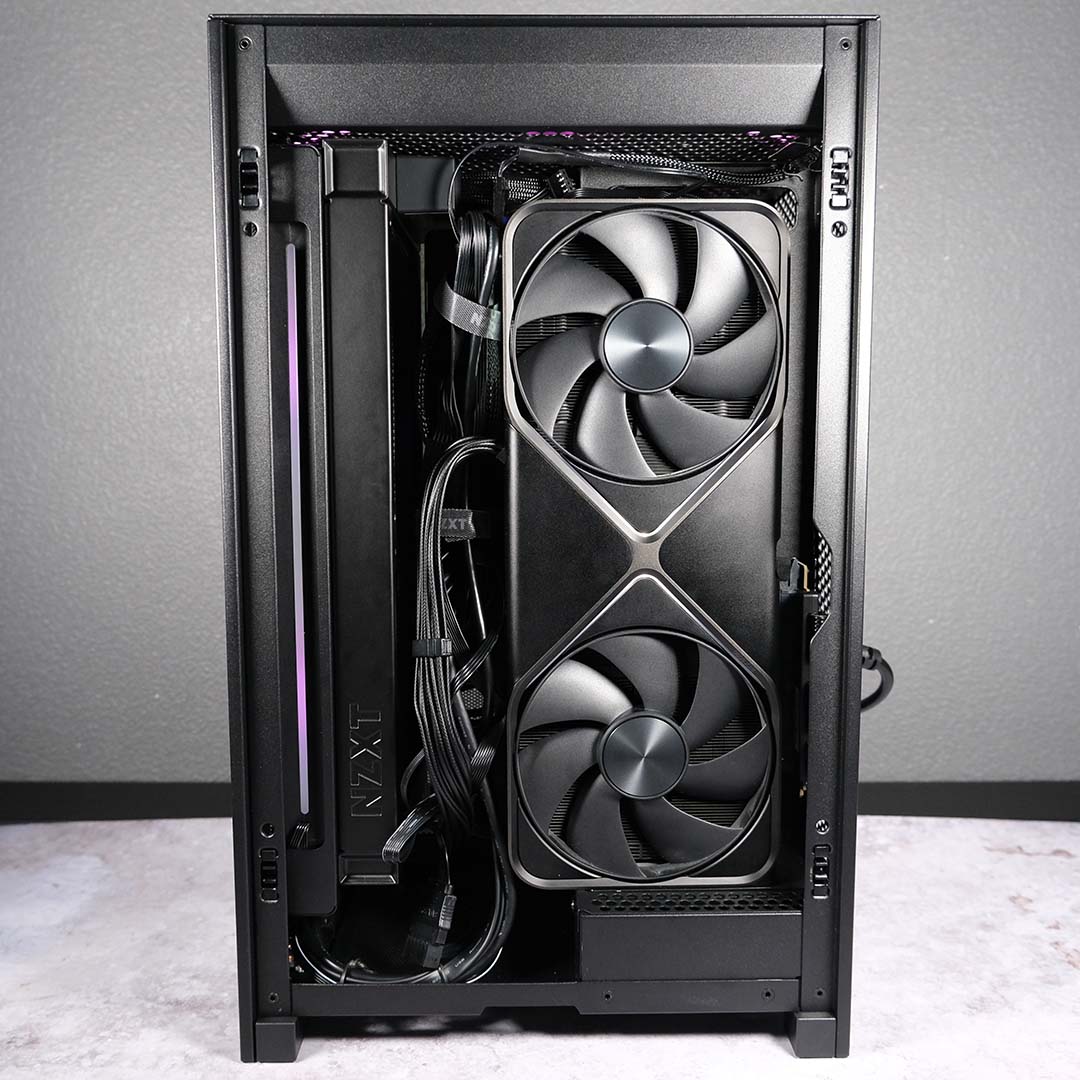
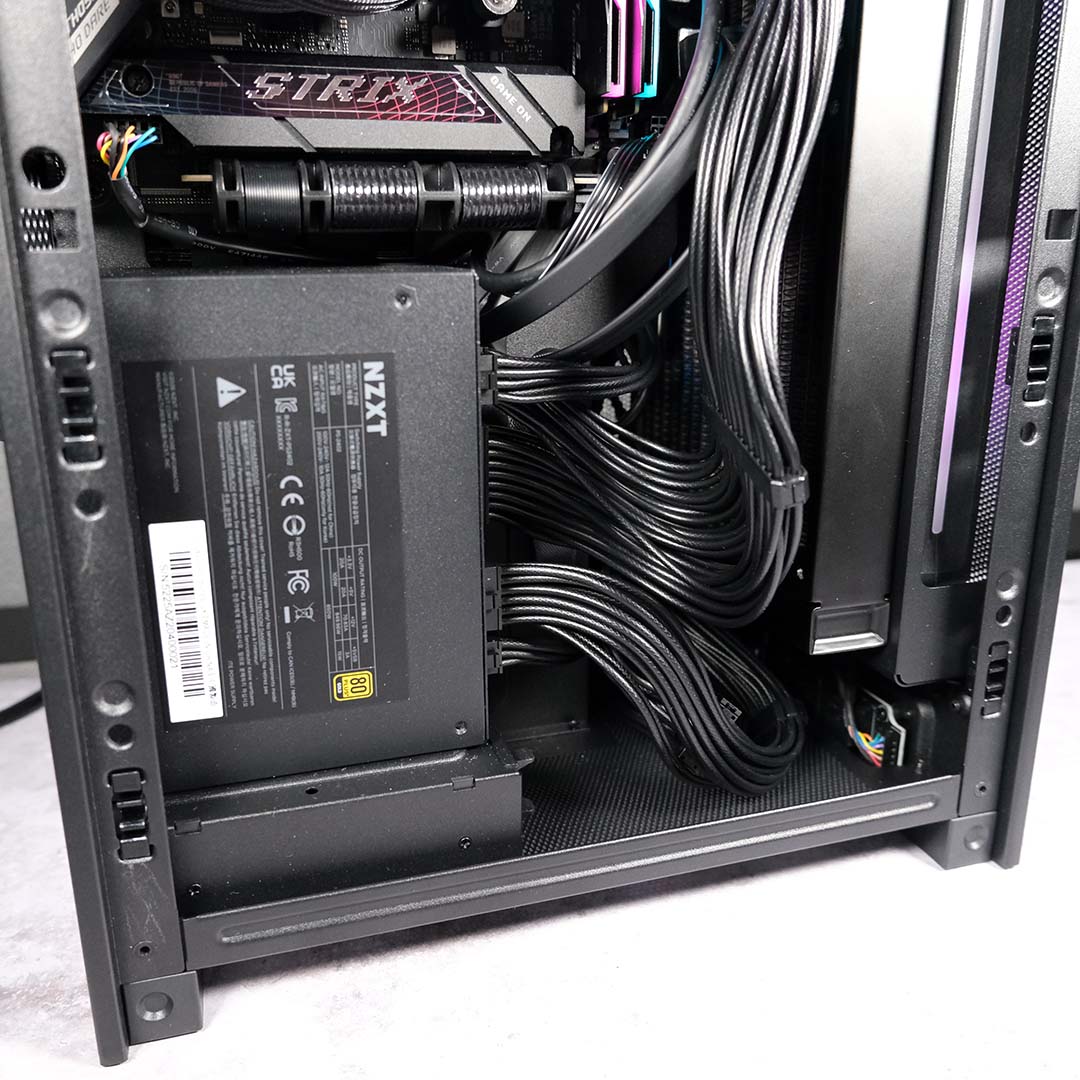
Naturally, it’s all a bit tight inside, but we found there’s still just enough room to keep your cables tidy and let your hardware breathe. Refreshingly, we also found it surprisingly easy to build a SFF system in this tiny chassis – it offers a great way for beginners to get started, even if there’s some fiddly cable management required along the way.
Naturally, if you do build a high-end rig inside this chassis, it can get a bit noisy when it’s running at full pelt. We measured 45dBA from the side during our tests, which can easily be drowned out by a headset, but definitely isn’t quiet. Thankfully, noise levels are practically inaudible when it’s idle, and during normal working conditions.
Otherwise, this is an excellent home for a powerful mini rig. Build quality is excellent, thanks to good use of hefty steel, plus it looks classy and has a very reasonable £129 price tag.
Read our full NZXT H2 Flow review.
| Specifications | NZXT H2 Flow |
|---|---|
| Dimensions (H x W x D) | 435 x 181 x 263mm |
| Motherboard support | Mini-ITX |
| Fan support | Top: 120mm (x2) Front: 120mm (x2) / 140mm (x2) |
| Radiator support | Front: 280mm |
| CPU cooler height | 75mm |
| PSU length | 130mm |
| Graphics card size (L x H x D) | 331 x 150 x 65mm |
| Connections | 3.5mm line-in/out (x1) USB-A 5Gbps (x2) USB-C 20Gbps (x1) |
| Drive bays | 2.5in (x2) |
Best dual-chamber case
The best dual-chamber case is the be quiet! Light Base 500 LX. By dividing your PC into two separate compartments, this cuboid chassis provides a gloriously uncluttered view of your hardware behind its panoramic glass panels. Also, unlike a lot of dual-chamber designs, this one isn’t ridiculously oversized.

be quiet! Light Base 500 LX
£129 / $139
Pros
- Sliding fan bracket with angled intake
- Four 120mm ARGB fans
- Tempered glass front and side panels
- Versatile interior
- Integrated hub controlling up to six fan channels and six ARGB devices
Cons
- Limited 3.5in drive options
- Rear cable management space can be tight
- No sound-insulating material
Club386 may earn an affiliate commission when you purchase products through links on our site.
How we test and review products.
Naturally, it’s not small, but this case’s 301 x 436mm footprint makes it considerably more compact than a lot of dual-chamber designs. One of the innovative features we really like about the case is its angled front fan mount bracket.
It contains three pre-installed 120mm be quiet! Light Wings LX spinners, and you can slide out the bracket to easily dust your fans without having to remove the glass panels. Importantly, rather than positioning the fans flat against the side of the chassis, it angles them so it can deliver a fresh dose of cool air to your CPU and GPU.


It worked really well in our tests, keeping our Ryzen 9 9950X3D cool with its fans spinning at just moderate speeds. Thanks to those quiet fans (there’s a fourth one for exhaust at the back), noise levels are also excellent, with our test system still only generating 39.5dBA during a gruelling Cinebench run, and being practically inaudible when idle.
Meanwhile, the addition of an integrated fand and ARGB hub makes it easy to tidy cables and sync your system’s fan curves and lighting, and dust filters on all the intake points make it simple to keep your system clean. It looks great with all its RGB lighting fired up.
There are a few complaints – you only get a single 3.5in drive bay, for example, and there’s not much room for stowing cables behind thew motherboard tray. However, this is otherwise a well-built, good looking dual-chamber case that’s packed with features.
Read our full be quiet! Light Base 500 LX review.
| Specifications | be quiet! Light Base 500 LX |
|---|---|
| Dimensions (H x W x D) | 430 x 301 x 436mm |
| Motherboard support | ATX, micro-ATX, mini-ITX |
| Fan support | Front (sliding bracket): 120mm (x3) Top: 360mm (x3) or 140mm (x2) Rear: 140mm (x1) Bottom 120mm (x2) |
| Radiator support | 360mm (top) |
| CPU cooler height | 185mm |
| PSU length | 200mm |
| Graphics card length | 400mm |
| Connections | 3.5mm line-in/out (x1) USB-A 5Gbps (x2) USB-C 10Gbps (x1) |
| Drive bays | 2.5in (x2) 3.5in (x1) |
Best workstation case
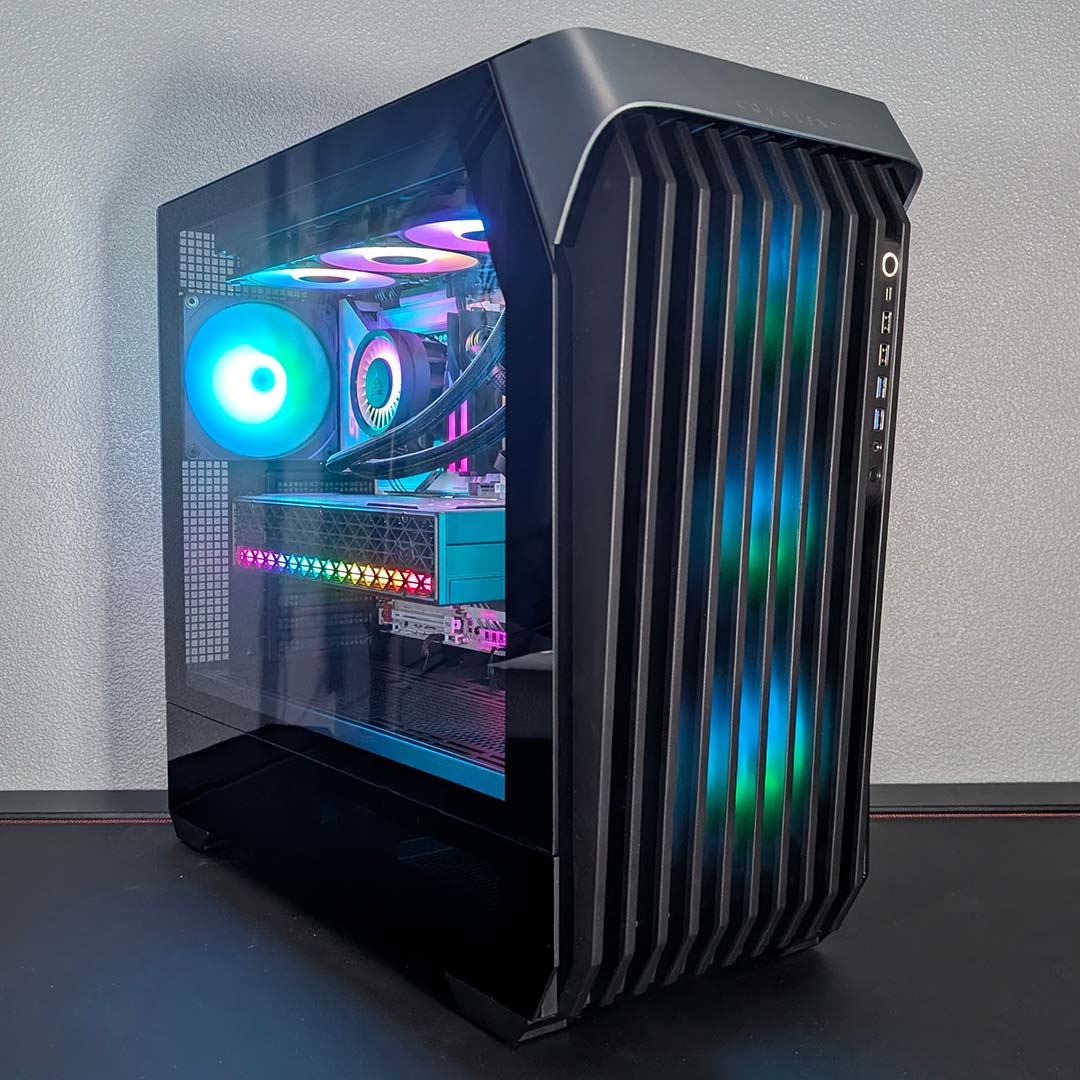
The best workstation case is the InWin Covalent. In fact, this is also a fine high-end system case for those of us who aren’t particularly enamoured with the latest fishtank glass trend. Offering room for loads of gear, as well as fantastic airflow, this is an excellent full tower chassis.
InWin Covalent
€145
Pros
- Great airflow and thermals
- Easy build and cable management
- Built-in fan and ARGB hubs
- Broad motherboard compatibility
- Ample room for drive storage
Cons
- Lack of dust filters
- Minor build quality quirks
- Limited international availability
Club386 may earn an affiliate commission when you purchase products through links on our site.
How we test and review products.
In fact, there’s a colossal volume of 81 litres available inside this spacious chassis. It might measure 536mm tall, but it can accommodate massive E-ATX motherboards measuring up to 330mm wide, as well as SSI-EEB PCBs. If you’re looking to construct a Xeon or Threadripper workstation, this is a top case.
Meanwhile, three 140mm fans in the front, as well as an exhaust in the back, means there’s loads of airflow. They even look good, thanks to their A-RGB lighting, and the vented front panel means plenty of fresh cool air can be brought into your system.
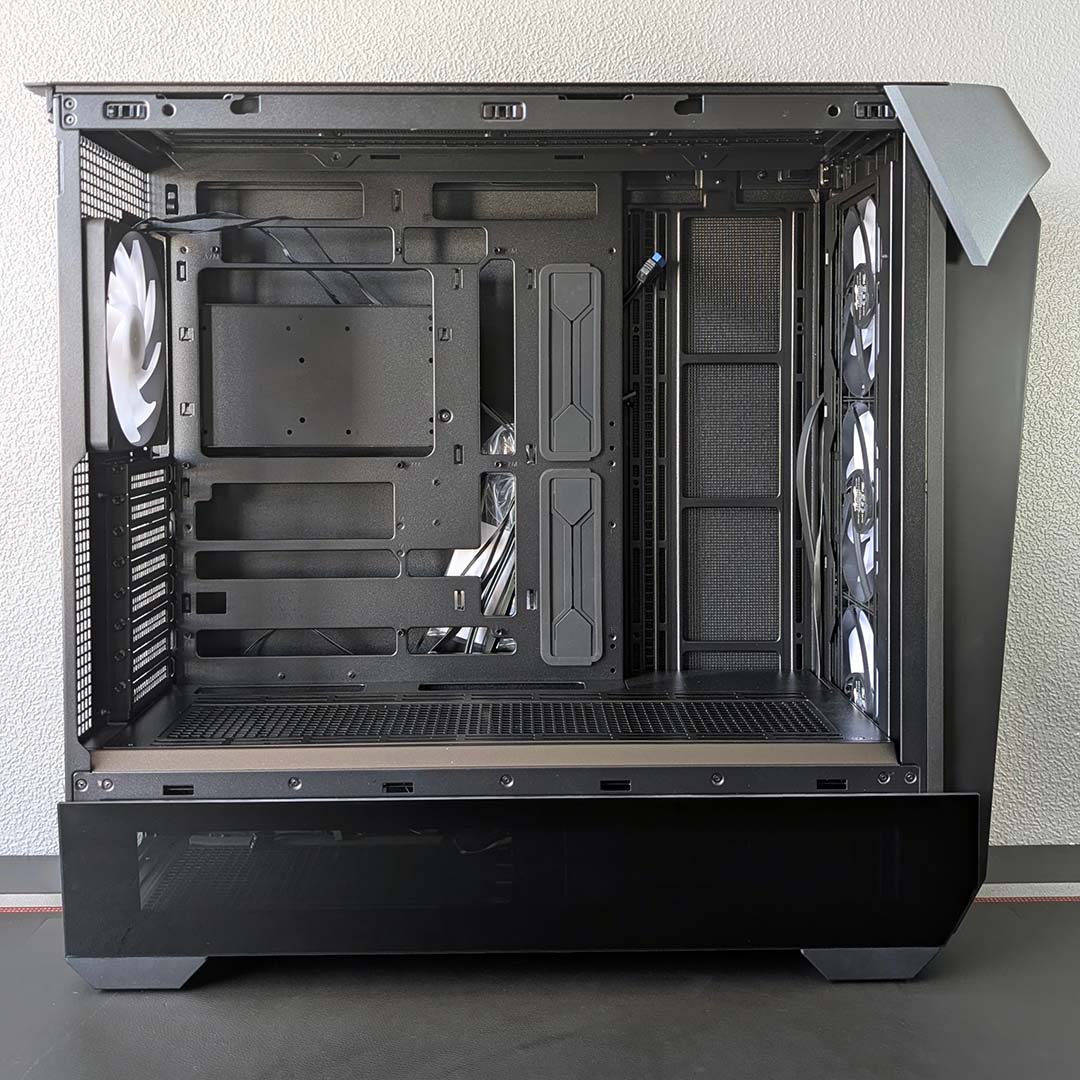
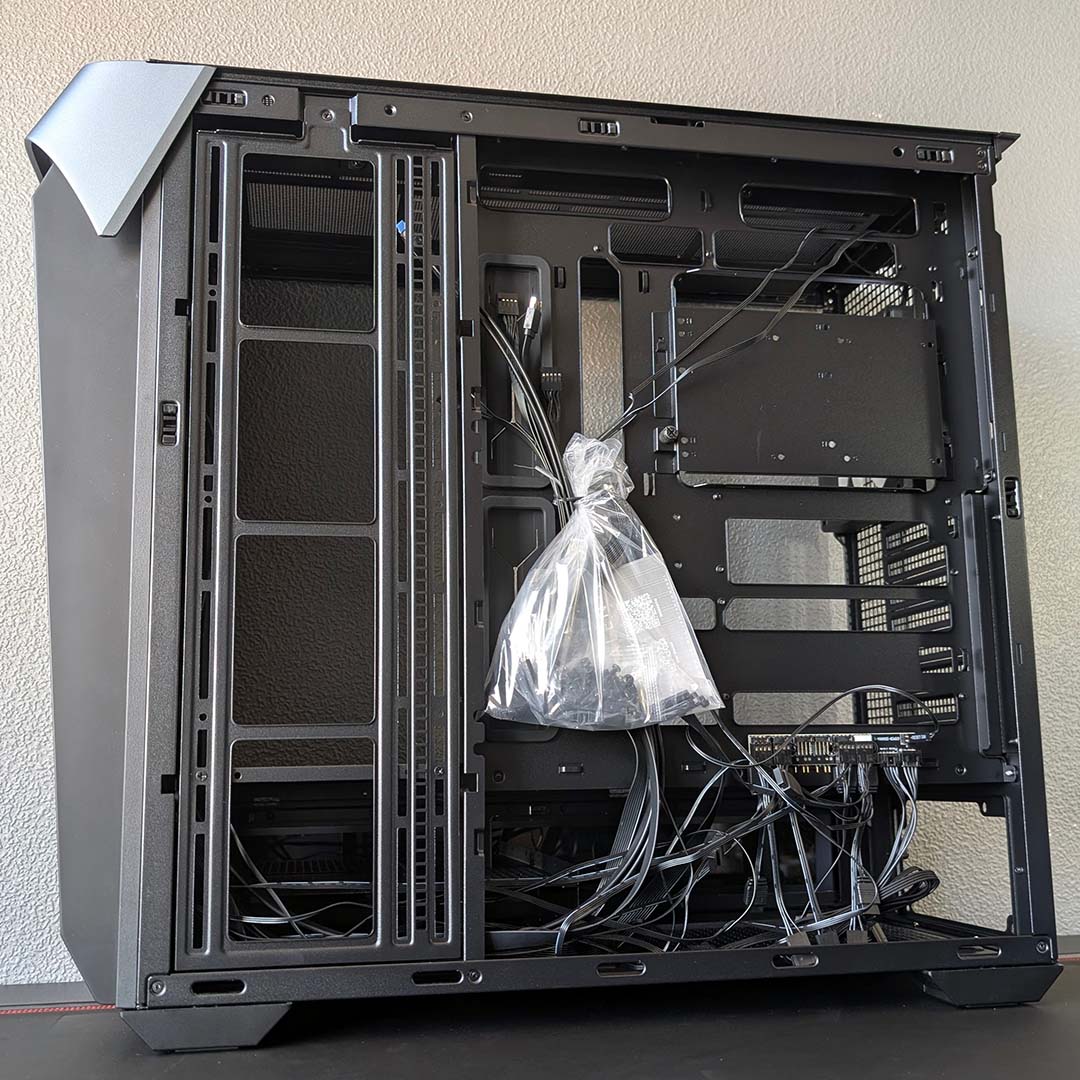
Unlike your average fishtank case, there’s also room to install a stack of hard drives, with room for up to five 3.5in disks.
Build quality is generally excellent throughout, and it’s quick and easy to get your system built inside the Covalent. Airflow is fantastic as well, with our hot-running Core Ultra 7 270K Plus test chip happily peaking at 84°C while having all 24 of its cores stressed in Cinebench multi-threaded run. Amazingly, it’s quiet as well, with noise from the three front fans not even being picked up by our noise meter.
With loads of room for powerful gear and loads of drives, plus great build quality, and excellent airflow, this is a fantastic case. Our only main criticisms are that it can be hard to find outside the EU, and the lack of removable dust filters.
Read our full InWin Covalent review.
| Specifications | InWin Covalent |
|---|---|
| Dimensions (H x W x D) | 536 × 250 × 606mm |
| Motherboard support | SSI-EEB, E-ATX, ATX, Micro-ATX, Mini-ITX |
| Back-connect compatible | Yes |
| Fan support | Bottom: 120mm/140mm (x3) Front: 120/140mm (x3) Rear: 120/140mm (x1) Side: 120mm/140mm (x3) Top: 120mm/140mm (x3) |
| Radiator support | Rear: 120/140mm Side: 360/420mm Top: 360/420mm |
| CPU cooler height | 190mm |
| PSU length | 250mm |
| Graphics card length | 480mm |
| Connections | 3.5mm mic/headphone jack (x1) USB-A 480Mbps (x2) USB-A 5Gbps (x2) USB-C 20Gbps (x1) |
| Drive bays | 2.5/3.5in (x5) 3.5in (x4) |
Best premium case
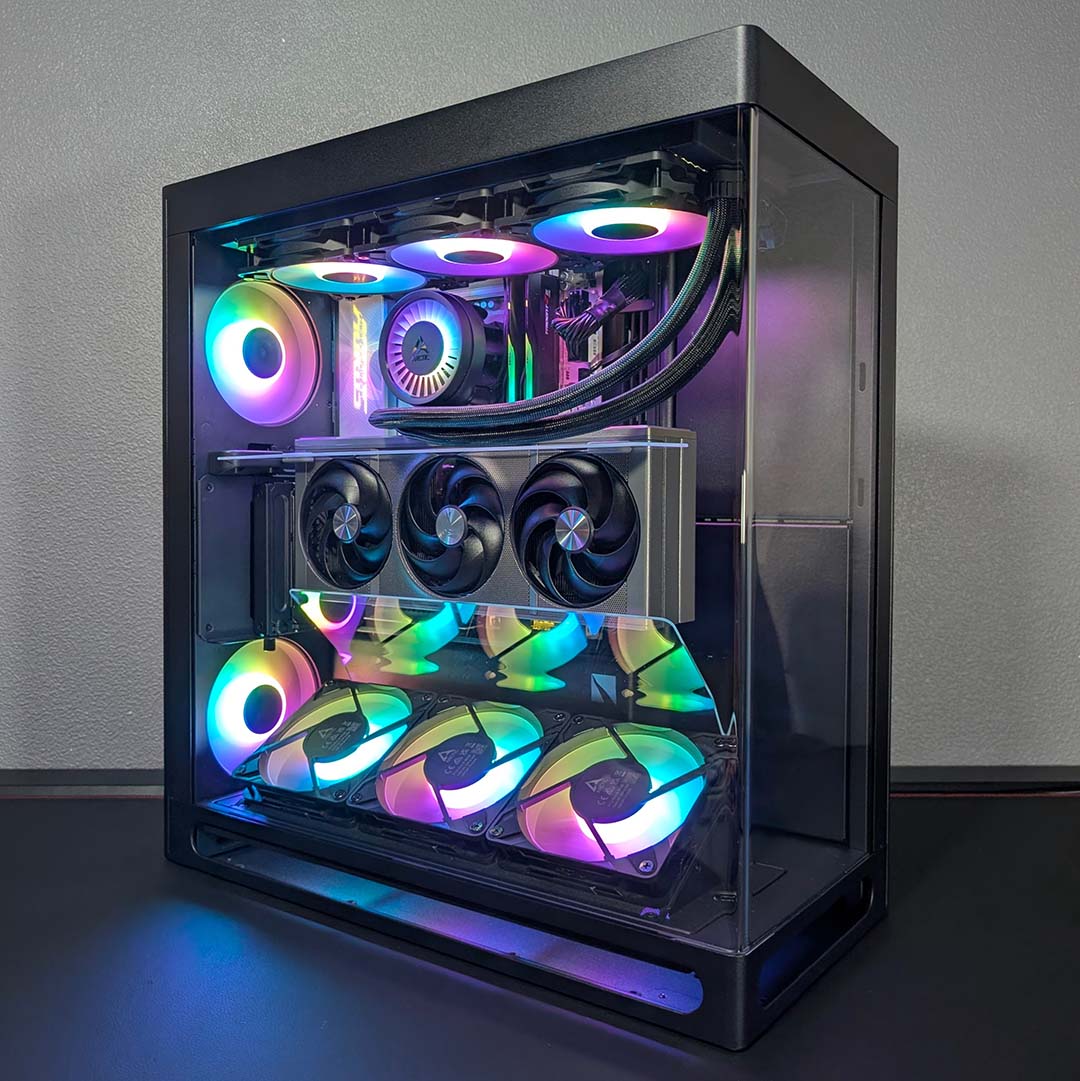
The best premium case is the HAVN HS 360 VGPU. It’s not often that a PC chassis manages to come up with a genuinely innovative new airflow tech that actually works, but HAVN pulled a glass rabbit out of its chassis with the HS 360. Those two sheets of glass you can see between the bottom fans and the top of the graphics card are designed to direct airflow to your GPU, and this setup works really well in our tests.
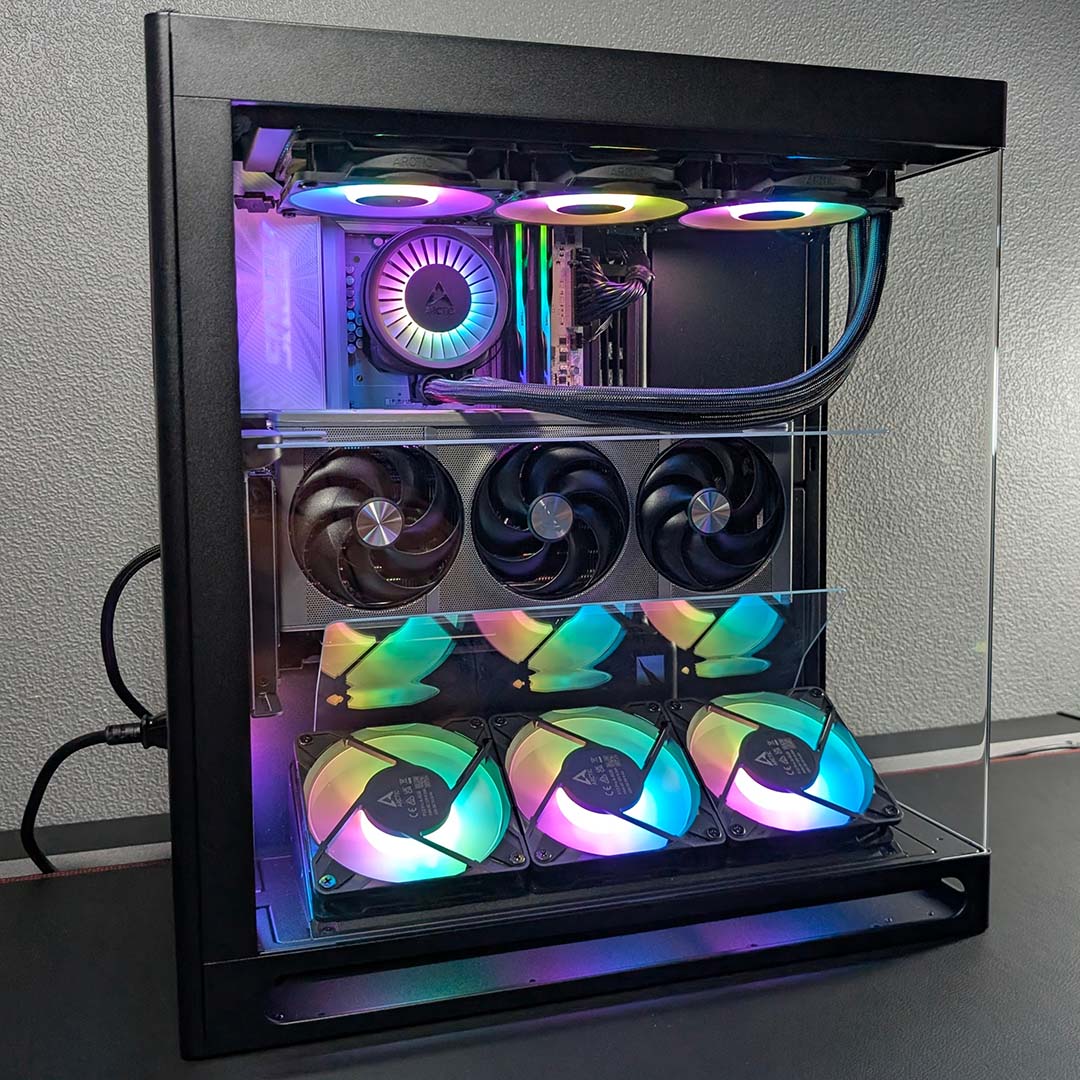
HAVN HS 360 VGPU
£239 / $279
Pros
- Exemplary material quality
- Great thermal and noise potential
- Intuitive cable management
- PCIe 5.0 riser cable
- Included fan hub
Cons
- No included fans
- Lacks A-RGB hub
- Fiddly installation
Club386 may earn an affiliate commission when you purchase products through links on our site.
How we test and review products.
The angled piece of glass funnels air from the lower intake fans, while the top piece of glass means all that cool air goes to your GPU, instead of letting it escape upwards. We tested the case with and without the top piece, called a magnetic airflow divider, and our graphics card’s core GPU temp dropped by around 4°C with it in place, while also being able to run its cooling fans at 1,200rpm rather than 1,500rpm.
Aside from its excellent airflow and cooling, the HAVN HS 360 VGPU is also extremely well made, featuring some of the sturdiest sheet metal we’ve seen in a PC case. It looks fantastic as well, with the single-piece wraparound glass panel showing off all the kit inside your rig.
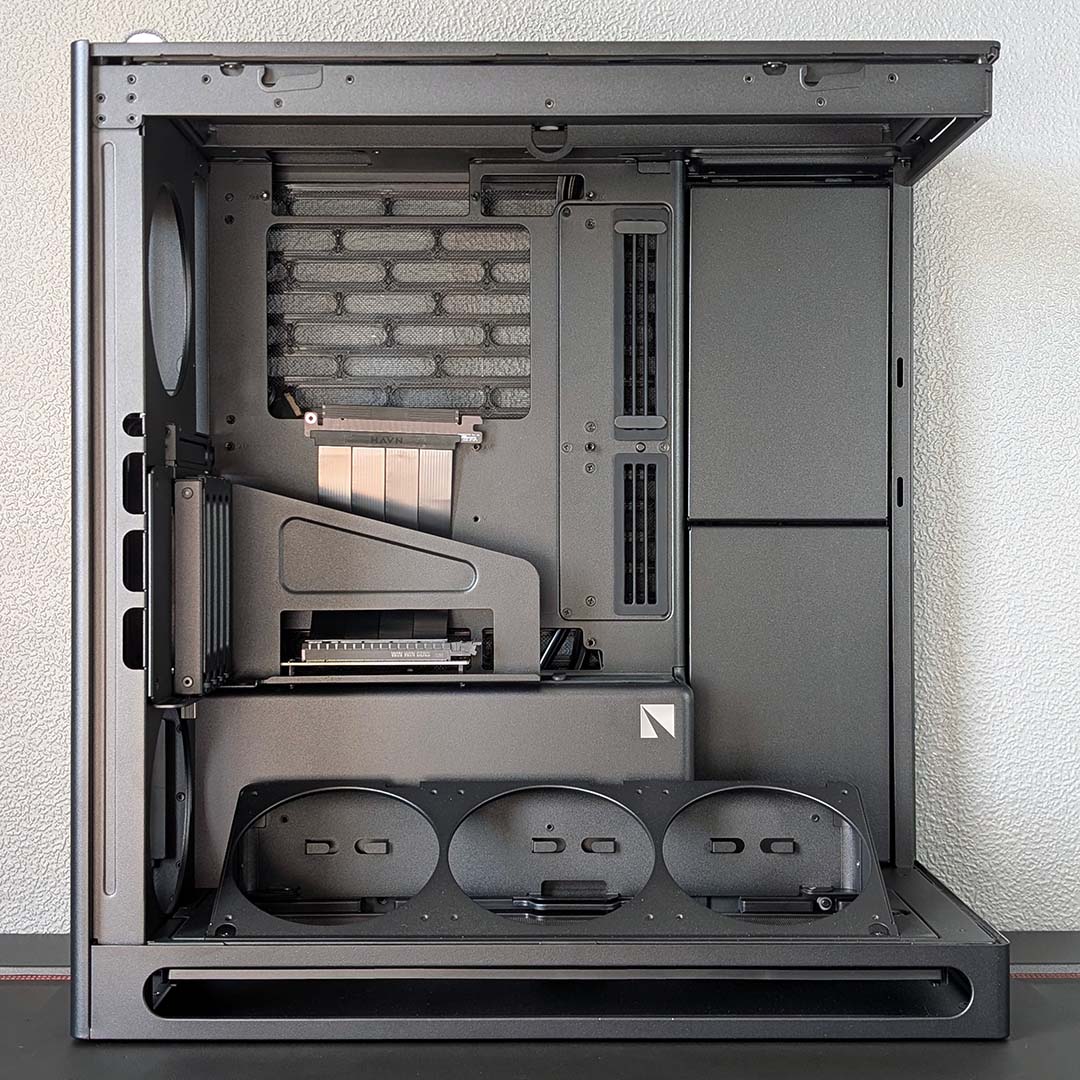
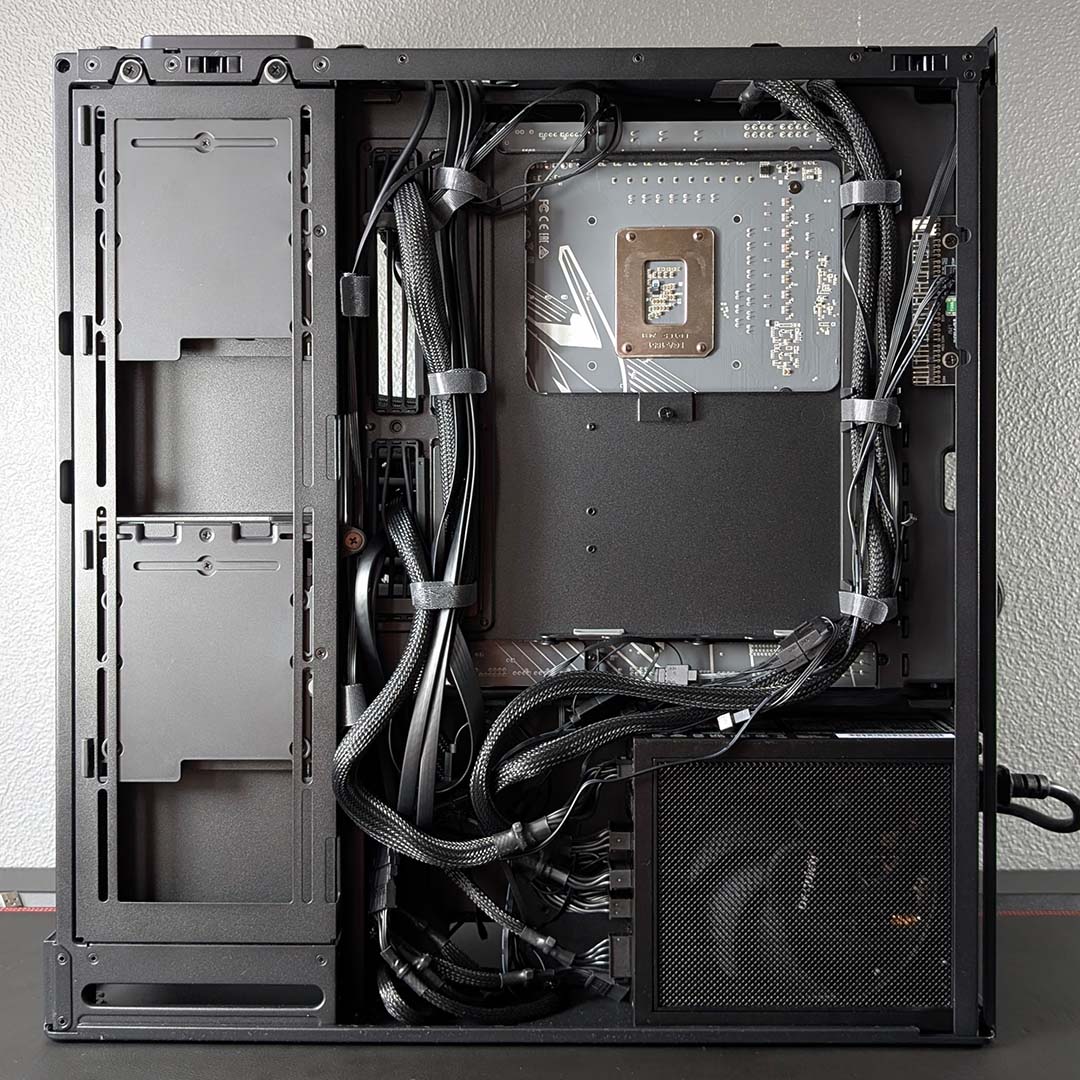
You also get a vertical GPU mount as standard in the ‘VGPU’ edition, enabling you to display your graphics card in all its glory through the side. Importantly, your graphics card connects to your motherboard with a true PCI Gen 5.0 riser cable, so you don’t compromise any bandwidth in the process, unlike many vertical GPU setups.
Cable tidying is also fantastic, with loads of Velcro straps, as well as multi-ribbon rubber grommets lining the holes around the motherboard tray, with individual slits through which you can thread your wires.
There is a catch, though. There are no fans supplied with this case as standard, despite its £239 asking price, which adds further to its cost if you don’t already have any to hand. There’s also no ARGB hub to help manage your lighting cables. However, this is otherwise a seriously great piece of case design, with excellent build quality and dashing good looks.
Read our full HAVN HS 360 VGPU review.
| Specifications | HAVN HS 360 VGPU |
|---|---|
| Dimensions (H x W x D) | 521× 242 × 491mm |
| Motherboard support | ATX, micro-ATX, mini-ITX |
| Back-connect compatible | Yes (ATX) |
| Fan support | Bottom: 120mm (x3) Rear: 120mm (x2) Side: 120mm (x3) Top: 120mm (x3) |
| Radiator support | Bottom: 360mm* Side: 360mm Top: 360mm |
| CPU cooler height | 170mm |
| PSU length | 230mm |
| Graphics card length | 430mm |
| Connections | 3.5mm audio-out/mic-in (x1) USB-A 5Gbps (x2) USB-C 10Gbps (x1) |
| Storage support | 2.5in (x4) 3.5in (x2) |
Best quiet case
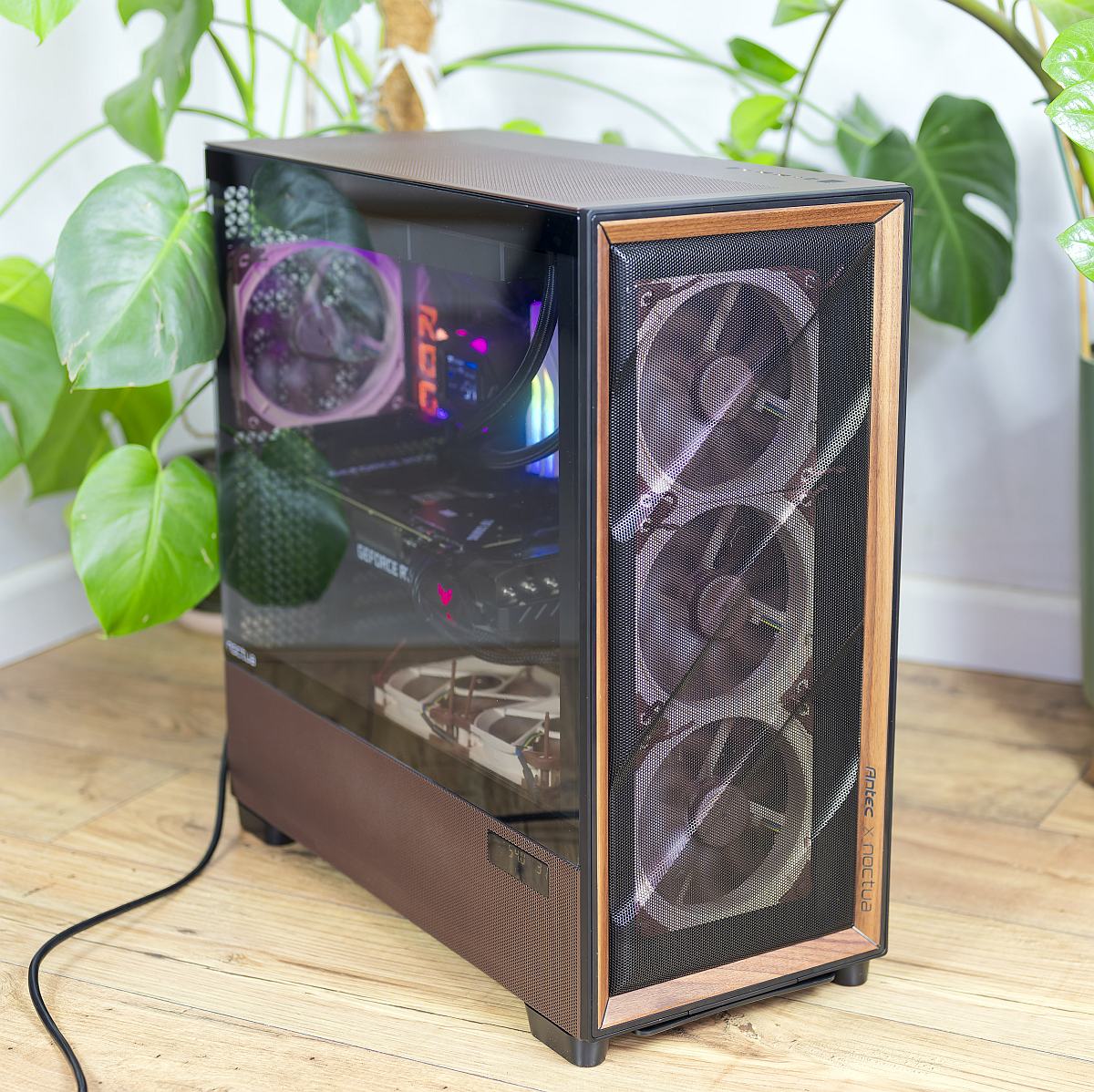
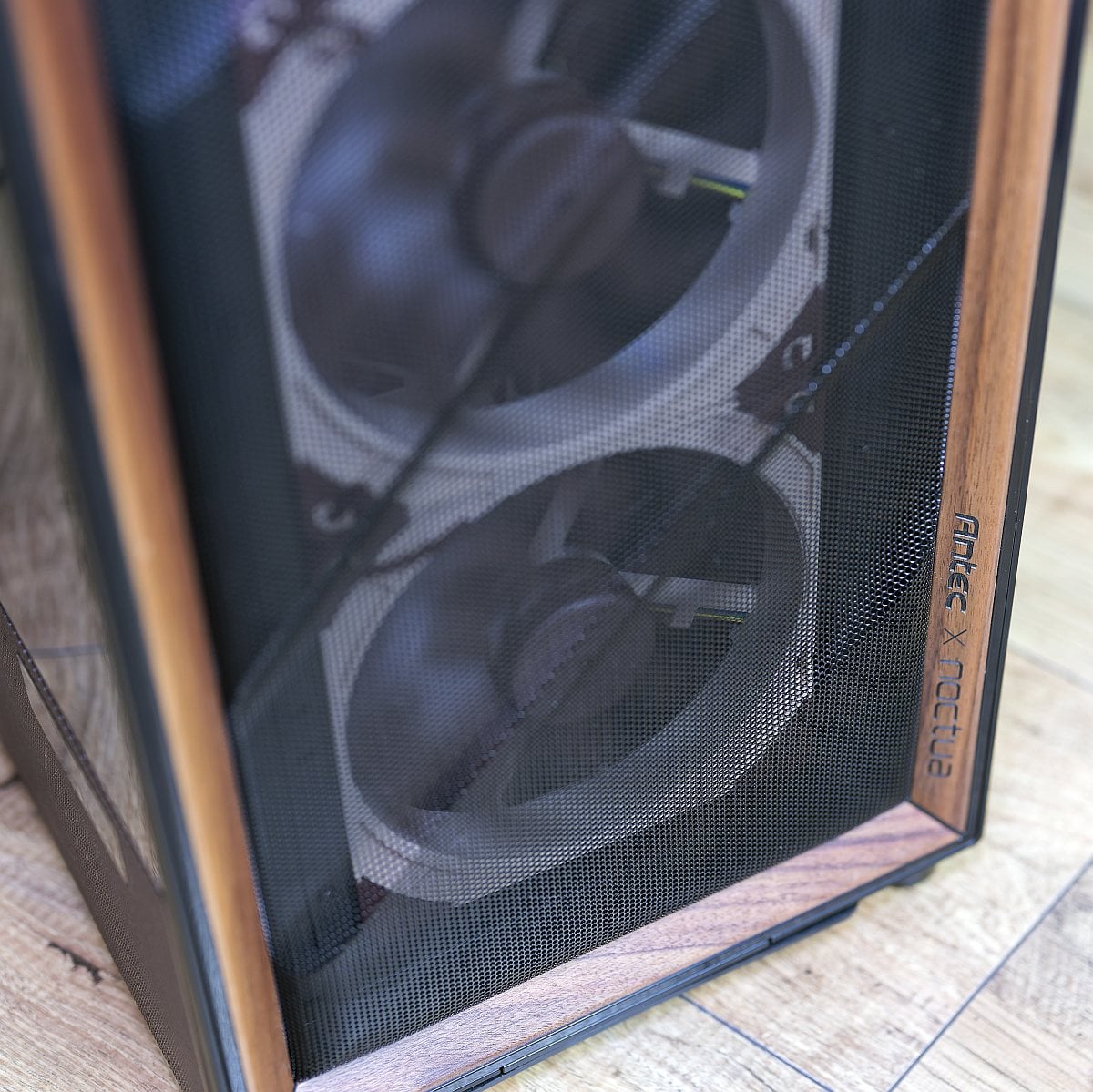
The best quiet case is the Antec Flux Pro Noctua Edition. This classy collaboration between Antec and Noctua is far from cheap, but it’s a fantastic piece of case design, and it’s really quiet as well.
Antec Flux Pro Noctua Edition
£349 / $399
Pros
- Excellent thermals
- Very quiet
- Six Noctua G2 fans and NA-FH1 hub included
- Tool-free panels, modular HDD cages and thoughtful cable routing
- External dual temperature display
Cons
- High asking price versus regular Flux Pro
- You fit all the fans yourself
- Noctua colour scheme won’t suit everyone
- Large footprint
Club386 may earn an affiliate commission when you purchase products through links on our site.
How we test and review products.
This chassis was already off to a good start by using the excellent Antec Flux Pro as its core foundation, offering fantastic airflow through its mesh front, as well as classy looks with its genuine walnut wood accents.
However, it’s the extra Noctua gear that really sets this edition apart. All the stock fans have been replaced with Noctua spinners, and there’s a Noctua NA-FH1 hub on hand to sync them all up through a single motherboard header as well.
As with most Noctua collaborations, this special-edition chassis also has several design touches in line with the distinctive brown Noctua colour scheme, including the rubber grommets lining the cable routing holes, as well as the top and side metal panels.
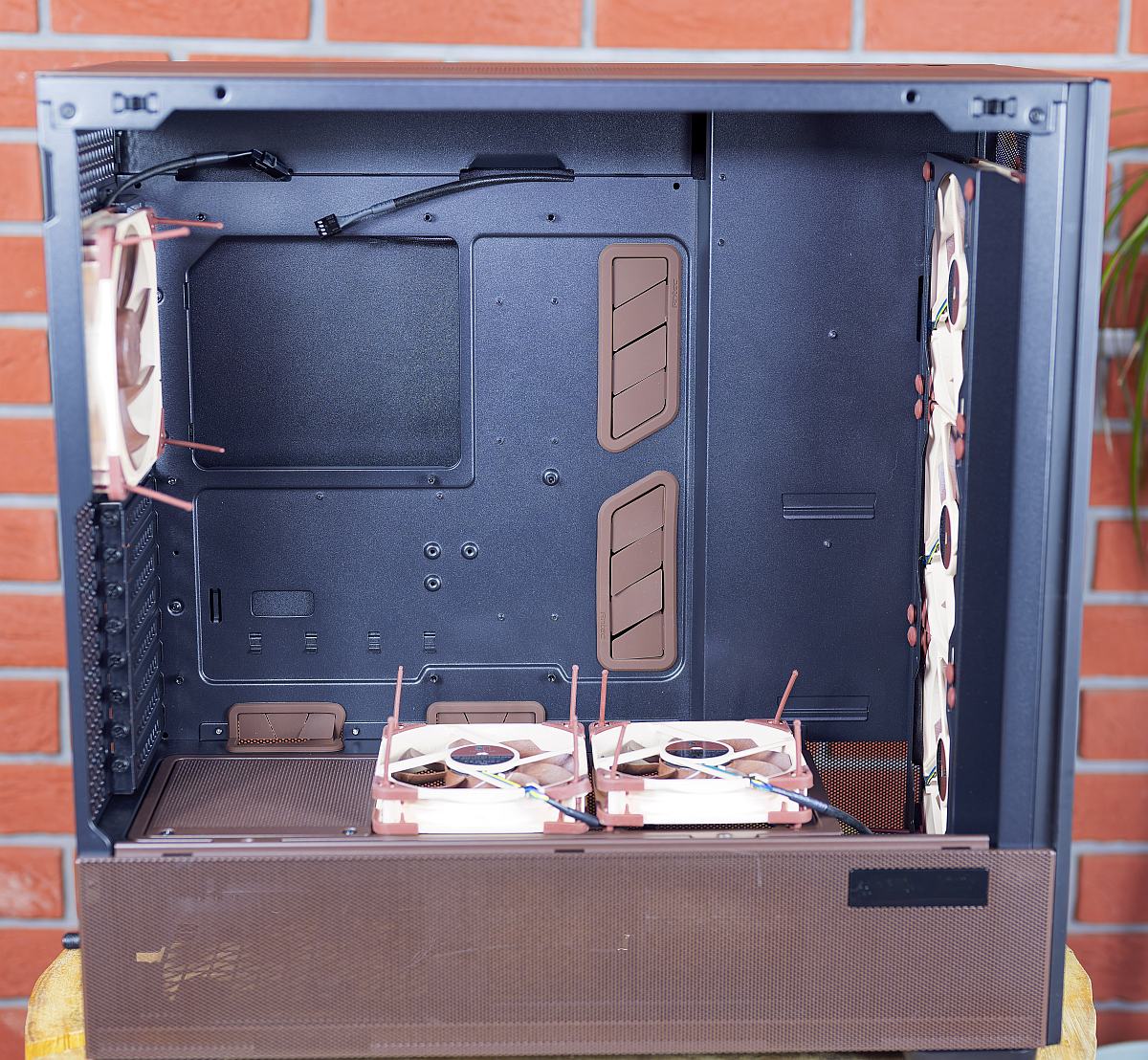
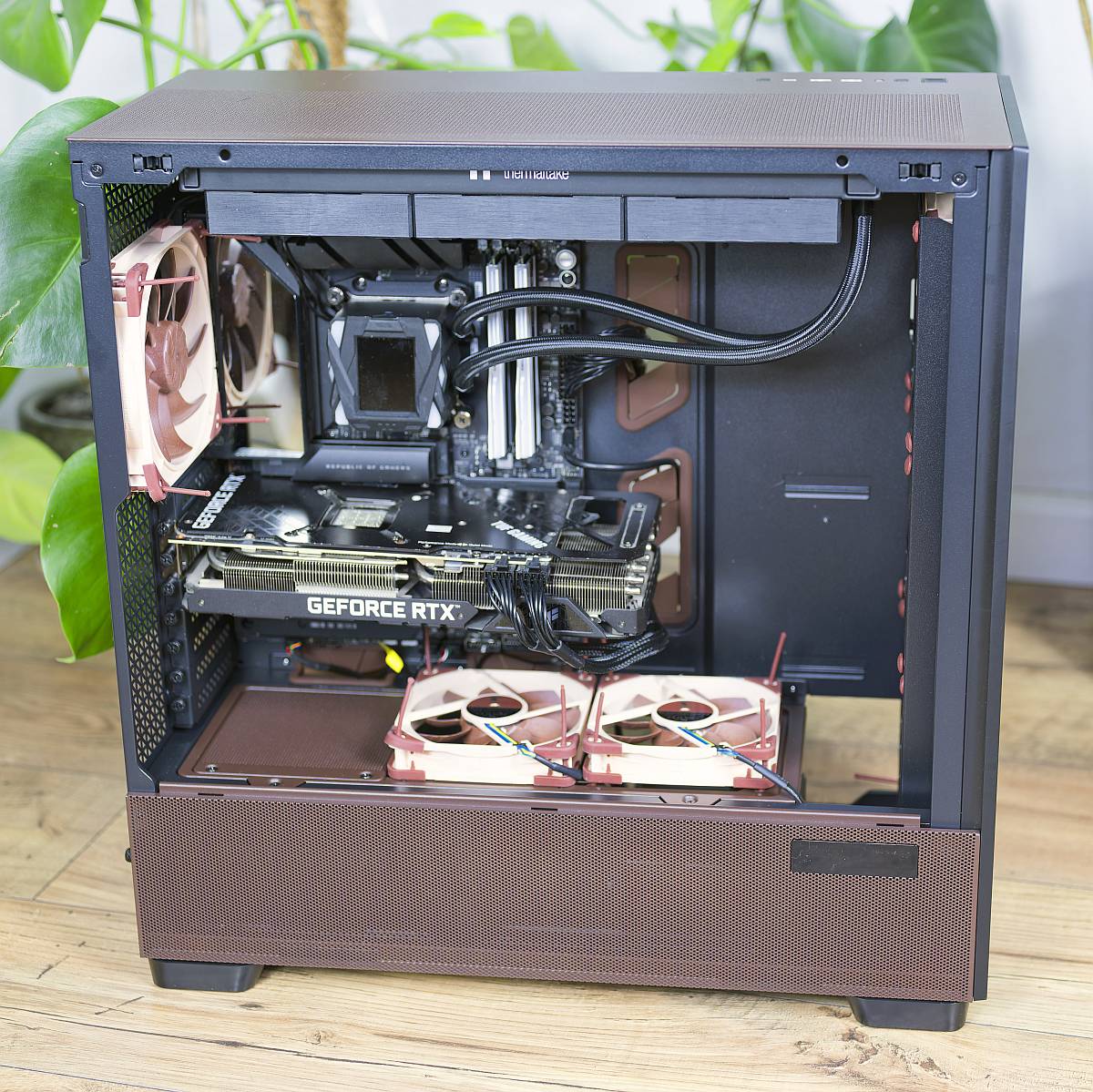
Six of the owlish company’s spinners are included, with three 140mm NF-A14x25 G2 fans behind that mesh front panel, as well as one in the back for exhaust. Meanwhile, two 120mm NF-A12x25 G2 fans sit on top of the PSU shroud, pushing cool fresh air over your graphics card. There is a catch, though, which is that you’ll need to fit all these fans yourself – none of them are readily sitting in their mounts when you unbox the case.
You’ll need to make sure you have enough space for this full tower monolith, though. Measuring 530 x 245 x 545mm (D x W x H), it’s a big old beast. That means there’s room for plenty of high-end gear inside it, though, including E-ATX motherboards measuring up to 285mm wide, and a graphics card up to 455mm long.
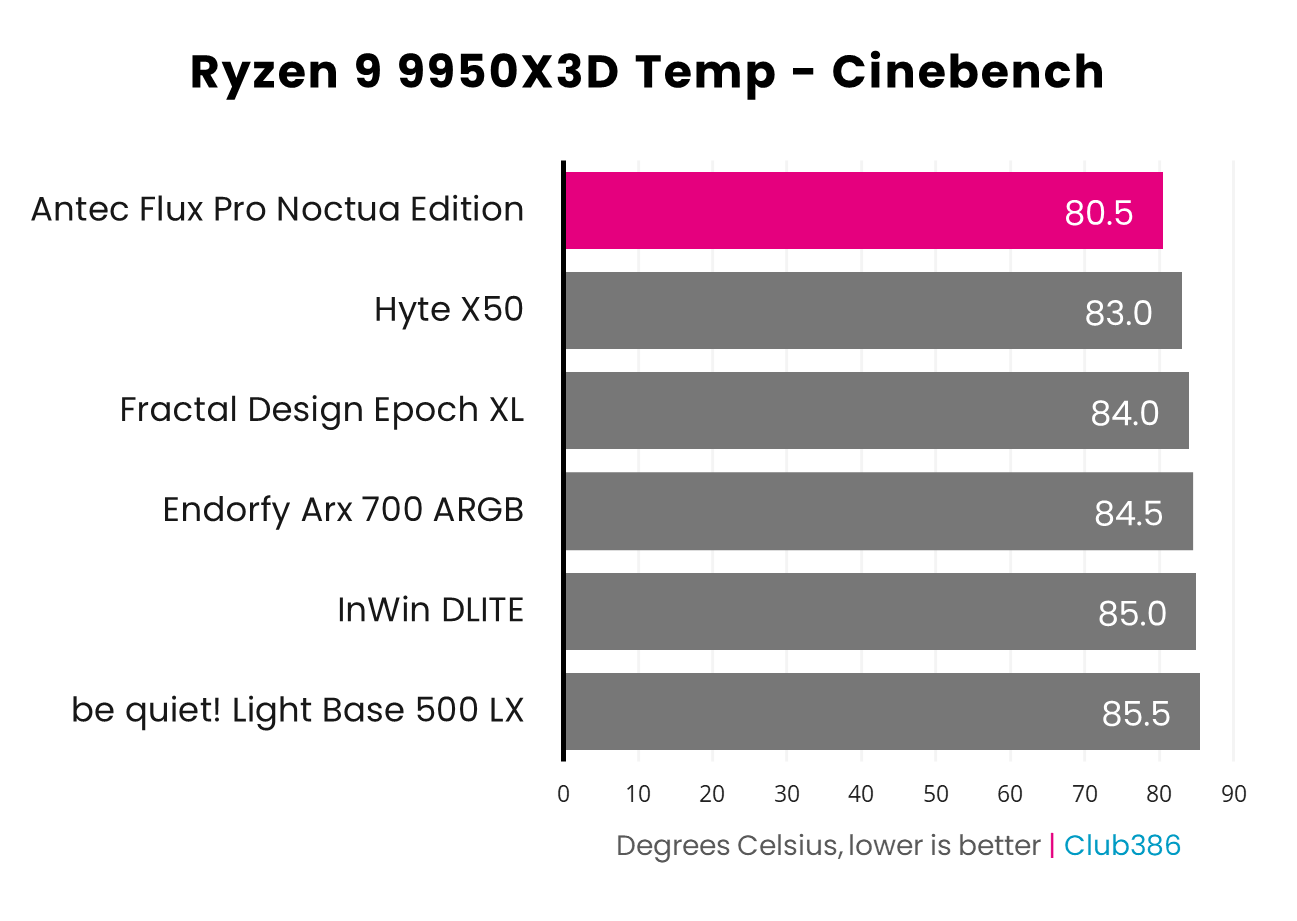
Best of all, though, is the fantastic airflow performance. Our Ryzen 9 9950X3D test CPU only hit 80.5°C inside this chassis when running a gruelling Cinebench multi-threaded test, which is a great result, as you can see from the graph above. Not only that, but our noise meter only detected 37.9dBA from our system during this test. That’s incredibly quiet for a system working that hard.
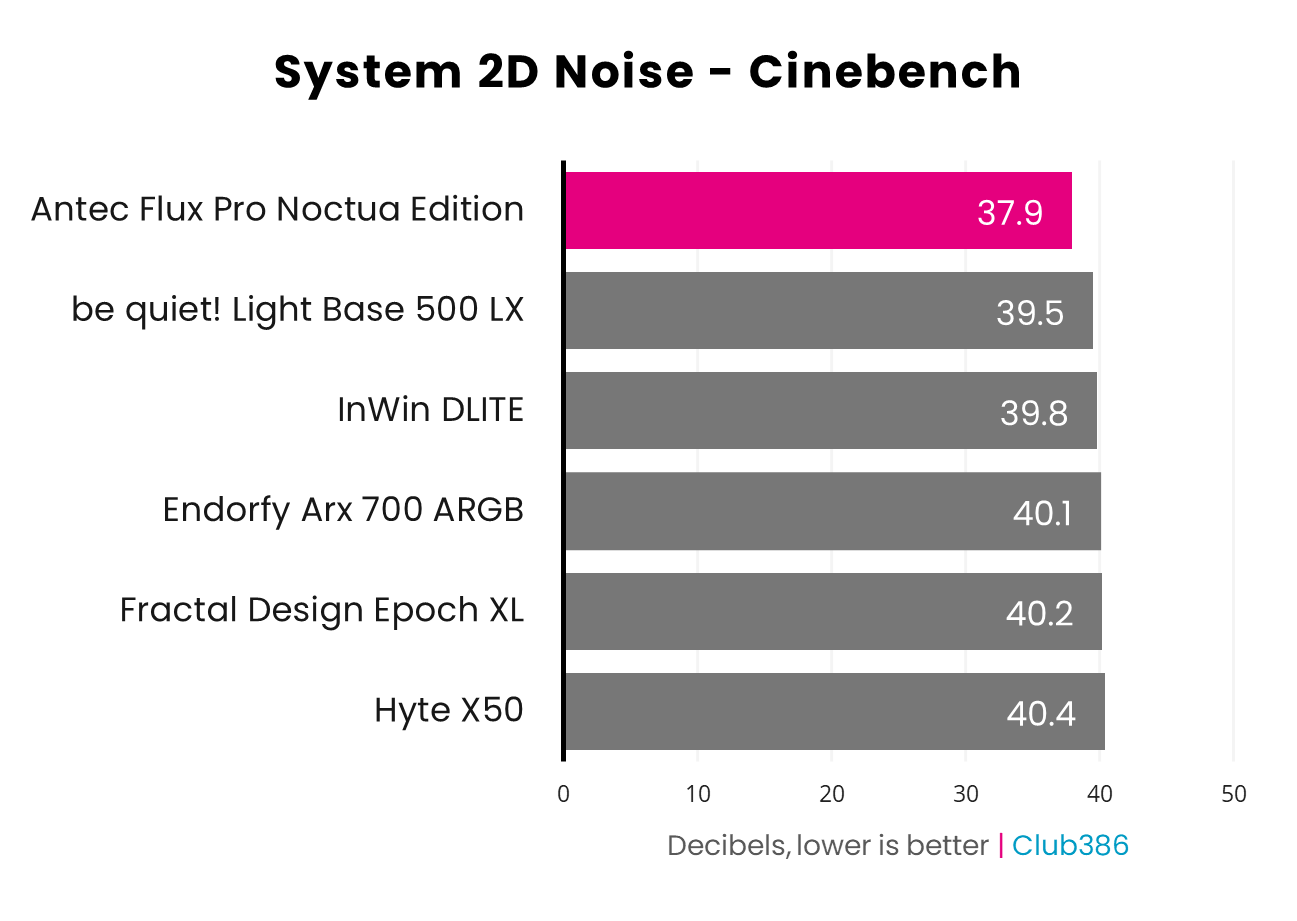
It’s a big old case, and it’s not cheap, but this is a fantastic choice if you want to build a high-end PC that doesn’t make a horrible noise when it’s running at full pelt.
Read our full Antec Flux Pro Noctua Edition review.
| Specifications | Antec Flux Pro Noctua Edition |
|---|---|
| Dimensions (H x W x D) | 545× 245 × 530mm |
| Motherboard support | E-ATX (285mm), ATX, micro-ATX, mini-ITX |
| Back-connect compatible | No |
| Fan support | Bottom: 140mm (x2) Rear: 140mm (x1) Front: 140mm (x3) Top: 140mm (x3) |
| Radiator support | Front: 420mm Top: 420mm |
| CPU cooler height | 190mm |
| PSU length | 470mm |
| Graphics card length | 455mm |
| Connections | 3.5mm audio-out/mic-in (x1) USB-A 5Gbps (x2) USB-C 10Gbps (x1) |
| Storage support | 2.5in (x6) 3.5in (x4) |
FAQs
Do I need a new PC case?
You’d be surprised how much life you can get out of your PC’s chassis. Unlike CPUs and GPUs, you can easily get away with using the same case for over a decade. In all honesty, in terms of needs, your average ATX case from the last 10 years or so will still happily house one of today’s PCs. You’ll miss out on a few key features, though.
One is a front-mounted, easy-access USB-C port, which can be very handy for quickly plugging in the latest devices. Another is a wraparound view of your hardware through several glass panels. This isn’t an essential, of course, but let’s face it, fishtank PC cases do look very nice indeed. Other features not found in a lot of older cases include vertical GPU mounts, graphics card support brackets, removable motherboard trays for easy access, and PSU shrouds to hide all your power cables.
What is a vertical GPU mount?
Put simply, a vertical GPU mount allows you to position your graphics card so that its side (with all the fans on it) is facing the side of your chassis, rather than the bottom of it. This means you can show off all the bells and whistles of your expensive graphics card behind a glass window, rather than just the top edge of it.
There is a word of warning here, though, which is that your graphics card will need plenty of room to breathe on either side, so its fans can still pull cool air through its heatsinks. You really don’t want to end up with your graphics card’s fans right up against a solid glass side panel, and Nvidia Founders Edition cards also usually work more efficiently in top-to-bottom airflow configurations. Vertical GPU mounts can look great, but do your measurements first.
How many fan mounts do I need?
You’ll find all manner of fan mounts all over modern cases, but some of them are more important than others. You generally want to pull as much air as possible through the front of the chassis, particularly from the bottom, and then expel it out the back. Ideally, you want at least two fans at the front, and one at the back – 140mm fans are generally better than 120mm spinners here, as they can shift the same amount of air at a lower rotational speed, meaning they’re often quieter.
You’ll also need some space in the roof if you want to mount an AIO liquid cooler. You can fit a radiator in the front if need be, but we recommend putting it in the roof if you can do it. A 360mm radiator will cover all your bases for today’s CPUs without making a horrible amount of noise, and a 420mm model will be even better. Bear in mind that radiators usually stick out a little bit beyond their fan mounts, though, so you’ll need more than just 360mm of space to fit the whole unit.