
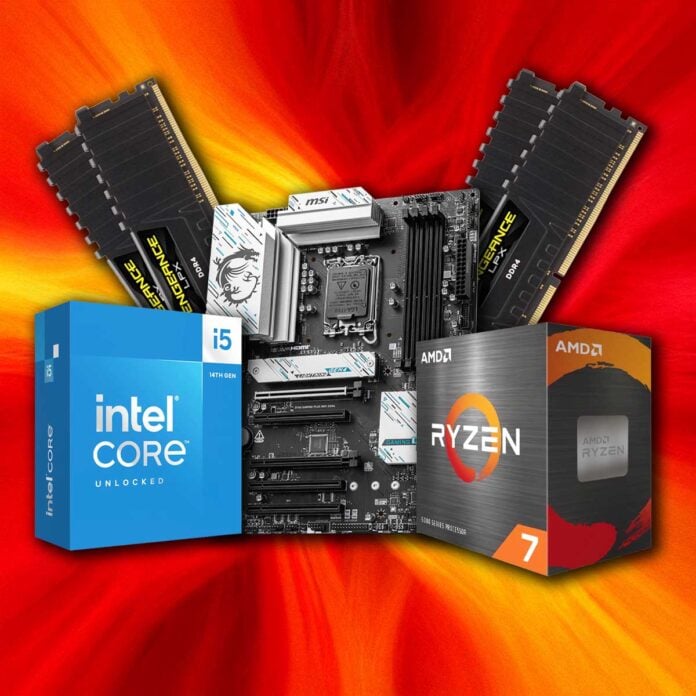
As AI companies hoover up every DRAM chip that isn’t nailed down, it can be a bit of a depressing time if you want to upgrade your gaming PC. This is especially the case if you’re looking to make the jump from an old DDR4 setup to a new AMD AM5 or Intel LGA1851 rig. Both platforms require not only a new motherboard and CPU, but also DDR5 RAM and, well, memory prices are just nonsensical at the moment.
Given the colossal price of DDR5 right now, there’s merit to sticking with DDR4 if you haven’t already upgraded.
Thankfully, there are still plenty of decent upgrades available that don’t require you to chuck out your trusty DDR4 RAM sticks. The choices range from monitors to peripherals, and with plummeting OLED prices, it’s now a great time to treat yourself to a new screen.
However, there are also a few decent CPU upgrades that work with DDR4, and that’s what I’m going to cover here. All the components listed below will work fine with your trusty DDR4 RAM, meaning you don’t have to spend half a grand on a DDR5 kit.
I don’t recommend splashing out a huge amount of money on a new DDR4 motherboard right now, as this is definitely last-gen tech, and its future is limited. It’s also worth pointing out that DDR4 is slower than DDR5 in terms of raw MT/s speeds. That said, DDR4 RAM offers tighter latency timings, and the performance difference isn’t huge in terms of real-world use.
This is particularly true when it comes to gaming, where your GPU is the primary factor. Tests have shown that DDR5 can improve gaming performance in some titles over DDR4, but the gains are small.
Intel Core i5-14600K
Intel might not have the best socket longevity game, but to its credit, the CPU maker has provided compatibility with DDR4 for a long, long time. In order to bridge the gap between memory standards, Intel made sure the memory controller in its 12th-gen Alder Lake CPUs could handle both DDR4 and DDR5 memory, and this dual compatibility continued right into the 14th-gen Raptor Lake range. There are a few options here, but my favourite chip in this range is Intel’s Core i5-14600K.
If you already own a 12th-gen Intel system, perhaps with a 6-core Core i5-12400F, then Core i5-14600K is a great upgrade. It gives you eight E-Cores, on top of six P-Cores, so it’s much better for multi-threading than an older 6-core chip. It can also boost to 5.3GHz, compared to just 4.9GHz on the Core i5-12600K, or just 4.4GHz on the 12400F.

Intel Core i5-14600K
£199
“14600K remains dominant in Blender, rendering up to 310.6 samples per minute, leaving AMD Ryzen 5 9600X, and Ryzen 7 9700X for that matter, in its proverbial dust.” – Read our test feature.
This gives Intel’s 14600K a big leg-up in gaming performance. It has an unlocked multiplier too, and it’s easy to use Intel’s Extreme Tuning Utility to take boost clock to 5.5GHz without causing any problems, as long as your motherboard has a Z-series chipset.
This relatively recent chip still works with DDR4 RAM, and it uses the same socket as Intel’s 12th-gen chips.
Importantly, this relatively recent chip still works with DDR4 RAM, and it uses the same socket as Intel’s 12th and 13th-gen chips. That means you won’t need a motherboard upgrade if you already own one of these CPUs – you’ll just need to flash the BIOS. You’ll want to make sure your board has the latest BIOS anyway, to make sure your CPU has the latest microcode to avoid Intel’s infamous voltage shift issues.
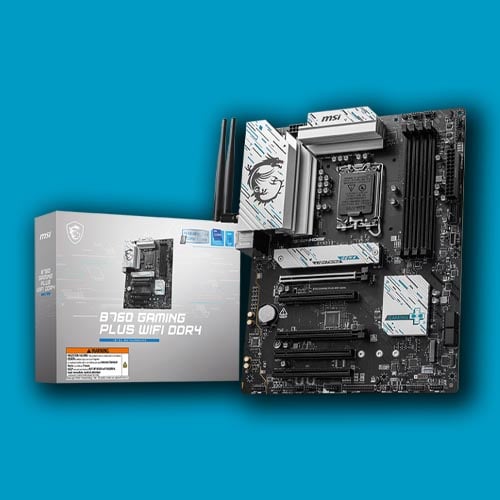
If you already own an older DDR4 system, such as an Intel Coffee Lake or first-gen AMD Ryzen rig, then you’ll also need a new motherboard. These aren’t expensive, though. An MSI B760 Gaming Plus, for example, costs under £100, and will happily run your old DDR4 memory with a new Core i5-14600K. Just bear in mind that you won’t be able to overclock your CPU with its multiplier on this board.
Read our full 9600X vs 14600K test for the big picture, including loads of benchmarks.
| Core i5-14600K | Specification |
|---|---|
| RAM support | DDR4 and DDR5 |
| P-Cores | 6 |
| E-Cores | 8 |
| Total cores | 14 |
| Threads | 20 |
| P-Core base / boost clock | 3.5GHz / 5.3GHz |
| E-Core base / boost clock | 2.6GHz / 4GHz |
| L3 Cache | 24MB |
| Architecture | Raptor Lake |
| Socket | LGA1700 |
| Max TDP | 125W |
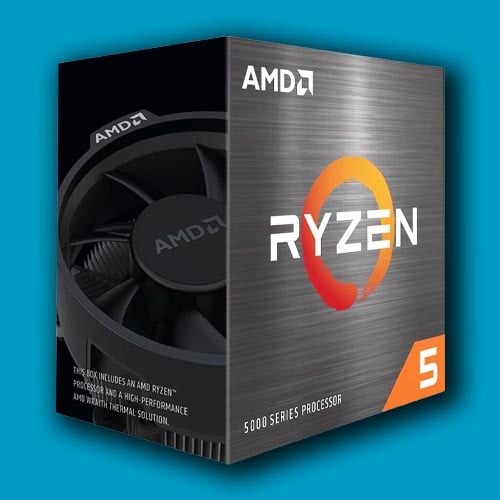
AMD Ryzen 5 5600XT
We’ve never seen a CPU socket being given as much love as AMD AM4. This little square of 1,331 holes first appeared in 2016, and since then, it’s supported four generations of Ryzen CPUs (it was even used for AMD’s 7th-gen Excavator chips, too). Amazingly, AMD has continued churning out new AM4 CPUs over the last couple of years, and one great example is the Ryzen 5 5600XT.
This Vermeer chip is a great low-cost upgrade.
With six Zen 3 cores, 32MB of L3 cache, and a slightly higher clock speed than its predecessor, the 5600X, this Vermeer chip is a great low-cost upgrade. If you already own a first or second-gen Ryzen system, a 5600XT will give you a decent boost, particularly when it comes to gaming performance.
AMD Ryzen 5 5600XT
£137
“AMD Ryzen 5 5600XT gaming desktop processors feature six high-performance cores for those who just want to game.” – AMD
What’s more, you won’t need a new motherboard. You should just be able to update the BIOS on your existing board and slot this new CPU into place, even if it’s a first-gen Ryzen board – just double-check on the manufacturer’s website first. With a 65W TDP, it won’t need a big heatsink assembly either, and you even get a Wraith Stealth cooler included in the retail box.
It’s a shame AMD has discontinued its Ryzen 7 5700X3D, meaning you can’t upgrade to a chip with 3D V-cache without paying eBay prices now. However, the chip giant is still making decent AM4 processors that don’t cost the earth, and this is a great example. For under £140, this is a solid upgrade if you’re still using an old Ryzen system.
| 5600XT | Specification |
|---|---|
| RAM support | DDR4 |
| Cores | 6 |
| Threads | 12 |
| Base clock | 3.7GHz |
| Boost clock | 4.7GHz |
| L3 Cache | 32MB |
| Architecture | Zen 3 |
| Socket | AM4 |
| Max TDP | 65W |
Intel Core i9-14900K
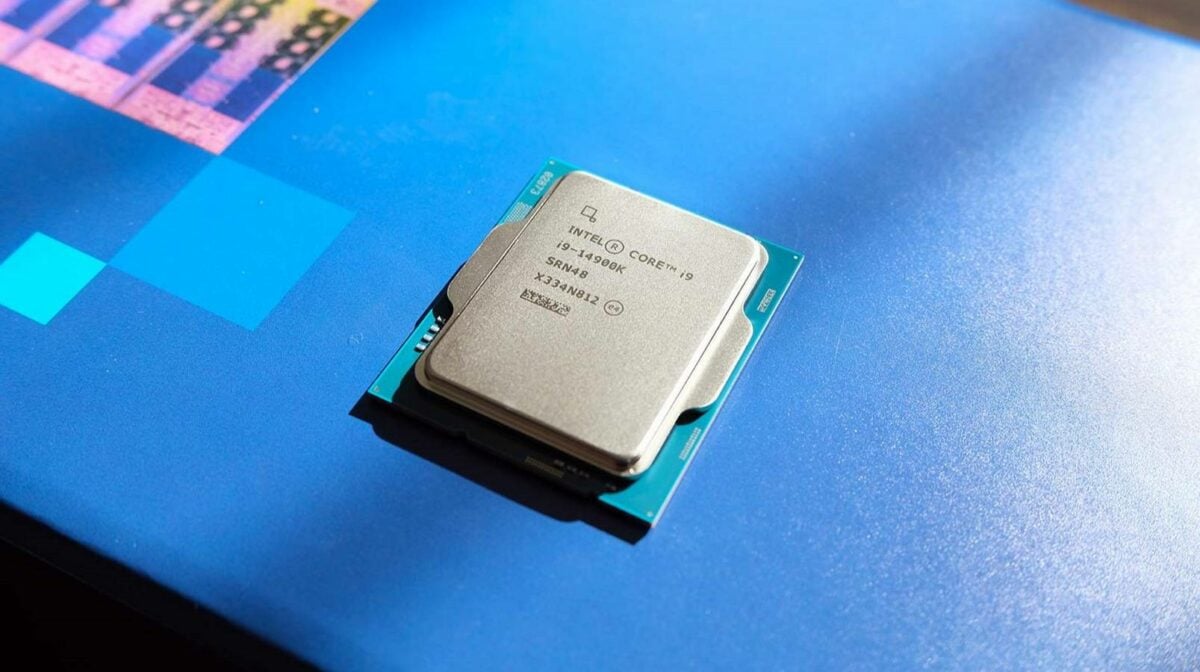
This 24-core monster is about as powerful as you can get while still using DDR4 RAM. It works fine with this memory, too – I was using a 14900K on an old Gigabyte B660 Aorus Master DDR4 motherboard for a year, while I was between motherboard upgrades, and its brute-force strength makes it a formidable chip.
With eight P-Cores boosting up to 5.6GHz (or 5.8GHz with Turbo Boost 3.0), 14900K has plenty of power for gaming. Meanwhile, its huge count of 16 E-Cores also makes it a great chip for multi-threaded content creation workloads.
Intel Core i9-14900K
£479
“Topping the content-creator charts and pretty damn good at gaming, Intel demonstrates a vivid case of power trumping any notion of efficiency.“ – Read our review.
There are a couple of words of warning, though. Firstly, the 14900K was notoriously a prime victim of Intel’s Vmin shift stability issue, where unhealthy amounts of voltage ended up being pumped through it. This created a lot of stability issues with games, and in some cases, rendered CPUs broken.
Make sure you have the absolute latest BIOS on your board for this chip.
This has largely been resolved through BIOS updates, which toned down power settings and updated CPU microcode. As such, you’ll want to make sure you have the absolute latest BIOS on your board for this chip, to make sure it isn’t overwhelmed.
Secondly, even with all the updates, this chip runs really hot at full pelt. We recommend using at least a 280mm or 360mm AIO cooler with it. On the plus side, its boost clock is already so high that you won’t need to overclock, meaning a cheap B760 motherboard will do the job fine. As we’ll cover later, you can easily pick up a DDR4 board that works with this chip for under £100. Read our full Intel Core i9-14900K review for more detail.
| 14900K | Specification |
|---|---|
| RAM support | DDR4 and DDR5 |
| P-Cores | 8 |
| E-Cores | 16 |
| Total cores | 24 |
| Threads | 32 |
| P-Core base / boost clock | 3.2GHz / 5.6GHz |
| E-Core base / boost clock | 2.4GHz / 4.4GHz |
| L3 Cache | 36MB |
| Architecture | Raptor Lake |
| Socket | LGA1700 |
| Max TDP | 125W (253W PL1 and PL2) |
AMD Ryzen 7 5800XT
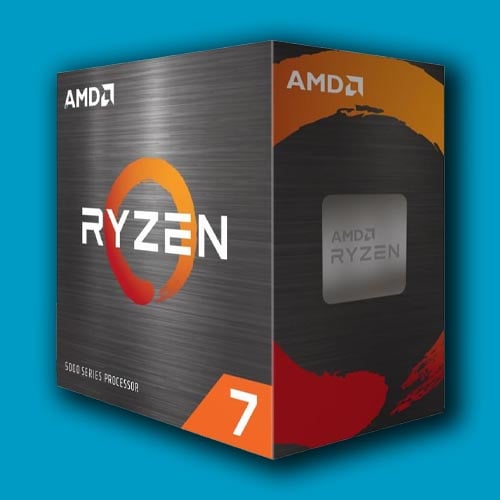
If you want more than six cores, and you’re looking for a drop-in upgrade for an old AM4 motherboard, this 8-core CPU is a great option. Its 4.8GHz boost clock is 100MHz higher than that of the 5800X, and it still has the same solid Vermeer core as its predecessor, with a full 32MB of L3 cache. Comparatively, some new Zen 3 chips, such as AMD’s Cezanne-based Ryzen 7 5700, only have 16MB of L3 cache, which means they’re not great for gaming.
AMD Ryzen 7 5800XT
£185
“Proven, exceptional game performance.” – AMD
As with its 6-core sibling, the main advantage of this 2024 chip is that it should still work in an old AM4 motherboard from 2017 onwards. That means you don’t need to fork out for new memory, or even a new board for that matter – you can just take out your old chip and install this one.
Unlike the 5600XT, though, this 8-core chip has a 105W TDP and doesn’t come with a cooler in the box. It doesn’t run massively hot, but it’s beyond the realms of AMD’s Wraith coolers. As such, you’ll need to make sure you either have a 240mm AIO unit, or a half-decent air cooler, to keep its temperatures in check.
| 5800XT | Specification |
|---|---|
| RAM support | DDR4 |
| Cores | 8 |
| Threads | 16 |
| Base clock | 3.8GHz |
| Boost clock | 4.8GHz |
| L3 Cache | 32MB |
| Architecture | Zen 3 |
| Socket | AM4 |
| Max TDP | 105W |
MSI B760 Gaming Plus DDR4
If you have a really old DDR4 rig, and you want to upgrade to a whole new system, but can’t afford the cost of DDR5 memory, don’t fret. You can still buy decent DDR4 motherboards, and they’re not expensive either. As a case in point, the MSI B760 Gaming Plus DDR4 currently costs just £98.99, and has all you need to run an Intel 14th-gen system with your old memory.
MSI B760 Gaming Plus DDR4
£99
You just need to make sure you install the current BIOS to ensure CPU compatibility and to update your CPU with the very latest microcode. All Intel’s 12th, 13th, and 14th-gen CPUs are supported, and it can support dual-channel DDR4 memory running at up to 4,000MT/s with an XMP profile. Intel’s cheaper B760 chipset might not let you overclock your CPU’s multiplier, but it will run your memory well beyond the stock SPD speed.
There’s no PCIe 5.0 support with this budget board, but its x16 PCIe 4.0 slot still has enough bandwidth for most of the latest GPUs. You also get a pair of x4 PCIe Gen 4 slots for SSDs, including one with a heatsink. If you’re looking for a cheap way to upgrade your system to a 14th-gen Intel CPU, without buying new memory, this board gives you a solid pathway for a very low price.
Gigabyte B550 Gaming X V2
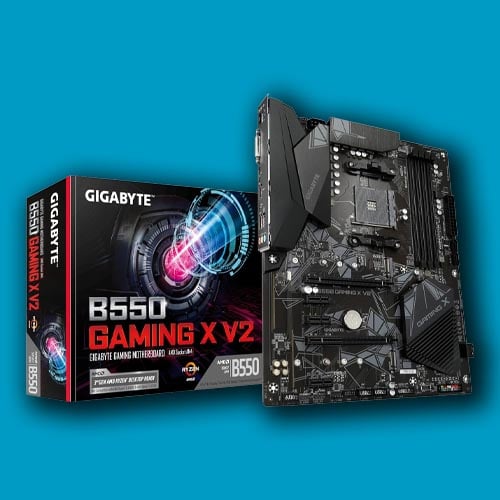
You can actually still buy Socket AM4 motherboards for AMD CPUs, and like their LGA1700 counterparts, they’re inexpensive too. For £89.99, Gigabyte’s B550 Gaming X V2 covers everything you need for an AMD Zen 3 system.
Gigabyte B550 Gaming X V2
£89
This new board already supports AMD’s Zen 3 Ryzen 5000-series chips out of the box, though once again you may need to update its BIOS to the latest version if you want to install a new XT CPU. As with the MSI B760 Gaming Plus DDR4, there’s no PCIe 5.0 support, but its 16x PCIe 4.0 slot still has loads of bandwidth for graphics.
You also get three M.2 slots for SSDs, two of which support PCIe 4.0. We don’t recommend spending a large amount of money on a new AM4 or LGA1700 board now, as they’re already on a pathway to obsolescence. However, this motherboard, based on AMD’s cut-price B550 chipset, gives you a cheap way to upgrade from an old system to a recent AMD CPU, while we wait for all the RAM pricing chaos to blow over.
That brings us to the end of our DDR4 recommendations and, as you can see, there are some decent upgrades for your rig that don’t require you to pay over the odds for new DDR5 memory. It’s also worth pointing out that, while DDR4 RAM has gone up in price, the rate of inflation for this older memory standard is considerably smaller.
You can buy a Corsair Vengeance LPX 32GB (2x16GB) 3,200MT/s kit for £159.99, as a case in point. If you’re still struggling with 16GB of DDR4 RAM, I’d sooner upgrade to 32GB of DDR4 at this price, than fork out for DDR5 at the current cost. Let’s hope we see the back of outlandish RAM prices sooner rather than later.
