

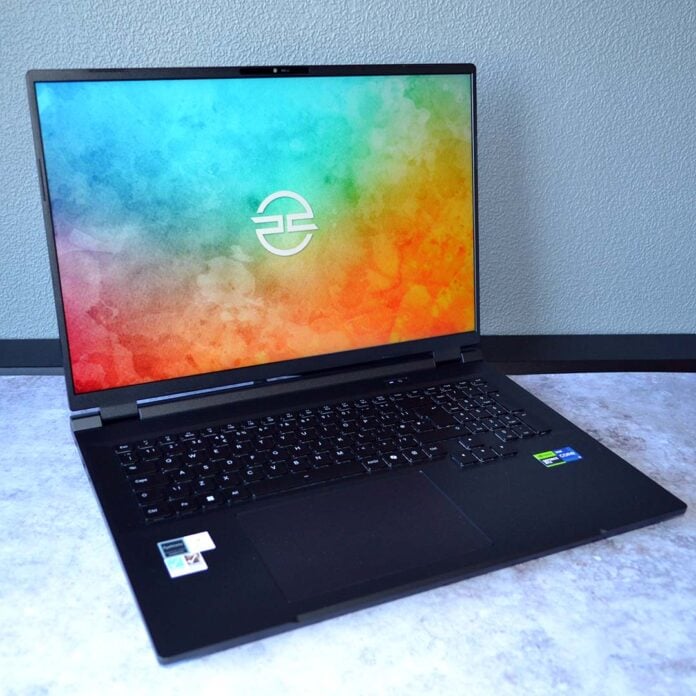
Great or small, size matters in the world of mobile computing, and the PCSpecialist Ionico 18 is here to prove the worth of large gaming laptops. In addition to packing a punchy screen and solid performance, this system is also a rarity among its peers with appreciably lower noise levels.
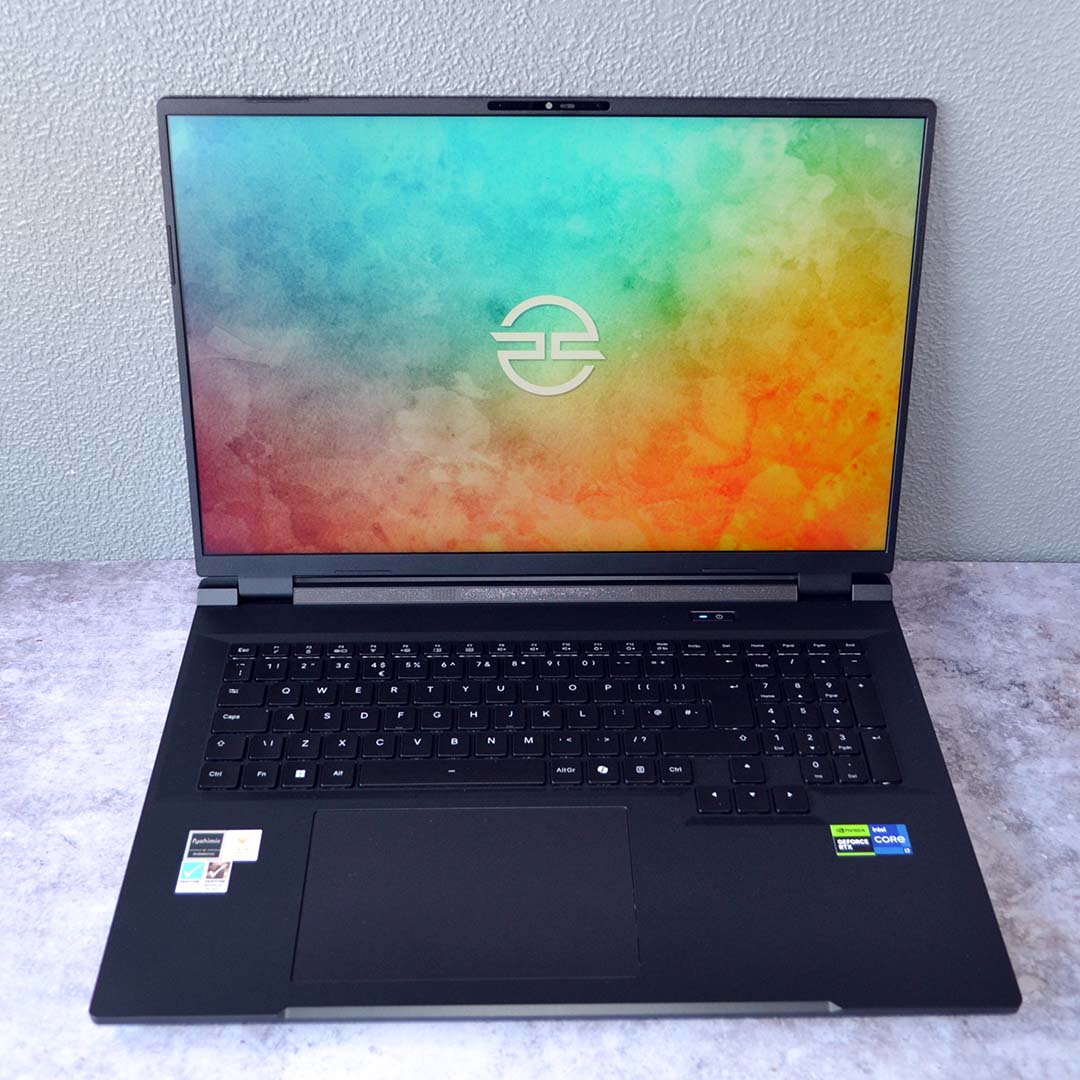

PCSpecialist Ionico 18
£1,949
Pros
- Good FHD+/QHD+ performance
- Large, accurate, sharp screen
- Respectable noise levels
- 32GB of dual-channel RAM
- Solid, subtle build
Cons
- No MUX switch
- Disappointing battery life
Club386 may earn an affiliate commission when you purchase products through links on our site.
How we test and review products.
Starting at £1,289, PCSpecialist sets a reasonable base price for the Ionico 18. However, we’d recommend spending closer to £1,800 to extract a decent balance of performance out of this system. That extra cash nets you more powerful graphics and a higher-resolution screen, prolonging the device’s lifespan in the face of rising system requirements in games.
Specifications
Like other PCSpecialist laptops, you can configure the Ionico 18 with a choice of screens and GPUs, as well as memory and storage capacities. Our review unit showcases an ideal specification for the laptop, especially for gaming.
| Club386’s PCSpecialist Ionico 18 | |
|---|---|
| CPU | Intel Core i7-14650HX |
| GPU | Nvidia GeForce RTX 5070 12GB |
| Displays | 18in 2560×1600 IPS 180Hz |
| RAM | 32GB (2x16GB) DDR5-5600 |
| Storage | 1TB Klevv Cras C925G |
| Battery | 80WHr Lithium-Ion |
| Connections | 1Gb Ethernet (x1) 3.5mm audio combo jack (x1) Bluetooth 5.3 USB-A, 10Gb (x3) USB-C, 10Gb, DisplayPort Alt Mode (x2) SD card reader Wi-Fi 6E (Intel AX211) |
| OS | Windows 11 Home |
| Weight | 2.8kg |
| Dimensions | 400x292x24.5mm (WxDxH) |
| Price | £1,949 |
Regardless of how you configure the Ionico 18, you’ll have an Intel Core i7-14650HX at the heart of your specs list. This Raptor Lake processor is a few years old, debuting back in 2024, but it remains a solid mobile gaming chip that can keep pace with desktop CPUs.
The Core i7-14650HX brings 16 cores to the table, comprising eight performance-focused P-Cores and eight power-efficient E-Cores, alongside 24 threads, and a maximum boost clock of 5.2GHz. These are amply powerful specifications for gaming, with enough cores to handle some heavily multi-threaded content creation tasks too.
Completing the core gaming component duo is an Nvidia GeForce RTX 5070 Mobile 12GB. This recently-launched GPU is identical to older mobile RTX 5070 stock, but crucially arrives with an additional 4GB of VRAM. This provides the GPU with more breathing room at higher resolutions and settings, mitigating stutters and other performance woes.
Looking past Nvidia’s naming scheme, the GB206 die in play here more closely resembles a GeForce RTX 5060 Ti inn the desktop world. We’re talking 4,608 CUDA cores, alongside 144 Tensor cores, and 36 RT cores. That’s a reasonable setup for the QHD+ panel sported by the Ionico 18, but it’s not close to RTX 5070 desktop specifications.
Annoyingly, there’s no MUX switch here to enable on-the-fly swapping between the integrated Intel and discrete Nvidia graphics. The system does a fine job of swapping between the two systems depending on workload, but you’ll need to restart the laptop to wholly use the Nvidia GPU on your Windows desktop.
Our review unit arrives with 32GB of DDR5-5600 RAM, running in a dual-channel configuration. This is a welcome win, particularly during the current RAM pricing crisis. That means you get much more bandwidth than a single 32GB SODIMM, giving it some room to breathe in all sorts of areas, from gaming to video editing.
Meanwhile, we have a 1TB Klevv Cras C925G SSD at our disposal. This PCIe Gen 4.0 SSD is plenty fast enough for gaming and general computing, with a reasonable amount of capacity. If you ever need more storage space, you can install your own M.2 drive into the laptop if you’re up for opening up its shell.
Design
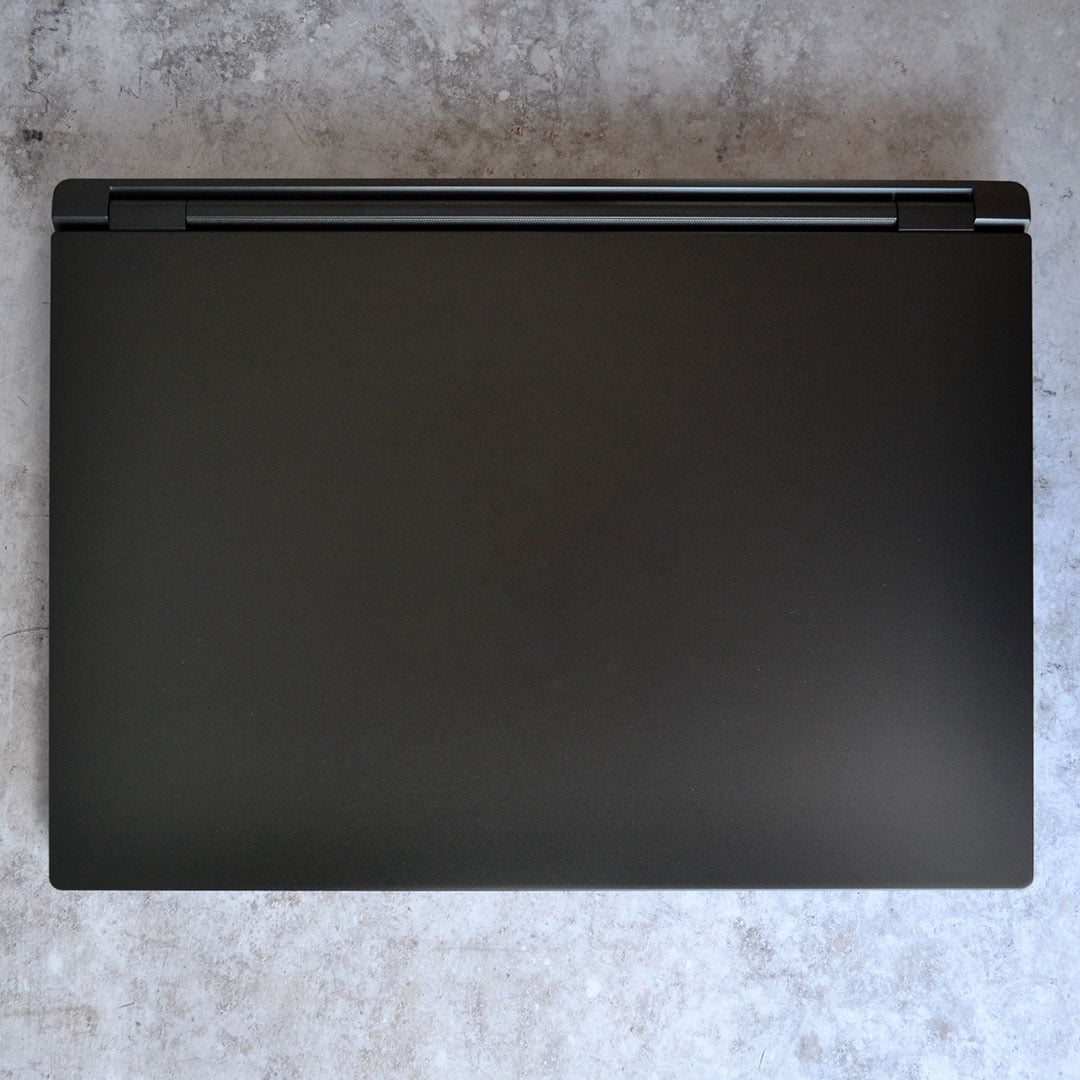
Sat atop my desk, with its clamshell shut, the Ionico 18 barely betrays its identity as a gaming laptop. There are no garish lights, no flashy branding, just a stealthy black slab that’s sure to please those who, like me, prefer a minimalist aesthetic when it comes to tech.
Measuring 400x292x24.5mm (WxDxH), and weighing 2.8kg, the Ionico 18 is a sizeable system. While it’s less easily portable than smaller alternatives, all that size and weight does at least encompass great build quality both inside and outside the laptop.
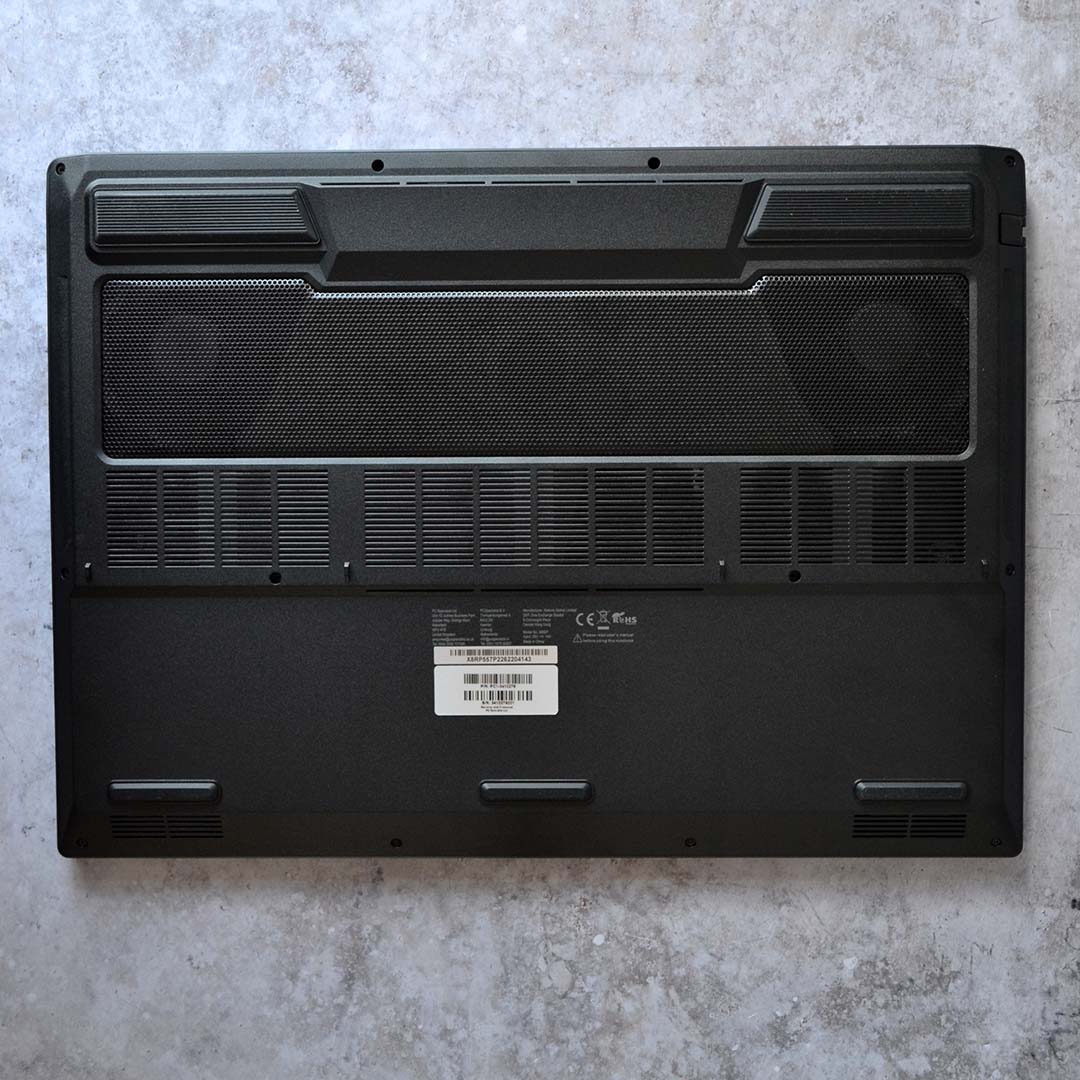
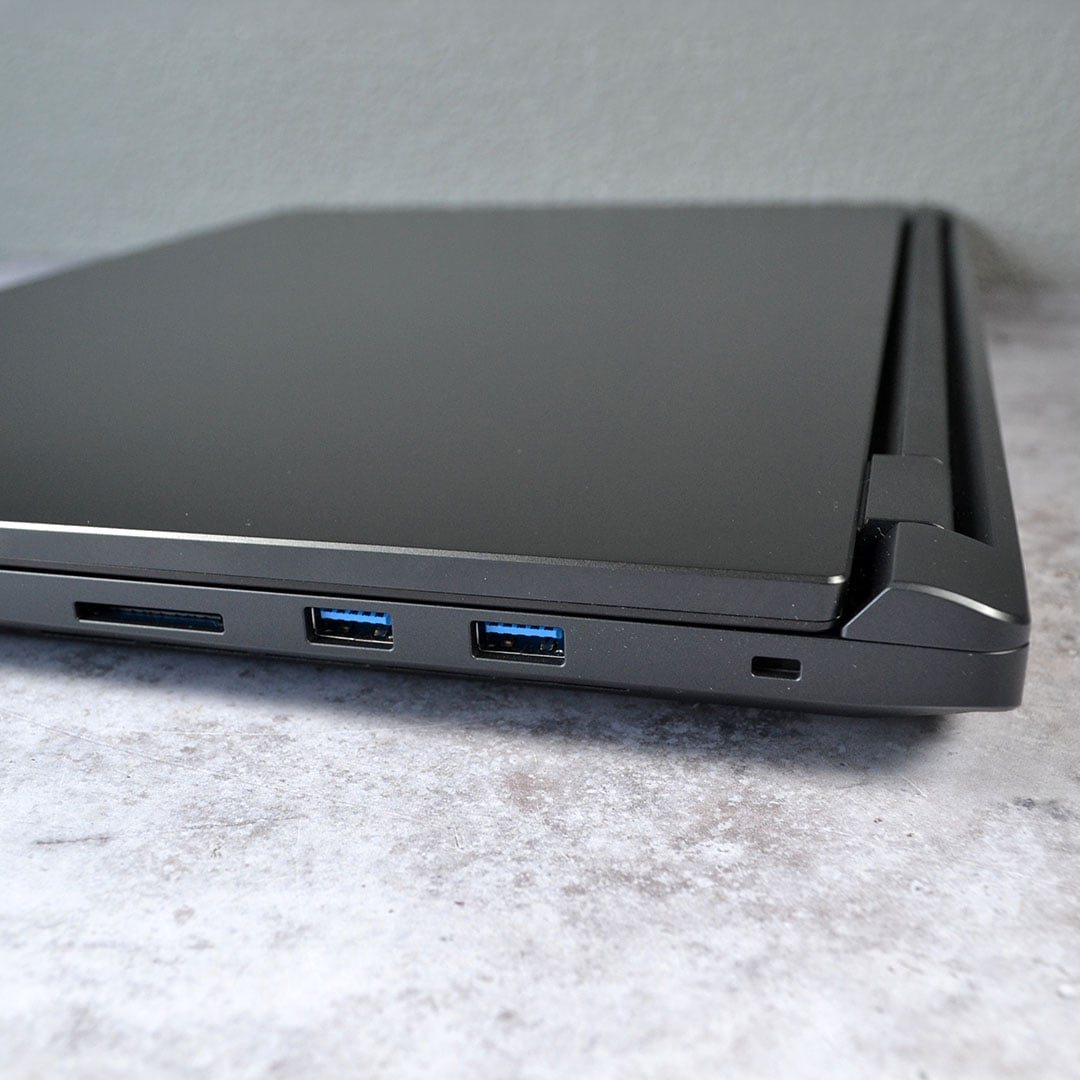
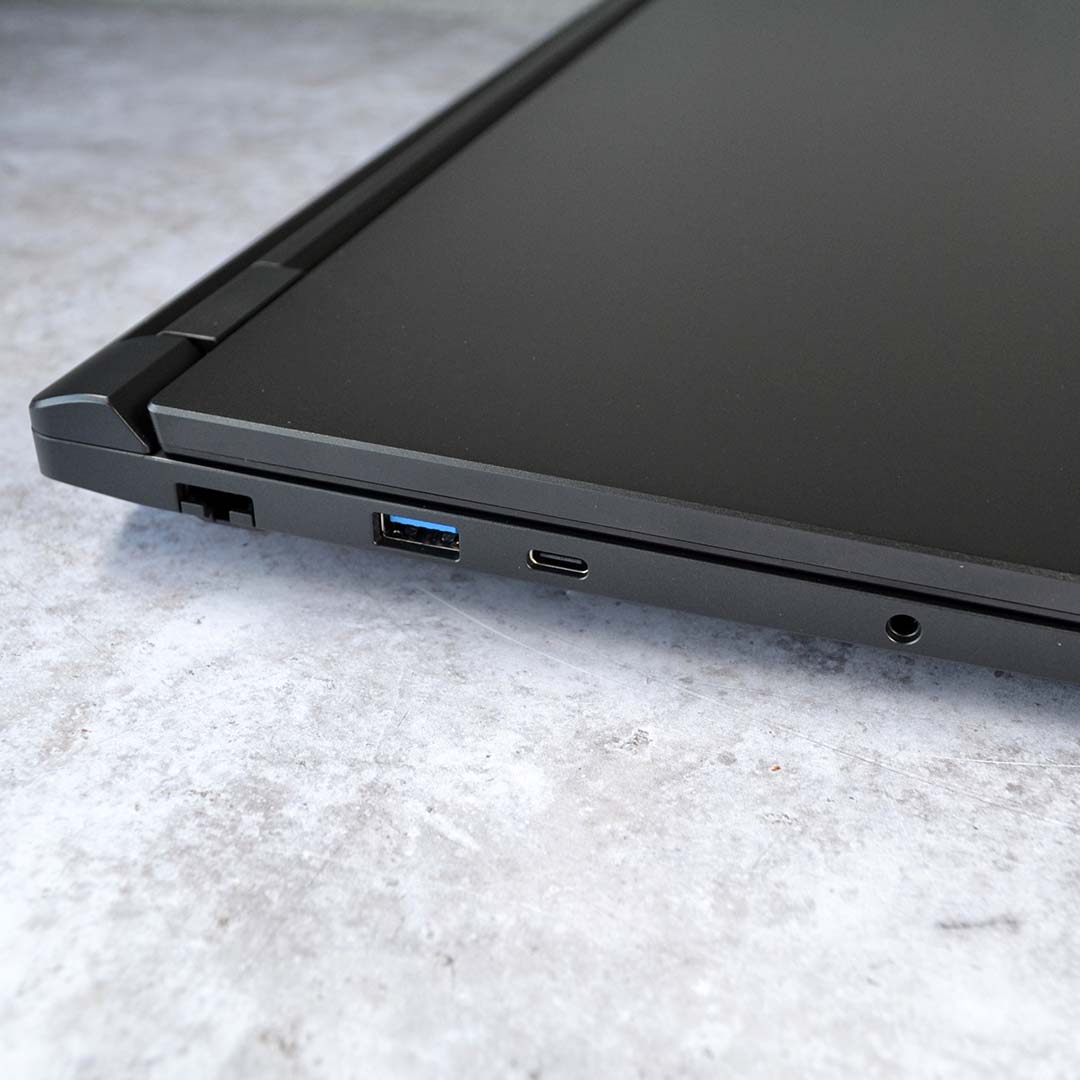
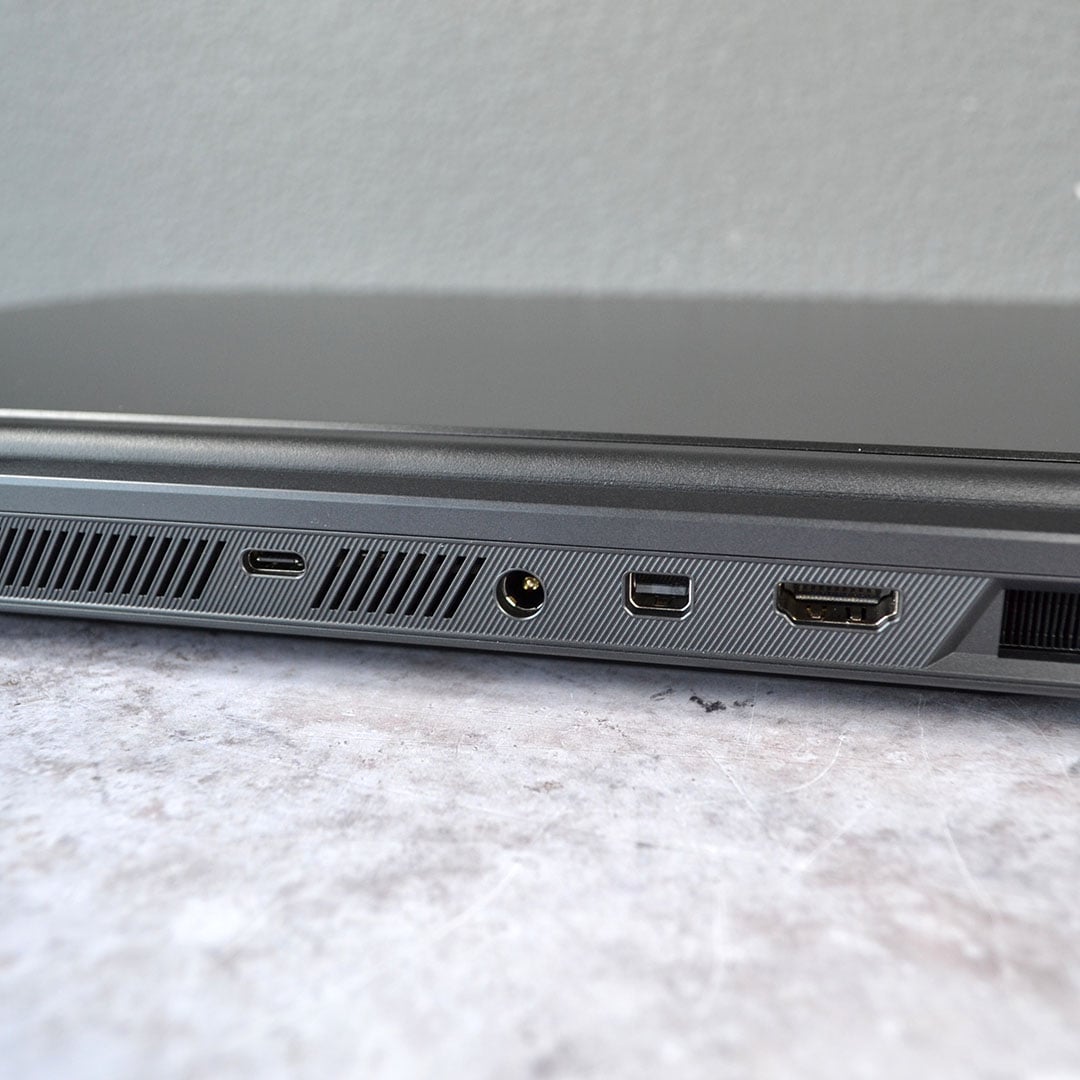
I love how PCSpecialist has laid out ports across the Ionico 18. The charging cable and HDMI 2.1 output sit at the back, making it easy to plug in any peripherals around the side.
You’ve got access to three 10Gb USB-A ports across the chassis, in addition to two 10Gb USB-C inputs, providing ample bandwidth to any external devices. There’s also a full-size SD card reader for photographers, and a 3.5mm audio jack for those who prefer not to cut the cord.
Wireless connections are strong too, via Bluetooth 5.3 and Wi-Fi 6E. While neither are the latest standards, they more than meet the demands of most folks at home.
Both connection speed and stability were problem-free using the Ionico 18, leaving no megabits to spare from my Gigabit broadband connection. Speaking of which, the built-in Ethernet port similarly performs well.
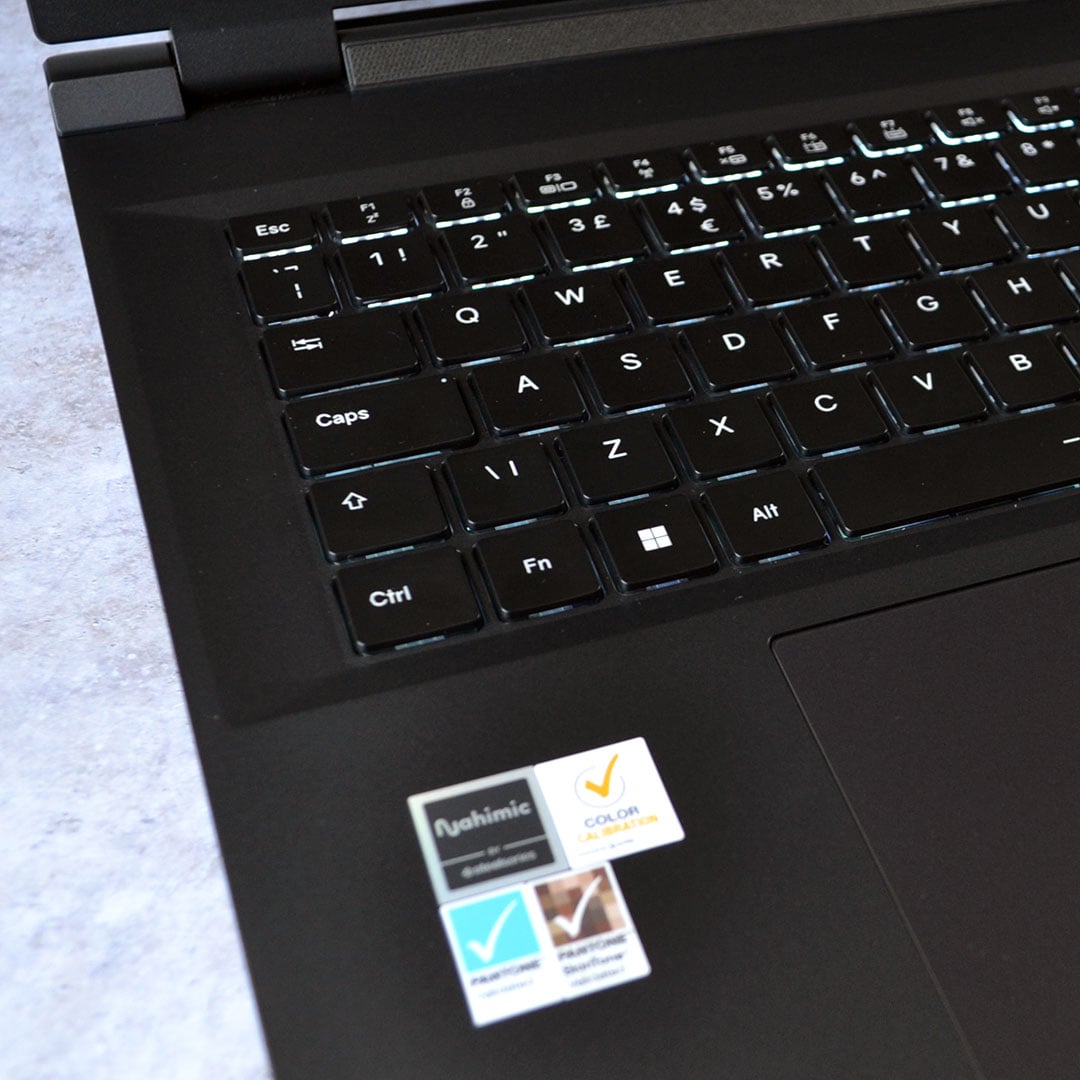
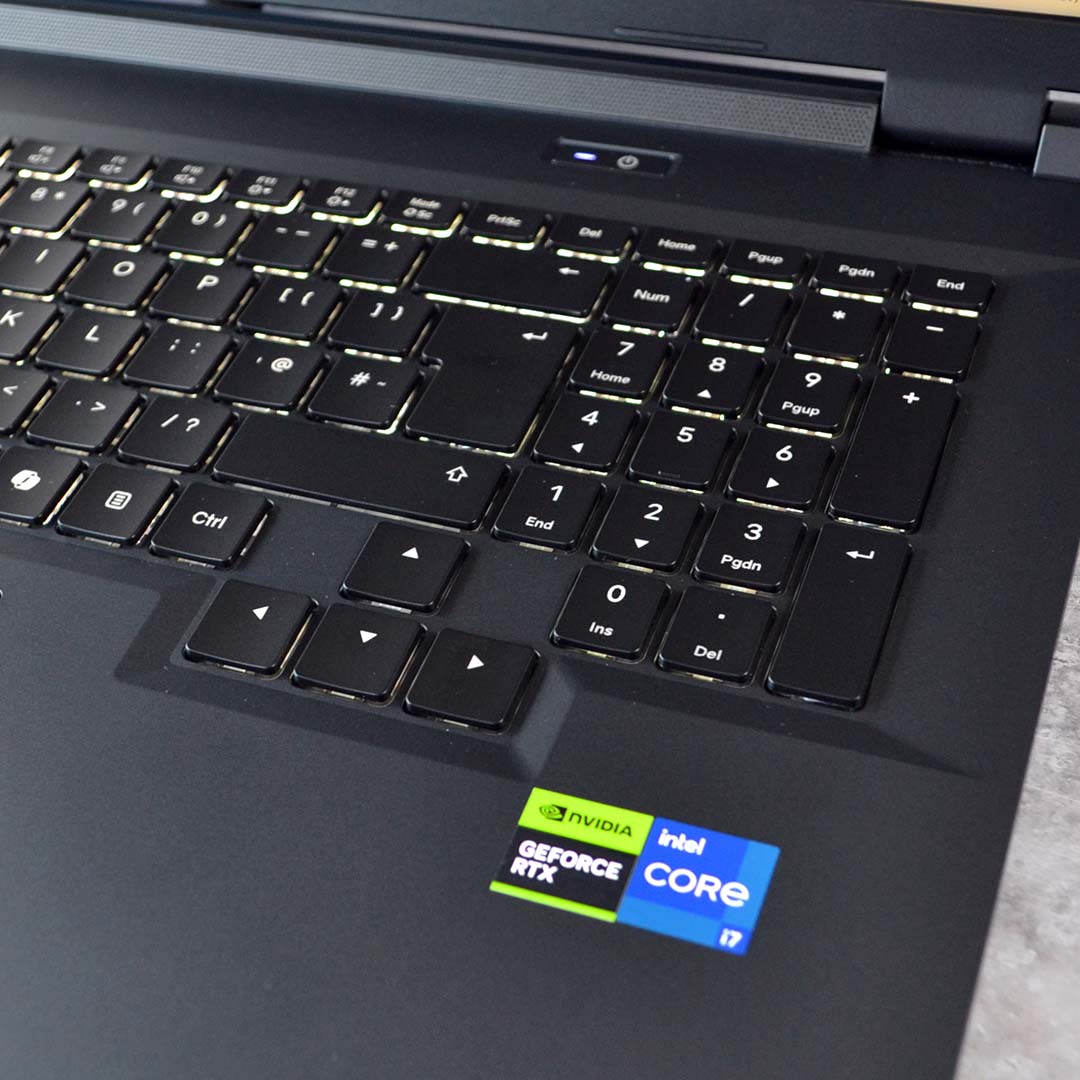
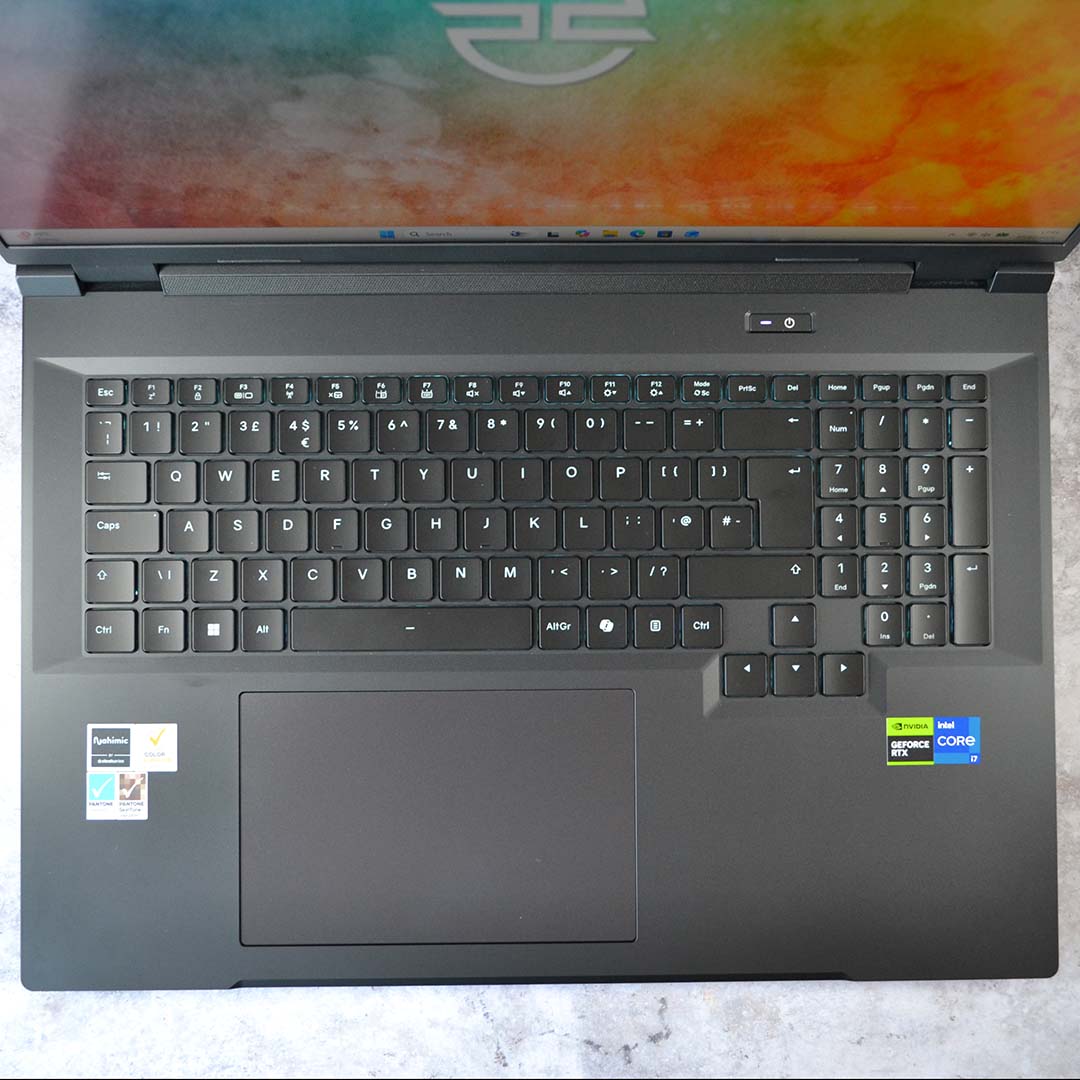
Opening up the lid, a full-size keyboard complete with numpad lights up to greet you. This array of chiclet keys sits next to a generously sized and solid-feeling trackpad. The typing experience on the Ionico 18 is decent as far as laptop keyboards go, with minimal flex during key strokes, but it takes a short while to acclimatise yourself to the leftward placement of the typing keys and trackpad, as a result of the numpad’s inclusion. You can customise the backlight’s colour and effects via the included Control Centre software as well, but there’s no per-key customisation to play with here.
Screen
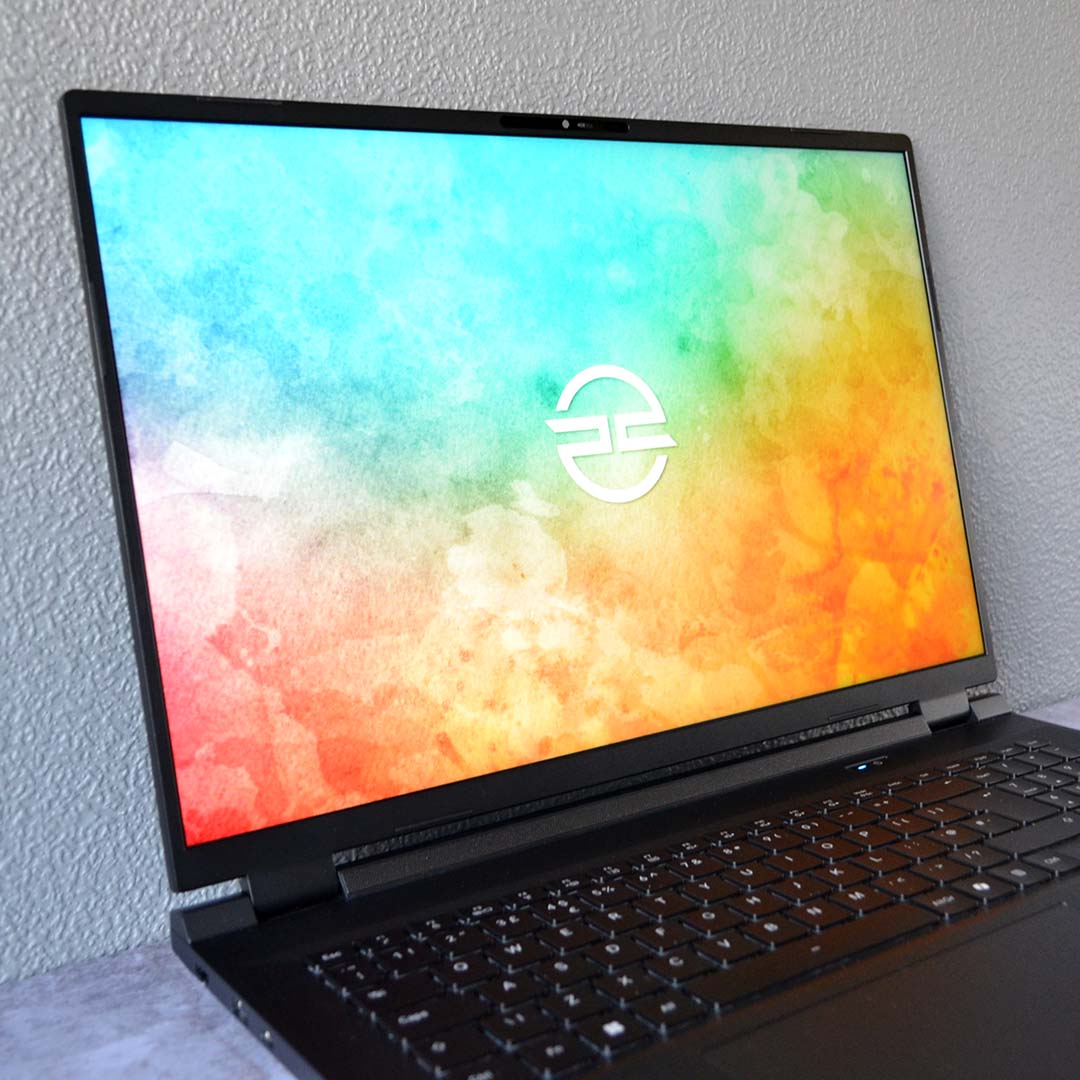
PCSpecialist has outfitted the Ionico 18 with an 18in LCD panel that packs plenty of punch. For starters, the screen runs at a pleasingly sharp QHD+ (2560×1600) resolution. That translates into a pixel density of 168PPI (pixels per inch), delivering a pin-sharp and immersive viewing experience.
That’s not forgetting the display’s 180Hz refresh rate. At full pelt, with a matching frame rate, the panel can deliver appreciably smooth motion clarity through frame times of 5.56ms. Achieving such performance is sometimes difficult at QHD+, but welcome where possible.
| PCSpecialist Ionico 18 | |
|---|---|
| Adobe RGB | 87% |
| DCI-P3 | 99% |
| Brightness | 5-543nits |
| Contrast ratio | 1,190:1 |
| Black level | 0.03-0.46 |
| Colour accuracy (Delta E) | 0.86 (Avg.) / 2.95 (Max.) |
Diving deeper into the panel’s capabilities, gamut coverage is nice and wide. More specifically, we’re talking 99% of the DCI-P3 colour space, and 87% of Adobe RGB, making for rich and vibrant images.
Colour accuracy is strong too, with a 0.86ΔE average. Even the 2.95ΔE maximum isn’t egregious and stems from a single rogue hue, with the second-highest deviation falling to 1.44. In short, this screen is impressively accurate out of the box.
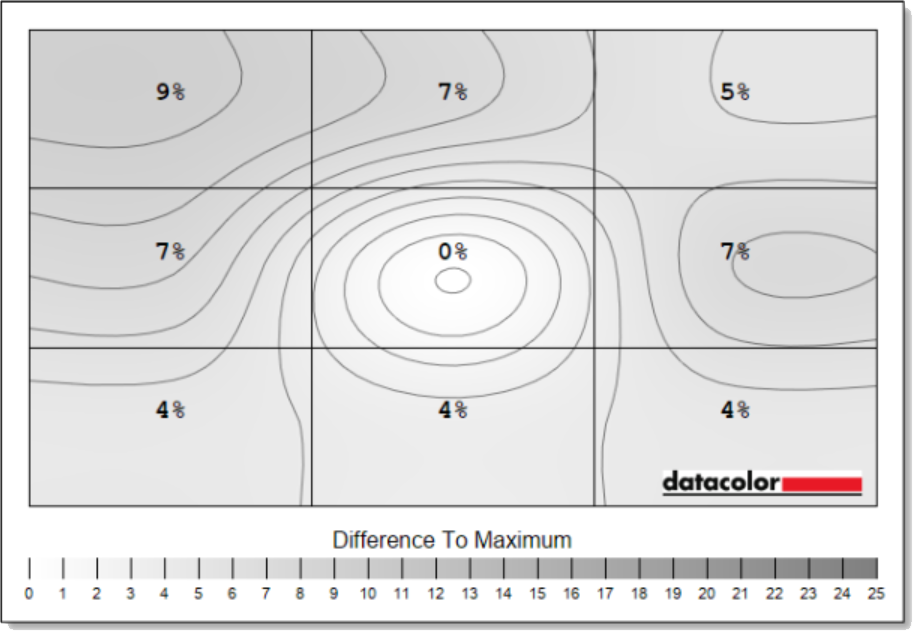
All backlit displays deviate to varying degrees across their panels, but the Ionico 18’s screen does a solid job of keeping luminance in check. This is a bright panel, peaking at 543nits, making 9% luminance deviations a touch higher than I’d like. Regardless, any inconsistences are difficult to notice in real-world use.
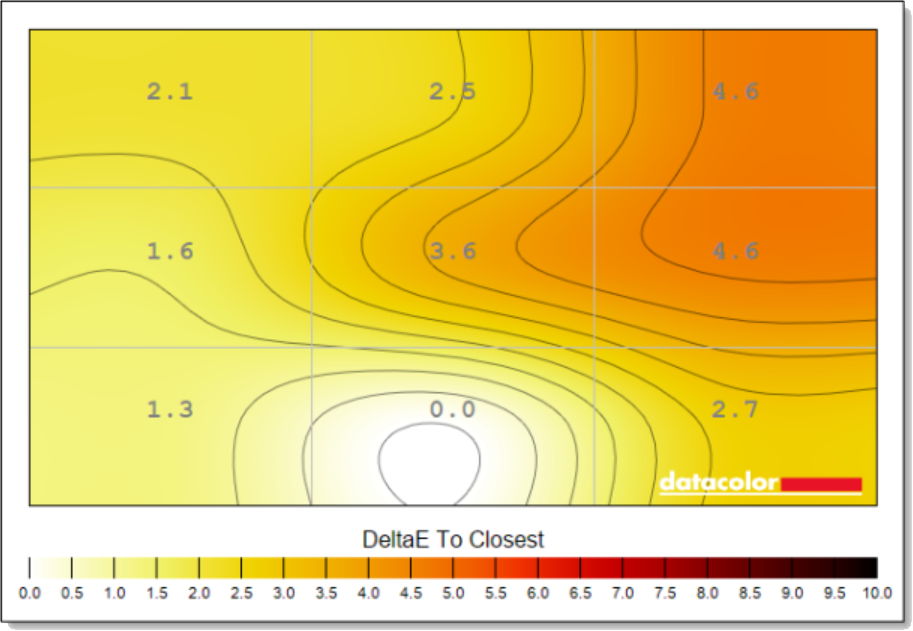
Colour consistency is a little more wobbly, with the right side of the panel exhibiting deviations of up to a 4.6 Delta A. These aren’t hugely problematic inaccuracies and are perfectly fine for gaming, but they do very slightly knock the Ionico 18’s ability to serve as a workstation for colour sensitive work.
Performance
Gaming is the primary focus of my Ionico 18 testing, and I’ve been benchmarking raster and ray tracing frame rates across the laptop’s native QHD+ resolution as well as FHD+. I’ve also investigated how the Nvidia DLSS suite benefits performance. I’ve tested this laptop at its out-of-the-box performance settings, which PCSpecialist calls Turbo Quiet. You can select other performance modes using the supplied Control Centre software, but as I explain later, it’s best to stick with the default settings if you’re plugged into the mains.
In addition to gaming, I’ve closely examined how CPU performance stacks up. This is in addition to conducting storage speed tests, as well as providing perspective on the laptop’s noise levels, thermals, and power draw.
Applications
General compute performance is solid on the Ionico 18. PCSpecialist’s combo of a Core i7-14650HX with 32GB of dual-channel RAM provides this laptop with plenty of power to accomplish everyday tasks, as well as some creative work.
| PCSpecialist Ionico 18 | Score |
|---|---|
| Cinebench 2026 SC | 620 |
| Cinebench 2026 MC | 5,744 |
| PCMark 10 | 8,896 |
In Cinebench 2026, the Ionico 18 scores a healthy 620 points in the single-core benchmark. That’s actually faster than a desktop Core Ultra 7 270K Plus (580) or AMD Ryzen 7 9700X (550), as well as a Core Ultra 9 275HX (538). Raptor Lake continues to prove its worth all these years later.
Swapping over to multi-core tests, the Core i7-14650HX performs admirably with a score of 5,744. The puts the chip ahead of the Ryzen 7 9700X (4,847) and Core Ultra 5 245K (5,673), though behind its younger, more-powerful sibling, the Core Ultra 9 275HX (7,705).
Given the processor’s Cinebench scores, it comes as no surprise that the Ionico 18 turns in a welcome score of 8,896 in PCMark 10. This result sits well above UL Solutions’ most-demanding threshold of a 4,500 score for office work and light media content, painting this laptop as a reliable workhorse.
Gaming
Without further ado, let’s discuss the Ionico 18’s gaming capabilities. Without getting too ahead of our results, this laptop offers solid pace even in the face of today’s most-demanding titles.
| PCSpecialist Ionico 18 | Score |
|---|---|
| 3DMark Speed Way | 3,360 |
| 3DMark Steel Nomad | 3,182 |
Beginning our assessment with 3DMark synthetic benchmarks provides a broad performance estimate for the laptop’s graphics. While Speed Way calls for ray tracing prowess at QHD resolution, Steel Nomad falls back to traditional rasterised rendering at a higher 4K resolution.
We’re expectedly far off desktop RTX 5070 performance, with the results in the table above performing closer to a desktop RTX 5060. However, with 12GB of GDDR7 VRAM in play, this choice of graphics is more easily able to accommodate higher resolutions and more demanding settings in some games than the aforementioned 8GB card.
| PCSpecialist Ionico 18 | 1920×1200 (Min. / Avg.) | 2560×1600 (Min. / Avg.) |
|---|---|---|
| Assassin’s Creed Shadows | 30 / 35fps | 23 / 27fps |
| AC Shadows + DLSS | 35 / 42fps* | 32 / 38fps** |
| Final Fantasy XIV: Dawntrail | 72 / 128fps | 53 / 84fps |
| Forza Horizon 6 | 44 / 48fps | 29 / 31fps |
| FH6 + DLSS | 57 / 63fps* | 46 / 52fps** |
| Rainbow Six Siege | 122 / 165fps | 107 / 123fps |
| Total War: Warhammer III | 50 / 69fps | 35 / 49fps |
Running each game at its highest possible settings, the Ionico 18 impressively delivers playable 30fps+ performance across all but one benchmark in our test suite at its 2560×1600 resolution. Assassin’s Creed Shadows at native QHD+ proves a touch too taxing for the system, with a 27fps average, but this is an entirely respectable result for the hardware in the face of such a demanding task.
This game also pushes the VRAM buffer hard, which we found when reviewing the PCSpecialist Ionico 16 D, which has the 8GB version of this GPU. With just 8GB of VRAM, the minimum drops right down to 18fps at 1920×1200 in this game, as the frame buffer can’t keep the GPU fed with data. With 12GB in this machine, though, it doesn’t drop below 30fps. Even enabling DLSS only increases the minimum to 22fps with 8GB of VRAM, whereas with 12GB GPU maintains a solid 35fps.
We can also turn to DLSS Super Resolution to plug the gap in this title at 2560×1600. Using the upscaler in its Balanced mode, we’re sneaking across feudal Japan at a welcome 38fps. This same approach similarly helps lift Forza Horizon 6 from a 31fps average to a smoother 52fps. While not quite the ideal 60fps+ I’d like for a racing game, it’s a solid result for a laptop with this GPU.
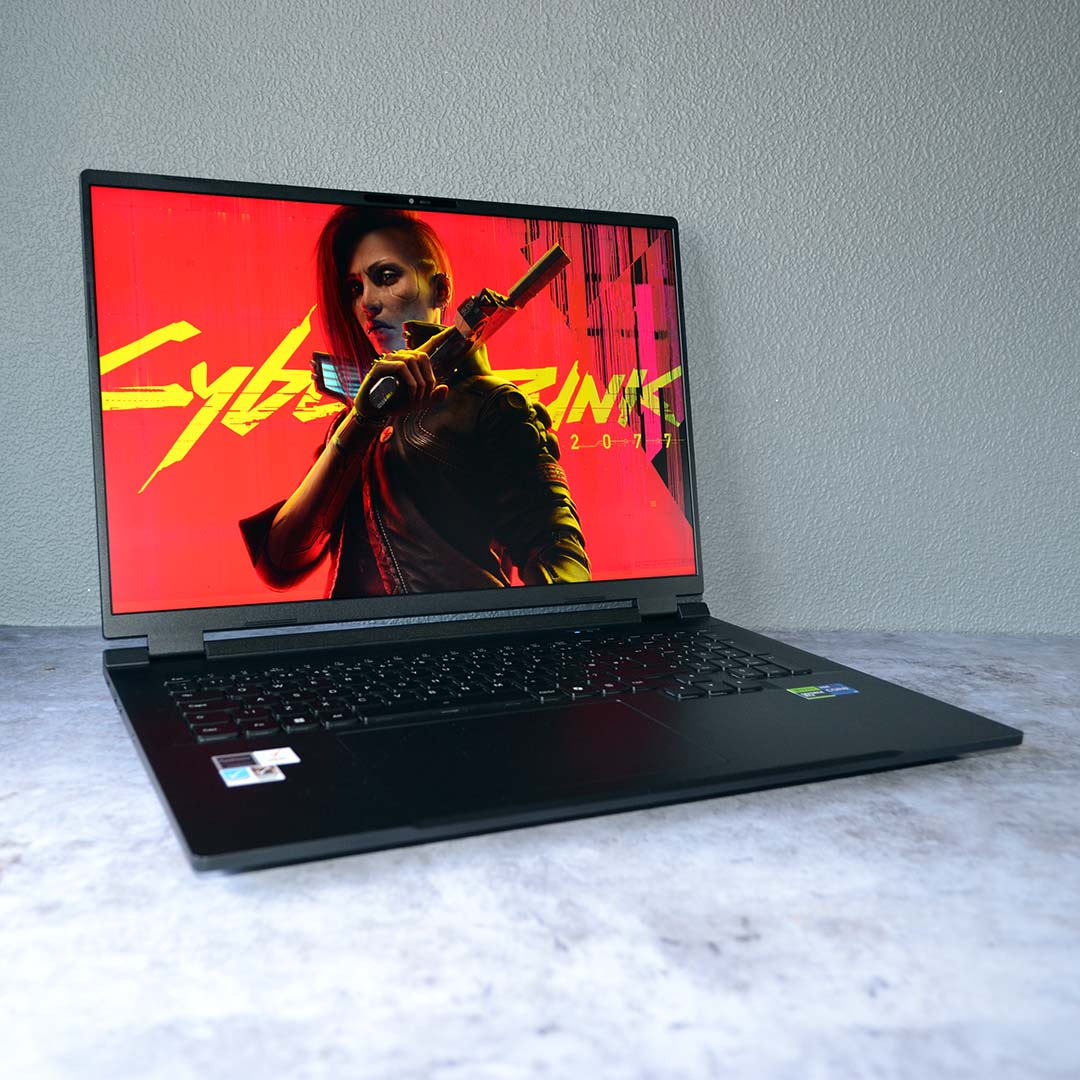
The likes of Final Fantasy XIV: Dawntrail and Rainbow Six Siege run well at QHD+ without the assistance of DLSS, but esports enthusiasts will want to drop down to FHD+ to make the most out of the Ionico 18’s 180Hz screen. Meanwhile, Total War: Warhammer III runs at a respectable average of 49fps on this laptop at its native resolution, increasing to 69fps at 1920×1200.
In short, you can expect a solid QHD+ gaming experience out of the Ionico 18, give or take a few tweaks, such as enabling DLSS Super Resolution, as well as turning down a few settings. The laptop more confidently rises to the challenge of rendering at FHD+, which remains plenty sharp enough for the screen size, even if it’s not at its native resolution, and helps make better use of the available refresh rate.
| PCSpecialist Ionico 18 Cyberpunk 2077 | 1920×1200* (Min. / Avg.) | 2560×1600** (Min. / Avg.) |
|---|---|---|
| RT Ultra (Native) | 36 / 41fps | 23 / 26fps |
| RT U. + DLSS | 58 / 66fps | 44 / 50fps |
| RT U. + DLSS + FG x2 | 99 / 112fps | 76 / 87fps |
| RT U. + DLSS + FG x3 | 143 / 158fps | 108 / 119fps |
| RT U. + DLSS + FG x4 | 175 / 192fps | 132 / 145fps |
Cyberpunk 2077 supports the entire Nvidia DLSS 4.5 suite, including multi-frame generation. Despite this game’s age, its higher graphics settings remain some of the most demanding out there, making Night City a prime showcase of Nvidia’s performance-enhancing features. Accordingly, I’ve run it at the gorgeous-looking Ultra ray tracing preset
As we observed in Assassin’s Creed Mirage, DLSS Super Resolution is capable of greatly boosting frame rates, and the same is true in Cyberpunk 2077. The Ionico 18’s FHD+ performance enjoys a 61% uplift in Quality mode, while QHD+ gets a larger uptick of 92% using the Balanced preset. I typically recommend leaning more on this upscaler as your pixel count increases, as Nvidia’s Transformer model is more than up to the task.
While it’s possible to turn on frame generation at any frame rate, 60fps+ creates an ideal base to keep latency in check. The laptop’s QHD+ results fall slightly short of this threshold, but we’re over the line when dropping down to FHD+ with upscaling. Turn on 4x multi frame gen, and this great-looking game is running faster than the screen’s 180Hz refresh rate.
As ever, performance with frame generation reflects the level of motion clarity you can expect rather than feel. The feature’s a great tool for making greater use out of the Ionico 18’s 180Hz refresh rate, reducing motion blur for smoother-looking action. Just be aware that more generated and interpolated frames means more latency, so it’s worth tinkering to find the right fit for your preference rather than cranking it up to 4x out the gate.
Storage
Hitting the 1TB Klevv Cras C925GB with CrystalDiskMark test, this PCIe Gen 4.0 SSD performs within expectations. Sequential write speeds are right on target at ~6,300MB/s. Meanwhile, sequential read throughput is slightly below the drive’s theoretical 7,300MB/s maximum, but we’re only talking about a 200MB/s shortfall that would be hard to notice in real-world usage.
| CrystalDiskMark | 1TB Klevv Cras C925G |
|---|---|
| Sequential read | 7,106MB/s |
| Sequential write | 6,331MB/s |
There’s no sign of thermal throttling under prolonged use either. While running CrystalDiskMark, the three temperature sensors report values of 55-67°C. You shouldn’t expect such high temperatures while gaming, as games call on storage in much less intense bursts. Suffice to say, this is a solid showing for the Ionico 18’s storage setup.
Vitals
I’ve conducted all of my testing thus far using the laptop’s default Turbo Quiet performance profile. However, there is an alternative Turbo Extreme option available via the system’s Command Centre software. Below are the temperatures, noise levels, and power draws for each nide.
| Turbo Quiet | Idle (Max.) | CB 26 (Max.) | CP 2077 (Max.) |
|---|---|---|---|
| CPU temperature | 48°C | 97°C | 88°C |
| GPU temperature | 44°C | 60°C | 78°C |
| Noise | ≤30dBA | 48dBA | 48dBA |
| Power consumption | 23W | 195W | 223W |
Sitting idle in Turbo Quiet mode, the Ionico 18 is practically inaudible and sips a mere 23W from the wall. Internal component temperatures range between 44-48°C in this state, with the processor’s integrated graphics taking care of basic display output duties, while the RTX 5070 Mobile GPU hibernates.
Running a Cinebench 2026 multi-core benchmark naturally sees CPU core temperatures reach their highest peak at 97°C. Fans run at an audible, but not unpleasant, 48dBA in the face of this workload, with the laptop drawing 195W.
Swapping over to gaming, via a Cyberpunk 2077 benchmark, pushes both the CPU and GPU, each respectively reaching 88°C and 78°C at their hottest. Noise remains the same as it did with Cinebench, but power consumption rises to 223W.
| Turbo Extreme | Idle (Max.) | CB 26 (Max.) | CP 2077 (Max.) |
|---|---|---|---|
| CPU temperature | 50°C | 97°C | 93°C |
| GPU temperature | 47°C | 56°C | 79°C |
| Noise | ≤30dBA | 57dBA | 56dBA |
| Power consumption | 24W | 212W | 245W |
Switching to this laptop’s Turbo Extreme mode has no notable effect on idle temperatures or power consumption. There are clear changes occurring under load, but there’s sadly no massive performance uplift to accompany them, giving little reason to swap from Turbo Quiet.
Running the same Cinebench 2026 multi-core benchmark sees power consumption rise to 212W, while noise levels increase to a distractingly loud 57dBA and CPU temperatures continue to peak at 97°C. Meanwhile, the benchmark score increases by a measly 54 points (5,798 vs. 5,744), making the increase in noise and power hardly worthwhile.
Results are much the same in Cyberpunk 2077 as well. The laptop is practically as noisy as it is during the Cinebench run at 56dBA, while power consumption now peaks at 245W. The Core i7-14650HX is running several degrees hotter in this mode than in the other, while the difference in GPU temperature is within the margin of error. Most importantly, frame rates aren’t noticeably faster, rising to 135 / 149fps from. 132 / 145fps.
Battery
Practically all gaming laptops suffer from middling-to-poor battery life, on account of their power-hungry components. The Ionico 18 is no exception, despite efforts to prolong uptime by swapping from Turbo to Balanced power profiles when the charger is unplugged.
| PCSpecialist Ionico 18 | Battery life |
|---|---|
| Office | 3 hours, 58 minutes |
| Gaming | 1 hour, 26 minutes |
Facing off against PCMark 10’s gaming benchmark, the system’s 80Whr battery manages to run for just under 90 minutes. This is a relatively light workload too, so expect this value to fall much lower in the face of demanding titles.
Meanwhile, the office benchmark sees the Ionico 18 stay afloat for just under four hours. Suffice to say, this laptop can’t make it through a full work day or back-to-back lectures without needing some charge.
Conclusion
As someone who’s tried and tested many 18in gaming laptops, the noise levels that the Ionico 18 offers out of the box continue to impress me. While this system is by no means quiet under load, PCSpecialist has done an excellent job of balancing acoustics with performance via the laptop’s default Turbo Quiet profile.
It’s great to have 12GB of VRAM available to the RTX 5070 Mobile GPU as well. I’d sooner recommend this system over 8GB options at a similar price, such as the ROG Strix G18. Though the latter laptop boasts a more-powerful processor, the Core i7-14650HX has more than proven its worth in our benchmarks, and I’d take the extra VRAM over the alternative CPU.
I do wish PCSpecialist had found room for a MUX switch inside the Ionico 18, though, in addition to a slightly less deviant panel, but these are small blemishes on an otherwise excellent overall package. Battery life is disappointing as well, but realistically you’re not going to use this massive laptop much when you’re out and about anyway. This is more of a portable gaming rig than a mobile commuting machine.
While I thoroughly recommend the configuration we’ve reviewed today, if you can’t quite afford it, there’s not much harm in dropping to 16GB of RAM and a smaller SSD if you’re prefer to save a few bob in these times – you’ll still have an excellent laptop at your disposal.
