

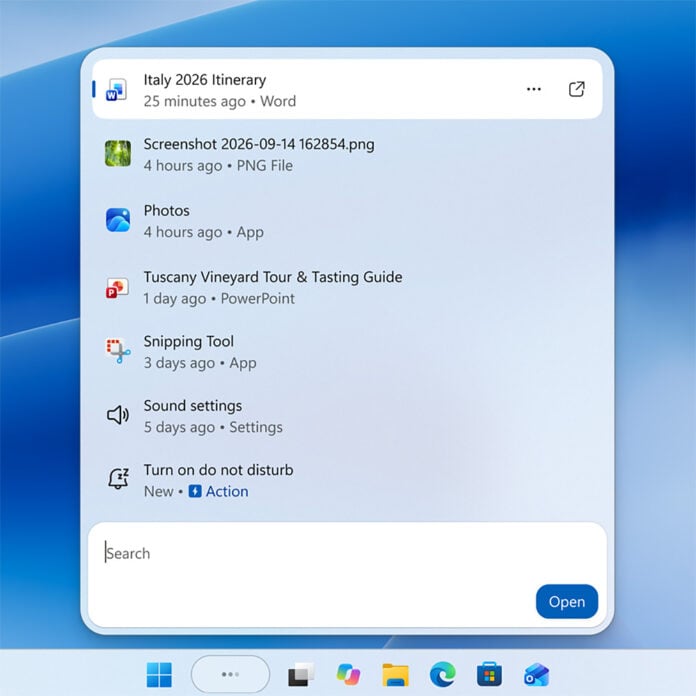
In its ongoing mission to improve Windows 11’s Search experience, Microsoft is giving the feature more control over your PC. Windows Insiders can try these new capabilities now, but everyone will be able to make some changes to their operating system via natural language prompts in the future.
Microsoft shares details of these potential commands, as well as the new design of Search, in a recent Windows Blog. The examples provided include single-word controls, like “mute” but also some phrases and complete sentences.
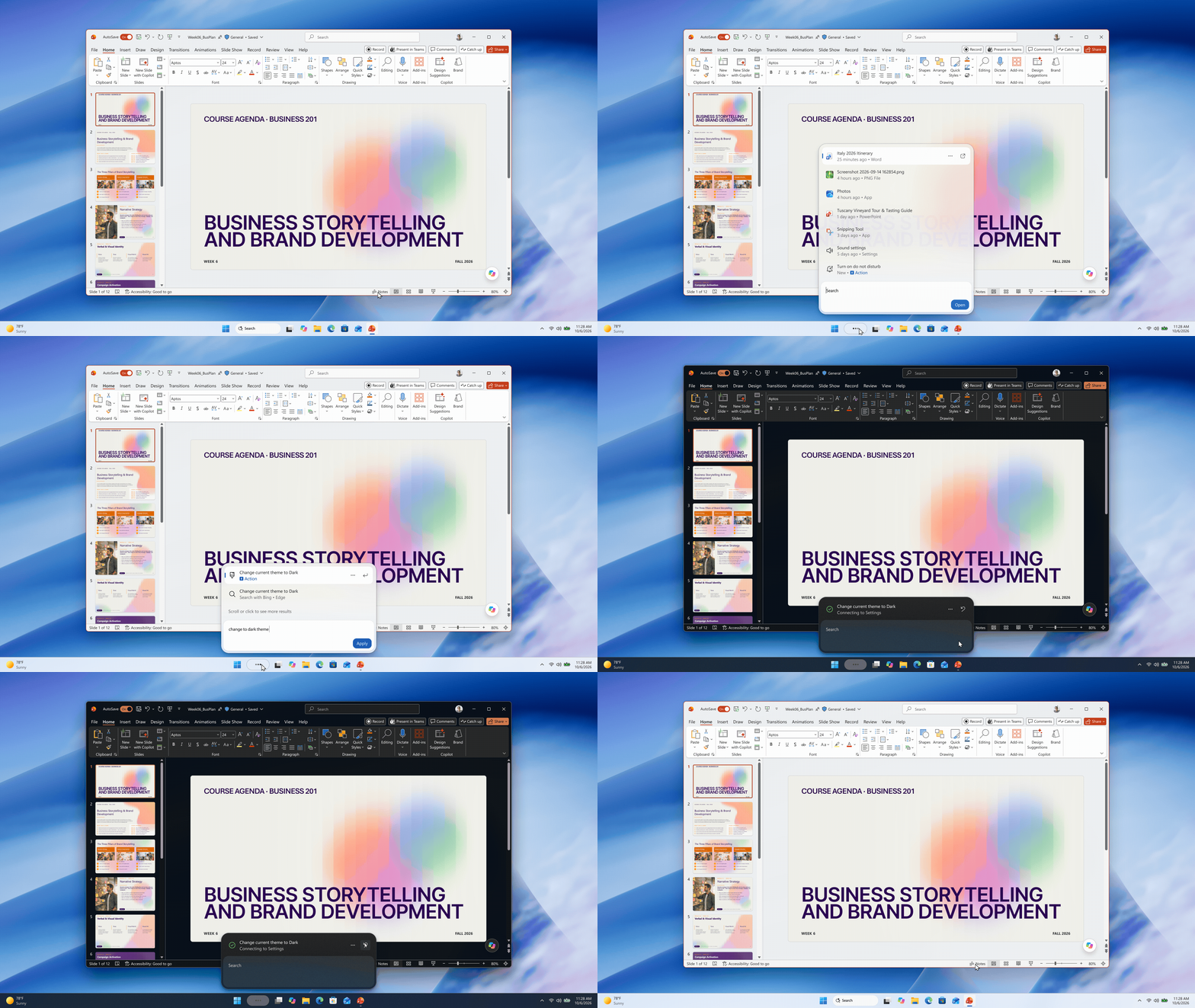
Among the examples given by Microsoft, I’m most keen to use “turn on night light,” as a quick and intuitive way to save my eyes from strain during late night write ups. There are other examples, such as “dim my screen” and “minimise all my windows,” but Microsoft is keen to emphasise these are just the first of many commands we’ll have at our disposal.
For instance, the firm is already teasing the ability to make commands via Phone Link from the Search bar. Microsoft has only disclosed the ability to send text messages, but the ability to toggle Do Not Disturb and more would be welcome.

This new Windows Search also comes with a leaner design, sporting a central, stacked row of results rather than the two-column layout with which we’re familiar. Microsoft says this change was prompted by behavioural research in which “nearly all clicks in the current UX come from the results list on the left, rather than the large preview pane on the right.”
Inline previews and richer file details will continue to show up in Search, such as small preview images, but those features will debut properly in this new design later this year. Meanwhile, you’ll still be able to use Windows Search for web queries if you’d prefer, or turn this feature off all together, as is now possible following the Windows 11 26H2 update.
Windows Insiders can try and share feedback on the new Windows Search experience now, as part of an Experimental release channel via build 26340.9616 (26H2) or 26340.9616 (26H1). However, the feature is currently only available in English for now, with support for other languages presumably following down the line.
