
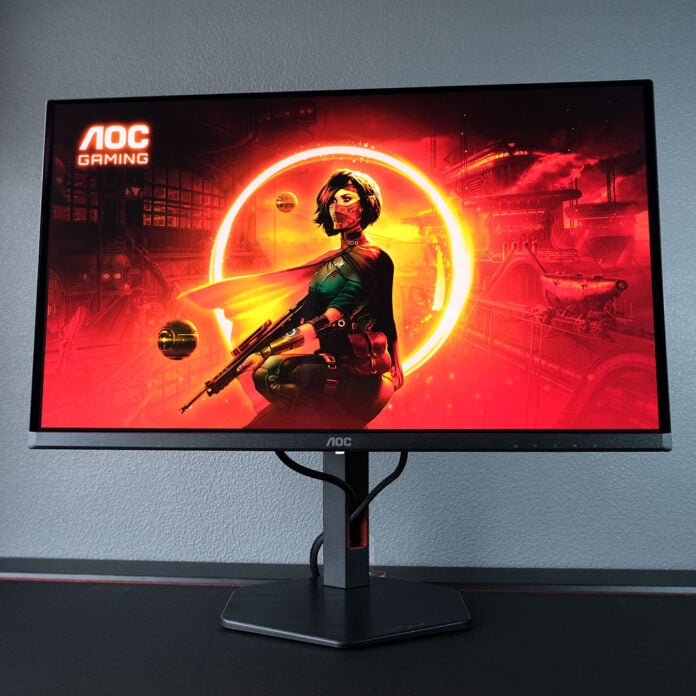
I wish everybody could experience the highs that only QD-OLED can provide, so seeing relatively affordable options such as the AOC Q27G4SDR appear on store shelves fills me with glee. While this gaming monitor isn’t quite a budget darling, it’s difficult to find alternatives that offer such strong value for money with the same specifications.

AOC Q27G4SDR
£499.99
Pros
- Fabulous price
- Exceptional colour accuracy
- 360Hz QD-OLED panel
- USB hub
- Three-year warranty
Cons
- Text fringing
Club386 may earn an affiliate commission when you purchase products through links on our site.
How we test and review products.
Retailing for £499.99, the Q27G4SDR firmly undercuts its closest competitors by £60-100. Hitting such a low price naturally comes at the cost of some premium niceties, but AOC keeps the core of what makes an excellent gaming monitor wholly intact.
Specifications
| AOC Q27G4SDR | |
|---|---|
| Screen size | 27in |
| Resolution | 2560×1440 |
| Refresh rate | 360Hz |
| Response time | 0.03ms (GtG) |
| Panel technology | QD-OLED |
| Variable refresh rate | Yes (48-360Hz), Nvidia G-Sync compatible |
| HDR | DisplayHDR True Black 400 |
| Ports | 3.5mm audio-out (x1) DisplayPort 1.4 (x1) HDMI 2.1 (x2) USB-A, downstream (x2) USB-B, upstream (x1) |
| Speakers | None |
| Warranty | Three years (includes burn-in) |
| Price | £500 |
Design
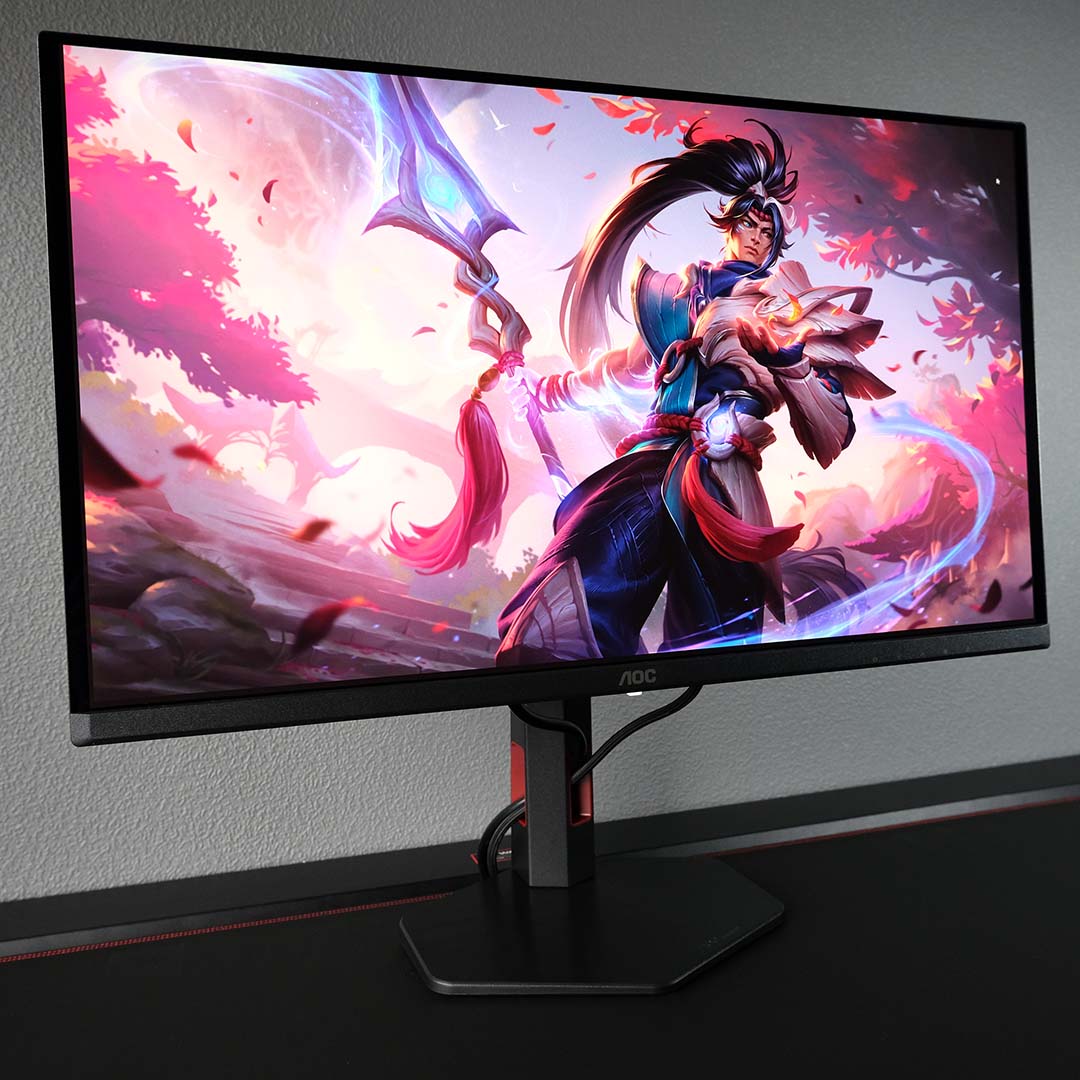
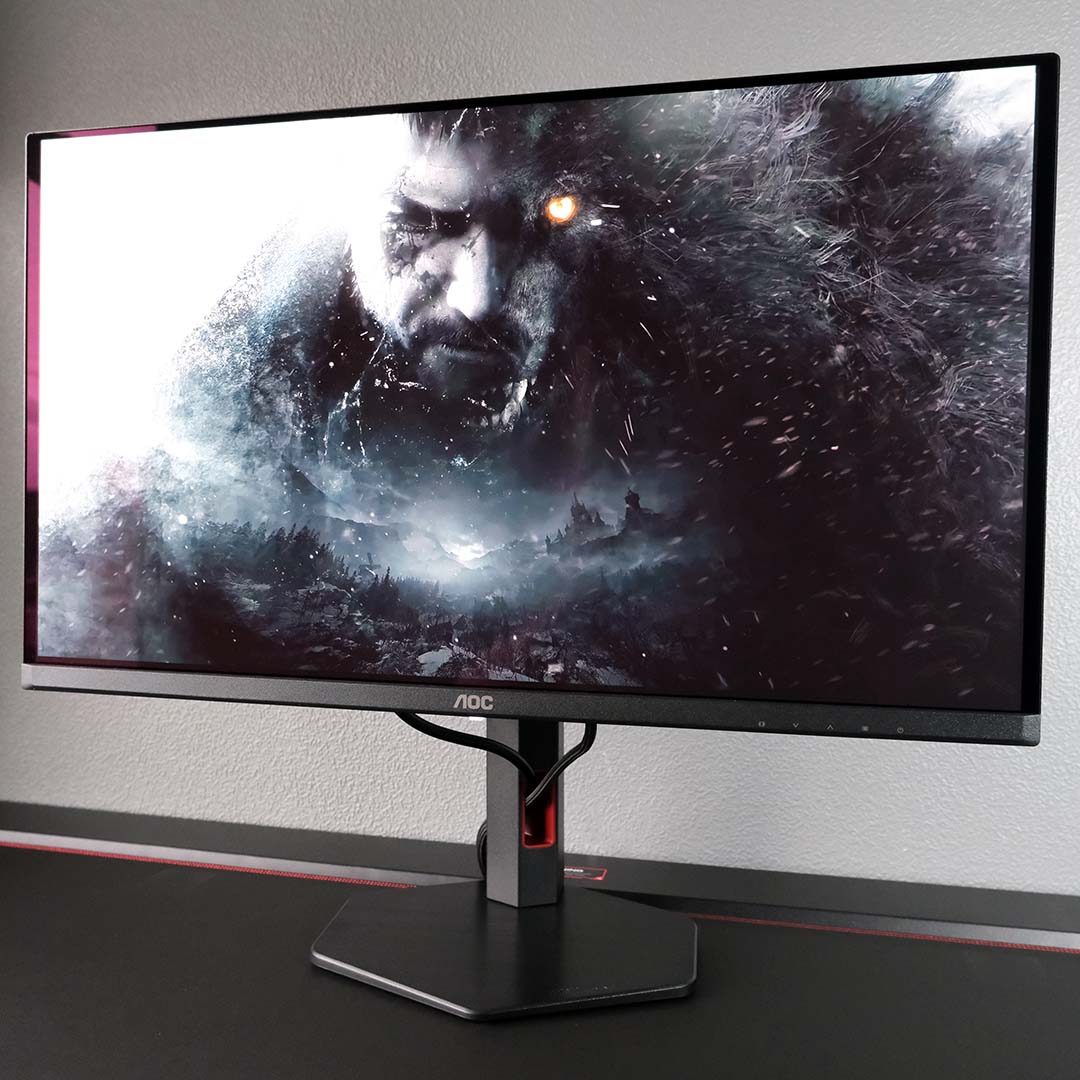
AOC doesn’t shake up its approach to gaming monitor design with the Q27G4SDR, but there’s little reason for the brand to do so given its established standard of build quality is already high. The finish and materials of this display are expectedly strong, despite a few small kinks.
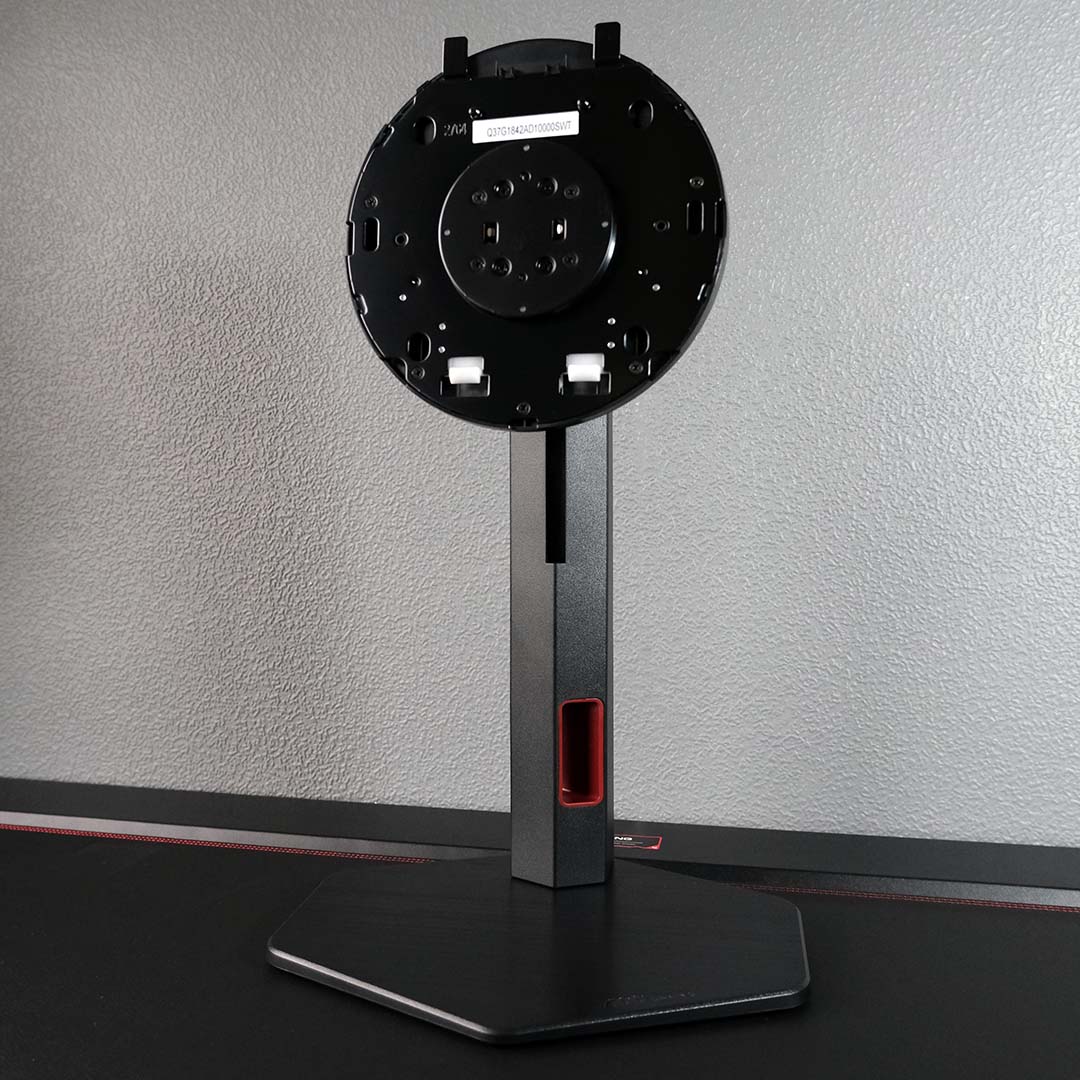
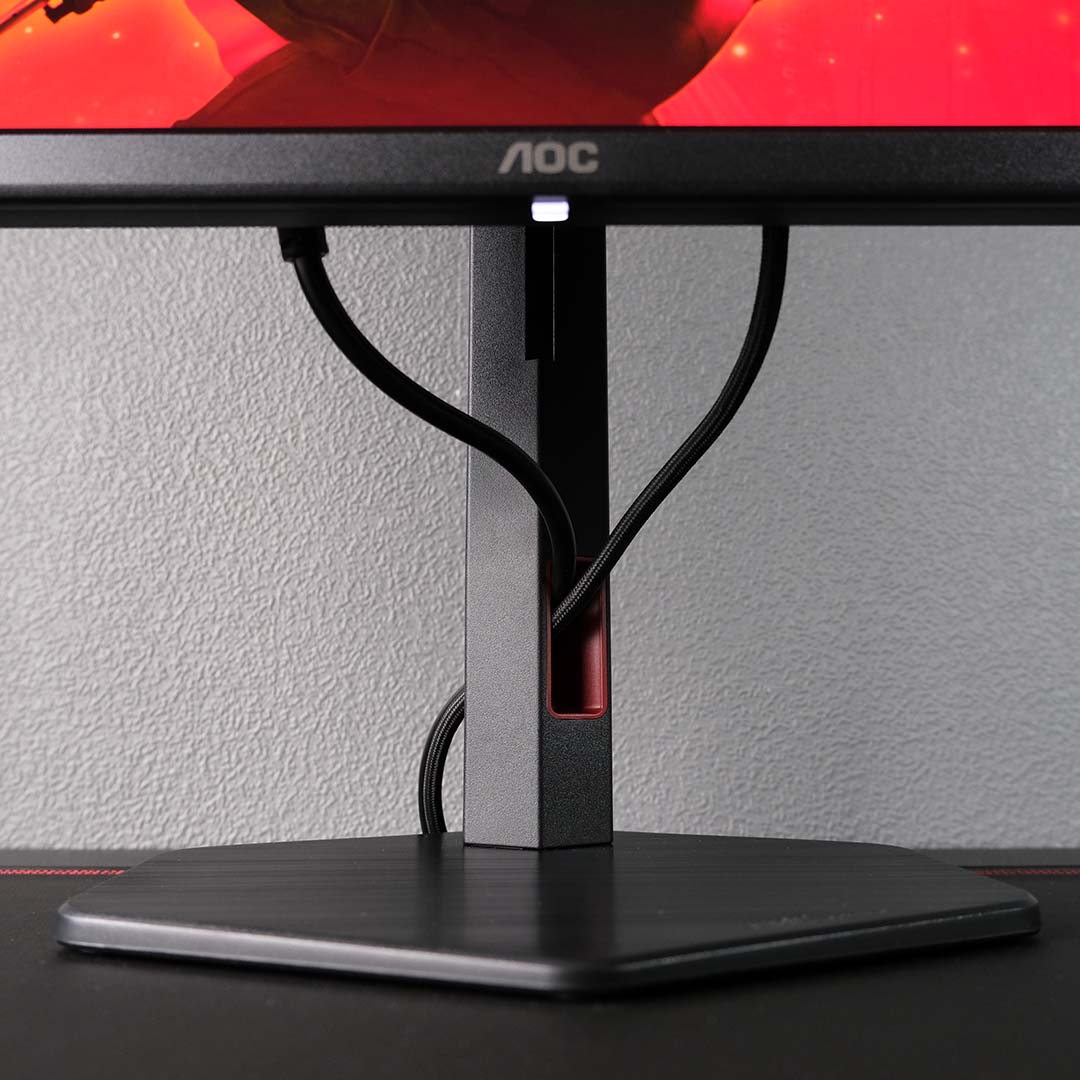
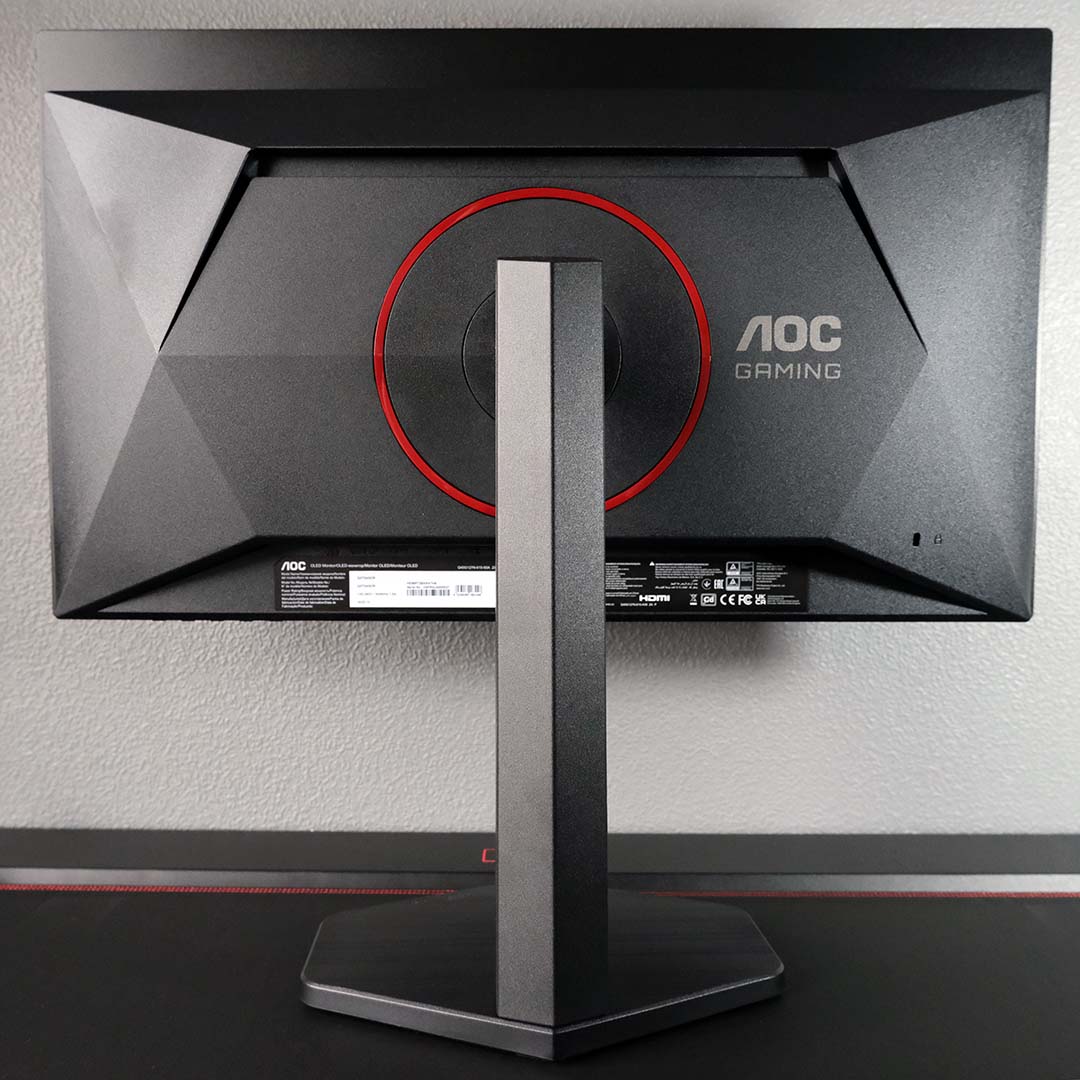
Regardless of whether you’ve never put together a gaming monitor, or have connected countless stands to screens, the Q27G4SDR is easy to construct. The entire process is toolless, as the base marries to the neck via a single twisting captive screw, while the panel completes this trifecta through locking teeth.
The stand offers a healthy amount of ergonomic adjustment, making cable installation and comfort tweaks a breeze. More specifically, you can expect 130mm of height adjustment alongside 30 degrees of swivel and 90 degrees of pivot both left and right. You also have a 24.5-degree tilt range for good measure. Of course, you can just pair the panel with a 100mm² VESA mount if you have one to hand.
Save for sparse red accents and an ‘AOC Gaming’ logo on its back, the Q27G4SDR barely betrays its identity as a gaming monitor. Black brushed plastics make up the majority of the monitor’s build, all of which look and feel suitably premium. I’m also thankful to see a hexagonal stand in play, rather than large desk-hogging perpendicular legs, and not a trace of ARGB LEDs.
My only gripe with this setup concerns cable management. Instead of a central cutout in the monitor’s neck, AOC adopts an off-axis placement through which your wires can flow. This doesn’t make for a particularly sightly appearance, even with just a single HDMI and power cable. I feel like a broken record every time I bring it up, but I’ll continue to call for manufacturers to adopt built-in cable trenching for the cleanest finish.
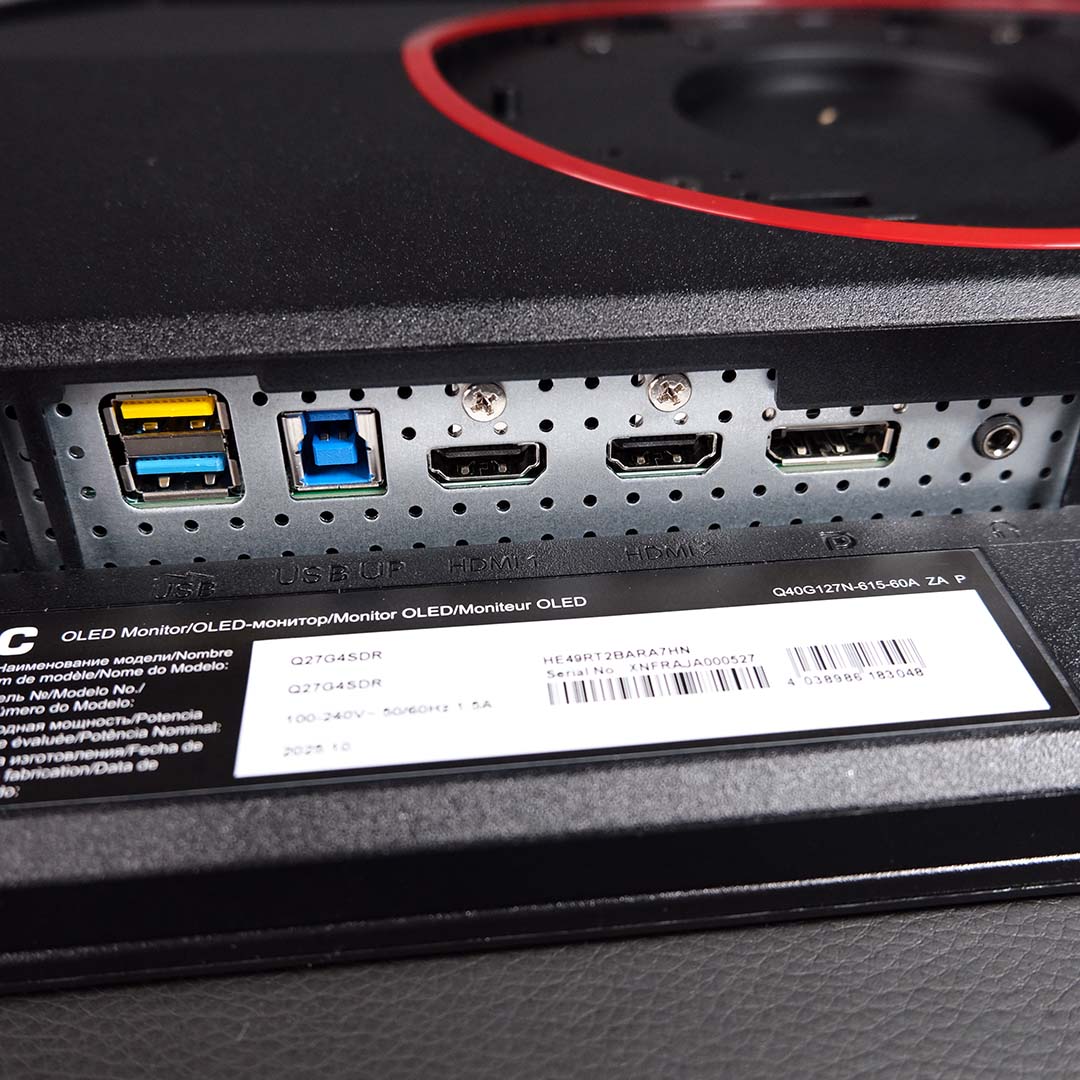
On the underside of the panel, you’ll find three display inputs. AOC equips the Q27G4SDR with two HDMI 2.1 ports and a single DisplayPort 1.4 input. This HDMI spec offers 48Gb of bandwidth, meaning it’s capable of displaying the monitor’s full resolution and refresh rate with 8-bit colour sans any compression. Moving to 10-bit HDR content, though, will require a small degree of Display Stream Compression (DSC), but vastly less than DP 1.4 at either colour depth.
However, in order to have the HDMI ports function as I’ve described, you’ll need to switch them from ‘Console/DVD’ mode to ‘PC’ via the on-screen display (OSD). While I appreciate AOC’s effort to make the process of pairing consoles to the Q27G4SDR as seamless as possible, namely by capping refresh rate to 120Hz, I would prefer stock settings to favour PCs.
Next door, you’ll find a USB-B port that connects your system to the monitor’s built-in USB hub, where its two 5Gb USB-A inputs will service most peripherals with ease. Speaking from experience, my wireless headset, mouse and keyboard – paired to the same dongle – work flawlessly. If you regularly connect a 3.5mm output to your screen, there’s a port for that too.
As much as I’d love to see a USB-C input and KVM switch, both features would naturally increase the price of the Q27G4SDR. Both niceties are easy to let go of in favour of greater affordability.
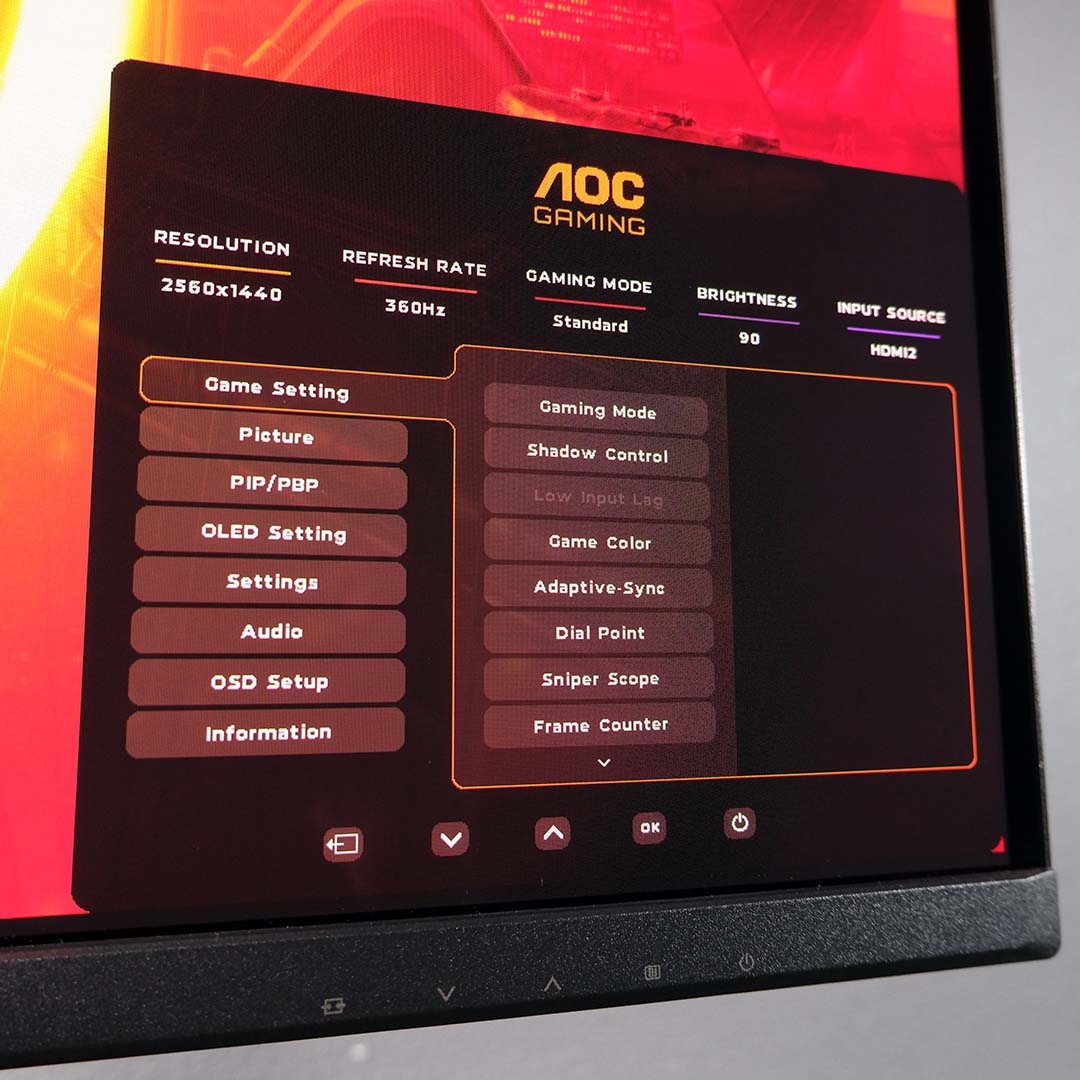
Five separate buttons run along the chin of the monitor, providing a power switch and OSD navigation controls. While there’s nothing inherently wrong with this control scheme, it does feel a touch old school, given the prevalence and undeniable convenience that joystick controls offer.
Outside the aforementioned HDMI toggle, there’s little reason to fiddle with the Q27G4SDR’s stock settings. Nonetheless, the menu gives you quick access to several display profiles, in addition to controls for brightness and other picture settings.
Picture-in-picture (PIP) and picture-by-picture (PBP) support is welcome, as are the host of OLED burn-in preventative measures, which include the likes of pixel refreshes, logo detection, and so on. I’d advise leaving all of these protections switched on, but you can turn all of them off at will.
Alternatively, you can use AOC’s GMenu software to configure the vast majority of the Q27G4SDR settings. Like most monitor applications, this ended up being my preferred method to control the display when necessary.
Performance
Sporting a third-generation 27in QD-OLED panel, the Q27G4SDR arrives with a native QHD (2560×1440) resolution and 360Hz refresh rate. While the latter combination is commonplace among LCD panels, pairing them with a self-emissive screen elevates picture quality and responsiveness to otherwise unachievable heights.
I’m a firm believer that once you bring an OLED into your life, it’s difficult to return to backlit alternatives. The per-pixel precision of this panel technology is a sight to behold, providing perfect black levels for inky-black contrast, as well as excellent colour and luminance uniformity. There’s no need to worry about glow, viewing angles, or other LCD headaches here.
However, pixel response times are the most unsung advantage of QD-OLED monitors. Ghosting and overshoot simply aren’t a concern on the Q27G4SDR, as there’s no need for spotty overdrive modes. Better still, the movements remain lightning-fast across all refresh rates, making the 360Hz refresh rate here more of a ceiling than a target.

One of the main ways AOC has managed to reduce this screen’s price is by using a last-gen QD-OLED panel, as newer, more expensive screens with the same size and resolution push refresh rates up to 500Hz. While the latter monitors will provide greater motion clarity and responsiveness, they’re not worlds away from the 360Hz experience here. From a technical standpoint, you’re only looking at shrinking frame times down from 2.8ms to 2.0ms at full pelt.
Where the Q27G4SDR falters, like all other monitors based on older QD-OLED panels, is with regard to text fringing. This drawback stems from the panel’s triangular GRB (Green Red Blue) subpixel structure, shown in the picture above. This pattern differs from the regular RGB stripe layout you’ll find on LCDs and current-generation QD-OLEDs, resulting in purple-green fringing on text elements.
In my case, I rarely notice this issue. However, your sensitivity will vary, and it’s a problem worth taking into consideration if you play a lot of text-heavy games or regularly use word processors.
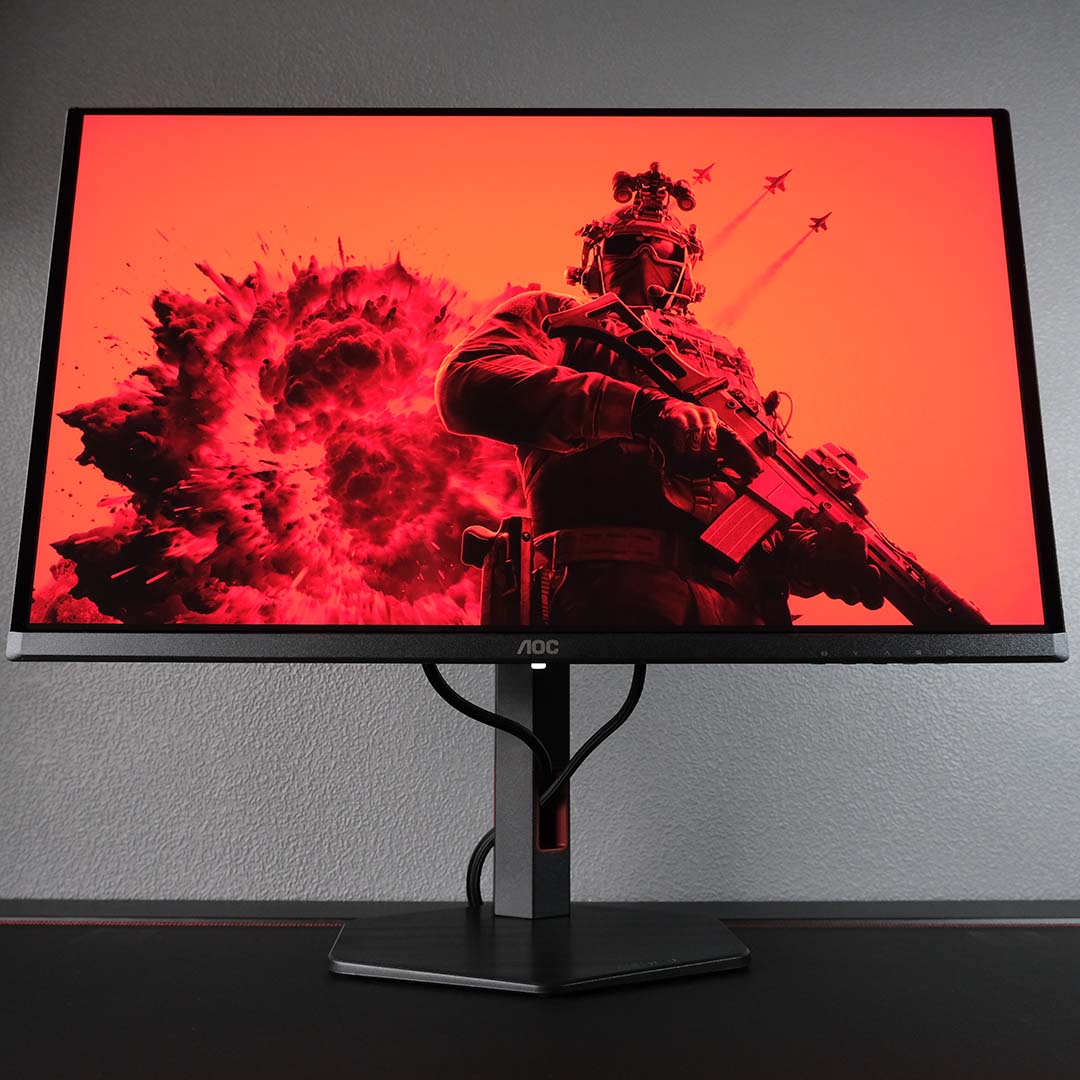
I put the Q27G4SDR into action with my recent NZXT H2 Flow build, which includes a Ryzen 7 9800X3D CPU and a GeForce RTX 5090 graphics card. Suffice to say, you couldn’t ask for better components to drive a QHD/360Hz display. While upscalers and frame generation will help plug the gap on less-powerful systems, make no mistake, you’ll need plenty of horsepower to make the most of this screen’s specifications.
Competitive gamers will keenly appreciate the level of responsiveness that the Q27G4SDR offers. Those near-instant pixel response times and high motion clarity make landing tracking shots in Battlefield 6 all the easier, and it’s easier to keep up with fast-paced team fights in League of Legends. The monitor won’t inherently make you a better gamer, but it will provide an ideal springboard from which to show off your skills.
I also played through the majority of Resident Evil Village on this monitor, a prime playground for its inky-black contrast. If you, like me, have fond memories of horror games on CRTs scaring the bejesus out of you, this is as close as you can get to that experience with a modern display.
Colours
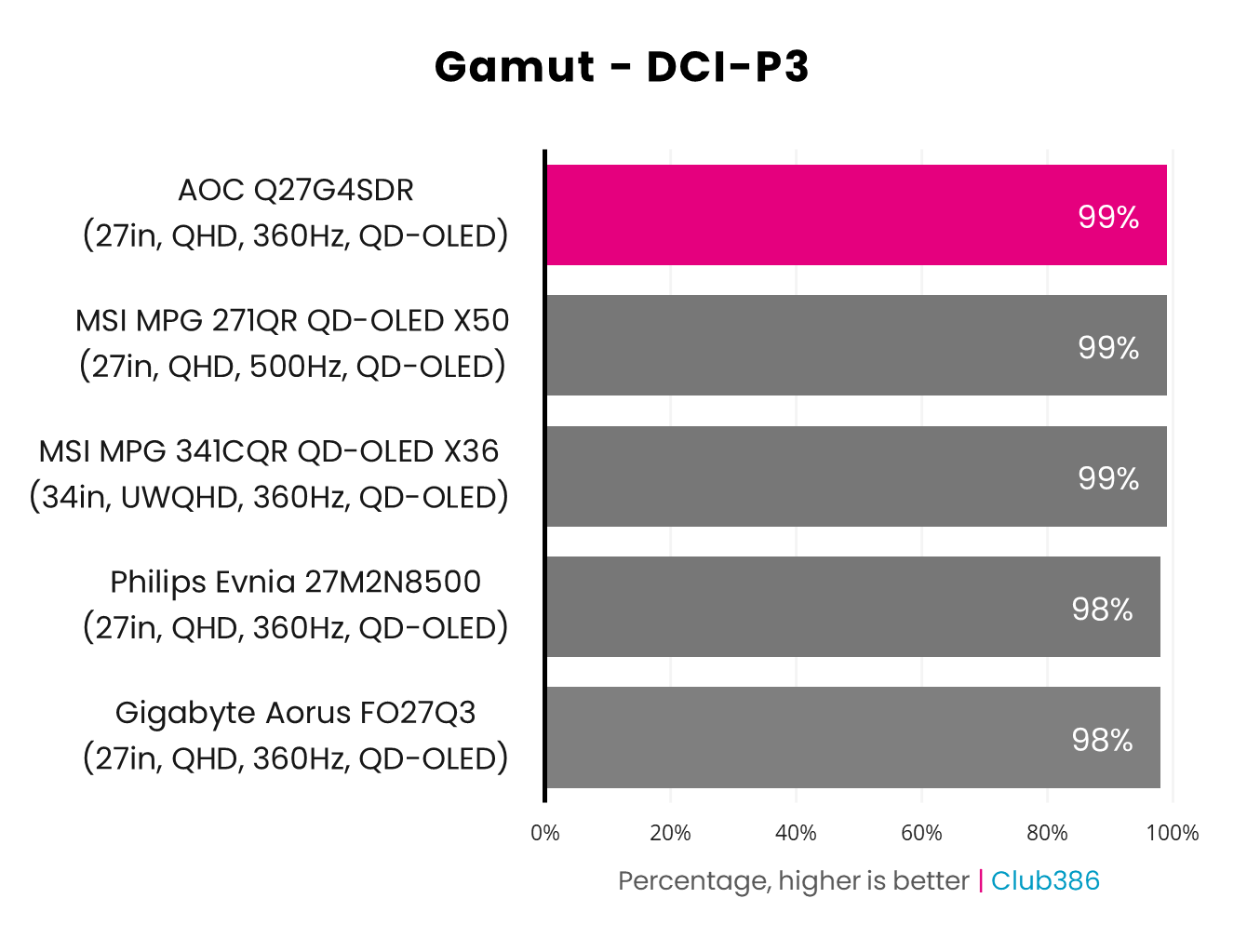
True to its calibration report, the Q27G4SDR gamut covers 99% of DCI-P3. Developers and content creators use this colour space to create HDR content across games and media, making maximum coverage of paramount importance for modern gaming monitors.
Such an encompassing level of coverage is par for the course for most QD-OLED panels, as alternatives in the chart illustrate. Nonetheless, it’s great to see high-end performance that was previously exclusive to expensive screens trickle down to affordable models.
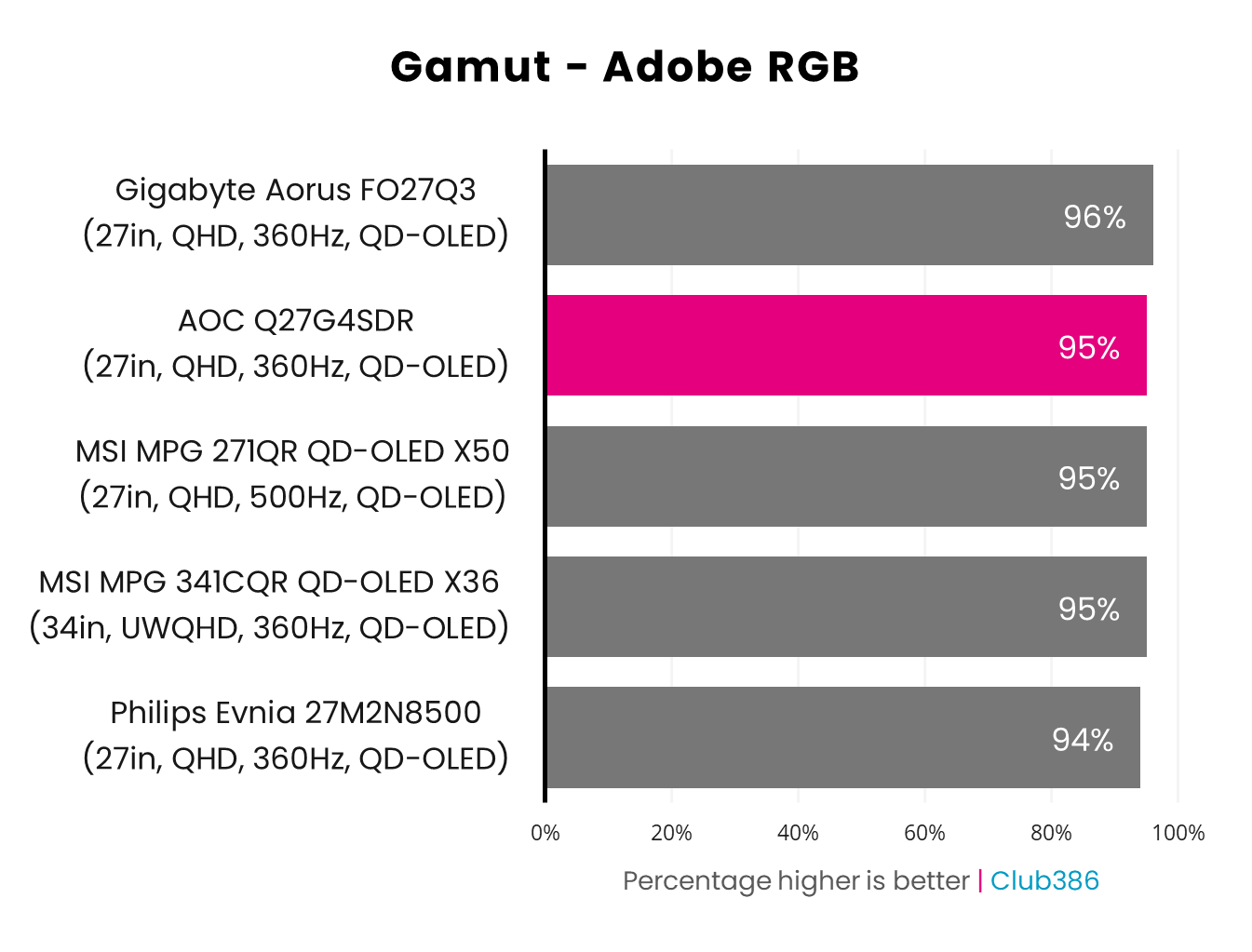
Switching to the wider range of colours that characterise Adobe RGB, the Q27G4SDR’s gamut covers 95% of the space. Again, this level of coverage is typical for QD-OLED, but doesn’t diminish the splendour of AOC’s contender.
Those in search of a gaming monitor that can double as a workspace for photography and print workflows in a pinch will appreciate this degree of coverage. However, that’s providing you can stomach potential text fringing owing to the panel’s pixel structure.
Brightness
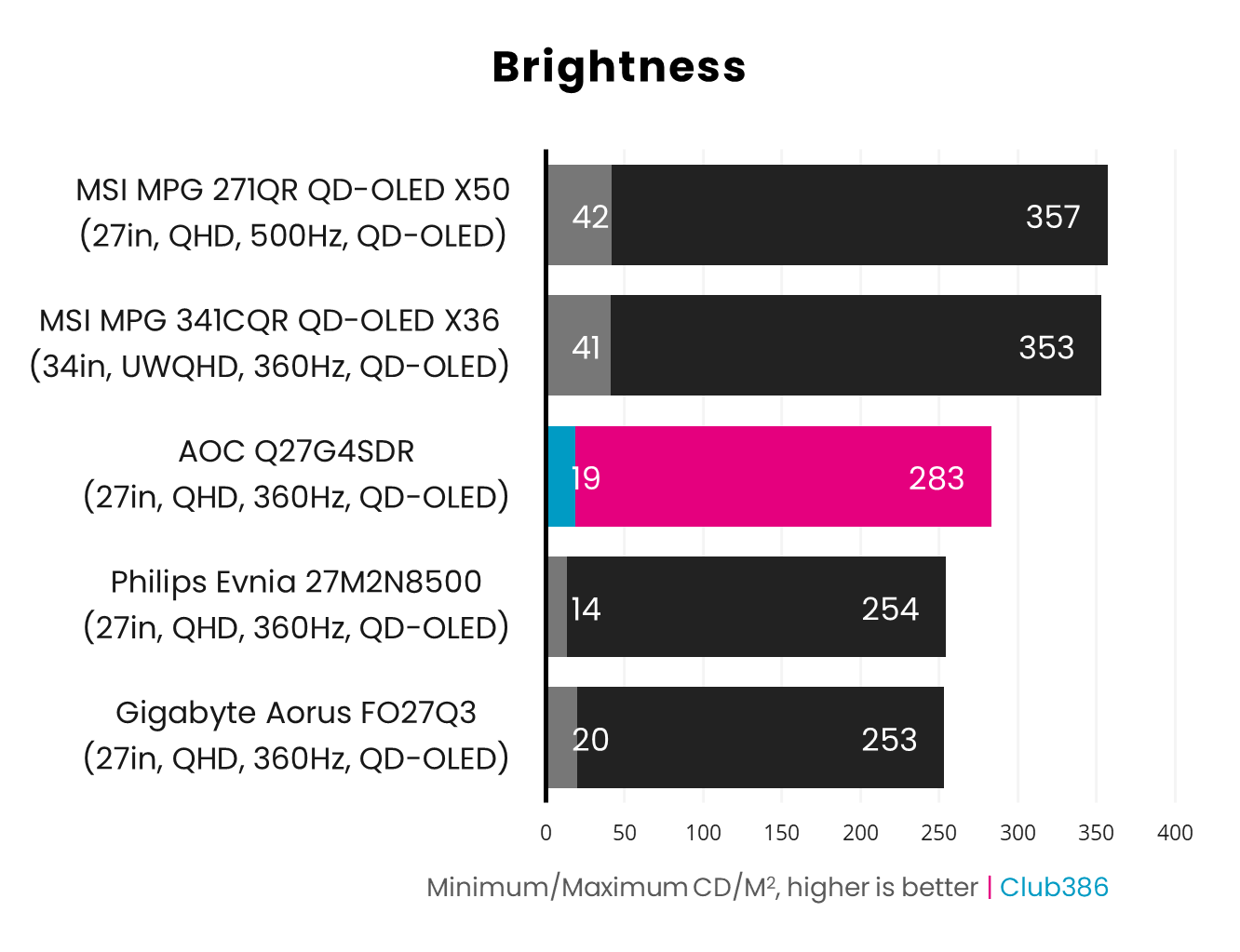
The Q27G4SDR is slightly brighter than other QD-OLED monitors we’ve tested with panels from this generation, boasting a peak brightness of 283nits, which is brighter than 253/254nits. However, screens based on newer QD-OLED panels offer an appreciably significant upgrade, reaching 353-357nits.
With this in mind, AOC’s offering will shine brightest (pun intended) in darker, light-controlled environments. While the screen doesn’t fall apart in the face of high ambient lighting, even cheap LCDs such as the iiyama G-Master G2731QSU-B1, which can reach 466nits, will be easier on the eyes.
Uniformity
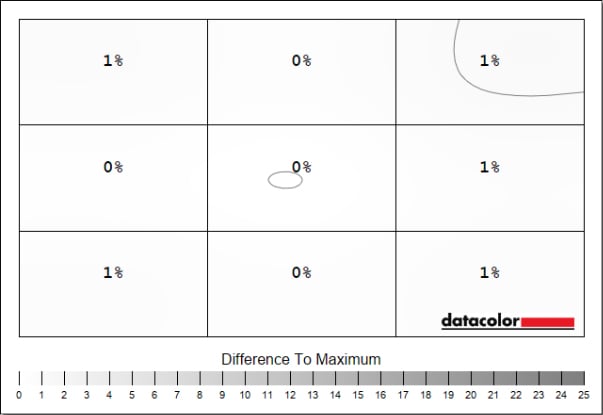
The self-emissive nature of QD-OLED panels lend themselves to excellent luminance uniformity, as the Q27G4SDR aptly demonstrates. This is the kind of invariability that backlit LCDs can only imagine, with just 1% (3nits) differences at most across the screen.
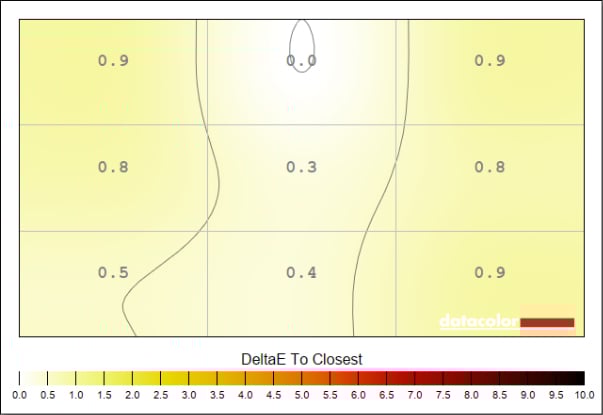
By the same token, colour uniformity is also excellent on the Q27G4SDR. Variances of 0.9 Delta E at most are practically imperceptible, even to the most-trained eye, making for a brilliantly consistent viewing experience wherever your eyes fall on the panel.
Power
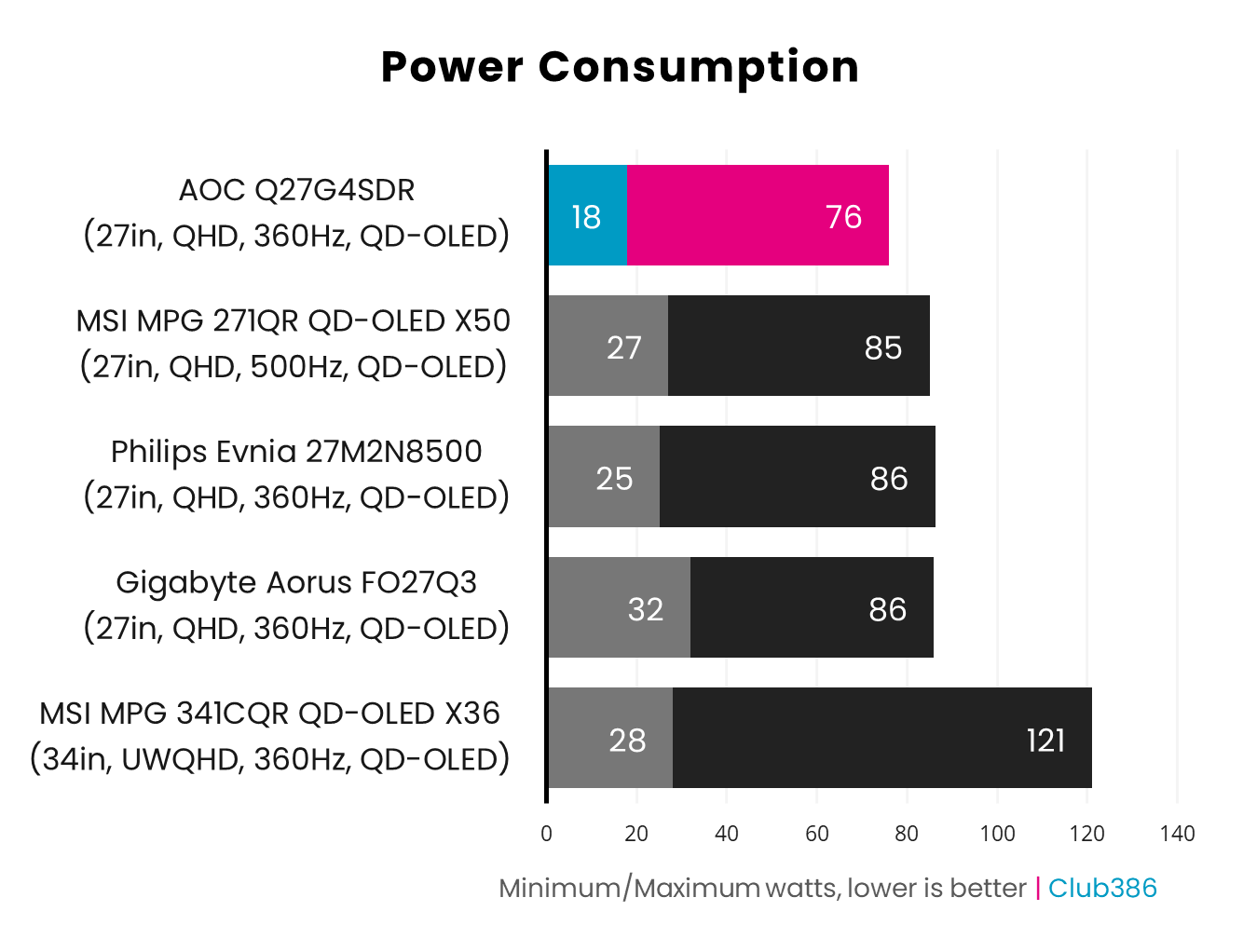
Driving all 3.7M individual pixels unavoidably requires more power than LCD monitors, the appetite of which we’ve seen fall as low as 24W. This context makes the 76W the Q27G4SDR demands look greedy by comparison. Despite this, AOC’s monitor is one of the most economical QD-OLEDs we’ve seen.
Conclusion
It’s difficult to fault the Q27G4SDR beyond the limitations of its QD-OLED panel, namely text fringing, a drawback which all other gaming monitors using the same panel tech from this generation share. Even with this shortcoming in mind, the quality and versatility of this display is undeniable, particularly at its MSRP.
For £500, this is the cheapest route to a 27in 360Hz QD-OLED monitor. Spending £60 extra on the likes of a Gigabyte MO27Q3 will net you a KVM switch, but that additional expenditure won’t provide any other notable display improvements.
Were I spending half a grand on a monitor today, the Q27G4SDR would be top of my list. Providing you can accommodate its relatively low brightness, this display offers a simply excellent gaming experience.
