

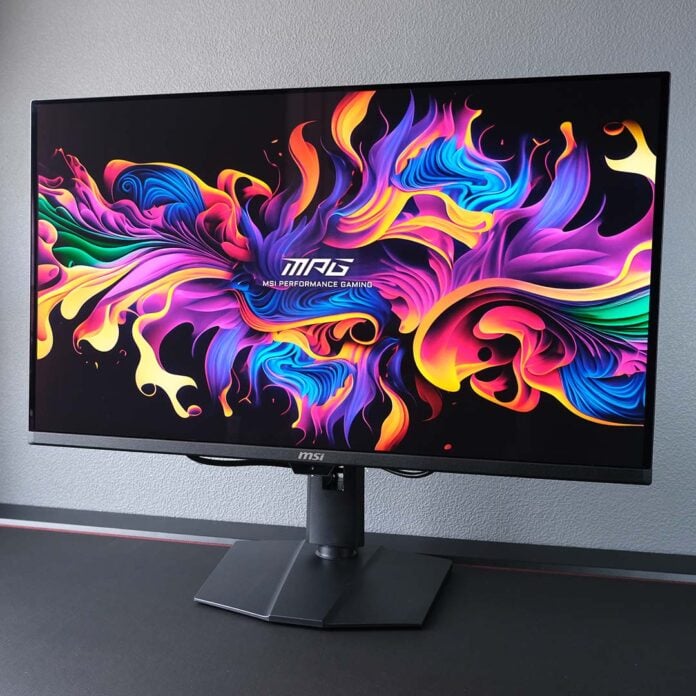
After what feels like a dizzying amount of innovation in the land of QHD and UWQHD QD-OLED monitors, it’s finally time for 4K screens to receive a glow up, with the MSI MPG 322UR QD-OLED X24 being one of the first UHD screens to get the latest panel treatment. Sporting Penta Tandem tech, this display is far brighter than prior-generation peers, but that’s not its only captivating quality.

MSI MPG 322UR QD-OLED X24
£850 / $1,100
Pros
- Penta Tandem QD-OLED panel
- Excellent colour accuracy
- Near-instant pixel response times
- KVM switch
- AI Care sensor
Cons
- Power hungry
- Minor text fringing
Club386 may earn an affiliate commission when you purchase products through links on our site.
How we test and review products.
Retailing for £850 / $1,100, the MPG 322UR QD-OLED X24 is more affordable than older 4K/32in QD-OLED models at launch, but it nonetheless remains a premium monitor by all counts (particularly in the US). MSI hasn’t yet announced a cut-down MAG model with the same panel, but it has consistently done so for previous displays, so I suspect a cheaper alternative will arrive in the near future.
Specifications
The MPG 322UR QD-OLED X24 is a cut above older monitors with the same resolution and refresh rate from the last few years. The headline improvement for this monitor is its Penta Tandem panel, which improves light efficiency by up to 30% through a five-layer structure in service of higher peak brightness. This technology isn’t brand new, but MSI’s model is one of the first to bring it to this form factor.
While the underlying panel structure has received an upgrade, the MPG 322UR QD-OLED X24 maintains the same 4K resolution and 32in diagonal as its predecessors, delivering a pixel density of 138 pixels per inch (PPI). This display is appreciably sharper than QHD/27in monitors, which top out at 109PPI, with its large panel also improving immersion and making multitasking easier.
| MSI MPG 322UR QD-OLED X24 | |
|---|---|
| Screen size | 32in |
| Resolution | UHD (3840×2160) |
| Refresh rate | 240Hz |
| Response time | 0.03ms (GtG) |
| Panel technology | QD-OLED |
| Panel coating | Glossy |
| Variable refresh rate | Adaptive Sync |
| HDR | VESA DisplayHDR True Black 500 |
| Ports | 3.5mm audio-out (x1) DisplayPort 2.1a (UHBR20) (x1) HDMI 2.1 (x2) USB 3.2 Type-A (x2) USB 3.2 Type-B (x1) USB Type-C, w/ 98W PD & DP Alt Mode (x1) |
| Speakers | None |
| Features | AI Care Sensor Console Mode DarkArmor Film KVM Switch MSI Mystic Light MSI OLED Care 3.0 |
| Warranty | Three years (includes burn-in) |
| Price | £850 / $1,100 |
Sitting atop the panel is another innovation by the name of DarkArmor Film. This is MSI’s rebadging of Samsung QuantumBlack film, an optional coating for 2026 QD-OLED screens that improves the depth of blacks under bright ambient lighting, as well as panel hardness and reflection handling. Placing the MPG 322UR QD-OLED X24 next to my Alienware AW3225QF, MSI’s newer model exhibits far less purple tinting and more handily diffuses reflections.
240Hz is a relatively low refresh rate among QD-OLED monitors, with some QHD models pushing 500Hz, but it remains the top speed for 4K monitors. As much as I’d like this ceiling to rise, as it has for UWQHD and QHD displays, it’s still smooth enough for competitive and narrative games, plus it’s difficult to get a frame rate north of 240fps at 4K from your GPU anyway. Of course, there’s no risk of ghosting on the MPG 322UR QD-OLED X24 either, as it doesn’t have a backlight or overdrive profiles to manage, unlike LCDs. So, whether you’re running at 240fps or 30fps, you can expect a viewing experience free of such undesirable artefacts.
Adaptive Sync support is crucial for any gaming monitor, and the MPG 322UR QD-OLED X24 naturally doesn’t skip this beat. There’s no official AMD FreeSync or Nvidia G-Sync badging on this display, but the technology will work on any brand of graphics card without issue. However, you’ll need to keep performance north of 48fps to stave off any screen tearing, as is the case for the majority of panels, QD-OLED or otherwise.
Design
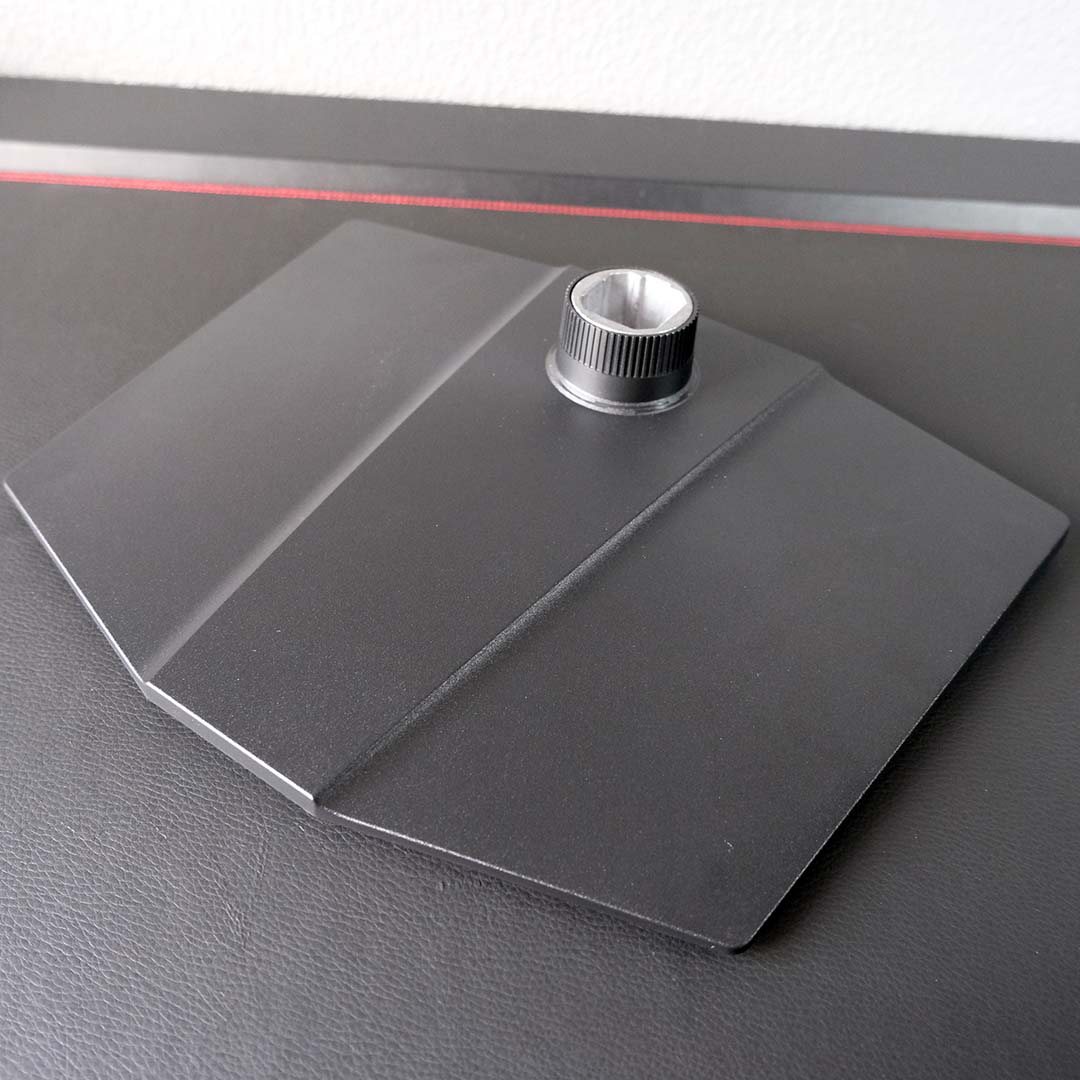
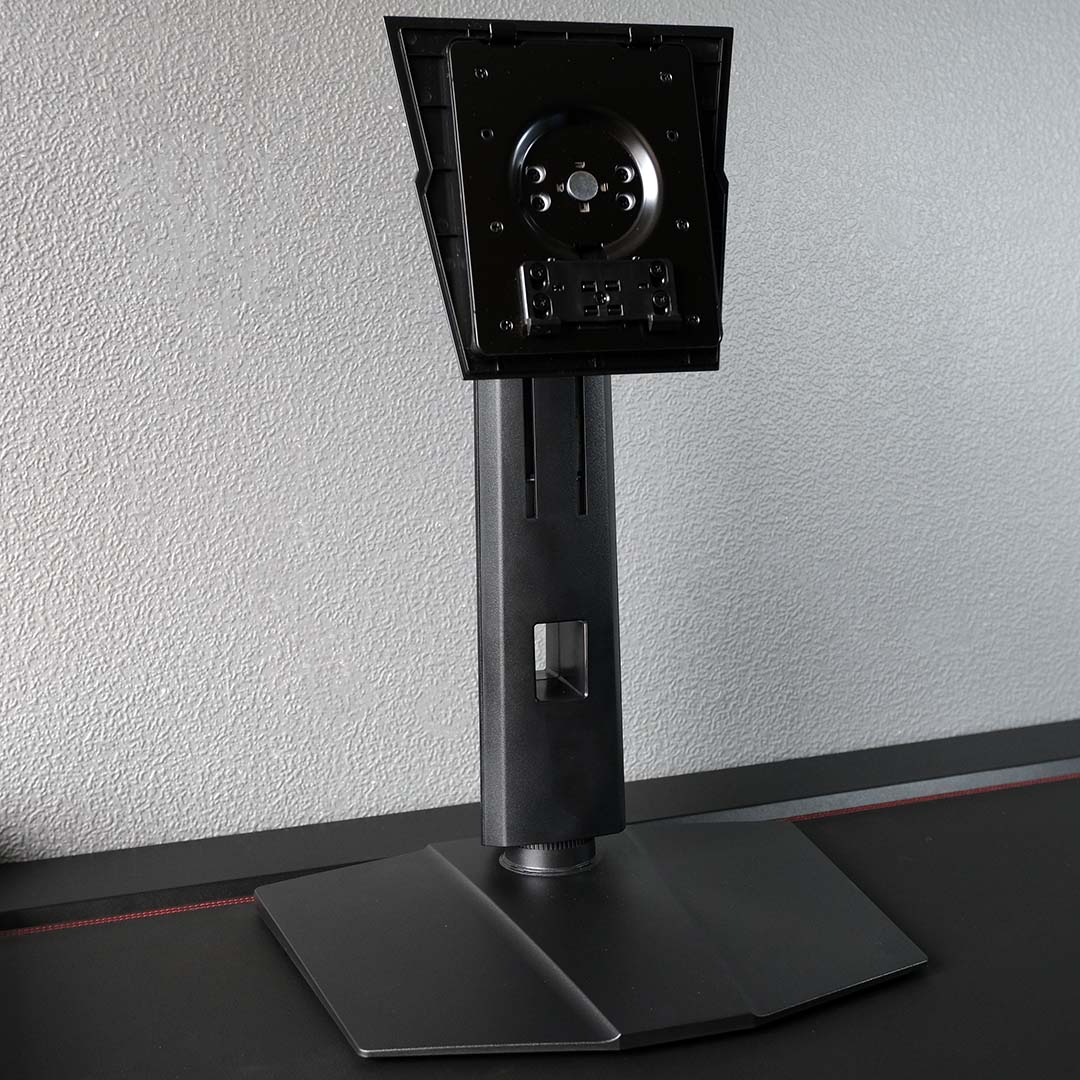
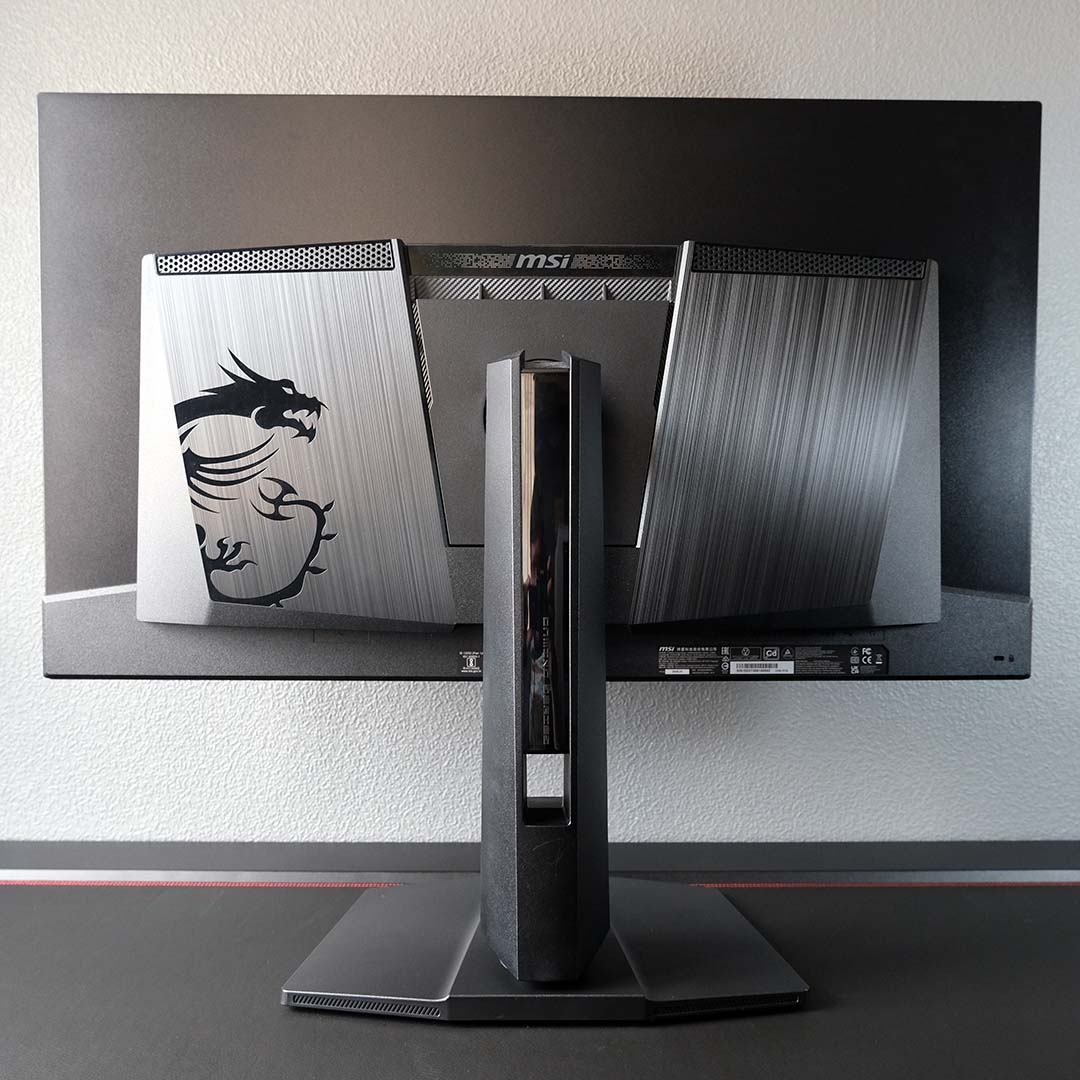
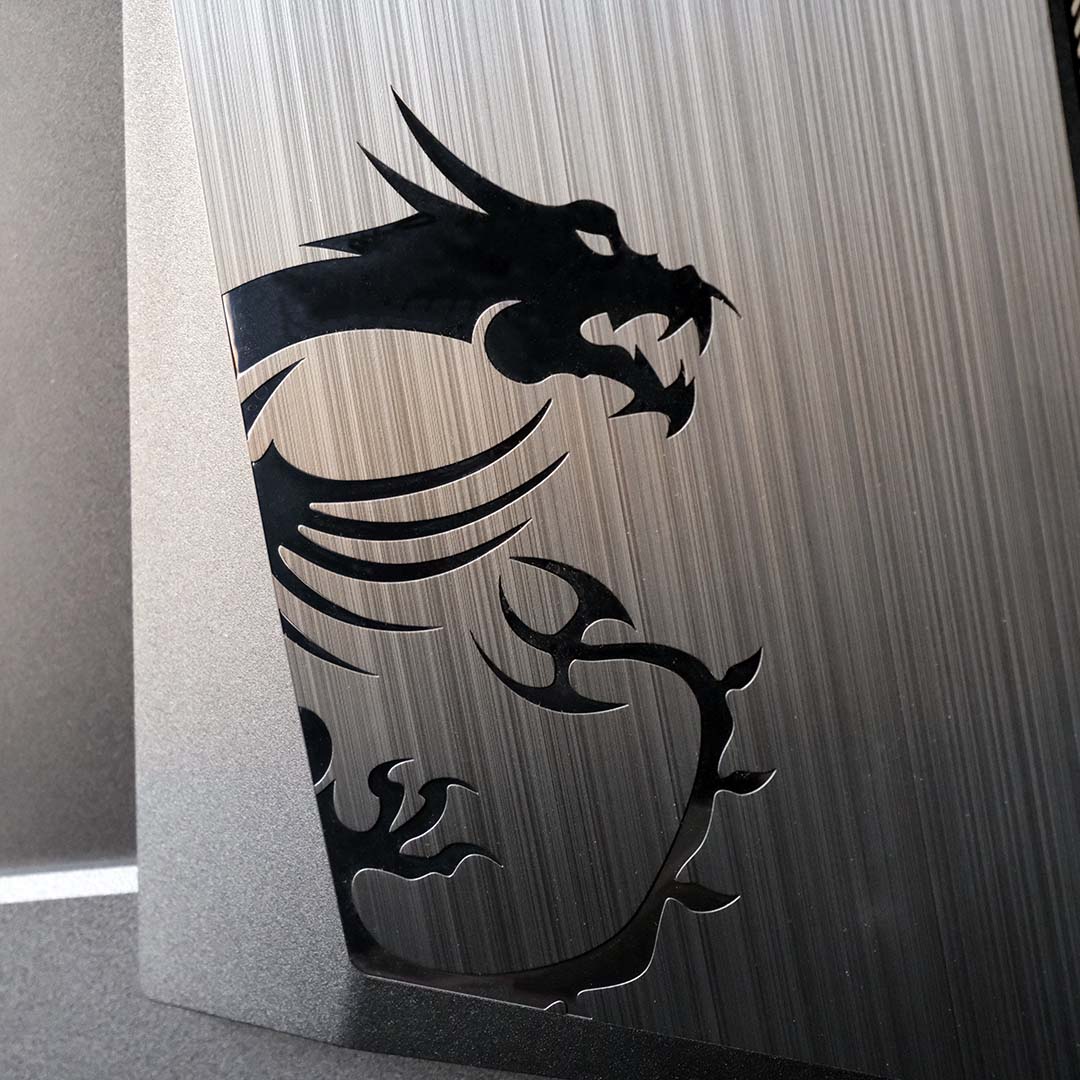
MSI hasn’t made any notable changes to its QD-OLED monitor shell design for several years now, but there’s little reason to fix what isn’t broken. Premium plastics cover the metal frames of the monitor’s base and neck in an all-black colour scheme, giving the screen a minimalist, stealthy aesthetic which I greatly appreciate. Better still, the screen attaches to the stand without any call for a screwdriver, or you can mount the panel on an arm with a VESA mount instead.
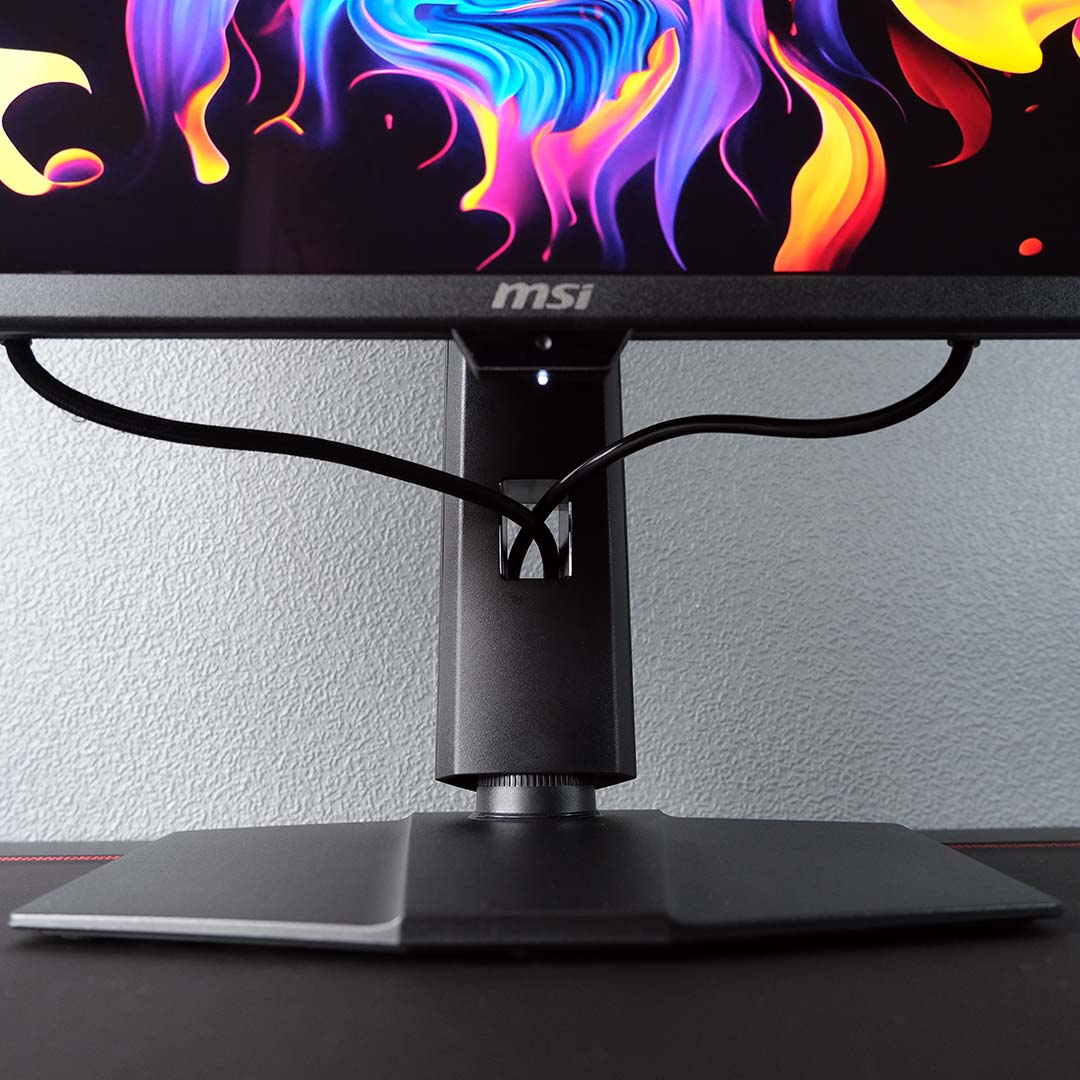
For cable management, the MPG 322UR QD-OLED X24 offers a single built-in grommet. While this cutout does keep cables neatly bundled, it does little to address sag, leading me to once again call on MSI to provide some kind of trenching, as found on Alienware’s AW3225QF. Just make sure to feed through the power cable first when you’re managing your cables, as pushing a kettle lead through additional wiring can be a pain.
The stock stand provides 110mm of height adjustment, which is plenty for this screen size and my desk setup. There’s also ±30° of swivel in play, as well as a 20° range of tilt. Rotation tops out at a mere ±10° but this is par for the course with screens of this size.
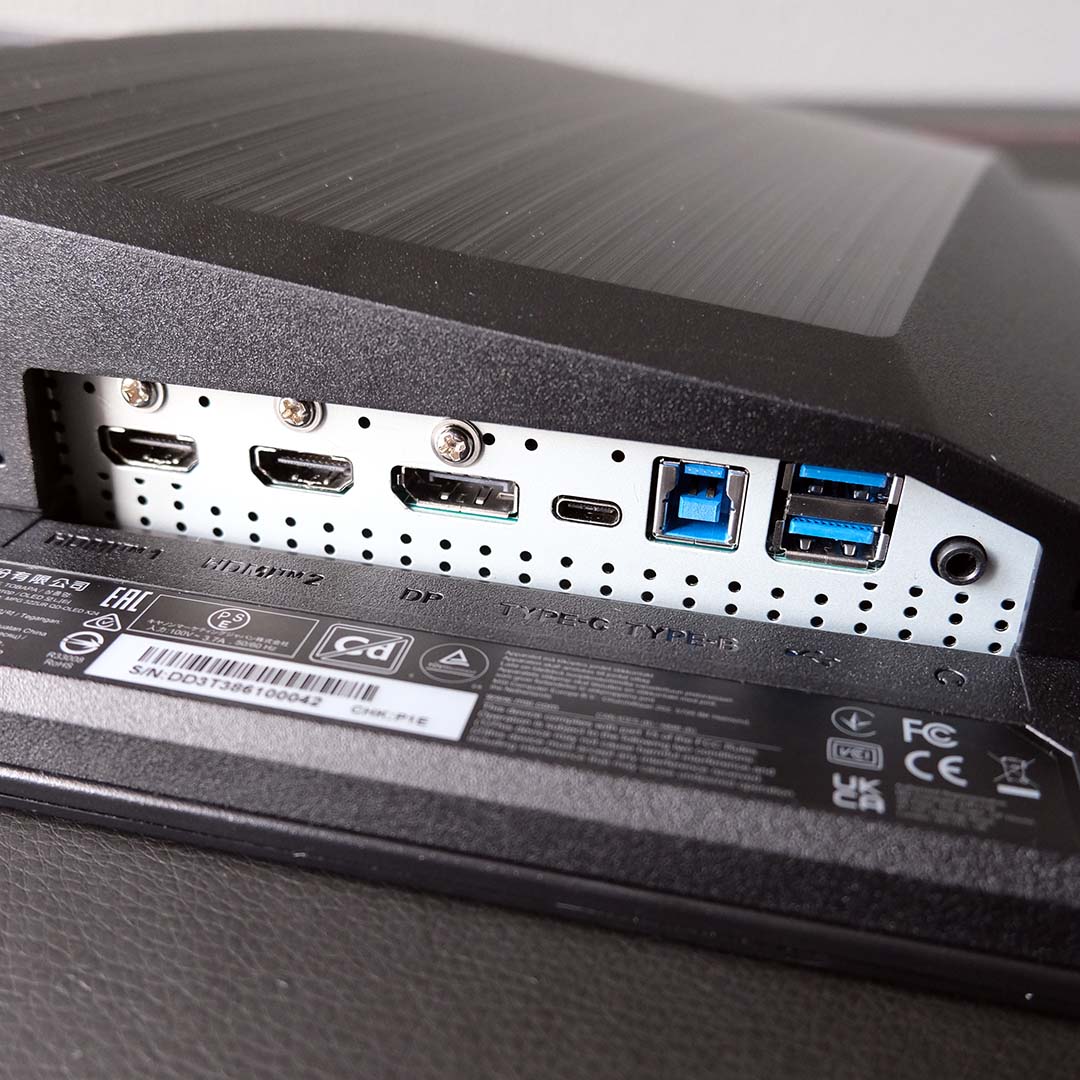
MSI equips the MPG 322UR QD-OLED X24 with two HDMI 2.1 ports, as well as a single UHBR20 DisplayPort 2.1a input. While all these display inputs can run the monitor at its maximum resolution and refresh rate, the latter can do so without Display Stream Compression (DSC) due to its vastly superior bandwidth (48Gb vs. 80Gb), making it the prime choice for your PC.
Those HDMI ports will pair nicely with other devices, but particularly Xbox Series and PlayStation systems, thanks to MSI’s Console Mode. This will ensure proper 4K/120Hz output, while enabling CEC for simultaneous power-on across your monitor and console.
Two USB-A ports sit alongside the display inputs, which can run across two systems thanks to the monitor’s built-in KVM switch. In my case, I was able to run the USB-B port to my main rig while connecting my laptop via the USB-C port, which comes part and parcel with DP Alt. Mode and 98W of charging for a true single-cable connection system.
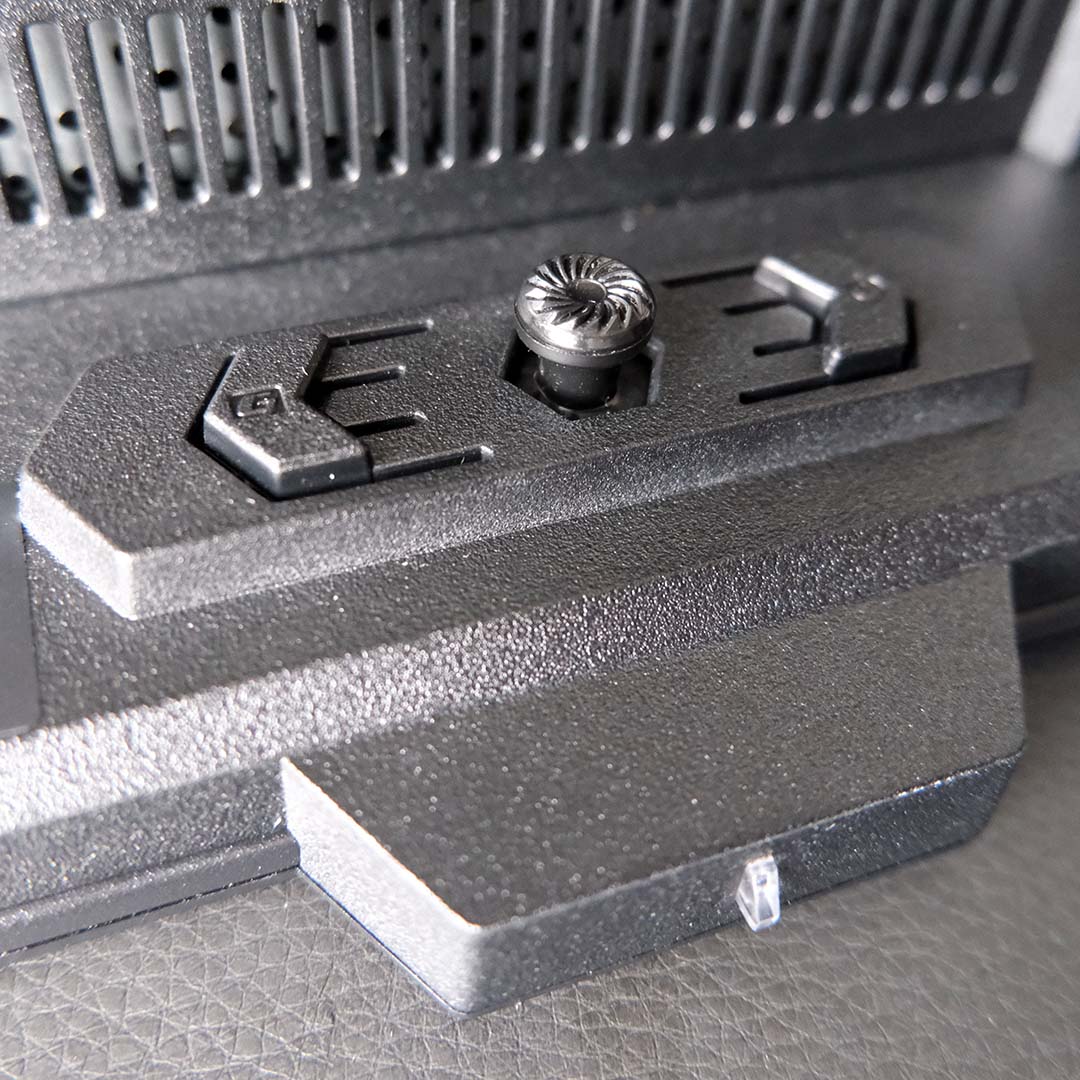
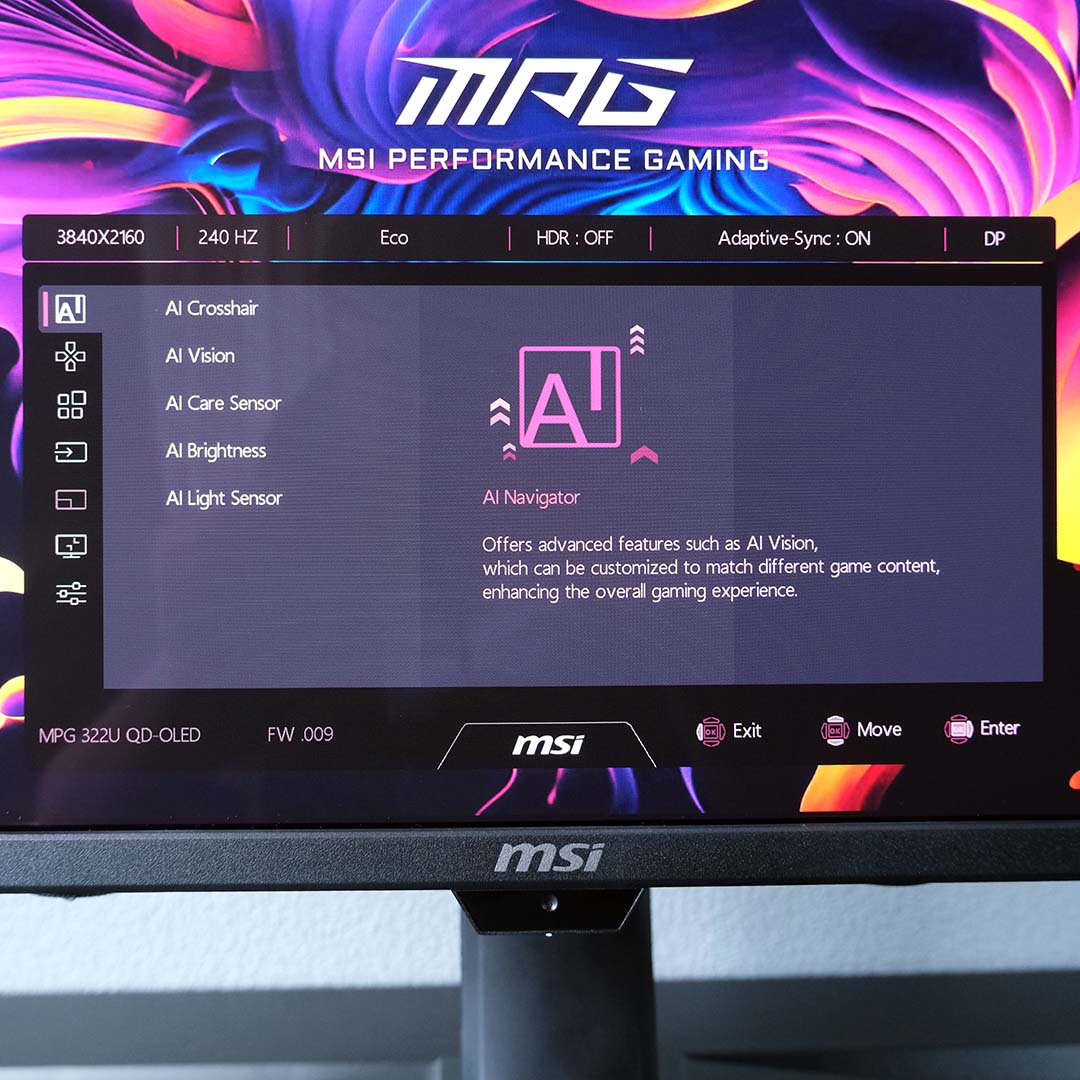
Reaching under the centre of the monitor’s chin, you’ll find joystick controls for the on-screen display (OSD), as well as a power button and launch shortcut for the MSI Gaming Intelligence application. Both the joystick and software offer useful ways to navigate the monitor’s settings, but you will need to run the USB-B cable from the screen to your PC for the latter.
Inside the OSD, you’ll find controls for the KVM, display profiles, colour space clamps, and more. For most people, there’s little reason to change the stock configuration, save perhaps increasing the brightness to 100%. That said, some competitive players may appreciate the Screen Size options, which can shrink image output to a 27in or 24.5in diagonal, and force a 4:3 aspect ratio if you want it as well.
The MPG 322UR QD-OLED X24 has MSI’s OLED Care 3.0 suite protecting its panel from burn-in, complete with pixel shift and various static element detectors, as well as an automatic panel refresh that runs every 24 hours when the screen’s in standby. None of these systems are intrusive, but you can tweak them to your liking. Regardless, the monitor comes with a three-year warranty that also covers burn-in for added peace of mind.
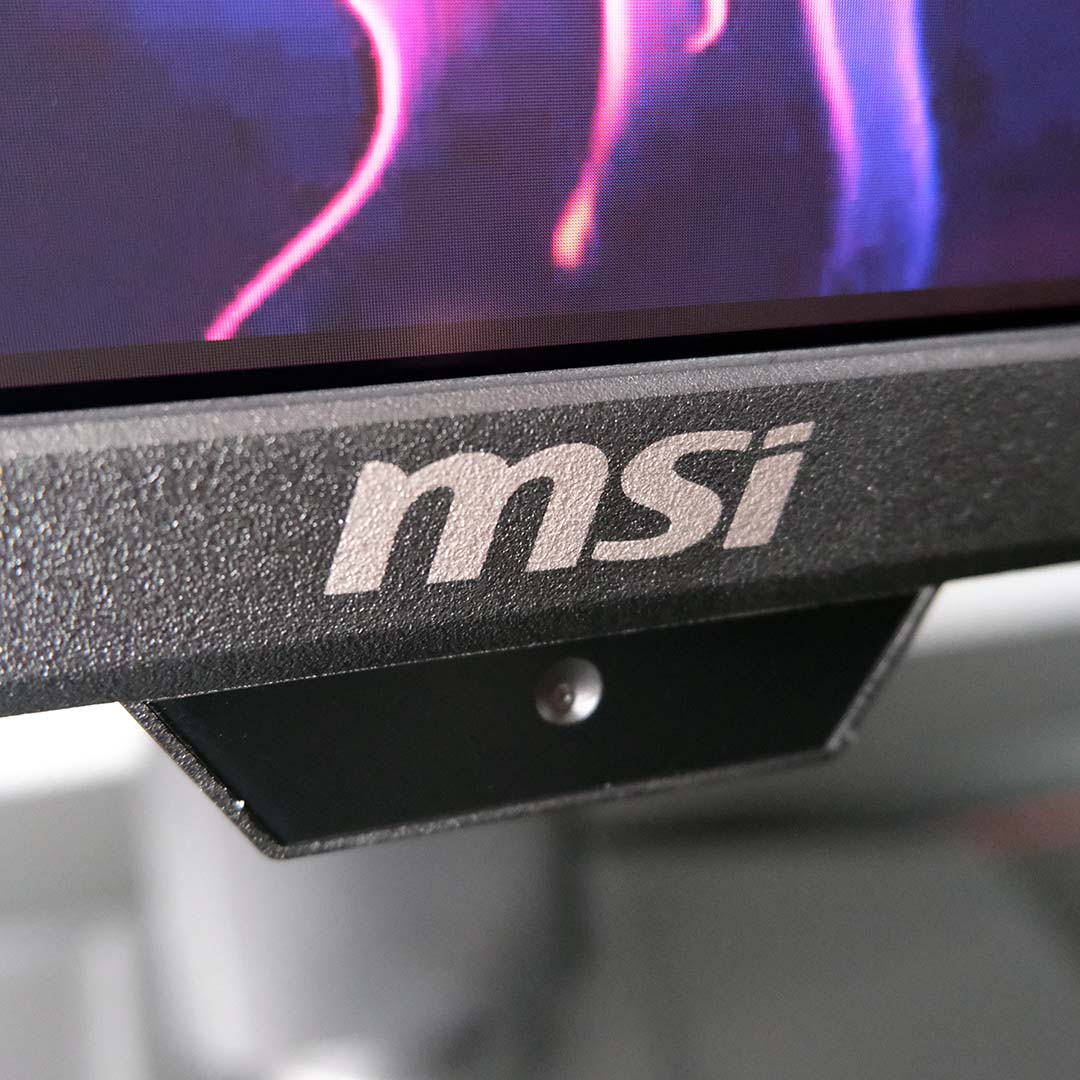
Sitting on the chin of the MPG 322UR QD-OLED X24, you’ll find the MSI AI Care Sensor, making its first appearance on a 32in QD-OLED. It uses a neural processing unit (NPU) to discern whether you’re in front of the screen, and analyse ambient lightning conditions, activating features in response.
Both Wake on Approach (WoA) and Lock on Leave (LoL) remain my favourite parts of the AI Care Sensor system. As someone who religiously hides his taskbar and has a screensaver activate after one minute of inactivity, having the screen automatically turn off and on again in response to my presence is a welcome convenience.
The other parts of the AI Care Sensor’s feature set, namely AI Brightness and AI Light Sensor aren’t as useful. In theory, they’ll shift panel brightness and colour temperature in response to ambient lighting, but this process is too temperamental and distracting in its current form.
Note that MSI doesn’t activate the AI Care Sensor by default, so you’ll need to toggle it on or off within the OSD. While I would still appreciate a privacy shutter, or perhaps a modular approach for the feature, there’s no risk to privacy as the sensor processes data in real-time every 0.2 seconds with no long-term storage.
Performance
Using the MPG 322UR QD-OLED X24 in my setup feels like coming home, as I’ve tucked away my AW3225QF to make room for the barrage of QHD/27in gaming monitors I’ve reviewed over the past several weeks. However, rocking that smaller panel size and resolution has helped me appreciate the sheer scale involved in the jump from QHD-27in to UHD/32in, both in terms of sharpness and screen real estate.
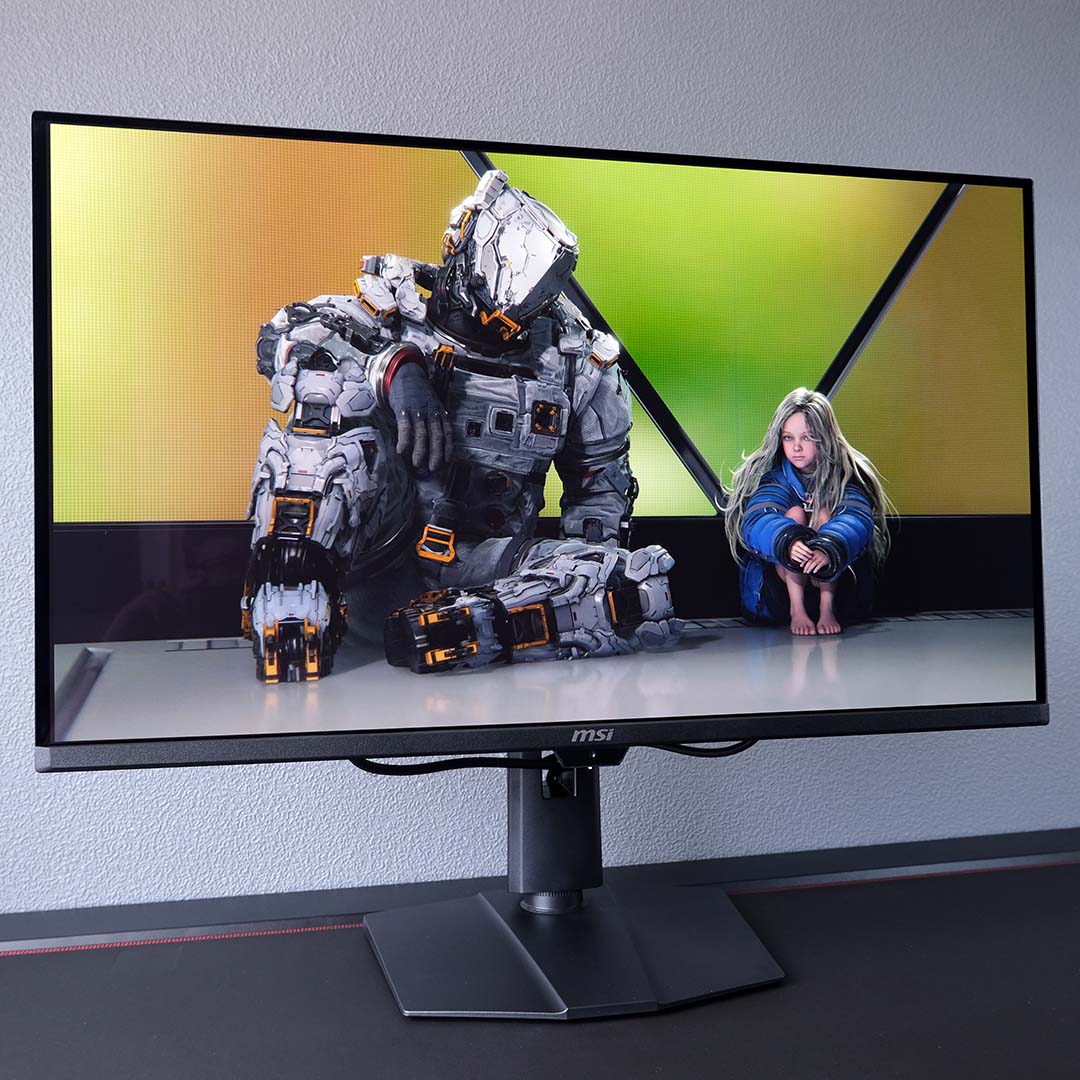
Combine that resolution and form factor with a 240Hz refresh rate, and you have a gaming monitor that’s excellent for both cinematic and competitive games alike. Starting with the former, I’ve been catching up with Capcom’s Pragmata, which simply looks fabulous on the MPG 322UR QD-OLED X24. The detail and scope of the game’s environments really come to life on this screen, while near-instant pixel response times keep the third-person action butter-smooth.
HDR performance takes gaming experiences up a notch too, thanks to DisplayHDR True Black 500 certification. This screen is notably brighter than my AW3225QF and every other 4K/32in QD-OLED screen I’ve tested, elevating the already sublime gamut coverage and contrast that this panel technology has offered for years now.
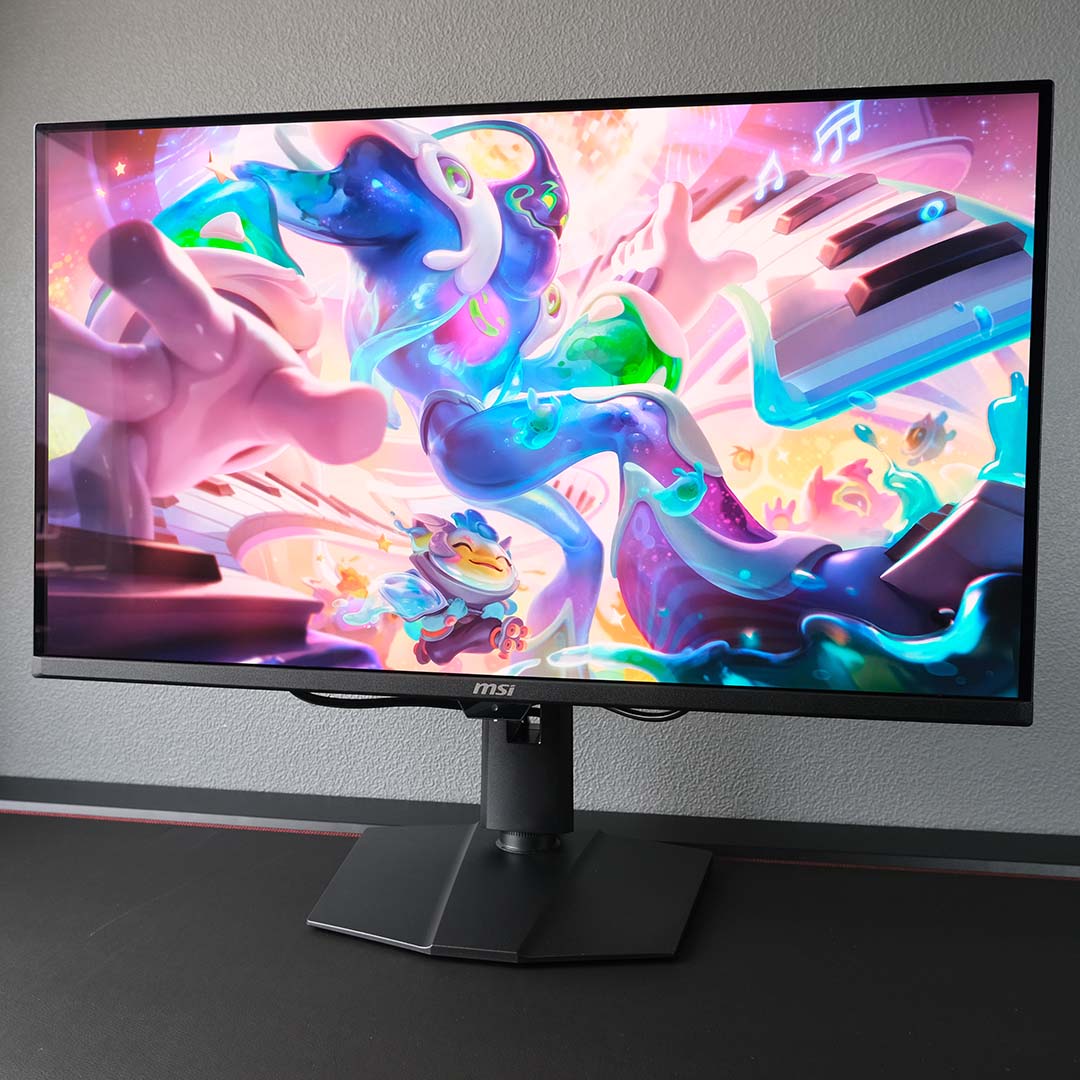
My competitive prime has long since passed me, so the 240Hz refresh rate that the MPG 322UR QD-OLED X24 offers is more than enough for my needs. Both League of Legends and Counter-Strike 2 look and feel excellent on this panel. Of course, such low frame times benefit single-player games too, with my replay of Doom 2016 in celebration of its 10-year anniversary (yes, it’s been that long) feeling and looking amazing on this screen.
While esports games are easier to run, I wouldn’t recommend picking up this monitor without at least having a GeForce RTX 5070 Ti or Radeon RX 9070 XT at your disposal, as 16GB of VRAM at minimum is an absolute must at this resolution. That’s not forgetting a competent processor too, with an Intel Core Ultra 7 270K Plus or AMD Ryzen 7 9800X3D forming baseline recommendations.

Despite the MPG 322UR QD-OLED X24 sporting a Penta Tandem QD-OLED panel, it hasn’t made the jump to an ‘RGB stripe’ subpixel layout. Instead, it has the same triangular setup as old-school OLED screens, with green at the top, and red and blue underneath it. This can result in some purple and green fringing appearing around black text on white backgrounds.
However, the pixel density of the monitor is so much greater than QHD/27in alternatives, that the severity of the fringing is far less noticeable. It’s worth bearing in mind that this technical limitation exists, but I genuinely found it hard to notice in most cases.
Colours
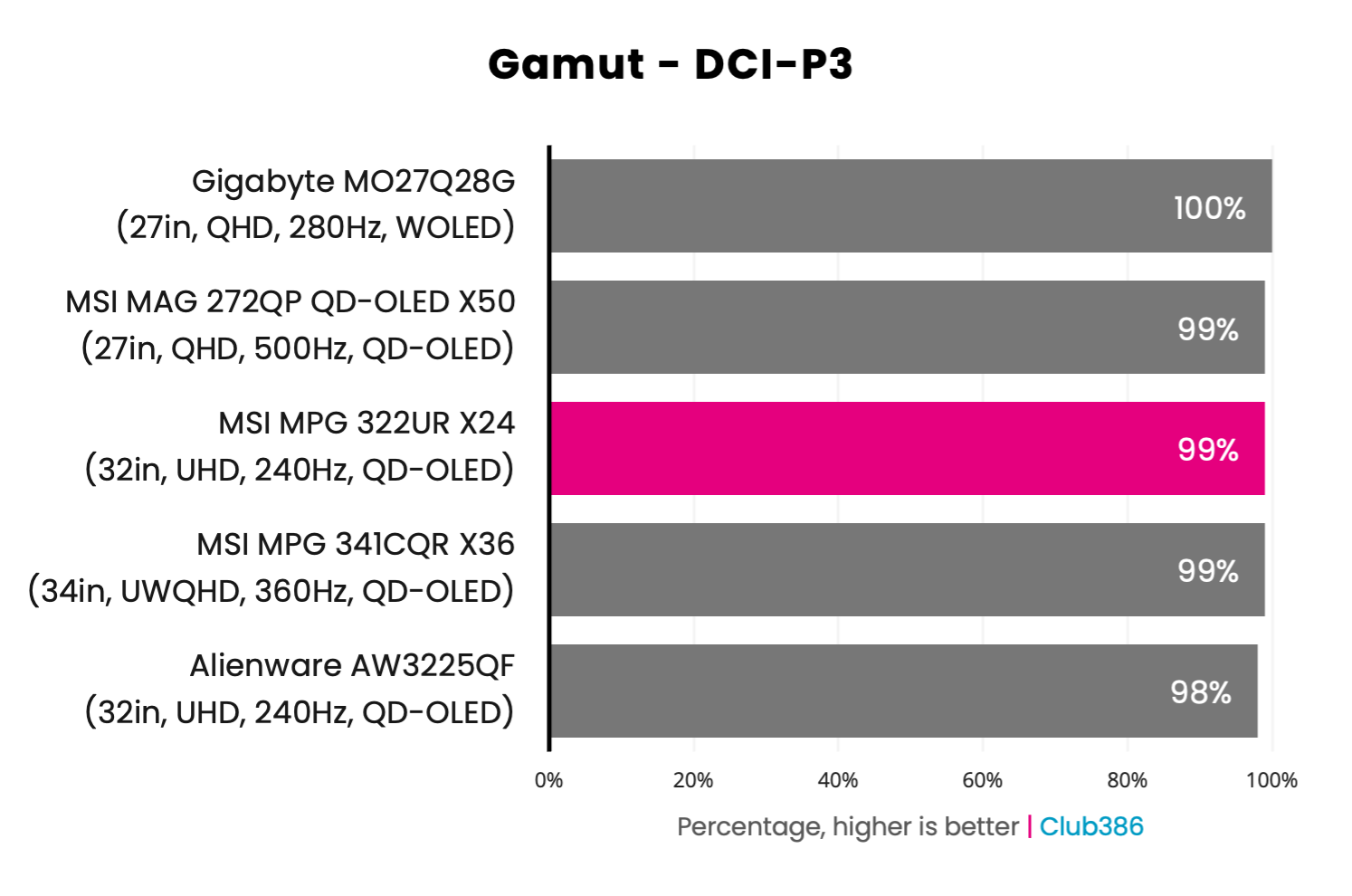
Like most other QD-OLED monitors, the MPG 322UR QD-OLED X24’s gamut covers the near-entirety of the DCI-P3 colour space. Combine this with the display’s per-pixel local dimming in addition to its excellent contrast, and you have an excellent HDR screen for all types of content at your disposal.
99% coverage of DCI-P3 is an excellent result by any measure, leaving practically no hues from the colour space uncovered. While the latest WOLED panels are technically ahead in this battleground, with the likes of the Gigabyte MO27Q28G boasting 100% coverage, that 1% difference is difficult to appreciate in real-world use.
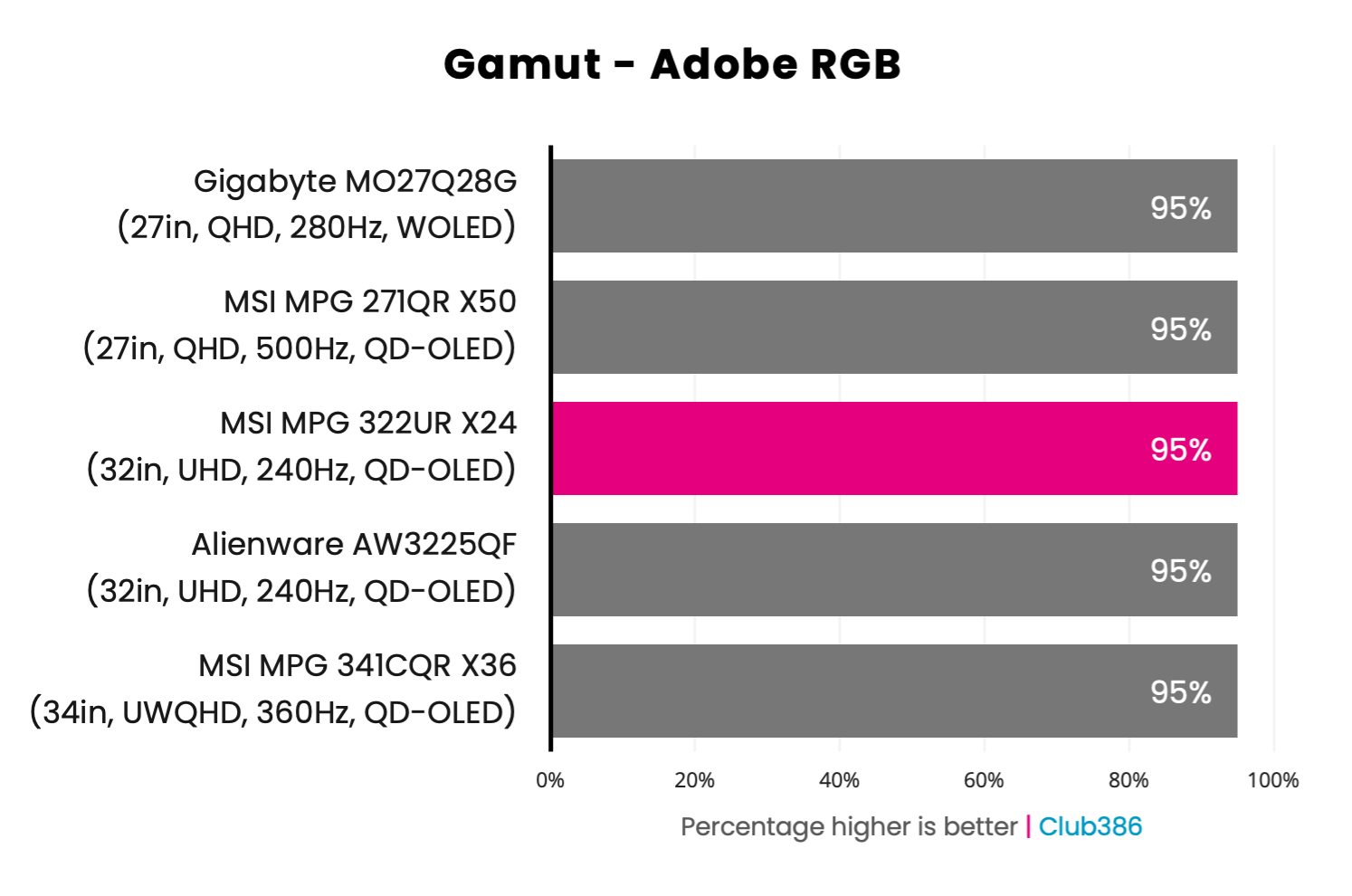
Covering 95% of the Adobe RGB colour space, the MPG 322UR QD-OLED X24’s gamut mirrors that of all other monitors on the chart, with little room for improvement. This result makes it a prime candidate for some photography and print work, providing you can tolerate the minor text fringing its triangular subpixel layout entails.
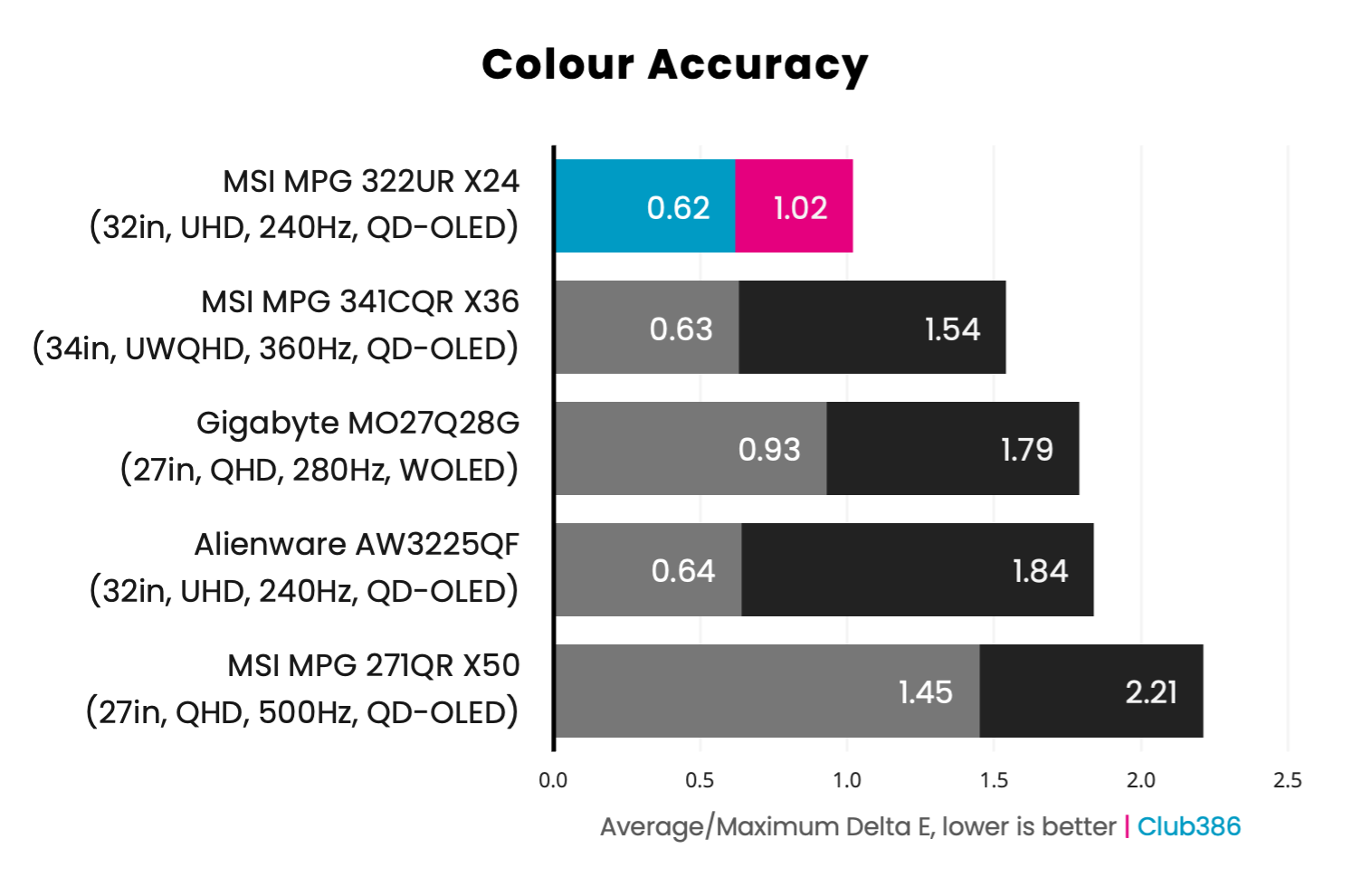
Using the monitor’s default Eco picture preset nets a 0.62 average Delta E and 1.02 maximum. Both results are well below the ideal Delta E value of 2.0, and make the MPG 322UR QD-OLED X24 one of the most colour-accurate displays we’ve ever tested.
Pushing brightness up from 70% to 100% does negatively impact colour accuracy, with the average and maximum Delta E reaching 1.10 and 1.75, respectively. Regardless, that’s still well within perceptible deviations, meaning you shouldn’t think twice about cranking up the nits.
Brightness
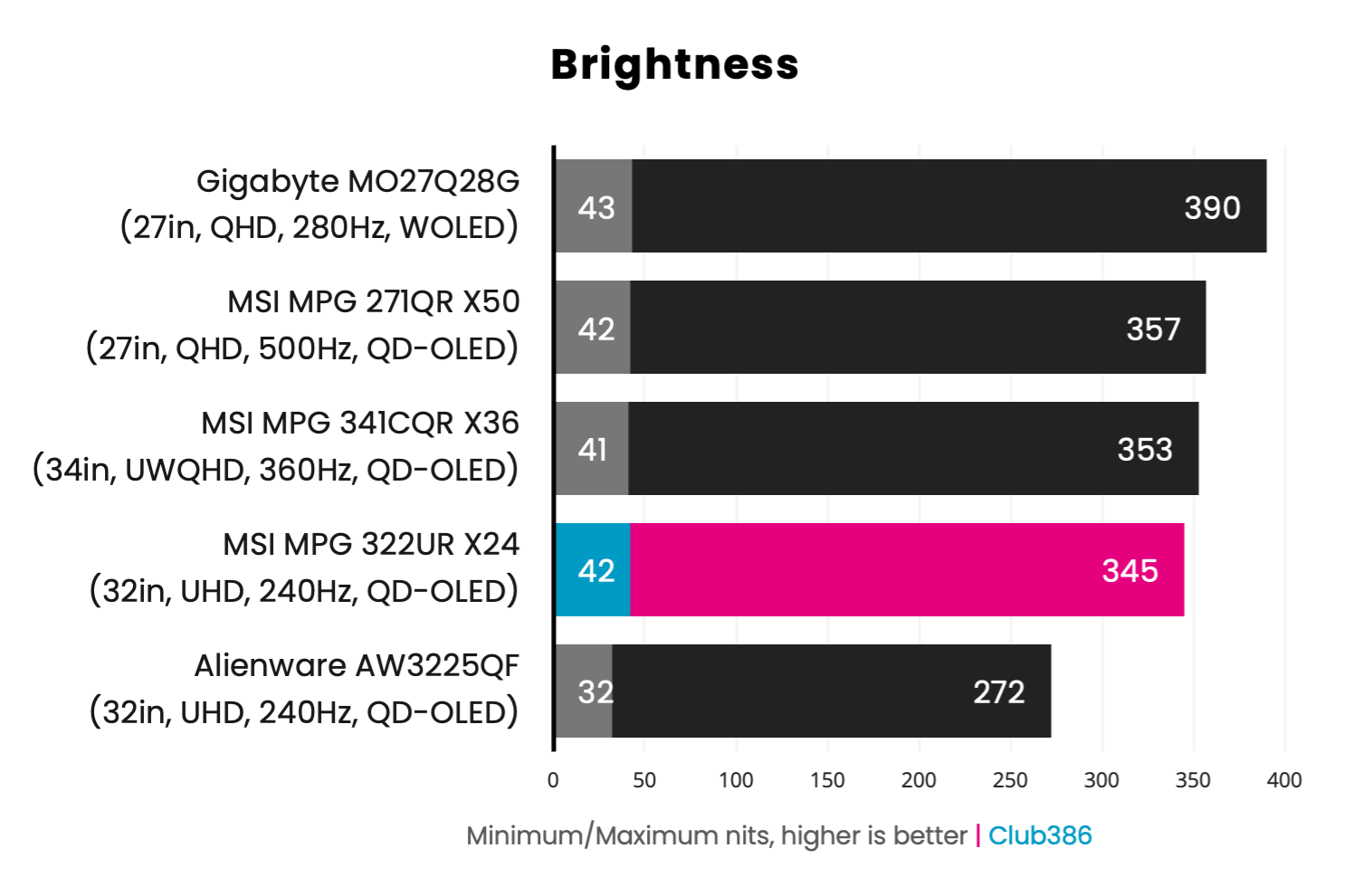
SDR brightness measures at 345nits, a substantial 27% improvement over older 4K/240Hz models such as the AW3225QF (272nits). We’ve seen Penta Tandem panels in action on MSI’s MPG 271QR X50 and MPG 341CQR X36, so it’s no surprise that MSI’s latest model keeps pace with its siblings. However, WOLED maintains the lead in terms of raw lumens, peaking at 390nits in SDR.
Switching to HDR, the MPG 322UR QD-OLED X24 boasts DisplayHDR True Black 500 certification, offering a welcome 50-100nits boost in highlight and full-screen luminance over True Black 400 panels. MSI does include a Peak 1,000nits toggle in the OSD, but I’d recommend sticking with the default option to retain artistic intent and avoid any distracting APL (Average Picture Level) dimming.
Uniformity
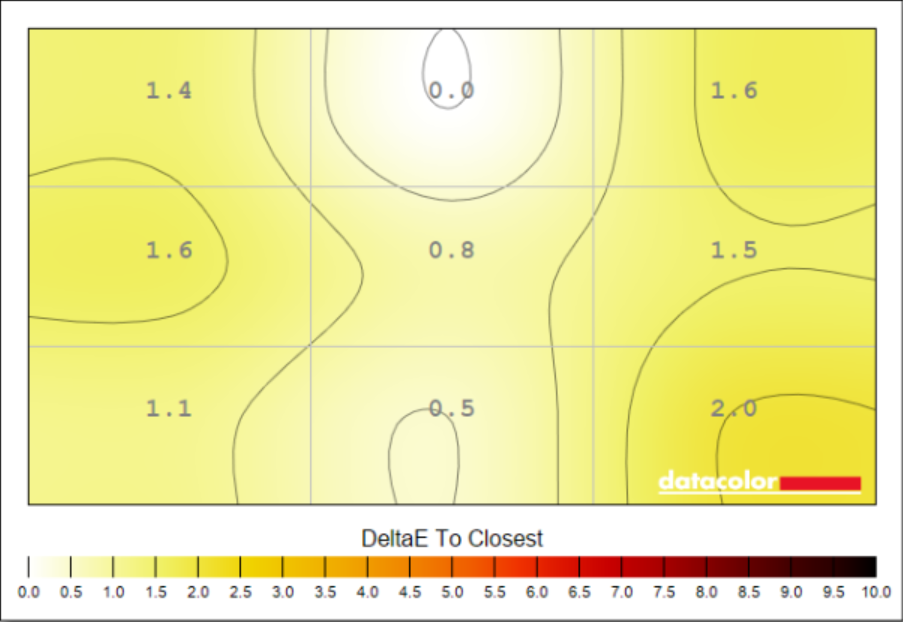
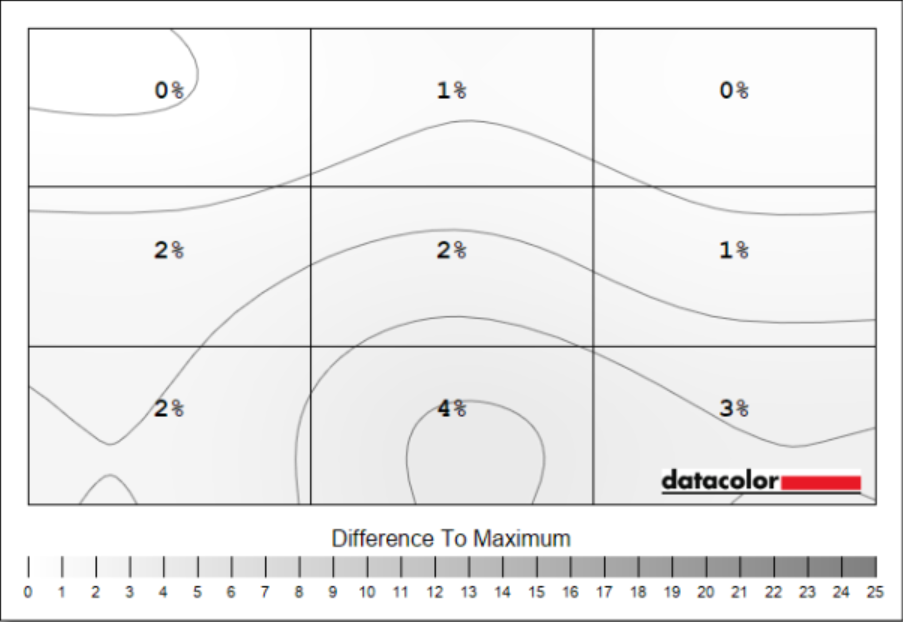
As you’d expect from a QD-OLED monitor, colour uniformity on the MPG 322UR QD-OLED X24 is near-flawless. We’re talking deviations of 2.0 in the Delta E at worst, meaning the incorrect hue(s) in question are practically imperceptible to the human eye.
Meanwhile, luminance uniformity is similarly strong. Deviations peak at 4% in our testing, which translates to a mere 8nits in real terms. Suffice to say, you won’t notice any difference in luminance across the panel.
Power
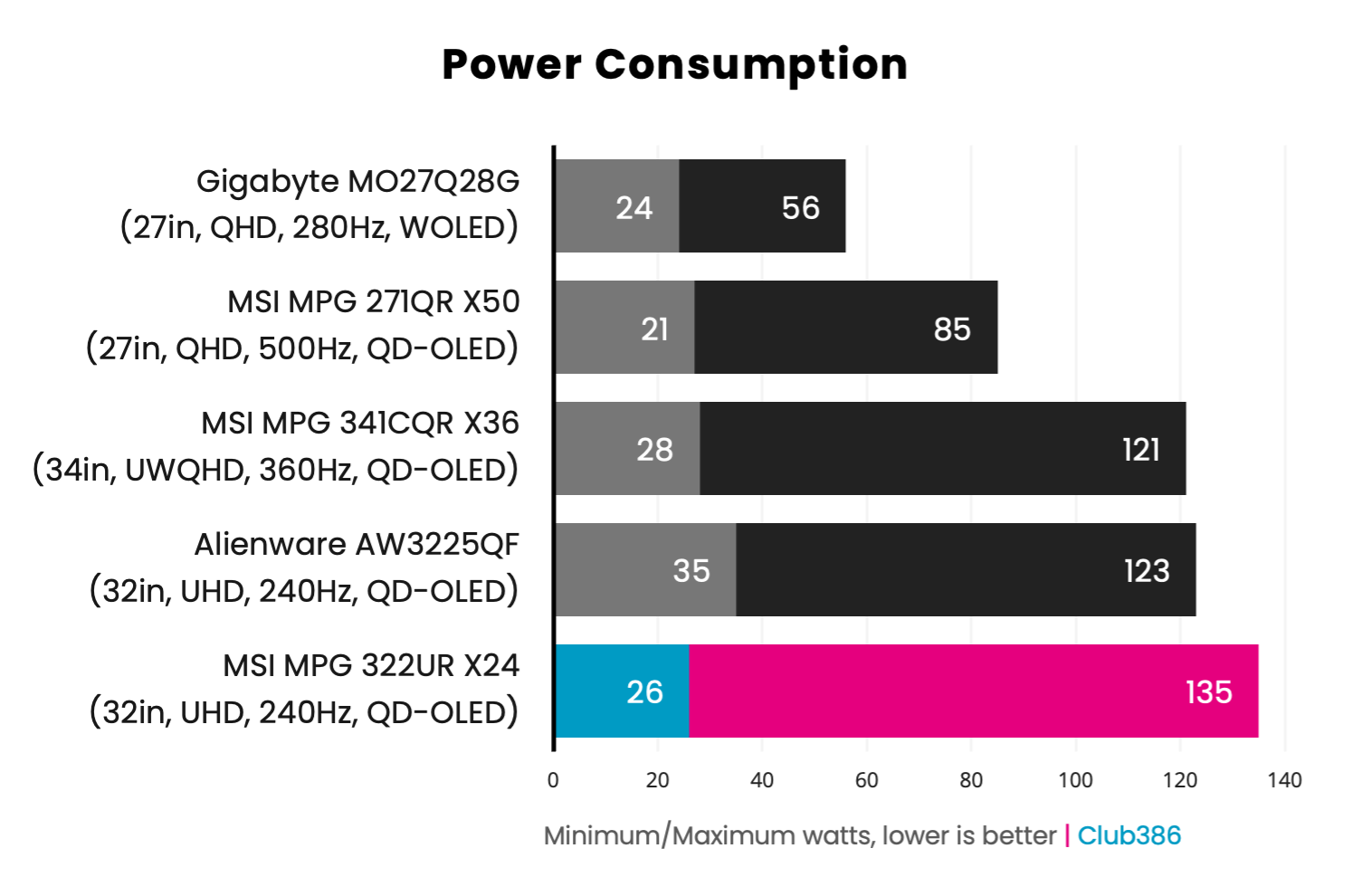
Driving all 8.3M pixels individually comes with substantial power consumption, reaching a whopping 135W on a full-screen white slide at 100% brightness. While that wattage is high, the MPG 322UR QD-OLED X24 still emerges more efficient than the AW3225QF, with 10% higher power draw but 27% higher brightness.
We know that current-generation QHD/27in Primary RGB Tandem WOLED panels are far more efficient than Penta Tandem QD-OLED alternatives, but we’re yet to see 4K/32in models hit the market. Even so, it’s likely that LG’s rival screens will once again prove less power hungry than Samsung’s equivalents.
Conclusion
Even with this monitor’s relatively high power consumption in mind, it’s difficult to find fault with the MPG 322UR QD-OLED X24. This is as close to an end-game screen as it gets on the market today, combining a large screen and resolution with a reasonably high refresh rate that makes playing competitive and narrative games alike a splendid experience.
Its build quality and feature set are suitably premium across the board for its £850 / $1,100 price as well. I’m particularly keen on the practically perfect colour accuracy, while the likes of a KVM switch and AI Care Sensor help elevate the versatility and overall value of MSI’s offering. That’s not forgetting its higher brightness relative to older 4K/32in models.
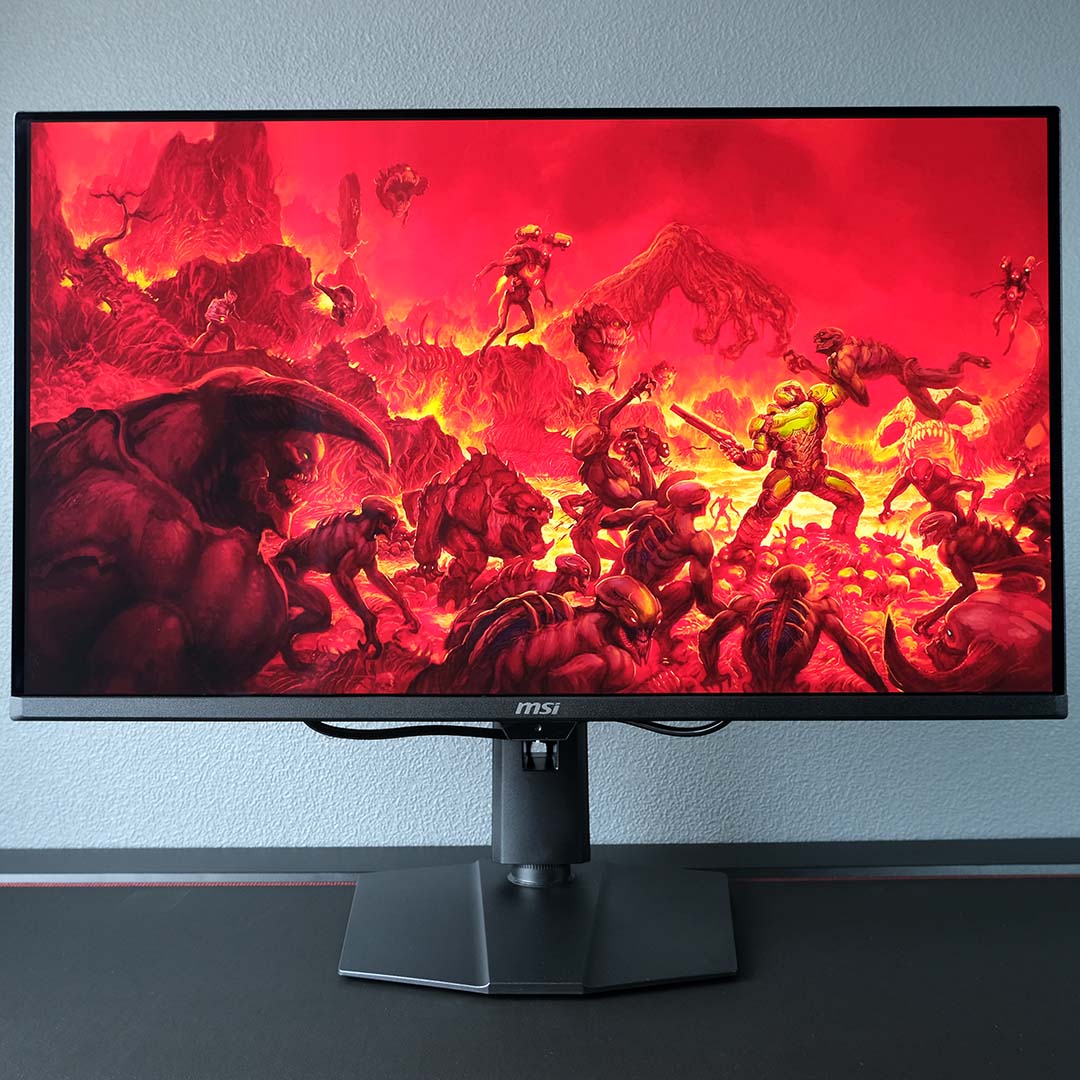
If there’s one criticism, it’s the lack of an RGB stripe pattern, which means there is still visible text fringing, even if the high pixel density means it’s minimal. Otherwise, the only factor to keep in mind is forthcoming competition. This is one of the first monitors to hit the market with a 4K Penta Tandem QD-OLED panel, with the likes of Samsung, AOC, and others due to follow suit in the near future. Then there are 4K 32in Tandem WOLED screens to consider, which could push brightness above what we’re seeing here.
Regardless, the MPG 322UR QD-OLED X24 sets a high standard for competing gaming monitors to follow. If you simply can’t wait to see what rivals can conjure, I have no hesitation in recommending this frankly awesome display.
