

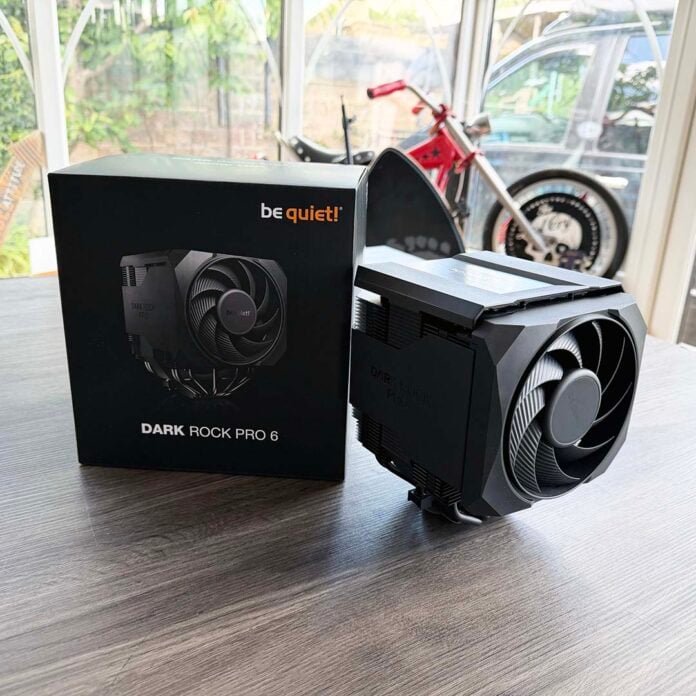
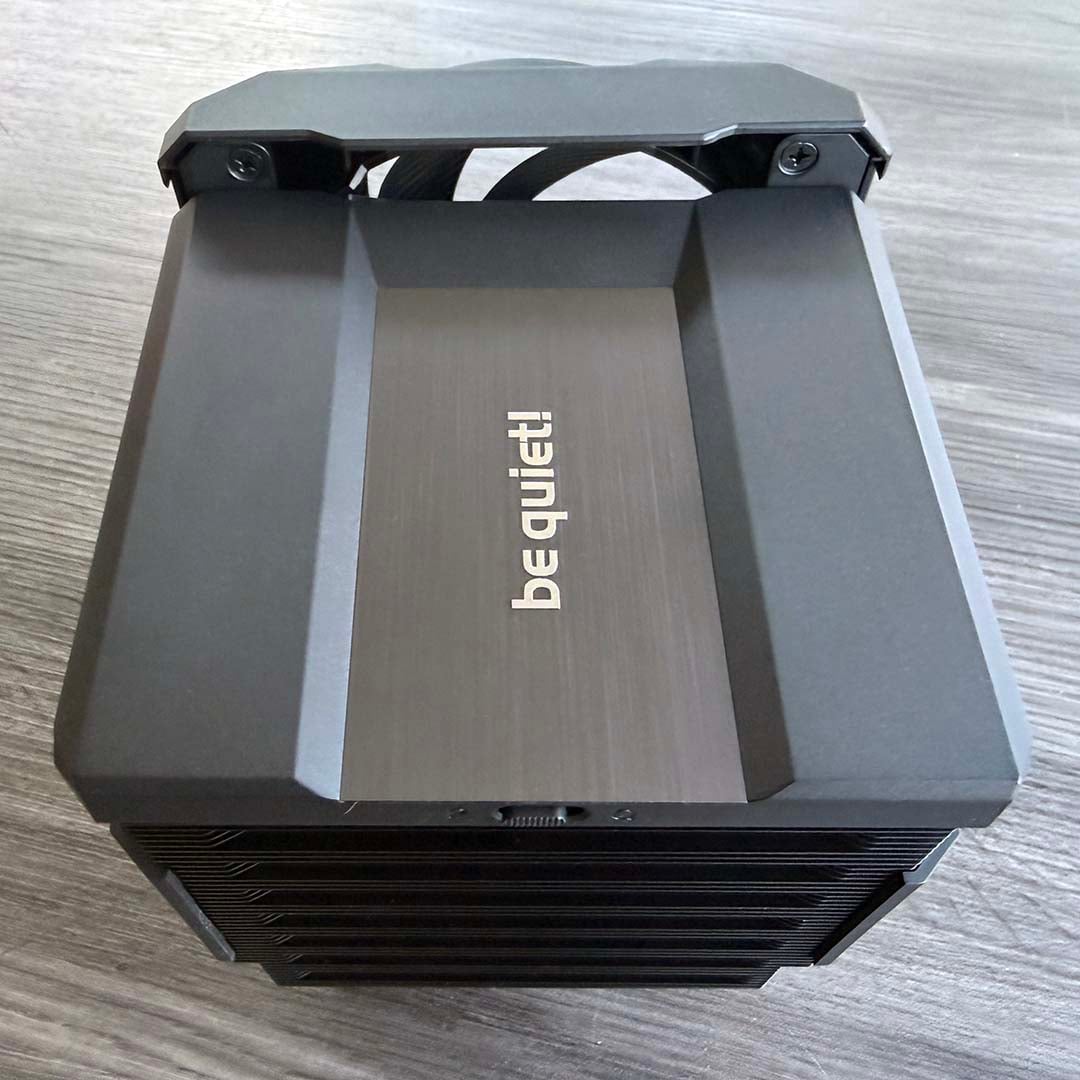
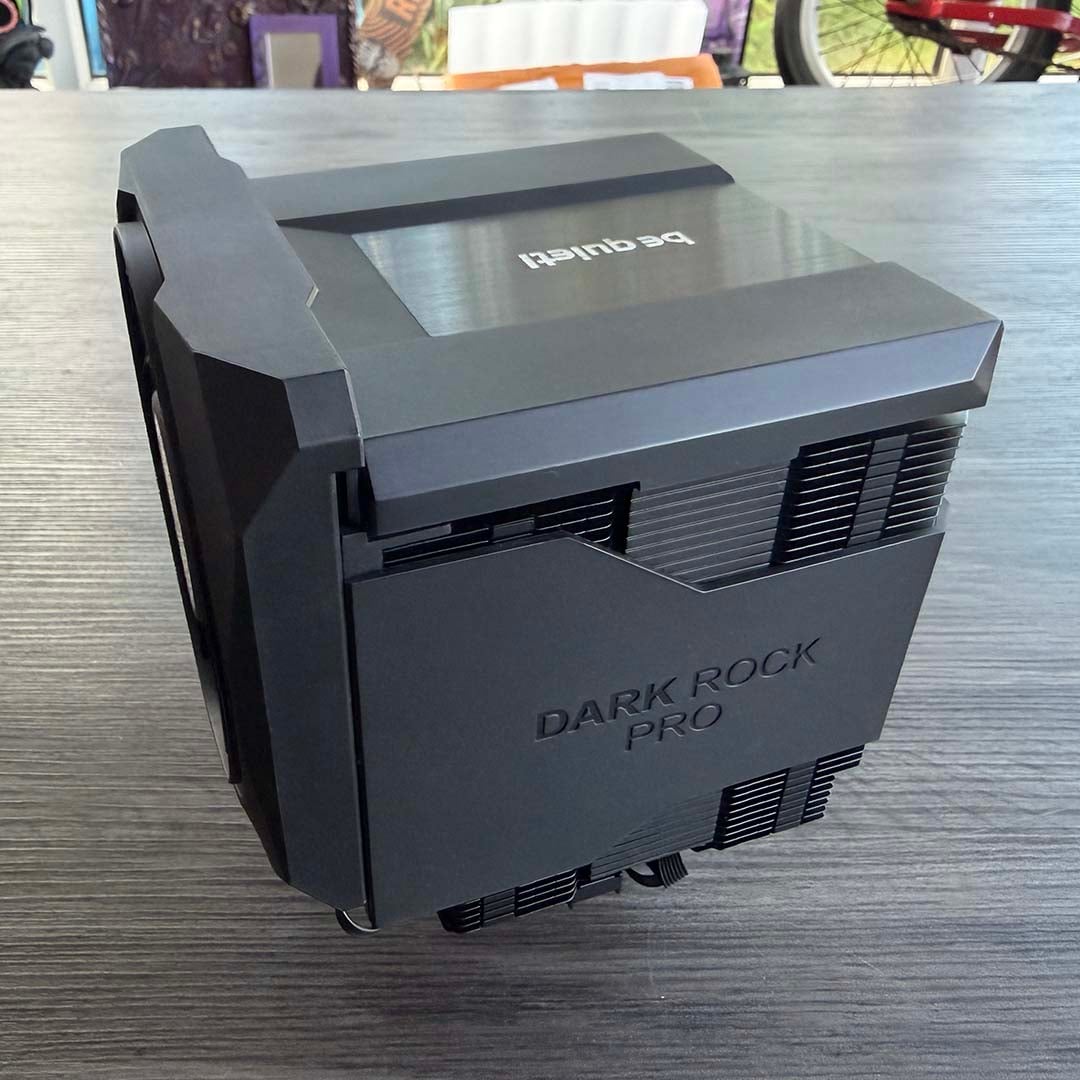
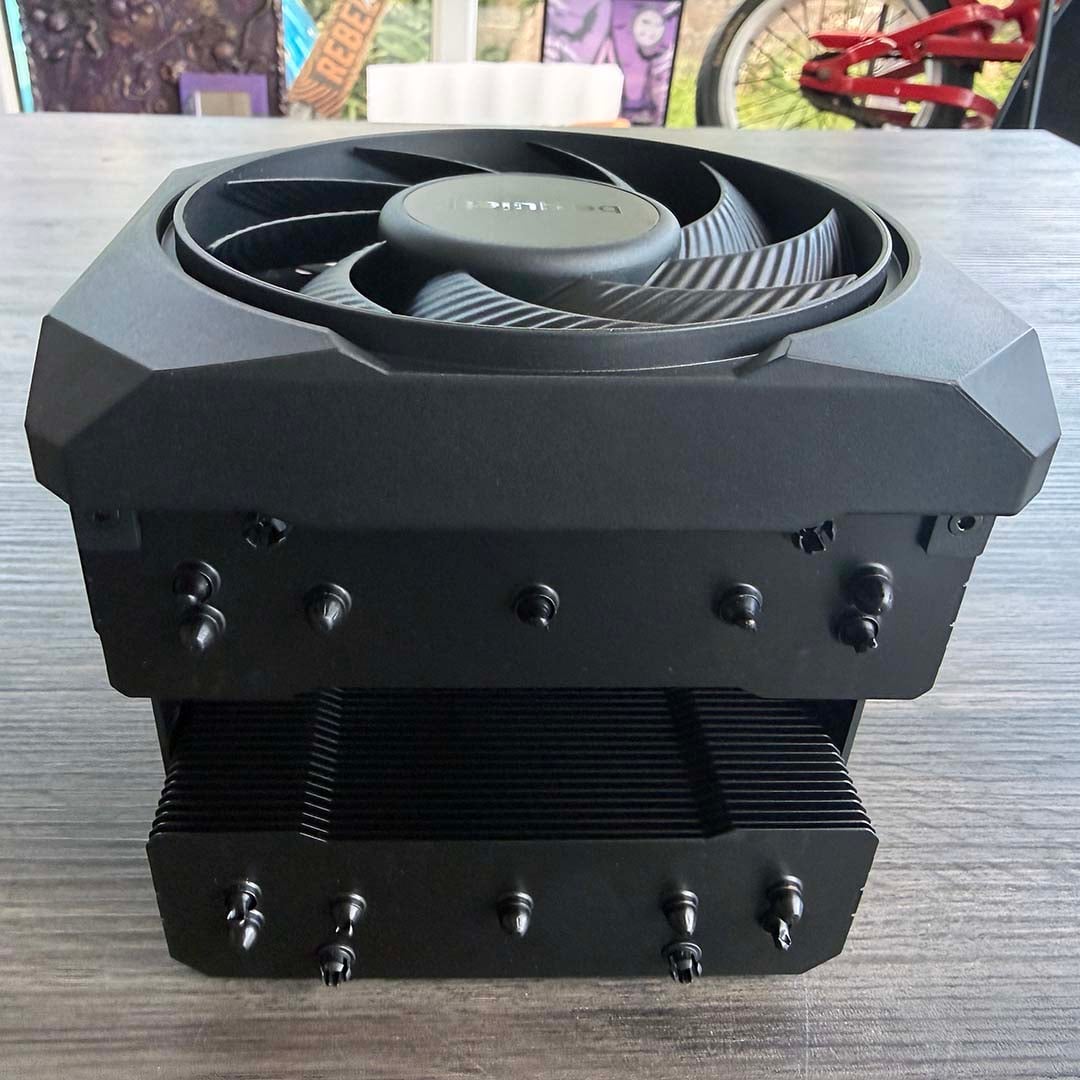
At first glance, you’d be forgiven for thinking the be quiet! Dark Rock Pro 6 is a single-piece, self-contained unit. With its front plastic fan housing sitting flush against the brushed-metal be quiet! logo plate on the top, and its thick plastic plates on the side, it looks like a big block of cooling power. There isn’t a single heatsink fin in sight from the top, nor any metal clips holding up standard case fans.
That clean approach design is apparent throughout the whole assembly, with all the well-constructed parts firmly clicking into place to make a classy-looking air cooler that puts many of the usual Heath Robinson-style contraptions to shame. As we’ll see over the course of this review, the attention to detail here is top-notch, not only when it comes to features and design, but also cooling performance.

be quiet! Dark Rock Pro 6
£79.99 / $129.90
Pros
- Superb build quality
- Excellent cooling
- Can cool a 9950X3D at 600rpm
- Incredibly quiet
- Reasonable price
- Includes a screwdriver
- Decent RAM clearance
Cons
- Fiddly cable connections
- Large footprint
Club386 may earn an affiliate commission when you purchase products through links on our site.
How we test and review products.
Can this £79.90 air cooler really keep a top-end CPU cool, while still making barely any noise? To find out, I’ve put the Dark Rock Pro 6 through its paces on one of our brand new Club386 test rigs, using an AMD Ryzen 9 9950X3D.
Specification
| Specs | be quiet! Dark Rock Pro 6 |
| Socket support | Intel LGA1851, LGA1700, LGA1200, LGA115x AMD AM4, AM5 |
| Heatsink dimensions | 147 x 140 x 169mm (w/fans) |
| Heatpipes | 7 x 6mm |
| Weight | 1,336g (w/fans) |
| Fan sizes and types | 1x be quiet! Silent Wings PWM 135mm 1x be quiet! Silent Wings PWM 120mm |
| Max fan speed | 2,000rpm (135mm) / 1,900rpm (120mm) |
| Fan airflow | 52.94 CFM (120mm) / 76.59 CFM (135mm) |
| Fan static pressure | 2.25mm H2O (120mm) / 2.5mm H2O (135mm) |
| Fan noise level | Max 32.4dBA |
| Warranty | 3 years |
| Price | £79.99 / $129.90 / €109.90 |
Design
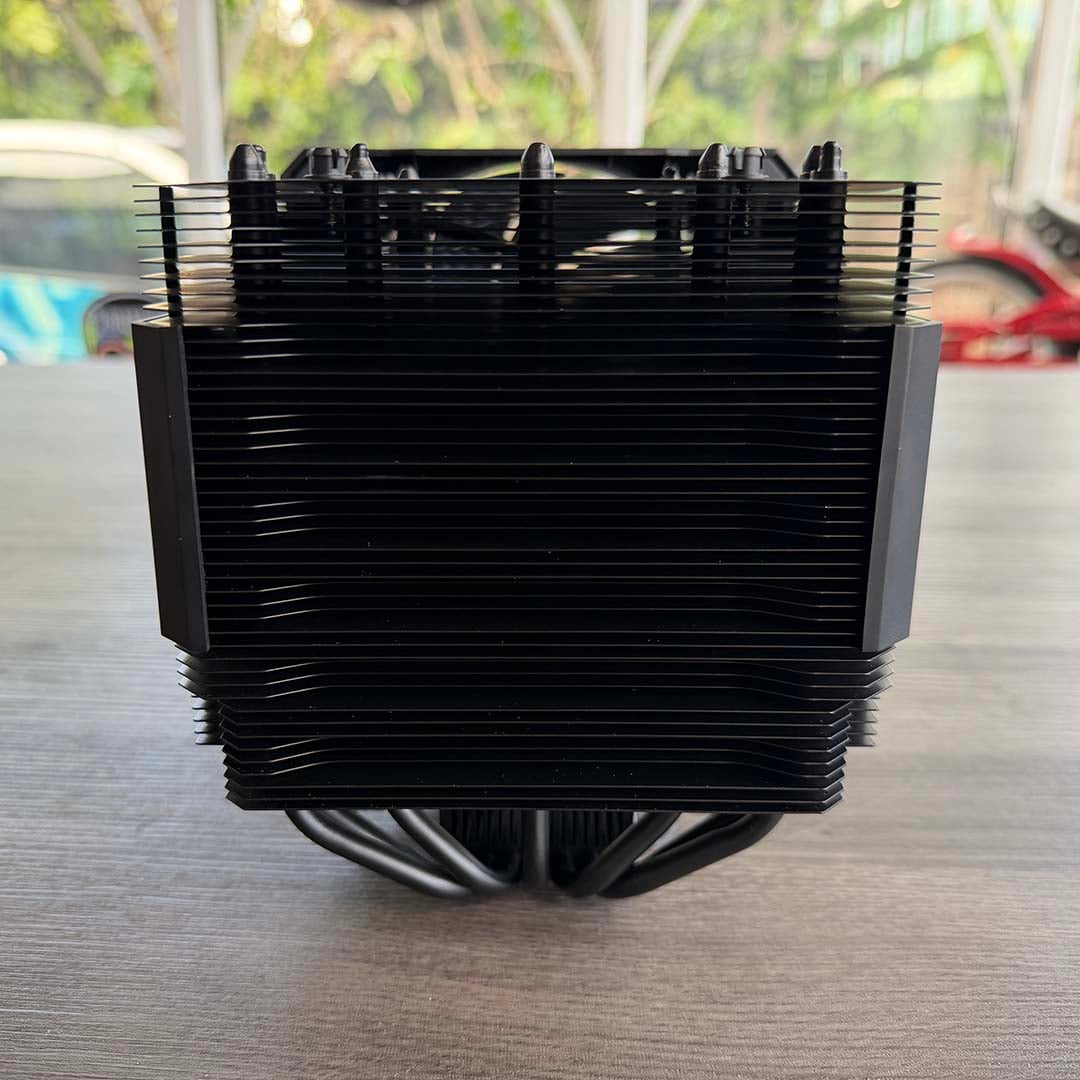
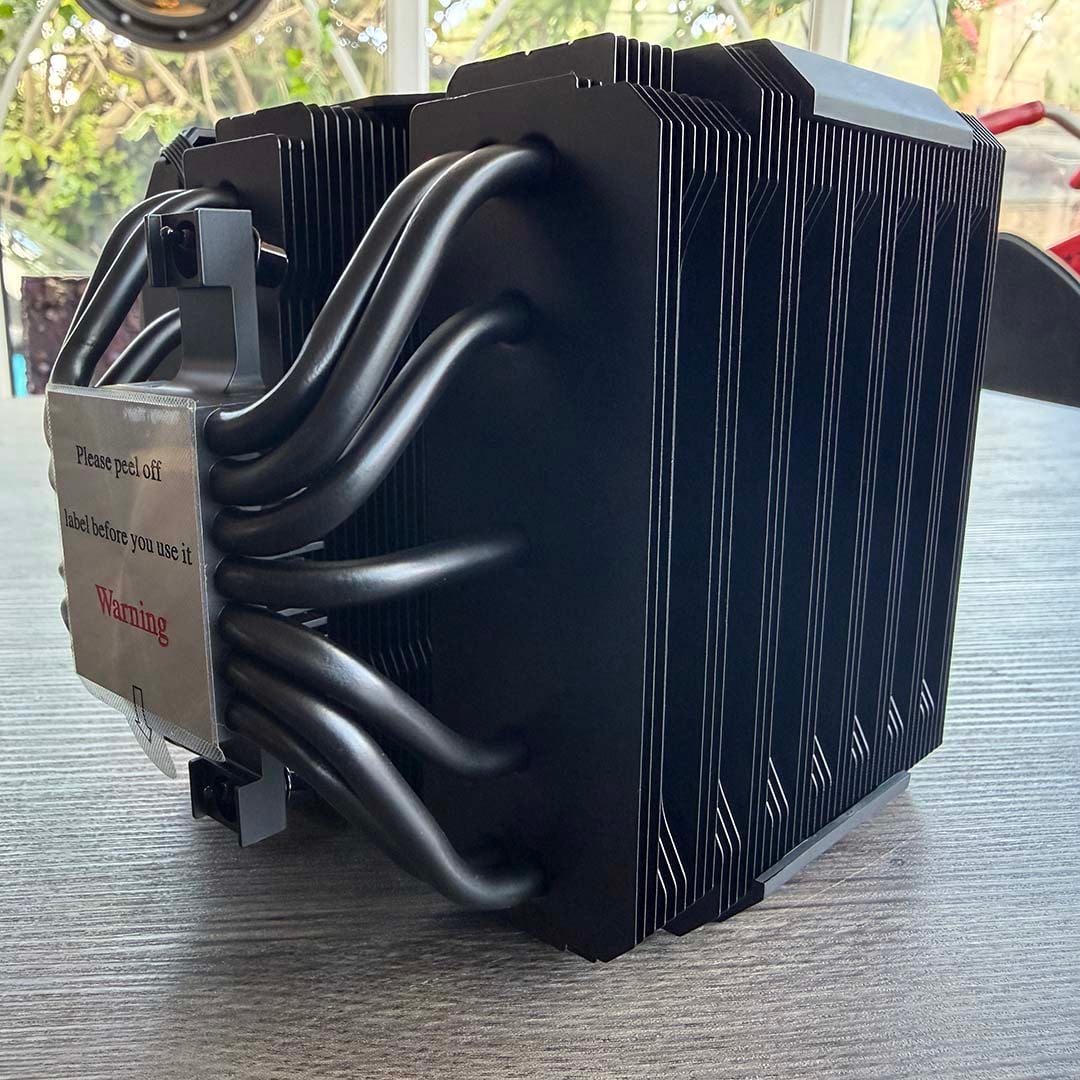
There are several nifty touches to the be quiet! Dark Rock Pro 6’s design, and it’s also built like a tank. Dual fin stacks make up the core heatsink design, with a classy ceramic-particle black coating. These are linked to the contact plate by seven heatpipes, each with a 6mm diameter, so it can shift plenty of heat from your CPU. There’s also a nickel coating on the plate, so you can safely use this cooler with liquid metal paste, assuming you take all the other necessary precautions.
A large 135mm fan is mounted to a module that slots in between the two heatsink towers, and it all clicks satisfyingly together to make a clean-looking single unit. The look is complemented by a brushed metal plate sporting the be quiet! logo on the top, as well as plates bearing the model name on both sides. It all sits flush when it’s assembled.
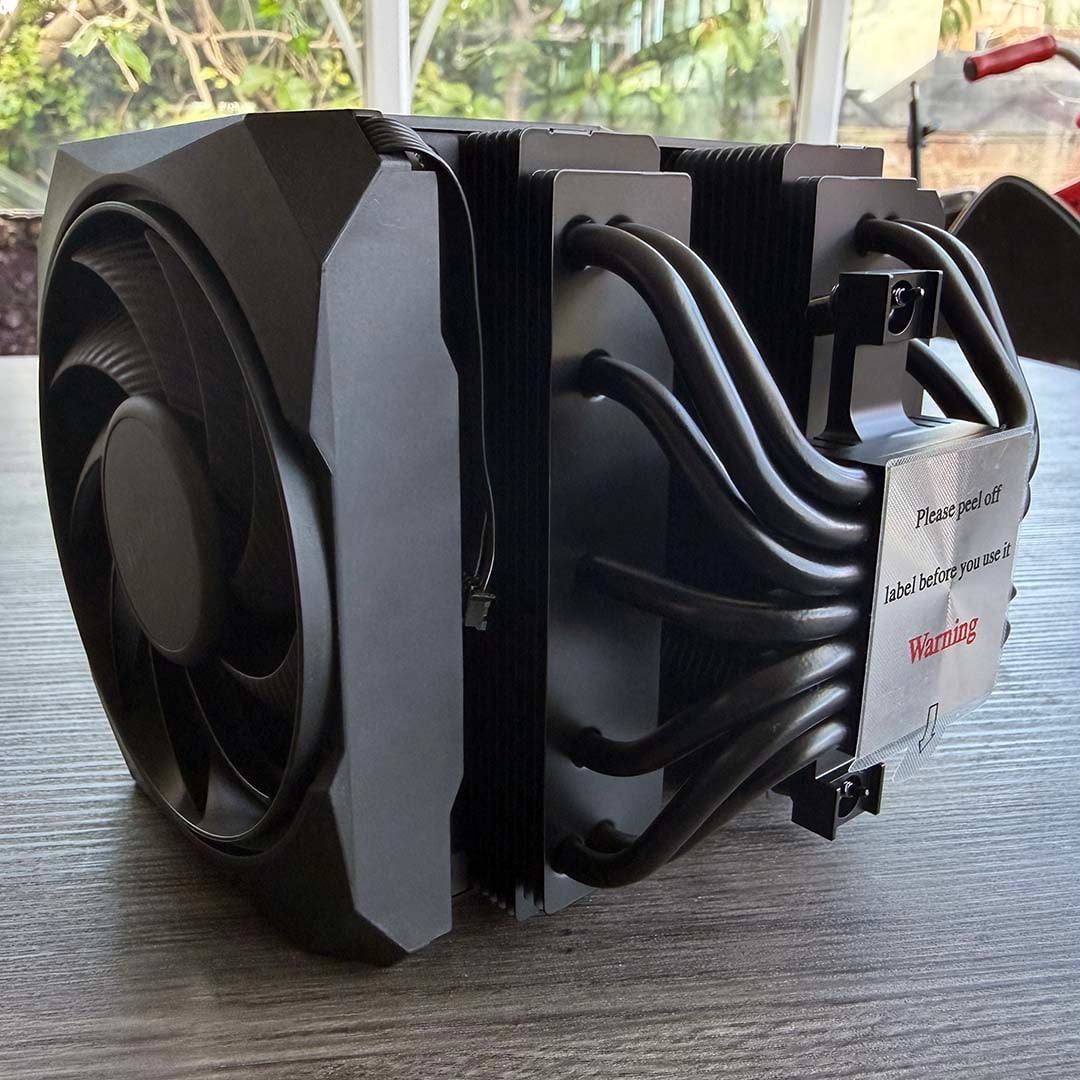
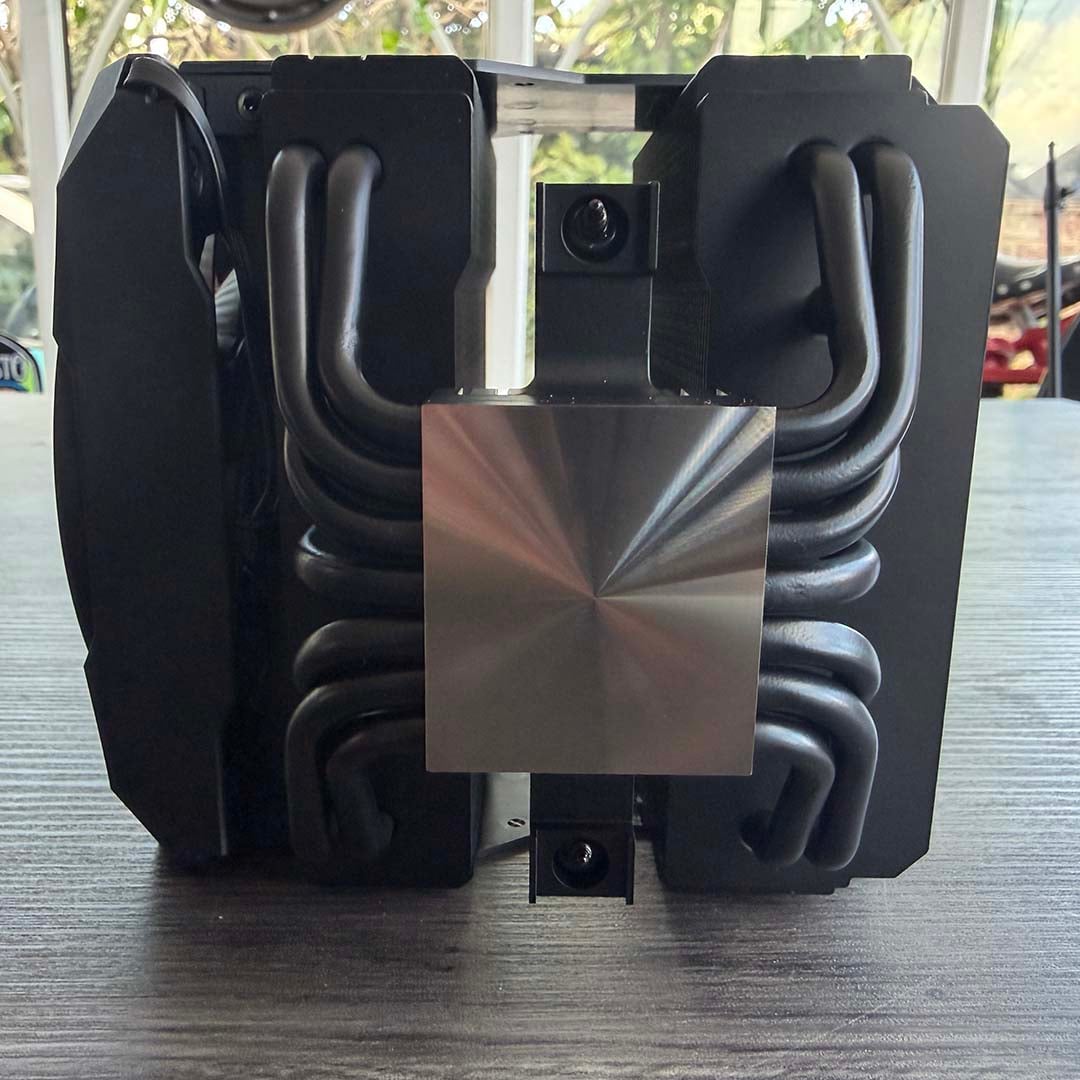
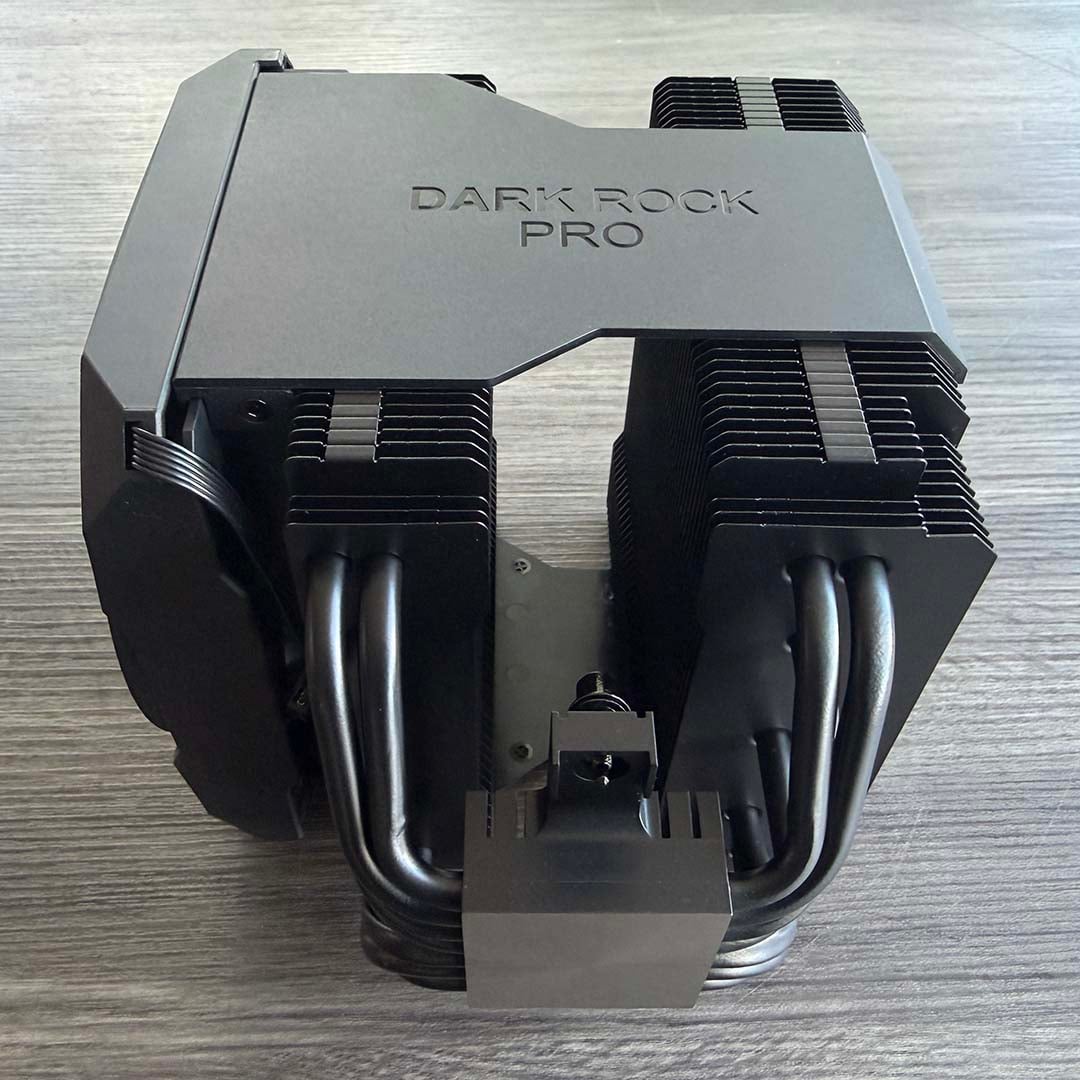
Build quality throughout is superb, with good use of chunky parts that cleanly slot together. The end result looks like a self-contained jet engine when it’s mounted inside your PC.
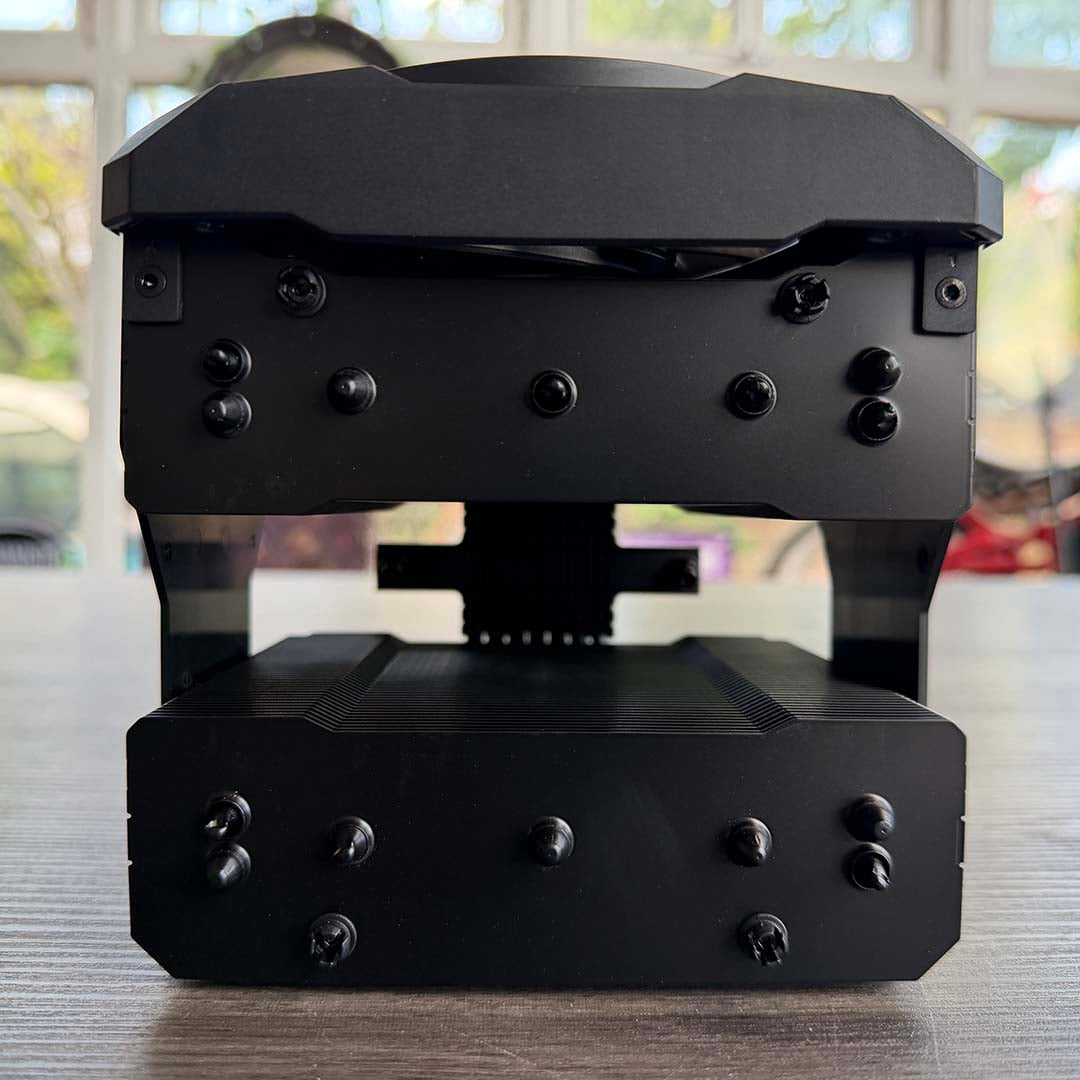
My one complaint about the design is that you need to remove the 135mm central fan in order to access the installation screws, and that means disconnecting its proprietary socket that hooks it up to the front fan. You then have to slot the module back in, and fiddle around with the cables under the massive cooler contraption in order to connect up the fans again. The use of a proprietary power connector to link the 135mm and 120mm fans is also a bit mystifying, as it means you can’t easily replace these spinners with your own choice of fans, but it works as an out-the-box setup.
Features
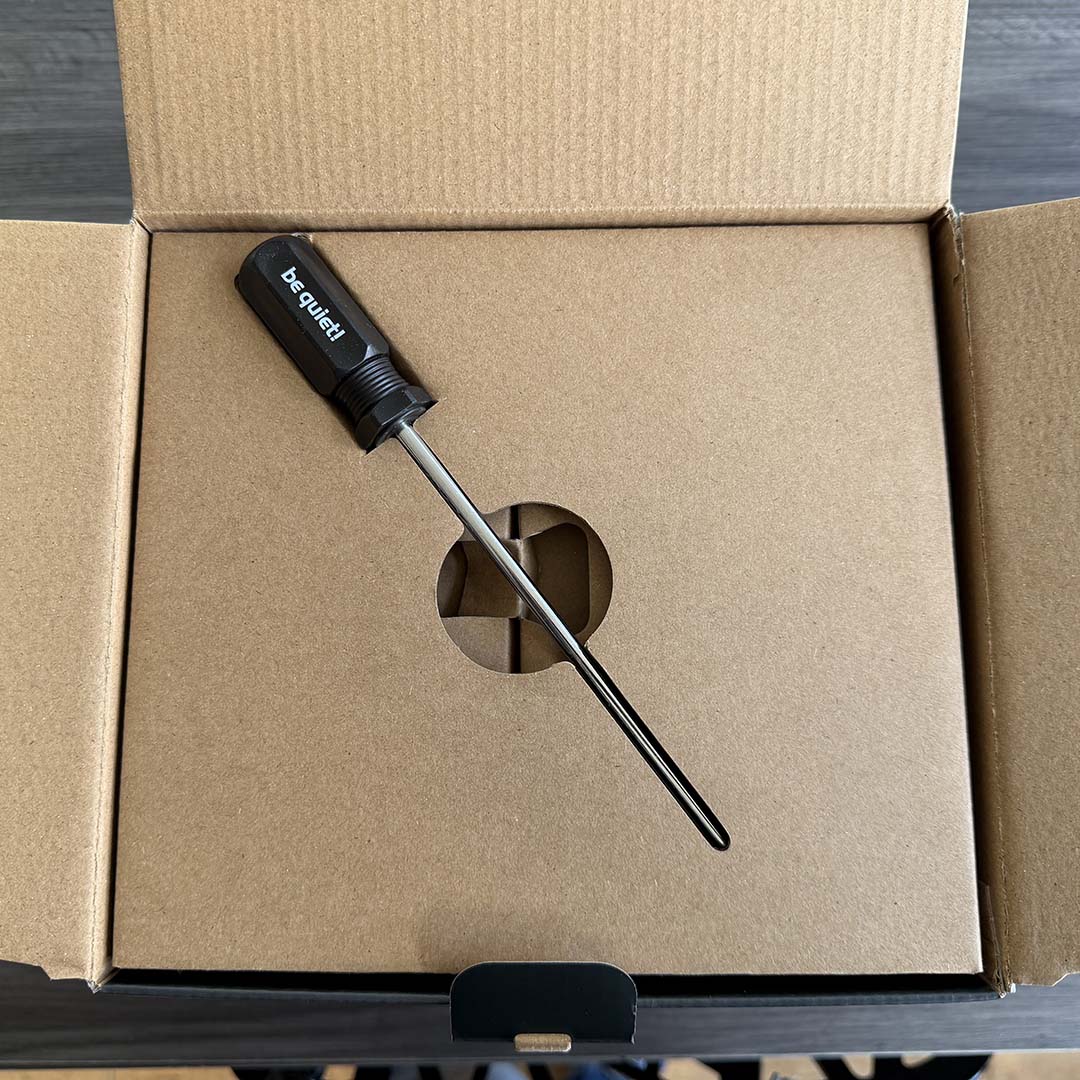
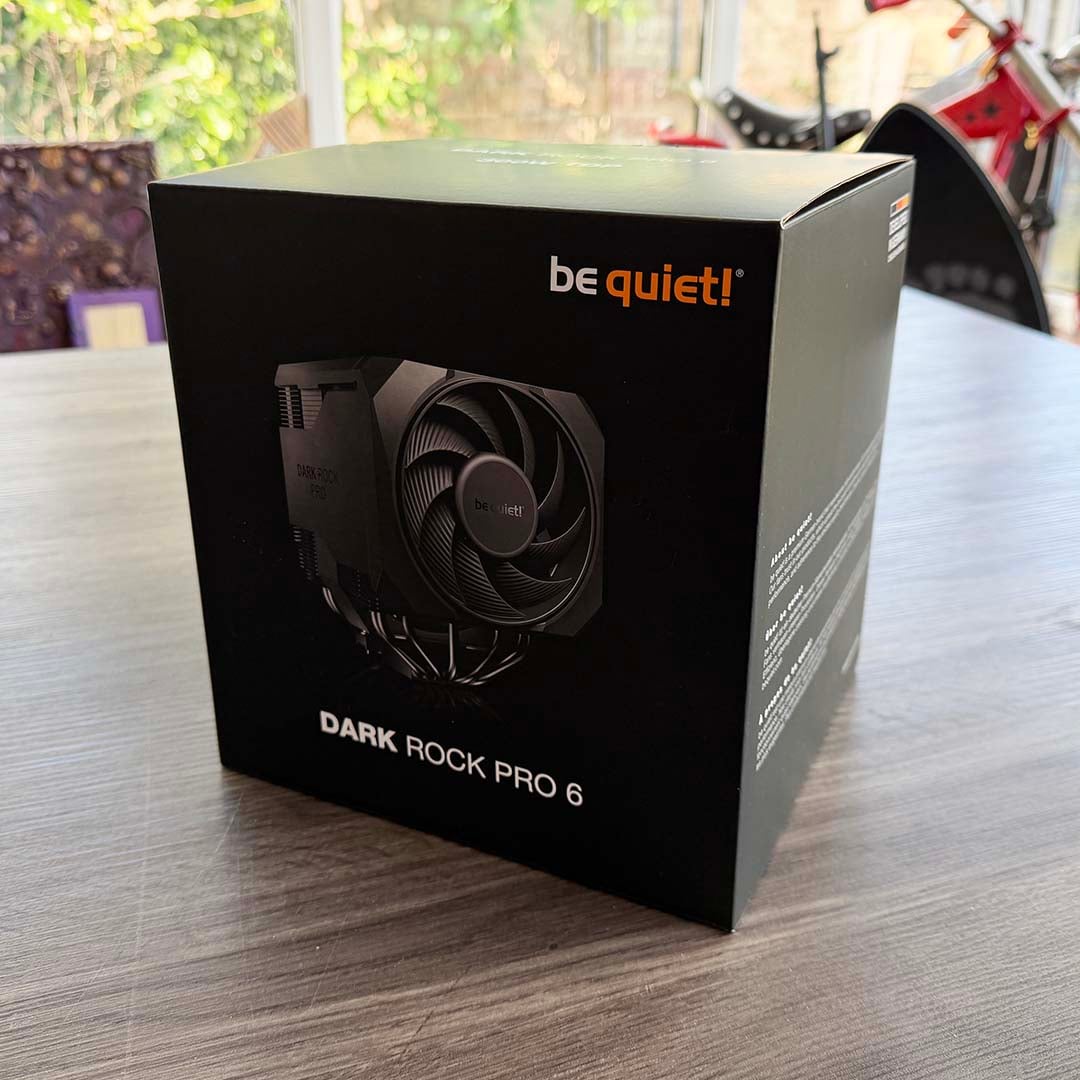
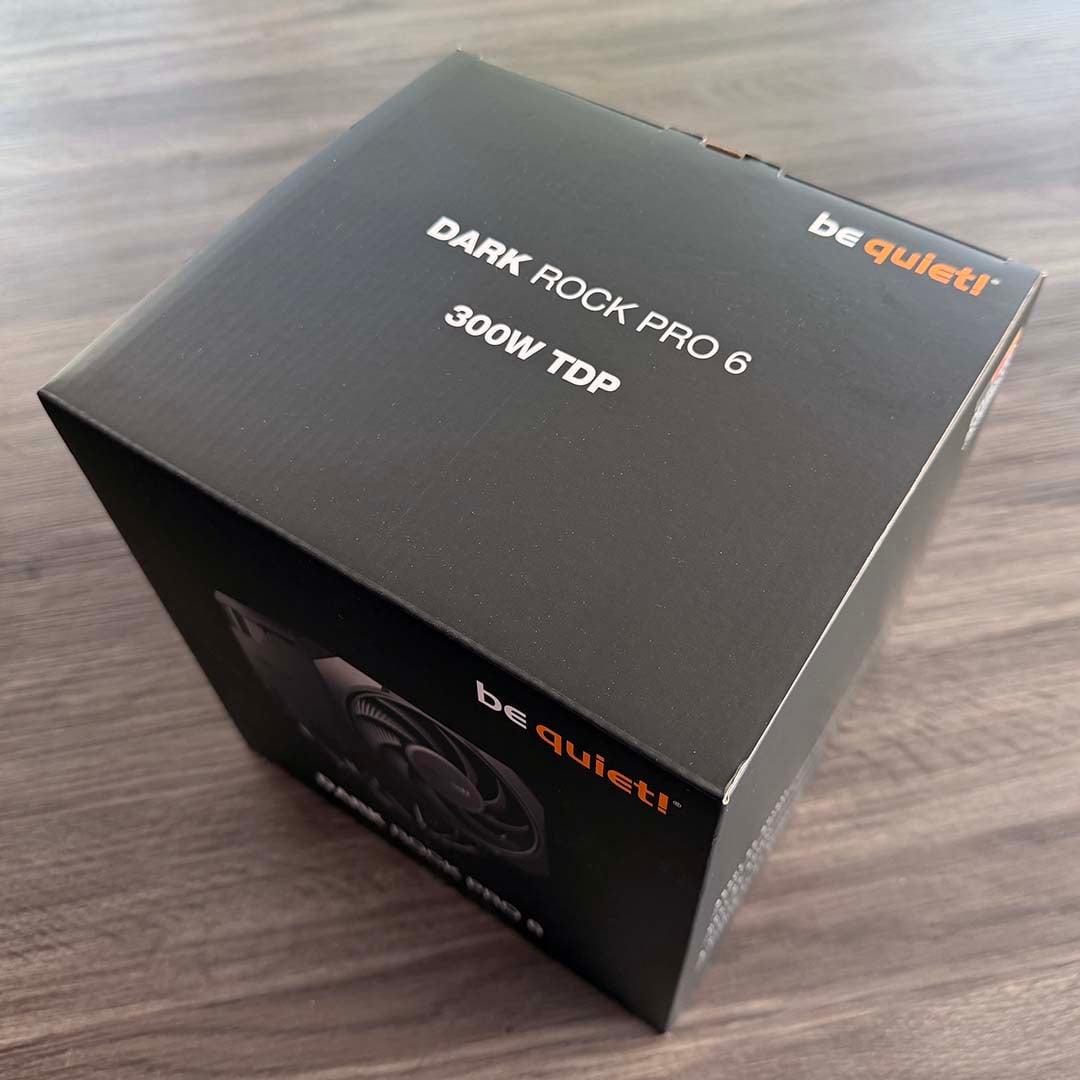
I love the attention to detail be quiet! has paid with the Dark Rock Pro 6’s feature set. You don’t just get the CPU cooler and bare essentials for installation – the company has really put some thought into all the bits and pieces that will help with PC building. It makes a great first impression when you’re greeted with a screwdriver upon opening the box. It’s not a piddly little one either – you get a full-size Philips No. 2, complete with a magnetised tip and a proper handle. More of this, please, CPU cooler manufacturers.
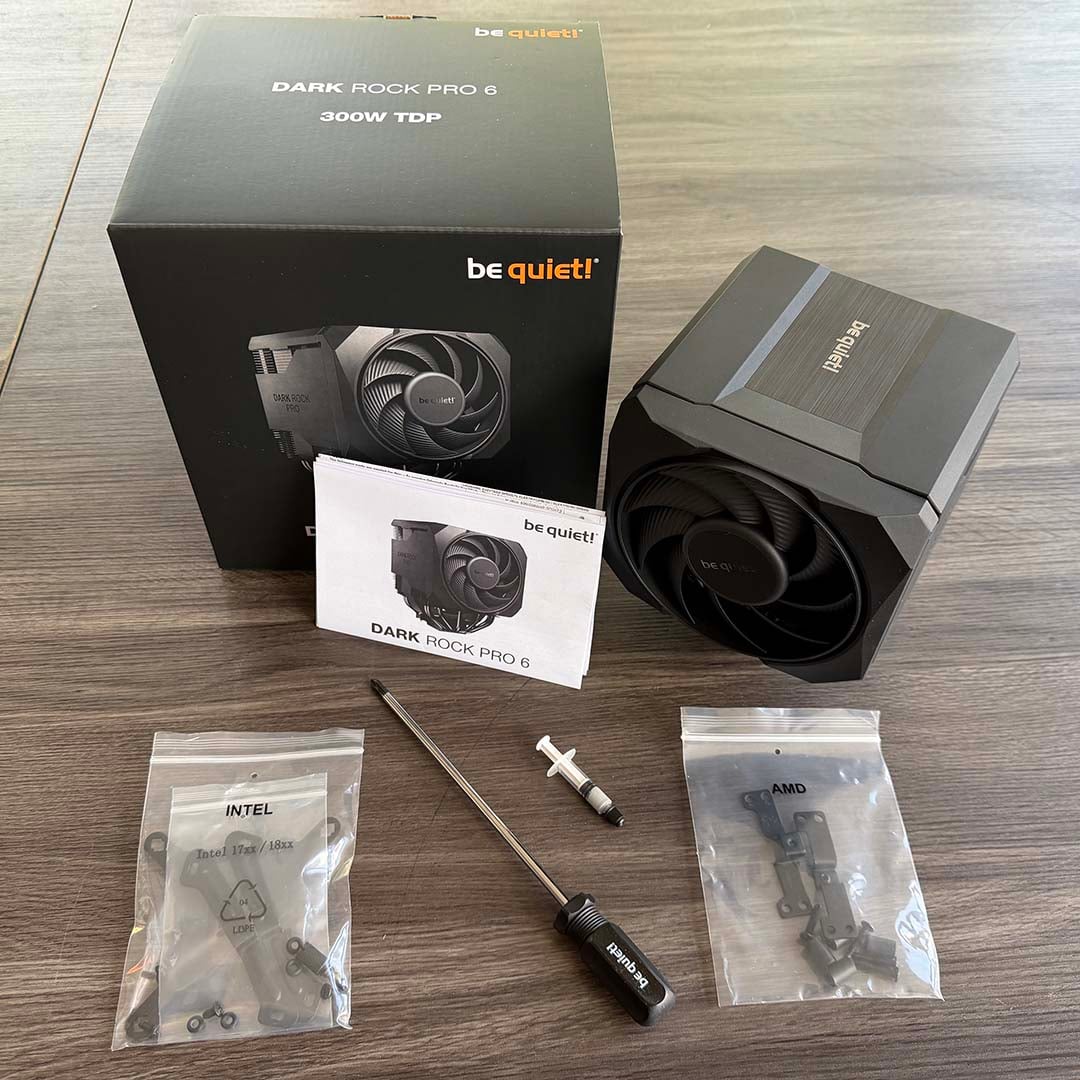
I was also pleasantly surprised to see a full paper manual in the box, including detailed instructions on how to fit the cooler to both AMD and Intel motherboards. This isn’t always a given any more, with plenty of cooler boxes instead inviting you to scan a QR code and view a manual online. The latter is a pain, though. At this point you won’t have built your PC, so you’ll be looking at it on your phone, and there’s also an assumption that you’ll have an internet connection in your PC building space.
You get a small tube of thermal paste included in the box as well, which I much prefer to just having a pre-installed pattern screen-printed onto the contact place. Yes, you have to apply the paste yourself, but there’s enough in the bundle for a second or possibly third application afterwards, so you don’t need to buy another tube if you need to reinstall your cooler.
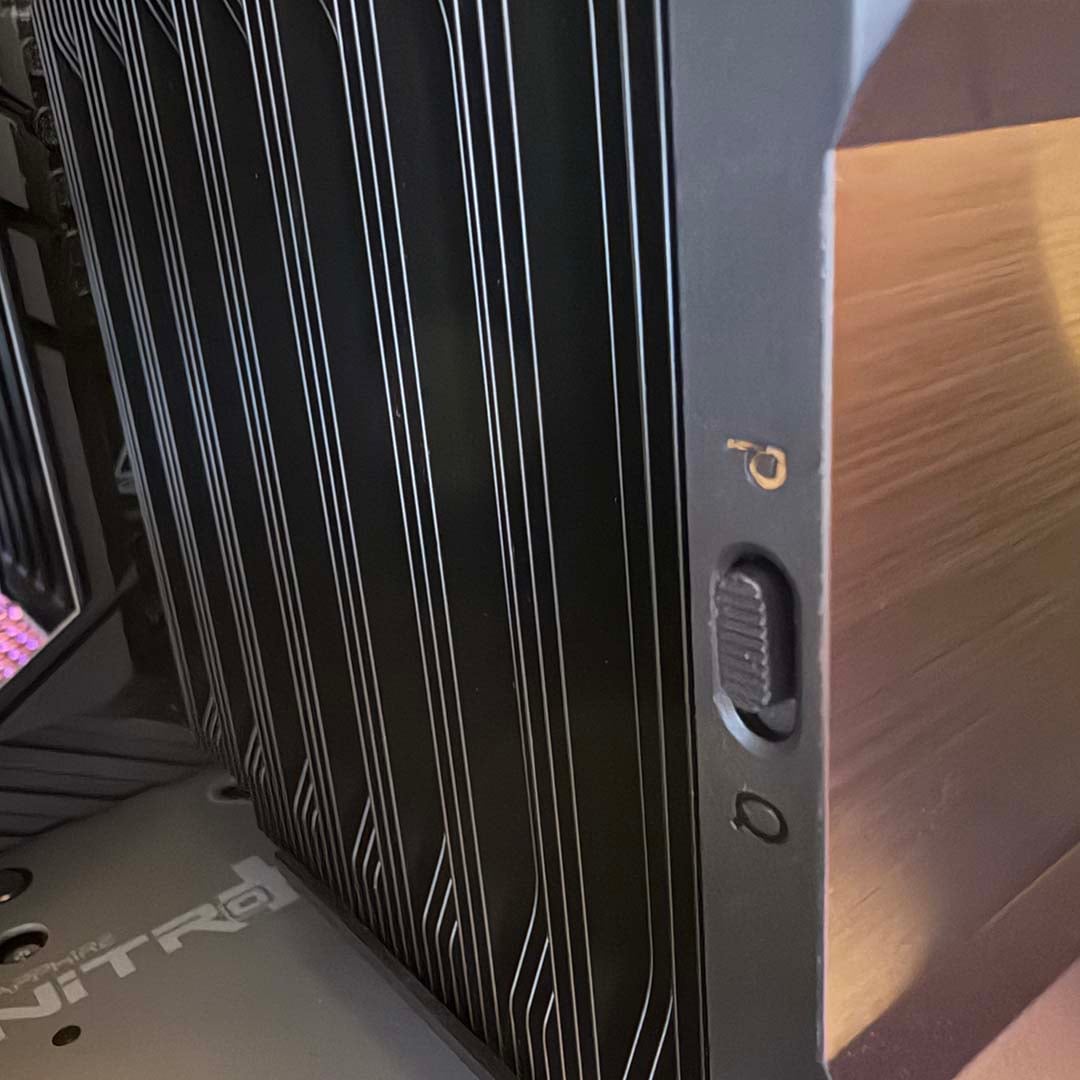
One final nifty feature is a switch on the back of the heatsink, labelled P and Q, and it’s not anything to do with minding your manners. This little slider enables you to flick between Performance and Quiet modes. We tested in Performance mode, where it already barely made any noise anyway. However, enabling the Quiet mode disables the fans entirely at up to a 40% PWM signal, according to your fan curve, making this cooler genuinely silent.
Fans
One of the most striking aspects of the be quiet! Dark Rock Pro 6’s design is its dual-fan setup. It’s deliberately engineered to maximise airflow while not clashing with your RAM. A large 135mm fan sits between the two towers of heatsink fins, while a smaller 120mm spinner is mounted at the front.
These two fans both have fluid-dynamic bearings and six-pole motors, but they also have slightly different spin speeds, with the 135mm one running at up to 2,000rpm, while pushing out up to 76.59 CFM of airflow with its larger blades. Conversely, the 120mm fan tops out at 1,900rpm, with lower airflow. According to be quiet!, using two fans with different sizes and speeds reduces overlapping noise frequencies, making for a quieter cooler.
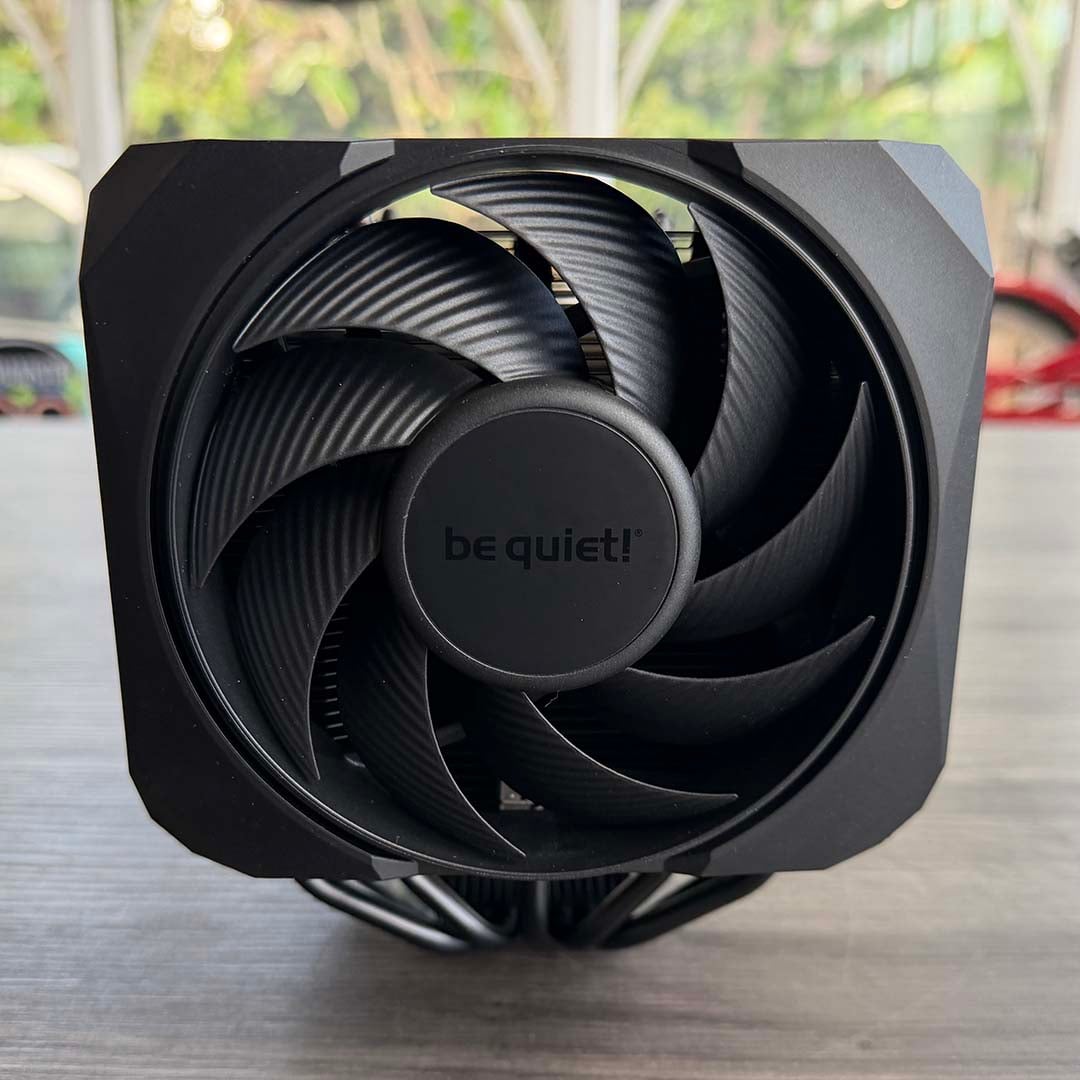
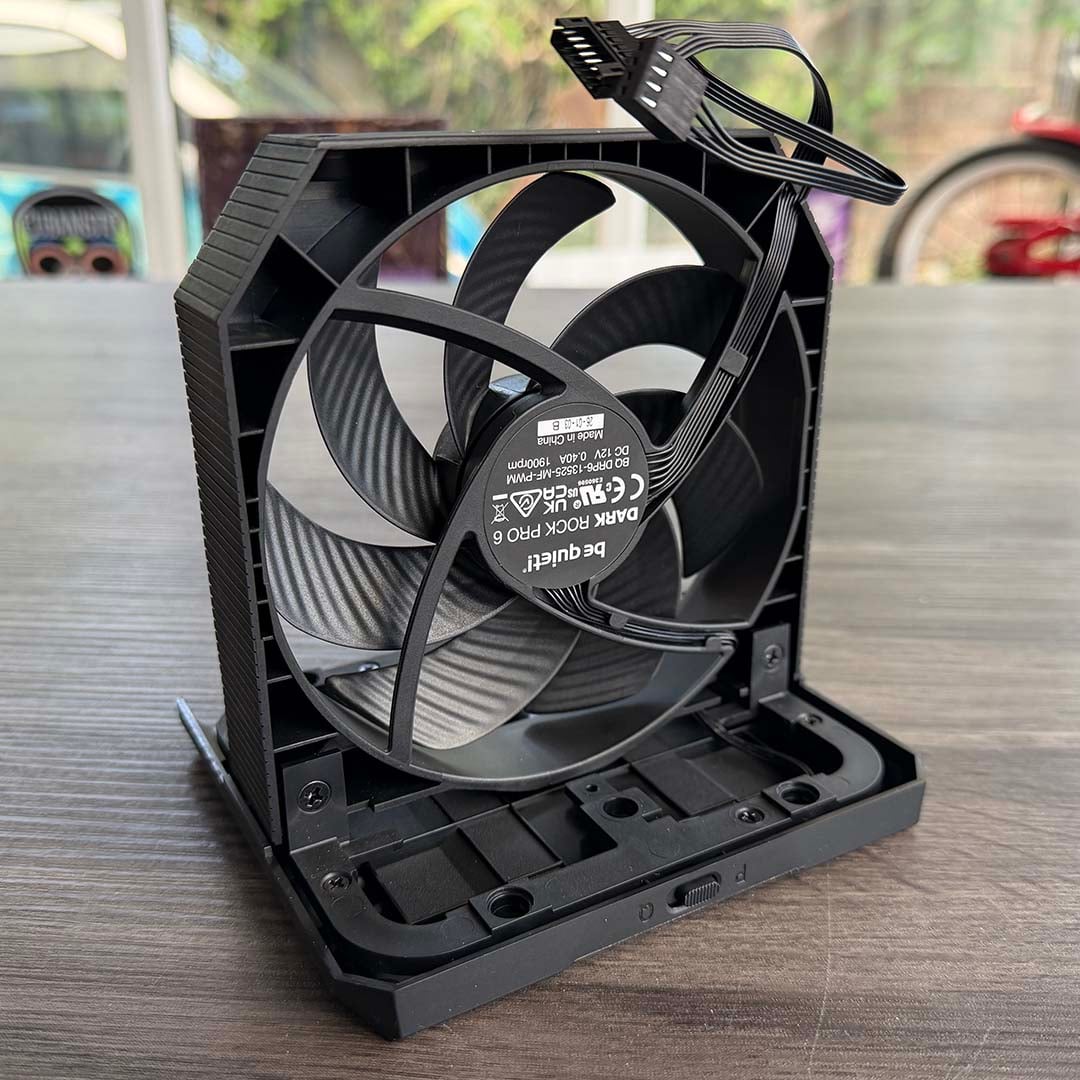
Importantly, having the 120mm fan at the front minimises the chances of it bashing into your memory. To this end, there’s also a rail system that enables you to push up the front fan even higher, although we didn’t need to engage it with the 39mm-tall Kingston Fury Renegade modules in our test rig. Both fans are be quiet! Silent Wings models with PWM control.
Installation
A decent range of CPU sockets are supported by the be quiet! Dark Rock Pro 6, including AMD’s latest AM5 and ageing AM4 platforms. Meanwhile, Intel support goes all the way back to LGA115x, as well as LGA1200, while including current LGA1700 and LGA1852 sockets. Two bags are included, one clearly marked AMD, and one for Intel, with the latter also carrying a separate container for LGA1700/1852 systems.
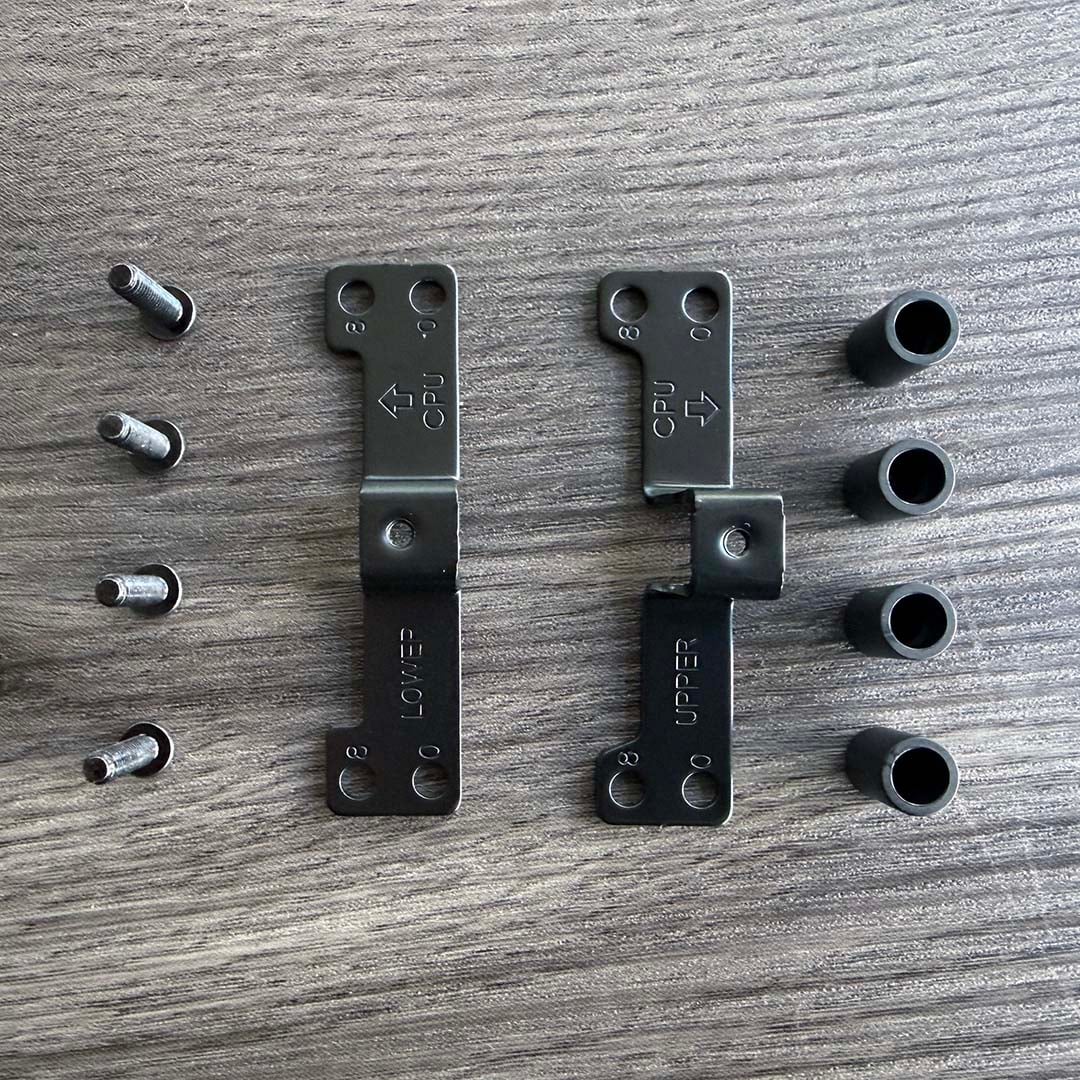
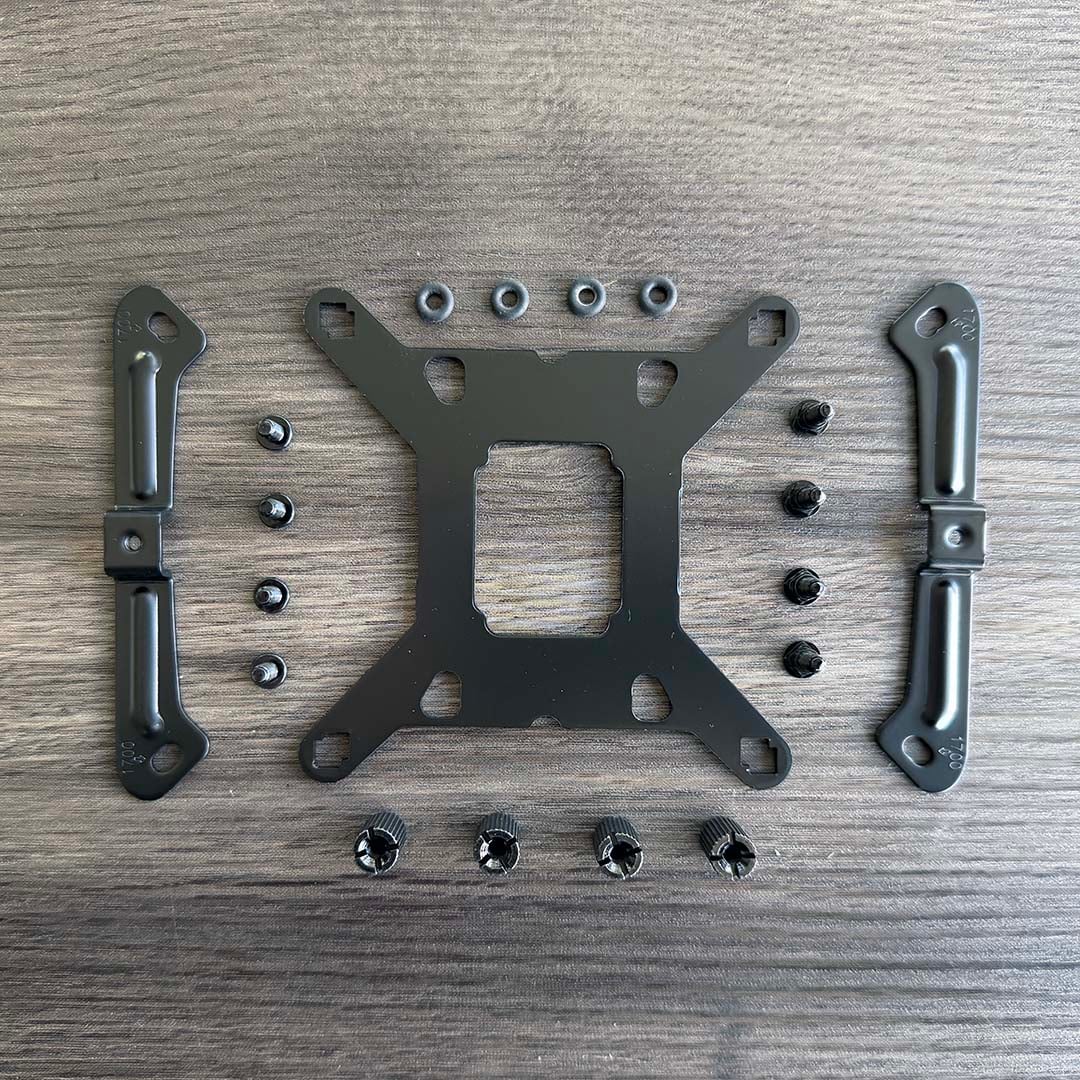
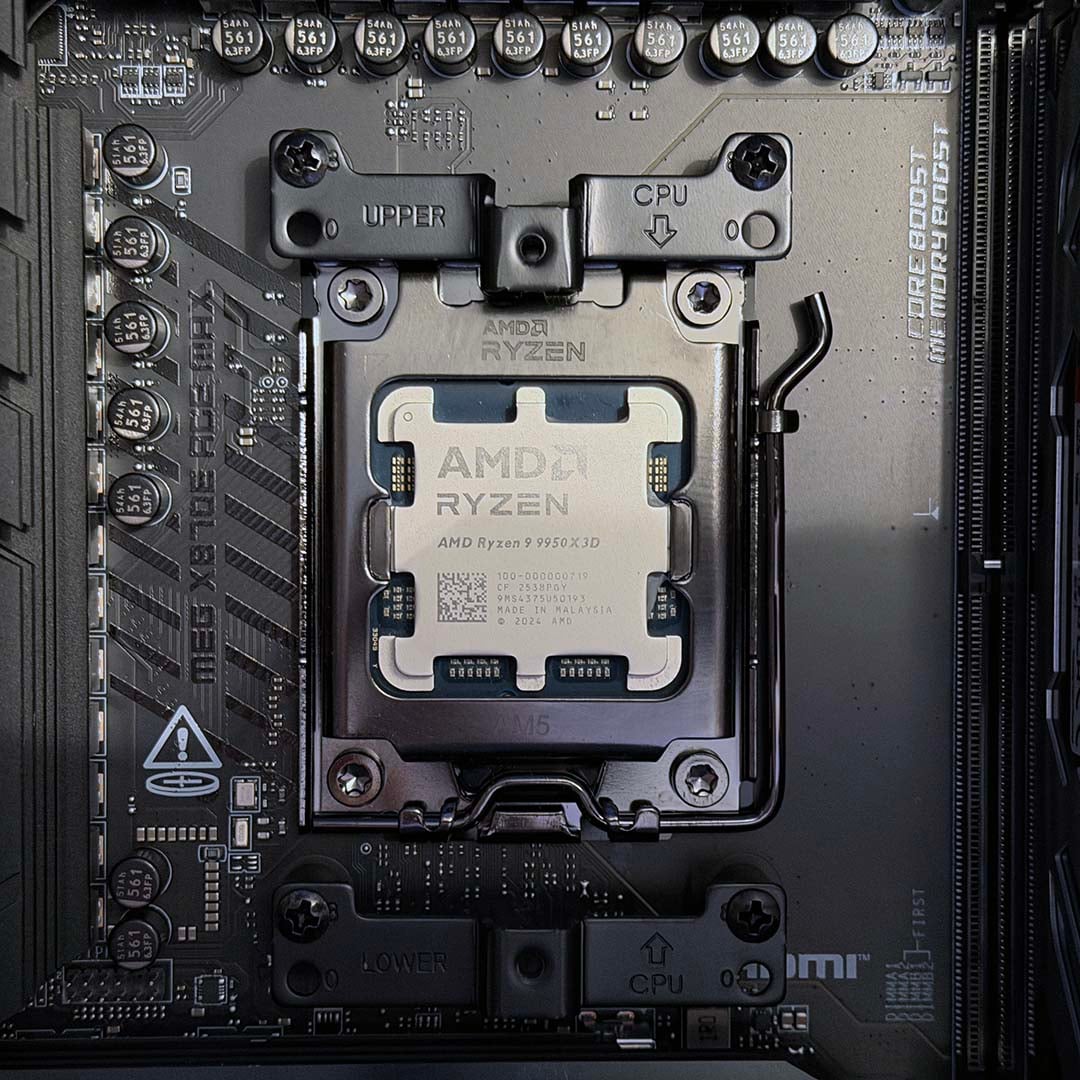
Installing the AMD bracket is really simple. You just need to remove the stock plastic mounts on the front of your motherboard, and the new ones will fit to your board’s existing backplate – you don’t need to fiddle around with the back of the board at all. The two brackets are clearly labelled, so you can easily make sure they’re on the upper or lower part of your socket, with arrows showing which way they should be pointing.
Two sets of mounting holes are provided, to cover all generations of Ryzen CPU – we’ve used the ‘8’ holes on our test rig, which better-positions the contact plate for CPUs based on AMD’s chiplet design, while the ‘0’ holes are ideal for Zen and Zen+ chips.
Installation on Intel systems is a bit more involved, but still straightforward enough. You’ll need access to the back of your motherboard so you can fit the custom be quiet! backplate, and make sure you use the right mounts for your socket.
As I mentioned earlier, the only irritation in the installation process is screwing the cooler itself to the brackets. You need to remove the 135mm fan module, and then reach in to tighten up two screws into the installation brackets on your motherboard – the supplied magnetic screwdriver is an invaluable inclusion here. That’s all fine, but you then need to hook up power to the two fans, which is a bit fiddly once you have the whole CPU cooler contraption surrounding your fingers.
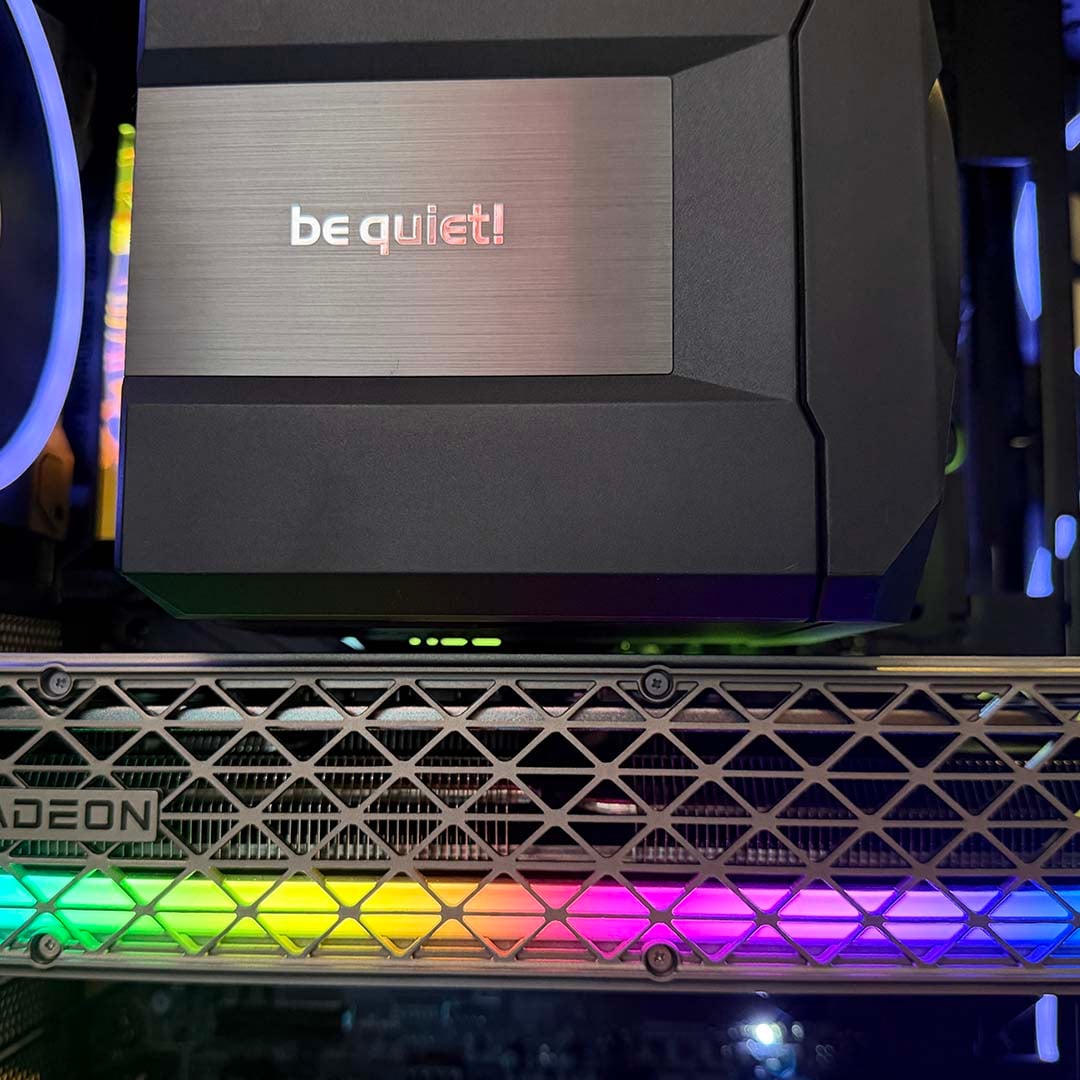
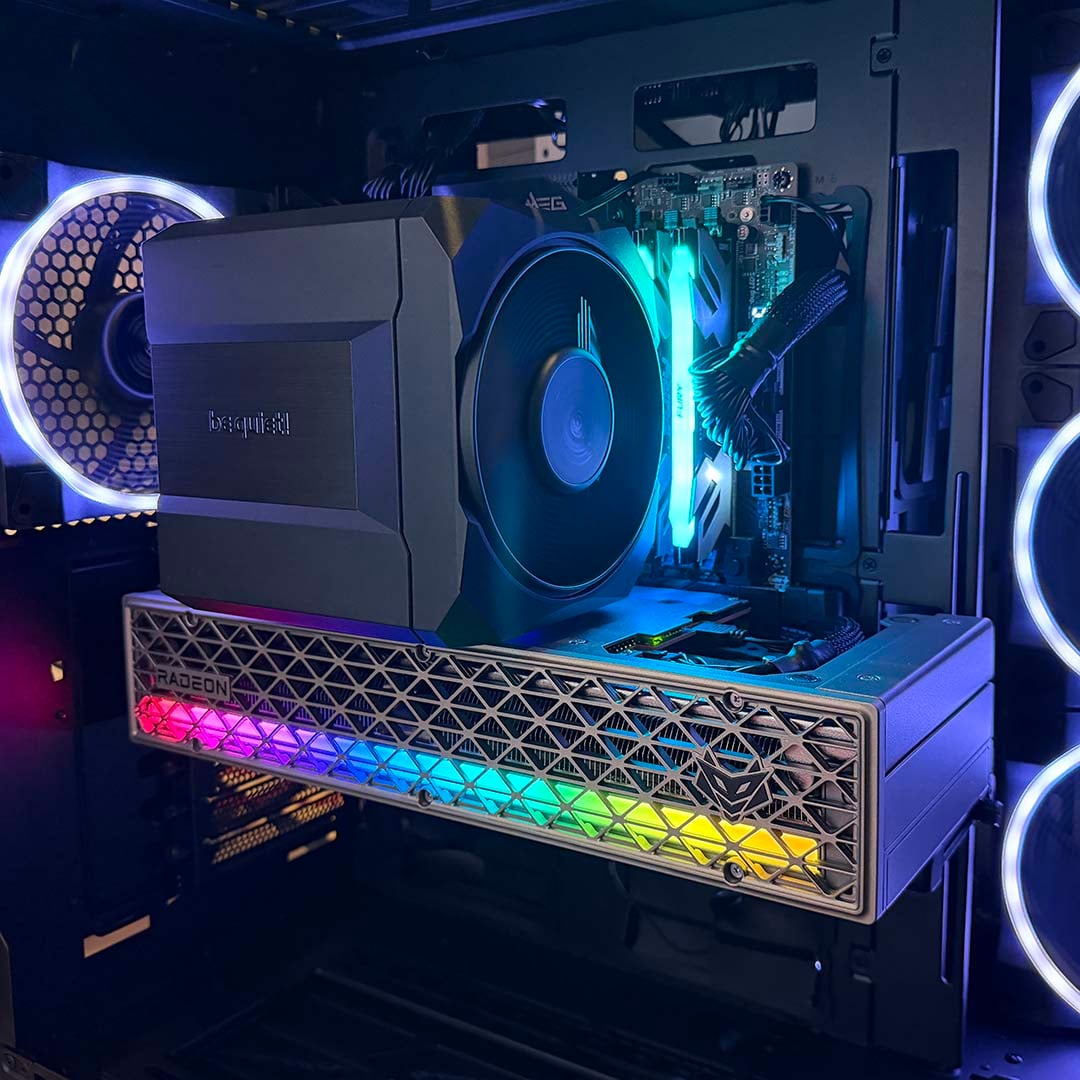
It’s a big old beast, too. You’ll want to measure up your case before you buy this cooler, to make sure you have enough clearance for it, but also think about surrounding components. As a case in point, there’s only a sliver of room between our Sapphire Nitro+ Radeon RX 9070 XT graphics card’s backplate and the edge of this cooler, and it completely covers our top M.2 SSD slot. On the plus side, that means there’s some additional airflow going over the storage drive, but it does also impede access.
In short, get out your tape measure before you hand over any money. If your graphics card has a particularly hefty backplate structure, then this cooler may not fit in your setup.
Performance
How we test
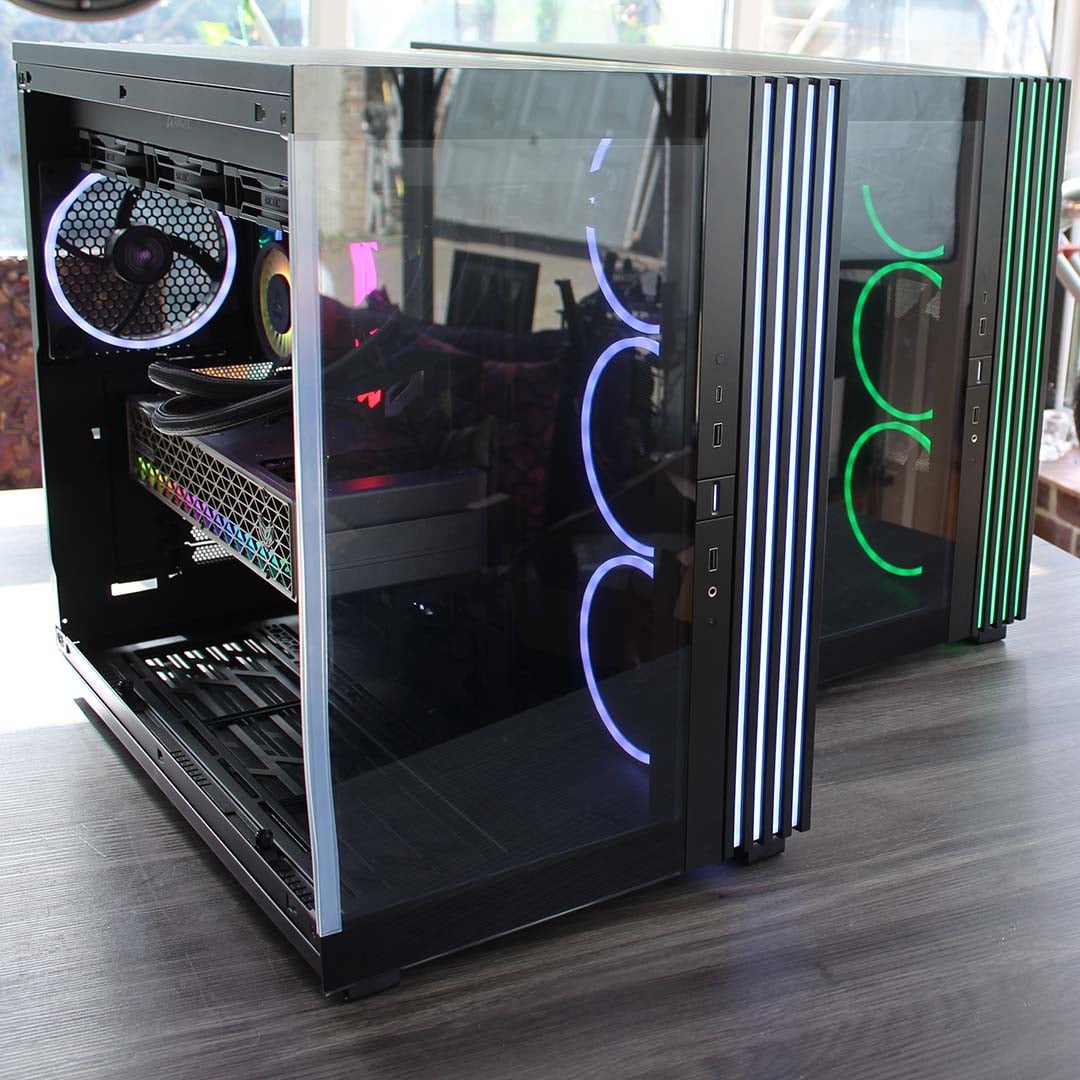
I’m testing be quiet!’s latest CPU cooler in our brand new Club386 test PCs, which all have identical components. This setup includes a be quiet! Light Base 900 FX case, with all its fans fixed to 30% speed. The noise from this case at these settings is practically inaudible, and cannot be detected by our noise meter, enabling us to hear the difference made by a CPU cooler.
We use an AMD Ryzen 9 9950X3D as our test chip, which is the top choice on our guide to buying the best CPU. For each test, we run Cinebench 26’s multi-threaded benchmark, and record the average (mean) temperature of all the cores over the benchmark run, as well as the absolute maximum core temperature, so you have an idea of the worst-case scenario. We run this CPU at its normal peak 170W TDP, but also at 105W and 65W TDP settings. This means you can see how well a cooler can keep a lower-spec CPU, such as a 65W Ryzen 5 9600, in check, as well as more powerful chips.
Before we conduct each temperature test, we record the ambient room temperature. We then subtract this from the CPU temperature results, to give us a delta T reading. This enables us to account for differences in test conditions without having a temperature-controlled lab, and compare results between other coolers tested on different days. Bear in mind that this means the results listed in the table below will be considerably lower than the actual CPU core temperatures.
All temperature and noise level tests are conducted with the cooler inside our case with all the side panels closed. We record temperatures using CoreTemp, and measure sound levels with a noise meter positioned 10in away from the front of the case. This means our results come from a real-world scenario, rather than an open-air test bench.
Our 9950X3D Test PCs
Club386 carefully chooses each component in a test bench to best suit the review at hand. When you view our benchmarks, you’re not just getting an opinion, but the results of rigorous testing carried out using hardware we trust.
Shop Club386 test platform components:
CPU: AMD Ryzen 9 9950X3D
Motherboard: MSI MEG X870E Ace Max
Cooler: Arctic Liquid Freezer III 420 Pro ARGB
GPU: Sapphire Nitro+ Radeon RX 9070 XT
Memory: 64GB Kingston Fury Renegade DDR5
Storage: 4TB Sandisk Optimus GX Pro 8100
PSU: be quiet! Dark Power 14 1,200W
Chassis: be quiet! Light Base 900 FX
Temperatures
| 9950X3D TDP / fan speed | Avg temp (delta T) | Peak core temp (delta T) |
|---|---|---|
| 170W / 600rpm | 64.1°C | 74.5°C |
| 170W / 1,200rpm | 51.4°C | 60.5°C |
| 170W / 2,000rpm | 51.2°C | 60.0°C |
| 105W / 600rpm | 46.0°C | 53.0°C |
| 105W / 1,200rpm | 39.3°C | 44.5°C |
| 105W / 2,000rpm | 37.3°C | 42.5°C |
| 65W / 600rpm | 29.2°C | 38.0°C |
| 65W / 1,200rpm | 23.6°C | 32.5°C |
| 65W / 2,000rpm | 23.0°C | 30.5°C |
Impressively, the be quiet! Dark Rock Pro 6 managed to keep our Ryzen 9 9950X3D test chip cool in every test scenario. That includes having all 16 of its cores maxed out at its full 170W TDP, and with the cooler fans fixed at 30% (meaning the 135mm fan was running at 600rpm, and the 120mm fan at 570rpm). As you’ll see in the noise level results later, you basically can’t hear this cooler at these settings.
It does get close to the edge at these settings, though. We’ve listed the delta T results in the table above, so we can compare these results to other coolers later, but the actual peak core temperature sat at 93°C at these settings. These results are still within the thermal spec of this CPU, so nothing to worry about, but it’s clearly getting hot. Increasing the fan output to 60% (1,200rpm) wipes a good 14.5°C off peak core temperature, and you could find a good happy medium by fixing your fan speeds at around the 40% mark.
While these are all solid results for an air cooler, though, you can get even superior cooling from a similarly-priced AIO cooler. As a point of comparison, the Arctic Liquid Freezer III Pro 420 A-RGB in our test rig peaks at a delta T of just 54.5°C (actual core temp of 73°C) with its fans running at an inaudible 600rpm. Despite being a liquid-cooling system with a massive radiator and three large fans, it currently goes for £82.49 on Amazon, which is just £2.50 more than the Dark Rock Pro 6.
There are good reasons to consider buying this air cooler instead – it doesn’t require several large fan mounts for installation, for example, plus there’s no coolant to deteriorate over time, or a pump that can fail.
Back to the Dark Rock Pro 6, for CPUs with a lower TDP, you could easily fix the fan speeds at 600rpm and enjoy worry-free, inaudible cooling – there’s basically no point in running the fans any faster. It’s good to have that extra headroom available if you need it, though. If you’re thinking about running an Intel Core Ultra 7 270K Plus, for example, its maximum turbo power of 250W, isn’t going to be sated by this cooler at 600rpm.
With AMD CPUs, however, there’s little benefit in running your fans faster than 1,200rpm, with diminishing returns if you push them up to their maximum speed. The large heatsink is clearly doing a lot of the heavy lifting here, and increasing the amount of airflow beyond that point only does so much to improve cooling.
Noise
| Fan speed | Noise level |
|---|---|
| 600rpm | Undetected |
| 1,200rpm | 30.6dBA |
| 1,900 / 2,000rpm (max) | 44.5dBA |
Low noise is the big selling point of the Dark Rock Pro 6 cooler, and it seriously impresses on this front. With the fans running at ~600rpm, you basically can’t hear it. Our noise meter couldn’t detect any sound from our test rig, when located the usual 10in away from the case’s front, making this an excellent choice if you don’t like being distracted by fan noise.
Even fixing the voltage at 60% for a 1,200rpm speed didn’t result in much more noise. Our meter (only just) recorded a reading of 30.6dBA here, and while it is audible, the sound is completely inoffensive and unobtrusive. Comparatively, with its three fans spinning at this speed, our Arctic Liquid Freezer III Pro 420 A-RGB is considerably louder at 34.5dBA, although it also offers more cooling power.
Running the fans at their maximum speed naturally increases noise levels by a considerable degree, but even then, while the noise is loud, the sound isn’t high-pitched and unpleasant. As we established in the temperature results, you get diminishing returns by running the fans at max speed anyway. Even with a high-end, 16-core CPU, you can happily run this cooler at quiet fan speeds without worrying about it overheating.
Conclusion
The be quiet! Dark Rock Pro 6 is a solid air-cooler design, enabling you to cool a 16-core AMD Ryzen 9 CPU at practically inaudible fan speeds. Its build quality is superb, resulting in a clean-looking unit clad in classy black metal and plastic, and its brushed-metal nameplate looks great as well. There’s no RGB lighting, but that’s hardly a deal breaker here – this cooler is all about performance and low-noise operation, and it delivers on those fronts.
You simply can’t hear the Dark Rock Pro 6 with its fan voltage fixed at 30%, but this still provides enough cooling power to deal with a 170W CPU. It gets vocal at full speed, but you’ll rarely, if ever, need to venture into such territory given cooling at a sensible 1,200rpm is already so good.
The manufacturer has also clearly thought about the fan layout, with the 135mm spinner providing plenty of airflow, while the 120mm fan at the front allows for ample RAM clearance. In this respect, I even prefer this cooler’s design to that of the Noctua NH-D15 G2 chromax.black, which uses two 140mm fans in the front and middle, even if the Noctua’s cooling performance is excellent.
To top it all off, you get a decent feature set, including a decent screwdriver, a tube of thermal paste and a proper paper manual. It’s even well priced at £79.90, undercutting the Noctua NH-D15 G2 chromax.black by a good £60 at MSRP, while still offering admirable build-quality and cooling performance.
That price still isn’t cheap, of course, and you can get superior cooling and low-noise operation from a similarly-priced AIO cooler. However, unlike a liquid cooler, there isn’t a pump that can fail, or coolant that can deteriorate, and it still keeps a 170W 16-core CPU in check without making a racket. If raw cooling performance is your top priority, then an AIO model is the way to go, but there are good reasons to consider a quality air cooler such as this one instead. Plus, in an era where AIO designs have become enormously popular, it’s great to see cooler manufacturers continuing to make great-quality air coolers and improve their designs.
Aside from the fiddly central fan cable, the only other factor to watch out for is the sheer size of the unit – just make sure there’s sufficient room in your PC before you buy one.
