

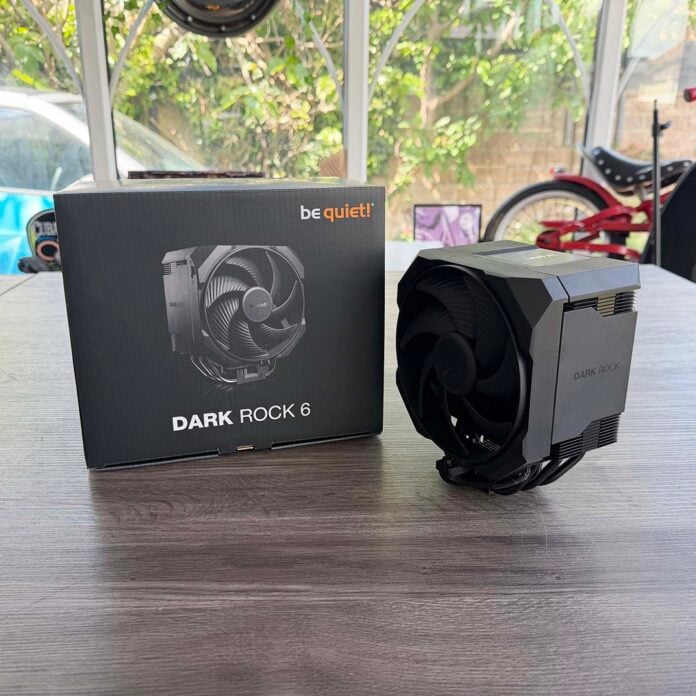
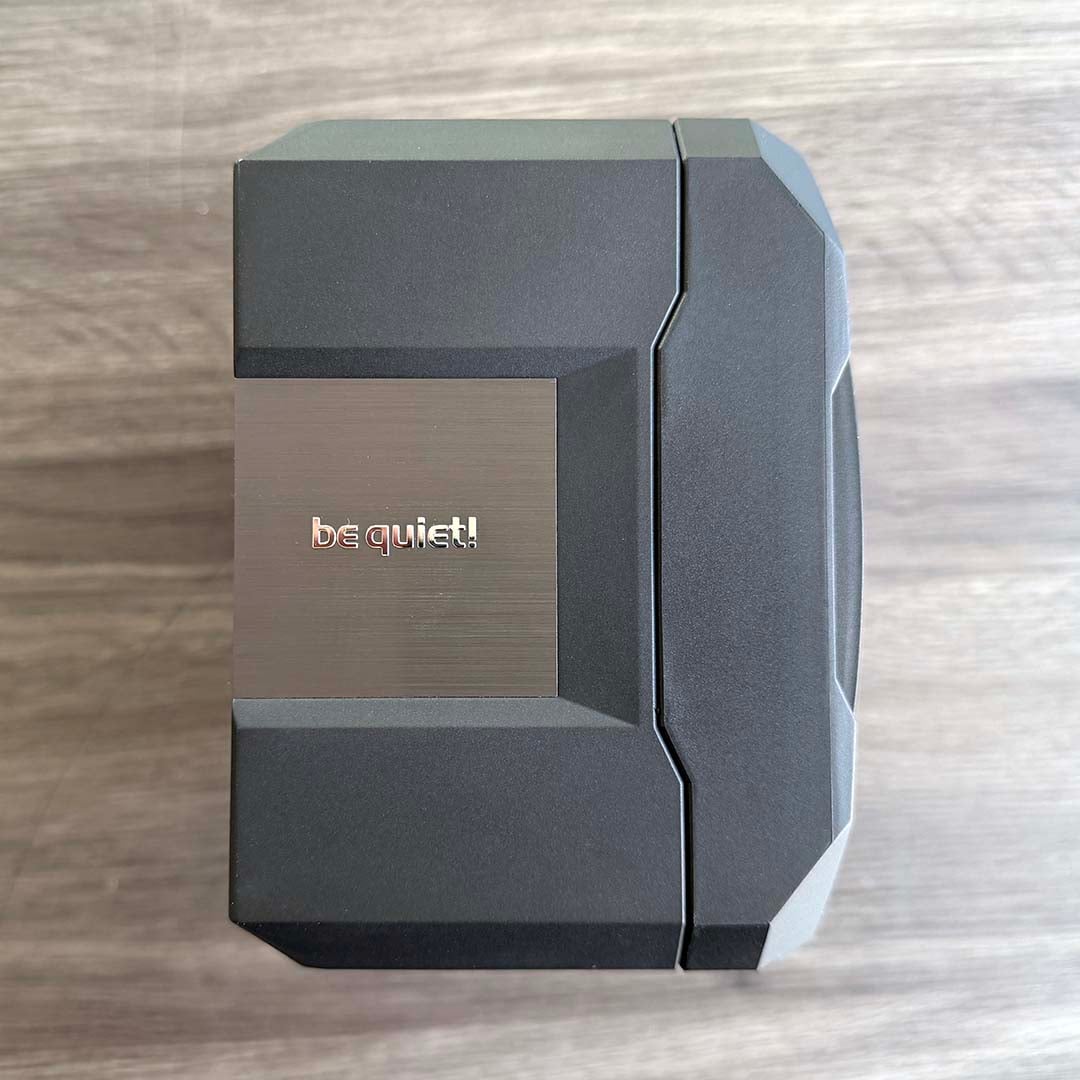
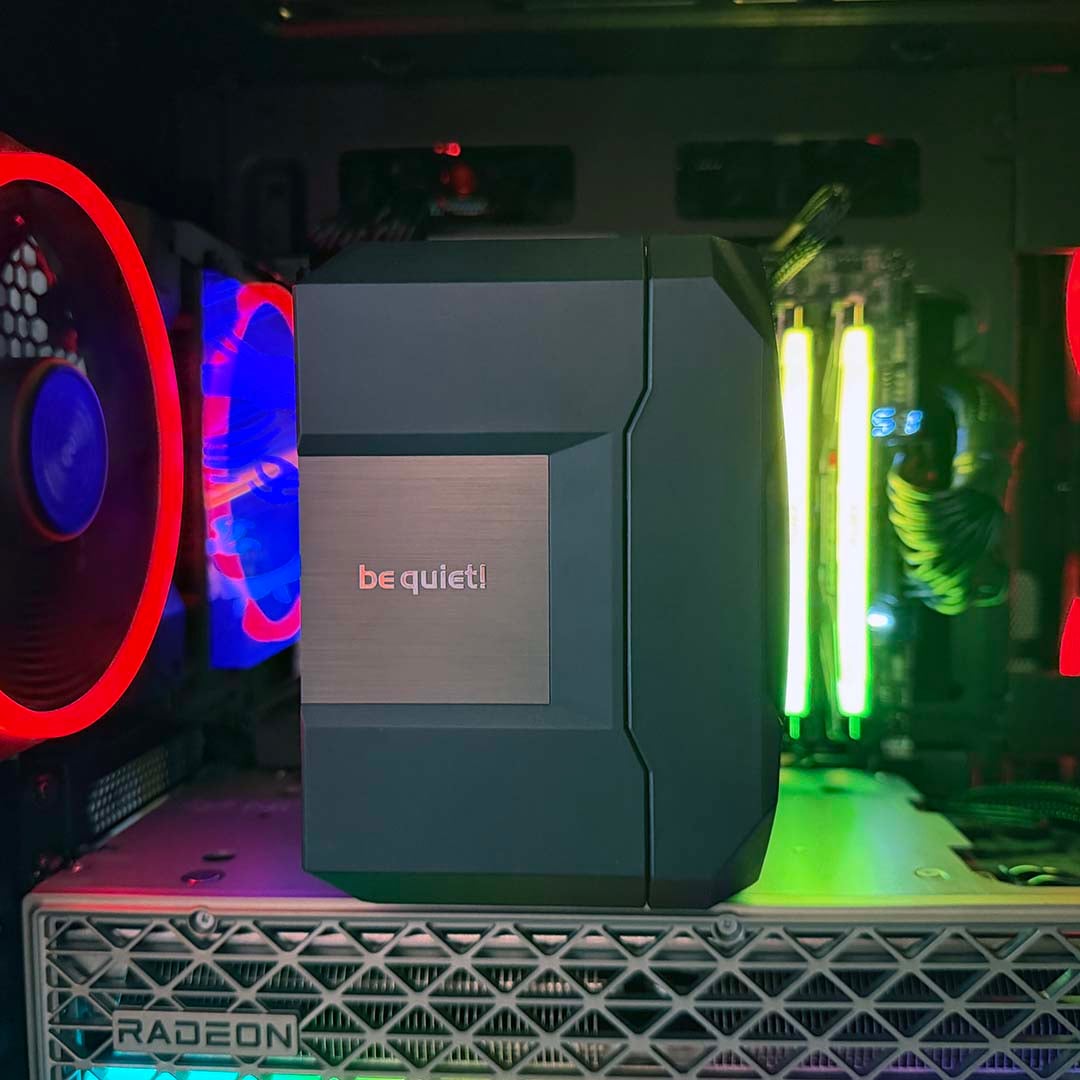
Glance down at the be quiet! Dark Rock 6 from the top, and you’d be hard pushed to know there’s a traditional stack of heatsink fins and a spinning fan underneath its neat, clean-looking black and grey shell. The guts of the cooler are hidden underneath a prestigious-looking, brushed-metal logo plate, and you can’t see any fan blades, either. It’s a far cry from the usual air-based contraptions we see, which flaunt their cooling apparatus for all to see.
The standard Dark Rock 6 joins its bigger sibling, the Dark Rock 6 Pro, as part of be quiet!’s latest air-cooling offerings. It maintains the same feature set, including a screwdriver and semi-passive mode switch, and it has an identical ceramic-particle black coating on its heatsink, too. There’s definitely a cut-down spec under that shell, though.

be quiet! Dark Rock 6
£64.99 / $109.90
Pros
- Very quiet fan
- Excellent build quality
- Smart looks
- Decent cooling power
- Solid feature set
Cons
- Struggles with 9950X3D at low fan speeds
- Expensive US price
- Only £15 cheaper than Pro
Club386 may earn an affiliate commission when you purchase products through links on our site.
How we test and review products.
That means there’s a smaller heatsink, supplied with just the one fan. You don’t save a great deal of cash by opting for this model either, as it only costs £15 less than the Pro. Does it have enough cooling power to justify its £64.99 asking price? Let’s take a closer look.
Specs
| Specification | Details |
| Socket support | Intel LGA1851, LGA1700, LGA1200, LGA115x AMD AM4, AM5 |
| Heatsink dimensions | 102 x 139 x 162mm (w/fan) |
| Heatpipes | 6 x 6mm |
| Weight | 1,005g (w/fan) |
| Fan size and type | 1x be quiet! Silent Wings PWM 135mm |
| Fan speed range | 0-2,000rpm |
| Fan airflow | 79.48 CFM |
| Fan static pressure | 2.48mm H2O |
| Fan noise level | Max 31.1dBA |
| Warranty | 3 years |
| Price | £64.99 / $109.90 / €89.90 |
Design
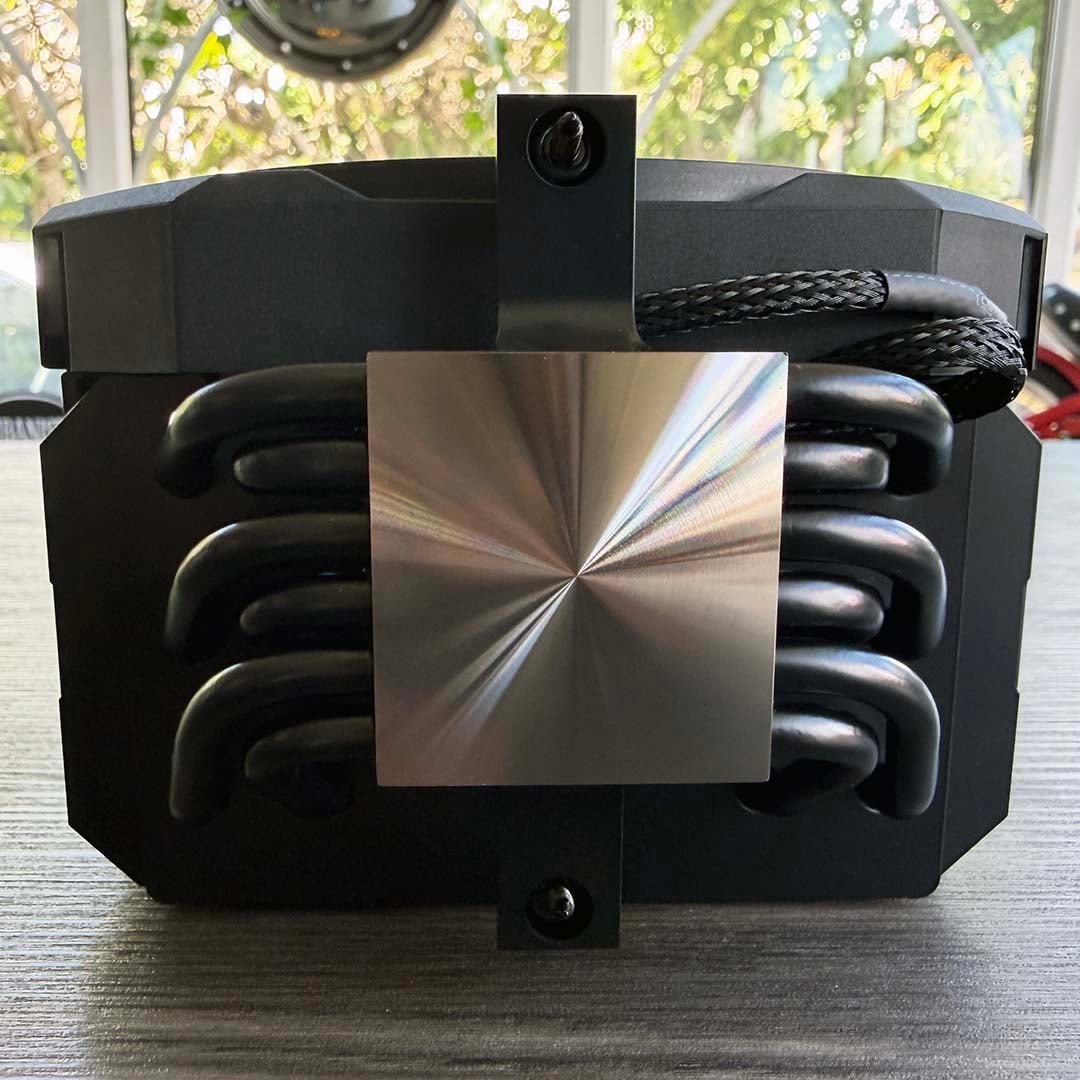
The vanilla Dark Rock 6 has a less complicated design than the Pro, but there’s still some potent cooling packed into this smaller frame. There’s no dual-tower heatsink design this time. Instead, a single stack of heatsink fins hook up to the contact plate via six heatpipes, each with a 6mm diameter.
The latter are tightly packed into this cooler’s comparatively small footprint, shifting as much heat as possible from your chip. As with the Pro version, that contact plate is nickel-coated, so you can use liquid metal thermal compound without worrying about it damaging your cooler.
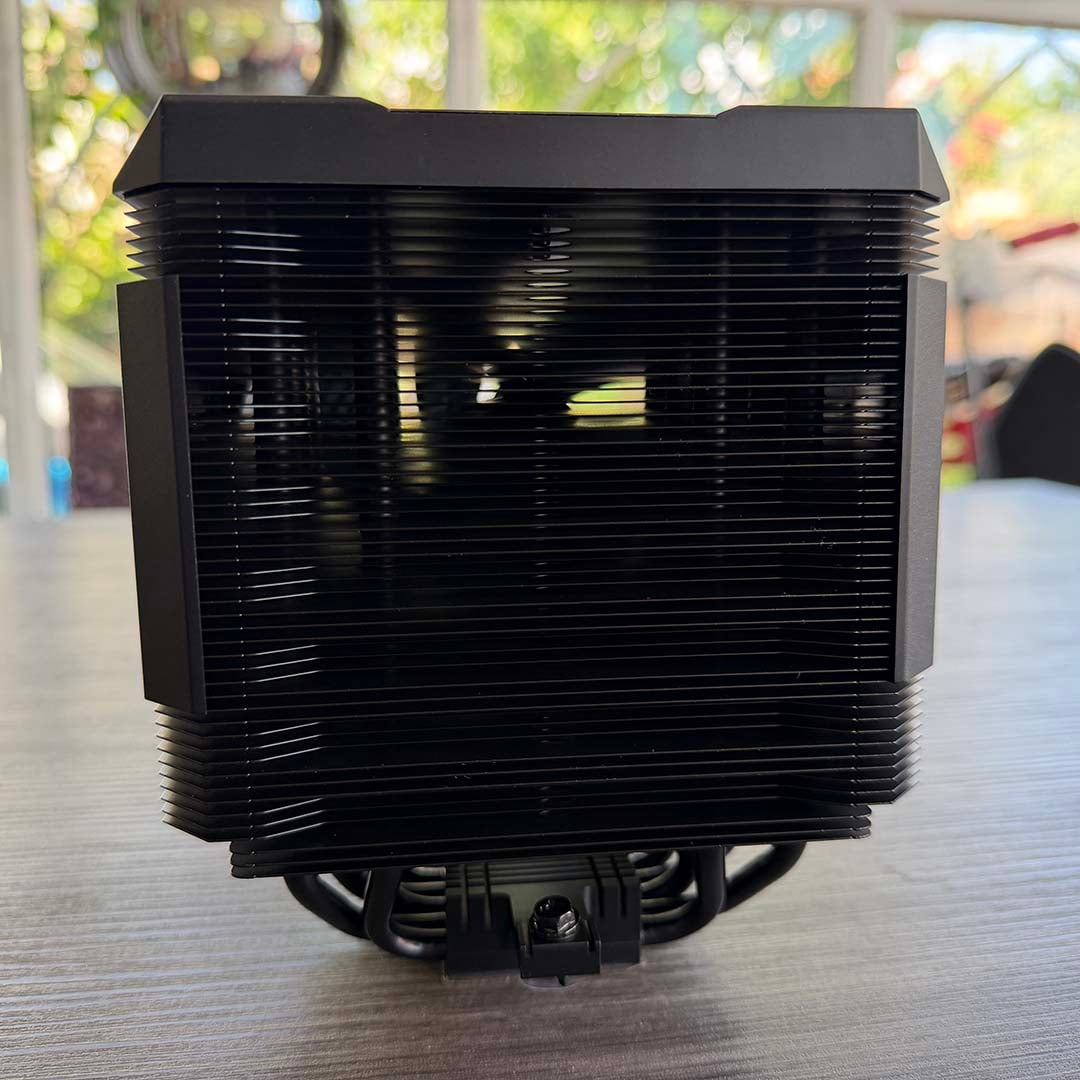
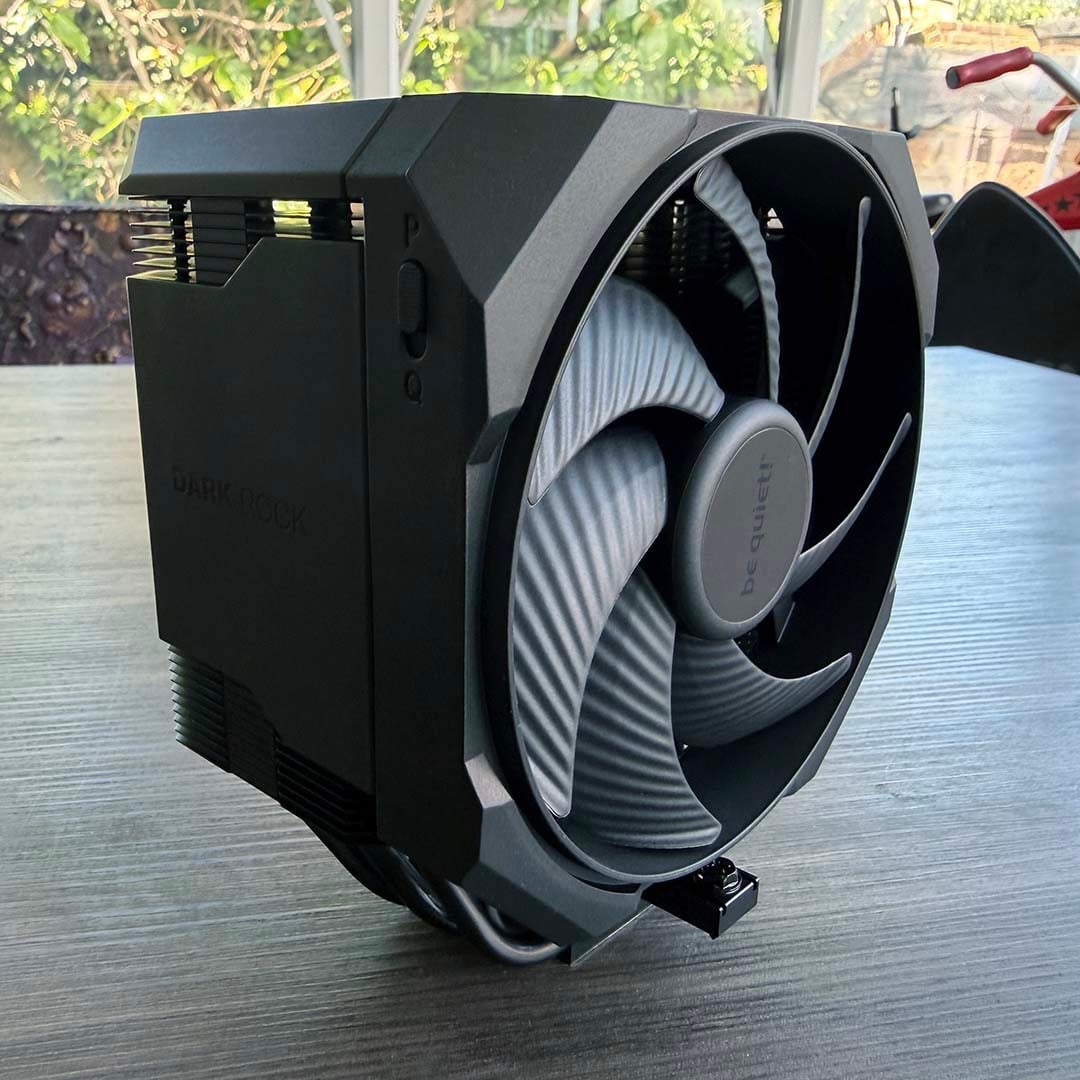
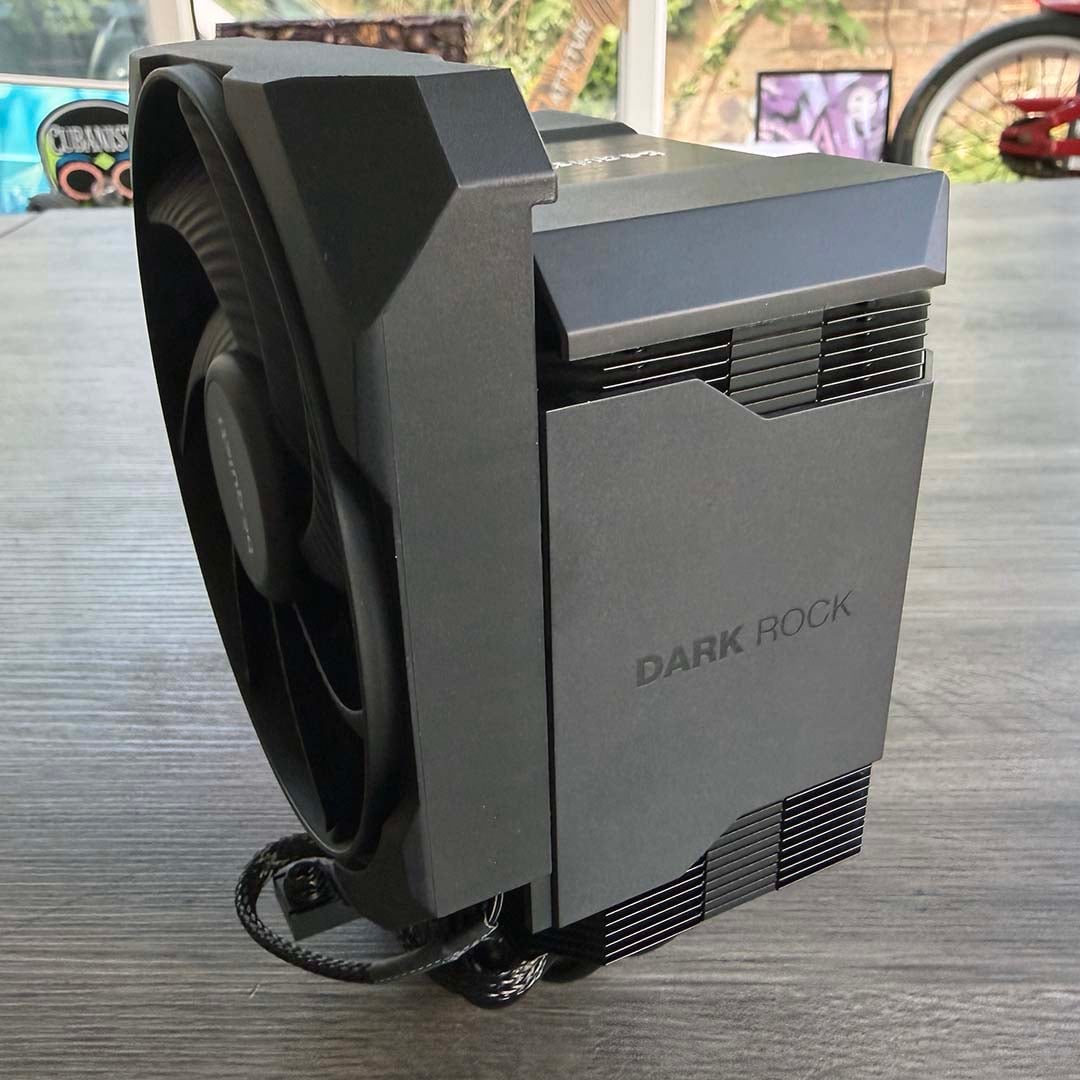
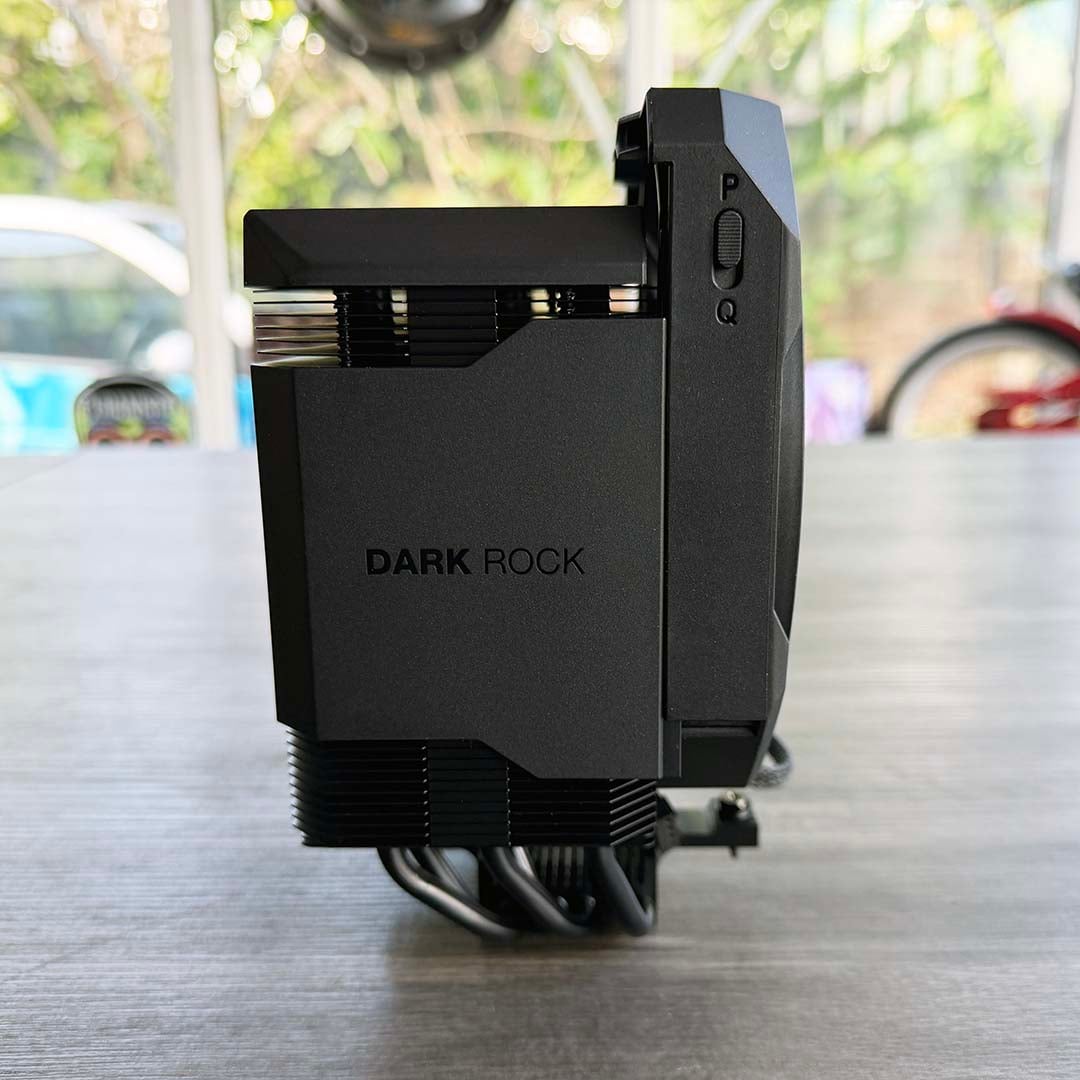
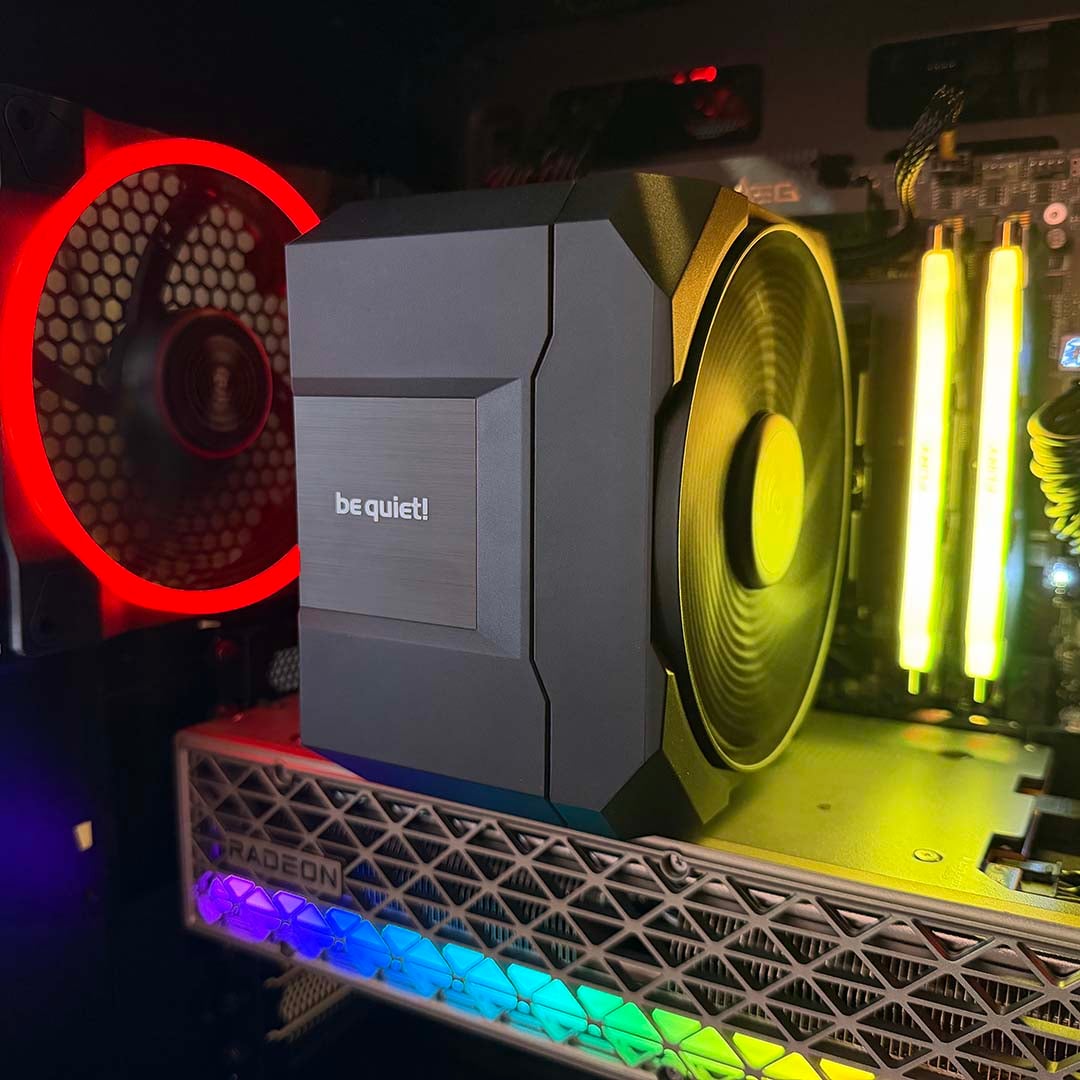
This time, there’s just one fan, with no official support for adding another in a push-pull configuration. However, the supplied blower is a big 135mm intake, and its housing is also cleverly integrated into the design of the cooler. This isn’t just a case fan that’s strapped to a heatsink with metal spring mounts. Instead, it’s built into a plastic frame that cleanly clicks into heatsink housing.
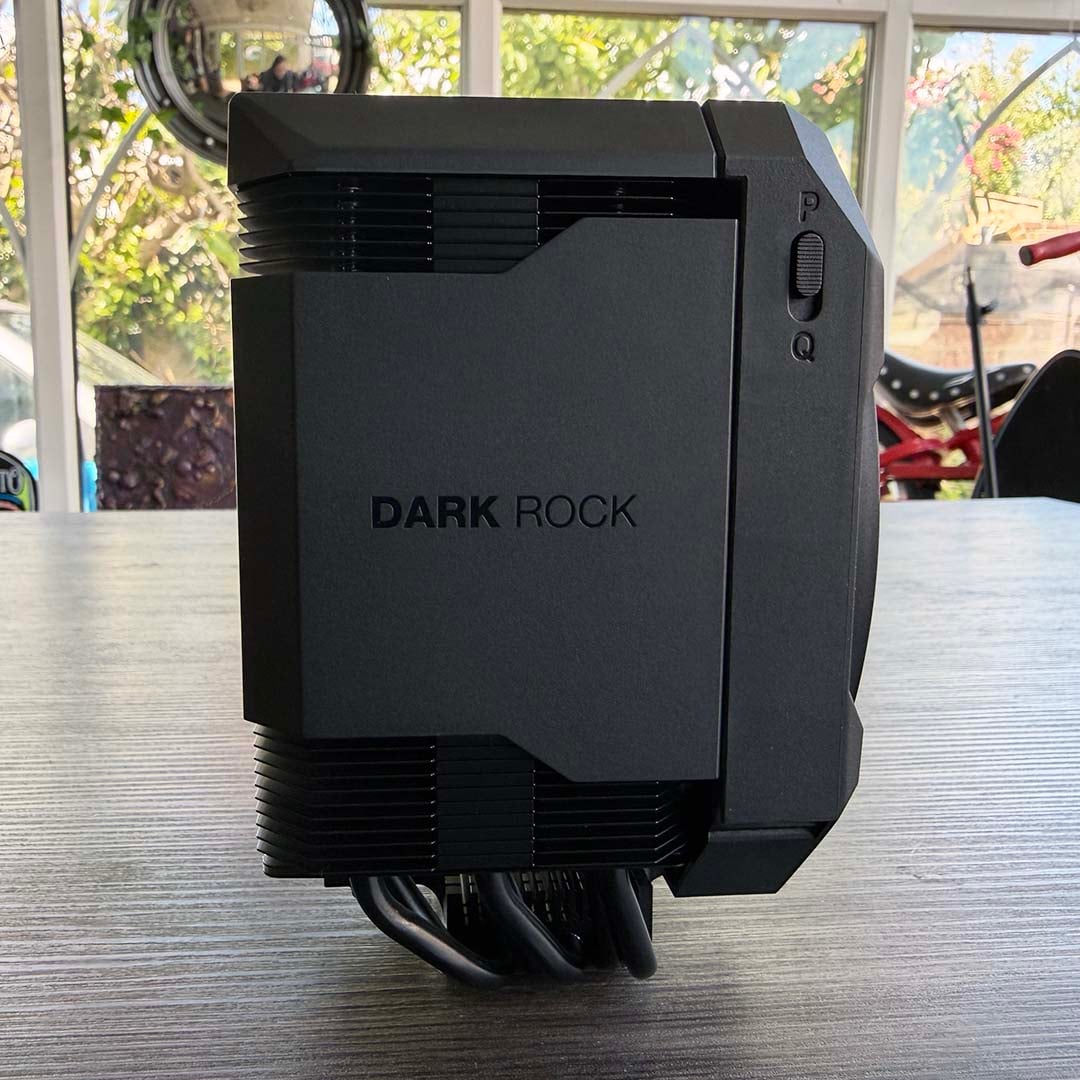
The end result looks really clean, especially with the brushed-metal name plate on the top, and thick ‘Dark Rock 6’ plates on the sides. As with the Pro model, it looks like a self-contained unit when it’s all pushed together. Hats off to be quiet! here – it’s a classy-looking cooler that feels professionally engineered. That chunky logo plate on the top is also magnetically attached, making it easy to remove and put back after installation.
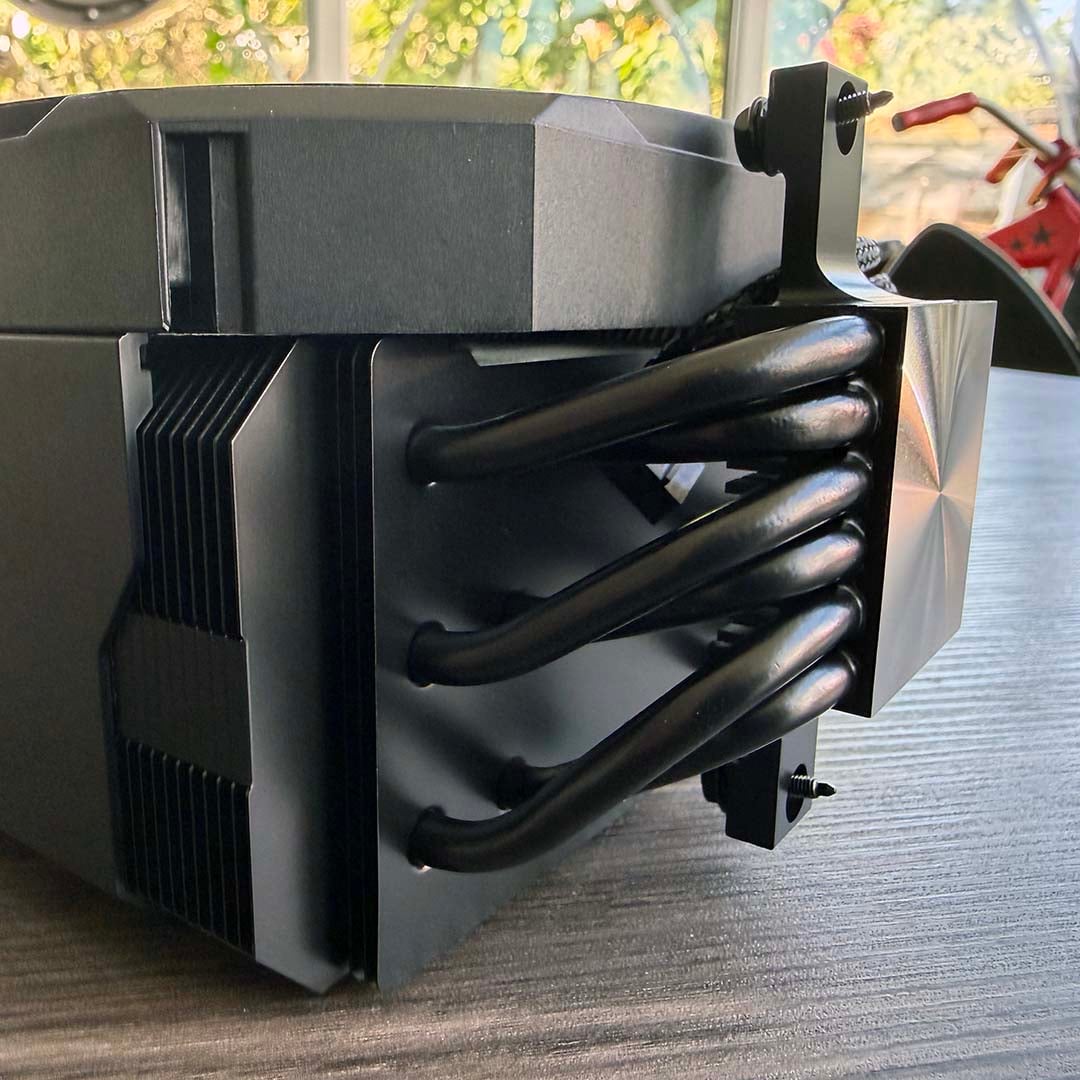
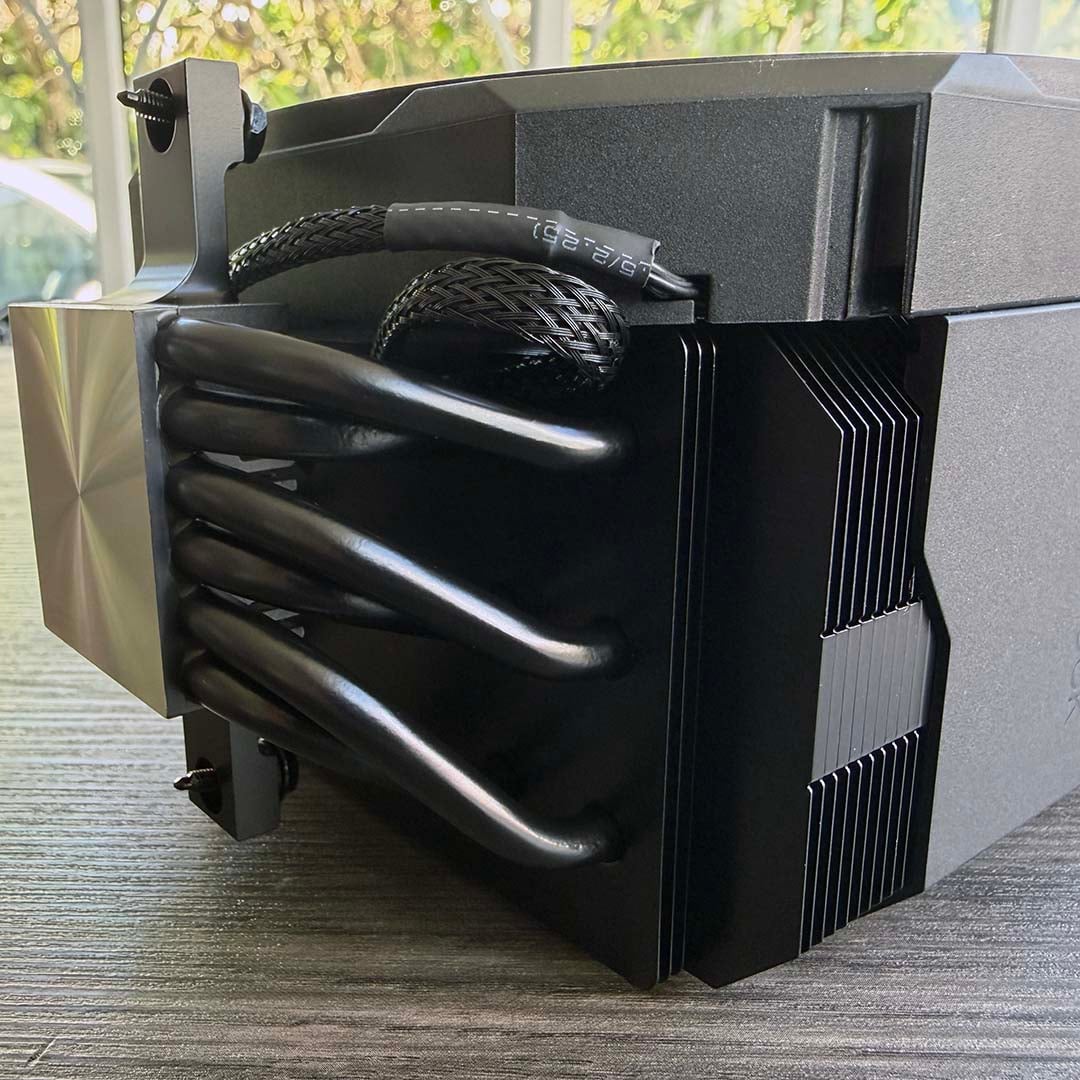
As with the Pro model, the build quality here is solid throughout the design. There’s no cheap, flimsy plastic, or sharp metal edges – it’s all solid material and looks neatly flush when it’s assembled. Unlike the Pro version, there’s no need to connect up two fan cables either – there’s just a simple 4-pin PWM plug to attach to your motherboard’s CPU fan header.
Features
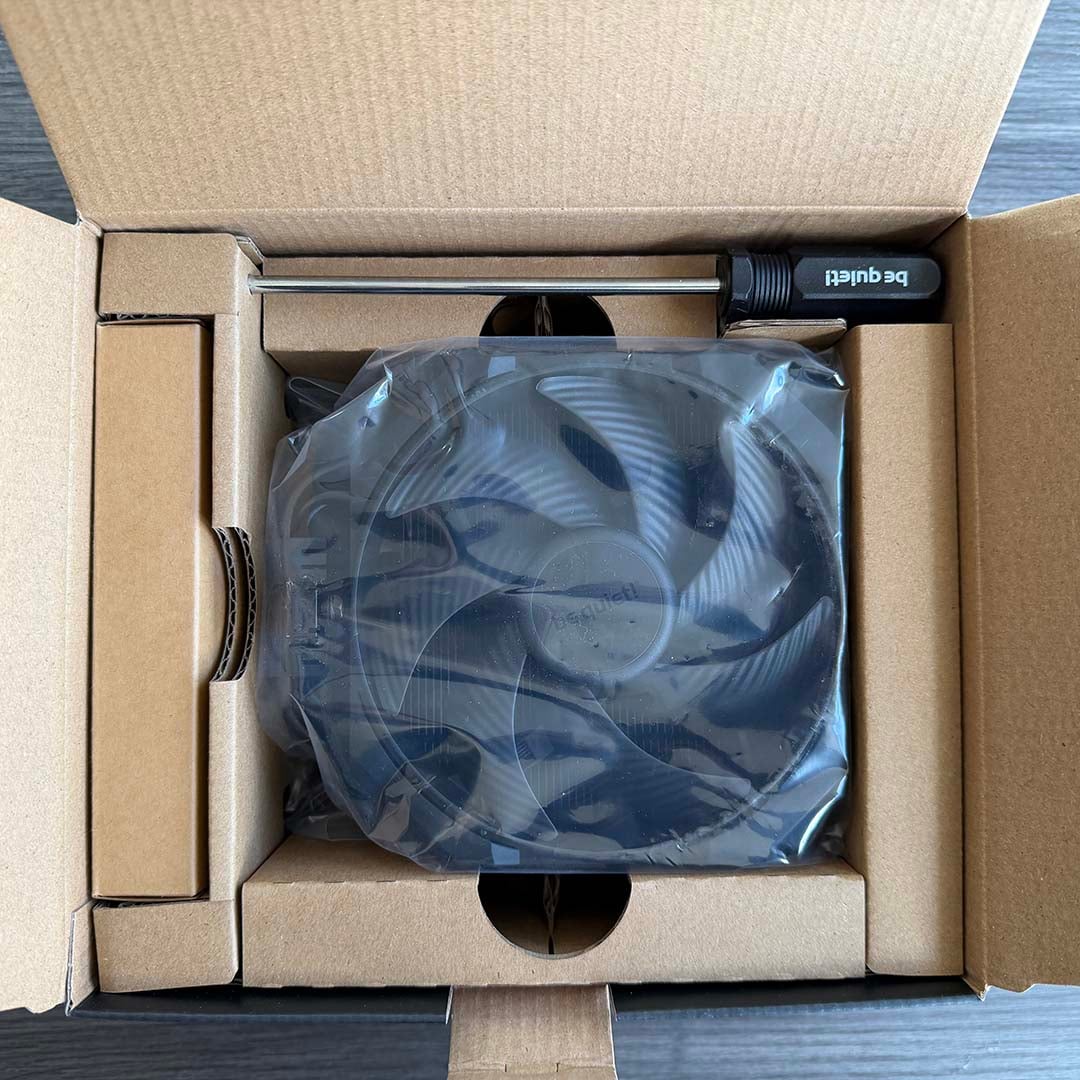
I love the attention to detail be quiet! has paid to the Dark Rock 6’s feature set – the box contains everything you need to fit your cooler, without any presumptions. That means it even includes a proper, full-size Philips Type 2 screwdriver with a decent handle. This is also pre-magnetised, and it’s a necessity for installation, as we’ll cover shortly.
It’s great to see a proper paper manual in the package too, with clear diagrams and instructions, meaning you don’t have to peer at your phone after scanning a QR code, all while fiddling with your screwdriver – it’s little details like this that make all the difference.
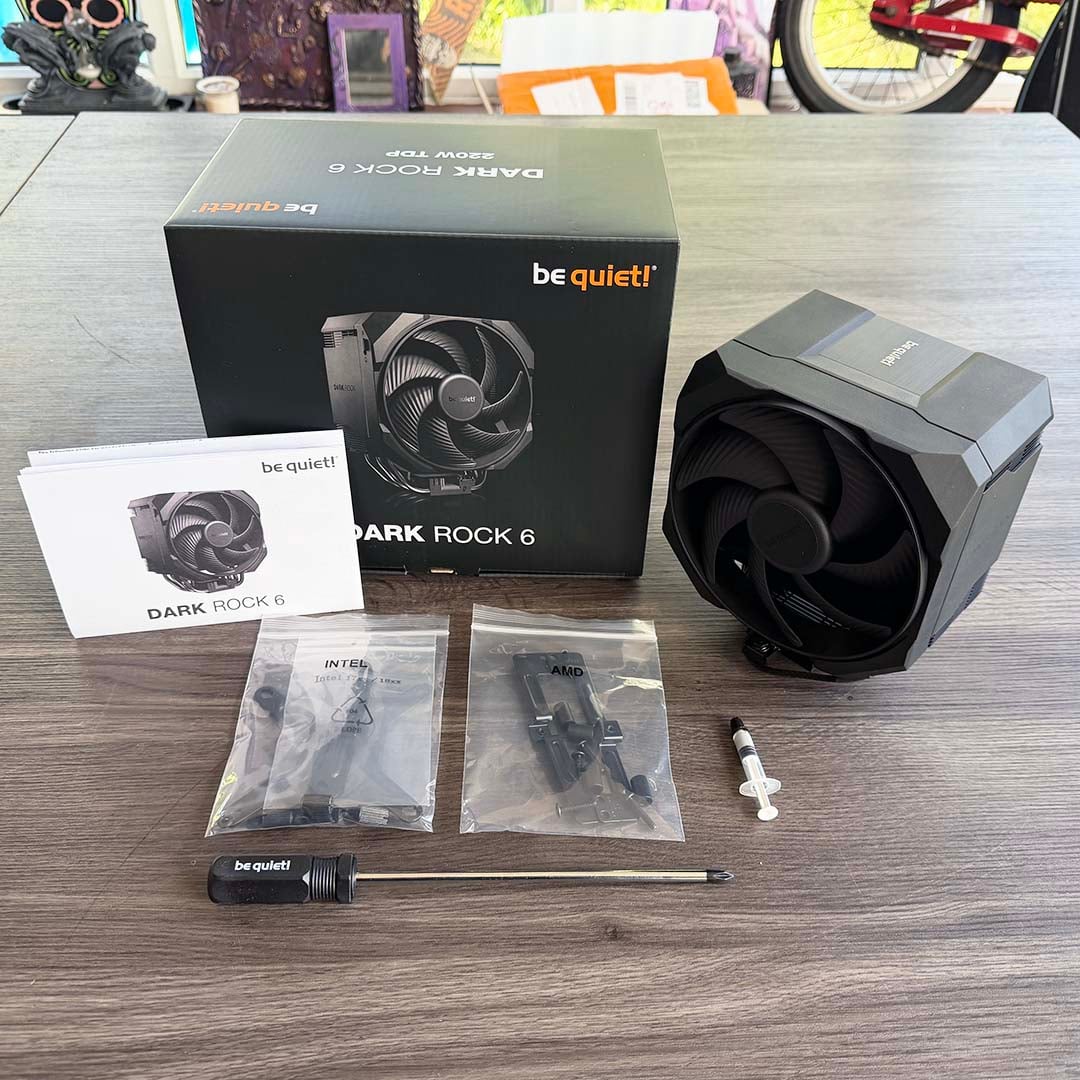
As you’ll see in the picture above, there’s a small tube of thermal compound included in the box, which I much prefer to having just a single, pre-printed paste pattern on the contact plate. You do have to apply the paste yourself, but this way you at least have a supply of paste for a second application if you ever need to reinstall your cooler.
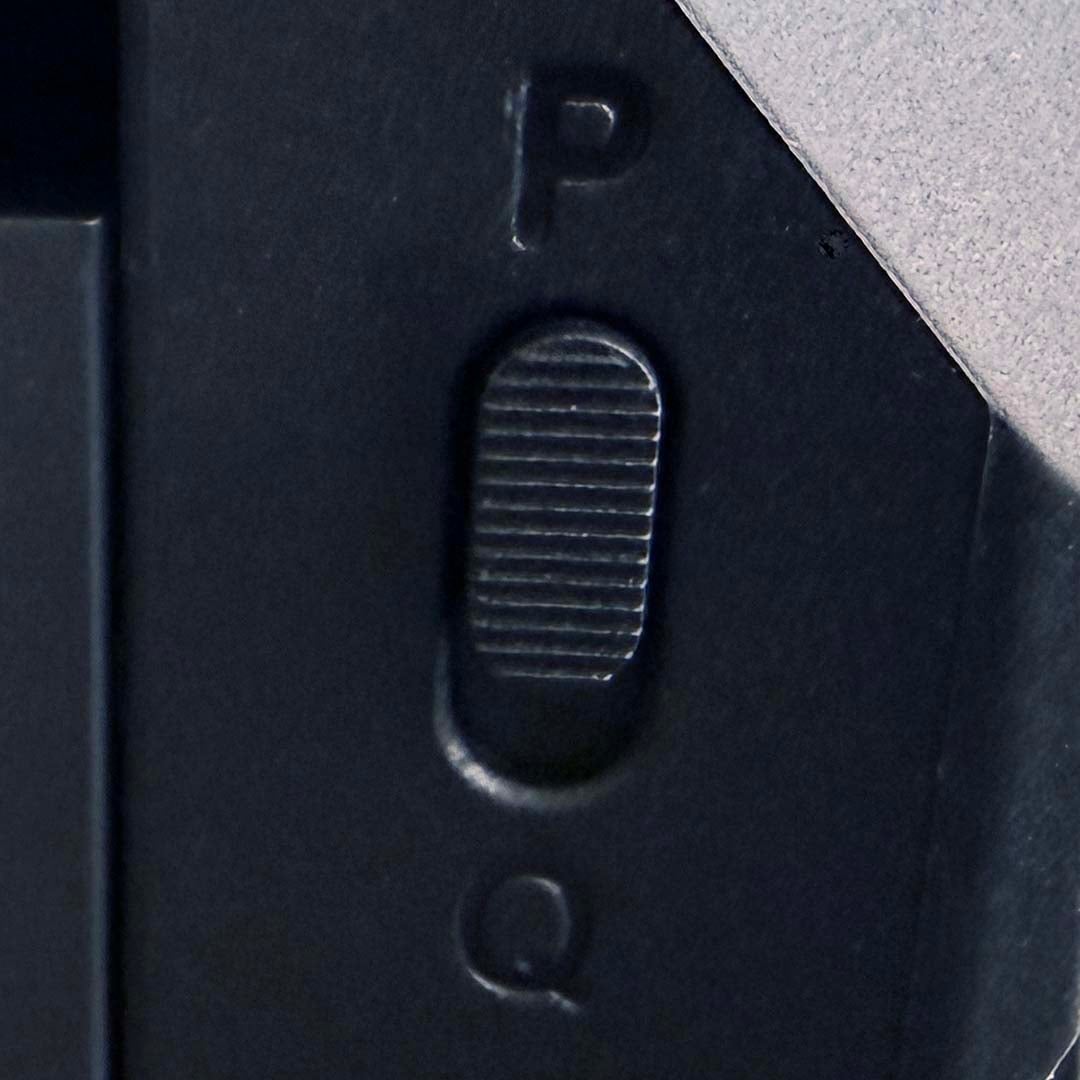
As with the Pro model, the P-Q switch makes an appearance here too. This time, it’s mounted on the side of the fan housing, rather than the back. I tested it with the slider set to Performance (P) mode, and it’s still supremely quiet at this setting. However, if silence is your top priority while you work, the Q setting makes the fan run semi-passively, so it only starts spinning up when its voltage goes above 40%.
Fan
There may only be one fan pushing air over the Dark Rock 6’s heatsink stack, but it’s a big one. Sitting at the front is a custom 135mm be quiet! Silent Wings fan, with a six-pole motor and fluid dynamic bearing. That’s the same fan you’ll find in the middle of the Pro model, and it can spin at up to 2,000rpm. It can push plenty of airflow too, with be quiet! claiming it can churn out 79.48 CFM at full speed.
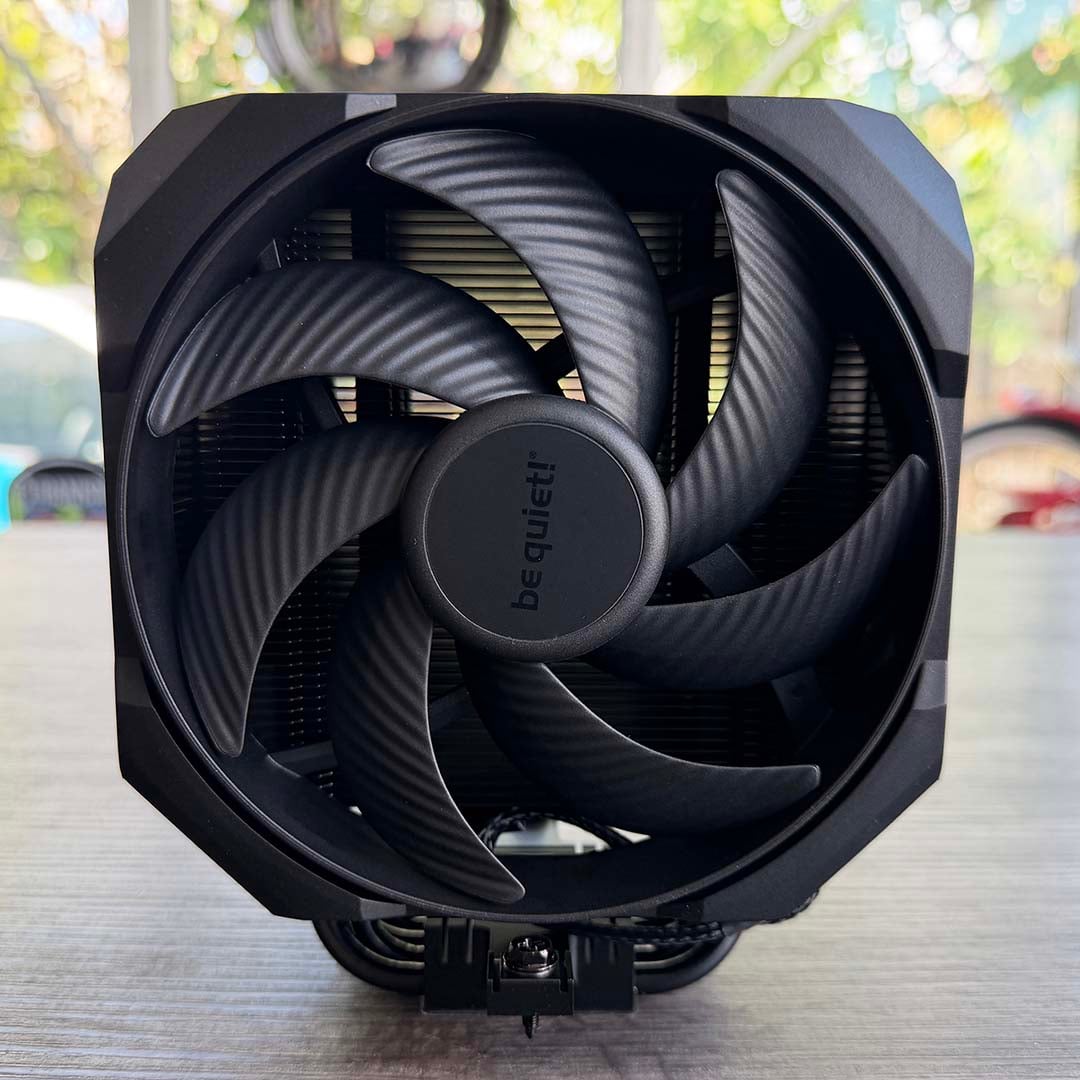
As the Dark Rock 6 is nowhere near as wide as its bigger sibling, there’s less of a worry about this large fan clashing with your memory modules. On our test motherboard, it was far enough away not to worry about them. On more cramped boards, perhaps if you’re building a mini-ITX system, there’s thankfully the option to raise the fan so it sits above your DIMMs.
Installation
Fitting the Dark Rock 6 is a simple job, and generally a less fiddly process than installing the Pro version. Two separate bags are supplied in the box for Intel and AMD sockets, with the former having another container for LGA1700/1852 CPUs. A decent range of old and new sockets are supported as well, including AMD’s venerable AM4 and AM5, as well as all the mainstream Intel desktop sockets from LGA115x onwards.
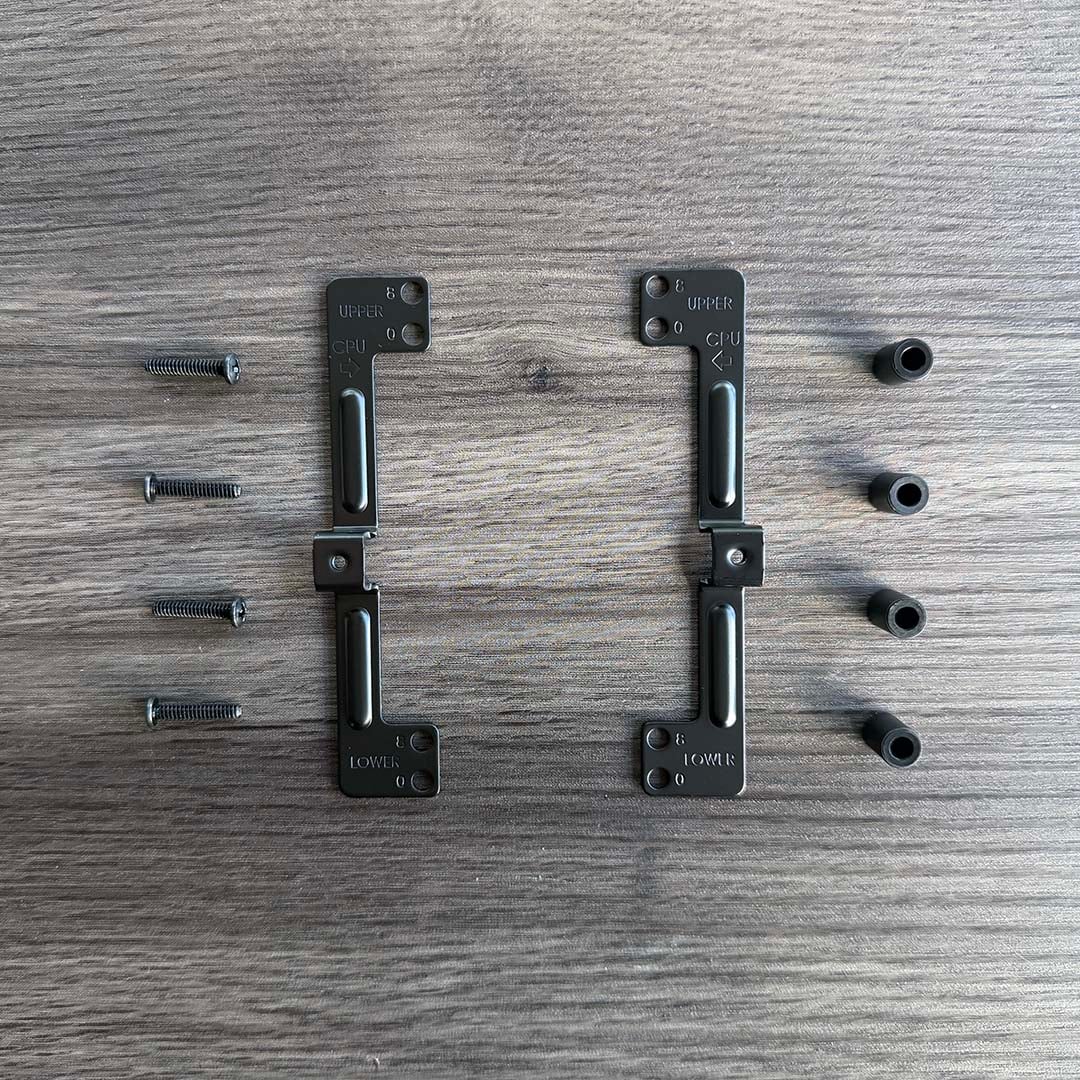
Installation on an AMD motherboard is really simple – you just need to remove the big plastic clips around your socket, and two brackets, then screw into the existing backplate on your board, surrounded by plastic washers. This time the brackets go lengthways, rather than widthways as they do on the Pro model, but the principle is the same – you use two screws in the cooler’s mounting plate to secure it to the brackets.
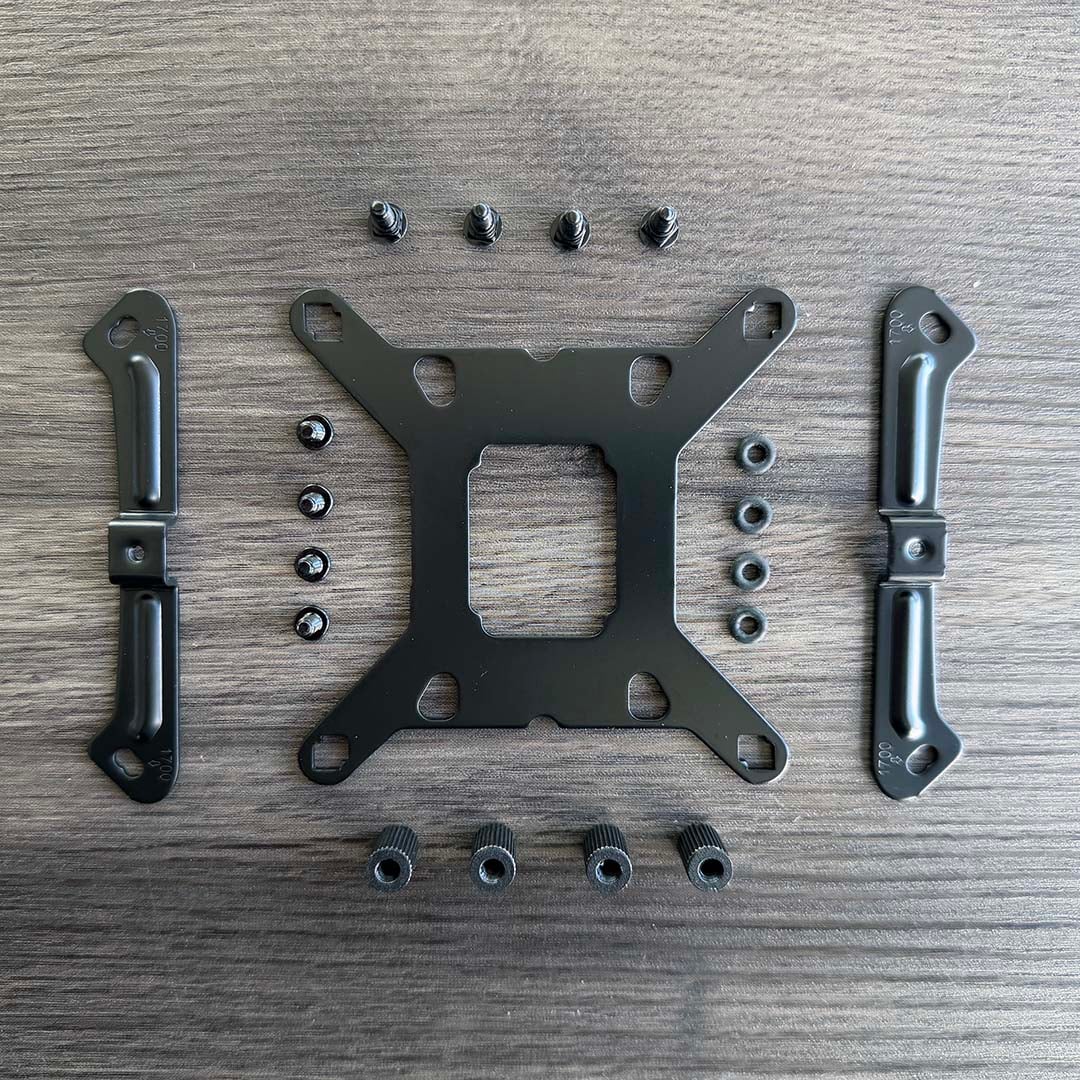
Fitting the Intel mount is a little more involved, as you need to fit a plate to the back of your motherboard. Once that’s out the way, the rest of the process is easy – again, you simply mount the brackets, washer and screws, following the instructions for your socket type.
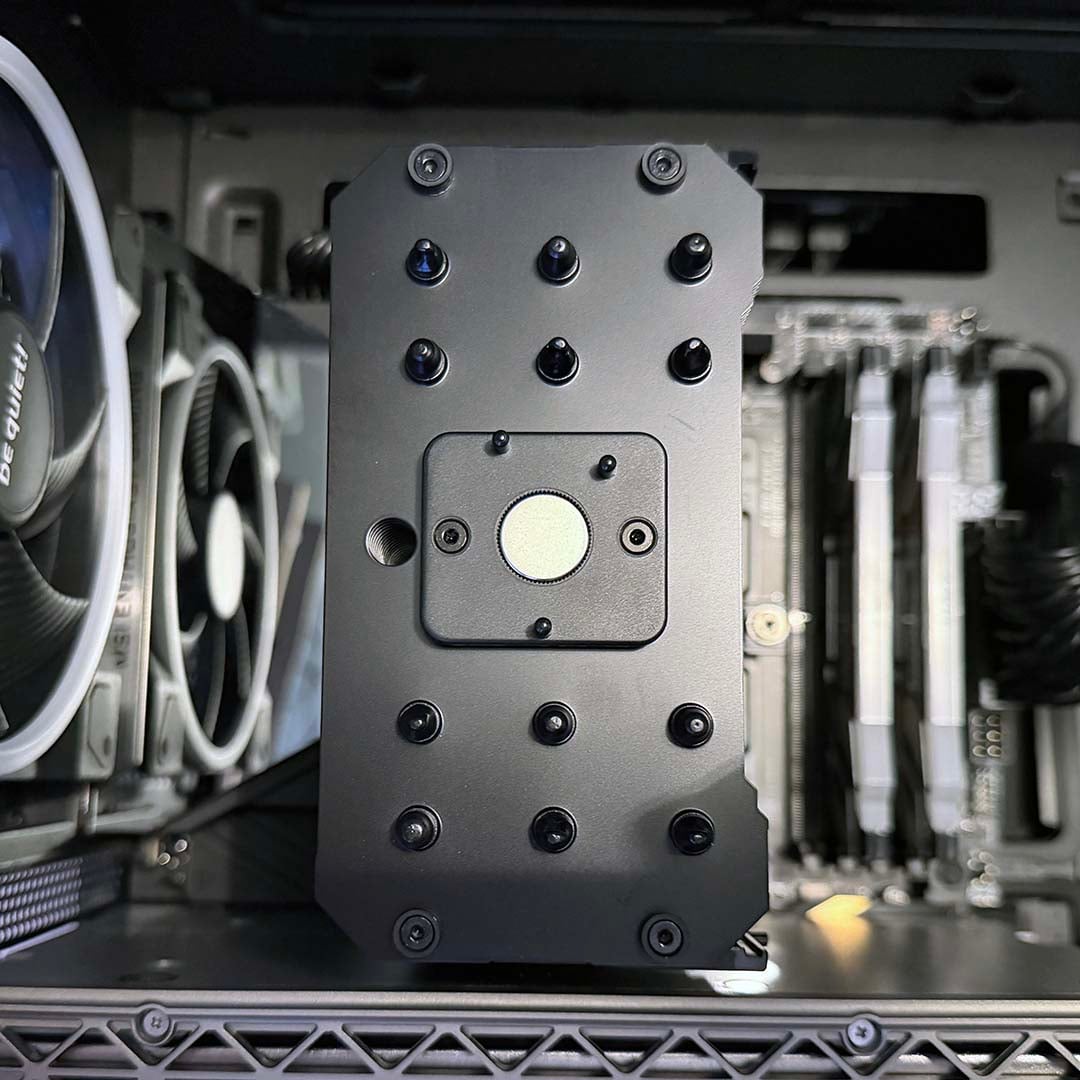
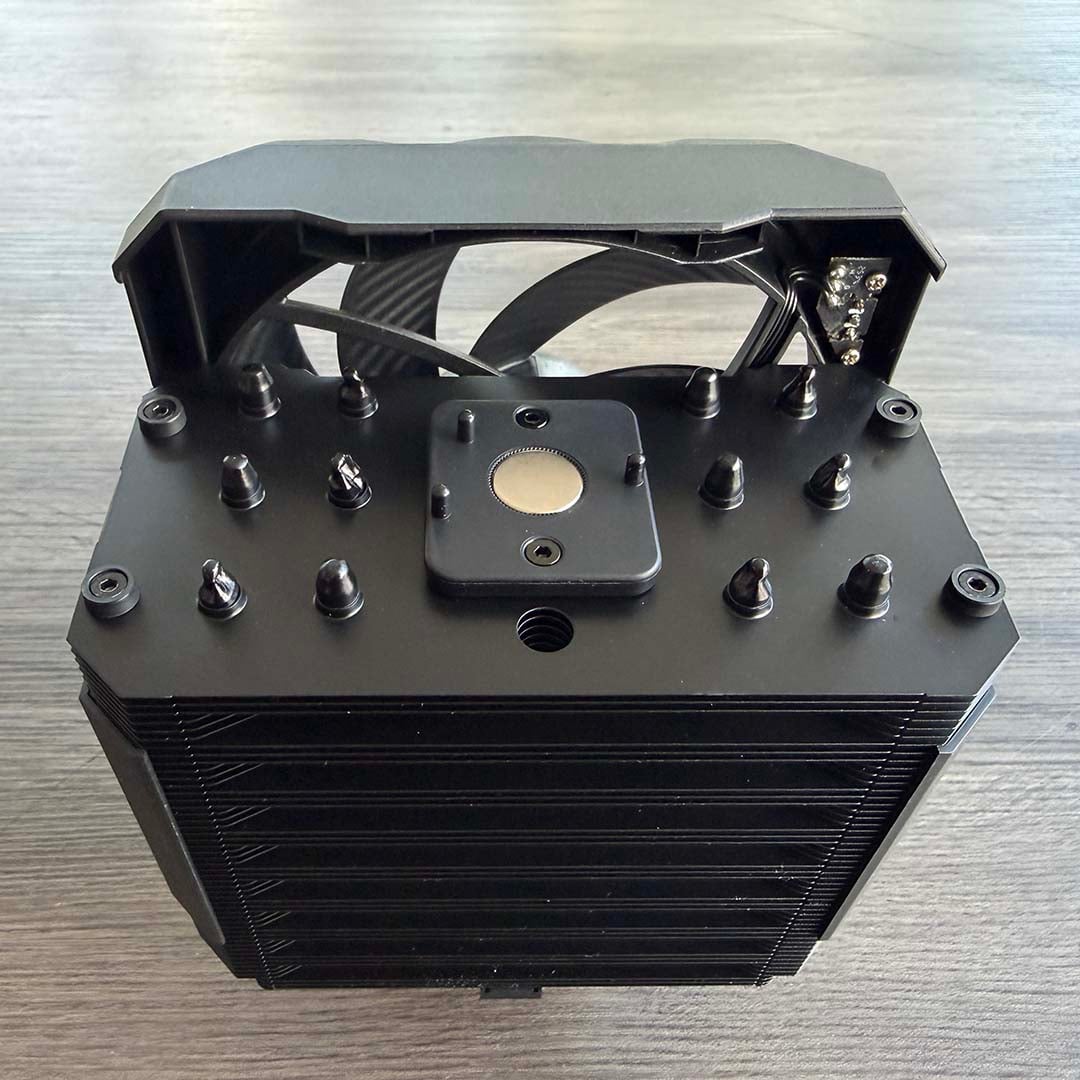
Once you’re ready to fit your cooler to the socket mounts, you’ll need to remove the fan first – it simply slides up and out. You’ll also need to pop off the logo plate on the top, which reveals a long hole next to the magnet. You need to put that long screwdriver all the way down this hole to screw the cooler into the bracket, which can be a little fiddly as you can’t easily see what you’re doing, but once it’s aligned, you just need to tighten it up.
The other screw in front of the heatsink is much easier to access. Once the body of the cooler is in place, you slot the fan back into the assembly and slide it down, stick the logo plate back on the top, and plug the fan into your motherboard’s CPU fan header. Aside from the long screwdriver hole, it’s all pretty straightforward, and there’s thankfully no need to fiddle with wires under the heatsink, as there’s only one fan.
Performance
How we test
I’m testing be quiet!’s latest CPU cooler in our brand new Club386 test PCs, which all have identical components. This setup includes a be quiet! Light Base 900 FX case, with all its fans fixed to 30% speed. The noise from this case at these settings is practically inaudible, and cannot be detected by our noise meter, enabling us to hear the difference made by a CPU cooler.
We use an AMD Ryzen 9 9950X3D as our test chip, which is the top choice on our guide to buying the best CPU. For each test, we run Cinebench 26’s multi-threaded benchmark, and record the average (mean) temperature of all the cores over the benchmark run, as well as the absolute maximum core temperature, so you have an idea of the worst-case scenario. We run this CPU at its normal peak 170W TDP, but also at 105W and 65W TDP settings. This means you can see how well a cooler can keep a lower-spec CPU, such as a 65W Ryzen 5 9600, in check, as well as more powerful chips.
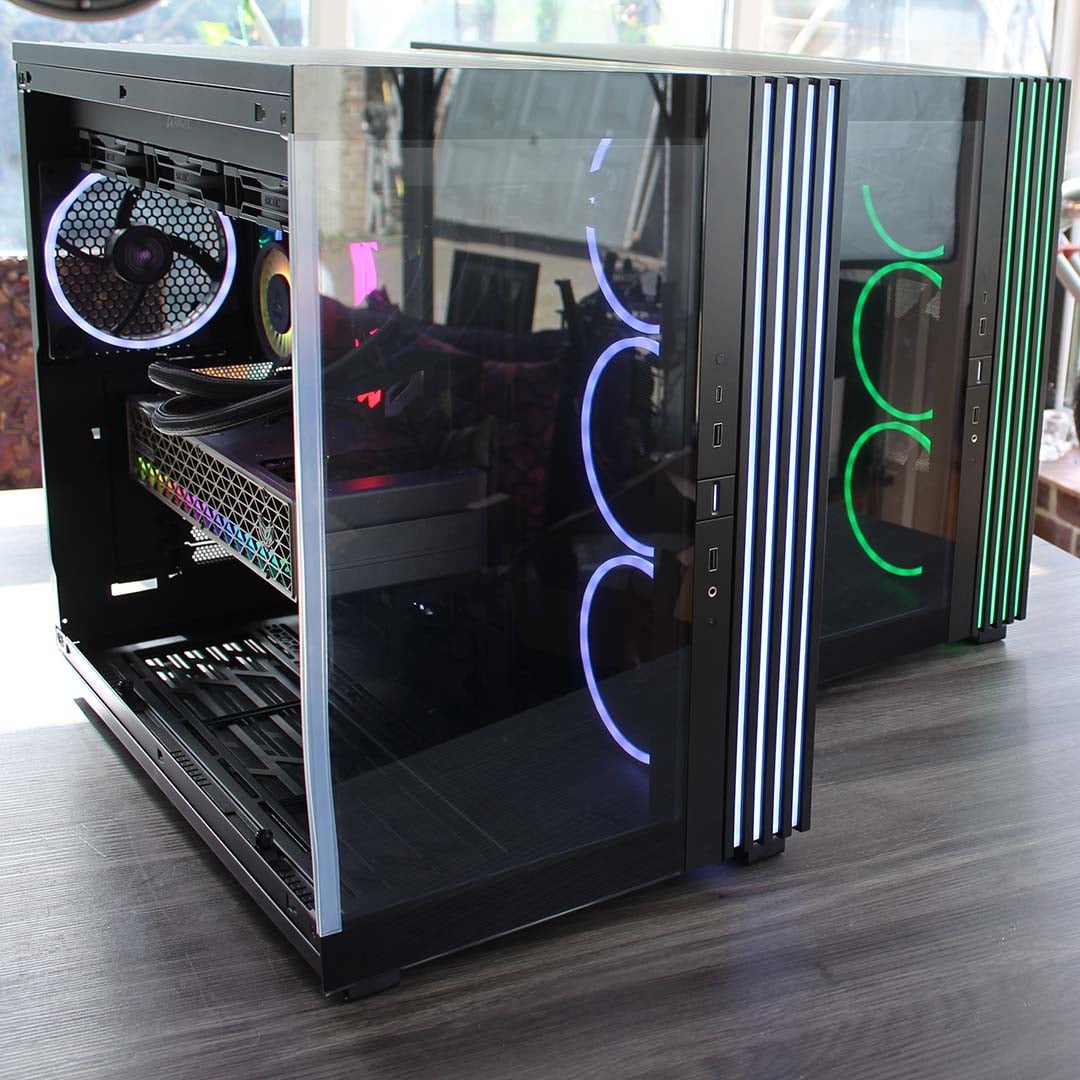
Our 9950X3D Test PCs
Club386 carefully chooses each component in a test bench to best suit the review at hand. When you view our benchmarks, you’re not just getting an opinion, but the results of rigorous testing carried out using hardware we trust.
Shop Club386 test platform components:
CPU: AMD Ryzen 9 9950X3D
Motherboard: MSI MEG X870E Ace Max
Cooler: Arctic Liquid Freezer III 420 Pro ARGB
GPU: Sapphire Nitro+ Radeon RX 9070 XT
Memory: 64GB Kingston Fury Renegade DDR5
Storage: 4TB Sandisk Optimus GX Pro 8100
PSU: be quiet! Dark Power 14 1,200W
Chassis: be quiet! Light Base 900 FX
Before we conduct each temperature test, we record the ambient room temperature. We then subtract this from the CPU temperature results, to give us a delta T reading. This enables us to account for differences in test conditions without having a temperature-controlled lab, and compare results between other coolers tested on different days. Bear in mind that this means the results listed in the table below will be considerably lower than the actual CPU core temperatures.
All temperature and noise level tests are conducted with the cooler inside our case with all the side panels closed. We record temperatures using CoreTemp, and measure sound levels with a noise meter positioned 10in away from the front of the case. This means our results come from a real-world scenario, rather than an open-air test bench.
Temperatures
| 9950X3D TDP / fan speed | Avg temp (delta T) | Peak core temp (delta T) |
|---|---|---|
| 170W / 600rpm | 61.3°C | 73.3°C |
| 170W / 1,200rpm | 64.1°C | 71.6°C |
| 170W / 2,000rpm | 54.6°C | 66.4°C |
| 105W / 600rpm | 53.1°C | 60.5°C |
| 105W / 1,200rpm | 42.8°C | 49.4°C |
| 105W / 2,000rpm | 39.9°C | 45.3°C |
| 65W / 600rpm | 31.6°C | 43.5°C |
| 65W / 1,200rpm | 25.2°C | 36.4°C |
| 65W / 2,000rpm | 21.3°C | 32.4°C |
At a first glance of the average temperature column above, you’d be forgiven for thinking the Dark Rock 6 is more powerful at 600rpm than at 1,200rpm. However, those temperatures were only achieved because the CPU throttled throughout the benchmark, dropping its total power level from the usual 200W to around 180W, and then down to 172W by the end of the run. Basically, those lower temperatures were only achieved with a corresponding drop in performance – unlike the Pro model, this cooler can’t keep a 9950X3D in check at 600rpm.
Run the fans at 1,200rpm, and the CPU’s total power draw does stay at 200W throughout testing, albeit with a peak delta T of 71.6°C (an actual core temperature of 93°C). Our CPU may be running hot here, but the cooler can just about handle it, and it’s still very quiet at this speed. Realistically, though, if you want to put this cooler on a top-end 16-core CPU, you’ll want to run the fan faster.
At 2,000rpm, it’s definitely up to the job, although it makes an unpleasant racket in the process. The Pro model copes much better with this level of CPU power, with a peak delta T of 60.5°C at 1,200rpm. As another point of comparison, the Arctic Liquid Freezer III Pro 420 A-RGB cooler in our test rig, which currently goes for £82.49 on Amazon, peaks at a delta T of just 54.5°C (actual core temp of 73°C) at 600rpm here. You can get a lot more cooling power by spending a bit more money if you want to run a top-end chip.
This cooler is more at home with slightly less powerful CPUs, as demonstrated by our 105W results. At 600rpm, our chip temperatures averaged a delta T of just 53.1°C, peaking at 60.5°C. Run the fan at 1,200rpm, and you’re looking at a peak of delta T of only 49.4°C. This is an ideal cooler to put on a chip such as the Ryzen 7 9800X3D, with its 120W TDP sitting just above 105W and well below 170W.
Needless to say, cooling a 65W CPU such as the Ryzen 5 9600 is simple with this cooler. You can happily run the fan at 600rpm, then enjoy inaudible operation and a super-cool CPU that can stretch its legs.
Noise
| Fan speed | Noise level |
|---|---|
| 600rpm | Undetected |
| 1,200rpm | Undetected |
| 2,000rpm (max) | 42.9dBA |
The Dark Rock 6 is a really quiet cooler, largely thanks to just having one large, well-designed fan that can push out decent airflow at low fan speeds. With its 135mm fan running at 600rpm, you basically can’t hear it, and our noise meter couldn’t detect it either. Turn it up to 1,200rpm, and its 135mm fan will pump a lot of air over the heatsink fins, but our noise meter still couldn’t detect its sound from outside the case. It is audible to the human ear at 1,200rpm, but only just, and the sound is by no means unpleasant.
Run the fan at full speed, and it understandably makes a lot more noise, though even then, it’s not a treble-heavy irritating sound. Without that extra 120mm fan in the assembly, it’s also quieter than the Pro model. Even so, I wouldn’t run this cooler at full speed – it works well at 1,200rpm, as long as you’re not expecting it to cool a monster chip, and it’s quiet at this speed too.
Conclusion
The be quiet! Dark Rock 6 is a solid piece of air-cooler engineering, and it looks the part. Build quality is excellent, installation is generally simple, and you barely hear a peep from it at reasonable fan settings.
Its main problem is pricing. You only need to spend an extra £15, and you’ll get the Pro model, which is much more capable, especially if you want to cool a 16-core CPU. The situation is even more acute in the US, where the Dark Rock 6’s $109.90 price tag looks seriously unappealing for such a basic air cooler. For context, the admittedly unwieldy Arctic Liquid Freezer III Pro 420 A-RGB AIO currently costs $110 on Amazon in the US, and is massively more powerful when it comes to cooling, while also offering reasonably quiet acoustics.
There are good reasons to stick with a decent air cooler over buying an AIO liquid setup, of course. They don’t require a large case with several big fan mounts, and they also don’t have a pump that can fail, or coolant that can leak or deteriorate over time. Even so, the Dark Rock 6 simply can’t justify its US price with this level of cooling power, and if you’re in the UK, I’d advise you to just spend a bit extra and get the Pro model.
Nevertheless, there’s a solid cooler here for mid-range systems. I love the full feature set, slick design, and supremely quiet acoustics. If you want a quiet cooler that can chill an 8-core CPU, such as the Ryzen 7 9800X3D, quietly and efficiently, then it’s ideal. It could just do with a more competitive price, particularly in the US.
