
A new open-source project is helping Linux users experience low-latency gaming regardless of their GPU vendor. Called low_latency_layer, the project brings Nvidia Reflex and AMD Anti-Lag 2 support to AMD and Intel GPUs on Linux, expanding their reach to previously incompatible hardware.
Developed by Korthos-Software on GitHub, low_latency_layer adds a Vulkan layer that implements “VK_NV_low_latency2” and “VK_AMD_anti_lag” device extensions to bypass official driver-level support and expose all latency reduction technologies to the game.
In effect, this makes both Nvidia’s Reflex and AMD’s Anti-Lag 2 hardware-agnostic, allowing any GPU to run them. That said, while this workaround doesn’t require driver support to function, the game in question needs to have one of these technologies baked into its engine to be able to make sense of the API calls.
According to the developer, this layer eliminates hardware support disparity as considerably more applications support Nvidia’s Reflex than AMD’s Anti-Lag. By bypassing the hardware limitation through Vulkan and DXVK-NVAPI, low_latency_layer builds a level playing field so all players can enjoy snappy gameplay. Logically, since this project relies on Vulkan extensions, even GPUs lacking latency reduction tech could enable Reflex or Anti-Lag 2.
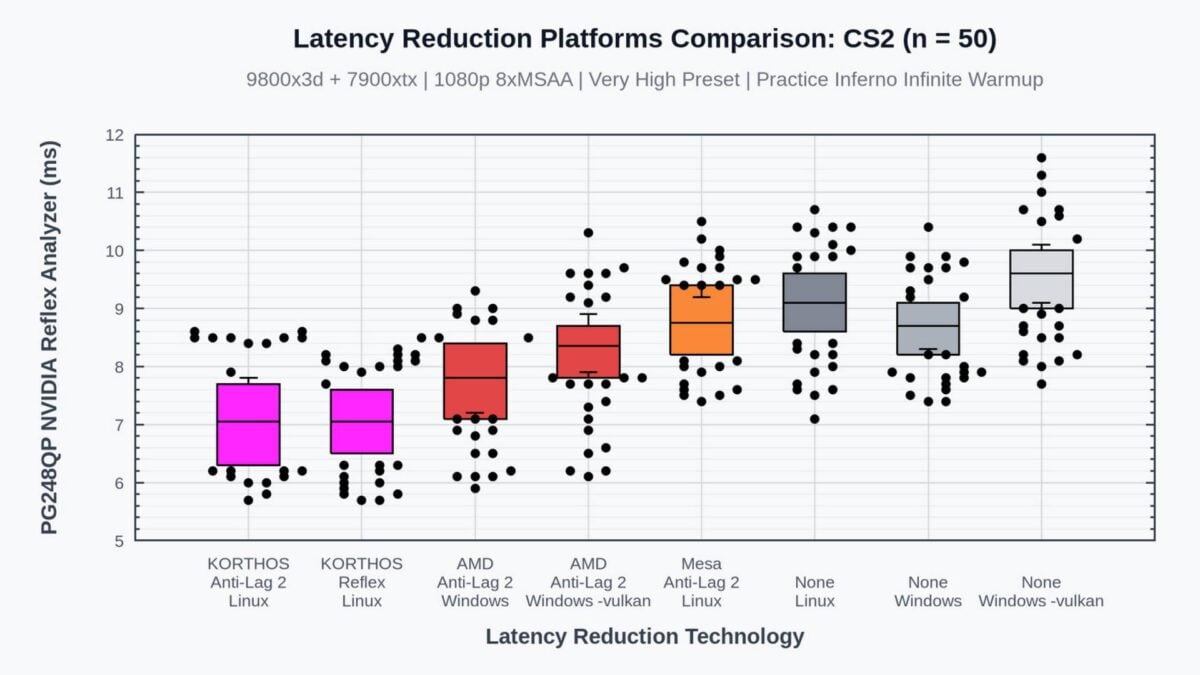
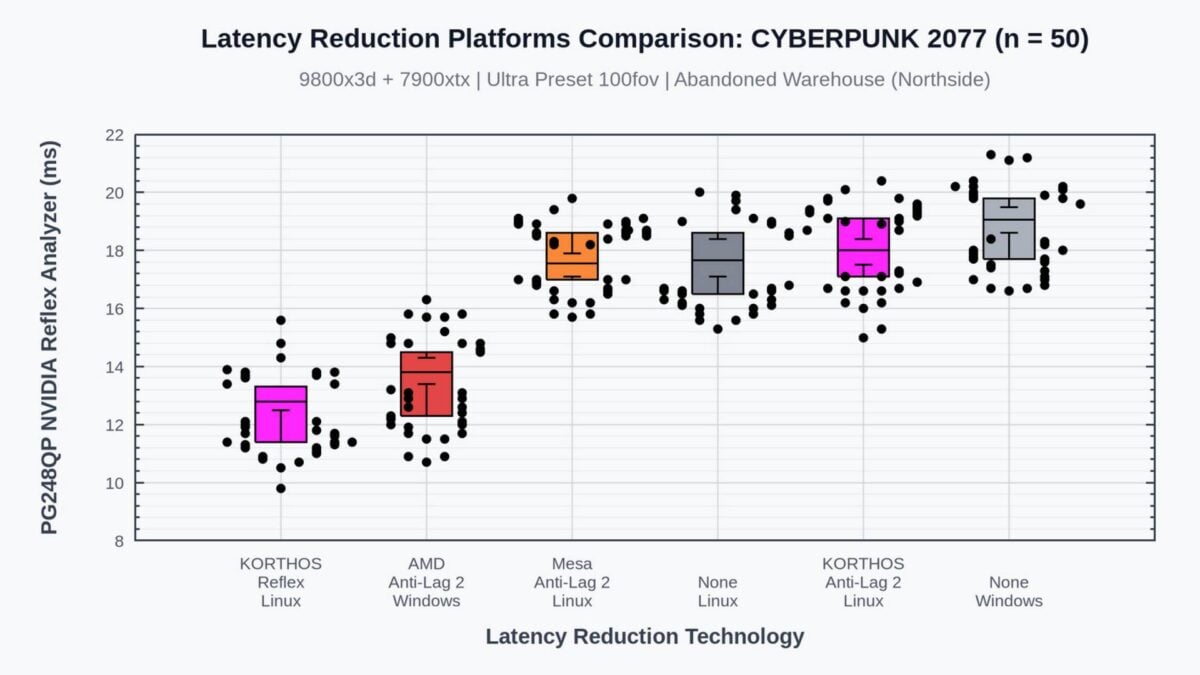
Korthos-Software also shared some test results in games such as Counter-Strike 2 and Cyberpunk 2077 using an AMD Radeon RX 7900 XTX, showing a clear latency improvement compared to regular rendering. In all tested games, low_latency_layer delivered the best latency, beating the Mesa Linux implementation and even the official Windows one.
While the improvement may be just a couple of milliseconds in some titles, every millisecond counts on eSports games, especially for a professional player. As usual, these results need to be confirmed by third-party testing, but the promise is enticing.
The only part that may discourage players from trying this project is its somewhat complicated installation process, which calls for multiple file manipulations and command-line execution. A far cry from Windows’ plug-and-play options. Thankfully, the documentation seems quite detailed, with step-by-step guides.