AMD Radeon users are reporting fan control issues with their graphics cards after installing the Adrenalin 26.5.1 driver. It appears that this update contains a bug that causes AMD’s Zero RPM mode to malfunction after exiting from sleep, resulting in improper GPU cooling.
Released on May 6, the Adrenalin 26.5.1 graphics driver seems to be causing a lot of headaches for AMD users, including us (more on that later). For those unfamiliar with Zero RPM, this setting turns off your card’s fans when the GPU is below a certain GPU temperature. The idea behind it is to have a silent card under low loads, while preserving the card from unnecessary dust accumulation. However, with the new driver, whenever the system exits sleep, some users’ cards are seemingly remaining stuck in Zero RPM mode.
As a result, when launching a heavy load, such as a game, the graphics card is apparently still relying solely on its passive cooling capabilities, causing a quick increase in temperatures. These high temperatures can lead to performance throttling or instability, and may even cause damage to components that lack temperature monitoring. This is especially concerning, since the user may think their machine is simply running silently, when in reality it could be running at uncomfortably high temps.
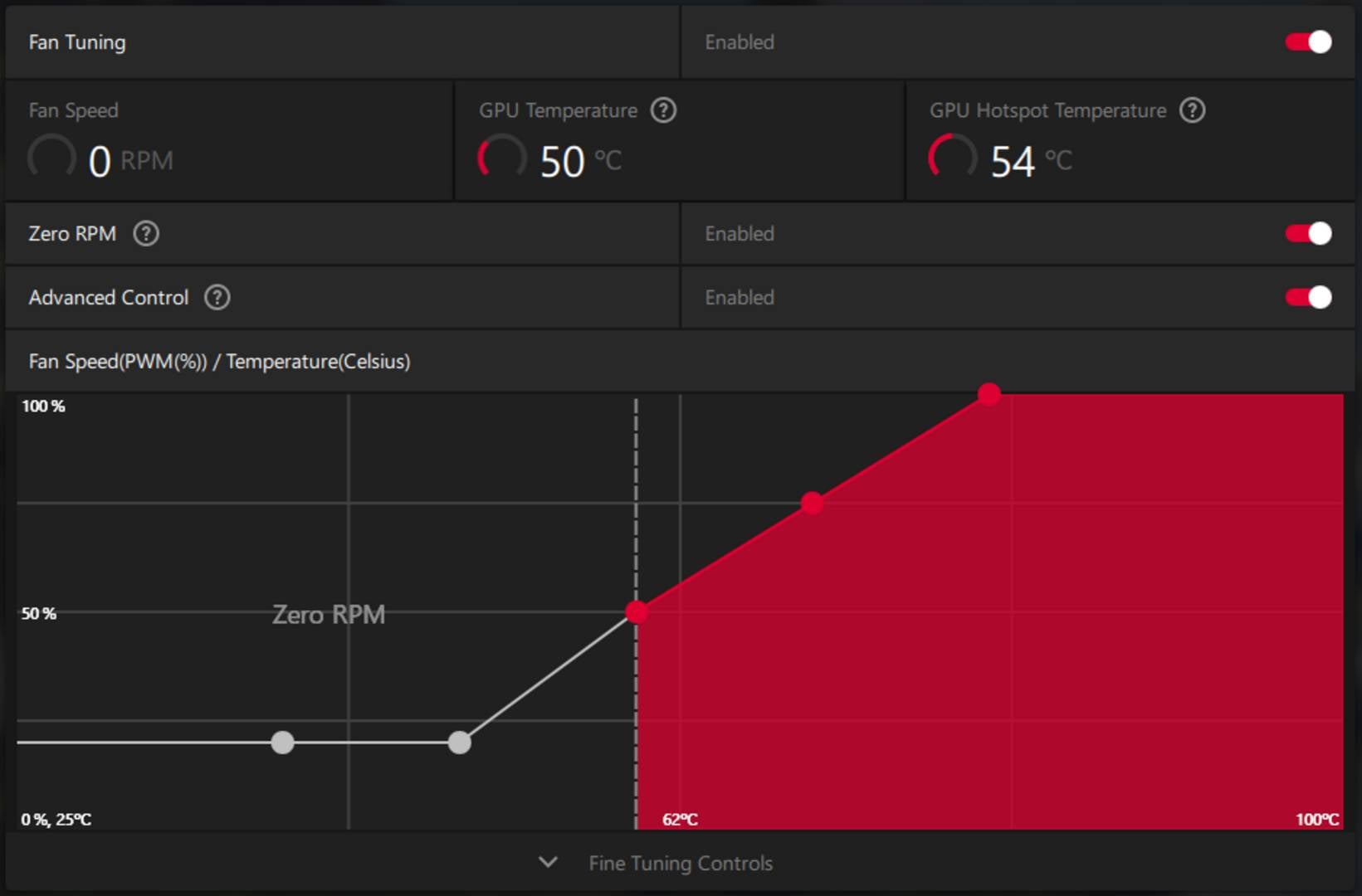
According to users who shared their findings, a reboot fixes this behaviour, until the next sleep cycle. To permanently fix this problem, you will apparently need to roll back to a previous driver version, such as 26.3.1, using DDU to remove any remaining files. Needless to say, this option isn’t ideal, as it deletes all previous settings and tuning you may have applied to your GPU, as well as AMD’s latest game optimisations.
If deleting your settings isn’t an option, the best solution remains to disable sleep or Zero RPM mode unless AMD releases a fix. Unfortunately, this doesn’t seem to be the only issue faced by Radeon users, as other reports talk about crashes in Crimson Desert. Even here at Club386, we encountered a strange situation where Cinebench 2026 refused to launch on one of our test rigs, throwing up an error with a DLL file, forcing us to roll back to an older driver version.
That said, keep in mind that AMD has yet to confirm if this is indeed a driver-related bug, and not something else. In the meantime, keep an eye on your system temps if you’re using this driver and fan mode.