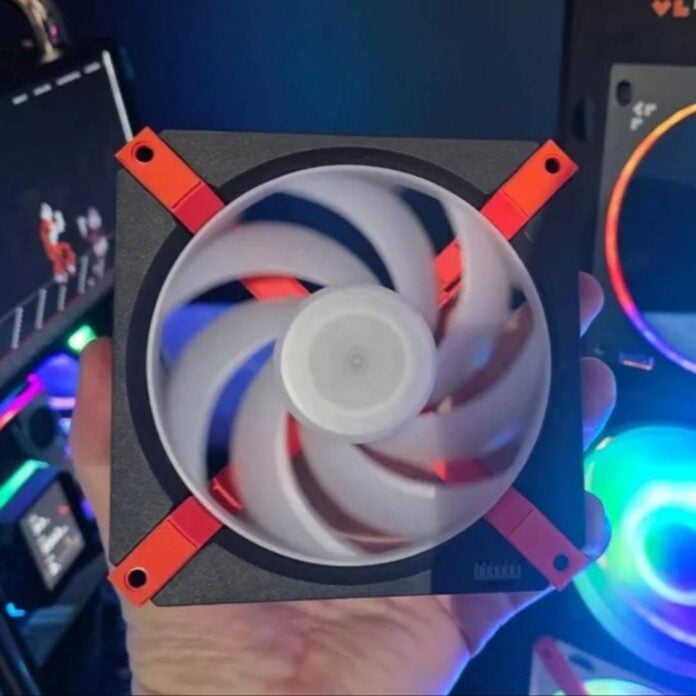
Levelplay, a relative newcomer to the PC hardware market, has presented a cableless fan concept that looks set to make PC building considerably easier. Called the Mag Fan series, this clever design combines pogo pins and magnets to power and secure the fan in place.
The idea behind Levelplay’s Mag Fan design is simple. Instead of having a cable connect directly your fan, whether it’s soldered or removable like Arctic’s BioniX fans, Levelplay instead fits pogo pins with magnets and a unibody backplane. The latter takes power from a USB-C port and distributes it through a PCB in three pre-determined places. Each of these locations features a bunch of pogo pins, which, when connected to their contact points on the fan, deliver power, speed control, and RGB lighting.
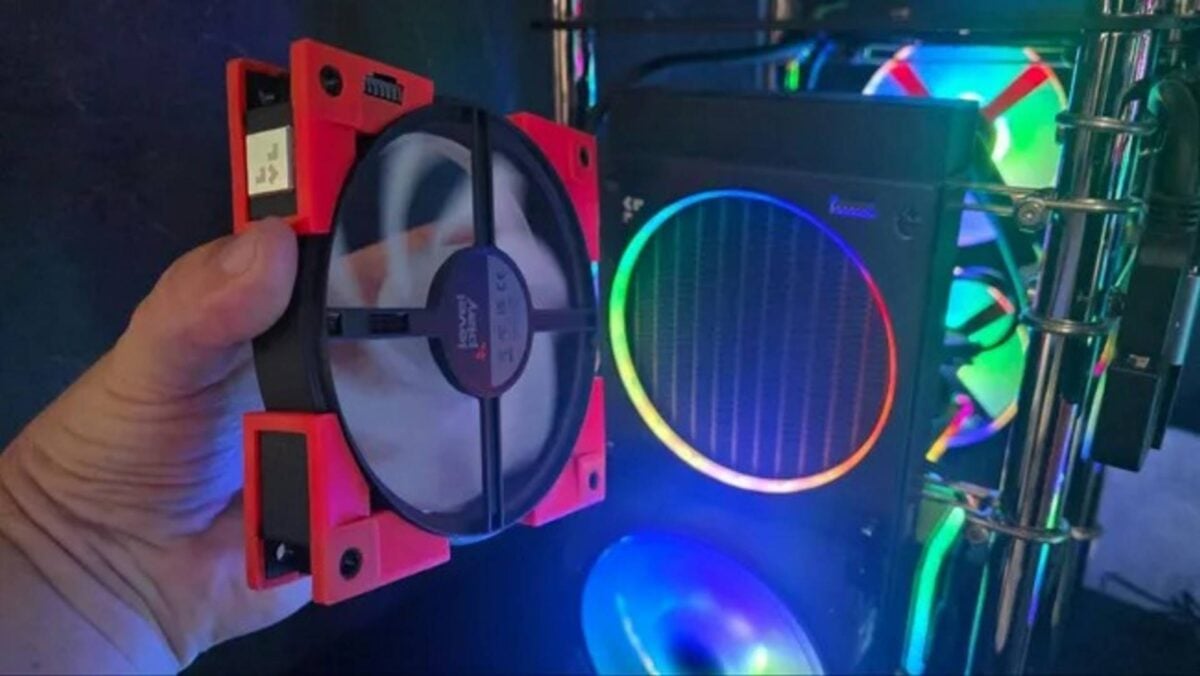
The Mag Fans combine multiple ideas in one place. First, they take the already-established unibody fan idea, where multiple fans are powered by one cable, but apply it to the power delivery backplane alone, rather than the fans themselves. This means you only need a cable for the backplane frame, reducing clutter. What’s more, unlike a solid unibody unit, the fans remain separate, so you don’t need to replace all three of them in case of a failure.
Secondly, they use magnets to daisy-chain all the fans into the power backplane (pictured above), securing them in place without needing screws, thus making removal easier. Lastly, removing one fan doesn’t impact the others, allowing for unusual configurations, such as an empty middle spot. This opens the possibility, for example, to leave two fans operating while waiting for a replacement.
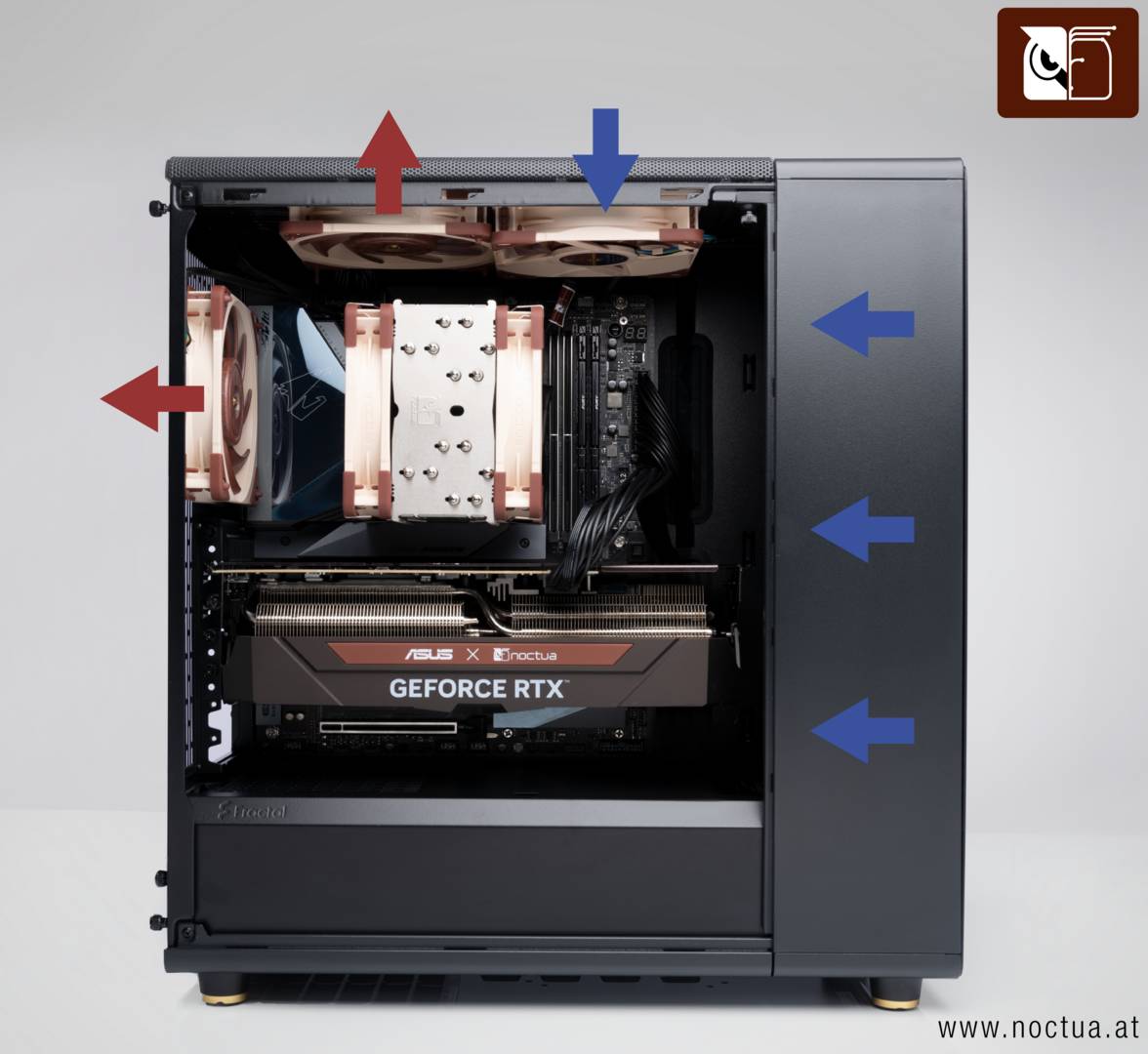
On top of this, each fan features pogo pins on both the front and back, allowing you to easily switch your cooling configuration from intake to exhaust. You can also try unusual setups, such as two intakes plus one exhaust on the same backplane, giving you more flexibility. While mixing intake and exhaust on the same panel may seem counterintuitive, Noctua found that having one intake plus one exhaust on the case’s top leads to better temps, at least when it comes to the Fractal Design North.
Since the fans don’t need individual cables to run, system maintenance becomes a breeze. You simply need to detach each fan from its frame by pulling it out, giving you direct access to what was behind it, such as radiator.
It’s an approach that could really simplify new builds, as you can install the backplane early, leaving the fans until last, once all cables are managed. Plus, if you mix up your intake and exhaust layout, you can easily rectify the error without touching a single cable. Let’s just hope the have a wallet-friendly price.