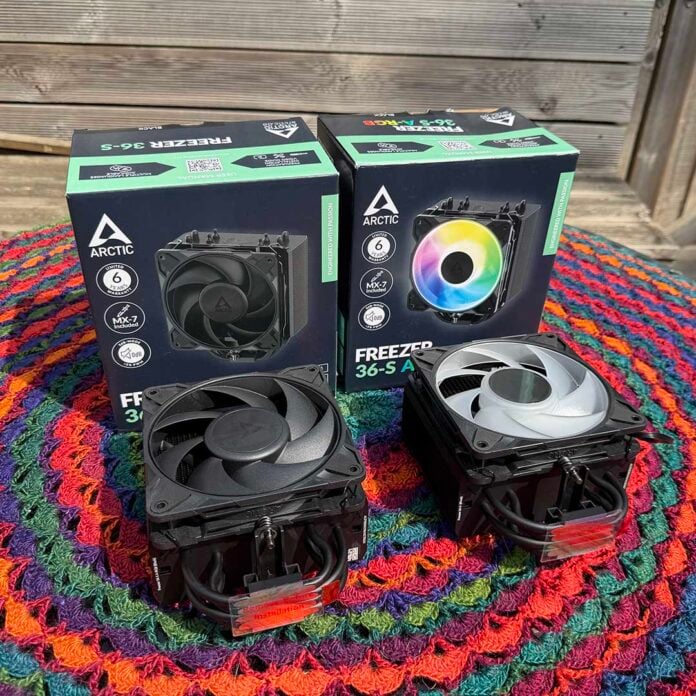
Believe it or not, you can currently pick up an Arctic Freezer 36-S for just £17.89 on Amazon. That modest sum would only buy you four cappuccinos from Starbucks at current prices, but in this case, it buys you a solid chunk of genuinely useful computer hardware. In fact, if you’re prepared to splash out just an extra £2.80, you can even pick up the colourful ARGB version.
As such, while I have some criticisms of this cooler, they all seem positively trivial when you line them up against the practically throwaway cost. Remarkably, the Freezer 36-S is also very capable, not to mention quiet. I’m seriously impressed by what you get for your money here, with the Freezer 36-S reminding me of the classic Freezer 7 Pro from back in the day.

Arctic Freezer 36-S
£17.89 / $18.89
Pros
- Amazingly low price
- ARGB option available
- Excellent thermal paste
- Decent cooling power
- Very quiet at 1,200rpm
Cons
- Only one fan, and you can’t add more
- Fiddly fan clips
Club386 may earn an affiliate commission when you purchase products through links on our site.
How we test and review products.
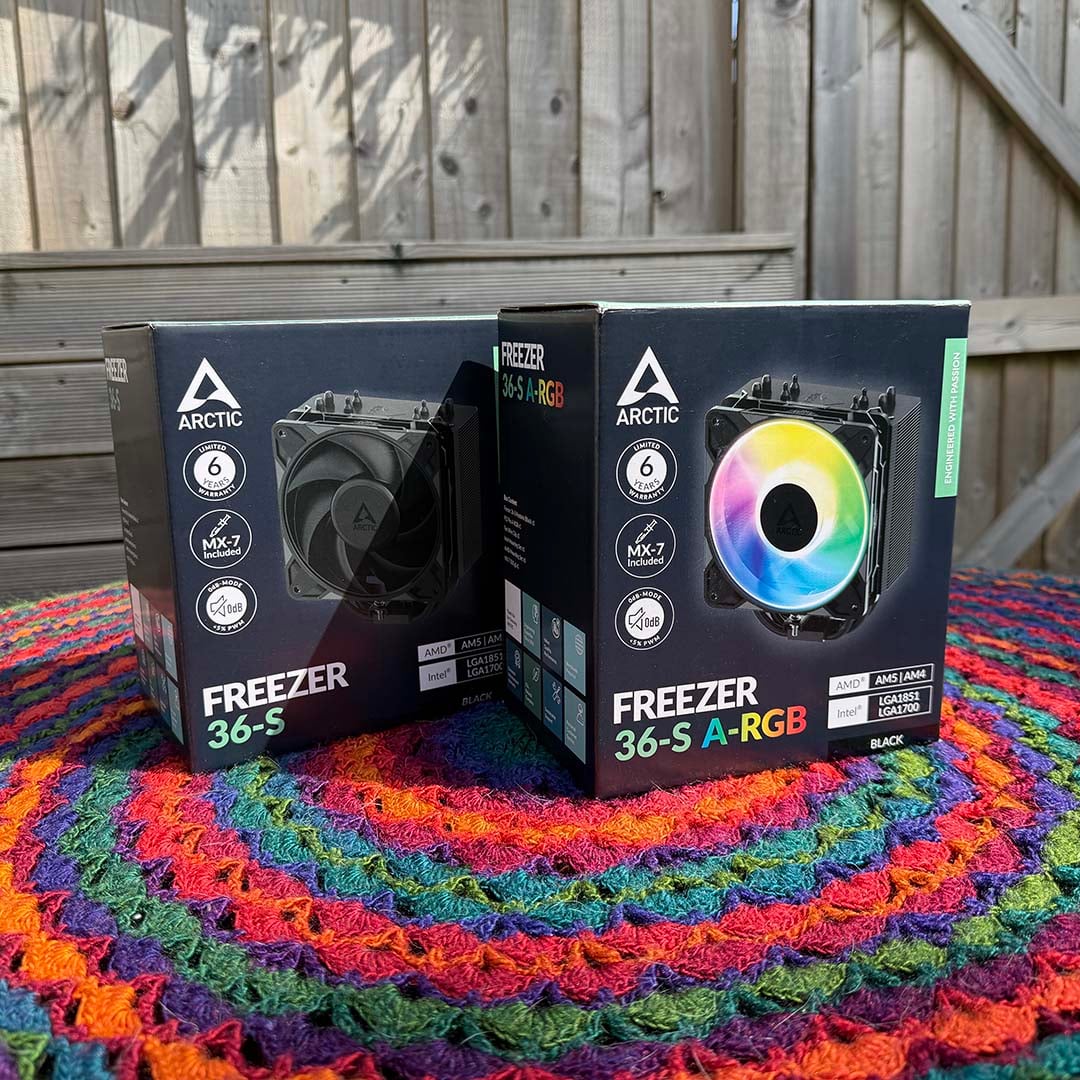
Several versions are available, with the uncoated aluminium and copper version coming in at £17.89. Step up to £19.39, and you can get the classy-looking all-black version, while £20.69 buys you an ARGB fan as well. Even owners of icy-coloured systems are covered, with white models also available.
It’s a relatively simple contraption, with just one fan attached to a basic heatsink. However, as we’ll see, it’s more than up to the job of cooling a budget or mid-range CPU, and without making a horrible noise either.
Specs
| Specification | Details |
| Socket support | Intel LGA1851, LGA1700 AMD AM4, AM5 |
| Heatsink dimensions | 126 x 88 x 156mm (w/fan) |
| Heatpipes | 4 x 6mm |
| Weight | 685g (w/fan) |
| Fan size and type | 1x Arctic P12 Pro PST 120mm |
| Fan speed range | 600-3,000rpm |
| Fan airflow | 77 CFM |
| Fan static pressure | 6.9mm H2O |
| Warranty | Six years |
| Price | £17.89 / $18.89 |
Design
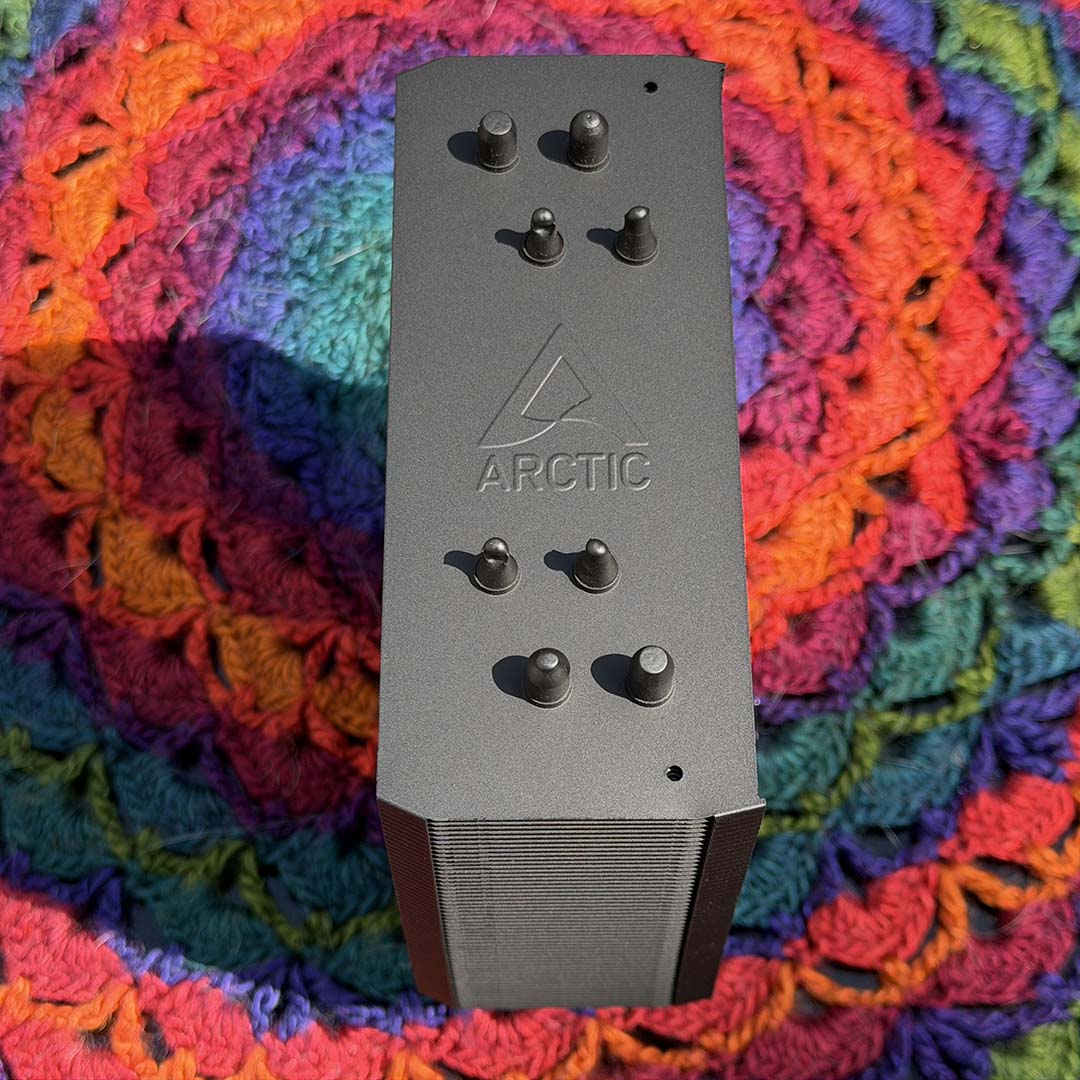
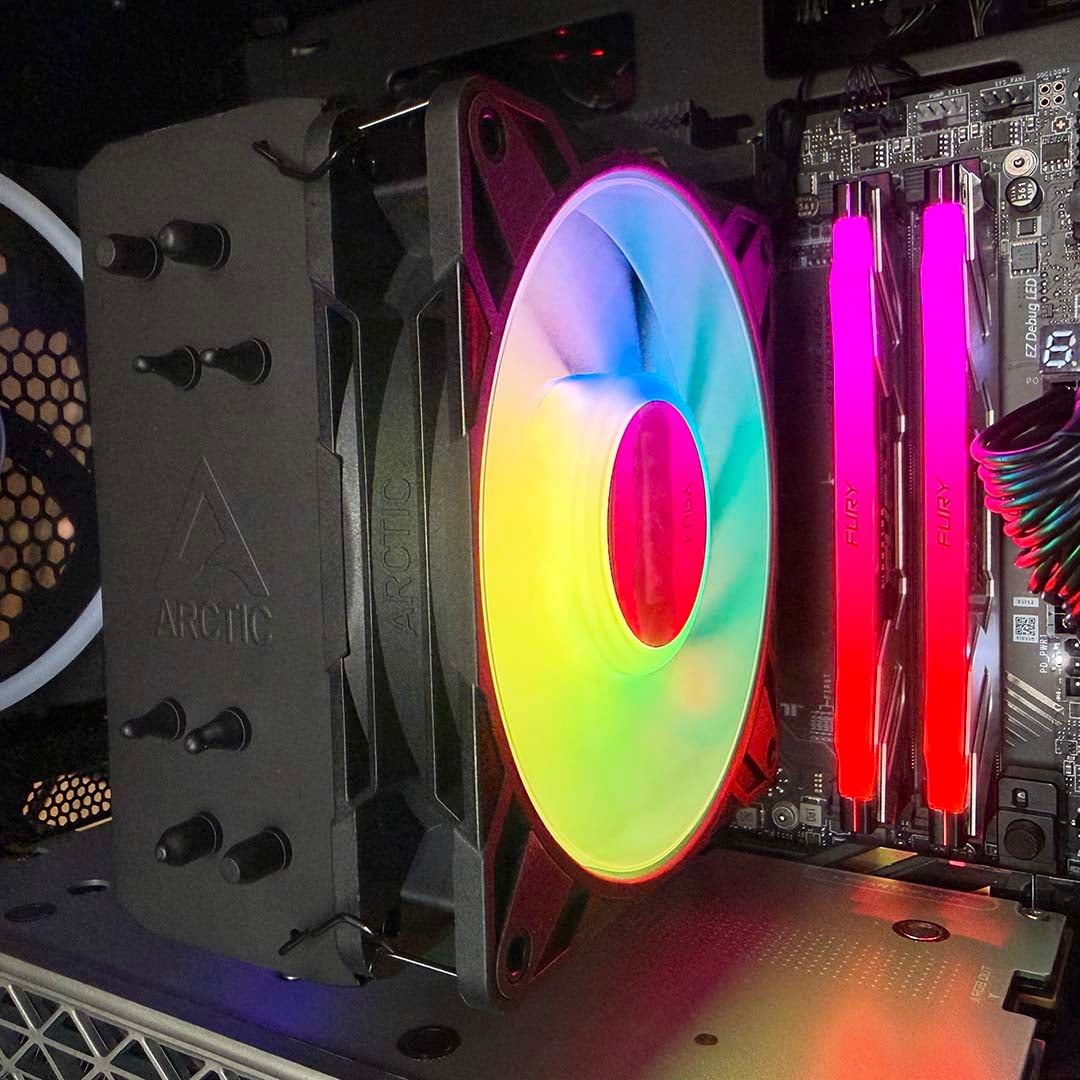
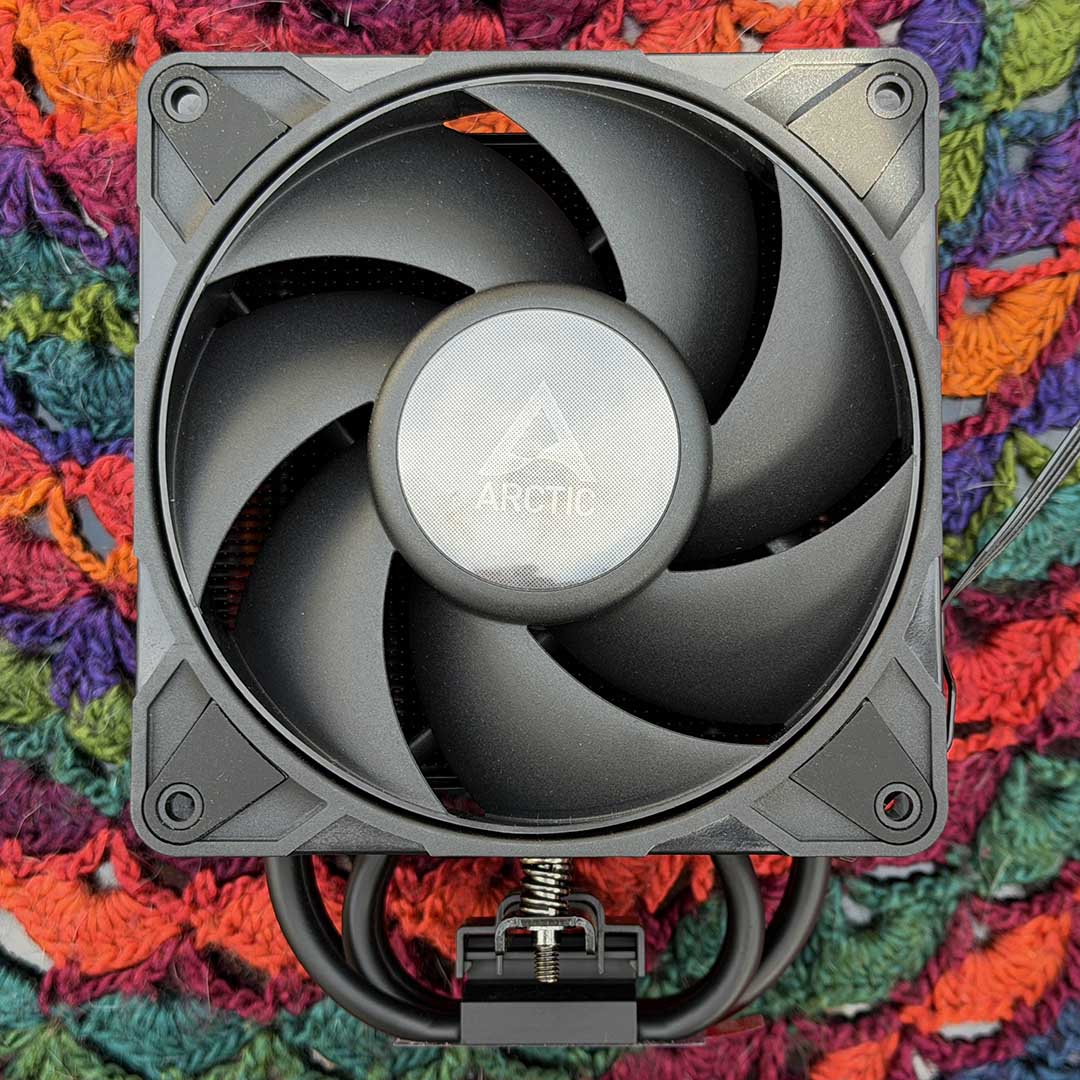
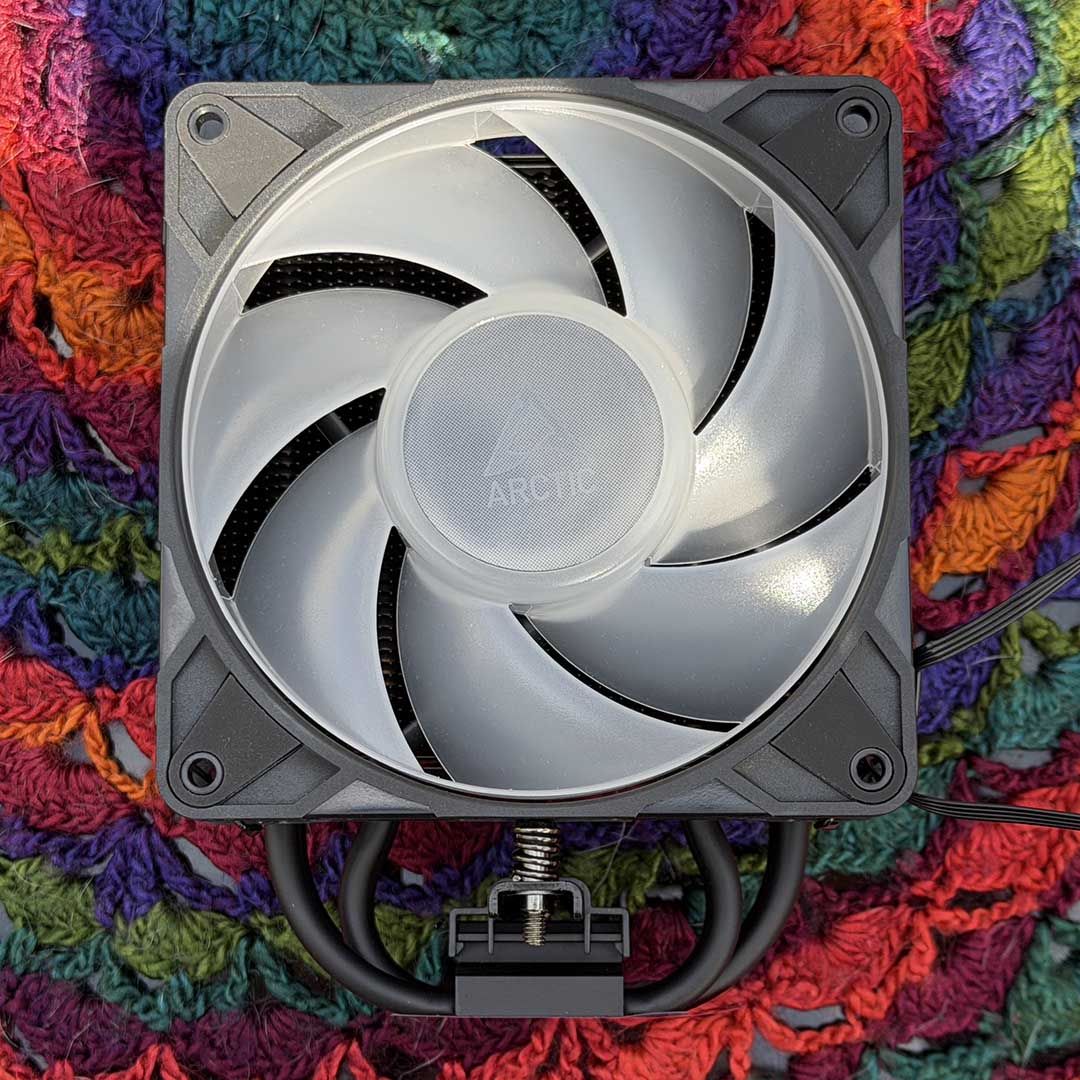
The Freezer 36-S really goes back to basics. While the slightly pricier Freezer 36 has two fans in a push-pull configuration, the 36-S has just one. Not only that, but you can only fit it to one side of the heatsink, so you can’t add another spinner later.
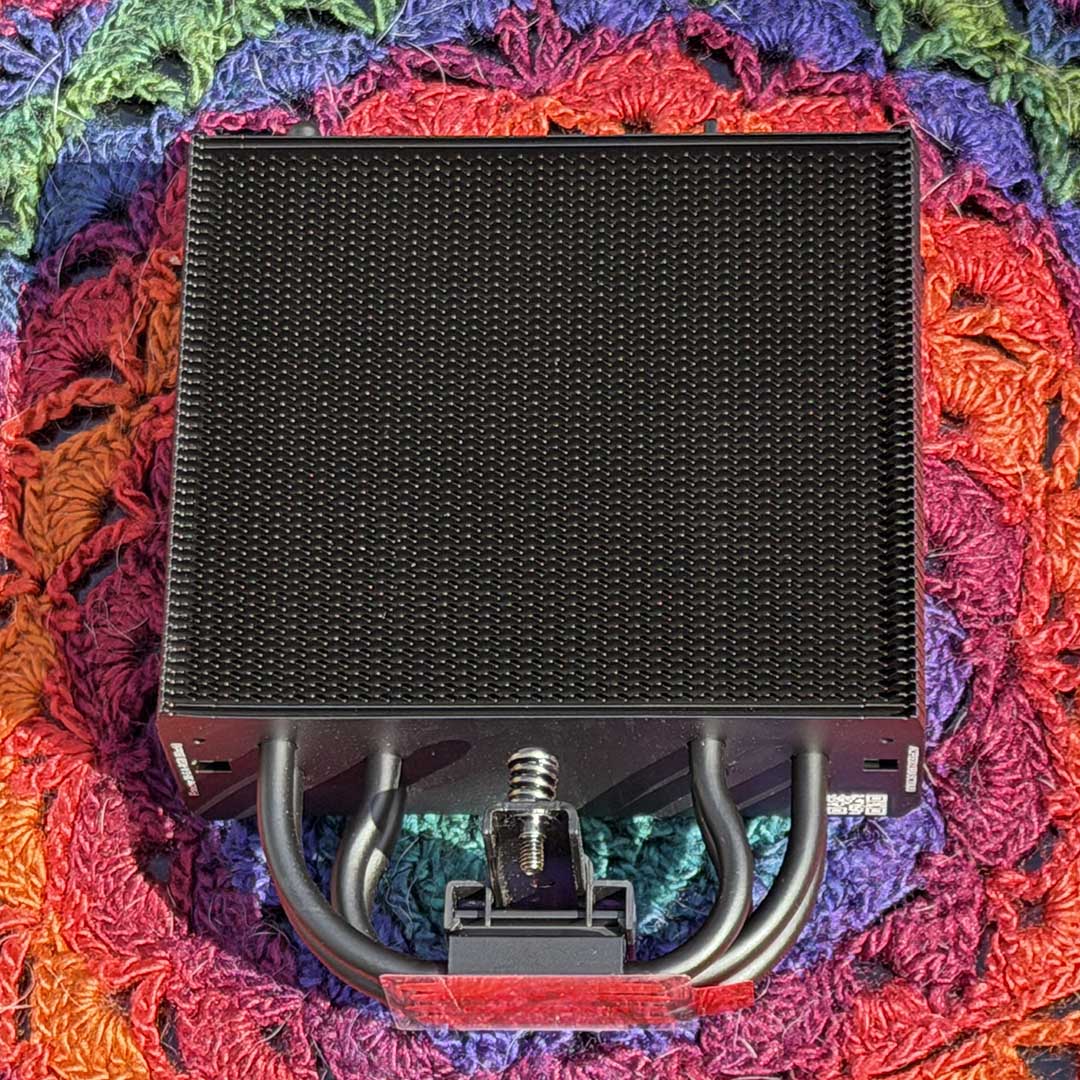
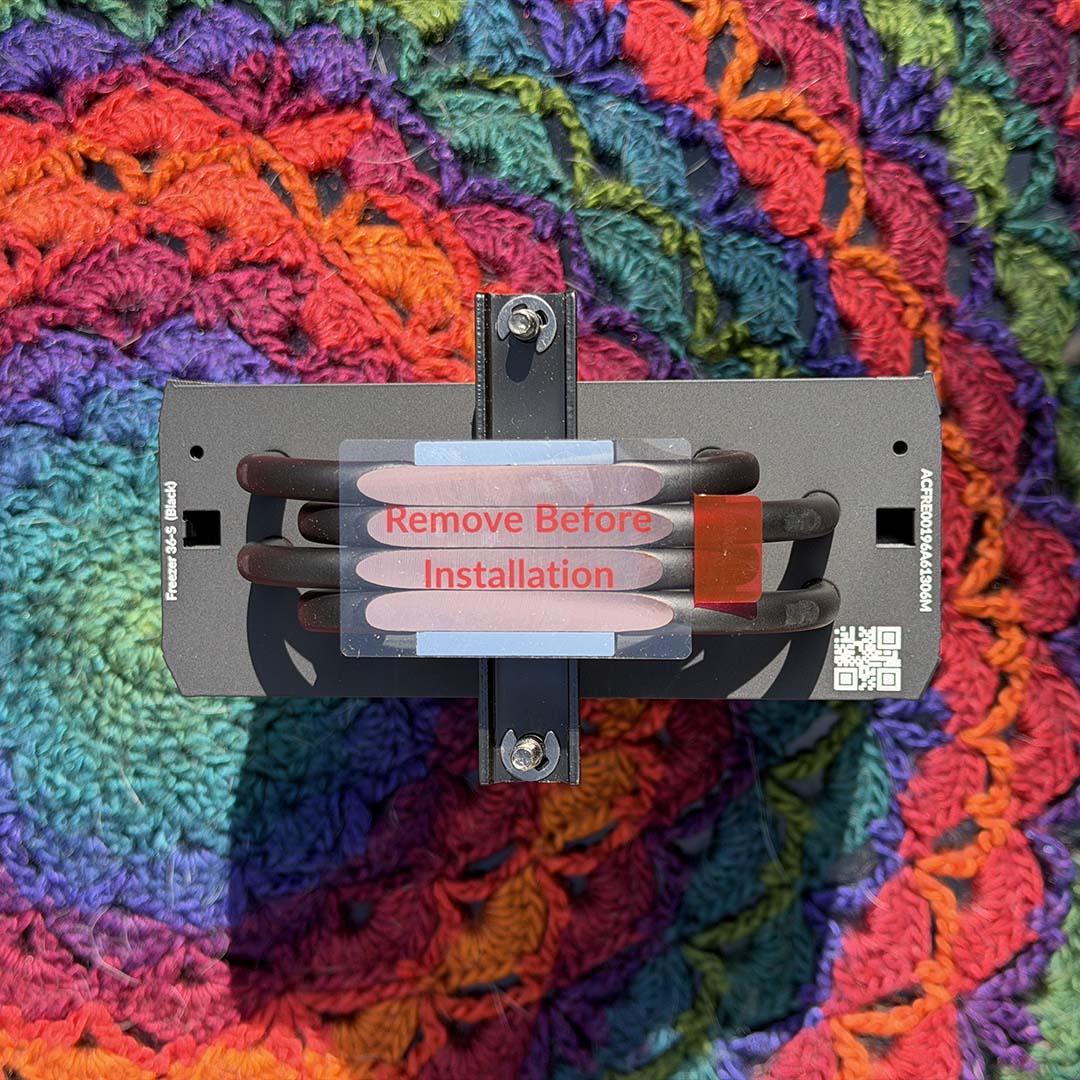
The slimline heatsink itself contains a stack of 54 aluminium fins, each measuring 0.4mm thick. These are fed by four copper heatpipes, each with a 6mm diameter, which meet together to form the contact plate, with a strip of aluminium on either side.
There’s no neat flat plate here to marry up with your CPU – instead, your heatspreader makes direct contact with the four flattened heatpipes on the bottom. The resulting contact plate is also quite narrow, and didn’t quite cover the outer edges of the heatspreader of our AM5 test CPU.
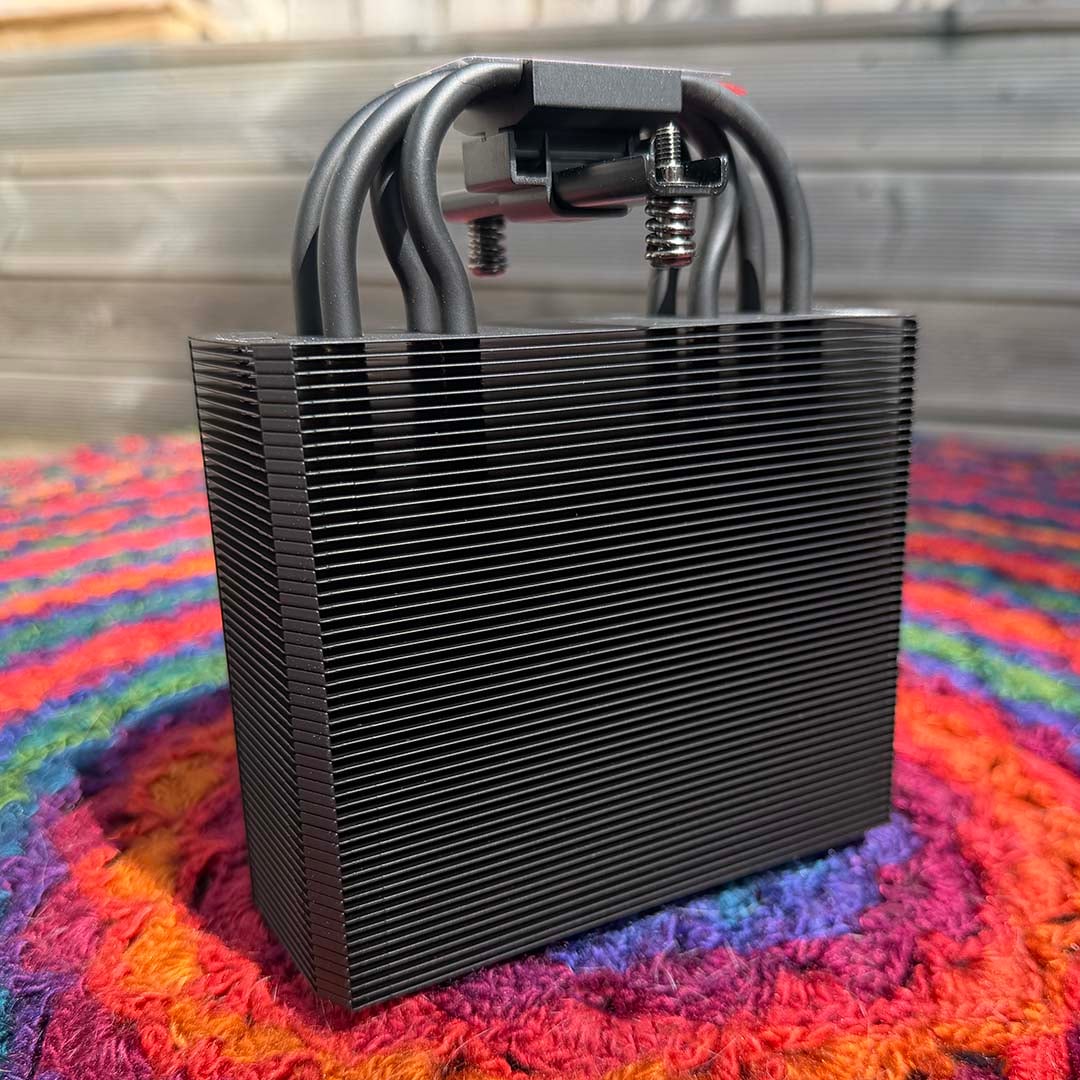
Two wire clips are provided to strap the fan to the heatsink’s front, and that’s the only place where you can fit a fan with this heatsink’s mounting system – you can’t fit one to the back. That means you can’t easily add another fan to create a push-pull airflow system, and it also means you have to turn the heatsink 180 degrees if you want your fan in the rear position, so the Arctic logo is then upside down.
Basically, this is a budget cooler that’s fundamentally designed to work in one configuration. In an ideal world, I’d like to see more flexibility here, but it’s not a deal breaker given the incredibly low price. On the plus side, you can set up a reverse-airflow configuration simply by turning the fan back to front – it has mounting holes on both sides, so it’s easy enough to fit in this configuration – it just doesn’t look as pretty.
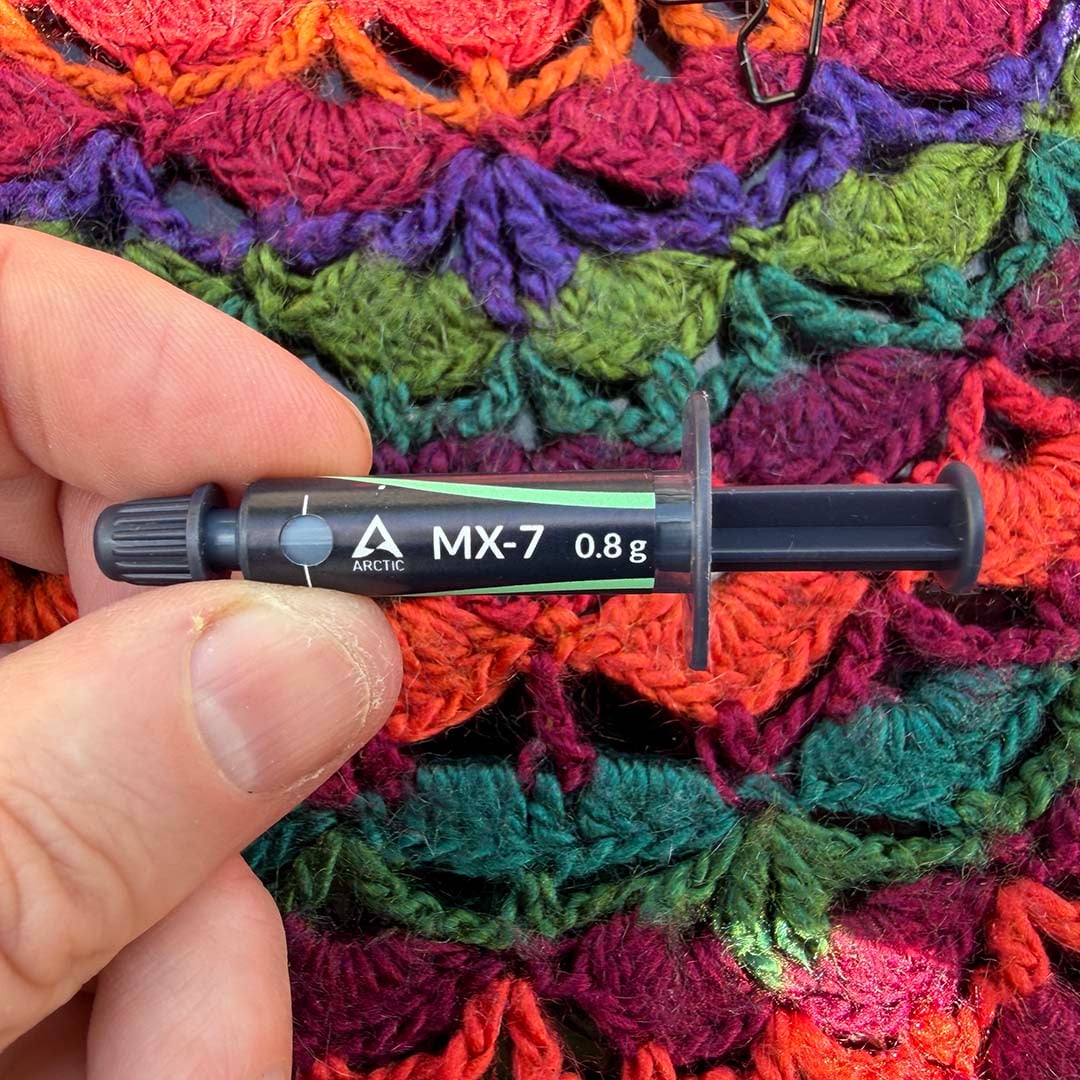
One pleasant surprise with this budget cooler is that you get a small tube of Arctic MX-7 paste in the box. After testing this thermal interface material, we listed it as the top premium pick on our guide to the best thermal paste. You only get 0.8g in the tube, which I found is enough to make the standard cross pattern on one CPU, but not much more. Even so, it’s great to get some proper paste with such a low-cost cooler.
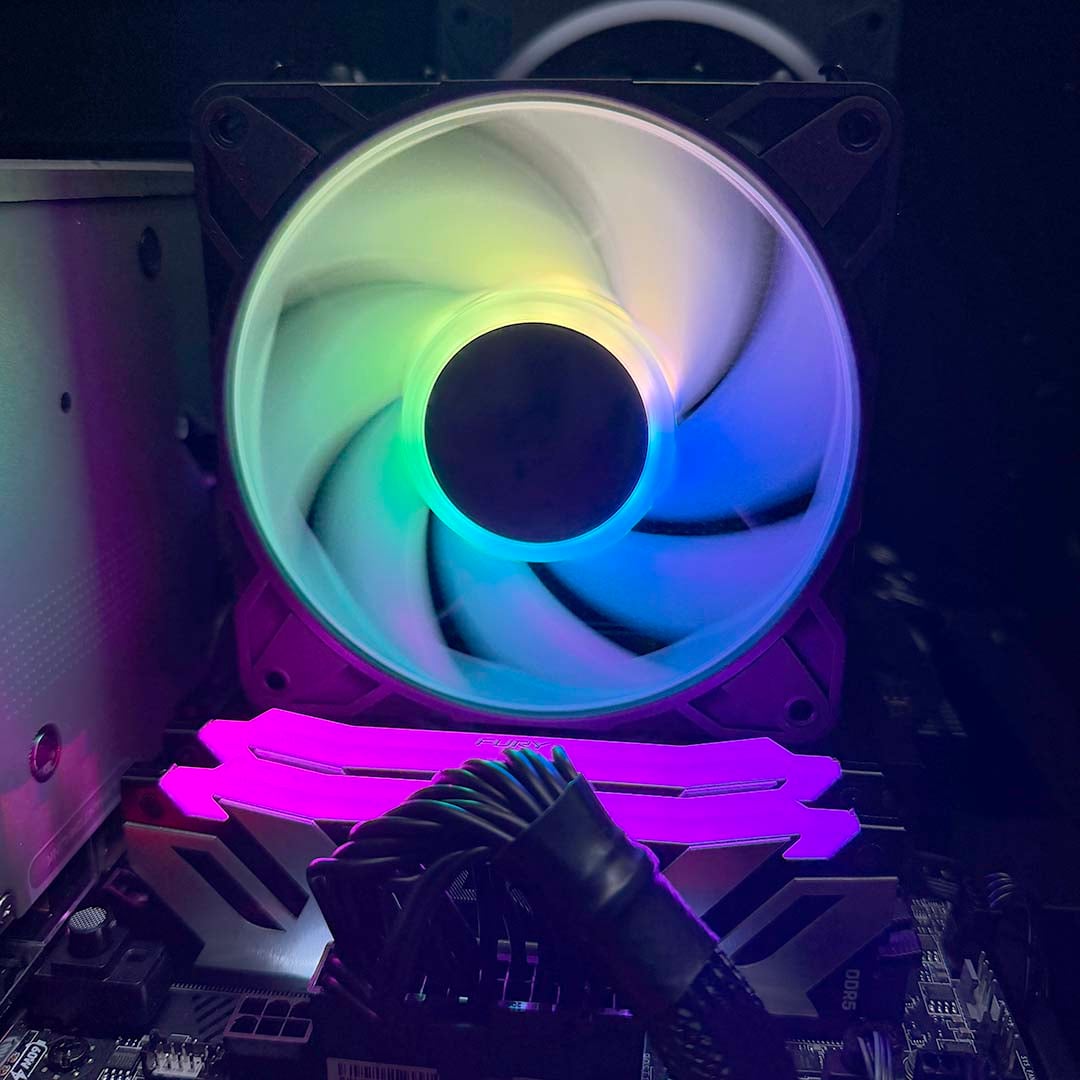
One final note about the design is that there’s no way to shift the fan upward to make room for memory clearance. However, the final setup is narrow enough for this not to be a concern in most systems – the fan’s front should be well away from your memory slots. This has the added bonus of meaning you can still install tall memory modules in your rig, as you won’t be worrying about clashes.
Fan
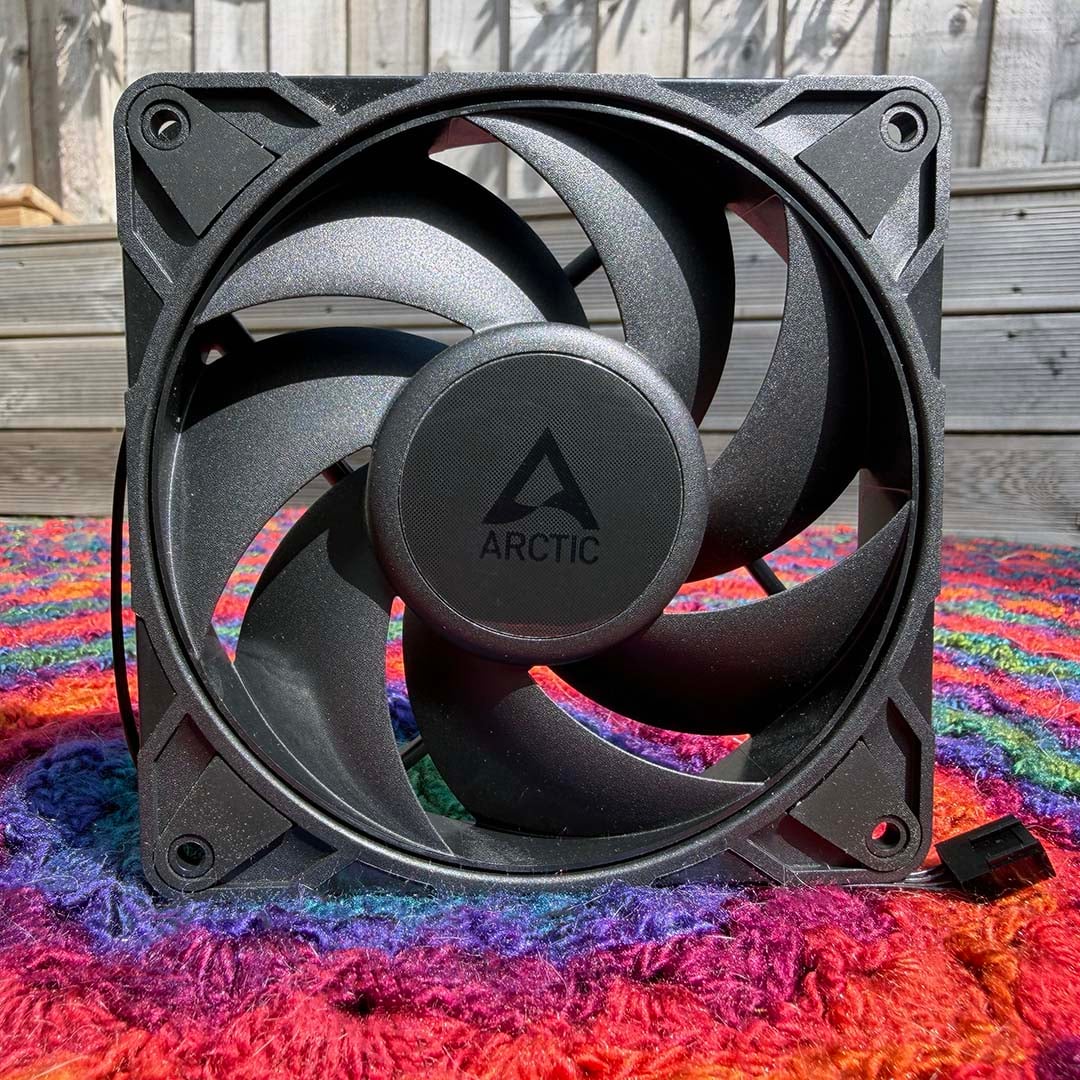
There’s only one fan included with the Freezer 36-S, but it’s a good one. The supplied 120mm Arctic P12 Pro PST has a fluid dynamic bearing and seven fan blades enclosed within a plastic ring to form its spinning circle.
Arctic has also optimised the design of the frame so there’s only a 0.85mm gap between the circle of fan blades and the outer shell, so you get as much airflow as possible out of it, as well as high static pressure.
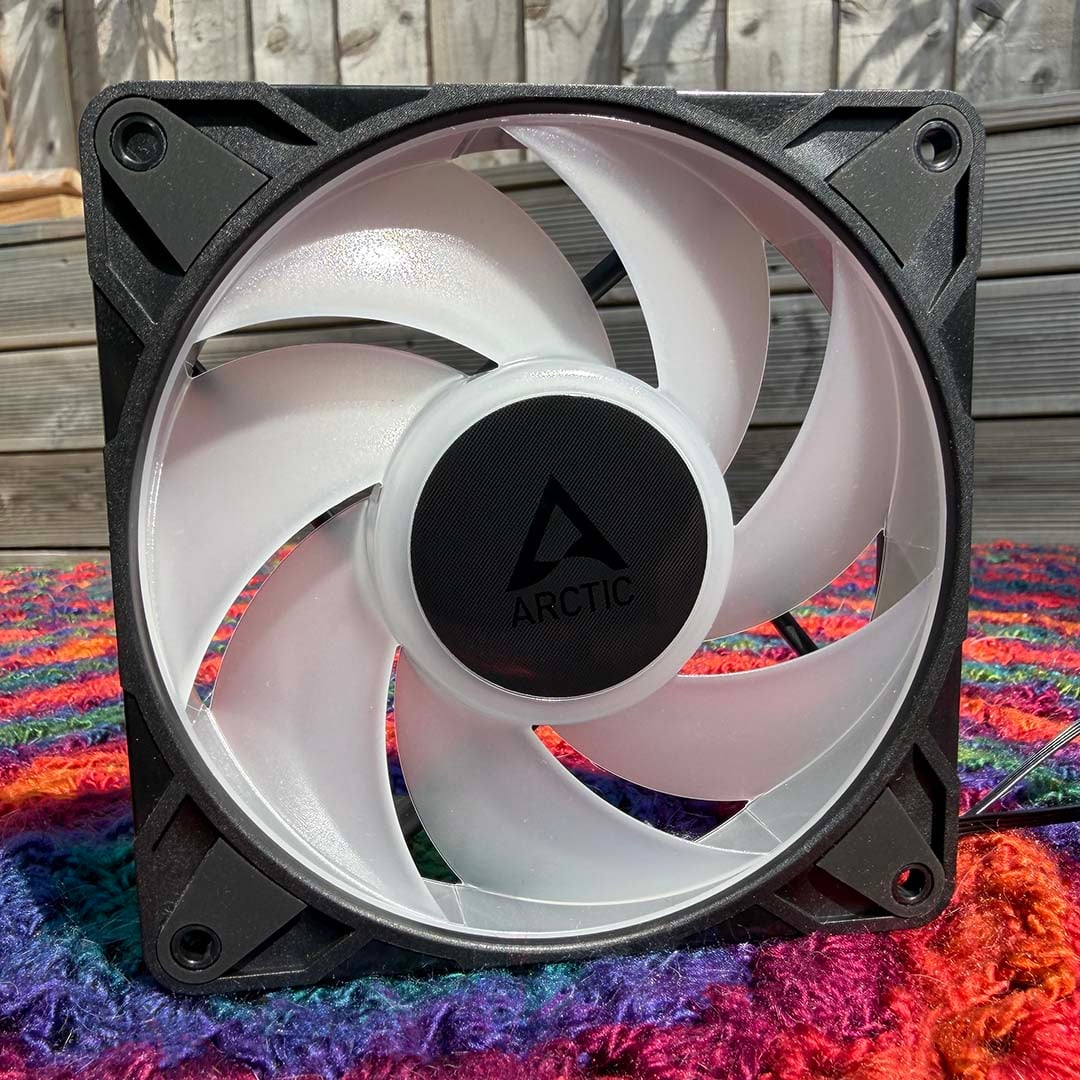
Unlike the fans we’ve seen on MSI coolers lately, there’s a 0rpm mode, where the fan won’t spin up if the PWM voltage signal is below 5%. Otherwise, it spins between 600 and 3,000rpm. As with the heatsink, there are black and white versions available, and there’s also an ARGB version.
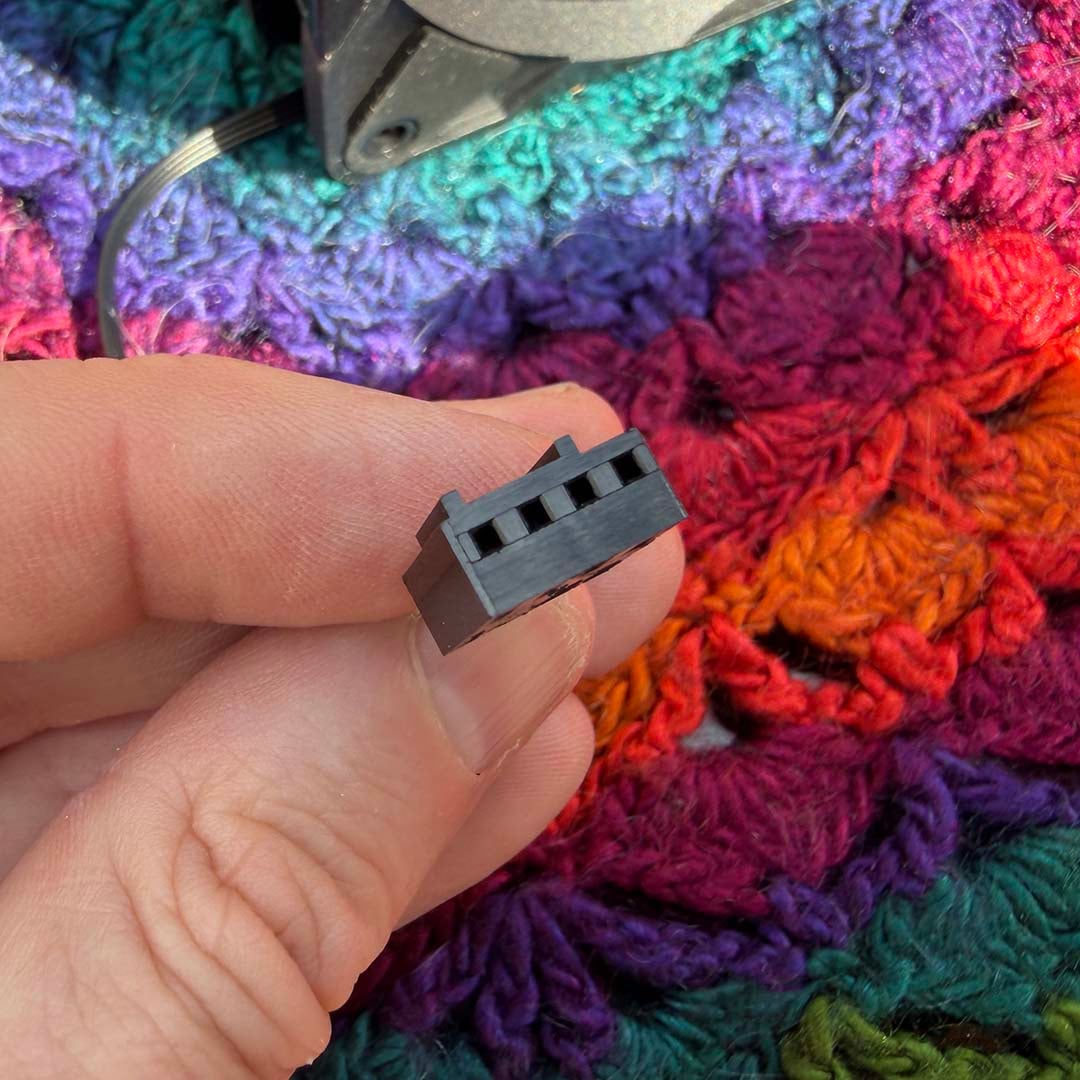
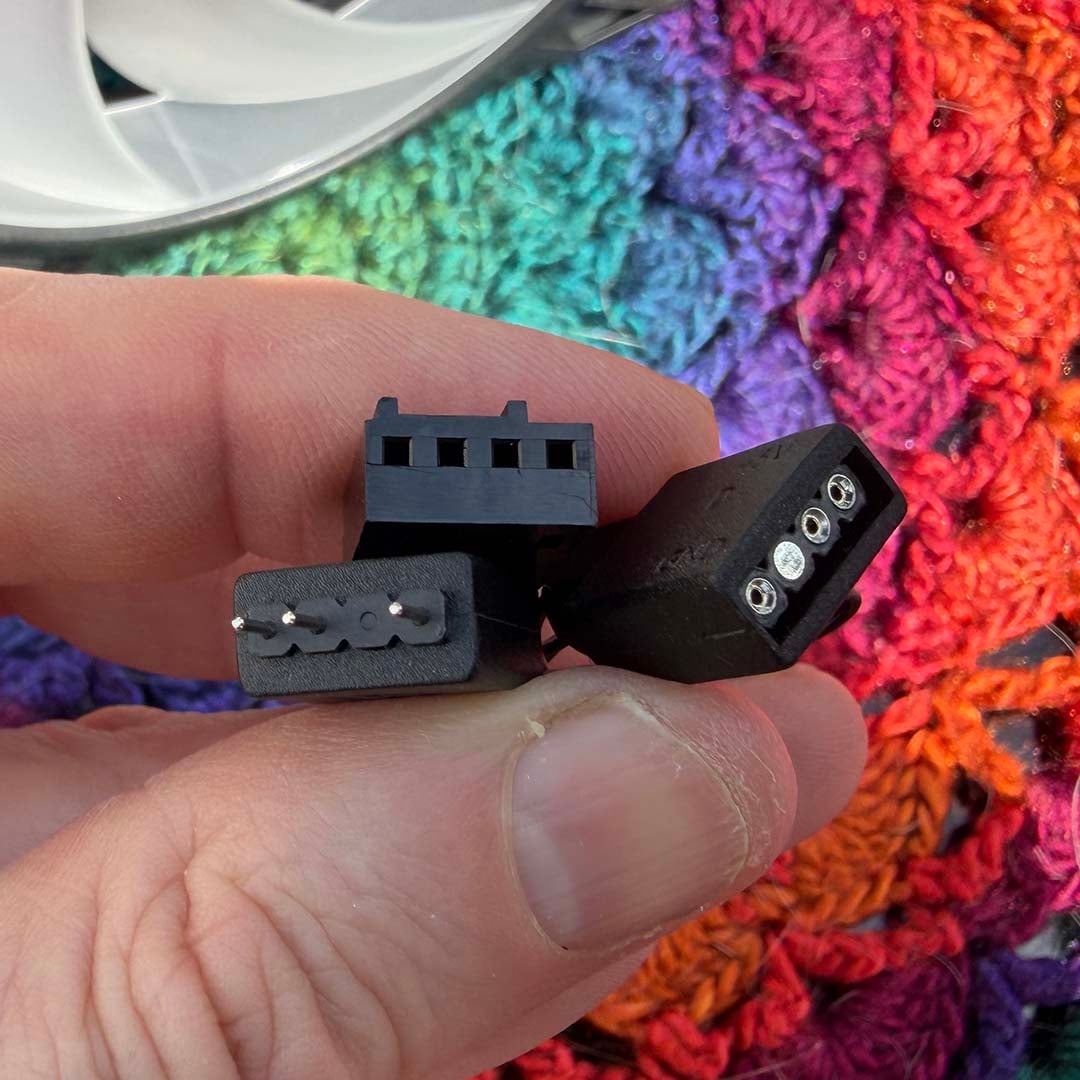
On the standard fan, you just get a single 4-pin PWM power plug to hook up to your motherboard’s CPU fan header. Meanwhile, the ARGB version adds a 3-pin RGB connector to the mix, along with a passthrough so you can daisy chain another RGB device without losing a second corresponding header on your motherboard.
You can install the fan shell any way round on the heatsink, so you can position it in just the right spot to easily route the cables to your motherboard headers.
Installation
Sadly, there’s no paper manual in the Arctic Freezer 36-S box, unlike the be quiet! Dark Rock 6, but hats off to Arctic for the quality of its online installation guide. Scan the QR code on top of the box, and you’ll be taken to the Arctic website.
There’s a video tutorial you can view here, but I much preferred the step-by-step animated guide that appears if you scroll down and click on the Installation header. It’s perfect for viewing on a vertical phone screen, and shows you everything you need to know with animated diagrams.
Sadly, the actual box contents aren’t labelled quite as efficiently. There are two white screw bags, for example – one for Intel CPUs, and one for AMD ones, but neither of them are labelled to tell you which one is which.
Installing the Freezer 36-S on an AMD motherboard is as simple as it gets. You simply remove the usual clips from the top and bottom of your motherboard socket, and replace them with the clips provided in the Freezer 36-S box on the left and right side of your CPU socket. After that, you need to thread the fan clips into the heatsink, paying close attention to make sure they’re the right way round, or they won’t grip the fan.
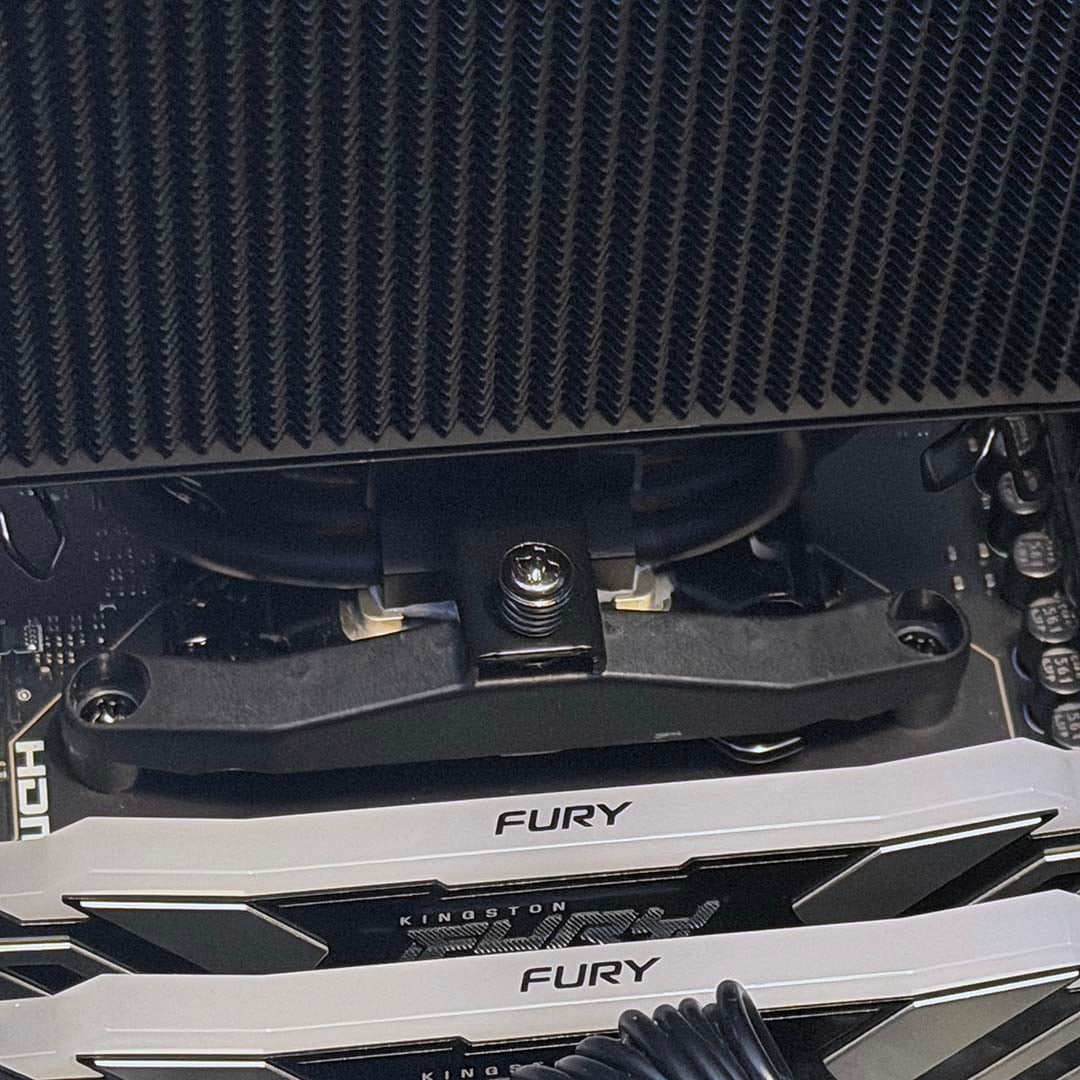
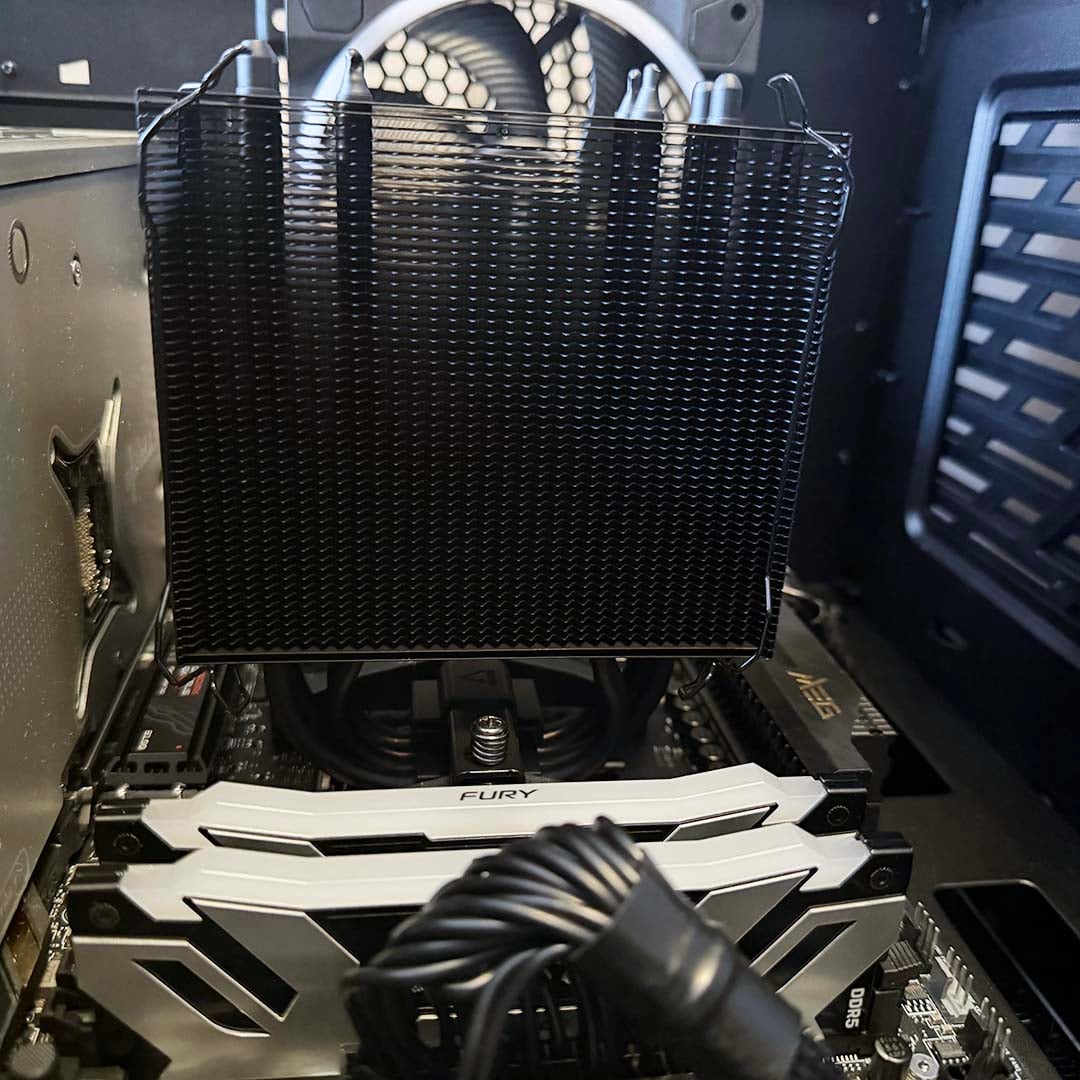
You then apply your thermal paste, put the heatsink on top of your CPU in its socket, and use a Philips screwdriver to secure it in place with two screws on either side. After that, it’s time to fit your fan, and this is the fiddly bit.
You have to put your fan on the heatsink’s front, and then snap the clips into place so the U-bend parts slot into the fan holes. This is easy enough at the top of the fan, but a bit of a trial-and-error exercise on the fan’s lower mounting holes.
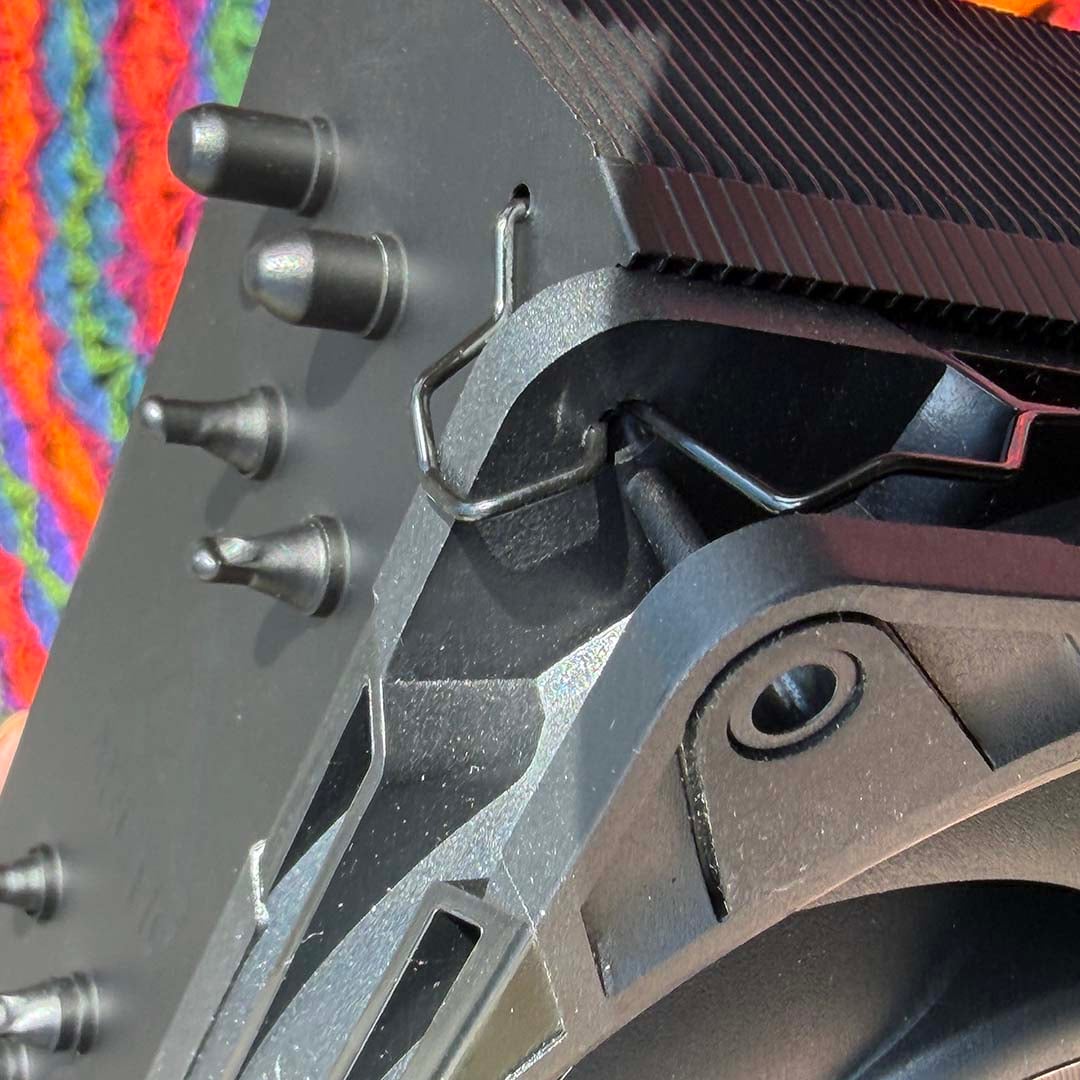
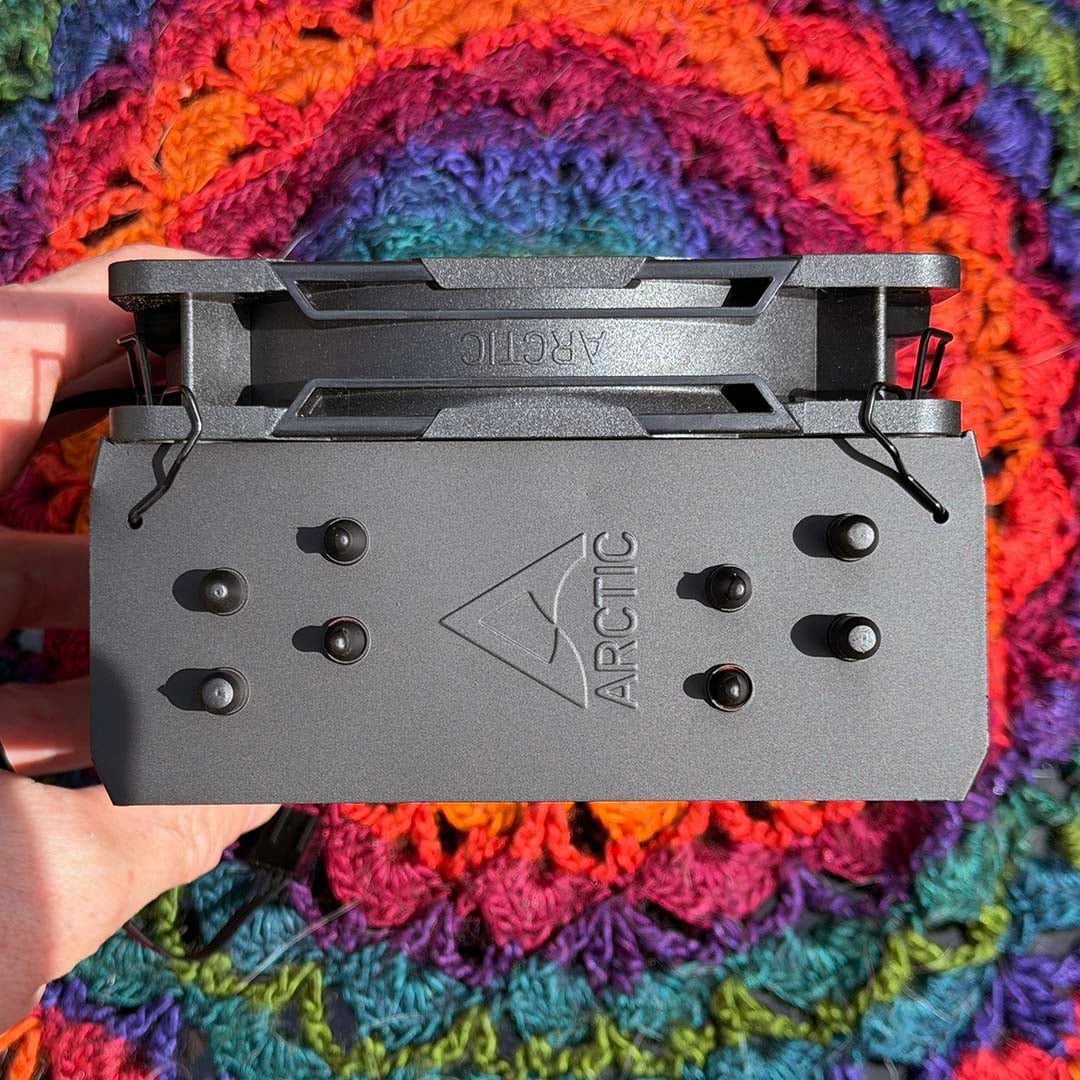
You can’t fit the fan before you fit the heatsink, as you then can’t access the screws, so you can only do it once the heatsink is already mounted to your motherboard. This means you can’t see what you’re doing at the bottom, and you may well end up scratching your heatsink with the fan clips in the process. Once it’s in place, though, that’s the job done – just plug the fan into your motherboard’s appropriate power header and you’re ready to go.
Installation on Intel motherboards, meanwhile, is a much more involved process. You effectively have to dismantle your CPU socket’s metal surround (with your CPU already fitted), using the supplied L-shaped T20 screwdriver, so you can slot in a contact frame. On the plus side, you don’t have to access the rear of your motherboard to fit a custom backplate, but you’ll need to be careful while taking the metal frame apart – Arctic’s instructions do a decent job of guiding you through the process.
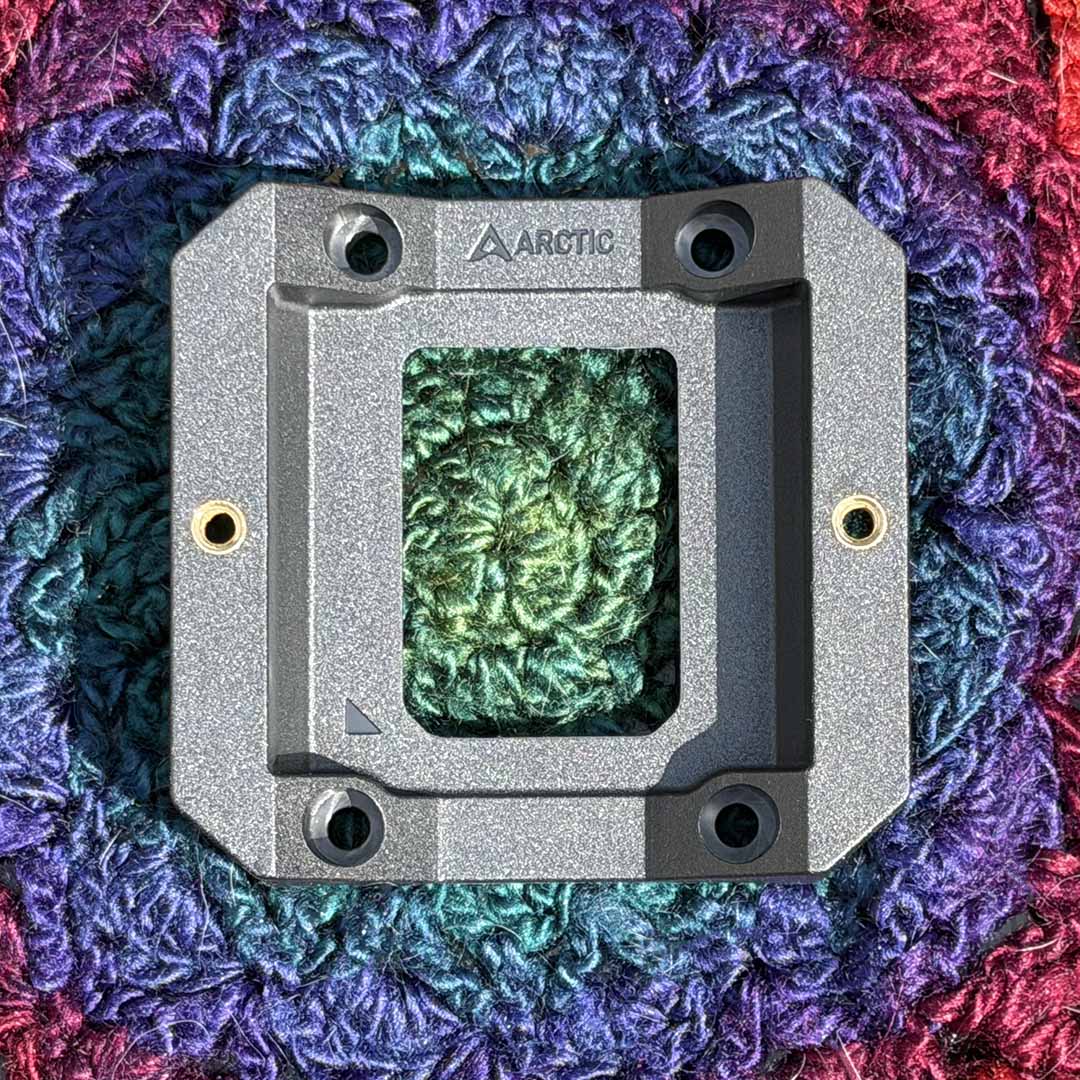
Once you’ve done it, though, you just screw the heatsink into the two holes on either side, as with the AMD installation mounts. You also now have the benefit of a reinforced plastic frame pinning the edges of your CPU into its socket, so they won’t bend.
This is a genuine problem on Intel’s LGA1700 CPUs, which can flex upwards when there’s too much pressure from a cooler’s mounting system pulling on them. It can result in a non-functioning CPU at worst. As such, this is a useful inclusion, especially in such a low-cost cooler – contact frames usually start at around £6 on Amazon, so there’s a decent cost saving there.
Performance
How we test
I’m testing this low-cost Arctic CPU cooler in one of our Club386 test PCs, which all have identical components. This setup includes a be quiet! Light Base 900 FX case, with all its fans fixed to 30% speed. The noise from this case at these settings is practically inaudible, and cannot be detected by our noise meter, enabling us to hear the difference made by a CPU cooler.
We use an AMD Ryzen 9 9950X3D as our test chip, which is the top choice on our guide to buying the best CPU. For each test, we run Cinebench 26’s multi-threaded benchmark, and record the average (mean) temperature of all the cores over the last five minutes of the benchmark run, as well as the absolute maximum core temperature, so you have an idea of the worst-case scenario.
We run this CPU at its normal peak 170W TDP, but also at 105W and 65W TDP settings. This means you can see how well a cooler can keep a lower-spec CPU, such as a 105W Ryzen 7 5800X3D or 65W Ryzen 5 9600, in check, as well as more powerful chips.
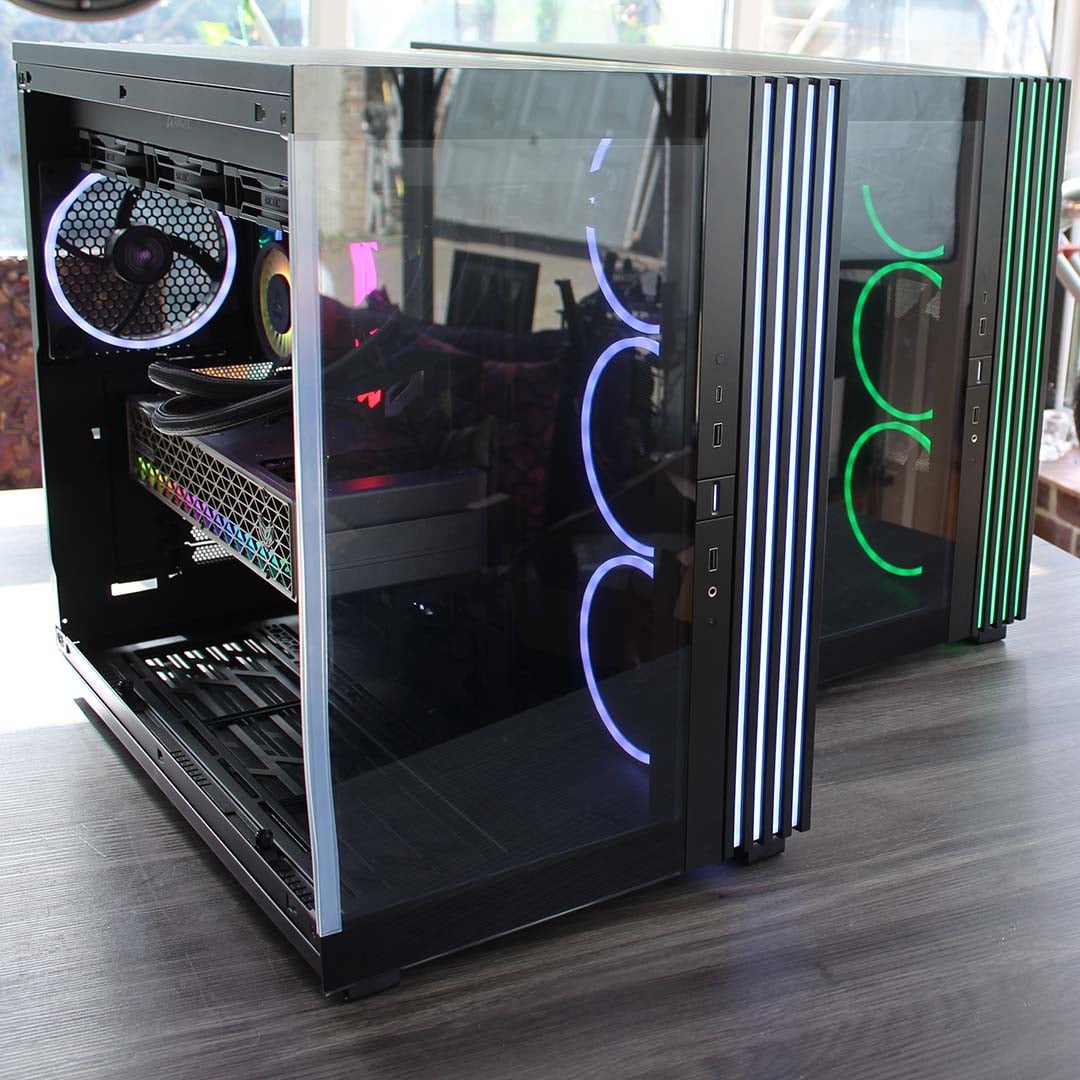
Our 9950X3D Test PCs
Club386 carefully chooses each component in a test bench to best suit the review at hand. When you view our benchmarks, you’re not just getting an opinion, but the results of rigorous testing carried out using hardware we trust.
Shop Club386 test platform components:
CPU: AMD Ryzen 9 9950X3D
Motherboard: MSI MEG X870E Ace Max
Cooler: Arctic Liquid Freezer III 420 Pro ARGB
GPU: Sapphire Nitro+ Radeon RX 9070 XT
Memory: 64GB Kingston Fury Renegade DDR5
Storage: 4TB Sandisk Optimus GX Pro 8100
PSU: be quiet! Dark Power 14 1,200W
Chassis: be quiet! Light Base 900 FX
Before we conduct each temperature test, we record the ambient room temperature. We then subtract this from the CPU temperature results, to give us a delta T reading. This enables us to account for differences in test conditions without having a temperature-controlled lab, and compare results between other coolers tested on different days. Bear in mind that this means the results listed in the table below will be considerably lower than the actual CPU core temperatures.
All temperature and noise level tests are conducted with the cooler inside our case with all the side panels closed. We record temperatures using CoreTemp, and measure sound levels with a noise meter positioned 10in away from the front of the case. This means our results come from a real-world scenario, rather than an open-air test bench.
Temperatures
| 9950X3D TDP / fan speed | Avg temp (delta T) | Peak core temp (delta T) |
|---|---|---|
| 170W / 600rpm | 65.9°C | 70.1°C |
| 170W / 1,200rpm | 60.8°C | 69.0°C |
| 170W / 3,000rpm | 52.4°C | 58.5°C |
| 105W / 600rpm | 58.5°C | 64.9°C |
| 105W / 1,200rpm | 41.4°C | 47.8°C |
| 105W / 3,000rpm | 34.7°C | 41.6°C |
| 65W / 600rpm | 34.7°C | 46.3°C |
| 65W / 1,200rpm | 24.1°C | 44.9°C |
| 65W / 3,000rpm | 20.0°C | 36.5°C |
Given its price, you won’t be surprised to learn that the Arctic Freezer 36-S struggles with our Ryzen 9 9950X3D at full power when its fan is spinning at just 600rpm. Within a minute of running Cinebench 26, our CPU had already gone past its top Tj max temperature of 96°C, and by the end of the test, the CPU clock speed was throttling back from over 5GHz to 4.36GHz. The resulting score of 8,851 was a long way from the 9,500+ results we usually see from this CPU.
You can just about run a 105W CPU, such as the Ryzen 5 7600X, with this cooler at 600rpm, but even then, the peak delta T of 64.9°C represents an actual core temperature of 91°C. If you really want to run the Freezer 36-S at its lowest fan speed, you’re best off pairing it with a 65W CPU. With an average delta T of 34.7°C, and peak of just 46.3°C, it coped with our CPU fine at this thermal power level. If you want a quiet, affordable cooler to keep a Ryzen 5 7600X3D in check, then the Freezer 36-S is perfectly up to the job with its fan running at just 600rpm.
However, given that this cooler is basically inaudible at 1,200rpm (more on that later), I’d just fix the fan speed at this level. The Freezer 36-S had no trouble at all dealing with a 105W heat-load at this fan speed. The average delta T of 41.4°C is fantastic for such a low-cost cooler, as is the 47.8°C peak, with the latter calculated from a real core temperature of 75°C.
Comparatively, even the more expensive be quiet! Dark Rock 6 could only cool our CPU to a (slightly warmer) average delta T of 42.8°C, and a peak of 49.4°C, at the same settings. If you want a really low-cost cooler to strap to a Ryzen 7 5800X3D, then the Freezer 36-S is perfect for the job at 1,200rpm.
Amazingly, if you run the Freezer 36-S fan at full speed, you can even cool a Ryzen 9 9950X3D at its full 170W TDP. Its peak delta T of 58.5°C here corresponds with a real core temperature of 86°C, tested on a hot day with a 27.5°C room temperature. Realistically, you wouldn’t want to sit next to this fan at 3,000rpm, as I’ll cover later, but it’s remarkable that a sub-£20 cooler can actually keep this monster 16-core CPU in check at all.
Noise
| Fan speed | Noise level |
|---|---|
| 600rpm | Undetected |
| 1,200rpm | Undetected |
| 3,000rpm (max) | 43.6dBA |
With just a single fan attached to its heatsink, and a quiet one at that, you barely hear a peep out of the Arctic Freezer 36-S unless you really crank up the rpm. With its fan spinning at 600rpm, you simply can’t hear it at all.
Even at 1,200rpm, it’s barely audible. Our noise meter still couldn’t detect it at this speed, and I struggled to hear it once our test rig’s side panels were screwed into place. You may as well run this cooler at 1,200rpm rather than 600rpm, even if low noise is your top priority – it really is supremely quiet at this speed.
There’s plenty of headroom to go faster if you need more cooling power, though. This fan can spin at up to 3,000rpm, at which it makes a nasty, trebly whine – the fan is clearly working very hard. It’s not overly loud at 43.6dBA, but you wouldn’t want to sit next to it for a day’s work.
Even so, this isn’t a terrible result when you consider that this £17.89 cooler can keep a Ryzen 9 9950X3D under control at this fan speed. As a point of comparison, the be quiet! Dark Rock 6 peaks at 42.9dBA when it’s maxed out, but that’s at a much slower speed of 2,000rpm. Amazingly, the cheaper Arctic cooler also has slightly lower delta Ts than the be quiet! model, when cooling our 9950X3D at 170W with the fan at full speed.
Conclusion
The Arctic Freezer 36-S offers gobsmackingly good value. Despite costing just £17.89, it can happily cool a 105W CPU at full load with its fan spinning at 1,200rpm, and you can barely hear it. If you’re building a budget gaming PC based on a Ryzen 5 7600X or 9600X, then it’s perfect for the job, helping you keep down temperatures, noise, and costs in one fell swoop. Owners of AM4 rigs looking for a low-cost cooling upgrade to pair with a new Ryzen 7 5800X3D are also in luck, as the Freezer 36-S is more than up to the job.
It’s not a perfect design. Fitting the fan clips can be fiddly and frustrating, and there’s no way to add another fan either, but those complaints fall by the wayside when you see the price. If you do want a dual-fan cooler for the lowest cost possible, then the standard Arctic Freezer 36 offers just that for a few extra quid. You don’t need it if you’re only cooling a budget or lower mid-range chip, though – the Freezer 36-S is perfectly up to the job of handling these CPUs.
It’s also worth noting that there’s some stiff competition from the likes of the Thermalright Assassin range when it comes to single-fan coolers. The Freezer 36-S has a slightly higher price than some of these designs, but it also comes with MX-7 paste and an Intel contact frame in the box. Given that the difference is only a few quid, and £17.69 is hardly expensive anyway, the Freezer 36-S is still a bargain here.
In a time when memory prices are rocketing, and it’s crucial to keep down other costs as much as possible, the Arctic Freezer 36-S is a welcome breath of fresh air. Despite its low price, it offers solid cooling power, while also keeping the noise down. If you’re building a PC on a tight budget, this is the cooler for you.